Microsoft Virtual Academy Part 1 Windows Server 2012
- Slides: 30
Microsoft Virtual Academy
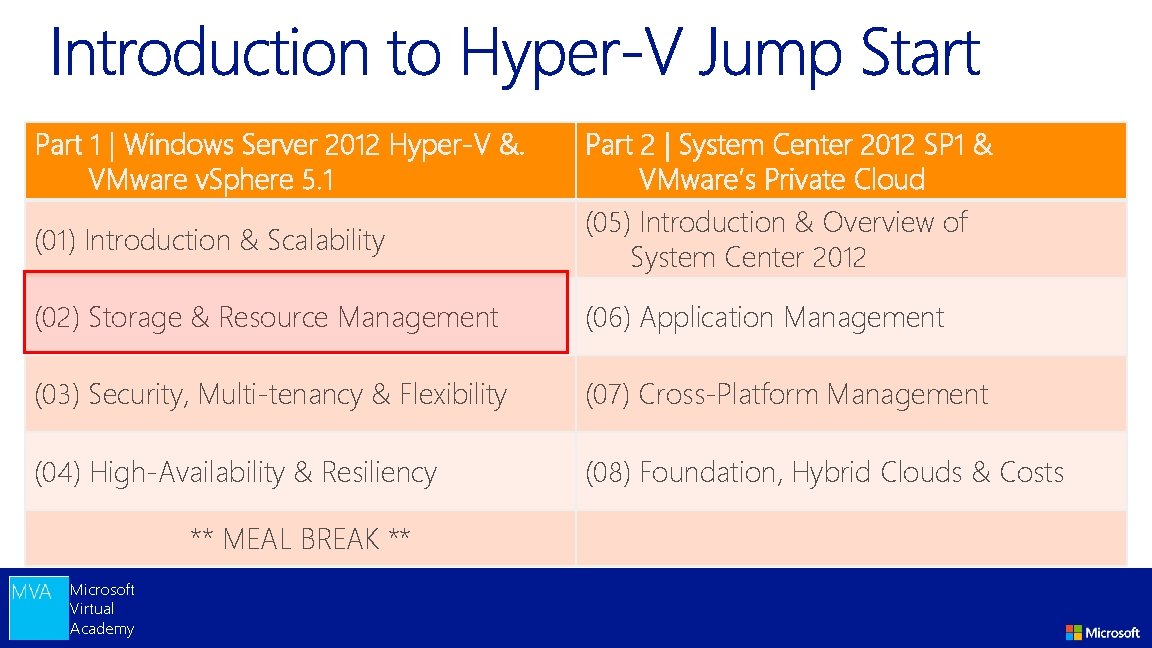
Part 1 | Windows Server 2012 Hyper-V &. VMware v. Sphere 5. 1 (01) Introduction & Scalability Part 2 | System Center 2012 SP 1 & VMware’s Private Cloud (05) Introduction & Overview of System Center 2012 (02) Storage & Resource Management (06) Application Management (03) Security, Multi-tenancy & Flexibility (07) Cross-Platform Management (04) High-Availability & Resiliency (08) Foundation, Hybrid Clouds & Costs ** MEAL BREAK ** Microsoft Virtual Academy
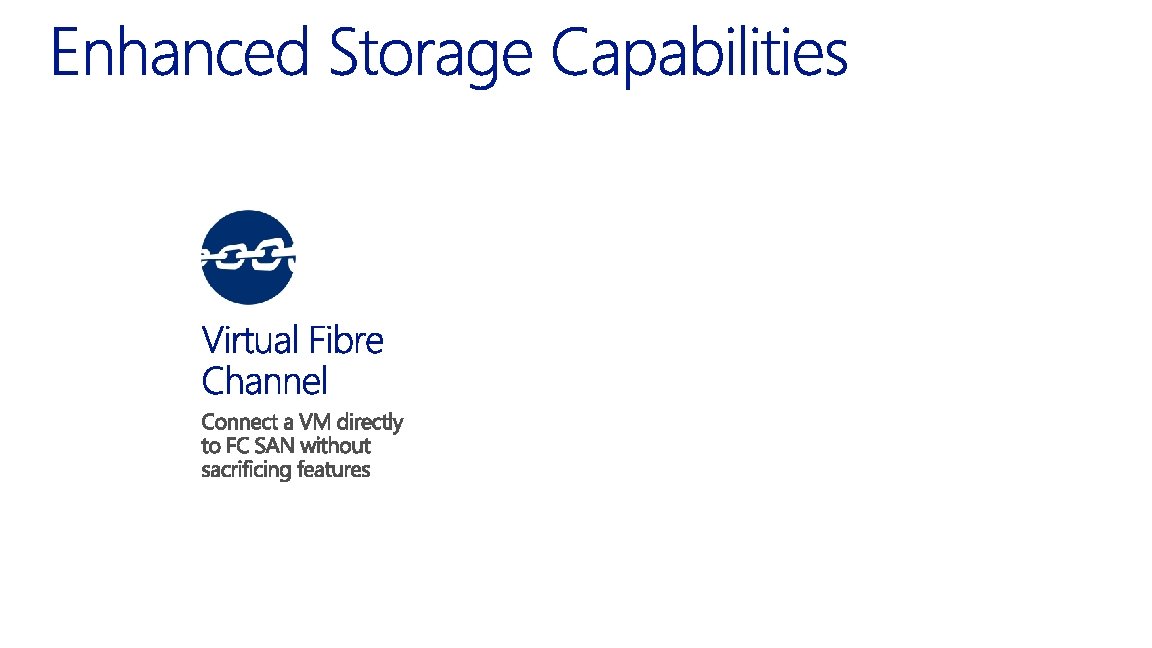
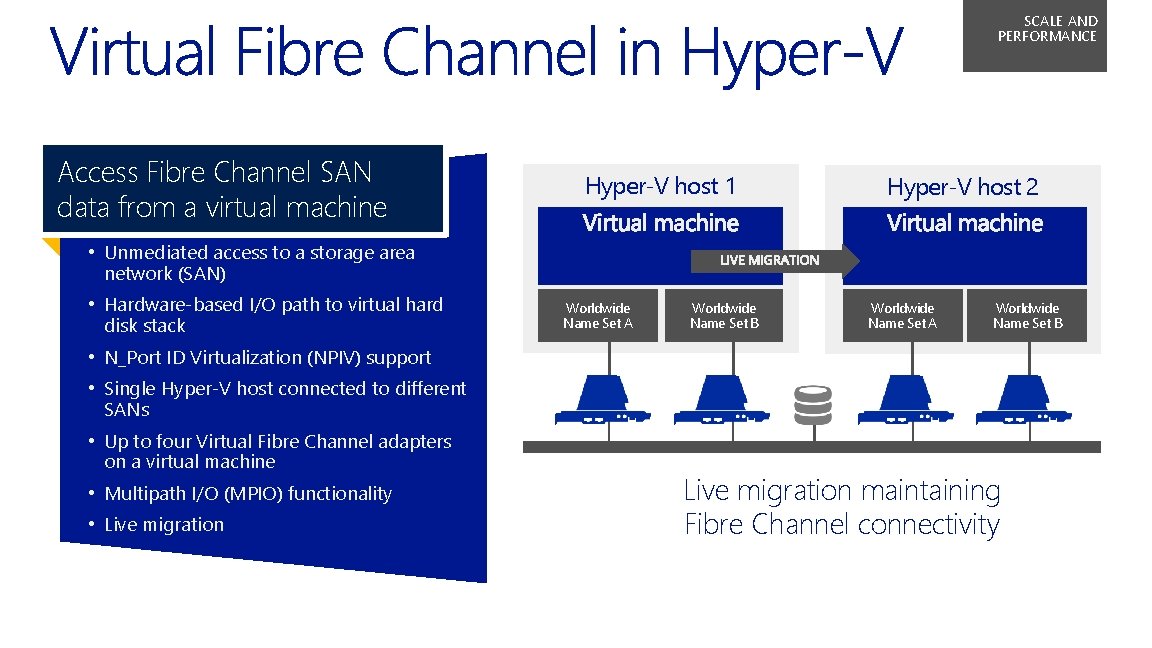
SCALE AND PERFORMANCE Access Fibre Channel SAN data from a virtual machine Hyper‑V host 1 Hyper‑V host 2 • Unmediated access to a storage area network (SAN) • Hardware-based I/O path to virtual hard disk stack Worldwide Name Set A Worldwide Name Set B • N_Port ID Virtualization (NPIV) support • Single Hyper‑V host connected to different SANs • Up to four Virtual Fibre Channel adapters on a virtual machine • Multipath I/O (MPIO) functionality • Live migration maintaining Fibre Channel connectivity
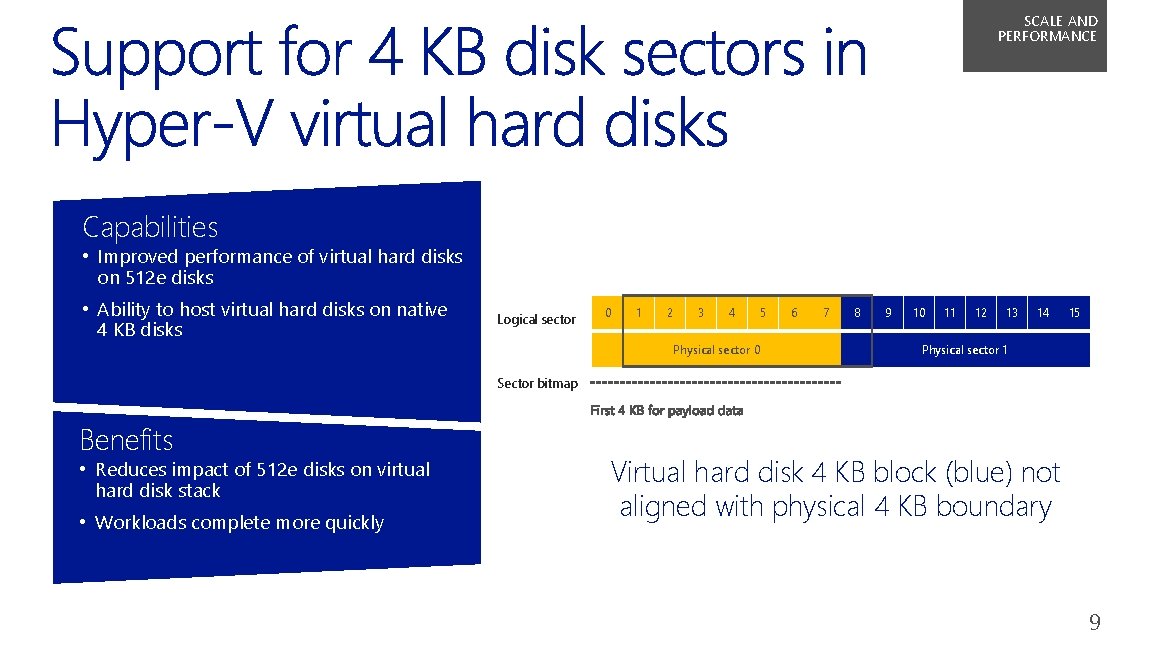
SCALE AND PERFORMANCE Capabilities • Improved performance of virtual hard disks on 512 e disks • Ability to host virtual hard disks on native 4 KB disks Logical sector 0 1 2 3 4 Physical sector 0 5 6 7 8 9 10 11 12 13 14 15 Physical sector 1 Sector bitmap Benefits • Reduces impact of 512 e disks on virtual hard disk stack • Workloads complete more quickly Virtual hard disk 4 KB block (blue) not aligned with physical 4 KB boundary 9
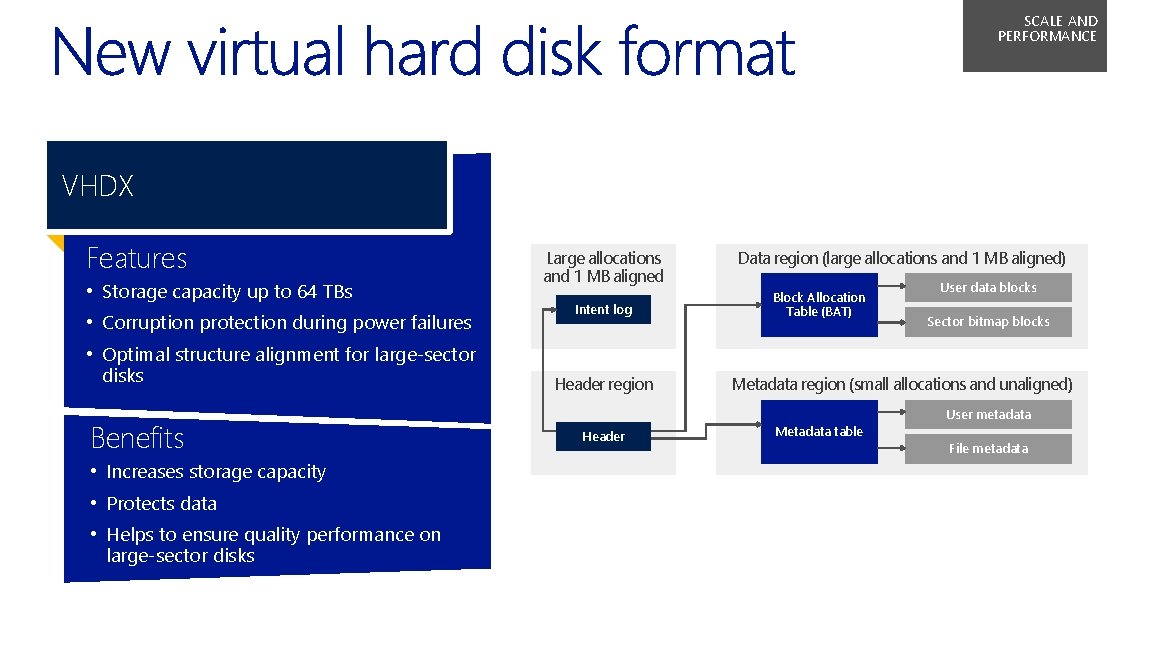
SCALE AND PERFORMANCE VHDX Features • Storage capacity up to 64 TBs • Corruption protection during power failures • Optimal structure alignment for large-sector disks Benefits • Increases storage capacity • Protects data • Helps to ensure quality performance on large-sector disks Large allocations and 1 MB aligned Intent log Header region Header Data region (large allocations and 1 MB aligned) Block Allocation Table (BAT) User data blocks Sector bitmap blocks Metadata region (small allocations and unaligned) Metadata table User metadata File metadata
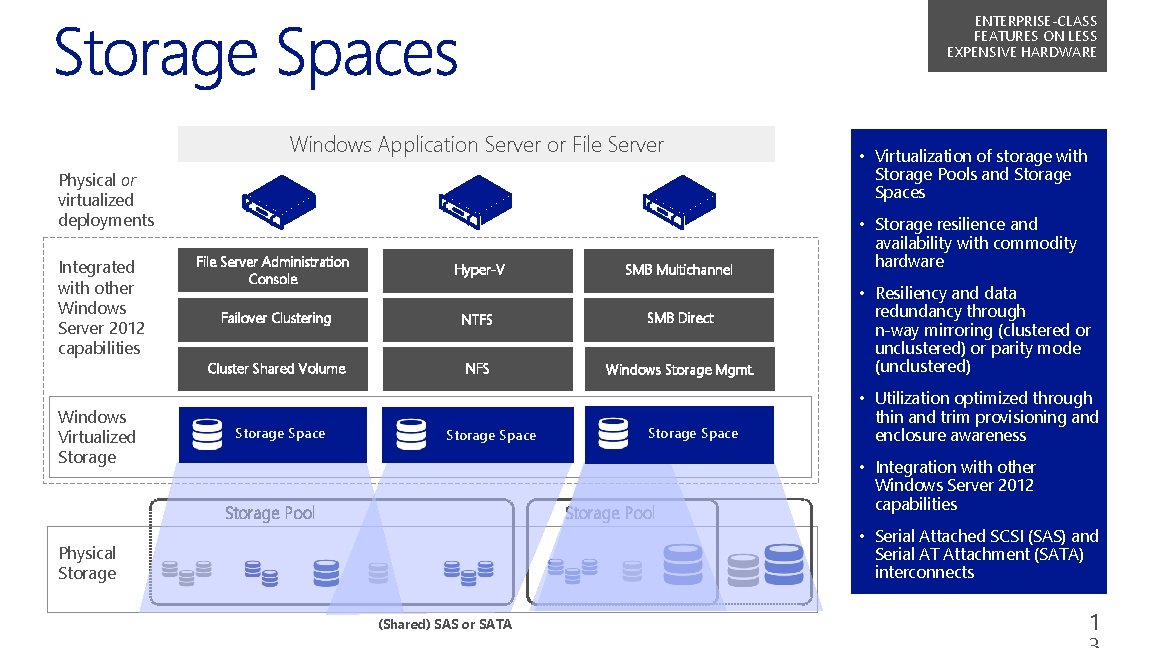
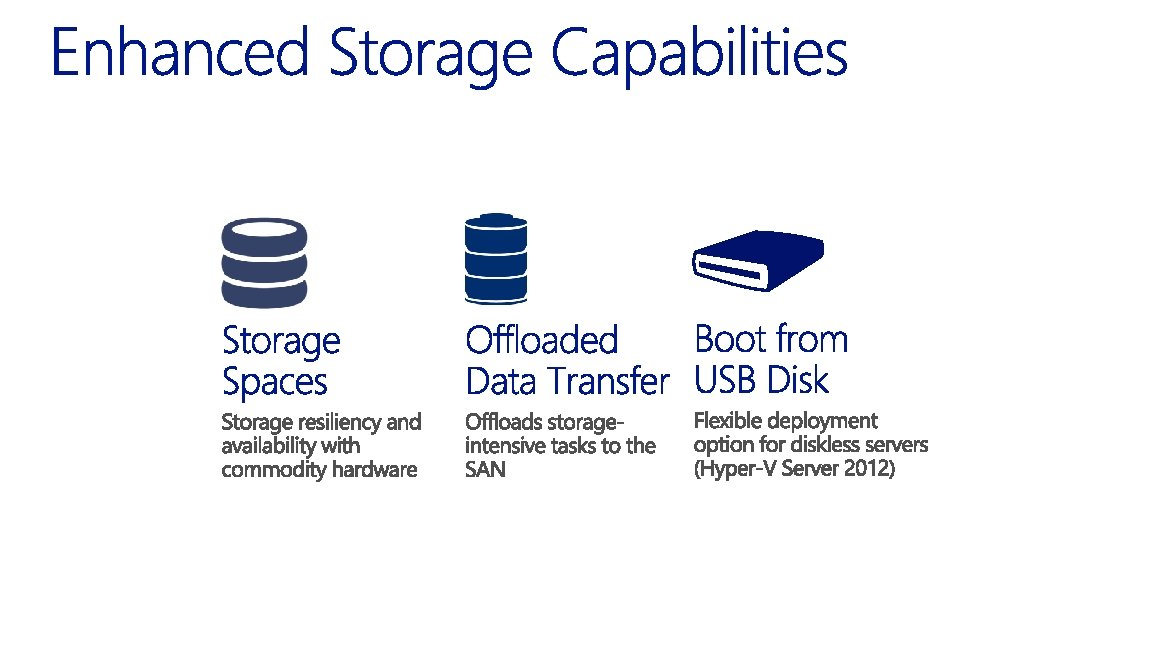
ENTERPRISE-CLASS FEATURES ON LESS EXPENSIVE HARDWARE Windows Application Server or File Server Storage Pools and Storage Spaces Physical or virtualized deployments Integrated with other Windows Server 2012 capabilities Windows Virtualized Storage • Virtualization of storage with • Storage resilience and File Server Administration Console Hyper-V Failover Clustering NTFS SMB Direct Cluster Shared Volume NFS Windows Storage Mgmt. SMB Multichannel availability with commodity hardware • Resiliency and data redundancy through n-way mirroring (clustered or unclustered) or parity mode (unclustered) • Utilization optimized through Storage Space thin and trim provisioning and enclosure awareness • Integration with other Storage Pool Windows Server 2012 capabilities • Serial Attached SCSI (SAS) and Physical Storage Serial AT Attachment (SATA) interconnects (Shared) SAS or SATA 1
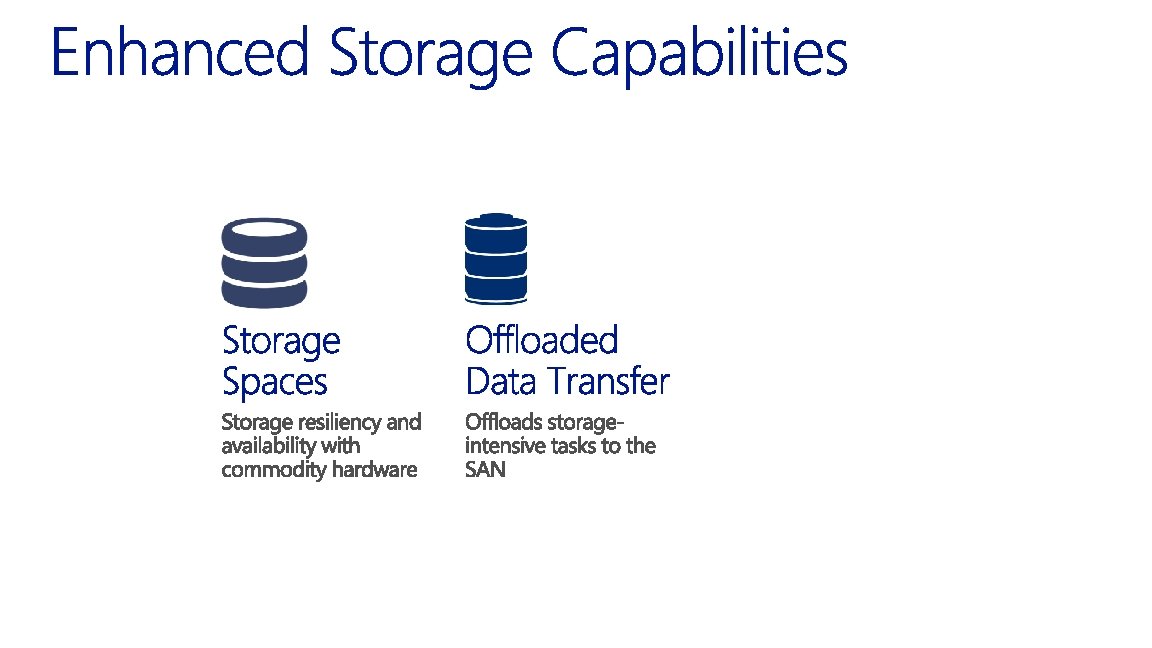
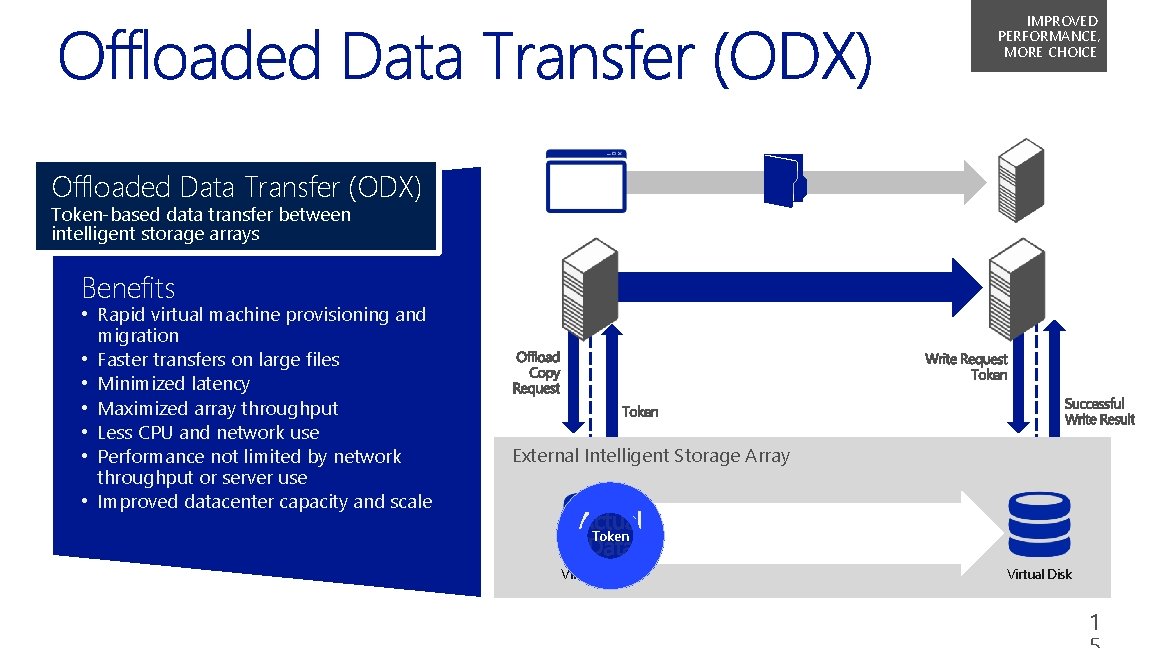
IMPROVED PERFORMANCE, MORE CHOICE Offloaded Data Transfer (ODX) Token-based data transfer between intelligent storage arrays Benefits • Rapid virtual machine provisioning and migration • Faster transfers on large files • Minimized latency • Maximized array throughput • Less CPU and network use • Performance not limited by network throughput or server use • Improved datacenter capacity and scale External Intelligent Storage Array Token Virtual Disk 1
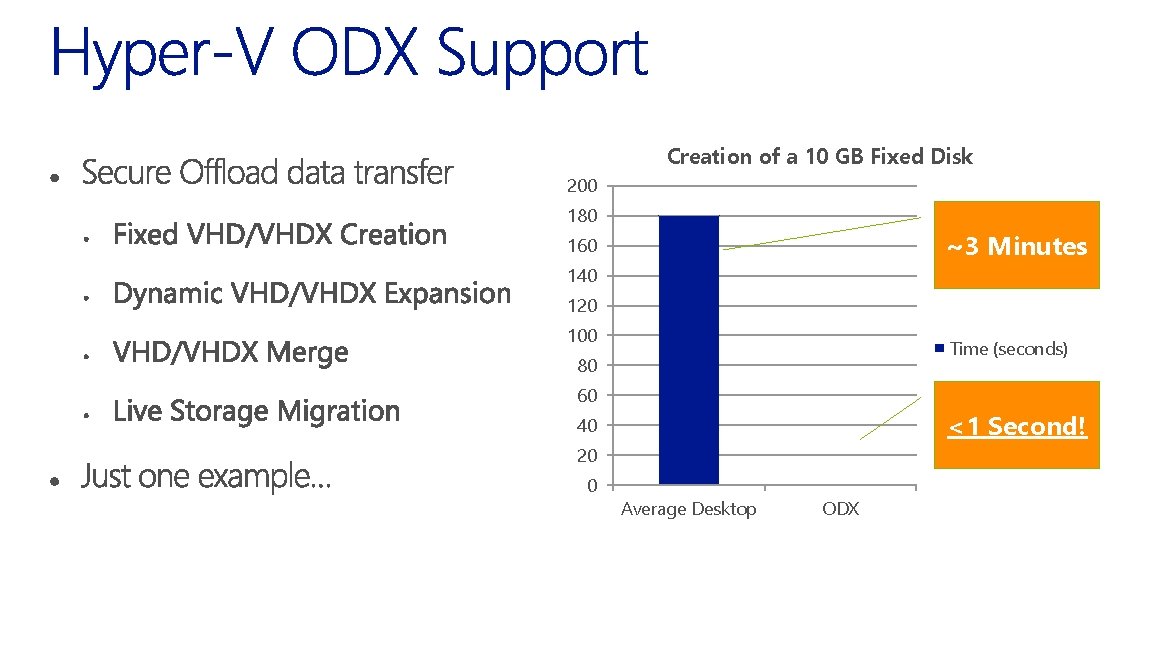
Creation of a 10 GB Fixed Disk 200 180 ~3 Minutes 160 140 120 100 Time (seconds) 80 60 <1 Second! 40 20 0 Average Desktop ODX
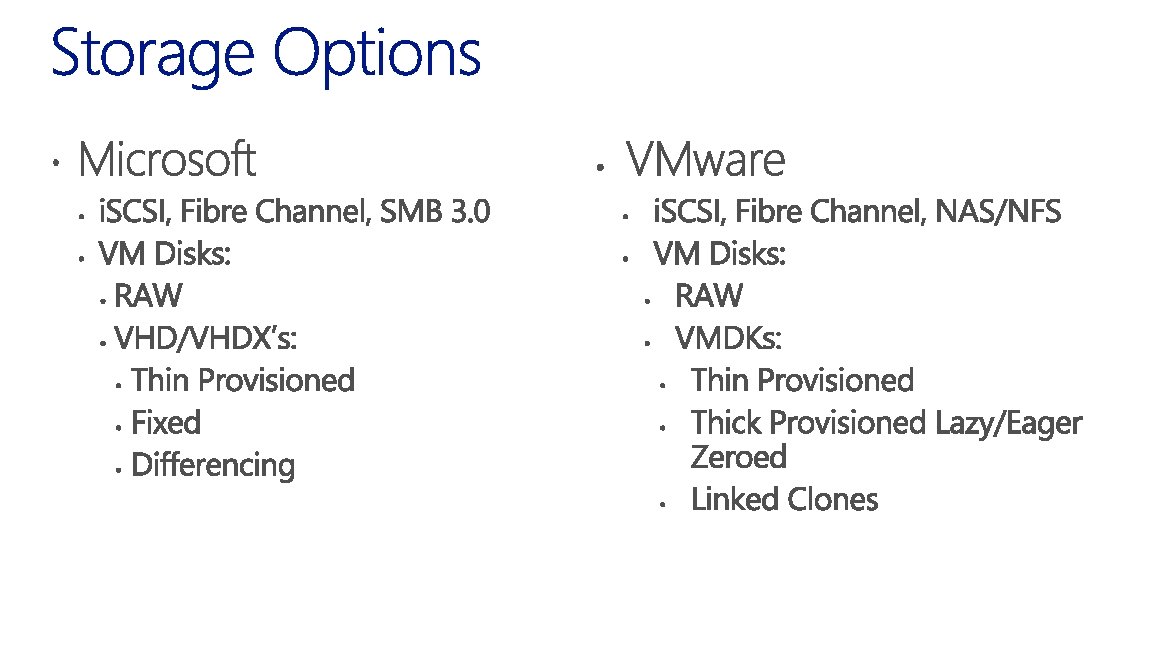
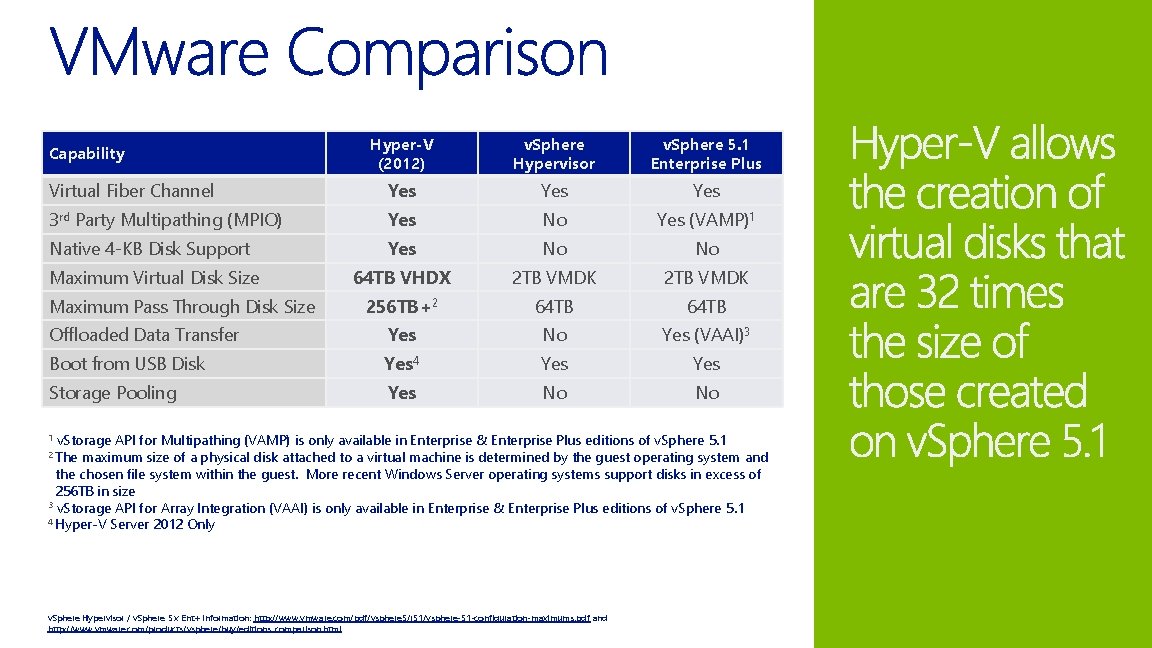
Hyper-V (2012) v. Sphere Hypervisor v. Sphere 5. 1 Enterprise Plus Virtual Fiber Channel Yes Yes 3 rd Party Multipathing (MPIO) Yes No Yes (VAMP)1 Native 4 -KB Disk Support Yes No No Maximum Virtual Disk Size 64 TB VHDX 2 TB VMDK 256 TB+2 64 TB Offloaded Data Transfer Yes No Yes (VAAI)3 Boot from USB Disk Yes 4 Yes Storage Pooling Yes No No Capability Maximum Pass Through Disk Size v. Storage API for Multipathing (VAMP) is only available in Enterprise & Enterprise Plus editions of v. Sphere 5. 1 maximum size of a physical disk attached to a virtual machine is determined by the guest operating system and the chosen file system within the guest. More recent Windows Server operating systems support disks in excess of 256 TB in size 3 v. Storage API for Array Integration (VAAI) is only available in Enterprise & Enterprise Plus editions of v. Sphere 5. 1 4 Hyper-V Server 2012 Only 1 2 The v. Sphere Hypervisor / v. Sphere 5. x Ent+ Information: http: //www. vmware. com/pdf/vsphere 5/r 51/vsphere-51 -configuration-maximums. pdf and http: //www. vmware. com/products/vsphere/buy/editions_comparison. html
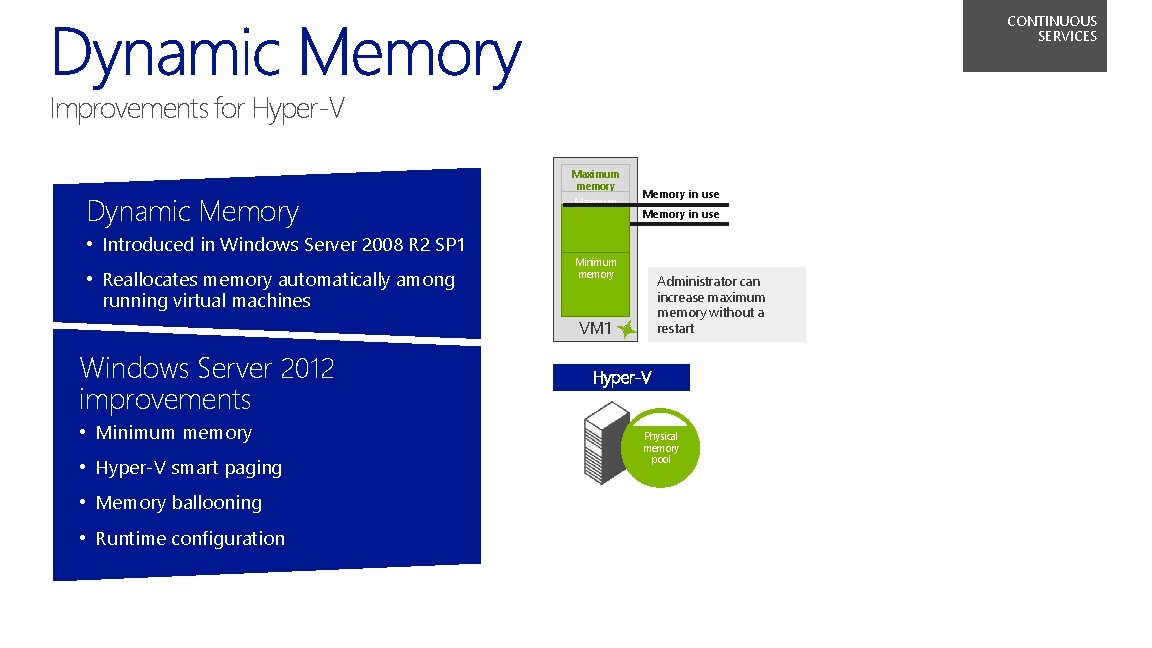
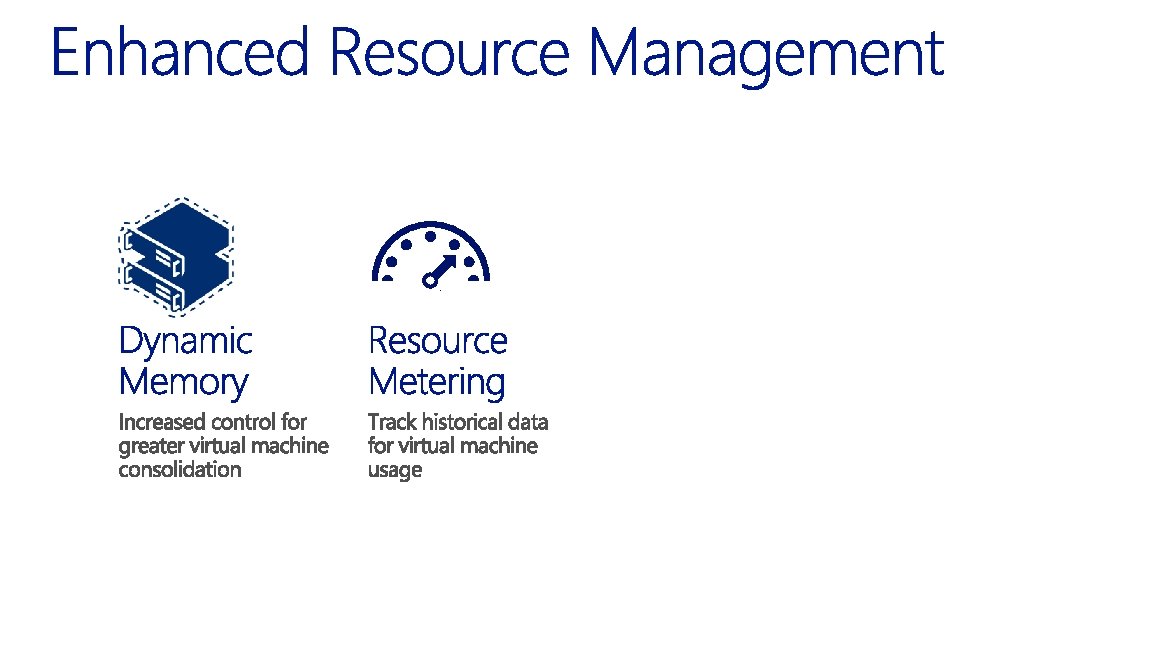
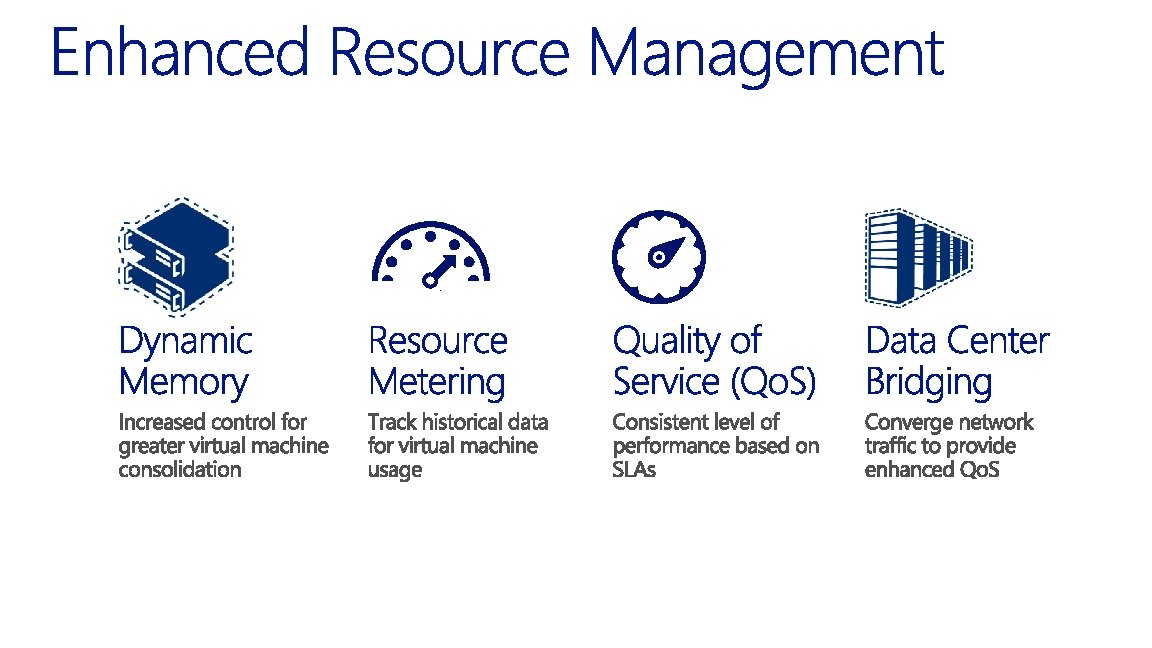
CONTINUOUS SERVICES Improvements for Hyper‑V Dynamic Memory • Introduced in Windows Server 2008 R 2 SP 1 • Reallocates memory automatically among running virtual machines Maximum memory Memory in use Minimum memory Administrator can increase maximum memory without a restart VM 1 Windows Server 2012 improvements • Minimum memory • Hyper‑V smart paging • Memory ballooning • Runtime configuration Hyper‑V Physical memory pool
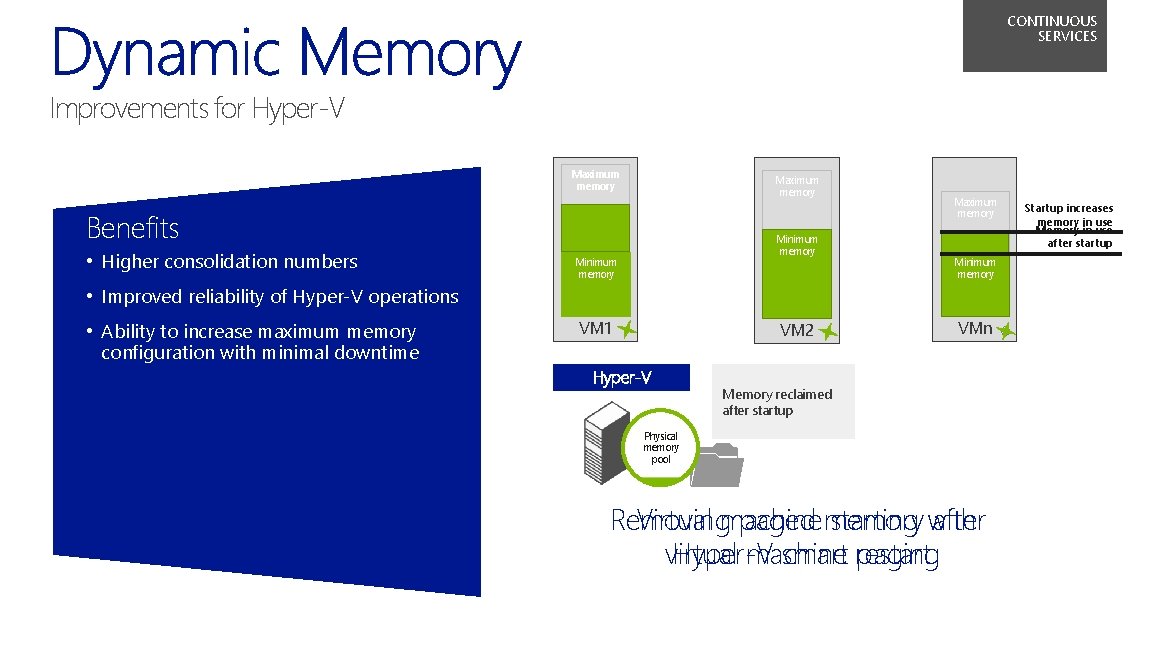
CONTINUOUS SERVICES Improvements for Hyper‑V Maximum memory Benefits • Higher consolidation numbers Minimum memory Maximum memory Minimum memory • Improved reliability of Hyper‑V operations • Ability to increase maximum memory configuration with minimal downtime VM 1 VM 2 Hyper‑V VMn Paging file provides Memory reclaimed additional memory after startup for startup Physical memory pool Removing Virtual machine paged memory starting with after virtual Hyper‑V machine smart restart paging Startup increases memory in use Memory in use after startup
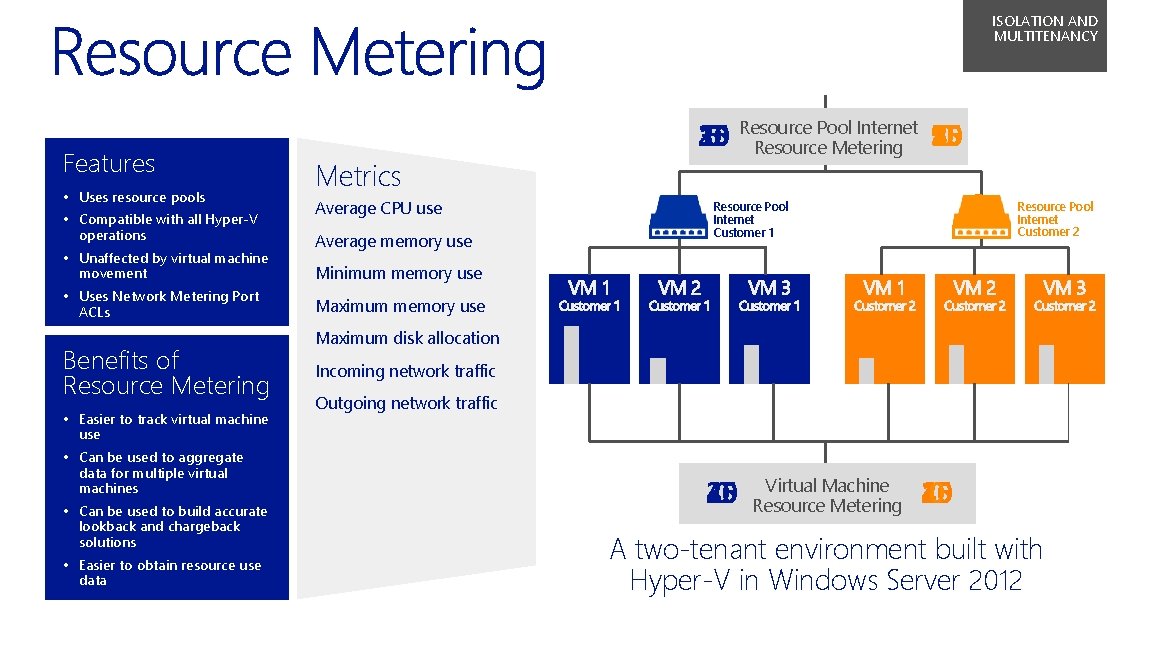
ISOLATION AND MULTITENANCY Features • Uses resource pools • Compatible with all Hyper‑V operations • Unaffected by virtual machine movement • Uses Network Metering Port ACLs Benefits of Resource Metering • Easier to track virtual machine use • Can be used to aggregate data for multiple virtual machines • Can be used to build accurate lookback and chargeback solutions • Easier to obtain resource use data Metrics Average CPU use Average memory use Pool Internet 10 15 25 20 5 50 45 40 35 30 25 20 15 10 30 0 Resource 05 Resource Metering 55 Resource Pool Internet Customer 2 Resource Pool Internet Customer 1 Minimum memory use Maximum disk allocation Incoming network traffic Outgoing network traffic 20 45 30 0 Virtual Machine Resource Metering 25 10 40 0 A two-tenant environment built with Hyper‑V in Windows Server 2012
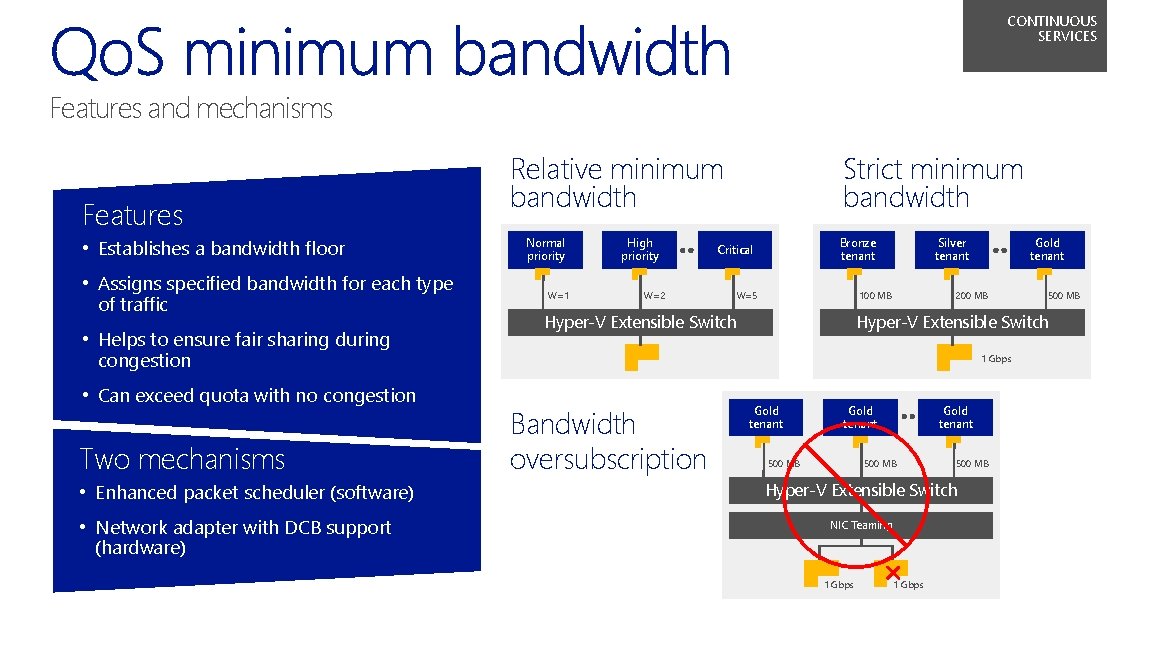
CONTINUOUS SERVICES Features and mechanisms Features • Establishes a bandwidth floor • Assigns specified bandwidth for each type of traffic • Helps to ensure fair sharing during congestion • Can exceed quota with no congestion Two mechanisms • Enhanced packet scheduler (software) • Network adapter with DCB support (hardware) Relative minimum bandwidth Normal priority W=1 High priority W=2 Strict minimum bandwidth Bronze tenant Critical W=5 Silver tenant 100 MB Hyper‑V Extensible Switch Gold tenant 200 MB Hyper‑V Extensible Switch 1 Gbps Bandwidth oversubscription 500 MB Gold tenant 500 MB Hyper‑V Extensible Switch NIC Teaming 1 Gbps
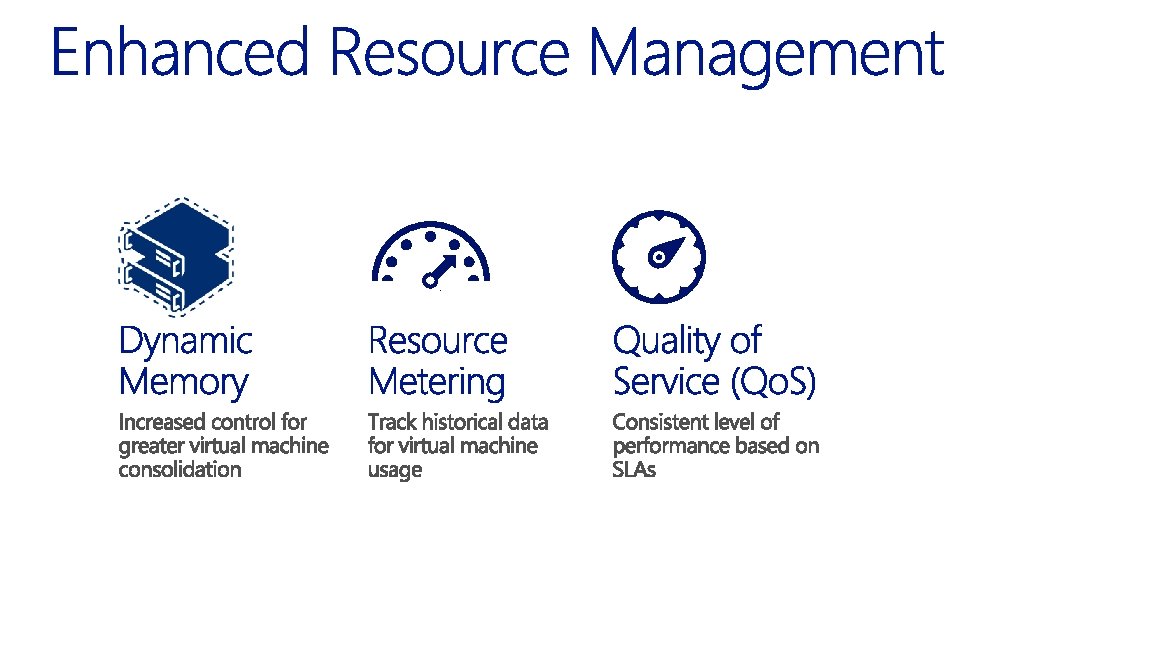
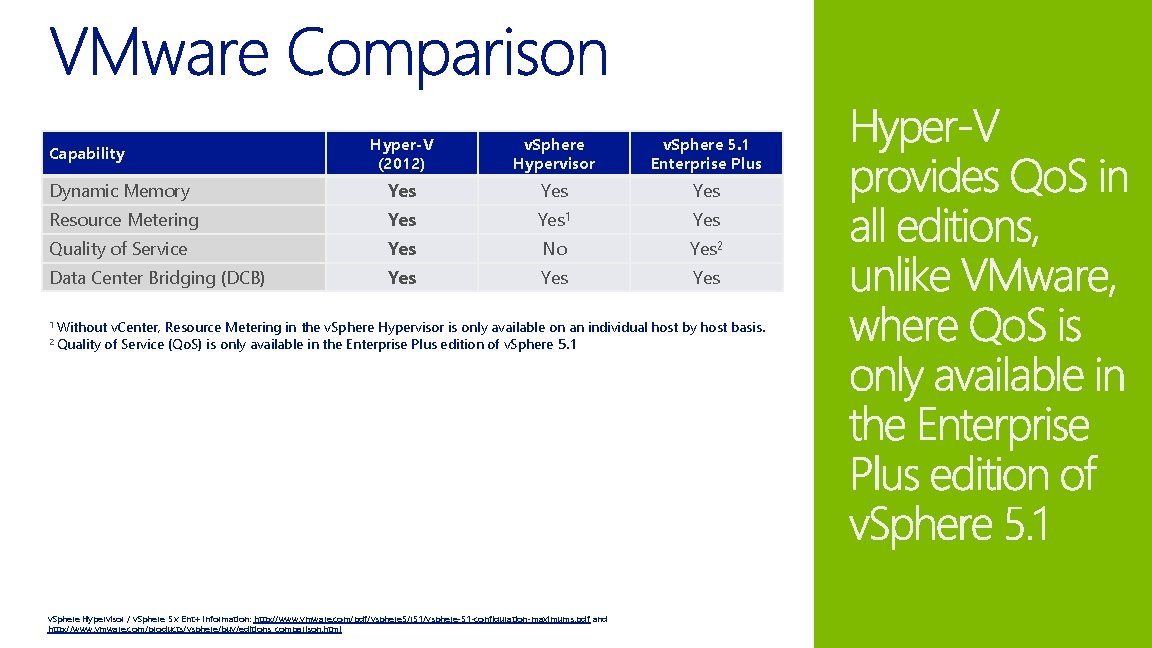
Hyper-V (2012) v. Sphere Hypervisor v. Sphere 5. 1 Enterprise Plus Dynamic Memory Yes Yes Resource Metering Yes 1 Yes Quality of Service Yes No Yes 2 Data Center Bridging (DCB) Yes Yes Capability 1 Without 2 Quality v. Center, Resource Metering in the v. Sphere Hypervisor is only available on an individual host by host basis. of Service (Qo. S) is only available in the Enterprise Plus edition of v. Sphere 5. 1 v. Sphere Hypervisor / v. Sphere 5. x Ent+ Information: http: //www. vmware. com/pdf/vsphere 5/r 51/vsphere-51 -configuration-maximums. pdf and http: //www. vmware. com/products/vsphere/buy/editions_comparison. html
© 2013 Microsoft Corporation. All rights reserved. Microsoft, Windows, Office, Azure, System Center, Dynamics and other product names are or may be registered trademarks and/or trademarks in the U. S. and/or other countries. The information herein is for informational purposes only and represents the current view of Microsoft Corporation as of the date of this presentation. Because Microsoft must respond to changing market conditions, it should not be interpreted to be a commitment on the part of Microsoft, and Microsoft cannot guarantee the accuracy of any information provided after the date of this presentation. MICROSOFT MAKES NO WARRANTIES, EXPRESS, IMPLIED OR STATUTORY, AS TO THE INFORMATION IN THIS PRESENTATION.