King Saud University College of Engineering IE 462
- Slides: 32
King Saud University College of Engineering IE – 462: “Industrial Information Systems” Fall – 2018 (1 st Sem. 1439 -40 H) Chapter 2 Information System Development – p 1 Prepared by: Ahmed M. El-Sherbeeny, Ph. D 1
Lesson Overview • Introduction to IS Development • System Development Life Cycle (SDLC) • Programming Languages 2
Introduction to IS Development • Systems development methodology is a standard process followed in an organization to analyze, design, implement and maintain information systems • System analyst is responsible for analyzing and designing an information system IE 462 3
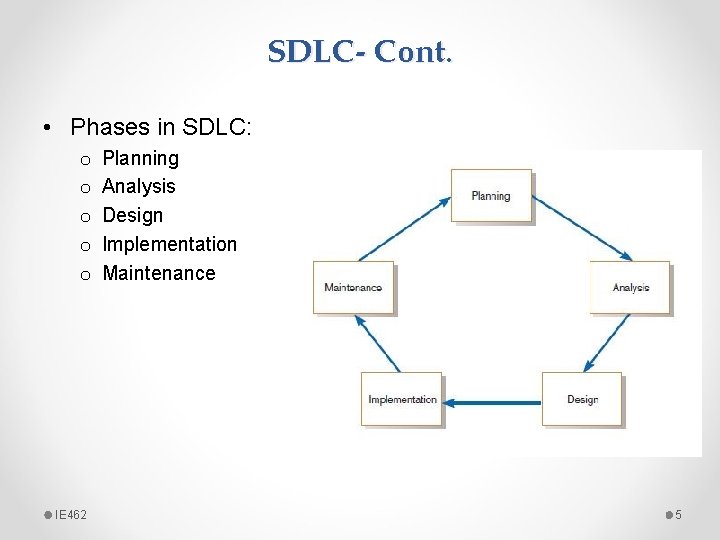
System Development Life Cycle (SDLC) • A traditional methodology used to plan, analyze, design, implement and maintain information systems IE 462 4
SDLC- Cont. • Phases in SDLC: o o o IE 462 Planning Analysis Design Implementation Maintenance 5
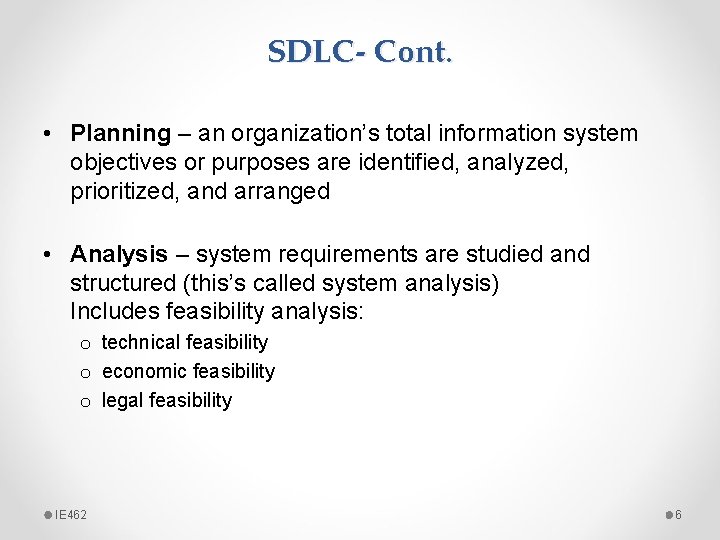
SDLC- Cont. • Planning – an organization’s total information system objectives or purposes are identified, analyzed, prioritized, and arranged • Analysis – system requirements are studied and structured (this’s called system analysis) Includes feasibility analysis: o technical feasibility o economic feasibility o legal feasibility IE 462 6
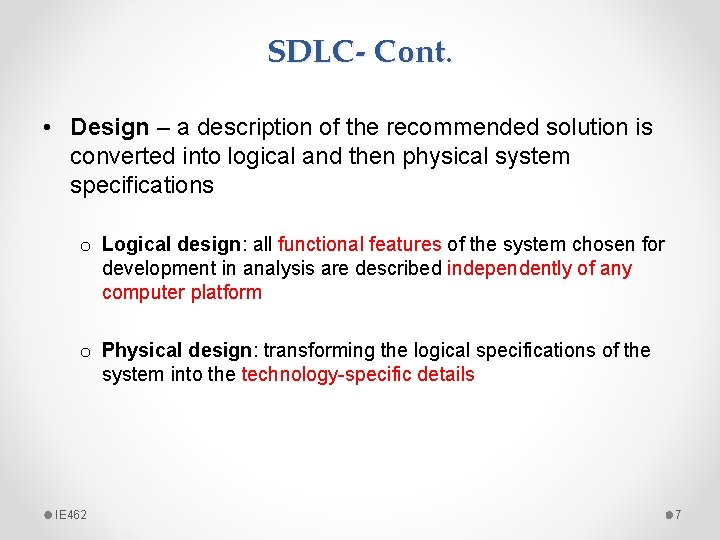
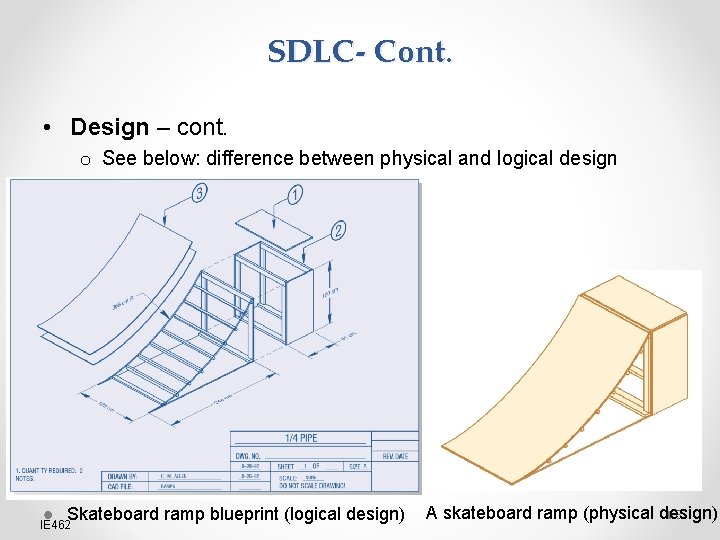
SDLC- Cont. • Design – a description of the recommended solution is converted into logical and then physical system specifications o Logical design: all functional features of the system chosen for development in analysis are described independently of any computer platform o Physical design: transforming the logical specifications of the system into the technology-specific details IE 462 7
SDLC- Cont. • Design – cont. o See below: difference between physical and logical design Skateboard ramp blueprint (logical design) IE 462 A skateboard ramp (physical design) 8
SDLC- Cont. • Implementation – information system is o coded (i. e. programmed) o tested (includes unit test, system test, user-acceptance test) o installed (training users, providing documentation, and conversion from previous system to new system) • Maintenance – information system is systematically repaired and improved o structured support process: reported bugs are fixed, requests for new features are evaluated and implemented o system updates/backups are performed on a regular basis IE 462 9
Types of SDLCs • SDLC can be performed in different ways: o Traditional Waterfall SDLC o Iterative SDLC o Rapid Application Development (RAD) o Agile Methodologies o Lean Methodology IE 462 10
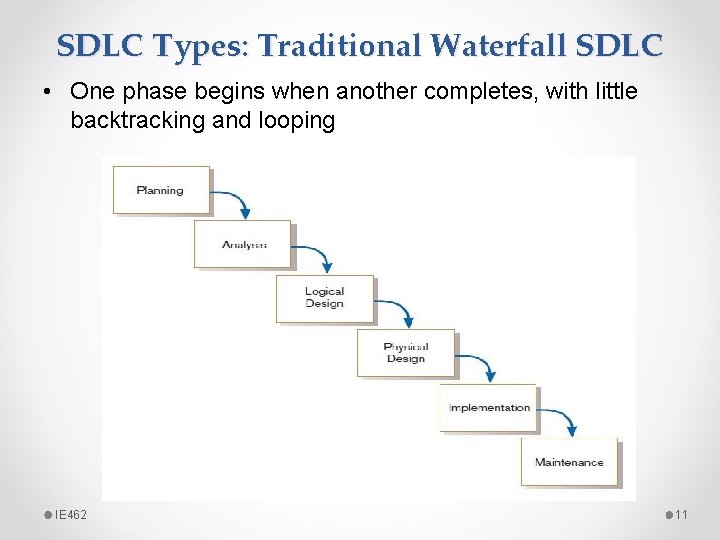
SDLC Types: Traditional Waterfall SDLC • One phase begins when another completes, with little backtracking and looping IE 462 11
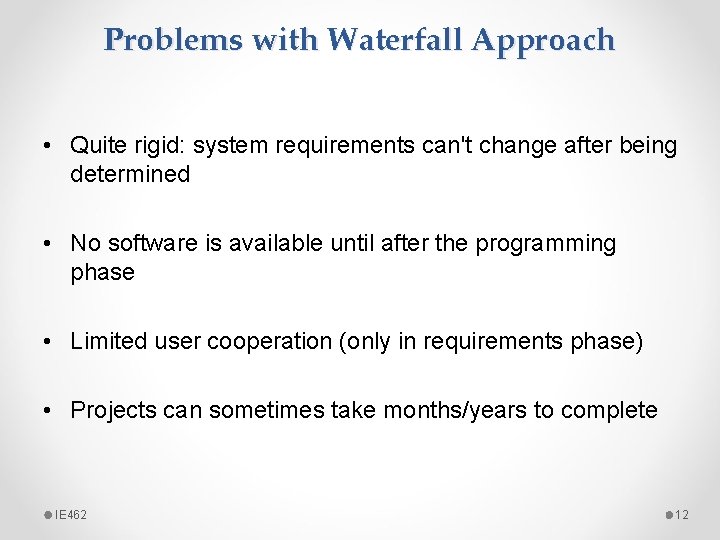
Problems with Waterfall Approach • Quite rigid: system requirements can't change after being determined • No software is available until after the programming phase • Limited user cooperation (only in requirements phase) • Projects can sometimes take months/years to complete IE 462 12
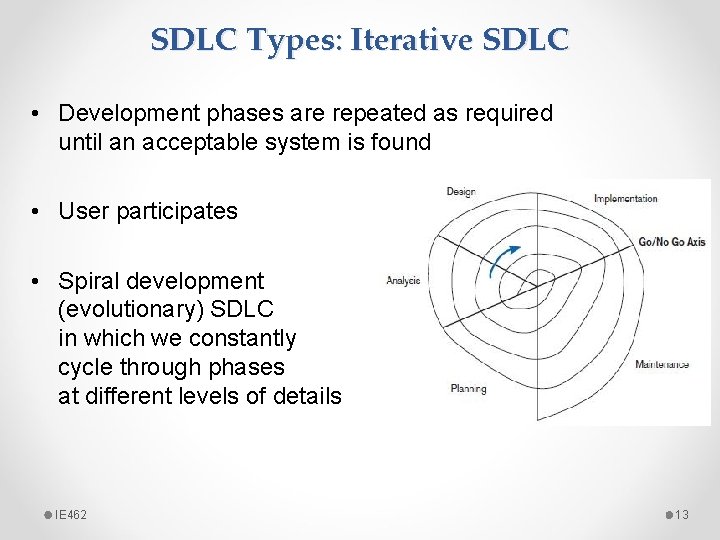
SDLC Types: Iterative SDLC • Development phases are repeated as required until an acceptable system is found • User participates • Spiral development (evolutionary) SDLC in which we constantly cycle through phases at different levels of details IE 462 13
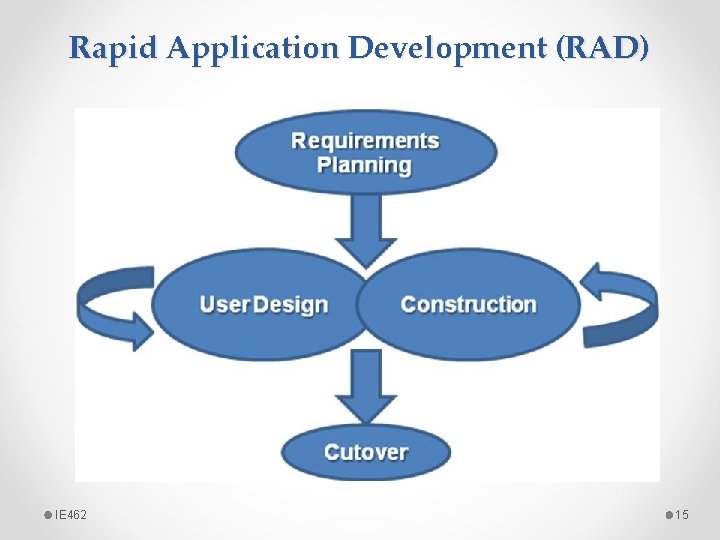
Rapid Application Development (RAD) • Systems-development methodology that focuses on quickly o o building working model of software getting feedback from users, then using that feedback to update the working model making several iterations of development, and developing/implementing a final version • This greatly decreases design / implementation time shortened development (compressed process) • Uses extensive user cooperation, prototyping, integrated CASE tools, and code generators IE 462 14
Rapid Application Development (RAD) IE 462 15
Rapid Application Development (RAD) • Requirements planning: overall requirements for system are defined; team is identified; and feasibility is determined (similar to analysis/design phases in Waterfall Approach) • User design: prototyping the system with user using CASE in creating interfaces/report; e. g. JAD (joint application development) session: all stakeholders have a structured discussion about design of system • Construction: coding the system using CASE; interactive, iterative process, and changes can be made as developers are working on program • Cutover: delivery of developed system (implementation) IE 462 16
SDLC Types: Agile Methodologies • Group of methodologies that utilize incremental changes with a focus on quality, details (started: 2001) • Each increment is released in a specified time (called a “time box”) regular release schedule with very specific objectives • Share some RAD principles: iterative development, user, interaction, ability to change • Goal: provide flexibility of iterative approach, while ensuring a quality product IE 462 17
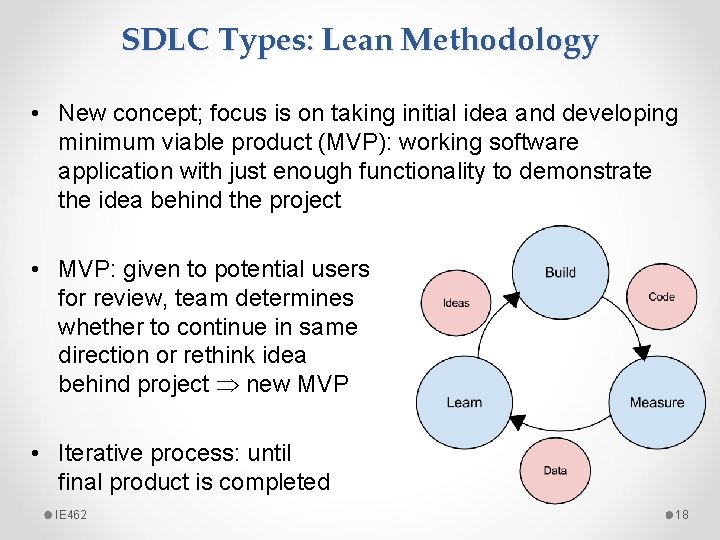
SDLC Types: Lean Methodology • New concept; focus is on taking initial idea and developing minimum viable product (MVP): working software application with just enough functionality to demonstrate the idea behind the project • MVP: given to potential users for review, team determines whether to continue in same direction or rethink idea behind project new MVP • Iterative process: until final product is completed IE 462 18
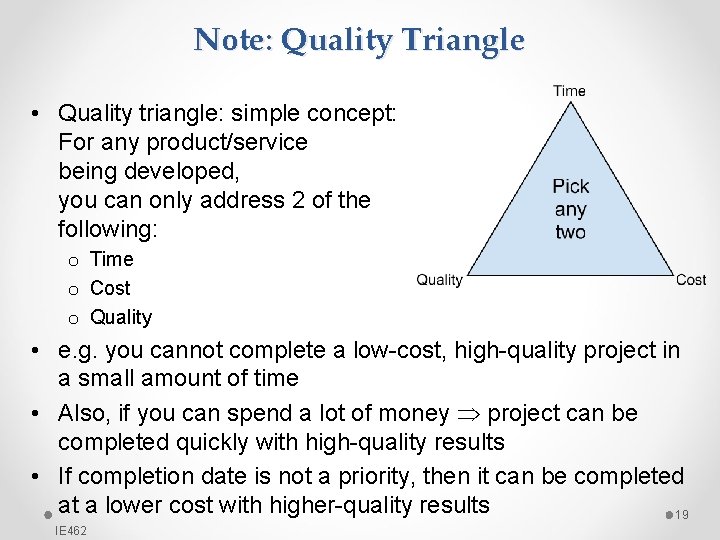
Note: Quality Triangle • Quality triangle: simple concept: For any product/service being developed, you can only address 2 of the following: o Time o Cost o Quality • e. g. you cannot complete a low-cost, high-quality project in a small amount of time • Also, if you can spend a lot of money project can be completed quickly with high-quality results • If completion date is not a priority, then it can be completed at a lower cost with higher-quality results 19 IE 462
Programming Languages • One way to characterize programming languages is by their “generation” o o IE 462 First-generation languages Second-generation languages Third-generation languages Fourth-generation languages 20
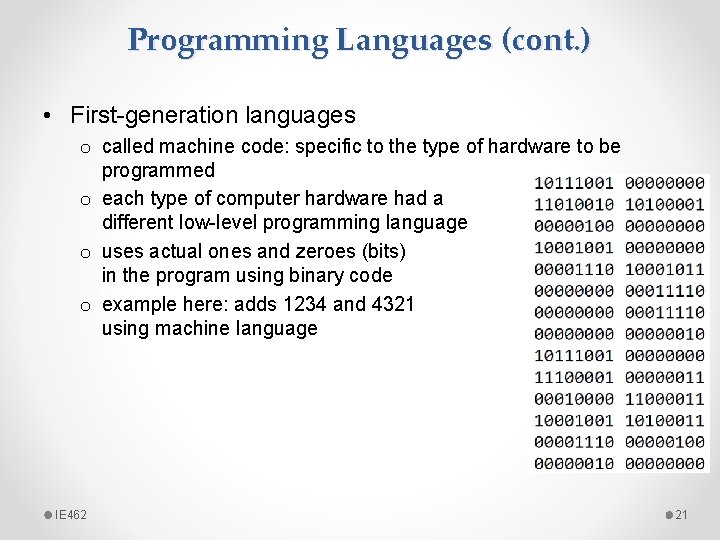
Programming Languages (cont. ) • First-generation languages o called machine code: specific to the type of hardware to be programmed o each type of computer hardware had a different low-level programming language o uses actual ones and zeroes (bits) in the program using binary code o example here: adds 1234 and 4321 using machine language IE 462 21
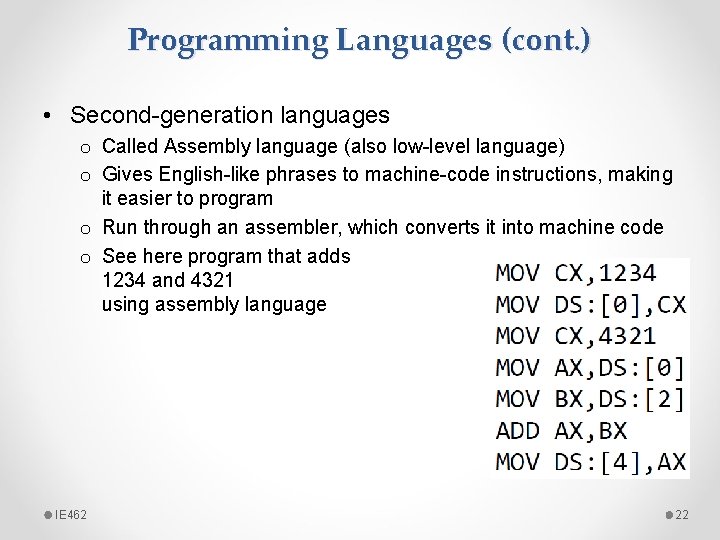
Programming Languages (cont. ) • Second-generation languages o Called Assembly language (also low-level language) o Gives English-like phrases to machine-code instructions, making it easier to program o Run through an assembler, which converts it into machine code o See here program that adds 1234 and 4321 using assembly language IE 462 22
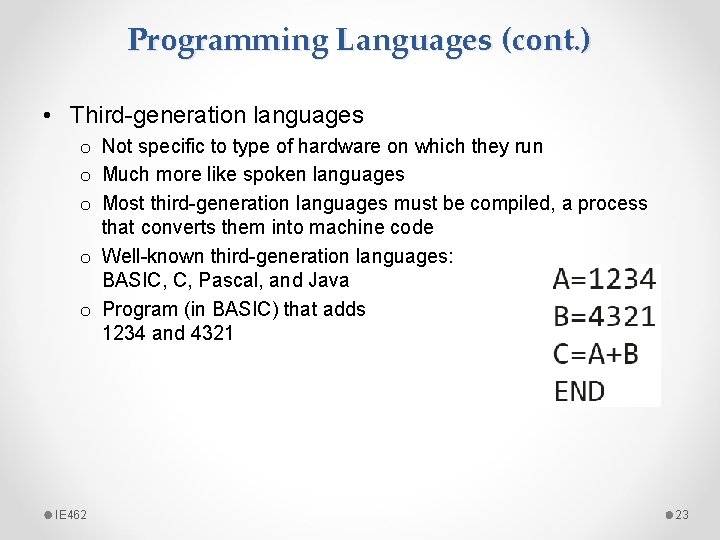
Programming Languages (cont. ) • Third-generation languages o Not specific to type of hardware on which they run o Much more like spoken languages o Most third-generation languages must be compiled, a process that converts them into machine code o Well-known third-generation languages: BASIC, C, Pascal, and Java o Program (in BASIC) that adds 1234 and 4321 IE 462 23
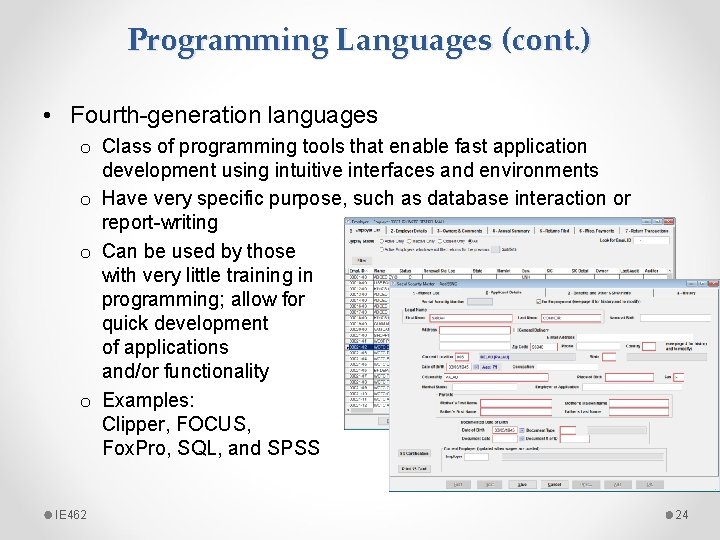
Programming Languages (cont. ) • Fourth-generation languages o Class of programming tools that enable fast application development using intuitive interfaces and environments o Have very specific purpose, such as database interaction or report-writing o Can be used by those with very little training in programming; allow for quick development of applications and/or functionality o Examples: Clipper, FOCUS, Fox. Pro, SQL, and SPSS IE 462 24
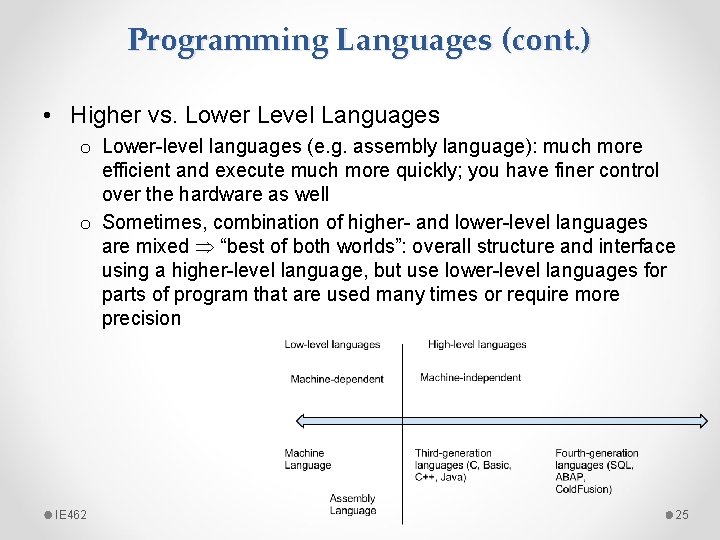
Programming Languages (cont. ) • Higher vs. Lower Level Languages o Lower-level languages (e. g. assembly language): much more efficient and execute much more quickly; you have finer control over the hardware as well o Sometimes, combination of higher- and lower-level languages are mixed “best of both worlds”: overall structure and interface using a higher-level language, but use lower-level languages for parts of program that are used many times or require more precision IE 462 25
Programming Languages (cont. ) • Compiled vs. Interpreted o Another way to classify programming languages o Compiled language: code is translated into a machine-readable form called an executable that can be run on the hardware (e. g. C, C++, and COBOL) o Interpreted language: requires a “runtime program” to be installed in order to execute; this program then interprets the program code line by line and runs it; generally easier to work with but slower (e. g. BASIC, PHP, PERL, and Python) o Web languages (HTML and Javascript) also considered interpreted because they require a browser in order to run o Note, Java programming language: interesting exception to this classification (hybrid of the two) IE 462 26
Programming Languages (cont. ) • Procedural vs. Object-Oriented o Procedural programming language: designed to allow a programmer to define a specific starting point for the program and then execute sequentially (include all early programming languages) o Object-oriented programming language: uses interactive and graphical user interfaces to allow the user to define the flow of the program • programmer defines “objects” that can take certain actions based on input from the user o Procedural program focuses on sequence of activities to be performed, while object-oriented program focuses on the different items being manipulated IE 462 27
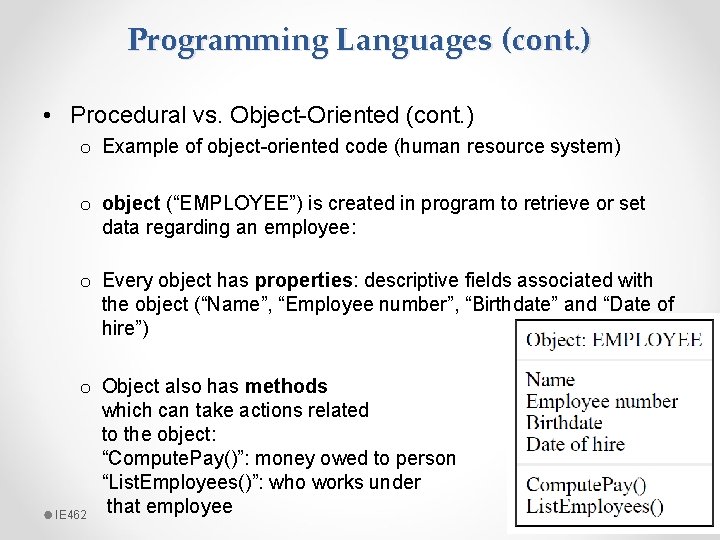
Programming Languages (cont. ) • Procedural vs. Object-Oriented (cont. ) o Example of object-oriented code (human resource system) o object (“EMPLOYEE”) is created in program to retrieve or set data regarding an employee: o Every object has properties: descriptive fields associated with the object (“Name”, “Employee number”, “Birthdate” and “Date of hire”) o Object also has methods which can take actions related to the object: “Compute. Pay()”: money owed to person “List. Employees()”: who works under that employee IE 462 28
Programming Languages (cont. ) • Programming Tools o Traditional Tools: text editor, checking syntax, code compiler o Additional tools: • Integrated Development Environment (IDE) • Computer-Aided Software-Engineering (CASE) tools IE 462 29
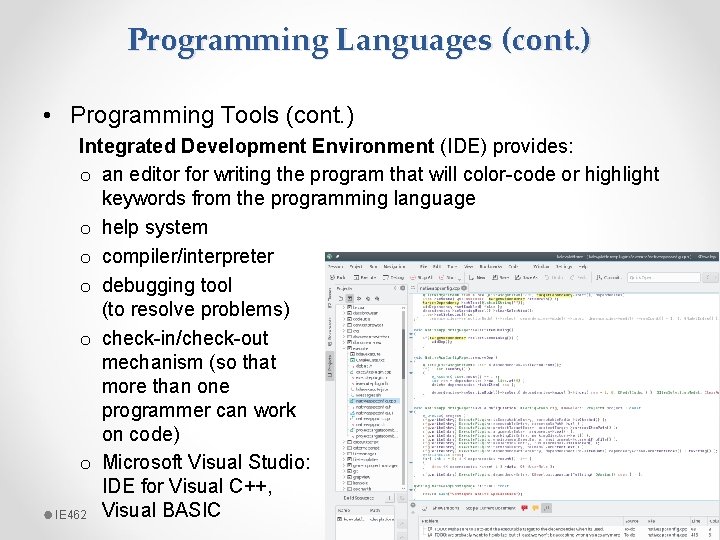
Programming Languages (cont. ) • Programming Tools (cont. ) Integrated Development Environment (IDE) provides: o an editor for writing the program that will color-code or highlight keywords from the programming language o help system o compiler/interpreter o debugging tool (to resolve problems) o check-in/check-out mechanism (so that more than one programmer can work on code) o Microsoft Visual Studio: IDE for Visual C++, IE 462 Visual BASIC 30
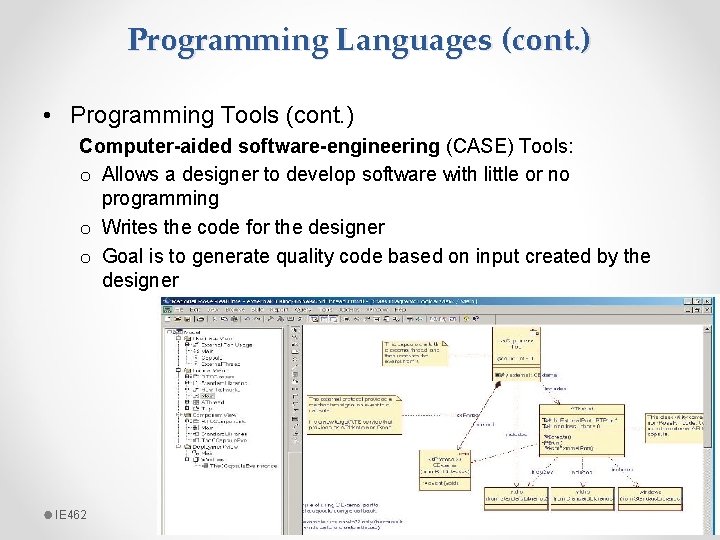
Programming Languages (cont. ) • Programming Tools (cont. ) Computer-aided software-engineering (CASE) Tools: o Allows a designer to develop software with little or no programming o Writes the code for the designer o Goal is to generate quality code based on input created by the designer IE 462 31
Programming Languages (cont. ) • Programming Tools (cont. ) Computer-aided software-engineering (CASE) Tools (cont. ): o Diagramming tools enable graphical representation o Computer displays and report generators help prototype how systems “look and feel” o Documentation generators standardize technical and user documentation o Code generators enable automatic generation of programs and database code directly from design documents, diagrams, forms, and reports IE 462 32