High Dynamic Range Images Alyosha Efros with a
![Matlab Code function [g, l. E]=gsolve(Z, B, l, w) n = 256; A =](https://slidetodoc.com/presentation_image/8965dea8ac829b9354e118b72bcbd0c9/image-20.jpg "Matlab Code function [g, l. E]=gsolve(Z, B, l, w) n = 256; A =")
- Slides: 39
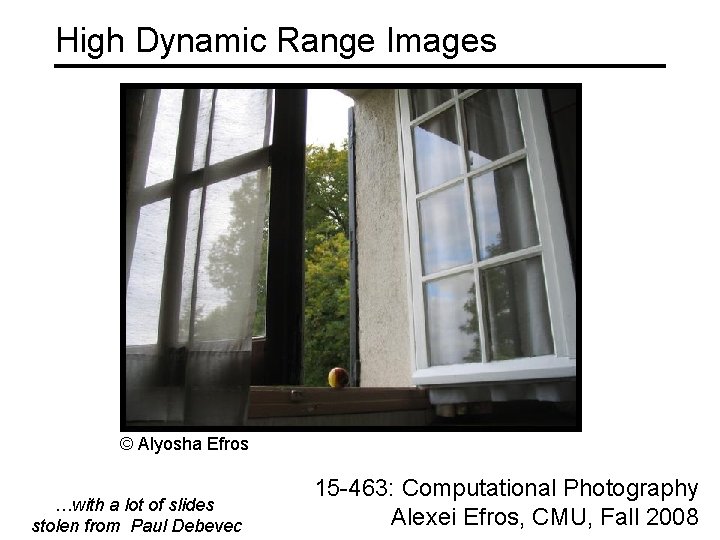
High Dynamic Range Images © Alyosha Efros …with a lot of slides stolen from Paul Debevec 15 -463: Computational Photography Alexei Efros, CMU, Fall 2008
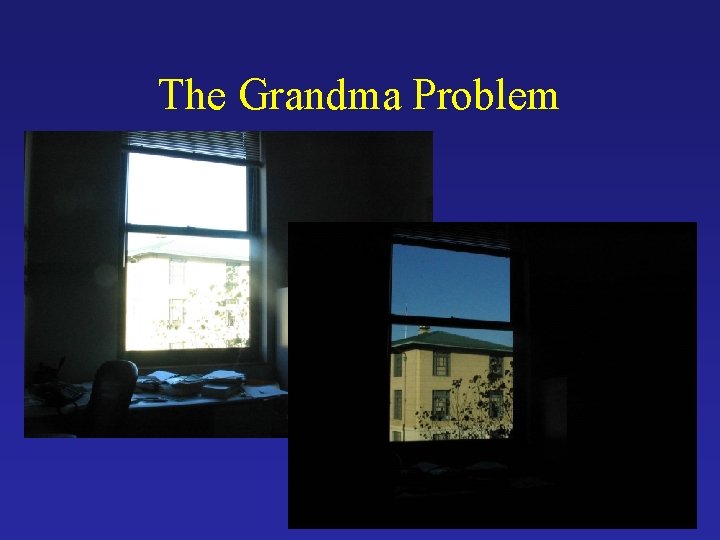
The Grandma Problem
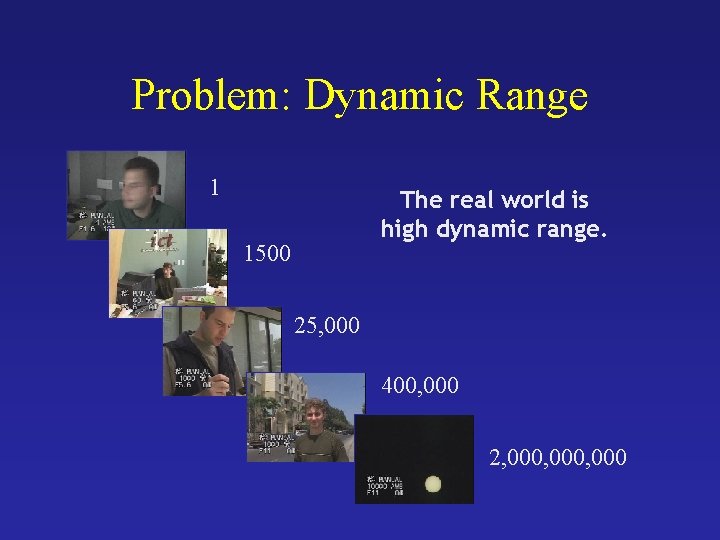
Problem: Dynamic Range 1 The real world is high dynamic range. 1500 25, 000 400, 000 2, 000, 000
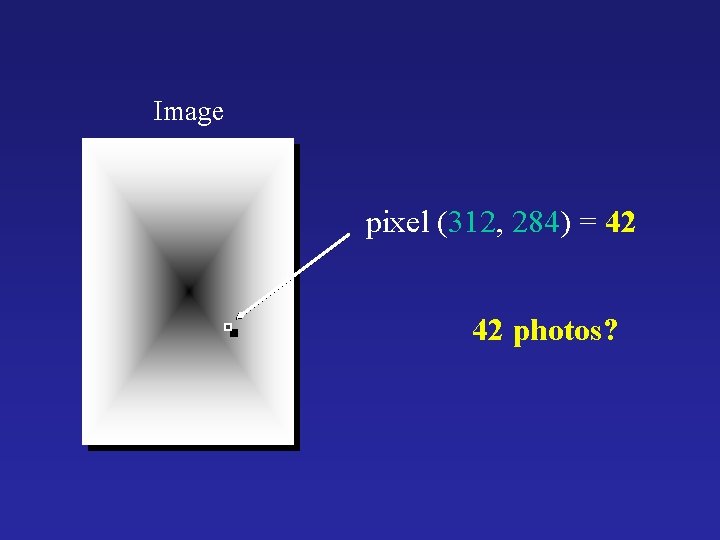
Image pixel (312, 284) = 42 42 photos?
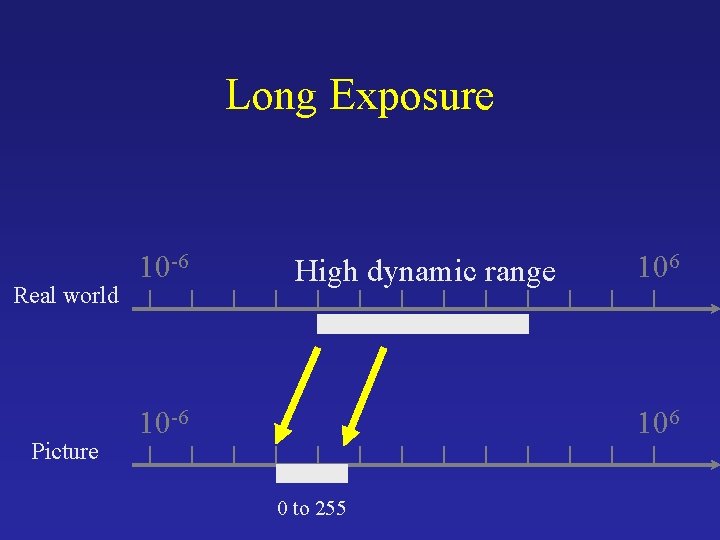
Long Exposure Real world Picture 10 -6 High dynamic range 10 -6 106 0 to 255
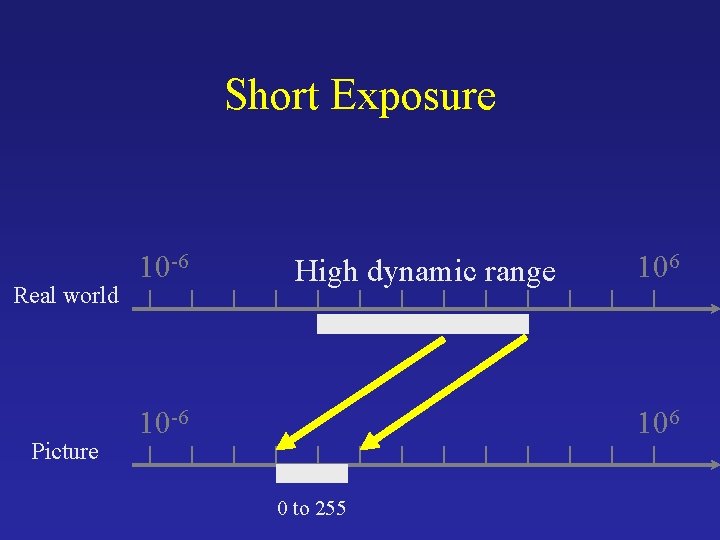
Short Exposure Real world Picture 10 -6 High dynamic range 10 -6 106 0 to 255
Camera Calibration • Geometric – How pixel coordinates relate to directions in the world • Photometric – How pixel values relate to radiance amounts in the world
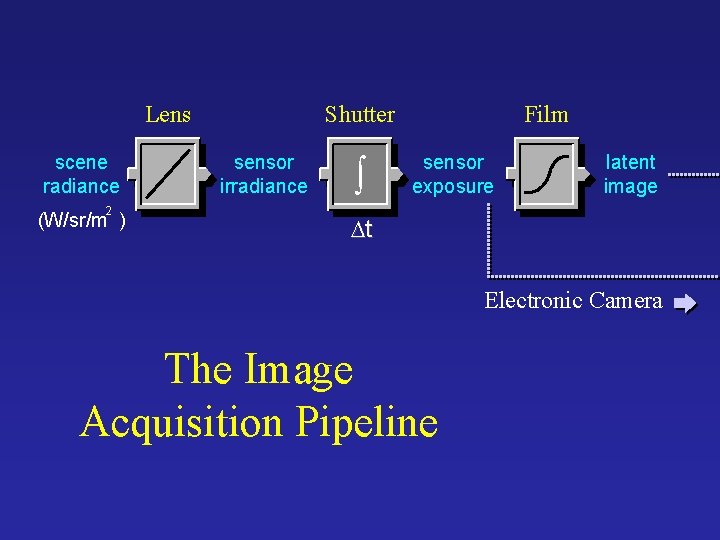
Lens scene radiance 2 (W/sr/m ) Shutter sensor irradiance ò Film sensor exposure latent image Dt Electronic Camera The Image Acquisition Pipeline
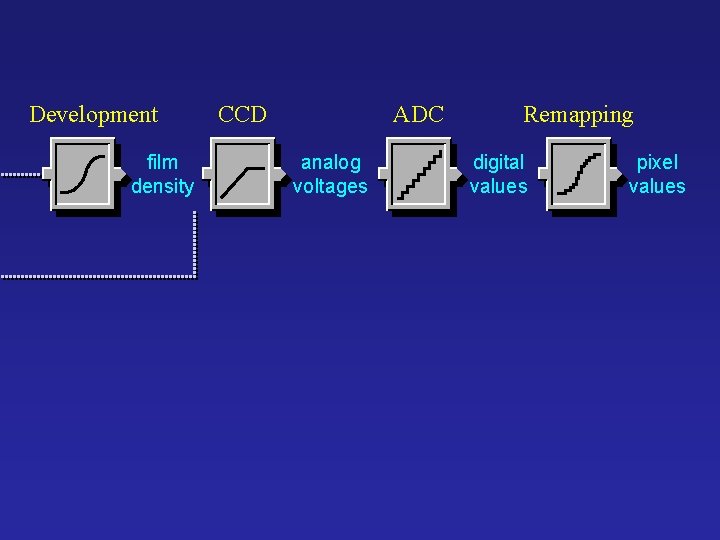
Development film density CCD ADC analog voltages Remapping digital values pixel values
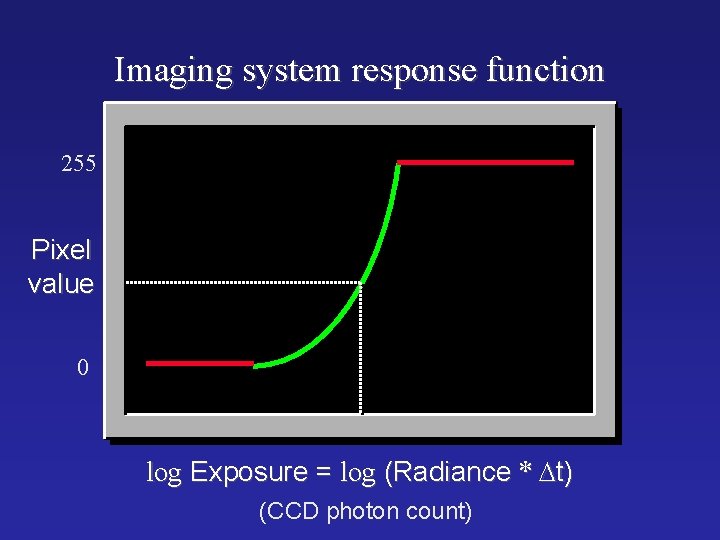
Imaging system response function 255 Pixel value 0 log Exposure = log (Radiance * Dt) (CCD photon count)
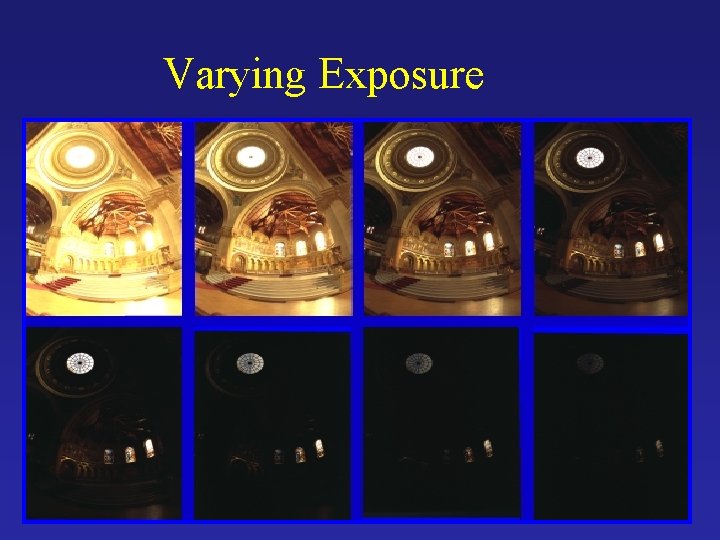
Varying Exposure
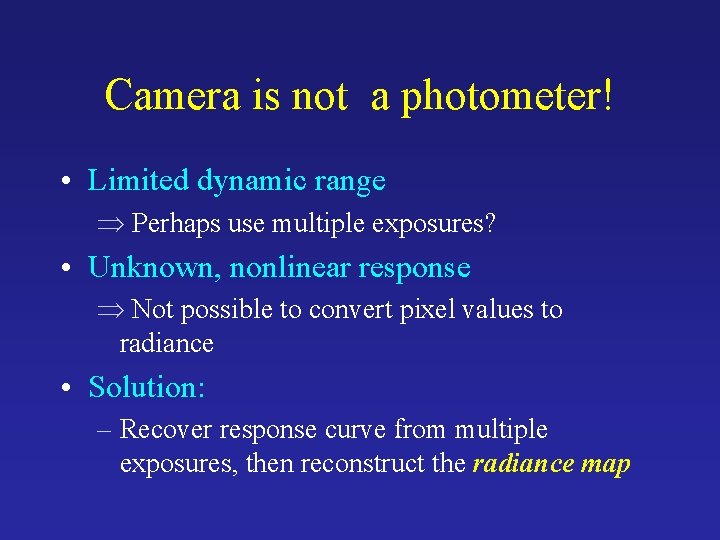
Camera is not a photometer! • Limited dynamic range Þ Perhaps use multiple exposures? • Unknown, nonlinear response Þ Not possible to convert pixel values to radiance • Solution: – Recover response curve from multiple exposures, then reconstruct the radiance map
Recovering High Dynamic Range Radiance Maps from Photographs Paul Debevec Jitendra Malik Computer Science Division University of California at Berkeley August 1997
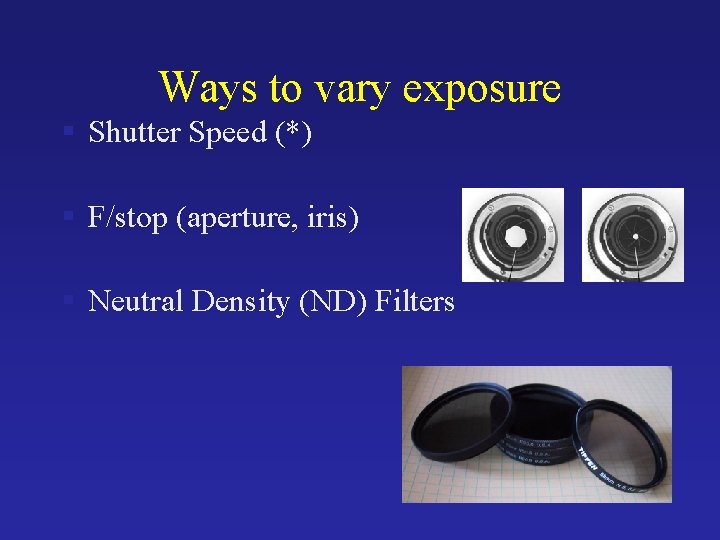
Ways to vary exposure § Shutter Speed (*) § F/stop (aperture, iris) § Neutral Density (ND) Filters
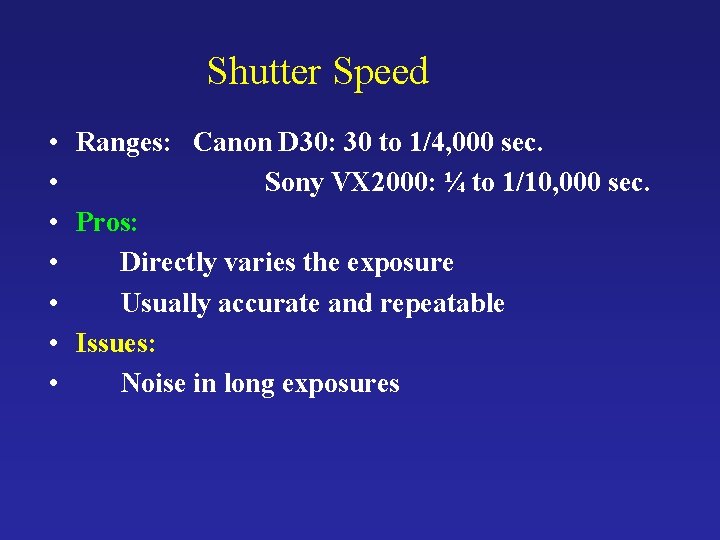
Shutter Speed • Ranges: Canon D 30: 30 to 1/4, 000 sec. • Sony VX 2000: ¼ to 1/10, 000 sec. • Pros: • Directly varies the exposure • Usually accurate and repeatable • Issues: • Noise in long exposures
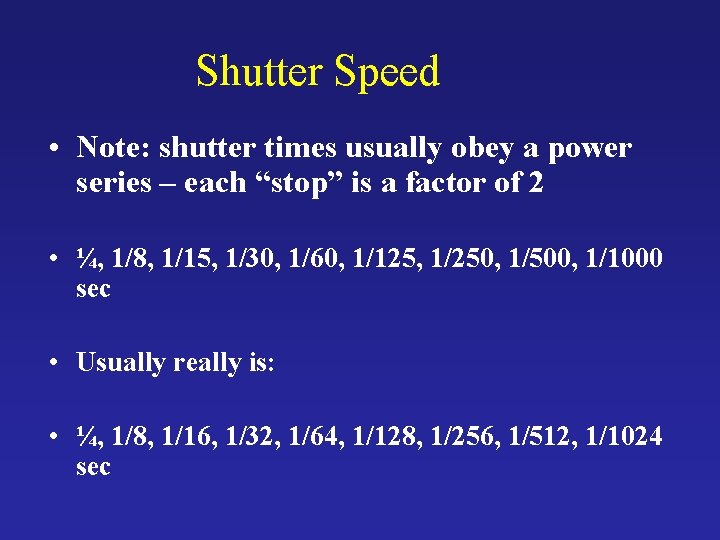
Shutter Speed • Note: shutter times usually obey a power series – each “stop” is a factor of 2 • ¼, 1/8, 1/15, 1/30, 1/60, 1/125, 1/250, 1/500, 1/1000 sec • Usually really is: • ¼, 1/8, 1/16, 1/32, 1/64, 1/128, 1/256, 1/512, 1/1024 sec
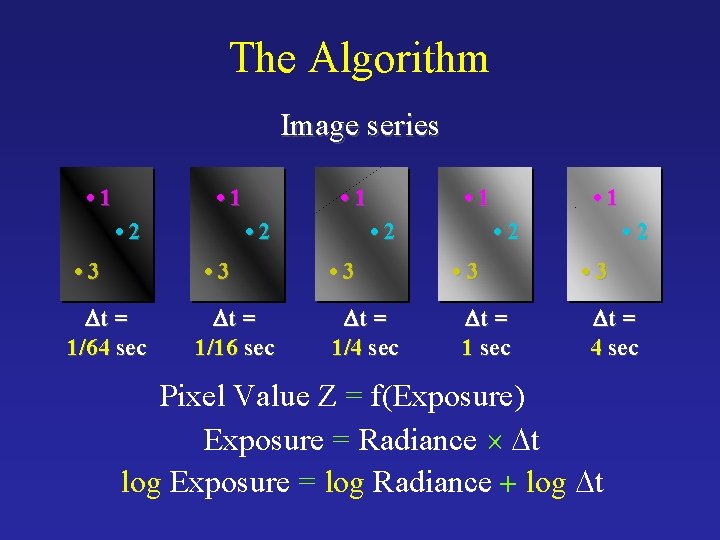
The Algorithm Image series • 1 • 2 • 3 Dt = 1/64 sec Dt = 1/16 sec • 1 • 2 • 3 Dt = 1/4 sec • 1 • 2 • 3 Dt = 1 sec • 2 • 3 Dt = 4 sec Pixel Value Z = f(Exposure) Exposure = Radiance ´ Dt log Exposure = log Radiance + log Dt
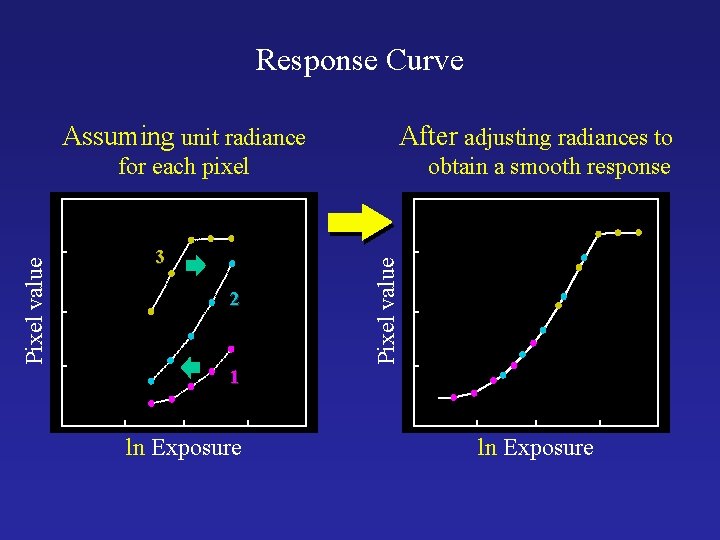
Response Curve Assuming unit radiance After adjusting radiances to 3 2 obtain a smooth response curve Pixel value for each pixel 1 ln Exposure
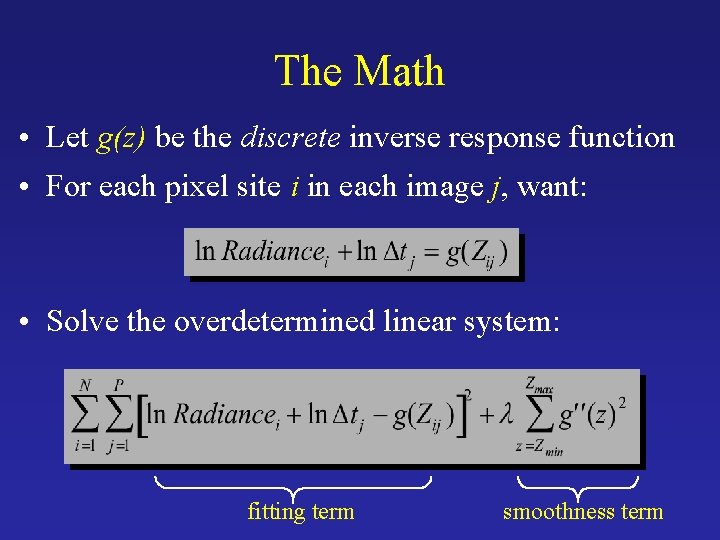
The Math • Let g(z) be the discrete inverse response function • For each pixel site i in each image j, want: • Solve the overdetermined linear system: fitting term smoothness term
Matlab Code function [g, l. E]=gsolve(Z, B, l, w) n = 256; A = zeros(size(Z, 1)*size(Z, 2)+n+1, n+size(Z, 1)); b = zeros(size(A, 1); k = 1; %% Include the data-fitting equations for i=1: size(Z, 1) for j=1: size(Z, 2) wij = w(Z(i, j)+1); A(k, Z(i, j)+1) = wij; A(k, n+i) = -wij; b(k, 1) = wij * B(i, j); k=k+1; end A(k, 129) = 1; k=k+1; %% Fix the curve by setting its middle value to for i=1: n-2 %% Include the smoothness equations A(k, i)=l*w(i+1); A(k, i+1)=-2*l*w(i+1); A(k, i+2)=l*w(i+1); k=k+1; end x = Ab; g = x(1: n); l. E = x(n+1: size(x, 1)); %% Solve the system using SVD
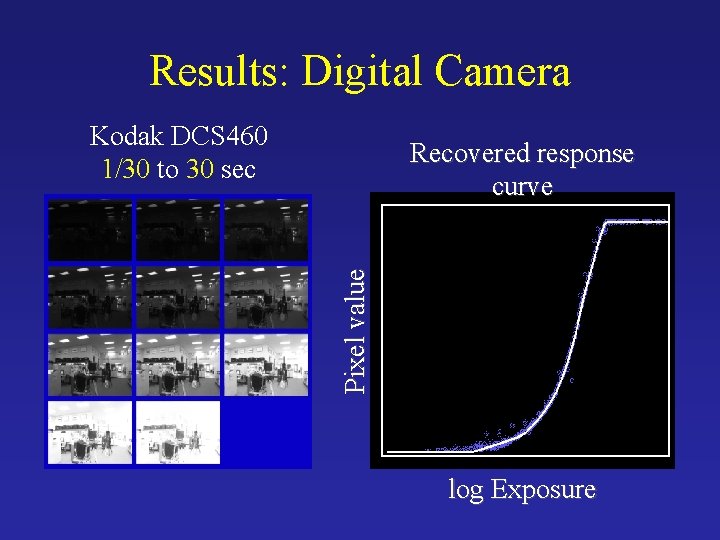
Results: Digital Camera Kodak DCS 460 1/30 to 30 sec Pixel value Recovered response curve log Exposure
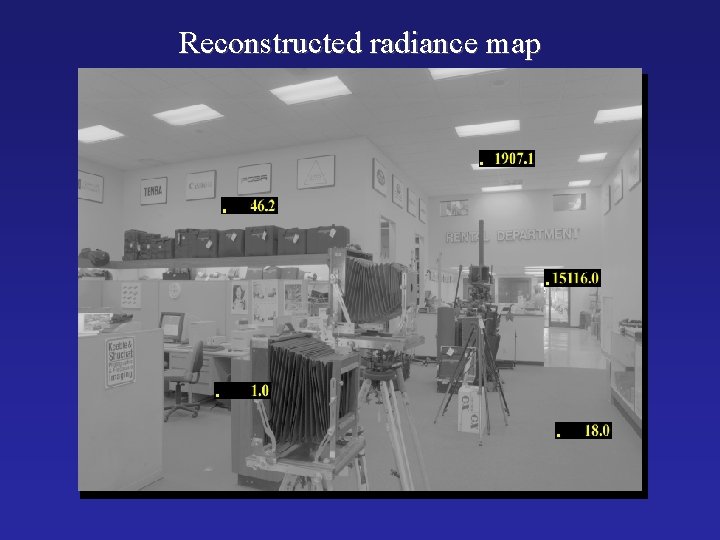
Reconstructed radiance map
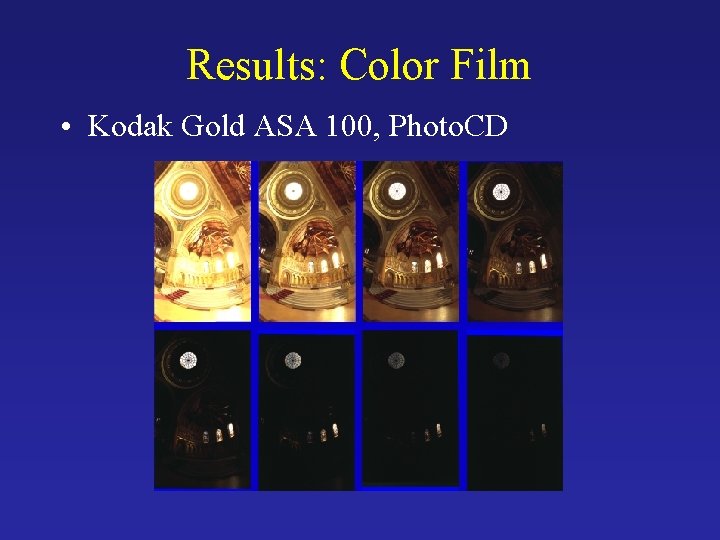
Results: Color Film • Kodak Gold ASA 100, Photo. CD
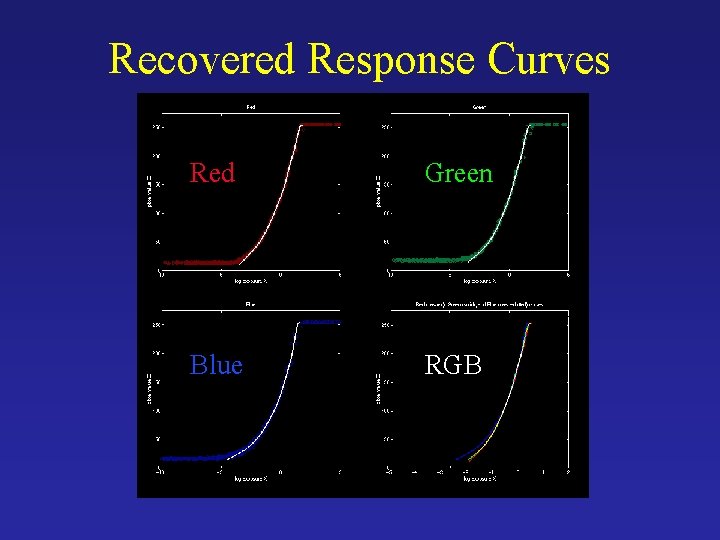
Recovered Response Curves Red Green Blue RGB
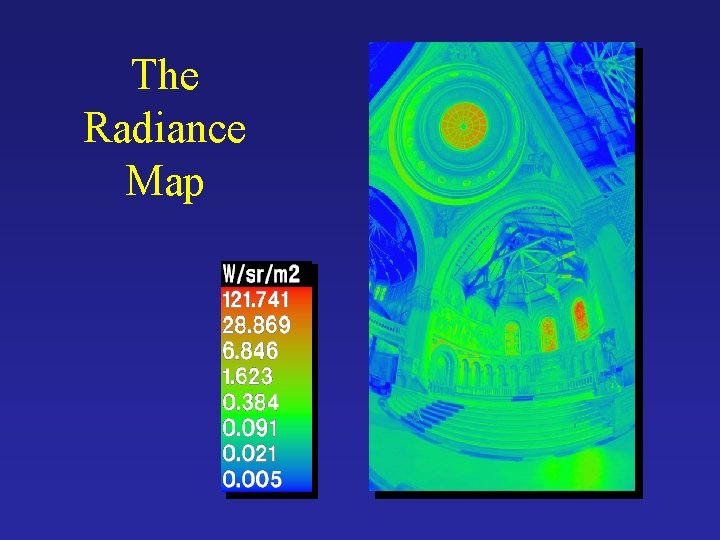
The Radiance Map
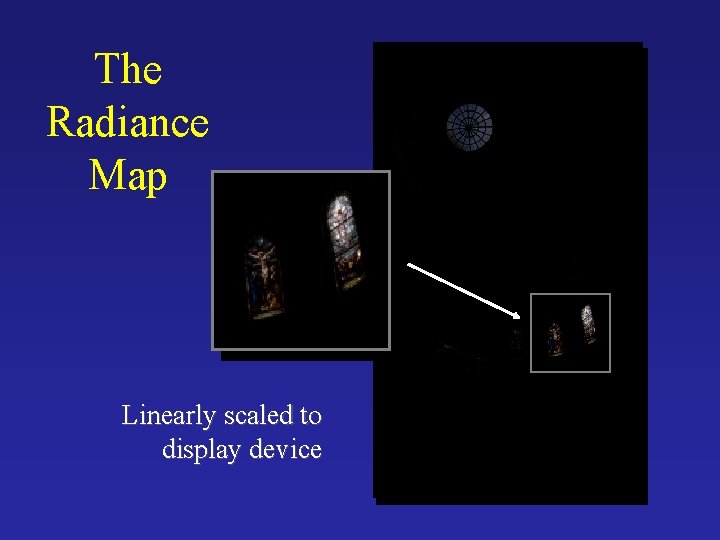
The Radiance Map Linearly scaled to display device
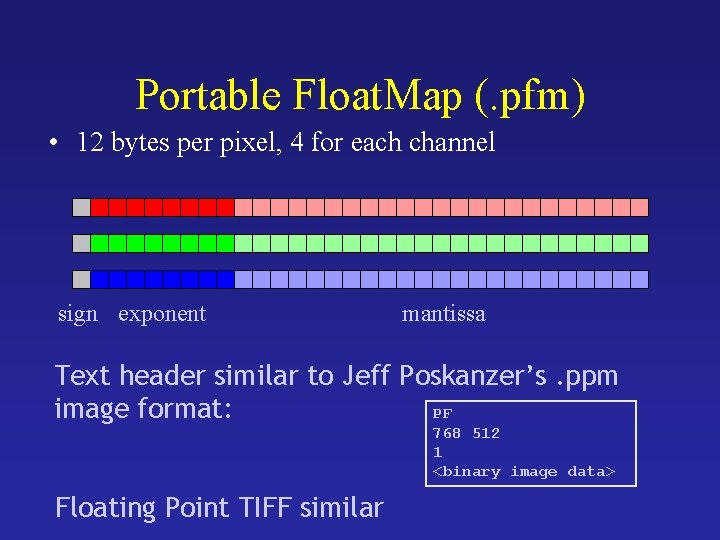
Portable Float. Map (. pfm) • 12 bytes per pixel, 4 for each channel sign exponent mantissa Text header similar to Jeff Poskanzer’s. ppm image format: PF 768 512 1 <binary image data> Floating Point TIFF similar
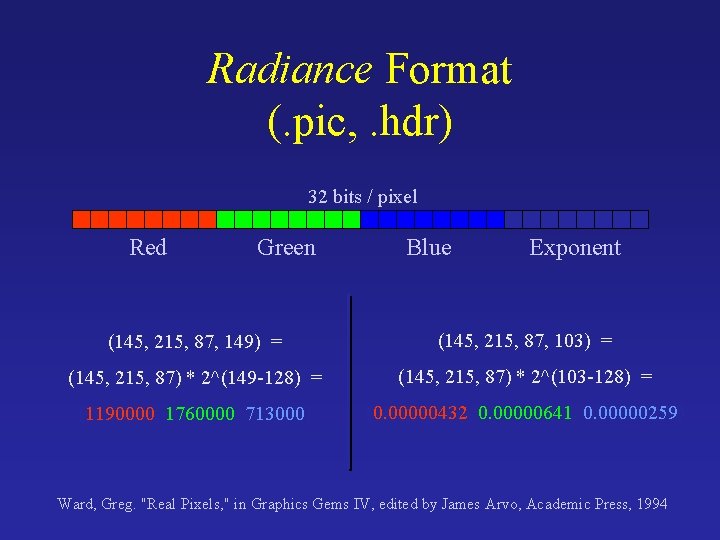
Radiance Format (. pic, . hdr) 32 bits / pixel Red Green Blue Exponent (145, 215, 87, 149) = (145, 215, 87, 103) = (145, 215, 87) * 2^(149 -128) = (145, 215, 87) * 2^(103 -128) = (1190000, 1760000, 713000) (0. 00000432, 0. 00000641, 0. 00000259) Ward, Greg. "Real Pixels, " in Graphics Gems IV, edited by James Arvo, Academic Press, 1994
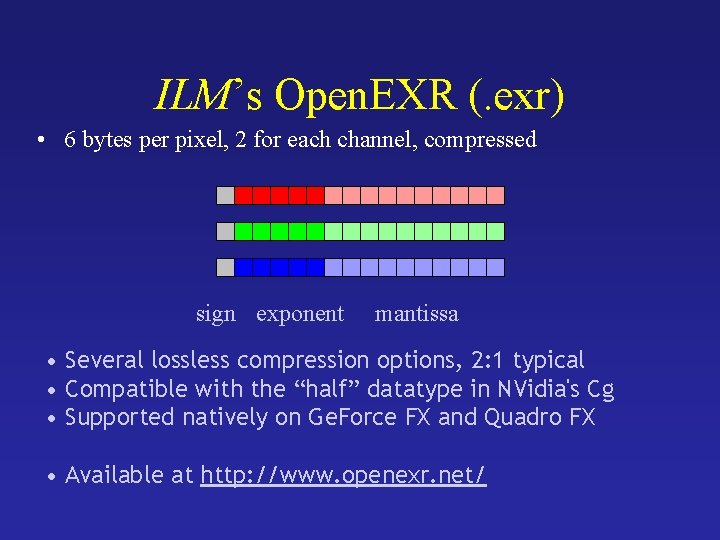
ILM’s Open. EXR (. exr) • 6 bytes per pixel, 2 for each channel, compressed sign exponent mantissa • Several lossless compression options, 2: 1 typical • Compatible with the “half” datatype in NVidia's Cg • Supported natively on Ge. Force FX and Quadro FX • Available at http: //www. openexr. net/
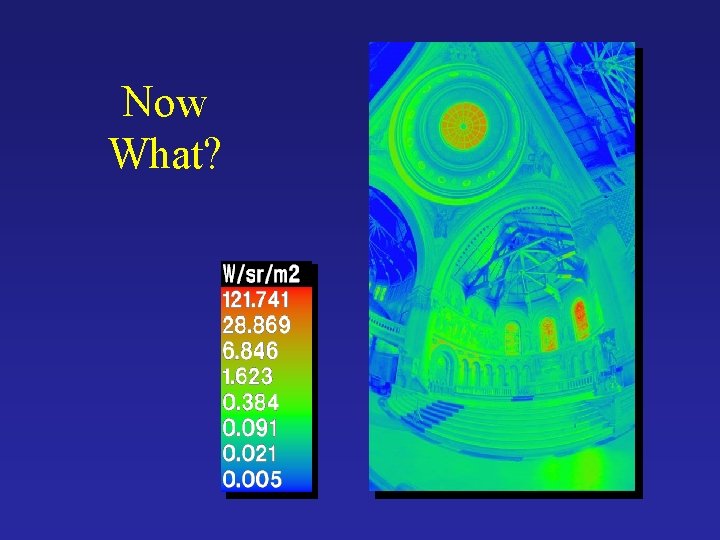
Now What?
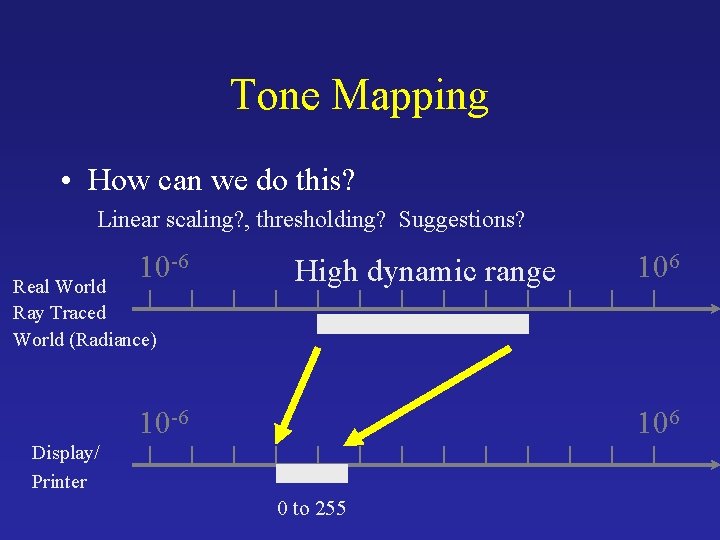
Tone Mapping • How can we do this? Linear scaling? , thresholding? Suggestions? 10 -6 Real World Ray Traced World (Radiance) High dynamic range 10 -6 106 Display/ Printer 0 to 255
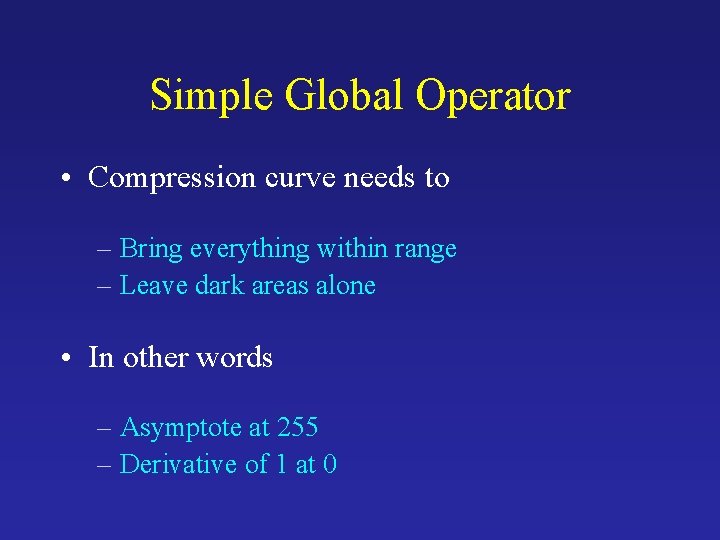
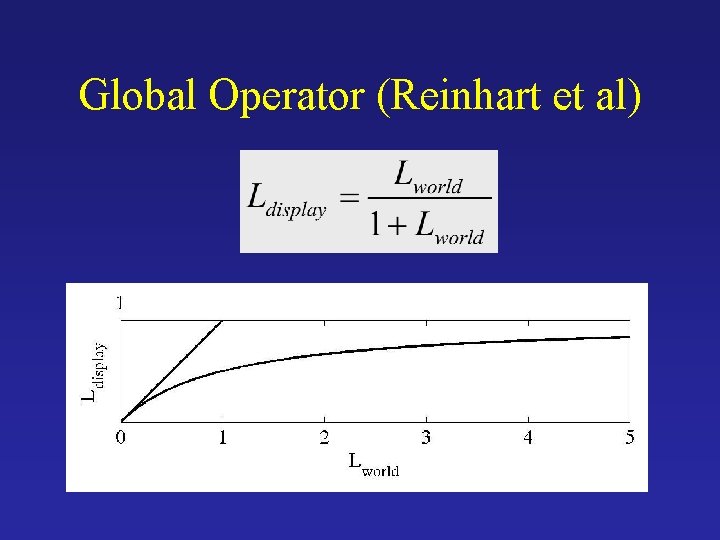
Simple Global Operator • Compression curve needs to – Bring everything within range – Leave dark areas alone • In other words – Asymptote at 255 – Derivative of 1 at 0
Global Operator (Reinhart et al)
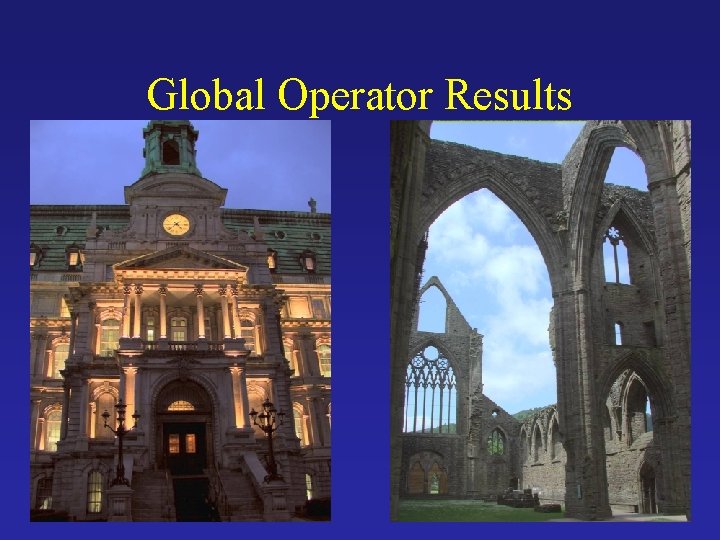
Global Operator Results
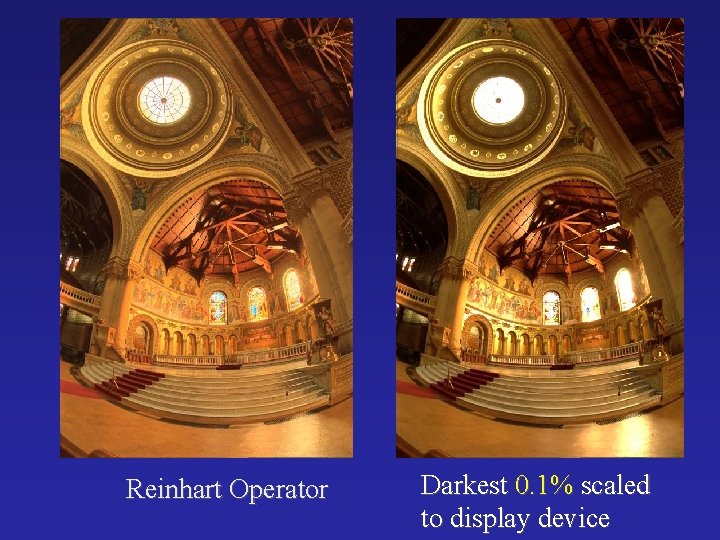
Reinhart Operator Darkest 0. 1% scaled to display device
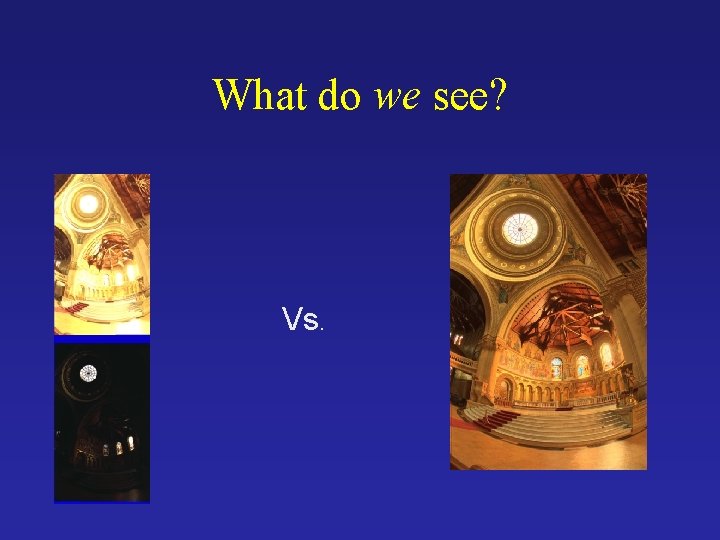
What do we see? Vs.
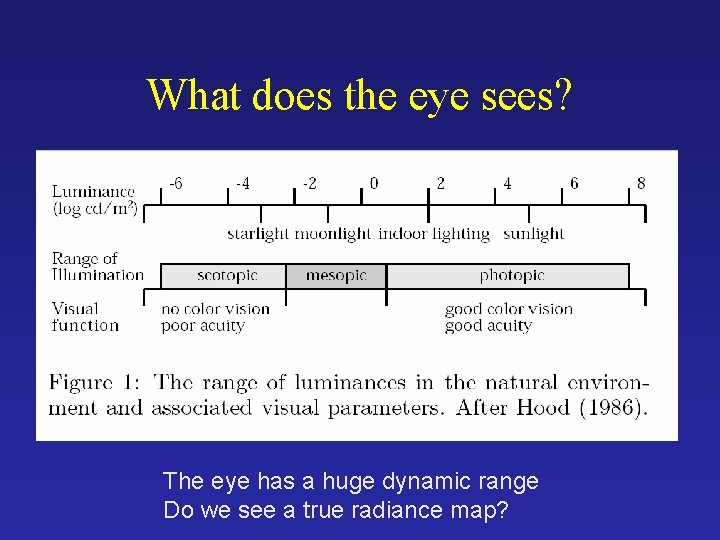
What does the eye sees? The eye has a huge dynamic range Do we see a true radiance map?
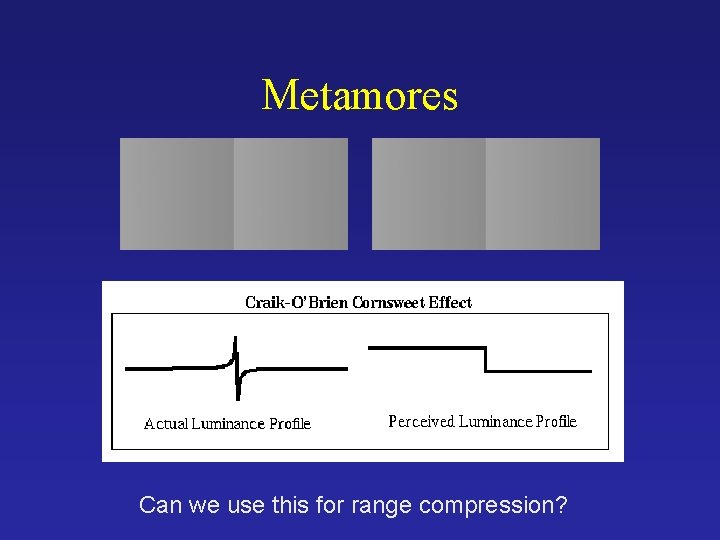
Metamores Can we use this for range compression?
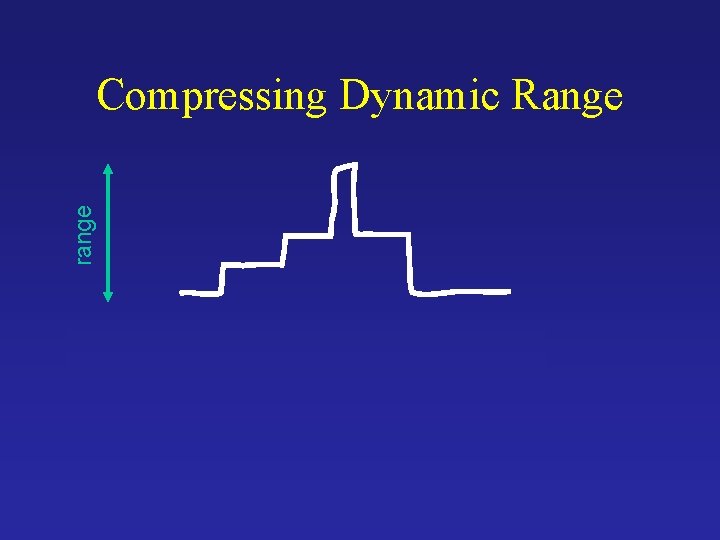
range Compressing Dynamic Range This reminds you of anything?