Flow Control Instructions and Addressing Modes Chapter 3
- Slides: 35
Flow Control Instructions and Addressing Modes Chapter 3 1
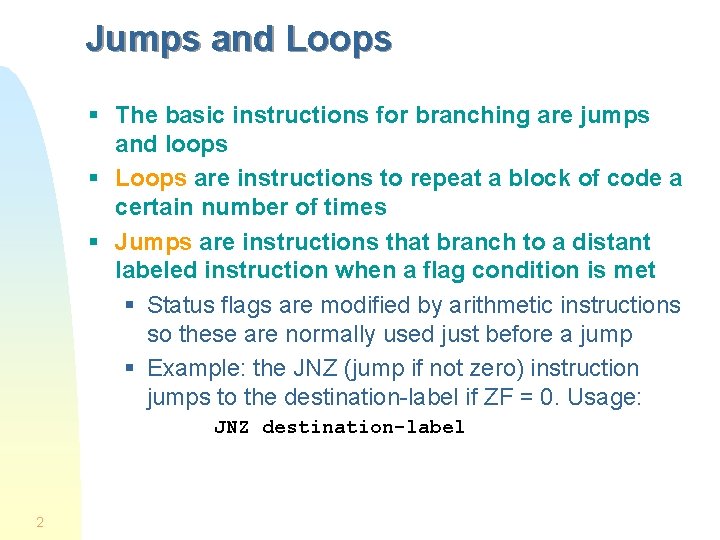
Jumps and Loops § The basic instructions for branching are jumps and loops § Loops are instructions to repeat a block of code a certain number of times § Jumps are instructions that branch to a distant labeled instruction when a flag condition is met § Status flags are modified by arithmetic instructions so these are normally used just before a jump § Example: the JNZ (jump if not zero) instruction jumps to the destination-label if ZF = 0. Usage: JNZ destination-label 2
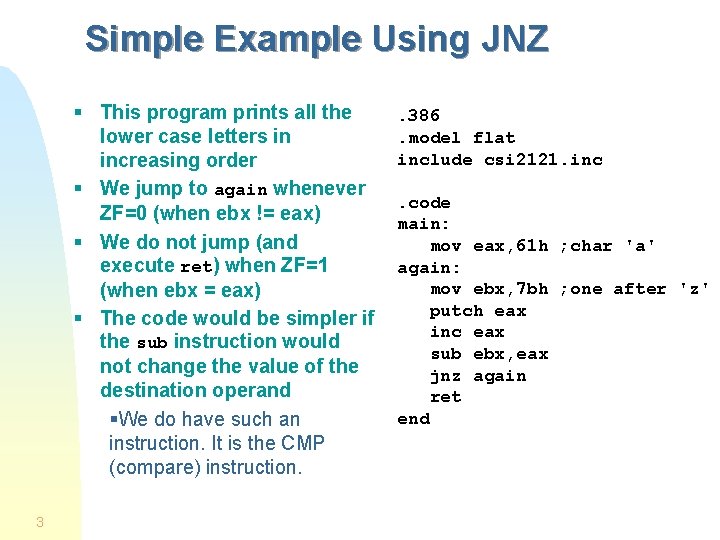
Simple Example Using JNZ § This program prints all the lower case letters in increasing order § We jump to again whenever ZF=0 (when ebx != eax) § We do not jump (and execute ret) when ZF=1 (when ebx = eax) § The code would be simpler if the sub instruction would not change the value of the destination operand §We do have such an instruction. It is the CMP (compare) instruction. 3 . 386. model flat include csi 2121. inc. code main: mov eax, 61 h ; char 'a' again: mov ebx, 7 bh ; one after 'z' putch eax inc eax sub ebx, eax jnz again ret end
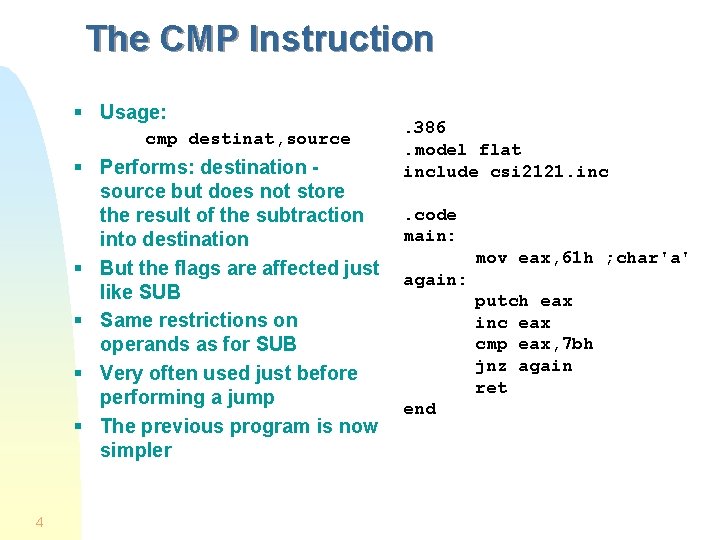
The CMP Instruction § Usage: cmp destinat, source § Performs: destination source but does not store the result of the subtraction into destination § But the flags are affected just like SUB § Same restrictions on operands as for SUB § Very often used just before performing a jump § The previous program is now simpler 4 . 386. model flat include csi 2121. inc. code main: mov eax, 61 h ; char'a' again: putch eax inc eax cmp eax, 7 bh jnz again ret end
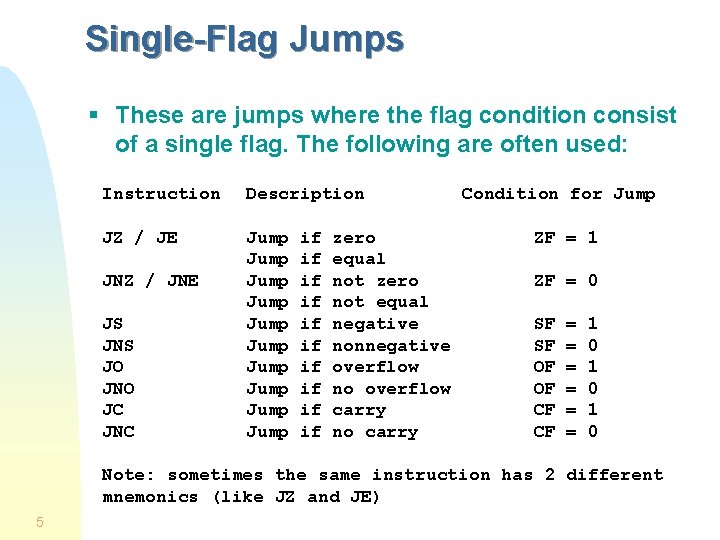
Single-Flag Jumps § These are jumps where the flag condition consist of a single flag. The following are often used: Instruction Description JZ / JE Jump Jump Jump JNZ / JNE JS JNS JO JNO JC JNC if if if zero equal not zero not equal negative nonnegative overflow no overflow carry no carry Condition for Jump ZF = 1 ZF = 0 SF SF OF OF CF CF = = = 1 0 1 0 Note: sometimes the same instruction has 2 different mnemonics (like JZ and JE) 5
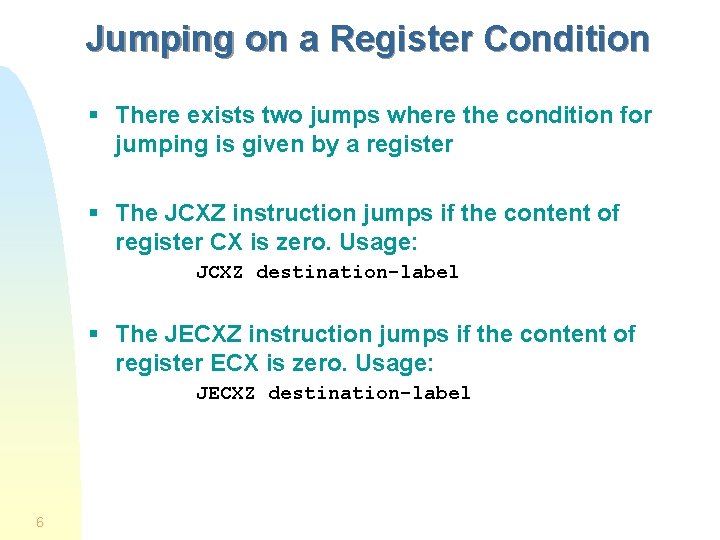
Jumping on a Register Condition § There exists two jumps where the condition for jumping is given by a register § The JCXZ instruction jumps if the content of register CX is zero. Usage: JCXZ destination-label § The JECXZ instruction jumps if the content of register ECX is zero. Usage: JECXZ destination-label 6
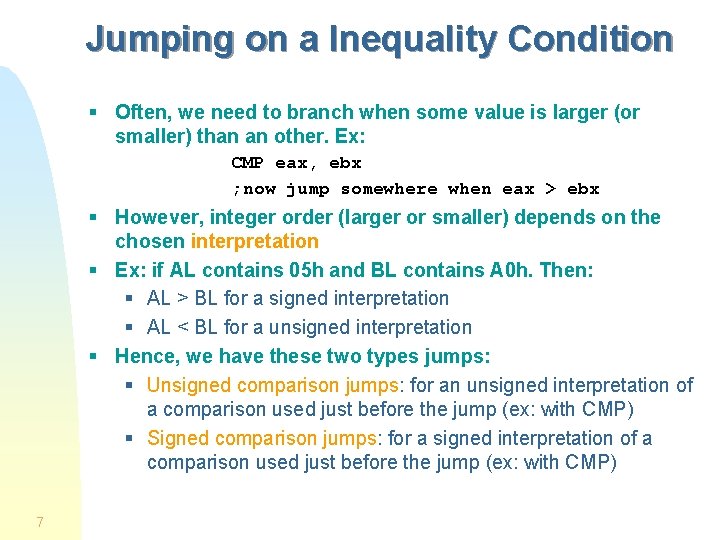
Jumping on a Inequality Condition § Often, we need to branch when some value is larger (or smaller) than an other. Ex: CMP eax, ebx ; now jump somewhere when eax > ebx § However, integer order (larger or smaller) depends on the chosen interpretation § Ex: if AL contains 05 h and BL contains A 0 h. Then: § AL > BL for a signed interpretation § AL < BL for a unsigned interpretation § Hence, we have these two types jumps: § Unsigned comparison jumps: for an unsigned interpretation of a comparison used just before the jump (ex: with CMP) § Signed comparison jumps: for a signed interpretation of a comparison used just before the jump (ex: with CMP) 7
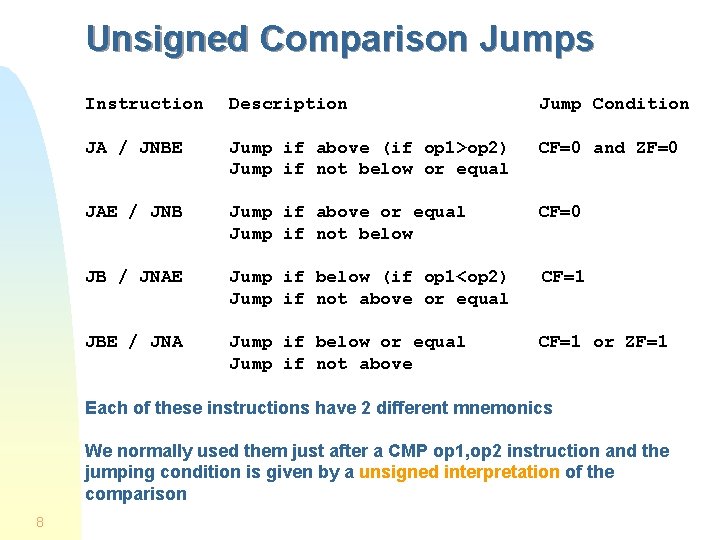
Unsigned Comparison Jumps Instruction Description Jump Condition JA / JNBE Jump if above (if op 1>op 2) Jump if not below or equal CF=0 and ZF=0 JAE / JNB Jump if above or equal Jump if not below CF=0 JB / JNAE Jump if below (if op 1<op 2) Jump if not above or equal CF=1 JBE / JNA Jump if below or equal Jump if not above CF=1 or ZF=1 Each of these instructions have 2 different mnemonics We normally used them just after a CMP op 1, op 2 instruction and the jumping condition is given by a unsigned interpretation of the comparison 8
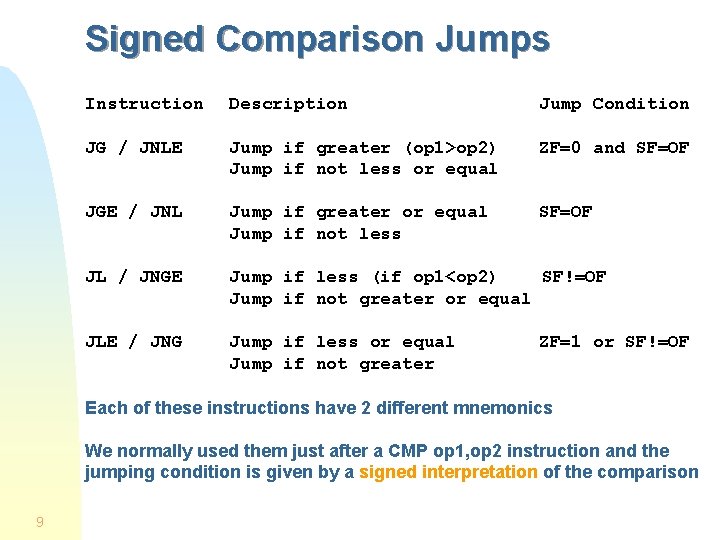
Signed Comparison Jumps Instruction Description Jump Condition JG / JNLE Jump if greater (op 1>op 2) Jump if not less or equal ZF=0 and SF=OF JGE / JNL Jump if greater or equal Jump if not less SF=OF JL / JNGE Jump if less (if op 1<op 2) SF!=OF Jump if not greater or equal JLE / JNG Jump if less or equal Jump if not greater ZF=1 or SF!=OF Each of these instructions have 2 different mnemonics We normally used them just after a CMP op 1, op 2 instruction and the jumping condition is given by a signed interpretation of the comparison 9
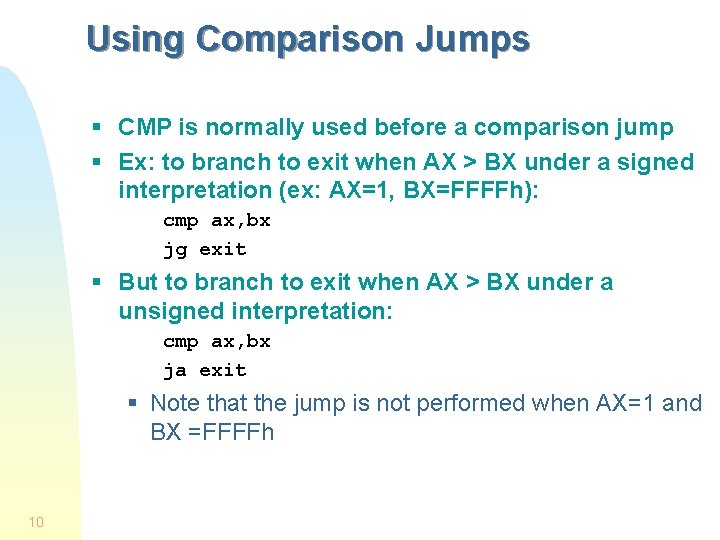
Using Comparison Jumps § CMP is normally used before a comparison jump § Ex: to branch to exit when AX > BX under a signed interpretation (ex: AX=1, BX=FFFFh): cmp ax, bx jg exit § But to branch to exit when AX > BX under a unsigned interpretation: cmp ax, bx ja exit § Note that the jump is not performed when AX=1 and BX =FFFFh 10
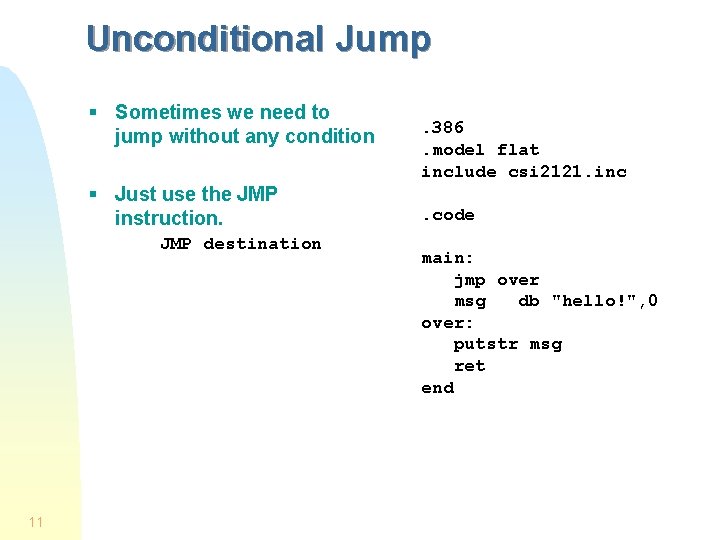
Unconditional Jump § Sometimes we need to jump without any condition § Just use the JMP instruction. JMP destination 11 . 386. model flat include csi 2121. inc. code main: jmp over msg db "hello!", 0 over: putstr msg ret end
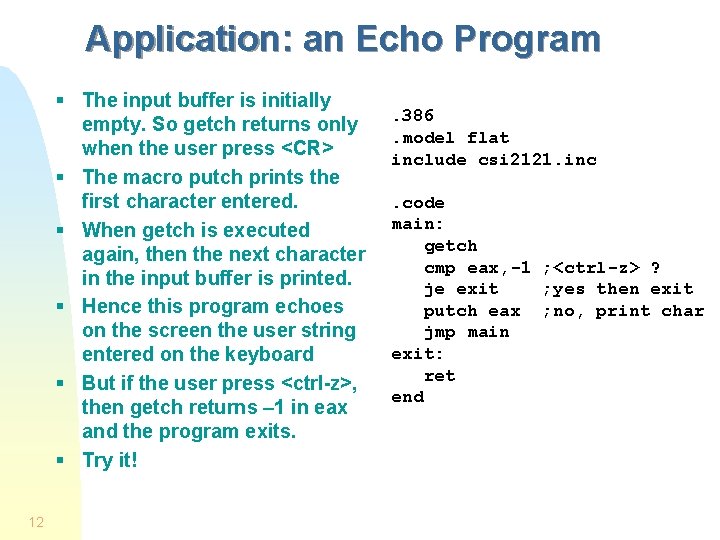
Application: an Echo Program § The input buffer is initially empty. So getch returns only when the user press <CR> § The macro putch prints the first character entered. § When getch is executed again, then the next character in the input buffer is printed. § Hence this program echoes on the screen the user string entered on the keyboard § But if the user press <ctrl-z>, then getch returns – 1 in eax and the program exits. § Try it! 12 . 386. model flat include csi 2121. inc. code main: getch cmp eax, -1 ; <ctrl-z> ? je exit ; yes then exit putch eax ; no, print char jmp main exit: ret end
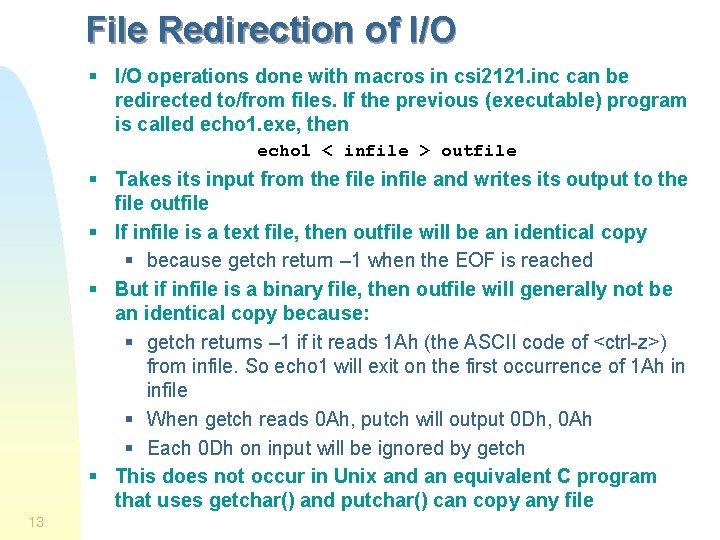
File Redirection of I/O § I/O operations done with macros in csi 2121. inc can be redirected to/from files. If the previous (executable) program is called echo 1. exe, then echo 1 < infile > outfile § Takes its input from the file infile and writes its output to the file outfile § If infile is a text file, then outfile will be an identical copy § because getch return – 1 when the EOF is reached § But if infile is a binary file, then outfile will generally not be an identical copy because: § getch returns – 1 if it reads 1 Ah (the ASCII code of <ctrl-z>) from infile. So echo 1 will exit on the first occurrence of 1 Ah in infile § When getch reads 0 Ah, putch will output 0 Dh, 0 Ah § Each 0 Dh on input will be ignored by getch § This does not occur in Unix and an equivalent C program that uses getchar() and putchar() can copy any file 13
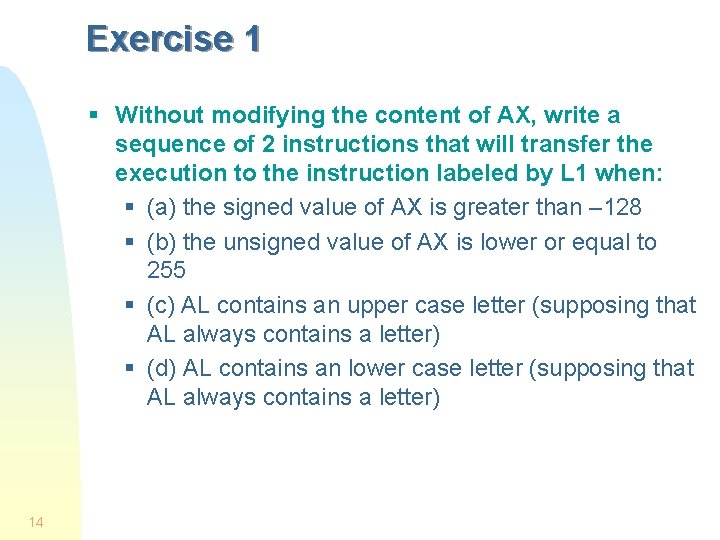
Exercise 1 § Without modifying the content of AX, write a sequence of 2 instructions that will transfer the execution to the instruction labeled by L 1 when: § (a) the signed value of AX is greater than – 128 § (b) the unsigned value of AX is lower or equal to 255 § (c) AL contains an upper case letter (supposing that AL always contains a letter) § (d) AL contains an lower case letter (supposing that AL always contains a letter) 14
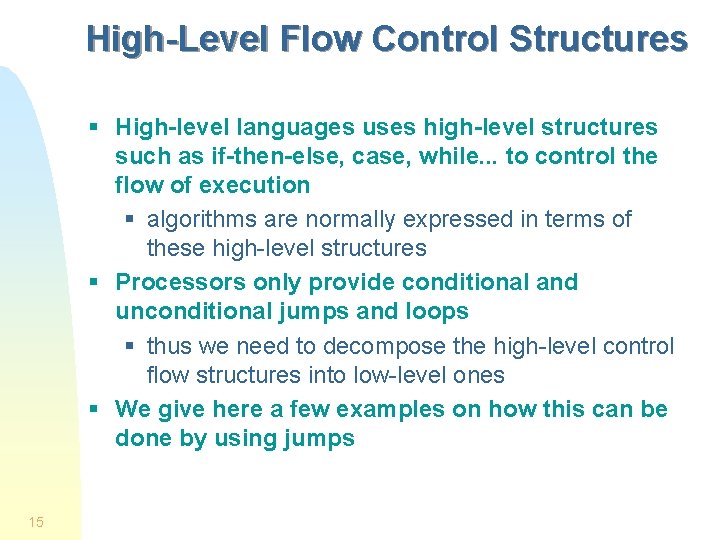
High-Level Flow Control Structures § High-level languages uses high-level structures such as if-then-else, case, while. . . to control the flow of execution § algorithms are normally expressed in terms of these high-level structures § Processors only provide conditional and unconditional jumps and loops § thus we need to decompose the high-level control flow structures into low-level ones § We give here a few examples on how this can be done by using jumps 15
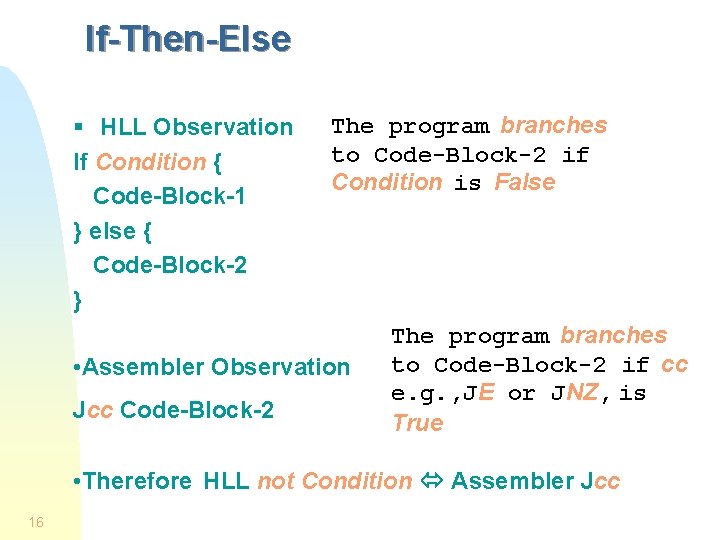
If-Then-Else § HLL Observation If Condition { Code-Block-1 } else { Code-Block-2 } The program branches to Code-Block-2 if Condition is False • Assembler Observation Jcc Code-Block-2 The program branches to Code-Block-2 if cc e. g. , JE or JNZ, is True • Therefore HLL not Condition Assembler Jcc 16
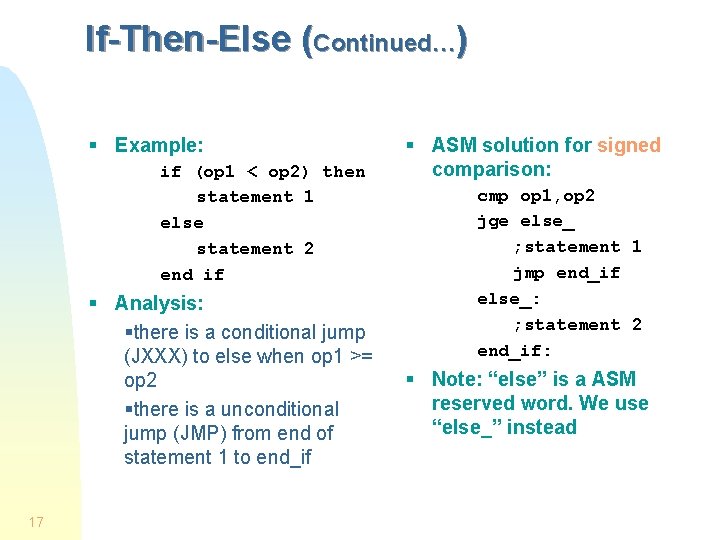
If-Then-Else (Continued…) § Example: if (op 1 < op 2) then statement 1 else statement 2 end if § Analysis: §there is a conditional jump (JXXX) to else when op 1 >= op 2 §there is a unconditional jump (JMP) from end of statement 1 to end_if 17 § ASM solution for signed comparison: cmp op 1, op 2 jge else_ ; statement 1 jmp end_if else_: ; statement 2 end_if: § Note: “else” is a ASM reserved word. We use “else_” instead
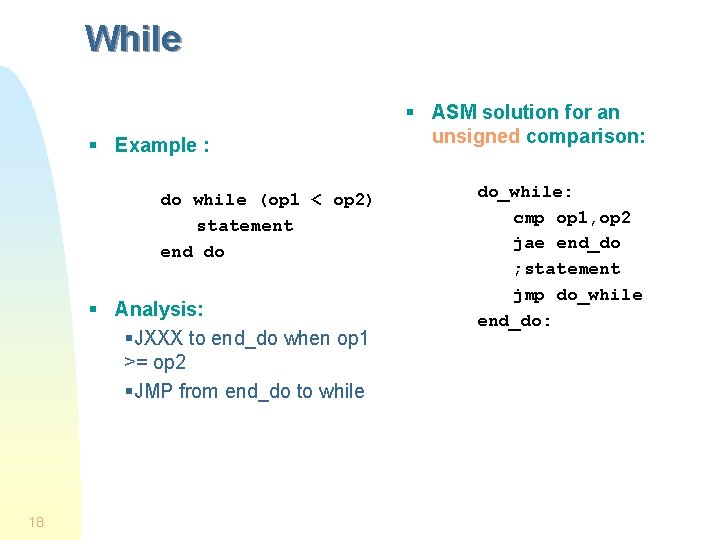
While § Example : do while (op 1 < op 2) statement end do § Analysis: §JXXX to end_do when op 1 >= op 2 §JMP from end_do to while 18 § ASM solution for an unsigned comparison: do_while: cmp op 1, op 2 jae end_do ; statement jmp do_while end_do:
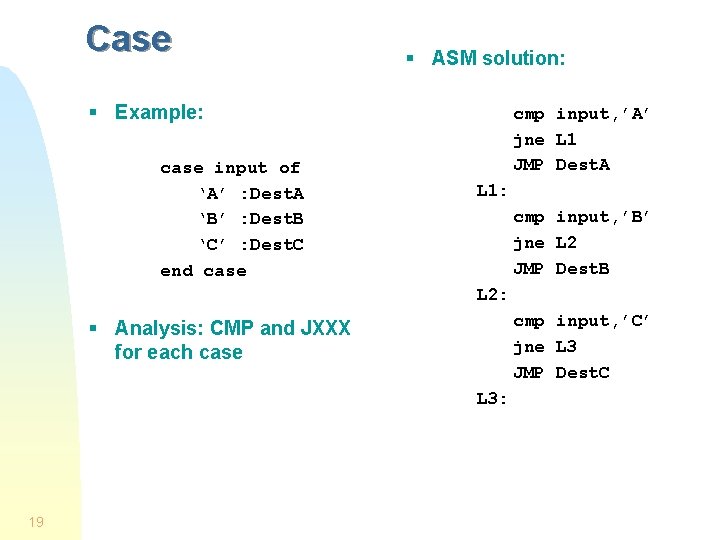
Case § ASM solution: § Example: case input of ‘A’ : Dest. A ‘B’ : Dest. B ‘C’ : Dest. C end case cmp input, ’A’ jne L 1 JMP Dest. A L 1: cmp input, ’B’ jne L 2 JMP Dest. B L 2: cmp input, ’C’ jne L 3 JMP Dest. C § Analysis: CMP and JXXX for each case L 3: 19
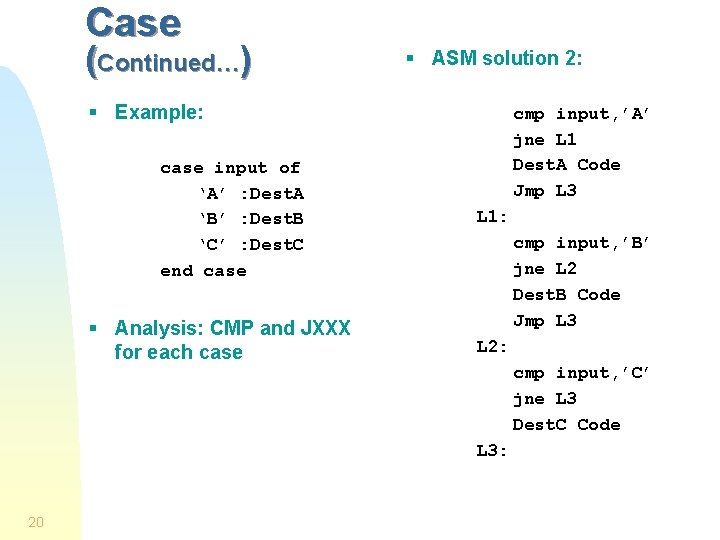
Case (Continued…) § ASM solution 2: § Example: case input of ‘A’ : Dest. A ‘B’ : Dest. B ‘C’ : Dest. C end case § Analysis: CMP and JXXX for each case cmp input, ’A’ jne L 1 Dest. A Code Jmp L 3 L 1: cmp input, ’B’ jne L 2 Dest. B Code Jmp L 3 L 2: cmp input, ’C’ jne L 3 Dest. C Code L 3: 20
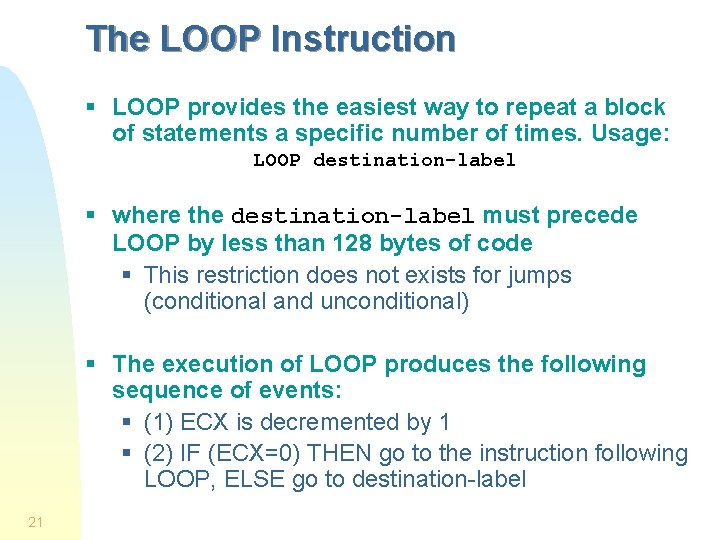
The LOOP Instruction § LOOP provides the easiest way to repeat a block of statements a specific number of times. Usage: LOOP destination-label § where the destination-label must precede LOOP by less than 128 bytes of code § This restriction does not exists for jumps (conditional and unconditional) § The execution of LOOP produces the following sequence of events: § (1) ECX is decremented by 1 § (2) IF (ECX=0) THEN go to the instruction following LOOP, ELSE go to destination-label 21
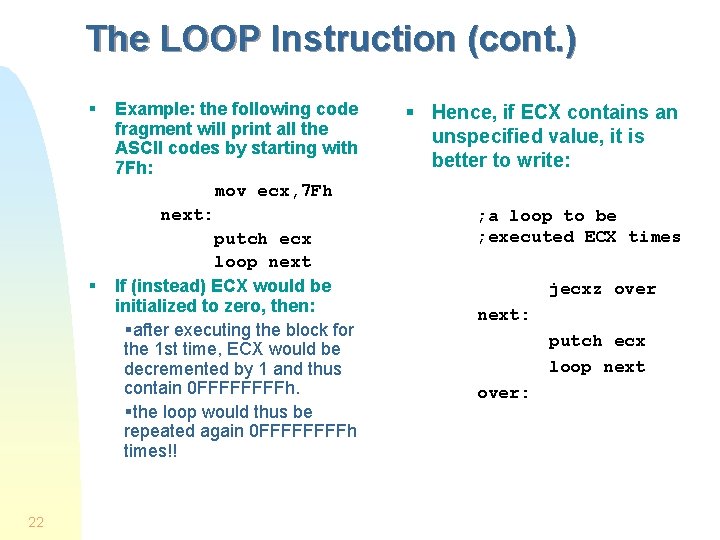
The LOOP Instruction (cont. ) § § 22 Example: the following code fragment will print all the ASCII codes by starting with 7 Fh: mov ecx, 7 Fh next: putch ecx loop next If (instead) ECX would be initialized to zero, then: §after executing the block for the 1 st time, ECX would be decremented by 1 and thus contain 0 FFFFh. §the loop would thus be repeated again 0 FFFFh times!! § Hence, if ECX contains an unspecified value, it is better to write: ; a loop to be ; executed ECX times jecxz over next: putch ecx loop next over:
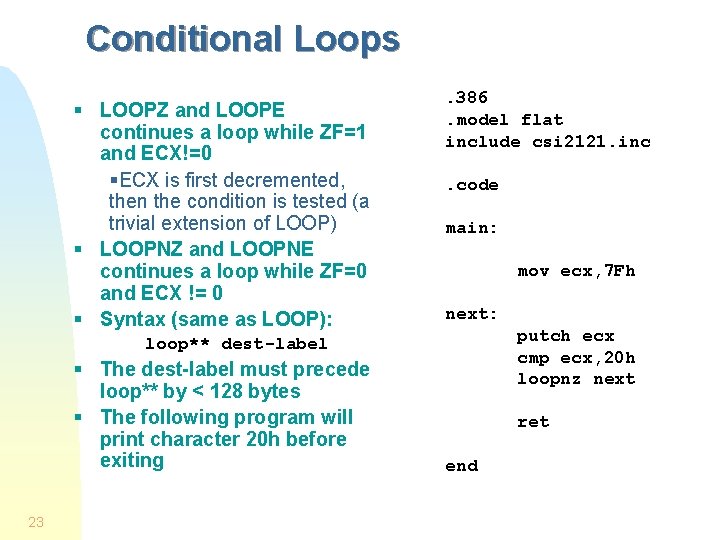
Conditional Loops § LOOPZ and LOOPE continues a loop while ZF=1 and ECX!=0 §ECX is first decremented, then the condition is tested (a trivial extension of LOOP) § LOOPNZ and LOOPNE continues a loop while ZF=0 and ECX != 0 § Syntax (same as LOOP): . 386. model flat include csi 2121. inc. code main: mov ecx, 7 Fh next: putch ecx cmp ecx, 20 h loopnz next loop** dest-label § The dest-label must precede loop** by < 128 bytes § The following program will print character 20 h before exiting 23 ret end
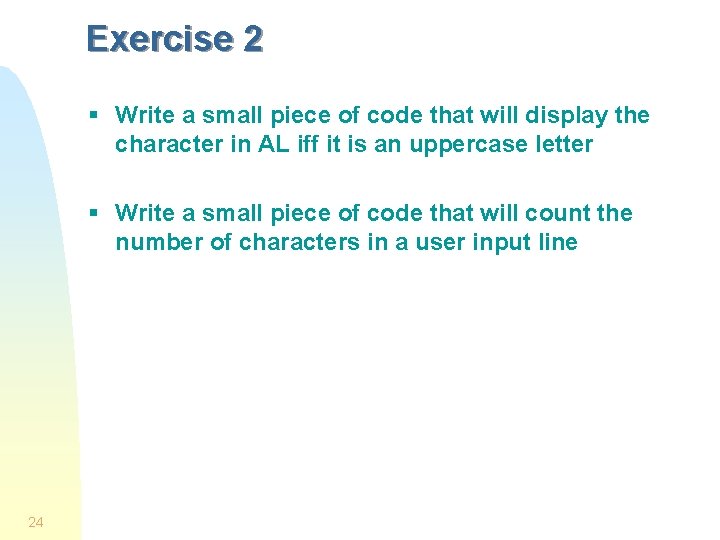
Exercise 2 § Write a small piece of code that will display the character in AL iff it is an uppercase letter § Write a small piece of code that will count the number of characters in a user input line 24
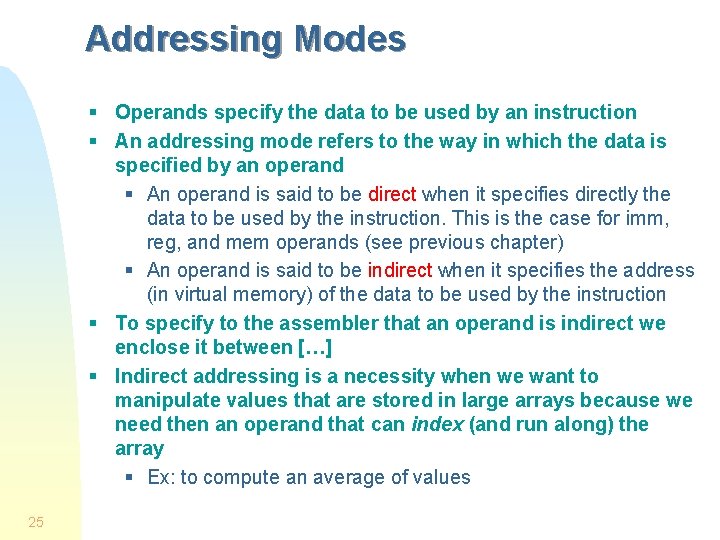
Addressing Modes § Operands specify the data to be used by an instruction § An addressing mode refers to the way in which the data is specified by an operand § An operand is said to be direct when it specifies directly the data to be used by the instruction. This is the case for imm, reg, and mem operands (see previous chapter) § An operand is said to be indirect when it specifies the address (in virtual memory) of the data to be used by the instruction § To specify to the assembler that an operand is indirect we enclose it between […] § Indirect addressing is a necessity when we want to manipulate values that are stored in large arrays because we need then an operand that can index (and run along) the array § Ex: to compute an average of values 25
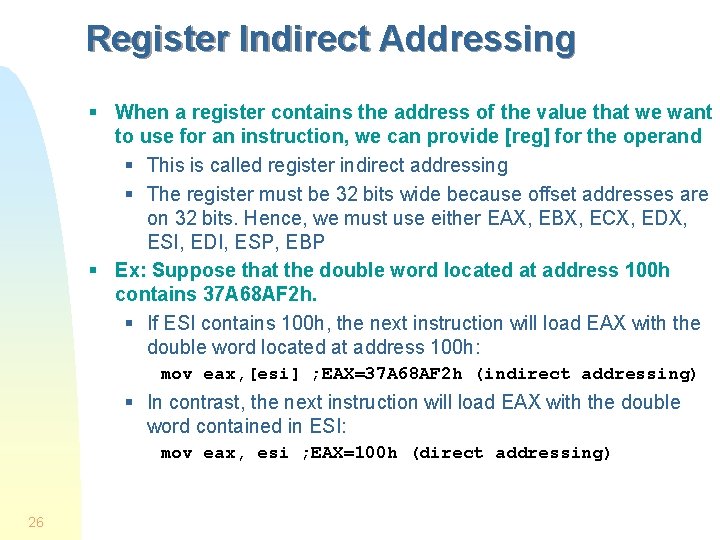
Register Indirect Addressing § When a register contains the address of the value that we want to use for an instruction, we can provide [reg] for the operand § This is called register indirect addressing § The register must be 32 bits wide because offset addresses are on 32 bits. Hence, we must use either EAX, EBX, ECX, EDX, ESI, EDI, ESP, EBP § Ex: Suppose that the double word located at address 100 h contains 37 A 68 AF 2 h. § If ESI contains 100 h, the next instruction will load EAX with the double word located at address 100 h: mov eax, [esi] ; EAX=37 A 68 AF 2 h (indirect addressing) § In contrast, the next instruction will load EAX with the double word contained in ESI: mov eax, esi ; EAX=100 h (direct addressing) 26
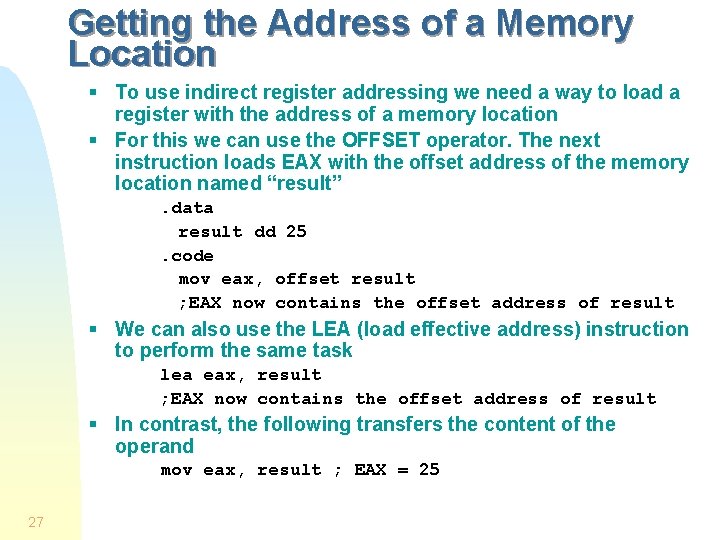
Getting the Address of a Memory Location § To use indirect register addressing we need a way to load a register with the address of a memory location § For this we can use the OFFSET operator. The next instruction loads EAX with the offset address of the memory location named “result”. data result dd 25. code mov eax, offset result ; EAX now contains the offset address of result § We can also use the LEA (load effective address) instruction to perform the same task lea eax, result ; EAX now contains the offset address of result § In contrast, the following transfers the content of the operand mov eax, result ; EAX = 25 27
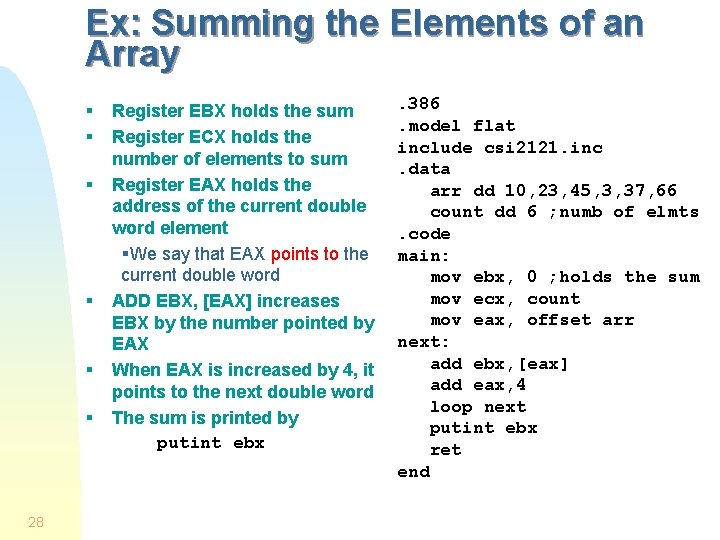
Ex: Summing the Elements of an Array § § § 28 Register EBX holds the sum Register ECX holds the number of elements to sum Register EAX holds the address of the current double word element §We say that EAX points to the current double word ADD EBX, [EAX] increases EBX by the number pointed by EAX When EAX is increased by 4, it points to the next double word The sum is printed by putint ebx . 386. model flat include csi 2121. inc. data arr dd 10, 23, 45, 3, 37, 66 count dd 6 ; numb of elmts. code main: mov ebx, 0 ; holds the sum mov ecx, count mov eax, offset arr next: add ebx, [eax] add eax, 4 loop next putint ebx ret end
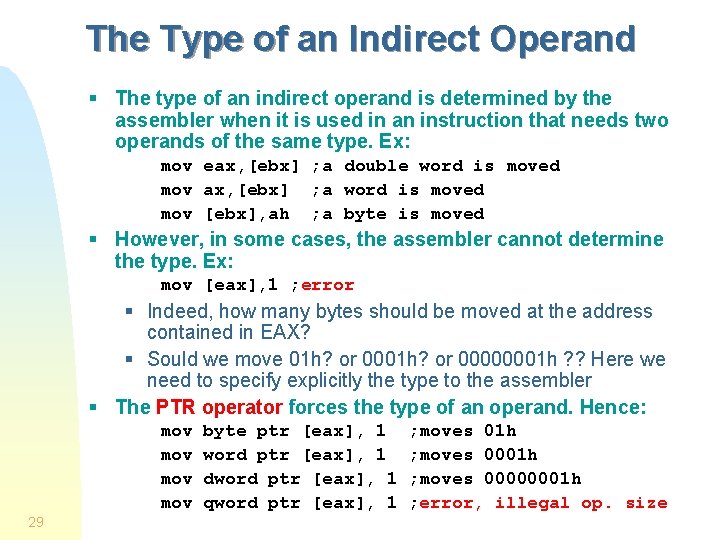
The Type of an Indirect Operand § The type of an indirect operand is determined by the assembler when it is used in an instruction that needs two operands of the same type. Ex: mov eax, [ebx] ; a double word is moved mov ax, [ebx] ; a word is moved mov [ebx], ah ; a byte is moved § However, in some cases, the assembler cannot determine the type. Ex: mov [eax], 1 ; error § Indeed, how many bytes should be moved at the address contained in EAX? § Sould we move 01 h? or 00000001 h ? ? Here we need to specify explicitly the type to the assembler § The PTR operator forces the type of an operand. Hence: mov mov 29 byte ptr [eax], 1 word ptr [eax], 1 dword ptr [eax], 1 qword ptr [eax], 1 ; moves 01 h ; moves 00000001 h ; error, illegal op. size
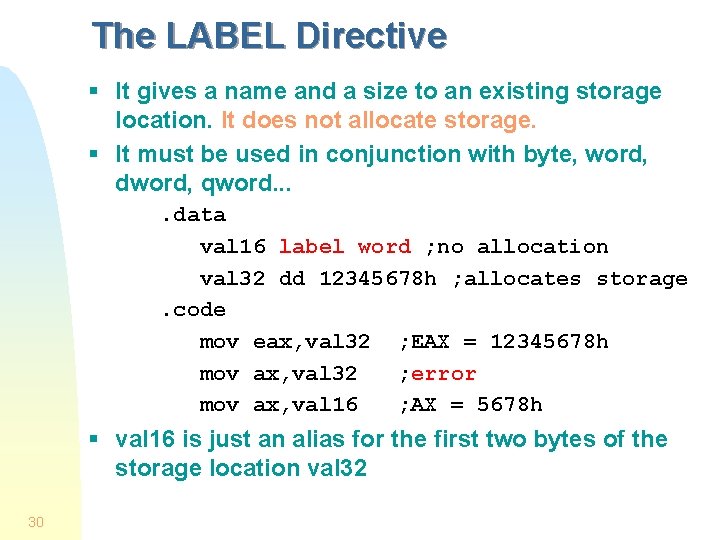
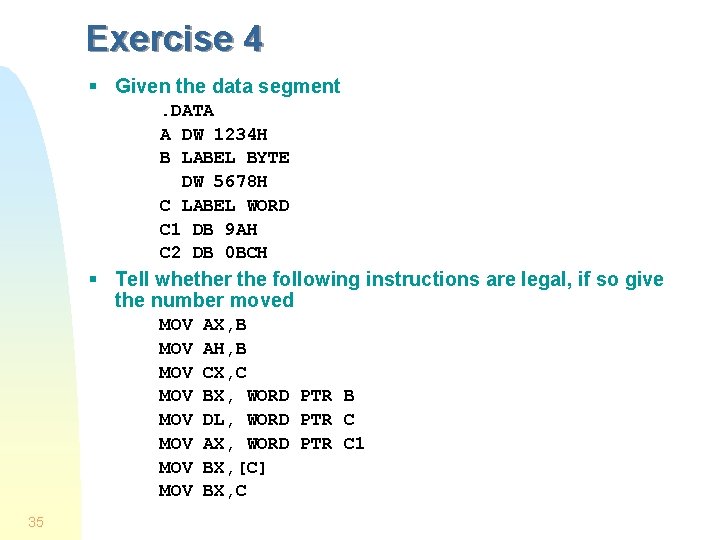
The LABEL Directive § It gives a name and a size to an existing storage location. It does not allocate storage. § It must be used in conjunction with byte, word, dword, qword. . data val 16 label word ; no allocation val 32 dd 12345678 h ; allocates storage. code mov eax, val 32 ; EAX = 12345678 h mov ax, val 32 ; error mov ax, val 16 ; AX = 5678 h § val 16 is just an alias for the first two bytes of the storage location val 32 30
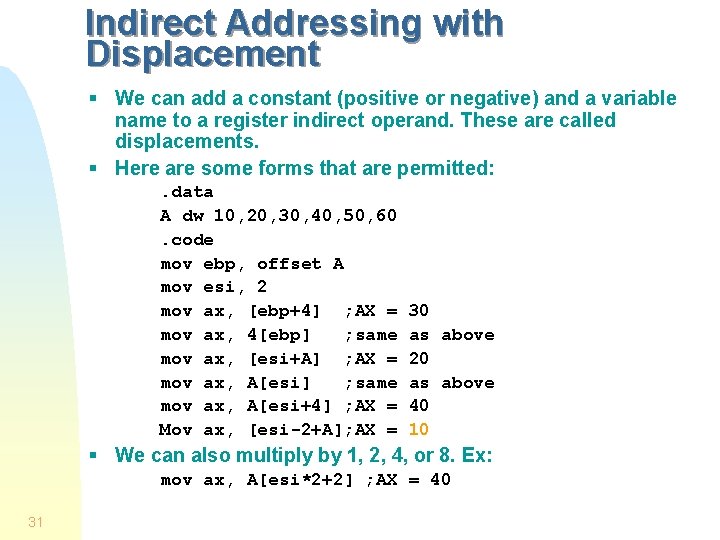
Indirect Addressing with Displacement § We can add a constant (positive or negative) and a variable name to a register indirect operand. These are called displacements. § Here are some forms that are permitted: . data A dw 10, 20, 30, 40, 50, 60. code mov ebp, offset A mov esi, 2 mov ax, [ebp+4] ; AX = mov ax, 4[ebp] ; same mov ax, [esi+A] ; AX = mov ax, A[esi] ; same mov ax, A[esi+4] ; AX = Mov ax, [esi-2+A]; AX = 30 as above 20 as above 40 10 § We can also multiply by 1, 2, 4, or 8. Ex: mov ax, A[esi*2+2] ; AX = 40 31
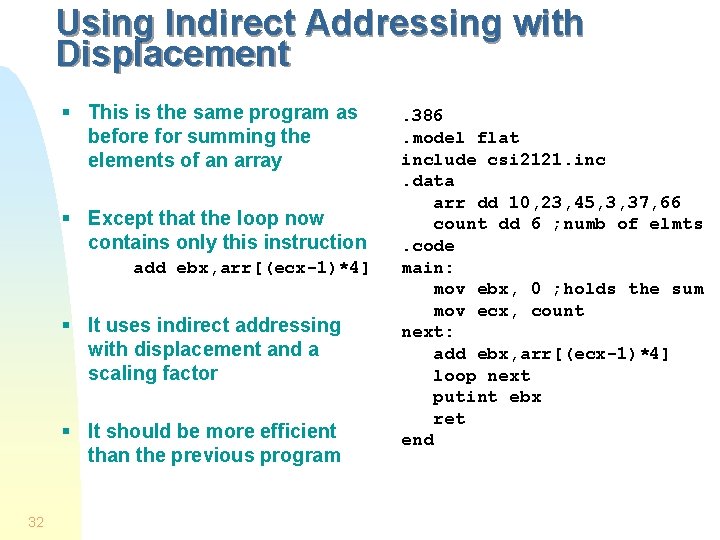
Using Indirect Addressing with Displacement § This is the same program as before for summing the elements of an array § Except that the loop now contains only this instruction add ebx, arr[(ecx-1)*4] § It uses indirect addressing with displacement and a scaling factor § It should be more efficient than the previous program 32 . 386. model flat include csi 2121. inc. data arr dd 10, 23, 45, 3, 37, 66 count dd 6 ; numb of elmts. code main: mov ebx, 0 ; holds the sum mov ecx, count next: add ebx, arr[(ecx-1)*4] loop next putint ebx ret end
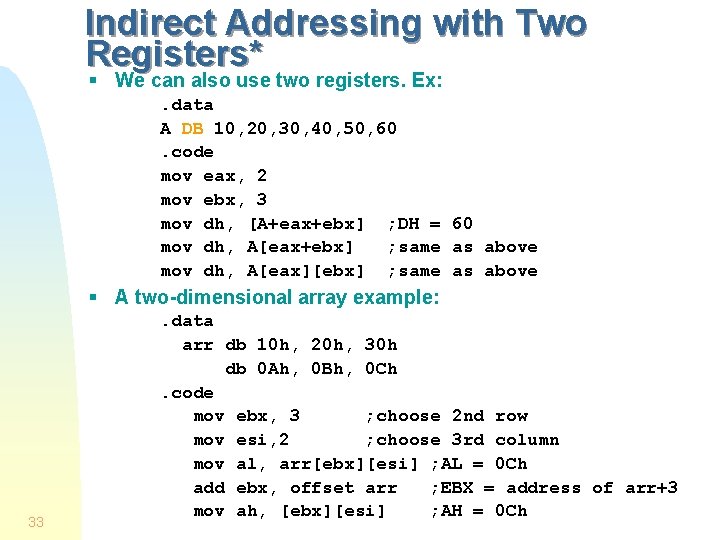
Indirect Addressing with Two Registers* § We can also use two registers. Ex: . data A DB 10, 20, 30, 40, 50, 60. code mov eax, 2 mov ebx, 3 mov dh, [A+eax+ebx] ; DH = 60 mov dh, A[eax+ebx] ; same as above mov dh, A[eax][ebx] ; same as above § A two-dimensional array example: 33 . data arr db 10 h, 20 h, 30 h db 0 Ah, 0 Bh, 0 Ch. code mov ebx, 3 ; choose 2 nd row mov esi, 2 ; choose 3 rd column mov al, arr[ebx][esi] ; AL = 0 Ch add ebx, offset arr ; EBX = address of arr+3 mov ah, [ebx][esi] ; AH = 0 Ch
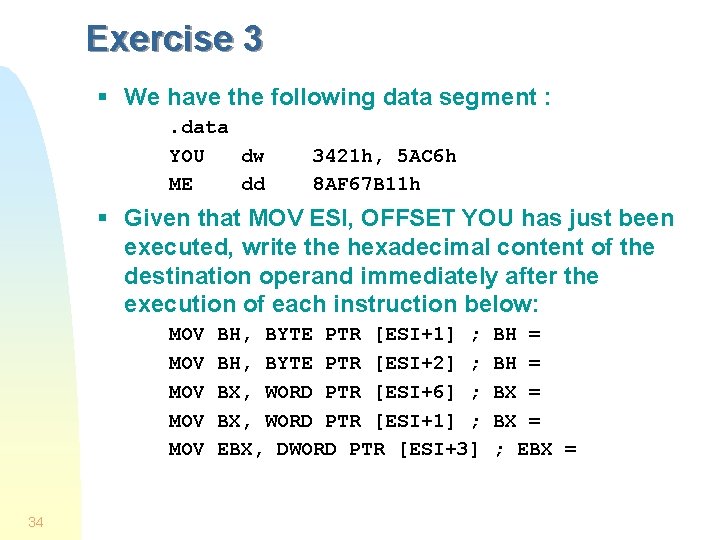
Exercise 3 § We have the following data segment : . data YOU dw ME dd 3421 h, 5 AC 6 h 8 AF 67 B 11 h § Given that MOV ESI, OFFSET YOU has just been executed, write the hexadecimal content of the destination operand immediately after the execution of each instruction below: MOV MOV MOV 34 BH, BYTE PTR [ESI+1] ; BH, BYTE PTR [ESI+2] ; BX, WORD PTR [ESI+6] ; BX, WORD PTR [ESI+1] ; EBX, DWORD PTR [ESI+3] BH = BX = ; EBX =
Exercise 4 § Given the data segment. DATA A DW 1234 H B LABEL BYTE DW 5678 H C LABEL WORD C 1 DB 9 AH C 2 DB 0 BCH § Tell whether the following instructions are legal, if so give the number moved MOV MOV 35 AX, B AH, B CX, C BX, WORD PTR B DL, WORD PTR C AX, WORD PTR C 1 BX, [C] BX, C