ECE 355 Software Engineering CHAPTER 2 Unit 4

![Class Diagram Example Adapted from Fig. 23 [EJB 2. 0].](https://slidetodoc.com/presentation_image_h/958756e8b9c50c6dd7c4f51cb2dce5ae/image-48.jpg "Class Diagram Example Adapted from Fig. 23 [EJB 2. 0].")
- Slides: 63
ECE 355: Software Engineering CHAPTER 2 Unit 4 (Part 2) Presentation material based on past ECE 355 notes by Prof. K. Czarneszki.
Course outline • Unit 1: Software Engineering Basics • Unit 2: Process Models and Software Life Cycles • Unit 3: Software Requirements Unit 4: Unified Modeling Language (UML) • Unit 5: Design Basics and Software Architecture • Unit 6: OO Analysis and Design • Unit 7: Design Patterns • Unit 8: Testing and Reliability • Unit 9: Software Engineering Management and Economics
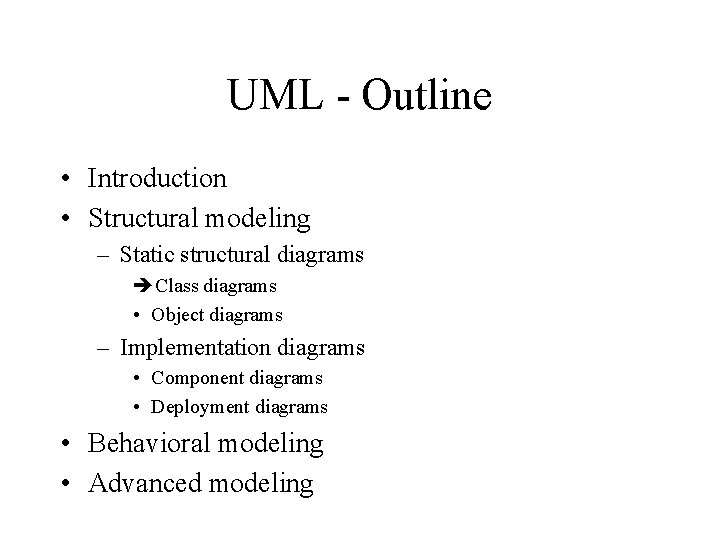
UML - Outline • Introduction • Behavioral modeling Structural modeling – Static structural diagrams • Class diagrams • Object diagrams – Implementation diagrams • Component diagrams • Deployment diagrams • Advanced modeling
What is structural modeling? • Structural model: a view of a system that emphasizes the structure of the objects, including their classifiers, relationships, attributes and operations.
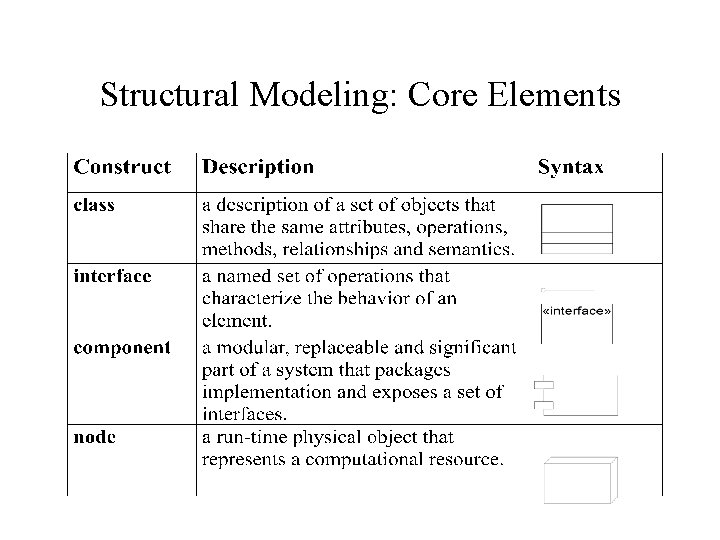
Structural Modeling: Core Elements
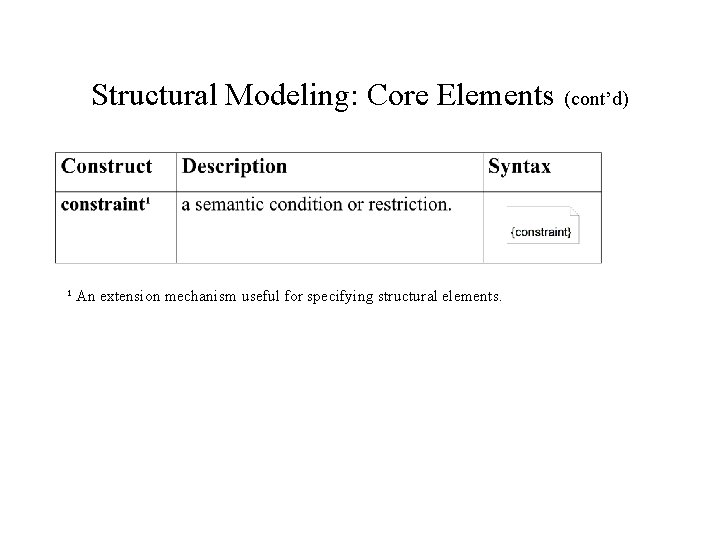
Structural Modeling: Core Elements (cont’d) ¹ An extension mechanism useful for specifying structural elements.
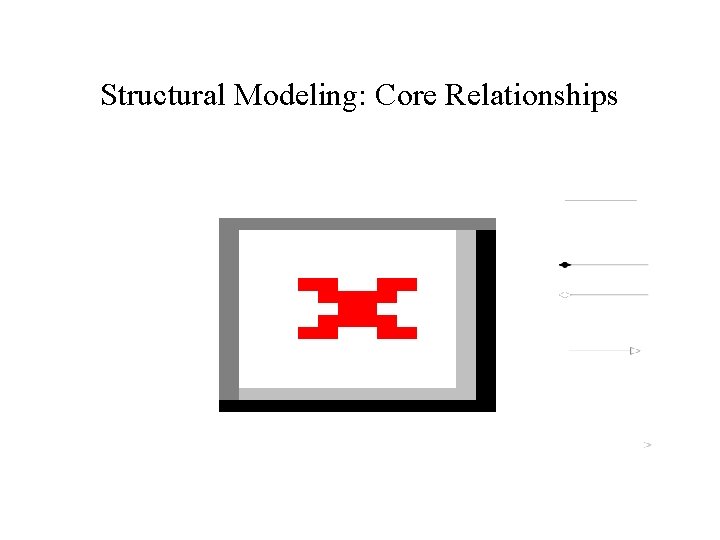
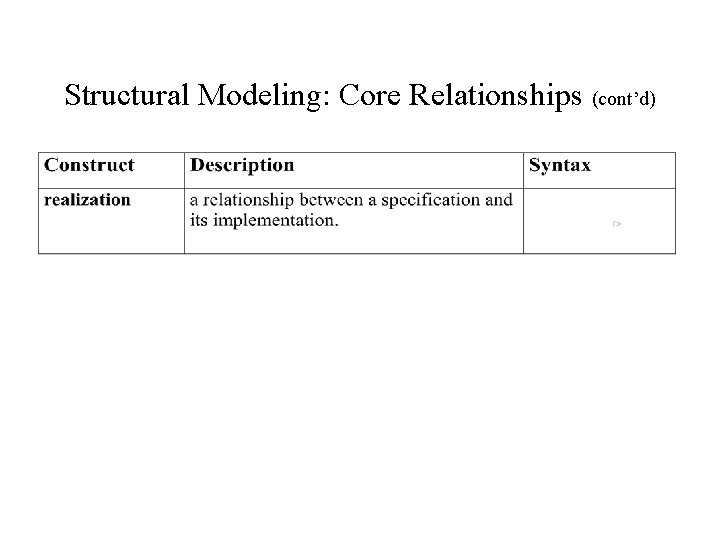
Structural Modeling: Core Relationships
Structural Modeling: Core Relationships (cont’d)
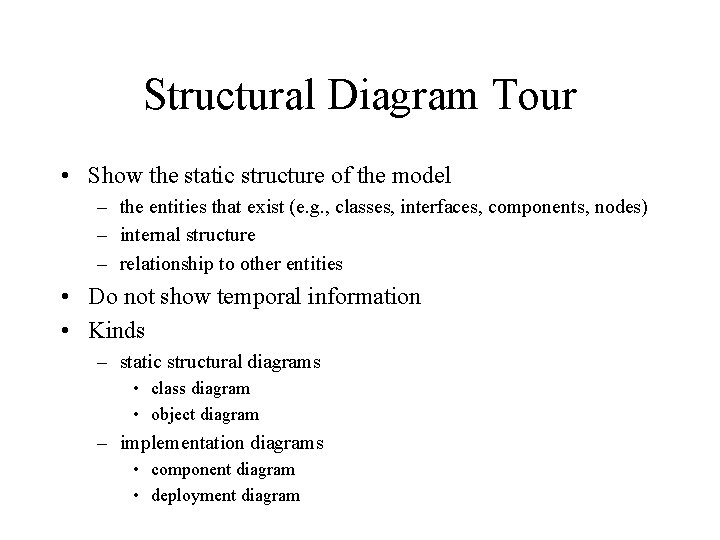
Structural Diagram Tour • Show the static structure of the model – the entities that exist (e. g. , classes, interfaces, components, nodes) – internal structure – relationship to other entities • Do not show temporal information • Kinds – static structural diagrams • class diagram • object diagram – implementation diagrams • component diagram • deployment diagram
UML - Outline • Introduction • Structural modeling Static structural diagrams • Class diagrams • Object diagrams – Implementation diagrams • Component diagrams • Deployment diagrams • Behavioral modeling • Advanced modeling
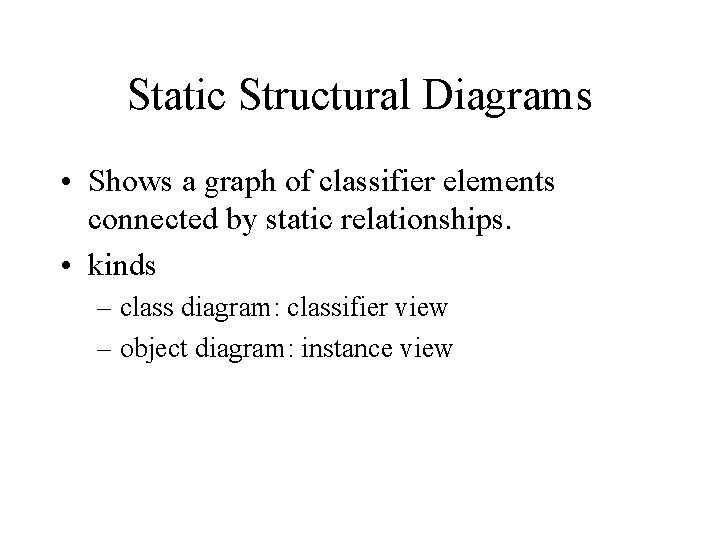
Static Structural Diagrams • Shows a graph of classifier elements connected by static relationships. • kinds – class diagram: classifier view – object diagram: instance view
UML - Outline • Introduction • Structural modeling – Static structural diagrams Class diagrams • Object diagrams – Implementation diagrams • Component diagrams • Deployment diagrams • Behavioral modeling • Advanced modeling
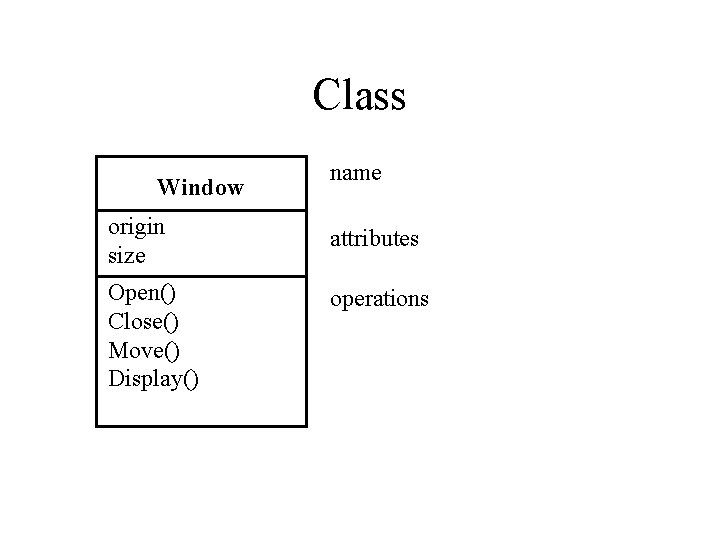
Class Window name origin size attributes Open() Close() Move() Display() operations
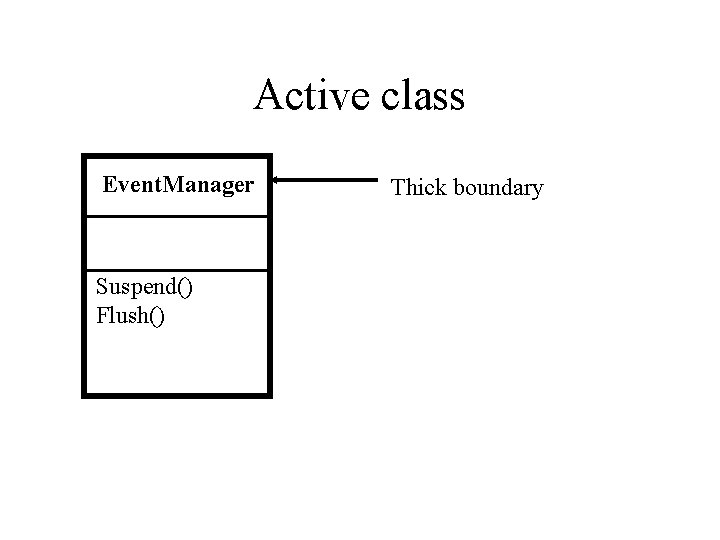
Active class Event. Manager Suspend() Flush() Thick boundary
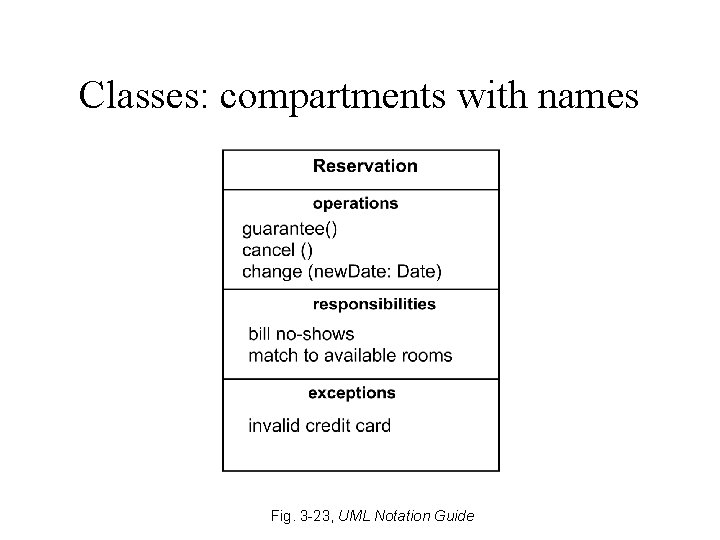
Classes: compartments with names Fig. 3 -23, UML Notation Guide
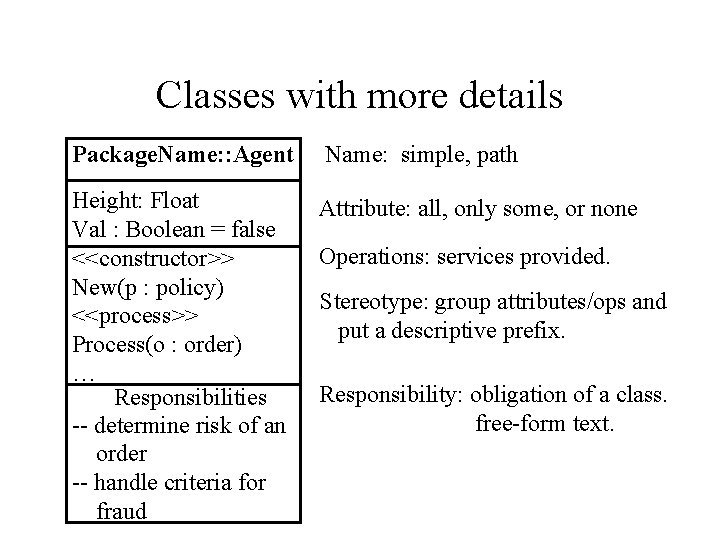
Classes with more details Package. Name: : Agent Name: simple, path Height: Float Val : Boolean = false <<constructor>> New(p : policy) <<process>> Process(o : order) … Responsibilities -- determine risk of an order -- handle criteria for fraud Attribute: all, only some, or none Operations: services provided. Stereotype: group attributes/ops and put a descriptive prefix. Responsibility: obligation of a class. free-form text.
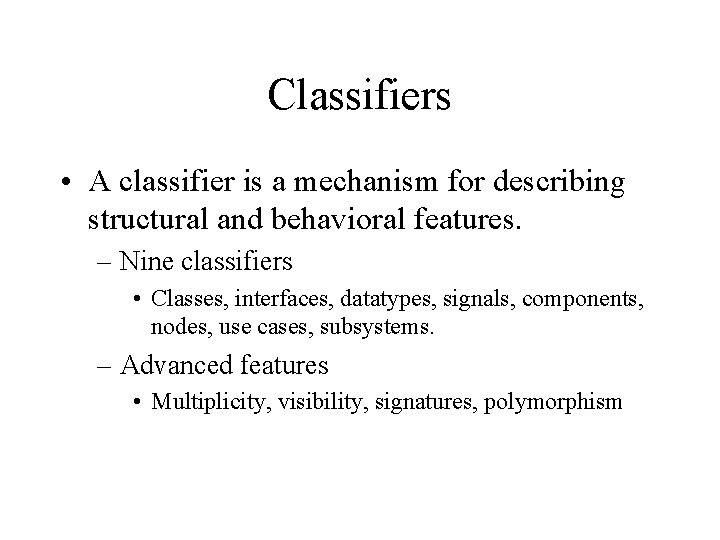
Classifiers • A classifier is a mechanism for describing structural and behavioral features. – Nine classifiers • Classes, interfaces, datatypes, signals, components, nodes, use cases, subsystems. – Advanced features • Multiplicity, visibility, signatures, polymorphism
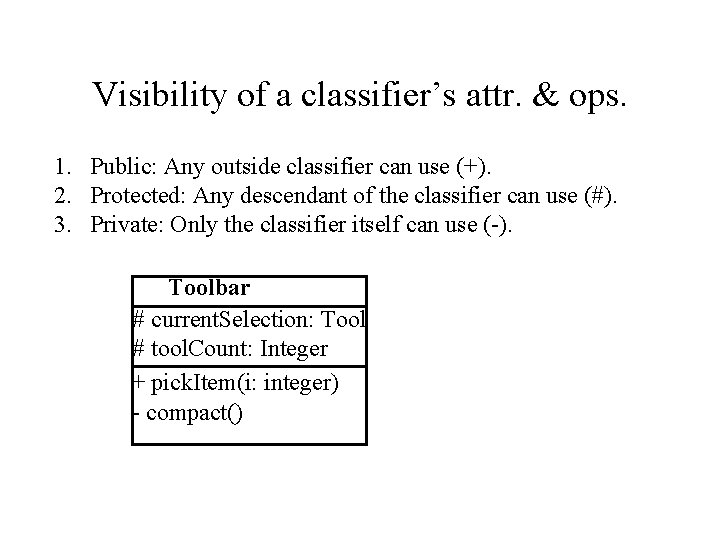
Visibility of a classifier’s attr. & ops. 1. Public: Any outside classifier can use (+). 2. Protected: Any descendant of the classifier can use (#). 3. Private: Only the classifier itself can use (-). Toolbar # current. Selection: Tool # tool. Count: Integer + pick. Item(i: integer) - compact()
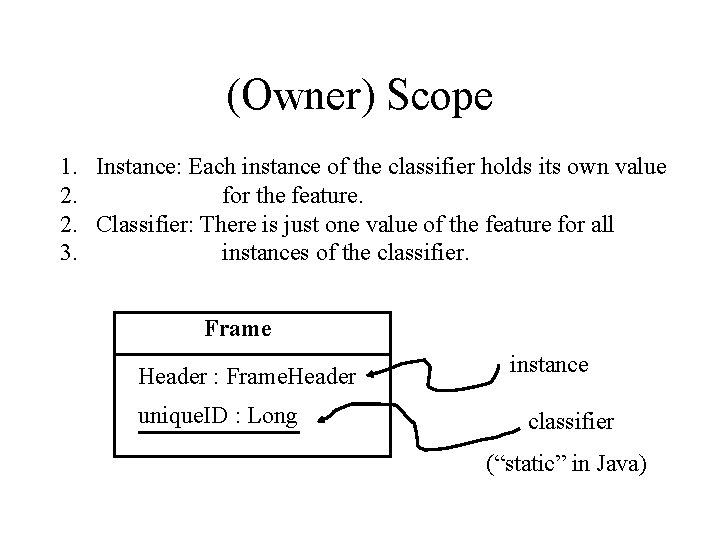
(Owner) Scope 1. Instance: Each instance of the classifier holds its own value 2. for the feature. 2. Classifier: There is just one value of the feature for all 3. instances of the classifier. Frame Header : Frame. Header unique. ID : Long instance classifier (“static” in Java)
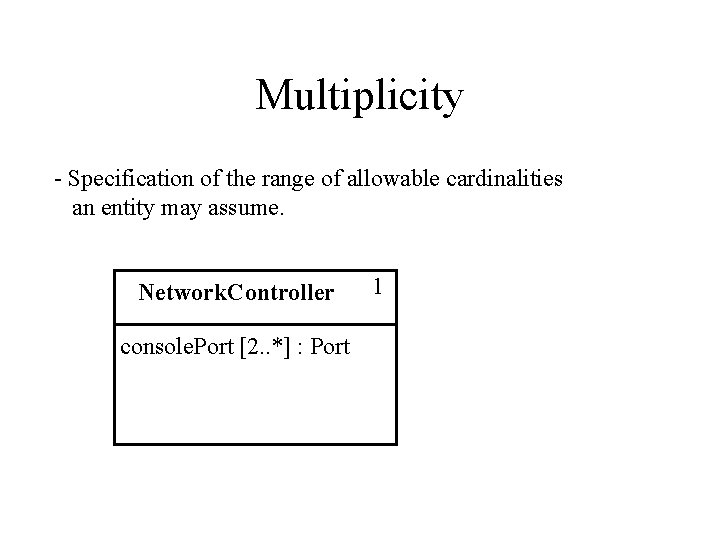
Multiplicity - Specification of the range of allowable cardinalities an entity may assume. Network. Controller console. Port [2. . *] : Port 1
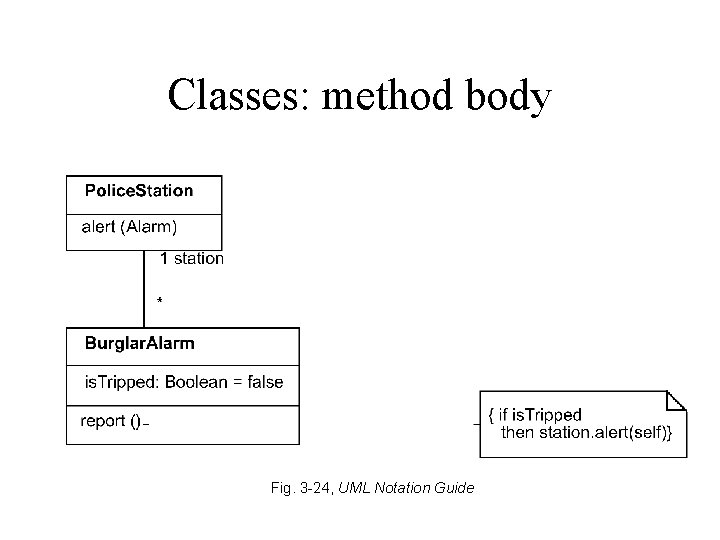
Classes: method body Fig. 3 -24, UML Notation Guide
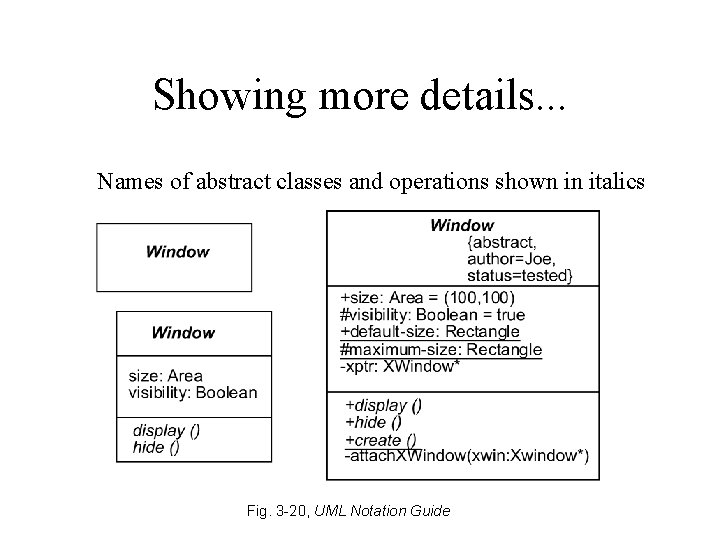
Showing more details. . . Names of abstract classes and operations shown in italics Fig. 3 -20, UML Notation Guide
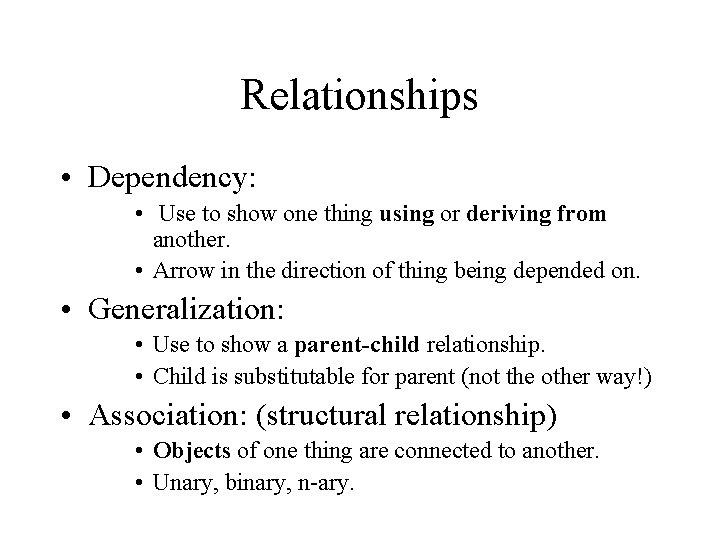
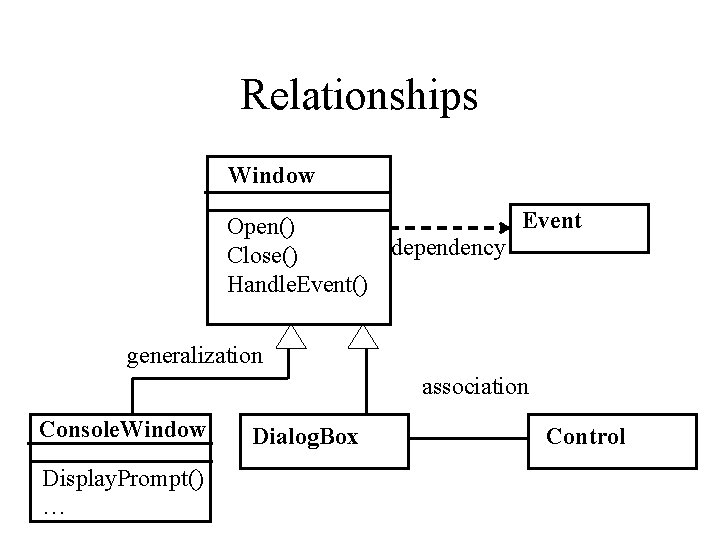
Relationships • Dependency: • Use to show one thing using or deriving from another. • Arrow in the direction of thing being depended on. • Generalization: • Use to show a parent-child relationship. • Child is substitutable for parent (not the other way!) • Association: (structural relationship) • Objects of one thing are connected to another. • Unary, binary, n-ary.
Relationships Window Event Open() dependency Close() Handle. Event() generalization association Console. Window Display. Prompt() … Dialog. Box Control
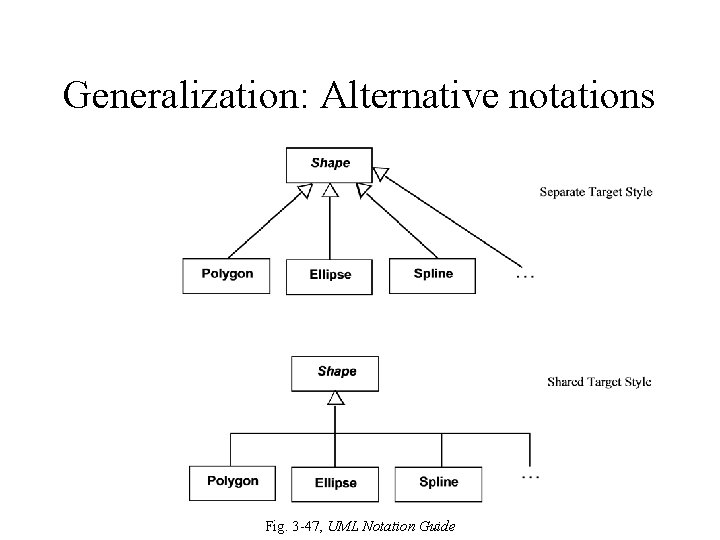
Generalization: Alternative notations Fig. 3 -47, UML Notation Guide
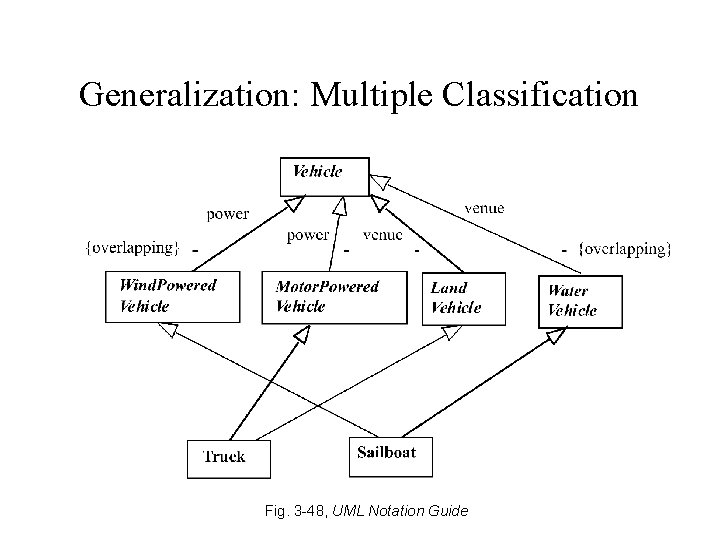
Generalization: Multiple Classification Fig. 3 -48, UML Notation Guide
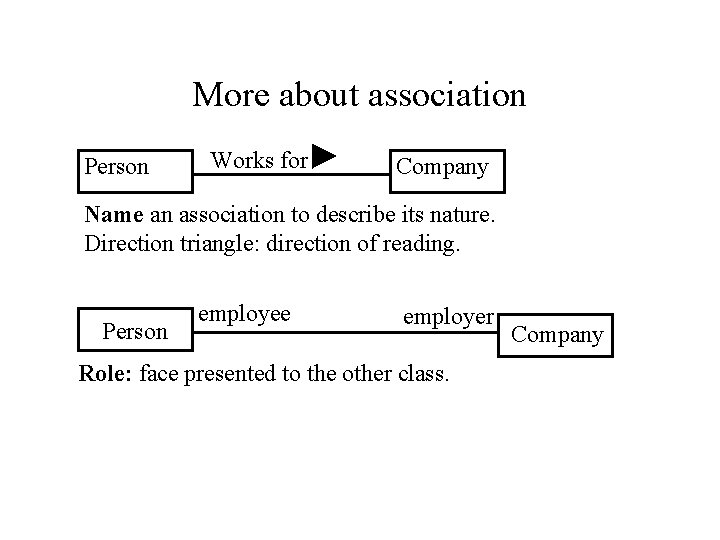
More about association Person Works for Company Name an association to describe its nature. Direction triangle: direction of reading. Person employee employer Role: face presented to the other class. Company
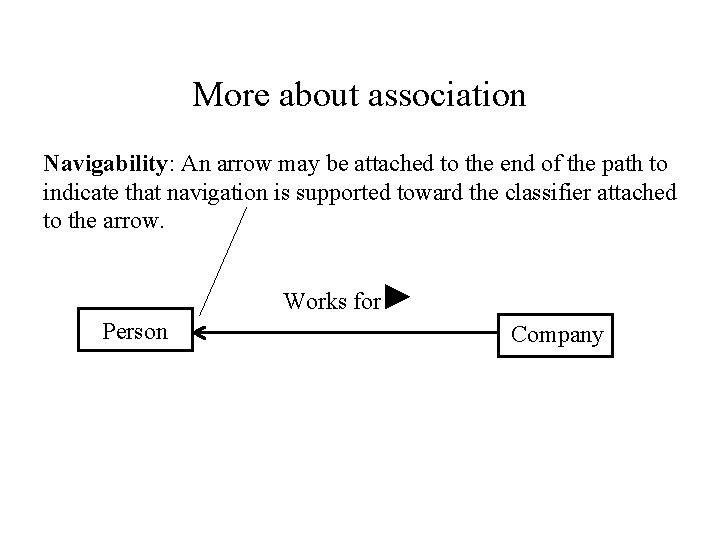
More about association Navigability: An arrow may be attached to the end of the path to indicate that navigation is supported toward the classifier attached to the arrow. Works for Person Company
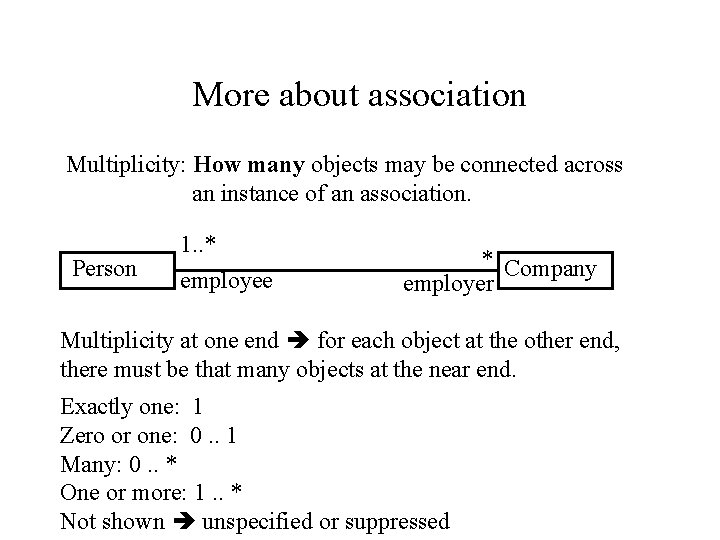
More about association Multiplicity: How many objects may be connected across an instance of an association. Person 1. . * employee * Company employer Multiplicity at one end for each object at the other end, there must be that many objects at the near end. Exactly one: 1 Zero or one: 0. . 1 Many: 0. . * One or more: 1. . * Not shown unspecified or suppressed
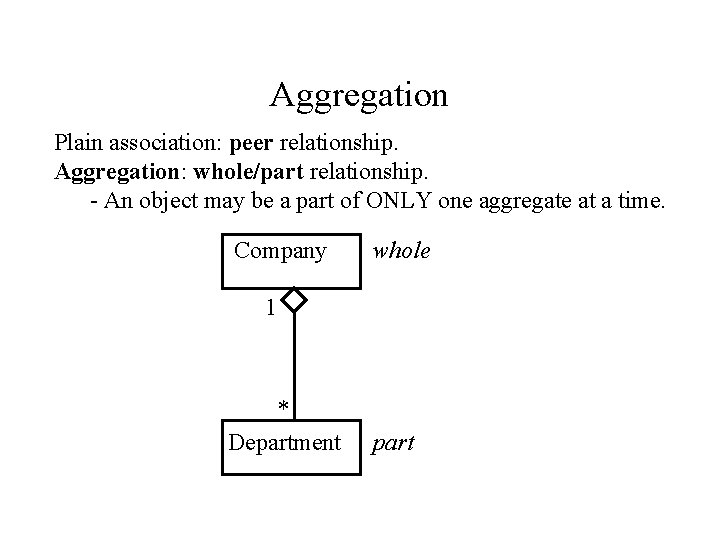
Aggregation Plain association: peer relationship. Aggregation: whole/part relationship. - An object may be a part of ONLY one aggregate at a time. Company whole 1 * Department part
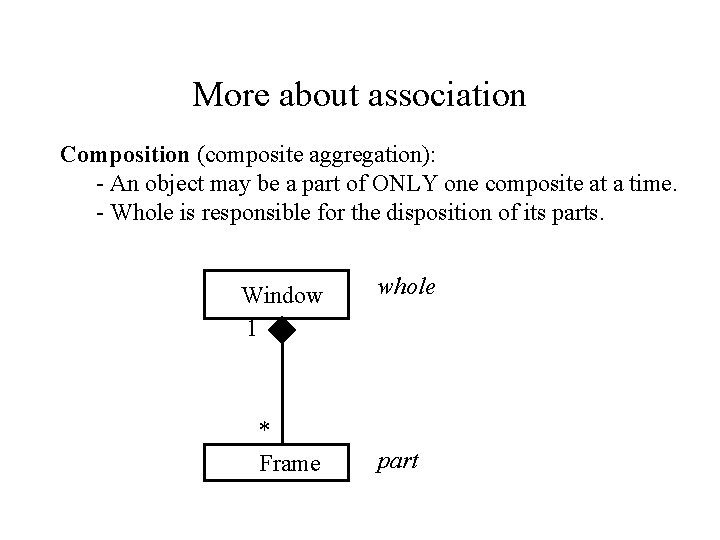
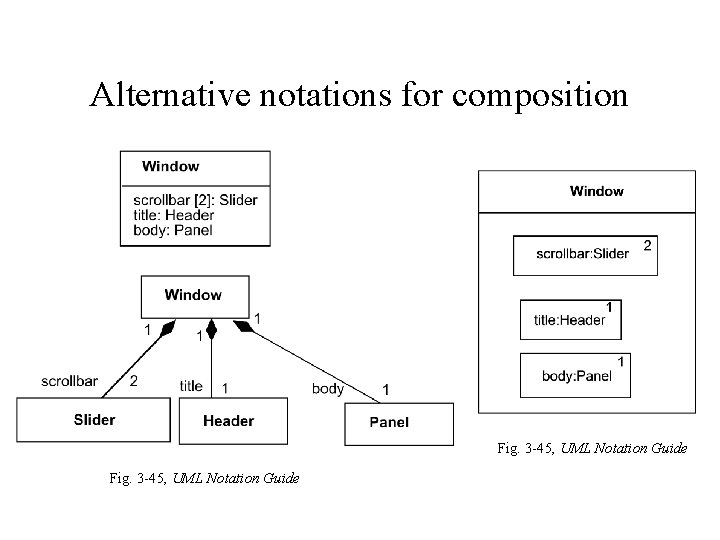
More about association Composition (composite aggregation): - An object may be a part of ONLY one composite at a time. - Whole is responsible for the disposition of its parts. Window 1 * Frame whole part
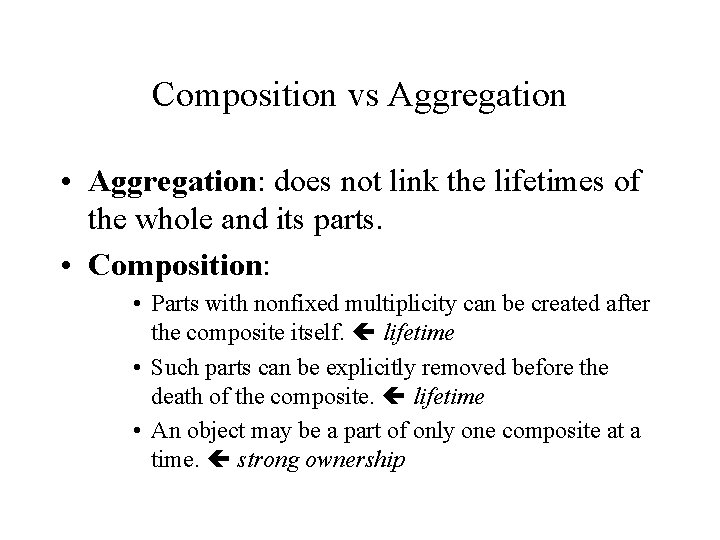
Composition vs Aggregation • Aggregation: does not link the lifetimes of the whole and its parts. • Composition: • Parts with nonfixed multiplicity can be created after the composite itself. lifetime • Such parts can be explicitly removed before the death of the composite. lifetime • An object may be a part of only one composite at a time. strong ownership
Alternative notations for composition Fig. 3 -45, UML Notation Guide
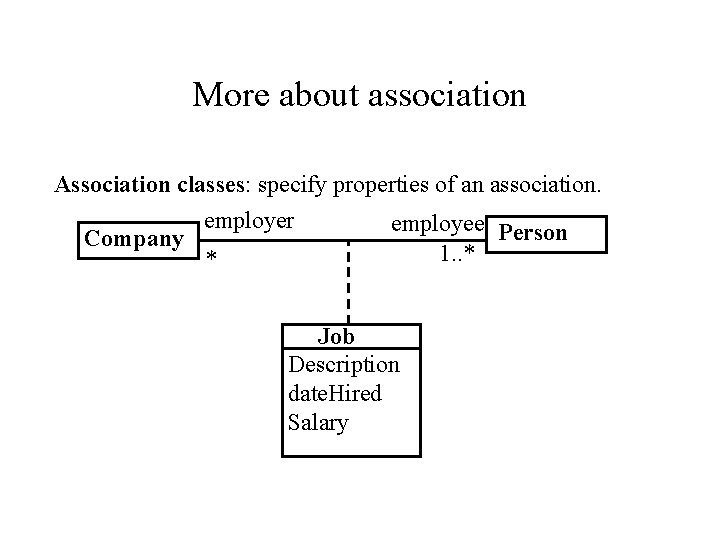
More about association Association classes: specify properties of an association. employer employee Person Company 1. . * * Job Description date. Hired Salary
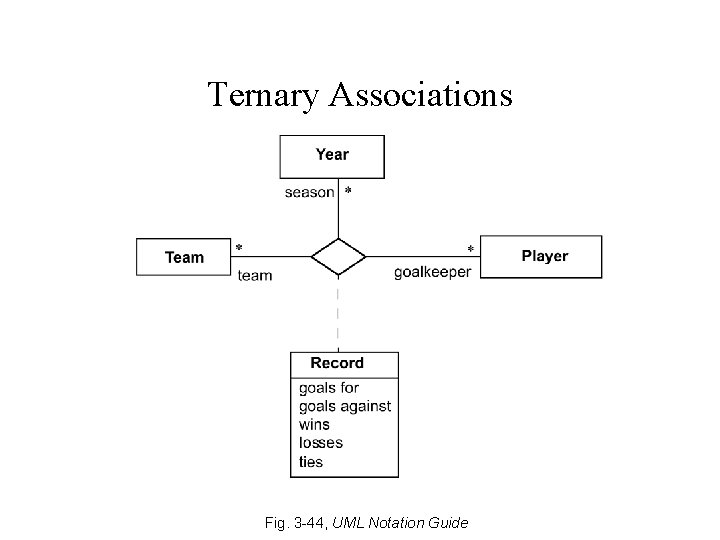
Ternary Associations Fig. 3 -44, UML Notation Guide
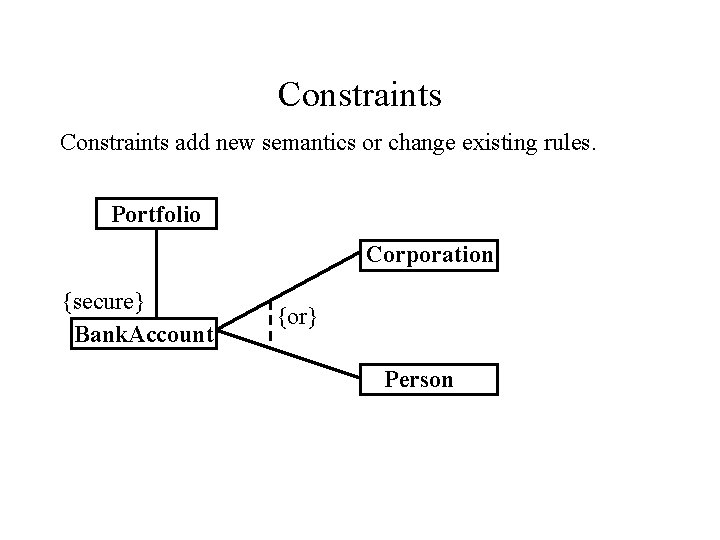
Constraints add new semantics or change existing rules. Portfolio Corporation {secure} Bank. Account {or} Person
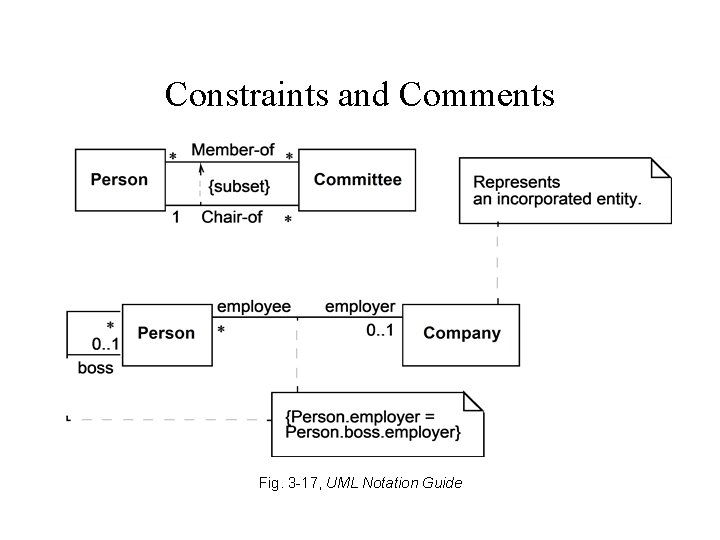
Constraints and Comments Fig. 3 -17, UML Notation Guide
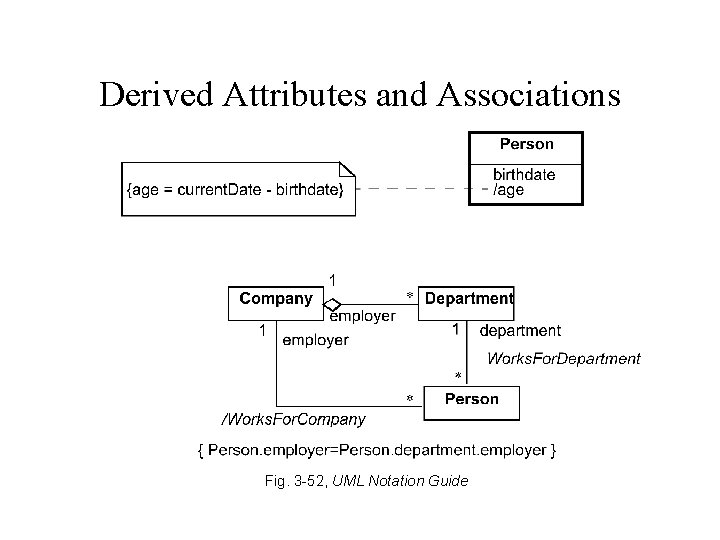
Derived Attributes and Associations Fig. 3 -52, UML Notation Guide
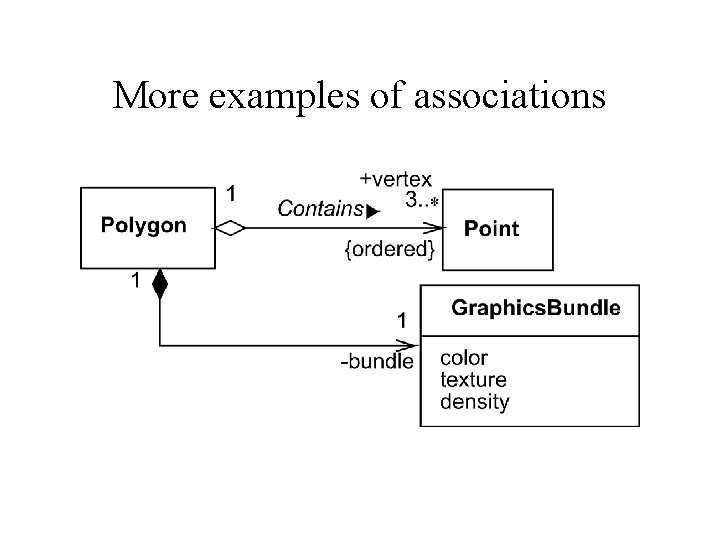
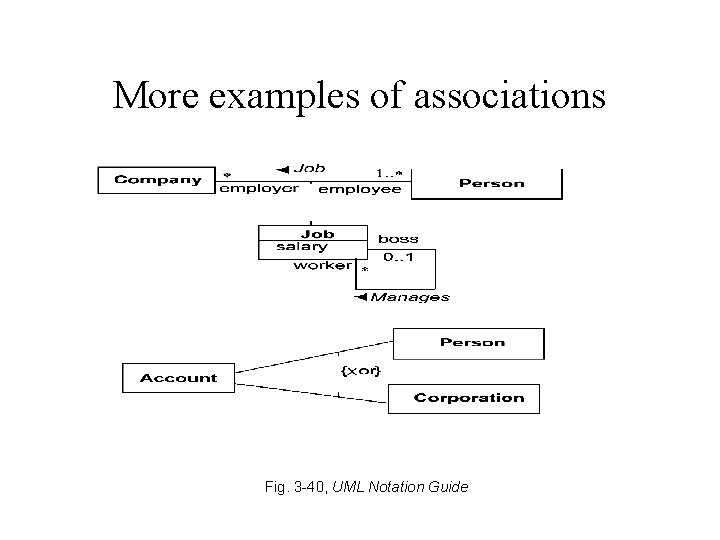
More examples of associations
More examples of associations Fig. 3 -40, UML Notation Guide
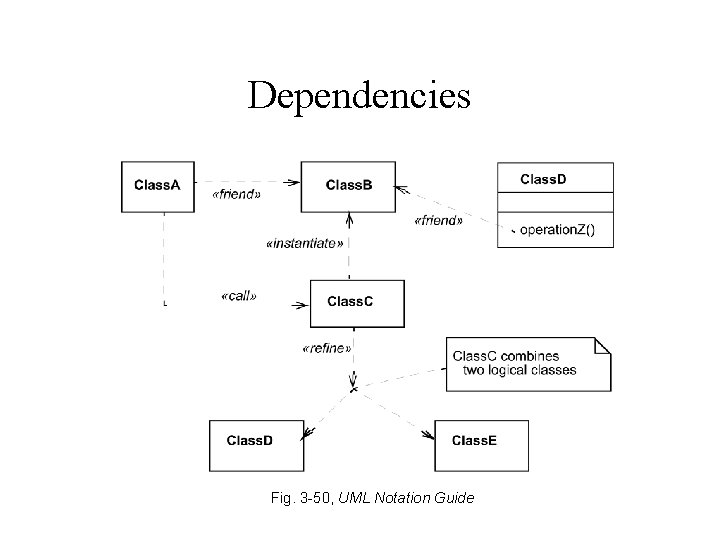
Dependencies Fig. 3 -50, UML Notation Guide
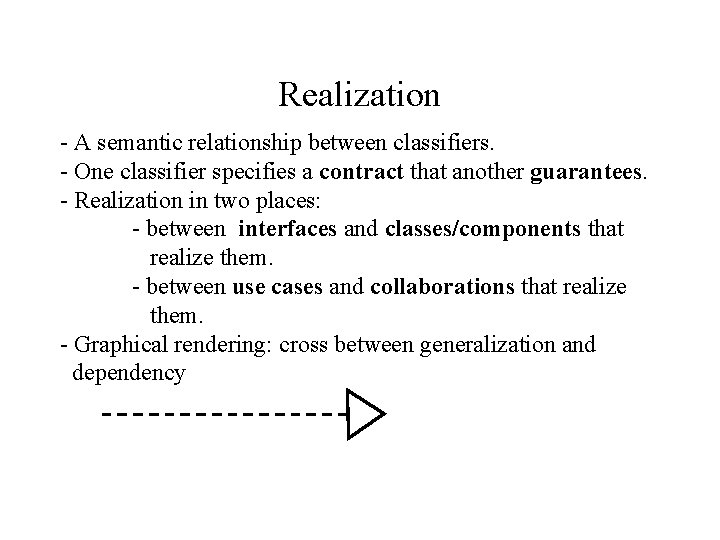
Realization - A semantic relationship between classifiers. - One classifier specifies a contract that another guarantees. - Realization in two places: - between interfaces and classes/components that realize them. - between use cases and collaborations that realize them. - Graphical rendering: cross between generalization and dependency
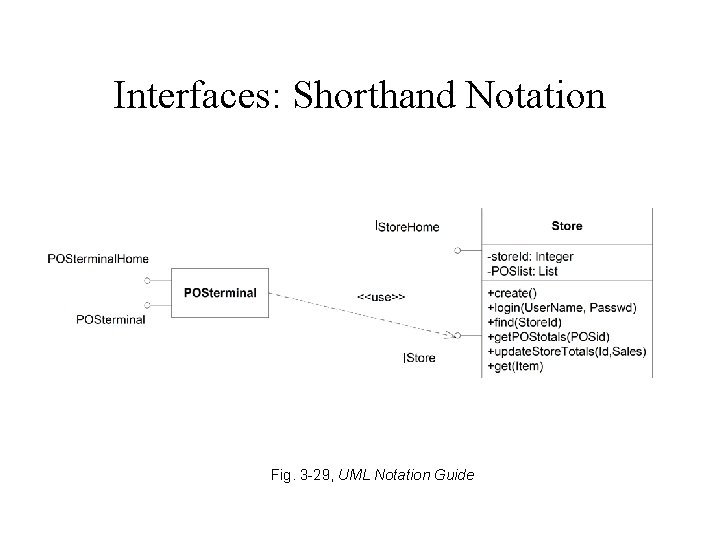
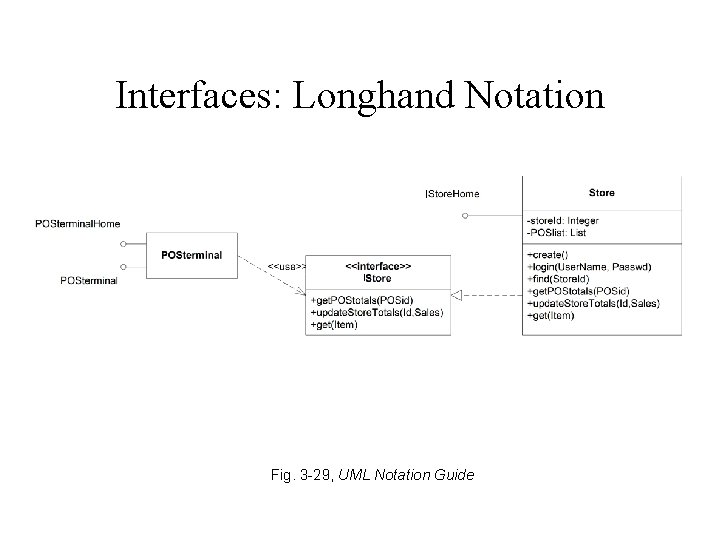
Interface • Defines a set of operation specs • Never defines an implementation (no attributes, no associations, operations not implemented) • Typically attached to a class or component
Interfaces: Shorthand Notation I I Fig. 3 -29, UML Notation Guide
Interfaces: Longhand Notation I I Fig. 3 -29, UML Notation Guide
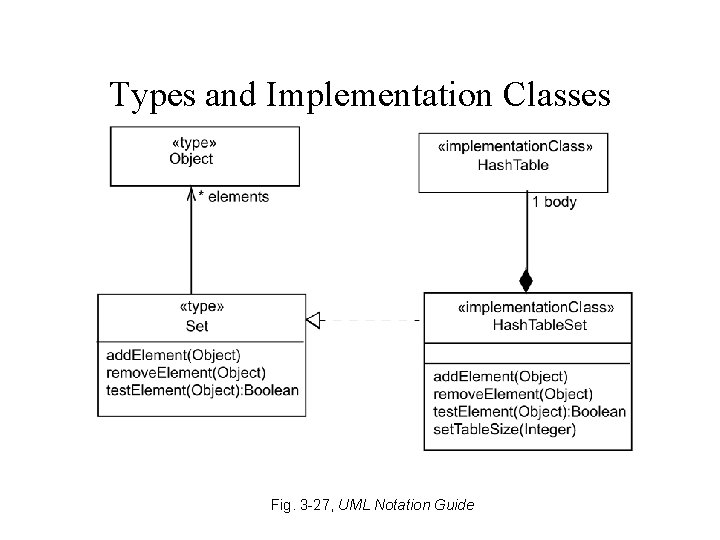
Types and Implementation Classes Fig. 3 -27, UML Notation Guide
Type • Like an interface: Defines a set of operation specs • Unlike an interface: Can have attributes and associations
Class Diagram Example Adapted from Fig. 23 [EJB 2. 0].
UML - Outline • Introduction • Structural modeling – Static structural diagrams • Class diagrams Object diagrams – Implementation diagrams • Component diagrams • Deployment diagrams • Behavioral modeling • Advanced modeling
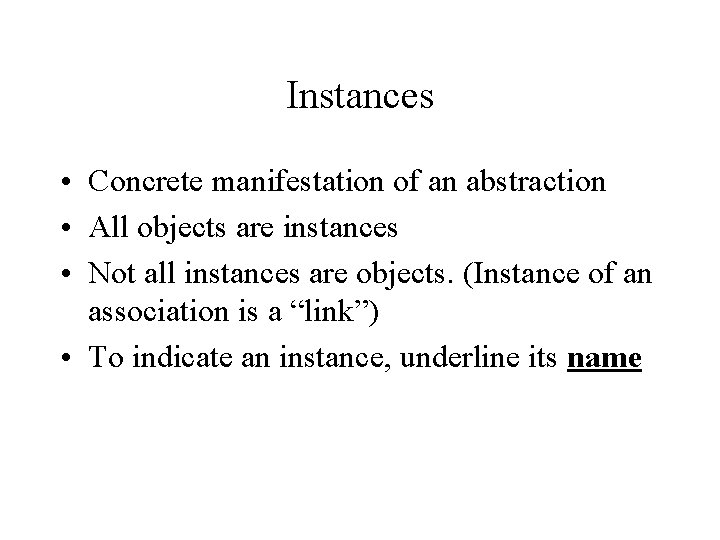
Instances • Concrete manifestation of an abstraction • All objects are instances • Not all instances are objects. (Instance of an association is a “link”) • To indicate an instance, underline its name
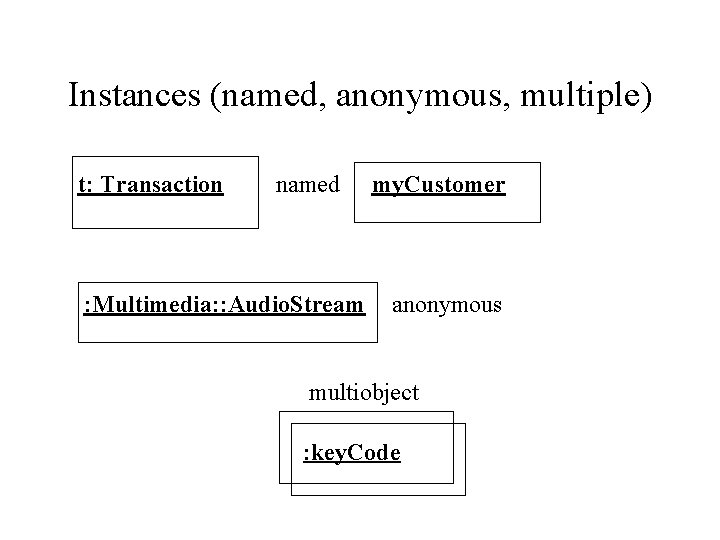
Instances (named, anonymous, multiple) t: Transaction named : Multimedia: : Audio. Stream my. Customer anonymous multiobject : key. Code
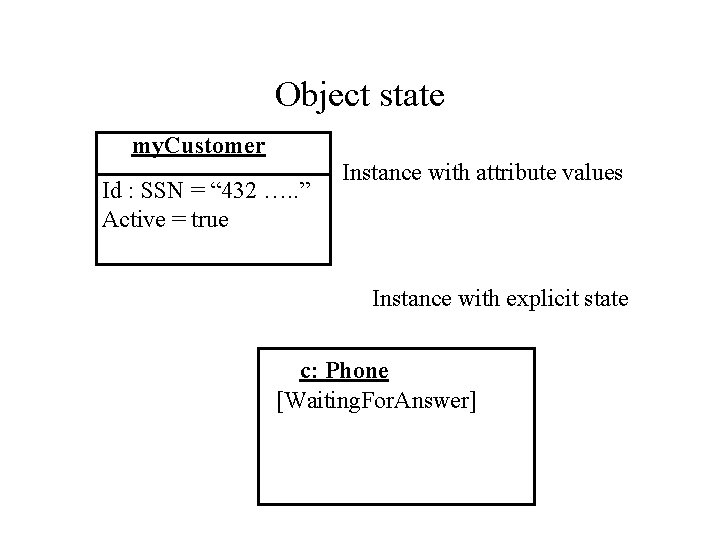
Object state my. Customer Id : SSN = “ 432 …. . ” Active = true Instance with attribute values Instance with explicit state c: Phone [Waiting. For. Answer]
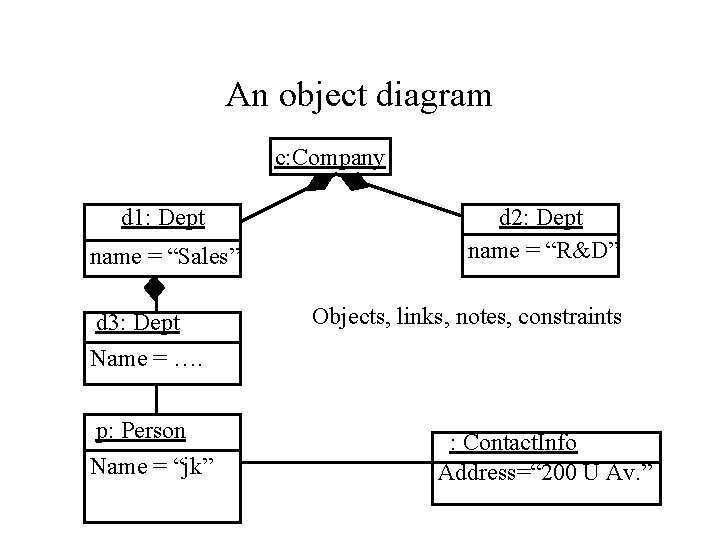
Object diagrams • Model the instances of things contained in class diagrams. • Show objects are their relationships at a point in time. • No communication is shown.
An object diagram c: Company d 1: Dept name = “Sales” d 3: Dept Name = …. p: Person Name = “jk” d 2: Dept name = “R&D” Objects, links, notes, constraints : Contact. Info Address=“ 200 U Av. ”
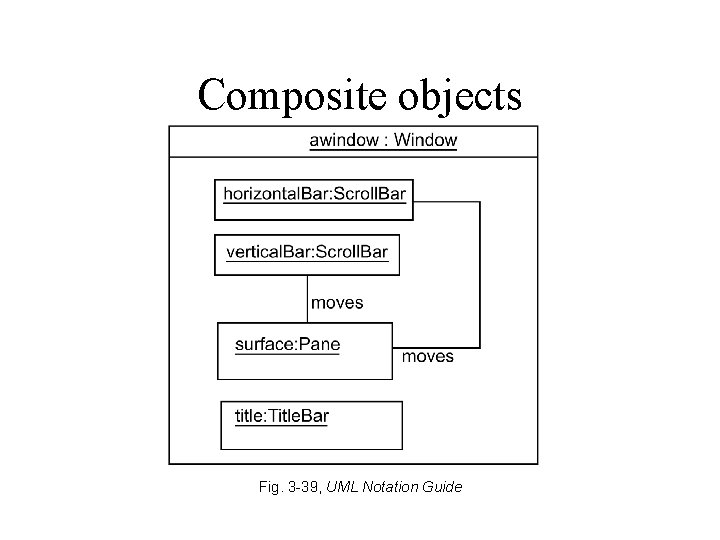
Composite objects Fig. 3 -39, UML Notation Guide
UML - Outline • Introduction • Structural modeling – Static structural diagrams • Class diagrams • Object diagrams Implementation diagrams • Component diagrams • Deployment diagrams • Behavioral modeling • Advanced modeling
Implementation Diagrams • Show aspects of model implementation, including source code structure and runtime implementation structure • Kinds – component diagram – deployment diagram
UML - Outline • Introduction • Structural modeling – Static structural diagrams • Class diagrams • Object diagrams – Implementation diagrams Component diagrams • Deployment diagrams • Behavioral modeling • Advanced modeling
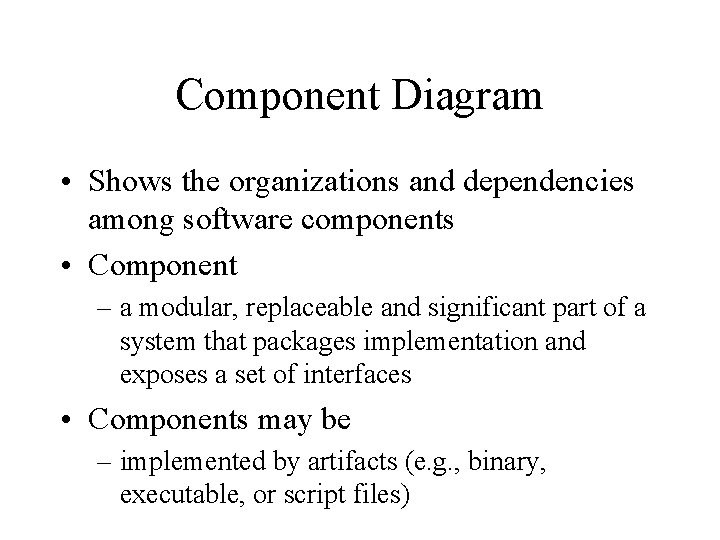
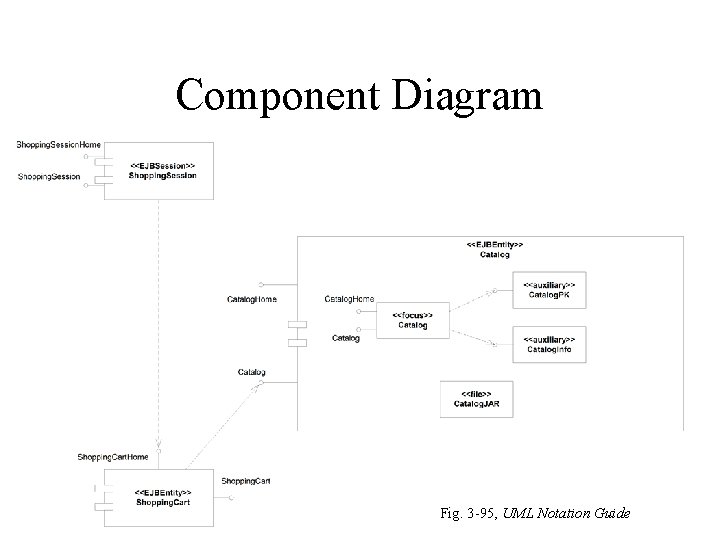
Component Diagram • Shows the organizations and dependencies among software components • Component – a modular, replaceable and significant part of a system that packages implementation and exposes a set of interfaces • Components may be – implemented by artifacts (e. g. , binary, executable, or script files)
Component Diagram Fig. 3 -95, UML Notation Guide
UML - Outline • Introduction • Structural modeling – Static structural diagrams • Class diagrams • Object diagrams – Implementation diagrams • Component diagrams Deployment diagrams • Behavioral modeling • Advanced modeling
Deployment Diagram • Shows the configuration of run-time processing elements and the software components, processes and objects that live on them • Deployment diagrams may be used to show which components may run on which nodes
Deployment Diagram Fig. 3 -97, UML Notation Guide