DICOM Workstations and PACS David A Clunie Chief
- Slides: 30
DICOM, Workstations and PACS David A. Clunie Chief Technology Officer Princeton Radiology Pharmaceutical Research
Overview • Workstations and the PACS • New expectations for workstations • Proprietary, web and standard workstation approaches • Current and future DICOM services
State of the Art • DICOM is unequivocally the only standard for modality <-> PACS communication • Workflow beyond the modality involves: – – PACS (+/- separate archive) RIS HIS ? EMR/EHR/CPR system • Where do workstations fit in ?
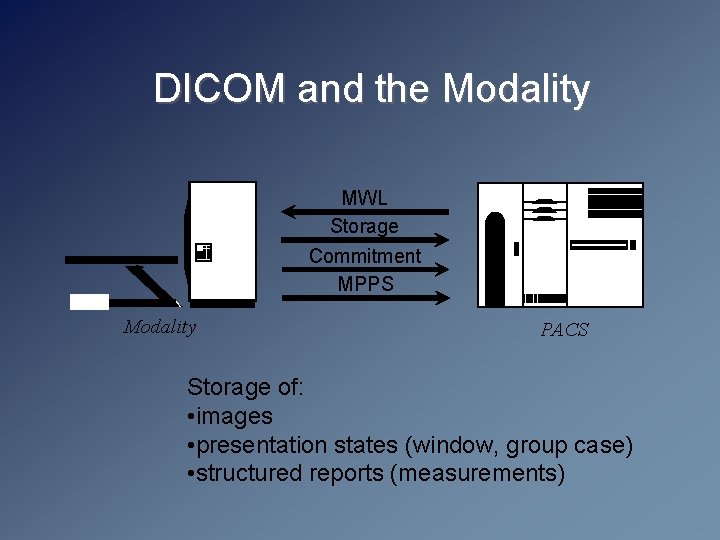
DICOM and the Modality MWL Storage Commitment MPPS Modality PACS Storage of: • images • presentation states (window, group case) • structured reports (measurements)
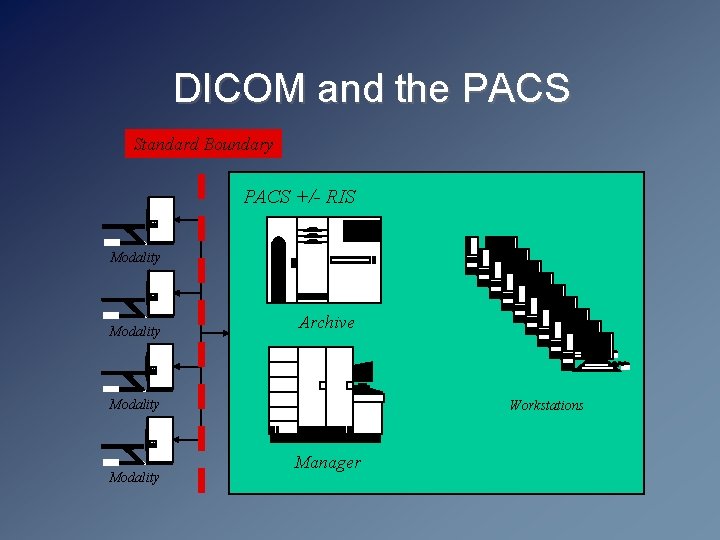
DICOM and the PACS Standard Boundary PACS +/- RIS Modality Archive Modality Workstations Manager
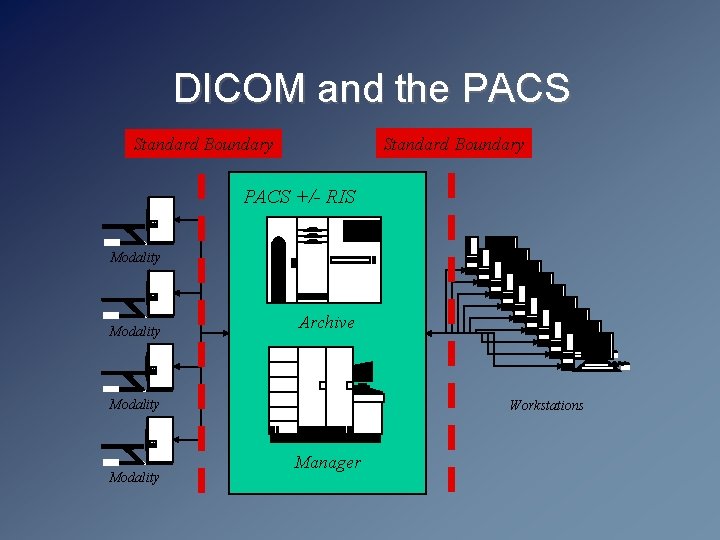
DICOM and the PACS Standard Boundary PACS +/- RIS Modality Archive Modality Workstations Manager
DICOM Workstation • Is there really any such thing nowadays ? • Traditional roles – – Replacements for secondary CT/MR consoles Workstations for 3 D and other processing QC and printing workstations All generally “unmanaged” in terms of workflow • PACS workstations - divergent approaches – Proliferation of DICOM workstations, or – Proprietary workstations “inside” the PACS • Regardless, “ 3 rd party” DICOM workstations are now largely treated as “ 2 nd class” citizens !
New Workstation Expectations • Not just image display and processing • Layout managers with centrally maintained hanging protocols – Should not matter which station a user chooses • Workflow management – Simple filters of all unread images of a particular type in the entire PACS no longer sufficient – Productivity expectations dictate the need for centralized control over who does what and when – All required inputs (current and relevant prior images, measurements, previous reports) must be made available • Report creation integration – Whether structured or voice recognition or hybrid
New Workstation Challenges • Are there standards to support the requirements ? – DICOM, HL 7 v 2 x and CCOW, web protocols, LDAP, syslog • Can a single vendor pull this together ? – Does the RIS or the PACS own the workflow ? – Does the RIS or the PACS own report creation ? • What about referring physicians’ workstation needs ? – Will they be satisfied with lesser quality and fewer features ? • What is realistic in terms of cost ? • What about additional IT infrastructure needs ? – Single sign-on and centralized authentication – Centralized software maintenance control – Security needs (especially audit trails)
DICOM or Web Distribution ? • What is “web-based PACS” anyway ? • Web browsers do not natively: – – – Support DICOM images Support other than 8 bit per channel RGB images Support windowing Support 3 D rendering or MPR Support annotation of images, measurement, etc. • So, display of images in web browser requires – Plug-in – Applet – Local application distributed/triggered by web browser • Navigation & workflow using server-generated pages
Web Browsers & Image Transfer • Assume plug-in/applet/application installed • Still need to get pixels for display • Possibilities include: – – DICOM transfer (C-MOVE or C-GET/C-STORE) Other transfer of DICOM object (WADO/HTTP) Other standard protocol (JPEG/HTTP, J 2 K/JPIP) Proprietary protocol • Regardless, unless DICOM or WADO used, this is a proprietary solution • Client and server are tightly coupled in a proprietary manner
Proprietary Web Disadvantages • Depend on the vendor to add a feature – display, navigation, workflow, layout/hanging reporting … • Non-standard image transfer protocol – cannot swap client-side applet/plug-in for another • Non-standard navigation and workflow – even if applet/plug-in uses DICOM protocol or objects, display is entirely passive • Browser environment may limit capability/appearance A “web-based” PACS is just as proprietary and just as tightly coupled as a traditional monolithic PACS !
Proprietary/Web Advantages • Vendor has total control of client and server – whatever features are present are likely to work very well and be well tested • Centralized control of distribution of client – client can always be the most recent applet/plug-in • Potentially lower cost of development – Use of consumer protocols – Use of off-the-shelf (OTS) tools • Optimization of image transfer for performance – Customized transfer suited to the environment or application – “Dynamic transfer syntax” of Chang/Stentor • Greater acceptance by conventional IT staff (port 80)
Real vs. Perceived Benefits • Lowering ownership costs – Use of the web, or the use of OTS PC hardware (“software PACS workstations”) ? • Centralized maintenance – Web-distribution of software does support thick client applications (e. g. Java Web Start) – Still need security/OS/Virus updates separately anyway, so central imaging of desktops may be necessary regardless • Lowering development costs – Bulk of the development and testing is at the application level in terms of features, not at the toolkit or protocol level
Towards a Standard Workstation • Already in DICOM, HL 7, CCOW and IHE – Image, grayscale presentation, key object, measurement and report transfer – Workflow management (GP-SPS and GP-PPS) – On-demand fetching (query/retrieval) – Infrastructure and security issues (audit message) – Desktop application integration • Gaps in the standards are few – Hanging protocols and structured display – More advanced presentation states (color, fusion, 3 D) – Voice recognition integration • Real challenges are in the efficient implementation
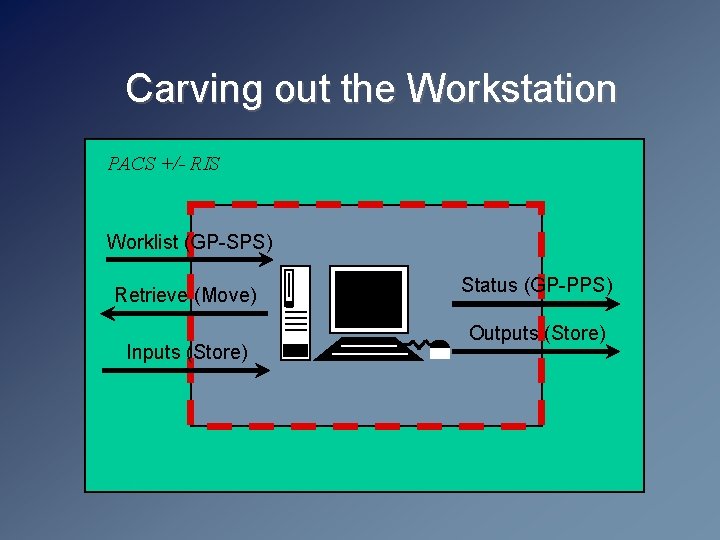
Carving out the Workstation PACS +/- RIS Worklist (GP-SPS) Retrieve (Move) Inputs (Store) Status (GP-PPS) Outputs (Store)
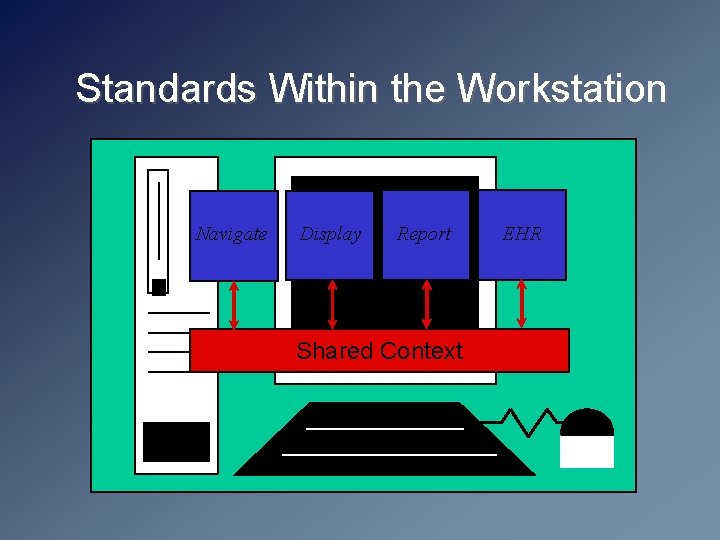
Standards Within the Workstation Navigate Display Report Shared Context EHR
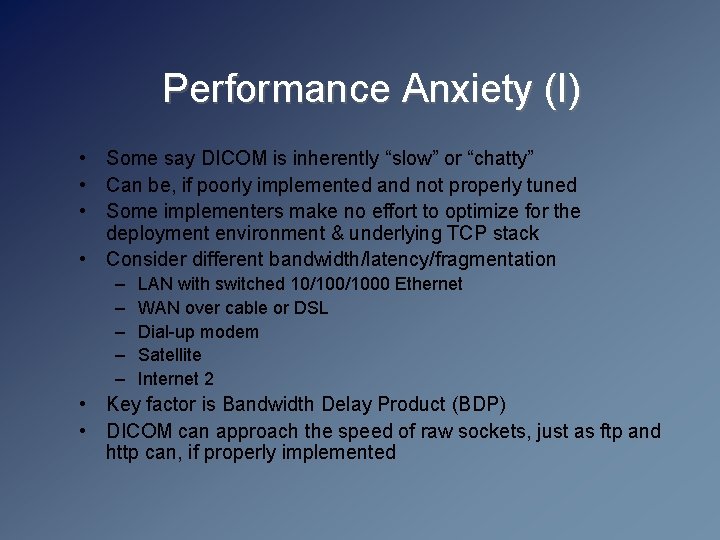
Performance Anxiety (I) • Some say DICOM is inherently “slow” or “chatty” • Can be, if poorly implemented and not properly tuned • Some implementers make no effort to optimize for the deployment environment & underlying TCP stack • Consider different bandwidth/latency/fragmentation – – – LAN with switched 10/1000 Ethernet WAN over cable or DSL Dial-up modem Satellite Internet 2 • Key factor is Bandwidth Delay Product (BDP) • DICOM can approach the speed of raw sockets, just as ftp and http can, if properly implemented
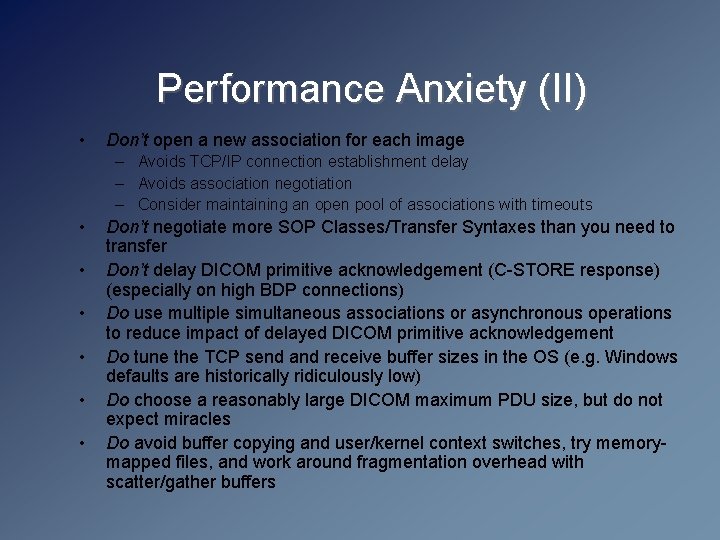
Performance Anxiety (II) • Don’t open a new association for each image – Avoids TCP/IP connection establishment delay – Avoids association negotiation – Consider maintaining an open pool of associations with timeouts • • • Don’t negotiate more SOP Classes/Transfer Syntaxes than you need to transfer Don’t delay DICOM primitive acknowledgement (C-STORE response) (especially on high BDP connections) Do use multiple simultaneous associations or asynchronous operations to reduce impact of delayed DICOM primitive acknowledgement Do tune the TCP send and receive buffer sizes in the OS (e. g. Windows defaults are historically ridiculously low) Do choose a reasonably large DICOM maximum PDU size, but do not expect miracles Do avoid buffer copying and user/kernel context switches, try memorymapped files, and work around fragmentation overhead with scatter/gather buffers
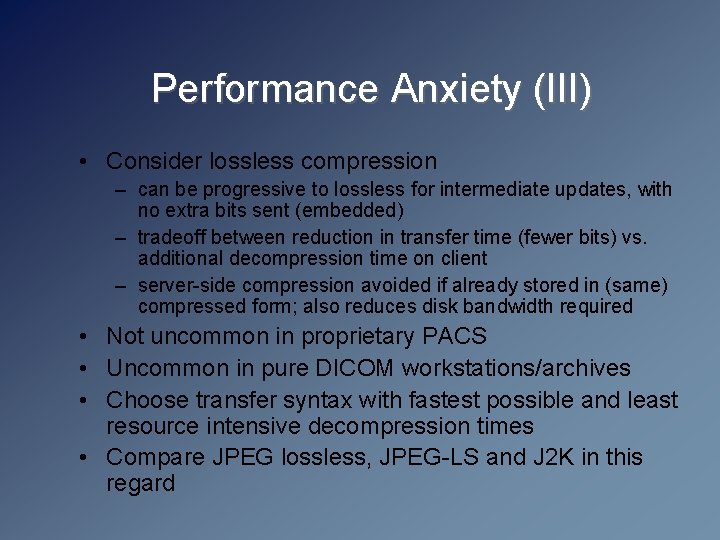
Performance Anxiety (III) • Consider lossless compression – can be progressive to lossless for intermediate updates, with no extra bits sent (embedded) – tradeoff between reduction in transfer time (fewer bits) vs. additional decompression time on client – server-side compression avoided if already stored in (same) compressed form; also reduces disk bandwidth required • Not uncommon in proprietary PACS • Uncommon in pure DICOM workstations/archives • Choose transfer syntax with fastest possible and least resource intensive decompression times • Compare JPEG lossless, JPEG-LS and J 2 K in this regard
Size as a Confounding Factor • Does the client PC really have the power for on demand – – 3 D volume or surface rendering re-sampling to create non-orthogonal MPRs re-sampling to displayed pre-registered studies local registration of prior studies or different modalities for fused display or locked navigation for longitudinal comparison or lesion tracking and measurement • Does transferring a huge isotropic voxel volume data set to the client PC even make sense ? – worklist-driven next-case-anticipated pre-fetching can eliminate the perceived delay but not the bandwidth consumption – on-demand responsiveness dictates significant disk and network bandwidth allocation • Is a need arising for a standard for interactive command control of a rendering server ?
What is DICOM Doing ? • Supporting and maintaining SOP Classes in support of workflows and use-cases defined by IHE – especially GP-SPS, GP-PPS, presentation state and SR-related • Defining new objects to support extremely large data sets – CT/MR/XA multiframe, ND object – May or may not simplify/accelerate transfer – Certainly facilitates access to information organized into patterns suitable for presentation and processing – Spatial registration and fiducials objects • Addressing presentation and display consistency management • Considering new pixel transfer mechanisms
DICOM Presentation Services (I) • GSPS (standard) – – Applies to 1 -n frames of a grayscale image Essentially 2 D Spatial transformations Grayscale pipeline with calibrated output • Color PS (early draft) – Again 2 D, GSPS applied to color +/- consistency
DICOM Presentation Services (II) • Hanging Protocols (pre-letter ballot) – How to arrange and display an abstract class of images, rather than concrete instances thereof – Allows for general concepts such as MPR, without specific parameters – Centralized storage of user-specific protocols • Structured display (proposal) – How to lay out a concrete set of instances – For example, to capture a predefined state
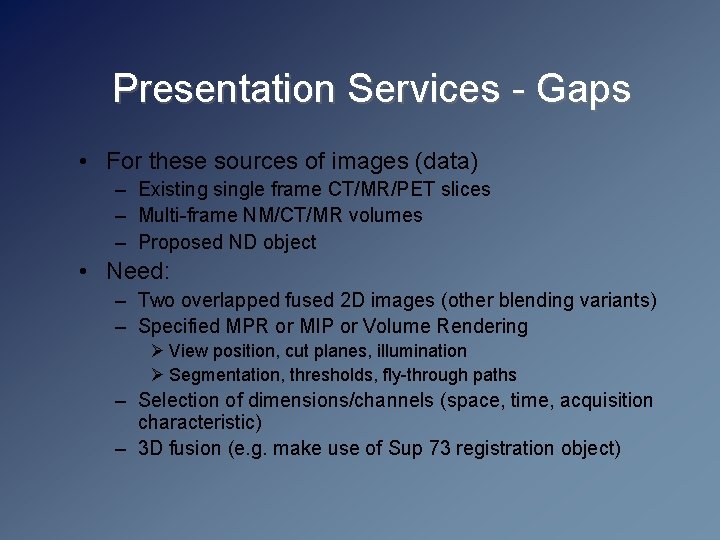
Presentation Services - Gaps • For these sources of images (data) – Existing single frame CT/MR/PET slices – Multi-frame NM/CT/MR volumes – Proposed ND object • Need: – Two overlapped fused 2 D images (other blending variants) – Specified MPR or MIP or Volume Rendering Ø View position, cut planes, illumination Ø Segmentation, thresholds, fly-through paths – Selection of dimensions/channels (space, time, acquisition characteristic) – 3 D fusion (e. g. make use of Sup 73 registration object)
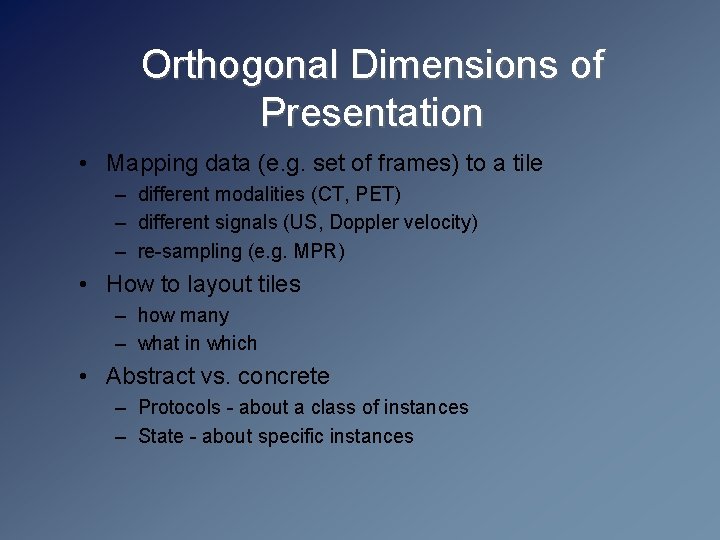
Orthogonal Dimensions of Presentation • Mapping data (e. g. set of frames) to a tile – different modalities (CT, PET) – different signals (US, Doppler velocity) – re-sampling (e. g. MPR) • How to layout tiles – how many – what in which • Abstract vs. concrete – Protocols - about a class of instances – State - about specific instances
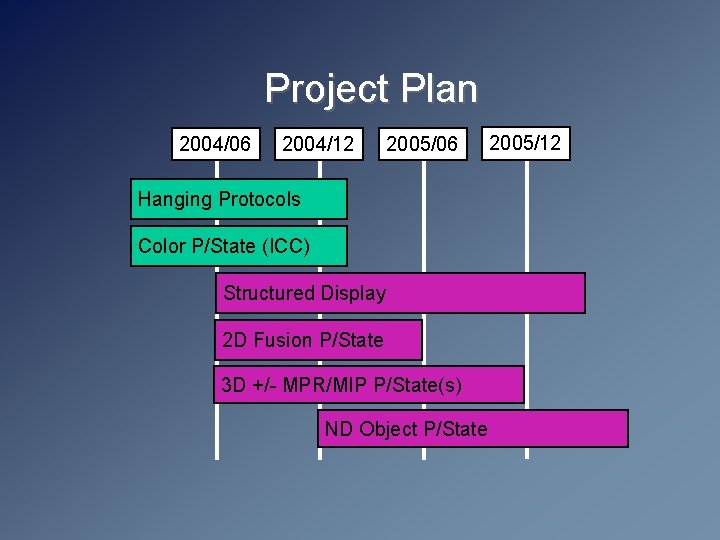
Project Plan 2004/06 2004/12 2005/06 Hanging Protocols Color P/State (ICC) Structured Display 2 D Fusion P/State 3 D +/- MPR/MIP P/State(s) ND Object P/State 2005/12
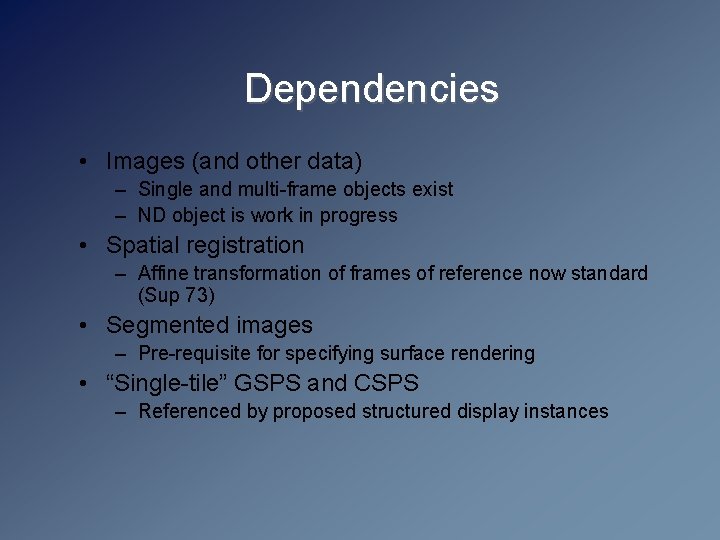
Dependencies • Images (and other data) – Single and multi-frame objects exist – ND object is work in progress • Spatial registration – Affine transformation of frames of reference now standard (Sup 73) • Segmented images – Pre-requisite for specifying surface rendering • “Single-tile” GSPS and CSPS – Referenced by proposed structured display instances
New Pixel Transfer Mechanisms • New “conventional” Transfer Syntaxes have already been added for JPEG-LS and JPEG 2000 • JPEG 2000 Interactive Protocol (JPIP) – opportunity to selectively transfer only necessary bits for a particular purpose – opportunity to leverage potentially popular consumer industry standard • Currently a DICOM WG 4 work item (since Nov 2001) awaiting standardization by JTC 1/SC 29/WG 1 • Will entail separating the C-STORE of the non-pixel data from retrieval of the pixel data bit stream to achieve interactivity
Summary • The ball is in the user’s court • Sufficient standards are already in place to factor the workstation out of the turn-key PACS to mitigate “single vendor tyranny” and allow choice of best of breed • Challenge is to the users to insist that the vendors deliver this capability, and the vendors to implement the standards effectively • DICOM, IHE, SCAR and other organizations continue to work on additional details to meet the anticipated challenges of the growing data set size