Integrating Workstations in an Enterprise with PACS David
- Slides: 33
Integrating Workstations in an Enterprise with PACS David A. Clunie Chief Technology Officer Princeton Radiology Pharmaceutical Research
Overview • Workstations and the PACS • New expectations for workstations • Proprietary, web and standard workstation approaches • Current and future DICOM services • The role of IHE
State of the Art • DICOM is unequivocally the only standard for modality <-> PACS communication • Workflow beyond the modality involves: – – PACS (+/- separate archive) RIS HIS ? EMR/EHR/CPR system • Where do workstations fit in ? • What if the PACS “workstation” is not adequate ? • Is DICOM sufficient as a “workstation” standard ?
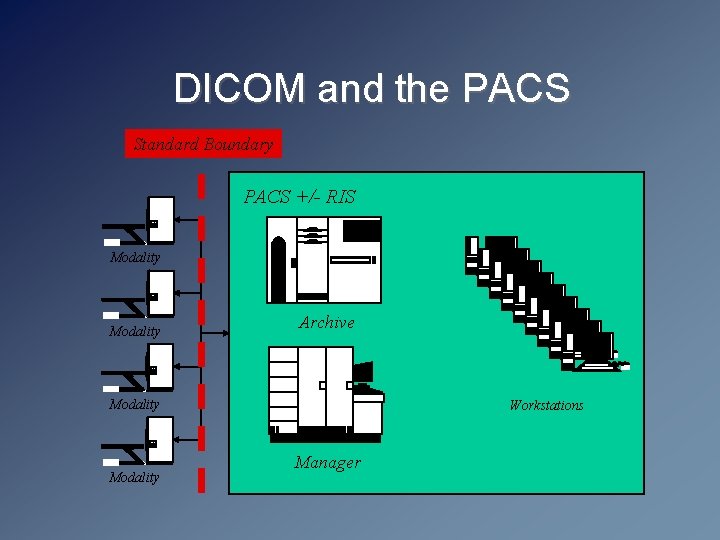
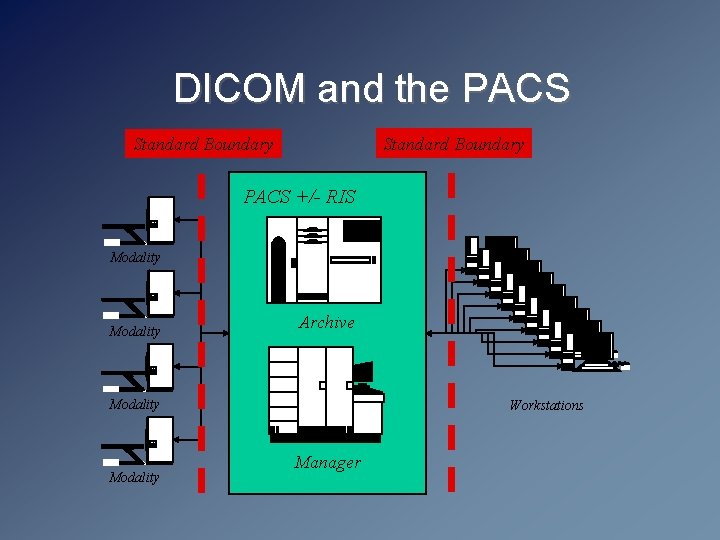
DICOM and the PACS Standard Boundary PACS +/- RIS Modality Archive Modality Workstations Manager
DICOM and the PACS Standard Boundary PACS +/- RIS Modality Archive Modality Workstations Manager
Increasing Expectations for Processing & Analysis • • • Multi-planar reconstruction MIP, Volume and Surface Rendering Multi-modality fusion (especially PET-CT) Multi-modality registration 4 D viewing (space and time, especially cardiac) Quantitative analysis (cardiac, PET and NM) Pseudo-color palette support for NM Processing-specific layout (e. g. cardiac NM) Longitudinal comparison with multiple priors Measurement of lesions and change over time Automated and semi-automated segmentation, boundary detection and volume measurement • CAD result display • …
Increasing Expectations for Workflow and Management • Layout managers with centrally maintained hanging protocols – Should not matter which station a user chooses • Workflow management – Simple filters of all unread images of a particular type in the entire PACS no longer sufficient – Productivity expectations dictate the need for centralized control over who does what and when – All required inputs (current and relevant prior images, measurements, previous reports) must be made available • Report creation integration – Whether structured or voice recognition or hybrid • Display calibration and QC
Is there a convergence of the PACS workstation and traditional modality-specific 3 D/processing workstation requirements ?
Meeting This Challenge • Difficult for PACS vendors to do “in-house” – Depend on partners to develop for them – Leads to “n: m” expansion of relationships – Few, if any, do everything well • Why not use standards ? – Could then define a boundary around workstation functionality – Let the user (not the PACS vendor) choose the best of breed
PACS “Workstation” Approaches • Thick-client – application installed on client machine (PC) – either Ø A tightly-coupled proprietary component of the PACS Ø A standard DICOM interface (non-proprietary) • Thin-client, web-distributed – Application or plug-in distributed via web to PC on demand – Either Ø A tightly-coupled proprietary component of the PACS Ø Standard DICOM files with proprietary exchange Ø Standard DICOM protocol (non-proprietary) • Pure web (very limited capability) – i. e. JPEGs only embedded in HTML +/- script
DICOM Workstation • Is there really any such thing nowadays ? • Traditional roles – – Replacements for secondary CT/MR consoles Workstations for 3 D and other processing QC and printing workstations All generally “unmanaged” in terms of workflow • PACS workstations - divergent approaches – Proliferation of DICOM workstations, or – Proprietary workstations “inside” the PACS • Regardless, “ 3 rd party” DICOM workstations are now largely treated as “ 2 nd class” citizens by PACS !
Standard Workstation Challenges • Are there standards to support the requirements ? – DICOM, HL 7 v 2 x and CCOW, web protocols, LDAP, syslog • Can a single vendor pull this together ? – Does the RIS or the PACS own the workflow ? – Does the RIS or the PACS own report creation ? • What about referring physicians’ workstation needs ? – Will they be satisfied with lesser quality and fewer features ? • What is realistic in terms of cost ? • What about additional IT infrastructure needs ? – Single sign-on and centralized authentication – Centralized software maintenance control – Security needs (especially audit trails)
DICOM or Web Distribution ? • What is “web-based PACS” anyway ? • Web browsers do not natively: – – – Support DICOM images Support other than 8 bit per channel RGB images Support windowing Support 3 D rendering or MPR Support annotation of images, measurement, etc. • So, display of images in web browser requires – Plug-in – Applet – Local application distributed/triggered by web browser • Navigation & workflow using server-generated pages
Web Browsers & Image Transfer • Assume plug-in/applet/application installed • Still need to get pixels for display • Possibilities include: – – DICOM transfer (C-MOVE or C-GET/C-STORE) Other transfer of DICOM object (WADO/HTTP) Other standard protocol (JPEG/HTTP, J 2 K/JPIP) Proprietary protocol • Regardless, unless DICOM or WADO used, this is a proprietary solution • Client and server are tightly coupled in a proprietary manner
Proprietary Web Disadvantages • Depend on the vendor to add a feature – display, navigation, workflow, layout/hanging reporting … • Non-standard image transfer protocol – cannot swap client-side applet/plug-in for another • Non-standard navigation and workflow – even if applet/plug-in uses DICOM protocol or objects, display is entirely passive • Browser environment may limit capability and performance and appearance A “web-based” PACS is just as proprietary and just as tightly coupled as a traditional monolithic PACS !
Proprietary/Web Advantages • Vendor has total control of client and server – whatever features are present are likely to work very well and be well tested • Centralized control of distribution of client – client can always be the most recent applet/plug-in • Potentially lower cost of development – Use of consumer protocols and off-the-shelf (OTS) tools • Optimization of image transfer for performance – Customized transfer suited to the environment or application – “Dynamic transfer syntax” of Chang/Stentor • Greater acceptance by conventional IT staff (port 80) • Scales well without node-specific configuration
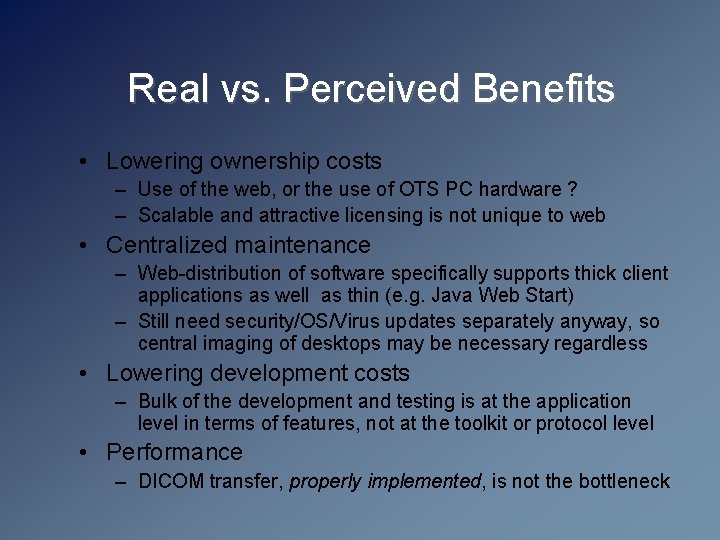
Real vs. Perceived Benefits • Lowering ownership costs – Use of the web, or the use of OTS PC hardware ? – Scalable and attractive licensing is not unique to web • Centralized maintenance – Web-distribution of software specifically supports thick client applications as well as thin (e. g. Java Web Start) – Still need security/OS/Virus updates separately anyway, so central imaging of desktops may be necessary regardless • Lowering development costs – Bulk of the development and testing is at the application level in terms of features, not at the toolkit or protocol level • Performance – DICOM transfer, properly implemented, is not the bottleneck
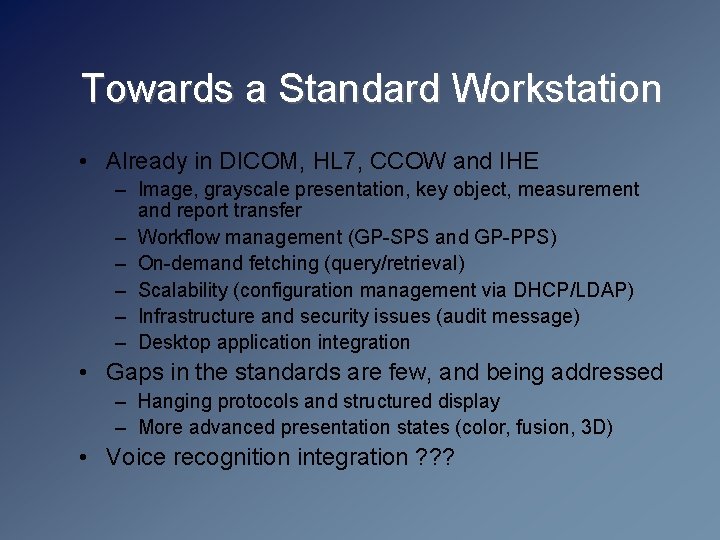
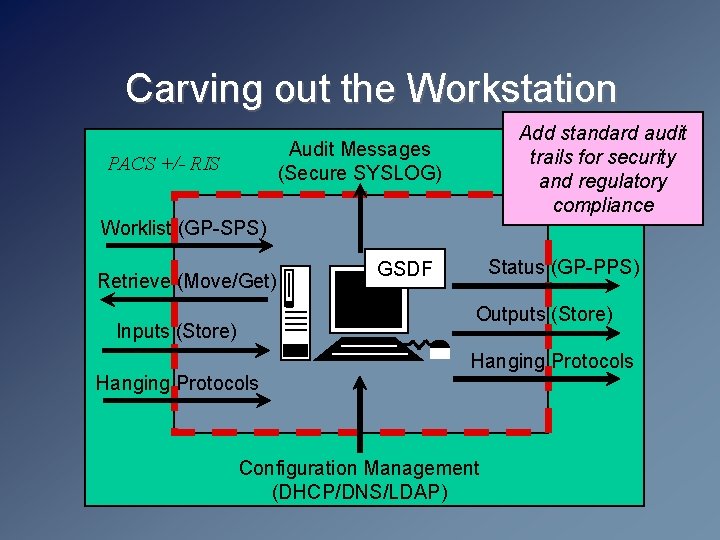
Towards a Standard Workstation • Already in DICOM, HL 7, CCOW and IHE – Image, grayscale presentation, key object, measurement and report transfer – Workflow management (GP-SPS and GP-PPS) – On-demand fetching (query/retrieval) – Scalability (configuration management via DHCP/LDAP) – Infrastructure and security issues (audit message) – Desktop application integration • Gaps in the standards are few, and being addressed – Hanging protocols and structured display – More advanced presentation states (color, fusion, 3 D) • Voice recognition integration ? ? ?
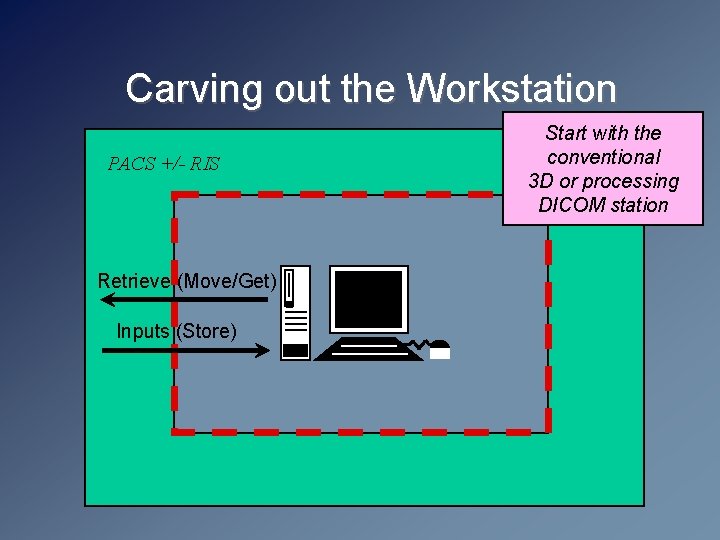
Carving out the Workstation PACS +/- RIS Retrieve (Move/Get) Inputs (Store) Start with the conventional 3 D or processing DICOM station
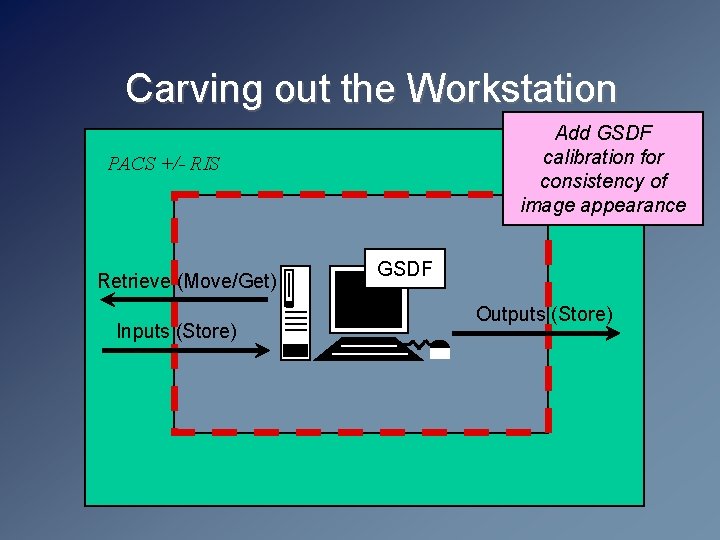
Carving out the Workstation Add GSDF calibration for consistency of image appearance PACS +/- RIS Retrieve (Move/Get) Inputs (Store) GSDF Outputs (Store)
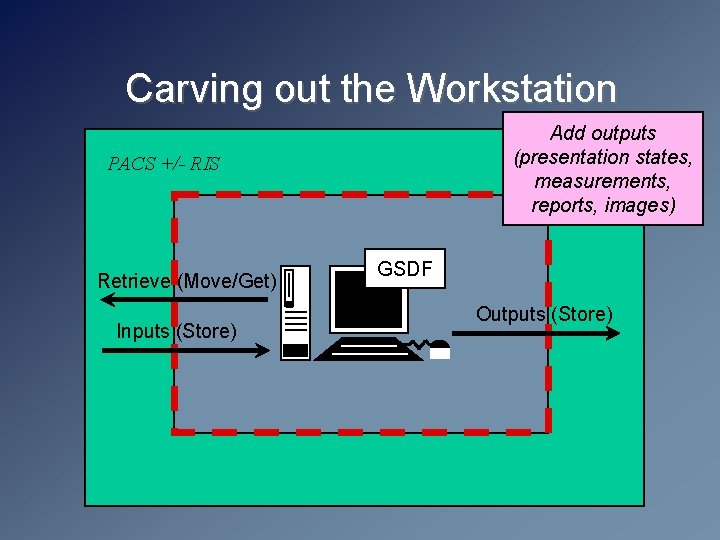
Carving out the Workstation Add outputs (presentation states, measurements, reports, images) PACS +/- RIS Retrieve (Move/Get) Inputs (Store) GSDF Outputs (Store)
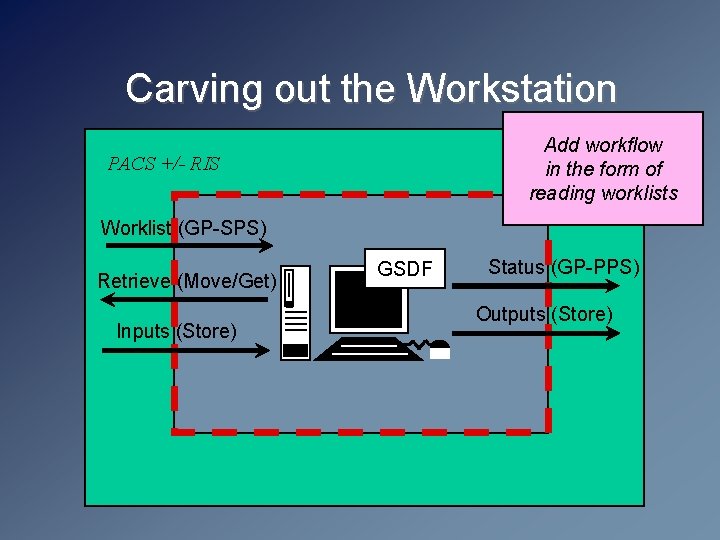
Carving out the Workstation Add workflow in the form of reading worklists PACS +/- RIS Worklist (GP-SPS) Retrieve (Move/Get) Inputs (Store) GSDF Status (GP-PPS) Outputs (Store)
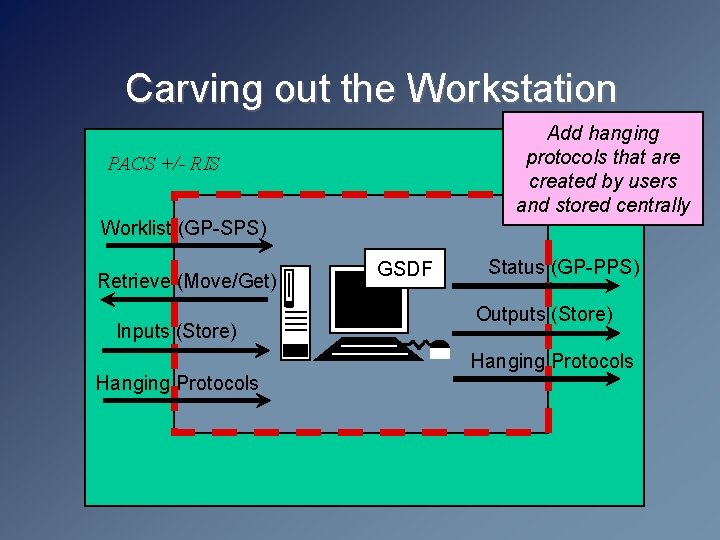
Carving out the Workstation Add hanging protocols that are created by users and stored centrally PACS +/- RIS Worklist (GP-SPS) Retrieve (Move/Get) Inputs (Store) Hanging Protocols GSDF Status (GP-PPS) Outputs (Store) Hanging Protocols
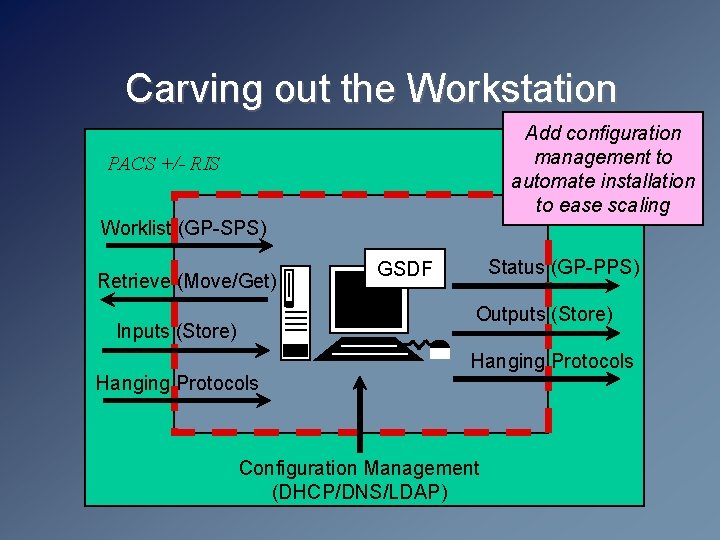
Carving out the Workstation Add configuration management to automate installation to ease scaling PACS +/- RIS Worklist (GP-SPS) Retrieve (Move/Get) Status (GP-PPS) GSDF Outputs (Store) Inputs (Store) Hanging Protocols Configuration Management (DHCP/DNS/LDAP)
Carving out the Workstation Add standard audit trails for security and regulatory compliance Audit Messages (Secure SYSLOG) PACS +/- RIS Worklist (GP-SPS) Retrieve (Move/Get) Status (GP-PPS) GSDF Outputs (Store) Inputs (Store) Hanging Protocols Configuration Management (DHCP/DNS/LDAP)
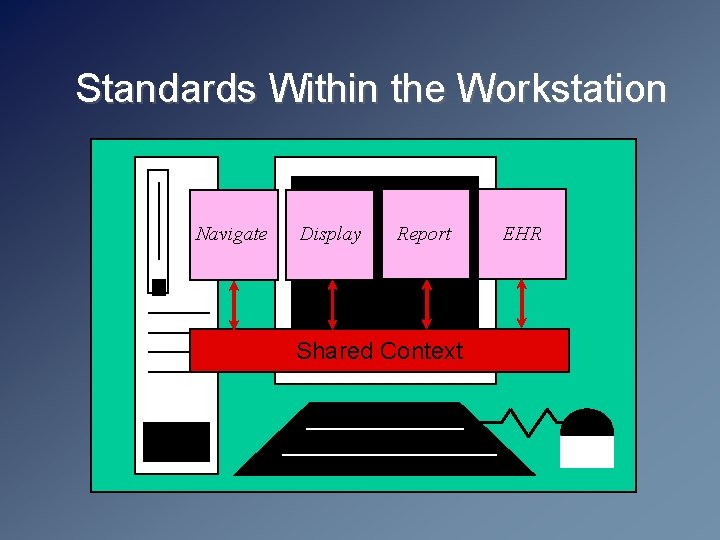
Standards Within the Workstation Navigate Display Report Shared Context EHR
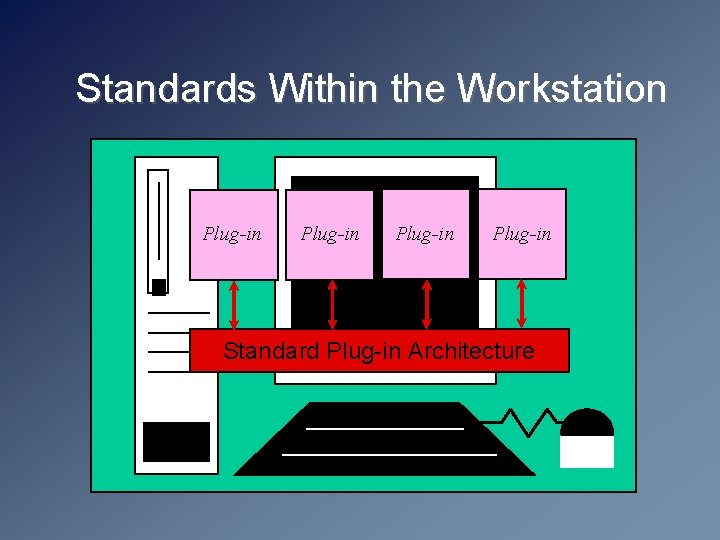
Standards Within the Workstation Plug-in Standard Plug-in Architecture
Where is IHE ? • Does IHE offer the potential for factoring out workstation from the PACS ? • Does IHE have the desire or will to go in this direction ? • What are the relevant Actors currently ? • What are the relevant Profiles currently ? • What are the gaps ?
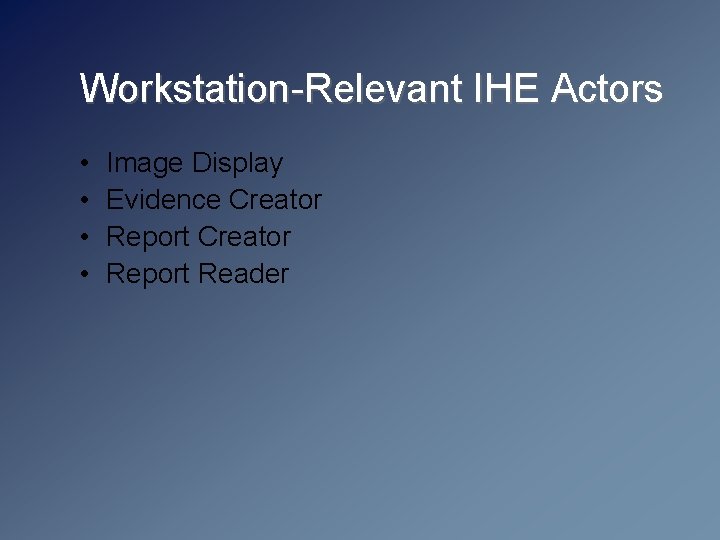
Workstation-Relevant IHE Actors • • Image Display Evidence Creator Report Reader
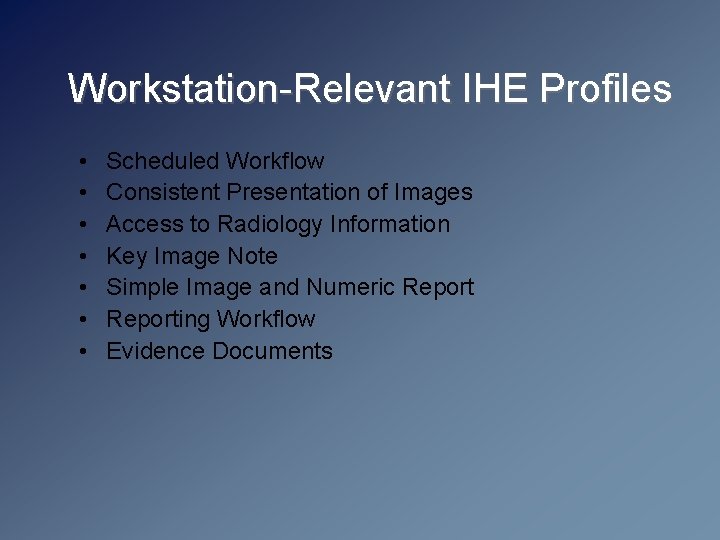
Workstation-Relevant IHE Profiles • • Scheduled Workflow Consistent Presentation of Images Access to Radiology Information Key Image Note Simple Image and Numeric Reporting Workflow Evidence Documents
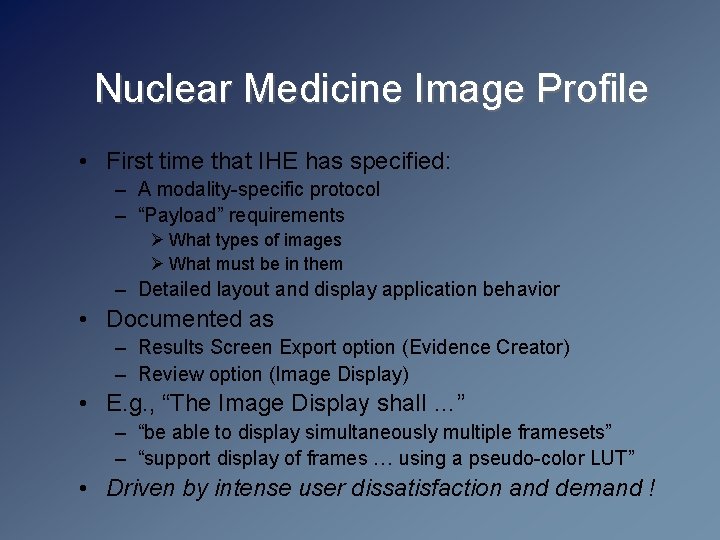
Nuclear Medicine Image Profile • First time that IHE has specified: – A modality-specific protocol – “Payload” requirements Ø What types of images Ø What must be in them – Detailed layout and display application behavior • Documented as – Results Screen Export option (Evidence Creator) – Review option (Image Display) • E. g. , “The Image Display shall …” – “be able to display simultaneously multiple framesets” – “support display of frames … using a pseudo-color LUT” • Driven by intense user dissatisfaction and demand !
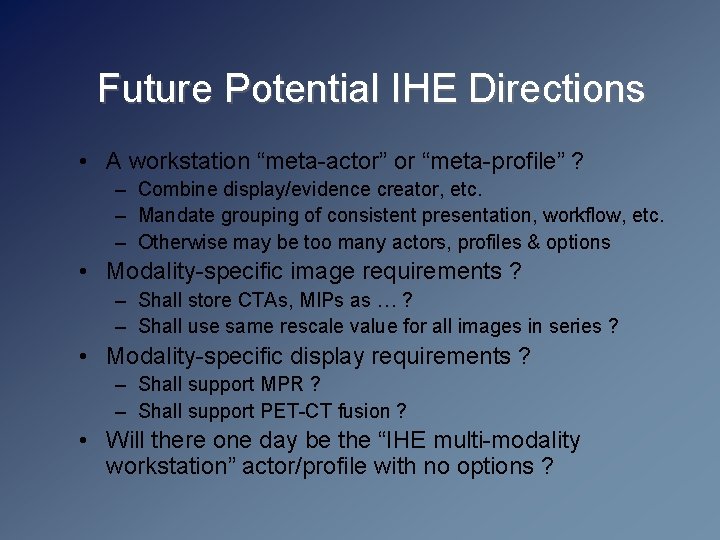
Future Potential IHE Directions • A workstation “meta-actor” or “meta-profile” ? – Combine display/evidence creator, etc. – Mandate grouping of consistent presentation, workflow, etc. – Otherwise may be too many actors, profiles & options • Modality-specific image requirements ? – Shall store CTAs, MIPs as … ? – Shall use same rescale value for all images in series ? • Modality-specific display requirements ? – Shall support MPR ? – Shall support PET-CT fusion ? • Will there one day be the “IHE multi-modality workstation” actor/profile with no options ?
Summary • The ball is largely in the user’s court • Sufficient standards are already in place to factor the workstation out of the turn-key PACS to mitigate “single vendor tyranny” and allow choice of best of breed in a rapidly changing technology environment • Challenge is to the users to insist that the vendors deliver this capability, and the vendors to implement the standards effectively - insist on it in your RFPs ! • DICOM, IHE, SCAR and other organizations continue to work on additional details to meet the anticipated challenges of the growing data set size - greater user input is required