DESIGN THINKING FOR USER EXPERIENCE DESIGN PROTOTYPING EVALUATION


![Heuristic Violation Examples 1. [H 6 Recognition Rather Than Recall] Can’t copy info from](https://slidetodoc.com/presentation_image/08dd01fe64e1ce8b39cb2a41ace21dc3/image-21.jpg "Heuristic Violation Examples 1. [H 6 Recognition Rather Than Recall] Can’t copy info from")
![Severity Ratings Example 1. [H 4 Consistency & Standards] [Severity 3] The interface used](https://slidetodoc.com/presentation_image/08dd01fe64e1ce8b39cb2a41ace21dc3/image-23.jpg "Severity Ratings Example 1. [H 4 Consistency & Standards] [Severity 3] The interface used")
![Problems Found 1. H 3 – no purchase button [100] 2. H 4 –](https://slidetodoc.com/presentation_image/08dd01fe64e1ce8b39cb2a41ace21dc3/image-29.jpg "Problems Found 1. H 3 – no purchase button [100] 2. H 4 –")

- Slides: 34
DESIGN THINKING FOR USER EXPERIENCE DESIGN + PROTOTYPING + EVALUATION Heuristic Evaluation Prof. James A. Landay 刘哲明 Computer Science Department Stanford University CS 147 Autumn 2017 November 1, 2017
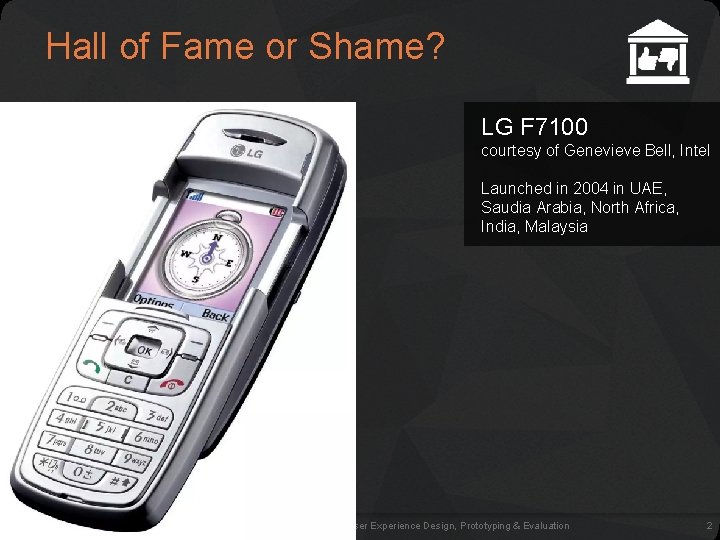
Hall of Fame or Shame? LG F 7100 courtesy of Genevieve Bell, Intel Launched in 2004 in UAE, Saudia Arabia, North Africa, India, Malaysia November 1, 2016 dt+UX: Design Thinking for User Experience Design, Prototyping & Evaluation 2
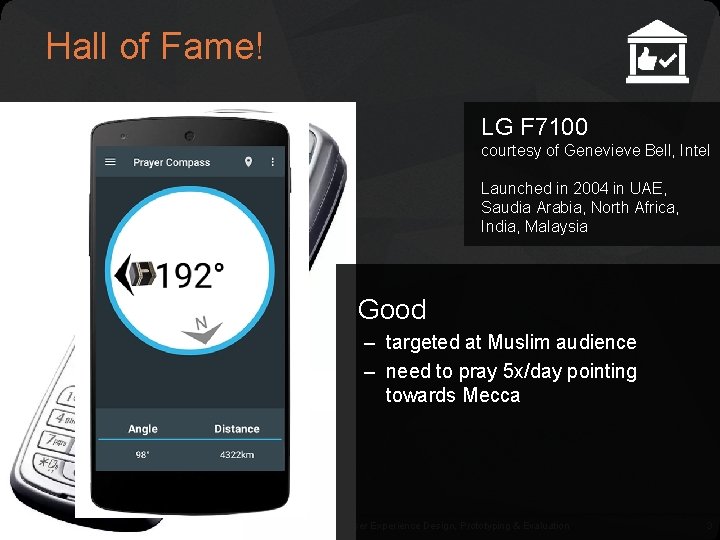
Hall of Fame! LG F 7100 courtesy of Genevieve Bell, Intel Launched in 2004 in UAE, Saudia Arabia, North Africa, India, Malaysia Good – targeted at Muslim audience – need to pray 5 x/day pointing towards Mecca November 1, 2016 dt+UX: Design Thinking for User Experience Design, Prototyping & Evaluation 3
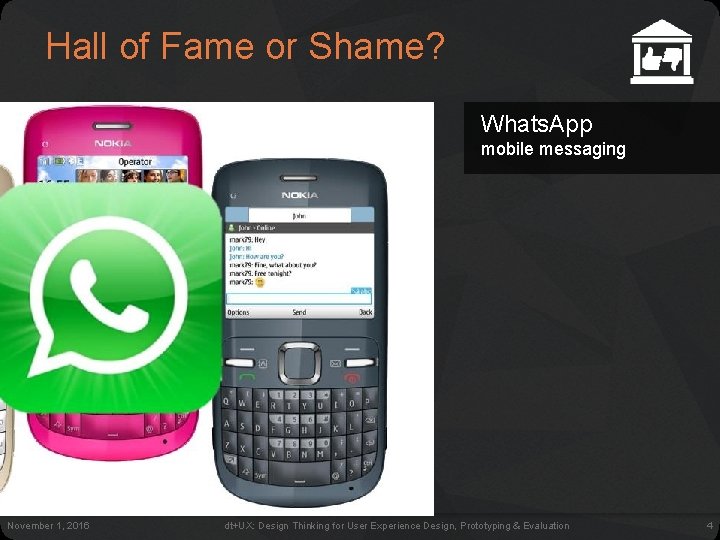
Hall of Fame or Shame? Whats. App mobile messaging November 1, 2016 dt+UX: Design Thinking for User Experience Design, Prototyping & Evaluation 4
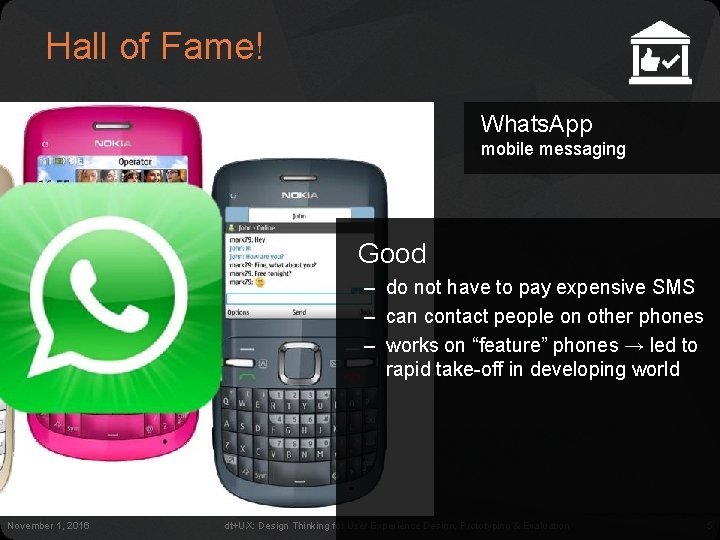
Hall of Fame! Whats. App mobile messaging Good – do not have to pay expensive SMS – can contact people on other phones – works on “feature” phones → led to rapid take-off in developing world November 1, 2016 dt+UX: Design Thinking for User Experience Design, Prototyping & Evaluation 5
DESIGN THINKING FOR USER EXPERIENCE DESIGN + PROTOTYPING + EVALUATION Heuristic Evaluation Prof. James A. Landay 刘哲明 Computer Science Department Stanford University CS 147 Autumn 2017 November 1, 2017
Outline • • • Wizard of Oz Heuristic Evaluation Overview The Heuristics Exercise Team Break November 1, 2016 dt+UX: Design Thinking for User Experience Design, Prototyping & Evaluation 7
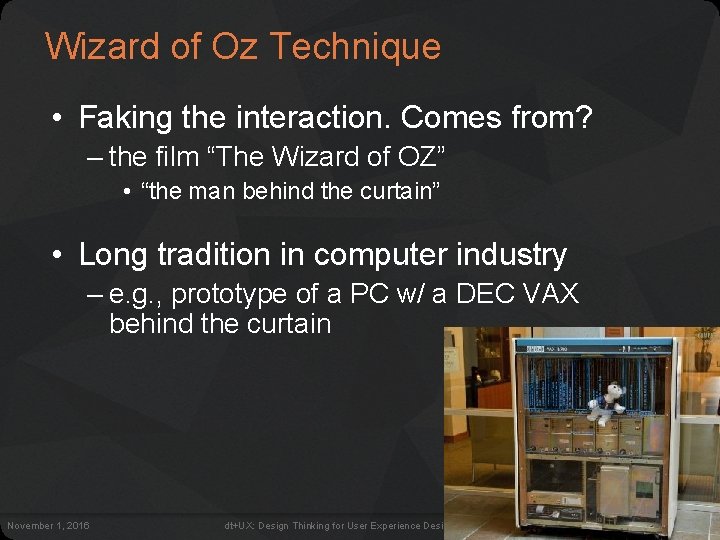
Wizard of Oz Technique • Faking the interaction. Comes from? – the film “The Wizard of OZ” • “the man behind the curtain” • Long tradition in computer industry – e. g. , prototype of a PC w/ a DEC VAX behind the curtain November 1, 2016 dt+UX: Design Thinking for User Experience Design, Prototyping & Evaluation 8
Wizard of Oz Technique • Faking the interaction. Comes from? – the film “The Wizard of OZ” • “the man behind the curtain” • Long tradition in computer industry – e. g. , prototype of a PC w/ a DEC VAX behind the curtain • Much more important for hard to implement features – speech & handwriting recognition – how would we do it for VR/AR? November 1, 2016 dt+UX: Design Thinking for User Experience Design, Prototyping & Evaluation 9
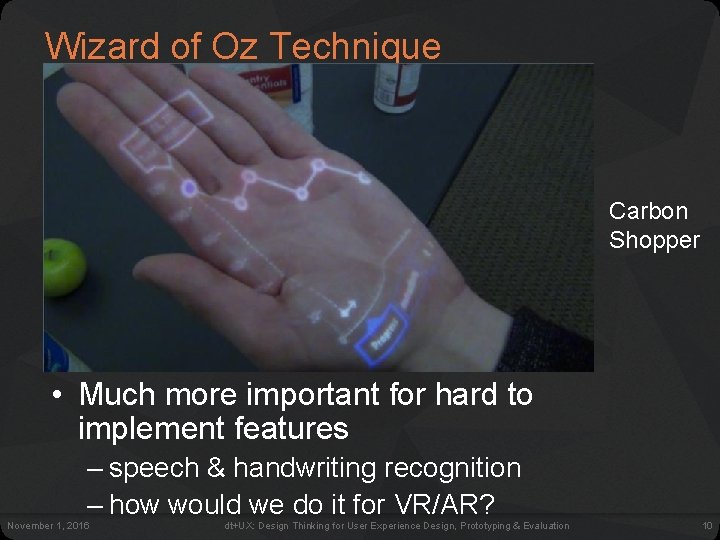
Wizard of Oz Technique • Faking the interaction. Comes from? – the film “The Wizard of OZ” • “the man behind the curtain” • Long tradition in computer industry Carbon Shopper – e. g. , prototype of a PC w/ a DEC VAX behind the curtain • Much more important for hard to implement features – speech & handwriting recognition – how would we do it for VR/AR? November 1, 2016 dt+UX: Design Thinking for User Experience Design, Prototyping & Evaluation 10
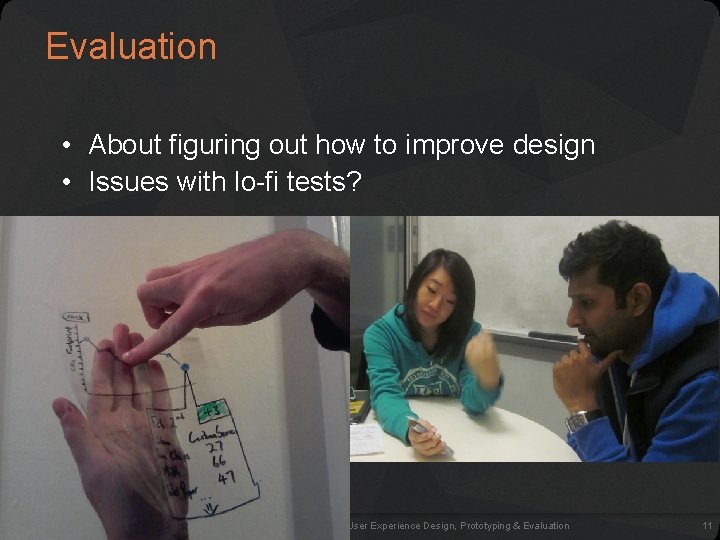
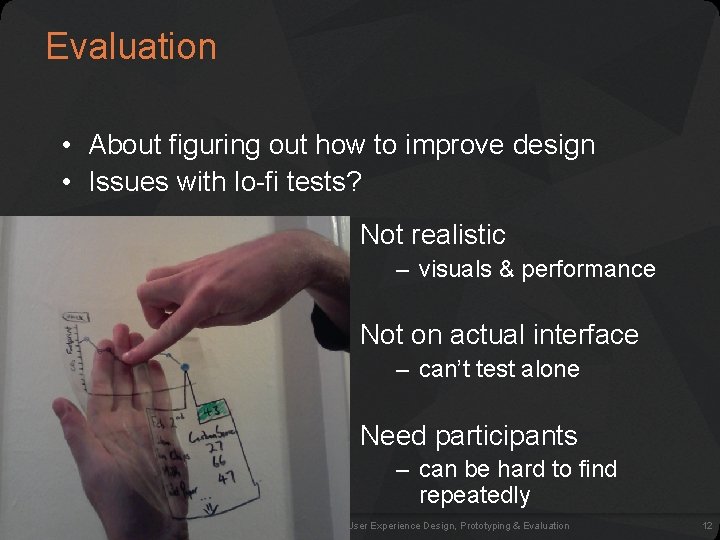
Evaluation • About figuring out how to improve design • Issues with lo-fi tests? November 1, 2016 dt+UX: Design Thinking for User Experience Design, Prototyping & Evaluation 11
Evaluation • About figuring out how to improve design • Issues with lo-fi tests? Not realistic – visuals & performance Not on actual interface – can’t test alone Need participants – can be hard to find repeatedly November 1, 2016 dt+UX: Design Thinking for User Experience Design, Prototyping & Evaluation 12
Heuristic Evaluation • Developed by Jakob Nielsen • Helps find usability problems in a UI design • Small set (3 -5) of evaluators examine UI – independently check for compliance with usability principles (“heuristics”) – evaluators only communicate afterwards • findings are then aggregated – use violations to redesign/fix problems • Can perform on working UI or on sketches November 1, 2016 dt+UX: Design Thinking for User Experience Design, Prototyping & Evaluation 13
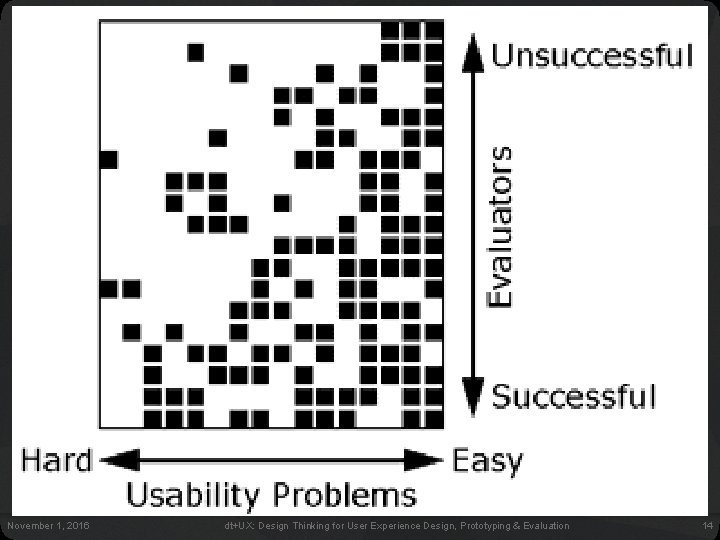
Why Multiple Evaluators? • Every evaluator doesn’t find every problem • Good evaluators find both easy & hard ones November 1, 2016 dt+UX: Design Thinking for User Experience Design, Prototyping & Evaluation 14
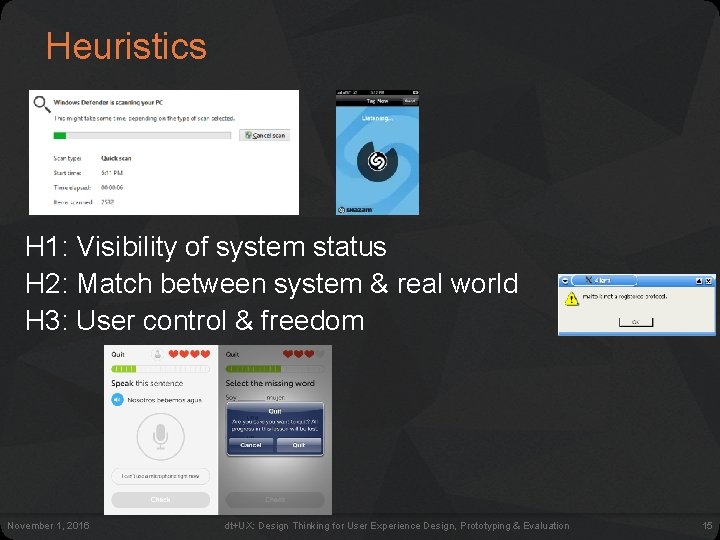
Heuristics H 1: Visibility of system status H 2: Match between system & real world H 3: User control & freedom November 1, 2016 dt+UX: Design Thinking for User Experience Design, Prototyping & Evaluation 15
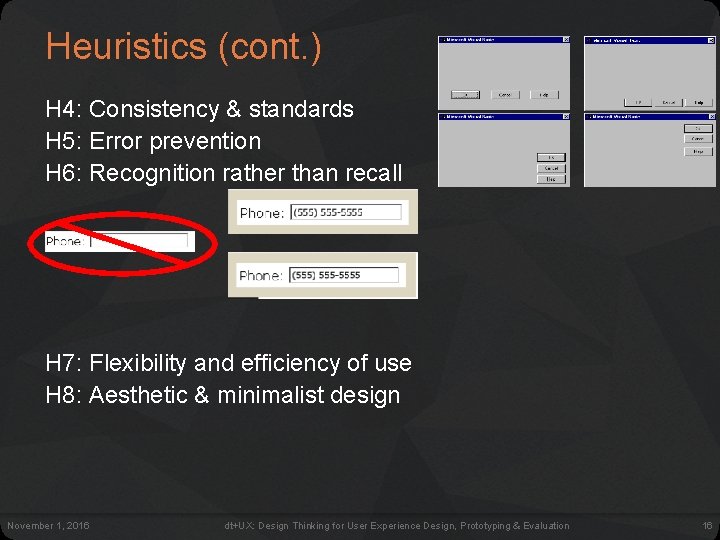
Heuristics (cont. ) H 4: Consistency & standards H 5: Error prevention H 6: Recognition rather than recall H 7: Flexibility and efficiency of use H 8: Aesthetic & minimalist design November 1, 2016 dt+UX: Design Thinking for User Experience Design, Prototyping & Evaluation 16
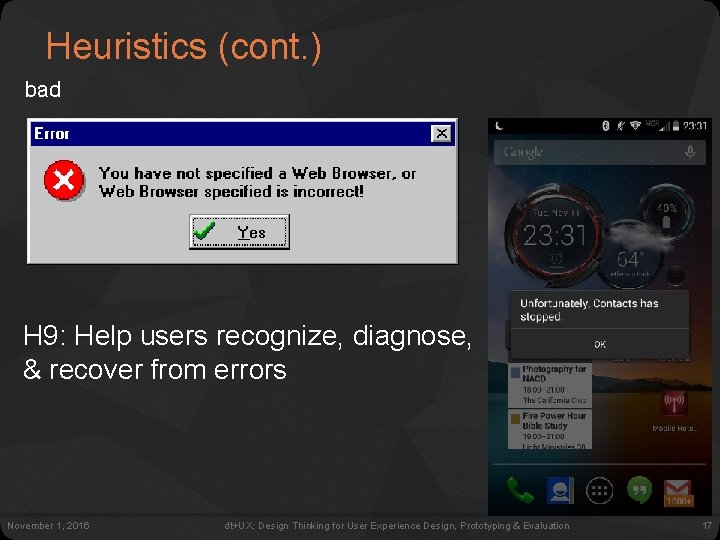
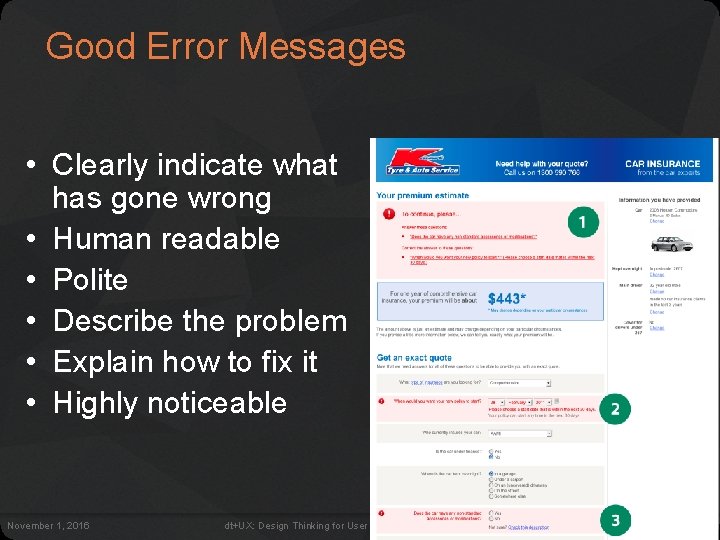
Heuristics (cont. ) bad H 9: Help users recognize, diagnose, & recover from errors November 1, 2016 dt+UX: Design Thinking for User Experience Design, Prototyping & Evaluation 17
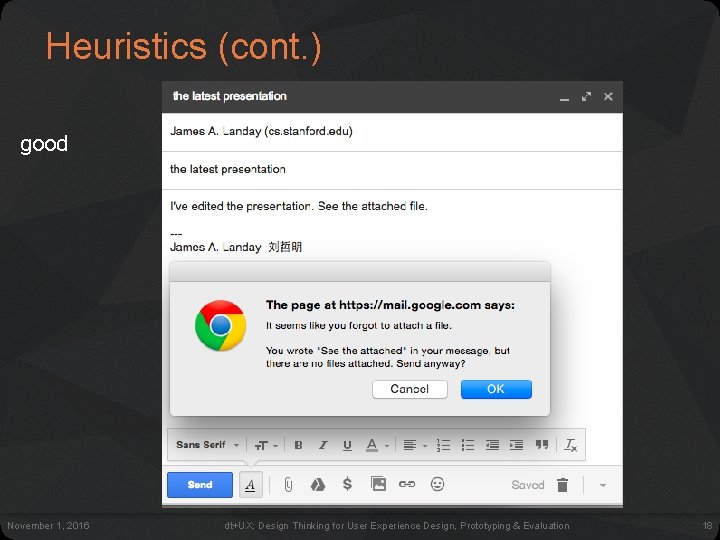
Heuristics (cont. ) good November 1, 2016 dt+UX: Design Thinking for User Experience Design, Prototyping & Evaluation 18
Good Error Messages • Clearly indicate what has gone wrong • Human readable • Polite • Describe the problem • Explain how to fix it • Highly noticeable November 1, 2016 dt+UX: Design Thinking for User Experience Design, Prototyping & Evaluation 19
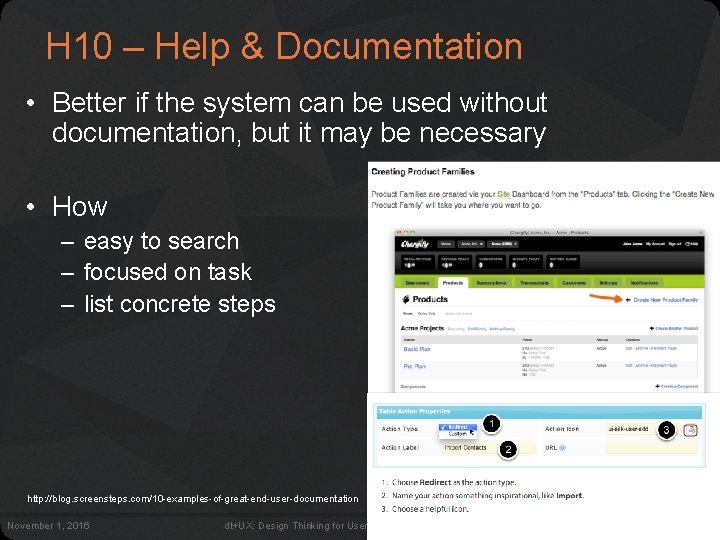
H 10 – Help & Documentation • Better if the system can be used without documentation, but it may be necessary • How – easy to search – focused on task – list concrete steps http: //blog. screensteps. com/10 -examples-of-great-end-user-documentation November 1, 2016 dt+UX: Design Thinking for User Experience Design, Prototyping & Evaluation 20
Heuristic Violation Examples 1. [H 6 Recognition Rather Than Recall] Can’t copy info from one window to another – user needs to memorize the data & retype – fix: allow copying 2. [H 4 Consistency and Standards] Typography uses different fonts in 3 dialog boxes – slows users down – probably wouldn’t be found by user testing – fix: pick a single format for entire interface November 1, 2016 dt+UX: Design Thinking for User Experience Design, Prototyping & Evaluation 21
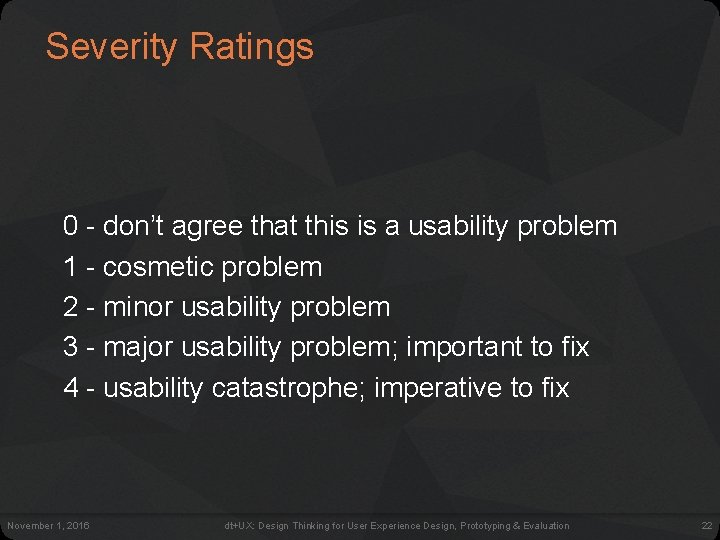
Severity Ratings 0 - don’t agree that this is a usability problem 1 - cosmetic problem 2 - minor usability problem 3 - major usability problem; important to fix 4 - usability catastrophe; imperative to fix November 1, 2016 dt+UX: Design Thinking for User Experience Design, Prototyping & Evaluation 22
Severity Ratings Example 1. [H 4 Consistency & Standards] [Severity 3] The interface used the string “Save” on the first screen for saving the user’s settings, but used the string “Store” on the second screen. Users may be confused by this different terminology for the same function. Fix: Use “Save” everywhere in the application. November 1, 2016 dt+UX: Design Thinking for User Experience Design, Prototyping & Evaluation 23
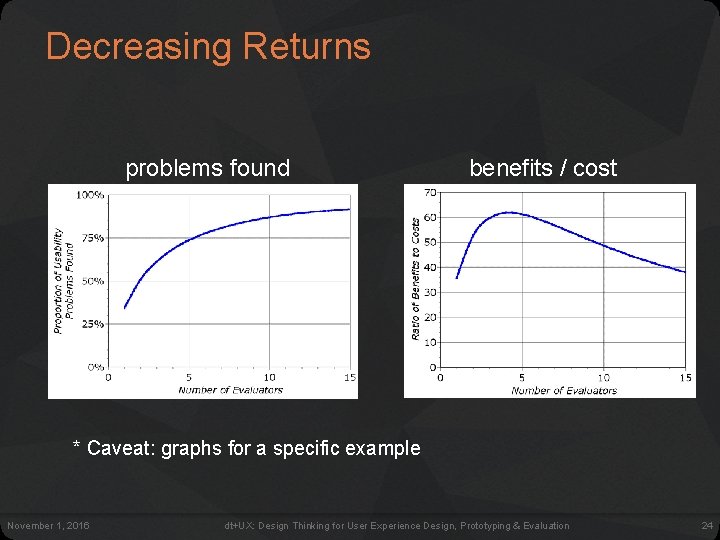
Decreasing Returns problems found benefits / cost * Caveat: graphs for a specific example November 1, 2016 dt+UX: Design Thinking for User Experience Design, Prototyping & Evaluation 24
Heuristic Evaluatoin Summary • Have evaluators go through the UI twice • Ask them to see if it complies with heuristics – note where it doesn’t & say why • Have evaluators independently rate severity • Combine the findings from 3 to 5 evaluators – come to agreement on problems, fixes & severity • Alternate with user testing November 1, 2016 dt+UX: Design Thinking for User Experience Design, Prototyping & Evaluation 25
E X E R C I S E November 1, 2016 dt+UX: Design Thinking for User Experience Design, Prototyping & Evaluation 26
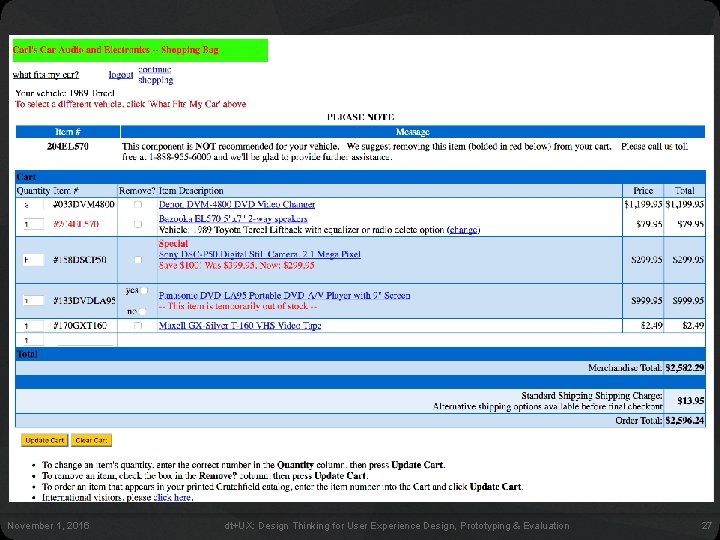
E X E R C I S E November 1, 2016 dt+UX: Design Thinking for User Experience Design, Prototyping & Evaluation 27
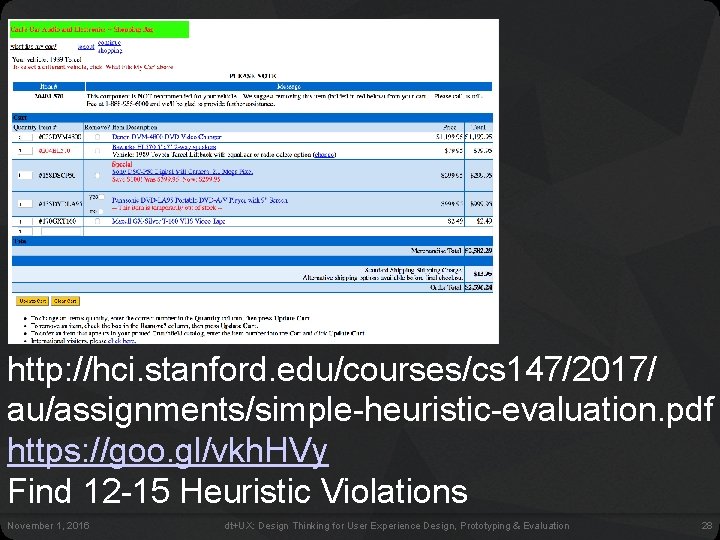
http: //hci. stanford. edu/courses/cs 147/2017/ au/assignments/simple-heuristic-evaluation. pdf https: //goo. gl/vkh. HVy Find 12 -15 Heuristic Violations November 1, 2016 dt+UX: Design Thinking for User Experience Design, Prototyping & Evaluation 28
Problems Found 1. H 3 – no purchase button [100] 2. H 4 – remove column has check boxes and then one entry w/ yes/no [100] 3. H 5 – illegal input (text) allowed in quantity field [90] 4. H 1 – not clear who is logged in [10] 5. H 2 – “what fits my car” is not a good term that people would know [20] 6. H 5 – user can add “out of stock” items [80] November 1, 2016 dt+UX: Design Thinking for User Experience Design, Prototyping & Evaluation 29
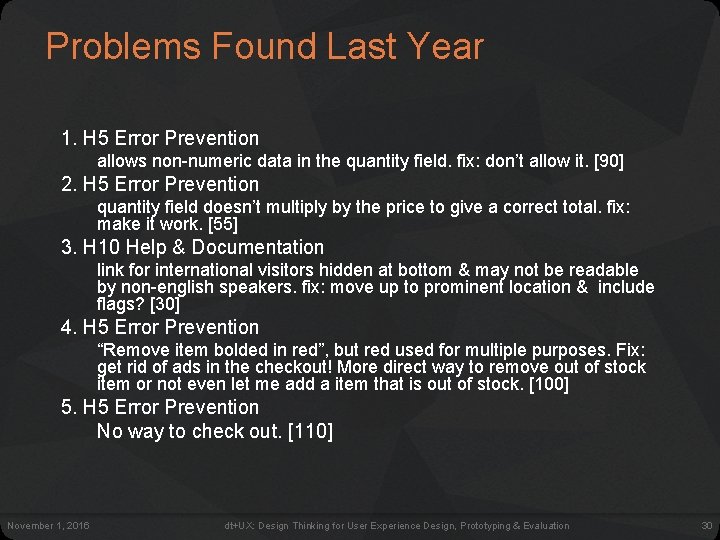
Problems Found Last Year 1. H 5 Error Prevention allows non-numeric data in the quantity field. fix: don’t allow it. [90] 2. H 5 Error Prevention quantity field doesn’t multiply by the price to give a correct total. fix: make it work. [55] 3. H 10 Help & Documentation link for international visitors hidden at bottom & may not be readable by non-english speakers. fix: move up to prominent location & include flags? [30] 4. H 5 Error Prevention “Remove item bolded in red”, but red used for multiple purposes. Fix: get rid of ads in the checkout! More direct way to remove out of stock item or not even let me add a item that is out of stock. [100] 5. H 5 Error Prevention No way to check out. [110] November 1, 2016 dt+UX: Design Thinking for User Experience Design, Prototyping & Evaluation 30
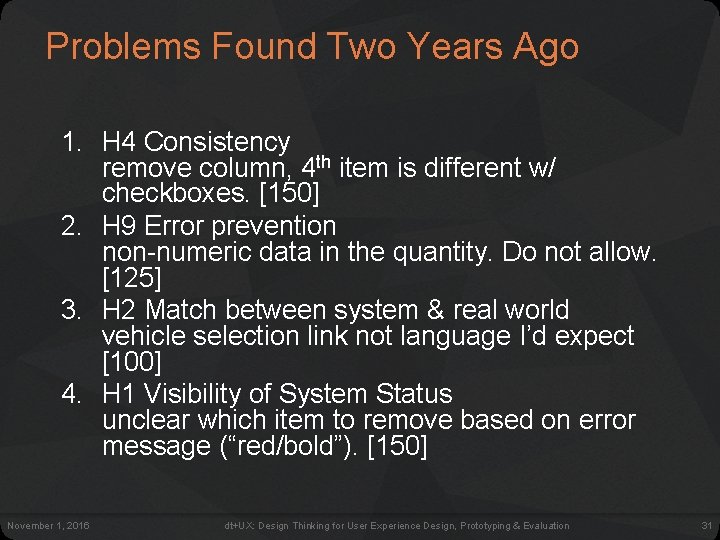
Problems Found Two Years Ago 1. H 4 Consistency remove column, 4 th item is different w/ checkboxes. [150] 2. H 9 Error prevention non-numeric data in the quantity. Do not allow. [125] 3. H 2 Match between system & real world vehicle selection link not language I’d expect [100] 4. H 1 Visibility of System Status unclear which item to remove based on error message (“red/bold”). [150] November 1, 2016 dt+UX: Design Thinking for User Experience Design, Prototyping & Evaluation 31
Further Reading Heuristic Evaluation • Longer lecture – https: //drive. google. com/file/d/0 Bwei. B 6 wu 4 s. B a. N 2 tf. ZGx. Kb 2 tu. OTg/view • Books – Usability Engineering, by Nielsen, 1994 • Web site – http: //www. nngroup. com/articles/ November 1, 2016 dt+UX: Design Thinking for User Experience Design, Prototyping & Evaluation 32
Next Time • Lecture – Human Abilities • Readings – Pages 66 -99 of "Cognitive Aspects in Interaction Design", from Interaction Design, 3 rd Edition by Rogers, Sharp, & Preece • Next assignment – Individual Heuristic Evaluation Group Heuristic Evaluation (in studio) November 1, 2016 dt+UX: Design Thinking for User Experience Design, Prototyping & Evaluation 33
TEAM BREAK November 1, 2016 dt+UX: Design Thinking for User Experience Design, Prototyping & Evaluation 34