
Locative Media Lalya Gaye Ubiquitous Computing course ITUniversity
Locative Media Lalya Gaye Ubiquitous Computing course IT-University in Göteborg 31 November 2007
Introduction Locative Media Lecture Aims and scope • Overview of the field • Technology overview • Discussion of design and prototyping approaches • Design issues: focus on sustainability in locative media
Introduction Lecture Content Ubiquitous computing: recap Ubicomp technologies Locative Media: definition and origins Themes, projects and related design issues Characteristics, challenges and design opportunities Technologies available to the general public Sustainable Design?
Ubiquitous Computing Recap
Ubiquitous Computing Recap • Mark Weiser’s vision (1991) – disappearing computer – everyday world literally used as interface “The most profound technologies are those that disappear. They weave themselves into the fabric of everyday life until they are indistinguishable from it. ”
Ubiquitous Computing Recap • The computer: calculator -> information system -> interactive -> pc -> mobile, integrated, networked • Levels of interaction: electrical -> symbolic -> textual -> visual -> social, tangible • Evolution of the user interface: from immersing the user in the computer’s world to computing increasingly adapting to the user’s world and skills. • Ubicomp = opposite of virtual reality: embedded reality.
Ubiquitous Computing Recap • Evolution of computer-human interaction: – more of the human’s everyday world and everyday skills in computing – computers an increased part of our everyday life – requiring less specialised knowledge to operate them – relying increasingly on user’s everyday skills – smaller computers – from one computer for many user, to many computers
Ubiquitous Computing Recap • Designing ubicomp systems: Focus on the interaction between user & technology (as opposed to form and function), on what experience the user gets from it, on what added-value ubicomp brings to his/her life. • Follow needs and requirements but also entice new behaviours?
Ubiquitous Computing Recap • Enhance people’s activities by making computing available at hand, when and where needed (including when the users are mobile) • Computing naturally blending into everyday settings, vanishes into the background • The physical and social world around us as digitally augmented and distributed interface • Manipulating digital data = manipulating entities in the physical world • Literally build on people’s everyday use of the physical and social world, in situation and in real time. • Peripheral awareness • Greenfield: “information processing dissolving into behaviour” • IT + everyday life as design material (f. ex. I/O Brush)
Ubiquitous Computing Recap Implementing the ubicomp vision: – Many interconnected computers person – Mobile devices combined with computers embedded in the environment (e. g. post-hoc augmentation of everyday objects with sensors and networked communication) – With awareness of physical & social context + each other -> Mapping the digital world to the physical one -> User interface: tangible and embedded in the real world
Ubiquitous Computing Recap Implementing the ubicomp vision: – Distributed interface: networking mobile devices and embedded computers (sensors, processors, etc) -> flexible and seamless integrated whole -> e. g. any display or input device can become one’s own (user mobility) – Interaction in context and in real time (f. ex. tracking things and people -> relevant information and interaction opportunity to the right person at the right time)
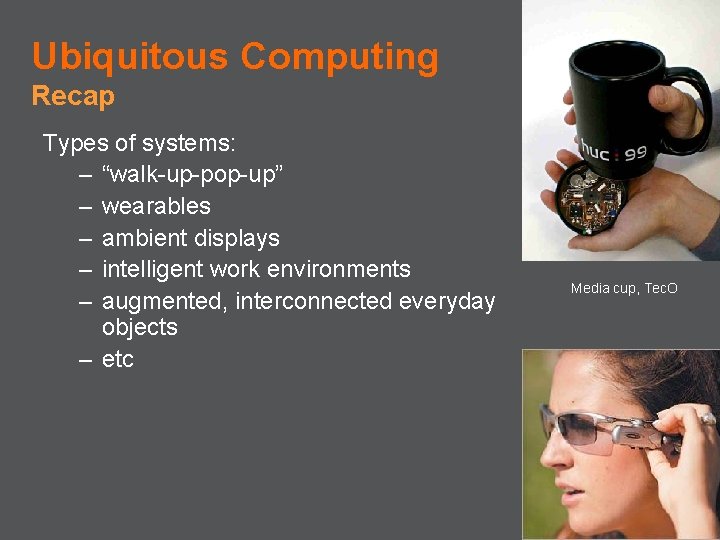
Ubiquitous Computing Recap Types of systems: – “walk-up-pop-up” – wearables – ambient displays – intelligent work environments – augmented, interconnected everyday objects – etc Media cup, Tec. O
Ubiquitous Computing Technologies
Ubiquitous Computing Technologies • Ubiquitous Computing (Weiser): computing interweaved in everyday life, “where the action is” (Dourish) – context awareness – embedded sensor networks – global positioning – wearable computing – augmented & mixed-reality – ad hoc and p 2 p user networks
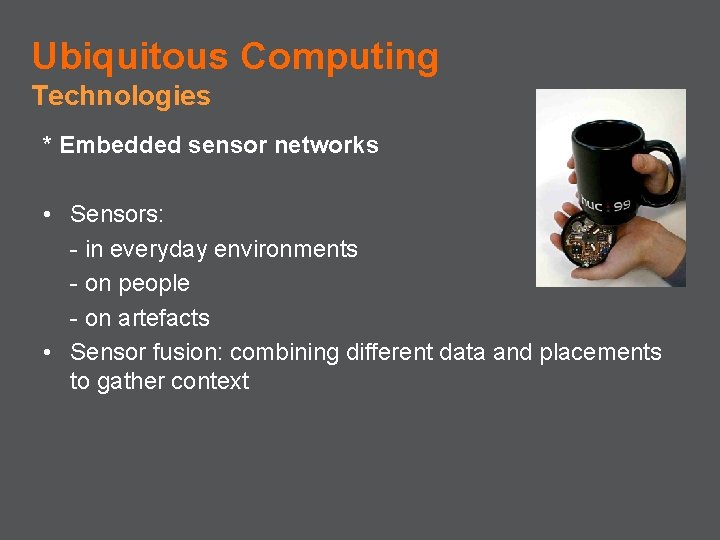
Ubiquitous Computing Technologies * Embedded sensor networks • Sensors: - in everyday environments - on people - on artefacts • Sensor fusion: combining different data and placements to gather context
![Ubiquitous Computing Technologies * Context-aware computing • “computer-based devices [that] reach out into the](http://slidetodoc.com/presentation_image/69f9708ad7dc6ffc9bfdb06e20623e38/image-16.jpg "Ubiquitous Computing Technologies * Context-aware computing • “computer-based devices [that] reach out into the")
Ubiquitous Computing Technologies * Context-aware computing • “computer-based devices [that] reach out into the real world through sensors” [Gellerson]. • “A system is context-aware if it uses context to provide relevant information and/or services to the user, where relevancy depends on the user’s task. ” [Dey & Abowd, 1999].
Ubiquitous Computing Technologies * Context-aware computing • Enables computing to run into the background adapt to changes of context in order to present appropriate behaviour to specific situations. – “presentation of information and services to a user” – “automatic execution of a service” depending on context appropriateness – or “tagging of context to information for later retrieval” [Dey].
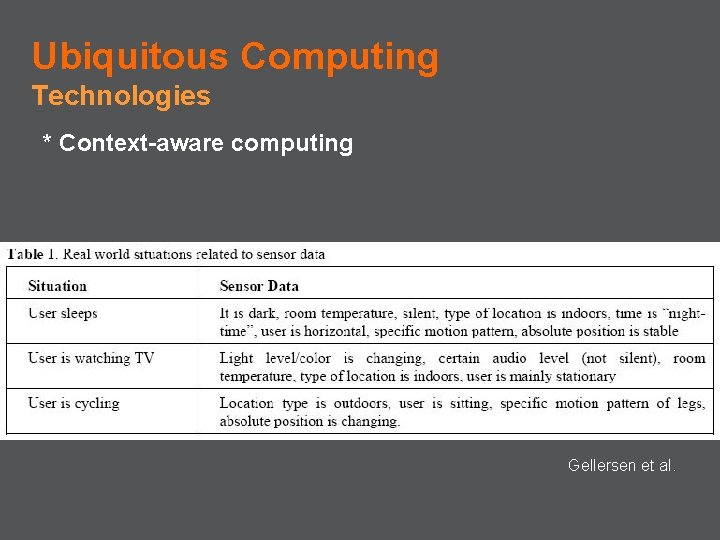
Ubiquitous Computing Technologies * Context-aware computing Gellersen et al.
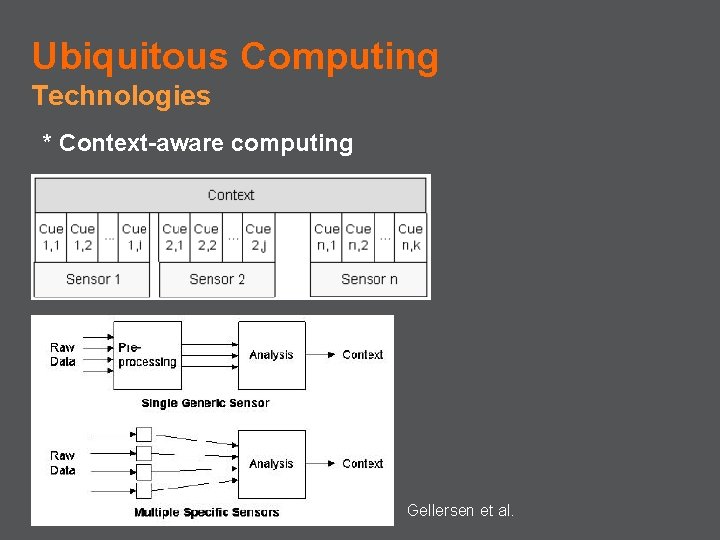
Ubiquitous Computing Technologies * Context-aware computing Gellersen et al.
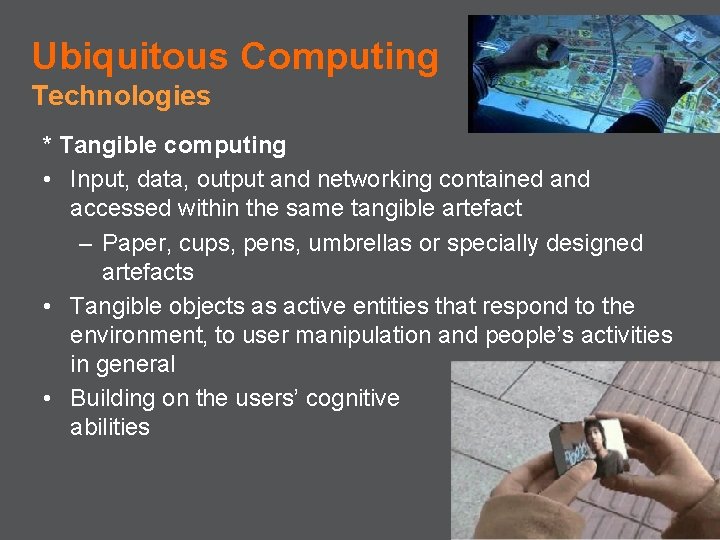
Ubiquitous Computing Technologies * Tangible computing • Input, data, output and networking contained and accessed within the same tangible artefact – Paper, cups, pens, umbrellas or specially designed artefacts • Tangible objects as active entities that respond to the environment, to user manipulation and people’s activities in general • Building on the users’ cognitive abilities
Ubiquitous Computing Technologies * Social computing • Incorporating understandings of the social world into interactive systems – Social traces left by people on objects or places – Mobile social networks between co-located acquaintances – enhancing user awareness by providing them information about others and their activity
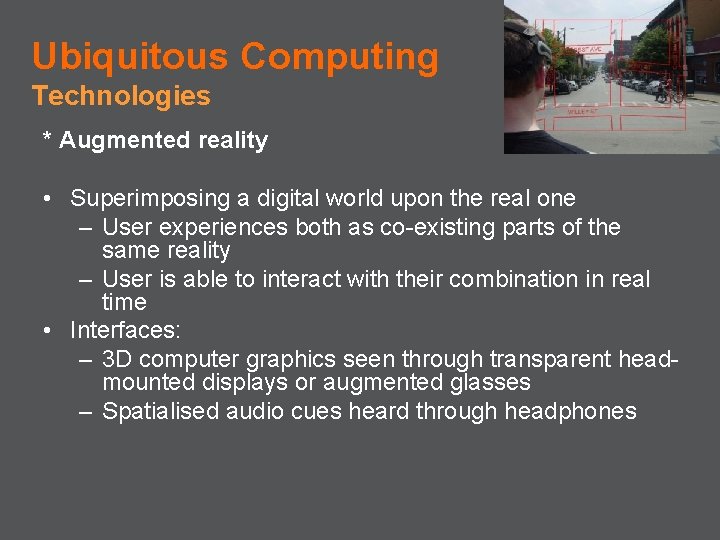
Ubiquitous Computing Technologies * Augmented reality • Superimposing a digital world upon the real one – User experiences both as co-existing parts of the same reality – User is able to interact with their combination in real time • Interfaces: – 3 D computer graphics seen through transparent headmounted displays or augmented glasses – Spatialised audio cues heard through headphones
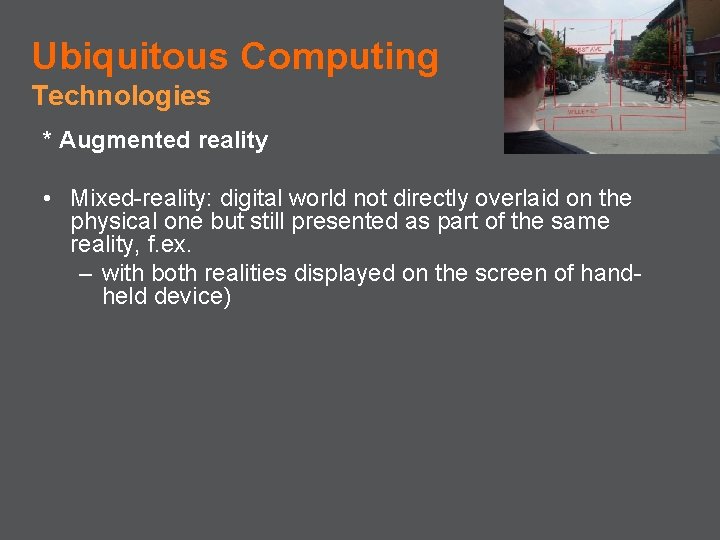
Ubiquitous Computing Technologies * Augmented reality • Mixed-reality: digital world not directly overlaid on the physical one but still presented as part of the same reality, f. ex. – with both realities displayed on the screen of handheld device)
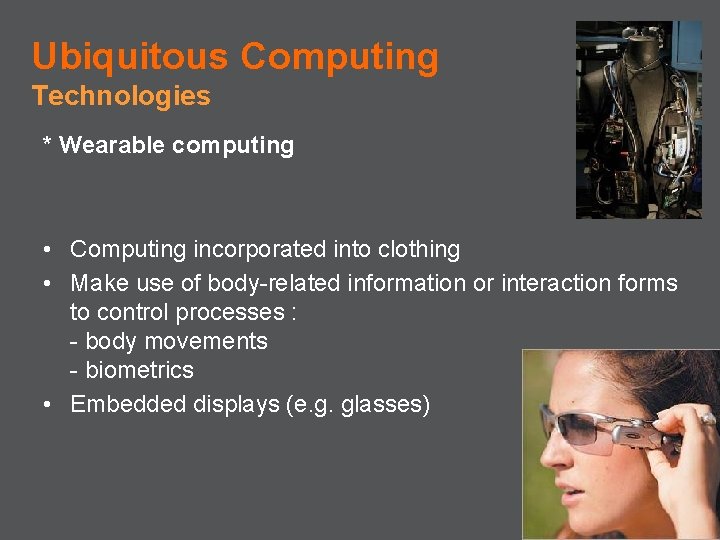
Ubiquitous Computing Technologies * Wearable computing • Computing incorporated into clothing • Make use of body-related information or interaction forms to control processes : - body movements - biometrics • Embedded displays (e. g. glasses)
Ubiquitous Computing Technologies * Platforms: – Smart-Its – Smart Dust – Pin & Play – Tiny OS – etc
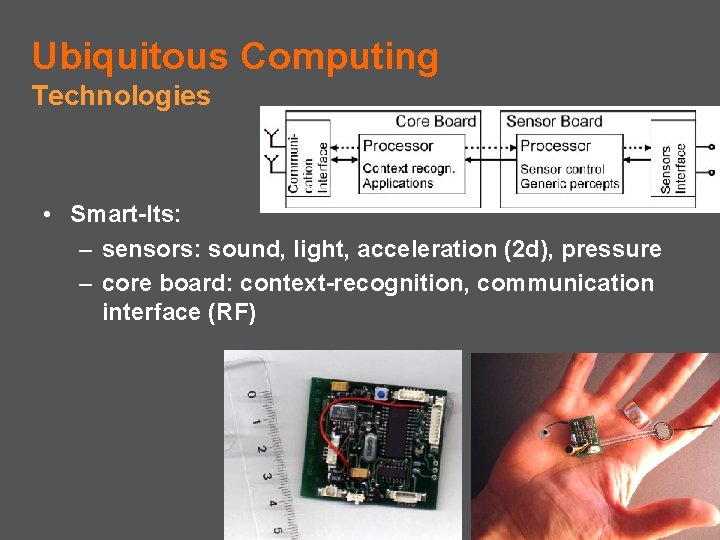
Ubiquitous Computing Technologies • Smart-Its: – sensors: sound, light, acceleration (2 d), pressure – core board: context-recognition, communication interface (RF)

Locative Media: Background
Locative Media Background • Typical contexts of use for ubicomp: home, office work, cafeterias, grad-students research labs, etc • Locative media = media with sense of place • New media + urban aesthetic practices + community uses of public space + contextual art + mobile, ubiquitous and geographical technologies • City, public spaces • Ubiquitous computing in public space: Minority Report dystopia (video: 44: 20) vs. current creative uses and appropriations of public space?
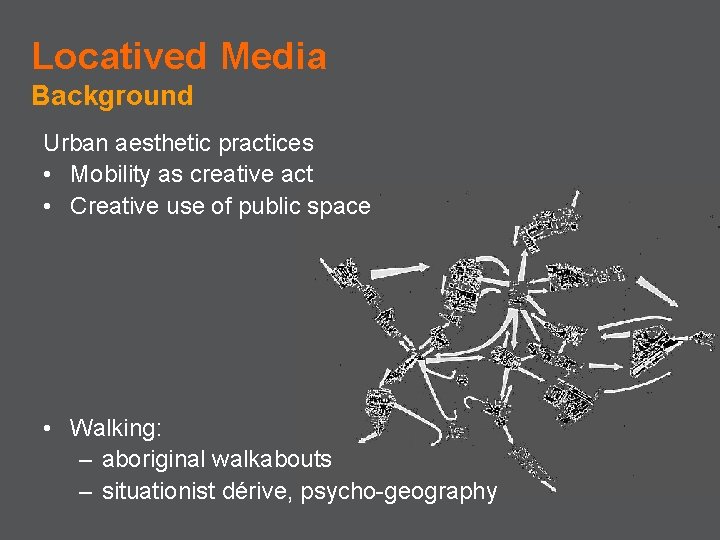
Locatived Media Background Urban aesthetic practices • Mobility as creative act • Creative use of public space • Walking: – aboriginal walkabouts – situationist dérive, psycho-geography
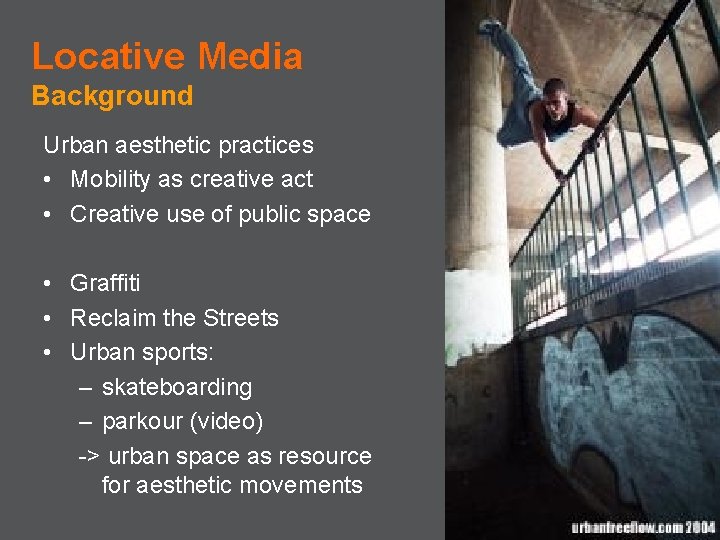
Locative Media Background Urban aesthetic practices • Mobility as creative act • Creative use of public space • Graffiti • Reclaim the Streets • Urban sports: – skateboarding – parkour (video) -> urban space as resource for aesthetic movements

Themes and Projects
Locative Media Projects Themes • • • Pervasive Gaming: the world as a game-board Space annotation: media with a specific position in space Location awareness & GPS-enabled locative media Mobile music & locative audio Radio pirates Social spaces • etc
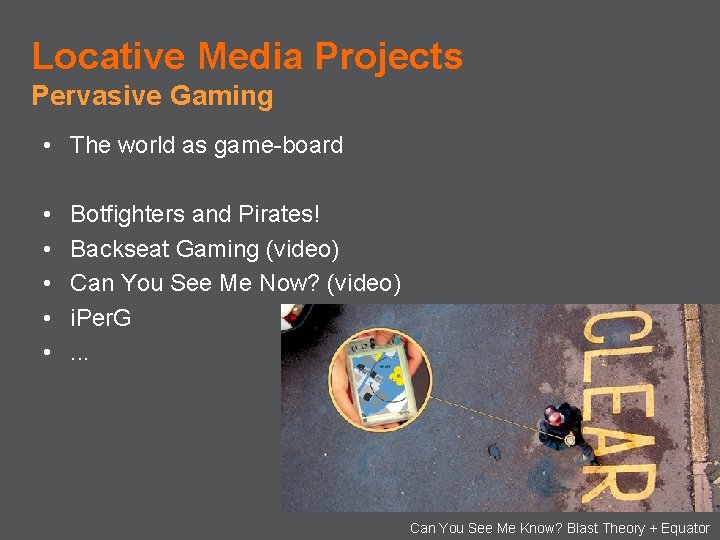
Locative Media Projects Pervasive Gaming • The world as game-board • • • Botfighters and Pirates! Backseat Gaming (video) Can You See Me Now? (video) i. Per. G. . . Can You See Me Know? Blast Theory + Equator
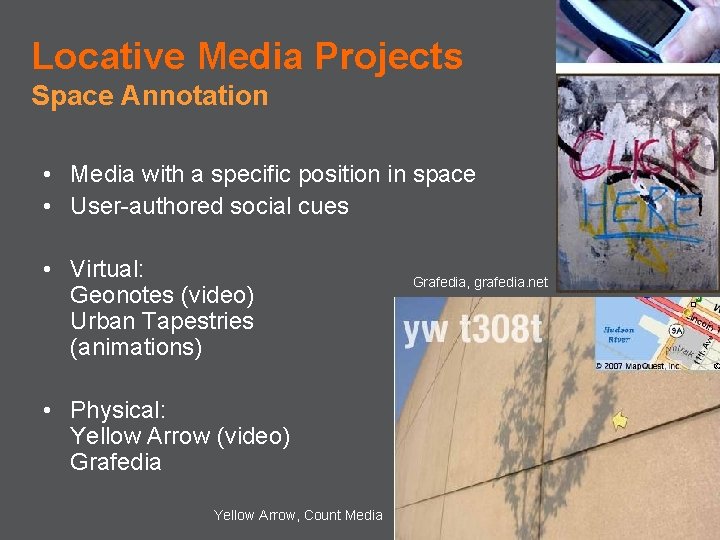
Locative Media Projects Space Annotation • Media with a specific position in space • User-authored social cues • Virtual: Geonotes (video) Urban Tapestries (animations) • Physical: Yellow Arrow (video) Grafedia Yellow Arrow, Count Media Grafedia, grafedia. net
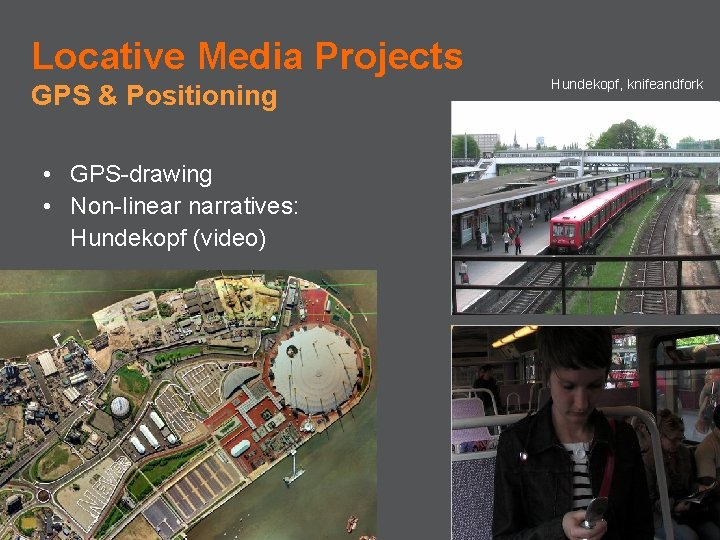
Locative Media Projects GPS & Positioning • GPS-drawing • Non-linear narratives: Hundekopf (video) Hundekopf, knifeandfork
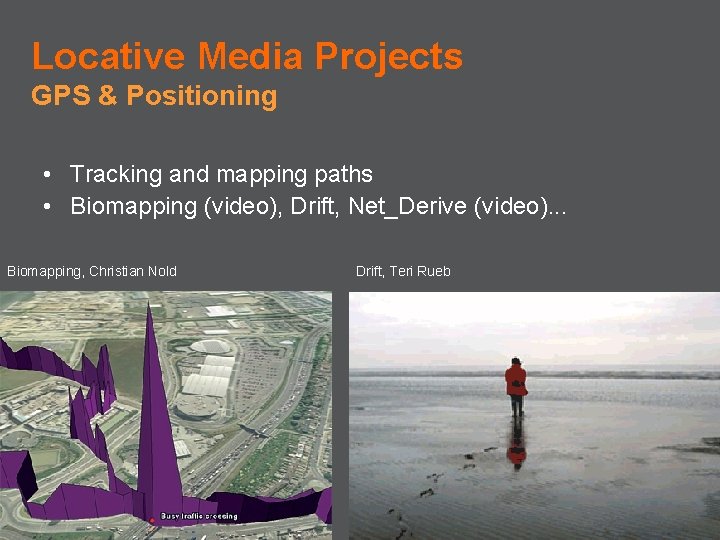
Locative Media Projects GPS & Positioning • Tracking and mapping paths • Biomapping (video), Drift, Net_Derive (video). . . Biomapping, Christian Nold Drift, Teri Rueb
Locative Media Projects Mobile Music and Locative Audio • Audio space annotation • Mobile music sharing/listening: - distributed - ad hoc - sound walks • Mobile music making: - situated - collaborative • Wearable audio
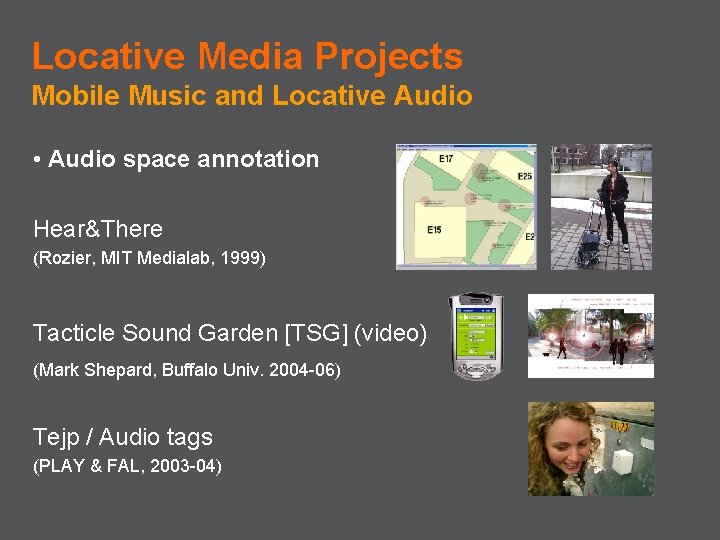
Locative Media Projects Mobile Music and Locative Audio • Audio space annotation Hear&There (Rozier, MIT Medialab, 1999) Tacticle Sound Garden [TSG] (video) (Mark Shepard, Buffalo Univ. 2004 -06) Tejp / Audio tags (PLAY & FAL, 2003 -04)
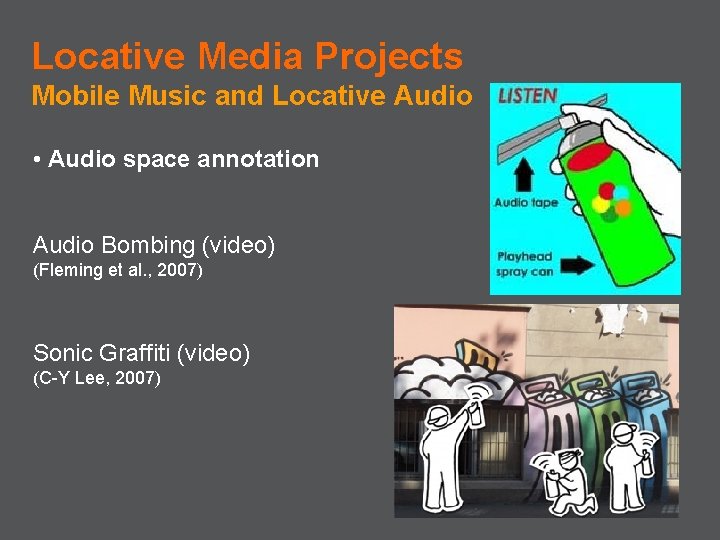
Locative Media Projects Mobile Music and Locative Audio • Audio space annotation Audio Bombing (video) (Fleming et al. , 2007) Sonic Graffiti (video) (C-Y Lee, 2007)
![Locative Media Projects Mobile Music and Locative Audio • Audio space annotation [Murmur] (murmur.](http://slidetodoc.com/presentation_image/69f9708ad7dc6ffc9bfdb06e20623e38/image-40.jpg "Locative Media Projects Mobile Music and Locative Audio • Audio space annotation [Murmur] (murmur.")
Locative Media Projects Mobile Music and Locative Audio • Audio space annotation [Murmur] (murmur. ca)
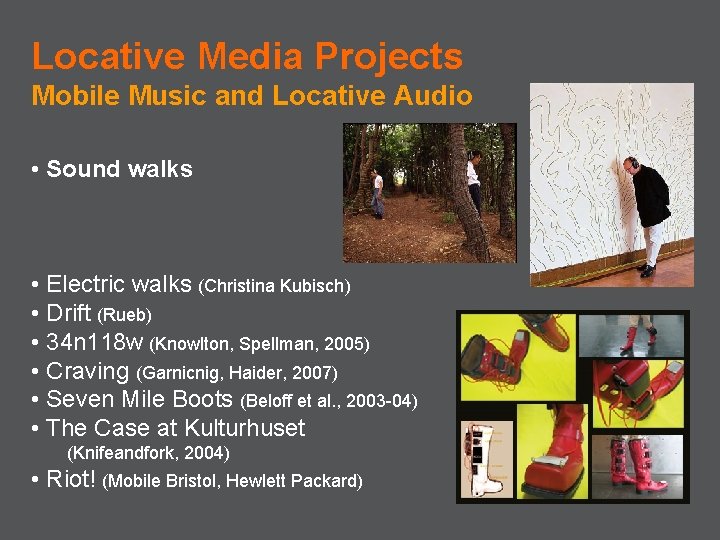
Locative Media Projects Mobile Music and Locative Audio • Sound walks • Electric walks (Christina Kubisch) • Drift (Rueb) • 34 n 118 w (Knowlton, Spellman, 2005) • Craving (Garnicnig, Haider, 2007) • Seven Mile Boots (Beloff et al. , 2003 -04) • The Case at Kulturhuset (Knifeandfork, 2004) • Riot! (Mobile Bristol, Hewlett Packard)
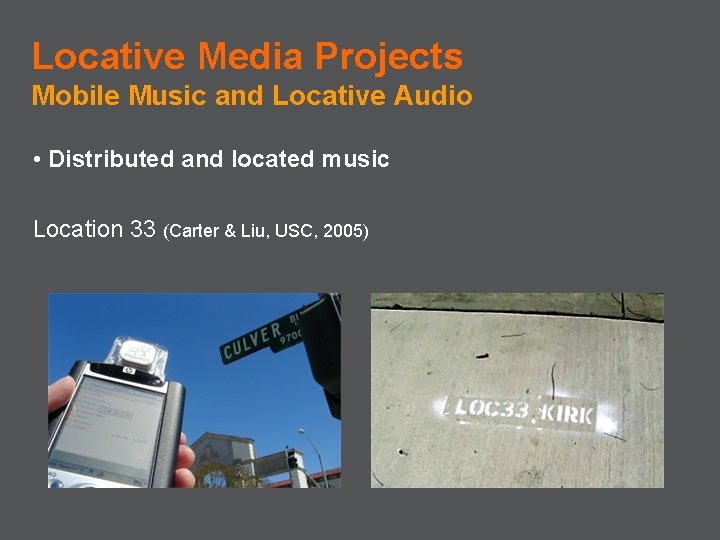
Locative Media Projects Mobile Music and Locative Audio • Distributed and located music Location 33 (Carter & Liu, USC, 2005)
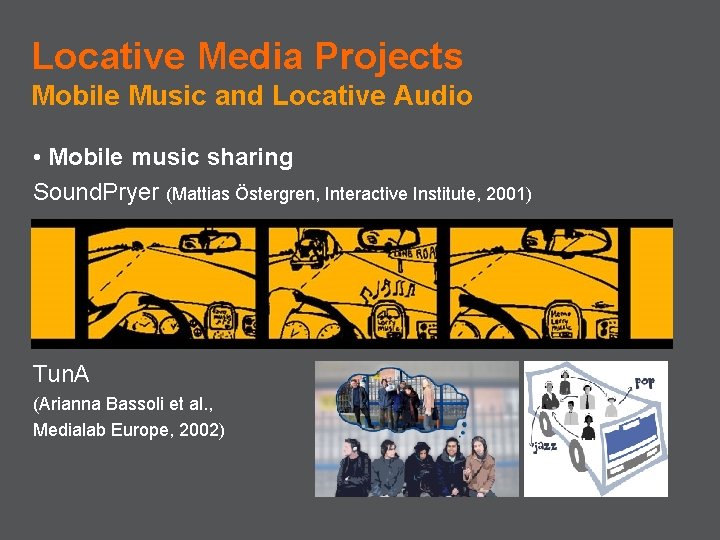
Locative Media Projects Mobile Music and Locative Audio • Mobile music sharing Sound. Pryer (Mattias Östergren, Interactive Institute, 2001) Tun. A (Arianna Bassoli et al. , Medialab Europe, 2002)
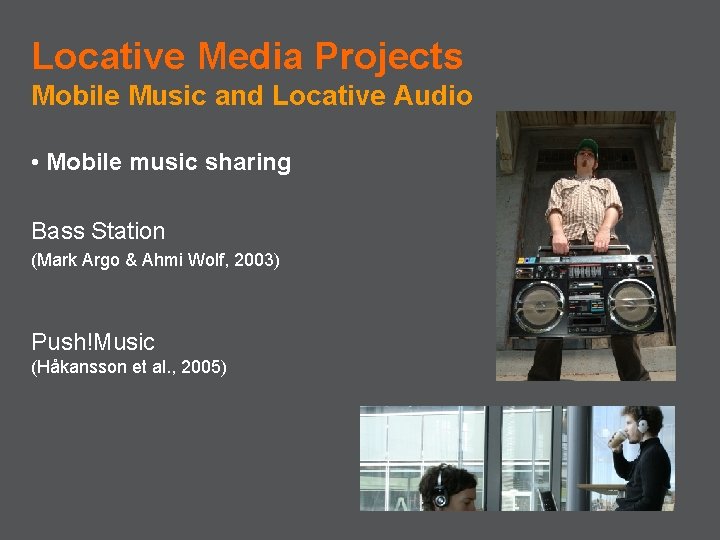
Locative Media Projects Mobile Music and Locative Audio • Mobile music sharing Bass Station (Mark Argo & Ahmi Wolf, 2003) Push!Music (Håkansson et al. , 2005)
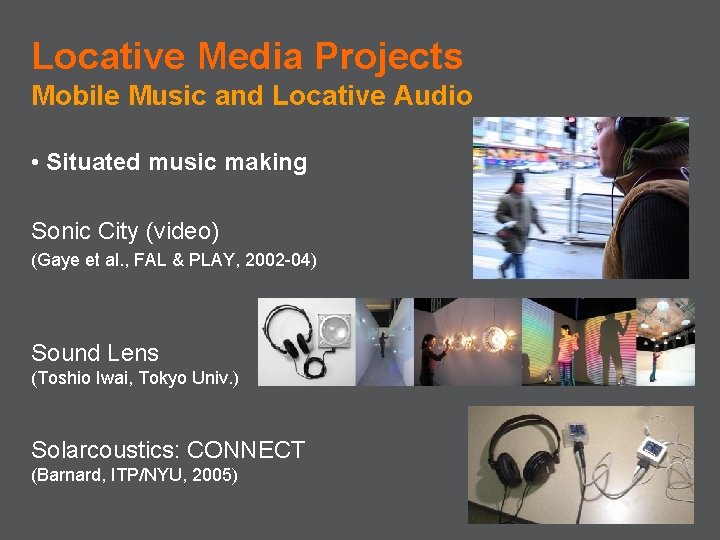
Locative Media Projects Mobile Music and Locative Audio • Situated music making Sonic City (video) (Gaye et al. , FAL & PLAY, 2002 -04) Sound Lens (Toshio Iwai, Tokyo Univ. ) Solarcoustics: CONNECT (Barnard, ITP/NYU, 2005)
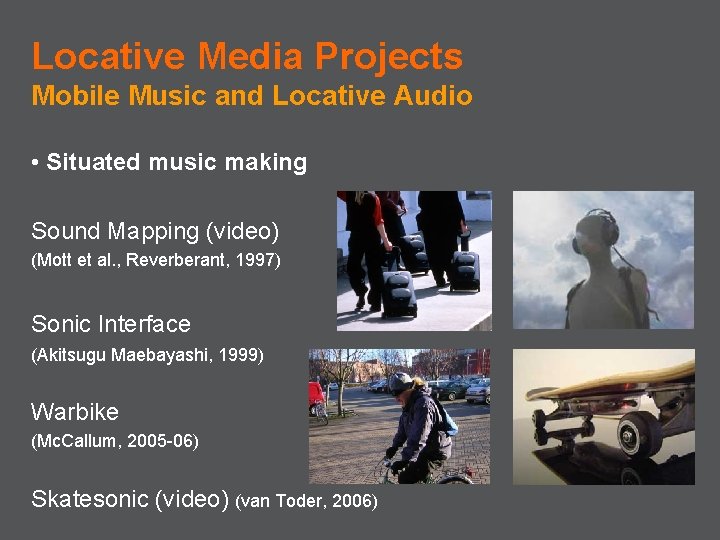
Locative Media Projects Mobile Music and Locative Audio • Situated music making Sound Mapping (video) (Mott et al. , Reverberant, 1997) Sonic Interface (Akitsugu Maebayashi, 1999) Warbike (Mc. Callum, 2005 -06) Skatesonic (video) (van Toder, 2006)
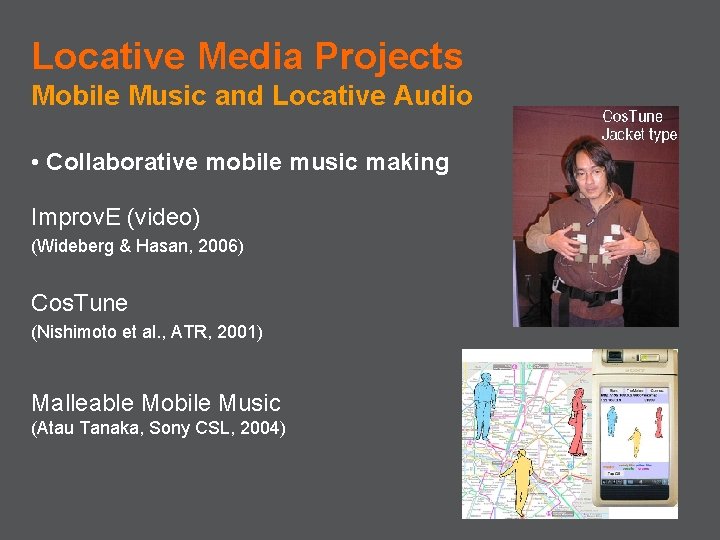
Locative Media Projects Mobile Music and Locative Audio • Collaborative mobile music making Improv. E (video) (Wideberg & Hasan, 2006) Cos. Tune (Nishimoto et al. , ATR, 2001) Malleable Mobile Music (Atau Tanaka, Sony CSL, 2004)
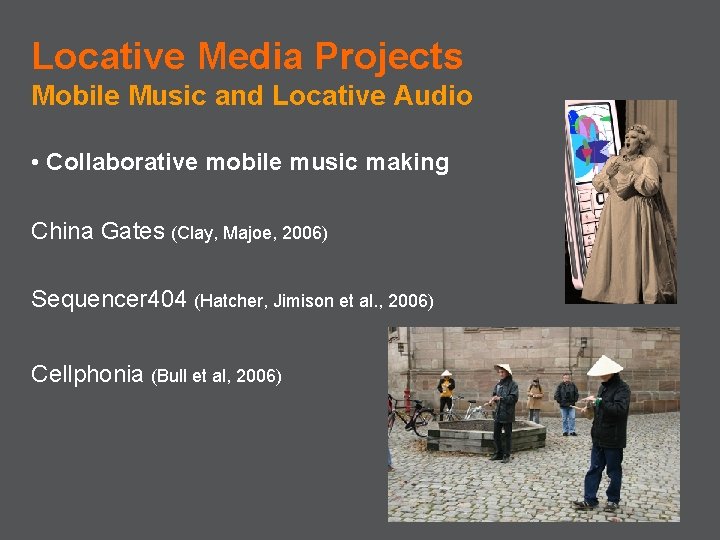
Locative Media Projects Mobile Music and Locative Audio • Collaborative mobile music making China Gates (Clay, Majoe, 2006) Sequencer 404 (Hatcher, Jimison et al. , 2006) Cellphonia (Bull et al, 2006)
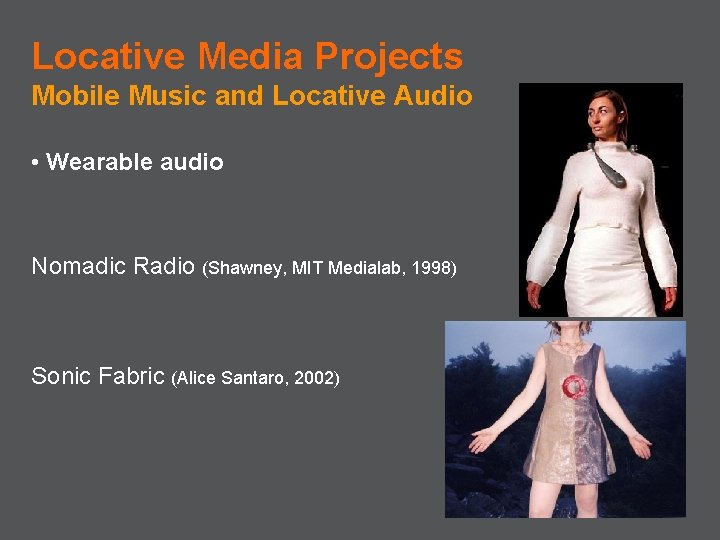
Locative Media Projects Mobile Music and Locative Audio • Wearable audio Nomadic Radio (Shawney, MIT Medialab, 1998) Sonic Fabric (Alice Santaro, 2002)
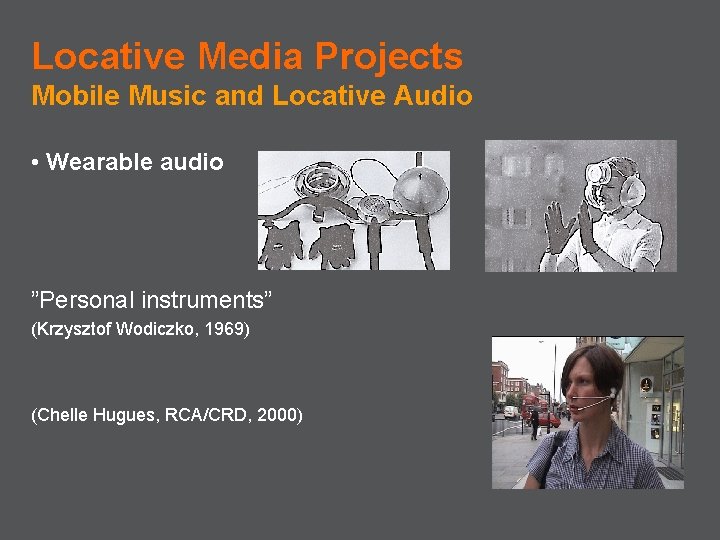
Locative Media Projects Mobile Music and Locative Audio • Wearable audio ”Personal instruments” (Krzysztof Wodiczko, 1969) (Chelle Hugues, RCA/CRD, 2000)
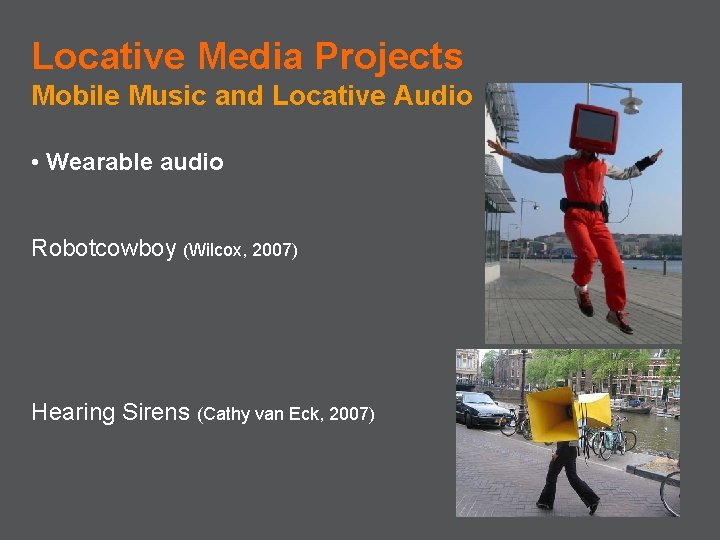
Locative Media Projects Mobile Music and Locative Audio • Wearable audio Robotcowboy (Wilcox, 2007) Hearing Sirens (Cathy van Eck, 2007)
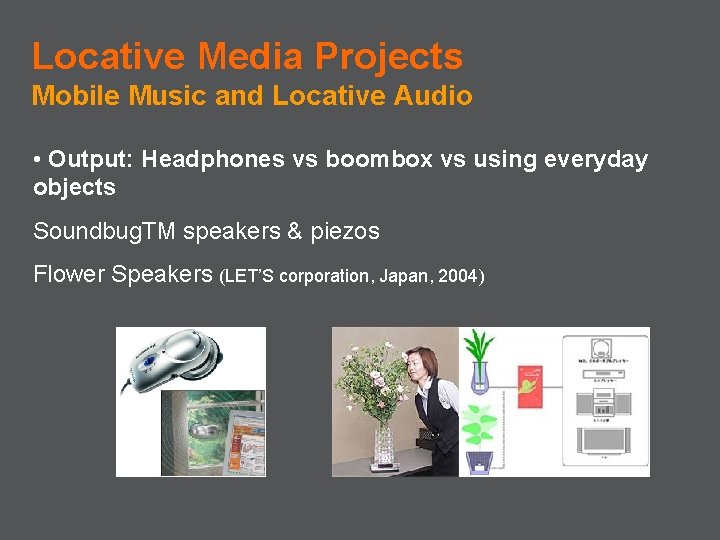
Locative Media Projects Mobile Music and Locative Audio • Output: Headphones vs boombox vs using everyday objects Soundbug. TM speakers & piezos Flower Speakers (LET’S corporation, Japan, 2004)
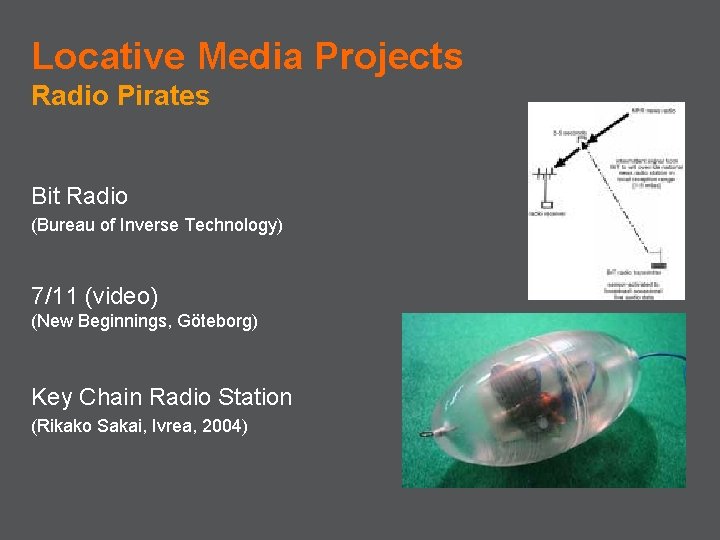
Locative Media Projects Radio Pirates Bit Radio (Bureau of Inverse Technology) 7/11 (video) (New Beginnings, Göteborg) Key Chain Radio Station (Rikako Sakai, Ivrea, 2004)
Locative Media Projects Social Spaces Hummingbirds Jabberwocky (video) Mobi. Tip

Charateristics, Challenges and Design Opportunities
Characteristics of Locative Media Interaction Properties Interactions happening anywhere, on the move : • taking advantage of the mobile setting: playing with social and geographic dynamics implied by mobility -> outdoors everyday space, location and social context becoming resources for interaction as you move through space -> spontaneous & situated collaborations with people around or distributed across the city
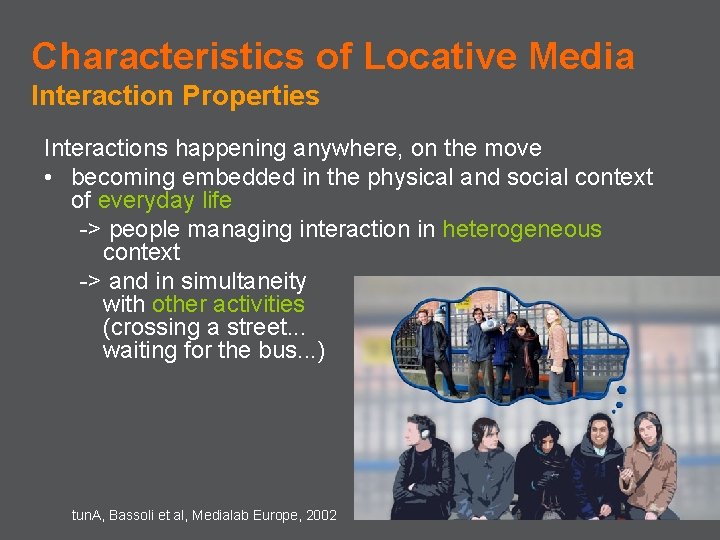
Characteristics of Locative Media Interaction Properties Interactions happening anywhere, on the move • becoming embedded in the physical and social context of everyday life -> people managing interaction in heterogeneous context -> and in simultaneity with other activities (crossing a street. . . waiting for the bus. . . ) tun. A, Bassoli et al, Medialab Europe, 2002
Characteristics of Locative Media Technical Opportunities & Challenges • • • Usage extended over time and space Ergonomics Same application, many devices Same application, many places Access variability Ad-hoc meetings, windows of opportunity Shifting social roles and contexts Shifting physical context Heterogeneous environment Scales of interaction Merging digital and physical realms
Characteristics of Locative Media Design Issues • User-authored content spread across public space: raises questions about – property of information – privacy & surveillance (loca) – spamming? • Augmenting environments and supporting activities with embedded computation: what if it changes what makes things what they are? • If ubicomp spreads into public space, according to whose will? Top-down corporations, government vs bottom-up citizens, communities? Conflicts of interests?
Characteristics of Locative Media Design Issues • User control (Greenfield): How do you know you are interacting with a computer if invisible? How do you protect your privacy? avoid false commands? How do you know where to look for interaction? • How to query/notify presence, access, place, manipulate media? • How is the place? Who is there? What activities are going on there? How mobile is/are the user(s)? What meaning do the place, activities, and things around have and for whom?
Characteristics of Locative Media Design Issues • Pro-active and calm computing vs engaging • Ubicomp vs pervasive computing: at hand when needed vs always on everywhere • Connect physical and virtual world: technical and HCI issue but also sociological, aesthetic, even political and environmental. F. ex. Yellow Arrow vs Geonotes: – physical vs virtual markers – Graffiti style interaction vs screen-based
Enabling technologies Available to General Public
Enabling Technologies Available to the General Public • • Mobile peer-to-peer Tracking, positioning and placement Sensing and data-processing Content creation and manipulation
Enabling Technologies Available to the General Public * Server-Client * Mobile peer-to-peer: – Bluetooth – Wi. Fi – Infrared
Enabling Technologies Mobile Peer-to-Peer * Bluetooth • Standard communication protocol for wireless personal area network (PANs) • Connect and exchange information (commands, files) between devices • Microwave radio frequency -> non-directional • Short range (power-class-dependent: 1 -10 - 100 m) • Use: Bluetun. A, bluejacking, Nokia’s Digidress
Enabling Technologies Mobile Peer-to-Peer * Wi. Fi • Wireless local area network • Radio, non-directional • Internet and Vo. IP phone access, network connectivity for consumer electronics, etc • Connect to local access points • Server-client vs ad hoc networks
Enabling Technologies Mobile Peer-to-Peer * Phones vs Wifi-enabled PDAs • Connectivity: closed/open network vs operators • Cost • Range • Distributed vs ad hoc vs server-client • Compatibility • Programmability: SDK, OS • Memory, speed
Enabling Technologies Mobile Peer-to-Peer * Platform: Opentrek • http: //www. develant. com/opentrek. php • Peer-to-peer networking platform specifically designed for Wireless Ad Hoc Networks • Cross-platform! • Ad hoc networking -> collaborate
Enabling Technologies Available to the General Public * Tracking, positioning and placement – Phone cells – Wi. Fi hotspots – GPS – Virtual media – Physical markers: 2 D barcodes, RFID, user ID to phone
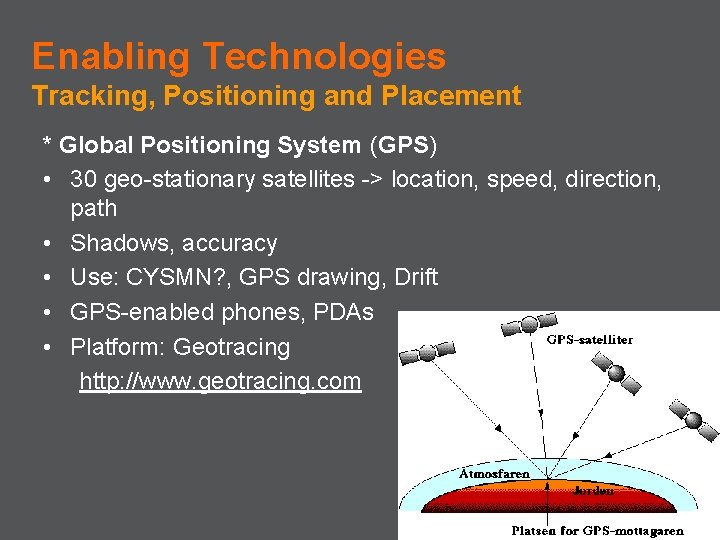
Enabling Technologies Tracking, Positioning and Placement * Global Positioning System (GPS) • 30 geo-stationary satellites -> location, speed, direction, path • Shadows, accuracy • Use: CYSMN? , GPS drawing, Drift • GPS-enabled phones, PDAs • Platform: Geotracing http: //www. geotracing. com
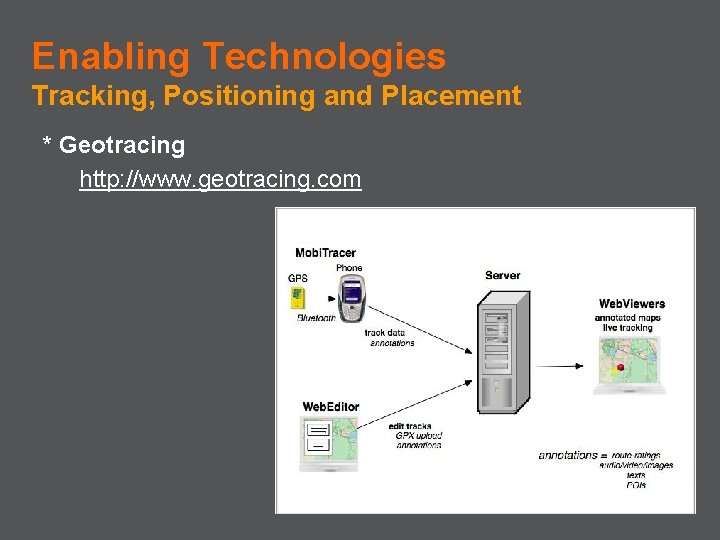
Enabling Technologies Tracking, Positioning and Placement * Geotracing http: //www. geotracing. com
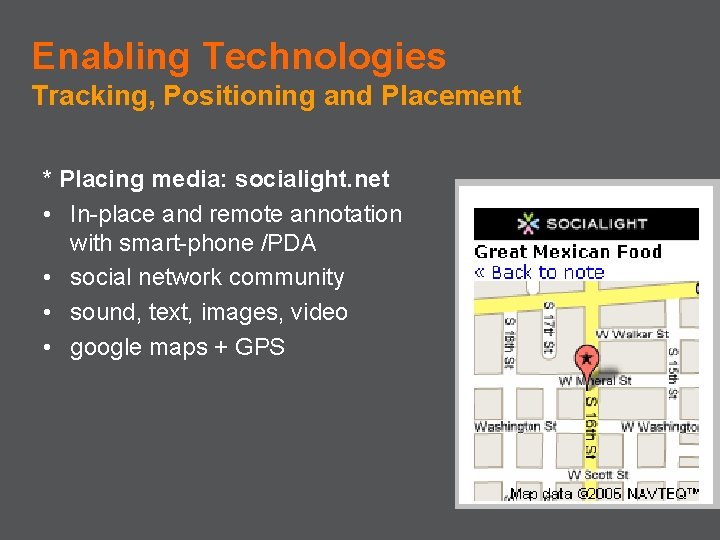
Enabling Technologies Tracking, Positioning and Placement * Placing media: socialight. net • In-place and remote annotation with smart-phone /PDA • social network community • sound, text, images, video • google maps + GPS
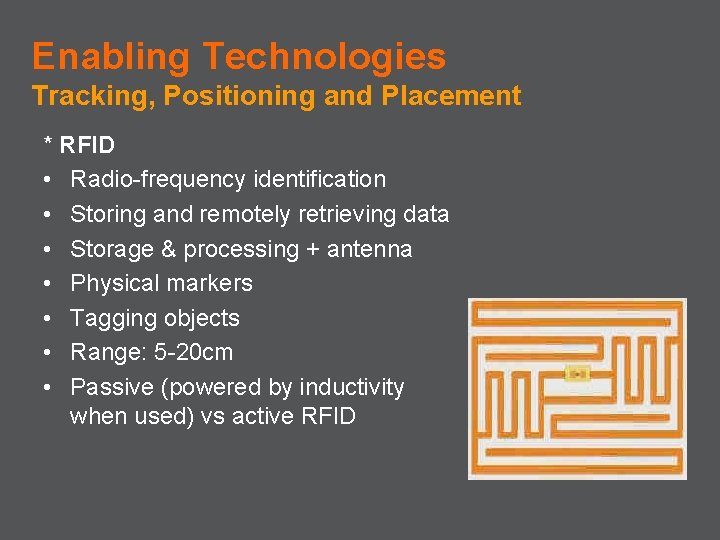
Enabling Technologies Tracking, Positioning and Placement * RFID • Radio-frequency identification • Storing and remotely retrieving data • Storage & processing + antenna • Physical markers • Tagging objects • Range: 5 -20 cm • Passive (powered by inductivity when used) vs active RFID
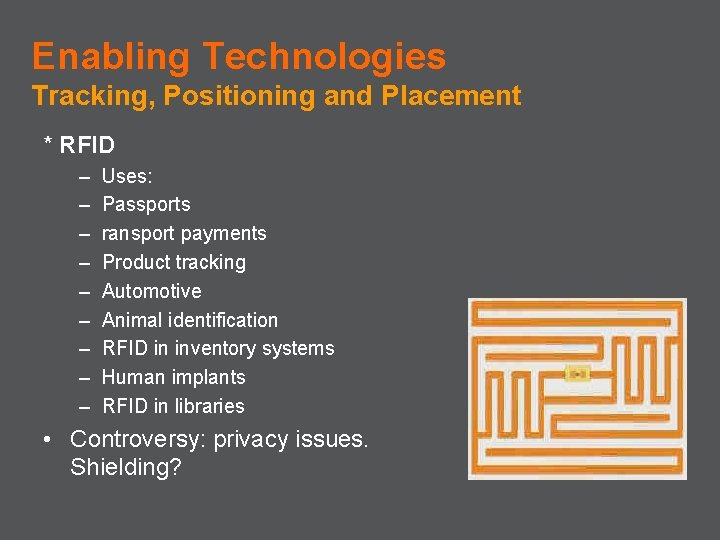
Enabling Technologies Tracking, Positioning and Placement * RFID – – – – – Uses: Passports ransport payments Product tracking Automotive Animal identification RFID in inventory systems Human implants RFID in libraries • Controversy: privacy issues. Shielding?
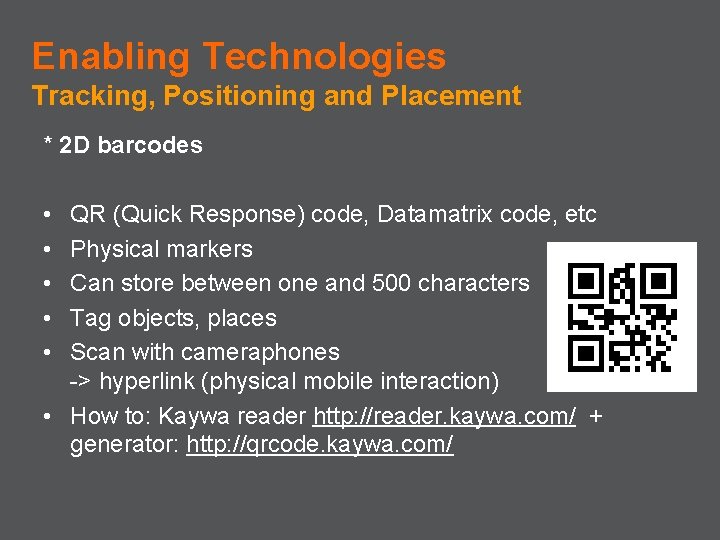
Enabling Technologies Tracking, Positioning and Placement * 2 D barcodes • • • QR (Quick Response) code, Datamatrix code, etc Physical markers Can store between one and 500 characters Tag objects, places Scan with cameraphones -> hyperlink (physical mobile interaction) • How to: Kaywa reader http: //reader. kaywa. com/ + generator: http: //qrcode. kaywa. com/
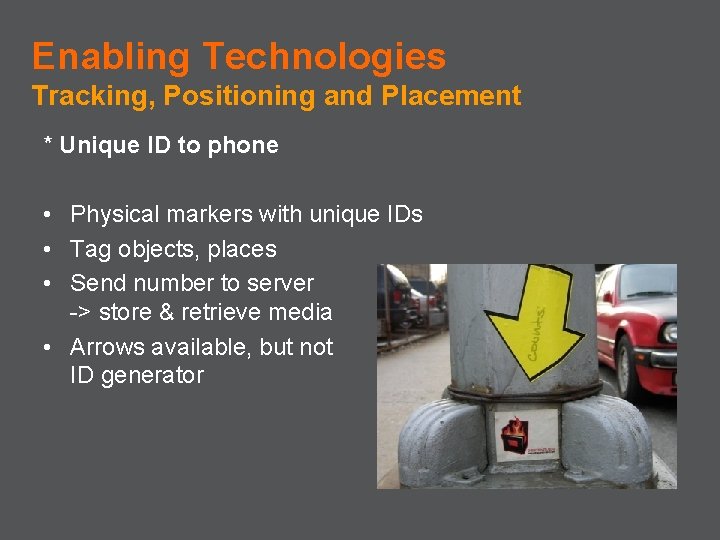
Enabling Technologies Tracking, Positioning and Placement * Unique ID to phone • Physical markers with unique IDs • Tag objects, places • Send number to server -> store & retrieve media • Arrows available, but not ID generator
Enabling Technologies Available to the General Public * Sensing: – sensors – data processing: microcontrollers
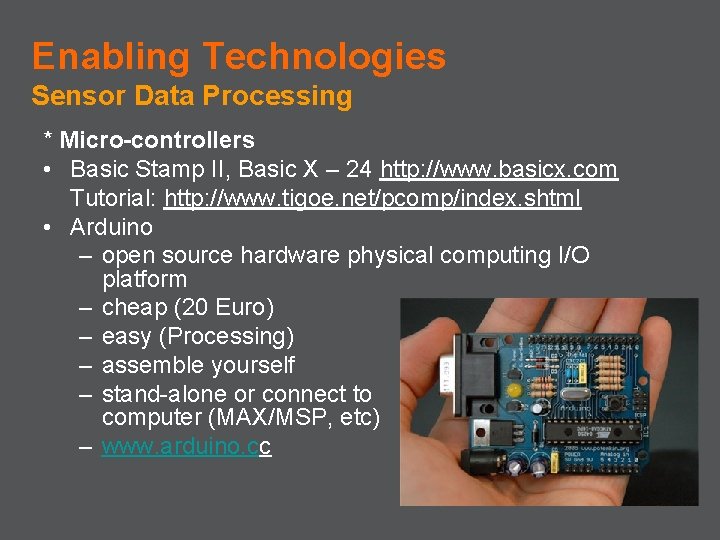
Enabling Technologies Sensor Data Processing * Micro-controllers • Basic Stamp II, Basic X – 24 http: //www. basicx. com Tutorial: http: //www. tigoe. net/pcomp/index. shtml • Arduino – open source hardware physical computing I/O platform – cheap (20 Euro) – easy (Processing) – assemble yourself – stand-alone or connect to computer (MAX/MSP, etc) – www. arduino. cc
Enabling Technologies Available to the General Public * Creating and manipulating content: – Mobile Processing – Python – J 2 ME – mini. MIXA – Pd. A (Pd on PDAs, linux) – Keyworx
Enabling Technologies Creating and Manipulating Content * Mobile Processing • http: //mobile. processing. org • Open source programming environment for design and prototyping software for mobile phones. • Similar to Processing environment. • Runs on Java powered mobile devices. • Bluetooth -> communication • Control example: attach light sensor on screen so sending info from phone to laptop
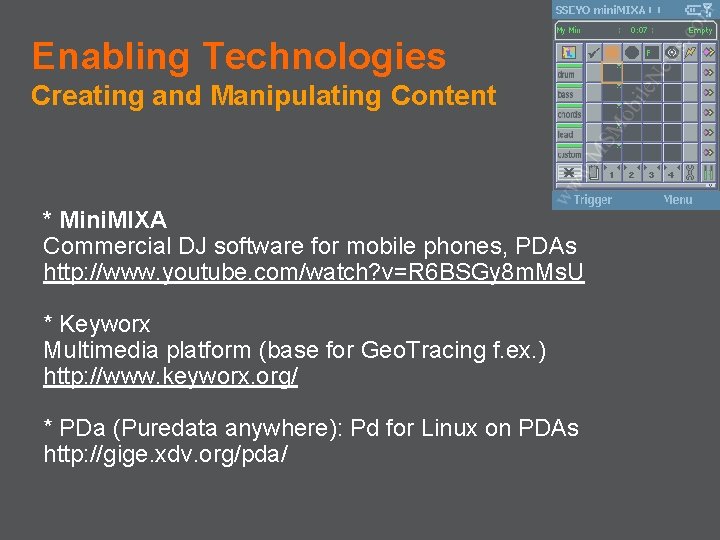
Enabling Technologies Creating and Manipulating Content * Mini. MIXA Commercial DJ software for mobile phones, PDAs http: //www. youtube. com/watch? v=R 6 BSGy 8 m. Ms. U * Keyworx Multimedia platform (base for Geo. Tracing f. ex. ) http: //www. keyworx. org/ * PDa (Puredata anywhere): Pd for Linux on PDAs http: //gige. xdv. org/pda/
Enabling Technologies Creating and Manipulating Content * Python Py. S 60 • Interactive object-oriented language • Nokia S 60 phones and more • Record, playback, play MIDI notes, control MAX/MSP patches. . . • http: //www. python. org/ • Py. S 60: http: //www. forum. nokia. com/python and http: //www. mobilenin. com/pys 60/menu. htm • Tutorial (Jürgen Scheible - Mobilenin)
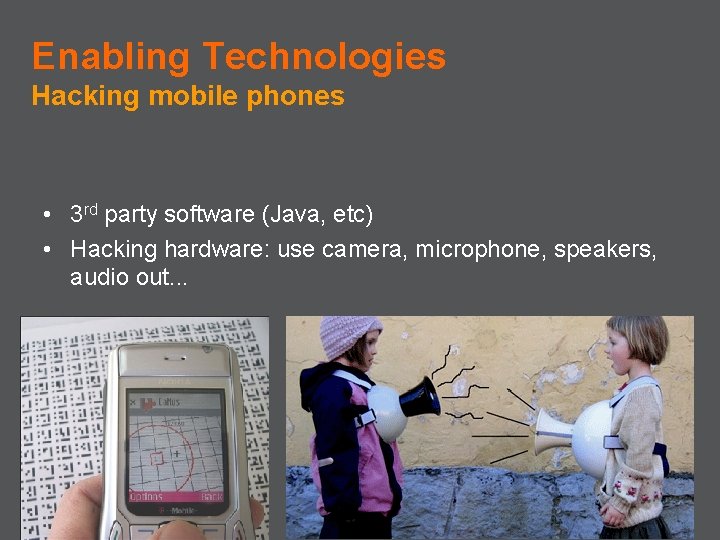
Enabling Technologies Hacking mobile phones • 3 rd party software (Java, etc) • Hacking hardware: use camera, microphone, speakers, audio out. . .

Sustainable Design?
Sustainable Locative Media? Issues • Problem in particular with Ubicomp: technology spread everywhere • Production, use, reuse, disposal • Use of energy + where to get it from? • Computers get smaller but not batteries • Issues with spreading technology into the wild: not as controlled environment as homes or offices • Littering: what happens to the embedded technology after use or break-down? who is responsible/accountable ? • Physical & virtual littering? • Peak oil!
Sustainable Locative Media? Possible Approaches • • • Recycling? Use of existing material and sources of energy? Biodegradable material, f. ex. paper markers? The simpler the better? Wearability? When should power be on? How should the system know when it should be on/off?
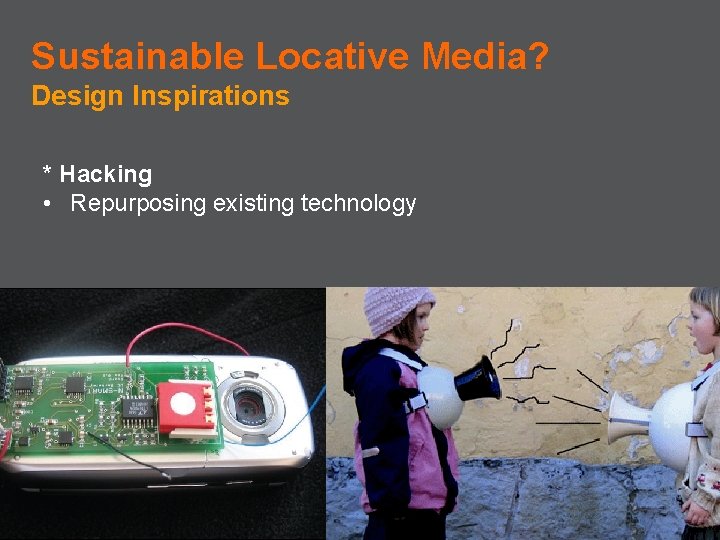
Sustainable Locative Media? Design Inspirations * Hacking • Repurposing existing technology
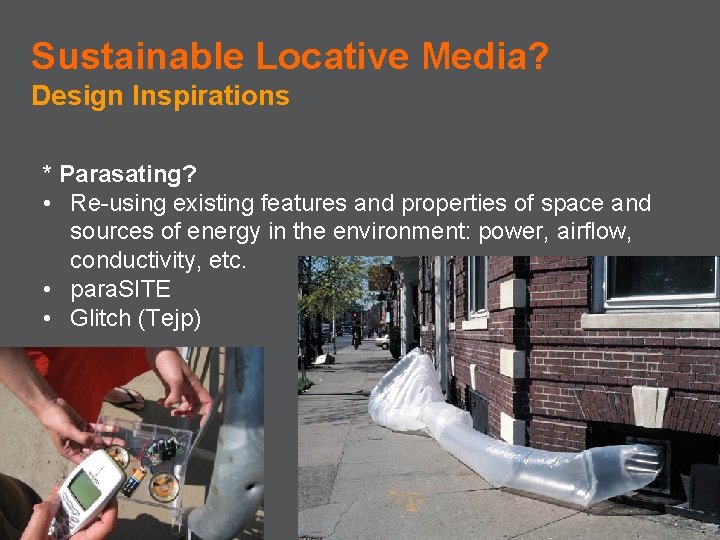
Sustainable Locative Media? Design Inspirations * Parasating? • Re-using existing features and properties of space and sources of energy in the environment: power, airflow, conductivity, etc. • para. SITE • Glitch (Tejp)
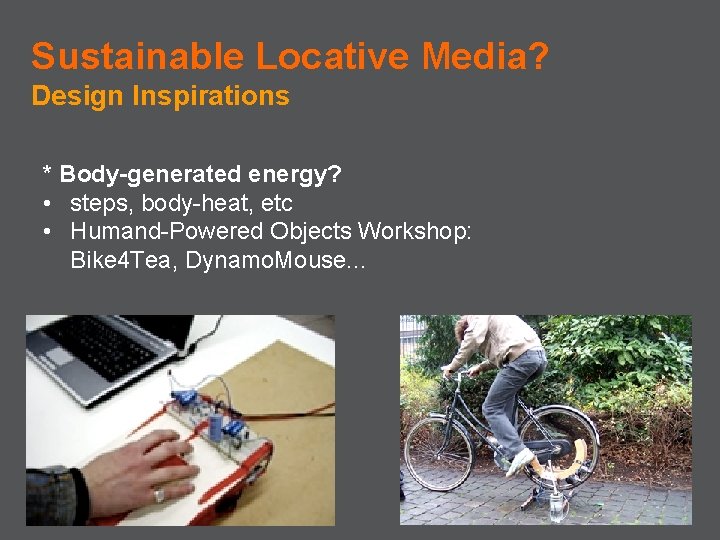
Sustainable Locative Media? Design Inspirations * Body-generated energy? • steps, body-heat, etc • Humand-Powered Objects Workshop: Bike 4 Tea, Dynamo. Mouse. . .
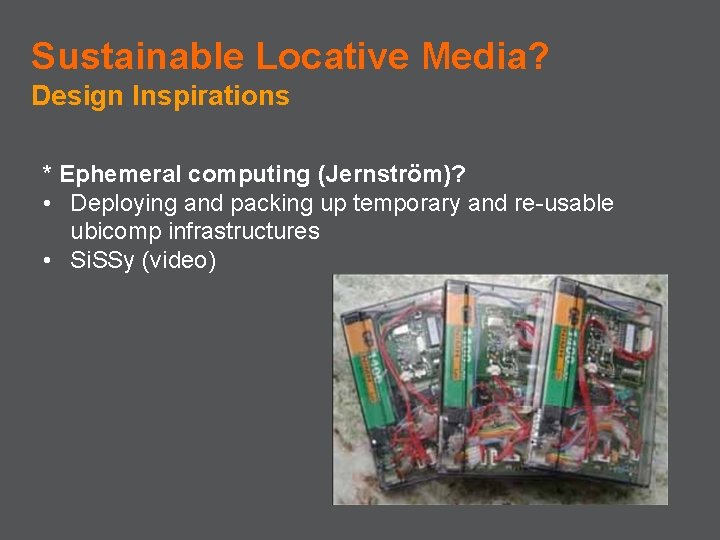
Sustainable Locative Media? Design Inspirations * Ephemeral computing (Jernström)? • Deploying and packing up temporary and re-usable ubicomp infrastructures • Si. SSy (video)

Resources: http: //www. cs. chalmers. se/idc/ituniv/kurser/07/uc/locmedia/
- Slides: 91