CSE 301 Microprocessors Dr Md Sujan Ali Associate
- Slides: 35
CSE 301 Microprocessors Dr. Md. Sujan Ali Associate Professor Dept. of Computer Science and Engineering Jatiya Kabi Kazi Nazrul Islam University Trishal, Mymensingh, Bangladesh
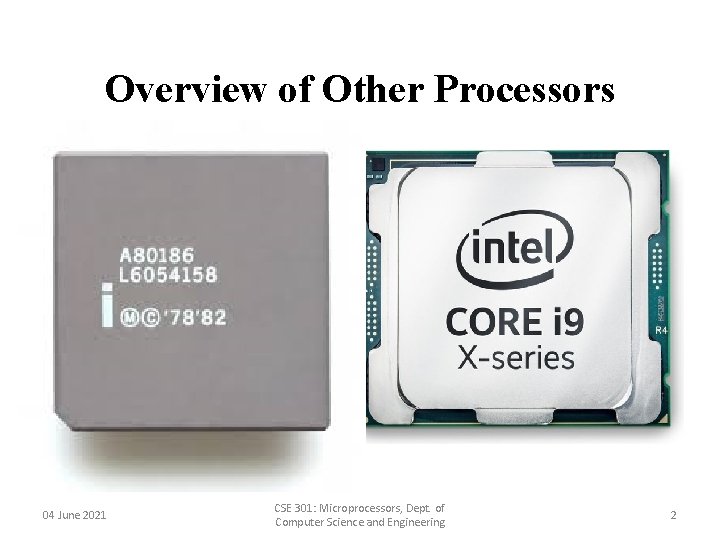
Overview of Other Processors 04 June 2021 CSE 301: Microprocessors, Dept. of Computer Science and Engineering 2
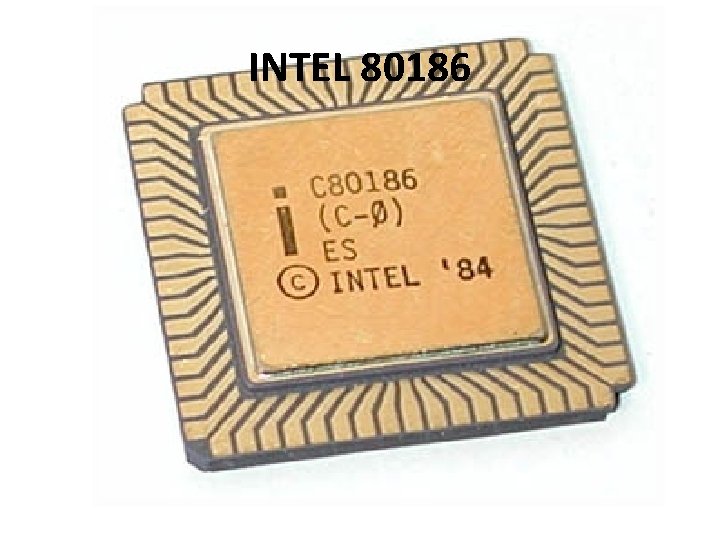
INTEL 80186
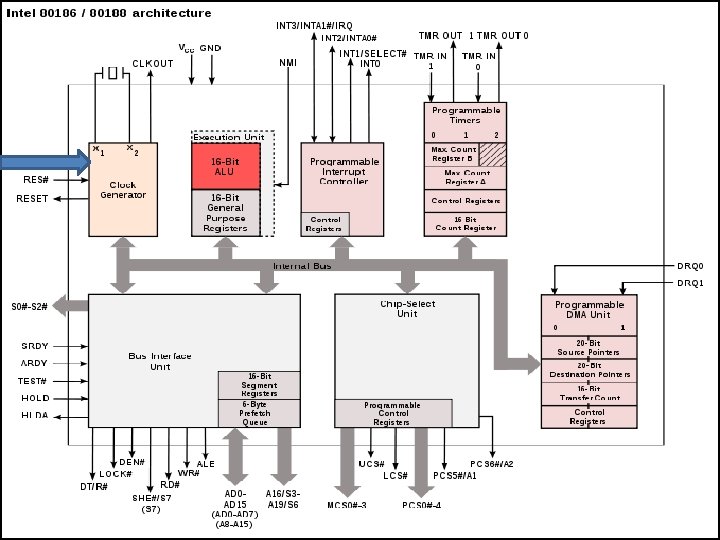
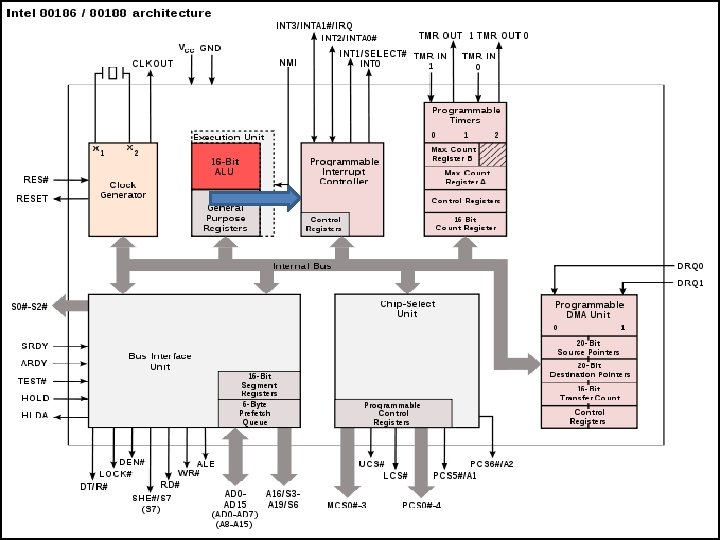
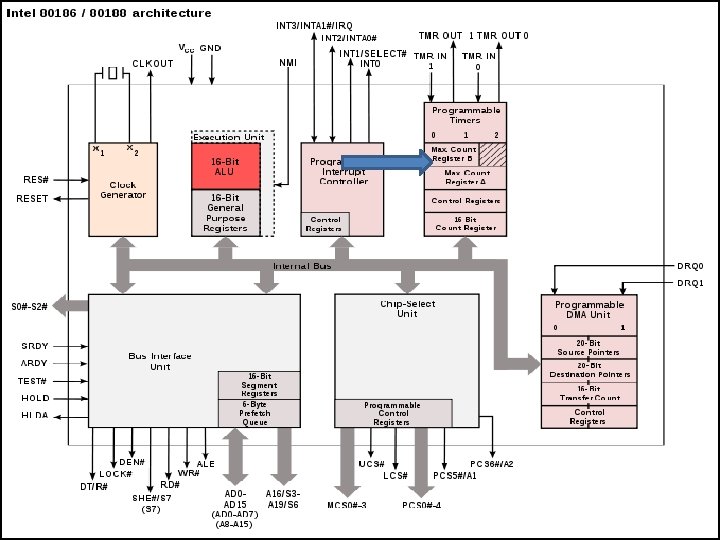
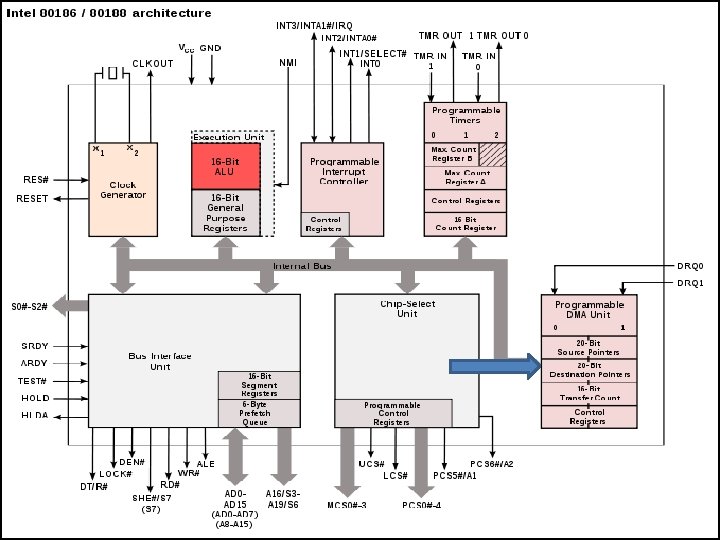
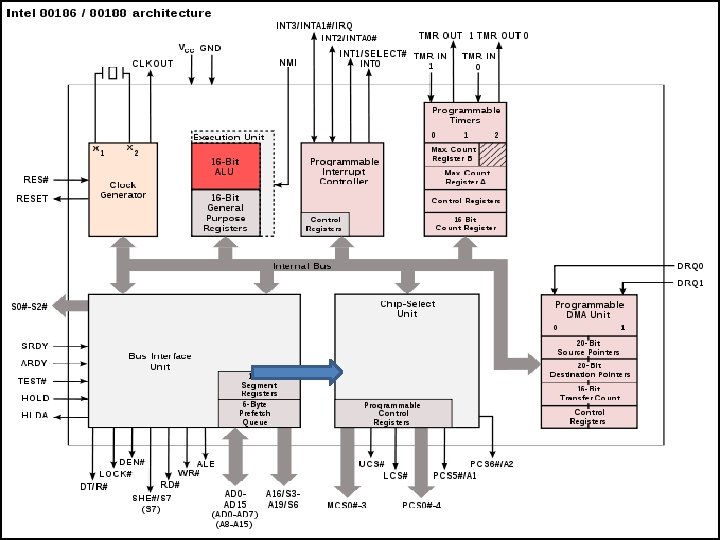
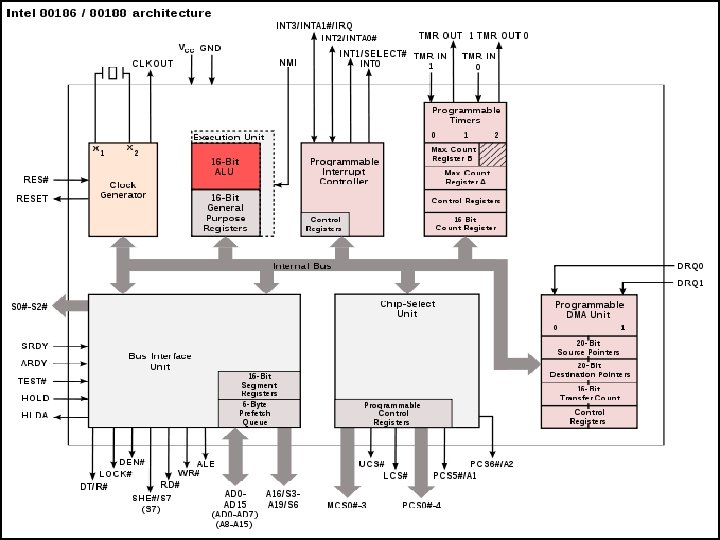
INTEL 80186 ü Basic block diagram of 80816 § IN ADDITION TO THE BIU AND EU 80186/80188 FAMILY CONTAINS o A CLOCK GENERATOR o A PROGRAMMABLE INTERRUPT CONTROLLER o PROGRAMMABLE TIMERS o A PROGRAMMABLE DMA CONTROLLER o A PROGRAMMABLE CHIP SELECTION UNIT.
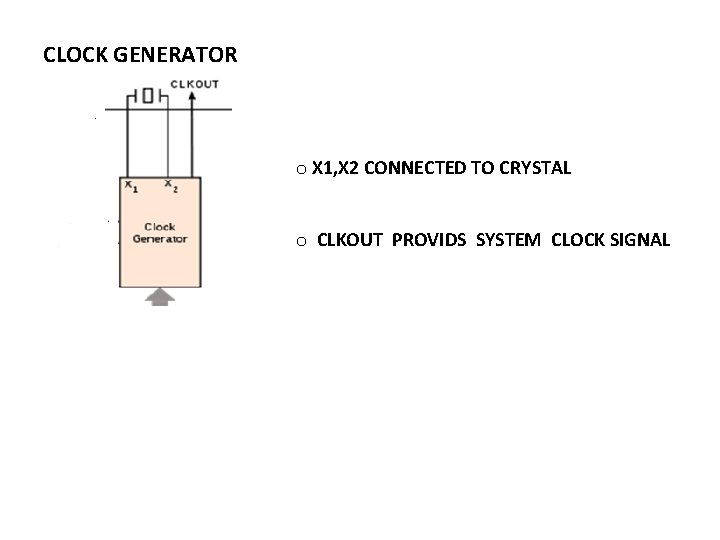
CLOCK GENERATOR o X 1, X 2 CONNECTED TO CRYSTAL o CLKOUT PROVIDS SYSTEM CLOCK SIGNAL
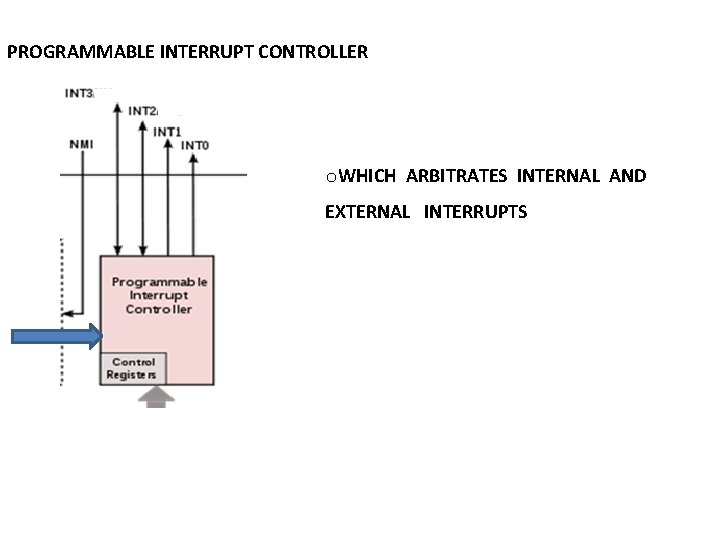
PROGRAMMABLE INTERRUPT CONTROLLER o. WHICH ARBITRATES INTERNAL AND EXTERNAL INTERRUPTS
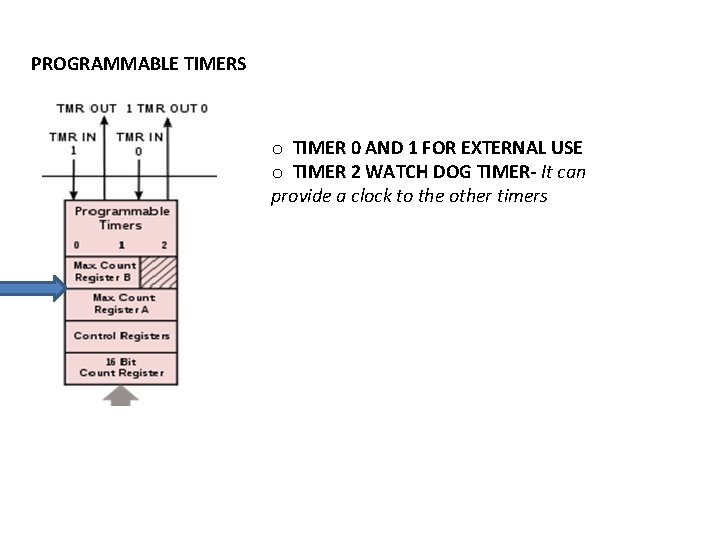
PROGRAMMABLE TIMERS o TIMER 0 AND 1 FOR EXTERNAL USE o TIMER 2 WATCH DOG TIMER- It can provide a clock to the other timers
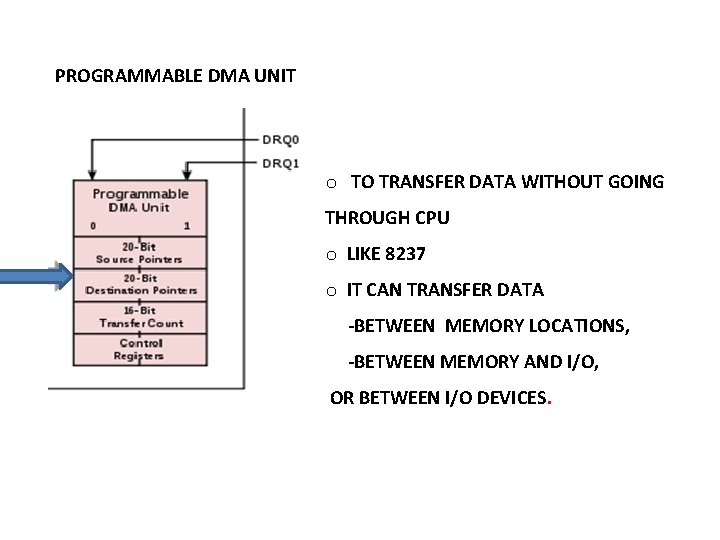
PROGRAMMABLE DMA UNIT o TO TRANSFER DATA WITHOUT GOING THROUGH CPU o LIKE 8237 o IT CAN TRANSFER DATA -BETWEEN MEMORY LOCATIONS, -BETWEEN MEMORY AND I/O, OR BETWEEN I/O DEVICES.
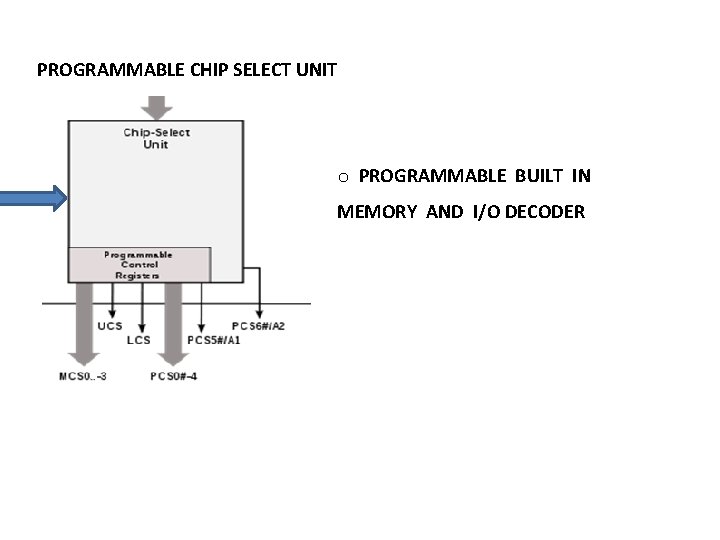
PROGRAMMABLE CHIP SELECT UNIT o PROGRAMMABLE BUILT IN MEMORY AND I/O DECODER
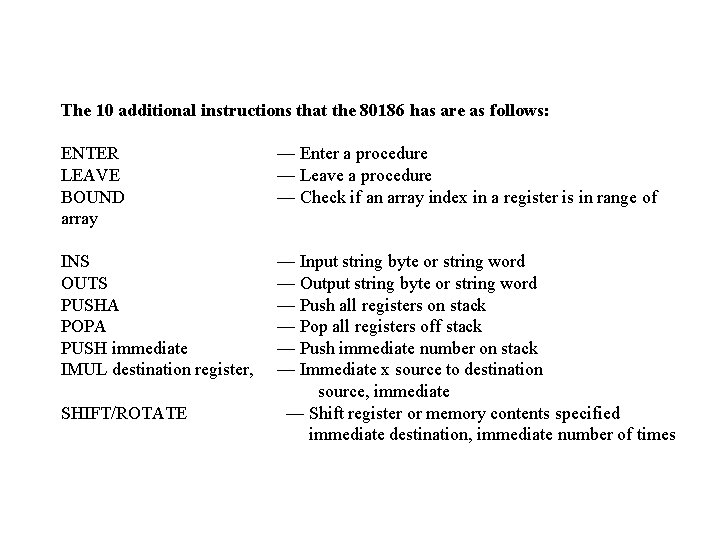
The 10 additional instructions that the 80186 has are as follows: ENTER LEAVE BOUND array — Enter a procedure — Leave a procedure — Check if an array index in a register is in range of INS OUTS PUSHA POPA PUSH immediate IMUL destination register, — Input string byte or string word — Output string byte or string word — Push all registers on stack — Pop all registers off stack — Push immediate number on stack — Immediate x source to destination source, immediate — Shift register or memory contents specified immediate destination, immediate number of times SHIFT/ROTATE
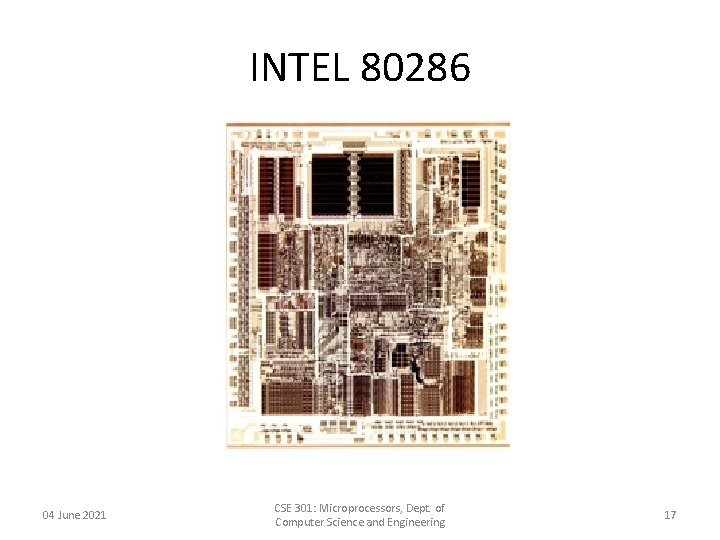
INTEL 80286 04 June 2021 CSE 301: Microprocessors, Dept. of Computer Science and Engineering 17
INTEL 80286 ü 80286 microprocessor • • • Increased the number of address lines, raising the number of possible addresses from 1 MB to 16 MB’s Used by IBM in their IBM PC-AT computer Ran at a max of 20 MHz 04 June 2021 CSE 301: Microprocessors, Dept. of Computer Science and Engineering 18
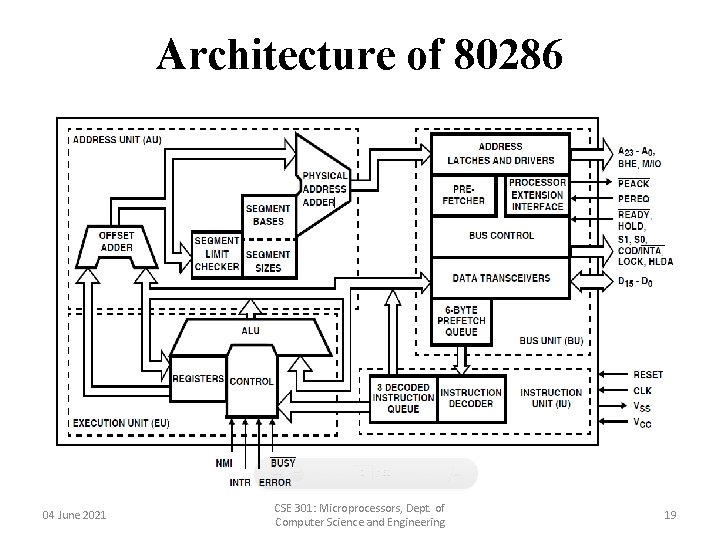
Architecture of 80286 04 June 2021 CSE 301: Microprocessors, Dept. of Computer Science and Engineering 19
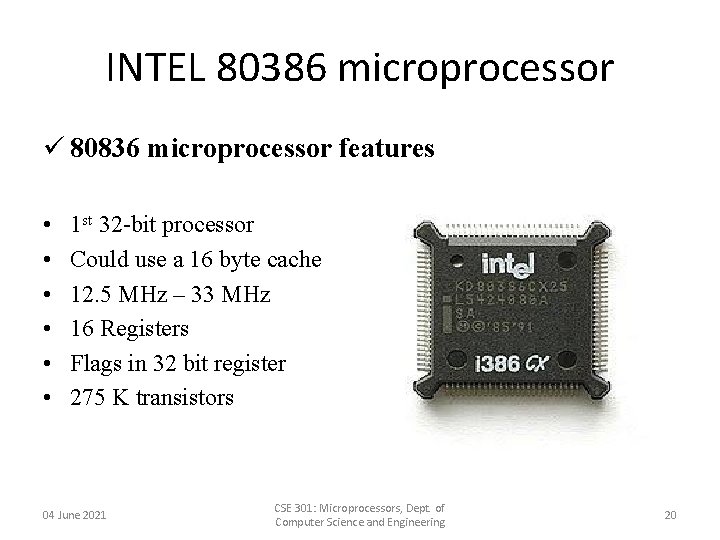
INTEL 80386 microprocessor ü 80836 microprocessor features • • • 1 st 32 -bit processor Could use a 16 byte cache 12. 5 MHz – 33 MHz 16 Registers Flags in 32 bit register 275 K transistors 04 June 2021 CSE 301: Microprocessors, Dept. of Computer Science and Engineering 20
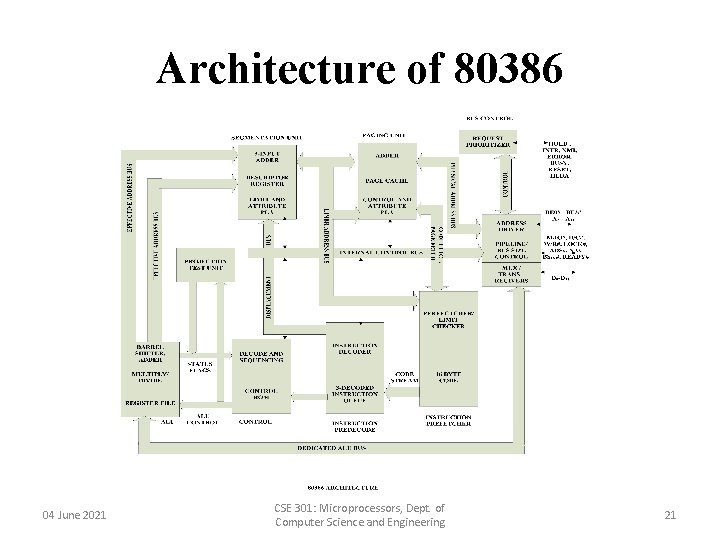
Architecture of 80386 04 June 2021 CSE 301: Microprocessors, Dept. of Computer Science and Engineering 21
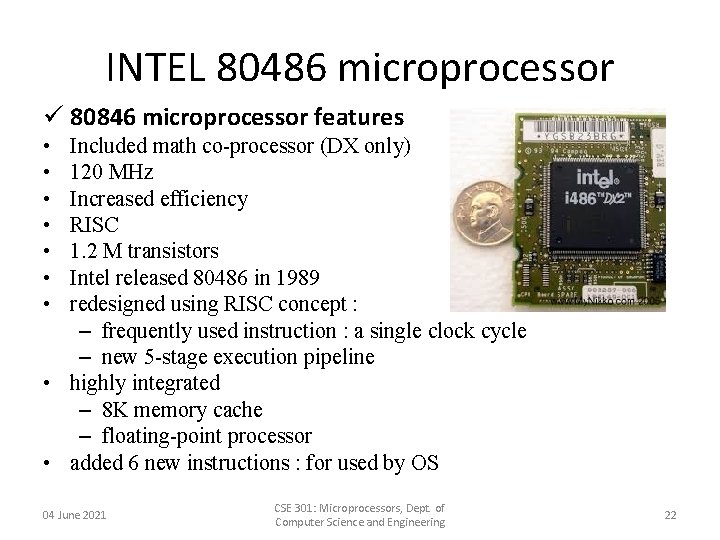
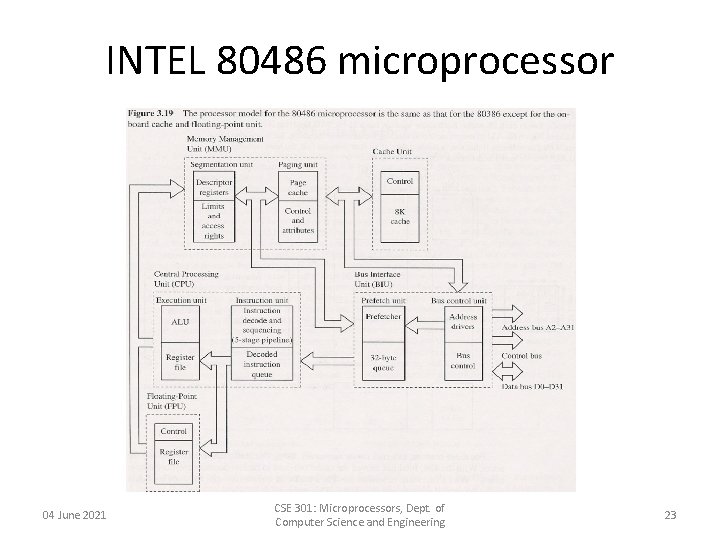
INTEL 80486 microprocessor ü 80846 microprocessor features • • Included math co-processor (DX only) 120 MHz Increased efficiency RISC 1. 2 M transistors Intel released 80486 in 1989 redesigned using RISC concept : – frequently used instruction : a single clock cycle – new 5 -stage execution pipeline • highly integrated – 8 K memory cache – floating-point processor • added 6 new instructions : for used by OS 04 June 2021 CSE 301: Microprocessors, Dept. of Computer Science and Engineering 22
INTEL 80486 microprocessor 04 June 2021 CSE 301: Microprocessors, Dept. of Computer Science and Engineering 23
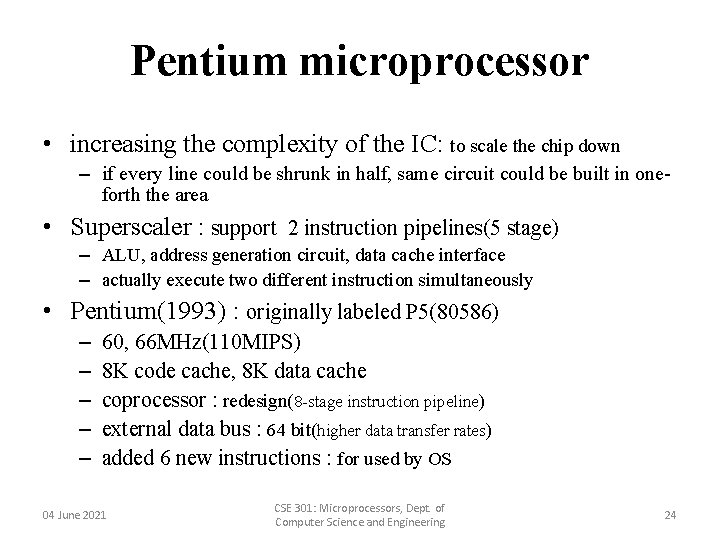
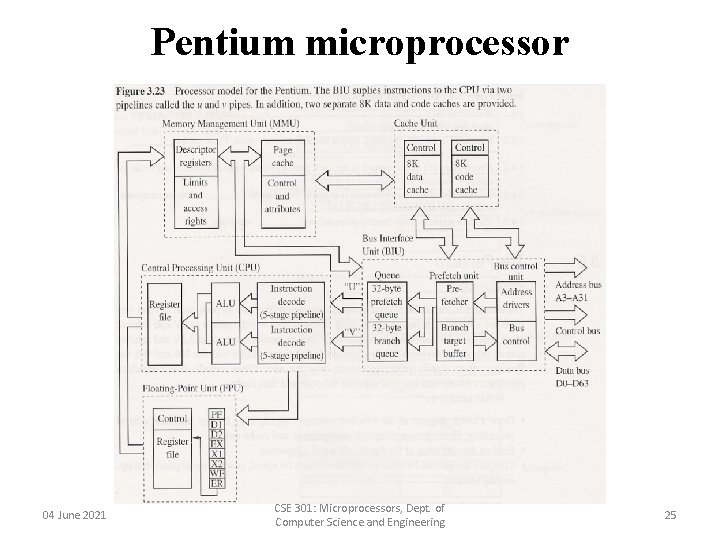
Pentium microprocessor • increasing the complexity of the IC: to scale the chip down – if every line could be shrunk in half, same circuit could be built in oneforth the area • Superscaler : support 2 instruction pipelines(5 stage) – ALU, address generation circuit, data cache interface – actually execute two different instruction simultaneously • Pentium(1993) : originally labeled P 5(80586) – – – 60, 66 MHz(110 MIPS) 8 K code cache, 8 K data cache coprocessor : redesign(8 -stage instruction pipeline) external data bus : 64 bit(higher data transfer rates) added 6 new instructions : for used by OS 04 June 2021 CSE 301: Microprocessors, Dept. of Computer Science and Engineering 24
Pentium microprocessor 04 June 2021 CSE 301: Microprocessors, Dept. of Computer Science and Engineering 25
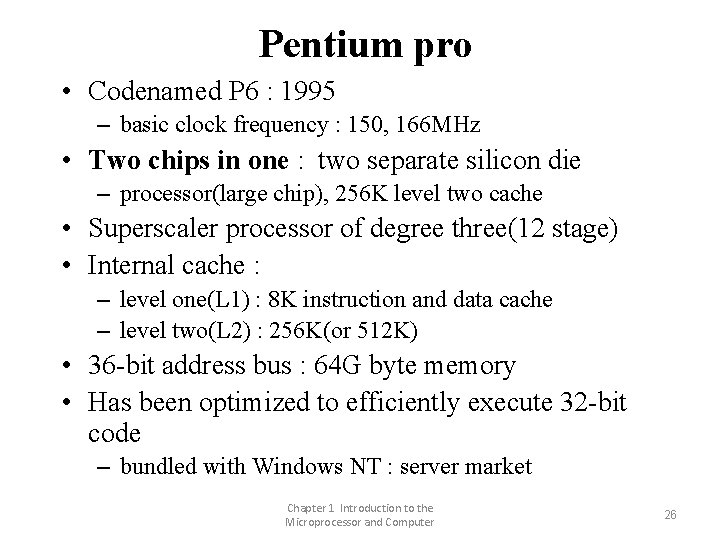
Pentium pro • Codenamed P 6 : 1995 – basic clock frequency : 150, 166 MHz • Two chips in one : two separate silicon die – processor(large chip), 256 K level two cache • Superscaler processor of degree three(12 stage) • Internal cache : – level one(L 1) : 8 K instruction and data cache – level two(L 2) : 256 K(or 512 K) • 36 -bit address bus : 64 G byte memory • Has been optimized to efficiently execute 32 -bit code – bundled with Windows NT : server market Chapter 1 Introduction to the Microprocessor and Computer 26
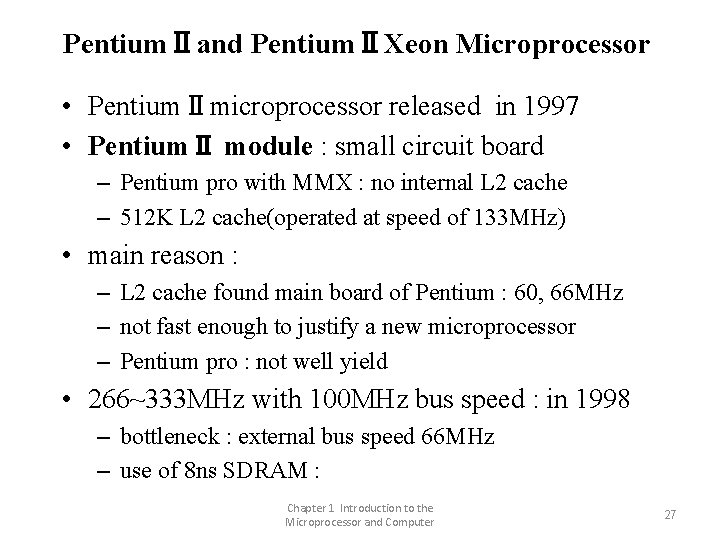
PentiumⅡand PentiumⅡXeon Microprocessor • PentiumⅡmicroprocessor released in 1997 • PentiumⅡ module : small circuit board – Pentium pro with MMX : no internal L 2 cache – 512 K L 2 cache(operated at speed of 133 MHz) • main reason : – L 2 cache found main board of Pentium : 60, 66 MHz – not fast enough to justify a new microprocessor – Pentium pro : not well yield • 266~333 MHz with 100 MHz bus speed : in 1998 – bottleneck : external bus speed 66 MHz – use of 8 ns SDRAM : Chapter 1 Introduction to the Microprocessor and Computer 27
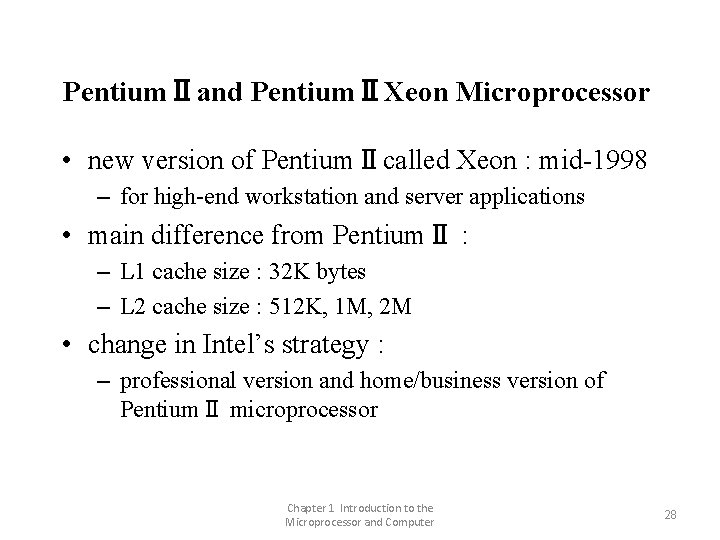
PentiumⅡand PentiumⅡXeon Microprocessor • new version of PentiumⅡcalled Xeon : mid-1998 – for high-end workstation and server applications • main difference from PentiumⅡ : – L 1 cache size : 32 K bytes – L 2 cache size : 512 K, 1 M, 2 M • change in Intel’s strategy : – professional version and home/business version of PentiumⅡ microprocessor Chapter 1 Introduction to the Microprocessor and Computer 28
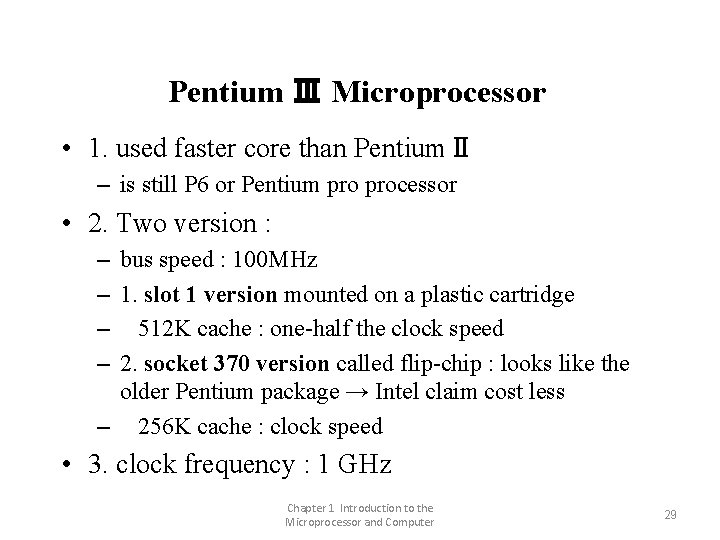
Pentium Ⅲ Microprocessor • 1. used faster core than PentiumⅡ – is still P 6 or Pentium processor • 2. Two version : – bus speed : 100 MHz – 1. slot 1 version mounted on a plastic cartridge – 512 K cache : one-half the clock speed – 2. socket 370 version called flip-chip : looks like the older Pentium package → Intel claim cost less – 256 K cache : clock speed • 3. clock frequency : 1 GHz Chapter 1 Introduction to the Microprocessor and Computer 29
Pentium 4 Microprocessor • • release in late 2000 : used Intel P 6 architecture main difference : 1. clock speed : 1. 3, 1. 4, 1. 5 GHz 2. support to use RAMBUS memory technology – DDR(double-data-rate) SDRAM : both edge • 3. interconnection : from aluminum to copper – copper : is better conductor → increase clock frequency – bus speed : from current max. of 133 MHz to 200 MHz or higher Chapter 1 Introduction to the Microprocessor and Computer 30
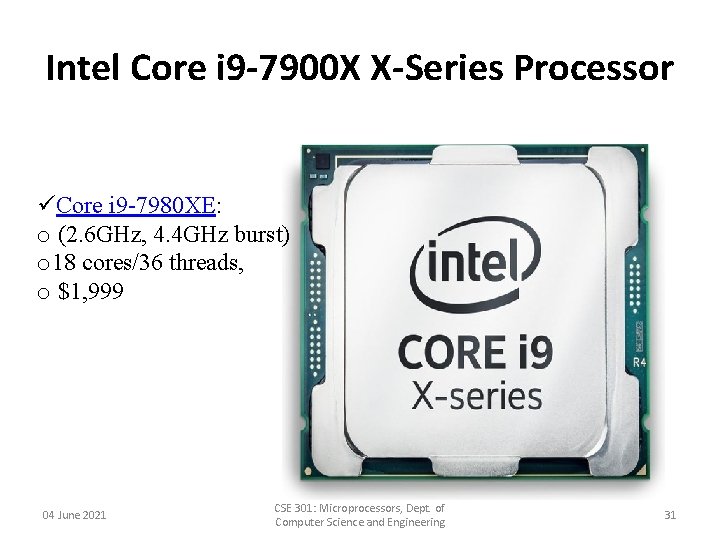
Intel Core i 9 -7900 X X-Series Processor üCore i 9 -7980 XE: o (2. 6 GHz, 4. 4 GHz burst) o 18 cores/36 threads, o $1, 999 04 June 2021 CSE 301: Microprocessors, Dept. of Computer Science and Engineering 31
The Future of Microprocessors • no one can really make accurate prediction : – success of Intel family should continue for quite a few years • what may occur is : will occur – a change to RISC technology, – but more likely a change to a new technology being developed jointly by Intel and Hewlett-Packard • new technology : – even will embody CISC instruction set of 80 X 86 family , – so that software for system will survive • basic premise behind this technology : many – will communicate directly with each other, allowing parallel processing without any change to instruction set or program Chapter 1 Introduction to the Microprocessor and Computer 32
ü What does turbo boost up to 3. 4 GHz mean? o Turbo Boost is built into the Intel CPU. By default the processor runs at 2. 3 Ghz, and when under heavy load, it will automatically speed up the cores up to 3. 3 Ghz. Intel Turbo Boost Technology 2. 0 is activated when the Operating System (OS) requests the highest processor performance state (P 0). ü Gigahertz o Clock speed is the rate at which a processor executes a task and is measured in Gigahertz (GHz). Once, a higher number meant a faster processor, but advances in technology have made the processor chip more efficient so now they do more with less. 04 June 2021 CSE 301: Microprocessors, Dept. of Computer Science and Engineering 33
ü Processor Core • A processor core (or simply “core”) is an individual processor within a CPU. Many computers today have multi-core processors, meaning the CPU contains more than one core. • For many years, computer CPUs only had a single core. In the early 2000 s, as processor clock speeds began plateauing, CPU manufacturers needed to find other ways to increase processing performance. Initially, they achieved this by putting multiple processors in high-end computers. While this was effective, it added significant cost to the computers and the multiprocessing performance was limited by the bus speed between the CPUs. • By combining processors on a single chip, CPU manufactures were able to increase performance more efficiently at a lower cost. The individual processing units became known as “cores” rather than processors. In the mid-2000 s, dual-core and quadcore CPUs began replacing multi-processor configurations. While initially only high-end computers contained multiple cores, today nearly all PCs have multi-core processors. 04 June 2021 CSE 301: Microprocessors, Dept. of Computer Science and Engineering 34
ü A Brief Explanation of Threads • All central processing units have threads, but what exactly does that mean? In simple terms, the threads are what allow your CPU to perform multiple things at once. So if you want to run multiple processes that are very intensive, you will need a CPU with a lot of threads. • Threads refer to the highest level of code executed by a processor, so with many threads, your CPU can handle several tasks at the same time. All CPUs have active threads, and every process performed on your computer has at least a single thread. • The number of threads you have depends on the number of cores in your CPU. Each CPU core can have two threads. So a processor with two cores will have four threads. A processor with eight cores will have 16 threads. • A processor with 24 cores (yes, those exist), will have 48 threads. • Threads are important to the function of your computer because they determine how many tasks your computer can perform at any given CSE time. 301: Microprocessors, Dept. of 04 June 2021 35 Computer Science and Engineering