CS 4300 Computer Graphics Prof Harriet Fell Fall
- Slides: 41
CS 4300 Computer Graphics Prof. Harriet Fell Fall 2012 Lecture 5 – September 13, 2012 10 September 2020 College of Computer and Information Science, Northeastern University 1
Today’s Topics • Vectors – review Shirley et al. 2. 4 • Rasters Shirley et al. 3. 0 - 3. 2. 1 • Rasterizing Lines • Shirley et al. 8. 0 - 8. 1. 1 Implicit 2 D lines pp. 30 -35 Parametric Lines p. 41 § Antialiasing § Line Attributes 10 September 2020 College of Computer and Information Science, Northeastern University 2
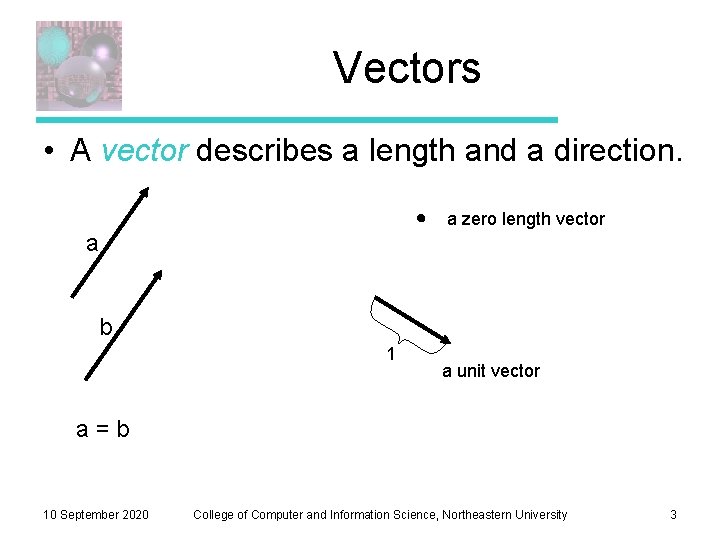
Vectors • A vector describes a length and a direction. a zero length vector a b 1 a unit vector a=b 10 September 2020 College of Computer and Information Science, Northeastern University 3
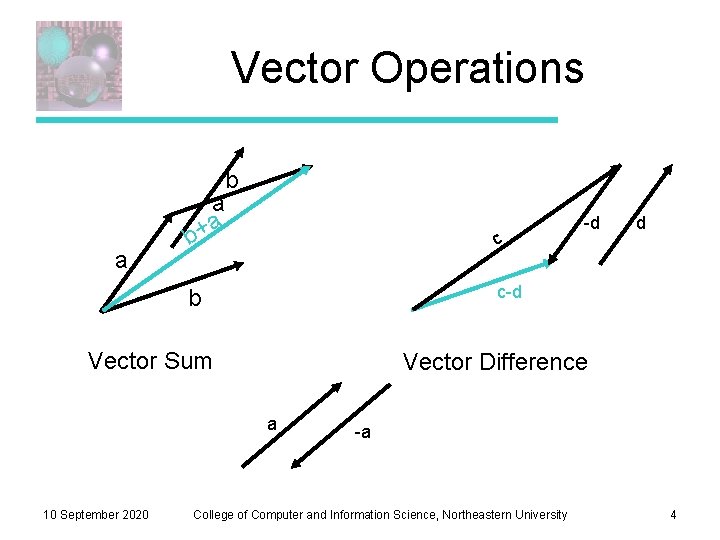
Vector Operations a b a a + b c d c-d b Vector Sum Vector Difference a 10 September 2020 -d -a College of Computer and Information Science, Northeastern University 4
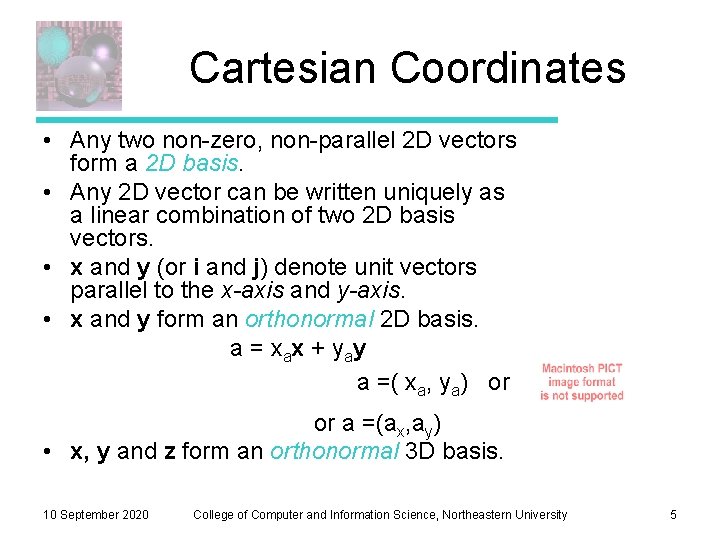
Cartesian Coordinates • Any two non-zero, non-parallel 2 D vectors form a 2 D basis. • Any 2 D vector can be written uniquely as a linear combination of two 2 D basis vectors. • x and y (or i and j) denote unit vectors parallel to the x-axis and y-axis. • x and y form an orthonormal 2 D basis. a = x ax + y ay a =( xa, ya) or or a =(ax, ay) • x, y and z form an orthonormal 3 D basis. 10 September 2020 College of Computer and Information Science, Northeastern University 5
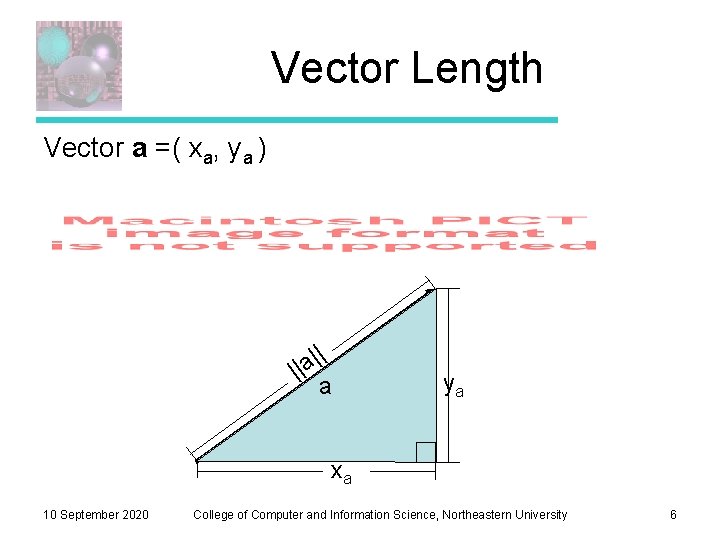
Vector Length Vector a =( xa, ya ) | || a| a ya xa 10 September 2020 College of Computer and Information Science, Northeastern University 6
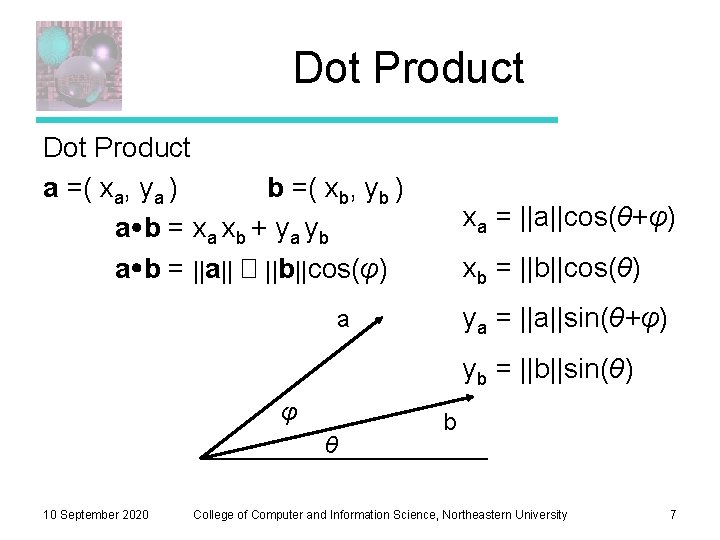
Dot Product a =( xa, ya ) b =( xb, yb ) a b = xa xb + ya yb a b = ||a|| � ||b||cos(φ) xa = ||a||cos(θ+φ) xb = ||b||cos(θ) ya = ||a||sin(θ+φ) a yb = ||b||sin(θ) φ θ 10 September 2020 b College of Computer and Information Science, Northeastern University 7
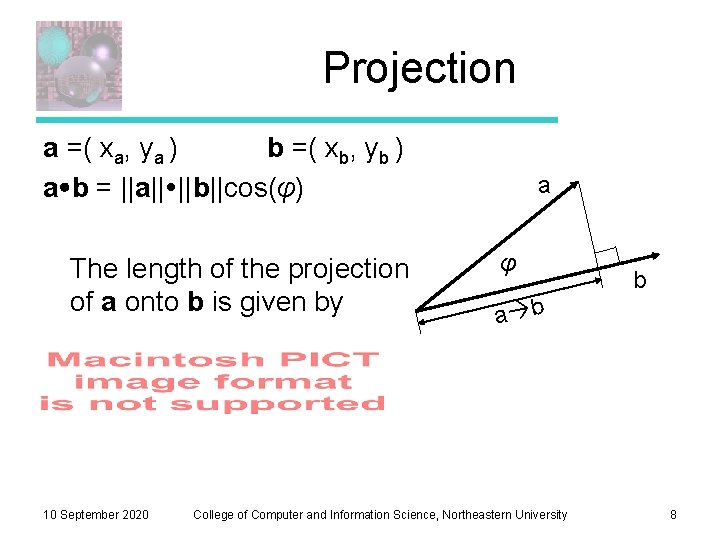
Projection a =( xa, ya ) b =( xb, yb ) a b = ||a|| ||b||cos(φ) The length of the projection of a onto b is given by 10 September 2020 a φ b a b College of Computer and Information Science, Northeastern University 8
Output Devices • a raster is a rectangular array of pixels (picture elements) • common raster output devices include CRT and LCD monitors, ink jet and laser printers • typically considered as top-to-bottom array of left -to-right rows, because that is how CRTs are (were) typically scanned • for this reason, device (e. g. on-screen) coordinate frame typically has origin in upper left, axis aims to right, and axis aims down 9/10/2020 College of Computer and Information Science, Northeastern University 9
Device Resolution • (native) resolution of the device is the dimensions (note this is reverse of typical way we write matrix dimensions) of its raster output hardware • typical resolutions for monitors are 640 x 480 (VGA, the archaic but celebrated Video Graphics Array), 800 x 600, 1024 x 768, 1280 x 1024, 1600 x 1200, etc • higher resolution is generally “better” because finer detail can be represented § more computation required for more pixels though, and more pixels makes the display hardware more expensive § however monitors usually can display lower or higher (within some limits) resolution images than their native resolution by scaling (we will study how to scale images later in the course) 9/10/2020 College of Computer and Information Science, Northeastern University 10
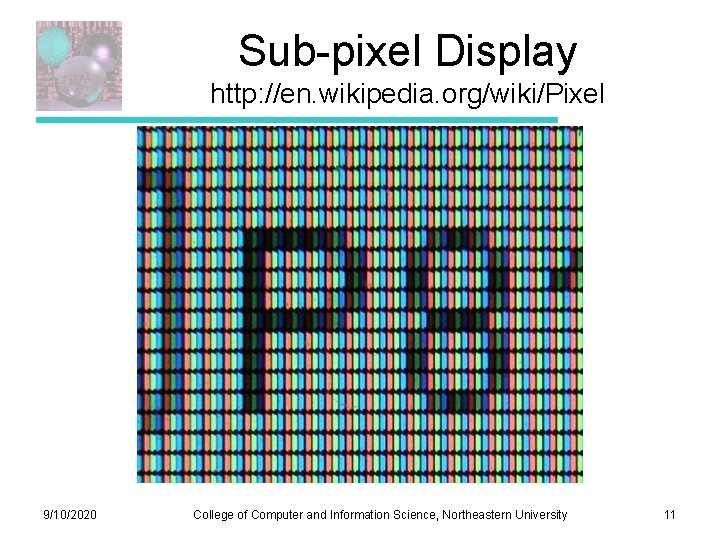
Sub-pixel Display http: //en. wikipedia. org/wiki/Pixel 9/10/2020 College of Computer and Information Science, Northeastern University 11
How are Rasters Represented? • for a monochrome image, each pixel corresponds to one bit (also called a binary image) • typically in graphics we use at least greyscale images, where bits are used to represent the intensity at each pixel. The number of gray levels at each pixel is usually a multiple of 8. • for a color image, compose multiple greyscale images, where each corresponds to a different color component. Three images corresponding to red, green, and blue color components are one typical arrangement. The images can be stored as independent planes or they may be interleaved. 9/10/2020 College of Computer and Information Science, Northeastern University 12
in-memory representation of a raster • monochrome image is typically a linear array of r x c x B bytes, where r and c are the number of rows and columns in the raster, and B is the number of bytes per pixel • value of pixel at location (i, j) is thus stored in the B bytes at memory location (ic + j)B relative to the beginning of the array § the order of bytes within the pixel value is determined by the byte order of the computer, which may be little-endian (least significant byte first) or big-endian (most significant byte first). § Nowadays, little-endian is more common (e. g. Intel x 86). Bigendian may still be encountered on e. g. Power. PC architectures (which is what Apple used in Mac computers up to around 2006). 9/10/2020 College of Computer and Information Science, Northeastern University 13
Color Image Representation • for color images, either store as (typically three) separate monochrome rasters (planes), or interleave by packing all color components for a pixel into a contiguous block of memory (interleaved is more common now) • the order of the color components, as well as the number of bits per component, is called the pixel format 9/10/2020 College of Computer and Information Science, Northeastern University 14
Common Pixel Formats • common pixel formats today include § 24 -bit RGB (br = bg = bb = 8) (“over 16 million colors!”) § 32 -bit RGB (like 24 bit but with one byte of padding) § 16 -bit 5: 6: 5 RGB (br = 5, bg =6, bb = 5) (human eye is most sensitive to green; common for lower-quality video because it looks ok for images of real-world scenes and uses 2 bytes per pixel, reducing file size) • (ic + j)B works with § B = {(br + bg + bb +padding)}/8 • byte ordering (little- vs big-endian) only matters within each color component and if some br > 8 9/10/2020 College of Computer and Information Science, Northeastern University 15
Frame Buffer • In-memory raster is called a frame buffer when hardware is set up so that changes to memory contents drive pixel colors on the display itself. Most modern display hardware has a such a frame buffer. § in fact, generally more than one, and can switch among them § a common way to produce a smooth-looking animation is to use two buffers: the front buffer is rendered to the screen, and the back buffer is not § this is called double buffering § Each new frame of the animation is drawn onto the back buffer. Because it can take some time (hopefully not too long) to draw, this avoids seeing a “partial frame”. § once the drawing is complete, the buffers are swapped 9/10/2020 College of Computer and Information Science, Northeastern University 16
Rasterization • how to render images of geometry, say line segments or triangles, onto a raster display? • need to figure out what pixels to “light up” to draw the shape • this is the process of rasterization • will study line segment rasterization now and triangles later in the course 9/10/2020 College of Computer and Information Science, Northeastern University 17
Vector Output • historically, vector displays were developed first • a CRT is made to scan line segments by steering an electron beam from start to end of each segment (can generalize to curves) • potentially more efficient because only need to scan along the actual line segments vs always scanning a raster across the whole screen • but hard to draw images of real-world scenes, and how to deal with color? • nowadays, vector output is sometimes still encountered on a pen plotter, but even these are mostly antiques 9/10/2020 College of Computer and Information Science, Northeastern University 18
Vector Representation • some software systems represent graphics in a vector form. Post. Script, PDF (portable document format), and SVG (scalable vector graphics) • in a vector format, a picture is stored not as an array of pixels, but as a list of instructions about how to draw it § vector format is “better” for some kinds of images, particularly line drawings and images (e. g. cartoons or computer art) • since the actual geometry, vs a sampling of it, is stored, vector images can generally be scaled to larger or smaller sizes without any loss of quality § vector images may also require less memory to store, and may be more compressible 9/10/2020 College of Computer and Information Science, Northeastern University 19
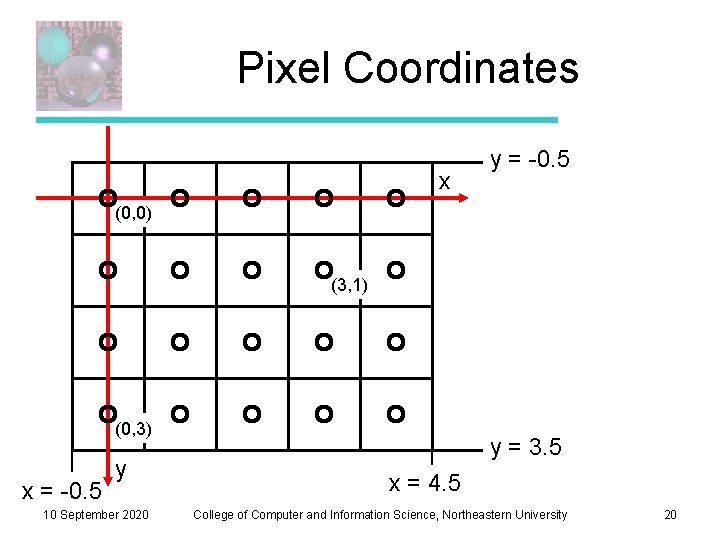
Pixel Coordinates x y = -0. 5 (0, 0) (3, 1) (0, 3) x = -0. 5 y 10 September 2020 y = 3. 5 x = 4. 5 College of Computer and Information Science, Northeastern University 20
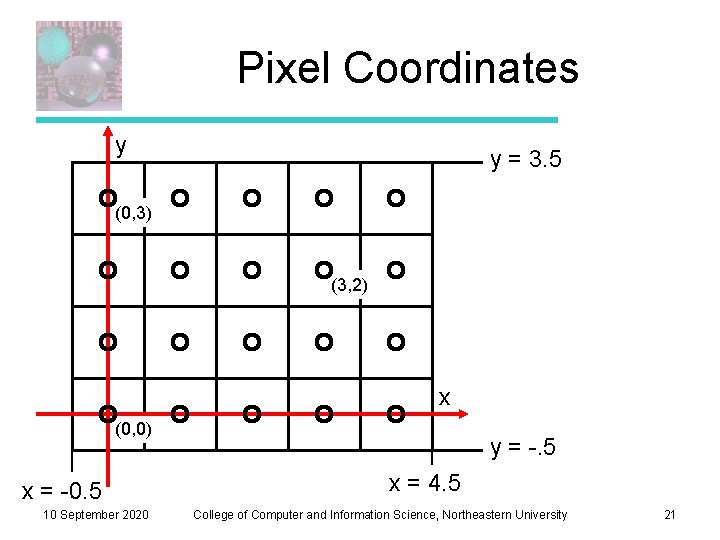
Pixel Coordinates y y = 3. 5 (0, 3) (3, 2) x (0, 0) x = -0. 5 10 September 2020 y = -. 5 x = 4. 5 College of Computer and Information Science, Northeastern University 21
What Makes a Good Line? • Not too jaggy • Uniform thickness along a line • Uniform thickness of lines at different angles • Symmetry, Line(P, Q) = Line(Q, P) • A good line algorithm should be fast. 10 September 2020 College of Computer and Information Science, Northeastern University 22
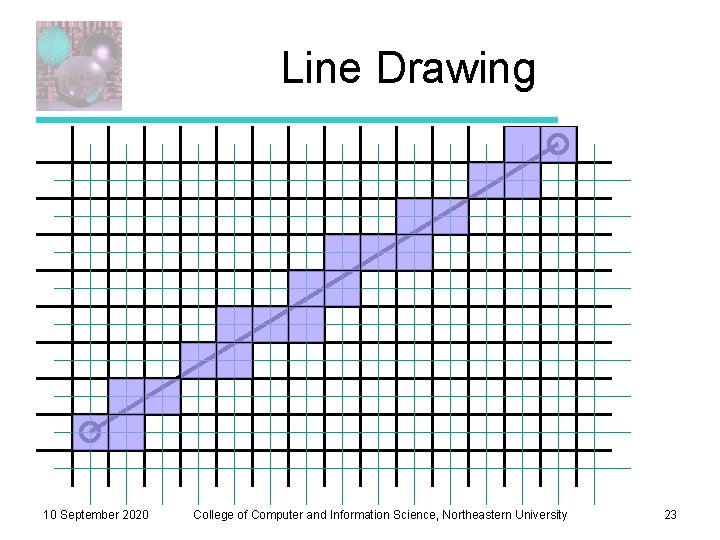
Line Drawing 10 September 2020 College of Computer and Information Science, Northeastern University 23
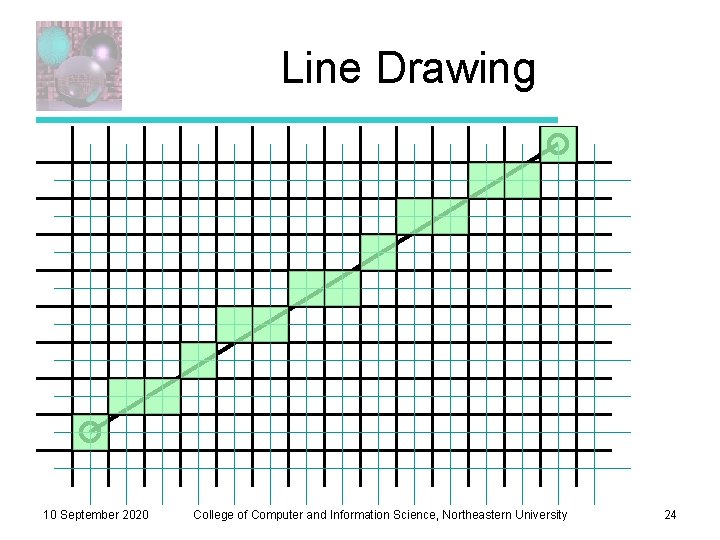
Line Drawing 10 September 2020 College of Computer and Information Science, Northeastern University 24
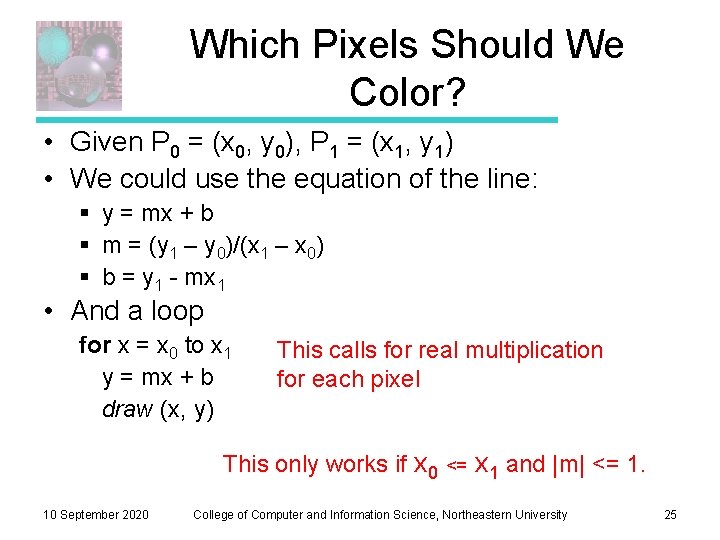
Which Pixels Should We Color? • Given P 0 = (x 0, y 0), P 1 = (x 1, y 1) • We could use the equation of the line: § y = mx + b § m = (y 1 – y 0)/(x 1 – x 0) § b = y 1 - mx 1 • And a loop for x = x 0 to x 1 y = mx + b draw (x, y) This calls for real multiplication for each pixel This only works if x 0 10 September 2020 <= x 1 and |m| <= 1. College of Computer and Information Science, Northeastern University 25
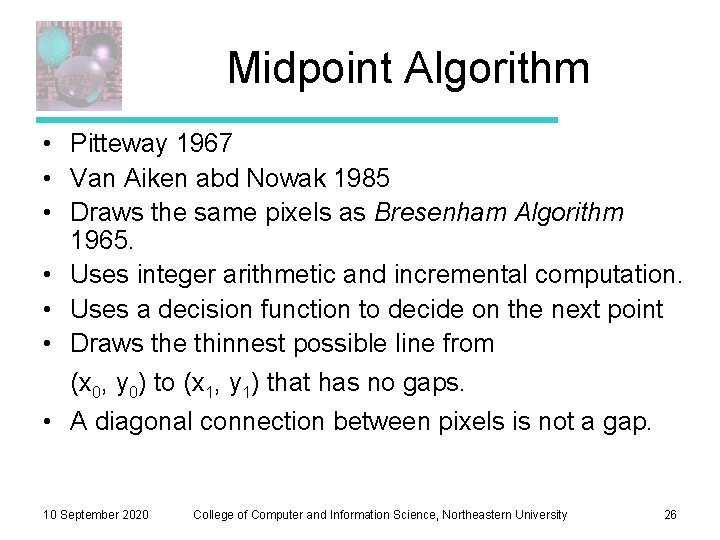
Midpoint Algorithm • Pitteway 1967 • Van Aiken abd Nowak 1985 • Draws the same pixels as Bresenham Algorithm 1965. • Uses integer arithmetic and incremental computation. • Uses a decision function to decide on the next point • Draws the thinnest possible line from (x 0, y 0) to (x 1, y 1) that has no gaps. • A diagonal connection between pixels is not a gap. 10 September 2020 College of Computer and Information Science, Northeastern University 26
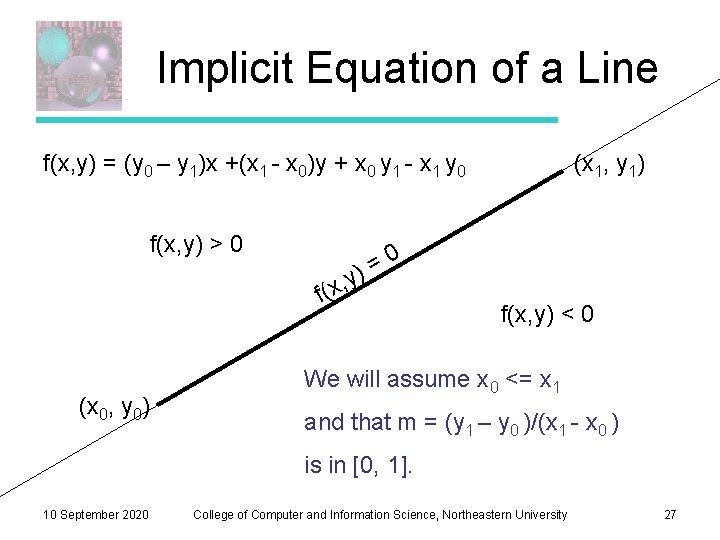
Implicit Equation of a Line f(x, y) = (y 0 – y 1)x +(x 1 - x 0)y + x 0 y 1 - x 1 y 0 f(x, y) > 0 (x 1, y 1) 0 = ) y , f(x (x 0, y 0) f(x, y) < 0 We will assume x 0 <= x 1 and that m = (y 1 – y 0 )/(x 1 - x 0 ) is in [0, 1]. 10 September 2020 College of Computer and Information Science, Northeastern University 27
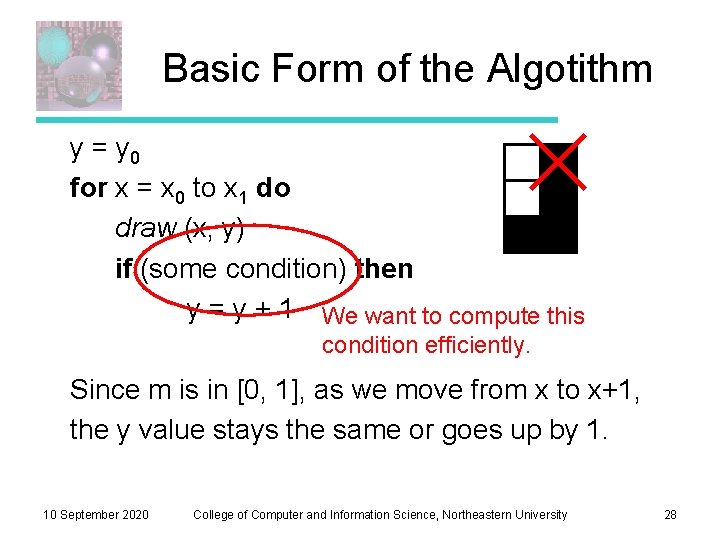
Basic Form of the Algotithm y = y 0 for x = x 0 to x 1 do draw (x, y) if (some condition) then y = y + 1 We want to compute this condition efficiently. Since m is in [0, 1], as we move from x to x+1, the y value stays the same or goes up by 1. 10 September 2020 College of Computer and Information Science, Northeastern University 28
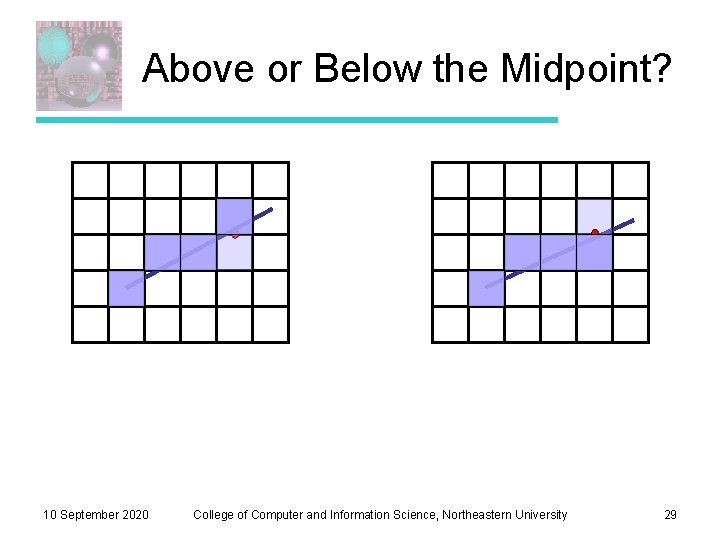
Above or Below the Midpoint? 10 September 2020 College of Computer and Information Science, Northeastern University 29
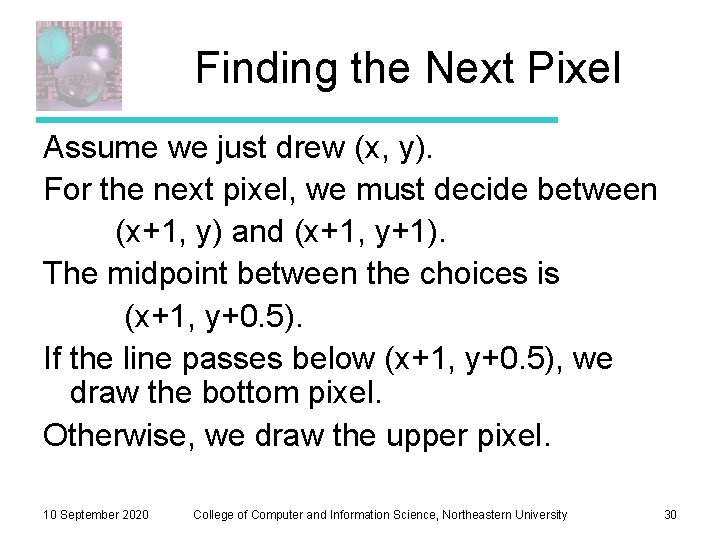
Finding the Next Pixel Assume we just drew (x, y). For the next pixel, we must decide between (x+1, y) and (x+1, y+1). The midpoint between the choices is (x+1, y+0. 5). If the line passes below (x+1, y+0. 5), we draw the bottom pixel. Otherwise, we draw the upper pixel. 10 September 2020 College of Computer and Information Science, Northeastern University 30
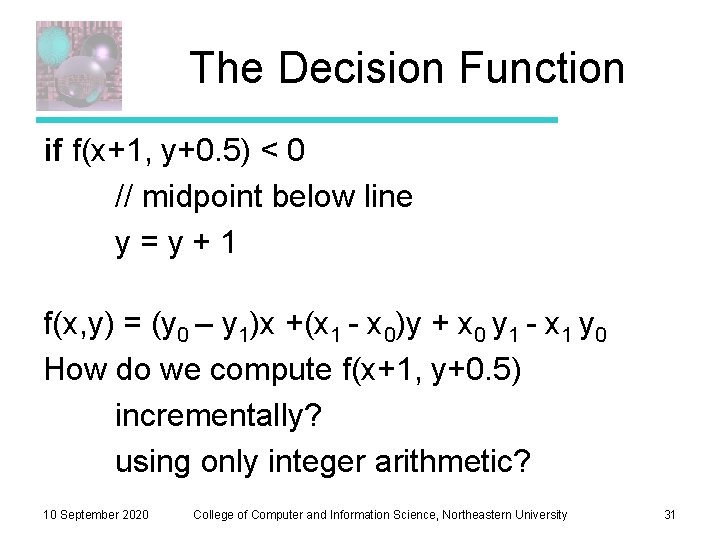
The Decision Function if f(x+1, y+0. 5) < 0 // midpoint below line y=y+1 f(x, y) = (y 0 – y 1)x +(x 1 - x 0)y + x 0 y 1 - x 1 y 0 How do we compute f(x+1, y+0. 5) incrementally? using only integer arithmetic? 10 September 2020 College of Computer and Information Science, Northeastern University 31
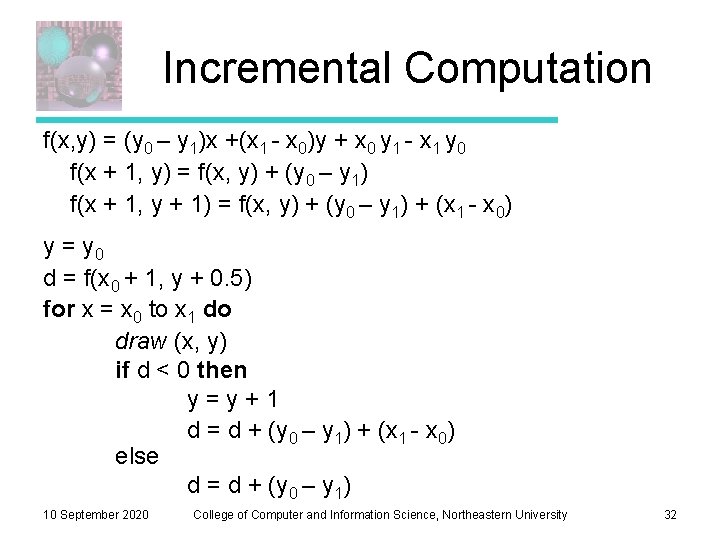
Incremental Computation f(x, y) = (y 0 – y 1)x +(x 1 - x 0)y + x 0 y 1 - x 1 y 0 f(x + 1, y) = f(x, y) + (y 0 – y 1) f(x + 1, y + 1) = f(x, y) + (y 0 – y 1) + (x 1 - x 0) y = y 0 d = f(x 0 + 1, y + 0. 5) for x = x 0 to x 1 do draw (x, y) if d < 0 then y=y+1 d = d + (y 0 – y 1) + (x 1 - x 0) else d = d + (y 0 – y 1) 10 September 2020 College of Computer and Information Science, Northeastern University 32
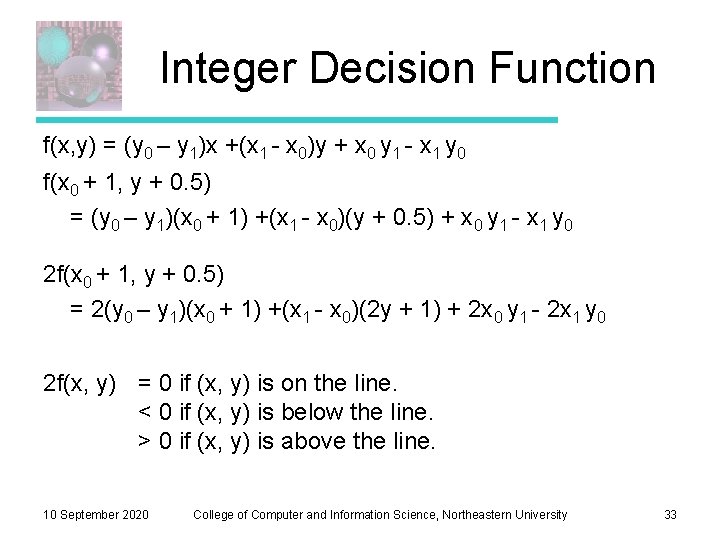
Integer Decision Function f(x, y) = (y 0 – y 1)x +(x 1 - x 0)y + x 0 y 1 - x 1 y 0 f(x 0 + 1, y + 0. 5) = (y 0 – y 1)(x 0 + 1) +(x 1 - x 0)(y + 0. 5) + x 0 y 1 - x 1 y 0 2 f(x 0 + 1, y + 0. 5) = 2(y 0 – y 1)(x 0 + 1) +(x 1 - x 0)(2 y + 1) + 2 x 0 y 1 - 2 x 1 y 0 2 f(x, y) = 0 if (x, y) is on the line. < 0 if (x, y) is below the line. > 0 if (x, y) is above the line. 10 September 2020 College of Computer and Information Science, Northeastern University 33
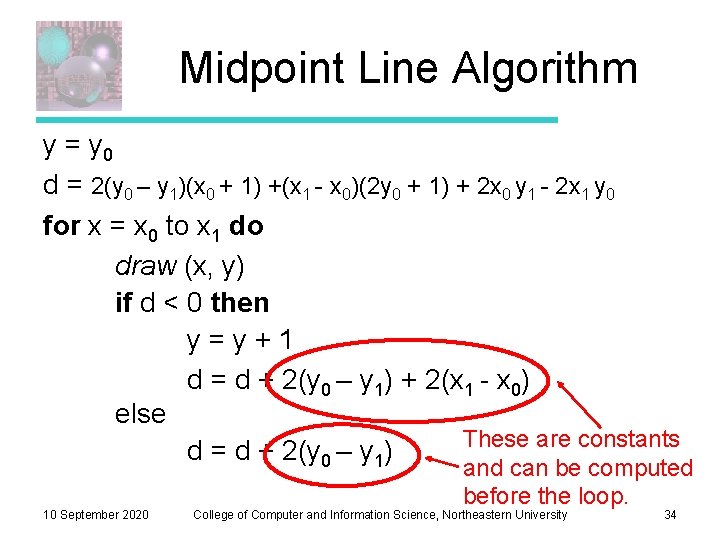
Midpoint Line Algorithm y = y 0 d = 2(y 0 – y 1)(x 0 + 1) +(x 1 - x 0)(2 y 0 + 1) + 2 x 0 y 1 - 2 x 1 y 0 for x = x 0 to x 1 do draw (x, y) if d < 0 then y=y+1 d = d + 2(y 0 – y 1) + 2(x 1 - x 0) else These are constants d = d + 2(y 0 – y 1) 10 September 2020 and can be computed before the loop. College of Computer and Information Science, Northeastern University 34
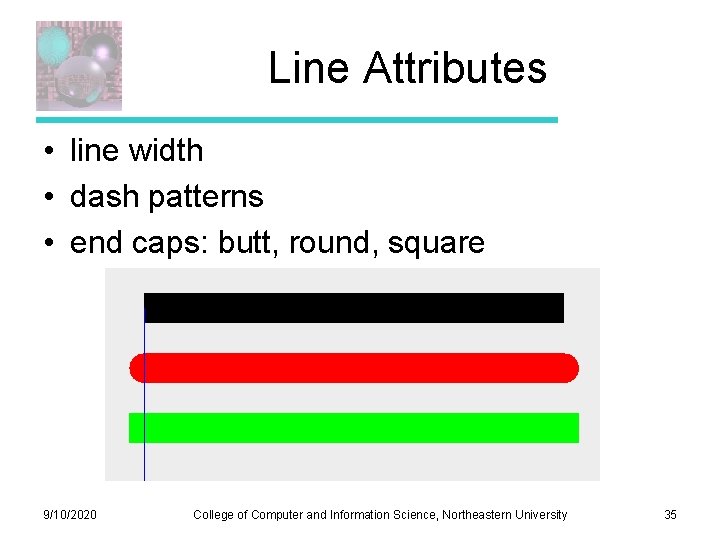
Line Attributes • line width • dash patterns • end caps: butt, round, square 9/10/2020 College of Computer and Information Science, Northeastern University 35
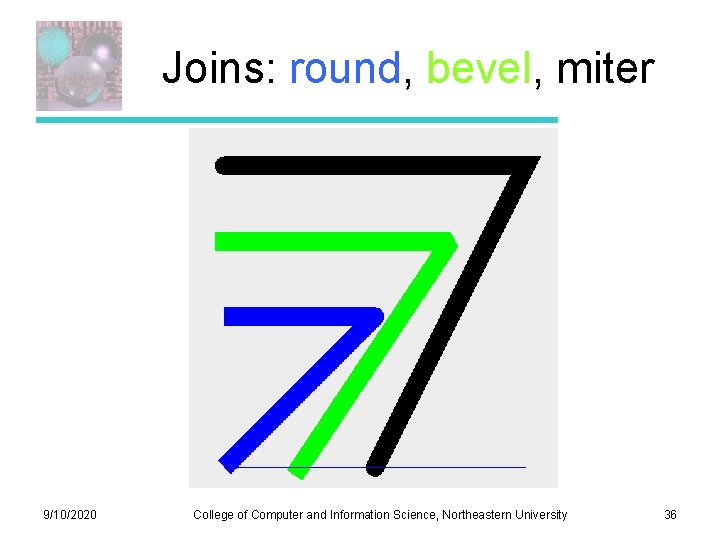
Joins: round, bevel, miter 9/10/2020 College of Computer and Information Science, Northeastern University 36
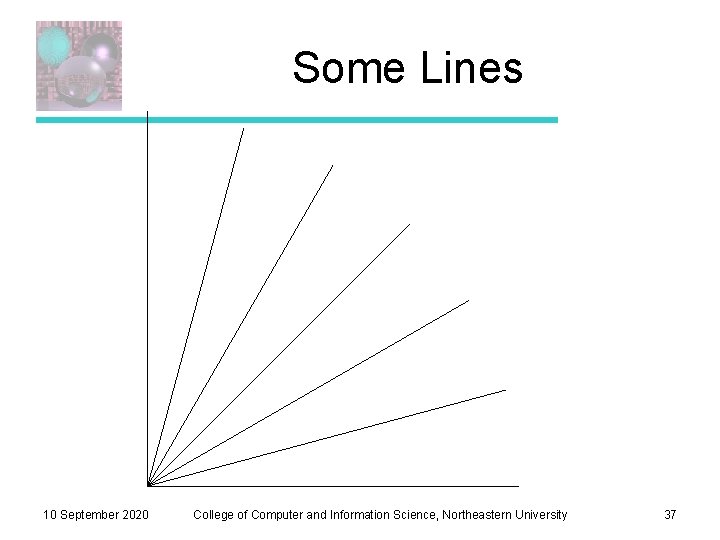
Some Lines 10 September 2020 College of Computer and Information Science, Northeastern University 37
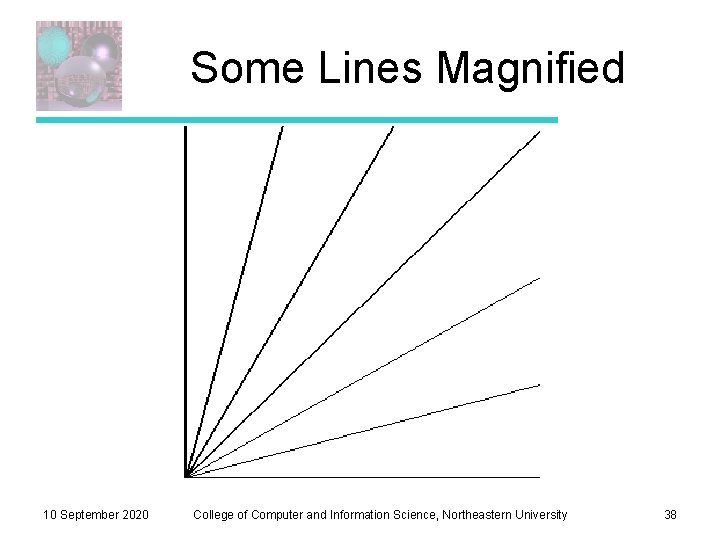
Some Lines Magnified 10 September 2020 College of Computer and Information Science, Northeastern University 38
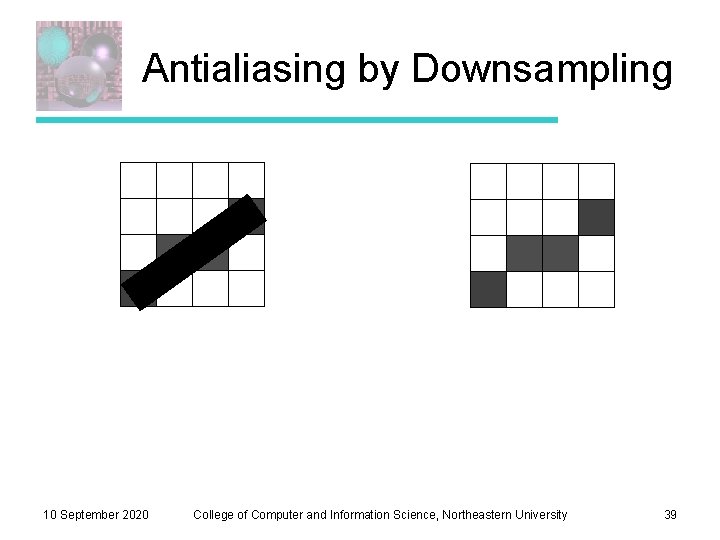
Antialiasing by Downsampling 10 September 2020 College of Computer and Information Science, Northeastern University 39
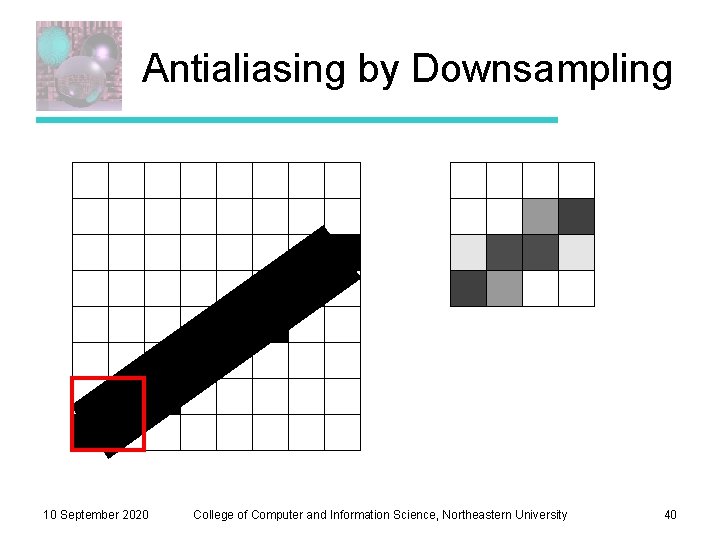
Antialiasing by Downsampling 10 September 2020 College of Computer and Information Science, Northeastern University 40
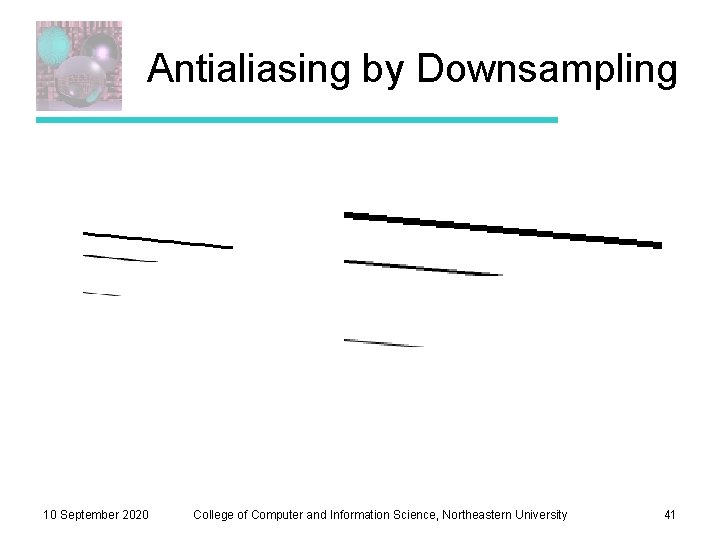
Antialiasing by Downsampling 10 September 2020 College of Computer and Information Science, Northeastern University 41