Chapter 8 Strings Liang Introduction to Java Programming
![Retrieving Individual Characters in a String F Do not use message[0] F Use message.](https://slidetodoc.com/presentation_image_h/0d8b2999a72efd18207d48f02ad1d109/image-17.jpg "Retrieving Individual Characters in a String F Do not use message[0] F Use message.")
- Slides: 48
Chapter 8 Strings Liang, Introduction to Java Programming, Eighth Edition, (c) 2011 Pearson Education, Inc. All rights reserved. 0132130807 1
Objectives F F F F F To use the String class to process fixed strings (§ 9. 2). To use the Character class to process a single character (§ 9. 3). To use the String. Builder/String. Buffer class to process flexible strings (§ 9. 4). To distinguish among the String, String. Builder, and String. Buffer classes (§ 9. 2 -9. 4). To learn how to pass arguments to the main method from the command line (§ 9. 5). To discover file properties and to delete and rename files using the File class (§ 9. 6). To write data to a file using the Print. Writer class (§ 9. 7. 1). To read data from a file using the Scanner class (§ 9. 7. 2). (GUI) To open files using a dialog box (§ 9. 8). Liang, Introduction to Java Programming, Eighth Edition, (c) 2011 Pearson Education, Inc. All rights reserved. 0132130807 2
Motivations Often you encounter the problems that involve string processing and file input and output. Suppose you need to write a program to replace all occurrences of a word with a new word in a file. How do you solve this problem? This chapter introduces strings and text files, which will enable you to solve this problem. • A string is a sequence of characters. • Strings are treated as an array of characters, but in Java string is an object. • The String class has 11 constructors and more than 40 methods for manipulating strings. Liang, Introduction to Java Programming, Eighth Edition, (c) 2011 Pearson Education, Inc. All rights reserved. 0132130807 3
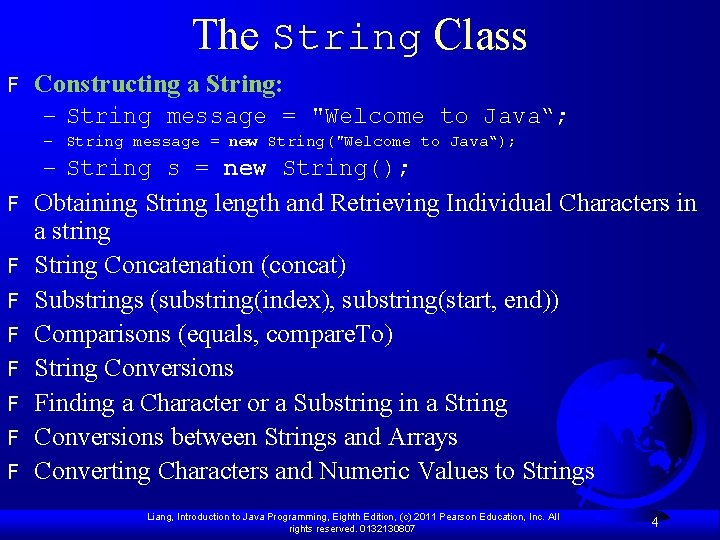
The String Class F Constructing a String: – String message = "Welcome to Java“; – String message = new String("Welcome to Java“); – String s = new String(); F F F F Obtaining String length and Retrieving Individual Characters in a string String Concatenation (concat) Substrings (substring(index), substring(start, end)) Comparisons (equals, compare. To) String Conversions Finding a Character or a Substring in a String Conversions between Strings and Arrays Converting Characters and Numeric Values to Strings Liang, Introduction to Java Programming, Eighth Edition, (c) 2011 Pearson Education, Inc. All rights reserved. 0132130807 4
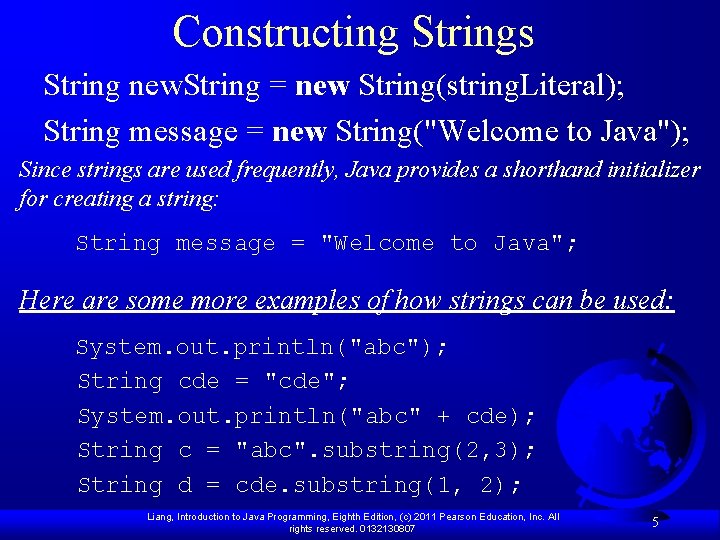
Constructing Strings String new. String = new String(string. Literal); String message = new String("Welcome to Java"); Since strings are used frequently, Java provides a shorthand initializer for creating a string: String message = "Welcome to Java"; Here are some more examples of how strings can be used: System. out. println("abc"); String cde = "cde"; System. out. println("abc" + cde); String c = "abc". substring(2, 3); String d = cde. substring(1, 2); Liang, Introduction to Java Programming, Eighth Edition, (c) 2011 Pearson Education, Inc. All rights reserved. 0132130807 5
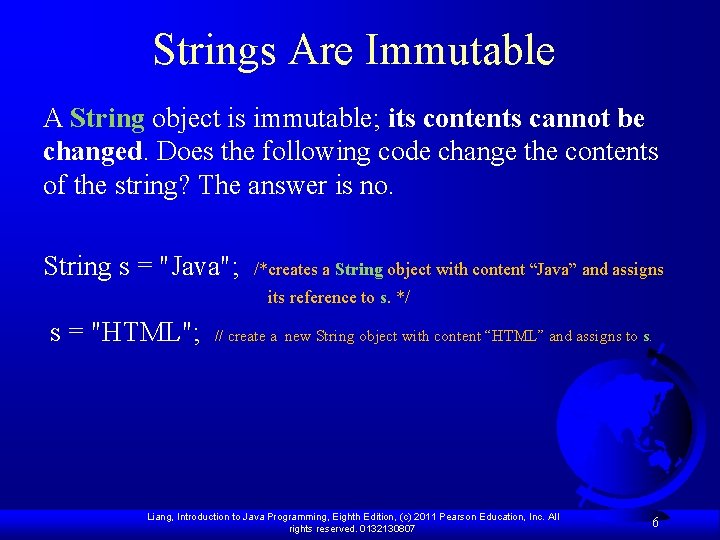
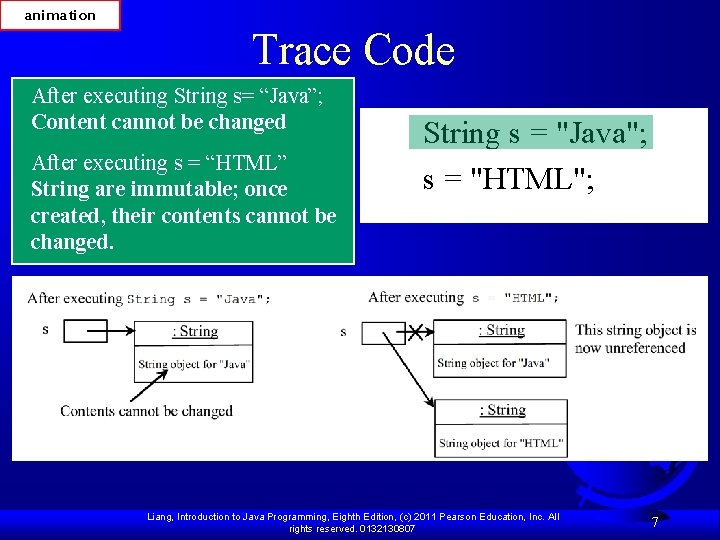
Strings Are Immutable A String object is immutable; its contents cannot be changed. Does the following code change the contents of the string? The answer is no. String s = "Java"; /*creates a String object with content “Java” and assigns its reference to s. */ s = "HTML"; // create a new String object with content “HTML” and assigns to s. Liang, Introduction to Java Programming, Eighth Edition, (c) 2011 Pearson Education, Inc. All rights reserved. 0132130807 6
animation Trace Code After executing String s= “Java”; Content cannot be changed After executing s = “HTML” String are immutable; once created, their contents cannot be changed. String s = "Java"; s = "HTML"; Liang, Introduction to Java Programming, Eighth Edition, (c) 2011 Pearson Education, Inc. All rights reserved. 0132130807 7
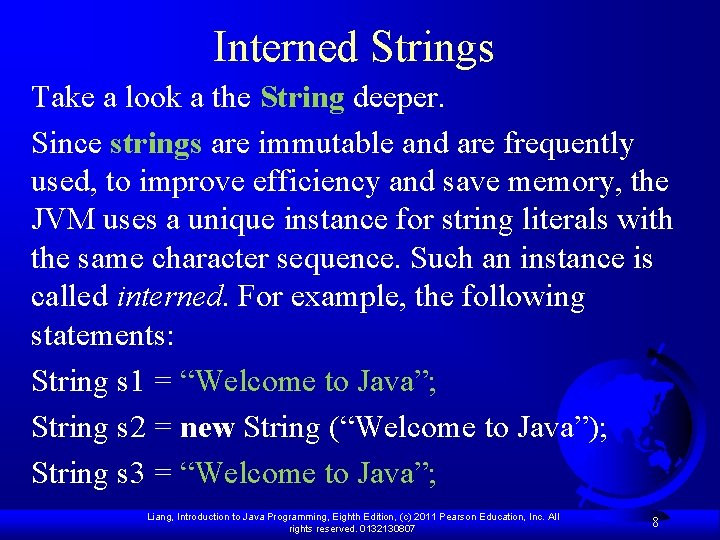
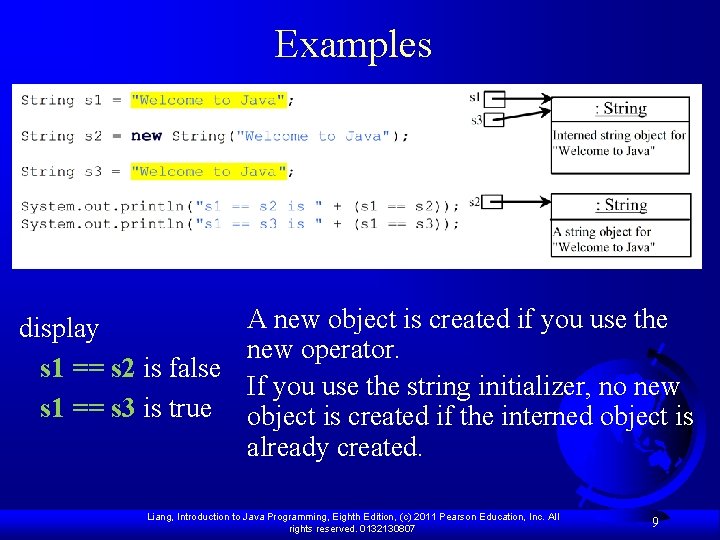
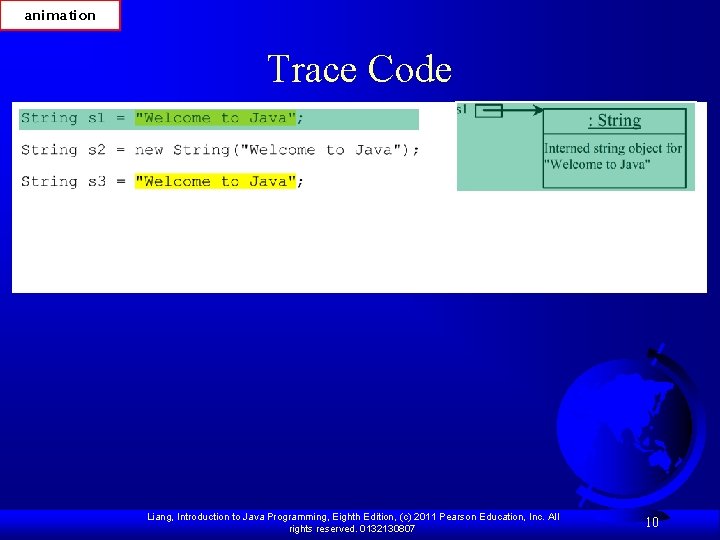
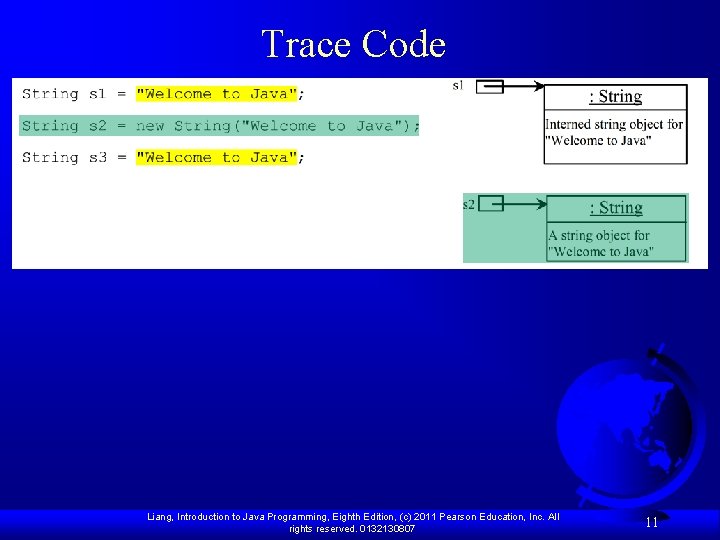
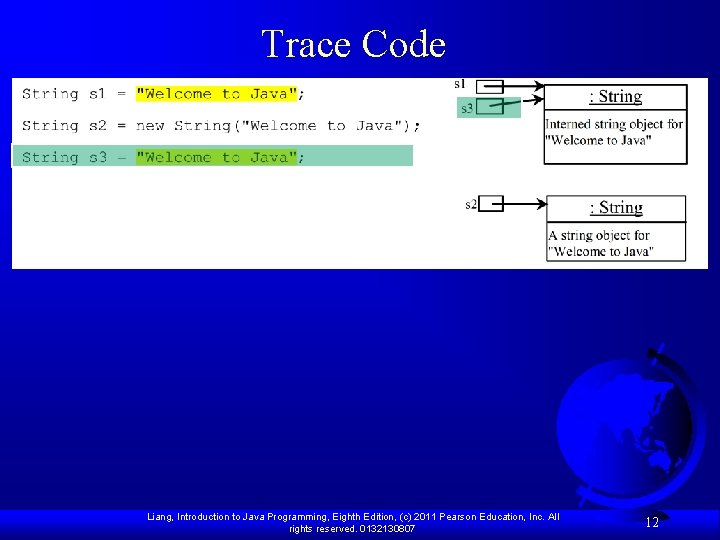
Interned Strings Take a look a the String deeper. Since strings are immutable and are frequently used, to improve efficiency and save memory, the JVM uses a unique instance for string literals with the same character sequence. Such an instance is called interned. For example, the following statements: String s 1 = “Welcome to Java”; String s 2 = new String (“Welcome to Java”); String s 3 = “Welcome to Java”; Liang, Introduction to Java Programming, Eighth Edition, (c) 2011 Pearson Education, Inc. All rights reserved. 0132130807 8
Examples A new object is created if you use the display new operator. s 1 == s 2 is false If you use the string initializer, no new s 1 == s 3 is true object is created if the interned object is already created. Liang, Introduction to Java Programming, Eighth Edition, (c) 2011 Pearson Education, Inc. All rights reserved. 0132130807 9
animation Trace Code Liang, Introduction to Java Programming, Eighth Edition, (c) 2011 Pearson Education, Inc. All rights reserved. 0132130807 10
Trace Code Liang, Introduction to Java Programming, Eighth Edition, (c) 2011 Pearson Education, Inc. All rights reserved. 0132130807 11
Trace Code Liang, Introduction to Java Programming, Eighth Edition, (c) 2011 Pearson Education, Inc. All rights reserved. 0132130807 12
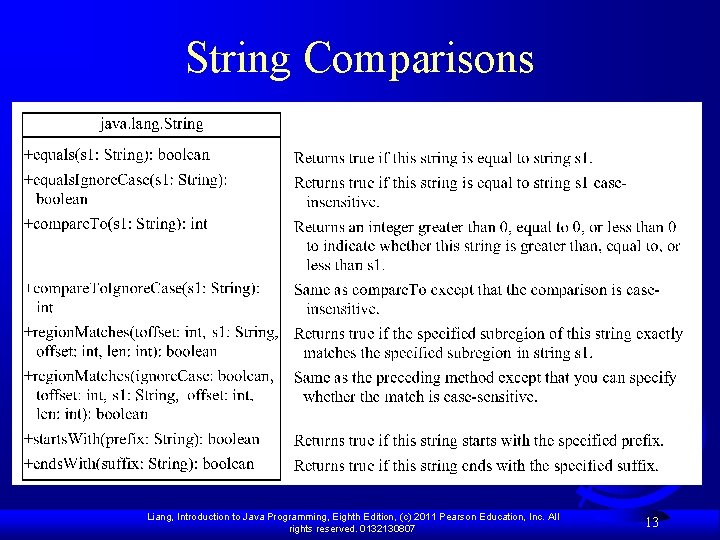
String Comparisons Liang, Introduction to Java Programming, Eighth Edition, (c) 2011 Pearson Education, Inc. All rights reserved. 0132130807 13
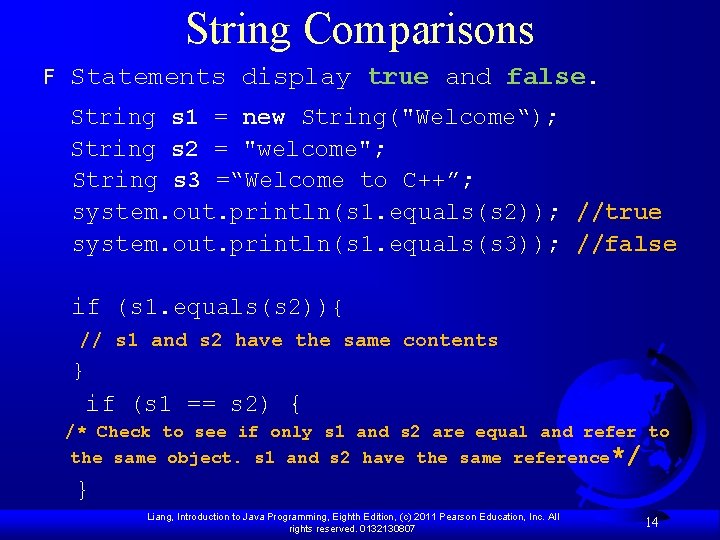
String Comparisons F Statements display true and false. String s 1 = new String("Welcome“); String s 2 = "welcome"; String s 3 =“Welcome to C++”; system. out. println(s 1. equals(s 2)); //true system. out. println(s 1. equals(s 3)); //false if (s 1. equals(s 2)){ // s 1 and s 2 have the same contents } if (s 1 == s 2) { /* Check to see if only s 1 and s 2 are equal and refer to the same object. s 1 and s 2 have the same reference*/ } Liang, Introduction to Java Programming, Eighth Edition, (c) 2011 Pearson Education, Inc. All rights reserved. 0132130807 14
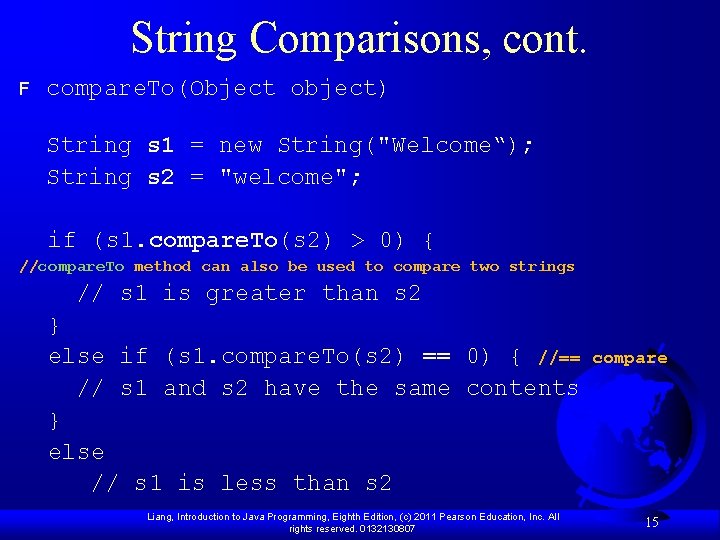
String Comparisons, cont. F compare. To(Object object) String s 1 = new String("Welcome“); String s 2 = "welcome"; if (s 1. compare. To(s 2) > 0) { //compare. To method can also be used to compare two strings // s 1 is greater than s 2 } else if (s 1. compare. To(s 2) == 0) { //== // s 1 and s 2 have the same contents } else // s 1 is less than s 2 Liang, Introduction to Java Programming, Eighth Edition, (c) 2011 Pearson Education, Inc. All rights reserved. 0132130807 compare 15
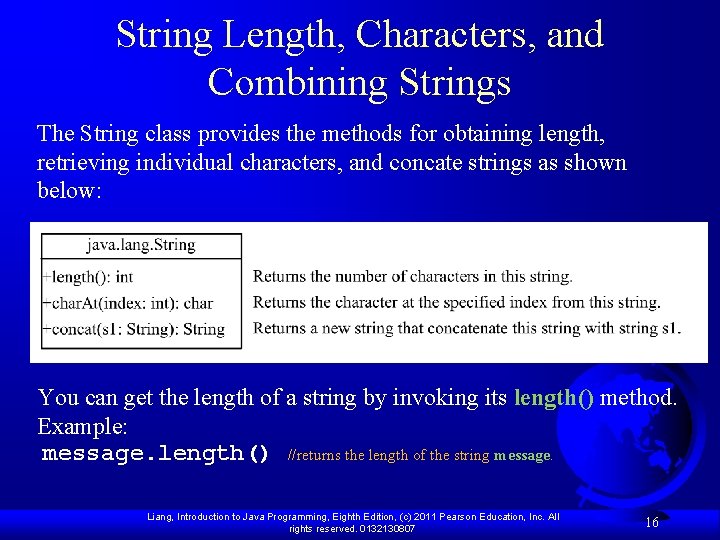
String Length, Characters, and Combining Strings The String class provides the methods for obtaining length, retrieving individual characters, and concate strings as shown below: You can get the length of a string by invoking its length() method. Example: message. length() //returns the length of the string message. Liang, Introduction to Java Programming, Eighth Edition, (c) 2011 Pearson Education, Inc. All rights reserved. 0132130807 16
Retrieving Individual Characters in a String F Do not use message[0] F Use message. char. At(index) F Index starts from 0 Liang, Introduction to Java Programming, Eighth Edition, (c) 2011 Pearson Education, Inc. All rights reserved. 0132130807 17
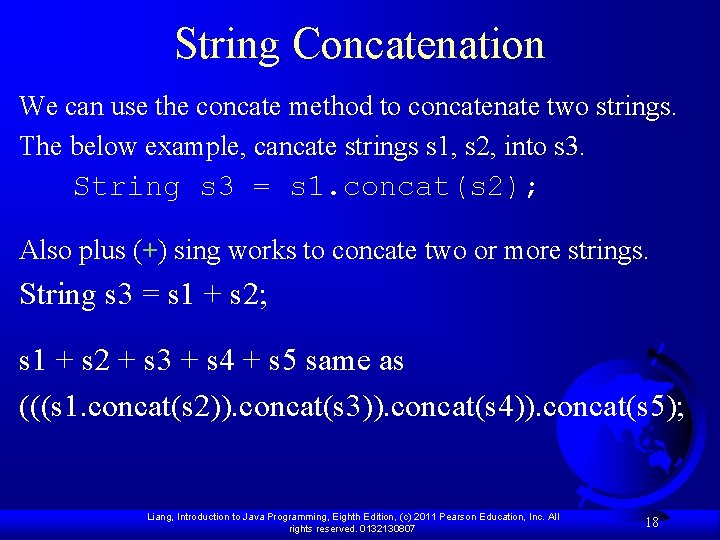
String Concatenation We can use the concate method to concatenate two strings. The below example, cancate strings s 1, s 2, into s 3. String s 3 = s 1. concat(s 2); Also plus (+) sing works to concate two or more strings. String s 3 = s 1 + s 2; s 1 + s 2 + s 3 + s 4 + s 5 same as (((s 1. concat(s 2)). concat(s 3)). concat(s 4)). concat(s 5); Liang, Introduction to Java Programming, Eighth Edition, (c) 2011 Pearson Education, Inc. All rights reserved. 0132130807 18
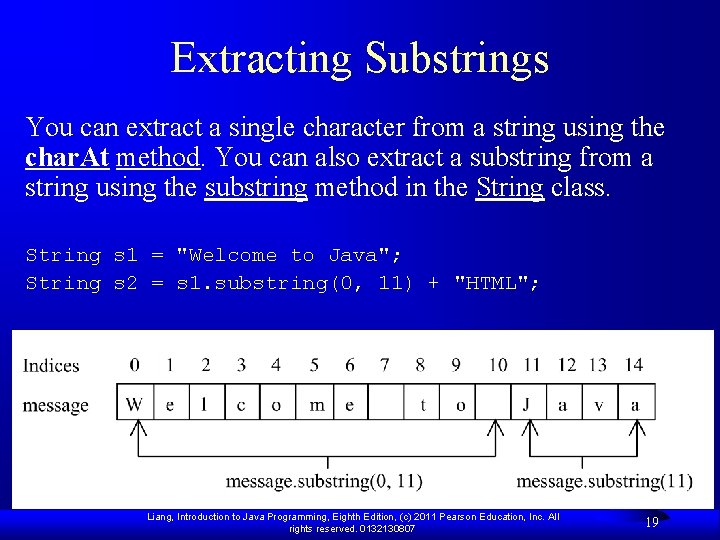
Extracting Substrings You can extract a single character from a string using the char. At method. You can also extract a substring from a string using the substring method in the String class. String s 1 = "Welcome to Java"; String s 2 = s 1. substring(0, 11) + "HTML"; Liang, Introduction to Java Programming, Eighth Edition, (c) 2011 Pearson Education, Inc. All rights reserved. 0132130807 19
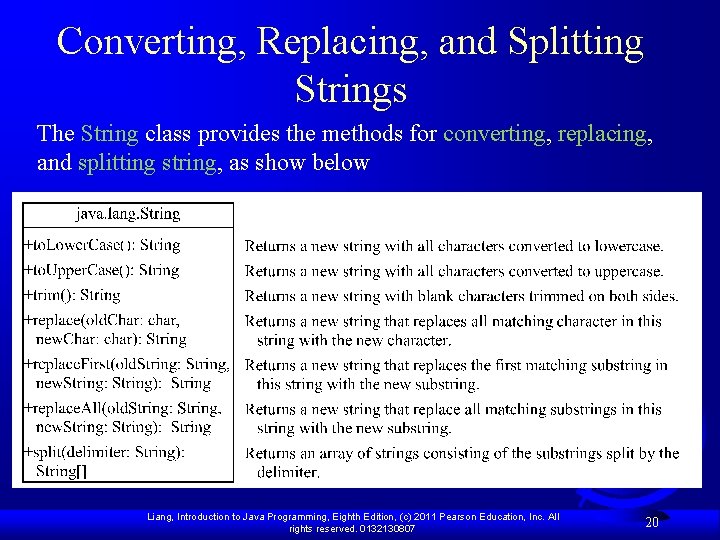
Converting, Replacing, and Splitting Strings The String class provides the methods for converting, replacing, and splitting string, as show below Liang, Introduction to Java Programming, Eighth Edition, (c) 2011 Pearson Education, Inc. All rights reserved. 0132130807 20
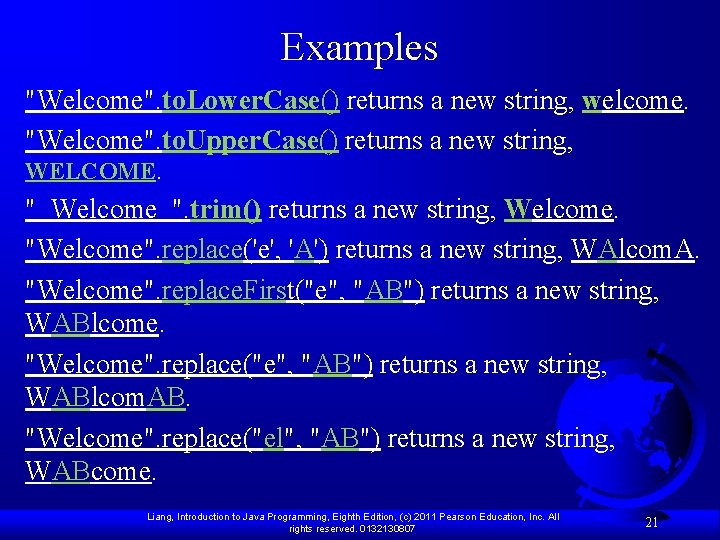
Examples "Welcome". to. Lower. Case() returns a new string, welcome. "Welcome". to. Upper. Case() returns a new string, WELCOME. " Welcome ". trim() returns a new string, Welcome. "Welcome". replace('e', 'A') returns a new string, WAlcom. A. "Welcome". replace. First("e", "AB") returns a new string, WABlcome. "Welcome". replace("e", "AB") returns a new string, WABlcom. AB. "Welcome". replace("el", "AB") returns a new string, WABcome. Liang, Introduction to Java Programming, Eighth Edition, (c) 2011 Pearson Education, Inc. All rights reserved. 0132130807 21
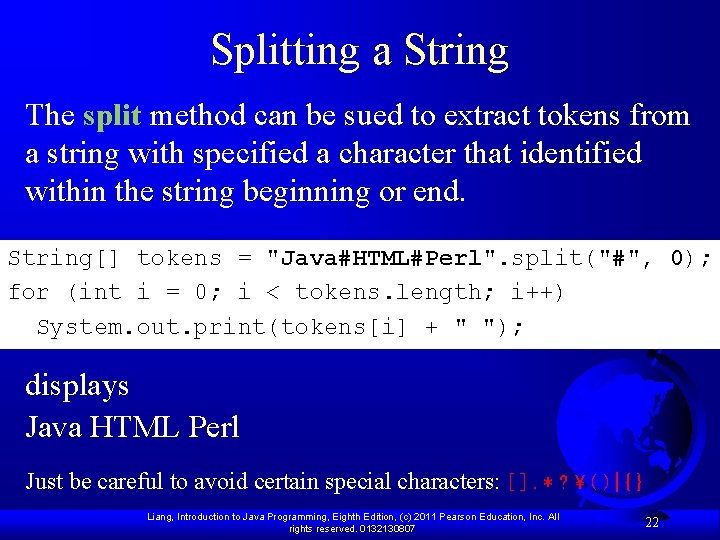
Splitting a String The split method can be sued to extract tokens from a string with specified a character that identified within the string beginning or end. String[] tokens = "Java#HTML#Perl". split("#", 0); for (int i = 0; i < tokens. length; i++) System. out. print(tokens[i] + " "); displays Java HTML Perl Just be careful to avoid certain special characters: [ ]. * ? ( ) | { } Liang, Introduction to Java Programming, Eighth Edition, (c) 2011 Pearson Education, Inc. All rights reserved. 0132130807 22
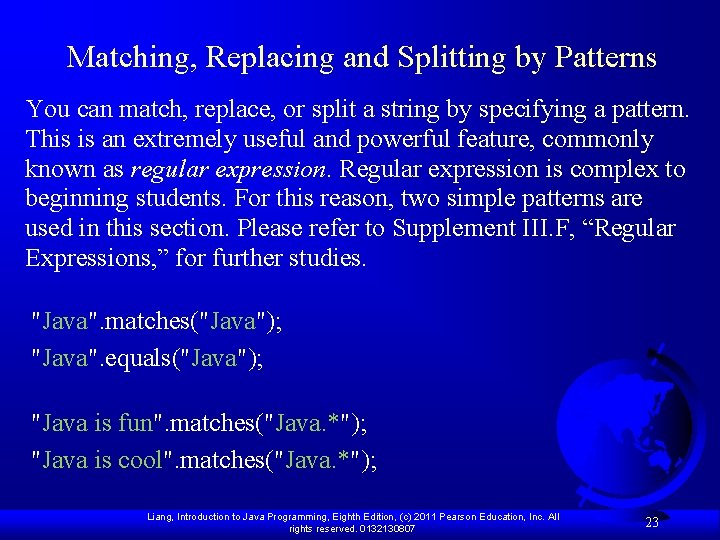
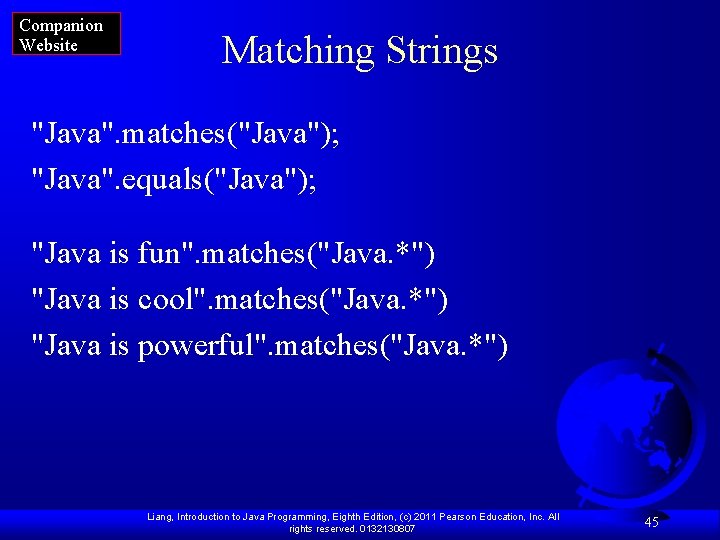
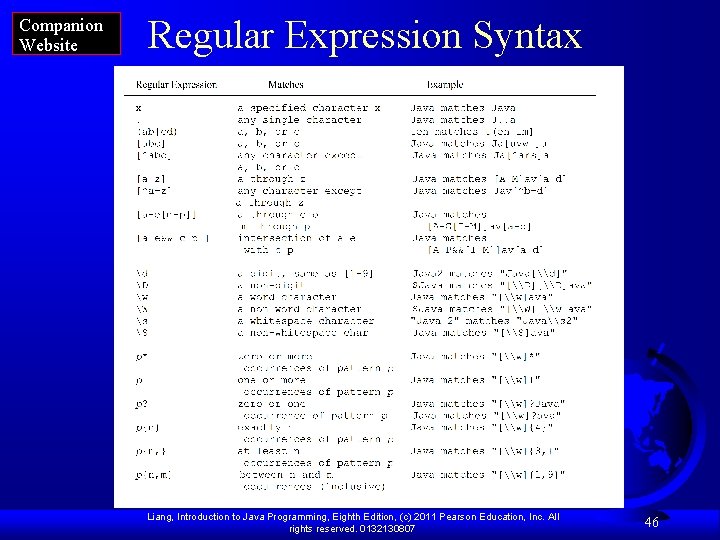
Matching, Replacing and Splitting by Patterns You can match, replace, or split a string by specifying a pattern. This is an extremely useful and powerful feature, commonly known as regular expression. Regular expression is complex to beginning students. For this reason, two simple patterns are used in this section. Please refer to Supplement III. F, “Regular Expressions, ” for further studies. "Java". matches("Java"); "Java". equals("Java"); "Java is fun". matches("Java. *"); "Java is cool". matches("Java. *"); Liang, Introduction to Java Programming, Eighth Edition, (c) 2011 Pearson Education, Inc. All rights reserved. 0132130807 23
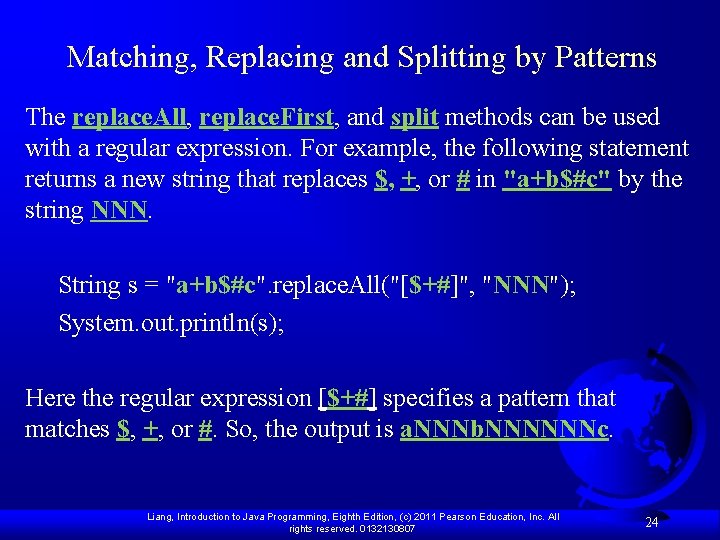
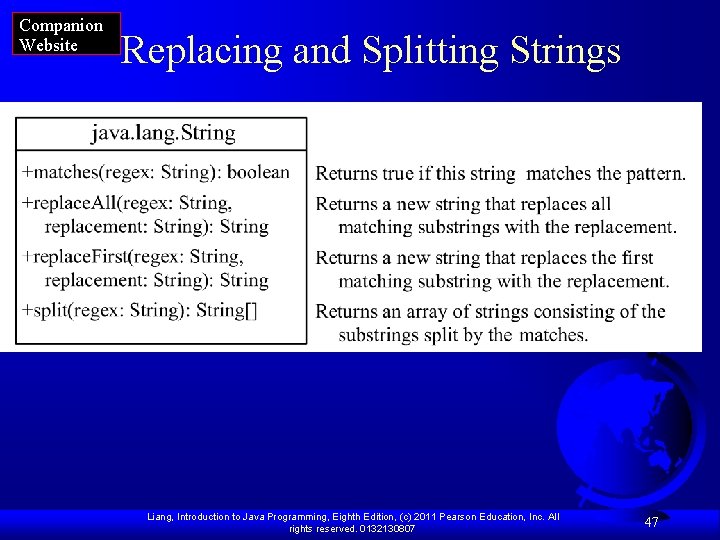
Matching, Replacing and Splitting by Patterns The replace. All, replace. First, and split methods can be used with a regular expression. For example, the following statement returns a new string that replaces $, +, or # in "a+b$#c" by the string NNN. String s = "a+b$#c". replace. All("[$+#]", "NNN"); System. out. println(s); Here the regular expression [$+#] specifies a pattern that matches $, +, or #. So, the output is a. NNNb. NNNNNNc. Liang, Introduction to Java Programming, Eighth Edition, (c) 2011 Pearson Education, Inc. All rights reserved. 0132130807 24
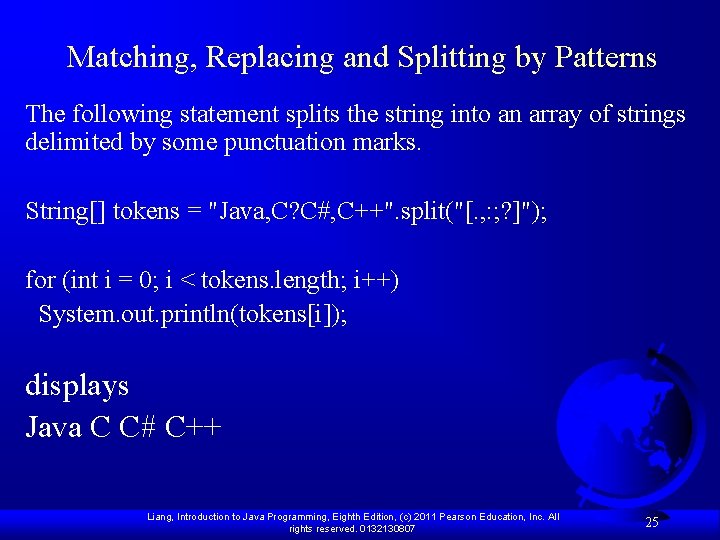
Matching, Replacing and Splitting by Patterns The following statement splits the string into an array of strings delimited by some punctuation marks. String[] tokens = "Java, C? C#, C++". split("[. , : ; ? ]"); for (int i = 0; i < tokens. length; i++) System. out. println(tokens[i]); displays Java C C# C++ Liang, Introduction to Java Programming, Eighth Edition, (c) 2011 Pearson Education, Inc. All rights reserved. 0132130807 25
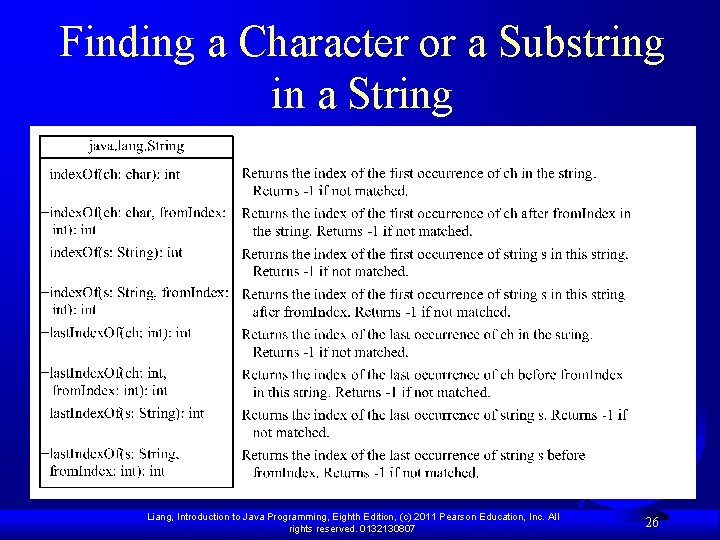
Finding a Character or a Substring in a String Liang, Introduction to Java Programming, Eighth Edition, (c) 2011 Pearson Education, Inc. All rights reserved. 0132130807 26
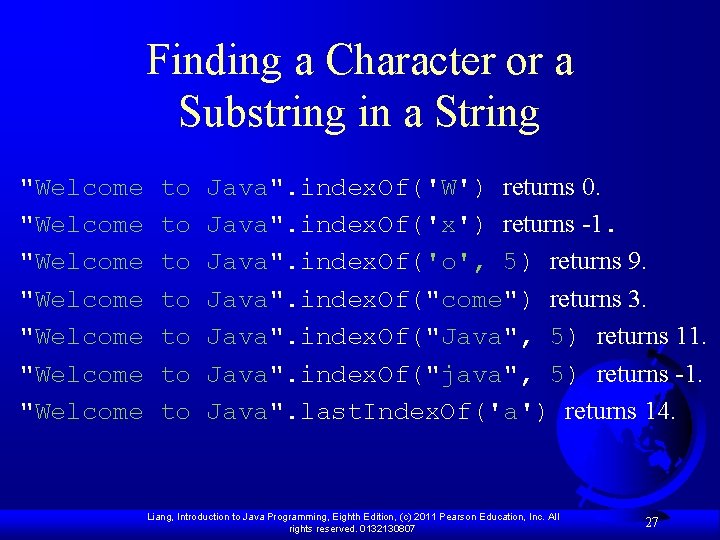
Finding a Character or a Substring in a String "Welcome "Welcome to to Java". index. Of('W') returns 0. Java". index. Of('x') returns -1. Java". index. Of('o', 5) returns 9. Java". index. Of("come") returns 3. Java". index. Of("Java", 5) returns 11. Java". index. Of("java", 5) returns -1. Java". last. Index. Of('a') returns 14. Liang, Introduction to Java Programming, Eighth Edition, (c) 2011 Pearson Education, Inc. All rights reserved. 0132130807 27
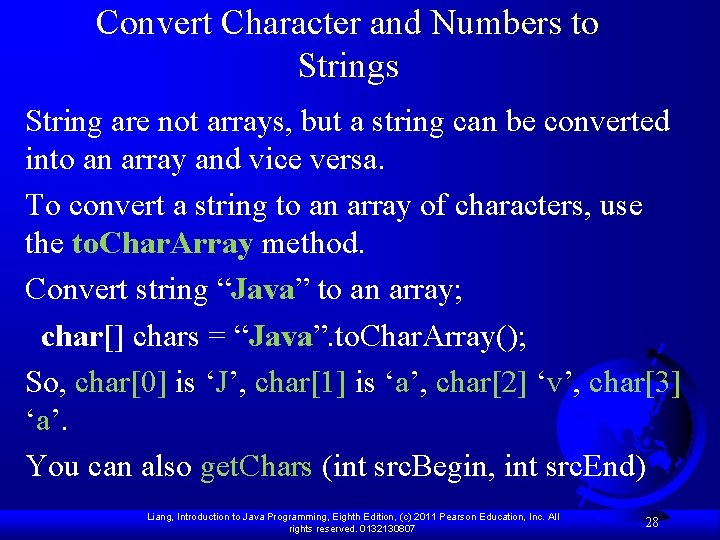
Convert Character and Numbers to Strings String are not arrays, but a string can be converted into an array and vice versa. To convert a string to an array of characters, use the to. Char. Array method. Convert string “Java” to an array; char[] chars = “Java”. to. Char. Array(); So, char[0] is ‘J’, char[1] is ‘a’, char[2] ‘v’, char[3] ‘a’. You can also get. Chars (int src. Begin, int src. End) Liang, Introduction to Java Programming, Eighth Edition, (c) 2011 Pearson Education, Inc. All rights reserved. 0132130807 28
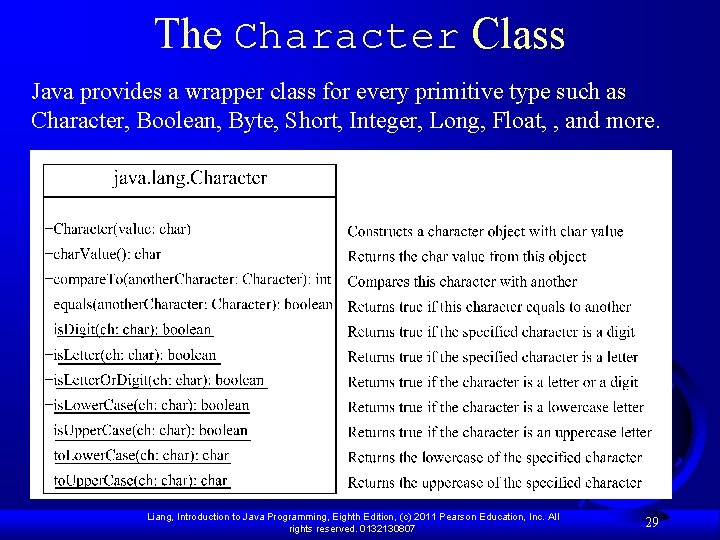
The Character Class Java provides a wrapper class for every primitive type such as Character, Boolean, Byte, Short, Integer, Long, Float, , and more. Liang, Introduction to Java Programming, Eighth Edition, (c) 2011 Pearson Education, Inc. All rights reserved. 0132130807 29
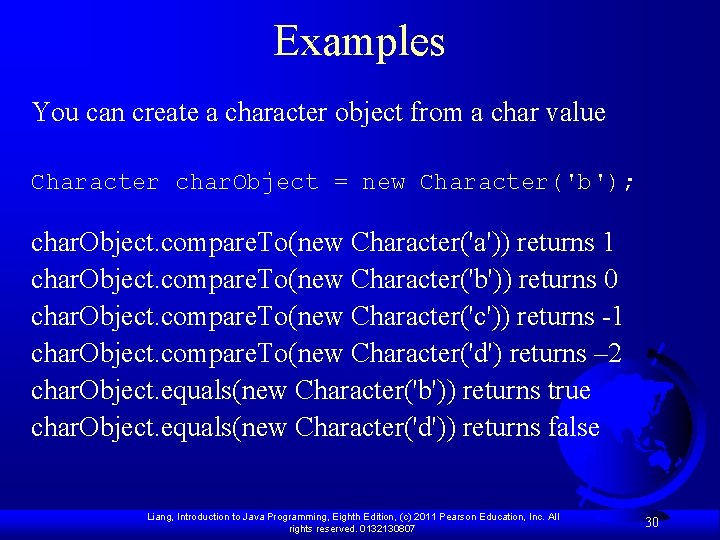
Examples You can create a character object from a char value Character char. Object = new Character('b'); char. Object. compare. To(new Character('a')) returns 1 char. Object. compare. To(new Character('b')) returns 0 char. Object. compare. To(new Character('c')) returns -1 char. Object. compare. To(new Character('d') returns – 2 char. Object. equals(new Character('b')) returns true char. Object. equals(new Character('d')) returns false Liang, Introduction to Java Programming, Eighth Edition, (c) 2011 Pearson Education, Inc. All rights reserved. 0132130807 30
Problem: Counting Each Letter in a String This example gives a program that counts the number of occurrence of each letter in a string. Assume the letters are not case-sensitive. Count. Each. Letter Liang, Introduction to Java Programming, Eighth Edition, (c) 2011 Pearson Education, Inc. All rights reserved. 0132130807 Run 31
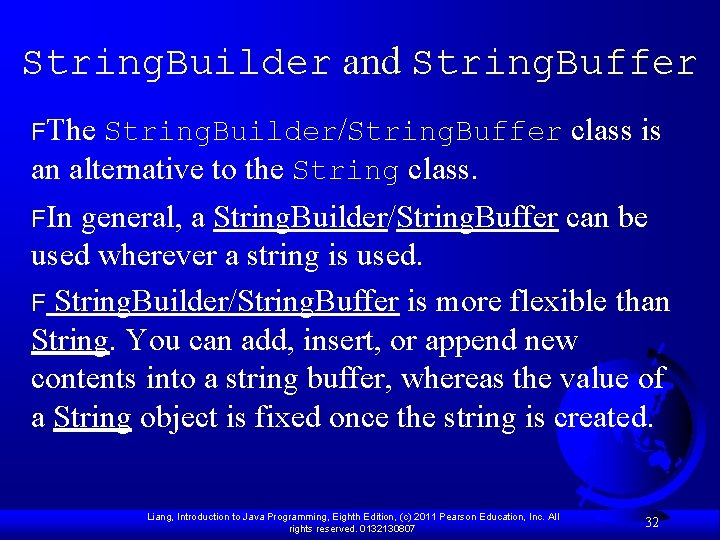
String. Builder and String. Buffer FThe String. Builder/String. Buffer class is an alternative to the String class. FIn general, a String. Builder/String. Buffer can be used wherever a string is used. F String. Builder/String. Buffer is more flexible than String. You can add, insert, or append new contents into a string buffer, whereas the value of a String object is fixed once the string is created. Liang, Introduction to Java Programming, Eighth Edition, (c) 2011 Pearson Education, Inc. All rights reserved. 0132130807 32
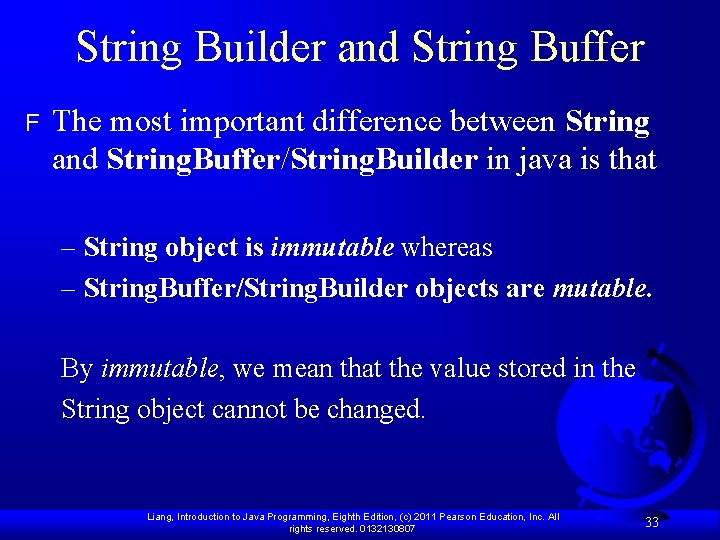
String Builder and String Buffer F The most important difference between String and String. Buffer/String. Builder in java is that – String object is immutable whereas – String. Buffer/String. Builder objects are mutable. By immutable, we mean that the value stored in the String object cannot be changed. Liang, Introduction to Java Programming, Eighth Edition, (c) 2011 Pearson Education, Inc. All rights reserved. 0132130807 33
Internally a new String object is created to do the changes. So suppose you declare a String object: String my. String = “Hello”; Next, you want to append “Guest” to the same String. What you can do is the following: my. String = my. String + ” Guest”; When you print the contents of my. String the output will be “Hello Guest”. Although we made use of the same object(my. String), internally a new object was created in the process. Liang, Introduction to Java Programming, Eighth Edition, (c) 2011 Pearson Education, Inc. All rights reserved. 0132130807 34
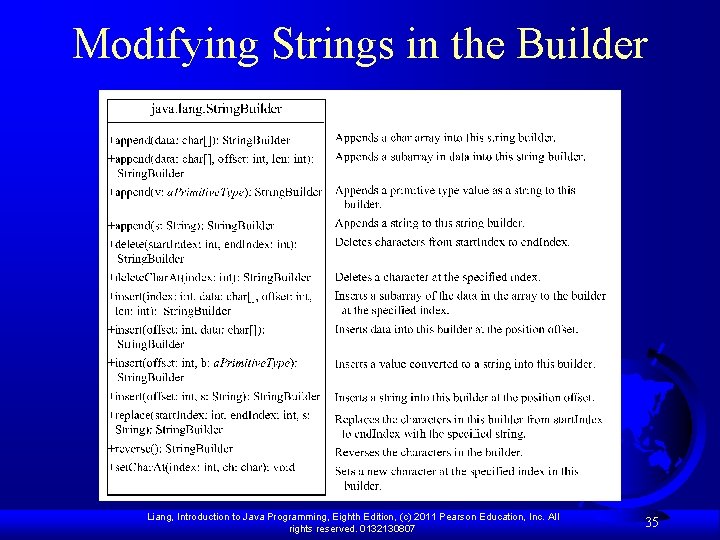
Modifying Strings in the Builder Liang, Introduction to Java Programming, Eighth Edition, (c) 2011 Pearson Education, Inc. All rights reserved. 0132130807 35
Using append F F since String. Buffer/String. Builder objects are mutable, we can make changes to the value stored in the object. What this effectively means is that string operations such as append would be more efficient if performed using String. Buffer/String. Builder objects than String objects. Liang, Introduction to Java Programming, Eighth Edition, (c) 2011 Pearson Education, Inc. All rights reserved. 0132130807 36
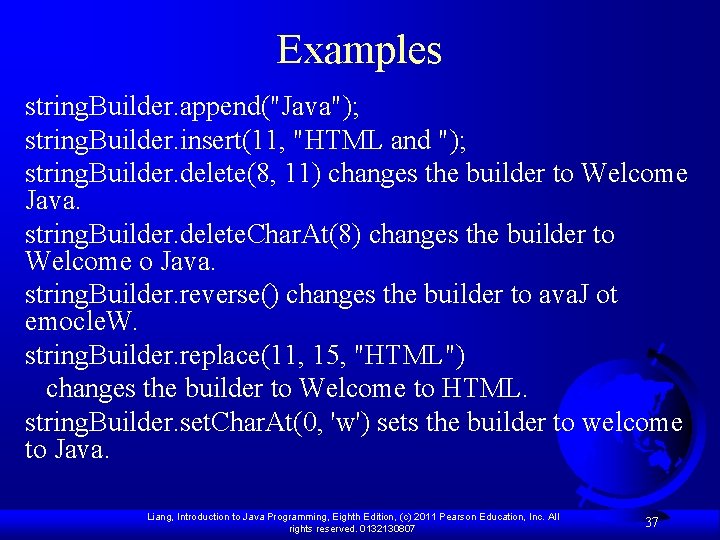
Examples string. Builder. append("Java"); string. Builder. insert(11, "HTML and "); string. Builder. delete(8, 11) changes the builder to Welcome Java. string. Builder. delete. Char. At(8) changes the builder to Welcome o Java. string. Builder. reverse() changes the builder to ava. J ot emocle. W. string. Builder. replace(11, 15, "HTML") changes the builder to Welcome to HTML. string. Builder. set. Char. At(0, 'w') sets the builder to welcome to Java. Liang, Introduction to Java Programming, Eighth Edition, (c) 2011 Pearson Education, Inc. All rights reserved. 0132130807 37
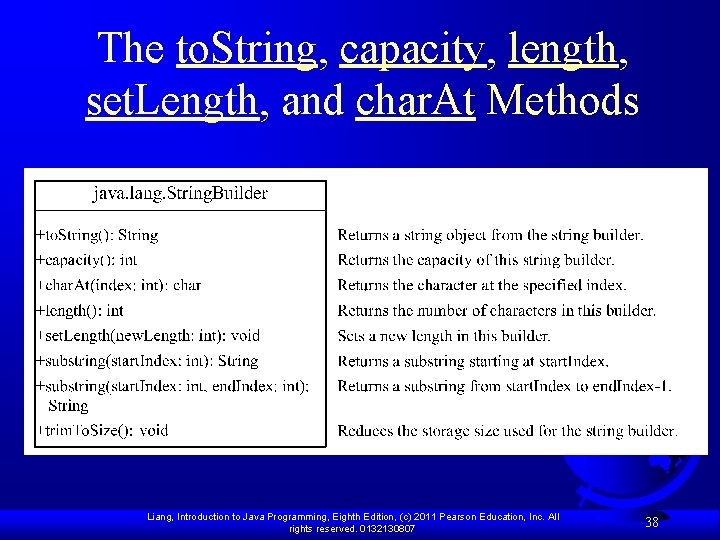
The to. String, capacity, length, set. Length, and char. At Methods Liang, Introduction to Java Programming, Eighth Edition, (c) 2011 Pearson Education, Inc. All rights reserved. 0132130807 38
Problem: Checking Palindromes Ignoring Non-alphanumeric Characters This example gives a program that counts the number of occurrence of each letter in a string. Assume the letters are not case-sensitive. Palindrome. Ignore. Non. Alphanumeric Liang, Introduction to Java Programming, Eighth Edition, (c) 2011 Pearson Education, Inc. All rights reserved. 0132130807 Run 39
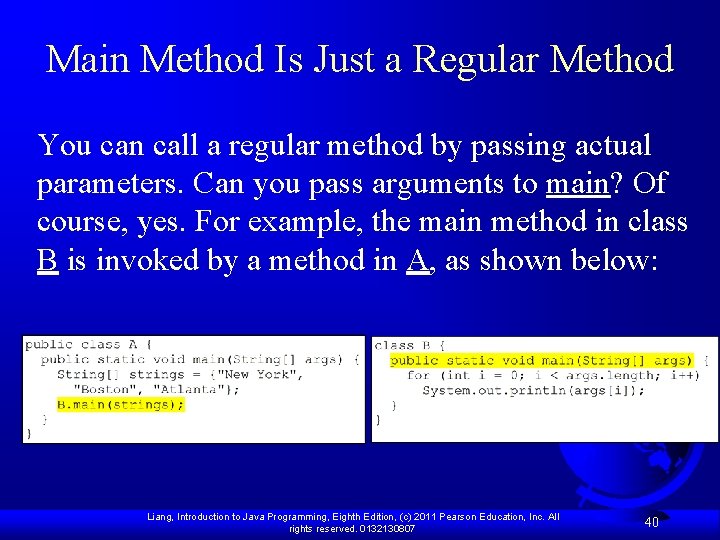
Main Method Is Just a Regular Method You can call a regular method by passing actual parameters. Can you pass arguments to main? Of course, yes. For example, the main method in class B is invoked by a method in A, as shown below: Liang, Introduction to Java Programming, Eighth Edition, (c) 2011 Pearson Education, Inc. All rights reserved. 0132130807 40
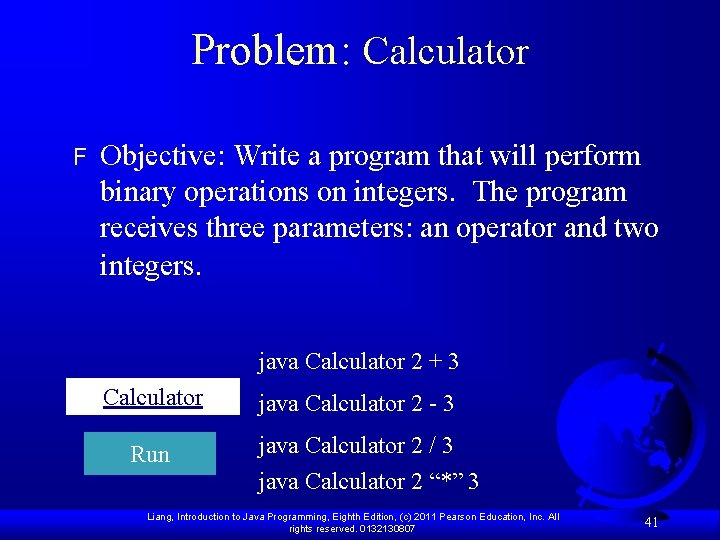
Problem: Calculator F Objective: Write a program that will perform binary operations on integers. The program receives three parameters: an operator and two integers. java Calculator 2 + 3 Calculator Run java Calculator 2 - 3 java Calculator 2 / 3 java Calculator 2 “*” 3 Liang, Introduction to Java Programming, Eighth Edition, (c) 2011 Pearson Education, Inc. All rights reserved. 0132130807 41
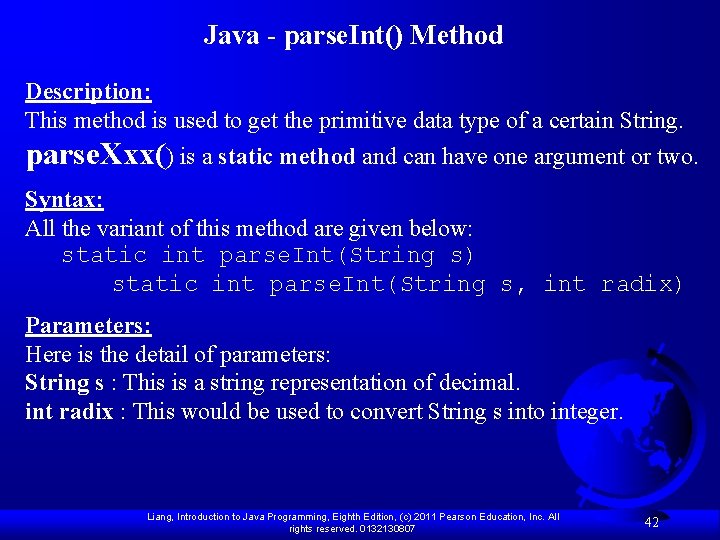
Java - parse. Int() Method Description: This method is used to get the primitive data type of a certain String. parse. Xxx() is a static method and can have one argument or two. Syntax: All the variant of this method are given below: static int parse. Int(String s) static int parse. Int(String s, int radix) Parameters: Here is the detail of parameters: String s : This is a string representation of decimal. int radix : This would be used to convert String s into integer. Liang, Introduction to Java Programming, Eighth Edition, (c) 2011 Pearson Education, Inc. All rights reserved. 0132130807 42
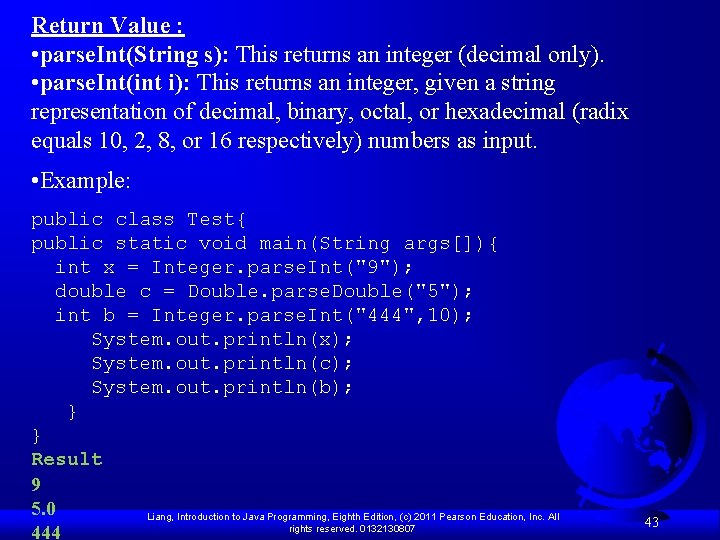
Return Value : • parse. Int(String s): This returns an integer (decimal only). • parse. Int(int i): This returns an integer, given a string representation of decimal, binary, octal, or hexadecimal (radix equals 10, 2, 8, or 16 respectively) numbers as input. • Example: public class Test{ public static void main(String args[]){ int x = Integer. parse. Int("9"); double c = Double. parse. Double("5"); int b = Integer. parse. Int("444", 10); System. out. println(x); System. out. println(c); System. out. println(b); } } Result 9 5. 0 Liang, Introduction to Java Programming, Eighth Edition, (c) 2011 Pearson Education, Inc. All rights reserved. 0132130807 444 43
Companion Website Regular Expressions A regular expression (abbreviated regex) is a string that describes a pattern for matching a set of strings. Regular expression is a powerful tool for string manipulations. You can use regular expressions for matching, replacing, and splitting strings. Liang, Introduction to Java Programming, Eighth Edition, (c) 2011 Pearson Education, Inc. All rights reserved. 0132130807 44
Companion Website Matching Strings "Java". matches("Java"); "Java". equals("Java"); "Java is fun". matches("Java. *") "Java is cool". matches("Java. *") "Java is powerful". matches("Java. *") Liang, Introduction to Java Programming, Eighth Edition, (c) 2011 Pearson Education, Inc. All rights reserved. 0132130807 45
Companion Website Regular Expression Syntax Liang, Introduction to Java Programming, Eighth Edition, (c) 2011 Pearson Education, Inc. All rights reserved. 0132130807 46
Companion Website Replacing and Splitting Strings Liang, Introduction to Java Programming, Eighth Edition, (c) 2011 Pearson Education, Inc. All rights reserved. 0132130807 47
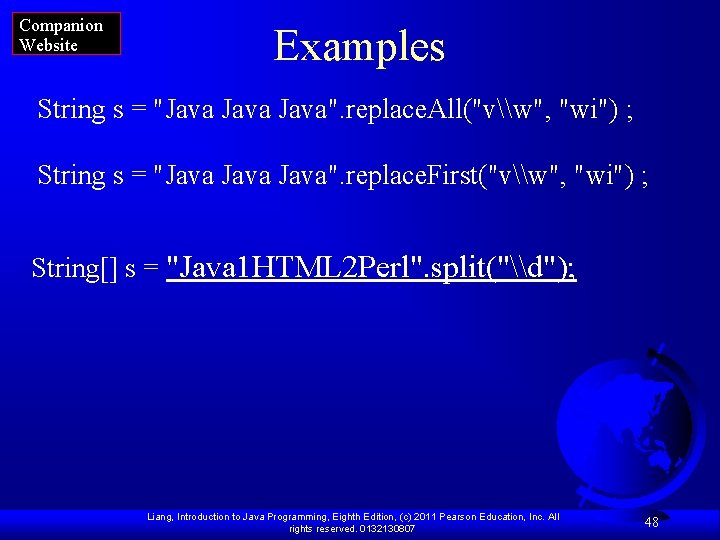
Companion Website Examples String s = "Java". replace. All("v\w", "wi") ; String s = "Java". replace. First("v\w", "wi") ; String[] s = "Java 1 HTML 2 Perl". split("\d"); Liang, Introduction to Java Programming, Eighth Edition, (c) 2011 Pearson Education, Inc. All rights reserved. 0132130807 48