Chapter 6 Repetition 6 1 Do Loops 6
- Slides: 44
Chapter 6 – Repetition • 6. 1 Do Loops • 6. 2 Processing Lists of Data with Do Loops • 6. 3 For. . . Next Loops • 6. 4 A Case Study: Analyze a Loan Chapter 6 - VB 2008 by Schneider 1
6. 1 Do Loops • A loop is one of the most important structures in programming. • Used to repeat a sequence of statements a number of times. • The Do loop repeats a sequence of statements either as long as or until a certain condition is true. Chapter 6 - VB 2008 by Schneider 2
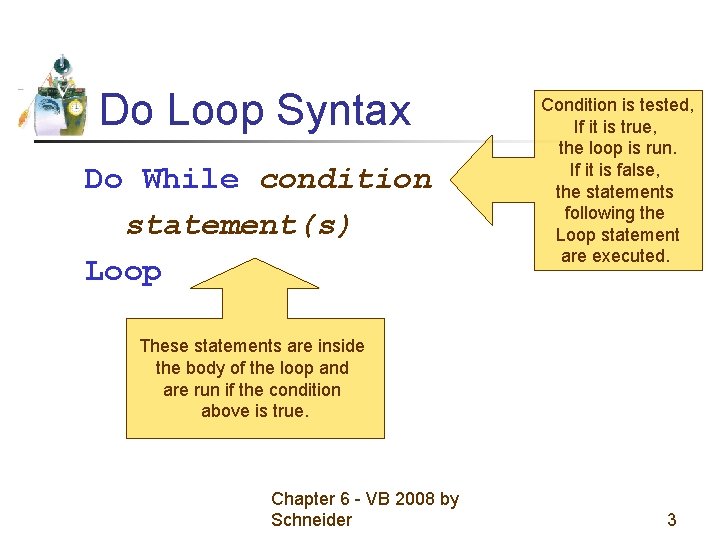
Do Loop Syntax Do While condition statement(s) Loop Condition is tested, If it is true, the loop is run. If it is false, the statements following the Loop statement are executed. These statements are inside the body of the loop and are run if the condition above is true. Chapter 6 - VB 2008 by Schneider 3
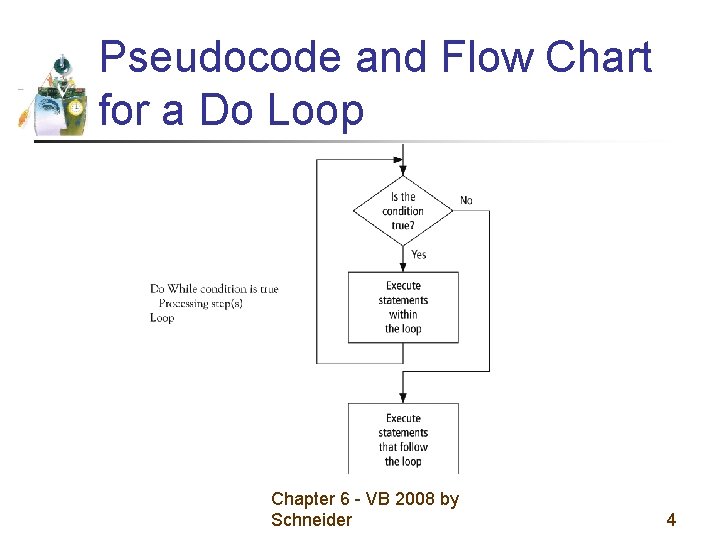
Pseudocode and Flow Chart for a Do Loop Chapter 6 - VB 2008 by Schneider 4
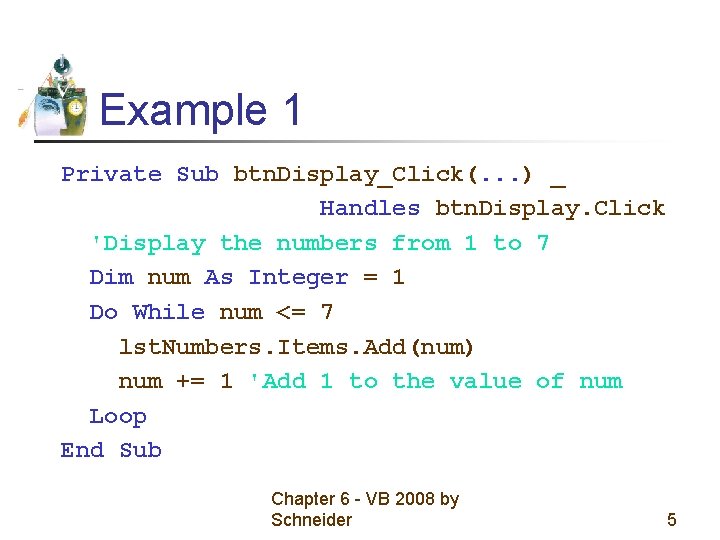
Example 1 Private Sub btn. Display_Click(. . . ) _ Handles btn. Display. Click 'Display the numbers from 1 to 7 Dim num As Integer = 1 Do While num <= 7 lst. Numbers. Items. Add(num) num += 1 'Add 1 to the value of num Loop End Sub Chapter 6 - VB 2008 by Schneider 5
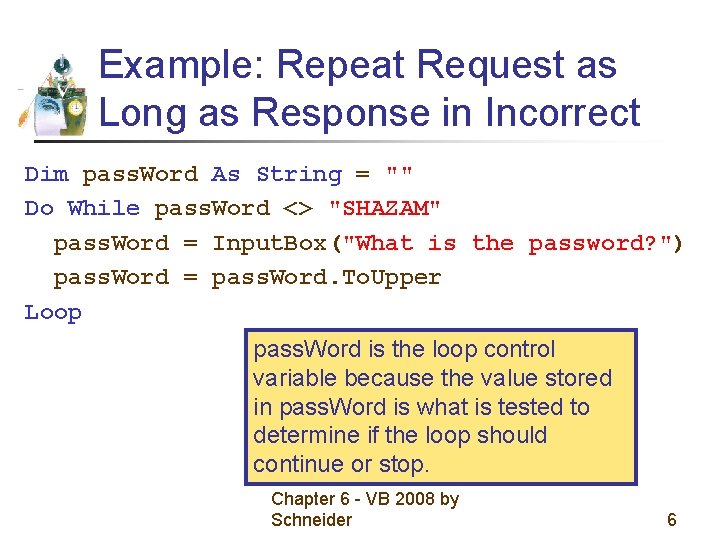
Example: Repeat Request as Long as Response in Incorrect Dim pass. Word As String = "" Do While pass. Word <> "SHAZAM" pass. Word = Input. Box("What is the password? ") pass. Word = pass. Word. To. Upper Loop pass. Word is the loop control variable because the value stored in pass. Word is what is tested to determine if the loop should continue or stop. Chapter 6 - VB 2008 by Schneider 6
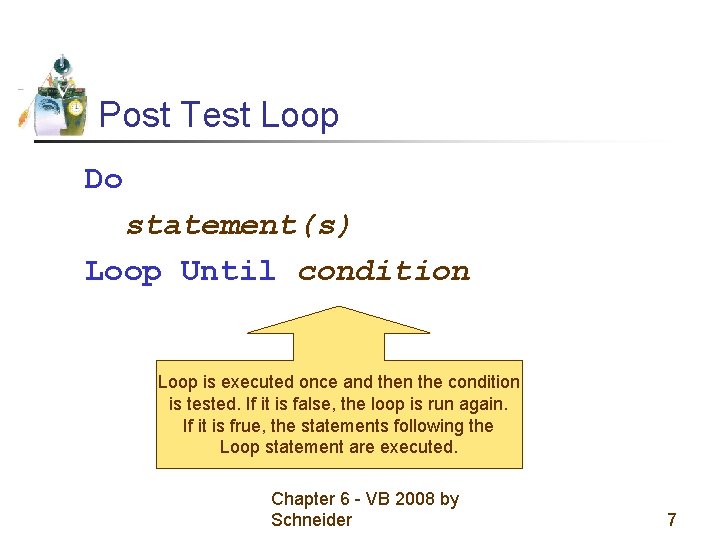
Post Test Loop Do statement(s) Loop Until condition Loop is executed once and then the condition is tested. If it is false, the loop is run again. If it is frue, the statements following the Loop statement are executed. Chapter 6 - VB 2008 by Schneider 7
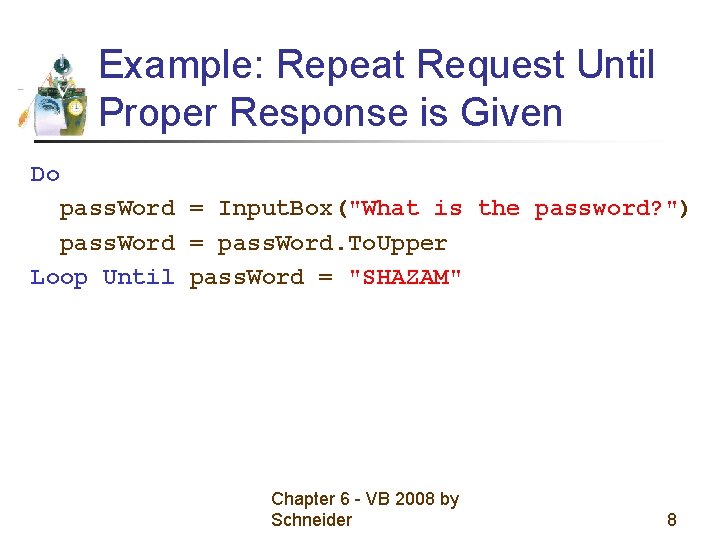
Example: Repeat Request Until Proper Response is Given Do pass. Word = Input. Box("What is the password? ") pass. Word = pass. Word. To. Upper Loop Until pass. Word = "SHAZAM" Chapter 6 - VB 2008 by Schneider 8
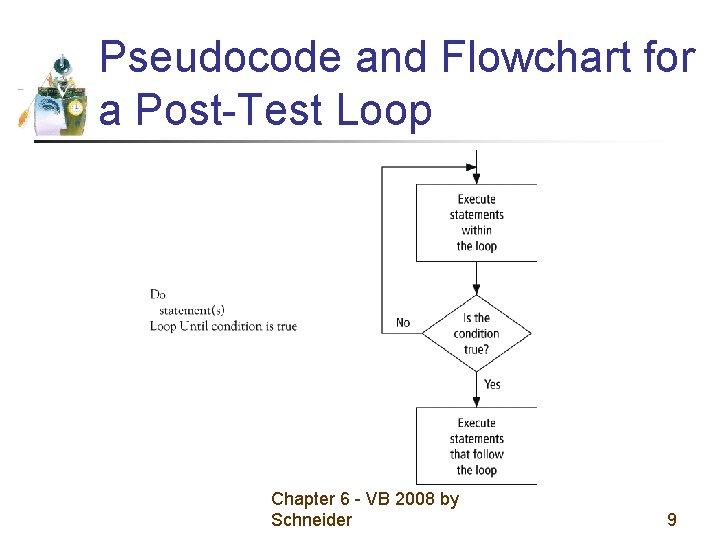
Pseudocode and Flowchart for a Post-Test Loop Chapter 6 - VB 2008 by Schneider 9
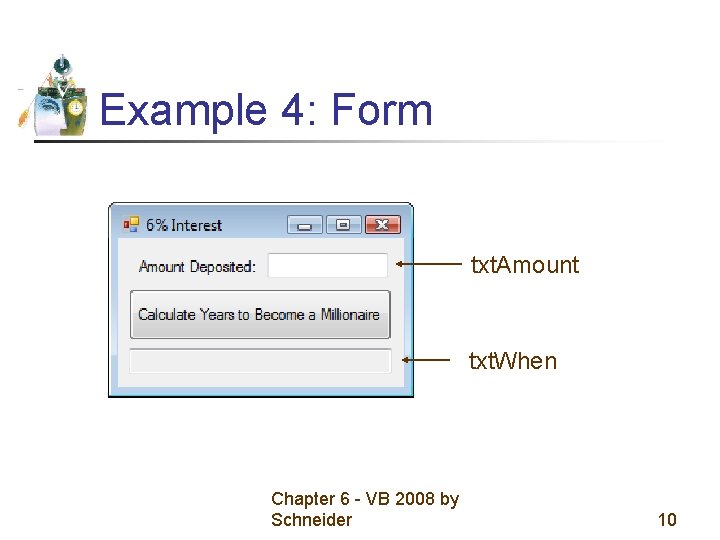
Example 4: Form txt. Amount txt. When Chapter 6 - VB 2008 by Schneider 10
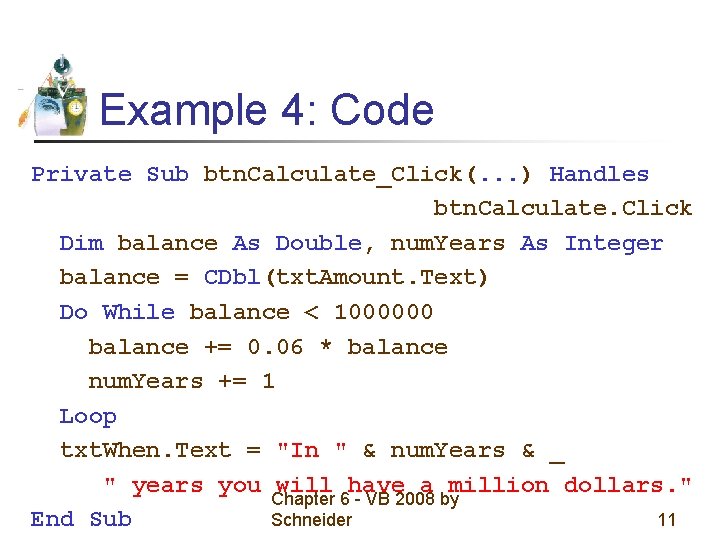
Example 4: Code Private Sub btn. Calculate_Click(. . . ) Handles btn. Calculate. Click Dim balance As Double, num. Years As Integer balance = CDbl(txt. Amount. Text) Do While balance < 1000000 balance += 0. 06 * balance num. Years += 1 Loop txt. When. Text = "In " & num. Years & _ " years you will have a million dollars. " Chapter 6 - VB 2008 by Schneider 11 End Sub
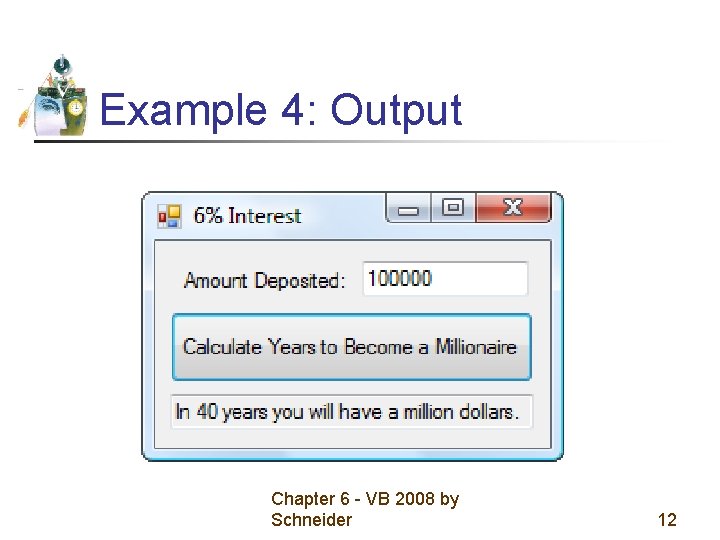
Example 4: Output Chapter 6 - VB 2008 by Schneider 12
Comments • Be careful to avoid infinite loops – loops that never end. • Visual Basic allows for the use of either the While keyword or the Until keyword at the top or the bottom of a loop. • This textbook will use only While at the top and only Until at the bottom. Chapter 6 - VB 2008 by Schneider 13
6. 2 Processing Lists of Data with Do Loops • • Peek Method Counters and Accumulators Flags Nested Loops Chapter 6 - VB 2008 by Schneider 14
Processing Lists of Data with Do Loops • Display all or selected items from lists • Search lists for specific items • Perform calculations on the numerical entries of a list Chapter 6 - VB 2008 by Schneider 15
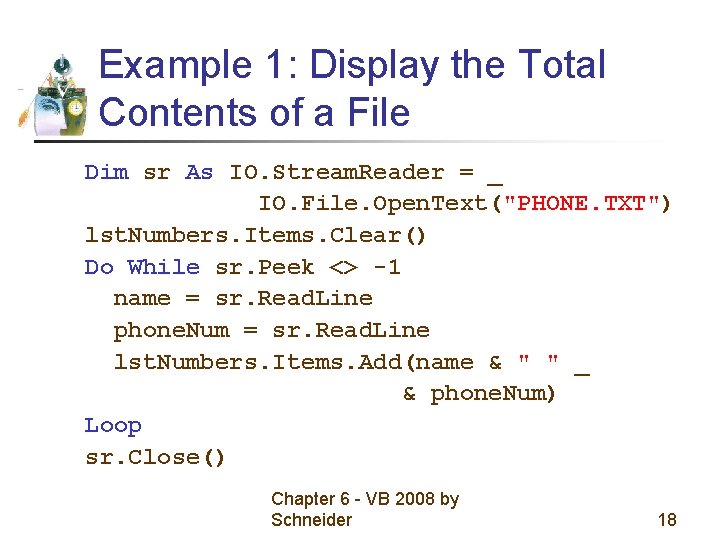
Peek Method • Data to be processed are often retrieved from a file by a Do loop • To determine if we have reached the end of the file from which we are reading, we use the Peek method. Chapter 6 - VB 2008 by Schneider 16
Peek Example • Suppose a file has been opened as a Stream. Reader object named sr. • sr. Peek is the ANSI value of the first character of the line about to be read with Read. Line. If the end of the file has been reached, the value of sr. Peek is -1 Chapter 6 - VB 2008 by Schneider 17
Example 1: Display the Total Contents of a File Dim sr As IO. Stream. Reader = _ IO. File. Open. Text("PHONE. TXT") lst. Numbers. Items. Clear() Do While sr. Peek <> -1 name = sr. Read. Line phone. Num = sr. Read. Line lst. Numbers. Items. Add(name & " " _ & phone. Num) Loop sr. Close() Chapter 6 - VB 2008 by Schneider 18
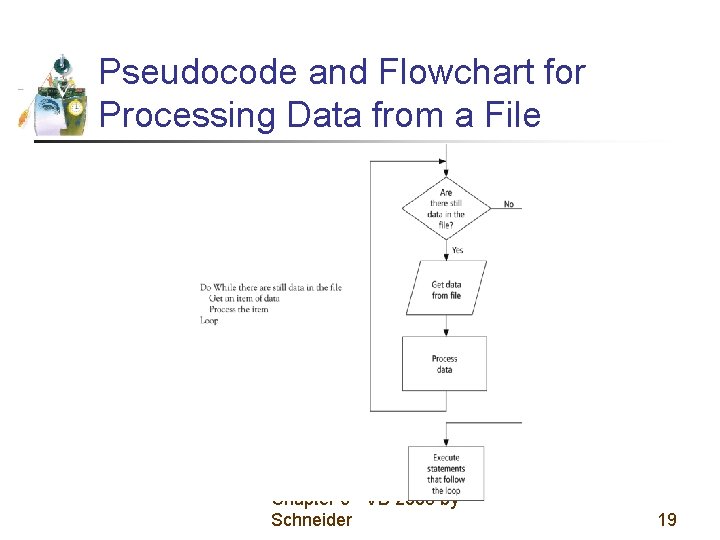
Pseudocode and Flowchart for Processing Data from a File Chapter 6 - VB 2008 by Schneider 19
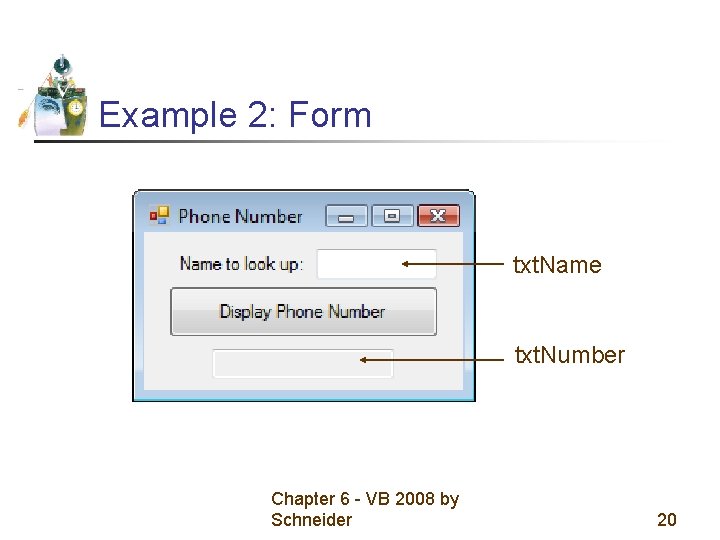
Example 2: Form txt. Name txt. Number Chapter 6 - VB 2008 by Schneider 20
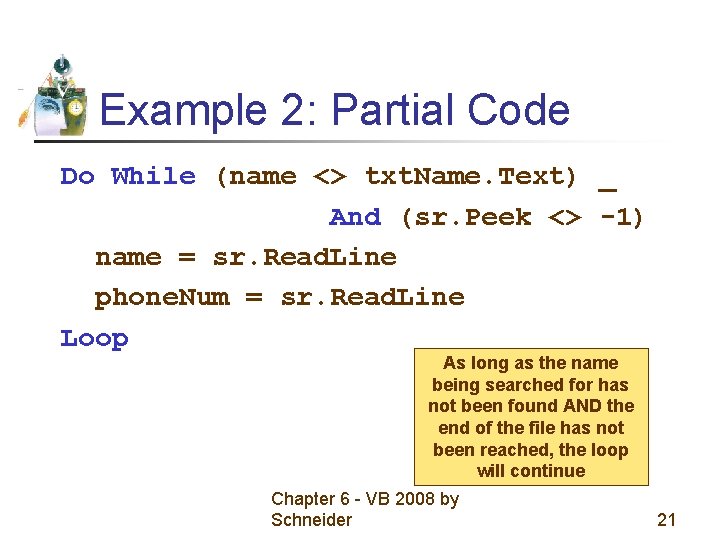
Example 2: Partial Code Do While (name <> txt. Name. Text) _ And (sr. Peek <> -1) name = sr. Read. Line phone. Num = sr. Read. Line Loop As long as the name being searched for has not been found AND the end of the file has not been reached, the loop will continue Chapter 6 - VB 2008 by Schneider 21
Counters and Accumulators • A counter is a numeric variable that keeps track of the number of items that have been processed. • An accumulator is a numeric variable that totals numbers. Chapter 6 - VB 2008 by Schneider 22
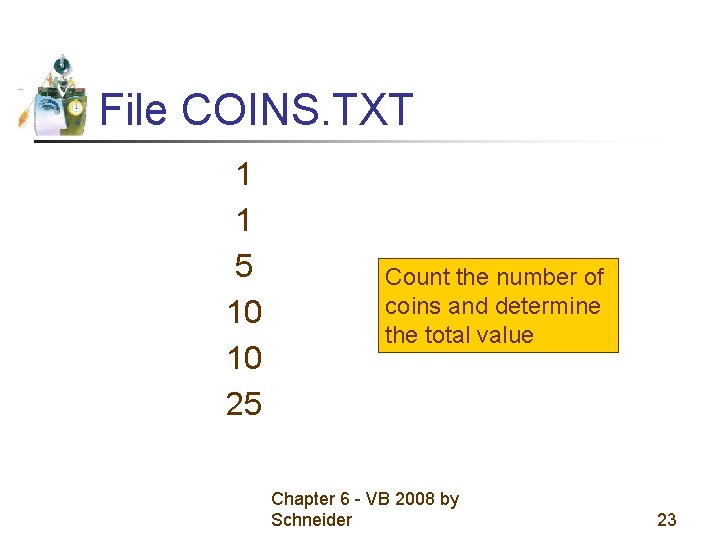
File COINS. TXT 1 1 5 10 10 25 Count the number of coins and determine the total value Chapter 6 - VB 2008 by Schneider 23
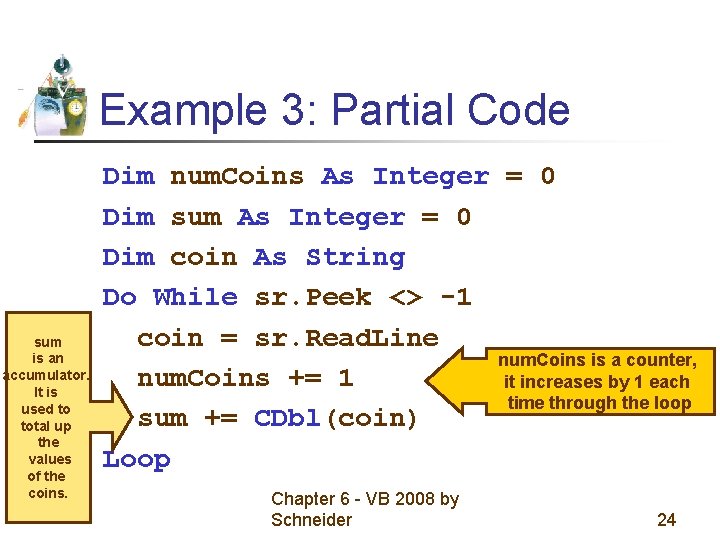
Example 3: Partial Code sum is an accumulator. It is used to total up the values of the coins. Dim num. Coins As Integer = 0 Dim sum As Integer = 0 Dim coin As String Do While sr. Peek <> -1 coin = sr. Read. Line num. Coins is a counter, num. Coins += 1 it increases by 1 each time through the loop sum += CDbl(coin) Loop Chapter 6 - VB 2008 by Schneider 24
Flags • A flag is a variable that keeps track of whether a certain situation has occurred. • The data type most suited to flags is Boolean. Chapter 6 - VB 2008 by Schneider 25
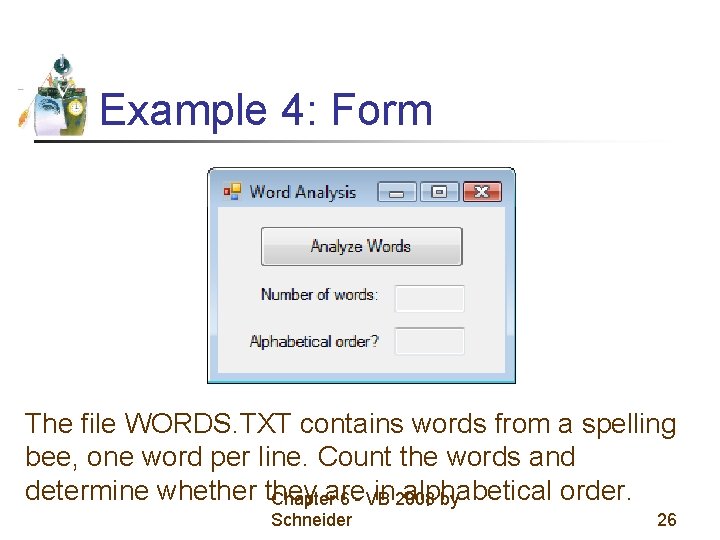
Example 4: Form The file WORDS. TXT contains words from a spelling bee, one word per line. Count the words and determine whether they are in 2008 alphabetical order. Chapter 6 - VB by Schneider 26
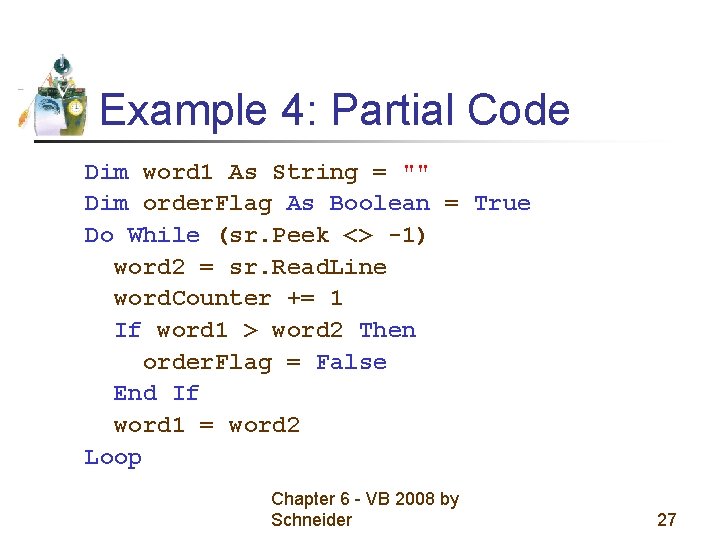
Example 4: Partial Code Dim word 1 As String = "" Dim order. Flag As Boolean = True Do While (sr. Peek <> -1) word 2 = sr. Read. Line word. Counter += 1 If word 1 > word 2 Then order. Flag = False End If word 1 = word 2 Loop Chapter 6 - VB 2008 by Schneider 27
Nested Loops Statements inside a loop can contain another loop. Chapter 6 - VB 2008 by Schneider 28
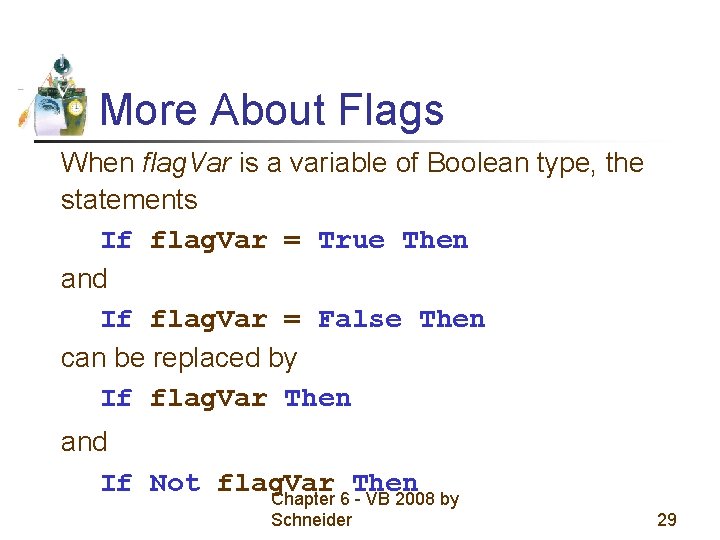
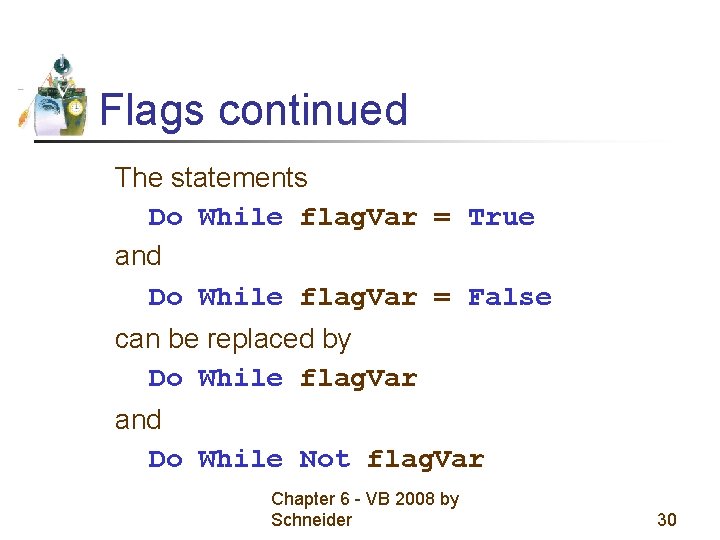
More About Flags When flag. Var is a variable of Boolean type, the statements If flag. Var = True Then and If flag. Var = False Then can be replaced by If flag. Var Then and If Not flag. Var Then Chapter 6 - VB 2008 by Schneider 29
Flags continued The statements Do While flag. Var = True and Do While flag. Var = False can be replaced by Do While flag. Var and Do While Not flag. Var Chapter 6 - VB 2008 by Schneider 30
6. 3 For…Next Loops • Nested For … Next Loops • Local Type Inference Chapter 6 - VB 2008 by Schneider 31
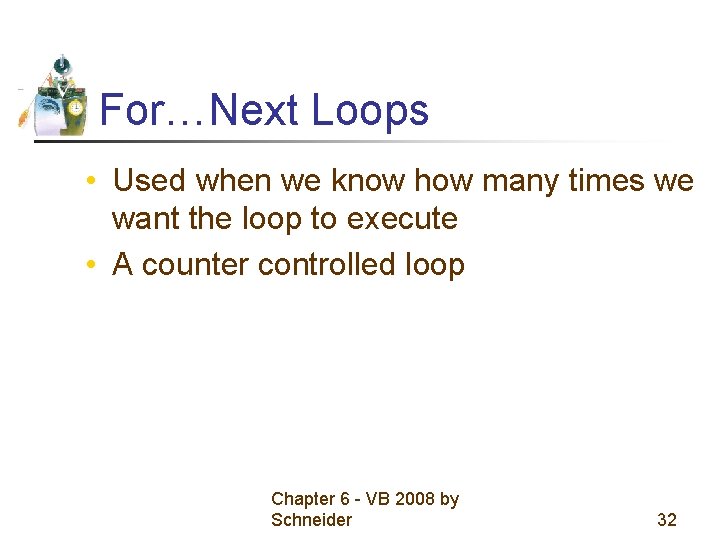
For…Next Loops • Used when we know how many times we want the loop to execute • A counter controlled loop Chapter 6 - VB 2008 by Schneider 32
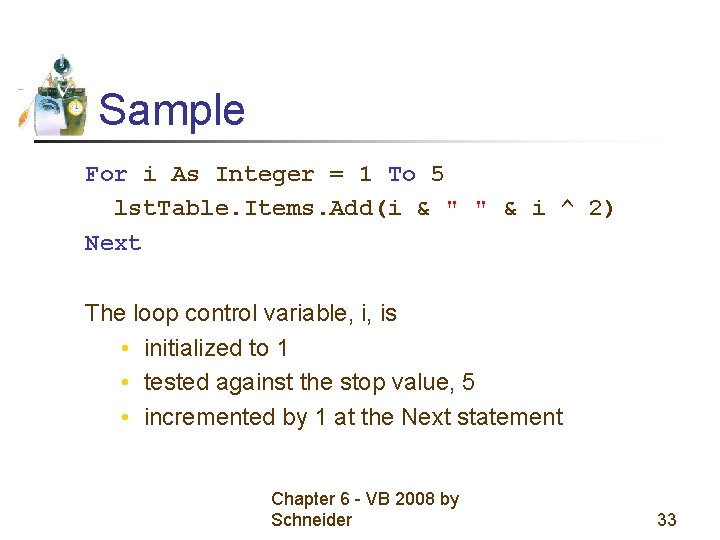
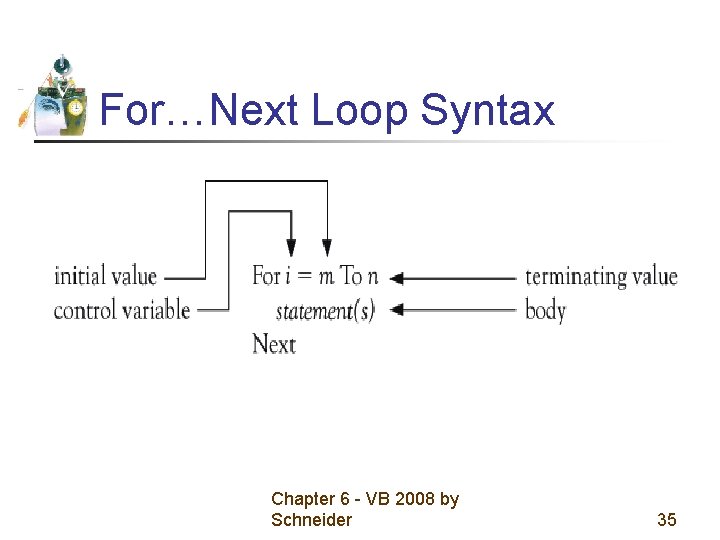
Sample For i As Integer = 1 To 5 lst. Table. Items. Add(i & " " & i ^ 2) Next The loop control variable, i, is • initialized to 1 • tested against the stop value, 5 • incremented by 1 at the Next statement Chapter 6 - VB 2008 by Schneider 33
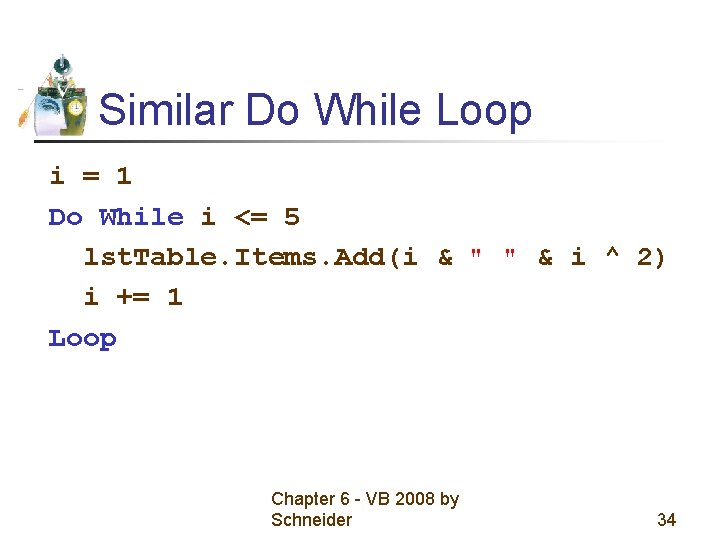
Similar Do While Loop i = 1 Do While i <= 5 lst. Table. Items. Add(i & " " & i ^ 2) i += 1 Loop Chapter 6 - VB 2008 by Schneider 34
For…Next Loop Syntax Chapter 6 - VB 2008 by Schneider 35
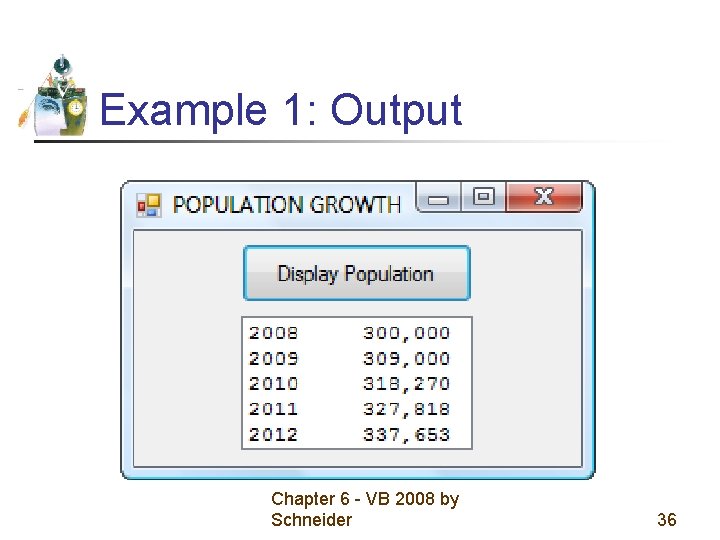
Example 1: Output Chapter 6 - VB 2008 by Schneider 36
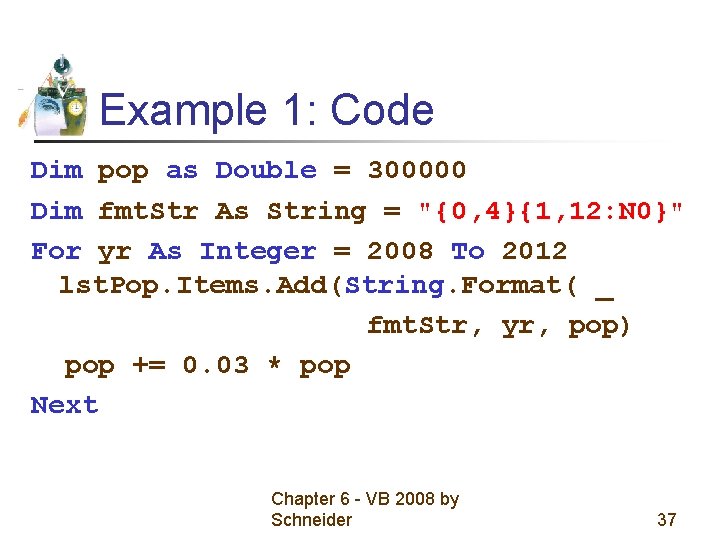
Example 1: Code Dim pop as Double = 300000 Dim fmt. Str As String = "{0, 4}{1, 12: N 0}" For yr As Integer = 2008 To 2012 lst. Pop. Items. Add(String. Format( _ fmt. Str, yr, pop) pop += 0. 03 * pop Next Chapter 6 - VB 2008 by Schneider 37
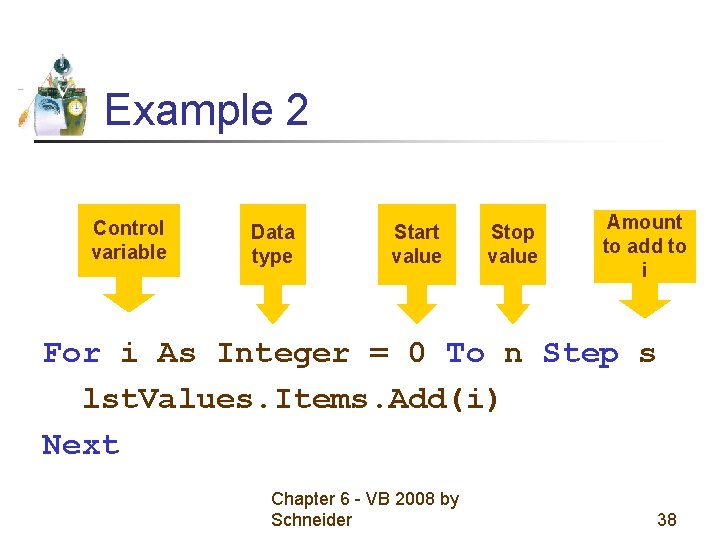
Example 2 Control variable Data type Start value Stop value Amount to add to i For i As Integer = 0 To n Step s lst. Values. Items. Add(i) Next Chapter 6 - VB 2008 by Schneider 38
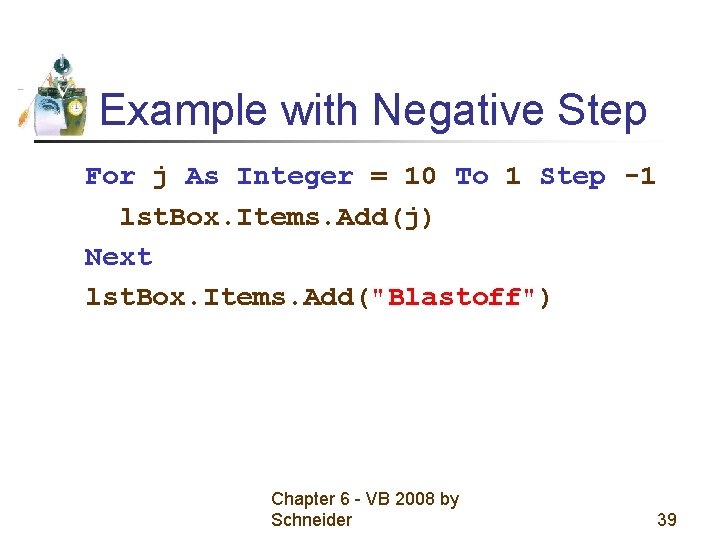
Example with Negative Step For j As Integer = 10 To 1 Step -1 lst. Box. Items. Add(j) Next lst. Box. Items. Add("Blastoff") Chapter 6 - VB 2008 by Schneider 39
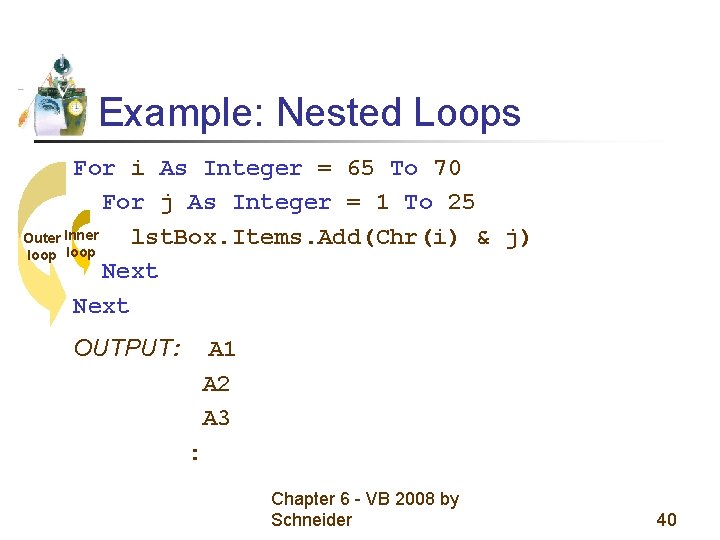
Example: Nested Loops For i As Integer = 65 To 70 For j As Integer = 1 To 25 Outer Inner lst. Box. Items. Add(Chr(i) & j) loop Next OUTPUT: A 1 A 2 A 3 : Chapter 6 - VB 2008 by Schneider 40
For and Next Pairs • For and Next statements must be paired. • If one is missing, the automatic syntax checker will complain with a wavy underline and a message such as “A ‘For’ must be paired with a ‘Next’. ” Chapter 6 - VB 2008 by Schneider 41
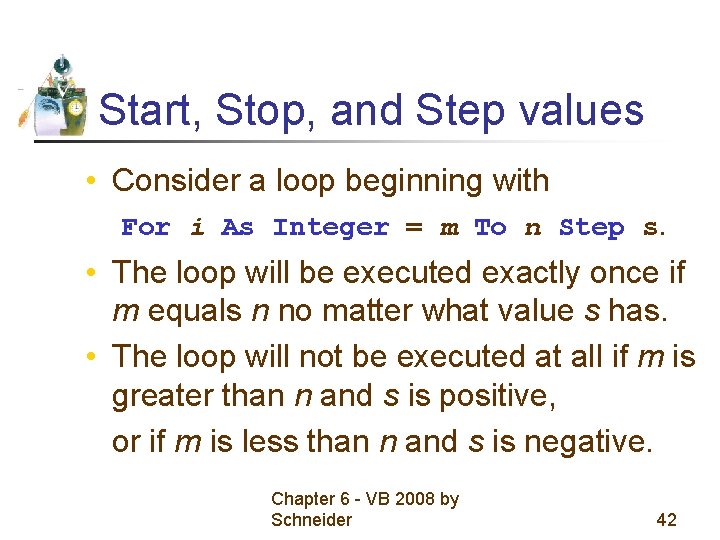
Start, Stop, and Step values • Consider a loop beginning with For i As Integer = m To n Step s. • The loop will be executed exactly once if m equals n no matter what value s has. • The loop will not be executed at all if m is greater than n and s is positive, or if m is less than n and s is negative. Chapter 6 - VB 2008 by Schneider 42
Altering the Control Variable • The value of the control variable should not be altered within the body of the loop. • Doing so might cause the loop to repeat indefinitely or have an unpredictable number of repetitions. Chapter 6 - VB 2008 by Schneider 43
Non-integer Step Values • Can lead to round-off errors with the result that the loop is not executed the intended number of times. • We will only use Integers for all values in the header. Chapter 6 - VB 2008 by Schneider 44