An InDepth Examination of Java IO Performance and

- Slides: 37
An In-Depth Examination of Java I/O Performance and Possible Tuning Strategies Kai Xu xuk@cs. wisc. edu Hongfei Guo guo@cs. wisc. edu
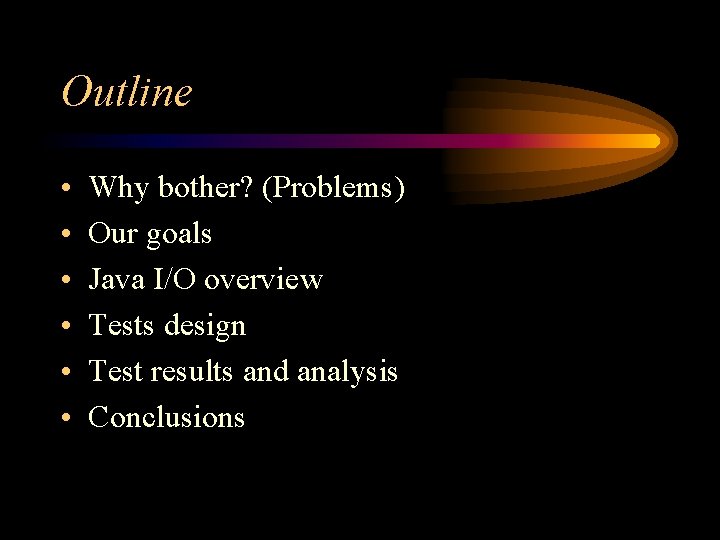
Outline • • • Why bother? (Problems) Our goals Java I/O overview Tests design Test results and analysis Conclusions
Why bother? • Growing interest in using Java • Much works had been done in Java performance evaluation but • NOT in Java I/O
Our Goals • • Is it really bad (Compared with C/C++) How bad Possible tuning strategies How well they work
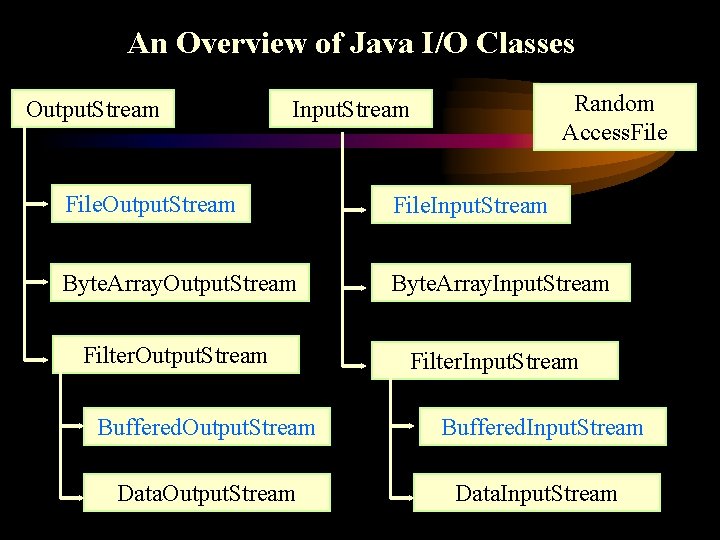
An Overview of Java I/O Classes Output. Stream Random Access. File Input. Stream File. Output. Stream File. Input. Stream Byte. Array. Output. Stream Byte. Array. Input. Stream Filter. Output. Stream Filter. Input. Stream Buffered. Output. Stream Buffered. Input. Stream Data. Output. Stream Data. Input. Stream
Test Design • Access patterns Sequential write/read Random write/read • Data interested Elapse time, CPU breakdown • Comparison group: C/C++
Test Design (continued) • Tests on basic Java I/O strategies Test 1: The lowest level I/O Test 2: Buffered I/O Test 3: Direct buffering Test 4: Operation size Test 5: Java JNI
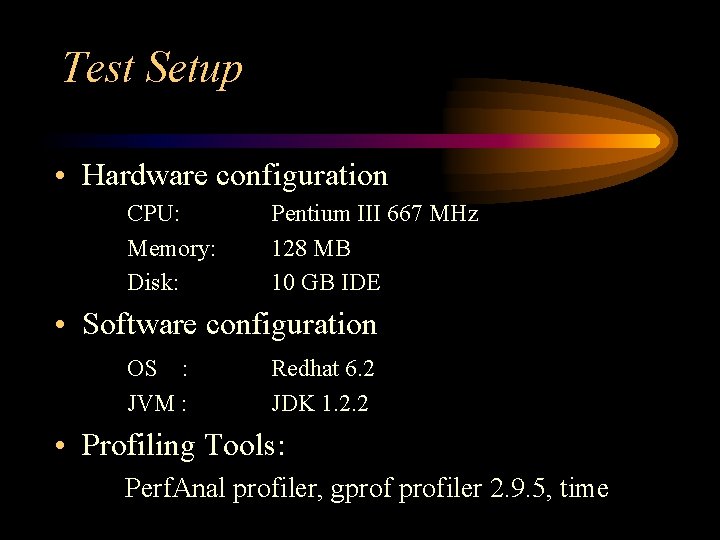
Test Setup • Hardware configuration CPU: Memory: Disk: Pentium III 667 MHz 128 MB 10 GB IDE • Software configuration OS : JVM : Redhat 6. 2 JDK 1. 2. 2 • Profiling Tools: Perf. Anal profiler, gprofiler 2. 9. 5, time
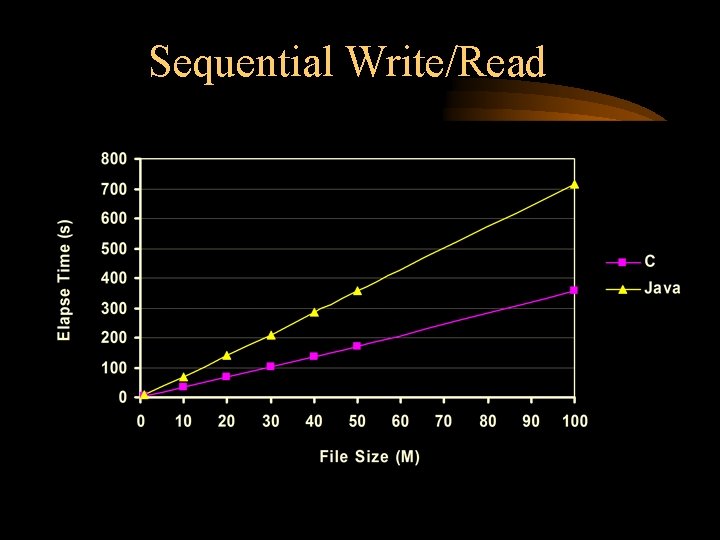
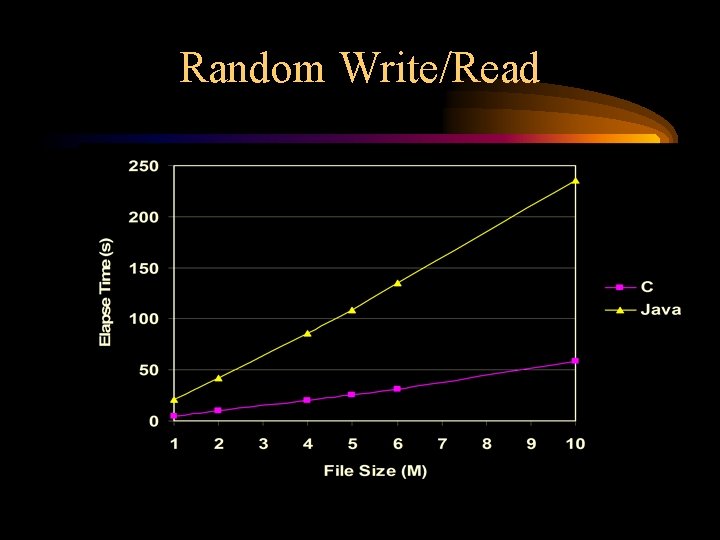
Test 1: The lowest level Java I/O • Test parameters: buffer size : 0 Byte operation size : 1 Byte • Sequential Write/Read • Random Write/Read
Sequential Write/Read
Breakdown -- File size: 100 M
Random Write/Read
Breakdown -- File size: 10 M
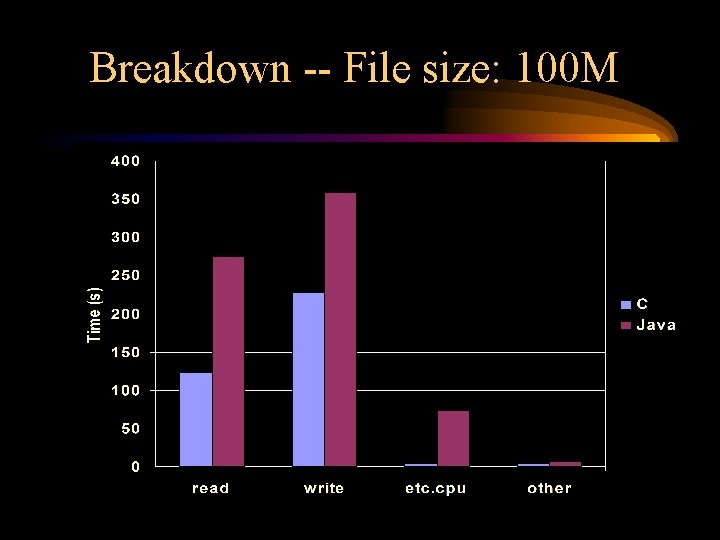
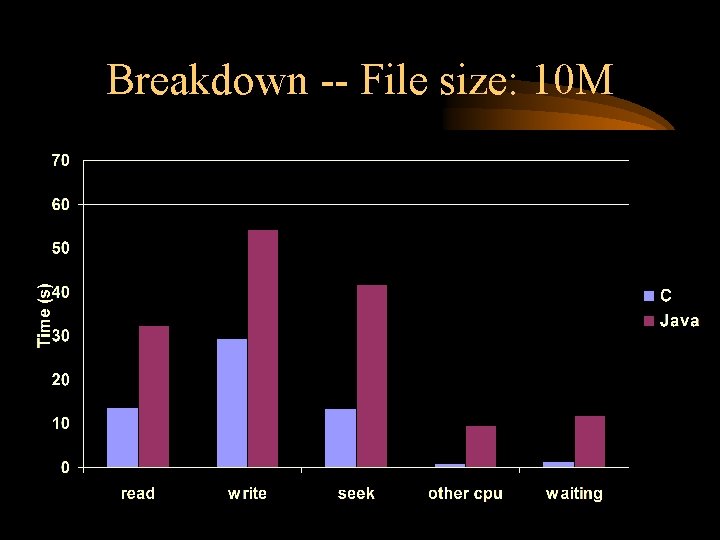
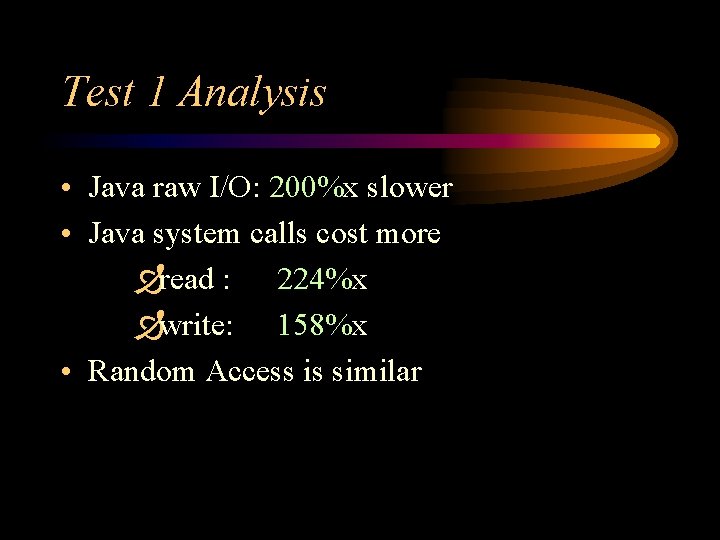
Test 1 Analysis • Java raw I/O: 200%x slower • Java system calls cost more Ðread : 224%x Ðwrite: 158%x • Random Access is similar
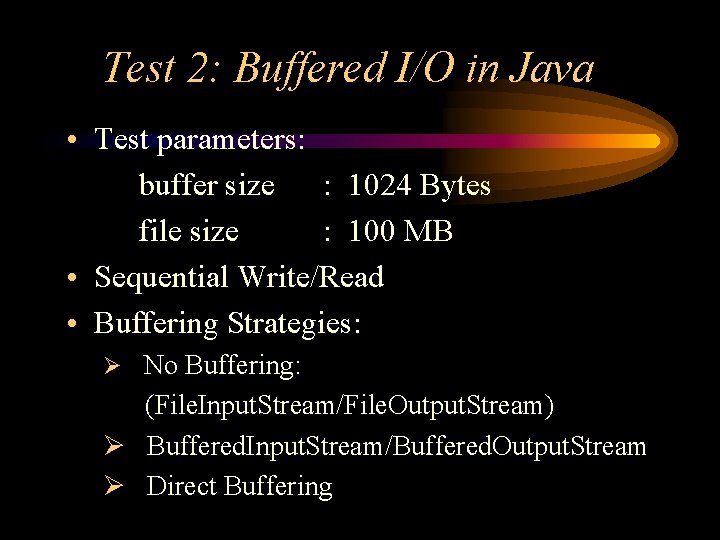
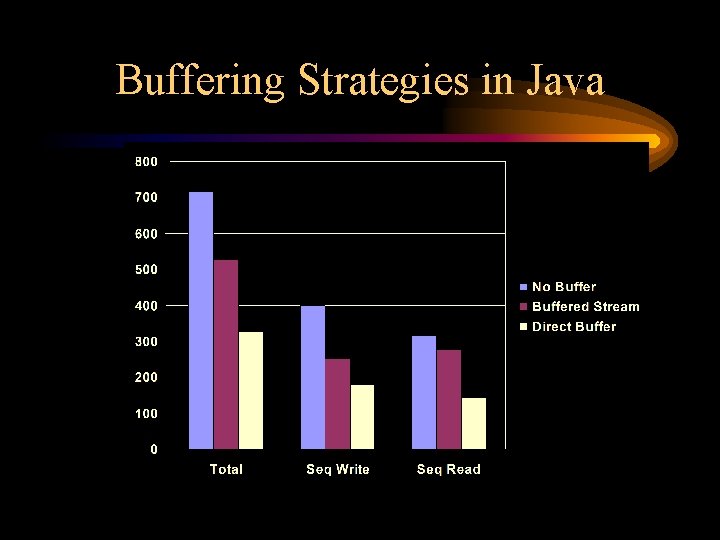
Test 2: Buffered I/O in Java • Test parameters: buffer size : 1024 Bytes file size : 100 MB • Sequential Write/Read • Buffering Strategies: Ø No Buffering: (File. Input. Stream/File. Output. Stream) Ø Buffered. Input. Stream/Buffered. Output. Stream Ø Direct Buffering
Buffering Strategies in Java
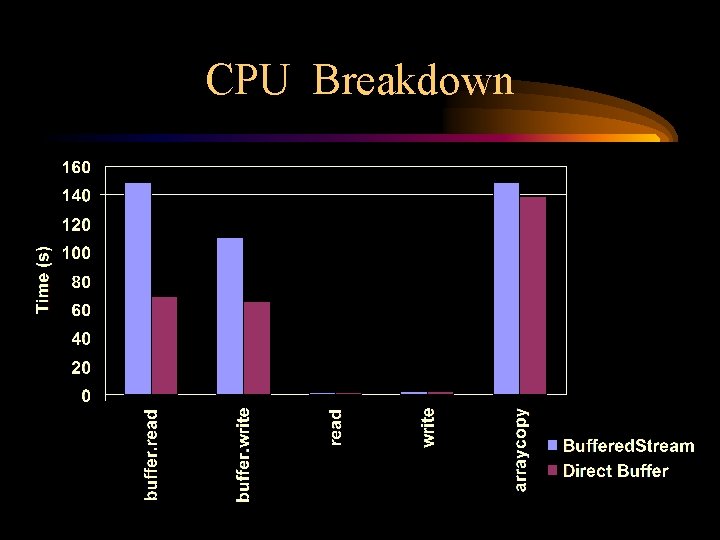
CPU Breakdown
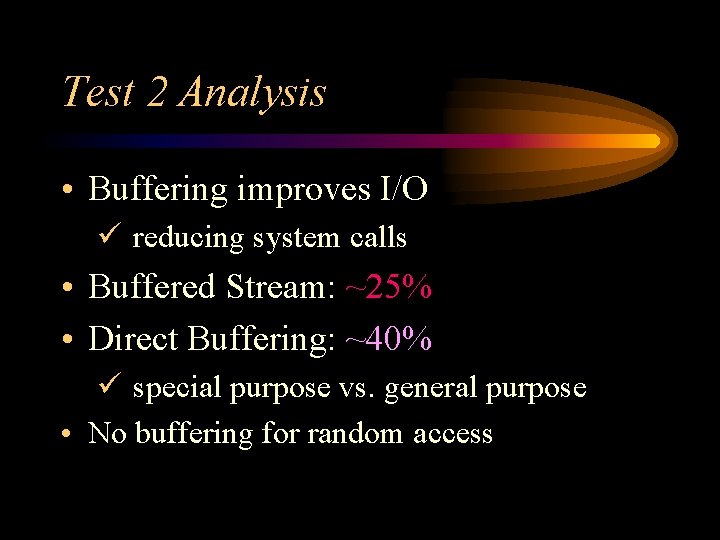
Test 2 Analysis • Buffering improves I/O ü reducing system calls • Buffered Stream: ~25% • Direct Buffering: ~40% ü special purpose vs. general purpose • No buffering for random access
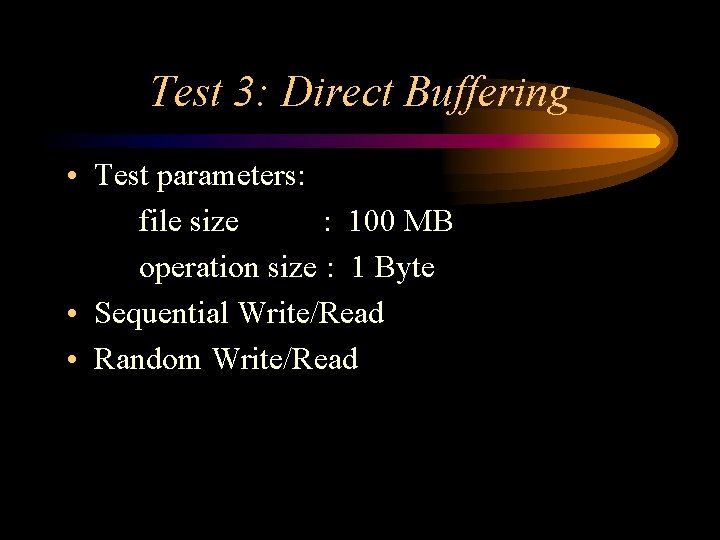
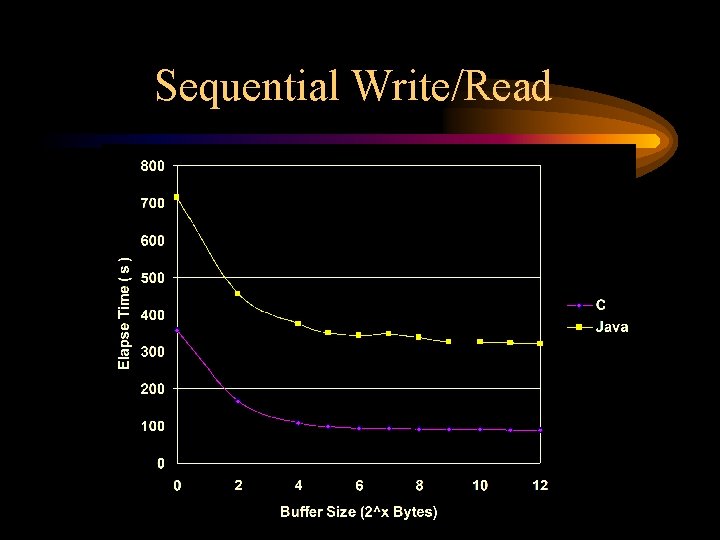
Test 3: Direct Buffering • Test parameters: file size : 100 MB operation size : 1 Byte • Sequential Write/Read • Random Write/Read
Sequential Write/Read
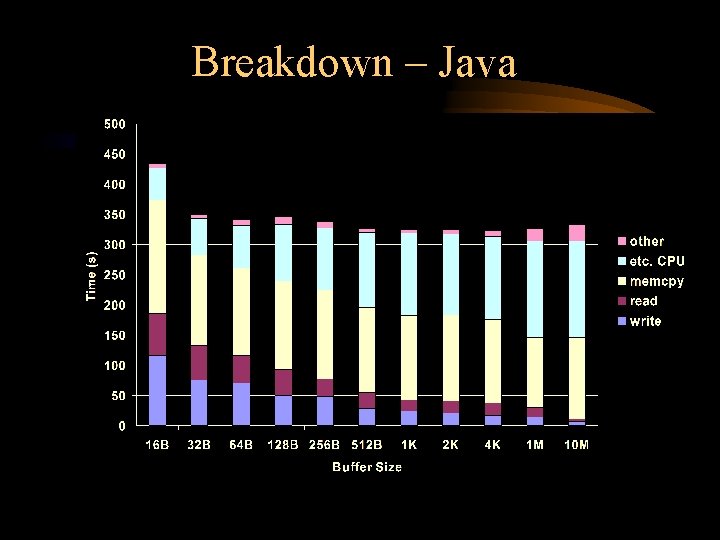
Breakdown – Java
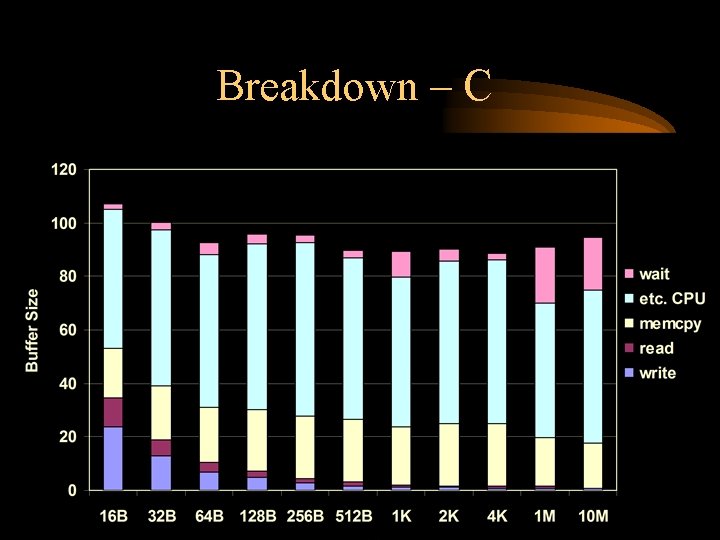
Breakdown – C
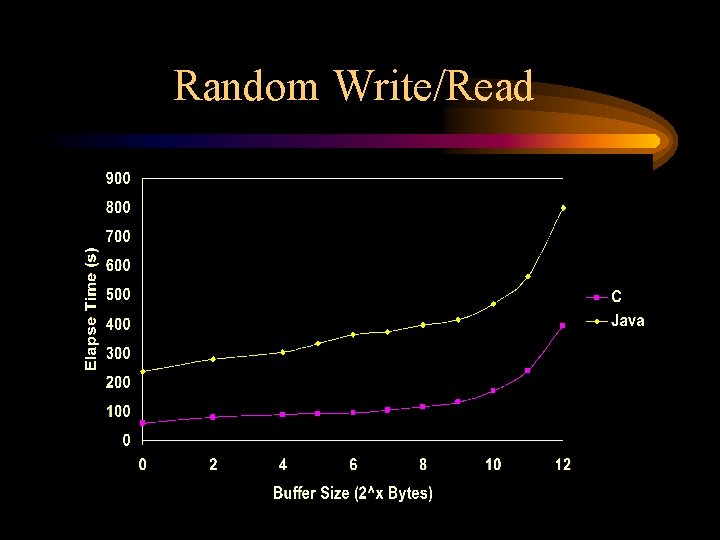
Random Write/Read
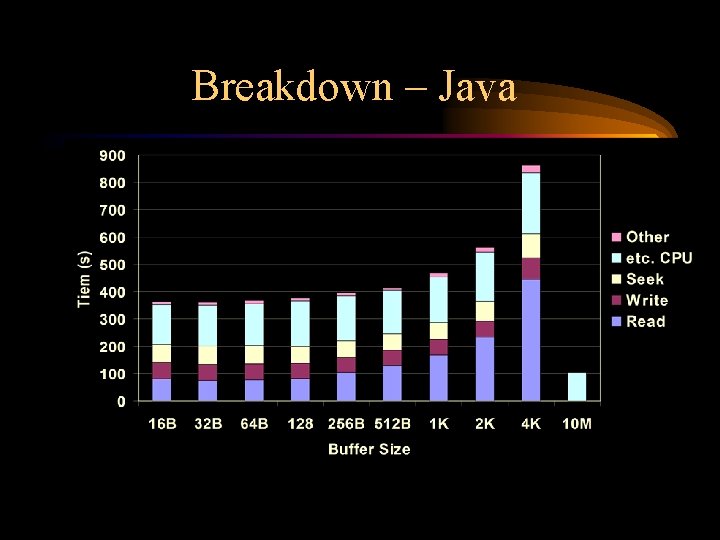
Breakdown – Java
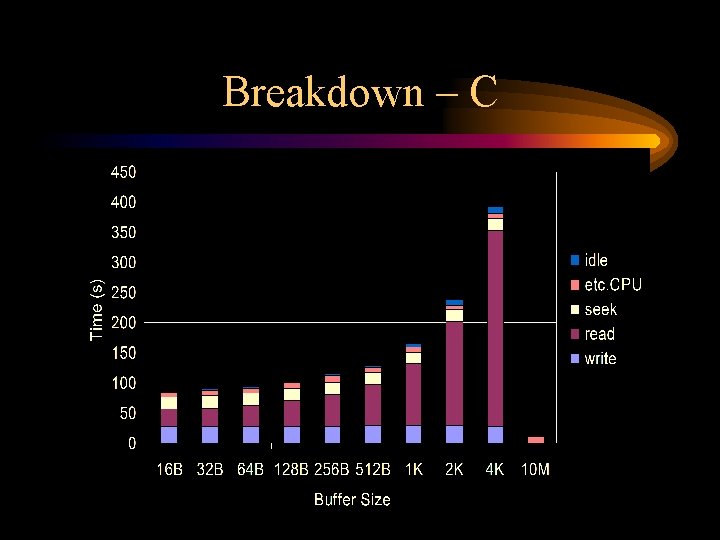
Breakdown – C
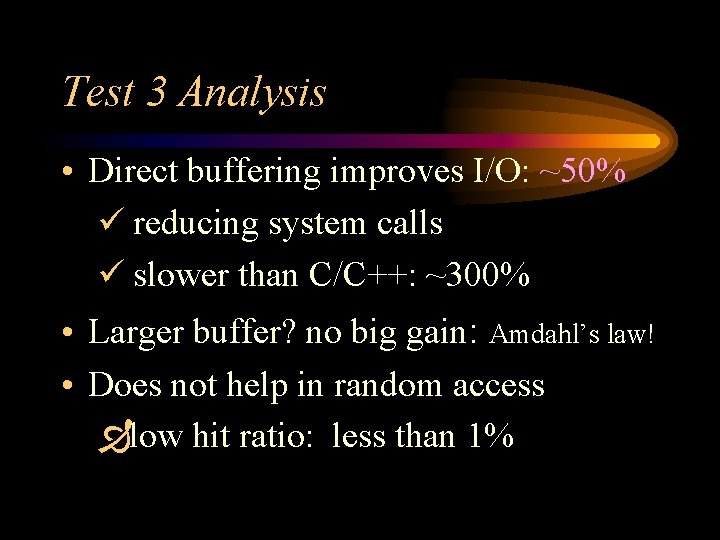
Test 3 Analysis • Direct buffering improves I/O: ~50% ü reducing system calls ü slower than C/C++: ~300% • Larger buffer? no big gain: Amdahl’s law! • Does not help in random access Ðlow hit ratio: less than 1%
Test 4: Operation Size • Test parameters: buffer size : 0 Byte • Sequential Write/Read • Random Write/Read
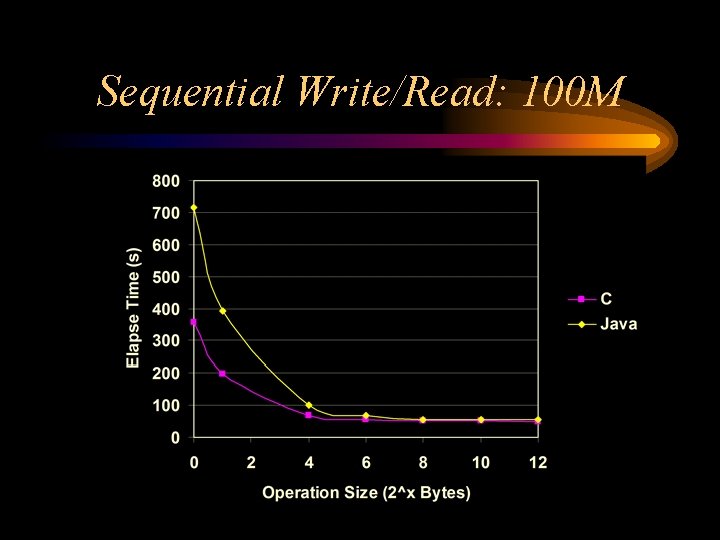
Sequential Write/Read: 100 M
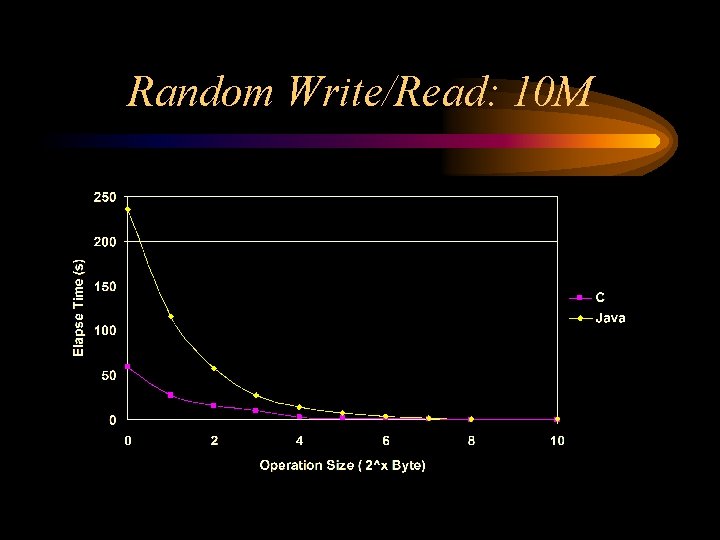
Random Write/Read: 10 M
Test 4 Analysis • Increasing operation size helps: ~ 85% üreducing I/O system calls ü comparable to C/C++ • Large operation size – no big gain. • Random Access is similar
Test 5: Java JNI • Test parameters: file size : 100 MB buffer size : 4 KB • Sequential Write/Read
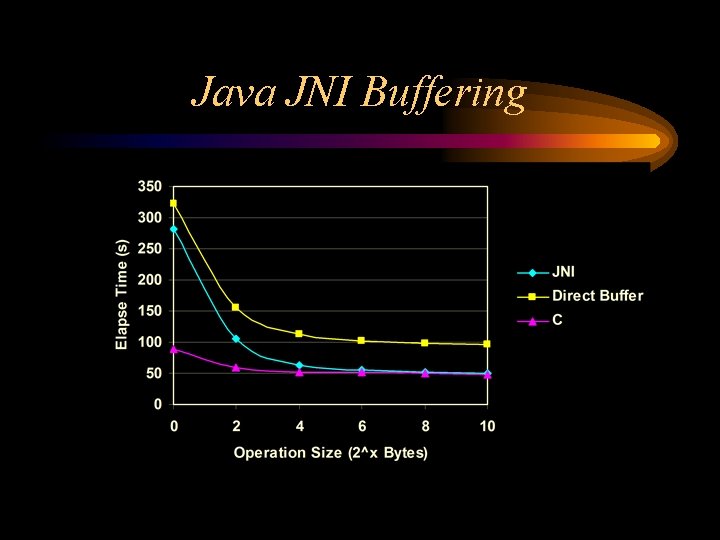
Java JNI Buffering
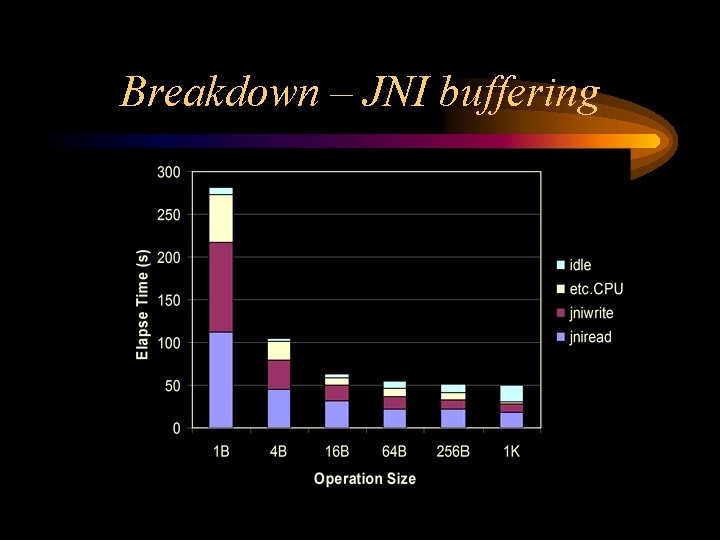
Breakdown – JNI buffering
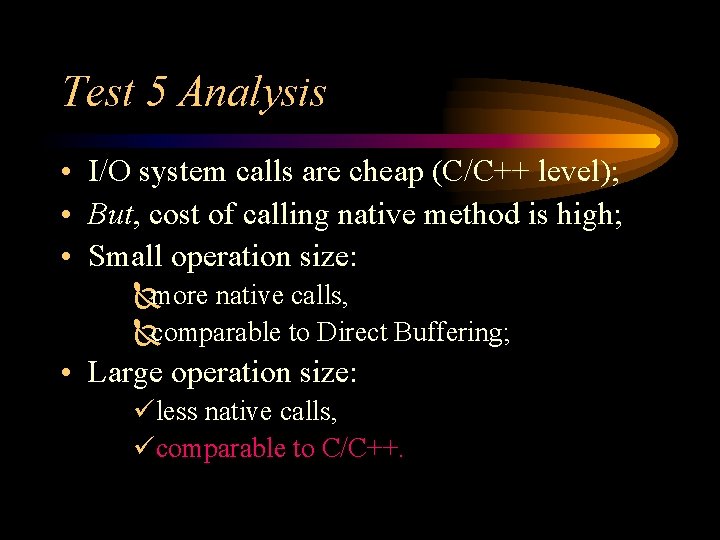
Test 5 Analysis • I/O system calls are cheap (C/C++ level); • But, cost of calling native method is high; • Small operation size: Ñmore native calls, Ñcomparable to Direct Buffering; • Large operation size: üless native calls, ücomparable to C/C++.
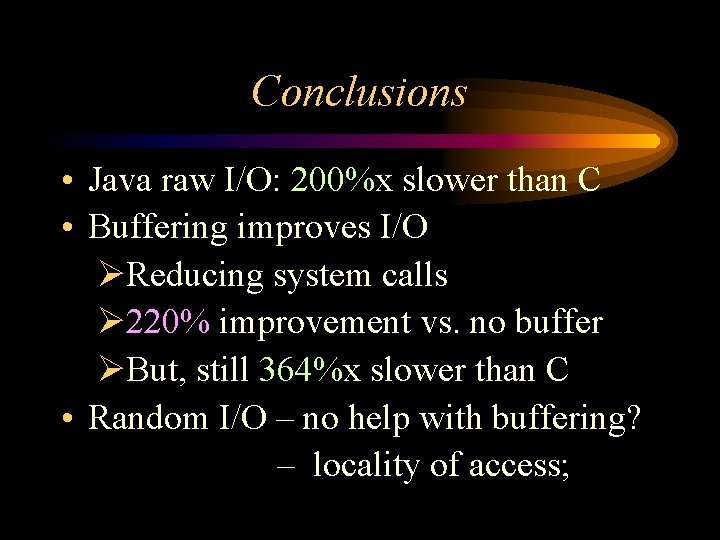
Conclusions • Java raw I/O: 200%x slower than C • Buffering improves I/O ØReducing system calls Ø 220% improvement vs. no buffer ØBut, still 364%x slower than C • Random I/O – no help with buffering? – locality of access;
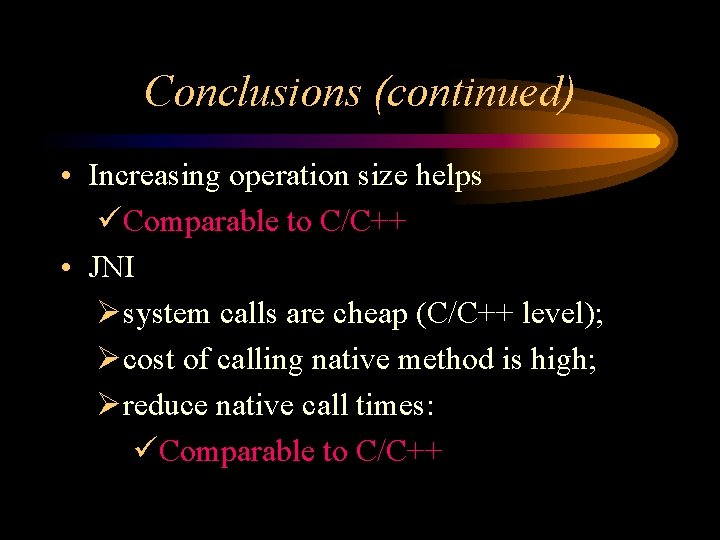
Conclusions (continued) • Increasing operation size helps üComparable to C/C++ • JNI Øsystem calls are cheap (C/C++ level); Øcost of calling native method is high; Øreduce native call times: üComparable to C/C++
Thank You…