ADUG Communication Manager 3 1 Overview Steve Millan
- Slides: 36
ADUG Communication Manager 3. 1 Overview Steve Millan Copyright© 2005 Avaya Inc. All rights reserved Avaya – Proprietary Use pursuant to Company instructions
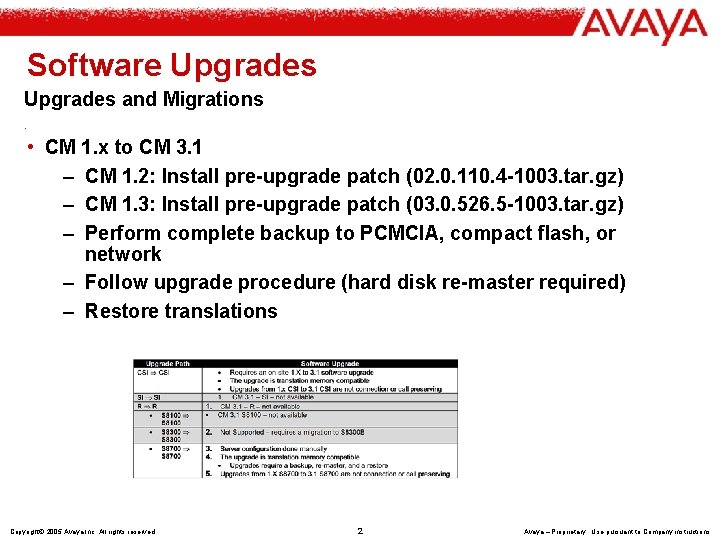
Software Upgrades and Migrations. • CM 1. x to CM 3. 1 – CM 1. 2: Install pre-upgrade patch (02. 0. 110. 4 -1003. tar. gz) – CM 1. 3: Install pre-upgrade patch (03. 0. 526. 5 -1003. tar. gz) – Perform complete backup to PCMCIA, compact flash, or network – Follow upgrade procedure (hard disk re-master required) – Restore translations Copyright© 2005 Avaya Inc. All rights reserved 2 Avaya – Proprietary Use pursuant to Company instructions
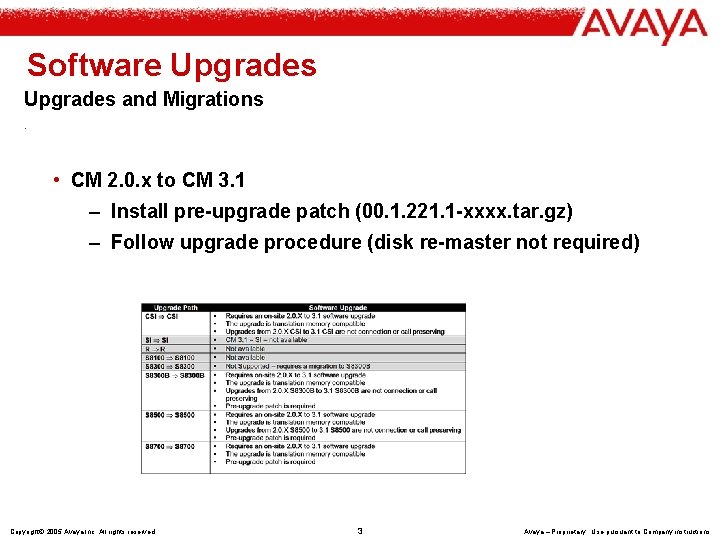
Software Upgrades and Migrations. • CM 2. 0. x to CM 3. 1 – Install pre-upgrade patch (00. 1. 221. 1 -xxxx. tar. gz) – Follow upgrade procedure (disk re-master not required) Copyright© 2005 Avaya Inc. All rights reserved 3 Avaya – Proprietary Use pursuant to Company instructions
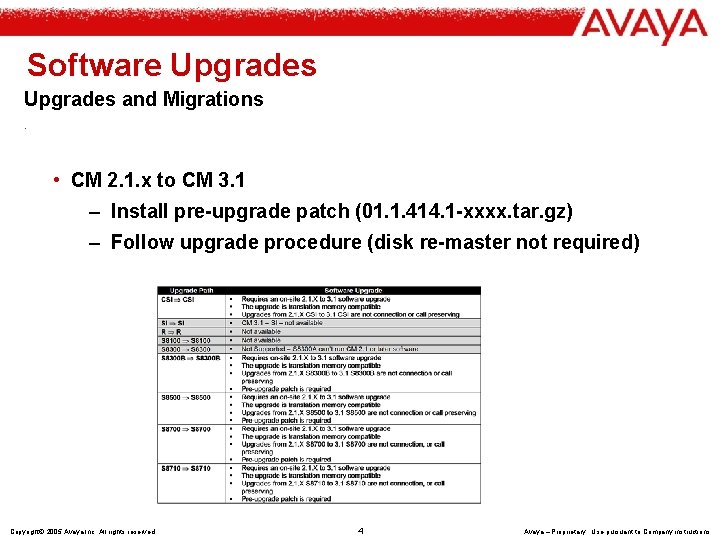
Software Upgrades and Migrations. • CM 2. 1. x to CM 3. 1 – Install pre-upgrade patch (01. 1. 414. 1 -xxxx. tar. gz) – Follow upgrade procedure (disk re-master not required) Copyright© 2005 Avaya Inc. All rights reserved 4 Avaya – Proprietary Use pursuant to Company instructions
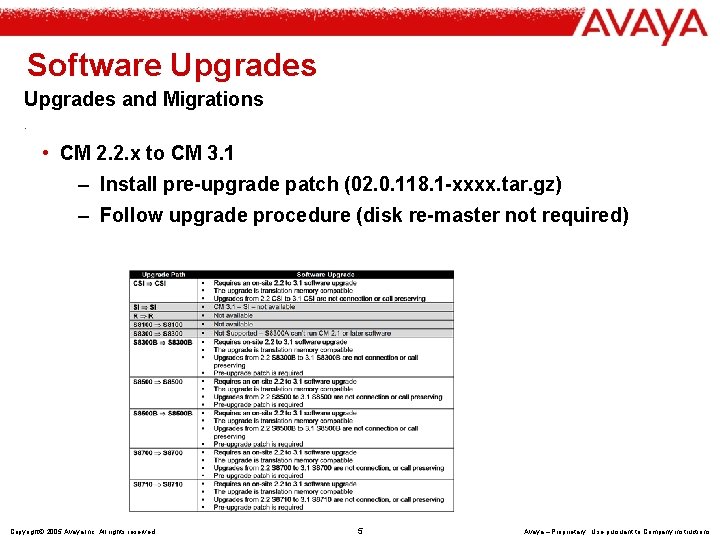
Software Upgrades and Migrations. • CM 2. 2. x to CM 3. 1 – Install pre-upgrade patch (02. 0. 118. 1 -xxxx. tar. gz) – Follow upgrade procedure (disk re-master not required) Copyright© 2005 Avaya Inc. All rights reserved 5 Avaya – Proprietary Use pursuant to Company instructions
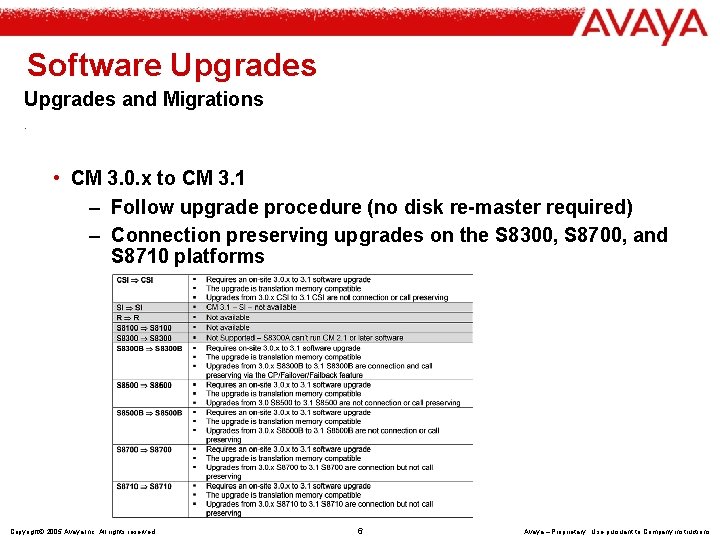
Software Upgrades and Migrations. • CM 3. 0. x to CM 3. 1 – Follow upgrade procedure (no disk re-master required) – Connection preserving upgrades on the S 8300, S 8700, and S 8710 platforms Copyright© 2005 Avaya Inc. All rights reserved 6 Avaya – Proprietary Use pursuant to Company instructions
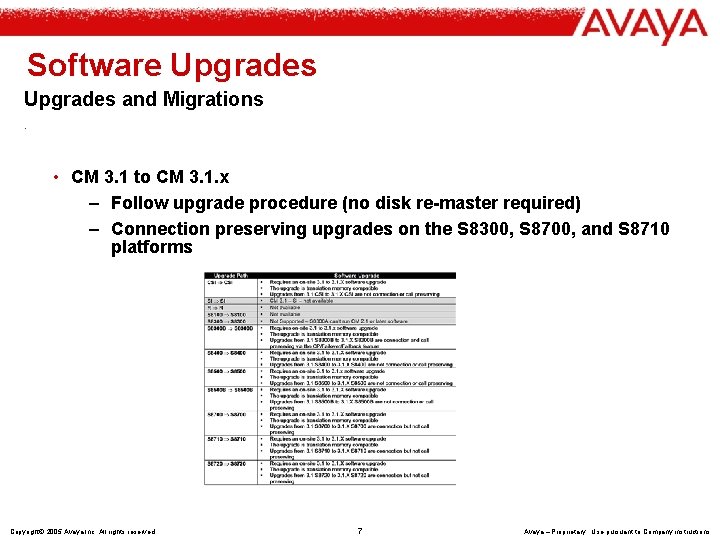
Software Upgrades and Migrations. • CM 3. 1 to CM 3. 1. x – Follow upgrade procedure (no disk re-master required) – Connection preserving upgrades on the S 8300, S 8700, and S 8710 platforms Copyright© 2005 Avaya Inc. All rights reserved 7 Avaya – Proprietary Use pursuant to Company instructions
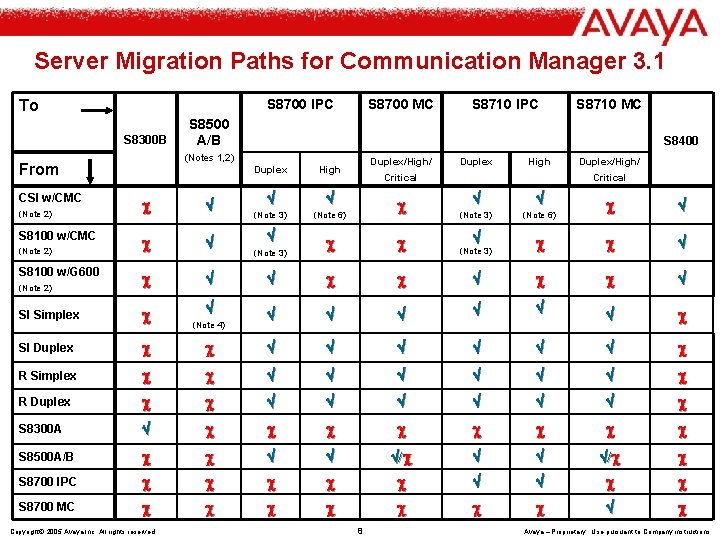
Server Migration Paths for Communication Manager 3. 1 S 8700 IPC To S 8300 B (Note 2) SI Simplex SI Duplex R Simplex (Note 2) S 8710 IPC S 8710 MC S 8500 A/B S 8400 (Notes 1, 2) From CSI w/CMC S 8700 MC Duplex High (Note 3) (Note 6) Duplex/High/ Duplex High Critical Duplex/High/ Critical (Note 3) (Note 6) (Note 3) R Duplex S 8300 A S 8500 A/B / S 8700 IPC S 8700 MC S 8100 w/CMC (Note 2) S 8100 w/G 600 Copyright© 2005 Avaya Inc. All rights reserved (Note 4) (Note 3) 8 Avaya – Proprietary Use pursuant to Company instructions
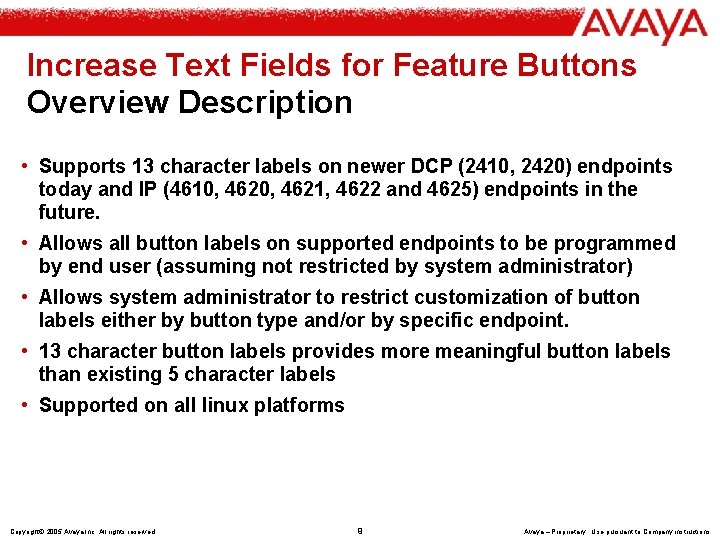
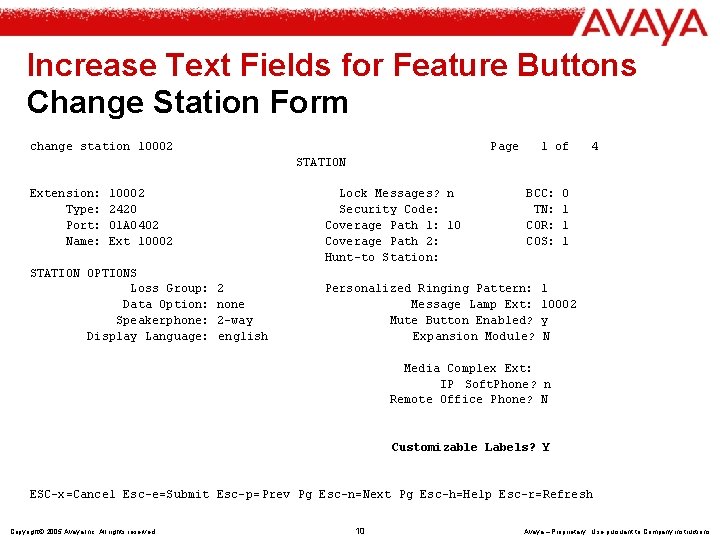
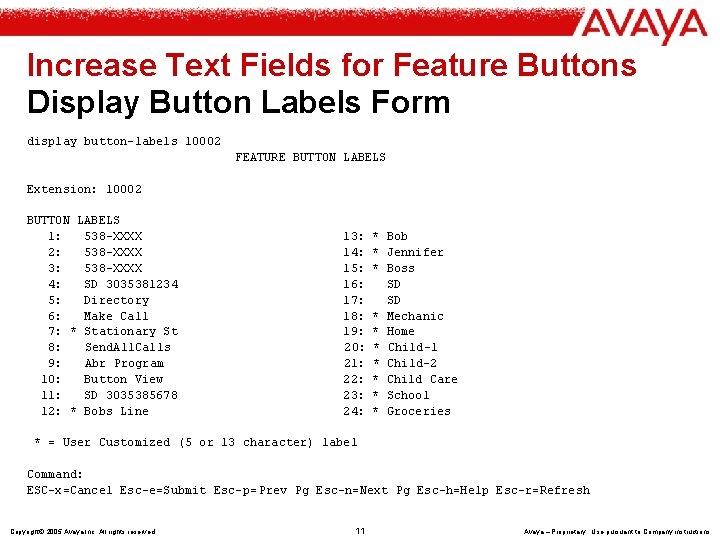
Increase Text Fields for Feature Buttons Overview Description • Supports 13 character labels on newer DCP (2410, 2420) endpoints today and IP (4610, 4621, 4622 and 4625) endpoints in the future. • Allows all button labels on supported endpoints to be programmed by end user (assuming not restricted by system administrator) • Allows system administrator to restrict customization of button labels either by button type and/or by specific endpoint. • 13 character button labels provides more meaningful button labels than existing 5 character labels • Supported on all linux platforms Copyright© 2005 Avaya Inc. All rights reserved 9 Avaya – Proprietary Use pursuant to Company instructions
Increase Text Fields for Feature Buttons Change Station Form change station 10002 Page 1 of 4 STATION Extension: Type: Port: Name: 10002 2420 01 A 0402 Ext 10002 STATION OPTIONS Loss Group: Data Option: Speakerphone: Display Language: Lock Messages? n Security Code: Coverage Path 1: 10 Coverage Path 2: Hunt-to Station: 2 none 2 -way english BCC: TN: COR: COS: Personalized Ringing Pattern: Message Lamp Ext: Mute Button Enabled? Expansion Module? 0 1 1 10002 y N Media Complex Ext: IP Soft. Phone? n Remote Office Phone? N Customizable Labels? Y ESC-x=Cancel Esc-e=Submit Esc-p= Prev Pg Esc-n=Next Pg Esc-h=Help Esc-r=Refresh Copyright© 2005 Avaya Inc. All rights reserved 10 Avaya – Proprietary Use pursuant to Company instructions
Increase Text Fields for Feature Buttons Display Button Labels Form display button-labels 10002 FEATURE BUTTON LABELS Extension: 10002 BUTTON LABELS 1: 538 -XXXX 2: 538 -XXXX 3: 538 -XXXX 4: SD 3035381234 5: Directory 6: Make Call 7: * Stationary St 8: Send. All. Calls 9: Abr Program 10: Button View 11: SD 3035385678 12: * Bobs Line 13: 14: 15: 16: 17: 18: 19: 20: 21: 22: 23: 24: * Bob * Jennifer * Boss SD SD * Mechanic * Home * Child-1 * Child-2 * Child Care * School * Groceries * = User Customized (5 or 13 character) label Command: ESC-x=Cancel Esc-e=Submit Esc-p= Prev Pg Esc-n=Next Pg Esc-h=Help Esc-r=Refresh Copyright© 2005 Avaya Inc. All rights reserved 11 Avaya – Proprietary Use pursuant to Company instructions
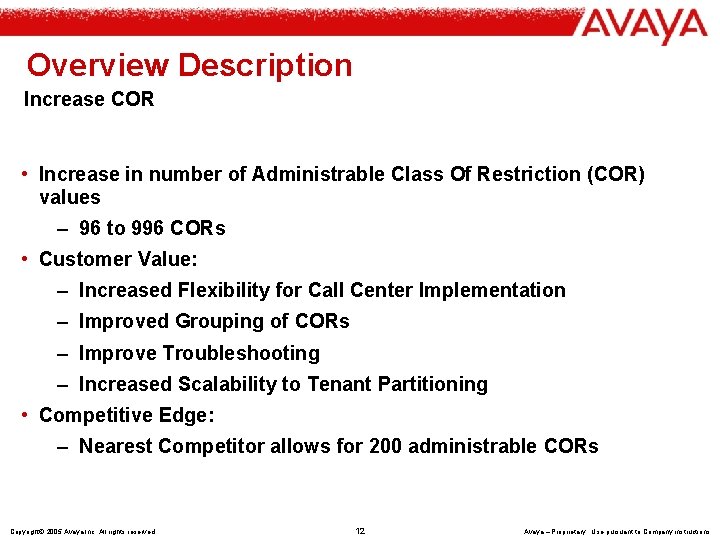
Overview Description Increase COR • Increase in number of Administrable Class Of Restriction (COR) values – 96 to 996 CORs • Customer Value: – Increased Flexibility for Call Center Implementation – Improved Grouping of CORs – Improve Troubleshooting – Increased Scalability to Tenant Partitioning • Competitive Edge: – Nearest Competitor allows for 200 administrable CORs Copyright© 2005 Avaya Inc. All rights reserved 12 Avaya – Proprietary Use pursuant to Company instructions
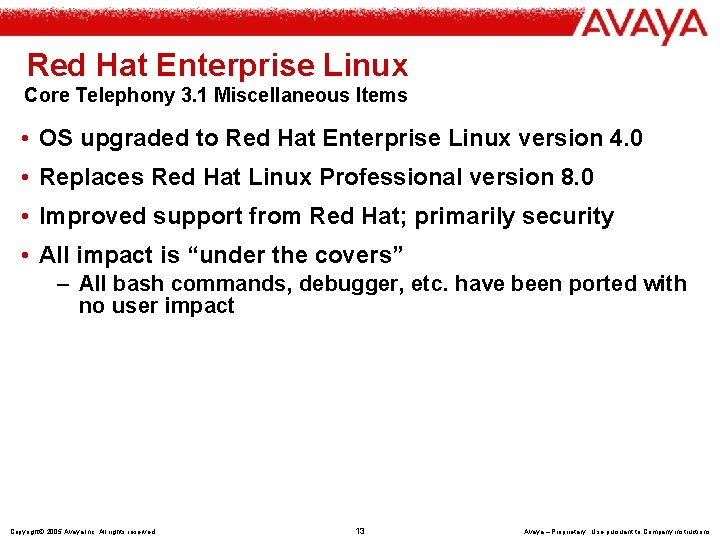
Red Hat Enterprise Linux Core Telephony 3. 1 Miscellaneous Items • OS upgraded to Red Hat Enterprise Linux version 4. 0 • Replaces Red Hat Linux Professional version 8. 0 • Improved support from Red Hat; primarily security • All impact is “under the covers” – All bash commands, debugger, etc. have been ported with no user impact Copyright© 2005 Avaya Inc. All rights reserved 13 Avaya – Proprietary Use pursuant to Company instructions
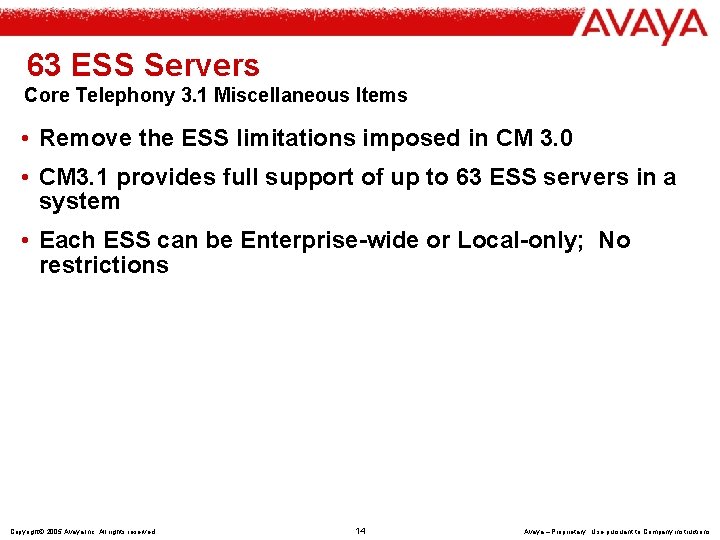
63 ESS Servers Core Telephony 3. 1 Miscellaneous Items • Remove the ESS limitations imposed in CM 3. 0 • CM 3. 1 provides full support of up to 63 ESS servers in a system • Each ESS can be Enterprise-wide or Local-only; No restrictions Copyright© 2005 Avaya Inc. All rights reserved 14 Avaya – Proprietary Use pursuant to Company instructions
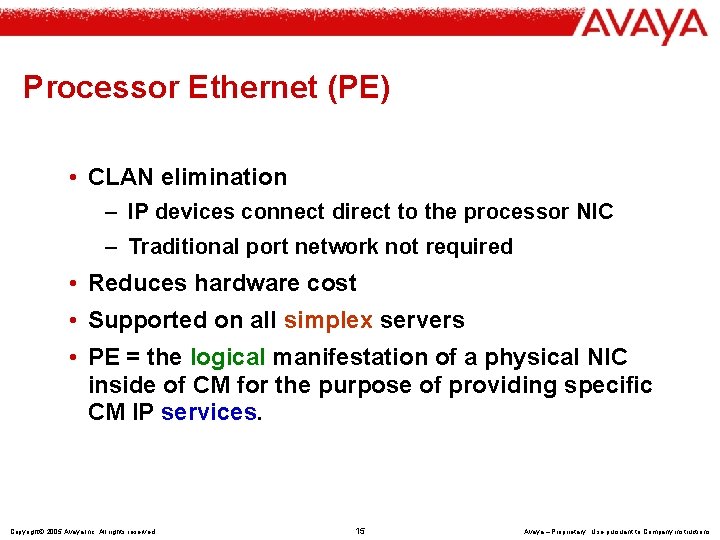
Processor Ethernet (PE) • CLAN elimination – IP devices connect direct to the processor NIC – Traditional port network not required • Reduces hardware cost • Supported on all simplex servers • PE = the logical manifestation of a physical NIC inside of CM for the purpose of providing specific CM IP services. Copyright© 2005 Avaya Inc. All rights reserved 15 Avaya – Proprietary Use pursuant to Company instructions
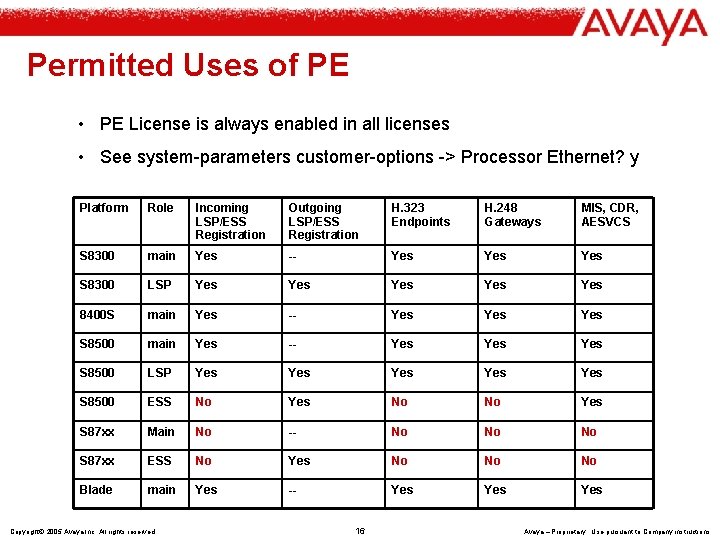
Permitted Uses of PE • PE License is always enabled in all licenses • See system-parameters customer-options -> Processor Ethernet? y Platform Role Incoming LSP/ESS Registration Outgoing LSP/ESS Registration H. 323 Endpoints H. 248 Gateways MIS, CDR, AESVCS S 8300 main Yes -- Yes Yes S 8300 LSP Yes Yes Yes 8400 S main Yes -- Yes Yes Yes S 8500 LSP Yes Yes Yes S 8500 ESS No Yes No No Yes S 87 xx Main No -- No No No S 87 xx ESS No Yes No No No Blade main Yes -- Yes Yes Copyright© 2005 Avaya Inc. All rights reserved 16 Avaya – Proprietary Use pursuant to Company instructions
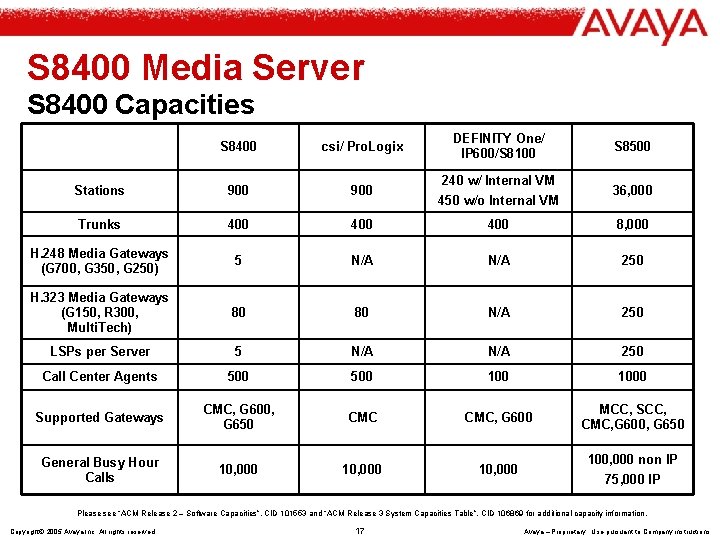
S 8400 Media Server S 8400 Capacities DEFINITY One/ IP 600/S 8100 S 8400 csi/ Pro. Logix Stations 900 Trunks 400 400 8, 000 H. 248 Media Gateways (G 700, G 350, G 250) 5 N/A 250 H. 323 Media Gateways (G 150, R 300, Multi. Tech) 80 80 N/A 250 LSPs per Server 5 N/A 250 Call Center Agents 500 1000 Supported Gateways CMC, G 600, G 650 CMC, G 600 MCC, SCC, CMC, G 600, G 650 General Busy Hour Calls 10, 000 240 w/ Internal VM 450 w/o Internal VM S 8500 36, 000 100, 000 non IP 75, 000 IP Please see “ACM Release 2 – Software Capacities”, CID 101553 and “ACM Release 3 System Capacities Table”, CID 106869 for additional capacity information. Copyright© 2005 Avaya Inc. All rights reserved 17 Avaya – Proprietary Use pursuant to Company instructions
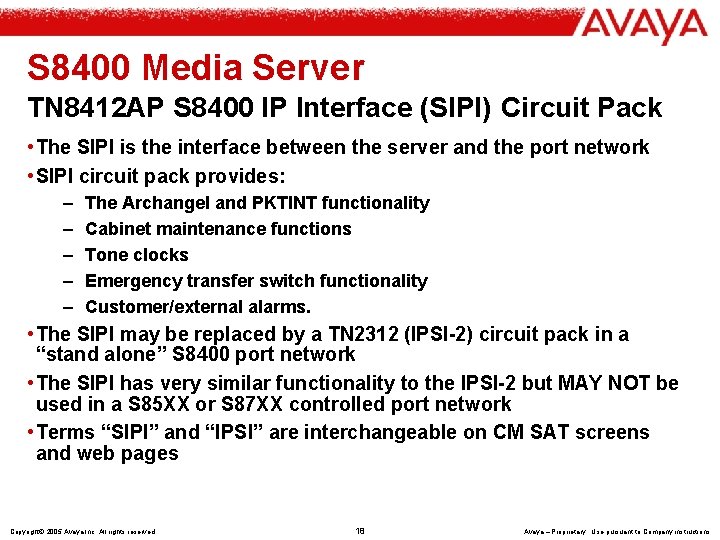
S 8400 Media Server TN 8412 AP S 8400 IP Interface (SIPI) Circuit Pack • The SIPI is the interface between the server and the port network • SIPI circuit pack provides: – – – The Archangel and PKTINT functionality Cabinet maintenance functions Tone clocks Emergency transfer switch functionality Customer/external alarms. • The SIPI may be replaced by a TN 2312 (IPSI-2) circuit pack in a “stand alone” S 8400 port network • The SIPI has very similar functionality to the IPSI-2 but MAY NOT be used in a S 85 XX or S 87 XX controlled port network • Terms “SIPI” and “IPSI” are interchangeable on CM SAT screens and web pages Copyright© 2005 Avaya Inc. All rights reserved 18 Avaya – Proprietary Use pursuant to Company instructions
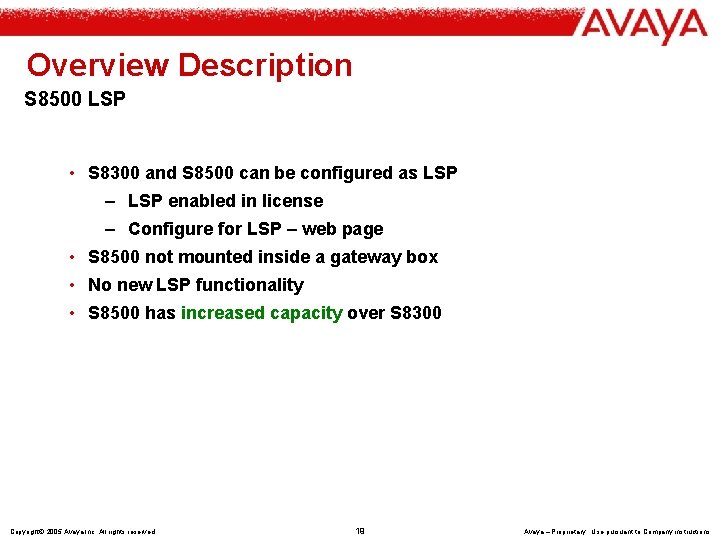
Overview Description S 8500 LSP • S 8300 and S 8500 can be configured as LSP – LSP enabled in license – Configure for LSP – web page • S 8500 not mounted inside a gateway box • No new LSP functionality • S 8500 has increased capacity over S 8300 Copyright© 2005 Avaya Inc. All rights reserved 19 Avaya – Proprietary Use pursuant to Company instructions
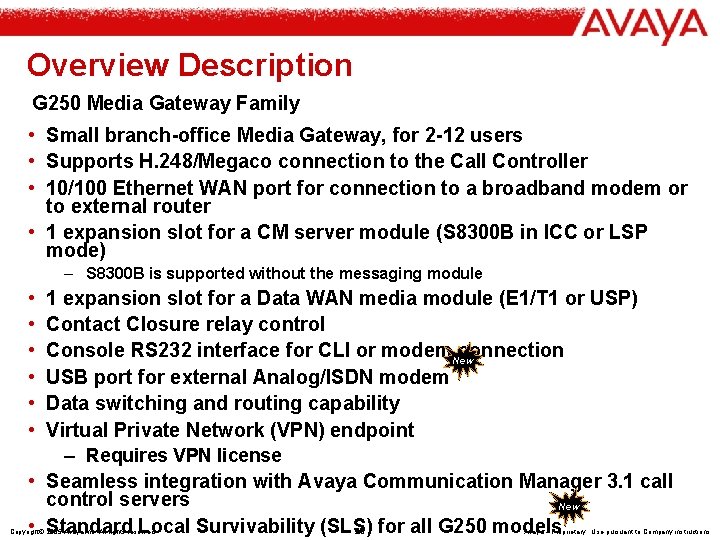
Overview Description G 250 Media Gateway Family • Small branch-office Media Gateway, for 2 -12 users • Supports H. 248/Megaco connection to the Call Controller • 10/100 Ethernet WAN port for connection to a broadband modem or to external router • 1 expansion slot for a CM server module (S 8300 B in ICC or LSP mode) – S 8300 B is supported without the messaging module • • • 1 expansion slot for a Data WAN media module (E 1/T 1 or USP) Contact Closure relay control Console RS 232 interface for CLI or modem. New connection USB port for external Analog/ISDN modem Data switching and routing capability Virtual Private Network (VPN) endpoint – Requires VPN license • Seamless integration with Avaya Communication Manager 3. 1 call control servers New • Standard Local Survivability (SLS) 20 for all G 250 models Copyright© 2005 Avaya Inc. All rights reserved Avaya – Proprietary Use pursuant to Company instructions
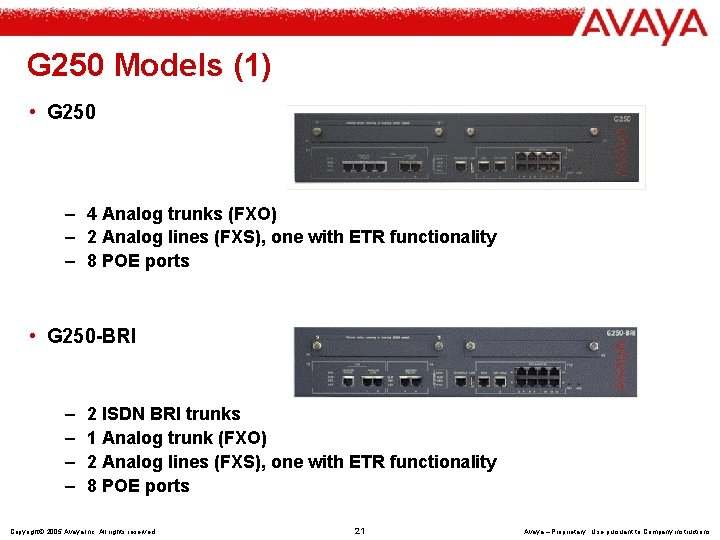
G 250 Models (1) • G 250 – 4 Analog trunks (FXO) – 2 Analog lines (FXS), one with ETR functionality – 8 POE ports • G 250 -BRI – – 2 ISDN BRI trunks 1 Analog trunk (FXO) 2 Analog lines (FXS), one with ETR functionality 8 POE ports Copyright© 2005 Avaya Inc. All rights reserved 21 Avaya – Proprietary Use pursuant to Company instructions
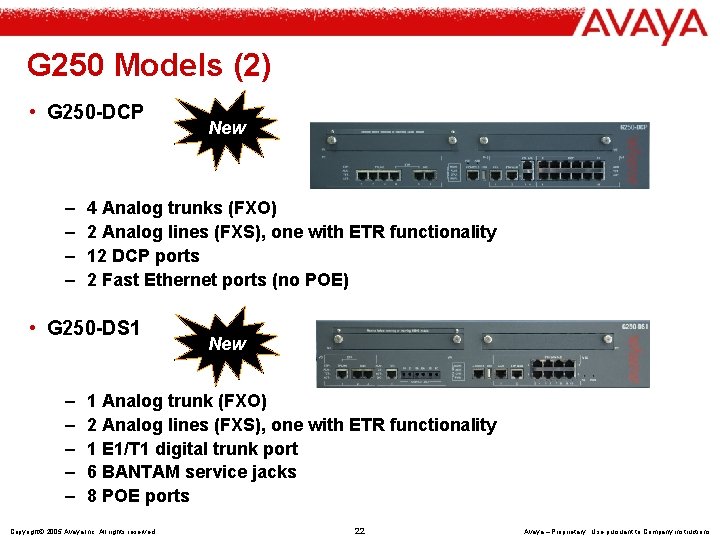
G 250 Models (2) • G 250 -DCP – – 4 Analog trunks (FXO) 2 Analog lines (FXS), one with ETR functionality 12 DCP ports 2 Fast Ethernet ports (no POE) • G 250 -DS 1 – – – New 1 Analog trunk (FXO) 2 Analog lines (FXS), one with ETR functionality 1 E 1/T 1 digital trunk port 6 BANTAM service jacks 8 POE ports Copyright© 2005 Avaya Inc. All rights reserved 22 Avaya – Proprietary Use pursuant to Company instructions
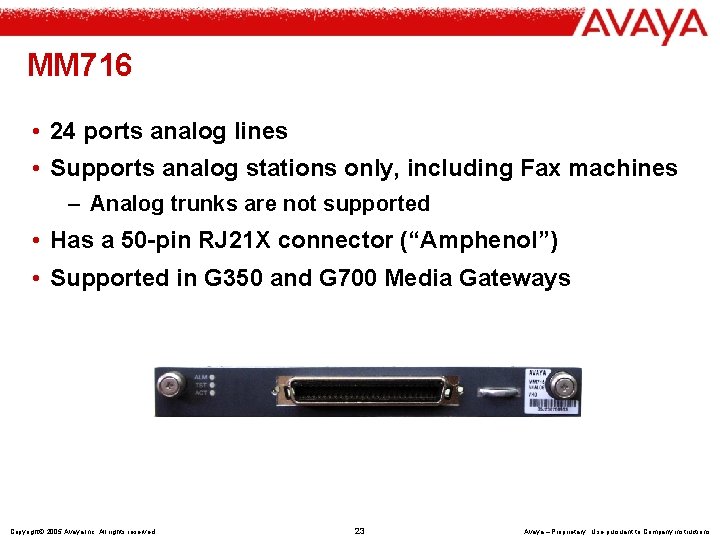
MM 716 • 24 ports analog lines • Supports analog stations only, including Fax machines – Analog trunks are not supported • Has a 50 -pin RJ 21 X connector (“Amphenol”) • Supported in G 350 and G 700 Media Gateways Copyright© 2005 Avaya Inc. All rights reserved 23 Avaya – Proprietary Use pursuant to Company instructions
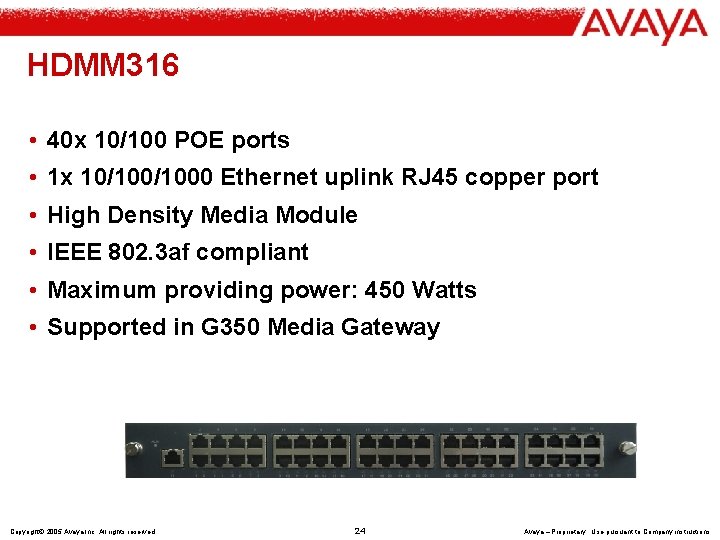
HDMM 316 • 40 x 10/100 POE ports • 1 x 10/1000 Ethernet uplink RJ 45 copper port • High Density Media Module • IEEE 802. 3 af compliant • Maximum providing power: 450 Watts • Supported in G 350 Media Gateway Copyright© 2005 Avaya Inc. All rights reserved 24 Avaya – Proprietary Use pursuant to Company instructions
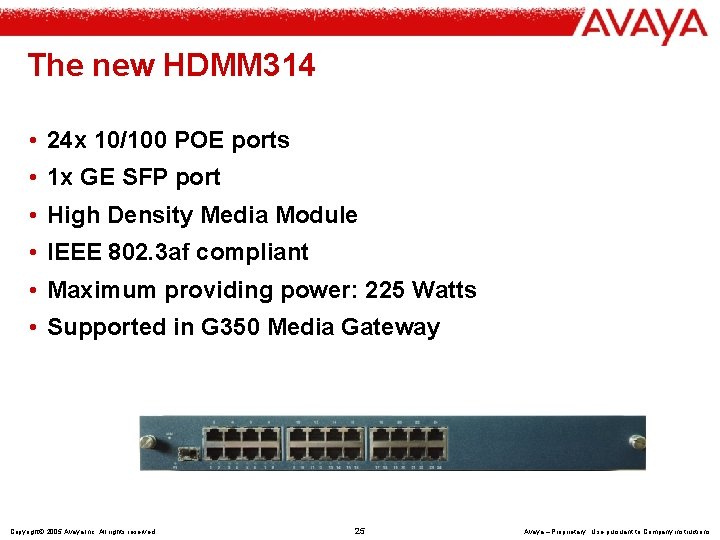
The new HDMM 314 • 24 x 10/100 POE ports • 1 x GE SFP port • High Density Media Module • IEEE 802. 3 af compliant • Maximum providing power: 225 Watts • Supported in G 350 Media Gateway Copyright© 2005 Avaya Inc. All rights reserved 25 Avaya – Proprietary Use pursuant to Company instructions
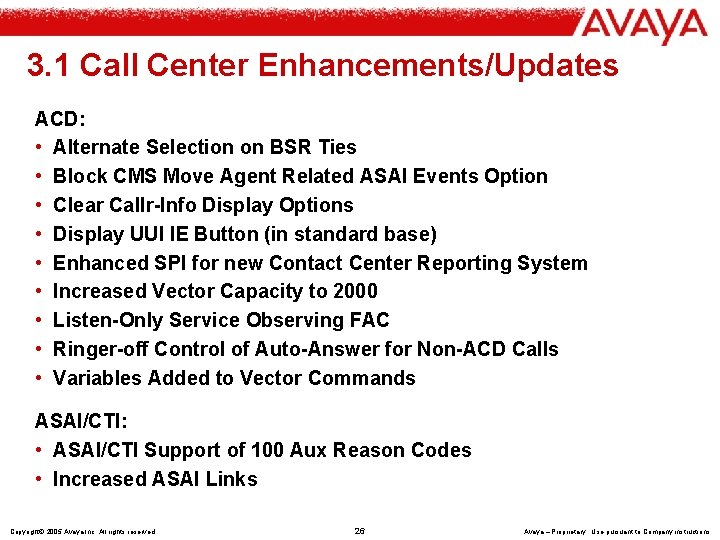
3. 1 Call Center Enhancements/Updates ACD: • Alternate Selection on BSR Ties • Block CMS Move Agent Related ASAI Events Option • Clear Callr-Info Display Options • Display UUI IE Button (in standard base) • Enhanced SPI for new Contact Center Reporting System • Increased Vector Capacity to 2000 • Listen-Only Service Observing FAC • Ringer-off Control of Auto-Answer for Non-ACD Calls • Variables Added to Vector Commands ASAI/CTI: • ASAI/CTI Support of 100 Aux Reason Codes • Increased ASAI Links Copyright© 2005 Avaya Inc. All rights reserved 26 Avaya – Proprietary Use pursuant to Company instructions
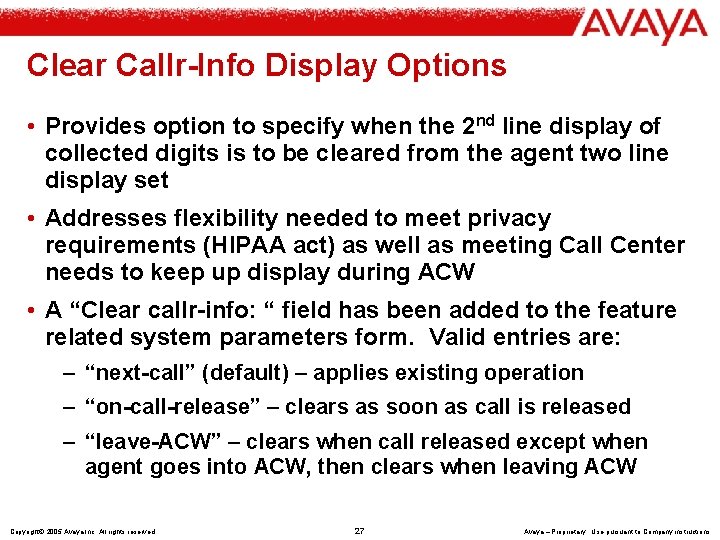
Clear Callr-Info Display Options • Provides option to specify when the 2 nd line display of collected digits is to be cleared from the agent two line display set • Addresses flexibility needed to meet privacy requirements (HIPAA act) as well as meeting Call Center needs to keep up display during ACW • A “Clear callr-info: “ field has been added to the feature related system parameters form. Valid entries are: – “next-call” (default) – applies existing operation – “on-call-release” – clears as soon as call is released – “leave-ACW” – clears when call released except when agent goes into ACW, then clears when leaving ACW Copyright© 2005 Avaya Inc. All rights reserved 27 Avaya – Proprietary Use pursuant to Company instructions
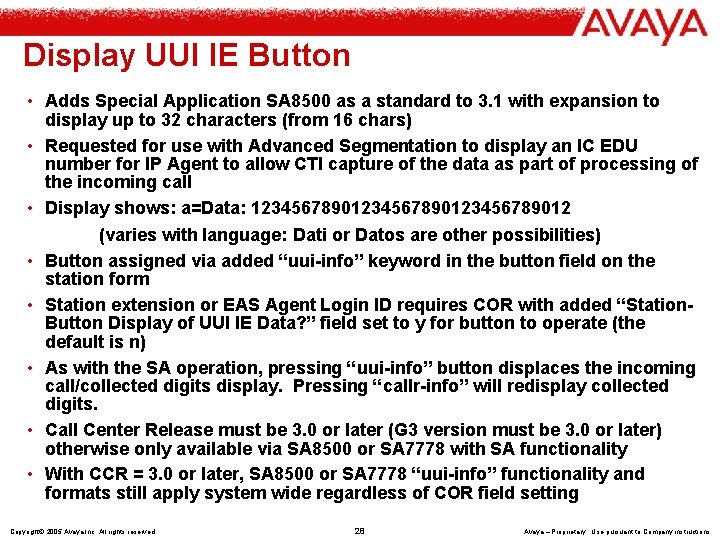
Display UUI IE Button • Adds Special Application SA 8500 as a standard to 3. 1 with expansion to display up to 32 characters (from 16 chars) • Requested for use with Advanced Segmentation to display an IC EDU number for IP Agent to allow CTI capture of the data as part of processing of the incoming call • Display shows: a=Data: 1234567890123456789012 (varies with language: Dati or Datos are other possibilities) • Button assigned via added “uui-info” keyword in the button field on the station form • Station extension or EAS Agent Login ID requires COR with added “Station. Button Display of UUI IE Data? ” field set to y for button to operate (the default is n) • As with the SA operation, pressing “uui-info” button displaces the incoming call/collected digits display. Pressing “callr-info” will redisplay collected digits. • Call Center Release must be 3. 0 or later (G 3 version must be 3. 0 or later) otherwise only available via SA 8500 or SA 7778 with SA functionality • With CCR = 3. 0 or later, SA 8500 or SA 7778 “uui-info” functionality and formats still apply system wide regardless of COR field setting Copyright© 2005 Avaya Inc. All rights reserved 28 Avaya – Proprietary Use pursuant to Company instructions
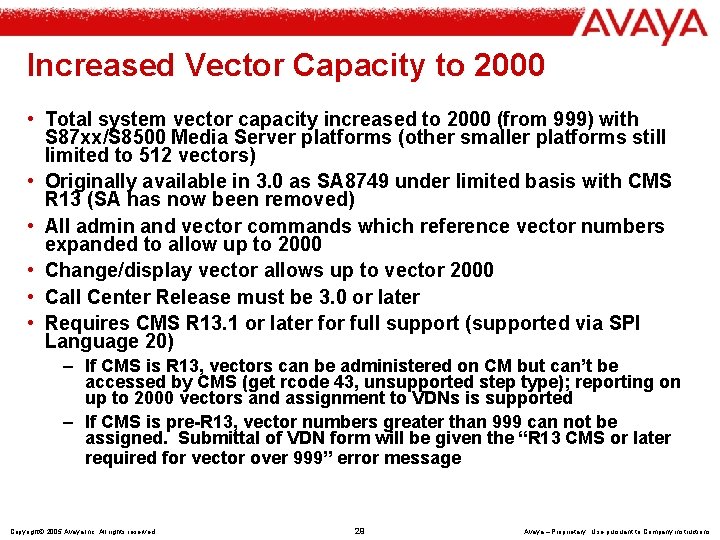
Increased Vector Capacity to 2000 • Total system vector capacity increased to 2000 (from 999) with S 87 xx/S 8500 Media Server platforms (other smaller platforms still limited to 512 vectors) • Originally available in 3. 0 as SA 8749 under limited basis with CMS R 13 (SA has now been removed) • All admin and vector commands which reference vector numbers expanded to allow up to 2000 • Change/display vector allows up to vector 2000 • Call Center Release must be 3. 0 or later • Requires CMS R 13. 1 or later for full support (supported via SPI Language 20) – If CMS is R 13, vectors can be administered on CM but can’t be accessed by CMS (get rcode 43, unsupported step type); reporting on up to 2000 vectors and assignment to VDNs is supported – If CMS is pre-R 13, vector numbers greater than 999 can not be assigned. Submittal of VDN form will be given the “R 13 CMS or later required for vector over 999” error message Copyright© 2005 Avaya Inc. All rights reserved 29 Avaya – Proprietary Use pursuant to Company instructions
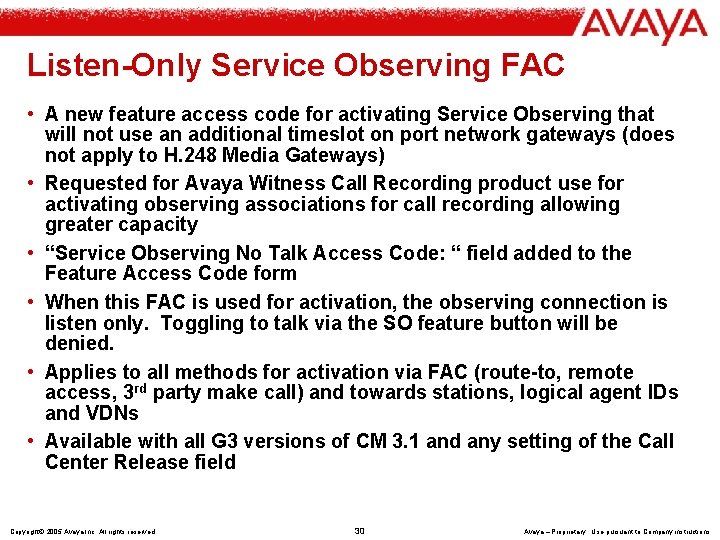
Listen-Only Service Observing FAC • A new feature access code for activating Service Observing that will not use an additional timeslot on port network gateways (does not apply to H. 248 Media Gateways) • Requested for Avaya Witness Call Recording product use for activating observing associations for call recording allowing greater capacity • “Service Observing No Talk Access Code: “ field added to the Feature Access Code form • When this FAC is used for activation, the observing connection is listen only. Toggling to talk via the SO feature button will be denied. • Applies to all methods for activation via FAC (route-to, remote access, 3 rd party make call) and towards stations, logical agent IDs and VDNs • Available with all G 3 versions of CM 3. 1 and any setting of the Call Center Release field Copyright© 2005 Avaya Inc. All rights reserved 30 Avaya – Proprietary Use pursuant to Company instructions
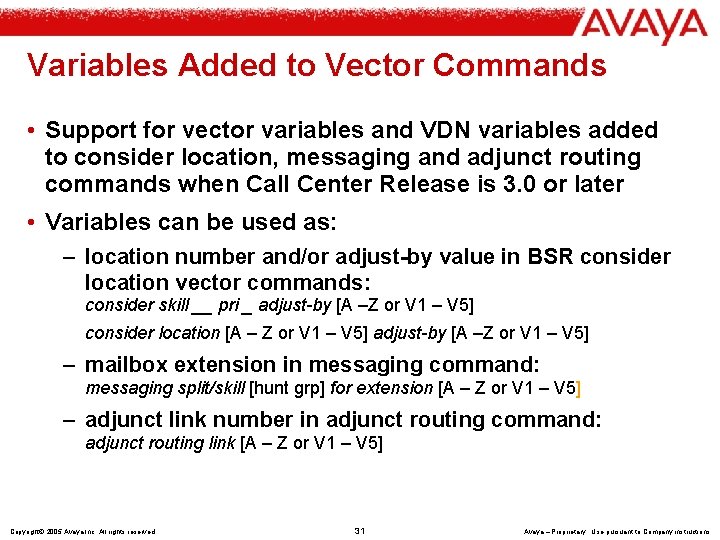
Variables Added to Vector Commands • Support for vector variables and VDN variables added to consider location, messaging and adjunct routing commands when Call Center Release is 3. 0 or later • Variables can be used as: – location number and/or adjust-by value in BSR consider location vector commands: consider skill __ pri _ adjust-by [A –Z or V 1 – V 5] consider location [A – Z or V 1 – V 5] adjust-by [A –Z or V 1 – V 5] – mailbox extension in messaging command: messaging split/skill [hunt grp] for extension [A – Z or V 1 – V 5] – adjunct link number in adjunct routing command: adjunct routing link [A – Z or V 1 – V 5] Copyright© 2005 Avaya Inc. All rights reserved 31 Avaya – Proprietary Use pursuant to Company instructions
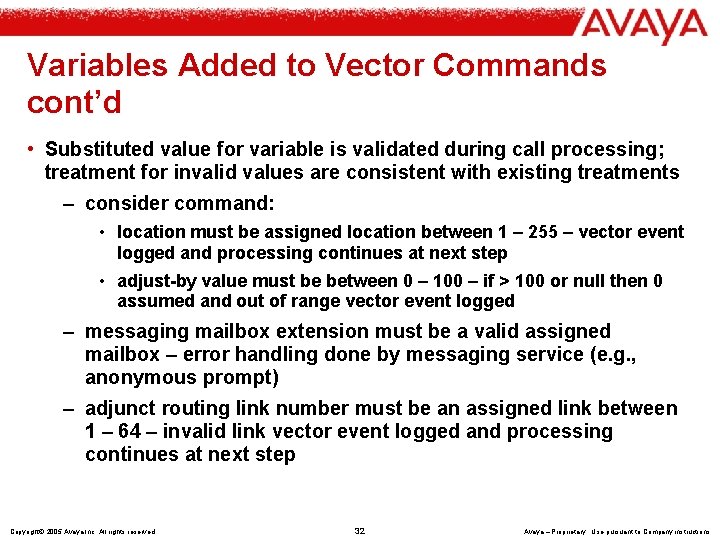
Variables Added to Vector Commands cont’d • Substituted value for variable is validated during call processing; treatment for invalid values are consistent with existing treatments – consider command: • location must be assigned location between 1 – 255 – vector event logged and processing continues at next step • adjust-by value must be between 0 – 100 – if > 100 or null then 0 assumed and out of range vector event logged – messaging mailbox extension must be a valid assigned mailbox – error handling done by messaging service (e. g. , anonymous prompt) – adjunct routing link number must be an assigned link between 1 – 64 – invalid link vector event logged and processing continues at next step Copyright© 2005 Avaya Inc. All rights reserved 32 Avaya – Proprietary Use pursuant to Company instructions
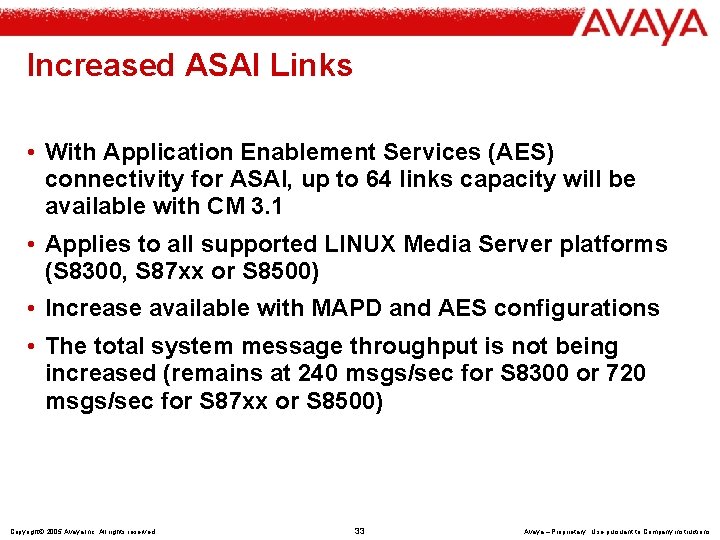
Increased ASAI Links • With Application Enablement Services (AES) connectivity for ASAI, up to 64 links capacity will be available with CM 3. 1 • Applies to all supported LINUX Media Server platforms (S 8300, S 87 xx or S 8500) • Increase available with MAPD and AES configurations • The total system message throughput is not being increased (remains at 240 msgs/sec for S 8300 or 720 msgs/sec for S 87 xx or S 8500) Copyright© 2005 Avaya Inc. All rights reserved 33 Avaya – Proprietary Use pursuant to Company instructions
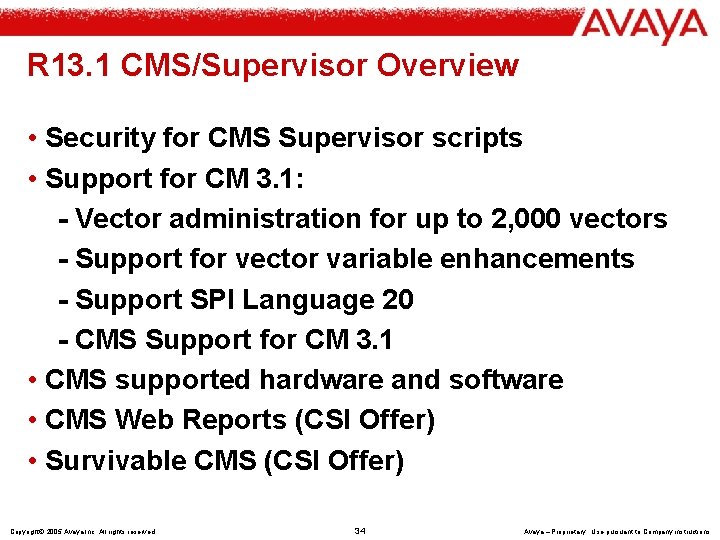
R 13. 1 CMS/Supervisor Overview • Security for CMS Supervisor scripts • Support for CM 3. 1: - Vector administration for up to 2, 000 vectors - Support for vector variable enhancements - Support SPI Language 20 - CMS Support for CM 3. 1 • CMS supported hardware and software • CMS Web Reports (CSI Offer) • Survivable CMS (CSI Offer) Copyright© 2005 Avaya Inc. All rights reserved 34 Avaya – Proprietary Use pursuant to Company instructions
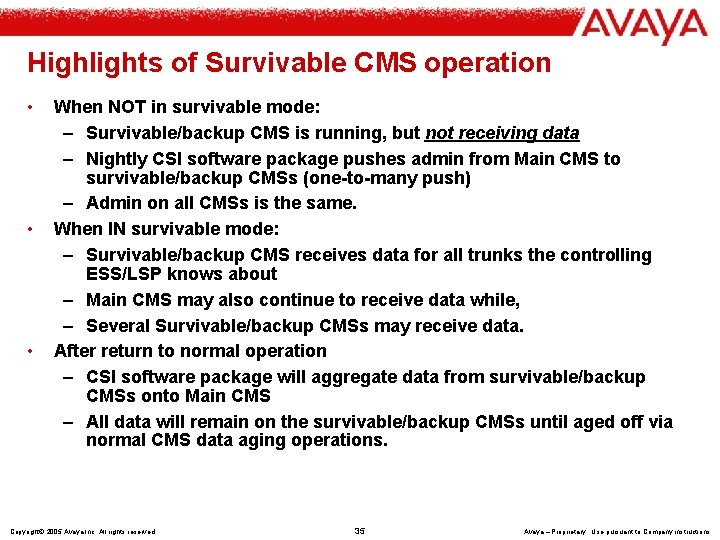
Highlights of Survivable CMS operation • • • When NOT in survivable mode: – Survivable/backup CMS is running, but not receiving data – Nightly CSI software package pushes admin from Main CMS to survivable/backup CMSs (one-to-many push) – Admin on all CMSs is the same. When IN survivable mode: – Survivable/backup CMS receives data for all trunks the controlling ESS/LSP knows about – Main CMS may also continue to receive data while, – Several Survivable/backup CMSs may receive data. After return to normal operation – CSI software package will aggregate data from survivable/backup CMSs onto Main CMS – All data will remain on the survivable/backup CMSs until aged off via normal CMS data aging operations. Copyright© 2005 Avaya Inc. All rights reserved 35 Avaya – Proprietary Use pursuant to Company instructions
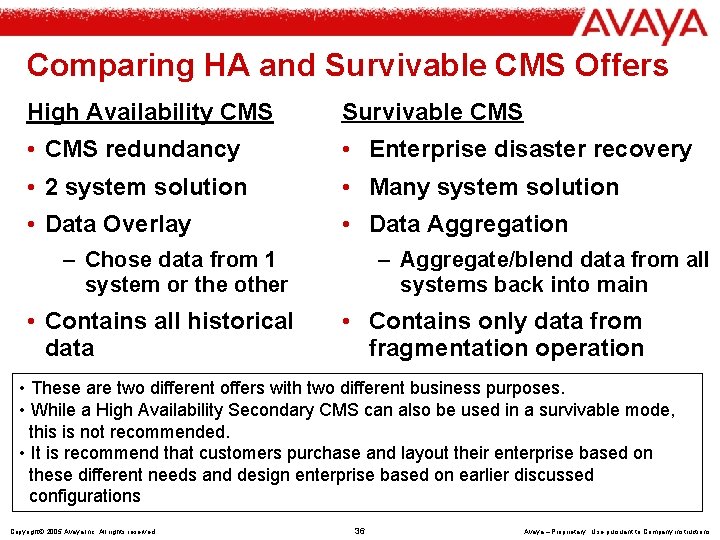
Comparing HA and Survivable CMS Offers High Availability CMS Survivable CMS • CMS redundancy • Enterprise disaster recovery • 2 system solution • Many system solution • Data Overlay • Data Aggregation – Aggregate/blend data from all systems back into main – Chose data from 1 system or the other • Contains all historical data • Contains only data from fragmentation operation • These are two different offers with two different business purposes. • While a High Availability Secondary CMS can also be used in a survivable mode, this is not recommended. • It is recommend that customers purchase and layout their enterprise based on these different needs and design enterprise based on earlier discussed configurations Copyright© 2005 Avaya Inc. All rights reserved 36 Avaya – Proprietary Use pursuant to Company instructions