The New Statutory Audit Feature in Tally ERP

- Slides: 22
The New Statutory Audit Feature in Tally. ERP 9 - Auditors’ Edition © Tally Solutions Pvt. Ltd. All Rights Reserved
Statutory Audit – Scope Covered § Data Analysis § Auditing § Financial Statements As Per Schedule VI © Tally Solutions Pvt. Ltd. All Rights Reserved 2
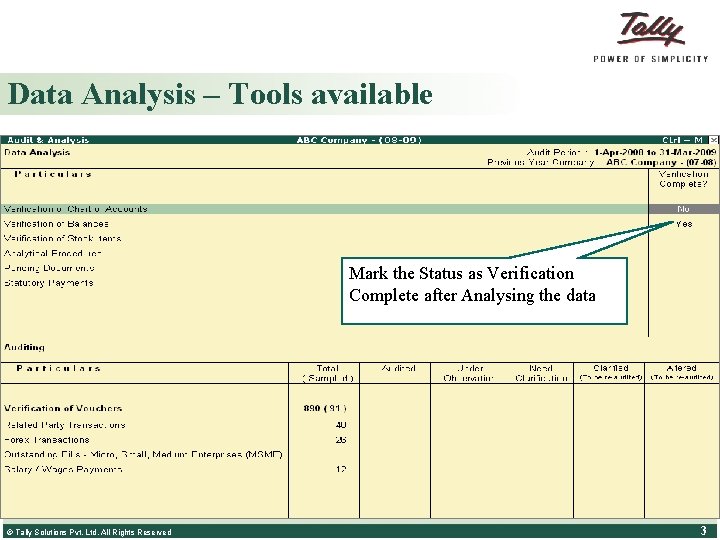
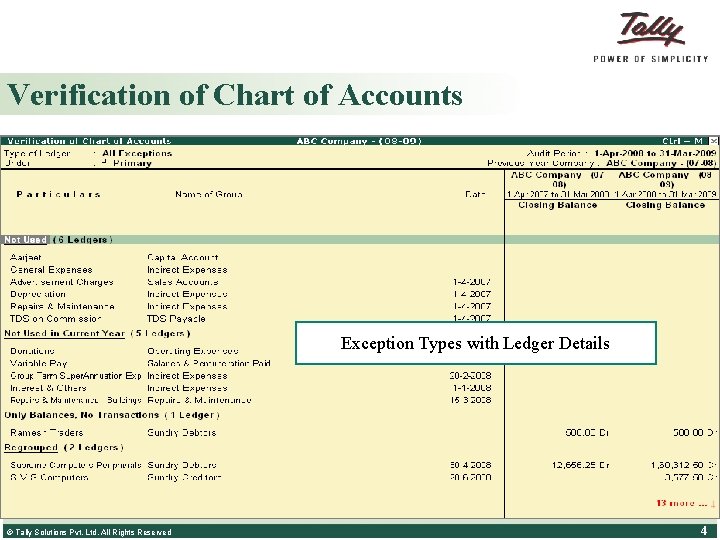
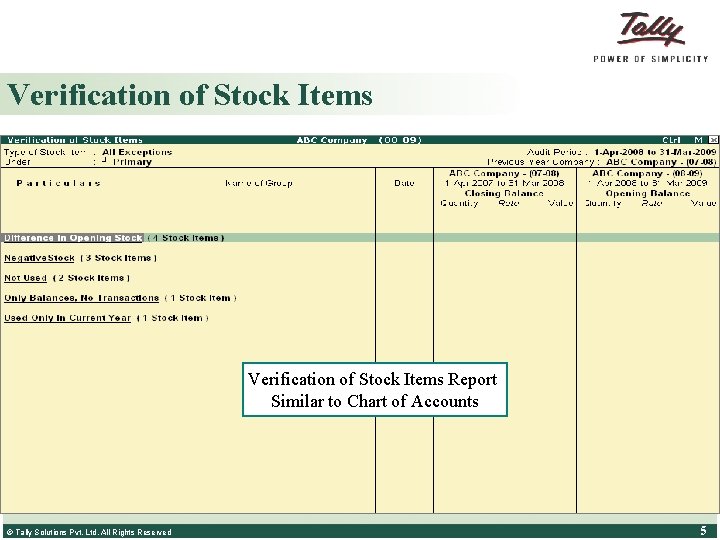
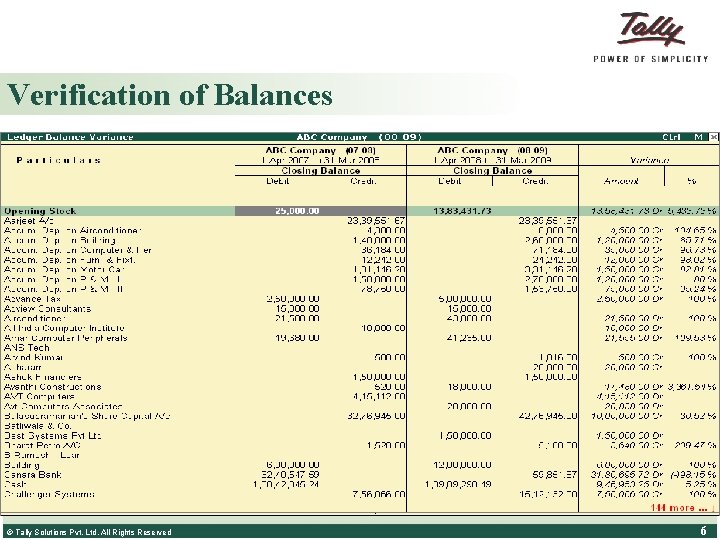
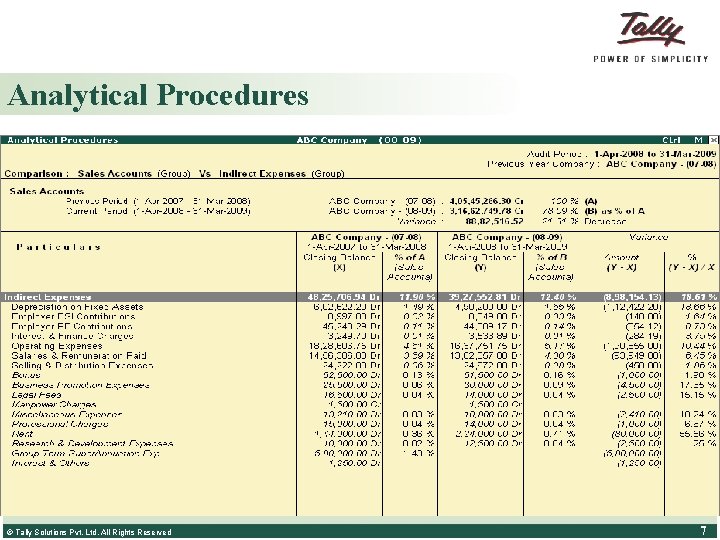
Data Analysis – Tools available § § § Verification of Chart of Accounts Verification of Balances Verification of Stock items Analytical Procedures Mark the Status as Verification Pending Documents Complete after Analysing the data Statutory Payments © Tally Solutions Pvt. Ltd. All Rights Reserved 3
Verification of Chart of Accounts Exception Types with Ledger Details All the Ledgers are Listed Under the Different Exception Types © Tally Solutions Pvt. Ltd. All Rights Reserved 4
Verification of Stock Items Report Similar to Chart of Accounts © Tally Solutions Pvt. Ltd. All Rights Reserved 5
Verification of Balances Groups with Opening Balance differences are shown in red color Displays the Transaction details, Groups with Balance against the default Group behavior shown in red © Tally Solutions Pvt. Ltd. All Rights Reserved 6
Analytical Procedures © Tally Solutions Pvt. Ltd. All Rights Reserved 7
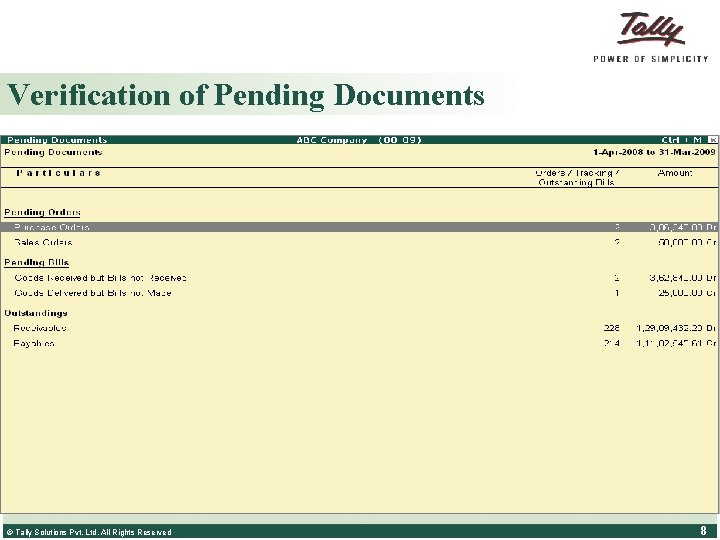
Verification of Pending Documents © Tally Solutions Pvt. Ltd. All Rights Reserved 8
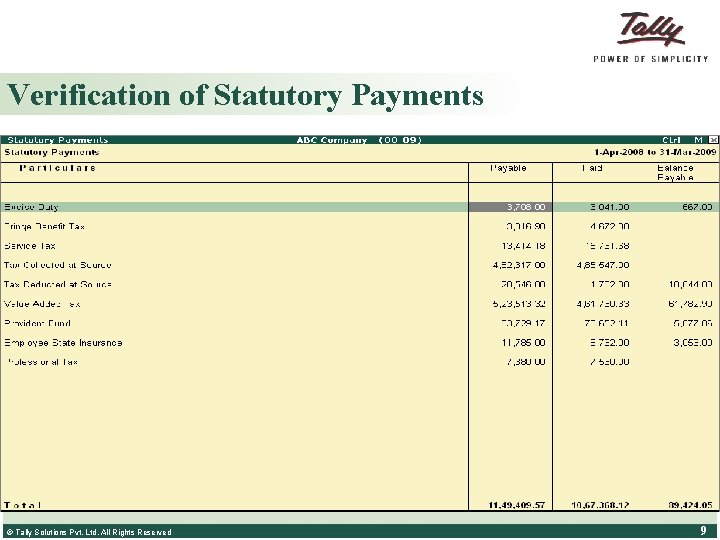
Verification of Statutory Payments © Tally Solutions Pvt. Ltd. All Rights Reserved 9
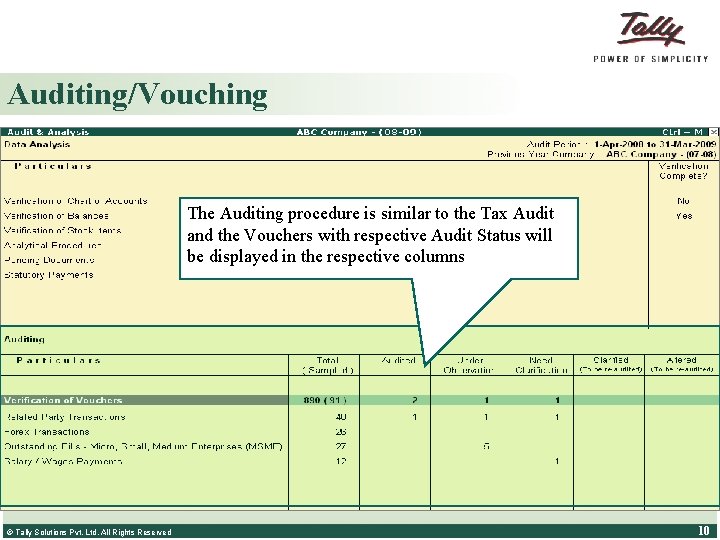
Auditing/Vouching § § § Verification of Vouchers Related Party Transactions Forex Transactions The Auditing procedure is similar to the Tax Audit and. MSMEs the Vouchers with respective Audit Status will Outstanding of be displayed in the respective columns Salary/Wages Payments (including ‘Head Count’) © Tally Solutions Pvt. Ltd. All Rights Reserved 10
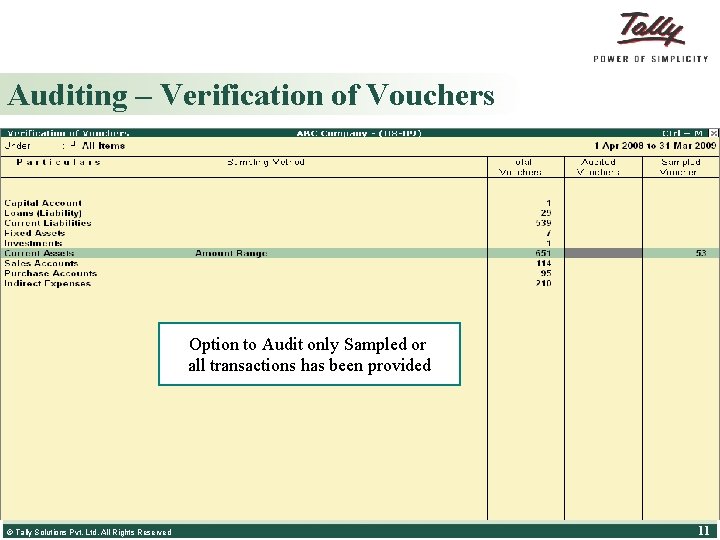
Auditing – Verification of Vouchers § Audit only sampled transaction or all transactions Option to Audit only Sampled or all transactions has been provided © Tally Solutions Pvt. Ltd. All Rights Reserved 11
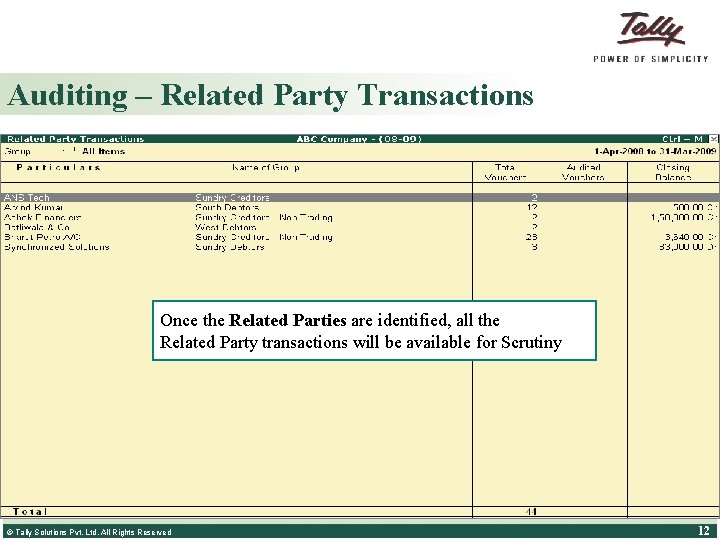
Auditing – Related Party Transactions Once the Related Parties are identified, all the Related Party transactions will be available for Scrutiny Auditor can identify the Related Parties with the help of Client © Tally Solutions Pvt. Ltd. All Rights Reserved 12
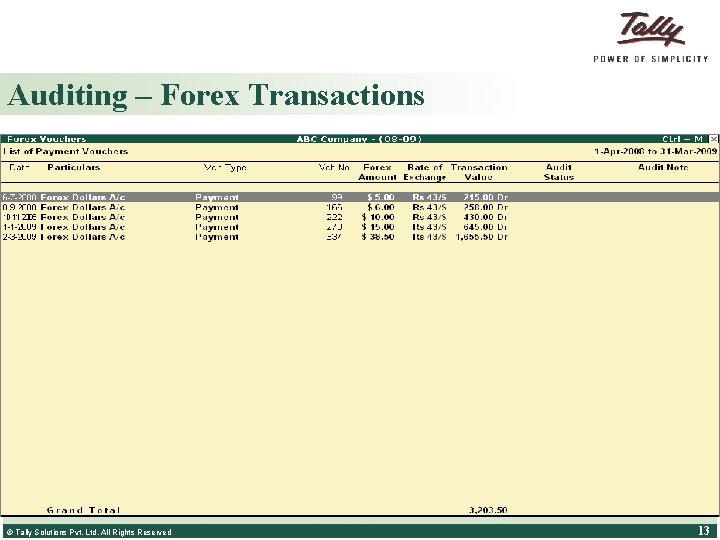
Auditing – Forex Transactions All the transactions involving Forex will be listed for scrutiny. The auditor can drill down to check the Rate of Exchange used by the Client for each © Tally Solutions Pvt. Ltd. All Rights Reserved 13
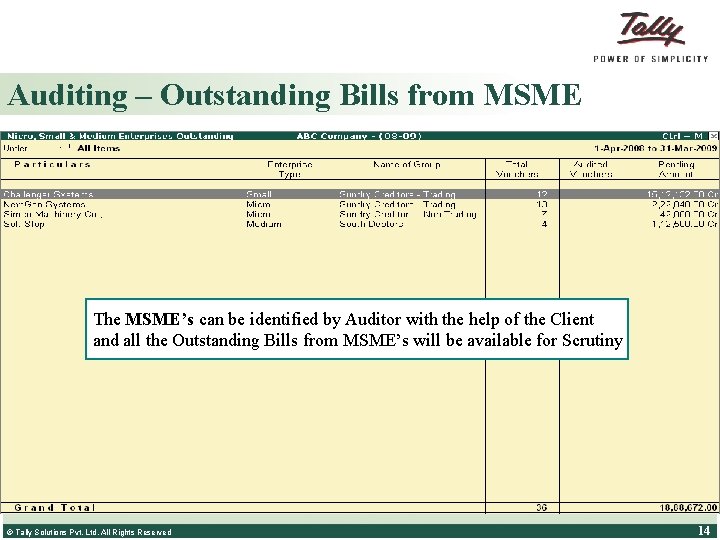
Auditing – Outstanding Bills from MSME The MSME’s can be identified by Auditor with the help of the Client and all the Outstanding Bills from MSME’s will be available for Scrutiny © Tally Solutions Pvt. Ltd. All Rights Reserved 14
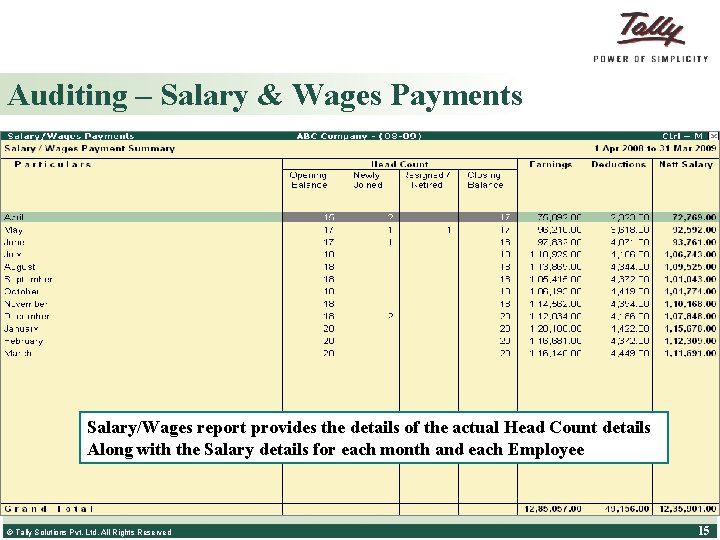
Auditing – Salary & Wages Payments Salary/Wages report provides the details of the actual Head Count details Along with the Salary details for each month and each Employee © Tally Solutions Pvt. Ltd. All Rights Reserved 15
Financial Reports – Provided § Balance Sheet as per Schedule VI § Profit & Loss A/c as per Schedule VI © Tally Solutions Pvt. Ltd. All Rights Reserved 16
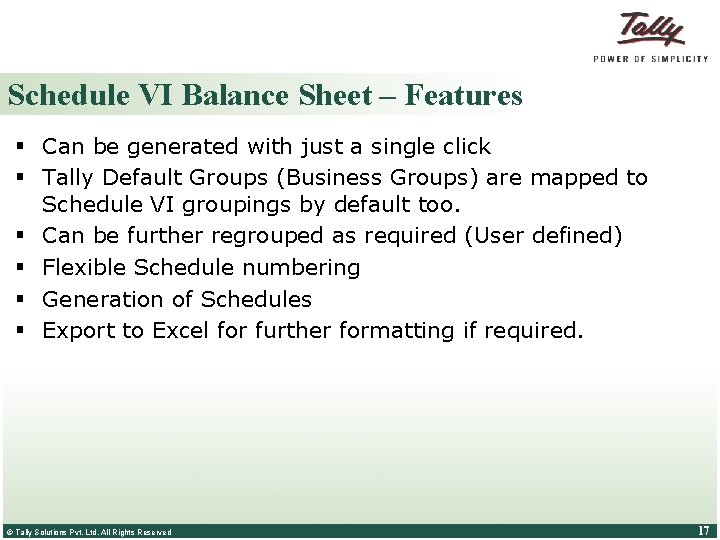
Schedule VI Balance Sheet – Features § Can be generated with just a single click § Tally Default Groups (Business Groups) are mapped to Schedule VI groupings by default too. § Can be further regrouped as required (User defined) § Flexible Schedule numbering § Generation of Schedules § Export to Excel for further formatting if required. © Tally Solutions Pvt. Ltd. All Rights Reserved 17
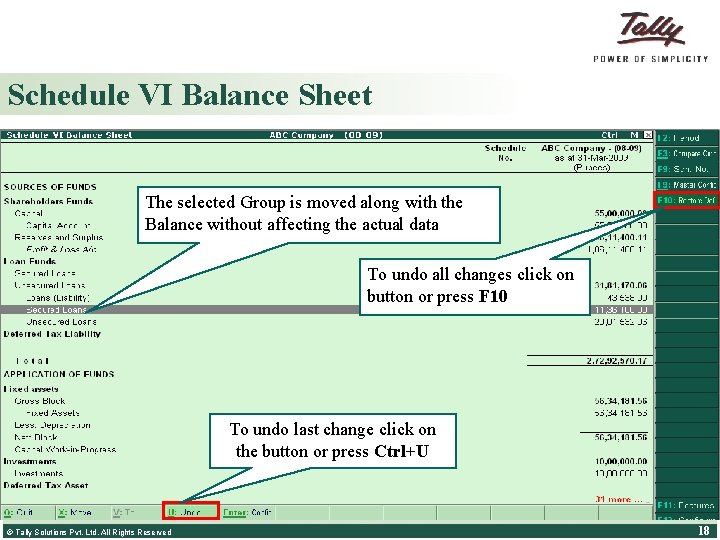
Schedule VI Balance Sheet The selected Group is moved along with the Balance without affecting the actual data The Group/Subgroup/Ledger Balances can be Moved From one Schedule VI titles to another as required or within default Tally Groups. To undo all changes click on buttonwhich or press F 10 to be Select the Group needs Movement is possible using Ctrl+X Move button or moved Ctrl+Enter Configuration screen. Move the cursor to the required line To undo last change click on Click on this button or button. Ctrl+U or press the Click buttonthis or press Ctrl+X to CUT/Move Ctrl+V to PASTE © Tally Solutions Pvt. Ltd. All Rights Reserved 18
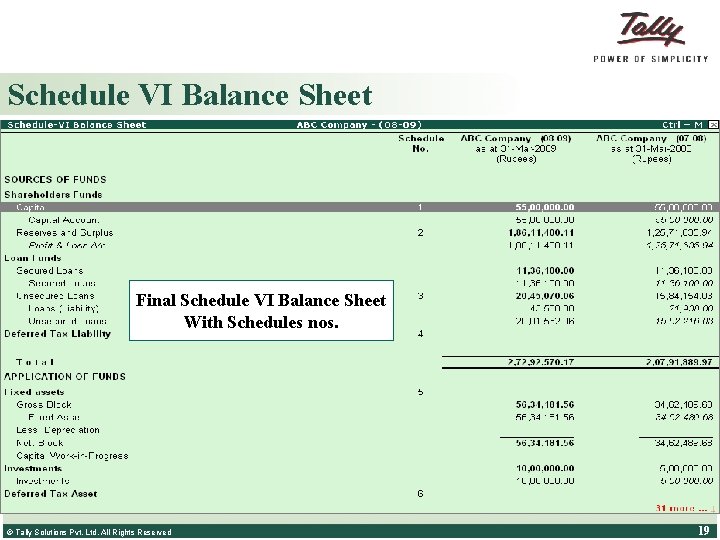
Schedule VI Balance Sheet Final Schedule VI Balance Sheet With Schedules nos. © Tally Solutions Pvt. Ltd. All Rights Reserved 19
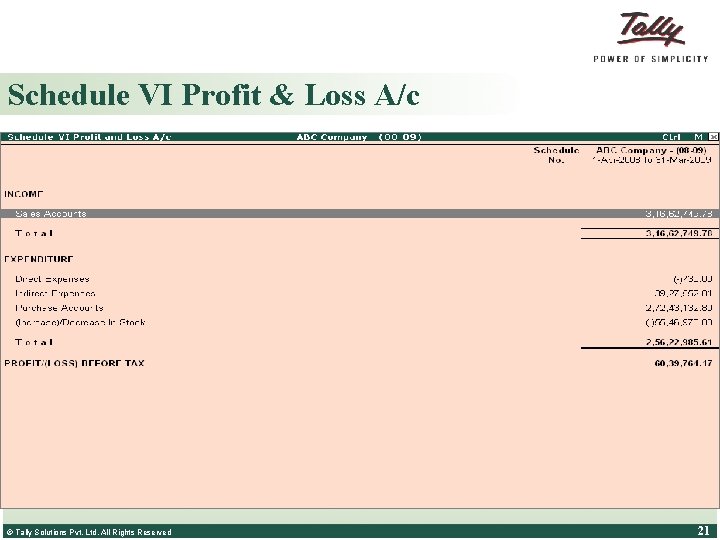
Schedule VI Profit & Loss A/c – Features § Sales & Income Groups are mapped to INCOME by default § Expenses & Purchase Groups are mapped to EXPENDITURE § Option to rename INCOME & EXPENDITURE is provided to support all industries § Flexibility to regroup within INCOME & EXPENDITURE § Flexible Schedule numbering § Generation of Schedules § Export to Excel for further formatting if required. © Tally Solutions Pvt. Ltd. All Rights Reserved 20
Schedule VI Profit & Loss A/c © Tally Solutions Pvt. Ltd. All Rights Reserved 21
THANK YOU © Tally Solutions Pvt. Ltd. All Rights Reserved