Switching ICND Copyright 2002 Cisco Systems Inc LAN










![VLAN 설정 IOS 기반 스위치의 VLAN을 설정하기 위해서 vlan [vlan#] name [vlan name] 명령어를](https://slidetodoc.com/presentation_image_h/d345286502a4e58f6910735db4d329f5/image-29.jpg "VLAN 설정 IOS 기반 스위치의 VLAN을 설정하기 위해서 vlan [vlan#] name [vlan name] 명령어를")

- Slides: 32
Switching ICND Copyright © 2002, Cisco Systems, Inc.
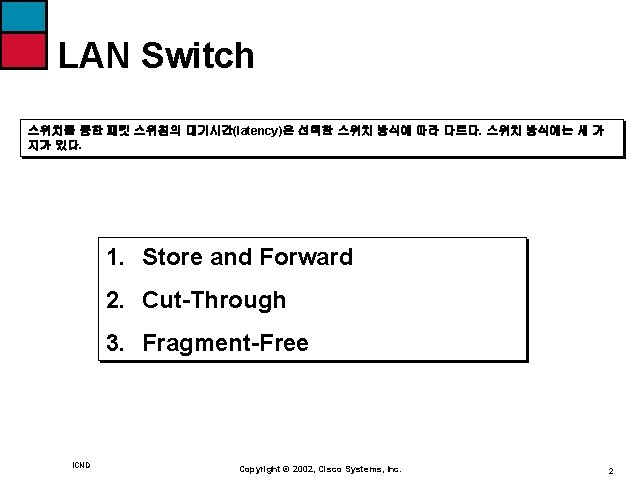
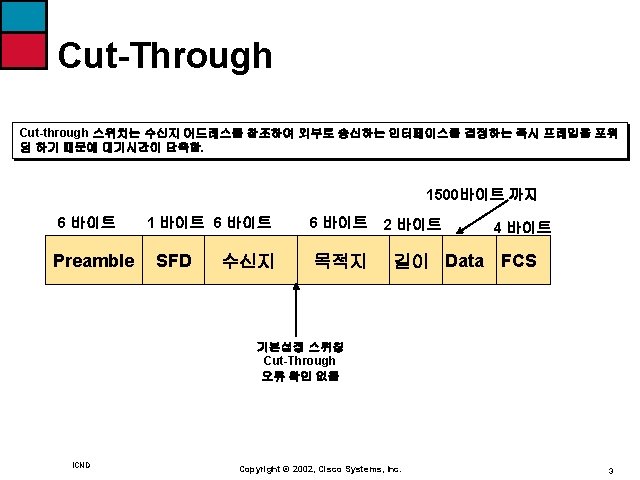
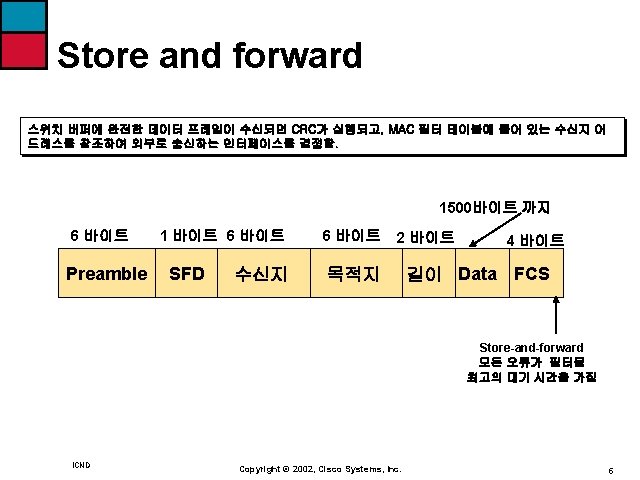
LAN Switch 스위치를 통한 패킷 스위칭의 대기시간(latency)은 선택한 스위치 방식에 따라 다르다. 스위치 방식에는 세 가 지가 있다. 1. Store and Forward 2. Cut-Through 3. Fragment-Free ICND Copyright © 2002, Cisco Systems, Inc. 2
Switch Configuration ICND Copyright © 2002, Cisco Systems, Inc. 6
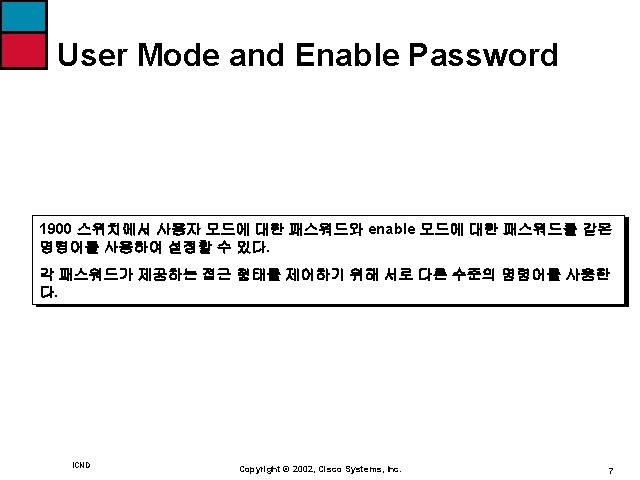
User Mode and Enable Password 1 user (s) now active on Management console. User Interface Menu [M] Menus [K] Command Line [ I ] IP Configuration Enter Selection : K CLI session with the switch is open. To end the CLI session, enter [Exit] >enable #config t Enter configuration commands, one per line. End with CNTL/Z (config)# ICND Copyright © 2002, Cisco Systems, Inc. 8
Enable Password Configuration (config)# enable password ? Level Set exec level password (config)# enable password level ? <1 -15> Level number 사용자 모드의 패스워드를 입력하기 위해서는 level number 1을 사용하며, level Number 15는 Enable Password를 입력하여 사용한다. 패스워드는 적어도 4글자 이 상어야 하고 8글자를 넘을 수 없다. ICND Copyright © 2002, Cisco Systems, Inc. 9
Enable Password Configuration (config)# enable password ? Level Set exec level password (config)# enable password level ? <1 -15> Level number (config)#enable password level 1 cisco Error: Invalid password length. Password must be between 4 and 8 characters (config)#enable password level 1 cisco (config)#enable password level 15 cisco 1 (config)#exit CLI session with the switch is now closed. Press any key to continue. ICND Copyright © 2002, Cisco Systems, Inc. 10
Enable Password Configuration 1 user (s) now active on Management console. User Interface Menu [M] Menus [K] Command Line [ I ] IP Configuration Enter Selection : K Enter password: **** CLI session with the switch is open. To end the CLI session, enter [Exit] >en enter password: **** # ICND Copyright © 2002, Cisco Systems, Inc. 11
Enable Secret Password Enable Password보다 더 강화된 보안 패스워드이며, 설정되면 enable 모드의 패스워드 보다 우선 순위가 높다. (config)#enable secret cisco 2 1900 스위치의 enable password와 enable secret 명령어는 동일하다. 설정된 것을 확인 하는 명령어는 Show running-config ICND Copyright © 2002, Cisco Systems, Inc. 12
Enable Secret Password #show running-config Building configuration… Current configuration: enable secret 5 $1$i. Scn$Cs. MT/ggi. Gvqob. XBy/Kty. A enable password level 1 “CISCO” enable password level 15 “CISCO 1” Enable 모드 패스워드는 기본적으로 암호화 되어 있지 않으므로 주의. 패스워드가 대소문자 구별이 없으므로, 소문자로 입력을 해도 대문자로 보여준다. ICND Copyright © 2002, Cisco Systems, Inc. 13
Hostname Configuration >en Enter password: **** #config t Enter configuration commands, one per line. End with CNTL/Z (config)#hostname Switch 1900#(config)# ICND Copyright © 2002, Cisco Systems, Inc. 14
IP 설정내역 확인 Show ip ( 줄여서 sh ip) 명령어로 기본적인 IP 설정내역을 확인 할 수가 있다. Switch#show ip IP Address: 0. 0 Subnet Mask: 0. 0 Default Gateway: 0. 0 Management VLAN: 1 Domain name: Name server 1: 0. 0 Name server 2: 0. 0 HTTP server : Enable HTTP port : 80 RIP: Enable ICND Copyright © 2002, Cisco Systems, Inc. 16
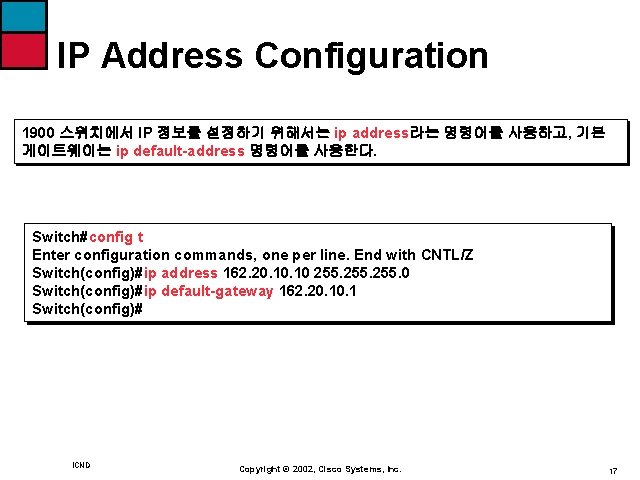
IP Address Configuration 1900 스위치에서 IP 정보를 설정하기 위해서는 ip address라는 명령어를 사용하고, 기본 게이트웨이는 ip default-address 명령어를 사용한다. Switch#config t Enter configuration commands, one per line. End with CNTL/Z Switch(config)#ip address 162. 20. 10 255. 0 Switch(config)#ip default-gateway 162. 20. 1 Switch(config)# ICND Copyright © 2002, Cisco Systems, Inc. 17
IP Address 확인 Switch#show ip IP Address: 162. 20. 10 Subnet Mask: 255. 0 Default Gateway: 162. 20. 1 Management VLAN: 1 Domain name: Name server 1: 0. 0 Name server 2: 0. 0 HTTP server : Enable HTTP port : 80 RIP: Enable 기존의 정보를 삭제하고자 할 경우 no ip address와 no ip default-gateway ICND Copyright © 2002, Cisco Systems, Inc. 18
Switch Interface Configuration 1900 스위치는 type slot/port 명령어를 사용하여 구성 할 가있는데, 스위치에서 type slot/port 명령어는 interface 명령어로 특정한 인터페이스를 구성 할 수가 있다. 1900 스위치는 제로 (0) 슬롯 하나만 존재한다. 보통 Ethernet는 10 Base. T 의미하며, Fast. Ethernet는 100 Base. T를 의미한다. ICND Copyright © 2002, Cisco Systems, Inc. 19
10 Base. T Interface Configuration 스위치에서 인터페이스를 구성하기 위해서는 글로벌 환경설정 모드로 진입한 후 에 interface 명령어를 사용한다. Switch#config terminal Enter configuration commands, one per line, End with CNTL/Z Switch(config)#int ethernet ? <0 -0> IEEE 802. 3 Switch(config)#int ethernet 0? / Switch(config)#int ethernet 0/? <1 -25> IEEE 802. 3 Switch(config)#int ethernet 0/1 Switch(config-if)#? Interface configuration commands: Description Interface specific description [생 략] ICND Copyright © 2002, Cisco Systems, Inc. 20
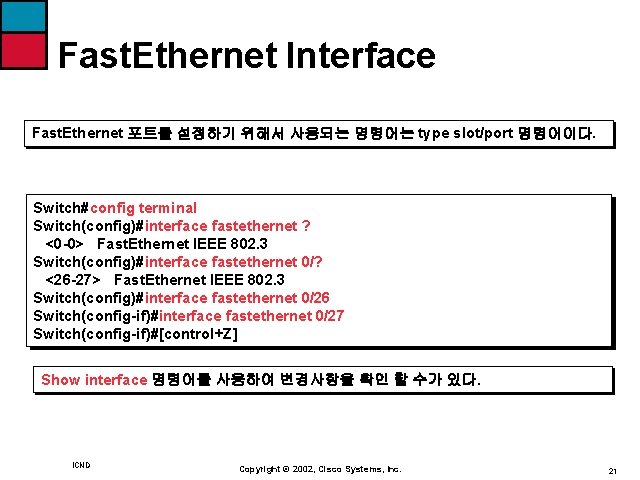
Fast. Ethernet Interface Fast. Ethernet 포트를 설정하기 위해서 사용되는 명령어는 type slot/port 명령어이다. Switch#config terminal Switch(config)#interface fastethernet ? <0 -0> Fast. Ethernet IEEE 802. 3 Switch(config)#interface fastethernet 0/? <26 -27> Fast. Ethernet IEEE 802. 3 Switch(config)#interface fastethernet 0/26 Switch(config-if)#interface fastethernet 0/27 Switch(config-if)#[control+Z] Show interface 명령어를 사용하여 변경사항을 확인 할 수가 있다. ICND Copyright © 2002, Cisco Systems, Inc. 21
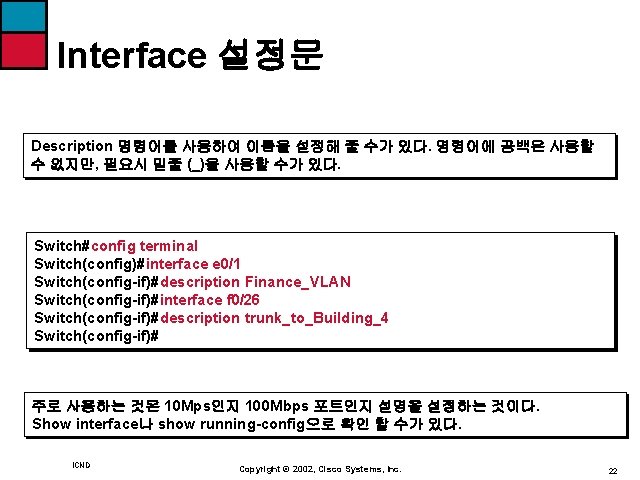
Interface 설정문 Description 명령어를 사용하여 이름을 설정해 줄 수가 있다. 명령어에 공백은 사용할 수 없지만, 필요시 밑줄 (_)을 사용할 수가 있다. Switch#config terminal Switch(config)#interface e 0/1 Switch(config-if)#description Finance_VLAN Switch(config-if)#interface f 0/26 Switch(config-if)#description trunk_to_Building_4 Switch(config-if)# 주로 사용하는 것은 10 Mps인지 100 Mbps 포트인지 설명을 설정하는 것이다. Show interface나 show running-config으로 확인 할 수가 있다. ICND Copyright © 2002, Cisco Systems, Inc. 22
Port Duplex Configuration 1900 스위치에는 10 Base. T 포트가 12개 또는 24개 있고 한 개 또는 두 개의 Fast. Ethernet 포트가 있다. 스위치에서 모든 포트가 정해진 속도가 있으므로, Duplex 포트를 설정 할 수가 있다. Switch#config terminal Switch(config)#duplex ? Auto Enable auto duplex configuration full Force full duplex operation full-flow-control Force full duplex with flow control half Force half duplex operation Switch(config-if)#duplex full ICND Copyright © 2002, Cisco Systems, Inc. 23
Port Duplex Configuration 파라미터 정의 Auto 포트를 auto-negotiation 모드로 설정, 모든 100 Base. TX 포트의 기본 설정값임 Full 10 또는 100 Mbps 포트를 full-duplex모드로 설정 Full-flow-control 100 Base. TX 포트에만 사용되며, 버퍼의 overflow를 막기 위해서 흐름제어를 사용함 Half 10 Base. T 포트의 기본설정 값으로 포트가 half-duplex 모드로만 작동하도록 설정 ICND Copyright © 2002, Cisco Systems, Inc. 24
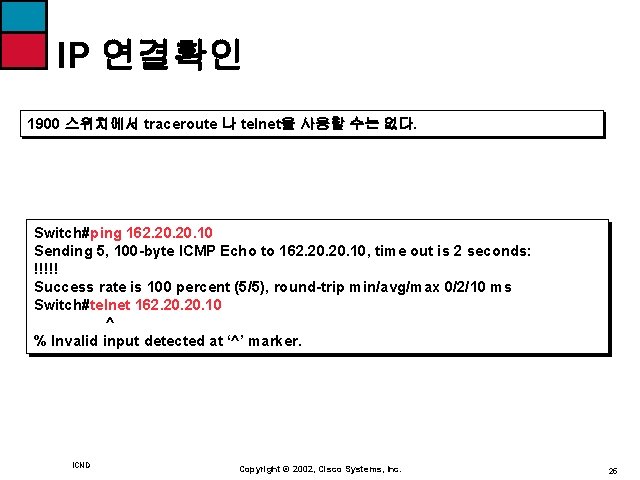
IP 연결확인 1900 스위치에서 traceroute 나 telnet을 사용할 수는 없다. Switch#ping 162. 20. 10 Sending 5, 100 -byte ICMP Echo to 162. 20. 10, time out is 2 seconds: !!!!! Success rate is 100 percent (5/5), round-trip min/avg/max 0/2/10 ms Switch#telnet 162. 20. 10 ^ % Invalid input detected at ‘^’ marker. ICND Copyright © 2002, Cisco Systems, Inc. 25
Switch 환결설정 지우기 Switch#delete ? Nvram NVRAM configuration vtp Reset VTP configuration to defaults Switch#delete nvram This command resets the switch with factory defaults. All system parameters will revert to their default factory settings, All static and dynamic addresses will be removed. Reset system with factory defaults, [Y]es or [N]o ? yes ICND Copyright © 2002, Cisco Systems, Inc. 26
VLAN Configuration VLAN 1 VLAN 2 VLAN 3 Switch 3층 Switch 2층 Switch 1층 HUB LAN 2 HUB LAN 1 HUB 기본의 LAN Segmentation Router ICND VLAN Segmentation Router Copyright © 2002, Cisco Systems, Inc. 27
VLAN 설정 1900 스위치에서는 64개의 가상랜을 생성할 수 있다. 각 가상랜마다 각각의 spanning-tree instance가 설정될 수 있다. 1 user (s) now active on Management console. User Interface Menu [M] Menus [K] Command Line [ I ] IP Configuration Enter Selection : K CLI session with the switch is open. To end the CLI session, enter [Exit] ICND Copyright © 2002, Cisco Systems, Inc. 28
VLAN 설정 IOS 기반 스위치의 VLAN을 설정하기 위해서 vlan [vlan#] name [vlan name] 명령어를 사용한다. >en #config terminal (config)#hostname 1900(config)#vlan 2 name sales 1900(config)#vlan 3 name marketing 1900(config)#vlan 4 name mis 1900(config)#exit 생성된 VLAN은 스위치 포트, 또는 포트에 대응되지 않으면 사용되지 않는다. 그리고 모든 포트가 설정되지 않 으면 항상 VLAN 1에 속해있다. ICND Copyright © 2002, Cisco Systems, Inc. 29
VLAN 설정확인 VLAN이 생성되면, show vlan 명령어를 사용하여 그 내용을 확인할 수 있다. 1900#show vlan VLAN Name Status Ports --------------------------------------------------1 default Enabled 1 -12, AUI, A, B 2 sales Enabled 3 marketing Enabled 4 mis Enabled 1002 fddi-default Suspended 1003 token-ring-defau Suspended 1004 fddinet-default Suspended 1005 trnet-default Suspended --------------------------------------------------[생 략] ICND Copyright © 2002, Cisco Systems, Inc. 30
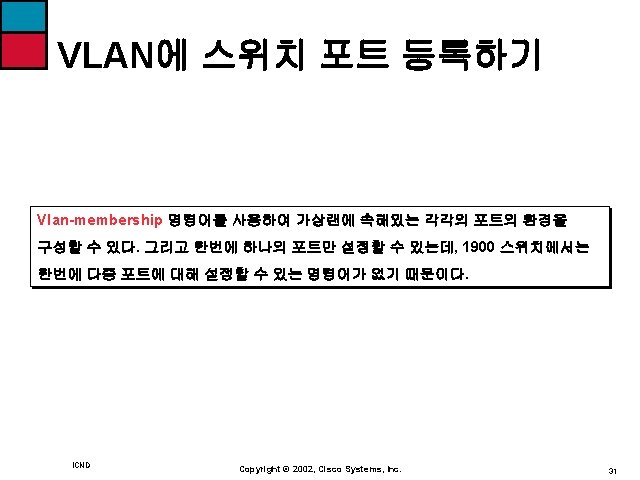
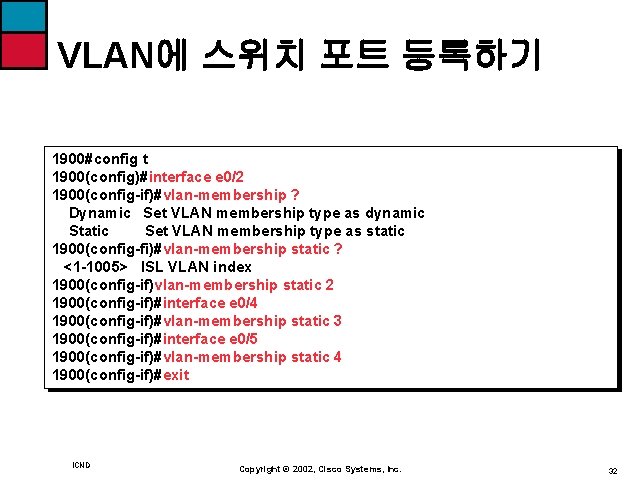
VLAN에 스위치 포트 등록하기 1900#config t 1900(config)#interface e 0/2 1900(config-if)#vlan-membership ? Dynamic Set VLAN membership type as dynamic Static Set VLAN membership type as static 1900(config-fi)#vlan-membership static ? <1 -1005> ISL VLAN index 1900(config-if)vlan-membership static 2 1900(config-if)#interface e 0/4 1900(config-if)#vlan-membership static 3 1900(config-if)#interface e 0/5 1900(config-if)#vlan-membership static 4 1900(config-if)#exit ICND Copyright © 2002, Cisco Systems, Inc. 32