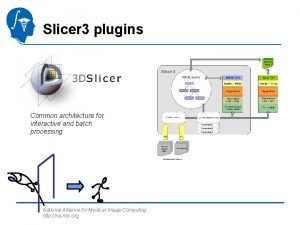
Slicer 3 minute tutorial Sonia Pujol Ph D

- Slides: 29
Slicer 3 minute tutorial Sonia Pujol, Ph. D Wendy Plesniak, Ph. D. Surgical Planning Laboratory Harvard Medical School Pujol S. , Plesniak, W. National Alliance for Medical Image Computing Neuroimage Analysis Center Harvard CTSC -1 -
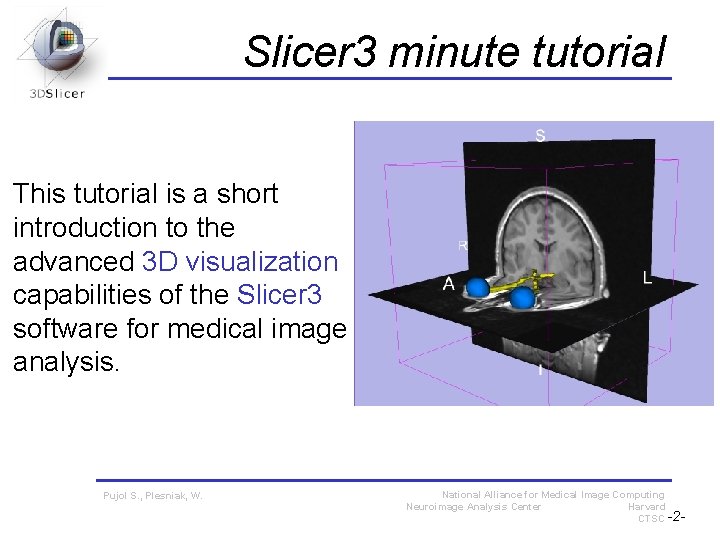
Slicer 3 minute tutorial This tutorial is a short introduction to the advanced 3 D visualization capabilities of the Slicer 3 software for medical image analysis. Pujol S. , Plesniak, W. National Alliance for Medical Image Computing Neuroimage Analysis Center Harvard CTSC -2 -
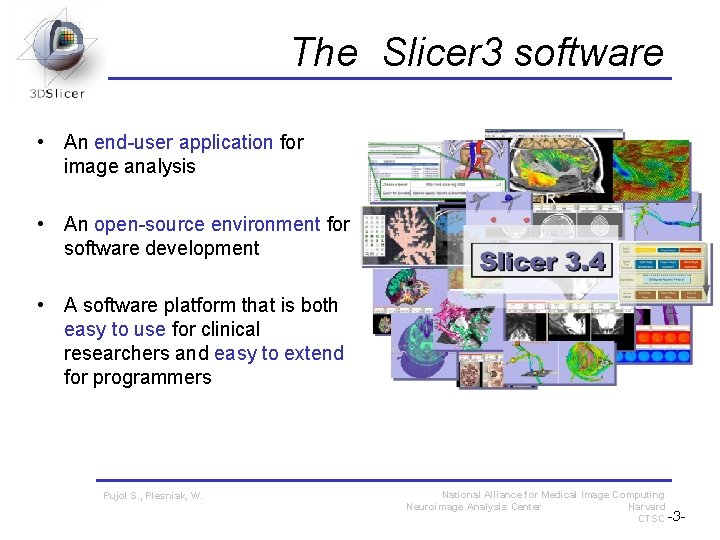
The Slicer 3 software • An end-user application for image analysis • An open-source environment for software development • A software platform that is both easy to use for clinical researchers and easy to extend for programmers Pujol S. , Plesniak, W. National Alliance for Medical Image Computing Neuroimage Analysis Center Harvard CTSC -3 -
Software version Slicer 3 is a multi-platform software running on Windows, Linux, and Mac OSX. Disclaimer It is the responsibility of the user of 3 DSlicer to comply with both the terms of the license and with the applicable laws, regulations and rules. Pujol S. , Plesniak, W. National Alliance for Medical Image Computing Neuroimage Analysis Center Harvard CTSC -4 -
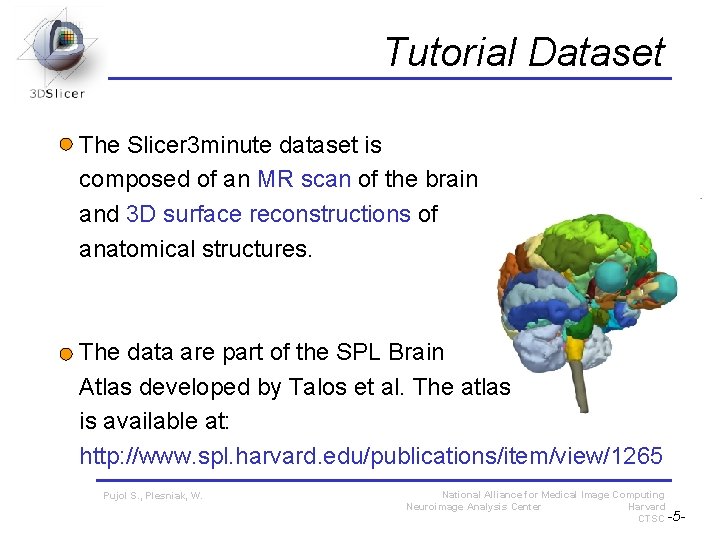
Tutorial Dataset The Slicer 3 minute dataset is composed of an MR scan of the brain and 3 D surface reconstructions of anatomical structures. The data are part of the SPL Brain Atlas developed by Talos et al. The atlas is available at: http: //www. spl. harvard. edu/publications/item/view/1265 Pujol S. , Plesniak, W. National Alliance for Medical Image Computing Neuroimage Analysis Center Harvard CTSC -5 -
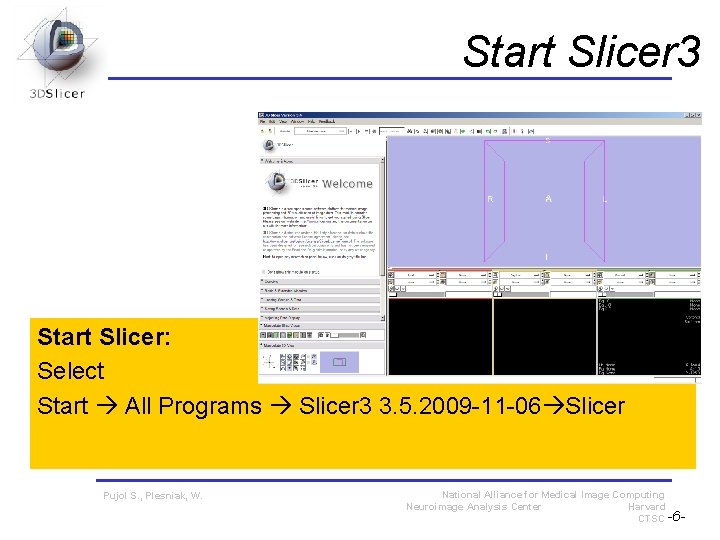
Start Slicer 3 Start Slicer: Select Start All Programs Slicer 3 3. 5. 2009 -11 -06 Slicer Pujol S. , Plesniak, W. National Alliance for Medical Image Computing Neuroimage Analysis Center Harvard CTSC -6 -
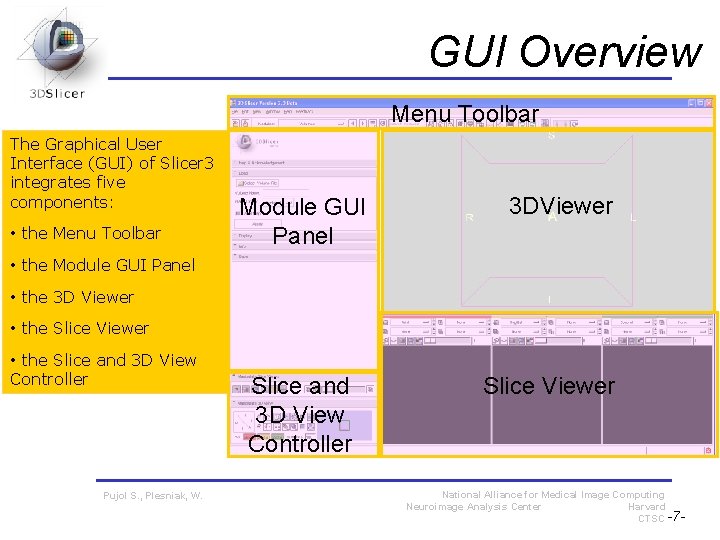
GUI Overview Menu Toolbar The Graphical User Interface (GUI) of Slicer 3 integrates five components: • the Menu Toolbar Module GUI Panel 3 DViewer • the Module GUI Panel • the 3 D Viewer • the Slice and 3 D View Controller Pujol S. , Plesniak, W. Slice and 3 D View Controller Slice Viewer National Alliance for Medical Image Computing Neuroimage Analysis Center Harvard CTSC -7 -
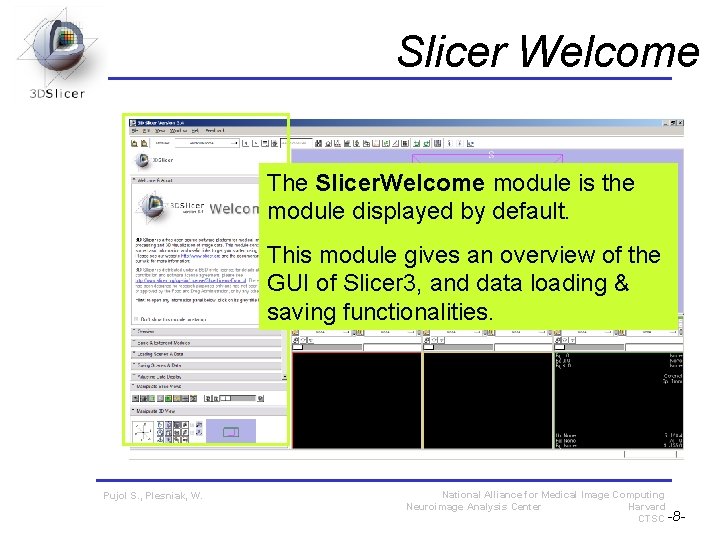
Slicer Welcome The Slicer. Welcome module is the module displayed by default. This module gives an overview of the GUI of Slicer 3, and data loading & saving functionalities. Pujol S. , Plesniak, W. National Alliance for Medical Image Computing Neuroimage Analysis Center Harvard CTSC -8 -
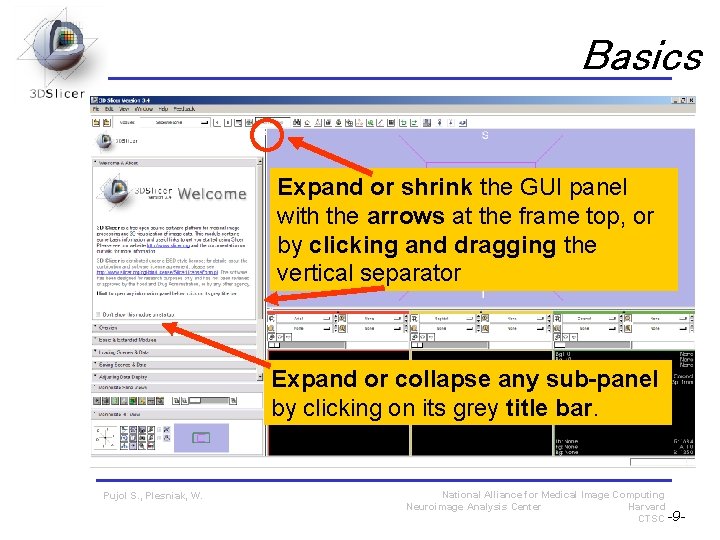
Basics Expand or shrink the GUI panel with the arrows at the frame top, or by clicking and dragging the vertical separator Expand or collapse any sub-panel by clicking on its grey title bar. Pujol S. , Plesniak, W. National Alliance for Medical Image Computing Neuroimage Analysis Center Harvard CTSC -9 -
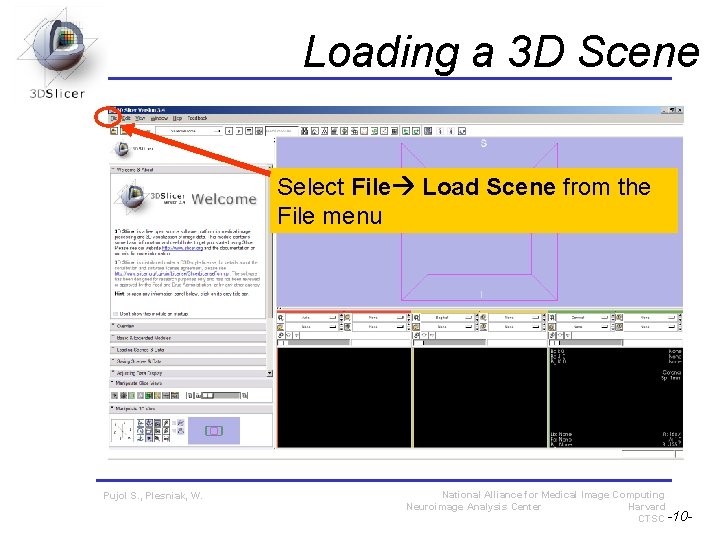
Loading a 3 D Scene Select File Load Scene from the File menu Pujol S. , Plesniak, W. National Alliance for Medical Image Computing Neuroimage Analysis Center Harvard CTSC -10 -
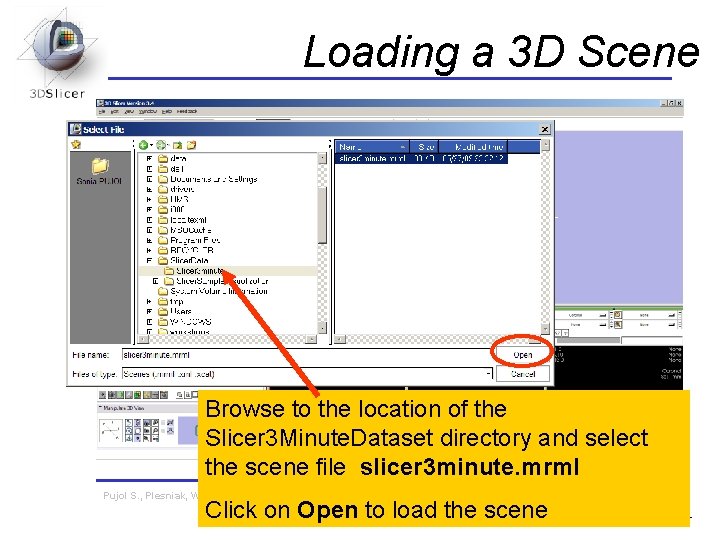
Loading a 3 D Scene Browse to the location of the Slicer 3 Minute. Dataset directory and select the scene file slicer 3 minute. mrml Pujol S. , Plesniak, W. National Alliance for Medical Image Computing Neuroimage Analysis Center Harvard CTSC -11 - Click on Open to load the scene
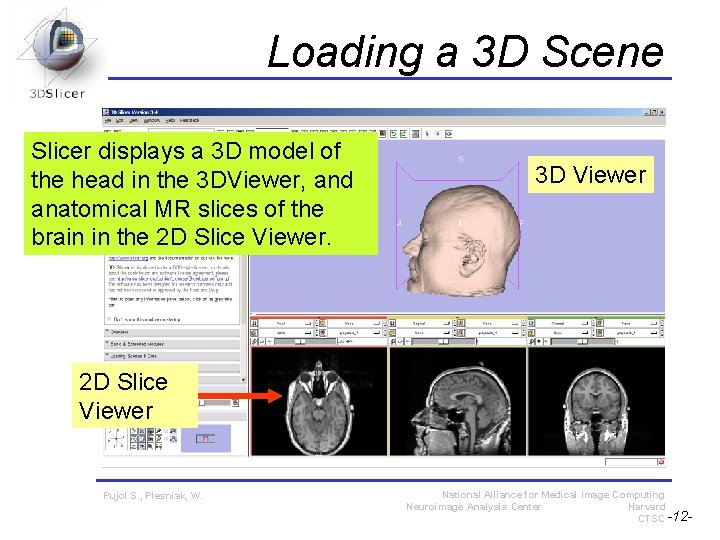
Loading a 3 D Scene Slicer displays a 3 D model of the head in the 3 DViewer, and anatomical MR slices of the brain in the 2 D Slice Viewer. 3 D Viewer 2 D Slice Viewer Pujol S. , Plesniak, W. National Alliance for Medical Image Computing Neuroimage Analysis Center Harvard CTSC -12 -
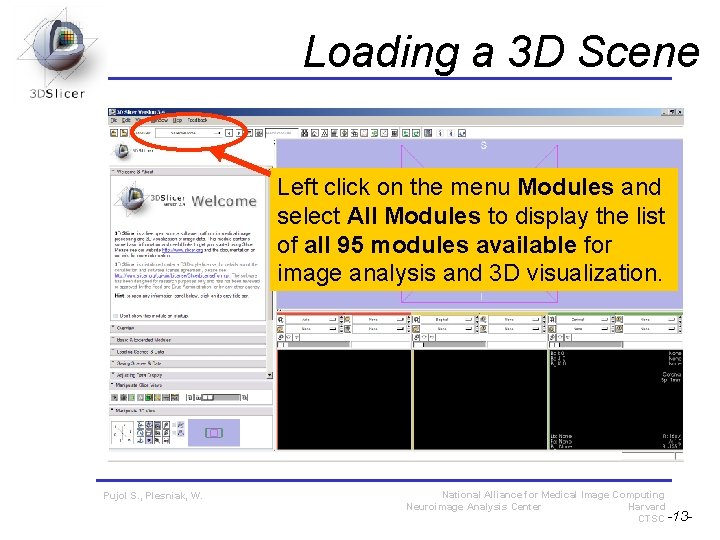
Loading a 3 D Scene Left click on the menu Modules and select All Modules to display the list of all 95 modules available for image analysis and 3 D visualization. Pujol S. , Plesniak, W. National Alliance for Medical Image Computing Neuroimage Analysis Center Harvard CTSC -13 -
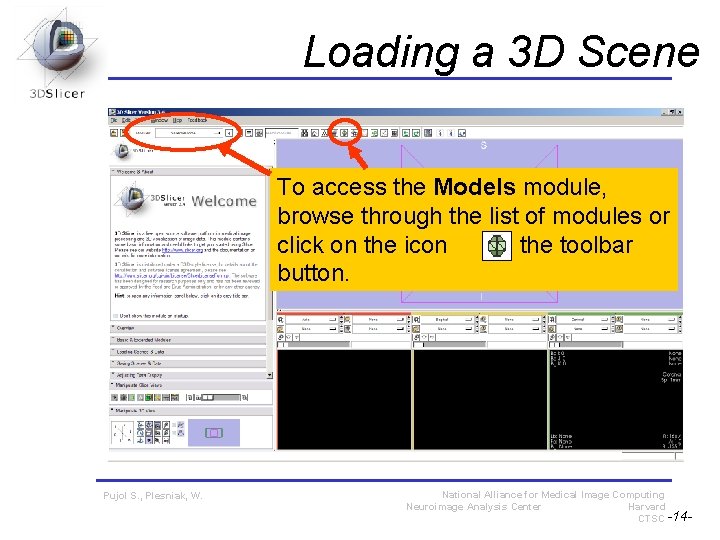
Loading a 3 D Scene To access the Models module, browse through the list of modules or click on the icon in the toolbar button. Pujol S. , Plesniak, W. National Alliance for Medical Image Computing Neuroimage Analysis Center Harvard CTSC -14 -
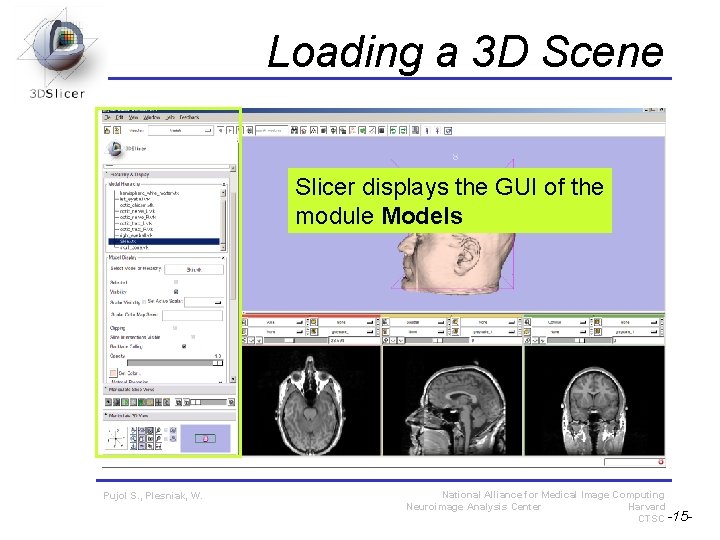
Loading a 3 D Scene Slicer displays the GUI of the module Models Pujol S. , Plesniak, W. National Alliance for Medical Image Computing Neuroimage Analysis Center Harvard CTSC -15 -
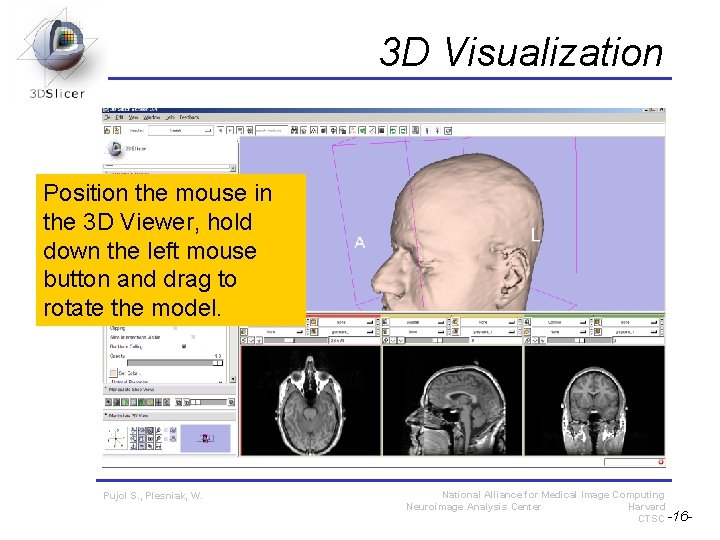
3 D Visualization Position the mouse in the 3 D Viewer, hold down the left mouse button and drag to rotate the model. Pujol S. , Plesniak, W. National Alliance for Medical Image Computing Neuroimage Analysis Center Harvard CTSC -16 -
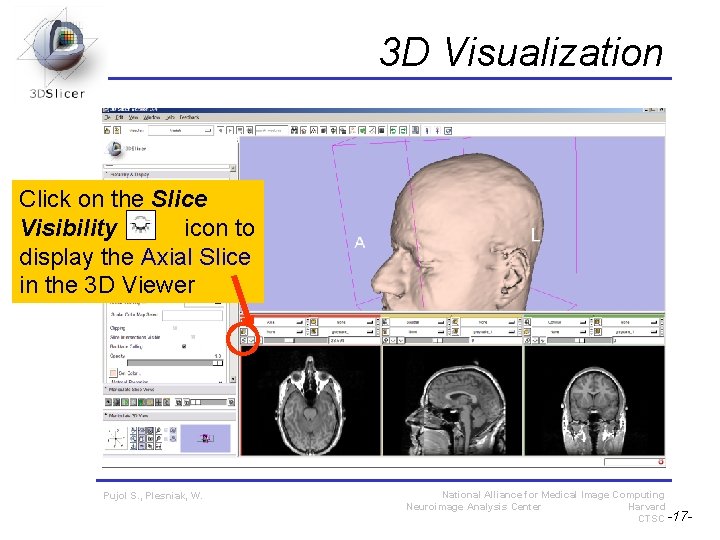
3 D Visualization Click on the Slice Visibility icon to display the Axial Slice in the 3 D Viewer Pujol S. , Plesniak, W. National Alliance for Medical Image Computing Neuroimage Analysis Center Harvard CTSC -17 -
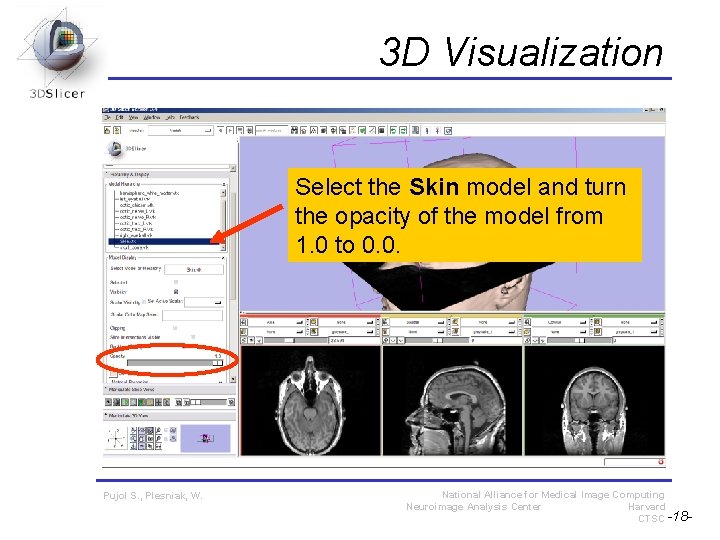
3 D Visualization Select the Skin model and turn the opacity of the model from 1. 0 to 0. 0. Pujol S. , Plesniak, W. National Alliance for Medical Image Computing Neuroimage Analysis Center Harvard CTSC -18 -
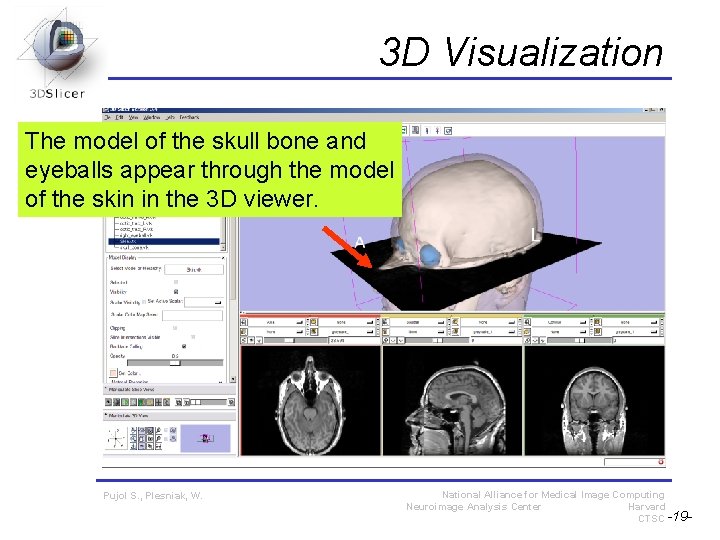
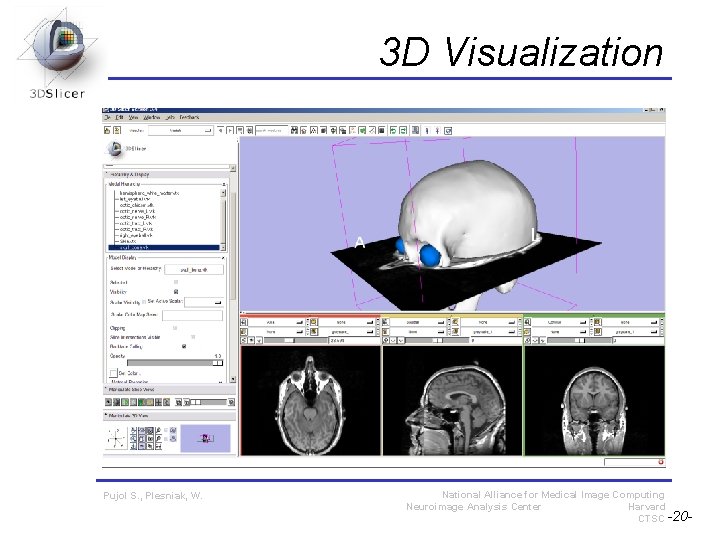
3 D Visualization The model of the skull bone and eyeballs appear through the model of the skin in the 3 D viewer. Pujol S. , Plesniak, W. National Alliance for Medical Image Computing Neuroimage Analysis Center Harvard CTSC -19 -
3 D Visualization Pujol S. , Plesniak, W. National Alliance for Medical Image Computing Neuroimage Analysis Center Harvard CTSC -20 -
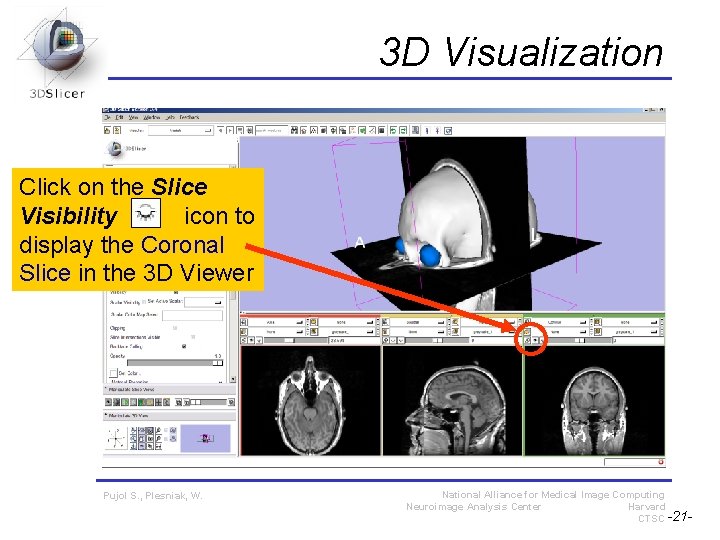
3 D Visualization Click on the Slice Visibility icon to display the Coronal Slice in the 3 D Viewer Pujol S. , Plesniak, W. National Alliance for Medical Image Computing Neuroimage Analysis Center Harvard CTSC -21 -
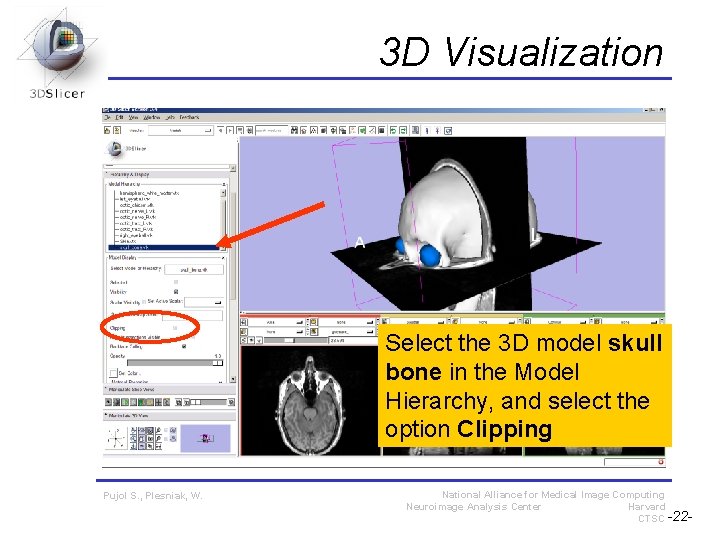
3 D Visualization Select the 3 D model skull bone in the Model Hierarchy, and select the option Clipping Pujol S. , Plesniak, W. National Alliance for Medical Image Computing Neuroimage Analysis Center Harvard CTSC -22 -
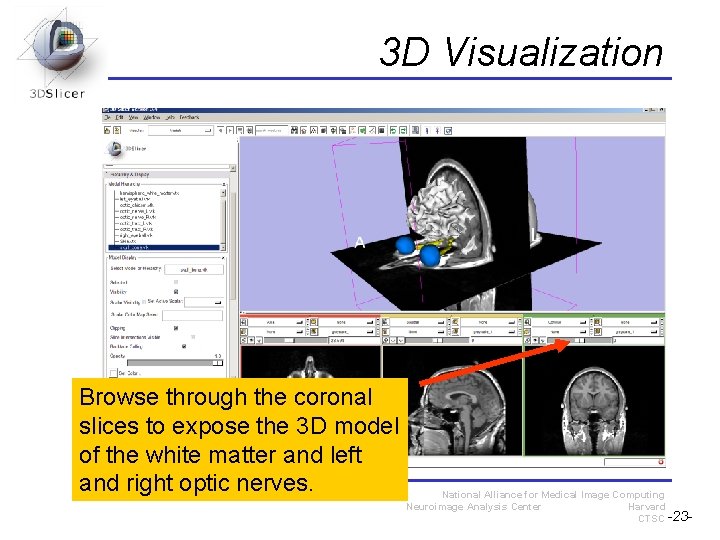
3 D Visualization Browse through the coronal slices to expose the 3 D model of the white matter and left and right optic nerves. Pujol S. , Plesniak, W. National Alliance for Medical Image Computing Neuroimage Analysis Center Harvard CTSC -23 -
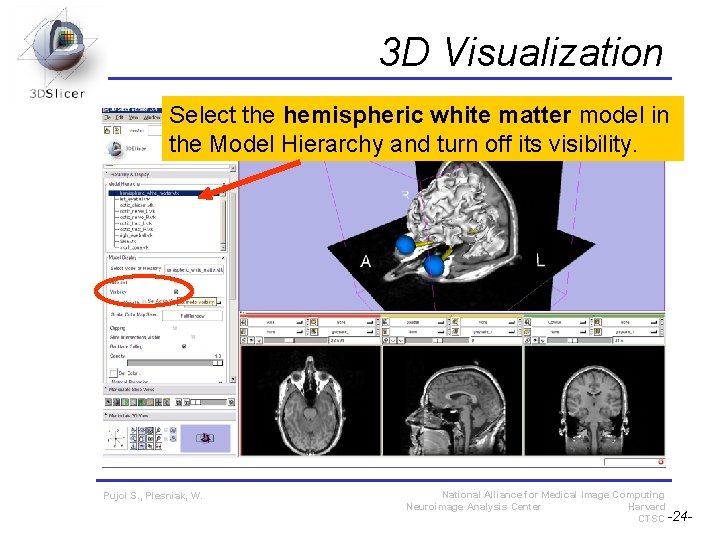
3 D Visualization Select the hemispheric white matter model in the Model Hierarchy and turn off its visibility. Pujol S. , Plesniak, W. National Alliance for Medical Image Computing Neuroimage Analysis Center Harvard CTSC -24 -
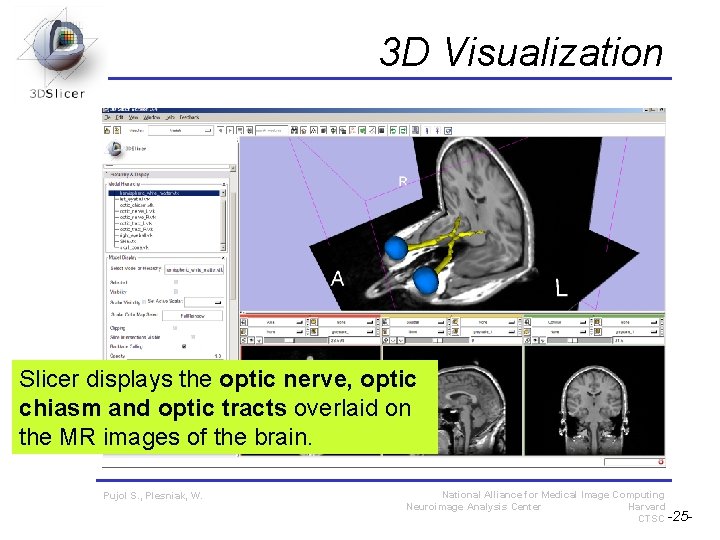
3 D Visualization Slicer displays the optic nerve, optic chiasm and optic tracts overlaid on the MR images of the brain. Pujol S. , Plesniak, W. National Alliance for Medical Image Computing Neuroimage Analysis Center Harvard CTSC -25 -
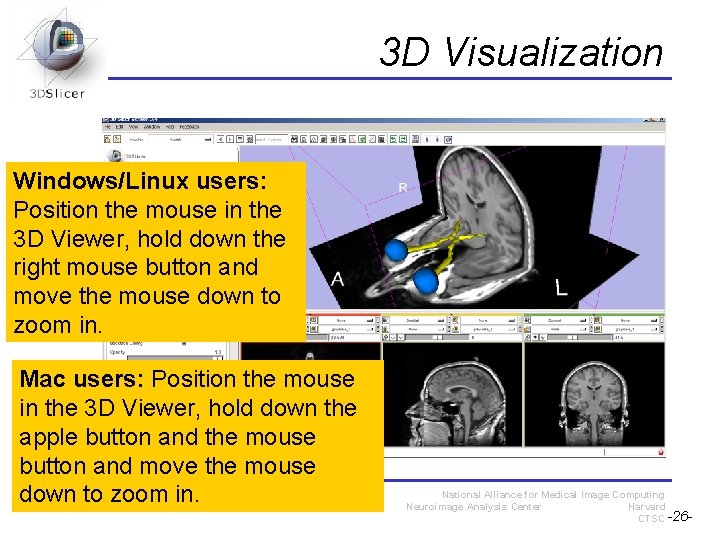
3 D Visualization Windows/Linux users: Position the mouse in the 3 D Viewer, hold down the right mouse button and move the mouse down to zoom in. Mac users: Position the mouse in the 3 D Viewer, hold down the apple button and the mouse button and move the mouse S. , Plesniak, down to. Pujol zoom in. W. National Alliance for Medical Image Computing Neuroimage Analysis Center Harvard CTSC -26 -
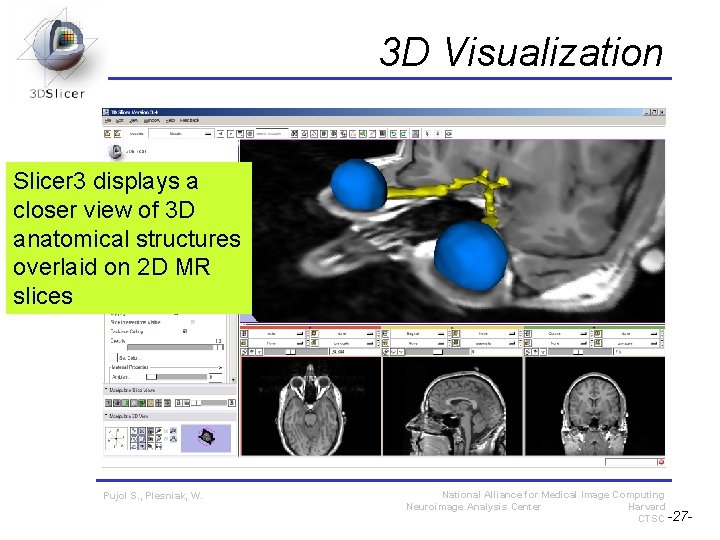
3 D Visualization Slicer 3 displays a closer view of 3 D anatomical structures overlaid on 2 D MR slices Pujol S. , Plesniak, W. National Alliance for Medical Image Computing Neuroimage Analysis Center Harvard CTSC -27 -
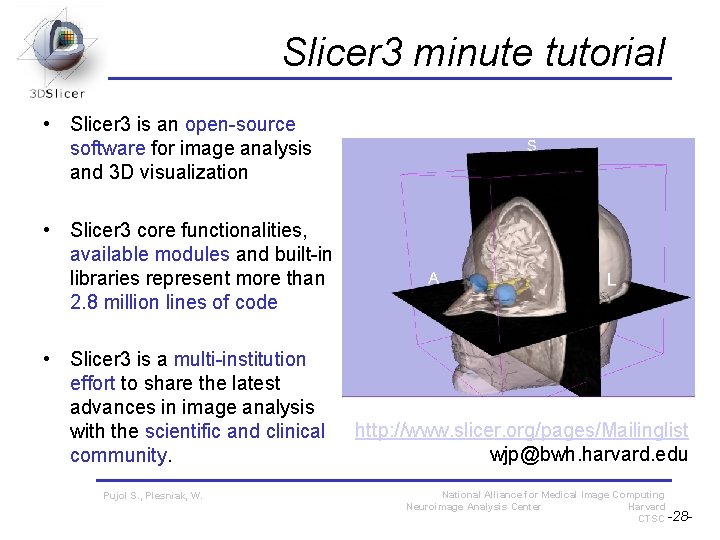
Slicer 3 minute tutorial • Slicer 3 is an open-source software for image analysis and 3 D visualization • Slicer 3 core functionalities, available modules and built-in libraries represent more than 2. 8 million lines of code • Slicer 3 is a multi-institution effort to share the latest advances in image analysis with the scientific and clinical community. Pujol S. , Plesniak, W. http: //www. slicer. org/pages/Mailinglist wjp@bwh. harvard. edu National Alliance for Medical Image Computing Neuroimage Analysis Center Harvard CTSC -28 -
Acknowledgments Harvard Clinical and Translational Science Center National Alliance for Medical Image Computing NIH U 54 EB 005149 Neuroimage Analysis Center (NAC) National Center for Image-Guided Therapy (NCIGT) Surgical Planning Laboratory, Brigham and Women’s Hospital Pujol S. , Plesniak, W. National Alliance for Medical Image Computing Neuroimage Analysis Center Harvard CTSC -29 -