Power Point to accompany Technology of Machine Tools
- Slides: 34
Power. Point to accompany Technology of Machine Tools 6 th Edition Krar • Gill • Smid CNC Machining Centers Unit 78 Copyright © The Mc. Graw-Hill Companies, Inc. Permission required for reproduction or display.
2 Objectives • Describe the development of the machining center • Identify the types and construction of machining centers • Explain the operation of the machining center • Understand a basic CNC program for a machining center
3 CNC Machining Centers • Industrial surveys in 1960's showed smaller machine components requiring several operations tool long time to complete – Part sent to several machines before finished – There was much "operator intervention" during machining process • In late 1960 s and early 70 s, begin to design machine that would perform several operations and do 90% of machining on one machine
4 Types of Machining Centers • Three types: horizontal, vertical and universal Factors to determine type and size 1. Size and weight of largest piece machined 2. Maximum travel of three primary axes 3. Maximum speeds and feeds available 4. Horsepower of spindle 5. Number of tools automatic tool changer can hold
5 Two Types of Horizontal Machining Centers • Traveling-column – One or usually two tables where work mounted • Column and cutter move toward work on one table while operator changes workpiece on other table • Fixed-column – Equipped with pallet (removable table) • After workpiece machined, pallet and workpiece moved off receiver onto shuttle; shuttle rotated, bringing new pallet into position for shuttle and finished work pallet into position for unloading
6 Vertical Machining Center • Saddle-type construction with sliding bedways that use a sliding vertical head instead of quill movement • Generally used to machine flat parts held in vise or simple fixture • Versatility increased by addition of rotary accessories
7 Universal Machining Center • Combines features of vertical and horizontal machining centers – Spindle can be programmed in both vertical and horizontal positions • Allows for machining all side of a part in one setup • Useful for small and medium batch parts • Has additional accessories such as indexible pallets and rotary-tilt tables
8 Advantages of Universal Machining Centers • Eliminate handling and waiting time between machines • Reduced number of fixtures and setups • Reduced programming time • Improved product quality • Less work-in-process (WIP) inventory • Faster product delivery to customers • Lower manufacturing costs
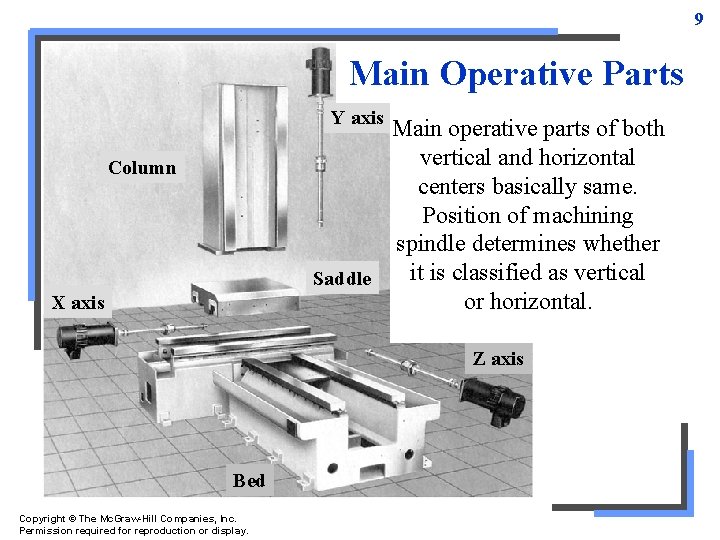
9 Main Operative Parts Y axis Main operative parts of both vertical and horizontal centers basically same. Position of machining spindle determines whether it is classified as vertical Saddle or horizontal. Column X axis Z axis Bed Copyright © The Mc. Graw-Hill Companies, Inc. Permission required for reproduction or display.
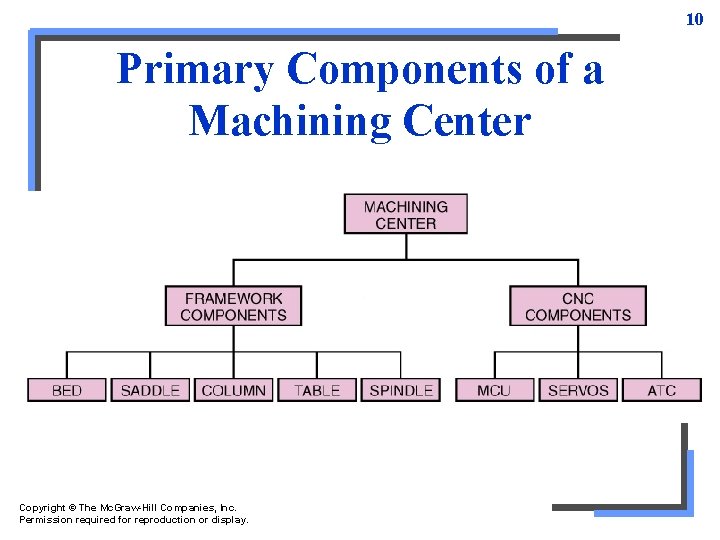
10 Primary Components of a Machining Center Copyright © The Mc. Graw-Hill Companies, Inc. Permission required for reproduction or display.
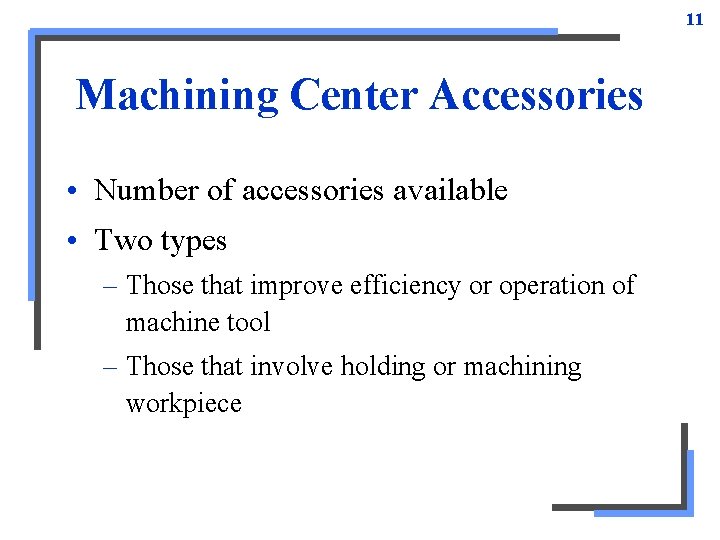
11 Machining Center Accessories • Number of accessories available • Two types – Those that improve efficiency or operation of machine tool – Those that involve holding or machining workpiece
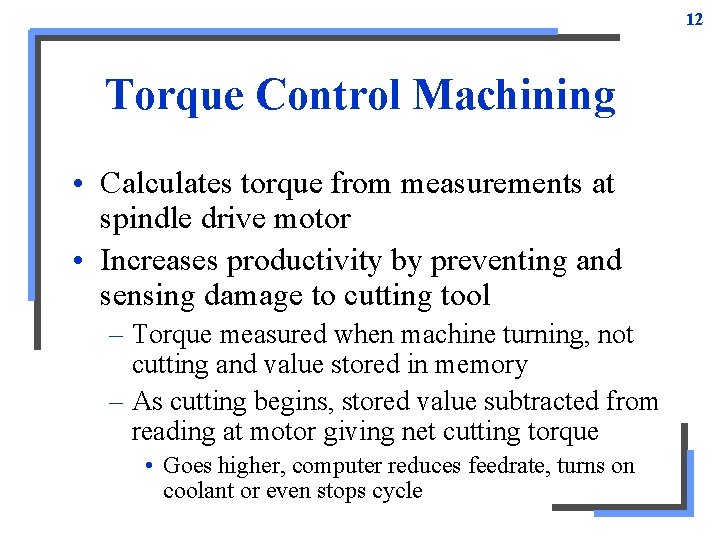
12 Torque Control Machining • Calculates torque from measurements at spindle drive motor • Increases productivity by preventing and sensing damage to cutting tool – Torque measured when machine turning, not cutting and value stored in memory – As cutting begins, stored value subtracted from reading at motor giving net cutting torque • Goes higher, computer reduces feedrate, turns on coolant or even stops cycle
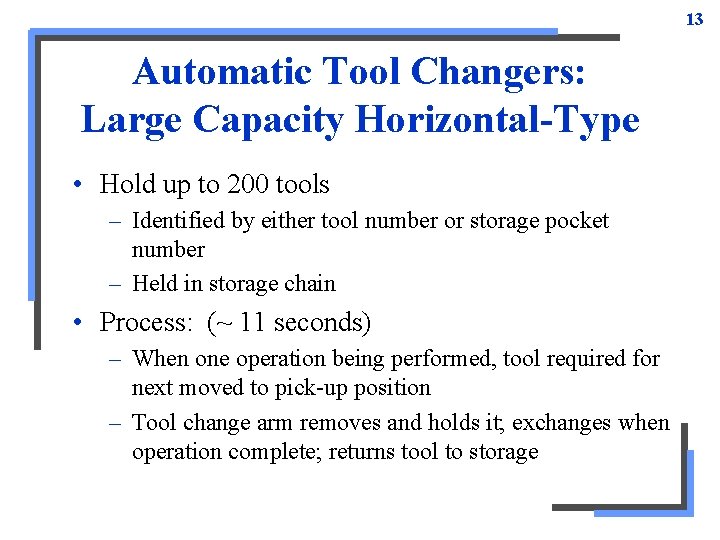
13 Automatic Tool Changers: Large Capacity Horizontal-Type • Hold up to 200 tools – Identified by either tool number or storage pocket number – Held in storage chain • Process: (~ 11 seconds) – When one operation being performed, tool required for next moved to pick-up position – Tool change arm removes and holds it; exchanges when operation complete; returns tool to storage
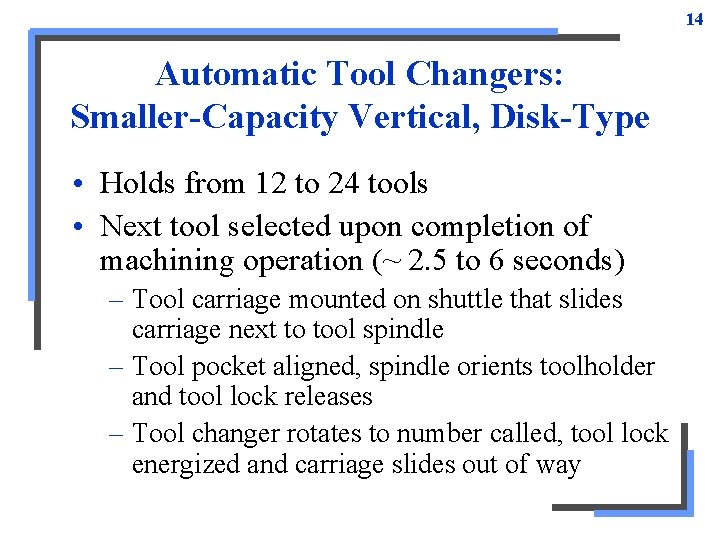
14 Automatic Tool Changers: Smaller-Capacity Vertical, Disk-Type • Holds from 12 to 24 tools • Next tool selected upon completion of machining operation (~ 2. 5 to 6 seconds) – Tool carriage mounted on shuttle that slides carriage next to tool spindle – Tool pocket aligned, spindle orients toolholder and tool lock releases – Tool changer rotates to number called, tool lock energized and carriage slides out of way
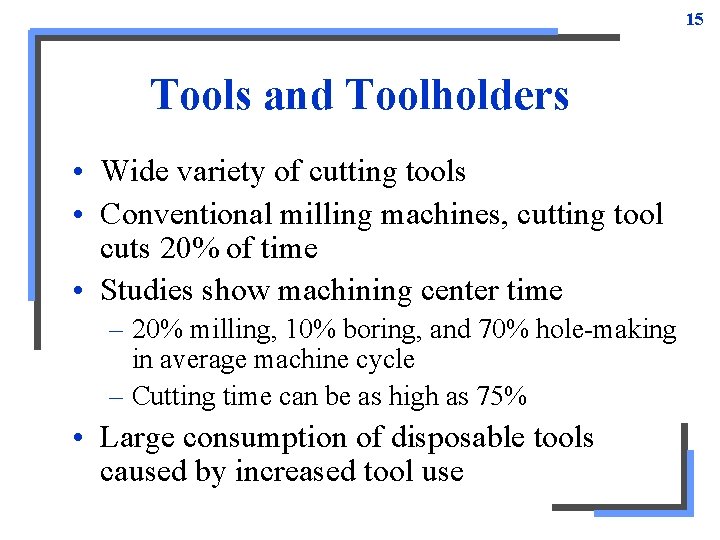
15 Tools and Toolholders • Wide variety of cutting tools • Conventional milling machines, cutting tool cuts 20% of time • Studies show machining center time – 20% milling, 10% boring, and 70% hole-making in average machine cycle – Cutting time can be as high as 75% • Large consumption of disposable tools caused by increased tool use
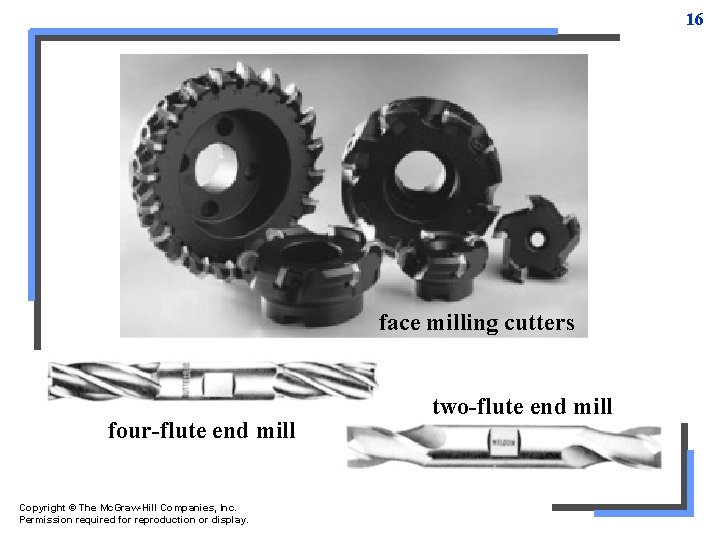
16 face milling cutters four-flute end mill Copyright © The Mc. Graw-Hill Companies, Inc. Permission required for reproduction or display. two-flute end mill
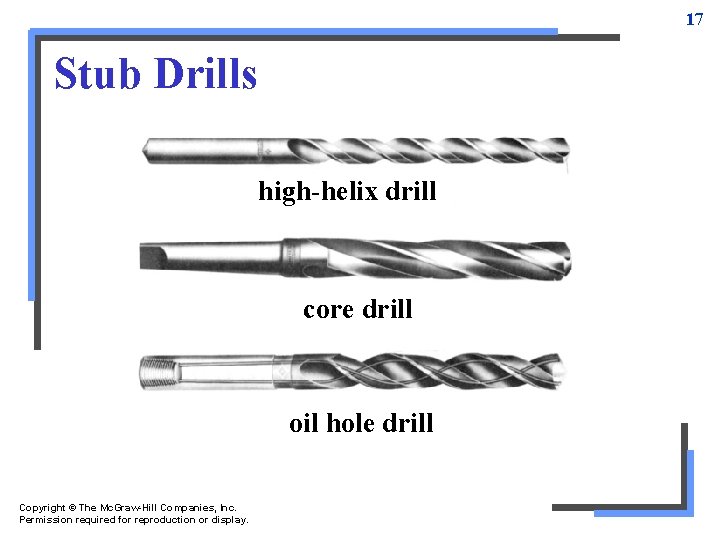
17 Stub Drills high-helix drill core drill oil hole drill Copyright © The Mc. Graw-Hill Companies, Inc. Permission required for reproduction or display.
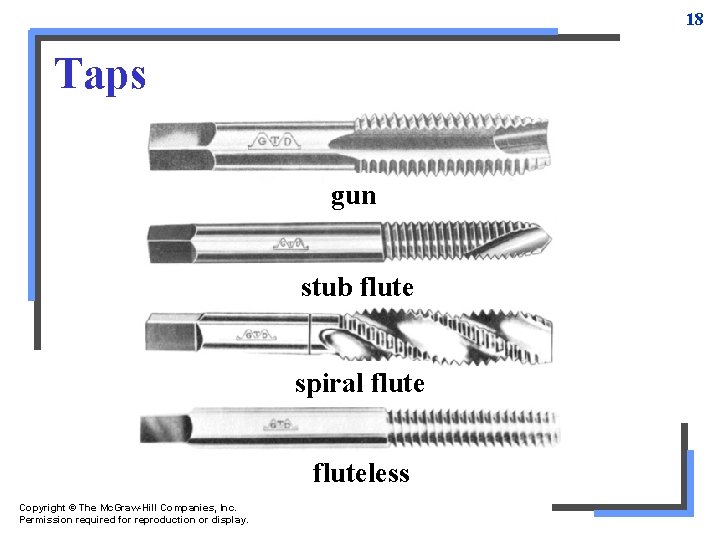
18 Taps gun stub flute spiral fluteless Copyright © The Mc. Graw-Hill Companies, Inc. Permission required for reproduction or display.
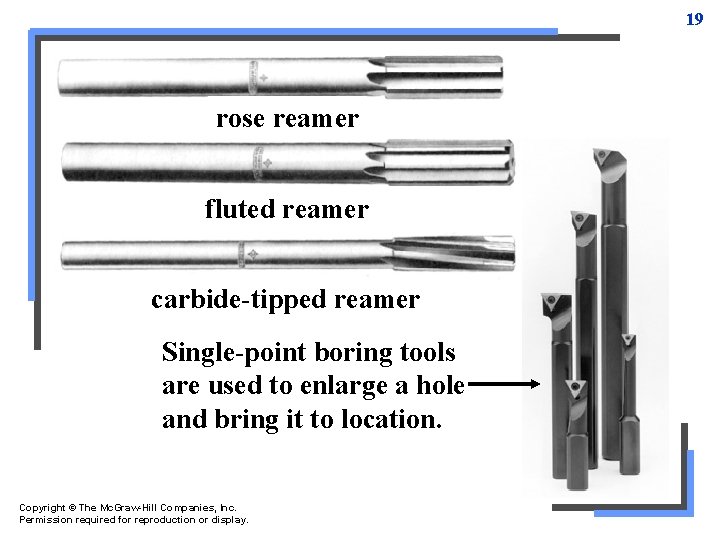
19 rose reamer fluted reamer carbide-tipped reamer Single-point boring tools are used to enlarge a hole and bring it to location. Copyright © The Mc. Graw-Hill Companies, Inc. Permission required for reproduction or display.
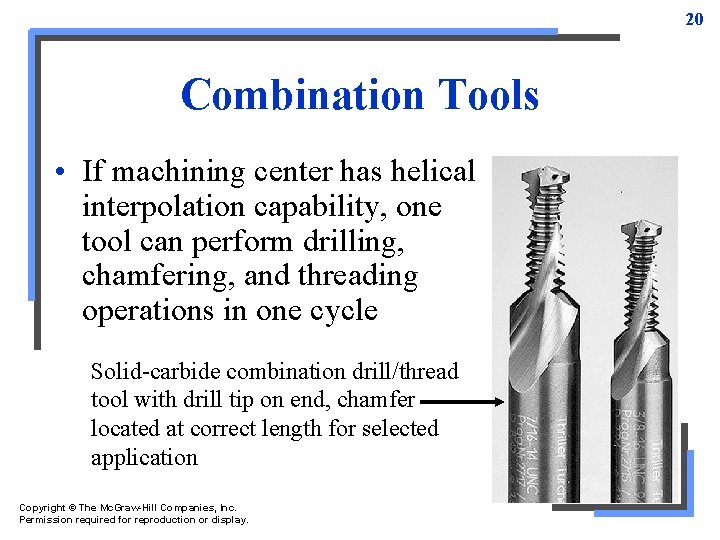
20 Combination Tools • If machining center has helical interpolation capability, one tool can perform drilling, chamfering, and threading operations in one cycle Solid-carbide combination drill/thread tool with drill tip on end, chamfer located at correct length for selected application Copyright © The Mc. Graw-Hill Companies, Inc. Permission required for reproduction or display.
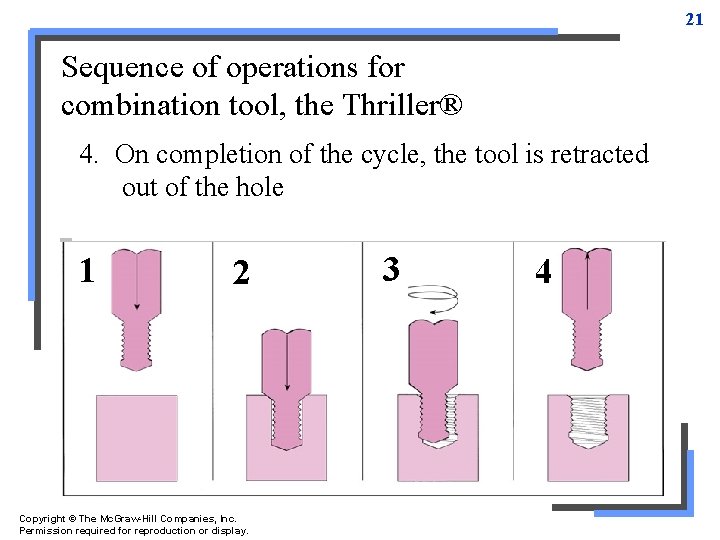
21 Sequence of operations for combination tool, the Thriller® 1. point produce through orthread a blind 3. Next, thread isinto formed by helical interpolation Tool 4. 2. Drill On Chamfer fed is completion brought radially iscan cut, out of and radially the wall tool cycle, of is from hole retracted thewall, tohole tool full to approximately is center retracted depth of hole no deeper two times toolwhile diameter cycle during one full turn (360º), moving during hole 2 out during ½½ of thread of the ½ a hole turn of pitches athan (180º, turn from (180º) while the while bottom moving of ½ the of ½ thread hole of a oneinpitch thread in axis. –Z axis. pitch thread –Z axis inpitch the –Z 1 2 Copyright © The Mc. Graw-Hill Companies, Inc. Permission required for reproduction or display. 3 4
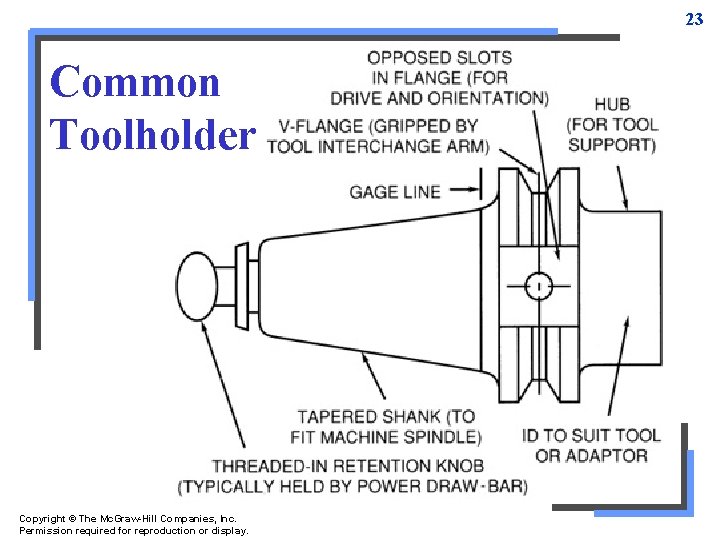
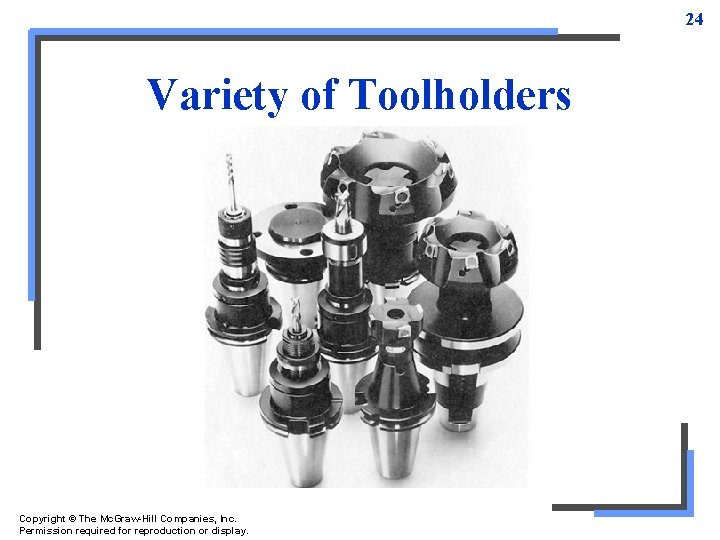
22 Toolholders • Must have compatibility in toolholders in order for wide variety of cutting tools to be inserted into machine spindle quickly and accurately • Most common toolholder has V-flange and self-releasing taper shank – Size (range from No. 30 to 60) determined by machine capacity and designed horsepower
23 Common Toolholder Copyright © The Mc. Graw-Hill Companies, Inc. Permission required for reproduction or display.
24 Variety of Toolholders Copyright © The Mc. Graw-Hill Companies, Inc. Permission required for reproduction or display.
25 Work-Holding Devices • Standard step clamp – Used to hold down flat, large parts – Quick-release clamp good when clamps have to be temporarily moved to machine edge • Table plate – Flat aluminum plate bolted to machine table – Dowel pin and tapped holes machined into plate to permit fastening vises or clamps • More flexible than limit of table T-slots
26 • Plain-style precision vises – Keyed directly to table slots • Make positioning and clamping accurate and simple – When machining multiple identical parts, matched set of qualified vises can be used • Qualified vises used when long part requires support on both end to maintain parallelism – When using double-station cluster vises; total of up to 20 parts held for machining operation
27 • Vise jaw systems – Set of master jaws placed in vise and items snapped into position • Parallels, modular workstops, angle plates, V-jaws, and machinable soft jaws – Add versatility and increase flexibility of a precision vise – Can be used in both single-station and doublestation vises • CNC fixtures – Used to accurately locate many similar parts and hold them securely for machining
28 Programming Procedures • Programming can vary slightly from machine to machine so important to follow manual supplied with machine • Two classes concentrated on in text: – Bench-top teaching model • Inexpensive and easy to operate for students – Standard machine model
29 Bench-Top Teaching Machines • Simple programming example explained in detail in text as was done in Unit 75 • Program notes plus full program sequence with explanations to help understand code • Refer to G-code and M-code charts in Unit 75
30 Machining Center Setup • Before using machining center, operator needs to become familiar with control panel and operational procedures – Different modes and how to use menus, how to establish machine zero, set tool length offsets and test run program • When machine powered up, need to zero out all axes so control know location of machine home position
31 Setting Part Zero • Each part has established part zero – Not same as machine zero • Using jog mode and edge finder or dial indicator, locate part zero position in X and Y axes • Work offset distance (position shift offset) is distance traveled from machine home – Entered on control's work coordinate page – Distances traveled for X and Y entered, while Z axis distance left at zero
32 Setting Tool Length Offset • Start with empty automatic tool changer – Load tool #1 by indexing to proper location of tool carriage – Tool placed directly into spindle and locked – Use jog mode to touch off tool to Z 0 of part – Distance traveled is Z tool offset and listed on control offset page under offset for tool #1 • Process repeated with each additional tool
33 Program Test Run • Never machine a part without test running program first • Equipped with graphics display – Allow operator to see steps on control screen without cutting part • Without graphics display – Dry run program without part in machine – Use step/single block mode and feedrate override
34 Standard-Size Machining Center • Another full example of a new part that introduces additional machining cycles – Circular and fixed drilling cycles • Program notes and full programming sequence shown in text with explanation of programming steps • Refer to G- and M-code charts in Unit 75 Copyright © The Mc. Graw-Hill Companies, Inc. Permission required for reproduction or display.