Open Source Operating System Lecture 10 Dr Samah
![Metacharacters RE Metacharacter. [a-z] * Matches… Any one character, except new line Any one](https://slidetodoc.com/presentation_image/60ff5c86f87fe3fe0f827d86643eb550/image-4.jpg "Metacharacters RE Metacharacter. [a-z] * Matches… Any one character, except new line Any one")
- Slides: 27
Open Source Operating System ﺍﻟﻤﺼﺪﺭ ﻣﻔﺘﻮﺣﺔ ﺗﺸﻐﻴﻞ ﻧﻈﻢ Lecture (10) Dr. Samah Mohammed
Objectives • • • Regular Expression Metacharacters grep command egrep sed command 2
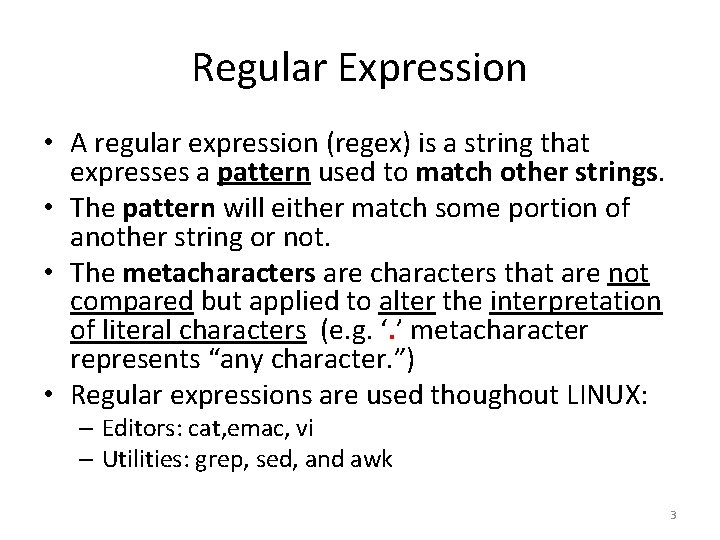
Regular Expression • A regular expression (regex) is a string that expresses a pattern used to match other strings. • The pattern will either match some portion of another string or not. • The metacharacters are characters that are not compared but applied to alter the interpretation of literal characters (e. g. ‘. ’ metacharacter represents “any character. ”) • Regular expressions are used thoughout LINUX: – Editors: cat, emac, vi – Utilities: grep, sed, and awk 3
Metacharacters RE Metacharacter. [a-z] * Matches… Any one character, except new line Any one of the enclosed characters (e. g. a-z) Zero or more of preceding character ? or ? Zero or one of the preceding characters + or + One or more of the preceding characters • any non-metacharacter matches itself 4
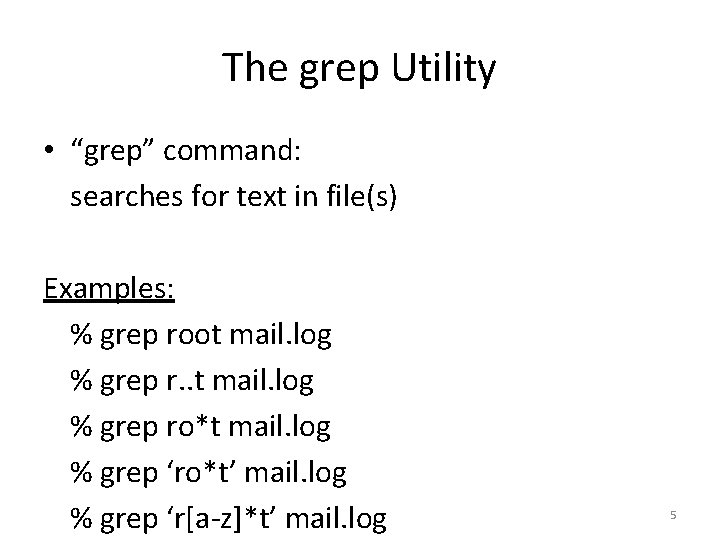
The grep Utility • “grep” command: searches for text in file(s) Examples: % grep root mail. log % grep r. . t mail. log % grep ro*t mail. log % grep ‘ro*t’ mail. log % grep ‘r[a-z]*t’ mail. log 5
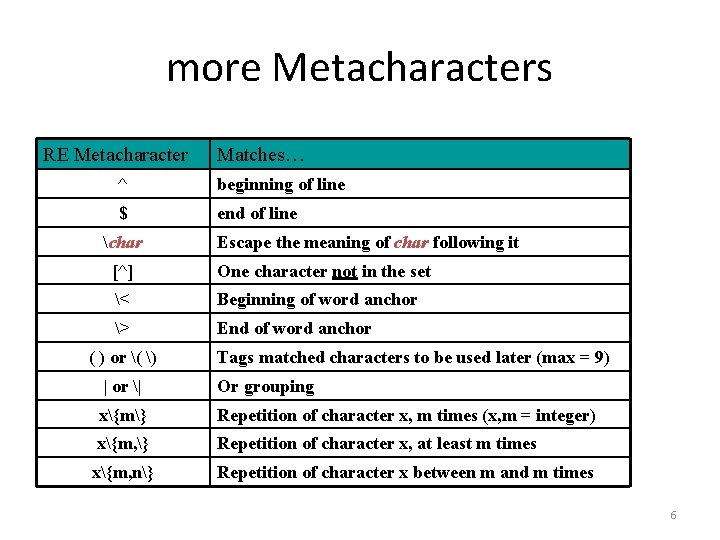
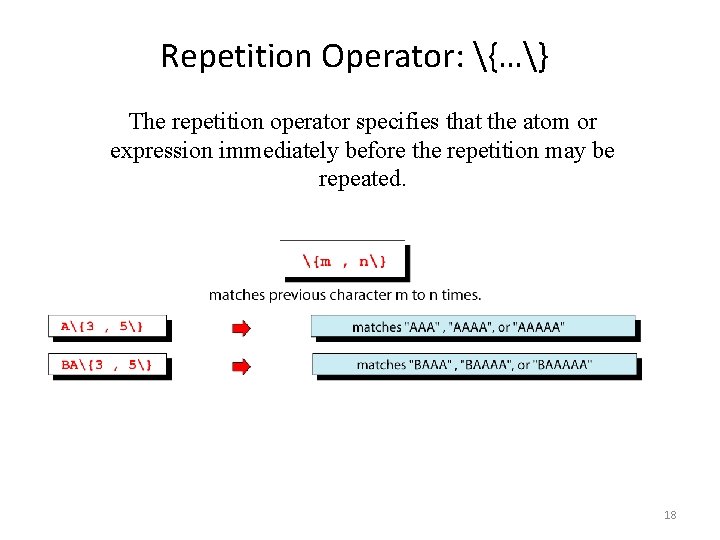
more Metacharacters RE Metacharacter Matches… ^ beginning of line $ end of line char Escape the meaning of char following it [^] One character not in the set < Beginning of word anchor > End of word anchor ( ) or ( ) Tags matched characters to be used later (max = 9) | or | Or grouping x{m} Repetition of character x, m times (x, m = integer) x{m, } Repetition of character x, at least m times x{m, n} Repetition of character x between m and m times 6
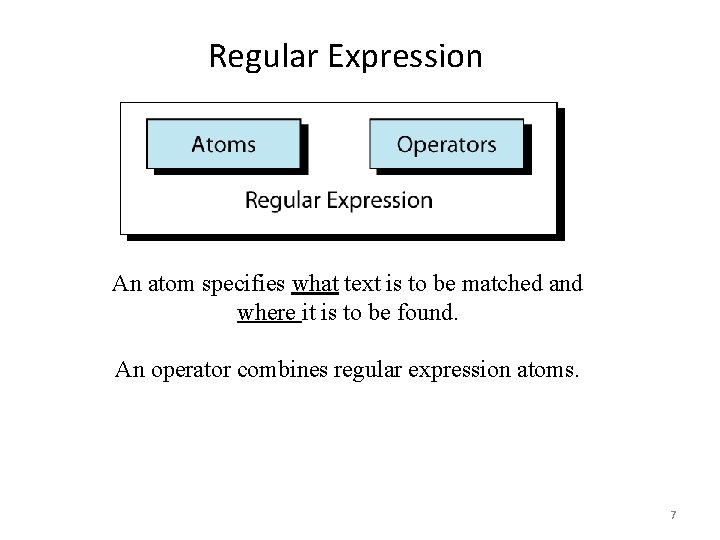
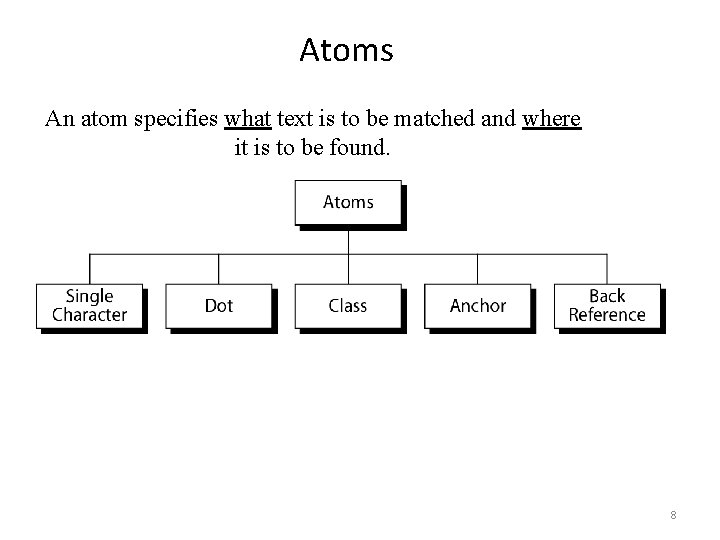
Regular Expression An atom specifies what text is to be matched and where it is to be found. An operator combines regular expression atoms. 7
Atoms An atom specifies what text is to be matched and where it is to be found. 8
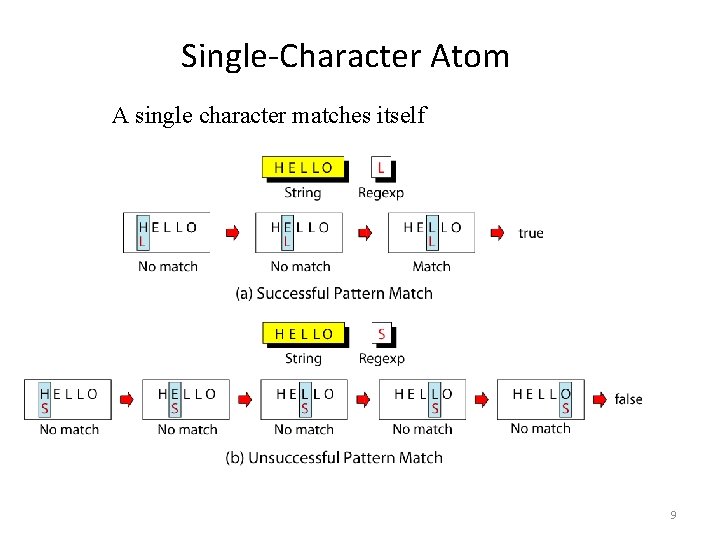
Single-Character Atom A single character matches itself 9
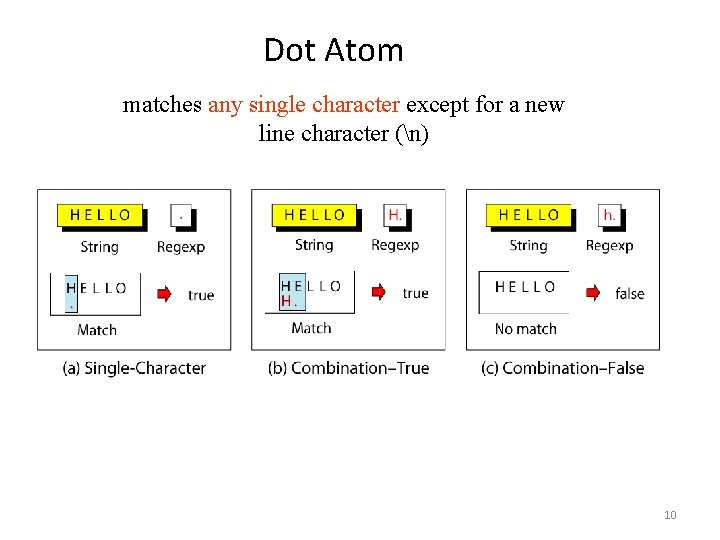
Dot Atom matches any single character except for a new line character (n) 10
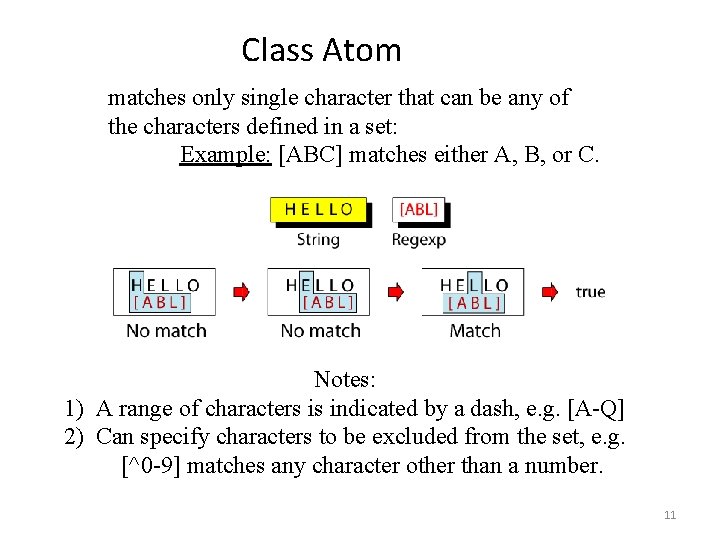
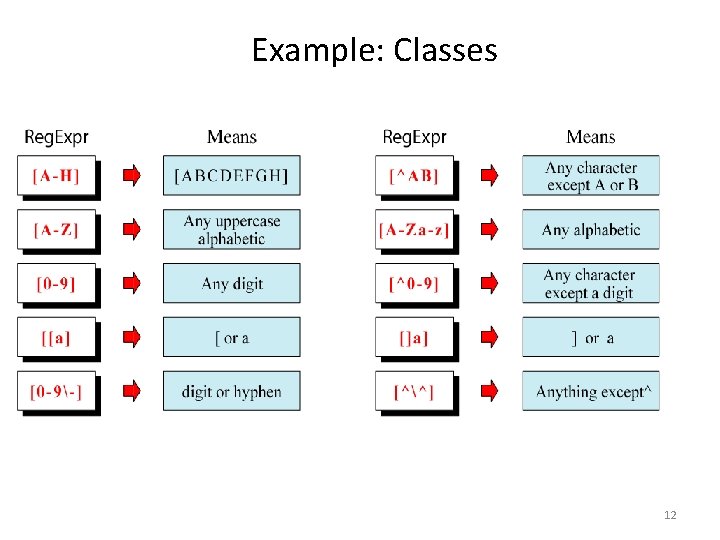
Class Atom matches only single character that can be any of the characters defined in a set: Example: [ABC] matches either A, B, or C. Notes: 1) A range of characters is indicated by a dash, e. g. [A-Q] 2) Can specify characters to be excluded from the set, e. g. [^0 -9] matches any character other than a number. 11
Example: Classes 12
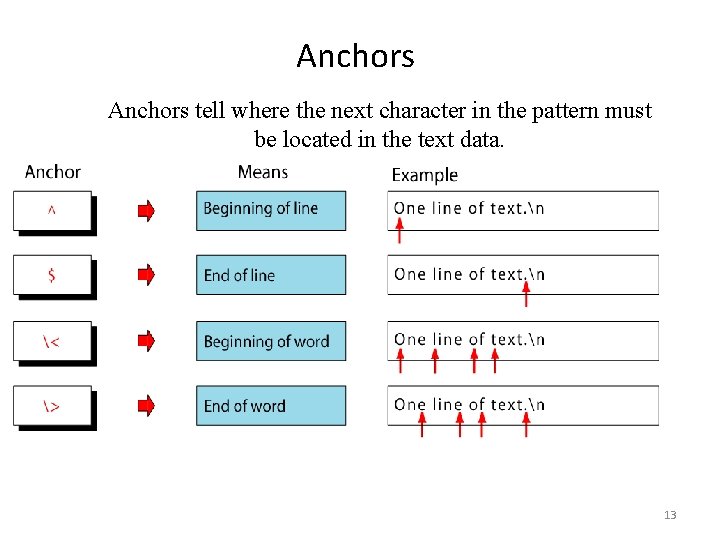
Anchors tell where the next character in the pattern must be located in the text data. 13
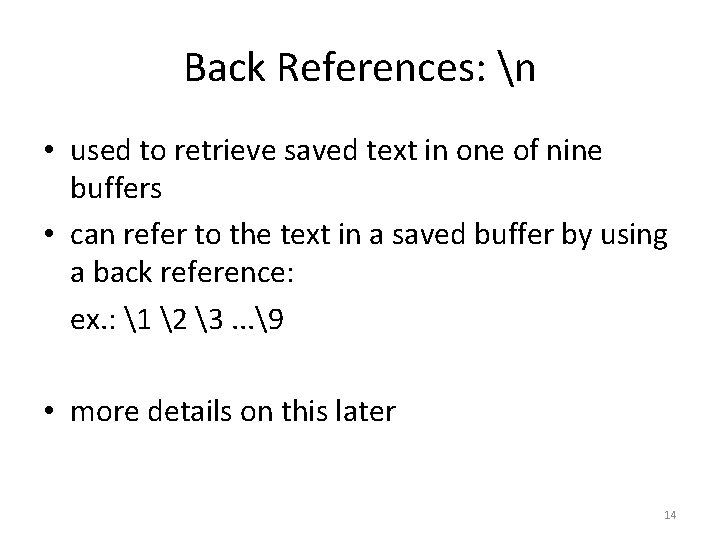
Back References: n • used to retrieve saved text in one of nine buffers • can refer to the text in a saved buffer by using a back reference: ex. : 1 2 3. . . 9 • more details on this later 14
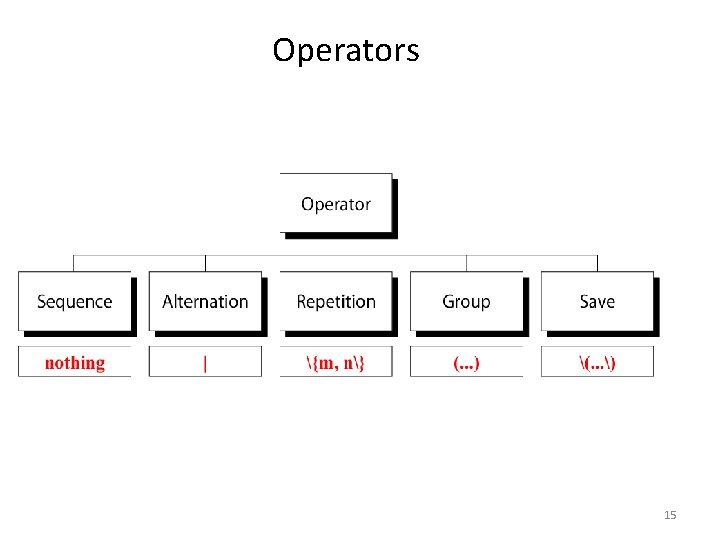
Operators 15
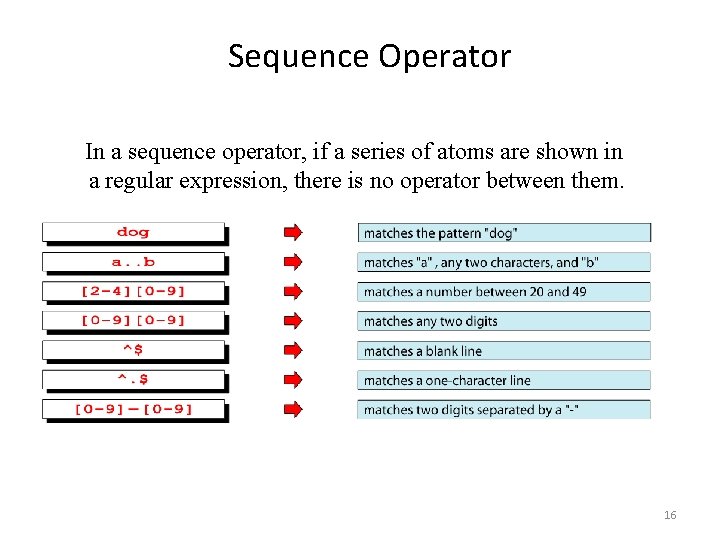
Sequence Operator In a sequence operator, if a series of atoms are shown in a regular expression, there is no operator between them. 16
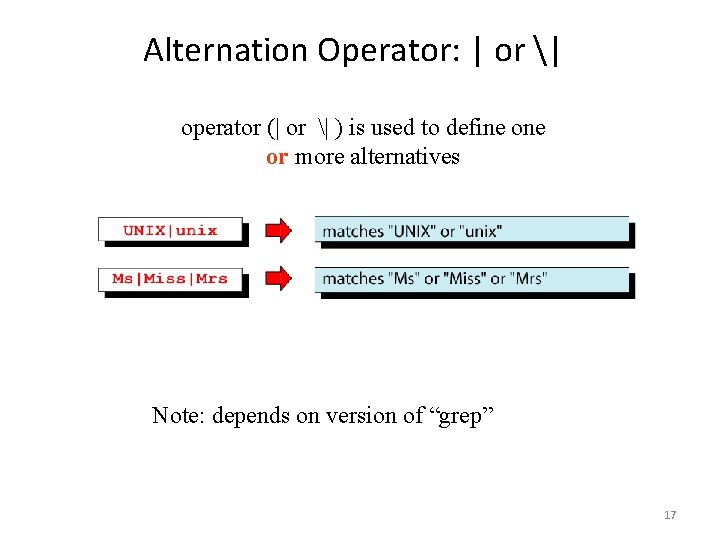
Alternation Operator: | or | operator (| or | ) is used to define or more alternatives Note: depends on version of “grep” 17
Repetition Operator: {…} The repetition operator specifies that the atom or expression immediately before the repetition may be repeated. 18
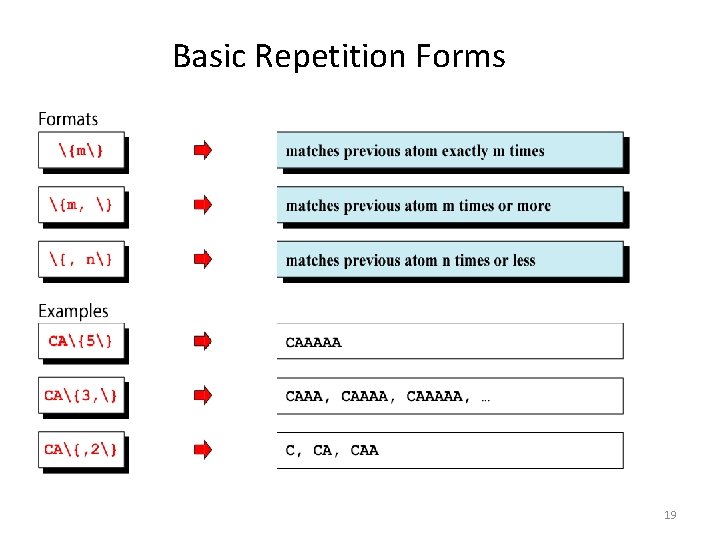
Basic Repetition Forms 19
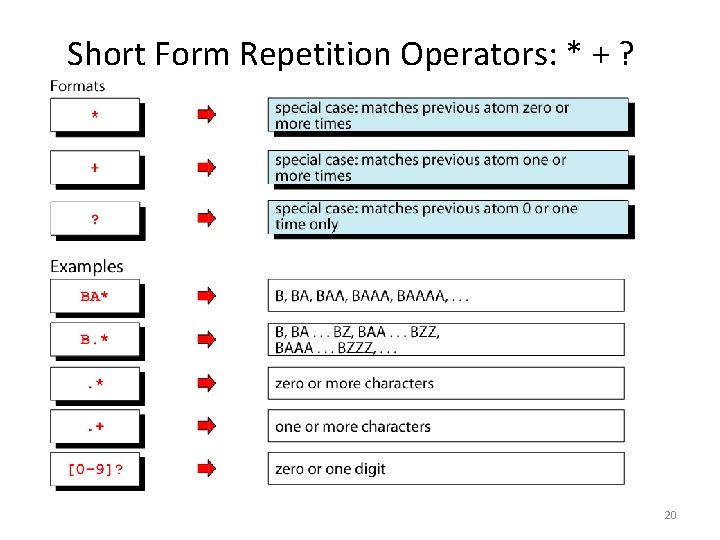
Short Form Repetition Operators: * + ? 20
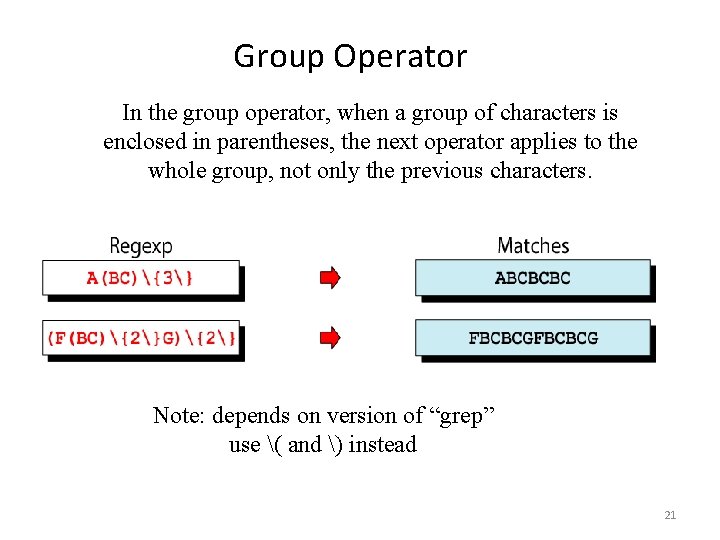
Group Operator In the group operator, when a group of characters is enclosed in parentheses, the next operator applies to the whole group, not only the previous characters. Note: depends on version of “grep” use ( and ) instead 21
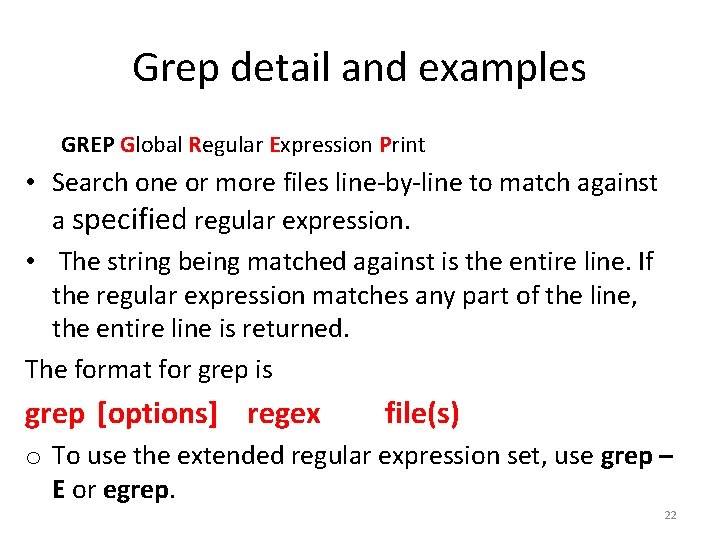
Grep detail and examples GREP Global Regular Expression Print • Search one or more files line-by-line to match against a specified regular expression. • The string being matched against is the entire line. If the regular expression matches any part of the line, the entire line is returned. The format for grep is grep [options] regex file(s) o To use the extended regular expression set, use grep – E or egrep. 22
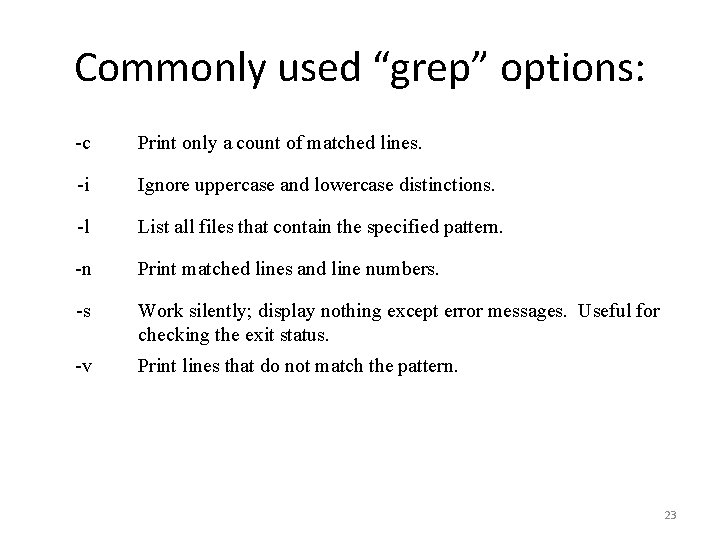
Commonly used “grep” options: -c Print only a count of matched lines. -i Ignore uppercase and lowercase distinctions. -l List all files that contain the specified pattern. -n Print matched lines and line numbers. -s Work silently; display nothing except error messages. Useful for checking the exit status. -v Print lines that do not match the pattern. 23
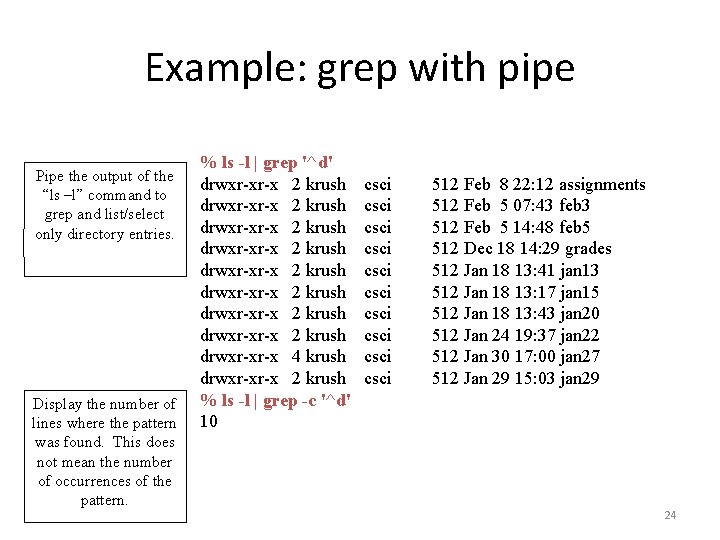
Example: grep with pipe Pipe the output of the “ls –l” command to grep and list/select only directory entries. Display the number of lines where the pattern was found. This does not mean the number of occurrences of the pattern. % ls -l | grep '^d' drwxr-xr-x 2 krush drwxr-xr-x 2 krush drwxr-xr-x 4 krush drwxr-xr-x 2 krush % ls -l | grep -c '^d' 10 csci csci csci 512 Feb 8 22: 12 assignments 512 Feb 5 07: 43 feb 3 512 Feb 5 14: 48 feb 5 512 Dec 18 14: 29 grades 512 Jan 18 13: 41 jan 13 512 Jan 18 13: 17 jan 15 512 Jan 18 13: 43 jan 20 512 Jan 24 19: 37 jan 22 512 Jan 30 17: 00 jan 27 512 Jan 29 15: 03 jan 29 24
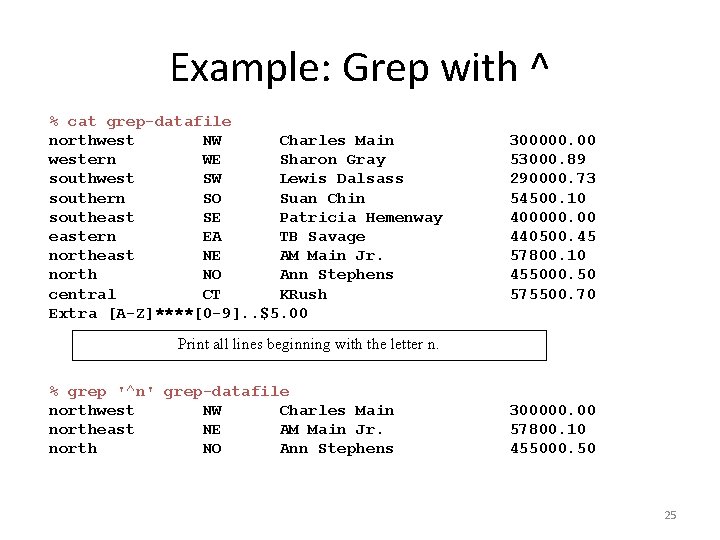
Example: Grep with ^ % cat grep-datafile northwest NW Charles Main western WE Sharon Gray southwest SW Lewis Dalsass southern SO Suan Chin southeast SE Patricia Hemenway eastern EA TB Savage northeast NE AM Main Jr. north NO Ann Stephens central CT KRush Extra [A-Z]****[0 -9]. . $5. 00 300000. 00 53000. 89 290000. 73 54500. 10 400000. 00 440500. 45 57800. 10 455000. 50 575500. 70 Print all lines beginning with the letter n. % grep '^n' grep-datafile northwest NW Charles Main northeast NE AM Main Jr. north NO Ann Stephens 300000. 00 57800. 10 455000. 50 25
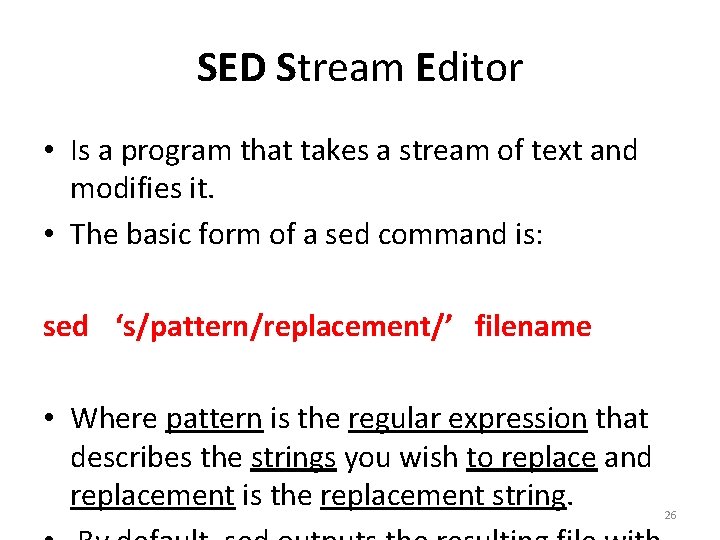
SED Stream Editor • Is a program that takes a stream of text and modifies it. • The basic form of a sed command is: sed ‘s/pattern/replacement/’ filename • Where pattern is the regular expression that describes the strings you wish to replace and replacement is the replacement string. 26
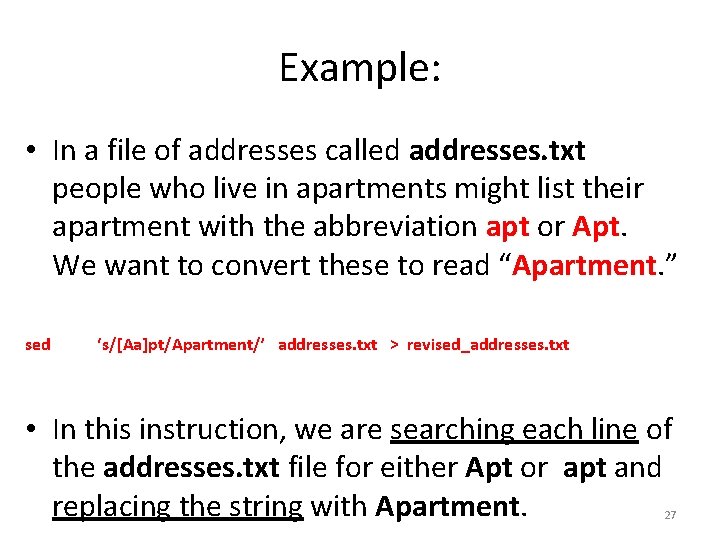
Example: • In a file of addresses called addresses. txt people who live in apartments might list their apartment with the abbreviation apt or Apt. We want to convert these to read “Apartment. ” sed ‘s/[Aa]pt/Apartment/’ addresses. txt > revised_addresses. txt • In this instruction, we are searching each line of the addresses. txt file for either Apt or apt and replacing the string with Apartment. 27