Open CALEA Pragmatic Cost Effective CALEA Compliance Manish
- Slides: 15
“Open. CALEA” Pragmatic Cost Effective CALEA Compliance Manish Karir, Merit - Research and Development
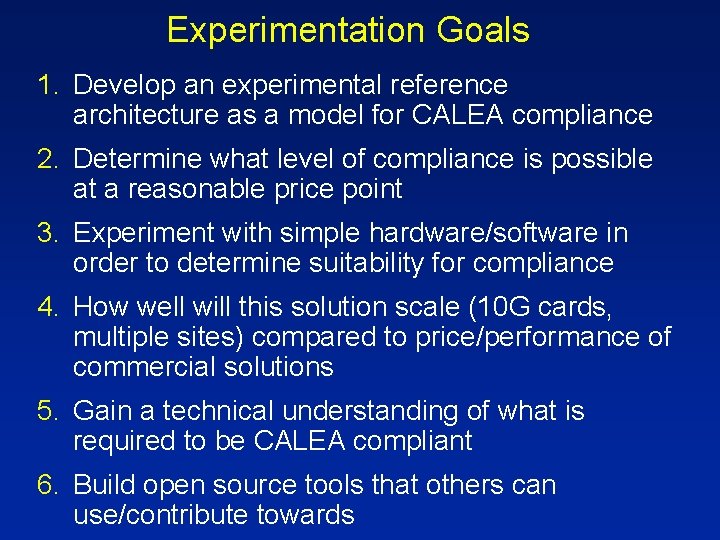
Experimentation Goals 1. Develop an experimental reference architecture as a model for CALEA compliance 2. Determine what level of compliance is possible at a reasonable price point 3. Experiment with simple hardware/software in order to determine suitability for compliance 4. How well will this solution scale (10 G cards, multiple sites) compared to price/performance of commercial solutions 5. Gain a technical understanding of what is required to be CALEA compliant 6. Build open source tools that others can use/contribute towards
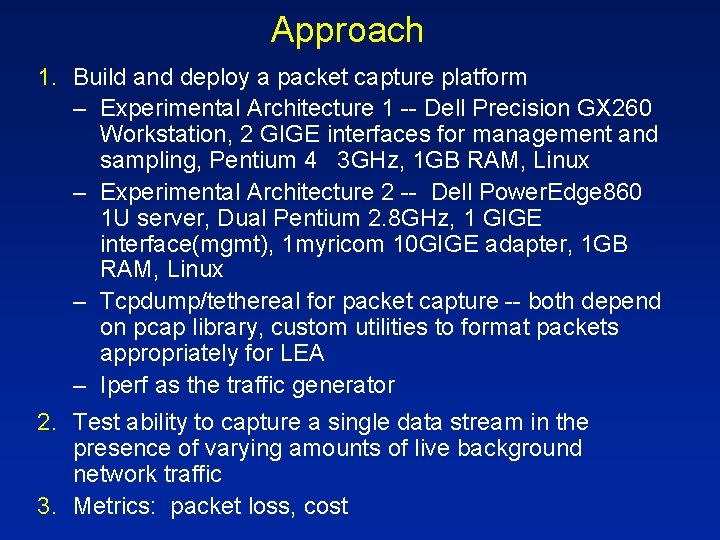
Approach 1. Build and deploy a packet capture platform – Experimental Architecture 1 -- Dell Precision GX 260 Workstation, 2 GIGE interfaces for management and sampling, Pentium 4 3 GHz, 1 GB RAM, Linux – Experimental Architecture 2 -- Dell Power. Edge 860 1 U server, Dual Pentium 2. 8 GHz, 1 GIGE interface(mgmt), 1 myricom 10 GIGE adapter, 1 GB RAM, Linux – Tcpdump/tethereal for packet capture -- both depend on pcap library, custom utilities to format packets appropriately for LEA – Iperf as the traffic generator 2. Test ability to capture a single data stream in the presence of varying amounts of live background network traffic 3. Metrics: packet loss, cost
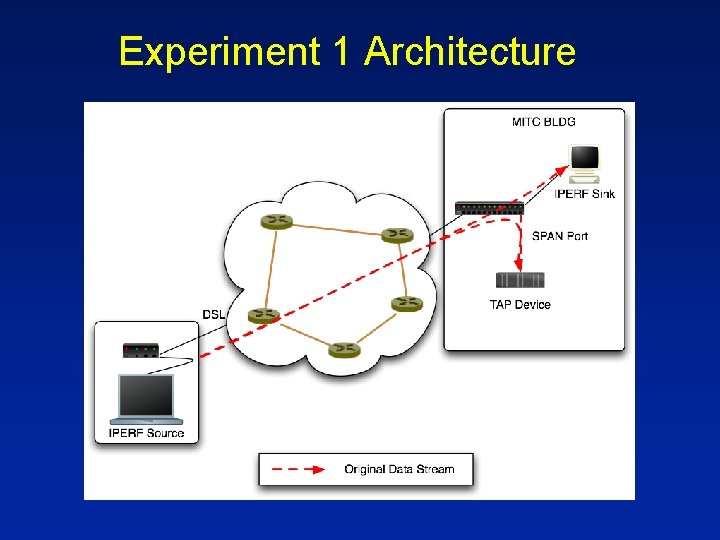
Experiment 1 Architecture
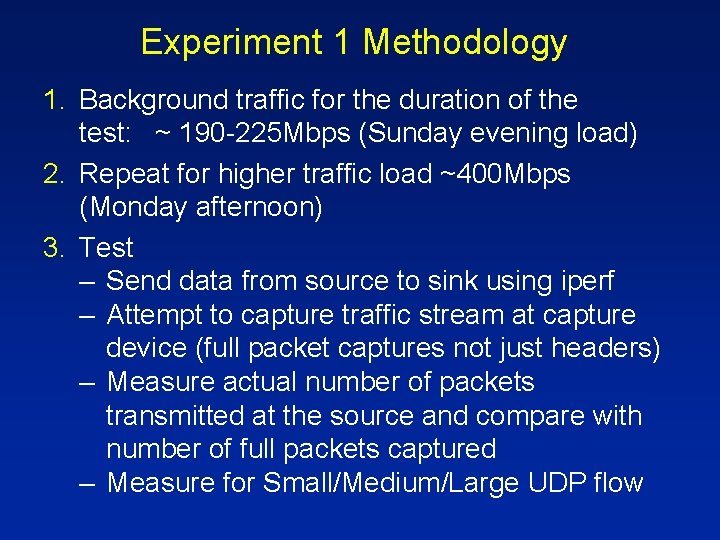
Experiment 1 Methodology 1. Background traffic for the duration of the test: ~ 190 -225 Mbps (Sunday evening load) 2. Repeat for higher traffic load ~400 Mbps (Monday afternoon) 3. Test – Send data from source to sink using iperf – Attempt to capture traffic stream at capture device (full packet captures not just headers) – Measure actual number of packets transmitted at the source and compare with number of full packets captured – Measure for Small/Medium/Large UDP flow
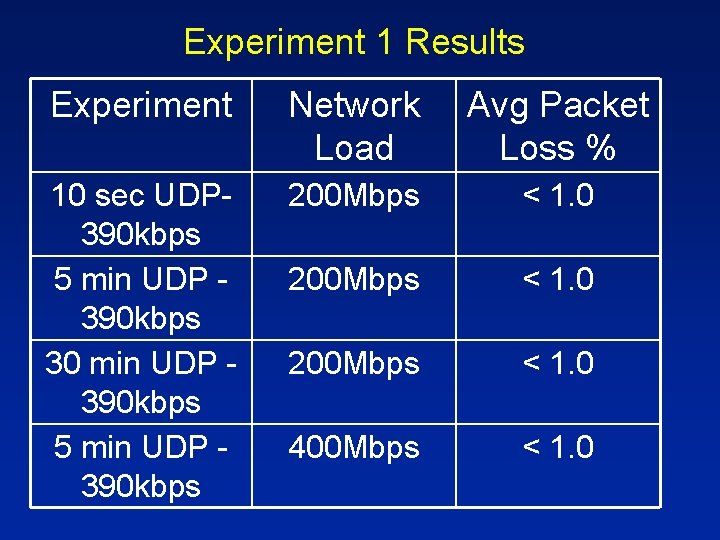
Experiment 1 Results Experiment Network Load Avg Packet Loss % 10 sec UDP 390 kbps 5 min UDP 390 kbps 30 min UDP 390 kbps 5 min UDP 390 kbps 200 Mbps < 1. 0 400 Mbps < 1. 0
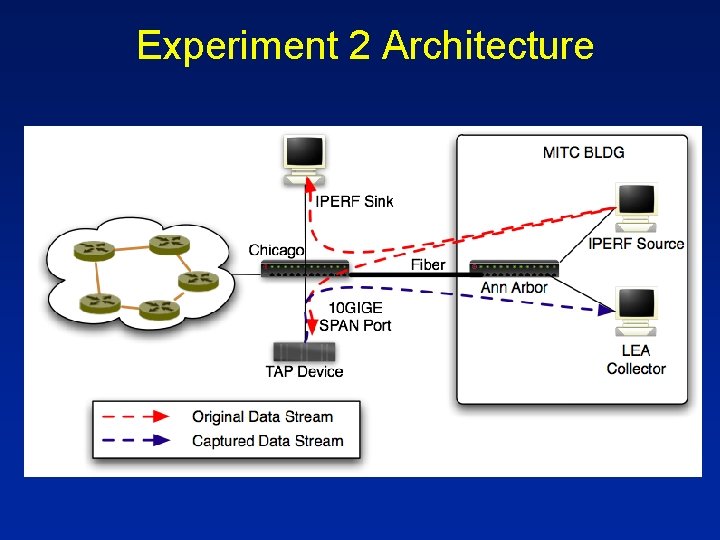
Experiment 2 Architecture
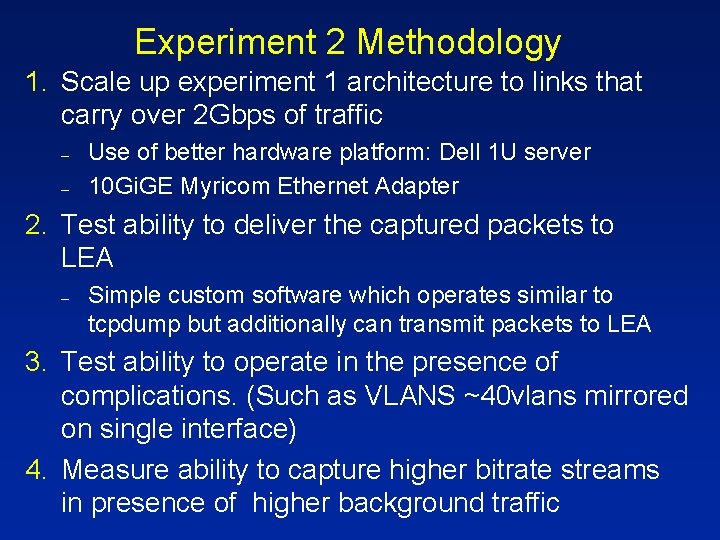
Experiment 2 Methodology 1. Scale up experiment 1 architecture to links that carry over 2 Gbps of traffic – – Use of better hardware platform: Dell 1 U server 10 Gi. GE Myricom Ethernet Adapter 2. Test ability to deliver the captured packets to LEA – Simple custom software which operates similar to tcpdump but additionally can transmit packets to LEA 3. Test ability to operate in the presence of complications. (Such as VLANS ~40 vlans mirrored on single interface) 4. Measure ability to capture higher bitrate streams in presence of higher background traffic
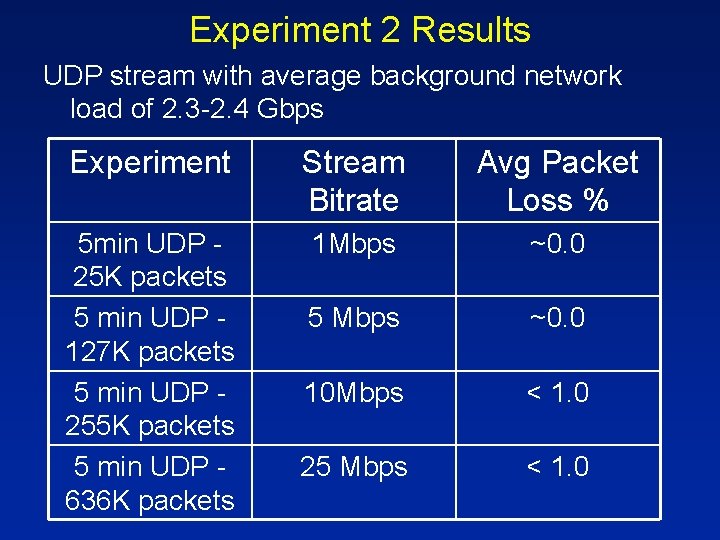
Experiment 2 Results UDP stream with average background network load of 2. 3 -2. 4 Gbps Experiment Stream Bitrate Avg Packet Loss % 5 min UDP 25 K packets 5 min UDP 127 K packets 5 min UDP 255 K packets 5 min UDP 636 K packets 1 Mbps ~0. 0 5 Mbps ~0. 0 10 Mbps < 1. 0 25 Mbps < 1. 0
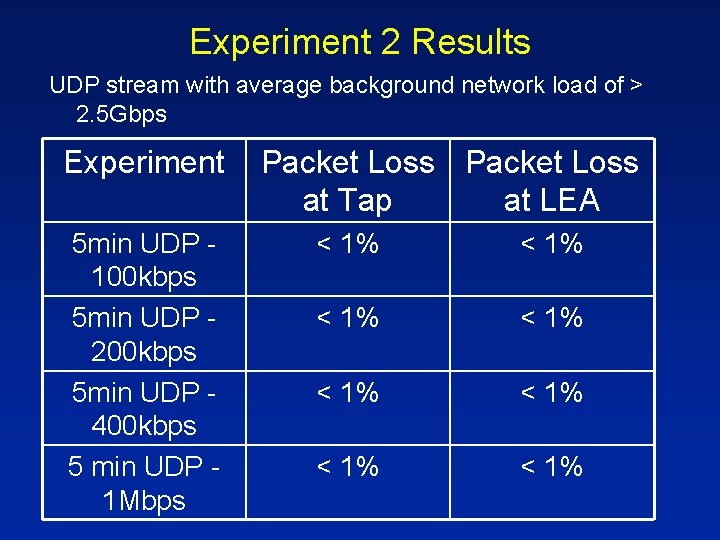
Experiment 2 Results UDP stream with average background network load of > 2. 5 Gbps Experiment 5 min UDP 100 kbps 5 min UDP 200 kbps 5 min UDP 400 kbps 5 min UDP 1 Mbps Packet Loss at Tap at LEA < 1% < 1%
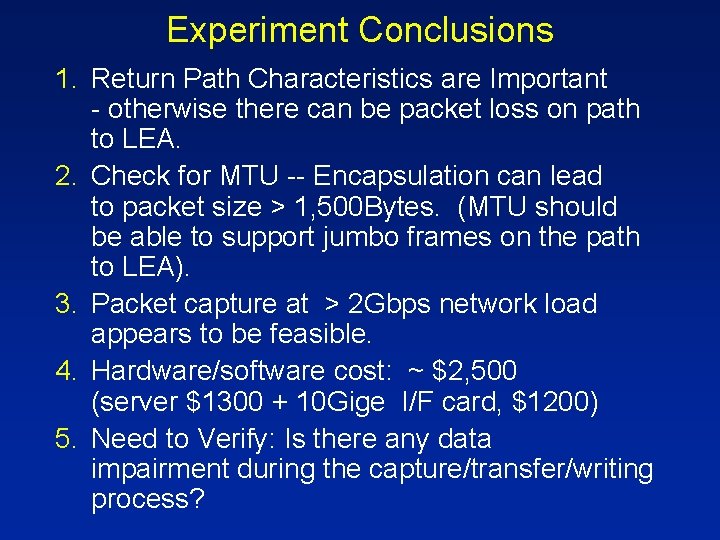
Experiment Conclusions 1. Return Path Characteristics are Important - otherwise there can be packet loss on path to LEA. 2. Check for MTU -- Encapsulation can lead to packet size > 1, 500 Bytes. (MTU should be able to support jumbo frames on the path to LEA). 3. Packet capture at > 2 Gbps network load appears to be feasible. 4. Hardware/software cost: ~ $2, 500 (server $1300 + 10 Gige I/F card, $1200) 5. Need to Verify: Is there any data impairment during the capture/transfer/writing process?
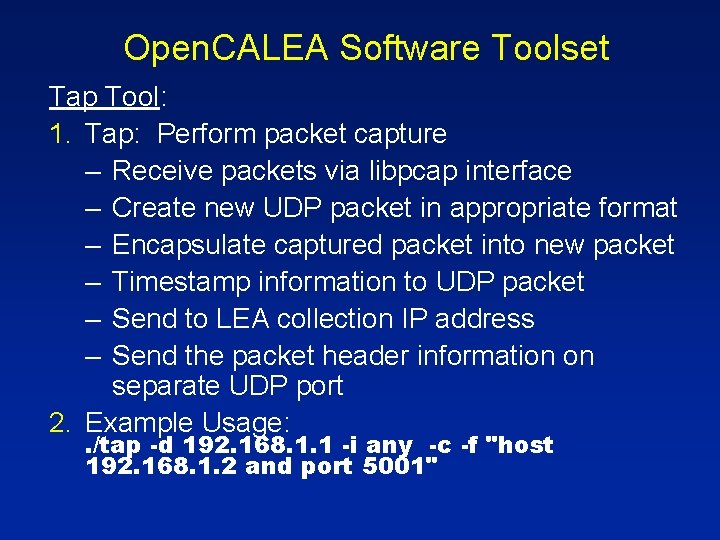
Open. CALEA Software Toolset Tap Tool: 1. Tap: Perform packet capture – Receive packets via libpcap interface – Create new UDP packet in appropriate format – Encapsulate captured packet into new packet – Timestamp information to UDP packet – Send to LEA collection IP address – Send the packet header information on separate UDP port 2. Example Usage: . /tap -d 192. 168. 1. 1 -i any -c -f "host 192. 168. 1. 2 and port 5001"
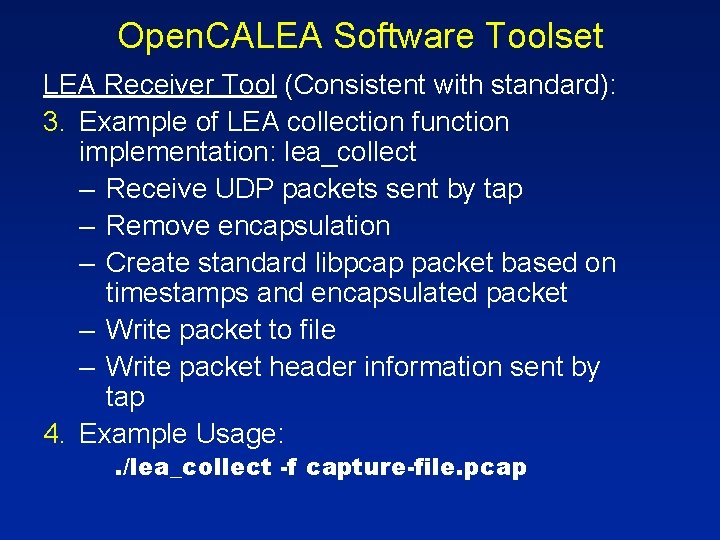
Open. CALEA Software Toolset LEA Receiver Tool (Consistent with standard): 3. Example of LEA collection function implementation: lea_collect – Receive UDP packets sent by tap – Remove encapsulation – Create standard libpcap packet based on timestamps and encapsulated packet – Write packet to file – Write packet header information sent by tap 4. Example Usage: . /lea_collect -f capture-file. pcap
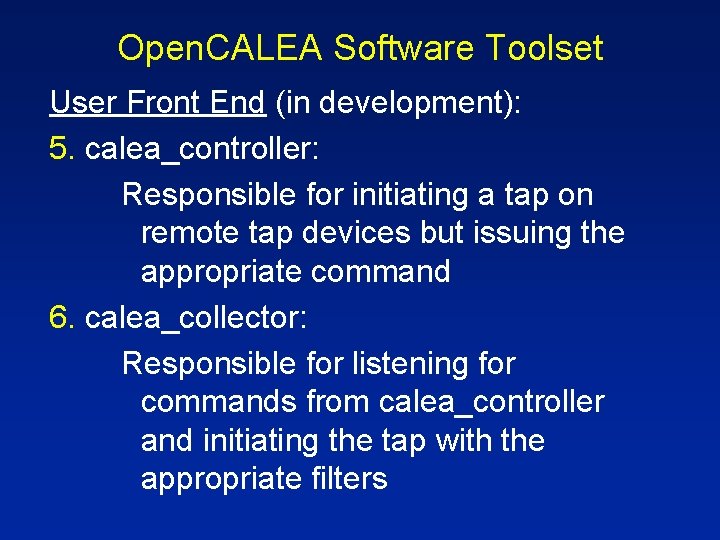
Open. CALEA Software Toolset User Front End (in development): 5. calea_controller: Responsible for initiating a tap on remote tap devices but issuing the appropriate command 6. calea_collector: Responsible for listening for commands from calea_controller and initiating the tap with the appropriate filters
Conclusions 1. A cost-effective CALEA solution was developed and tested 2. The solution has performed well in initial testing 3. The solution appears to be 4. Consistent with technical requirements Cost effective Practical Soon! www. opencalea. org