INPUT OUTPUT STATEMENT 01204111 Computer Programming Group 350
- Slides: 33
INPUT & OUTPUT STATEMENT 01204111 Computer & Programming Group 350 -352 Dept. of Computer Engineering Kasetsart University Version 2012 Adopted from Thanomkulabut’s experiences. Brushed up by Mike. Lab. Net Factory @KU.
Review 2 Data Type Arithmetic Operators Math Class
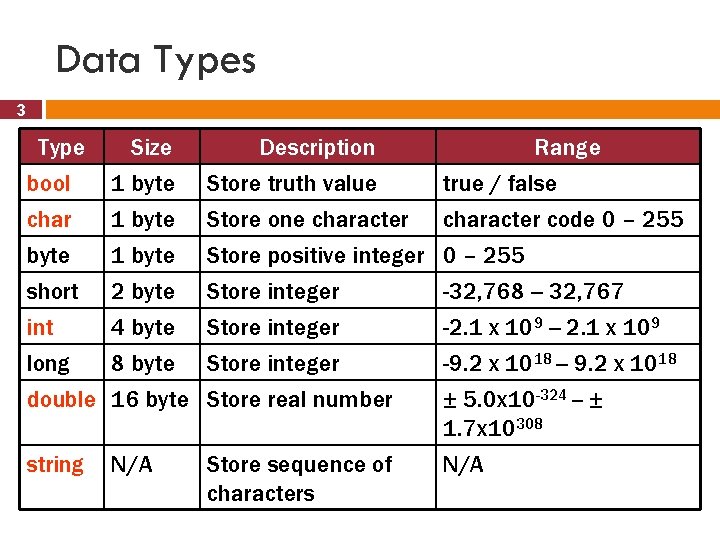
Data Types 3 Type bool char byte Size 1 byte Description Range Store truth value true / false Store one character code 0 – 255 Store positive integer 0 – 255 short int long 2 byte 4 byte 8 byte Store integer double 16 byte Store real number string N/A Store sequence of characters -32, 768 -- 32, 767 -2. 1 x 10⁹ -- 2. 1 x 10⁹ -9. 2 x 10¹⁸ -- 9. 2 x 10¹⁸ ± 5. 0 x 10 -324 -- ± 1. 7 x 10308 N/A
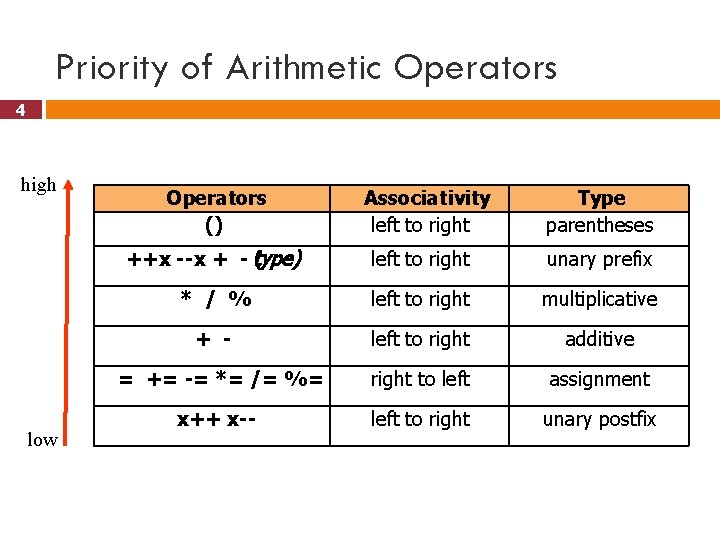
Priority of Arithmetic Operators 4 high low Operators () Associativity left to right Type parentheses ++x --x + - t(ype) left to right unary prefix * / % left to right multiplicative + - left to right additive = += -= *= /= %= right to left assignment x++ x-- left to right unary postfix
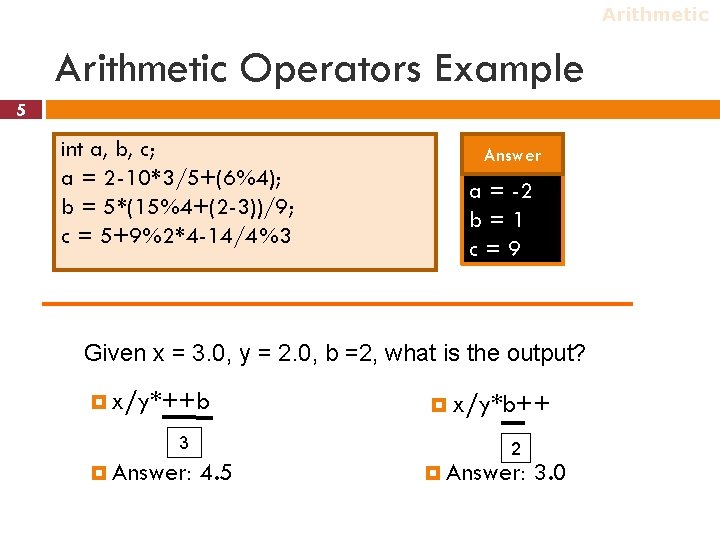
Arithmetic Operators Example 5 int a, b, c; a = 2 -10*3/5+(6%4); b = 5*(15%4+(2 -3))/9; c = 5+9%2*4 -14/4%3 Answer a = -2 b=1 c=9 Given x = 3. 0, y = 2. 0, b =2, what is the output? x/y*++b 3 Answer: 4. 5 x/y*b++ 2 Answer: 3. 0
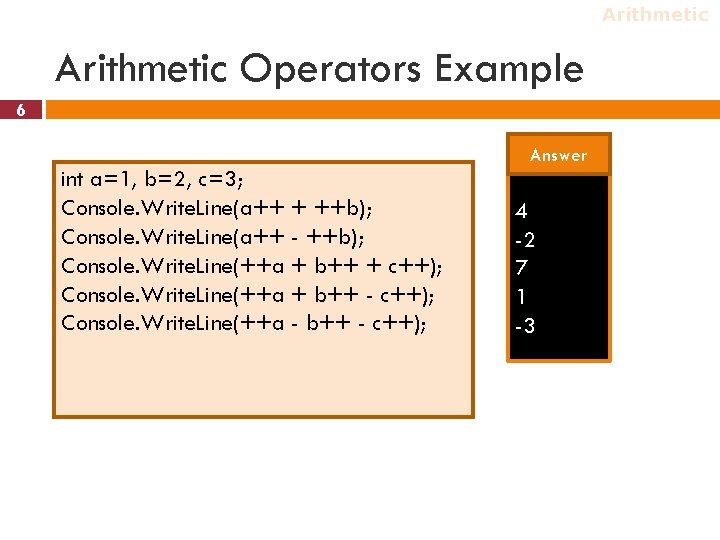
Arithmetic Operators Example 6 Answer int a=1, b=2, c=3; Console. Write. Line(a++ + ++b); Console. Write. Line(a++ - ++b); Console. Write. Line(++a + b++ + c++); Console. Write. Line(++a + b++ - c++); Console. Write. Line(++a - b++ - c++); 4 -2 7 1 -3
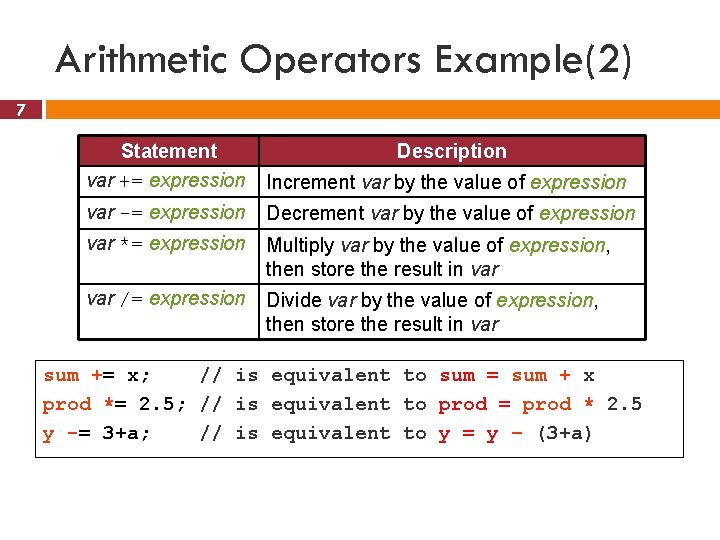
Arithmetic Operators Example(2) 7 Statement var += expression Description Increment var by the value of expression var -= expression Decrement var by the value of expression var *= expression Multiply var by the value of expression, then store the result in var /= expression Divide var by the value of expression, then store the result in var sum += x; // is equivalent to sum = sum + x prod *= 2. 5; // is equivalent to prod = prod * 2. 5 y -= 3+a; // is equivalent to y = y – (3+a)
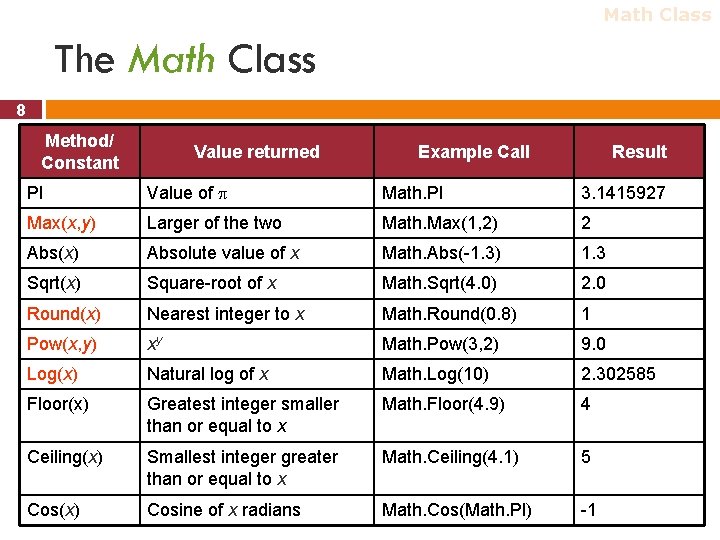
Math Class The Math Class 8 Method/ Constant Value returned Example Call Result PI Value of Math. PI 3. 1415927 Max(x, y) Larger of the two Math. Max(1, 2) 2 Abs(x) Absolute value of x Math. Abs(-1. 3) 1. 3 Sqrt(x) Square-root of x Math. Sqrt(4. 0) 2. 0 Round(x) Nearest integer to x Math. Round(0. 8) 1 Pow(x, y) xy Math. Pow(3, 2) 9. 0 Log(x) Natural log of x Math. Log(10) 2. 302585 Floor(x) Greatest integer smaller than or equal to x Math. Floor(4. 9) 4 Ceiling(x) Smallest integer greater than or equal to x Math. Ceiling(4. 1) 5 Cos(x) Cosine of x radians Math. Cos(Math. PI) -1
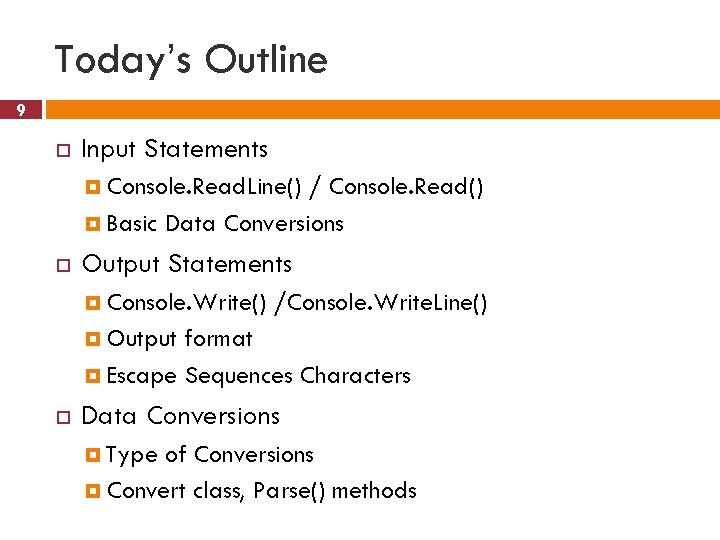
Today’s Outline 9 Input Statements Console. Read. Line() / Console. Read() Basic Data Conversions Output Statements Console. Write() /Console. Write. Line() Output format Escape Sequences Characters Data Conversions Type of Conversions Convert class, Parse() methods
10 Input Statements
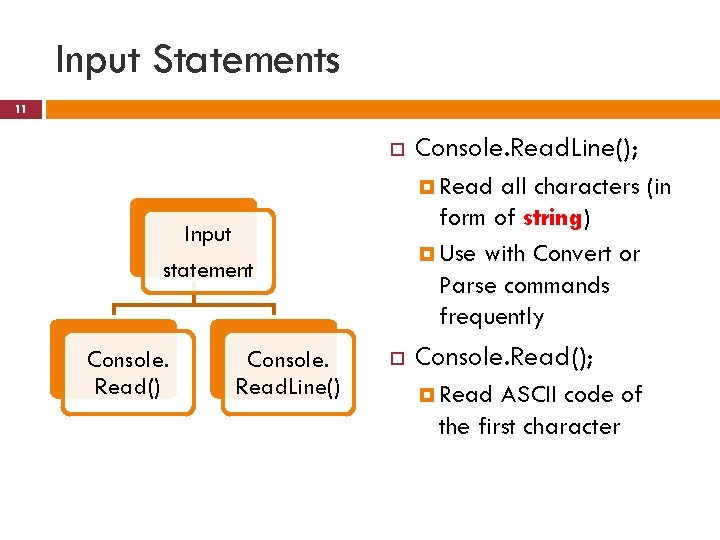
Input Statements 11 Console. Read. Line(); Read all characters (in form of string) Use with Convert or Parse commands frequently Input statement Console. Read() Console. Read. Line() Console. Read(); Read ASCII code of the first character
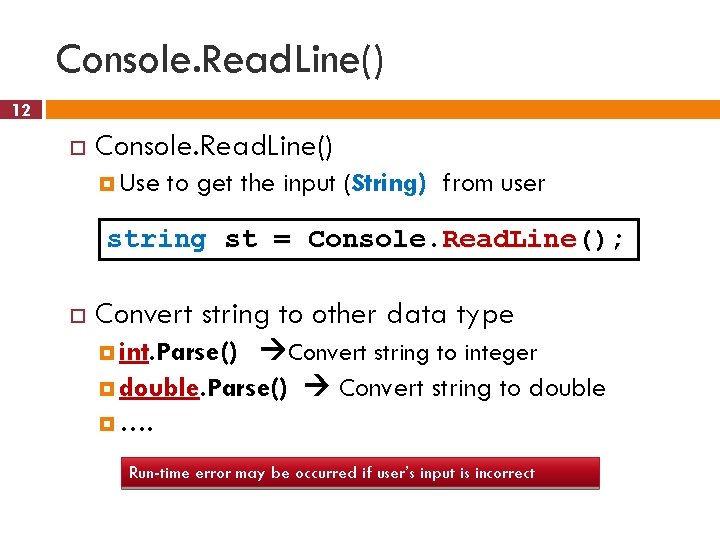
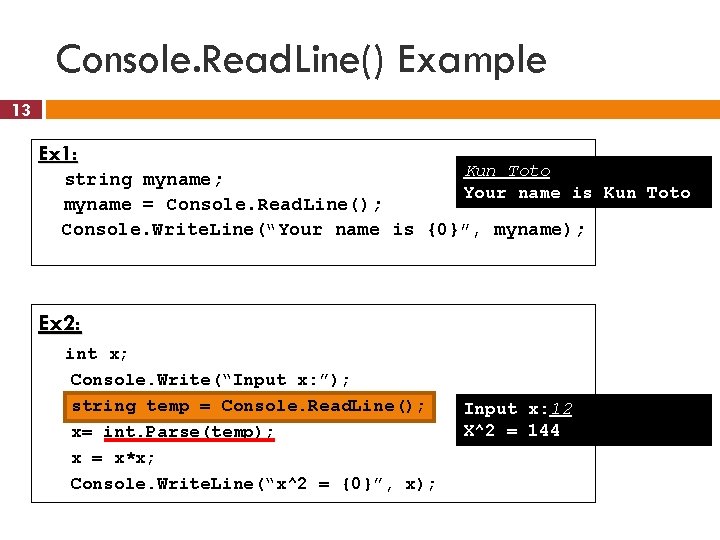
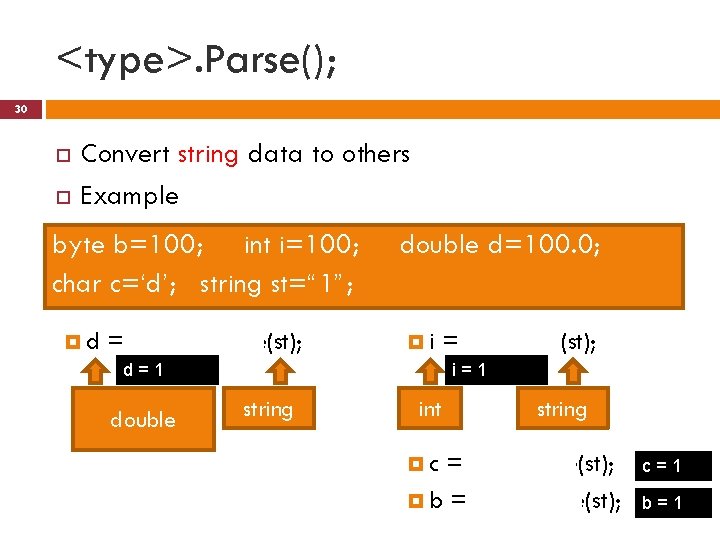
Console. Read. Line() 12 Console. Read. Line() Use to get the input (String) from user string st = Console. Read. Line(); Convert string to other data type Convert string to integer double. Parse() Convert string to double …. int. Parse() Run-time error may be occurred if user’s input is incorrect
Console. Read. Line() Example 13 Ex 1: Kun Toto string myname; Your name is Kun Toto myname = Console. Read. Line(); Console. Write. Line(“Your name is {0}”, myname); Ex 2: int x; Console. Write(“Input x: ”); string temp = Console. Read. Line(); x= int. Parse(temp); x = x*x; Console. Write. Line(“x^2 = {0}”, x); Input x: 12 X^2 = 144
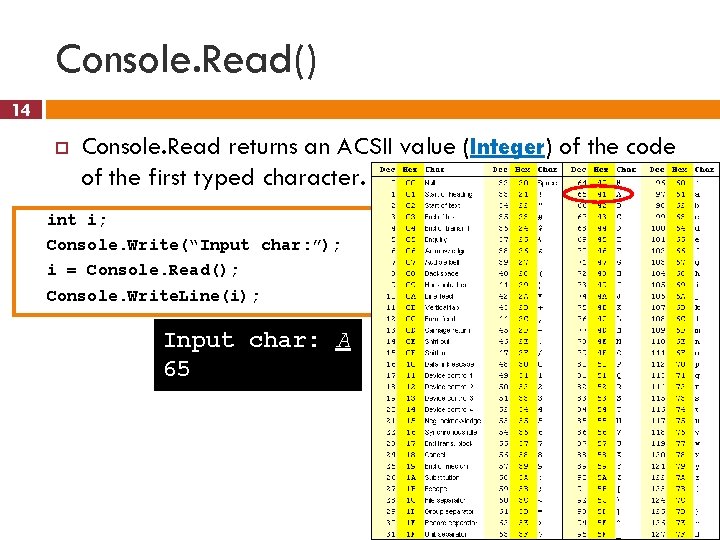
Console. Read() 14 Console. Read returns an ACSII value (Integer) of the code of the first typed character. int i; Console. Write(“Input char: ”); i = Console. Read(); Console. Write. Line(i); Input char: A 65
15 Output Statements
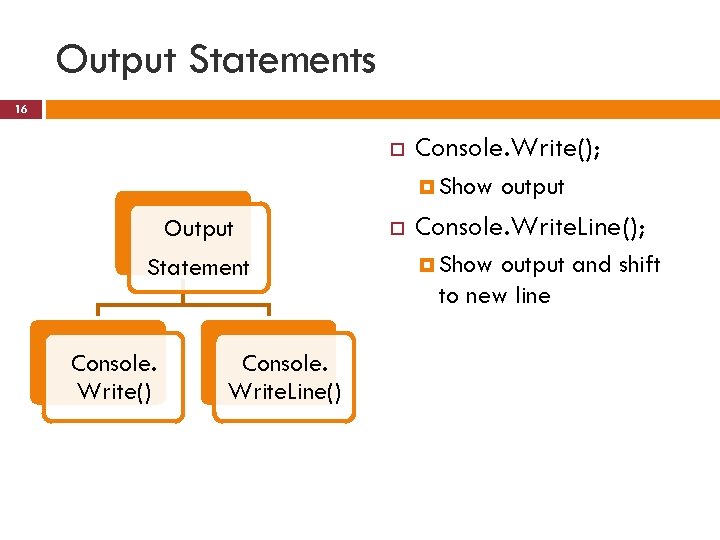
Output Statements 16 Console. Write(); Show Output Statement Console. Write() Console. Write. Line() output Console. Write. Line(); Show output and shift to new line
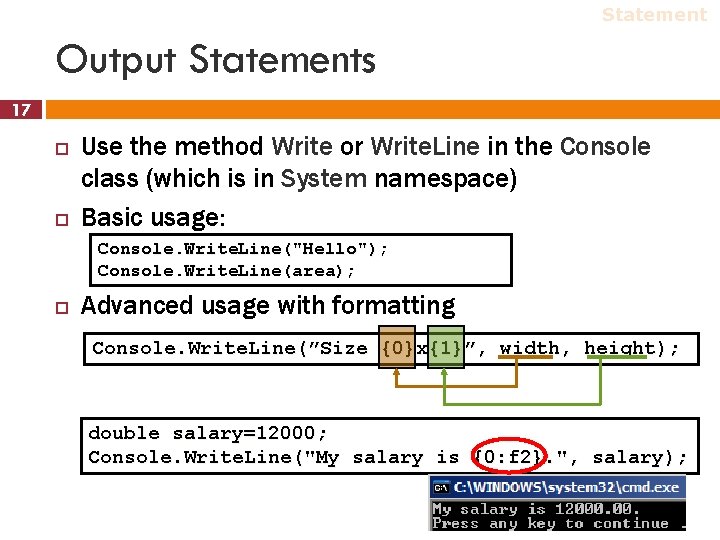
Statement Output Statements 17 Use the method Write or Write. Line in the Console class (which is in System namespace) Basic usage: Console. Write. Line("Hello"); Console. Write. Line(area); Advanced usage with formatting Console. Write. Line(”Size {0}x{1}”, width, height); double salary=12000; Console. Write. Line("My salary is {0: f 2}. ", salary);
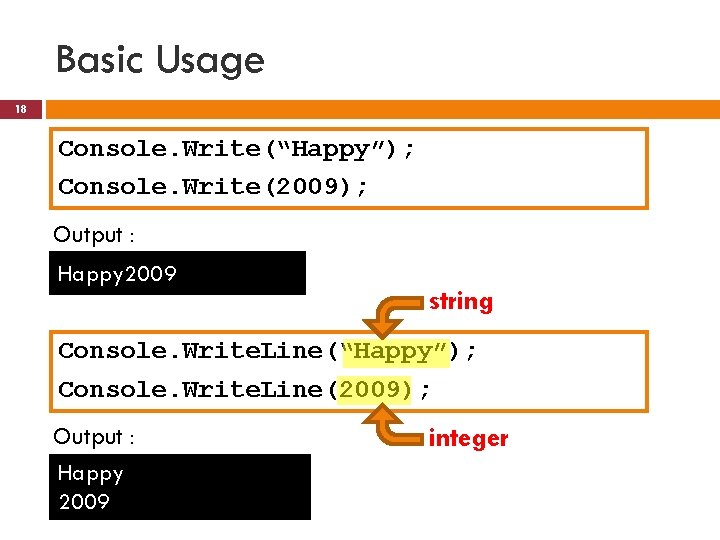
Basic Usage 18 Console. Write(“Happy”); Console. Write(2009); Output : Happy 2009 string Console. Write. Line(“Happy”); Console. Write. Line(2009); Output : Happy 2009 integer
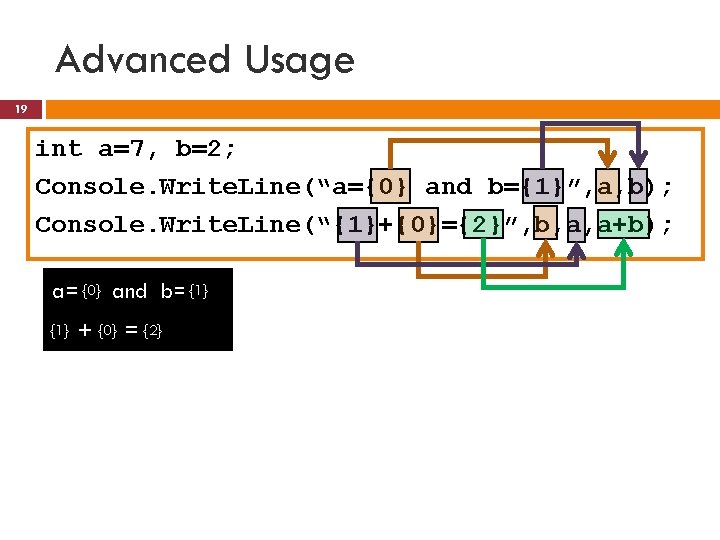
Advanced Usage 19 int a=7, b=2; Console. Write. Line(“a={0} and b={1}”, a, b); Console. Write. Line(“{1}+{0}={2}”, b, a, a+b); a=7{0} and b=2{1} 7 + {0} 2 = {2} 9
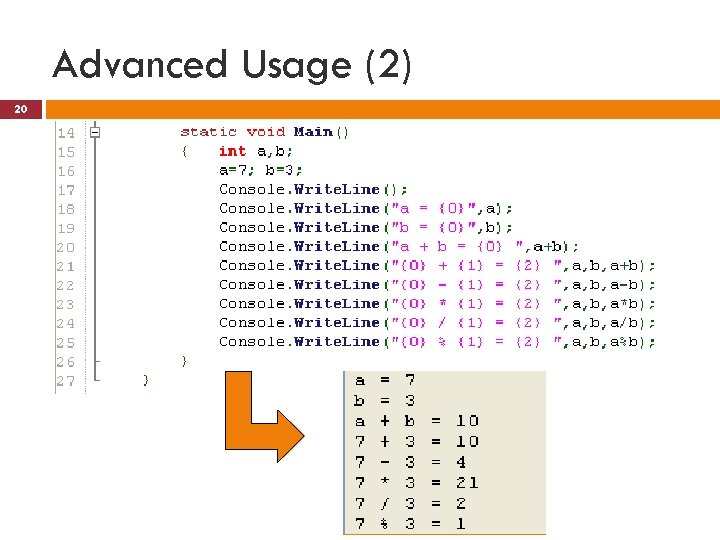
Advanced Usage (2) 20 20
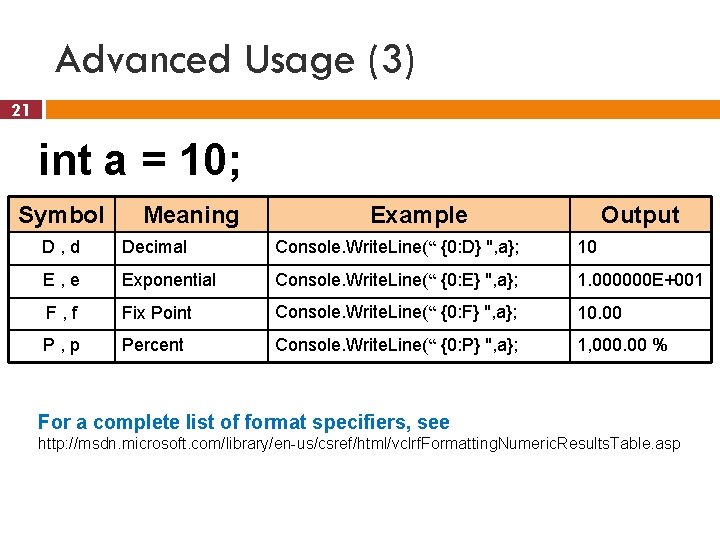
Advanced Usage (3) 21 int a = 10; Symbol Meaning Example Output D, d Decimal Console. Write. Line(“ {0: D} ", a}; 10 E, e Exponential Console. Write. Line(“ {0: E} ", a}; 1. 000000 E+001 F, f Fix Point Console. Write. Line(“ {0: F} ", a}; 10. 00 P, p Percent Console. Write. Line(“ {0: P} ", a}; 1, 000. 00 % For a complete list of format specifiers, see http: //msdn. microsoft. com/library/en-us/csref/html/vclrf. Formatting. Numeric. Results. Table. asp
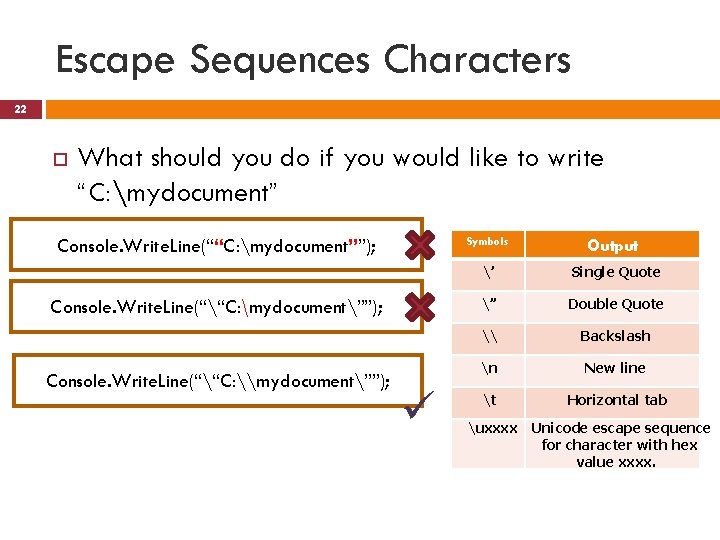
Escape Sequences Characters 22 What should you do if you would like to write “C: mydocument” Console. Write. Line(““C: mydocument””); Symbols Console. Write. Line(““C: mydocument””); Console. Write. Line(““C: \mydocument””); Output ’ Single Quote ” Double Quote \ Backslash n New line t Horizontal tab uxxxx Unicode escape sequence for character with hex value xxxx.
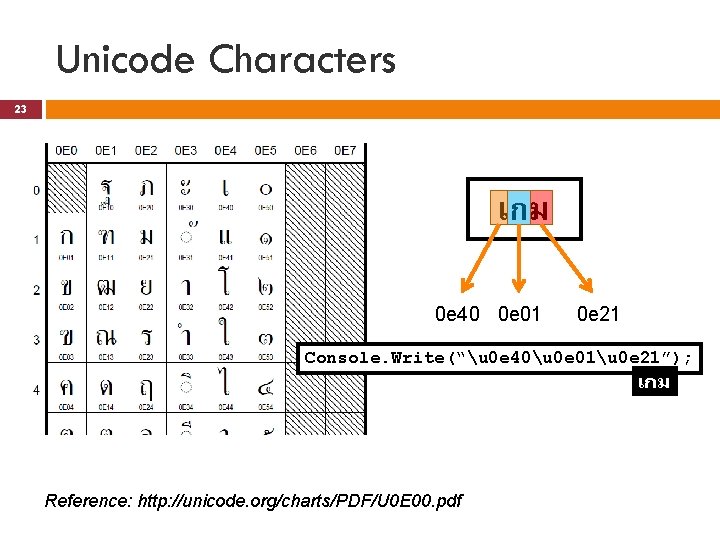
Unicode Characters 23 เกม 0 e 40 0 e 01 0 e 21 Console. Write(“u 0 e 40u 0 e 01u 0 e 21”); เกม Reference: http: //unicode. org/charts/PDF/U 0 E 00. pdf
24 Data Conversions
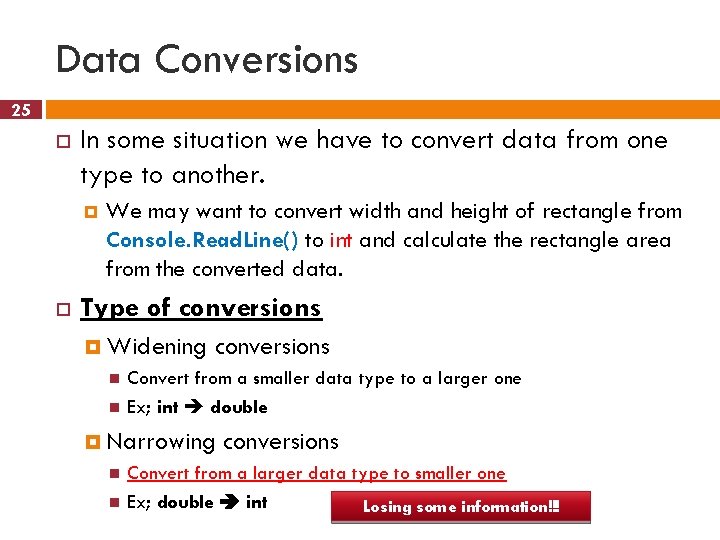
Data Conversions 25 In some situation we have to convert data from one type to another. We may want to convert width and height of rectangle from Console. Read. Line() to int and calculate the rectangle area from the converted data. Type of conversions Widening conversions Convert from a smaller data type to a larger one Ex; int double Narrowing conversions Convert from a larger data type to smaller one Ex; double int Losing some information!!!
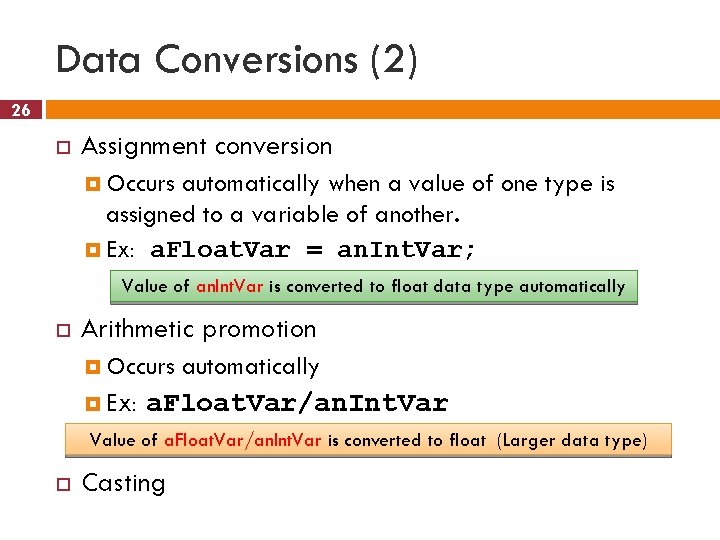
Data Conversions (2) 26 Assignment conversion Occurs automatically when a value of one type is assigned to a variable of another. Ex: a. Float. Var = an. Int. Var; Value of an. Int. Var is converted to float data type automatically Arithmetic promotion Occurs Ex: automatically a. Float. Var/an. Int. Var Value of a. Float. Var/an. Int. Var is converted to float (Larger data type) Casting
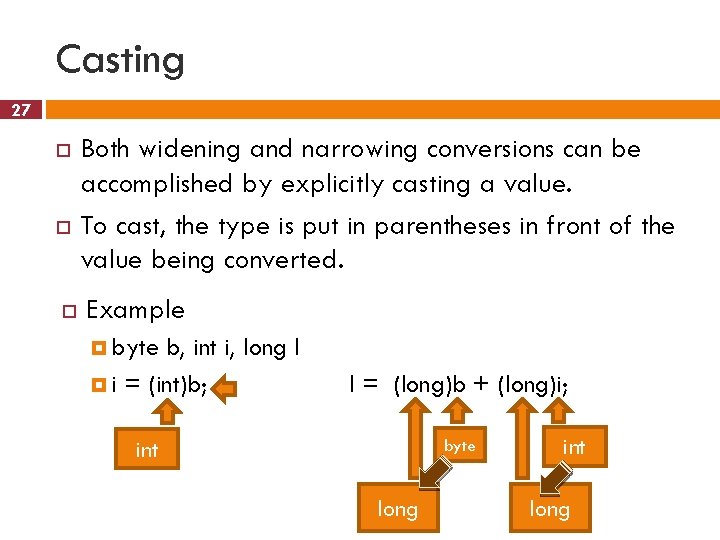
Casting 27 Both widening and narrowing conversions can be accomplished by explicitly casting a value. To cast, the type is put in parentheses in front of the value being converted. Example byte b, int i, long l i = (int)b; l = (long)b + (long)i; byte int long
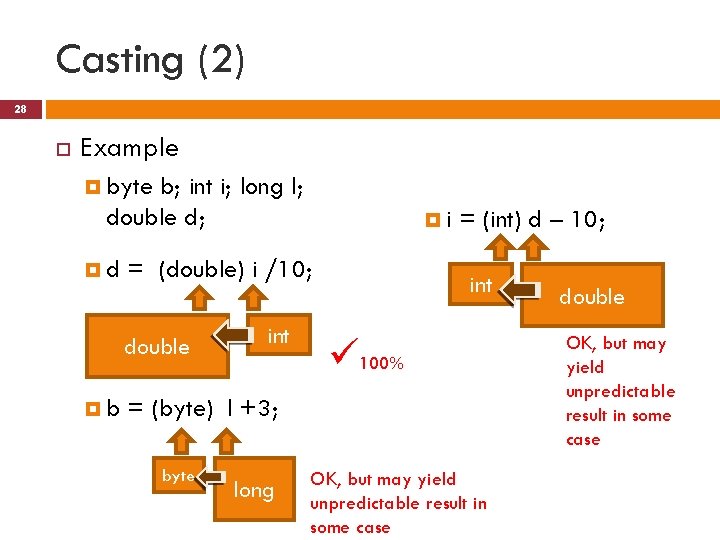
Casting (2) 28 Example byte b; int i; long l; double d; d = (double) i /10; double b i int = (int) d – 10; int 100% = (byte) l +3; byte long OK, but may yield unpredictable result in some case double OK, but may yield unpredictable result in some case
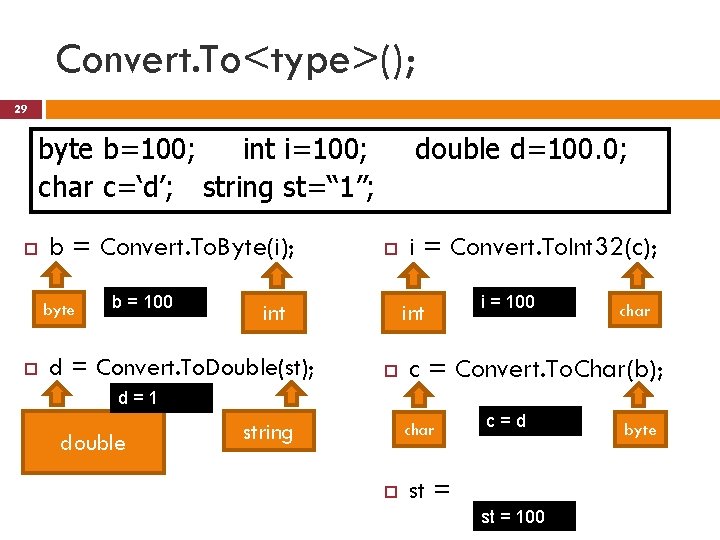
Convert. To<type>(); 29 byte b=100; int i=100; char c=‘d’; string st=“ 1”; b = Convert. To. Byte(i); byte b = 100 double d=100. 0; int d = Convert. To. Double(st); i = Convert. To. Int 32(c); int i = 100 char c = Convert. To. Char(b); d=1 double string char c=d byte st = Convert. To. String(i); st = 100
<type>. Parse(); 30 Convert string data to others Example byte b=100; int i=100; char c=‘d’; string st=“ 1”; d = double. Parse(st); double d=100. 0; i d=1 double = int. Parse (st); i=1 string int c string = char. Parse(st); b = byte. Parse(st); c=1 b=1
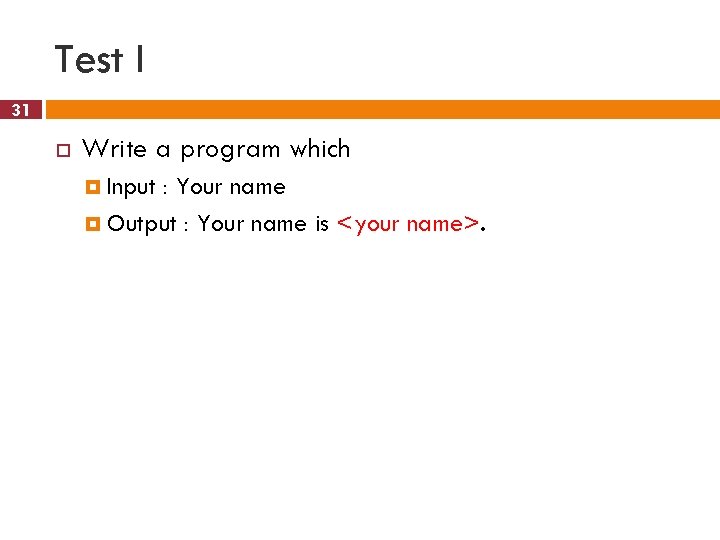
Test I 31 Write a program which Input : Your name Output : Your name is <your name>.
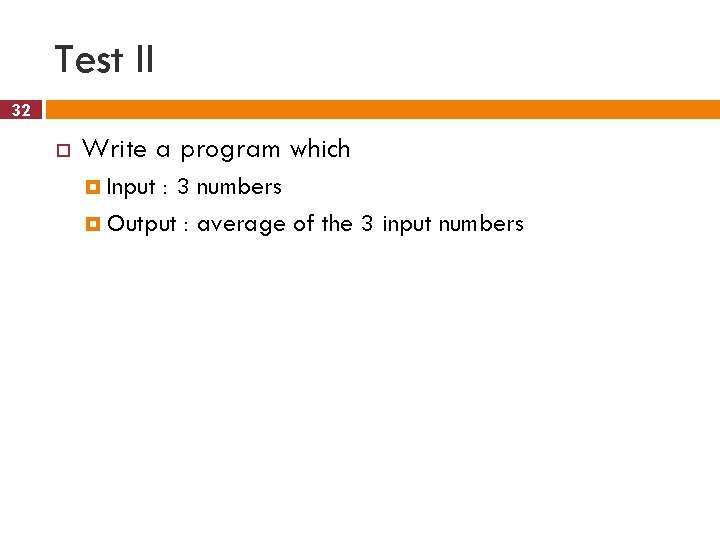
Test II 32 Write a program which Input : 3 numbers Output : average of the 3 input numbers
Test III 33 Write a program which Input : Length of radius of circle Output : Area of the circle