Getting Started CA Datacom AD with CA Workload

- Slides: 32
Getting Started: CA Datacom® AD with CA Workload Automation CA 7® Edition (Part 1 of 2) Grace Strauther – Sr. Support Engineer, CA Technologies Mary Sue Redd – Sr. Support Engineer, CA Technologies September 13, 2016
Agenda 1 OVERVIEW OF CA DATACOM / CA WORKLOAD AUTOMATION CA 7 2 CONFIGURING DATACOM FOR USE WITH CA WORKLOAD AUTOMATION CA 7 3 MANAGING THE CA WORKLOAD AUTOMATION CA 7 DATABASE 4 QUESTIONS 2 © 2016 CA. ALL RIGHTS RESERVED.
For Informational Purposes Only Terms of this Presentation © 2016 CA. All rights reserved. All trademarks referenced herein belong to their respective companies. The presentation is intended for information purposes only and does not form any type of warranty. Some of the specific slides with customer references relate to customer's specific use and experience of CA products and solutions so actual results may vary. Certain information in this presentation may outline CA’s general product direction. This presentation shall not serve to (i) affect the rights and/or obligations of CA or its licensees under any existing or future license agreement or services agreement relating to any CA software product; or (ii) amend any product documentation or specifications for any CA software product. This presentation is based on current information and resource allocations as of September 13, 2016, and is subject to change or withdrawal by CA at any time without notice. The development, release and timing of any features or functionality described in this presentation remain at CA’s sole discretion. Notwithstanding anything in this presentation to the contrary, upon the general availability of any future CA product release referenced in this presentation, CA may make such release available to new licensees in the form of a regularly scheduled major product release. Such release may be made available to licensees of the product who are active subscribers to CA maintenance and support, on a when and ifavailable basis. The information in this presentation is not deemed to be incorporated into any contract. 3 © 2016 CA. ALL RIGHTS RESERVED.
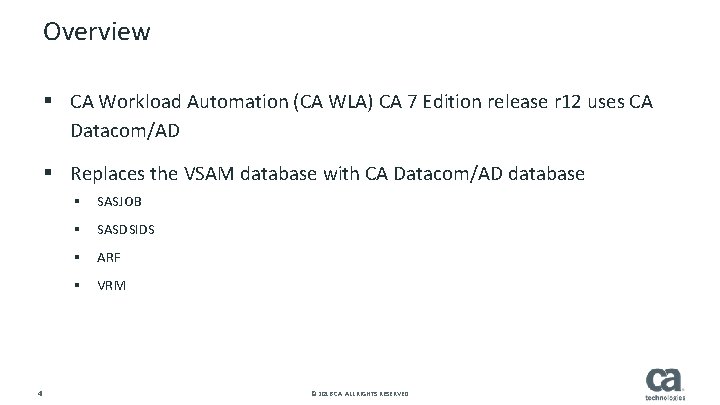
Overview § CA Workload Automation (CA WLA) CA 7 Edition release r 12 uses CA Datacom/AD § Replaces the VSAM database with CA Datacom/AD database § SASJOB § SASDSIDS § ARF § VRM 4 © 2016 CA. ALL RIGHTS RESERVED.
CA Datacom / CA WLA CA 7 Overview § CA DATACOM/AD is a separate install from CA WLA CA 7. § Complete installation and customize the MUF for CA WLA CA 7. 5 5 © 2016 CA. ALL RIGHTS RESERVED.
CA Datacom / CA WLA CA 7 Overview § MUF (Multiuser Facility) All access to the CA WLA CA 7 database via the MUF system priority should be the same as JES 2 and CA WLA CA 7 The MUF executes in a separate address space from the accessing address space May be on same or different LPAR as CA WLA CA 7 § Positioning the MUF and CA WLA CA 7 on the same LPAR will significantly improve performance – Each CA WLA CA 7 can have its own MUF or instances can share a MUF – – § Database – Tables contain rows with predefined columns – Tables can have relationships to other tables – Tables physically reside in ‘data areas’ 6 6 © 2016 CA. ALL RIGHTS RESERVED.
CA Datacom / CA WLA CA 7 Overview § Database ID (DBID) – Multiple database ids can exist within a single MUF – CA 11 and CA WLA CA 7 can use the same MUF but will have different DBIDs – CA WLA CA 7 always uses DBID 770 § Logical Database Name – Data for multiple instances may be loaded into a single MUF - all under DBID 770 – Instances are distinguished from each other by a ‘logical database name’ – Logical database name is part of the key of most CA WLA CA 7 tables 7 7 © 2016 CA. ALL RIGHTS RESERVED.
CA Datacom / CA WLA CA 7 Overview § CUSLIB – Unique CUSLIB created during each MUF’s customization process – CUSLIB DSN is specified on CA 7 ONL STEPLIB DD – Tells CA WLA CA 7 which MUF to communicate with, ie BTI jobs § //STEPLIB DD DISP=SHR, DSN=your. datacom. CUSLIB // DD DISP=SHR, DSN=your. datacom. CAAXLOAD § DBPARMS – Logical database name specified in DBPARMS – Tells CA WLA CA 7 which logical database to access within the MUF § Other jobs such as Database Verification and Database Transport also have CUSLIB and DBPARMS 8 8 © 2016 CA. ALL RIGHTS RESERVED.
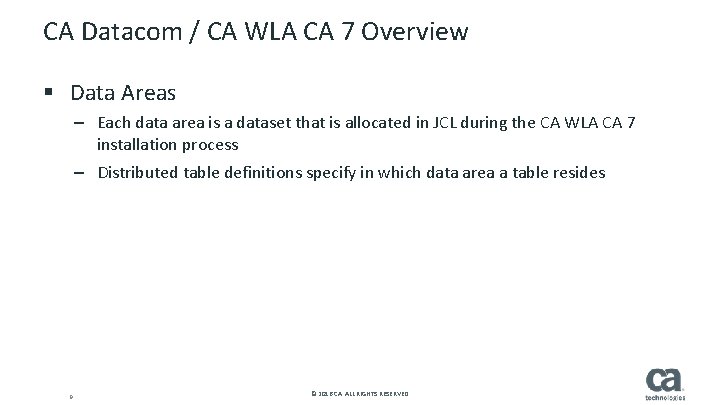
CA Datacom / CA WLA CA 7 Overview § Data Areas – Each data area is a dataset that is allocated in JCL during the CA WLA CA 7 installation process – Distributed table definitions specify in which data area a table resides 9 9 © 2016 CA. ALL RIGHTS RESERVED.
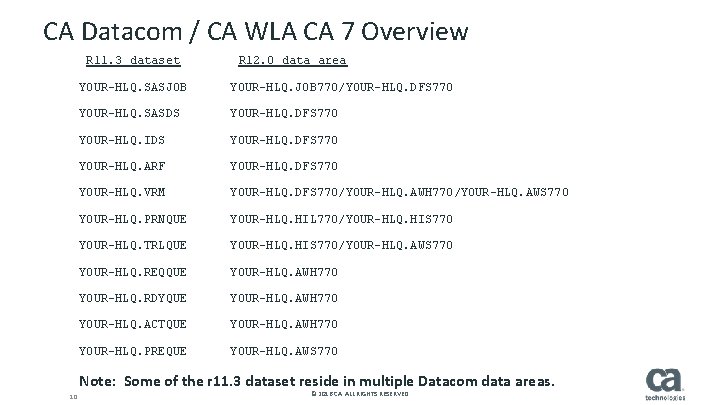
CA Datacom / CA WLA CA 7 Overview R 11. 3 dataset R 12. 0 data area YOUR-HLQ. SASJOB YOUR-HLQ. JOB 770/YOUR-HLQ. DFS 770 YOUR-HLQ. SASDS YOUR-HLQ. DFS 770 YOUR-HLQ. IDS YOUR-HLQ. DFS 770 YOUR-HLQ. ARF YOUR-HLQ. DFS 770 YOUR-HLQ. VRM YOUR-HLQ. DFS 770/YOUR-HLQ. AWH 770/YOUR-HLQ. AWS 770 YOUR-HLQ. PRNQUE YOUR-HLQ. HIL 770/YOUR-HLQ. HIS 770 YOUR-HLQ. TRLQUE YOUR-HLQ. HIS 770/YOUR-HLQ. AWS 770 YOUR-HLQ. REQQUE YOUR-HLQ. AWH 770 YOUR-HLQ. RDYQUE YOUR-HLQ. AWH 770 YOUR-HLQ. ACTQUE YOUR-HLQ. AWH 770 YOUR-HLQ. PREQUE YOUR-HLQ. AWS 770 10 Note: Some of the r 11. 3 dataset reside in multiple Datacom data areas. 10 © 2016 CA. ALL RIGHTS RESERVED.
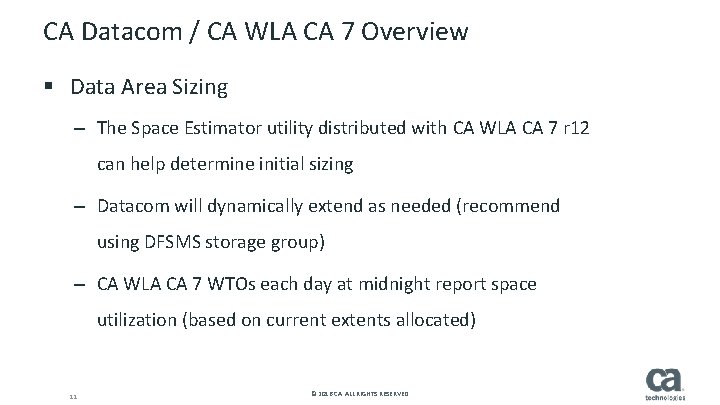
CA Datacom / CA WLA CA 7 Overview § Data Area Sizing – The Space Estimator utility distributed with CA WLA CA 7 r 12 can help determine initial sizing – Datacom will dynamically extend as needed (recommend using DFSMS storage group) – CA WLA CA 7 WTOs each day at midnight report space utilization (based on current extents allocated) 11 11 © 2016 CA. ALL RIGHTS RESERVED.
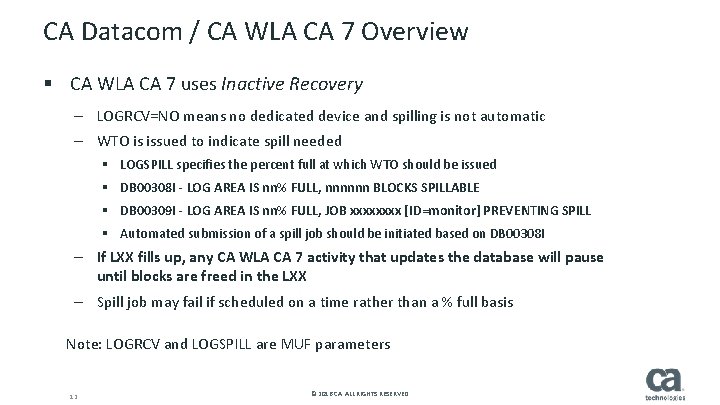
CA Datacom / CA WLA CA 7 Overview § CA WLA CA 7 uses Inactive Recovery – LOGRCV=NO means no dedicated device and spilling is not automatic – WTO is issued to indicate spill needed § LOGSPILL specifies the percent full at which WTO should be issued § DB 00308 I - LOG AREA IS nn% FULL, nnnnnn BLOCKS SPILLABLE § DB 00309 I - LOG AREA IS nn% FULL, JOB xxxx [ID=monitor] PREVENTING SPILL § Automated submission of a spill job should be initiated based on DB 00308 I – If LXX fills up, any CA WLA CA 7 activity that updates the database will pause until blocks are freed in the LXX – Spill job may fail if scheduled on a time rather than a % full basis Note: LOGRCV and LOGSPILL are MUF parameters 12 12 © 2016 CA. ALL RIGHTS RESERVED.
CA Datacom / CA WLA CA 7 Overview § If CA WLA CA 7 is sharing a MUF with CA 11 – CA 11 normally uses LOGRCV=NEVER which means spill is not relevant – Must change LOGRCV to NO so LXX will be spilled § Distributed Spill JCL – AL 2 DCA 80 or AL 2 DCA 05: defines GDG for recovery (RXX) files created by spill job – AL 2 DBSPL: executes DBUTILTY to spill LXX – May need to run spill when importing 13 13 © 2016 CA. ALL RIGHTS RESERVED.
CA Datacom / CA WLA CA 7 Overview § Stable Backup - CAL 2 JCL(AL 2 DBKUP) – Database is closed (CA WLA CA 7 is down) – Can restore to this point and begin processing – May still need to forward recover if the backup point is not where you want to resume from § Hot Backup - CAL 2 JCL(AL 2 DBHOT) – CA WLA CA 7 remains up – Suggest to run during time of low activity – Forward recovery has to be run to reach a stable point Note: Both type of backups include all CA WLA CA 7 instances (logical databases) in the MUF. 14 14 © 2016 CA. ALL RIGHTS RESERVED.
CA Datacom / CA WLA CA 7 Overview § Recovery Files (RXX) – Used forward recovery in event of DASD failure, MUF failure, etc. – Not needed if CA WLA CA 7 abends – Datacom will back out uncommitted updates – How often recovery files are created may affect recovery time – The LXX size, database activity, and % LXX full specification determine how often recovery files are created – Each site will determine the LXX size and spill frequency that suits their needs – Ensure you keep enough GDG versions to go back to last backup! § If you need to recover, open a Sev 1 case 15 15 © 2016 CA. ALL RIGHTS RESERVED.
Configuring CA Datacom for use with CA WLA CA 7
Configuring CA Datacom for use with CA WLA CA 7 § Configuring CA Datacom/AD for use with CA WLA CA 7 Edition – Outlines required activities and jobs – In Installation Guide: Start Your Product chapter – On Docops: Installing and Upgrading – Start Your Product section § Configuration Activities – Performed only one time per MUF – Mostly consists of running distributed jobs 17 17 © 2016 CA. ALL RIGHTS RESERVED.
Configuring Datacom for use with CA WLA CA 7 § MUF Startup Options for CA WLA CA 7 – If CA WLA CA 7 will be sharing a MUF with another application, the options distributed with CA WLA CA 7 will need to be merged with the existing MUF options – CA WLA CA 7 must use LOGRCV=NO (CA 11 normally uses LOGRCV=NEVER) § Set up MUF security 18 18 © 2016 CA. ALL RIGHTS RESERVED.
Configuring Datacom for use with CA WLA CA 7 § Initialize the database / Import database definitions – Not to be confused with importing your data – These steps define the table structures that you will later import into § Define GDG structures for backup and recovery files § Import Plans § Repeat steps for each MUF 19 19 © 2016 CA. ALL RIGHTS RESERVED.
Managing the CA WLA CA 7 Database
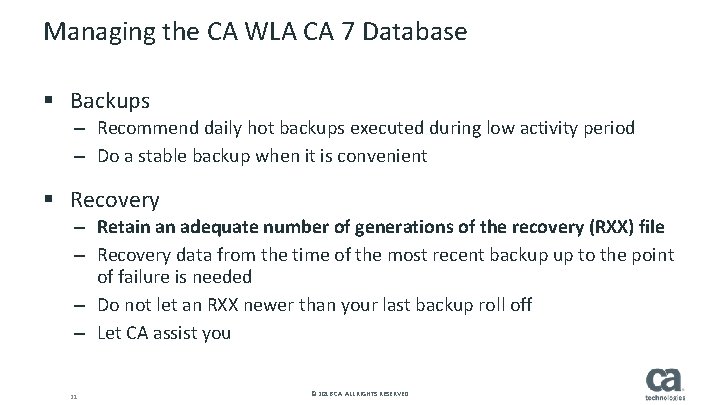
Managing the CA WLA CA 7 Database § Backups – Recommend daily hot backups executed during low activity period – Do a stable backup when it is convenient § Recovery – Retain an adequate number of generations of the recovery (RXX) file – Recovery data from the time of the most recent backup up to the point of failure is needed – Do not let an RXX newer than your last backup roll off – Let CA assist you 21 21 © 2016 CA. ALL RIGHTS RESERVED.
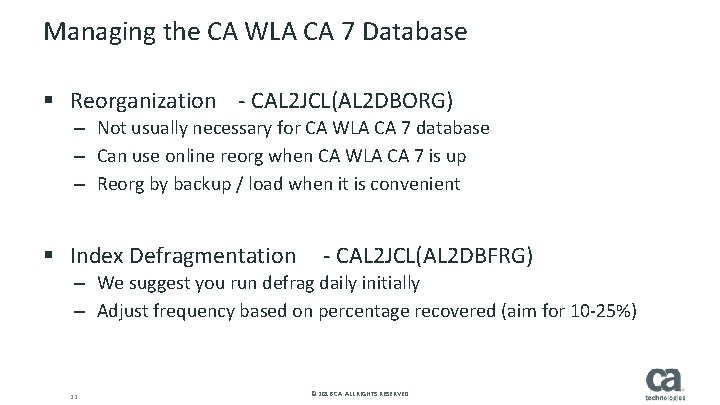
Managing the CA WLA CA 7 Database § Reorganization - CAL 2 JCL(AL 2 DBORG) – Not usually necessary for CA WLA CA 7 database – Can use online reorg when CA WLA CA 7 is up – Reorg by backup / load when it is convenient § Index Defragmentation - CAL 2 JCL(AL 2 DBFRG) – We suggest you run defrag daily initially – Adjust frequency based on percentage recovered (aim for 10 -25%) 22 22 © 2016 CA. ALL RIGHTS RESERVED.
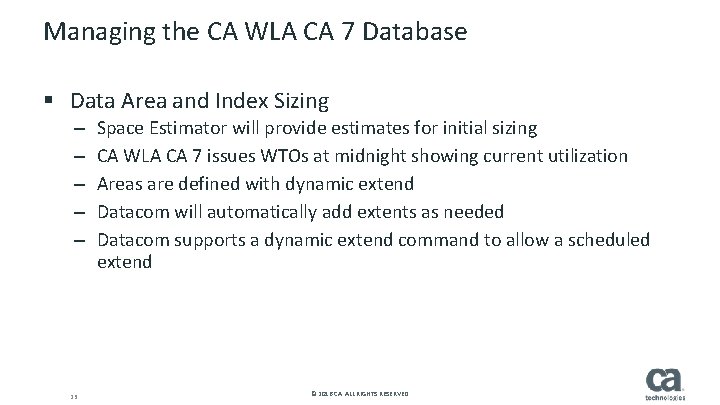
Managing the CA WLA CA 7 Database § Data Area and Index Sizing – – – 23 23 Space Estimator will provide estimates for initial sizing CA WLA CA 7 issues WTOs at midnight showing current utilization Areas are defined with dynamic extend Datacom will automatically add extents as needed Datacom supports a dynamic extend command to allow a scheduled extend © 2016 CA. ALL RIGHTS RESERVED.
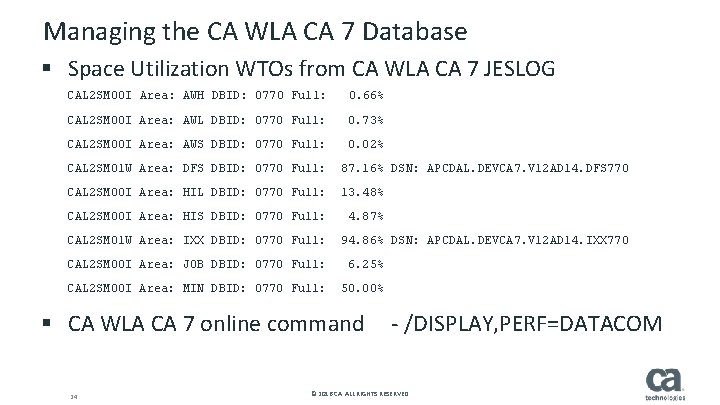
Managing the CA WLA CA 7 Database § Space Utilization WTOs from CA WLA CA 7 JESLOG CAL 2 SM 00 I Area: AWH DBID: 0770 Full: 0. 66% CAL 2 SM 00 I Area: AWL DBID: 0770 Full: 0. 73% CAL 2 SM 00 I Area: AWS DBID: 0770 Full: 0. 02% CAL 2 SM 01 W Area: DFS DBID: 0770 Full: 87. 16% DSN: APCDAL. DEVCA 7. V 12 AD 14. DFS 770 CAL 2 SM 00 I Area: HIL DBID: 0770 Full: 13. 48% CAL 2 SM 00 I Area: HIS DBID: 0770 Full: 4. 87% CAL 2 SM 01 W Area: IXX DBID: 0770 Full: 94. 86% DSN: APCDAL. DEVCA 7. V 12 AD 14. IXX 770 CAL 2 SM 00 I Area: JOB DBID: 0770 Full: 6. 25% CAL 2 SM 00 I Area: MIN DBID: 0770 Full: 50. 00% § CA WLA CA 7 online command - /DISPLAY, PERF=DATACOM 24 24 © 2016 CA. ALL RIGHTS RESERVED.
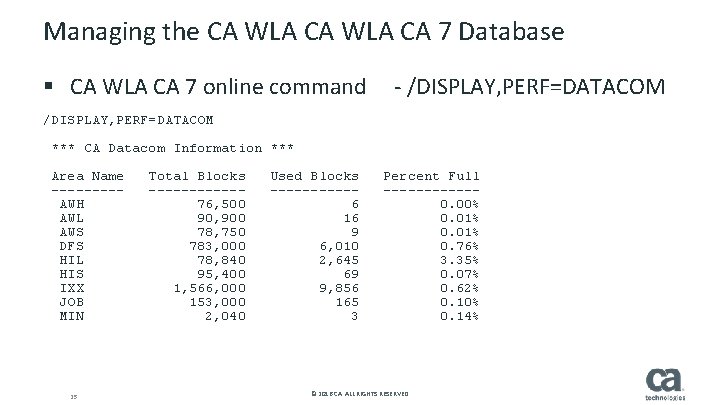
Managing the CA WLA CA 7 Database § CA WLA CA 7 online command - /DISPLAY, PERF=DATACOM *** CA Datacom Information *** Area Name Total Blocks Used Blocks Percent Full ------------ AWH 76, 500 6 0. 00% AWL 90, 900 16 0. 01% AWS 78, 750 9 0. 01% DFS 783, 000 6, 010 0. 76% HIL 78, 840 2, 645 3. 35% HIS 95, 400 69 0. 07% IXX 1, 566, 000 9, 856 0. 62% JOB 153, 000 165 0. 10% MIN 2, 040 3 0. 14% 25 25 © 2016 CA. ALL RIGHTS RESERVED.
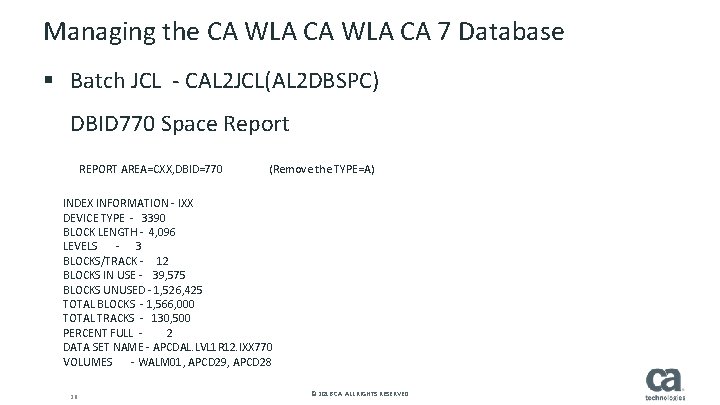
Managing the CA WLA CA 7 Database § Batch JCL - CAL 2 JCL(AL 2 DBSPC) DBID 770 Space Report REPORT AREA=CXX, DBID=770 (Remove the TYPE=A) INDEX INFORMATION - IXX DEVICE TYPE - 3390 BLOCK LENGTH - 4, 096 LEVELS - 3 BLOCKS/TRACK - 12 BLOCKS IN USE - 39, 575 BLOCKS UNUSED - 1, 526, 425 TOTAL BLOCKS - 1, 566, 000 TOTAL TRACKS - 130, 500 PERCENT FULL - 2 DATA SET NAME - APCDAL. LVL 1 R 12. IXX 770 VOLUMES - WALM 01, APCD 29, APCD 28 26 26 © 2016 CA. ALL RIGHTS RESERVED.
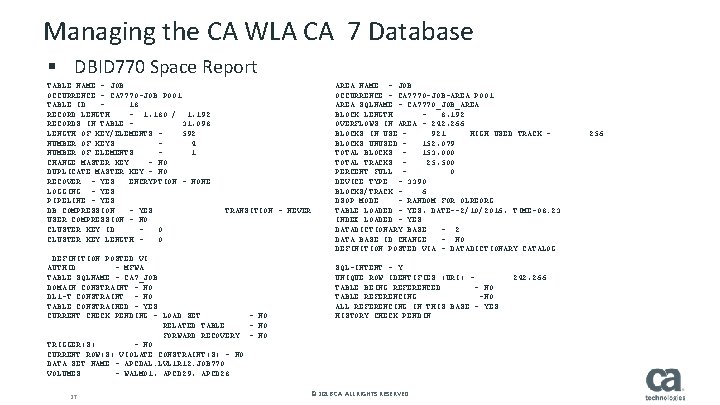
Managing the CA WLA CA 7 Database § DBID 770 Space Report TABLE NAME - JOB AREA NAME - JOB OCCURRENCE - CA 7770 -JOB P 001 OCCURRENCE - CA 7770 -JOB-AREA P 001 TABLE ID - 18 AREA SQLNAME - CA 7770_JOB_AREA RECORD LENGTH - 1, 180 / 1, 192 BLOCK LENGTH - 8, 192 RECORDS IN TABLE - 31, 098 OVERFLOWS IN AREA - 242, 266 LENGTH OF KEY/ELEMENTS - 592 BLOCKS IN USE - 921 HIGH USED TRACK - 256 NUMBER OF KEYS - 4 BLOCKS UNUSED - 152, 079 NUMBER OF ELEMENTS - 1 TOTAL BLOCKS - 153, 000 CHANGE MASTER KEY - NO TOTAL TRACKS - 25, 500 DUPLICATE MASTER KEY - NO PERCENT FULL - 0 RECOVER - YES ENCRYPTION - NONE DEVICE TYPE - 3390 LOGGING - YES BLOCKS/TRACK - 6 PIPELINE - YES DSOP MODE - RANDOM FOR OLREORG DB COMPRESSION - YES TRANSITION - NEVER TABLE LOADED - YES, DATE--2/10/2016, TIME-08. 23 USER COMPRESSION - NO INDEX LOADED - YES CLUSTER KEY ID - 0 DATADICTIONARY BASE - 2 CLUSTER KEY LENGTH - 0 DATA BASE ID CHANGE - NO DEFINITION POSTED VIA - DATADICTIONARY CATALOG DEFINITION POSTED VI AUTHID - MFWA SQL-INTENT - Y TABLE SQLNAME - CA 7_JOB UNIQUE ROW IDENTIFIES (URI) - 242, 266 DOMAIN CONSTRAINT - NO TABLE BEING REFERENCED - NO DL 1 -T CONSTRAINT - NO TABLE REFERENCING -NO TABLE CONSTRAINED - YES ALL REFERENCING IN THIS BASE - YES CURRENT CHECK PENDING - LOAD SET - NO HISTORY CHECK PENDIN RELATED TABLE - NO FORWARD RECOVERY - NO TRIGGER(S) - NO CURRENT ROW(S) VIOLATE CONSTRAINT(S) - NO DATA SET NAME - APCDAL. LVL 1 R 12. JOB 770 VOLUMES - WALM 01, APCD 29, APCD 28 27 27 © 2016 CA. ALL RIGHTS RESERVED.
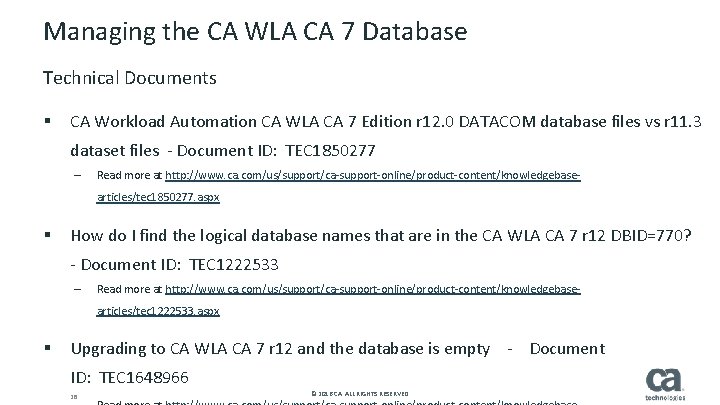
Managing the CA WLA CA 7 Database Technical Documents CA Workload Automation CA WLA CA 7 Edition r 12. 0 DATACOM database files vs r 11. 3 § dataset files - Document ID: TEC 1850277 – Read more at http: //www. ca. com/us/support/ca-support-online/product-content/knowledgebasearticles/tec 1850277. aspx How do I find the logical database names that are in the CA WLA CA 7 r 12 DBID=770? § - Document ID: TEC 1222533 – Read more at http: //www. ca. com/us/support/ca-support-online/product-content/knowledgebasearticles/tec 1222533. aspx Upgrading to CA WLA CA 7 r 12 and the database is empty - Document § 28 ID: TEC 1648966 28 © 2016 CA. ALL RIGHTS RESERVED.
More Information § CA Support Online / Release Notes / CA Datacom/AD for CA WLA CA 7 § https: //docops. ca. com/ca-wlaca 7 -12 -en/release-information/ca-datacom-ad-for-ca-7 Coming SOON (September 27 th): Getting Started: CA Datacom® AD with CA Workload Automation CA 7® Edition r 12 (Part 2) 29 29 © 2016 CA. ALL RIGHTS RESERVED.
Questions For more info: • • docops. ca. com/ca 7 communities. ca. com support. ca. com/wla/ca 7
Questions
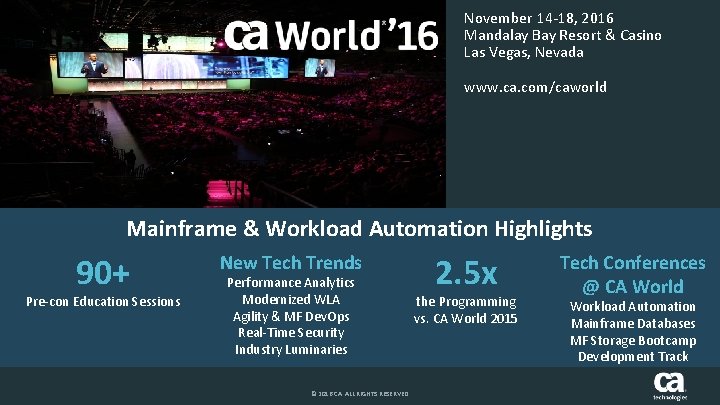
November 14 -18, 2016 Mandalay Bay Resort & Casino Las Vegas, Nevada www. ca. com/caworld Mainframe & Workload Automation Highlights 90+ Pre-con Education Sessions New Tech Trends Performance Analytics Modernized WLA Agility & MF Dev. Ops Real-Time Security Industry Luminaries © 2016 CA. ALL RIGHTS RESERVED. 2. 5 x the Programming vs. CA World 2015 Tech Conferences @ CA World Workload Automation Mainframe Databases MF Storage Bootcamp Development Track