GE Customer Net How To Register for an
- Slides: 16
GE Customer. Net How To Register for an SSO (Single Sign On) ID CUSTOMER TRAINING PAGES
GE Single Sign On (SSO) Enabled Customer. Net This training document contains instructions on • How to register for a GE Single Sign On ID and password • Updated features with the SSO Enabled We hope you find it helpful. Customer. Net
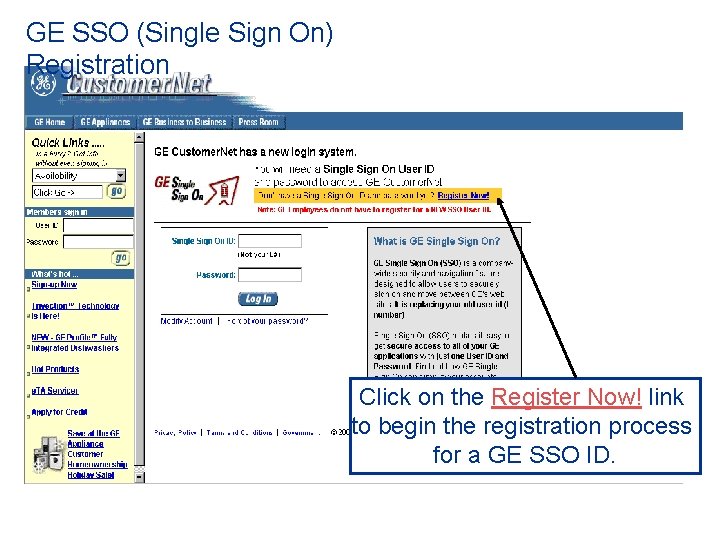
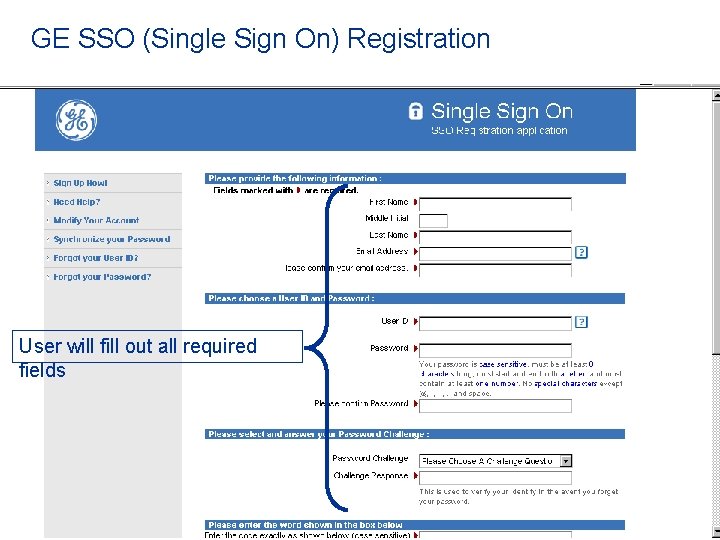
GE SSO (Single Sign On) Registration Click on the Register Now! link to begin the registration process for a GE SSO ID.
GE SSO (Single Sign On) Registration User will fill out all required fields
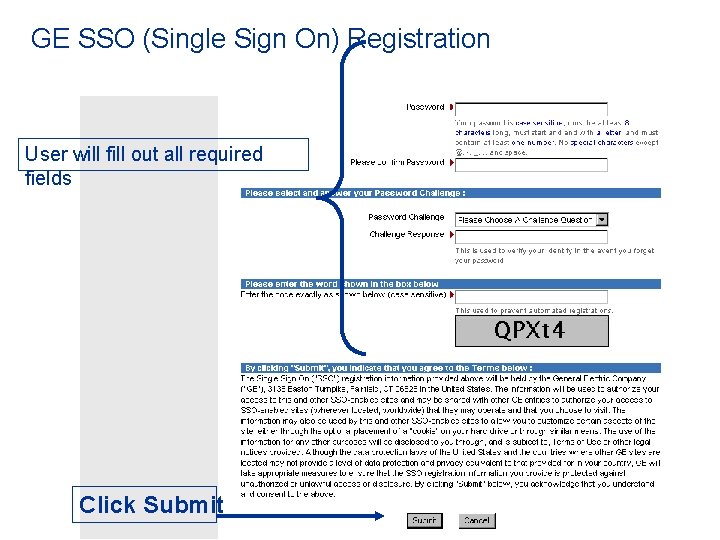
GE SSO (Single Sign On) Registration User will fill out all required fields Click Submit
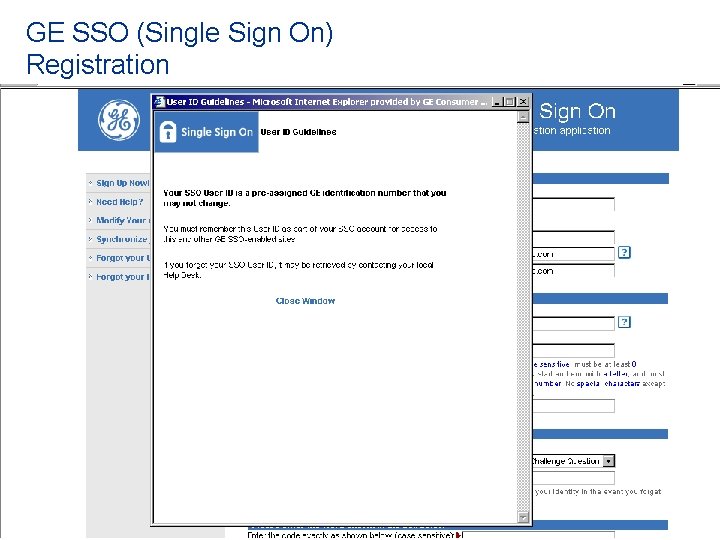
GE SSO (Single Sign On) Registration
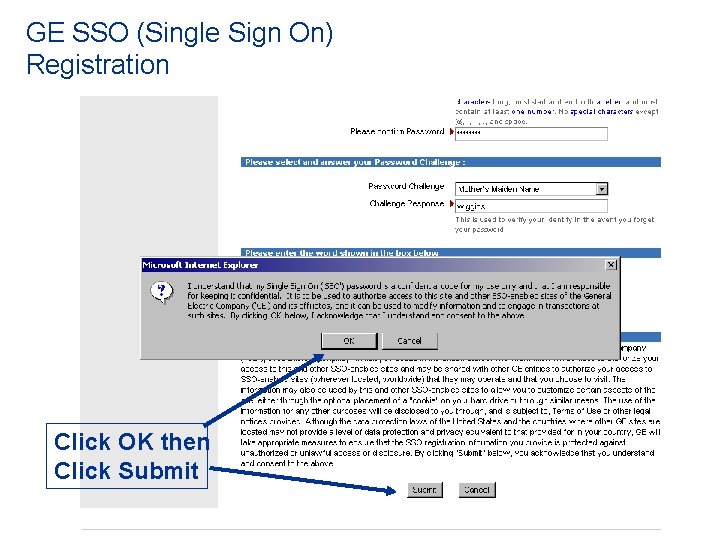
GE SSO (Single Sign On) Registration Click OK then Click Submit
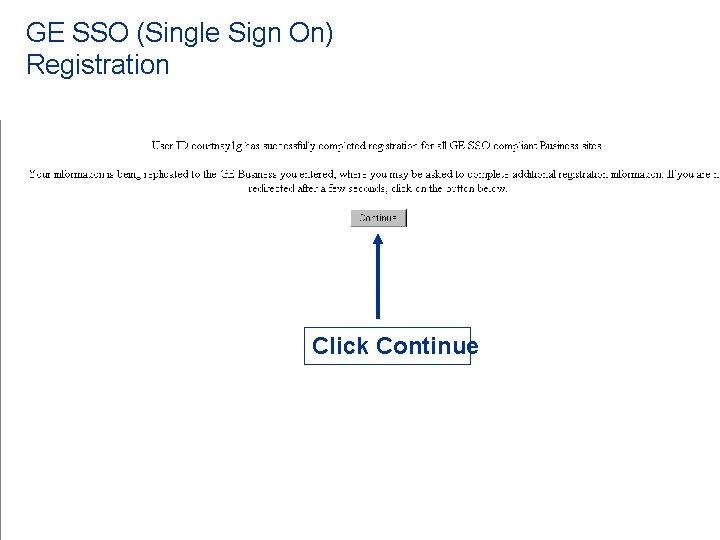
GE SSO (Single Sign On) Registration Click Continue
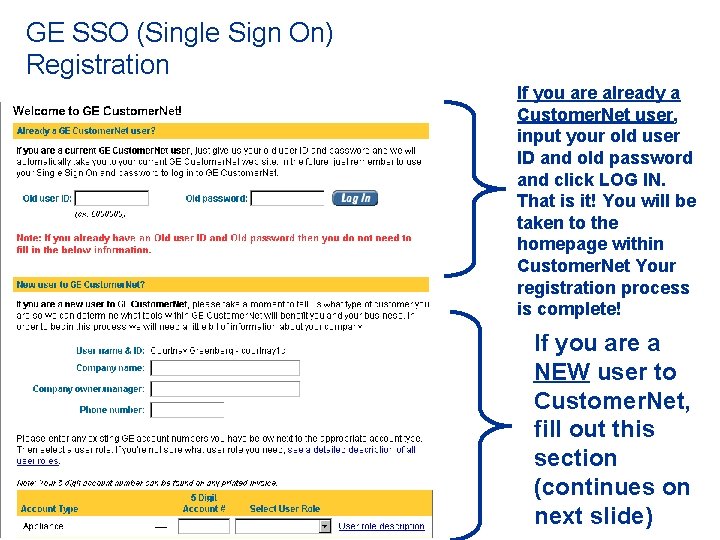
GE SSO (Single Sign On) Registration If you are already a Customer. Net user, input your old user ID and old password and click LOG IN. That is it! You will be taken to the homepage within Customer. Net Your registration process is complete! If you are a NEW user to Customer. Net, fill out this section (continues on next slide)
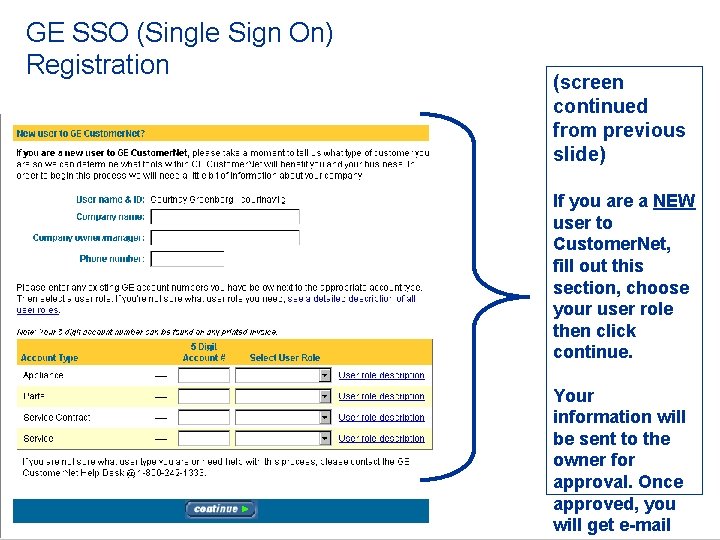
GE SSO (Single Sign On) Registration (screen continued from previous slide) If you are a NEW user to Customer. Net, fill out this section, choose your user role then click continue. Your information will be sent to the owner for approval. Once approved, you will get e-mail
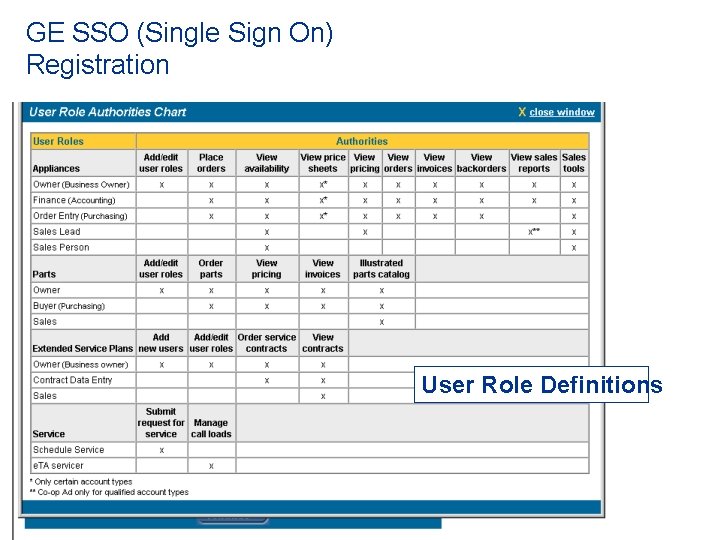
GE SSO (Single Sign On) Registration User Role Definitions
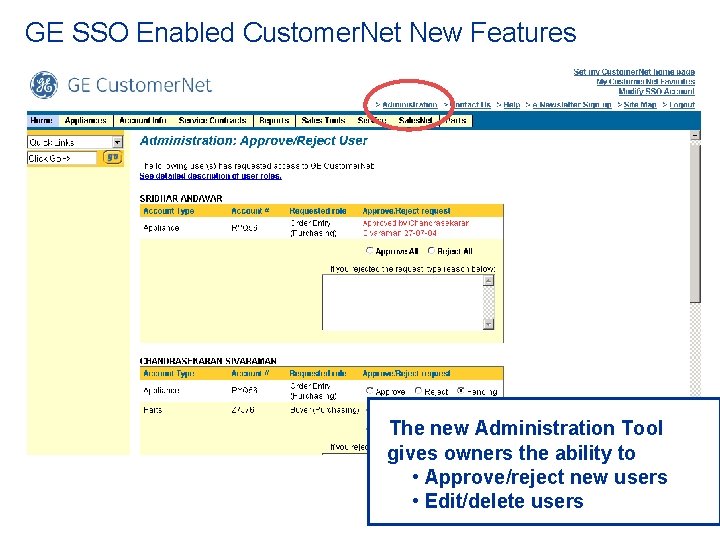
GE SSO Enabled Customer. Net New Features The new Administration Tool gives owners the ability to • Approve/reject new users • Edit/delete users
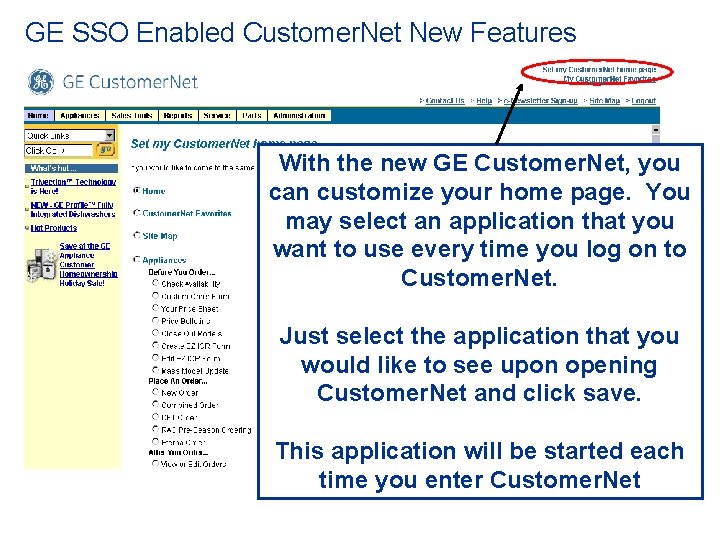
GE SSO Enabled Customer. Net New Features With the new GE Customer. Net, you can customize your home page. You may select an application that you want to use every time you log on to Customer. Net. Just select the application that you would like to see upon opening Customer. Net and click save. This application will be started each time you enter Customer. Net
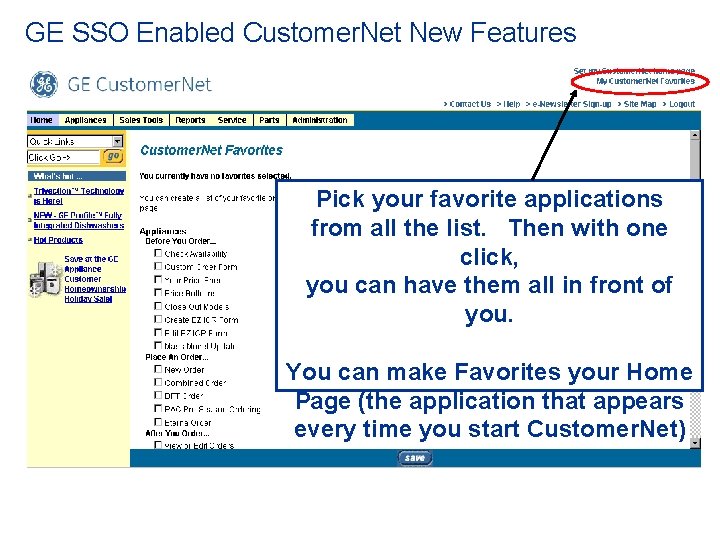
GE SSO Enabled Customer. Net New Features Pick your favorite applications from all the list. Then with one click, you can have them all in front of you. You can make Favorites your Home Page (the application that appears every time you start Customer. Net)
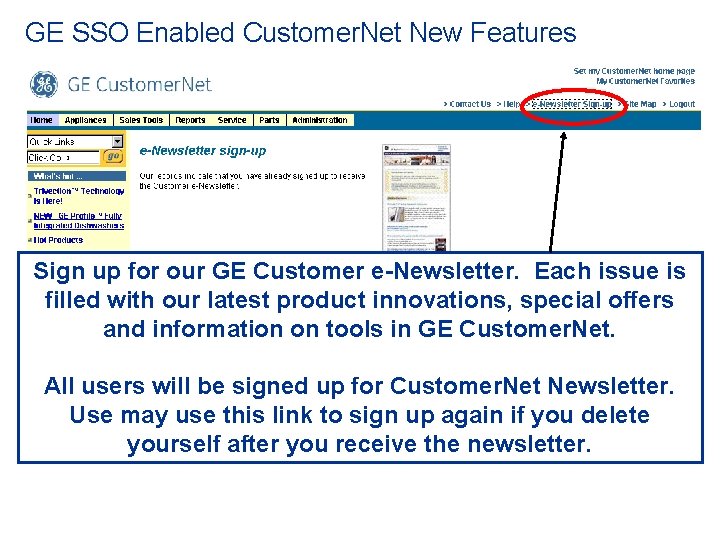
GE SSO Enabled Customer. Net New Features Sign up for our GE Customer e-Newsletter. Each issue is filled with our latest product innovations, special offers and information on tools in GE Customer. Net. All users will be signed up for Customer. Net Newsletter. Use may use this link to sign up again if you delete yourself after you receive the newsletter.
GE SSO Enabled Customer. Net Upon completion of this training document, if you have any questions, our e. Business Help Desk will be glad to help. 1 -800 -242 -1333 Hours of Operation: Monday - Friday 8: 00 AM-6: 00 PM EST