From Desktop to Data Center Oracle Virtualization Wim
- Slides: 53
From Desktop to Data Center - Oracle Virtualization Wim Coekaerts Senior Vice President, Linux and Virtualization Engineering
The following is intended to outline our general product direction. It is intended for information purposes only, and may not be incorporated into any contract. It is not a commitment to deliver any material, code, or functionality, and should not be relied upon in making purchasing decisions. The development, release, and timing of any features or functionality described for Oracle’s products remains at the sole discretion of Oracle.
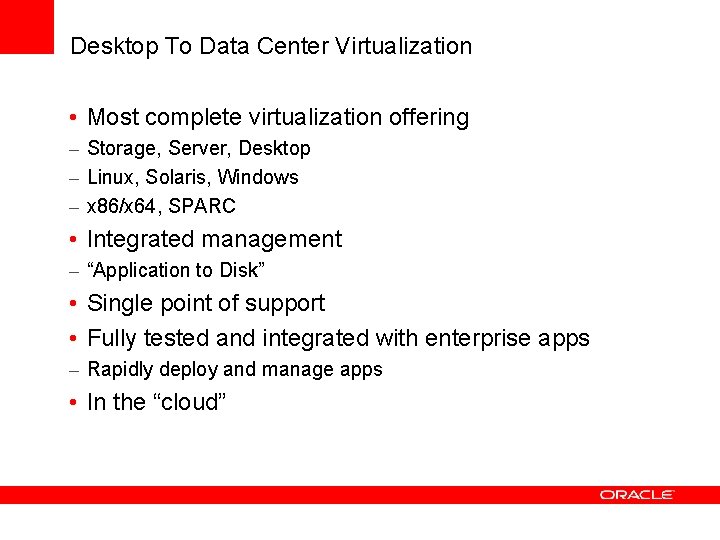
Desktop To Data Center Virtualization • Most complete virtualization offering – Storage, Server, Desktop – Linux, Solaris, Windows – x 86/x 64, SPARC • Integrated management – “Application to Disk” • Single point of support • Fully tested and integrated with enterprise apps – Rapidly deploy and manage apps • In the “cloud”
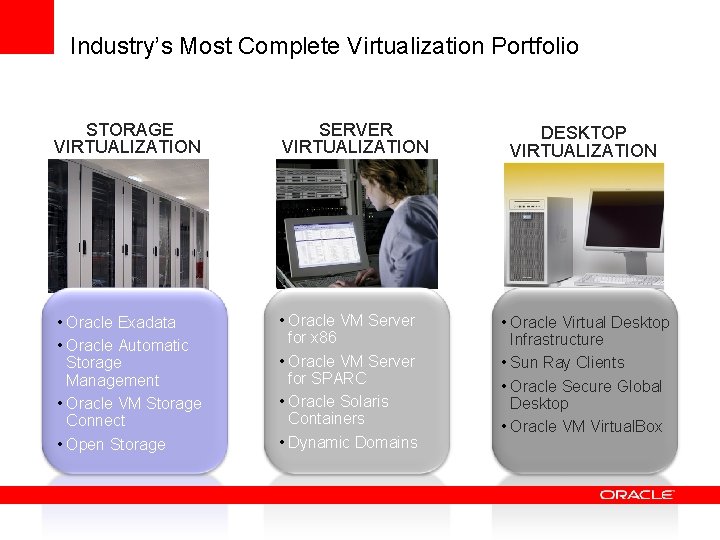
Industry’s Most Complete Virtualization Portfolio STORAGE VIRTUALIZATION SERVER VIRTUALIZATION • Oracle Exadata • Oracle Automatic Storage Management • Oracle VM Storage Connect • Open Storage • Oracle VM Server for x 86 • Oracle VM Server for SPARC • Oracle Solaris Containers • Dynamic Domains DESKTOP VIRTUALIZATION • Oracle Virtual Desktop Infrastructure • Sun Ray Clients • Oracle Secure Global Desktop • Oracle VM Virtual. Box
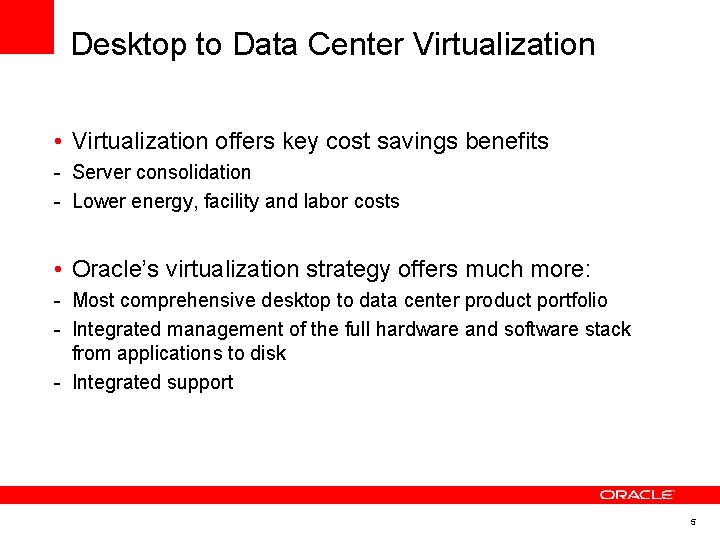
Desktop to Data Center Virtualization • Virtualization offers key cost savings benefits - Server consolidation - Lower energy, facility and labor costs • Oracle’s virtualization strategy offers much more: - Most comprehensive desktop to data center product portfolio - Integrated management of the full hardware and software stack from applications to disk - Integrated support 5
Thin Client - Sun Ray
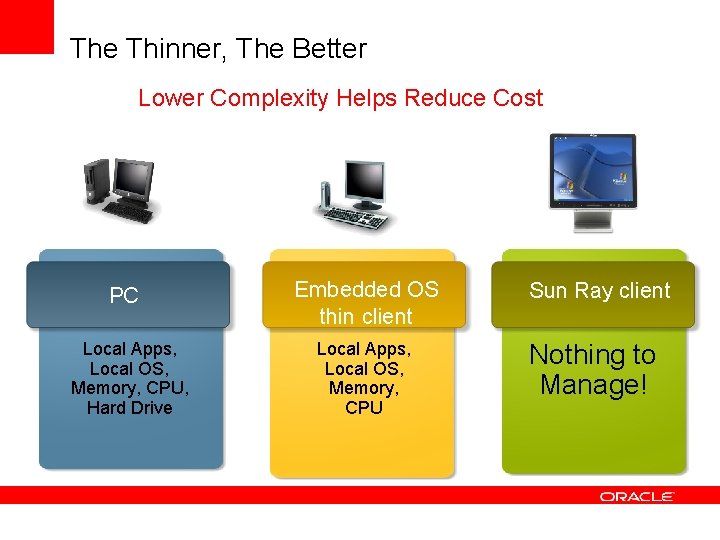
The Thinner, The Better Lower Complexity Helps Reduce Cost PC Local Apps, Local OS, Memory, CPU, Hard Drive Embedded OS thin client Local Apps, Local OS, Memory, CPU Sun Ray client Nothing to Manage!
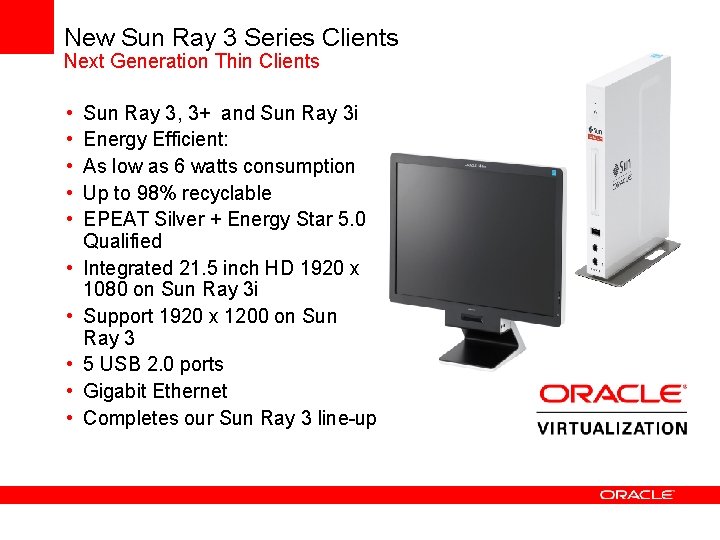
New Sun Ray 3 Series Clients Next Generation Thin Clients • • • Sun Ray 3, 3+ and Sun Ray 3 i Energy Efficient: As low as 6 watts consumption Up to 98% recyclable EPEAT Silver + Energy Star 5. 0 Qualified Integrated 21. 5 inch HD 1920 x 1080 on Sun Ray 3 i Support 1920 x 1200 on Sun Ray 3 5 USB 2. 0 ports Gigabit Ethernet Completes our Sun Ray 3 line-up
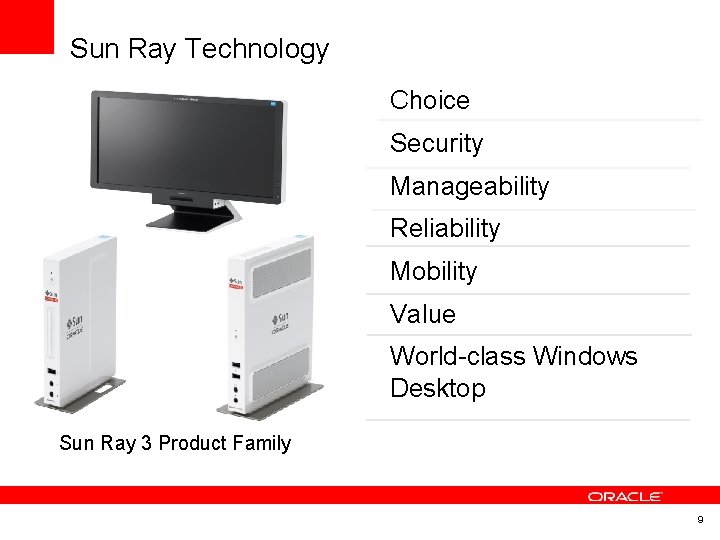
Sun Ray Technology Choice Security Manageability Reliability Mobility Value World-class Windows Desktop Sun Ray 3 Product Family 9
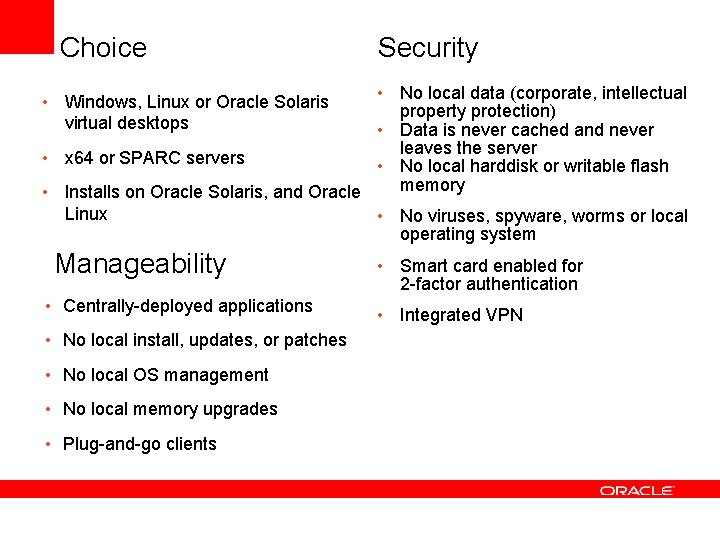
Choice Security • No local data (corporate, intellectual property protection) • Data is never cached and never leaves the server • x 64 or SPARC servers • No local harddisk or writable flash memory • Installs on Oracle Solaris, and Oracle Linux • No viruses, spyware, worms or local operating system • Windows, Linux or Oracle Solaris virtual desktops Manageability • Centrally-deployed applications • No local install, updates, or patches • No local OS management • No local memory upgrades • Plug-and-go clients • Smart card enabled for 2 -factor authentication • Integrated VPN
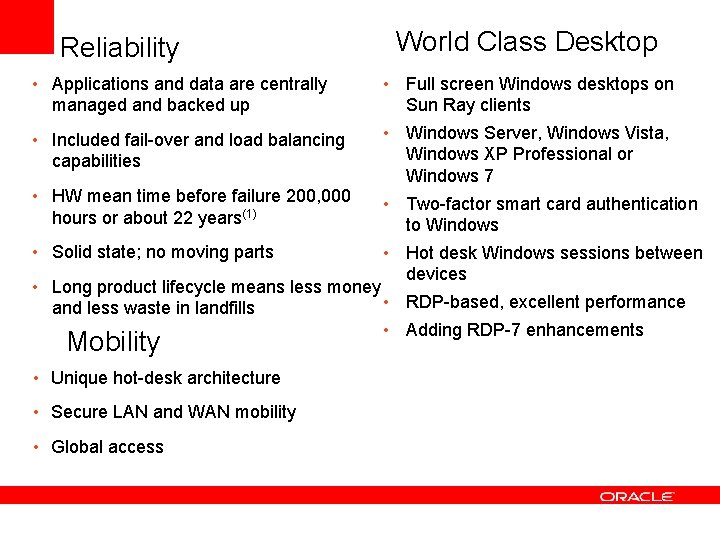
Reliability • Applications and data are centrally managed and backed up • • World Class Desktop • Full screen Windows desktops on Sun Ray clients • Windows Server, Windows Vista, Included fail-over and load balancing Windows XP Professional or capabilities Windows 7 HW mean time before failure 200, 000 • Two-factor smart card authentication hours or about 22 years(1) to Windows Solid state; no moving parts • Hot desk Windows sessions between devices Long product lifecycle means less money • RDP-based, excellent performance and less waste in landfills • Adding RDP-7 enhancements Mobility • Unique hot-desk architecture • Secure LAN and WAN mobility • Global access
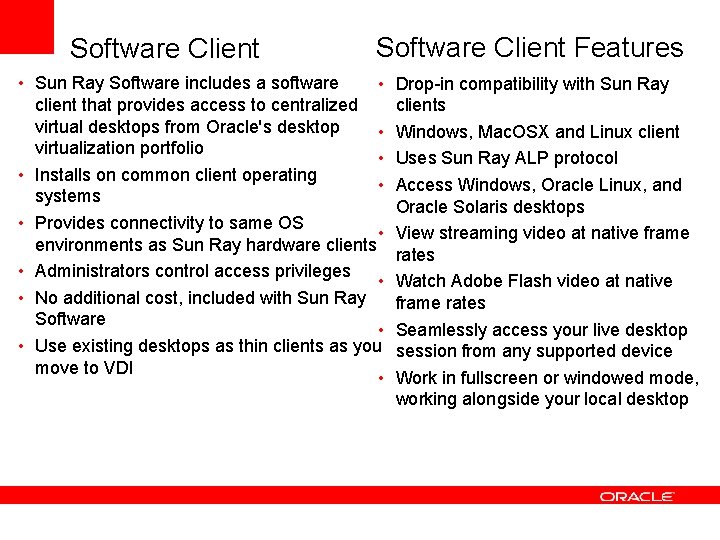
Software Client Features • Sun Ray Software includes a software • client that provides access to centralized virtual desktops from Oracle's desktop • virtualization portfolio • • Installs on common client operating • systems • Provides connectivity to same OS • environments as Sun Ray hardware clients • Administrators control access privileges • • No additional cost, included with Sun Ray Software • • Use existing desktops as thin clients as you move to VDI • Drop-in compatibility with Sun Ray clients Windows, Mac. OSX and Linux client Uses Sun Ray ALP protocol Access Windows, Oracle Linux, and Oracle Solaris desktops View streaming video at native frame rates Watch Adobe Flash video at native frame rates Seamlessly access your live desktop session from any supported device Work in fullscreen or windowed mode, working alongside your local desktop
Oracle Virtual Desktop Infrastructure (VDI)
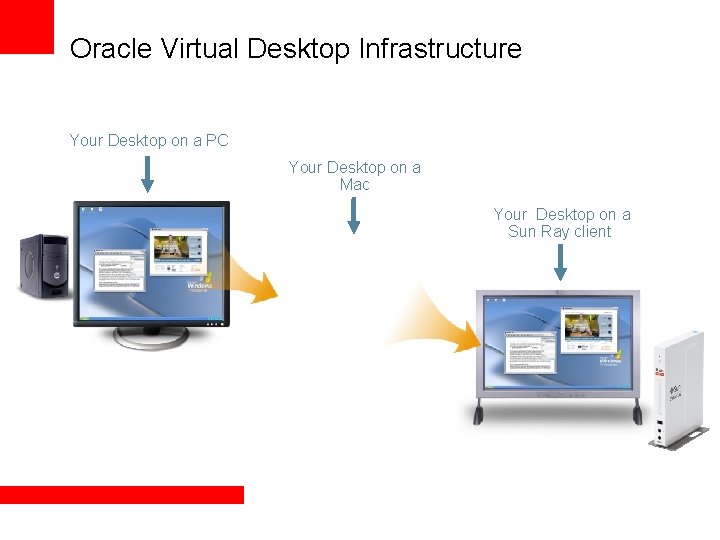
Oracle Virtual Desktop Infrastructure Your Desktop on a PC Your Desktop on a Mac Your Desktop on a Sun Ray client
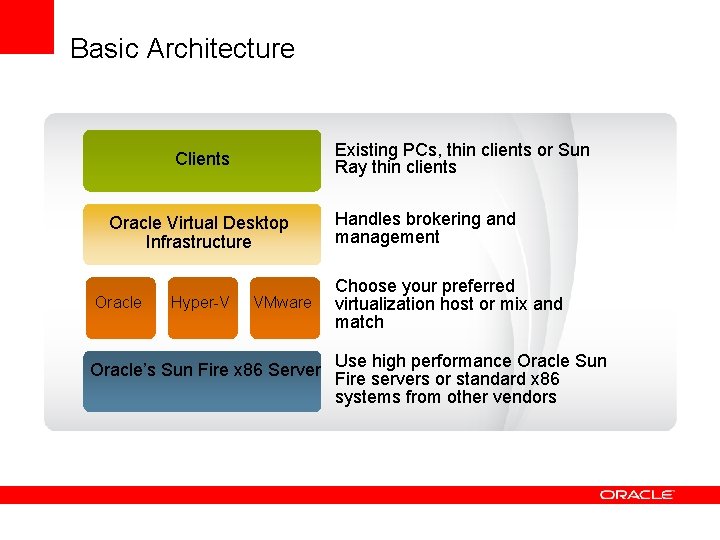
Oracle Virtual Desktop Infrastructure • Virtual desktop access, brokering, and hosting • Provides a highly manageable desktop environment for IT and a productive desktop environment for end users • Enables a choice of virtualization host platforms (Oracle built-in, Microsoft Hyper-V, & VMware v. Sphere) • Built-in support for Sun Ray clients or use nearly any modern PC • Enables virtual desktops based on Windows, Oracle Linux, Ubuntu, SUSE Linux Enterprise Desktop • Consumes dramatically less storage than previous solutions and increases performance of virtual desktop cloning • Simple Active Directory and LDAP integration Open Architecture for Choice and Flexibility
Basic Architecture Existing PCs, thin clients or Sun Ray thin clients Clients Oracle Virtual Desktop Infrastructure Oracle Hyper-V VMware Handles brokering and management Choose your preferred virtualization host or mix and match Oracle’s Sun Fire x 86 Server Use high performance Oracle Sun Fire servers or standard x 86 systems from other vendors
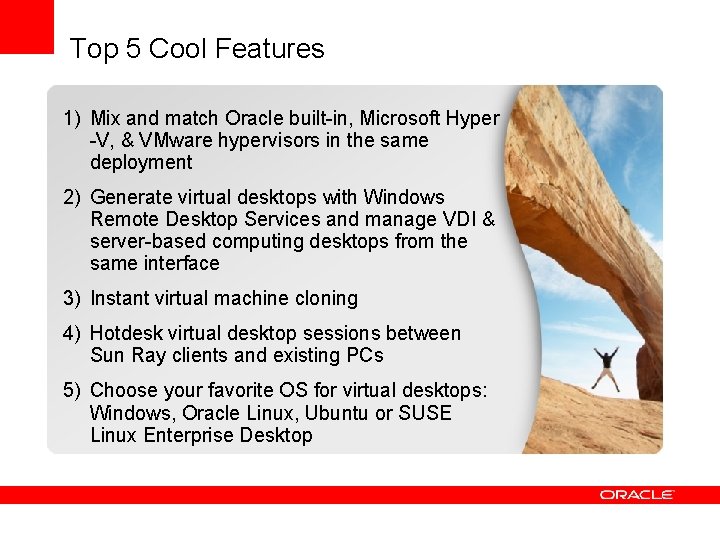
Top 5 Cool Features 1) Mix and match Oracle built-in, Microsoft Hyper -V, & VMware hypervisors in the same deployment 2) Generate virtual desktops with Windows Remote Desktop Services and manage VDI & server-based computing desktops from the same interface 3) Instant virtual machine cloning 4) Hotdesk virtual desktop sessions between Sun Ray clients and existing PCs 5) Choose your favorite OS for virtual desktops: Windows, Oracle Linux, Ubuntu or SUSE Linux Enterprise Desktop
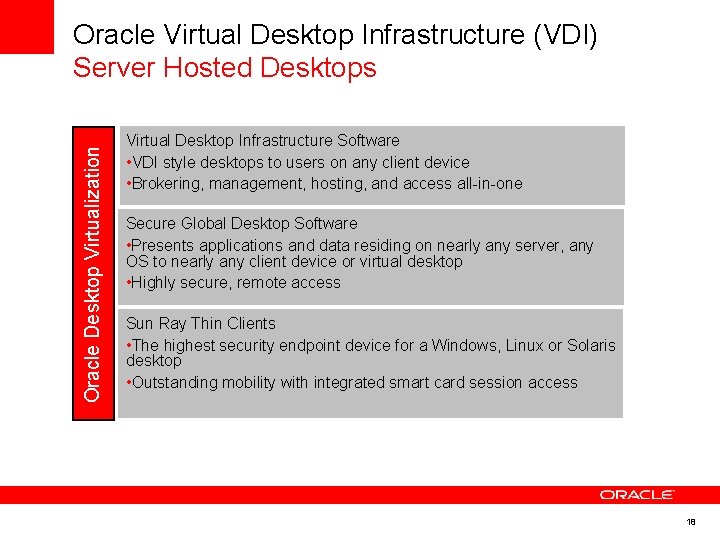
Oracle Desktop Virtualization Oracle Virtual Desktop Infrastructure (VDI) Server Hosted Desktops Virtual Desktop Infrastructure Software • VDI style desktops to users on any client device • Brokering, management, hosting, and access all-in-one Secure Global Desktop Software • Presents applications and data residing on nearly any server, any OS to nearly any client device or virtual desktop • Highly secure, remote access Sun Ray Thin Clients • The highest security endpoint device for a Windows, Linux or Solaris desktop • Outstanding mobility with integrated smart card session access 18
Oracle VM Virtual. Box
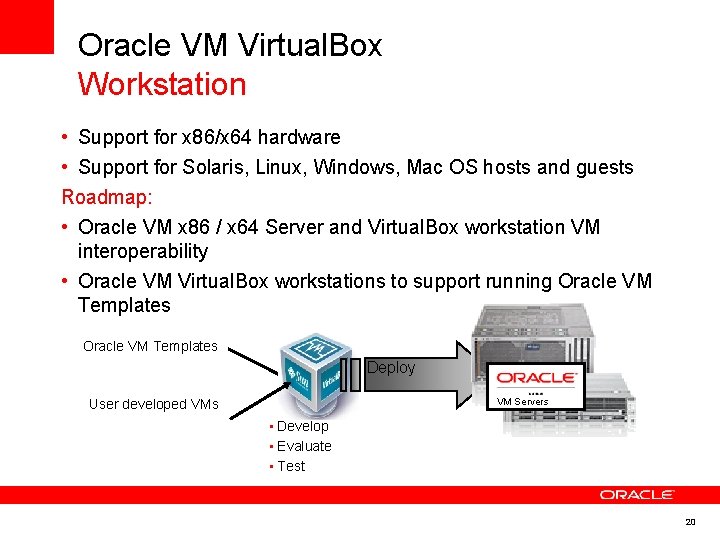
Oracle VM Virtual. Box Workstation • Support for x 86/x 64 hardware • Support for Solaris, Linux, Windows, Mac OS hosts and guests Roadmap: • Oracle VM x 86 / x 64 Server and Virtual. Box workstation VM interoperability • Oracle VM Virtual. Box workstations to support running Oracle VM Templates Deploy VM Servers User developed VMs • Develop • Evaluate • Test 20
Oracle VM Server
Oracle VM Server Virtualization • High performance 86 and SPARC (CMT) virtualization • Virtualization solution for both Oracle and non-Oracle applications • The only server virtualization software supported and certified for all Oracle software • Enterprise-quality support • Real-world deployment testing Risk-free virtualization 22
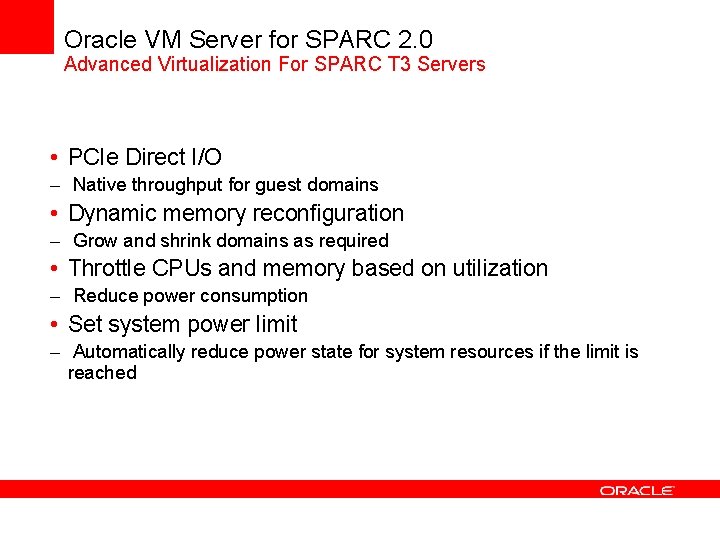
Oracle VM Server for SPARC 2. 0 Advanced Virtualization For SPARC T 3 Servers • PCIe Direct I/O – Native throughput for guest domains • Dynamic memory reconfiguration – Grow and shrink domains as required • Throttle CPUs and memory based on utilization – Reduce power consumption • Set system power limit – Automatically reduce power state for system resources if the limit is reached
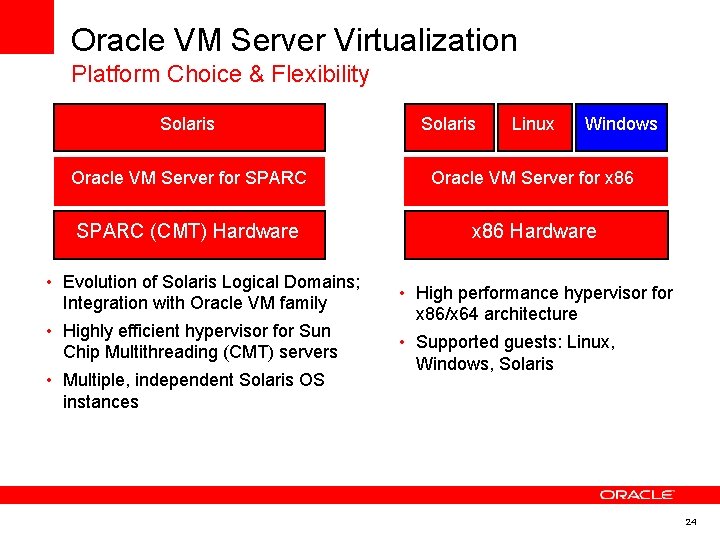
Oracle VM Server Virtualization Platform Choice & Flexibility Solaris Linux Windows Oracle VM Server for SPARC Oracle VM Server for x 86 SPARC (CMT) Hardware x 86 Hardware • Evolution of Solaris Logical Domains; Integration with Oracle VM family • Highly efficient hypervisor for Sun Chip Multithreading (CMT) servers • Multiple, independent Solaris OS instances • High performance hypervisor for x 86/x 64 architecture • Supported guests: Linux, Windows, Solaris 24
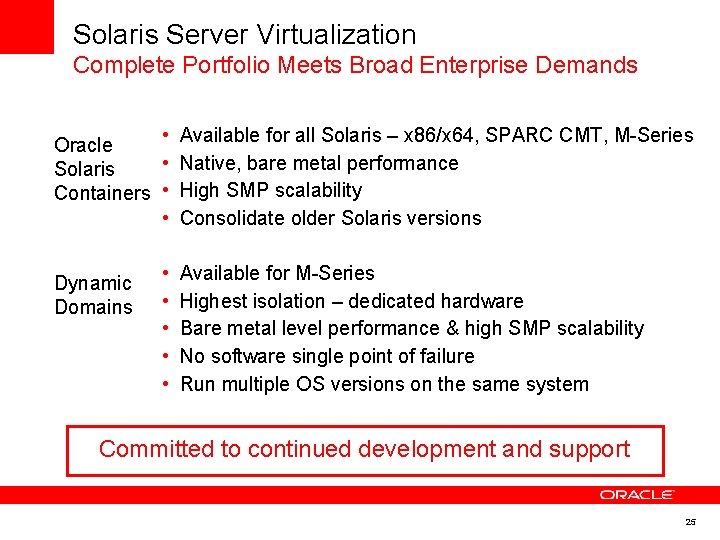
Solaris Server Virtualization Complete Portfolio Meets Broad Enterprise Demands • Available for all Solaris – x 86/x 64, SPARC CMT, M-Series Oracle • Native, bare metal performance Solaris Containers • High SMP scalability • Consolidate older Solaris versions Dynamic Domains • • • Available for M-Series Highest isolation – dedicated hardware Bare metal level performance & high SMP scalability No software single point of failure Run multiple OS versions on the same system Committed to continued development and support 25
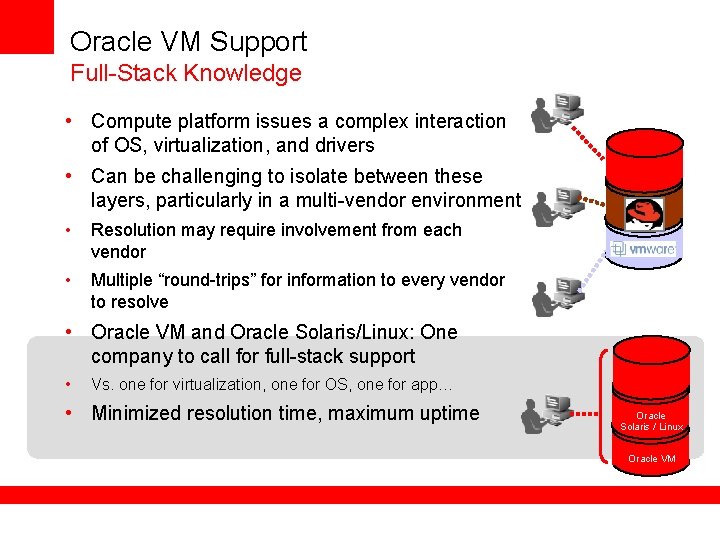
Oracle VM Support Full-Stack Knowledge • Compute platform issues a complex interaction of OS, virtualization, and drivers • Can be challenging to isolate between these layers, particularly in a multi-vendor environment • Resolution may require involvement from each vendor • Multiple “round-trips” for information to every vendor to resolve • Oracle VM and Oracle Solaris/Linux: One company to call for full-stack support • Vs. one for virtualization, one for OS, one for app… • Minimized resolution time, maximum uptime Oracle Solaris / Linux Oracle VM
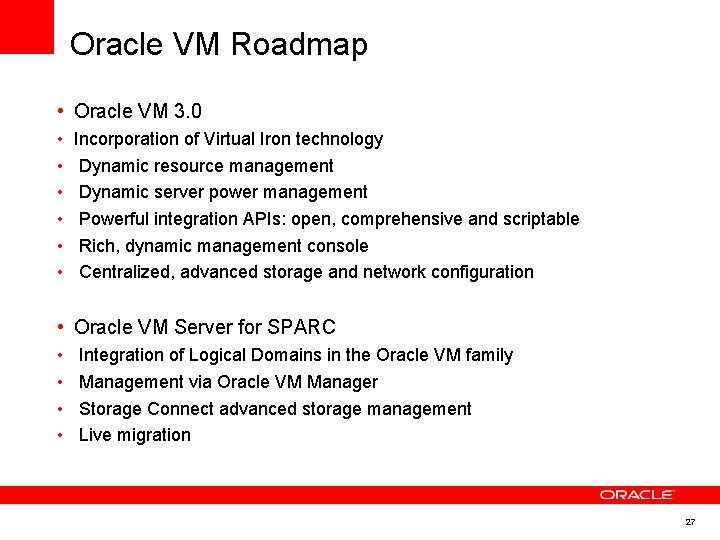
Oracle VM Roadmap • Oracle VM 3. 0 • • • Incorporation of Virtual Iron technology Dynamic resource management Dynamic server power management Powerful integration APIs: open, comprehensive and scriptable Rich, dynamic management console Centralized, advanced storage and network configuration • Oracle VM Server for SPARC • • Integration of Logical Domains in the Oracle VM family Management via Oracle VM Manager Storage Connect advanced storage management Live migration 27
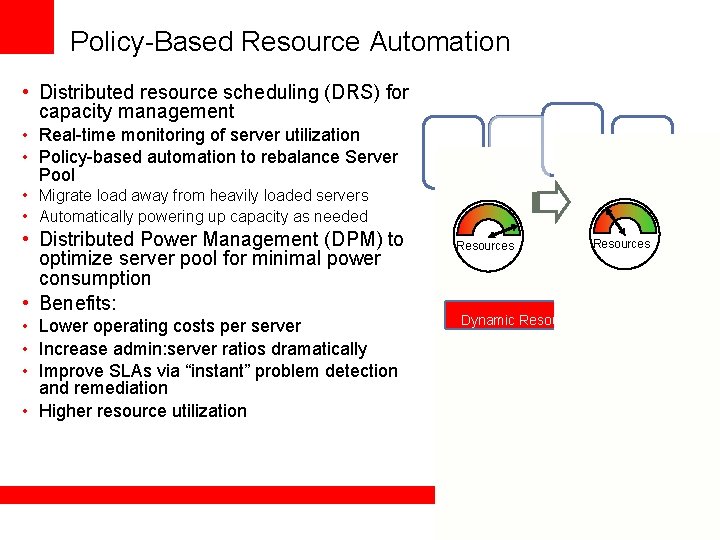
Policy-Based Resource Automation • Distributed resource scheduling (DRS) for capacity management • Real-time monitoring of server utilization • Policy-based automation to rebalance Server Pool • Migrate load away from heavily loaded servers • Automatically powering up capacity as needed • Distributed Power Management (DPM) to optimize server pool for minimal power consumption • Benefits: • Lower operating costs per server • Increase admin: server ratios dramatically • Improve SLAs via “instant” problem detection and remediation • Higher resource utilization Resources VM Server Dynamic Resource Management Server Pool Storage Pool
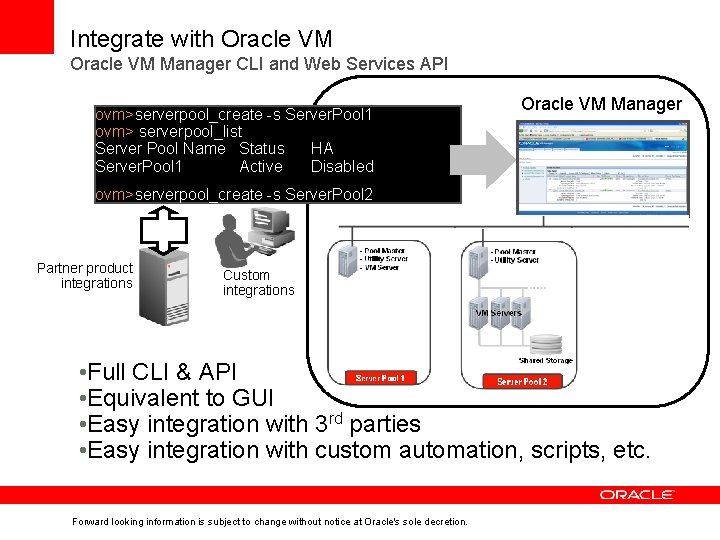
Integrate with Oracle VM Manager CLI and Web Services API ovm>serverpool_create -s Server. Pool 1 ovm> serverpool_list Server Pool Name Status HA Server. Pool 1 Active Disabled Oracle VM Manager ovm>serverpool_create -s Server. Pool 2 Partner product integrations Custom integrations • Full CLI & API • Equivalent to GUI • Easy integration with 3 rd parties • Easy integration with custom automation, scripts, etc. Forward looking information is subject to change without notice at Oracle's sole decretion.
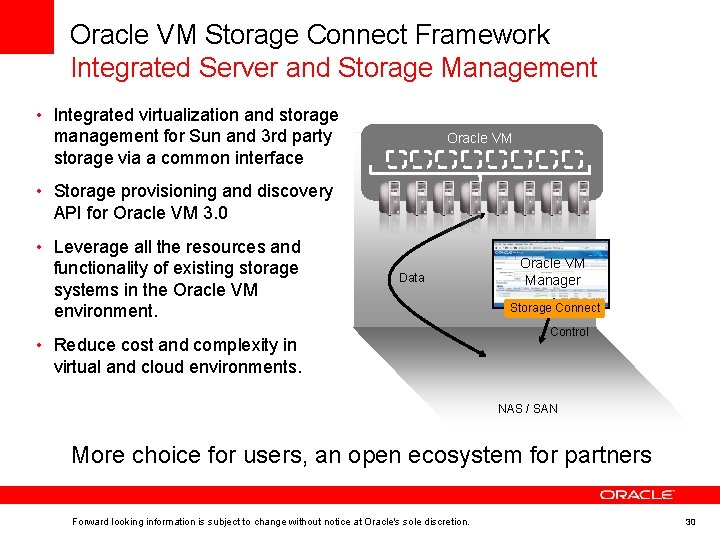
Oracle VM Storage Connect Framework Integrated Server and Storage Management • Integrated virtualization and storage management for Sun and 3 rd party storage via a common interface Oracle VM • Storage provisioning and discovery API for Oracle VM 3. 0 • Leverage all the resources and functionality of existing storage systems in the Oracle VM environment. Data • Reduce cost and complexity in virtual and cloud environments. Oracle VM Manager Storage Connect Control NAS / SAN More choice for users, an open ecosystem for partners Forward looking information is subject to change without notice at Oracle's sole discretion. 30
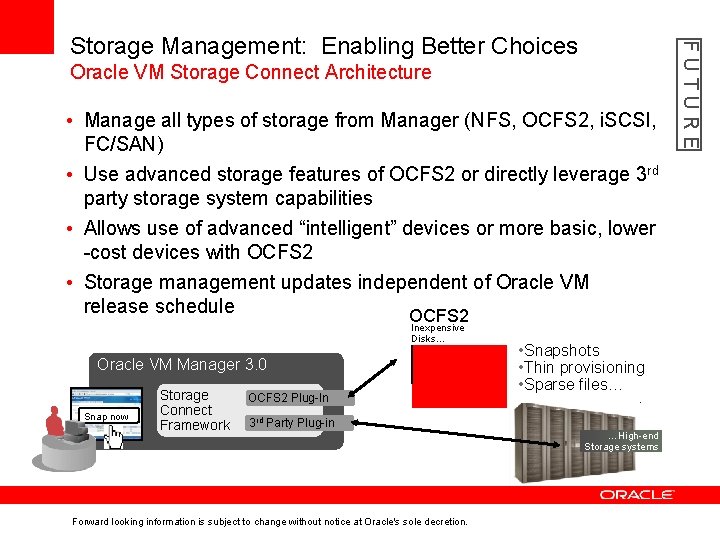
Oracle VM Storage Connect Architecture • Manage all types of storage from Manager (NFS, OCFS 2, i. SCSI, FC/SAN) • Use advanced storage features of OCFS 2 or directly leverage 3 rd party storage system capabilities • Allows use of advanced “intelligent” devices or more basic, lower -cost devices with OCFS 2 • Storage management updates independent of Oracle VM release schedule OCFS 2 Inexpensive Disks… Oracle VM Manager 3. 0 Snap now Storage Connect Framework OCFS 2 Plug-In • Snapshots • Thin provisioning • Sparse files… 3 rd Party Plug-in Forward looking information is subject to change without notice at Oracle's sole decretion. …High-end Storage systems FUTURE Storage Management: Enabling Better Choices
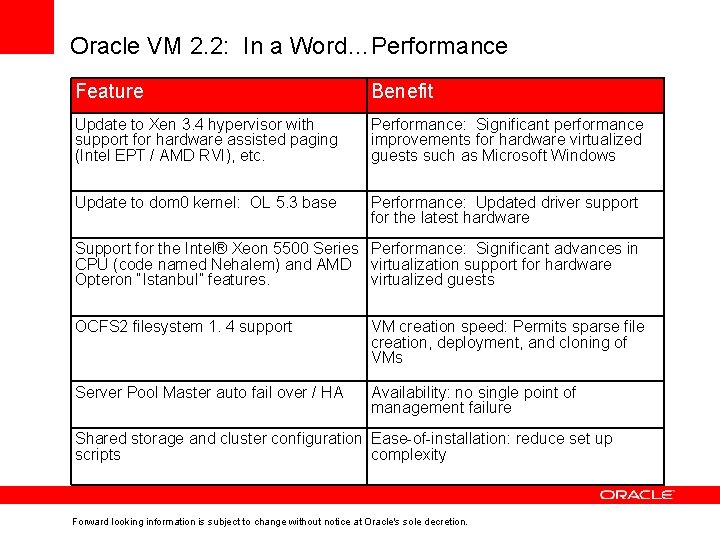
Oracle VM 2. 2: In a Word…Performance Feature Benefit Update to Xen 3. 4 hypervisor with support for hardware assisted paging (Intel EPT / AMD RVI), etc. Performance: Significant performance improvements for hardware virtualized guests such as Microsoft Windows Update to dom 0 kernel: OL 5. 3 base Performance: Updated driver support for the latest hardware Support for the Intel® Xeon 5500 Series Performance: Significant advances in CPU (code named Nehalem) and AMD virtualization support for hardware Opteron “Istanbul” features. virtualized guests OCFS 2 filesystem 1. 4 support VM creation speed: Permits sparse file creation, deployment, and cloning of VMs Server Pool Master auto fail over / HA Availability: no single point of management failure Shared storage and cluster configuration Ease-of-installation: reduce set up scripts complexity Forward looking information is subject to change without notice at Oracle's sole decretion.
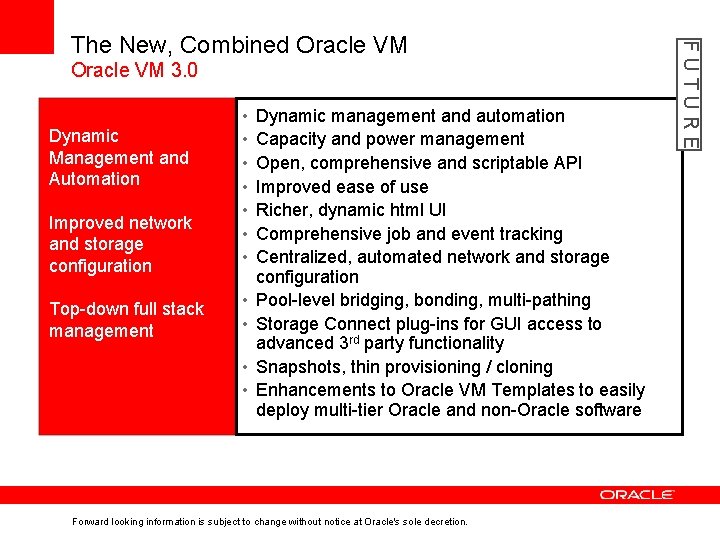
Oracle VM 3. 0 Improved network and storage configuration • • Top-down full stack management • • Dynamic Management and Automation • • Dynamic management and automation Capacity and power management Open, comprehensive and scriptable API Improved ease of use Richer, dynamic html UI Comprehensive job and event tracking Centralized, automated network and storage configuration Pool-level bridging, bonding, multi-pathing Storage Connect plug-ins for GUI access to advanced 3 rd party functionality Snapshots, thin provisioning / cloning Enhancements to Oracle VM Templates to easily deploy multi-tier Oracle and non-Oracle software Forward looking information is subject to change without notice at Oracle's sole decretion. FUTURE The New, Combined Oracle VM
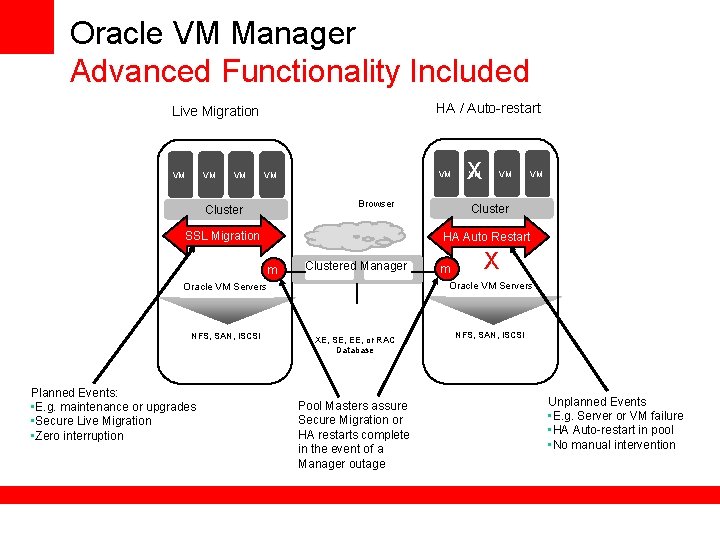
Oracle VM Manager Advanced Functionality Included HA / Auto-restart Live Migration VM VM VM Browser Cluster SSL Migration Clustered Manager VM VM Cluster m X Oracle VM Servers Planned Events: • E. g. maintenance or upgrades • Secure Live Migration • Zero interruption VM HA Auto Restart m NFS, SAN, i. SCSI X XE, SE, EE, or RAC Database Pool Masters assure Secure Migration or HA restarts complete in the event of a Manager outage NFS, SAN, i. SCSI Unplanned Events • E. g. Server or VM failure • HA Auto-restart in pool • No manual intervention
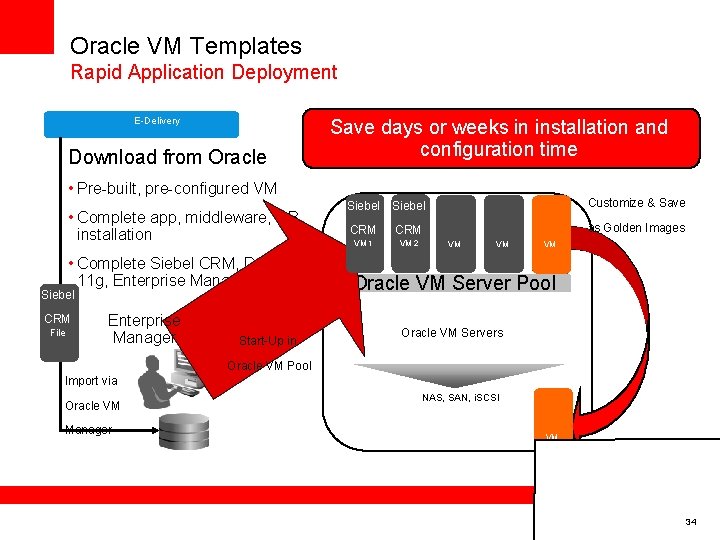
Oracle VM Templates Rapid Application Deployment E-Delivery Download from Oracle Save days or weeks in installation and configuration time • Pre-built, pre-configured VM • Complete app, middleware, DB installation • Complete Siebel CRM, Database 11 g, Enterprise Manager… Siebel CRM File Enterprise Manager Start-Up in Siebel Customize & Save CRM as Golden Images VM 1 VM 2 VM VM VM Oracle VM Server Pool Oracle VM Servers Oracle VM Pool Import via Oracle VM Manager NAS, SAN, i. SCSI VM 34
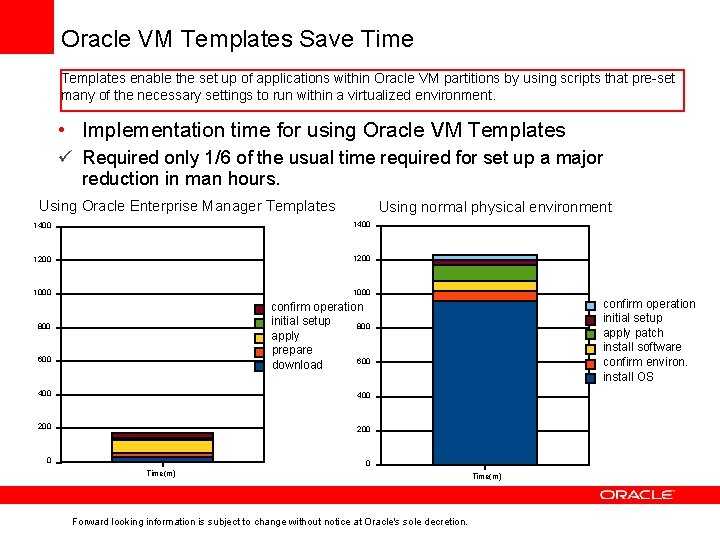
Oracle VM Templates Save Time Templates enable the set up of applications within Oracle VM partitions by using scripts that pre-set many of the necessary settings to run within a virtualized environment. • Implementation time for using Oracle VM Templates ü Required only 1/6 of the usual time required for set up a major reduction in man hours. Using Oracle Enterprise Manager Templates Using normal physical environment 1400 1200 1000 confirm operation initial setup apply patch install software confirm environ. install OS confirm operation initial setup 800 apply prepare 600 download 800 600 400 200 0 0 Time(m) Forward looking information is subject to change without notice at Oracle's sole decretion. Time(m)
Management Products
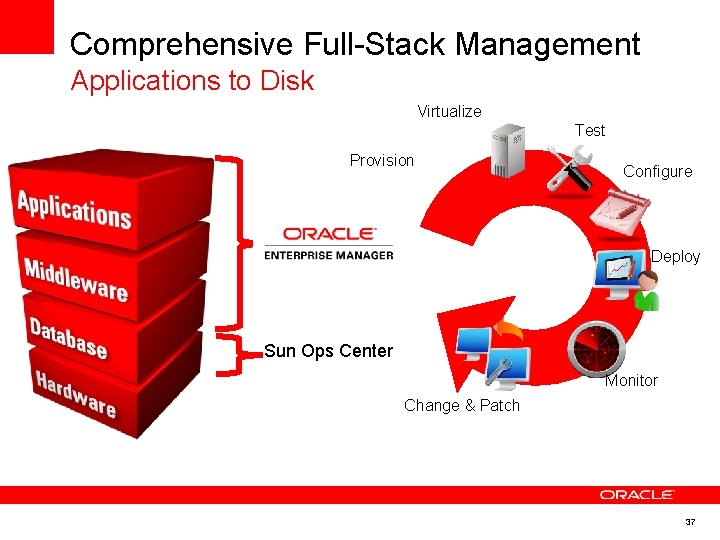
Comprehensive Full-Stack Management Applications to Disk Virtualize Test Provision Configure Deploy Sun Ops Center Monitor Change & Patch Archive 37
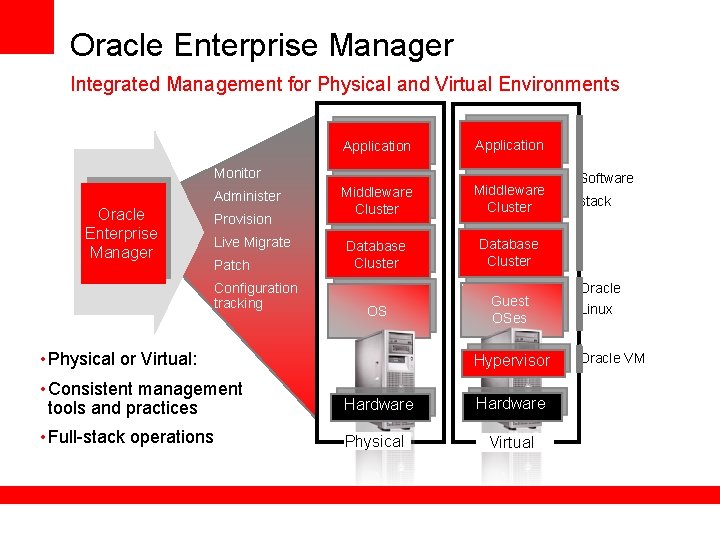
Oracle Enterprise Manager Integrated Management for Physical and Virtual Environments Application Middleware Cluster Database Cluster OS Guest OSes Monitor Administer Oracle Enterprise Manager Provision Live Migrate Patch Configuration tracking • Physical or Virtual: Hypervisor • Consistent management tools and practices Hardware • Full-stack operations Physical Virtual Software stack Oracle Linux Oracle VM
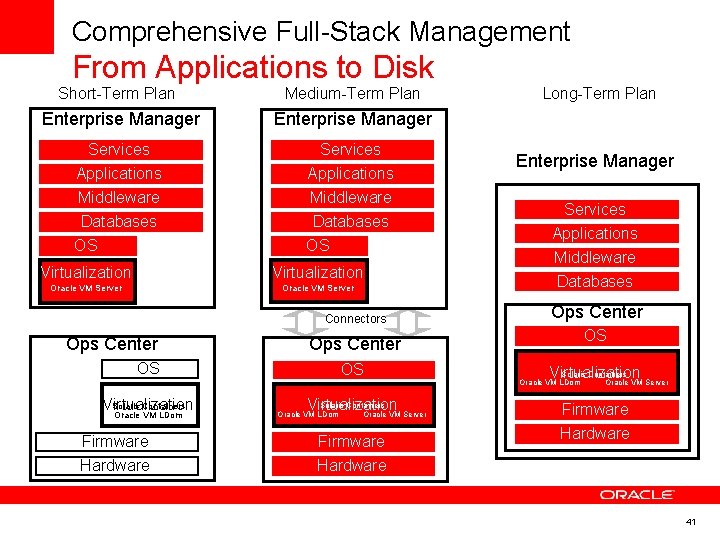
Comprehensive Full-Stack Management From Applications to Disk Short-Term Plan Medium-Term Plan Enterprise Manager Services Applications Middleware Databases OS Virtualization Oracle VM Server Connectors Ops Center OS Solaris Containers Virtualization Oracle VM LDom Firmware Hardware Ops Center OS Virtualization Solaris Containers Oracle VM LDom Oracle VM Server Firmware Hardware Long-Term Plan Enterprise Manager Services Applications Middleware Databases Ops Center OS Virtualization Solaris Containers Oracle VM LDom Oracle VM Server Firmware Hardware 41
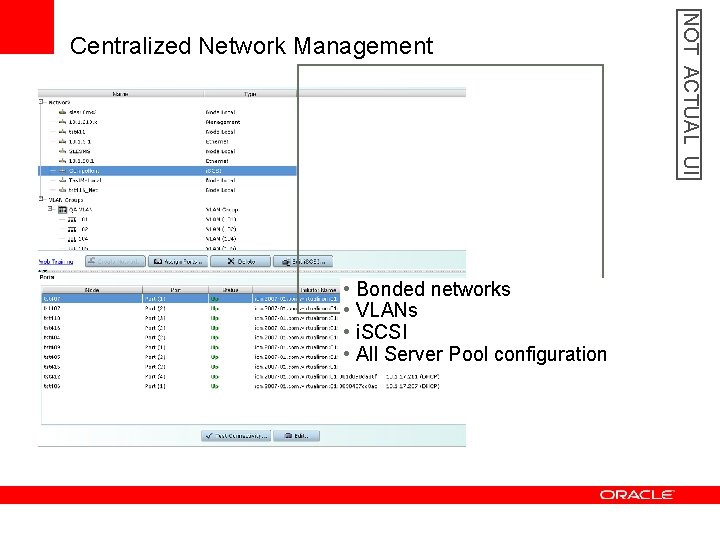
• Bonded networks • VLANs • i. SCSI • All Server Pool configuration NOT ACTUAL UI Centralized Network Management
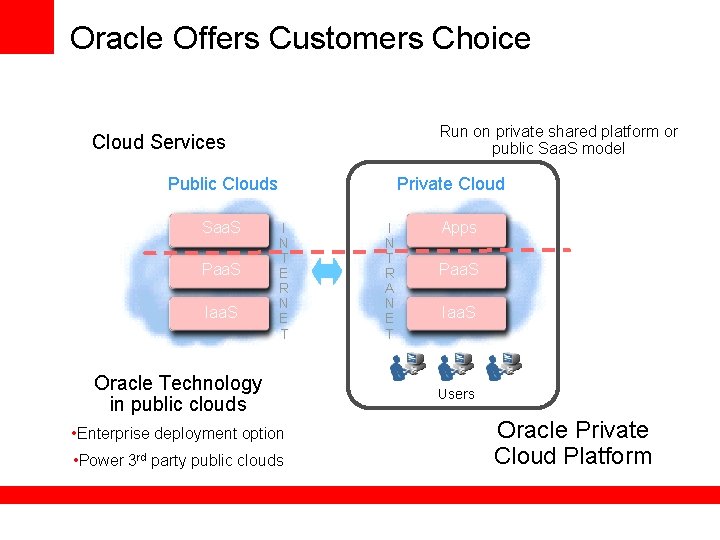
Oracle Offers Customers Choice Run on private shared platform or public Saa. S model Cloud Services Public Clouds Saa. S Paa. S Iaa. S Private Cloud I N T E R N E T Oracle Technology in public clouds • Enterprise deployment option • Power 3 rd party public clouds I N T R A N E T Apps Saa. S Paa. S Iaa. S Users Oracle Private Cloud Platform
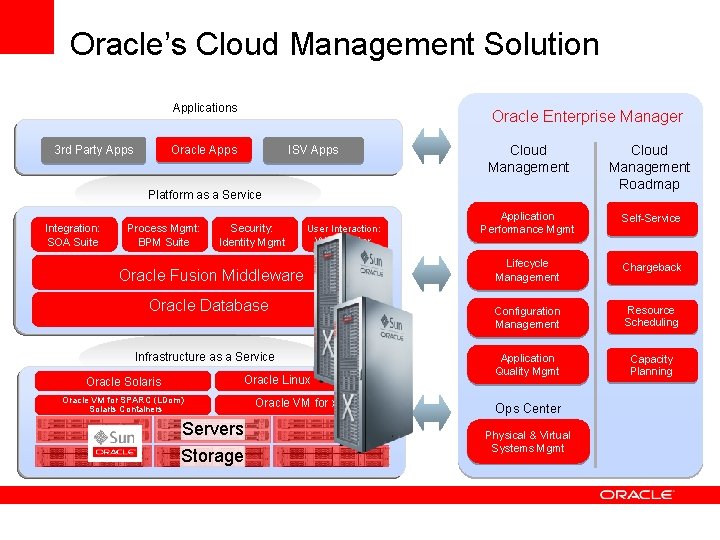
Oracle’s Cloud Management Solution Applications 3 rd Party Apps Oracle Enterprise Manager Oracle Apps ISV Apps Cloud Management Roadmap Application Performance Mgmt Self-Service Lifecycle Management Chargeback Configuration Management Resource Scheduling Application Quality Mgmt Capacity Planning Platform as a Service Integration: SOA Suite Process Mgmt: BPM Suite Security: Identity Mgmt User Interaction: Web. Center Oracle Fusion Middleware Oracle Database Infrastructure as a Service Linux Oracle Operating Solaris Systems: Oracle Enterprise Linux Oracle VM for SPARC (LDom) Solaris Containers Servers Storage Oracle VM for x 86 Ops Center Physical & Virtual Systems Mgmt
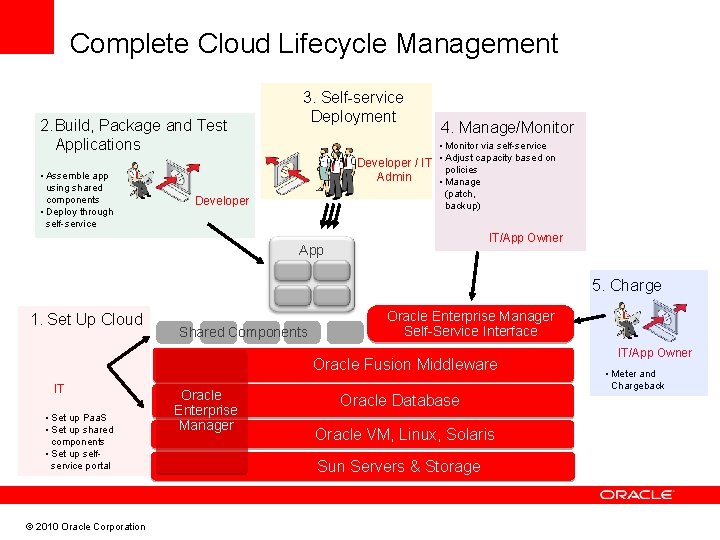
Complete Cloud Lifecycle Management 2. Build, Package and Test Applications • Assemble app using shared components • Deploy through self-service 3. Self-service Deployment 4. Manage/Monitor • Monitor via self-service Developer / IT • Adjust capacity based on policies Admin • Manage (patch, backup) Developer IT/App Owner App 5. Charge 1. Set Up Cloud Shared Components Oracle Enterprise Manager Self-Service Interface Oracle Fusion Middleware IT • Set up Paa. S • Set up shared components • Set up selfservice portal © 2010 Oracle Corporation Oracle Enterprise Manager Oracle Database Oracle VM, Linux, Solaris Sun Servers & Storage IT/App Owner • Meter and Chargeback
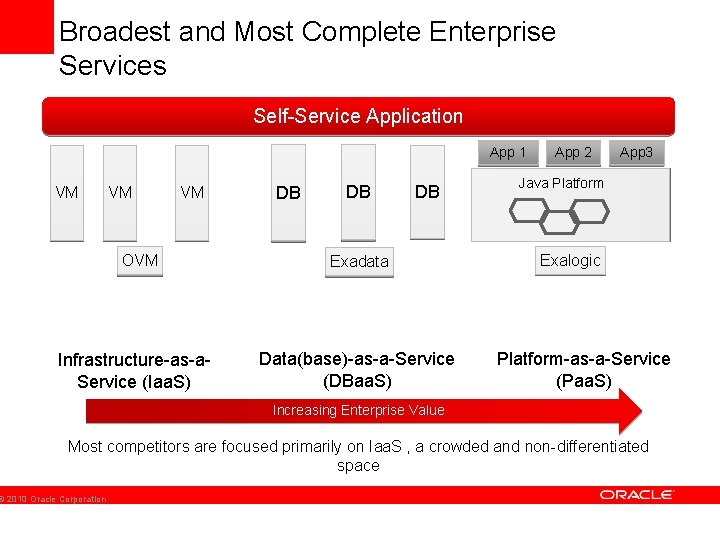
Broadest and Most Complete Enterprise Services Database Cloud Self-Service Application App 1 VM VM VM OVM Infrastructure-as-a. Service (Iaa. S) DB DB DB Exadata Data(base)-as-a-Service (DBaa. S) App 2 App 3 Java Platform Exalogic Platform-as-a-Service (Paa. S) Increasing Enterprise Value Most competitors are focused primarily on Iaa. S , a crowded and non-differentiated space © 2010 Oracle Corporation
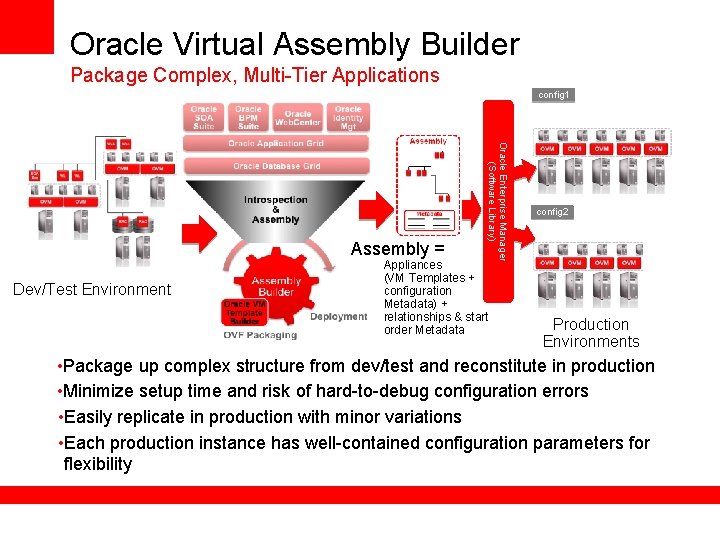
Oracle Virtual Assembly Builder Package Complex, Multi-Tier Applications config 1 Dev/Test Environment Oracle Enterprise Manager (Software Library) Assembly = Appliances (VM Templates + configuration Metadata) + relationships & start order Metadata config 2 Production Environments • Package up complex structure from dev/test and reconstitute in production • Minimize setup time and risk of hard-to-debug configuration errors • Easily replicate in production with minor variations • Each production instance has well-contained configuration parameters for flexibility
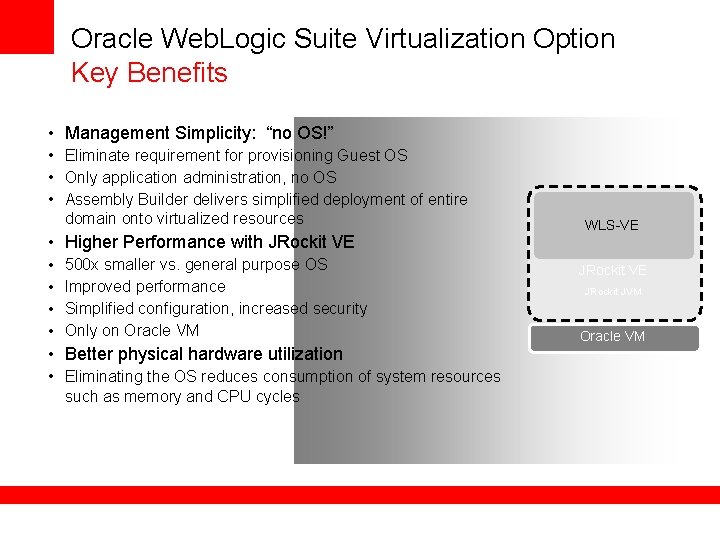
Oracle Web. Logic Suite Virtualization Option Key Benefits • Management Simplicity: “no OS!” • Eliminate requirement for provisioning Guest OS • Only application administration, no OS • Assembly Builder delivers simplified deployment of entire domain onto virtualized resources • Higher Performance with JRockit VE • • 500 x smaller vs. general purpose OS Improved performance Simplified configuration, increased security Only on Oracle VM • Better physical hardware utilization • Eliminating the OS reduces consumption of system resources such as memory and CPU cycles WLS-VE JRockit JVM Oracle VM
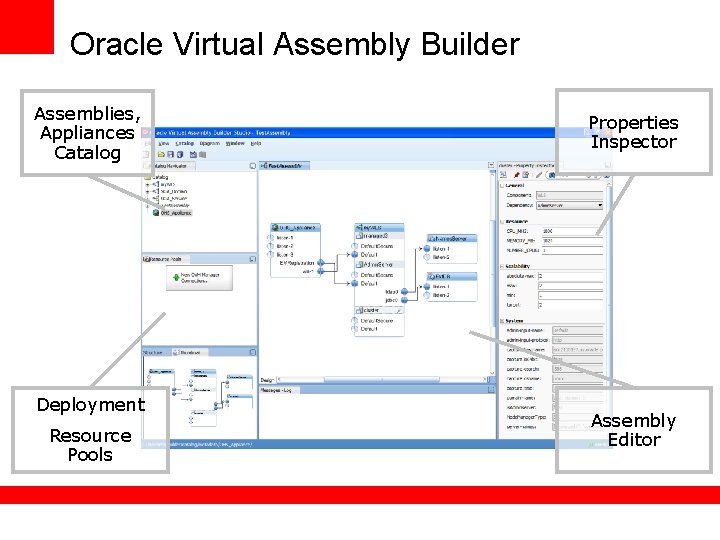
Oracle Virtual Assembly Builder Assemblies, Appliances Catalog Deployment Resource Pools Properties Inspector Assembly Editor
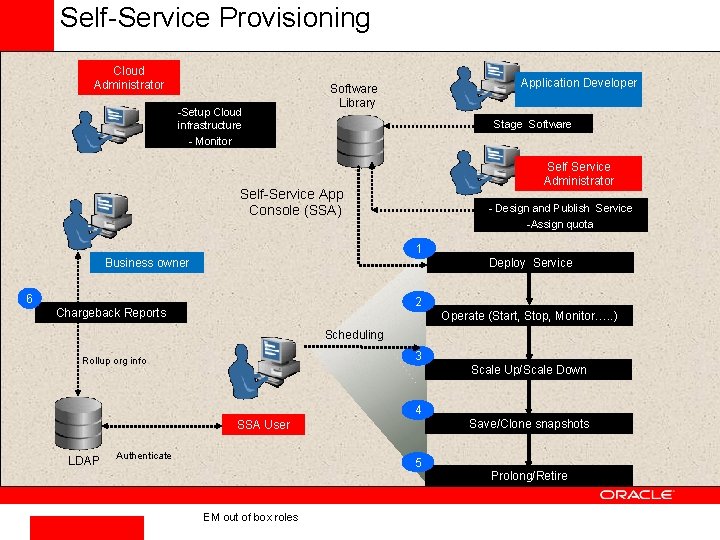
Self-Service Provisioning Cloud Administrator -Setup Cloud infrastructure - Monitor Application Developer Software Library Stage Software Self Service Administrator Self-Service App Console (SSA) - Design and Publish Service -Assign quota 1 Business owner Deploy Service 6 2 Chargeback Reports Operate (Start, Stop, Monitor…. . ) Scheduling 3 Rollup org info Scale Up/Scale Down 4 Save/Clone snapshots SSA User LDAP Authenticate 5 Prolong/Retire EM out of box roles
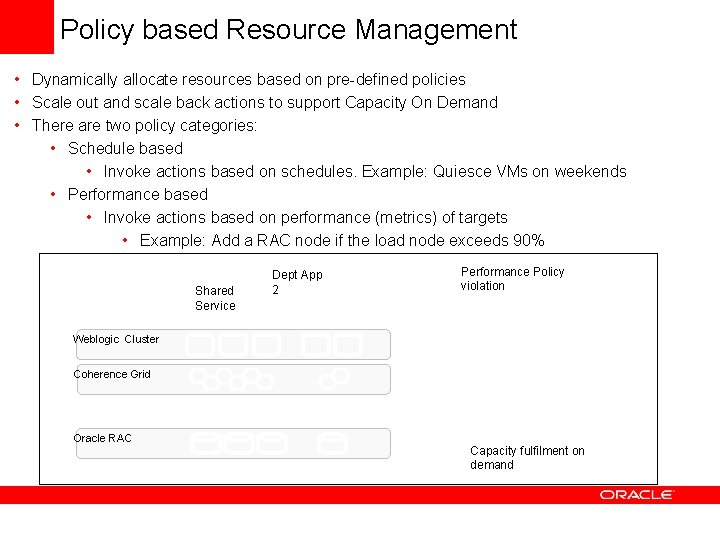
Policy based Resource Management • Dynamically allocate resources based on pre-defined policies • Scale out and scale back actions to support Capacity On Demand • There are two policy categories: • Schedule based • Invoke actions based on schedules. Example: Quiesce VMs on weekends • Performance based • Invoke actions based on performance (metrics) of targets • Example: Add a RAC node if the load node exceeds 90% Shared Service Dept App 2 Weblogic Cluster Coherence Grid Performance Policy violation Oracle Enterprise Manager Web. Logic Suite-based Application Grid Oracle RAC Oracle Database Grid Capacity fulfilment on demand
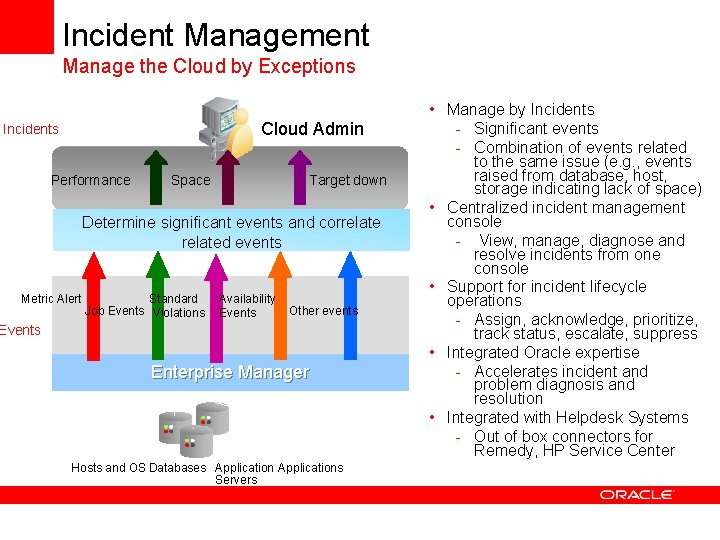
Incident Management Manage the Cloud by Exceptions Cloud Admin Incidents Performance Space Target down Determine significant events and correlated events Metric Alert Standard Job Events Violations Availability Events Other events Enterprise Manager Hosts and OS Databases Applications Servers • Manage by Incidents - Significant events - Combination of events related to the same issue (e. g. , events raised from database, host, storage indicating lack of space) • Centralized incident management console - View, manage, diagnose and resolve incidents from one console • Support for incident lifecycle operations - Assign, acknowledge, prioritize, track status, escalate, suppress • Integrated Oracle expertise - Accelerates incident and problem diagnosis and resolution • Integrated with Helpdesk Systems - Out of box connectors for Remedy, HP Service Center
Total Packaged Solutions
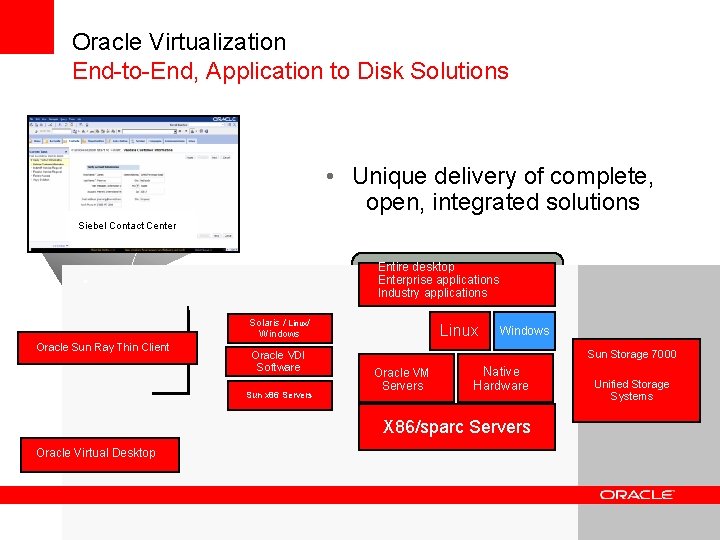
Oracle Virtualization End-to-End, Application to Disk Solutions • Unique delivery of complete, open, integrated solutions Siebel Contact Center Entire desktop Enterprise applications Industry applications • Solaris / Linux/ Windows Oracle Sun Ray Thin Client Oracle VDI Software Sun x 86 Servers Solaris Linux Windows Sun Storage 7000 Oracle VM Servers Native Hardware X 86/sparc Servers Oracle Virtual Desktop 49 Unified Storage Systems