CSC 270 Survey of Programming Languages C Lecture
- Slides: 40
CSC 270 – Survey of Programming Languages C Lecture 1 : Getting Started: in C Modified from Dr. Robert Siegfried’s Presentation
Objective • • • Intro to C Tools we will use Program file structure Variables Read from screen and print to screen Decisions (If)
C Orientation • Created in 1972 to write operating systems (Unix in particular) – By Dennis Ritchie – Bell Labs • Evolved from B • Can be portable to other hardware (with careful design – use Plauger’s The Standard C Library book) • Built for performance and memory management – operating systems, embedded systems, real-time systems, communication systems
C Standardization • 1989 ANSI and ISO -> Standard C • 1999 C 99 • 2011 C 11 • Don’t get thrown when you lookup information on websites and find conflicts based upon standards
Later Languages • 1979 C++ by Bjarn Stroustrup also at Bell – Object orientation • 1991 Java by Sun – Partial compile to java bytecode: virtual machine code – Write once, run anywhere – Memory manager – garbage collection – Many JVMs written in C / C++
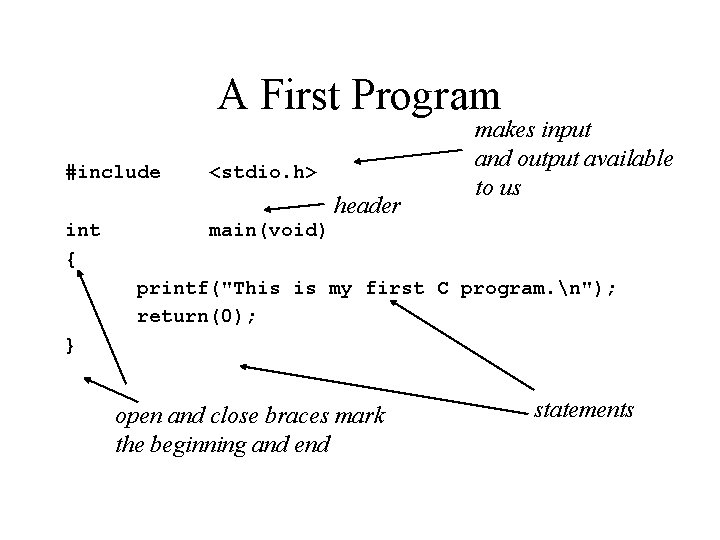
A First Program #include <stdio. h> header int { makes input and output available to us main(void) printf("This is my first C program. n"); return(0); } open and close braces mark the beginning and end statements
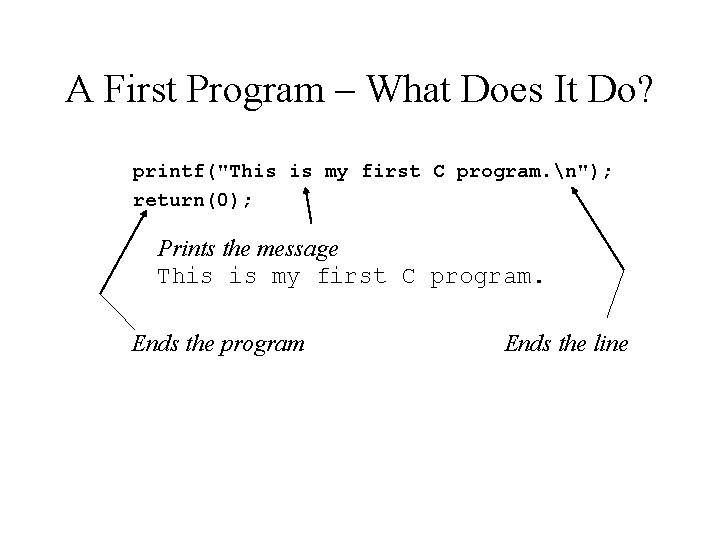
A First Program – What Does It Do? printf("This is my first C program. n"); return(0); Prints the message This is my first C program. Ends the program Ends the line
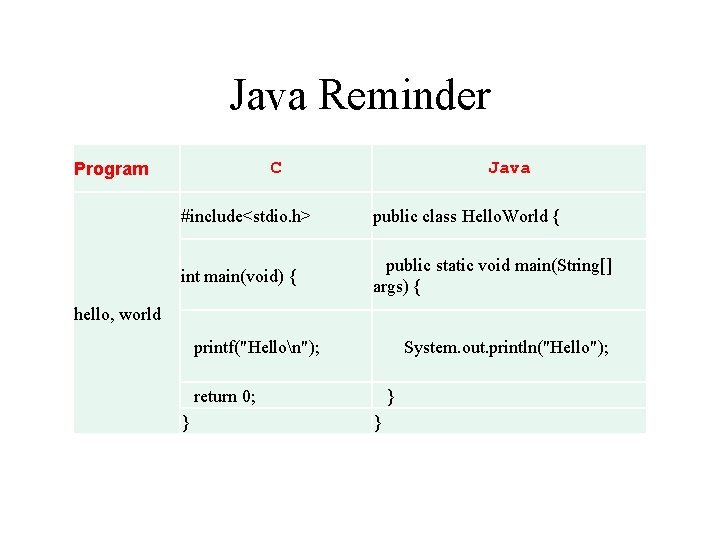
Java Reminder C Program Java #include<stdio. h> public class Hello. World { int main(void) { public static void main(String[] args) { printf("Hellon"); System. out. println("Hello"); return 0; } } } hello, world
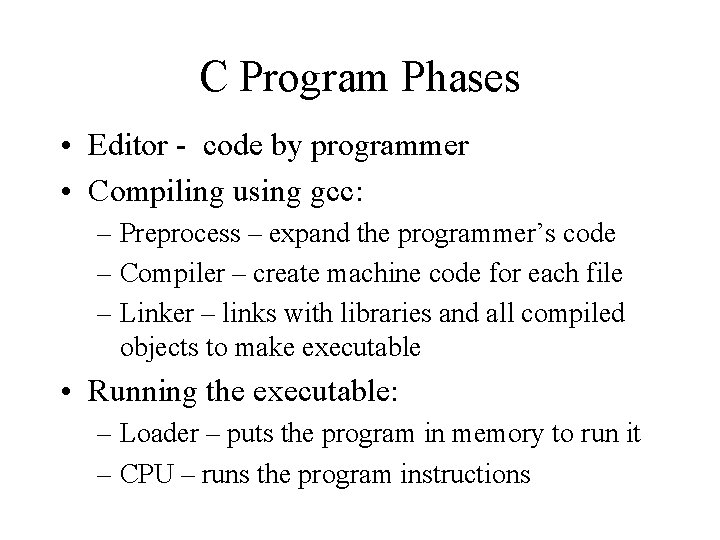
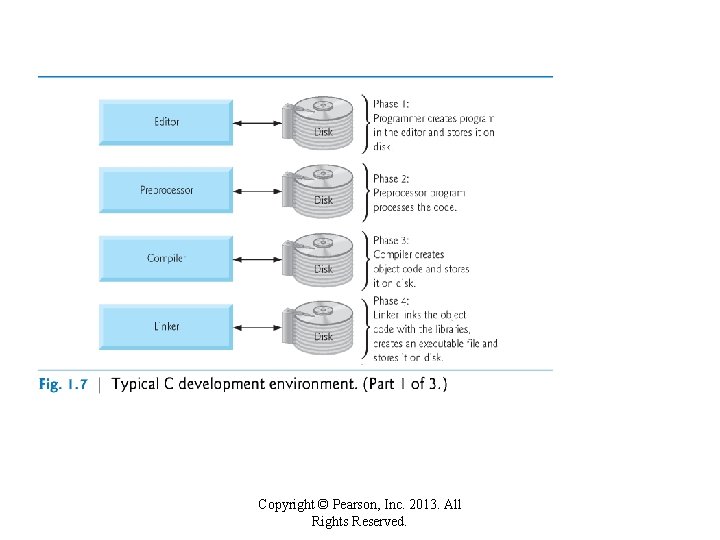
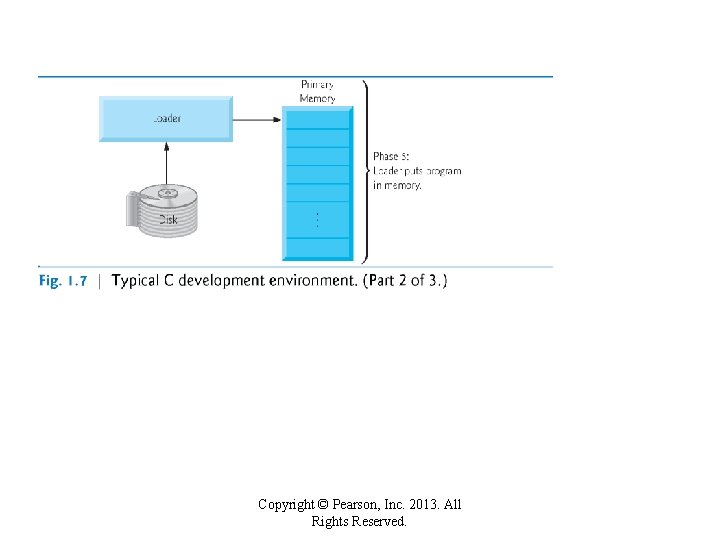
C Program Phases • Editor - code by programmer • Compiling using gcc: – Preprocess – expand the programmer’s code – Compiler – create machine code for each file – Linker – links with libraries and all compiled objects to make executable • Running the executable: – Loader – puts the program in memory to run it – CPU – runs the program instructions
Copyright © Pearson, Inc. 2013. All Rights Reserved.
Copyright © Pearson, Inc. 2013. All Rights Reserved.
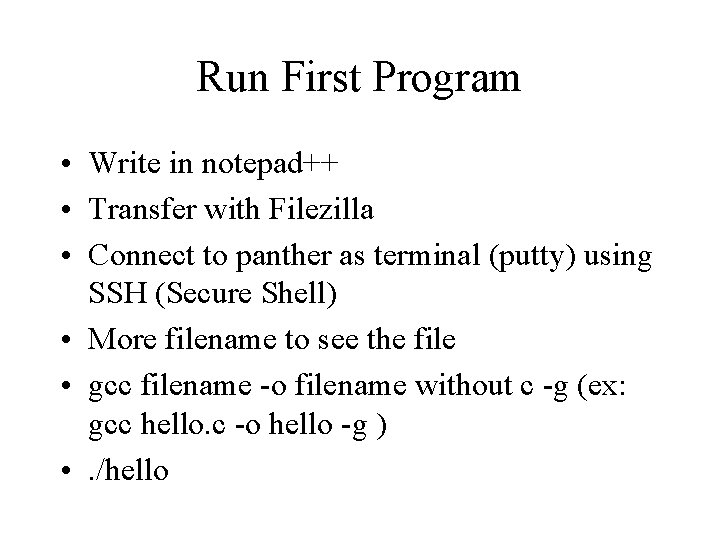
Run First Program • Write in notepad++ • Transfer with Filezilla • Connect to panther as terminal (putty) using SSH (Secure Shell) • More filename to see the file • gcc filename -o filename without c -g (ex: gcc hello. c -o hello -g ) • . /hello
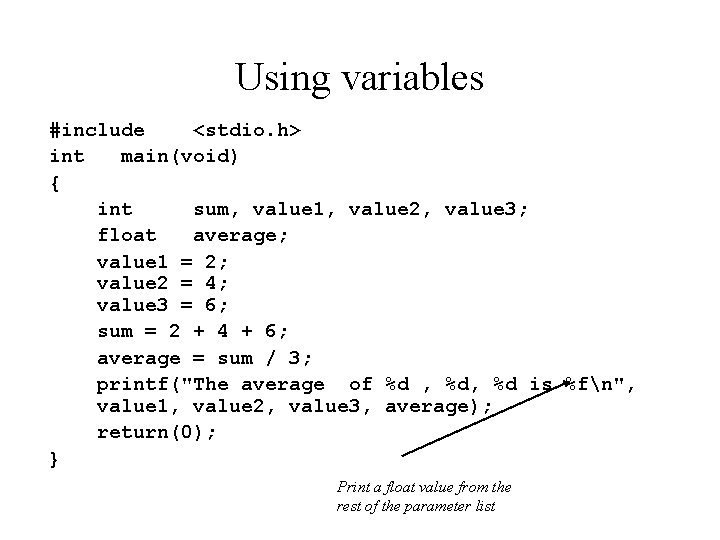
Using variables #include <stdio. h> int main(void) { int sum, value 1, value 2, value 3; float average; value 1 = 2; value 2 = 4; value 3 = 6; sum = 2 + 4 + 6; average = sum / 3; printf("The average of %d , %d is %fn", value 1, value 2, value 3, average); return(0); } Print a float value from the rest of the parameter list
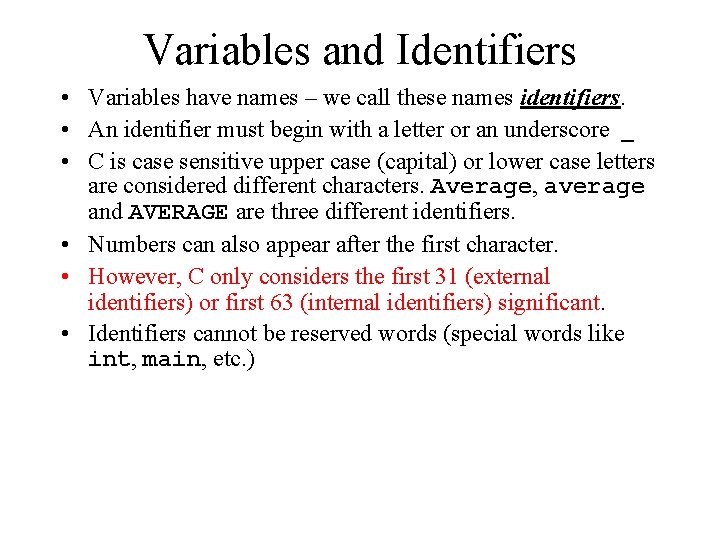
Variables and Identifiers • Variables have names – we call these names identifiers. • An identifier must begin with a letter or an underscore _ • C is case sensitive upper case (capital) or lower case letters are considered different characters. Average, average and AVERAGE are three different identifiers. • Numbers can also appear after the first character. • However, C only considers the first 31 (external identifiers) or first 63 (internal identifiers) significant. • Identifiers cannot be reserved words (special words like int, main, etc. )
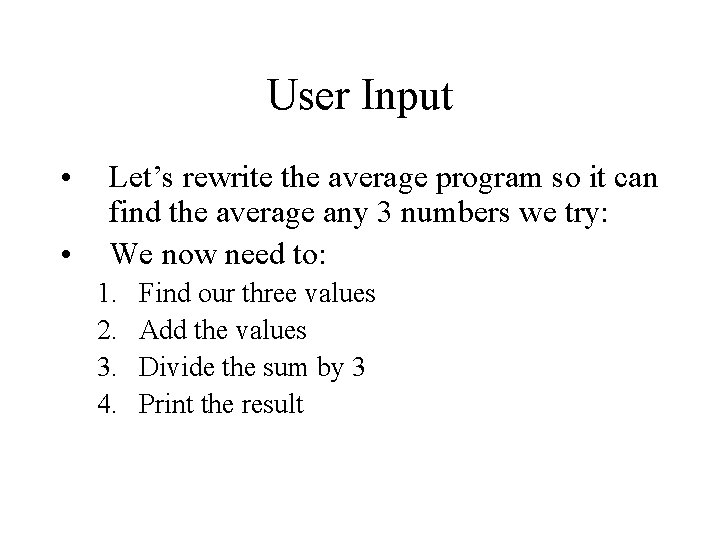
User Input • • Let’s rewrite the average program so it can find the average any 3 numbers we try: We now need to: 1. 2. 3. 4. Find our three values Add the values Divide the sum by 3 Print the result
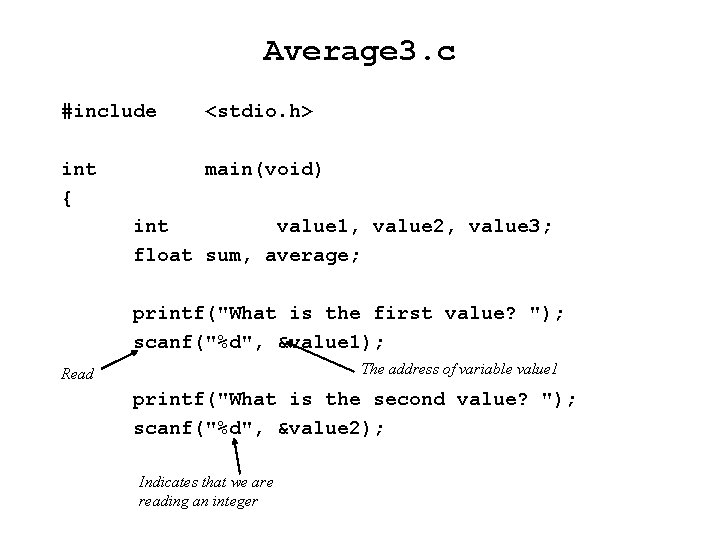
Average 3. c #include <stdio. h> int { main(void) int value 1, value 2, value 3; float sum, average; printf("What is the first value? "); scanf("%d", &value 1); The address of variable value 1 Read printf("What is the second value? "); scanf("%d", &value 2); Indicates that we are reading an integer
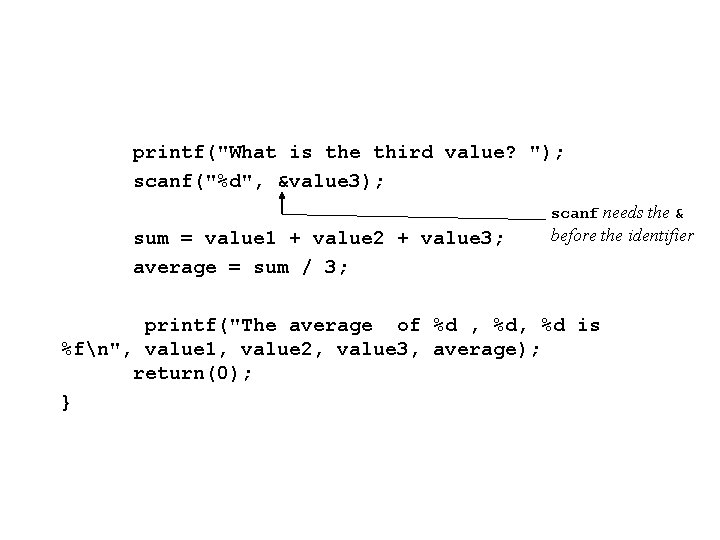
printf("What is the third value? "); scanf("%d", &value 3); scanf needs the & sum = value 1 + value 2 + value 3; average = sum / 3; before the identifier printf("The average of %d , %d is %fn", value 1, value 2, value 3, average); return(0); }
Scanf Conversion Characters • https: //wpollock. com/CPlus/Printf. Ref. htm#s canf. Conv Doubles on our machine are read with a lf. (A double is a long float. )
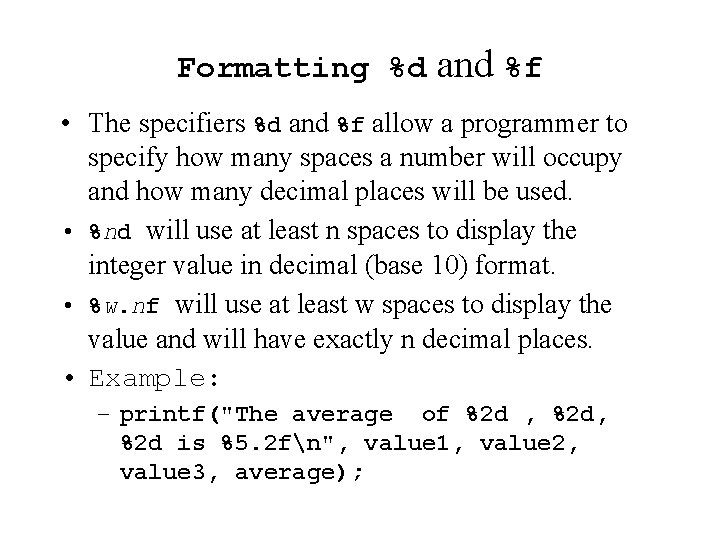
Formatting %d and %f • The specifiers %d and %f allow a programmer to specify how many spaces a number will occupy and how many decimal places will be used. • %nd will use at least n spaces to display the integer value in decimal (base 10) format. • %w. nf will use at least w spaces to display the value and will have exactly n decimal places. • Example: – printf("The average of %2 d , %2 d is %5. 2 fn", value 1, value 2, value 3, average);
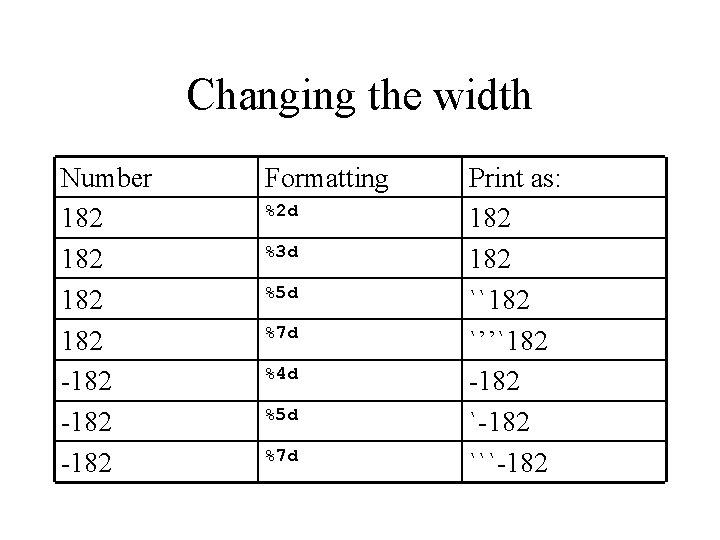
Changing the width Number 182 182 -182 Formatting %2 d %3 d %5 d %7 d %4 d %5 d %7 d Print as: 182 ``182 `’’`182 -182 ```-182
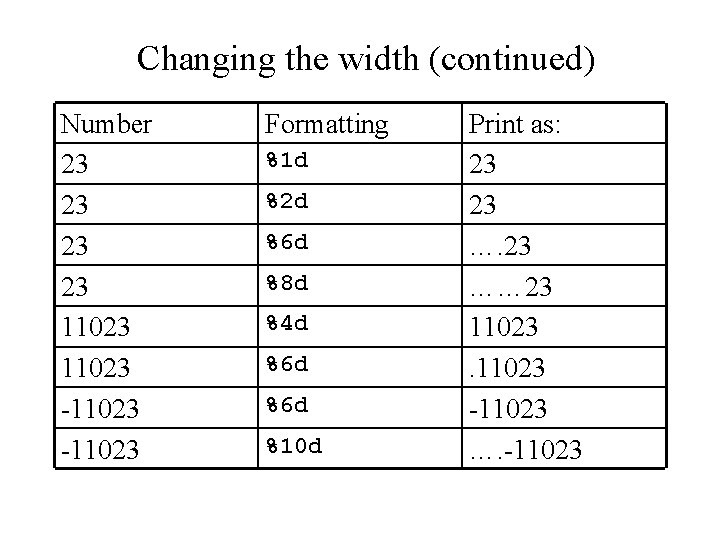
Changing the width (continued) Number 23 23 11023 -11023 Formatting %1 d %2 d %6 d %8 d %4 d %6 d %10 d Print as: 23 23 …… 23 11023 -11023 …. -11023
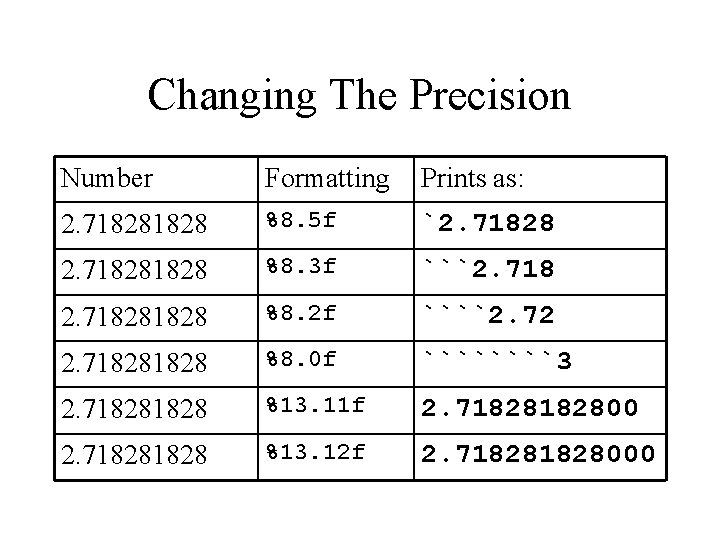
Changing The Precision Number Formatting Prints as: 2. 71828 %8. 5 f `2. 71828 %8. 3 f ```2. 71828 %8. 2 f ````2. 72 2. 71828 %8. 0 f ````3 2. 71828 %13. 11 f 2. 7182800 2. 71828 %13. 12 f 2. 71828000
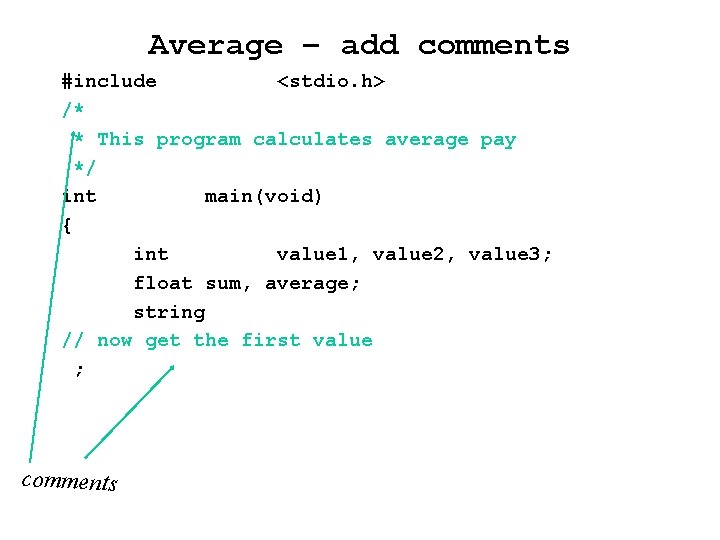
Average – add comments #include <stdio. h> /* * This program calculates average pay */ int main(void) { int value 1, value 2, value 3; float sum, average; string // now get the first value ; comments
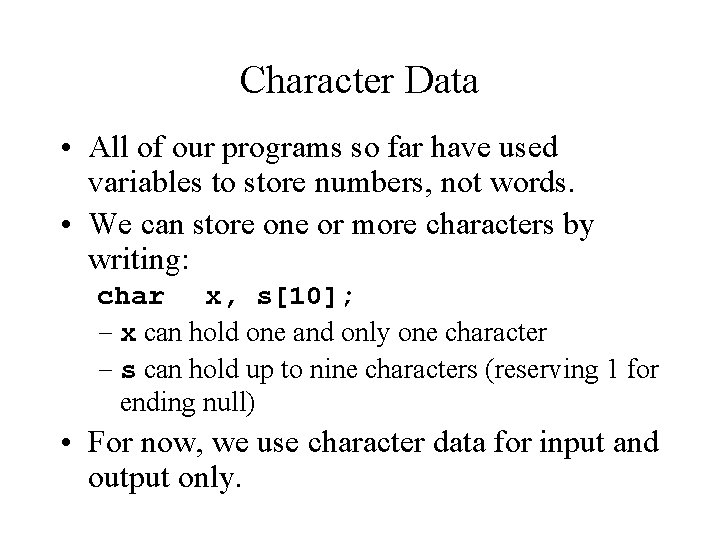
Character Data • All of our programs so far have used variables to store numbers, not words. • We can store one or more characters by writing: char x, s[10]; – x can hold one and only one character – s can hold up to nine characters (reserving 1 for ending null) • For now, we use character data for input and output only.
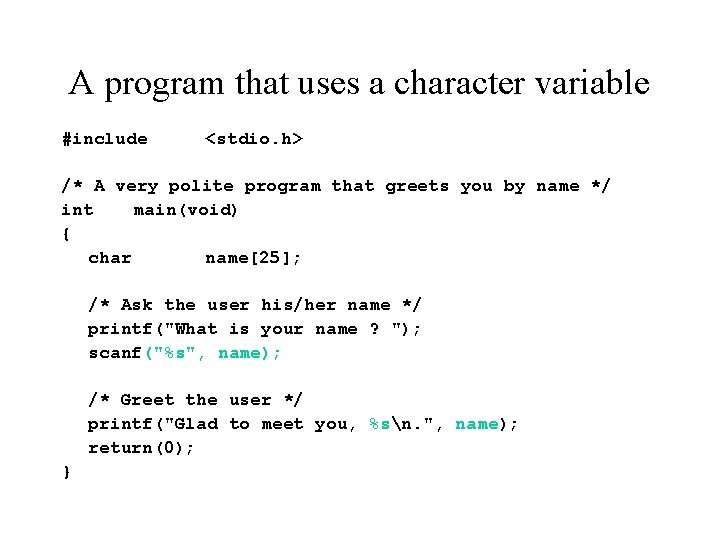
A program that uses a character variable #include <stdio. h> /* A very polite program that greets you by name */ int main(void) { char name[25]; /* Ask the user his/her name */ printf("What is your name ? "); scanf("%s", name); /* Greet the user */ printf("Glad to meet you, %sn. ", name); return(0); }
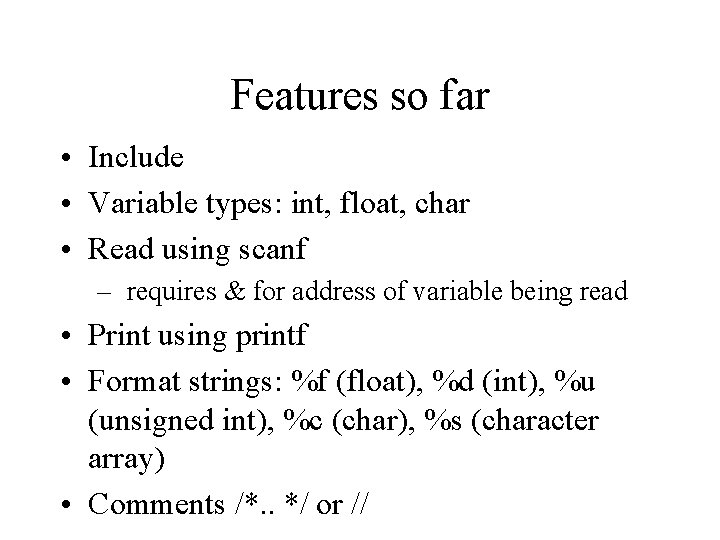
Features so far • Include • Variable types: int, float, char • Read using scanf – requires & for address of variable being read • Print using printf • Format strings: %f (float), %d (int), %u (unsigned int), %c (char), %s (character array) • Comments /*. . */ or //
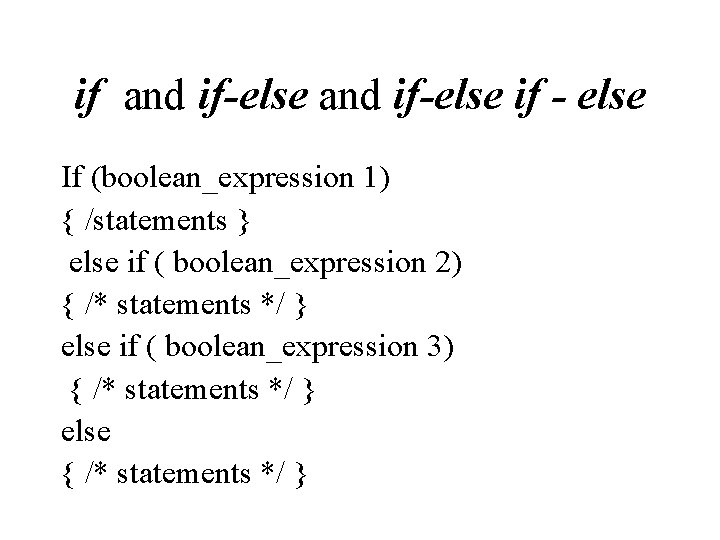
if and if-else if - else If (boolean_expression 1) { /statements } else if ( boolean_expression 2) { /* statements */ } else if ( boolean_expression 3) { /* statements */ } else { /* statements */ }
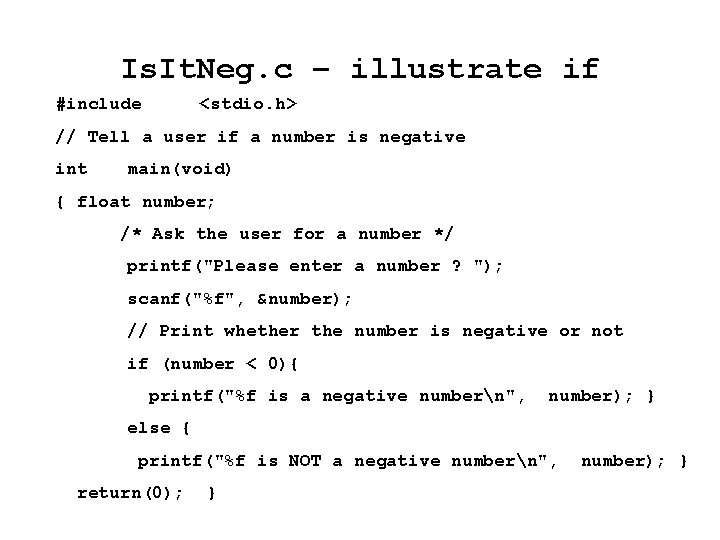
Is. It. Neg. c – illustrate if #include <stdio. h> // Tell a user if a number is negative int main(void) { float number; /* Ask the user for a number */ printf("Please enter a number ? "); scanf("%f", &number); // Print whether the number is negative or not if (number < 0){ printf("%f is a negative numbern", number); } else { printf("%f is NOT a negative numbern", return(0); } number); }
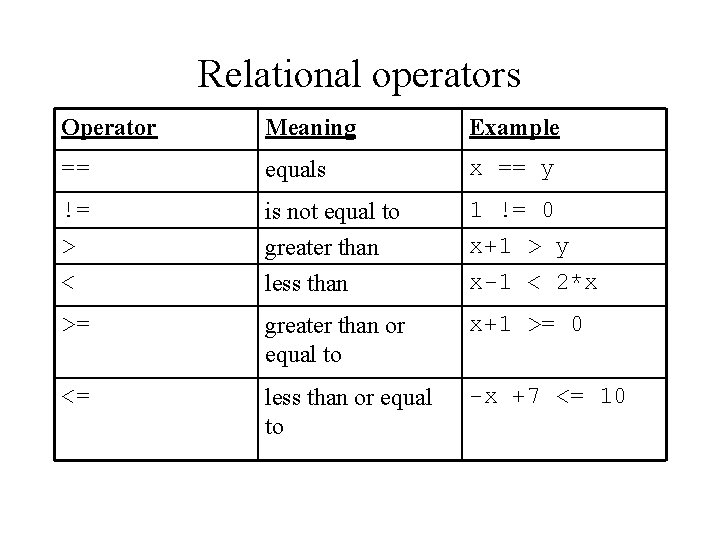
Relational operators Operator Meaning Example == equals x == y != > is not equal to greater than 1 != 0 x+1 > y < less than x-1 < 2*x >= greater than or equal to x+1 >= 0 <= less than or equal to -x +7 <= 10
Integer Division • Our compound interest program prints the values for every year where every ten or twenty years would be good enough. • What we really want to print the results only if the year is ends in a 5. (The remainder from division by 10 is 5).
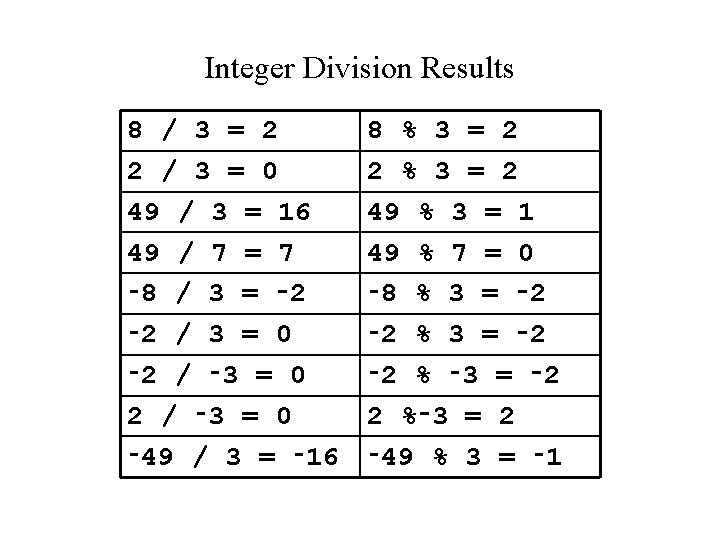
Integer Division Results 8 / 3 = 2 2 / 3 = 0 49 / 3 = 16 49 / 7 = 7 ‑ 8 / 3 = ‑ 2 / 3 = 0 ‑ 2 / ‑ 3 = 0 ‑ 49 / 3 = ‑ 16 8 % 3 = 2 2 % 3 = 2 49 % 3 = 1 49 % 7 = 0 ‑ 8 % 3 = ‑ 2 ‑ 2 % ‑ 3 = ‑ 2 2 %‑ 3 = 2 ‑ 49 % 3 = ‑ 1
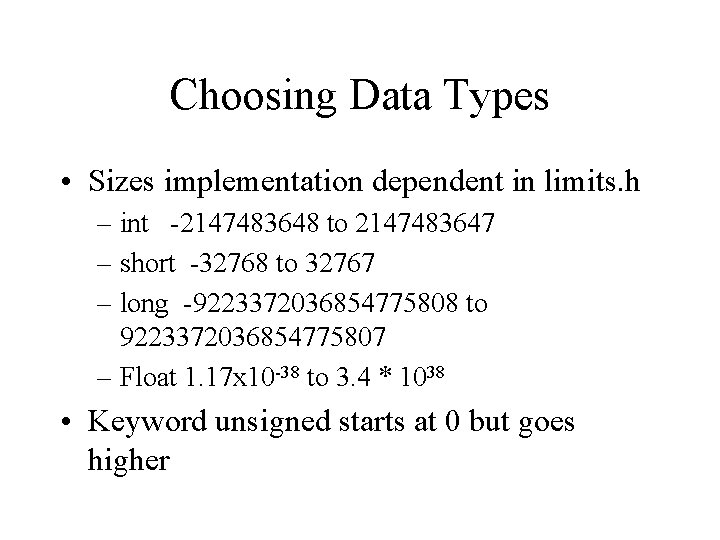
Choosing Data Types • Sizes implementation dependent in limits. h – int -2147483648 to 2147483647 – short -32768 to 32767 – long -9223372036854775808 to 9223372036854775807 – Float 1. 17 x 10 -38 to 3. 4 * 1038 • Keyword unsigned starts at 0 but goes higher
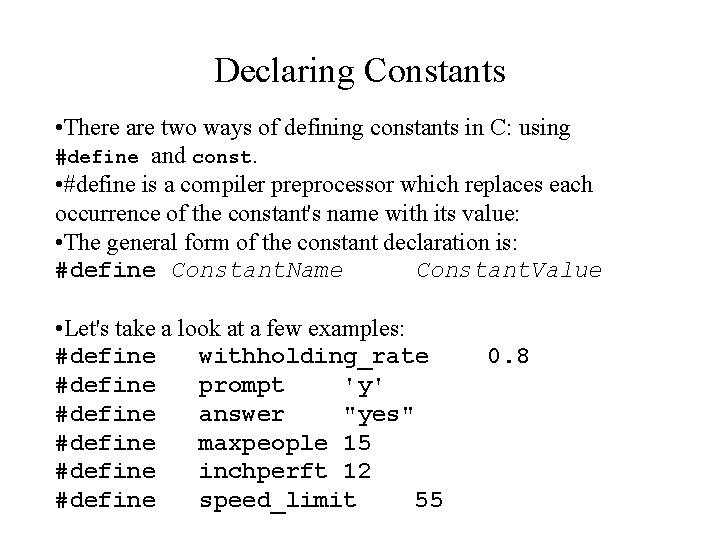
Declaring Constants • There are two ways of defining constants in C: using #define and const. • #define is a compiler preprocessor which replaces each occurrence of the constant's name with its value: • The general form of the constant declaration is: #define Constant. Name Constant. Value • Let's take a look at a few examples: #define withholding_rate #define prompt 'y' #define answer "yes" #define maxpeople 15 #define inchperft 12 #define speed_limit 55 0. 8
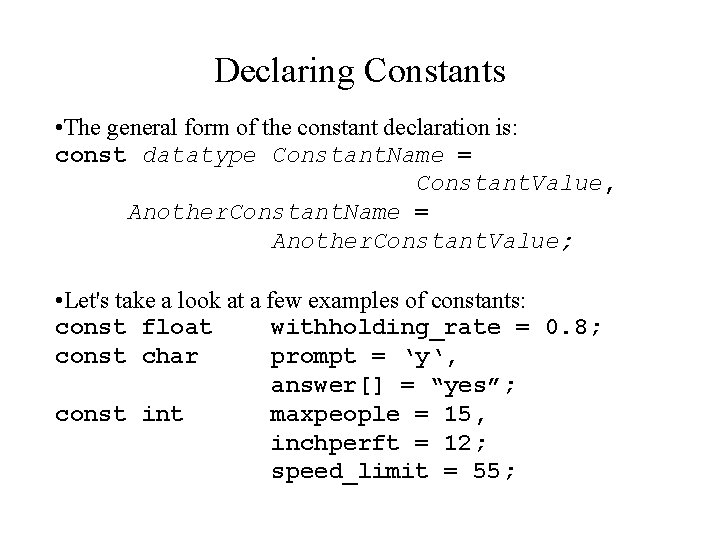
Declaring Constants • The general form of the constant declaration is: const datatype Constant. Name = Constant. Value, Another. Constant. Name = Another. Constant. Value; • Let's take a look at a few examples of constants: const float withholding_rate = 0. 8; const char prompt = ‘y‘, answer[] = “yes”; const int maxpeople = 15, inchperft = 12; speed_limit = 55;
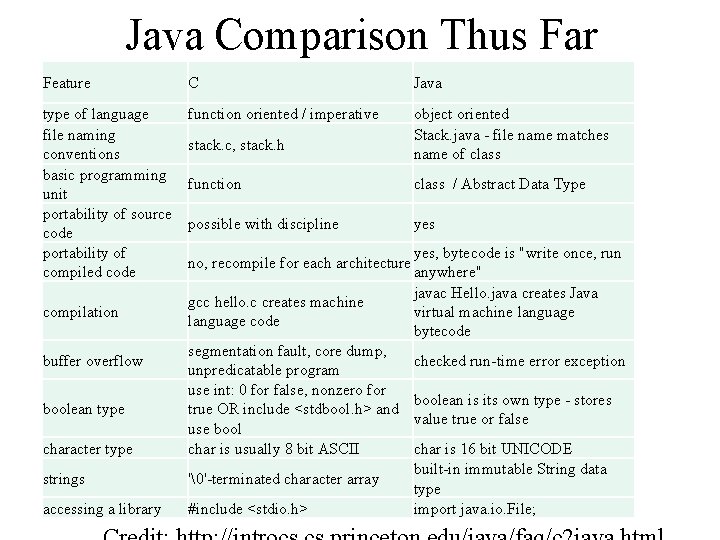
Java Comparison Thus Far Feature C Java type of language file naming conventions basic programming unit portability of source code portability of compiled code function oriented / imperative object oriented Stack. java - file name matches name of class compilation stack. c, stack. h function class / Abstract Data Type possible with discipline yes no, recompile for each architecture gcc hello. c creates machine language code character type segmentation fault, core dump, unpredicatable program use int: 0 for false, nonzero for true OR include <stdbool. h> and use bool char is usually 8 bit ASCII strings ''-terminated character array accessing a library #include <stdio. h> buffer overflow boolean type yes, bytecode is "write once, run anywhere" javac Hello. java creates Java virtual machine language bytecode checked run-time error exception boolean is its own type - stores value true or false char is 16 bit UNICODE built-in immutable String data type import java. io. File;
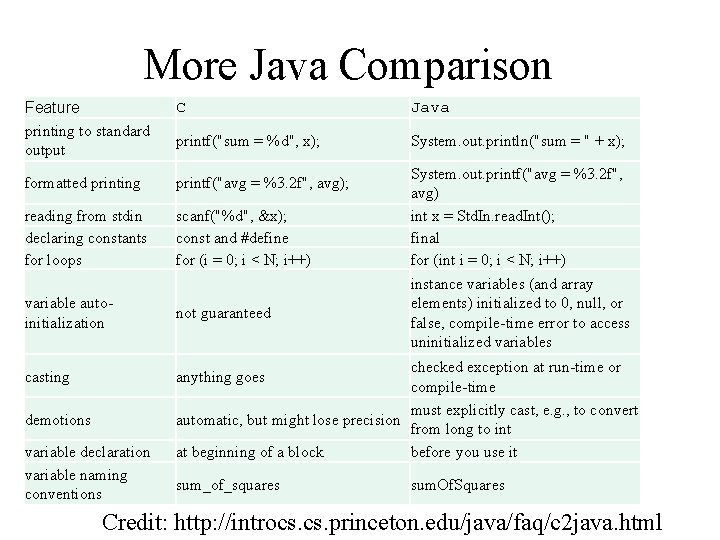
More Java Comparison Feature printing to standard output C Java printf("sum = %d", x); System. out. println("sum = " + x); formatted printing printf("avg = %3. 2 f", avg); reading from stdin declaring constants for loops scanf("%d", &x); const and #define for (i = 0; i < N; i++) variable autoinitialization not guaranteed casting anything goes demotions variable declaration variable naming conventions System. out. printf("avg = %3. 2 f", avg) int x = Std. In. read. Int(); final for (int i = 0; i < N; i++) instance variables (and array elements) initialized to 0, null, or false, compile-time error to access uninitialized variables checked exception at run-time or compile-time must explicitly cast, e. g. , to convert automatic, but might lose precision from long to int at beginning of a block before you use it sum_of_squares sum. Of. Squares Credit: http: //introcs. princeton. edu/java/faq/c 2 java. html
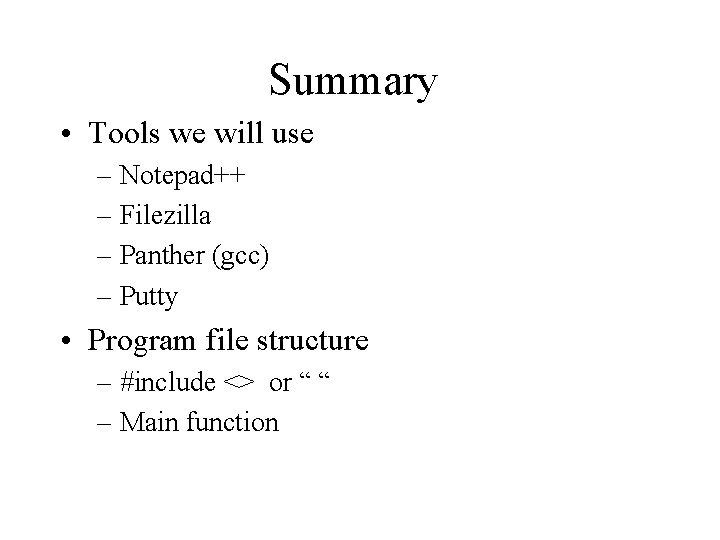
Summary • Tools we will use – Notepad++ – Filezilla – Panther (gcc) – Putty • Program file structure – #include <> or “ “ – Main function
Summary Cont. • Variables – int, float, char – unsigned keyword – String defined as char array : char name[26] – For bool, include stdbool. h – Constant: • #define name value • const type name = ? – Get address of variable with & – Cast with (type) var •
Summary Cont. • Read from screen and print to screen – Scanf (control string, variable addresses) – Printf(string, variables to insert) – Format strings %2 f, %d, %s, %u – #include <stdio. h> • Decisions – If / else if / else
Exercise • https: //prof. beuthhochschule. de/fileadmin/user/scheffler/Lehr e/Think-C_v 1. 08. pdf • Exercise 2. 1