CS 3214 Introduction to Computer Systems Lecture 12
- Slides: 25
CS 3214 Introduction to Computer Systems Lecture 12 Godmar Back
Announcements • Read Chapter 8 • Exercise 8 due Oct 11 • Recommended Reading: – David M. Beazley, Brian D. Ward, Ian R. Cooke, "The Inside Story on Shared Libraries and Dynamic Loading, " Computing in Science and Engineering, vol. 3, no. 5, pp. 90 -97, Sep. /Oct. 2001, doi: 10. 1109/5992. 947112 • Midterm: Tuesday Oct 20 CS 3214 Fall 2009 6/10/2021 2
Part 1 THREADS AND PROCESSES CS 3214 Fall 2009 6/10/2021 3
Processes • Def: An instance of a program in execution • OS provides each process with key abstractions – Logical control flow • 1 flow – single-threaded process • Multiple flows – multi-threaded process – Private address space – Abstracted resources: e. g. , stdout/stdin file descriptors • These abstractions create the illusion that each process has access to its own – CPU (or CPUs for multi-threaded processes) – Memory – Devices: e. g. , terminal CS 3214 Fall 2009 6/10/2021 4
Context Switching • Historical motivation for processes was introduction of multi-programming: – Load multiple processes into memory, and switch to another process if current process is (momentarily) blocked – This required protection and isolation between these processes, implemented by a privileged kernel • Time-sharing: switch to another process periodically to make sure all processes make equal progress • Switch between processes is called a context switch CS 3214 Fall 2009 6/10/2021 5
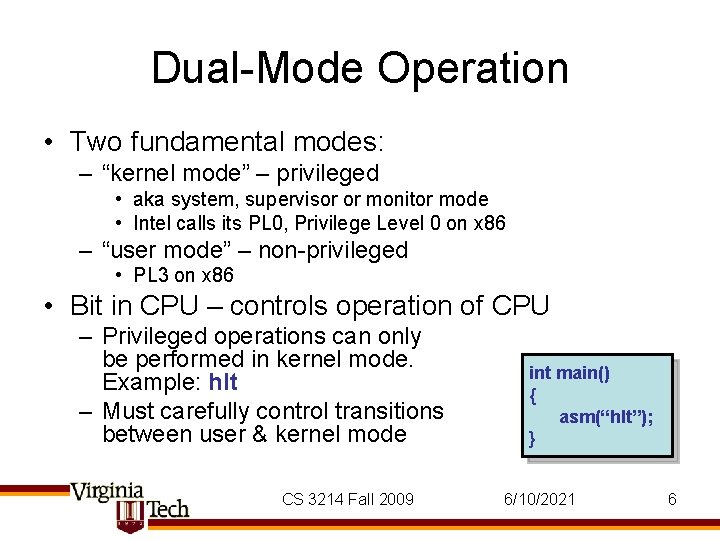
Dual-Mode Operation • Two fundamental modes: – “kernel mode” – privileged • aka system, supervisor or monitor mode • Intel calls its PL 0, Privilege Level 0 on x 86 – “user mode” – non-privileged • PL 3 on x 86 • Bit in CPU – controls operation of CPU – Privileged operations can only be performed in kernel mode. Example: hlt – Must carefully control transitions between user & kernel mode CS 3214 Fall 2009 int main() { asm(“hlt”); } 6/10/2021 6
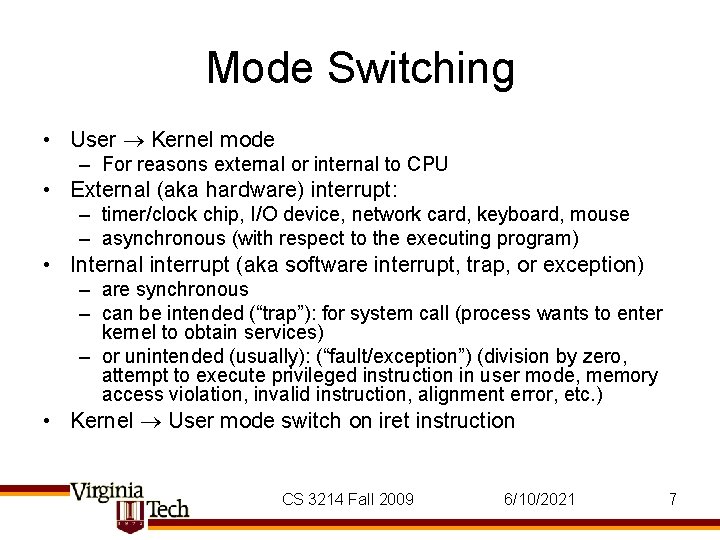
Mode Switching • User Kernel mode – For reasons external or internal to CPU • External (aka hardware) interrupt: – timer/clock chip, I/O device, network card, keyboard, mouse – asynchronous (with respect to the executing program) • Internal interrupt (aka software interrupt, trap, or exception) – are synchronous – can be intended (“trap”): for system call (process wants to enter kernel to obtain services) – or unintended (usually): (“fault/exception”) (division by zero, attempt to execute privileged instruction in user mode, memory access violation, invalid instruction, alignment error, etc. ) • Kernel User mode switch on iret instruction CS 3214 Fall 2009 6/10/2021 7
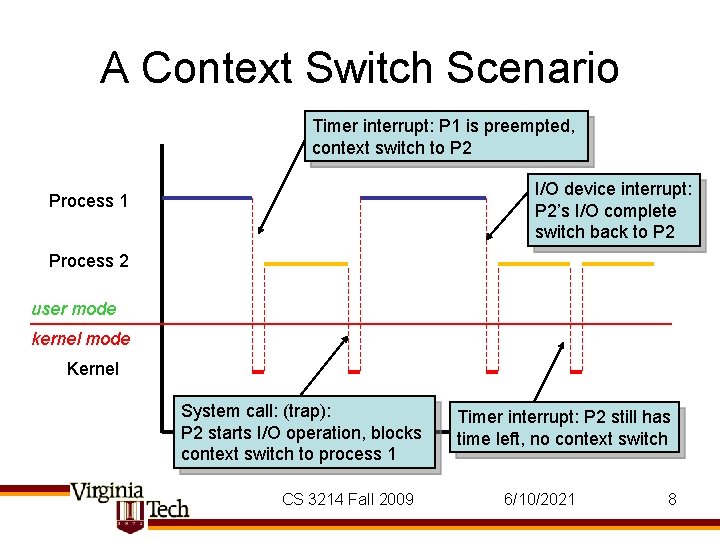
A Context Switch Scenario Timer interrupt: P 1 is preempted, context switch to P 2 I/O device interrupt: P 2’s I/O complete switch back to P 2 Process 1 Process 2 user mode kernel mode Kernel System call: (trap): P 2 starts I/O operation, blocks context switch to process 1 CS 3214 Fall 2009 Timer interrupt: P 2 still has time left, no context switch 6/10/2021 8
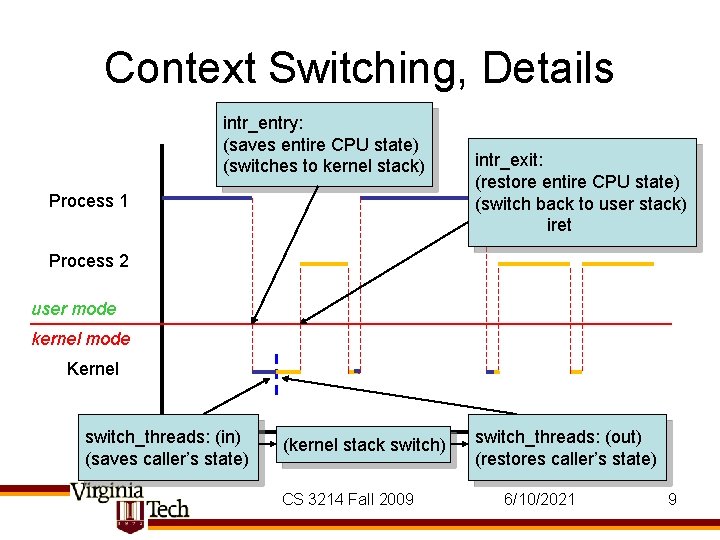
Context Switching, Details intr_entry: (saves entire CPU state) (switches to kernel stack) Process 1 intr_exit: (restore entire CPU state) (switch back to user stack) iret Process 2 user mode kernel mode Kernel switch_threads: (in) (saves caller’s state) (kernel stack switch) CS 3214 Fall 2009 switch_threads: (out) (restores caller’s state) 6/10/2021 9
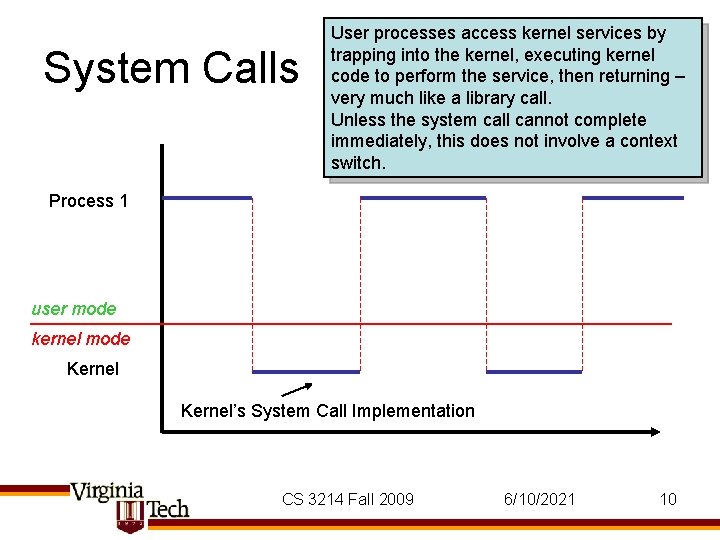
System Calls User processes access kernel services by trapping into the kernel, executing kernel code to perform the service, then returning – very much like a library call. Unless the system call cannot complete immediately, this does not involve a context switch. Process 1 user mode kernel mode Kernel’s System Call Implementation CS 3214 Fall 2009 6/10/2021 10
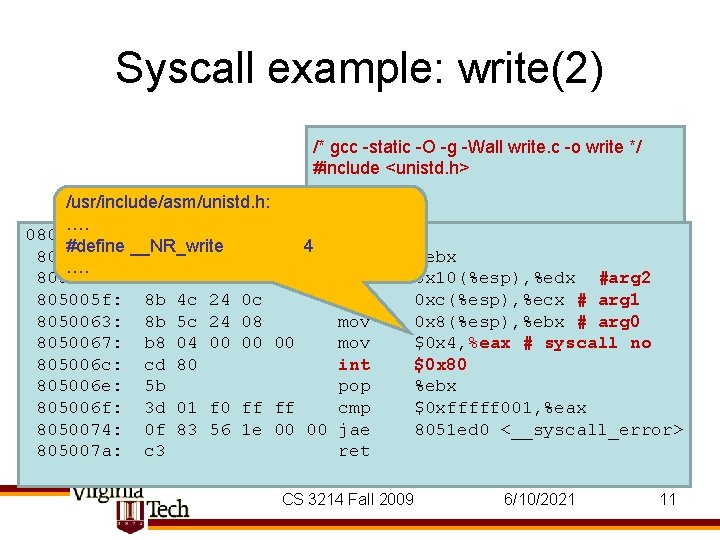
Syscall example: write(2) /* gcc -static -O -g -Wall write. c -o write */ #include <unistd. h> /usr/include/asm/unistd. h: int …. main() 0805005 a <__write_nocancel>: #define __NR_write 4 { push 805005 a: 53 %ebx …. const msg[] = "Hello, Worldn"; 805005 b: 8 b 54 24 10 mov char 0 x 10(%esp), %edx #arg 2 return msg, sizeof msg); 805005 f: 8 b 4 c 24 0 c mov write(1, 0 xc(%esp), %ecx # arg 1 } mov 8050063: 8 b 5 c 24 08 0 x 8(%esp), %ebx # arg 0 8050067: b 8 04 00 00 00 mov $0 x 4, %eax # syscall no 805006 c: cd 80 int $0 x 80 805006 e: 5 b pop %ebx 805006 f: 3 d 01 f 0 ff ff cmp $0 xfffff 001, %eax 8050074: 0 f 83 56 1 e 00 00 jae 8051 ed 0 <__syscall_error> 805007 a: c 3 ret CS 3214 Fall 2009 6/10/2021 11
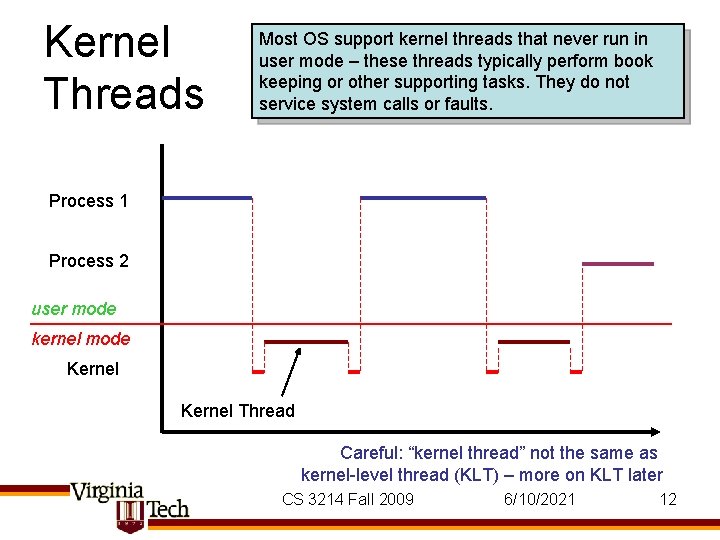
Kernel Threads Most OS support kernel threads that never run in user mode – these threads typically perform book keeping or other supporting tasks. They do not service system calls or faults. Process 1 Process 2 user mode kernel mode Kernel Thread Careful: “kernel thread” not the same as kernel-level thread (KLT) – more on KLT later CS 3214 Fall 2009 6/10/2021 12
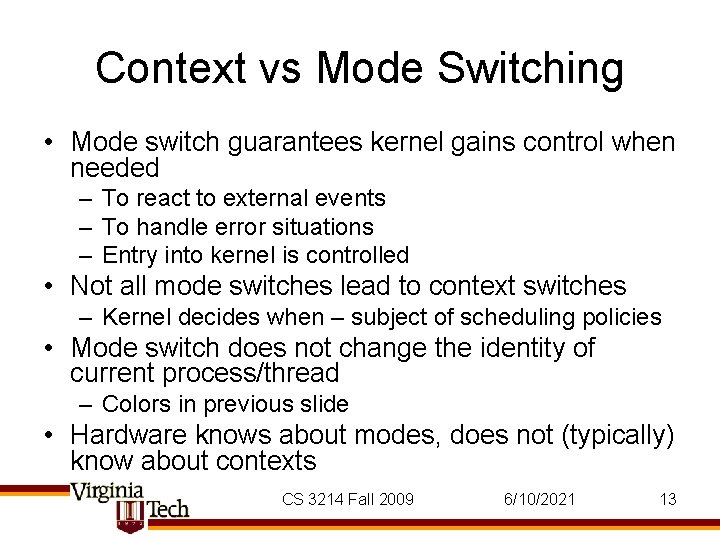
Context vs Mode Switching • Mode switch guarantees kernel gains control when needed – To react to external events – To handle error situations – Entry into kernel is controlled • Not all mode switches lead to context switches – Kernel decides when – subject of scheduling policies • Mode switch does not change the identity of current process/thread – Colors in previous slide • Hardware knows about modes, does not (typically) know about contexts CS 3214 Fall 2009 6/10/2021 13
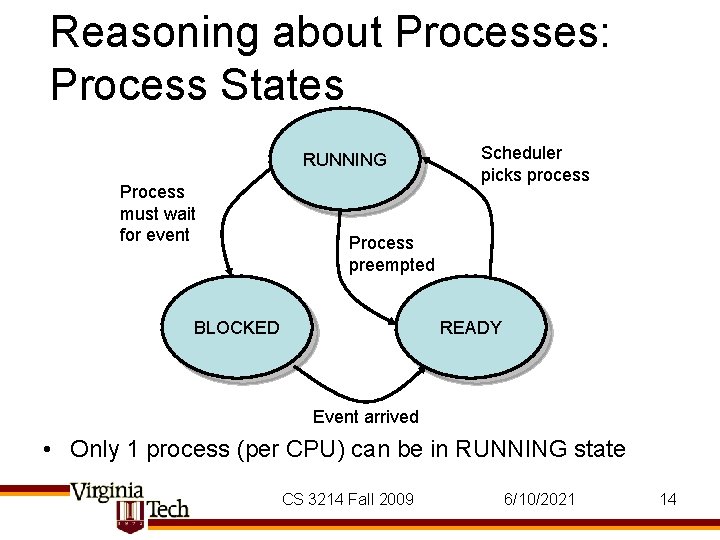
Reasoning about Processes: Process States RUNNING Process must wait for event Scheduler picks process Process preempted BLOCKED READY Event arrived • Only 1 process (per CPU) can be in RUNNING state CS 3214 Fall 2009 6/10/2021 14
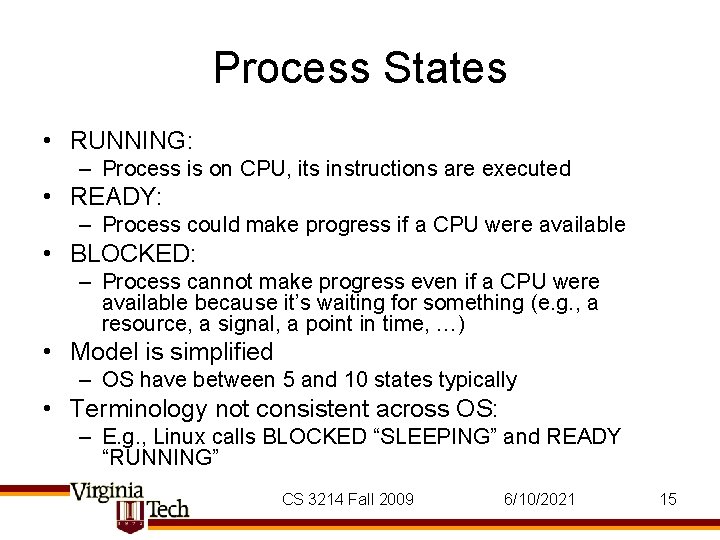
Process States • RUNNING: – Process is on CPU, its instructions are executed • READY: – Process could make progress if a CPU were available • BLOCKED: – Process cannot make progress even if a CPU were available because it’s waiting for something (e. g. , a resource, a signal, a point in time, …) • Model is simplified – OS have between 5 and 10 states typically • Terminology not consistent across OS: – E. g. , Linux calls BLOCKED “SLEEPING” and READY “RUNNING” CS 3214 Fall 2009 6/10/2021 15
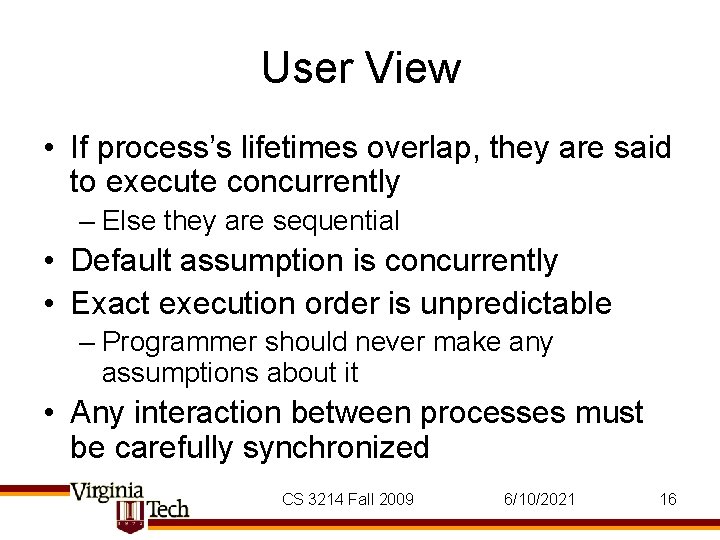
User View • If process’s lifetimes overlap, they are said to execute concurrently – Else they are sequential • Default assumption is concurrently • Exact execution order is unpredictable – Programmer should never make any assumptions about it • Any interaction between processes must be carefully synchronized CS 3214 Fall 2009 6/10/2021 16
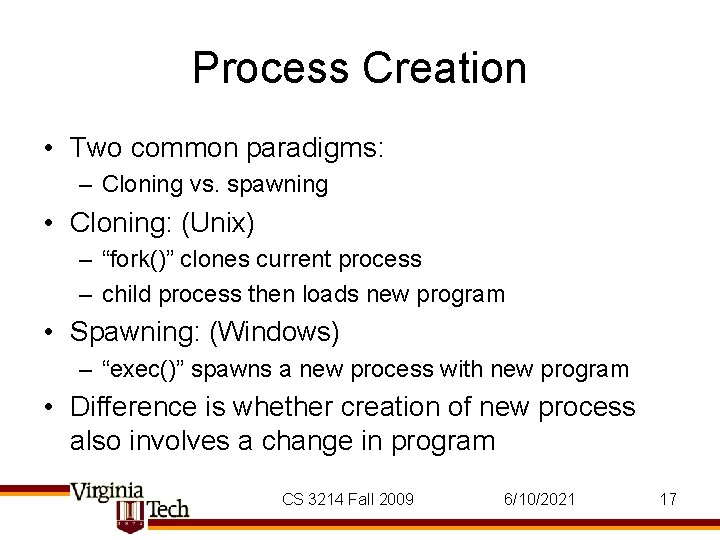
Process Creation • Two common paradigms: – Cloning vs. spawning • Cloning: (Unix) – “fork()” clones current process – child process then loads new program • Spawning: (Windows) – “exec()” spawns a new process with new program • Difference is whether creation of new process also involves a change in program CS 3214 Fall 2009 6/10/2021 17
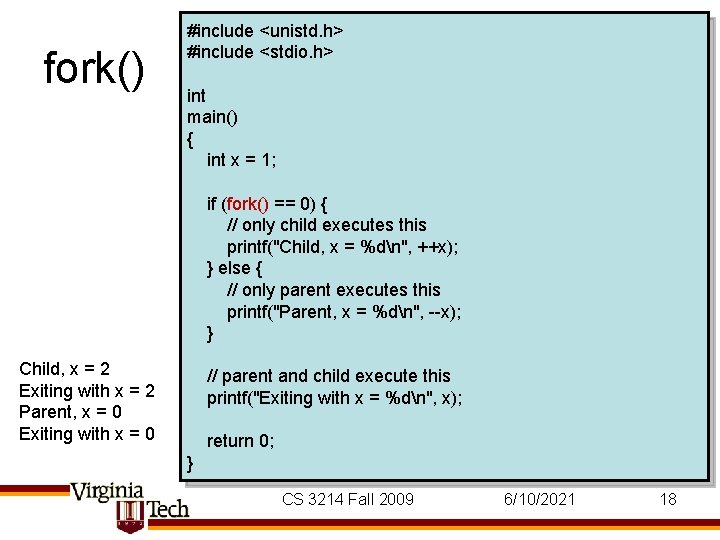
fork() #include <unistd. h> #include <stdio. h> int main() { int x = 1; if (fork() == 0) { // only child executes this printf("Child, x = %dn", ++x); } else { // only parent executes this printf("Parent, x = %dn", --x); } Child, x = 2 Exiting with x = 2 Parent, x = 0 Exiting with x = 0 // parent and child execute this printf("Exiting with x = %dn", x); return 0; } CS 3214 Fall 2009 6/10/2021 18
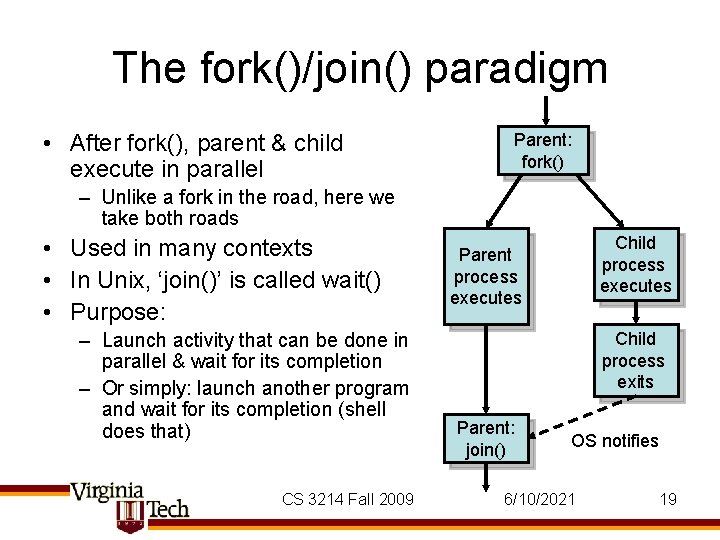
The fork()/join() paradigm • After fork(), parent & child execute in parallel Parent: fork() – Unlike a fork in the road, here we take both roads • Used in many contexts • In Unix, ‘join()’ is called wait() • Purpose: – Launch activity that can be done in parallel & wait for its completion – Or simply: launch another program and wait for its completion (shell does that) CS 3214 Fall 2009 Child process executes Parent process executes Child process exits Parent: join() OS notifies 6/10/2021 19
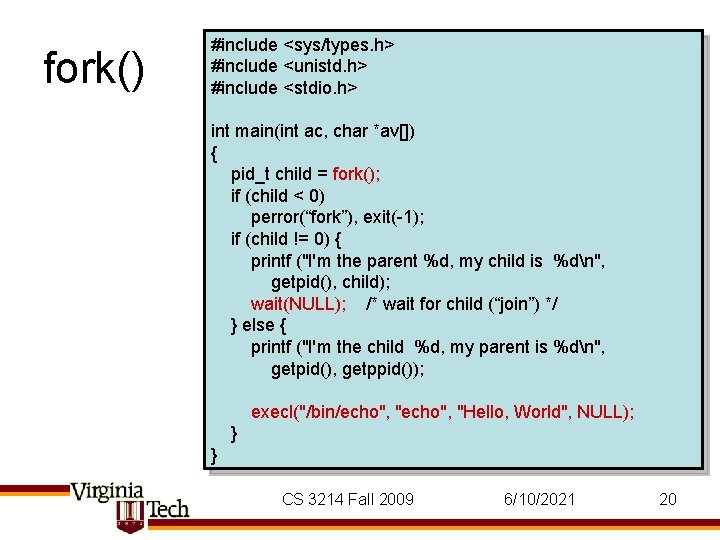
fork() #include <sys/types. h> #include <unistd. h> #include <stdio. h> int main(int ac, char *av[]) { pid_t child = fork(); if (child < 0) perror(“fork”), exit(-1); if (child != 0) { printf ("I'm the parent %d, my child is %dn", getpid(), child); wait(NULL); /* wait for child (“join”) */ } else { printf ("I'm the child %d, my parent is %dn", getpid(), getppid()); execl("/bin/echo", "Hello, World", NULL); } } CS 3214 Fall 2009 6/10/2021 20
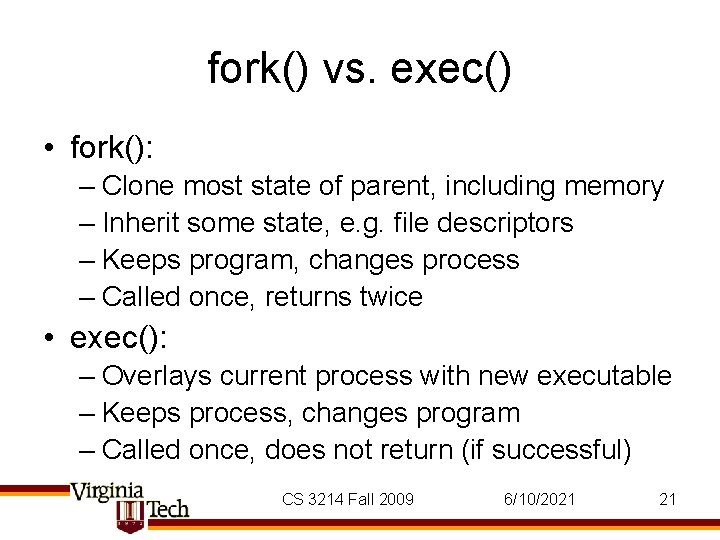
fork() vs. exec() • fork(): – Clone most state of parent, including memory – Inherit some state, e. g. file descriptors – Keeps program, changes process – Called once, returns twice • exec(): – Overlays current process with new executable – Keeps process, changes program – Called once, does not return (if successful) CS 3214 Fall 2009 6/10/2021 21
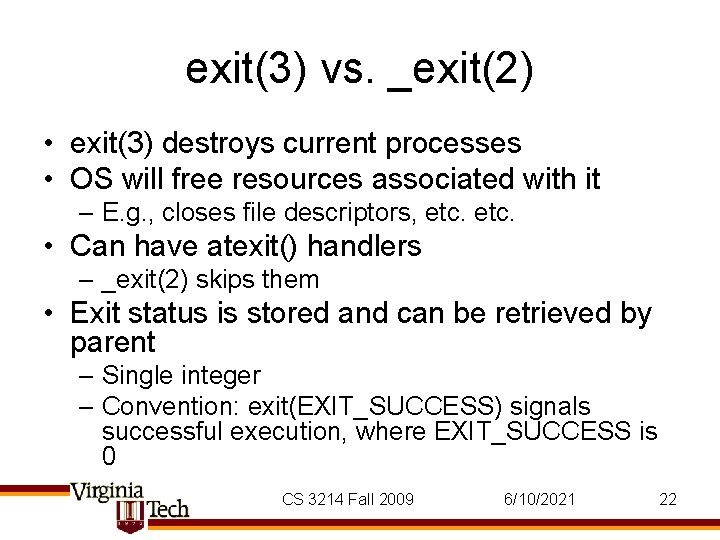
exit(3) vs. _exit(2) • exit(3) destroys current processes • OS will free resources associated with it – E. g. , closes file descriptors, etc. • Can have atexit() handlers – _exit(2) skips them • Exit status is stored and can be retrieved by parent – Single integer – Convention: exit(EXIT_SUCCESS) signals successful execution, where EXIT_SUCCESS is 0 CS 3214 Fall 2009 6/10/2021 22
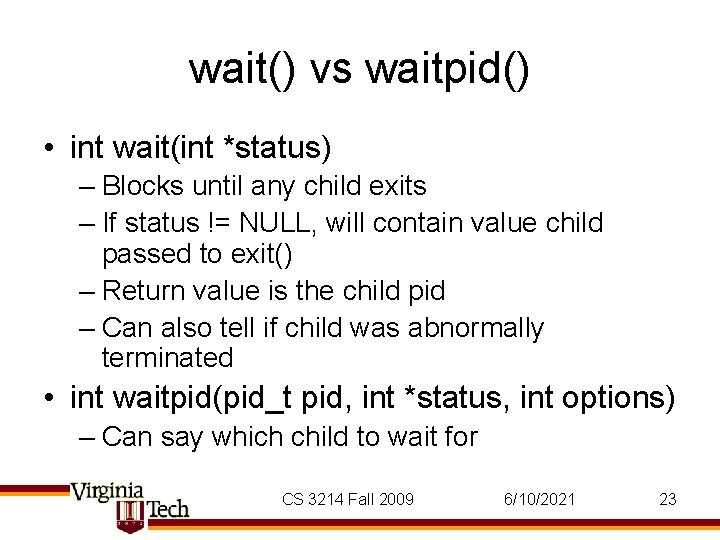
wait() vs waitpid() • int wait(int *status) – Blocks until any child exits – If status != NULL, will contain value child passed to exit() – Return value is the child pid – Can also tell if child was abnormally terminated • int waitpid(pid_t pid, int *status, int options) – Can say which child to wait for CS 3214 Fall 2009 6/10/2021 23
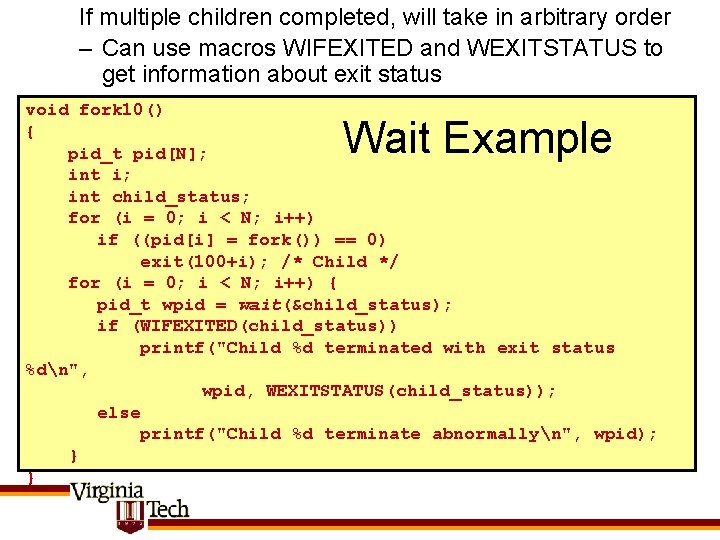
If multiple children completed, will take in arbitrary order – Can use macros WIFEXITED and WEXITSTATUS to get information about exit status void fork 10() { pid_t pid[N]; int i; int child_status; for (i = 0; i < N; i++) if ((pid[i] = fork()) == 0) exit(100+i); /* Child */ for (i = 0; i < N; i++) { pid_t wpid = wait(&child_status); if (WIFEXITED(child_status)) printf("Child %d terminated with exit status %dn", wpid, WEXITSTATUS(child_status)); else printf("Child %d terminate abnormallyn", wpid); } } Wait Example
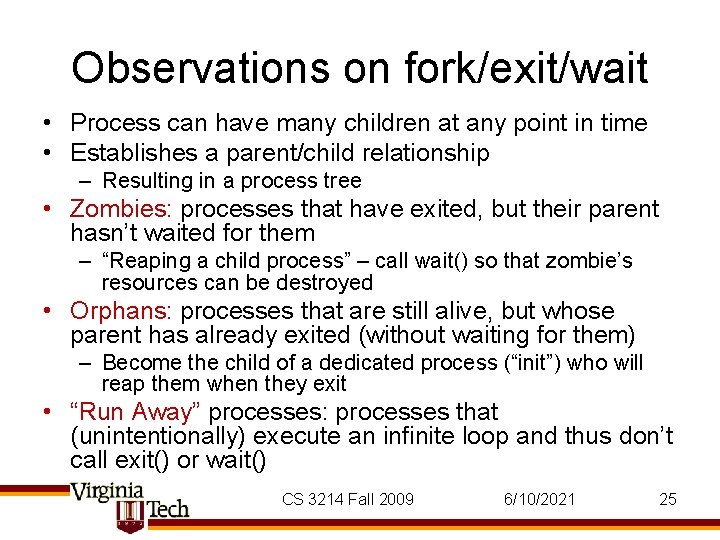
Observations on fork/exit/wait • Process can have many children at any point in time • Establishes a parent/child relationship – Resulting in a process tree • Zombies: processes that have exited, but their parent hasn’t waited for them – “Reaping a child process” – call wait() so that zombie’s resources can be destroyed • Orphans: processes that are still alive, but whose parent has already exited (without waiting for them) – Become the child of a dedicated process (“init”) who will reap them when they exit • “Run Away” processes: processes that (unintentionally) execute an infinite loop and thus don’t call exit() or wait() CS 3214 Fall 2009 6/10/2021 25