
CS 3214 Computer Systems Some of these slides
- Slides: 24
CS 3214 Computer Systems
Some of these slides are substantially derived from slides provided by Jim Kurose & Keith Ross. Copyright on this material is held by Kurose & Ross. Used with permission. The textbook is Computer Networking: A Top Down Approach Featuring the Internet Jim Kurose, Keith Ross, Addison-Wesley, July 2004 Part 2 NETWORKING CS 3214 Spring 2015
Application Protocols HTTP
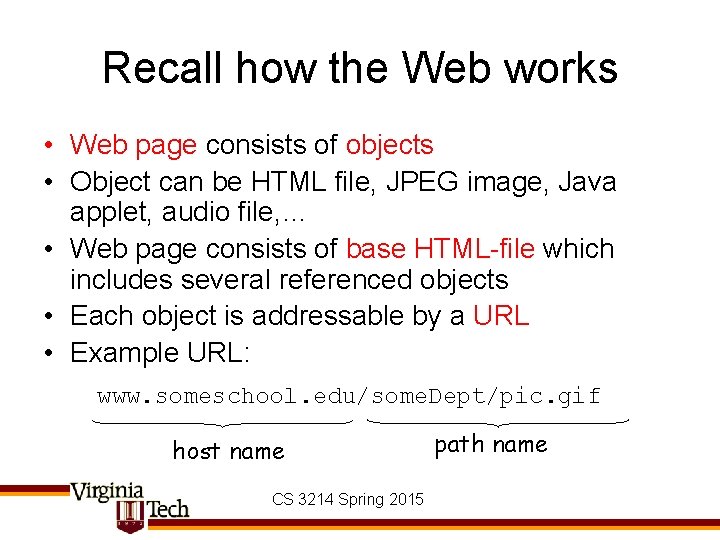
Recall how the Web works • Web page consists of objects • Object can be HTML file, JPEG image, Java applet, audio file, … • Web page consists of base HTML-file which includes several referenced objects • Each object is addressable by a URL • Example URL: www. someschool. edu/some. Dept/pic. gif host name CS 3214 Spring 2015 path name
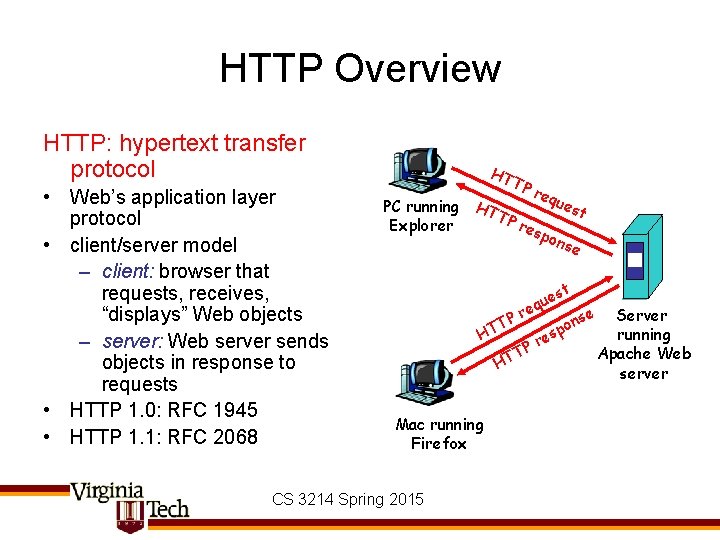
HTTP Overview HTTP: hypertext transfer protocol • Web’s application layer protocol • client/server model – client: browser that requests, receives, “displays” Web objects – server: Web server sends objects in response to requests • HTTP 1. 0: RFC 1945 • HTTP 1. 1: RFC 2068 HT TP req ues H PC running TT t Pr Explorer esp ons e st que re se Server P n T o p running HT es r P T Apache Web HT server Mac running Firefox CS 3214 Spring 2015
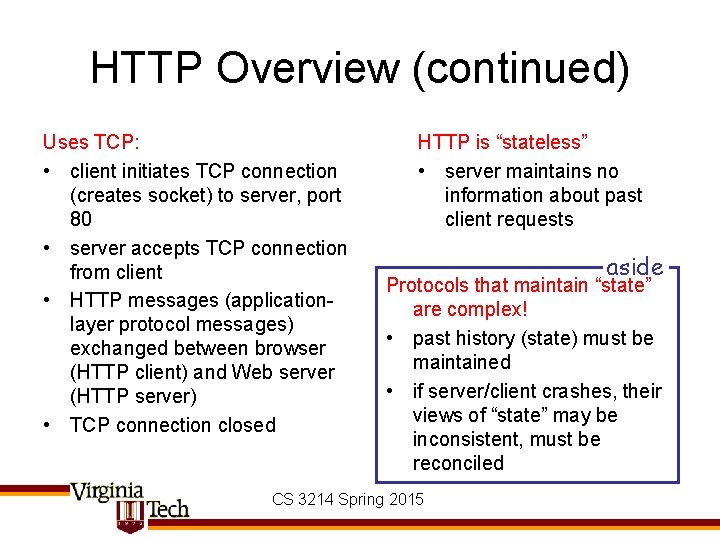
HTTP Overview (continued) Uses TCP: • client initiates TCP connection (creates socket) to server, port 80 • server accepts TCP connection from client • HTTP messages (applicationlayer protocol messages) exchanged between browser (HTTP client) and Web server (HTTP server) • TCP connection closed HTTP is “stateless” • server maintains no information about past client requests aside Protocols that maintain “state” are complex! • past history (state) must be maintained • if server/client crashes, their views of “state” may be inconsistent, must be reconciled CS 3214 Spring 2015
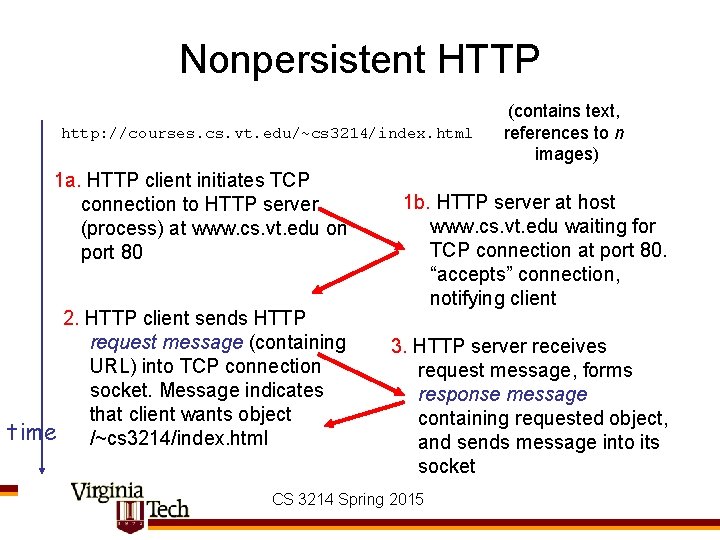
Nonpersistent HTTP http: //courses. cs. vt. edu/~cs 3214/index. html 1 a. HTTP client initiates TCP connection to HTTP server (process) at www. cs. vt. edu on port 80 2. HTTP client sends HTTP request message (containing URL) into TCP connection socket. Message indicates that client wants object time /~cs 3214/index. html (contains text, references to n images) 1 b. HTTP server at host www. cs. vt. edu waiting for TCP connection at port 80. “accepts” connection, notifying client 3. HTTP server receives request message, forms response message containing requested object, and sends message into its socket CS 3214 Spring 2015
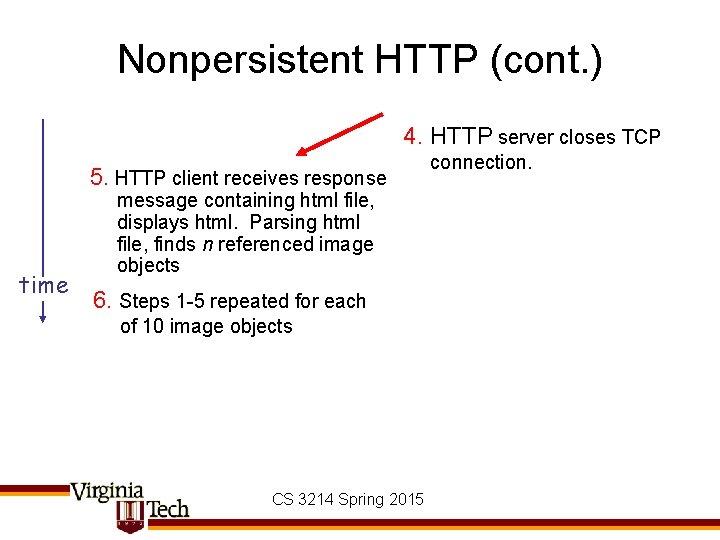
Nonpersistent HTTP (cont. ) 4. HTTP server closes TCP 5. HTTP client receives response time message containing html file, displays html. Parsing html file, finds n referenced image objects 6. Steps 1 -5 repeated for each of 10 image objects CS 3214 Spring 2015 connection.
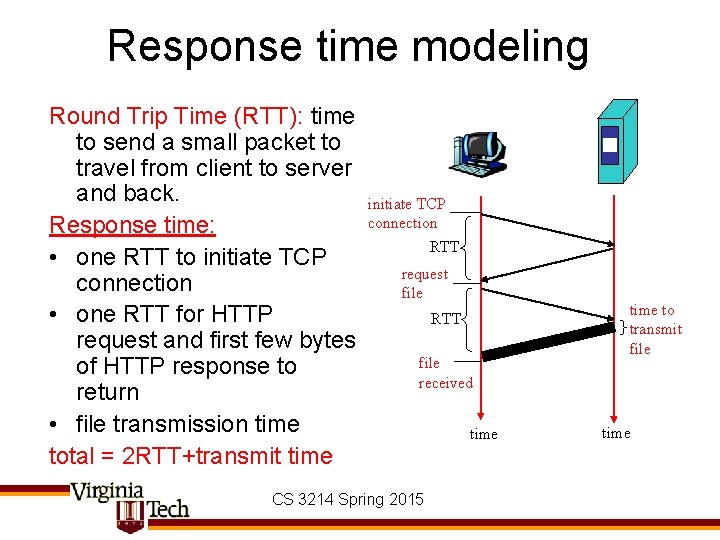
Response time modeling Round Trip Time (RTT): time to send a small packet to travel from client to server and back. Response time: • one RTT to initiate TCP connection • one RTT for HTTP request and first few bytes of HTTP response to return • file transmission time total = 2 RTT+transmit time initiate TCP connection RTT request file RTT file received CS 3214 Spring 2015 time to transmit file time
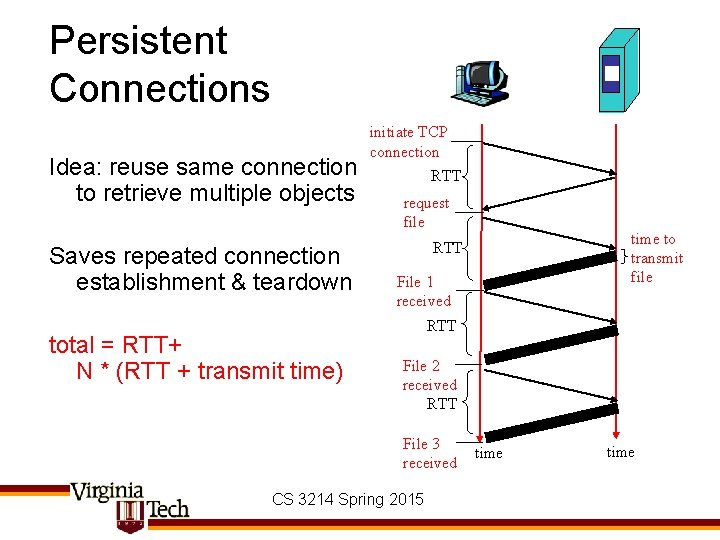
Persistent Connections Idea: reuse same connection to retrieve multiple objects Saves repeated connection establishment & teardown total = RTT+ N * (RTT + transmit time) initiate TCP connection RTT request file time to transmit file RTT File 1 received RTT File 2 received RTT File 3 received CS 3214 Spring 2015 time
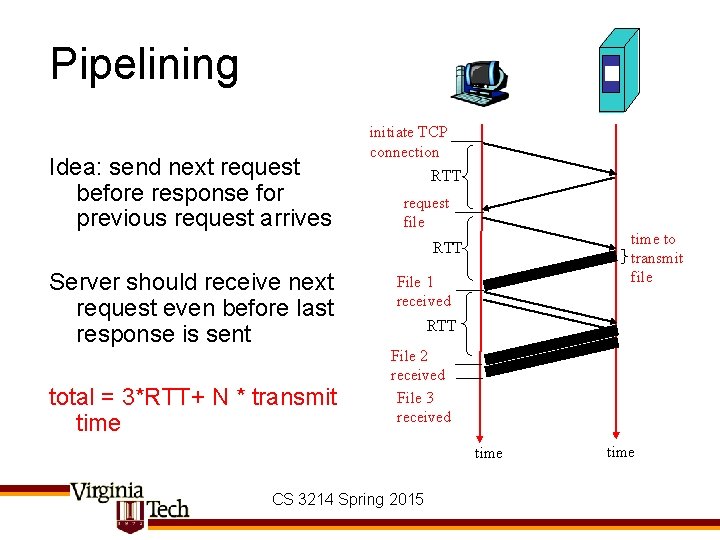
Pipelining Idea: send next request before response for previous request arrives initiate TCP connection RTT request file time to transmit file RTT Server should receive next request even before last response is sent total = 3*RTT+ N * transmit time File 1 received RTT File 2 received File 3 received time CS 3214 Spring 2015 time
Persistent HTTP Nonpersistent HTTP issues: • requires 2 RTTs per object • OS must work and allocate host resources for each TCP connection • but browsers often open parallel TCP connections to fetch referenced objects Persistent HTTP • server leaves connection open after sending response • subsequent HTTP messages between same client/server are sent over connection Persistent without pipelining: • client issues new request only when previous response has been received • one RTT for each referenced object Persistent with pipelining: • default in HTTP/1. 1 • client sends requests as soon as it encounters a referenced object • as little as one RTT for all the referenced objects CS 3214 Spring 2015
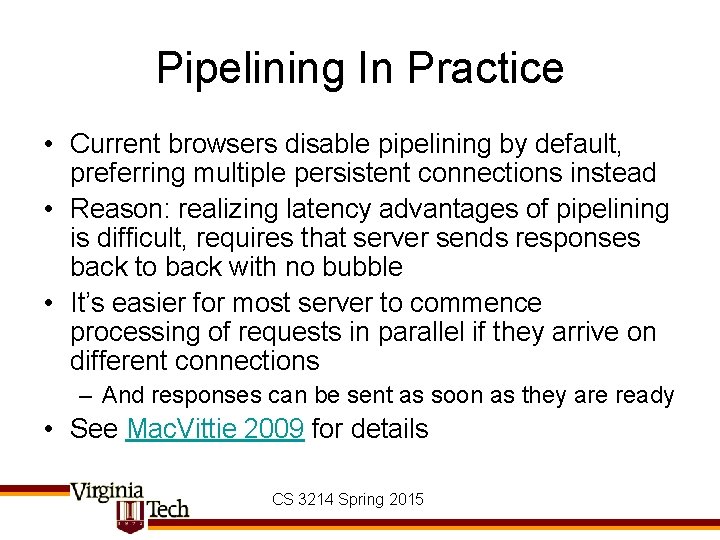
Pipelining In Practice • Current browsers disable pipelining by default, preferring multiple persistent connections instead • Reason: realizing latency advantages of pipelining is difficult, requires that server sends responses back to back with no bubble • It’s easier for most server to commence processing of requests in parallel if they arrive on different connections – And responses can be sent as soon as they are ready • See Mac. Vittie 2009 for details CS 3214 Spring 2015
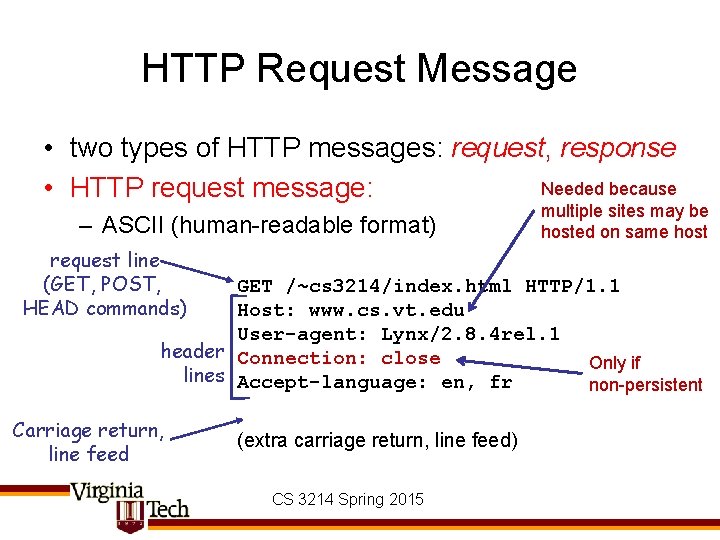
HTTP Request Message • two types of HTTP messages: request, response Needed because • HTTP request message: – ASCII (human-readable format) request line (GET, POST, HEAD commands) multiple sites may be hosted on same host GET /~cs 3214/index. html HTTP/1. 1 Host: www. cs. vt. edu User-agent: Lynx/2. 8. 4 rel. 1 header Connection: close Only if lines Accept-language: en, fr non-persistent Carriage return, line feed (extra carriage return, line feed) CS 3214 Spring 2015
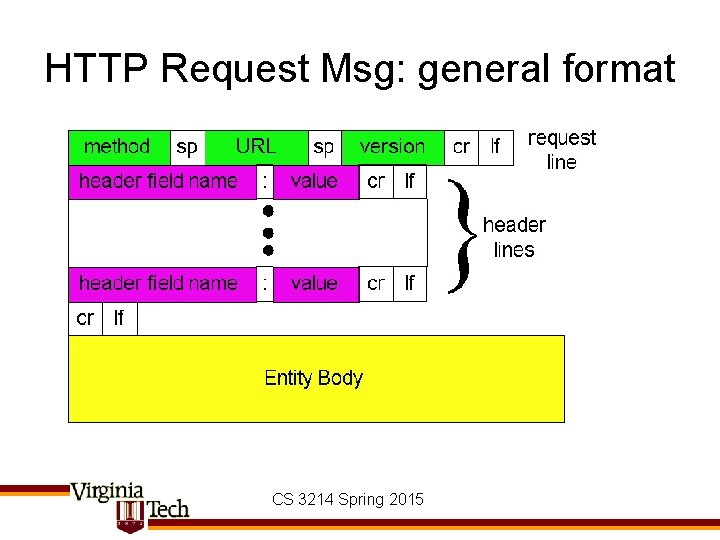
HTTP Request Msg: general format CS 3214 Spring 2015
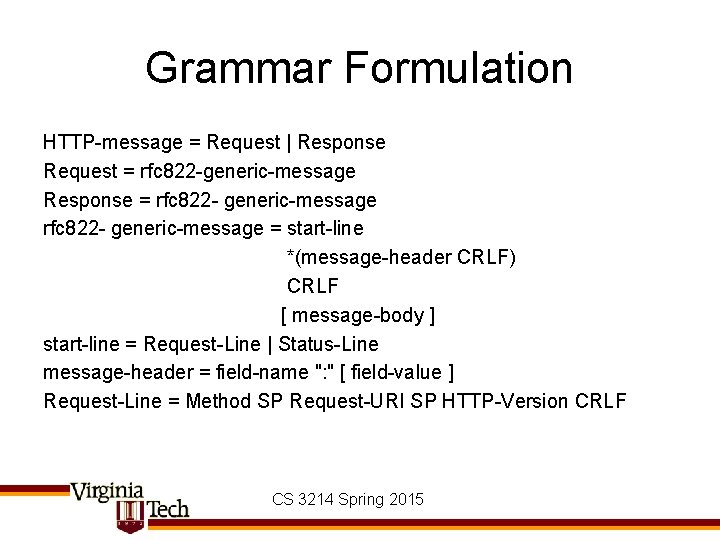
Grammar Formulation HTTP-message = Request | Response Request = rfc 822 -generic-message Response = rfc 822 - generic-message = start-line *(message-header CRLF) CRLF [ message-body ] start-line = Request-Line | Status-Line message-header = field-name ": " [ field-value ] Request-Line = Method SP Request-URI SP HTTP-Version CRLF CS 3214 Spring 2015
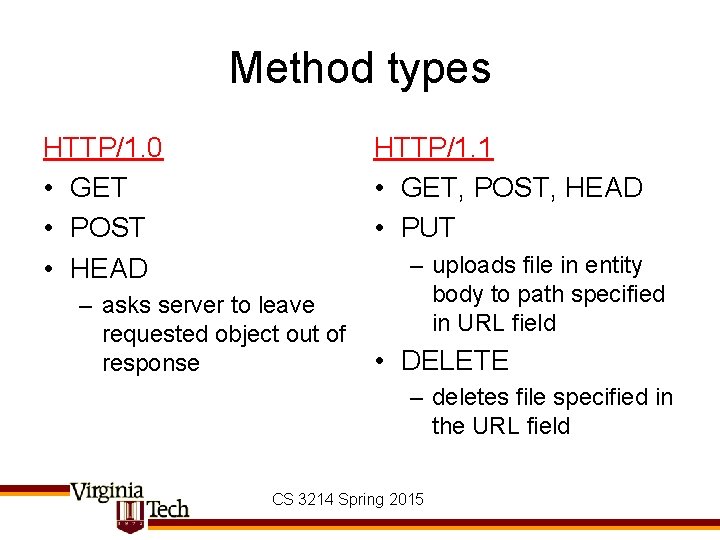
Method types HTTP/1. 0 • GET • POST • HEAD HTTP/1. 1 • GET, POST, HEAD • PUT – asks server to leave requested object out of response – uploads file in entity body to path specified in URL field • DELETE – deletes file specified in the URL field CS 3214 Spring 2015
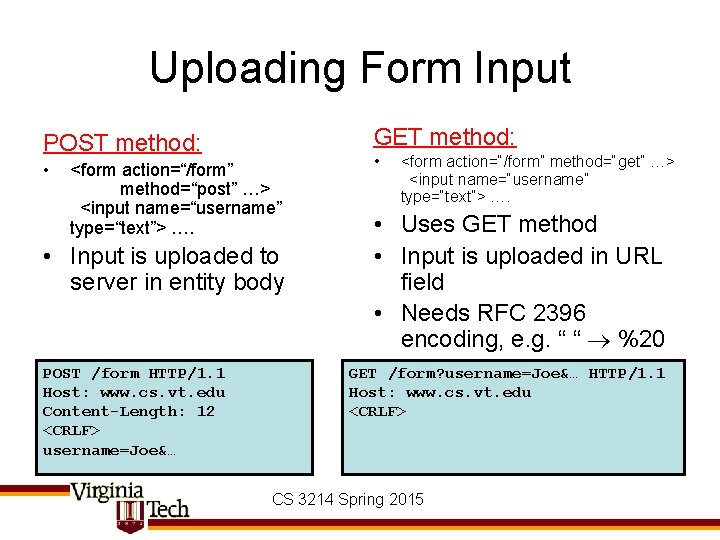
Uploading Form Input GET method: POST method: • <form action=“/form” method=“post” …> <input name=“username” type=“text”> …. • Input is uploaded to server in entity body POST /form HTTP/1. 1 Host: www. cs. vt. edu Content-Length: 12 <CRLF> username=Joe&… • <form action=“/form” method=“get” …> <input name=“username” type=“text”> …. • Uses GET method • Input is uploaded in URL field • Needs RFC 2396 encoding, e. g. “ “ %20 GET /form? username=Joe&… HTTP/1. 1 Host: www. cs. vt. edu <CRLF> CS 3214 Spring 2015
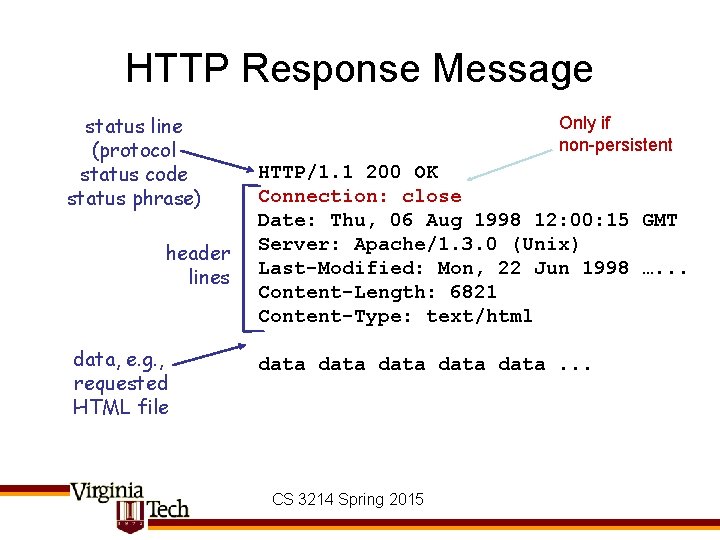
HTTP Response Message status line (protocol status code status phrase) header lines data, e. g. , requested HTML file Only if non-persistent HTTP/1. 1 200 OK Connection: close Date: Thu, 06 Aug 1998 12: 00: 15 GMT Server: Apache/1. 3. 0 (Unix) Last-Modified: Mon, 22 Jun 1998 …. . . Content-Length: 6821 Content-Type: text/html data data. . . CS 3214 Spring 2015
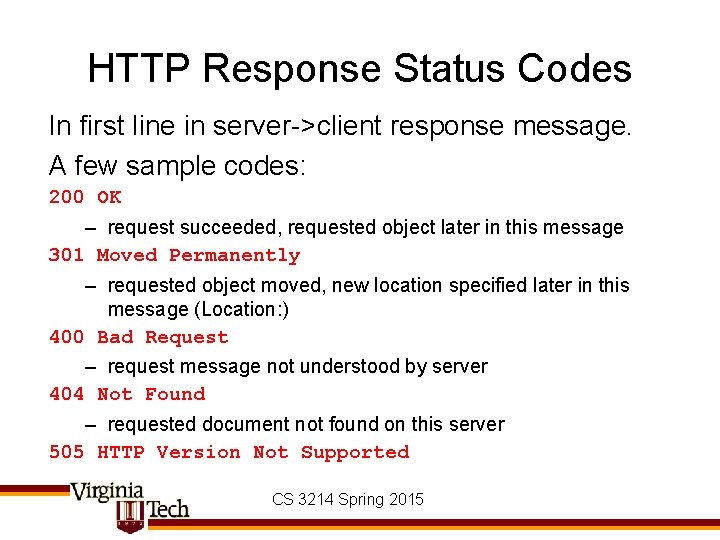
HTTP Response Status Codes In first line in server->client response message. A few sample codes: 200 OK – request succeeded, requested object later in this message 301 Moved Permanently – requested object moved, new location specified later in this message (Location: ) 400 Bad Request – request message not understood by server 404 Not Found – requested document not found on this server 505 HTTP Version Not Supported CS 3214 Spring 2015
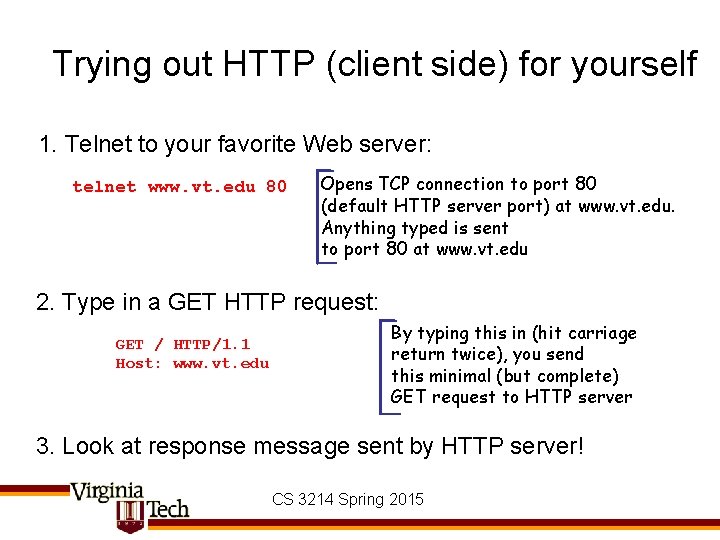
Trying out HTTP (client side) for yourself 1. Telnet to your favorite Web server: telnet www. vt. edu 80 Opens TCP connection to port 80 (default HTTP server port) at www. vt. edu. Anything typed is sent to port 80 at www. vt. edu 2. Type in a GET HTTP request: GET / HTTP/1. 1 Host: www. vt. edu By typing this in (hit carriage return twice), you send this minimal (but complete) GET request to HTTP server 3. Look at response message sent by HTTP server! CS 3214 Spring 2015
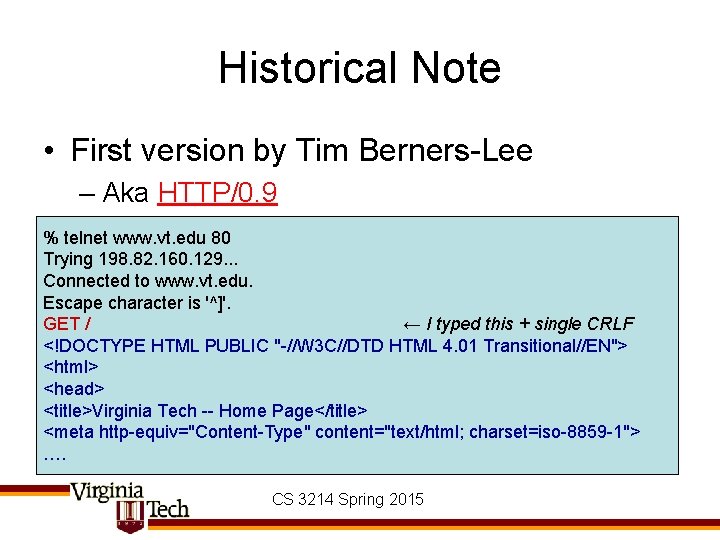
Historical Note • First version by Tim Berners-Lee – Aka HTTP/0. 9 % telnet www. vt. edu 80 Trying 198. 82. 160. 129. . . Connected to www. vt. edu. Escape character is '^]'. GET / ← I typed this + single CRLF <!DOCTYPE HTML PUBLIC "-//W 3 C//DTD HTML 4. 01 Transitional//EN"> <html> <head> <title>Virginia Tech -- Home Page</title> <meta http-equiv="Content-Type" content="text/html; charset=iso-8859 -1"> …. CS 3214 Spring 2015
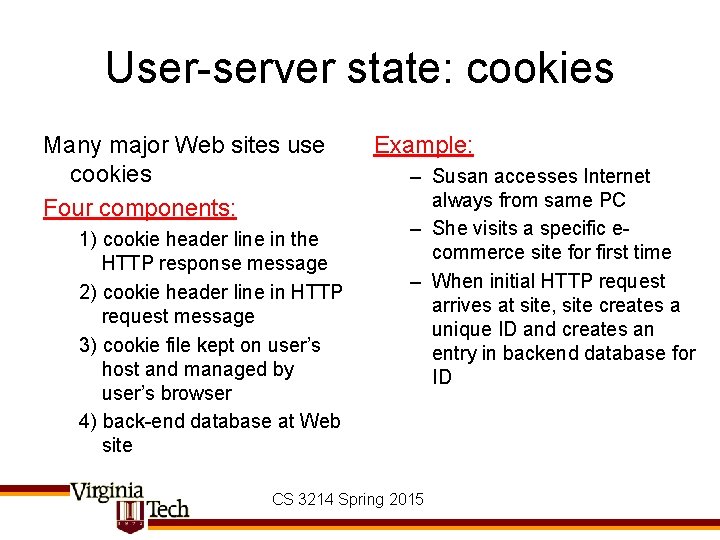
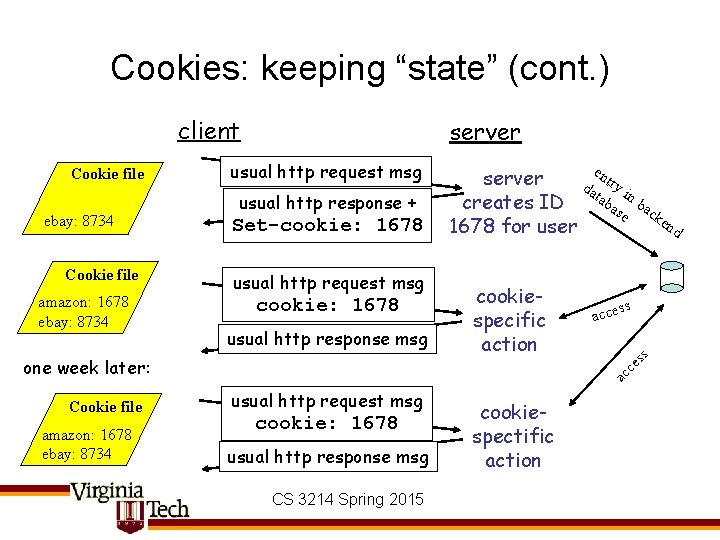
User-server state: cookies Many major Web sites use cookies Four components: 1) cookie header line in the HTTP response message 2) cookie header line in HTTP request message 3) cookie file kept on user’s host and managed by user’s browser 4) back-end database at Web site Example: – Susan accesses Internet always from same PC – She visits a specific ecommerce site for first time – When initial HTTP request arrives at site, site creates a unique ID and creates an entry in backend database for ID CS 3214 Spring 2015
Cookies: keeping “state” (cont. ) client ebay: 8734 Cookie file amazon: 1678 ebay: 8734 usual http request msg usual http response + Set-cookie: 1678 usual http request msg cookie: 1678 usual http response msg Cookie file amazon: 1678 ebay: 8734 cookiespecific action ss acce ac ce one week later: e n server da try i tab n b creates ID as ac e ke nd 1678 for user ss Cookie file server usual http request msg cookie: 1678 usual http response msg CS 3214 Spring 2015 cookiespectific action