Computer Architecture and Data Manipulation Chapter 3 Von

- Slides: 32
Computer Architecture and Data Manipulation Chapter 3
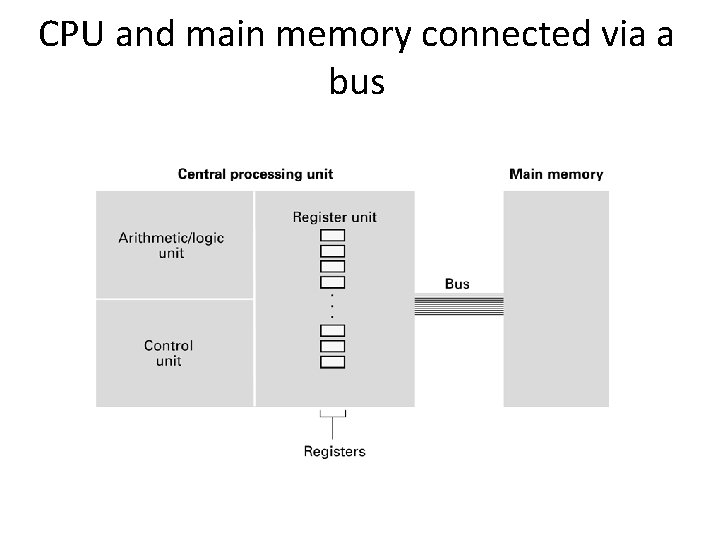
Von Neumann Architecture • Today’s stored-program computers have the following characteristics: – Three hardware systems: • A central processing unit (CPU) – Arithmetic and Logic Unit (ALU) – Control Unit – Registers • A main memory system • An I/O system – The capacity to carry out sequential instruction processing. – A single data path between the CPU and main memory.
CPU and main memory connected via a bus
Stored Program Concept A program can be encoded as bit patterns and stored in main memory. From there, the CPU can then extract the instructions and execute them. In turn, the program to be executed can be altered easily.
Terminology • Machine instruction: An instruction (or command) encoded as a bit pattern recognizable by the CPU • Machine language: The set of all instructions recognized by a machine
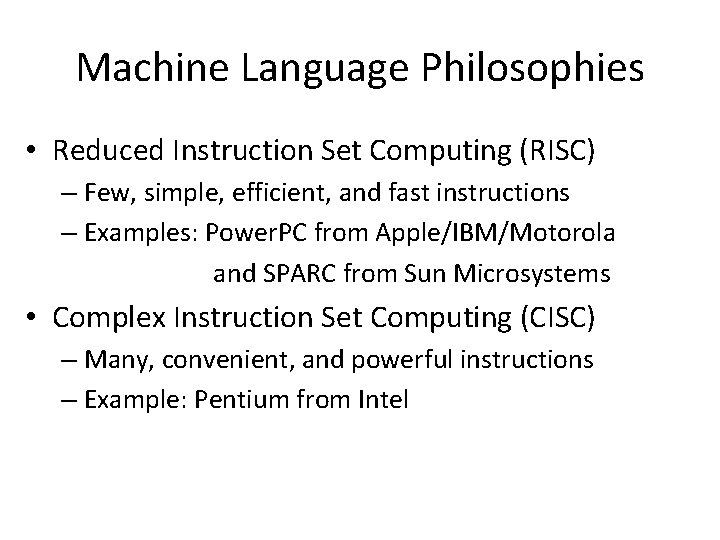
Machine Language Philosophies • Reduced Instruction Set Computing (RISC) – Few, simple, efficient, and fast instructions – Examples: Power. PC from Apple/IBM/Motorola and SPARC from Sun Microsystems • Complex Instruction Set Computing (CISC) – Many, convenient, and powerful instructions – Example: Pentium from Intel
Machine Instruction Types • Data Transfer: copy data from one location to another • Arithmetic/Logic: use existing bit patterns to compute a new bit patterns • Control: direct the execution of the program
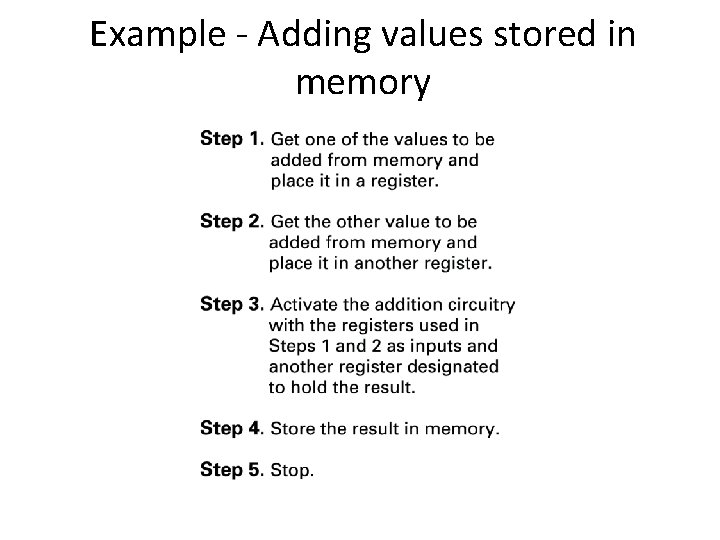
Example - Adding values stored in memory
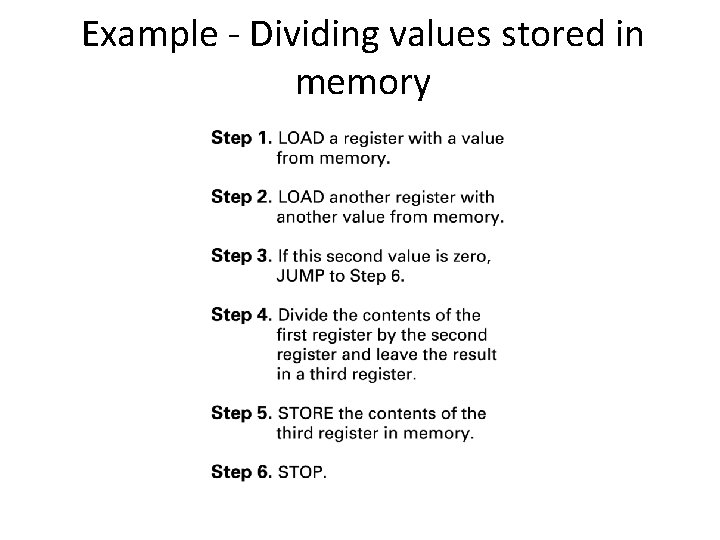
Example - Dividing values stored in memory
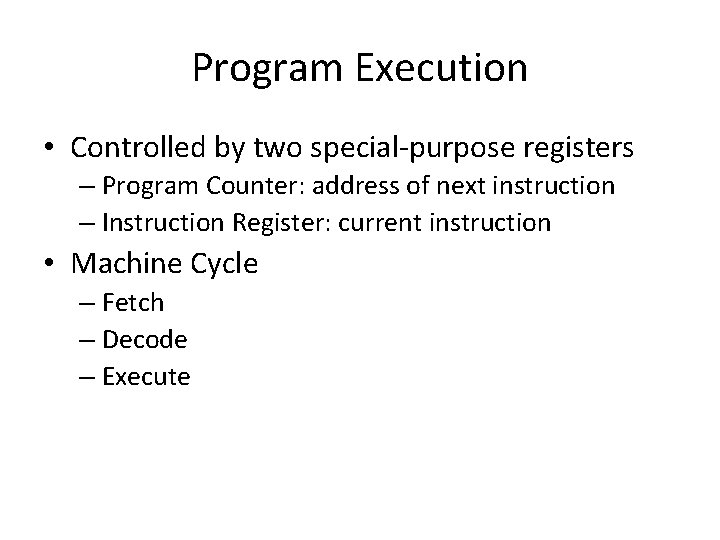
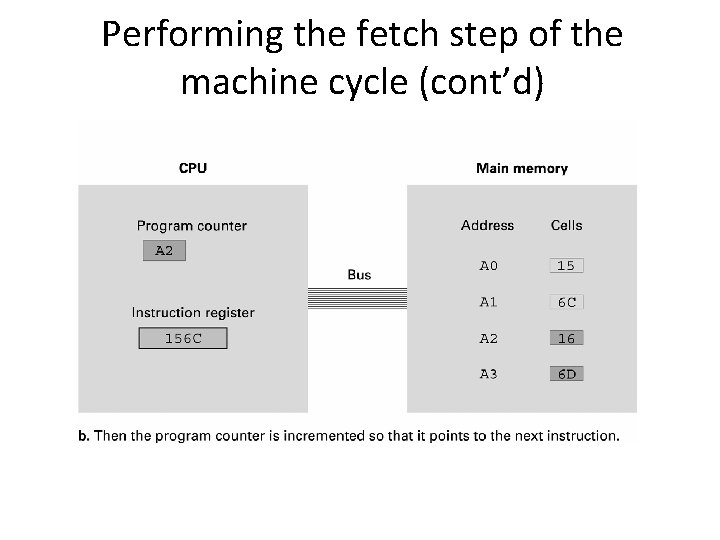
Program Execution • Controlled by two special-purpose registers – Program Counter: address of next instruction – Instruction Register: current instruction • Machine Cycle – Fetch – Decode – Execute
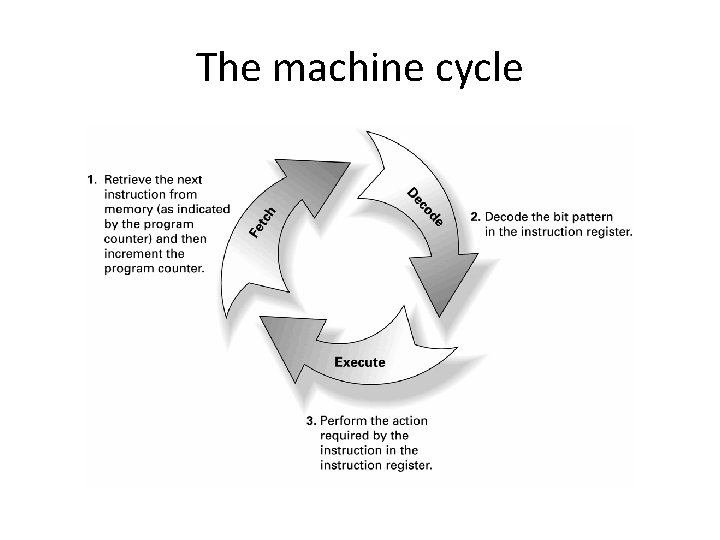
The machine cycle
Program Execution • Controlled by two special-purpose registers – Program counter: address of next instruction – Instruction register: current instruction • Machine Cycle – Fetch – Decode – Execute
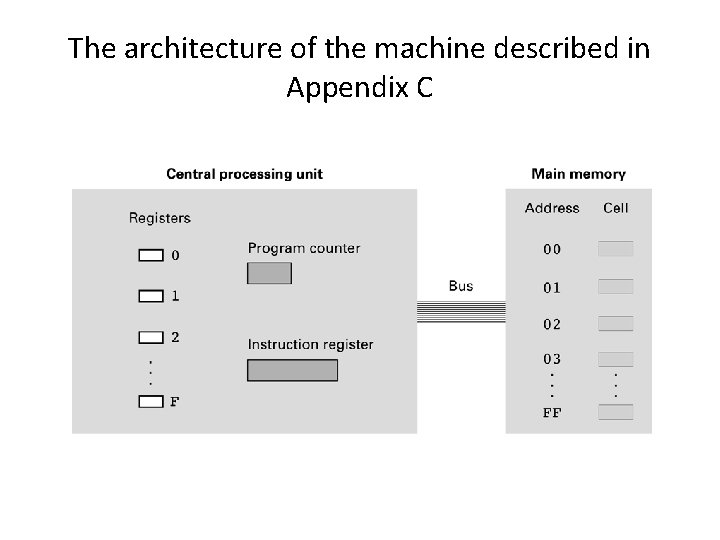
The architecture of the machine described in Appendix C
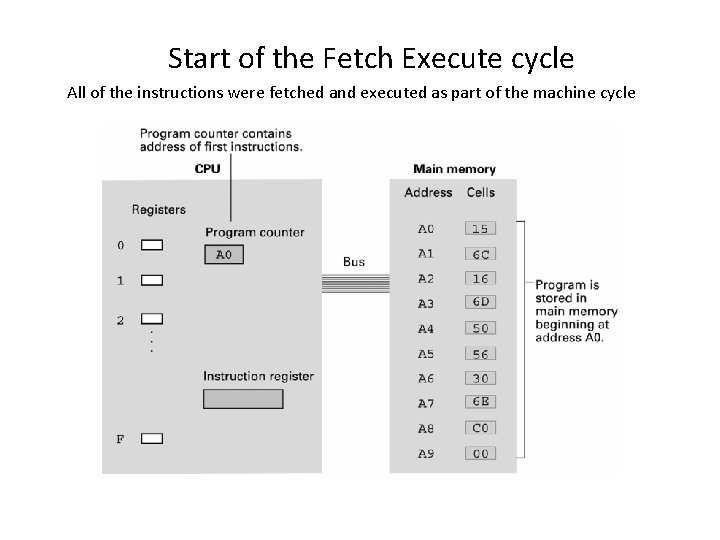
Start of the Fetch Execute cycle All of the instructions were fetched and executed as part of the machine cycle
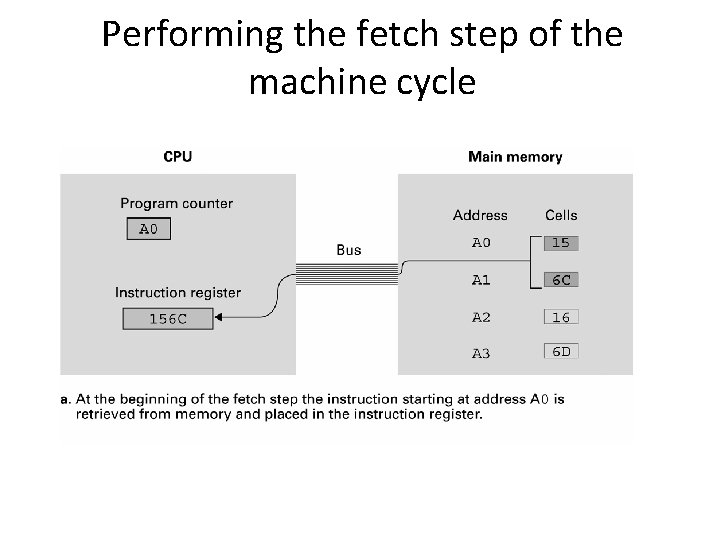
Performing the fetch step of the machine cycle
Performing the fetch step of the machine cycle (cont’d)
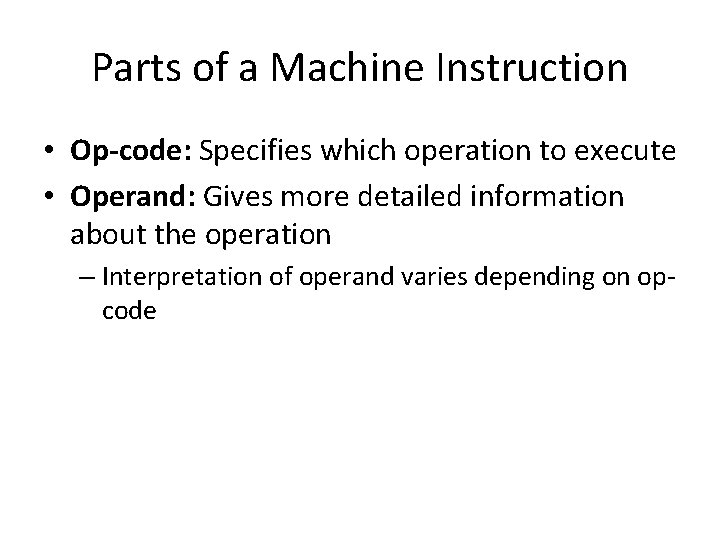
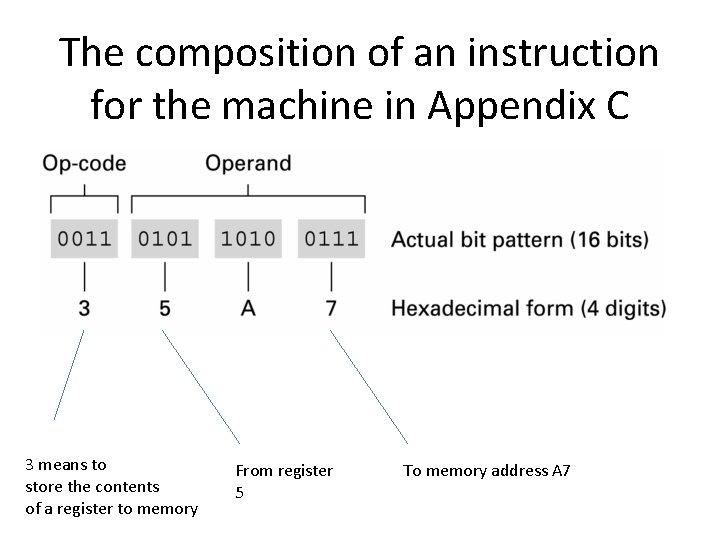
Parts of a Machine Instruction • Op-code: Specifies which operation to execute • Operand: Gives more detailed information about the operation – Interpretation of operand varies depending on opcode
The composition of an instruction for the machine in Appendix C 3 means to store the contents of a register to memory From register 5 To memory address A 7
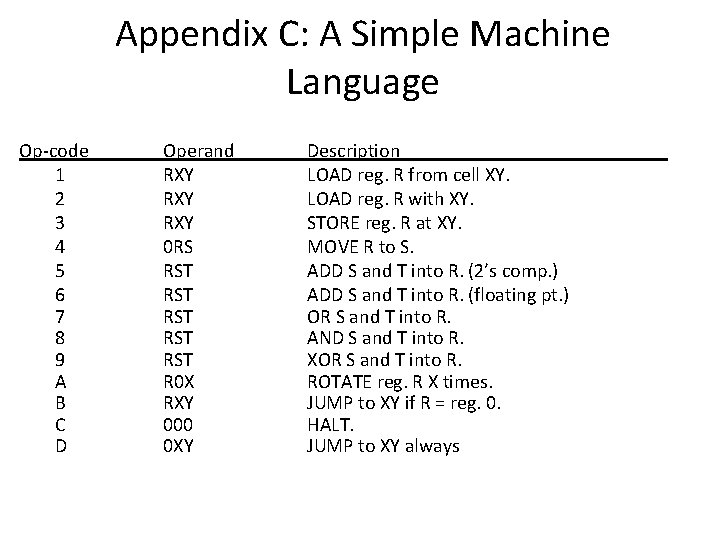
Appendix C: A Simple Machine Language Op-code 1 2 3 4 5 6 7 8 9 A B C D Operand RXY RXY 0 RS RST RST RST R 0 X RXY 000 0 XY Description LOAD reg. R from cell XY. LOAD reg. R with XY. STORE reg. R at XY. MOVE R to S. ADD S and T into R. (2’s comp. ) ADD S and T into R. (floating pt. ) OR S and T into R. AND S and T into R. XOR S and T into R. ROTATE reg. R X times. JUMP to XY if R = reg. 0. HALT. JUMP to XY always
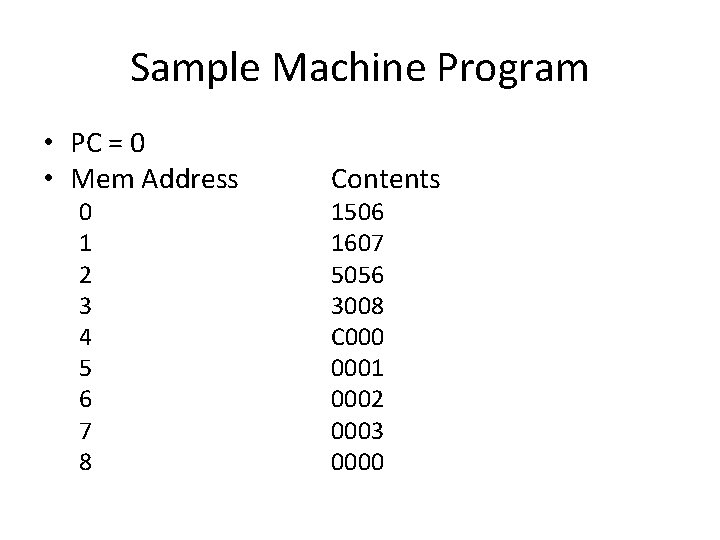
Sample Machine Program • PC = 0 • Mem Address 0 1 2 3 4 5 6 7 8 Contents 1506 1607 5056 3008 C 0001 0002 0003 0000
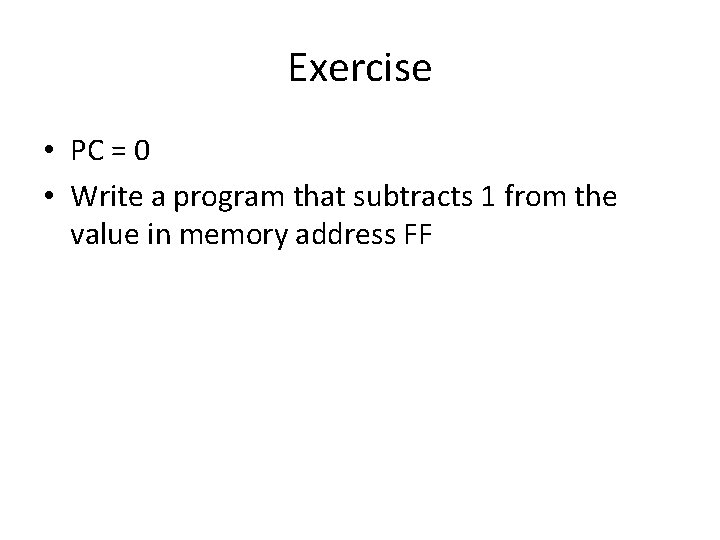
Exercise • PC = 0 • Write a program that subtracts 1 from the value in memory address FF
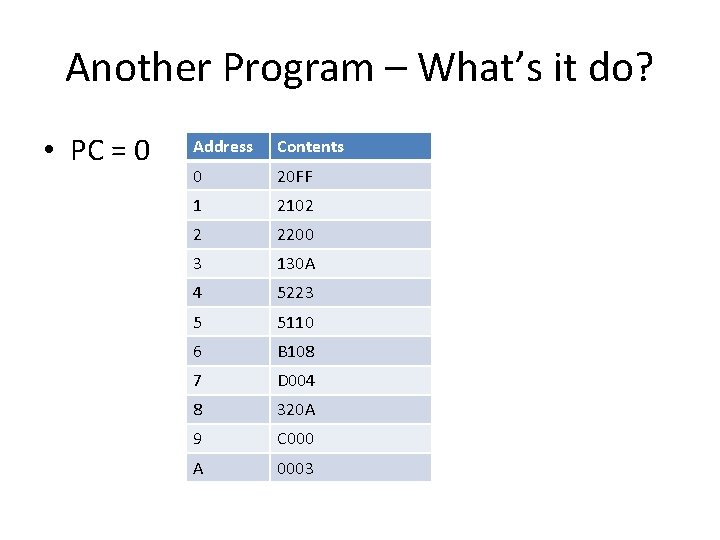
Another Program – What’s it do? • PC = 0 Address Contents 0 20 FF 1 2102 2 2200 3 130 A 4 5223 5 5110 6 B 108 7 D 004 8 320 A 9 C 000 A 0003
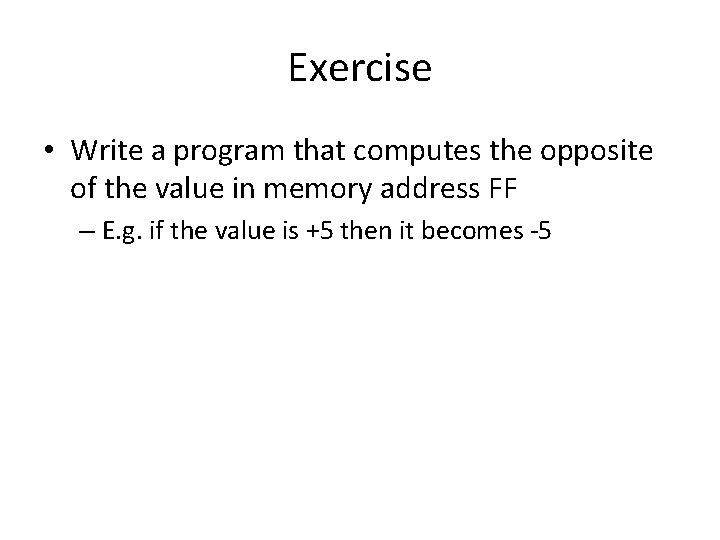
Exercise • Write a program that computes the opposite of the value in memory address FF – E. g. if the value is +5 then it becomes -5
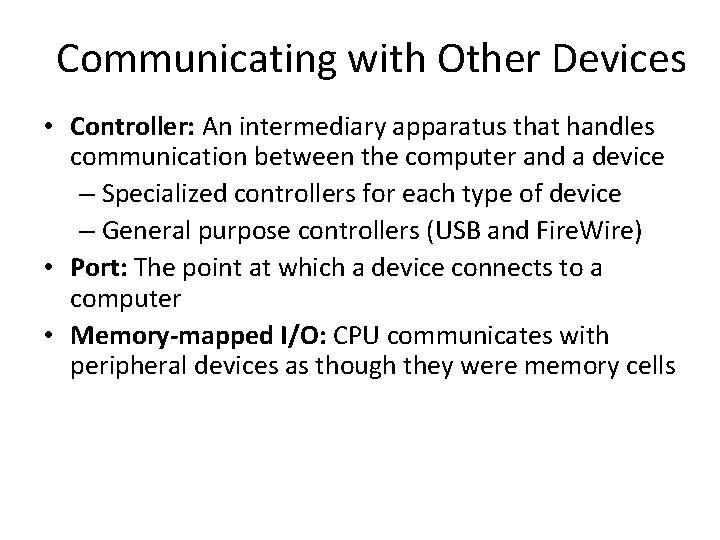
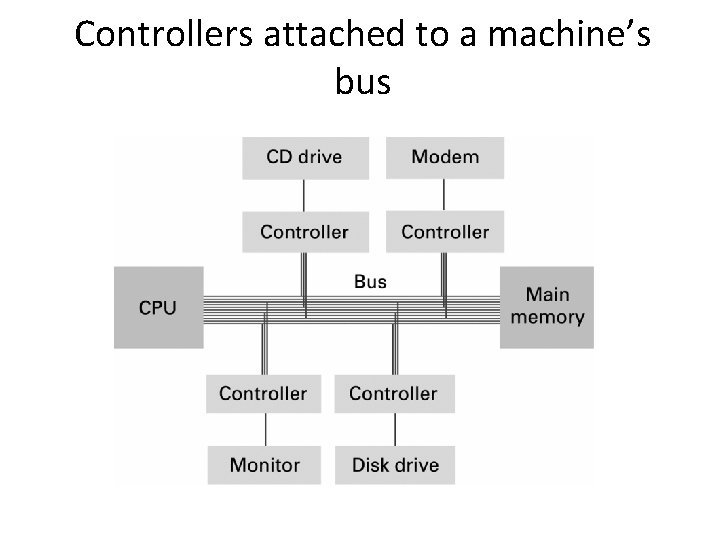
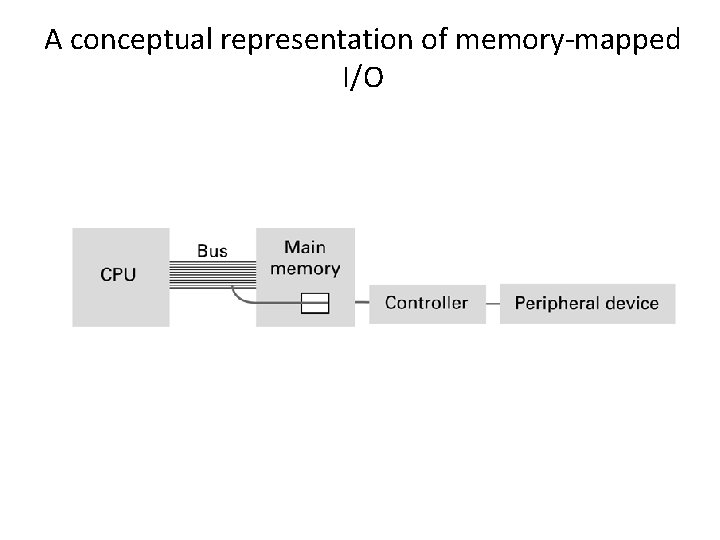
Communicating with Other Devices • Controller: An intermediary apparatus that handles communication between the computer and a device – Specialized controllers for each type of device – General purpose controllers (USB and Fire. Wire) • Port: The point at which a device connects to a computer • Memory-mapped I/O: CPU communicates with peripheral devices as though they were memory cells
Controllers attached to a machine’s bus
A conceptual representation of memory-mapped I/O
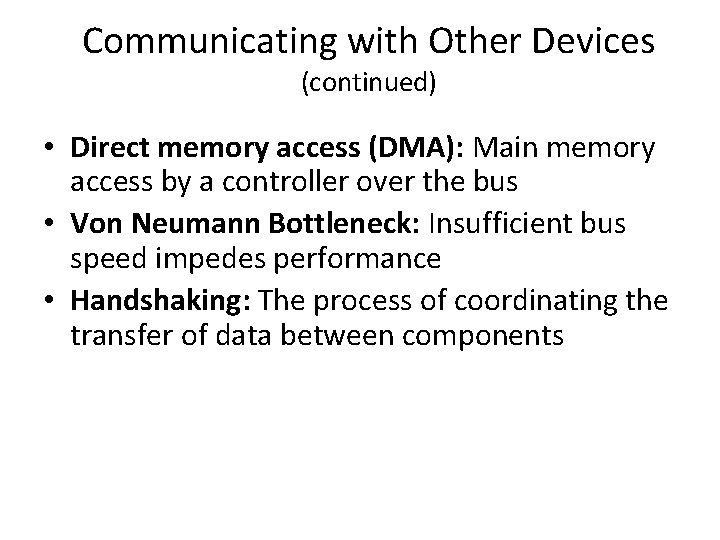
Communicating with Other Devices (continued) • Direct memory access (DMA): Main memory access by a controller over the bus • Von Neumann Bottleneck: Insufficient bus speed impedes performance • Handshaking: The process of coordinating the transfer of data between components
Communicating with Other Devices (continued) • Parallel Communication: Several communication paths transfer bits simultaneously. • Serial Communication: Bits are transferred one after the other over a single communication path.
Data Communication Rates • Measurement units – Bps: Bits per second – Kbps: Kilo-bps (1, 000 bps) – Mbps: Mega-bps (1, 000 bps) – Gbps: Giga-bps (1, 000, 000 bps) • Bandwidth: Maximum available rate
Increasing Performance • Technologies to increase throughput: – Faster clock speed – Bigger word size – Larger cache memory – Pipelining: Overlap steps of the machine cycle
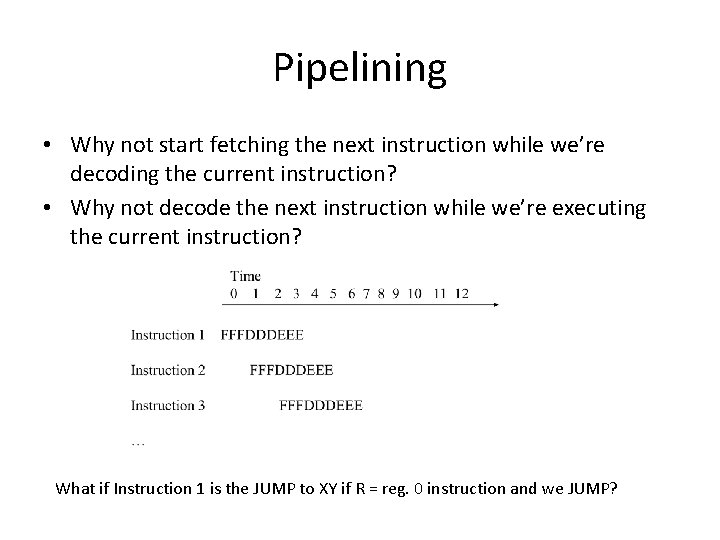
Pipelining • Why not start fetching the next instruction while we’re decoding the current instruction? • Why not decode the next instruction while we’re executing the current instruction? What if Instruction 1 is the JUMP to XY if R = reg. 0 instruction and we JUMP?
Increasing Performance – Parallel Processing: Use multiple processors simultaneously • SISD: No parallel processing • MIMD: Different programs, different data – Dual core, quad core • SIMD: Same program, different data – SSE, MMX