ATL Airport Cargo Community System Export Flow Ground


- Slides: 40
ATL - Airport Cargo Community System
Export Flow –Ground Handler
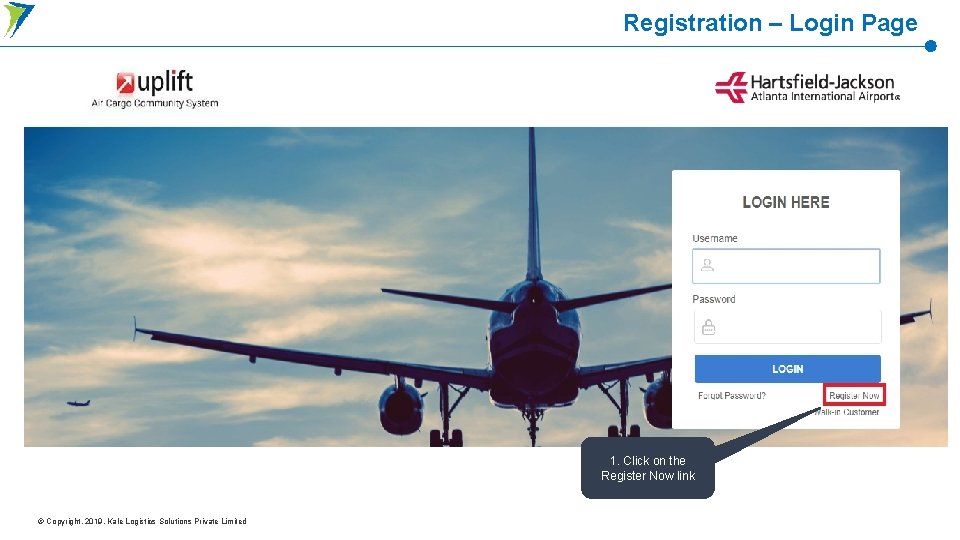
Registration – Login Page 1. Click on the Register Now link © Copyright. 2019. Kale Logistics Solutions Private Limited
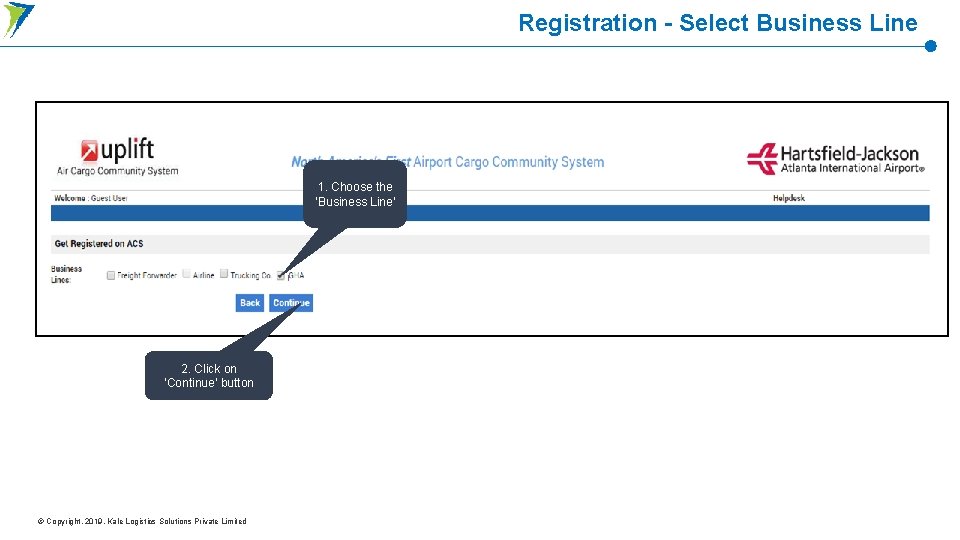
Registration - Select Business Line 1. Choose the ‘Business Line’ 2. Click on ‘Continue’ button © Copyright. 2019. Kale Logistics Solutions Private Limited
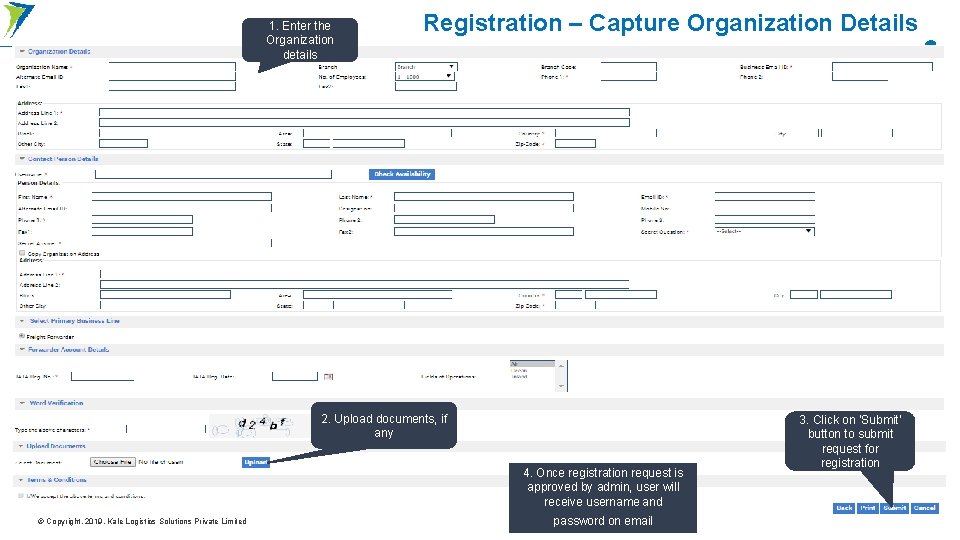
1. Enter the Organization details Registration – Capture Organization Details 2. Upload documents, if any 4. Once registration request is approved by admin, user will receive username and © Copyright. 2019. Kale Logistics Solutions Private Limited password on email 3. Click on ‘Submit’ button to submit request for registration
User Registration
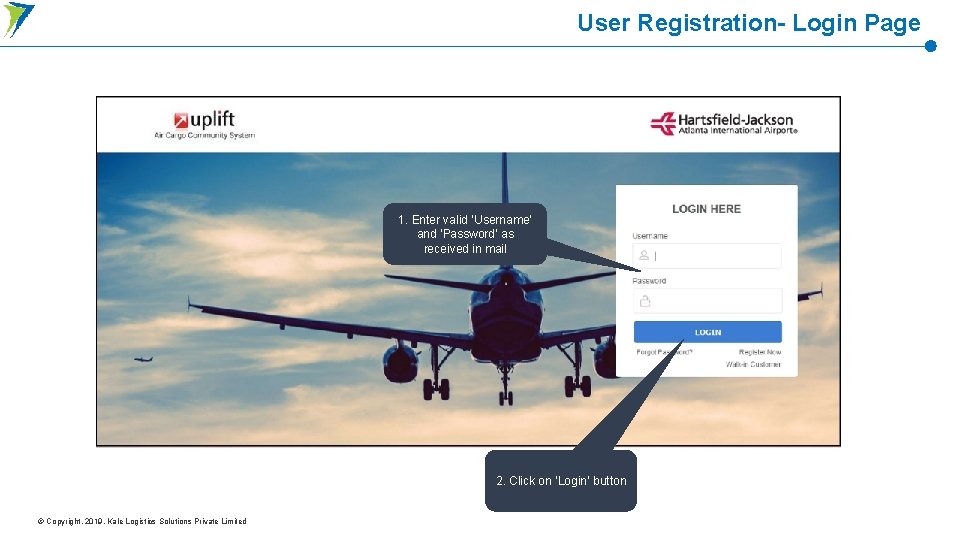
User Registration- Login Page 1. Enter valid ‘Username’ and ‘Password’ as received in mail 2. Click on ‘Login’ button © Copyright. 2019. Kale Logistics Solutions Private Limited
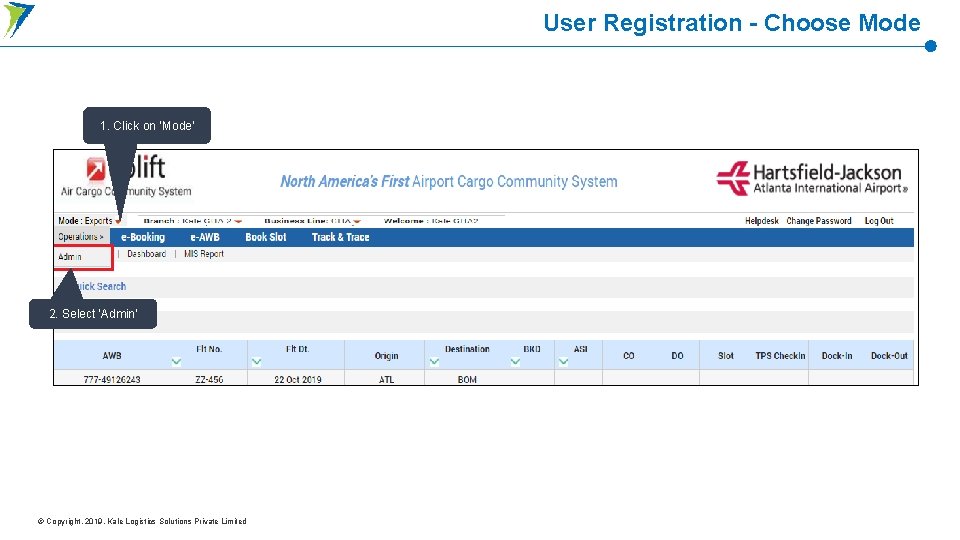
User Registration - Choose Mode 1. Click on ‘Mode’ 2. Select ‘Admin’ © Copyright. 2019. Kale Logistics Solutions Private Limited
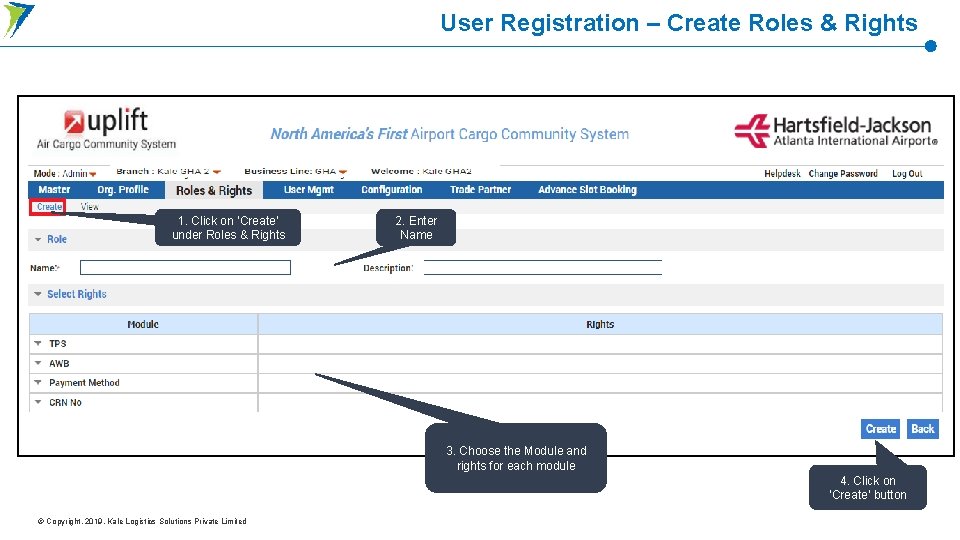
User Registration – Create Roles & Rights 1. Click on ‘Create’ under Roles & Rights 2. Enter Name 3. Choose the Module and rights for each module 4. Click on ‘Create’ button © Copyright. 2019. Kale Logistics Solutions Private Limited
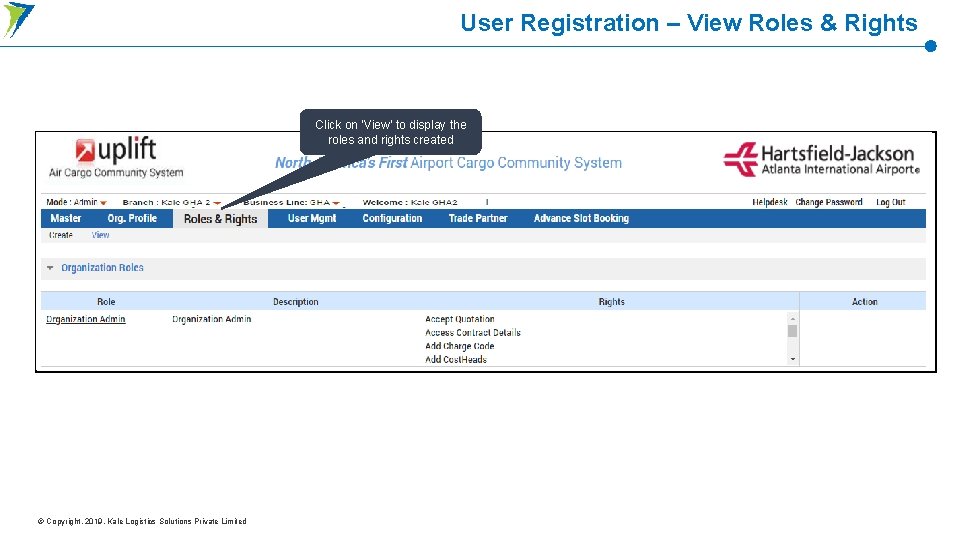
User Registration – View Roles & Rights Click on ‘View’ to display the roles and rights created © Copyright. 2019. Kale Logistics Solutions Private Limited
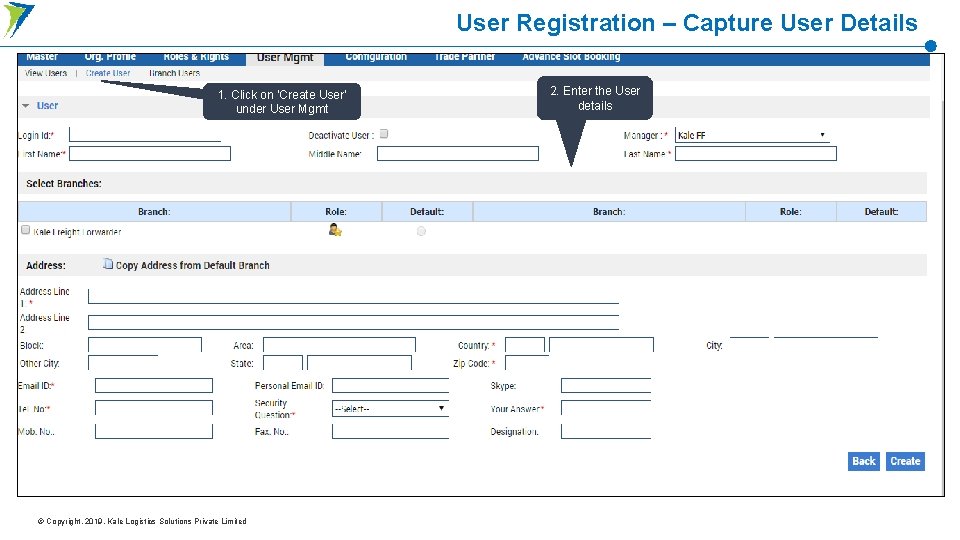
User Registration – Capture User Details 1. Click on ‘Create User’ under User Mgmt © Copyright. 2019. Kale Logistics Solutions Private Limited 2. Enter the User details
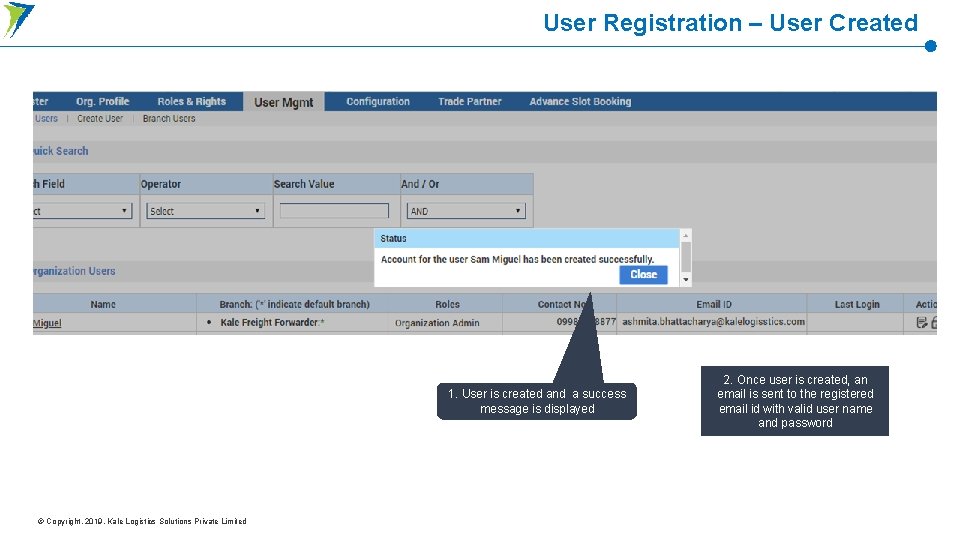
User Registration – User Created 1. User is created and a success message is displayed © Copyright. 2019. Kale Logistics Solutions Private Limited 2. Once user is created, an email is sent to the registered email id with valid user name and password
Ground Handler Login on Mobile App
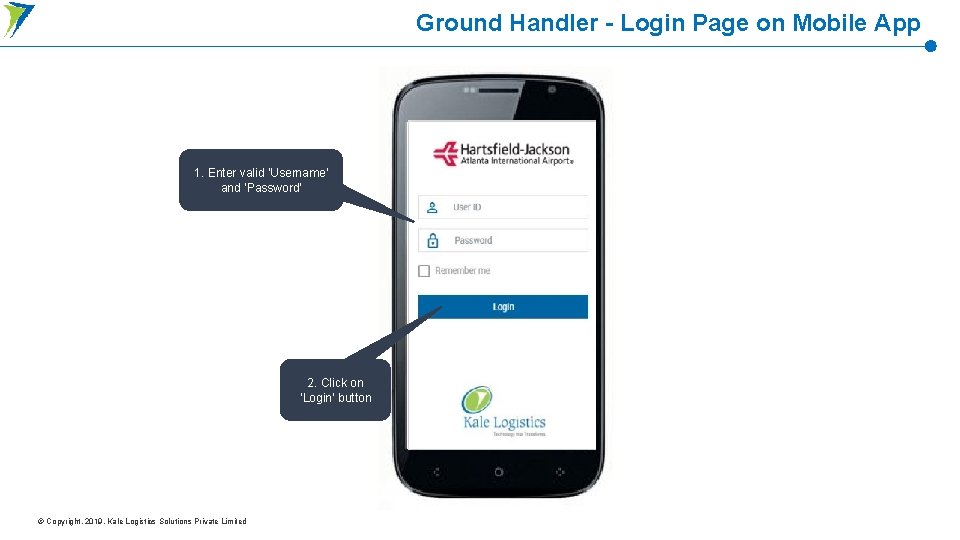
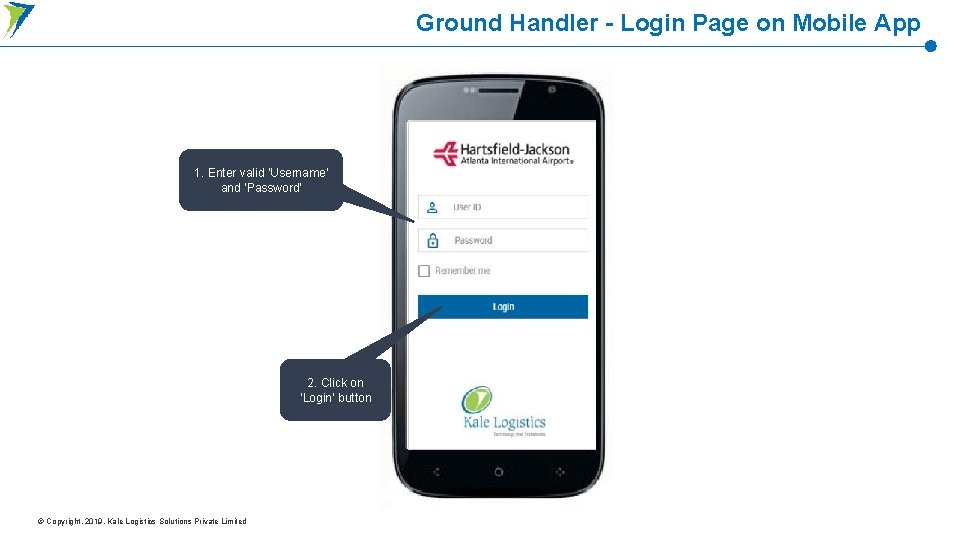
Ground Handler - Login Page on Mobile App 1. Enter valid ‘Username’ and ‘Password’ 2. Click on ‘Login’ button © Copyright. 2019. Kale Logistics Solutions Private Limited
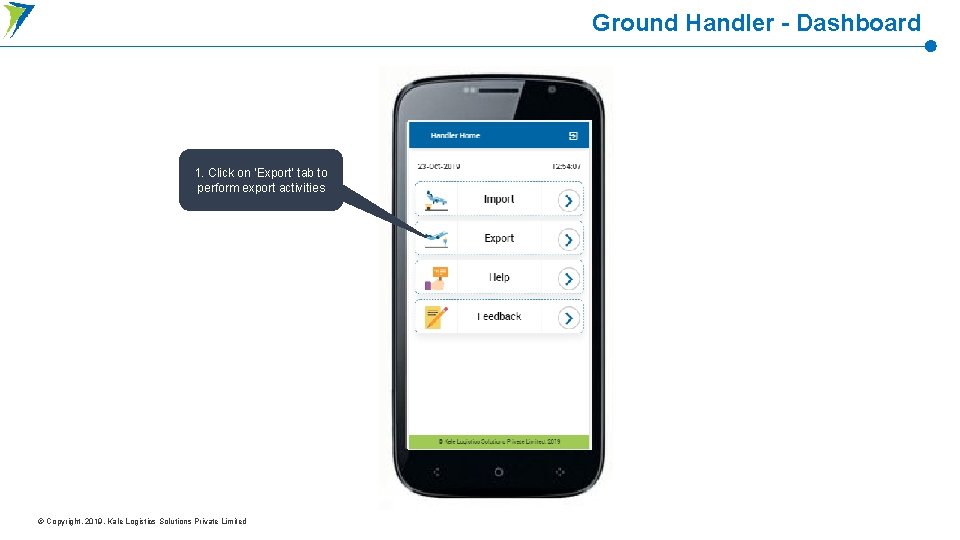
Ground Handler - Dashboard 1. Click on ‘Export’ tab to perform export activities © Copyright. 2019. Kale Logistics Solutions Private Limited
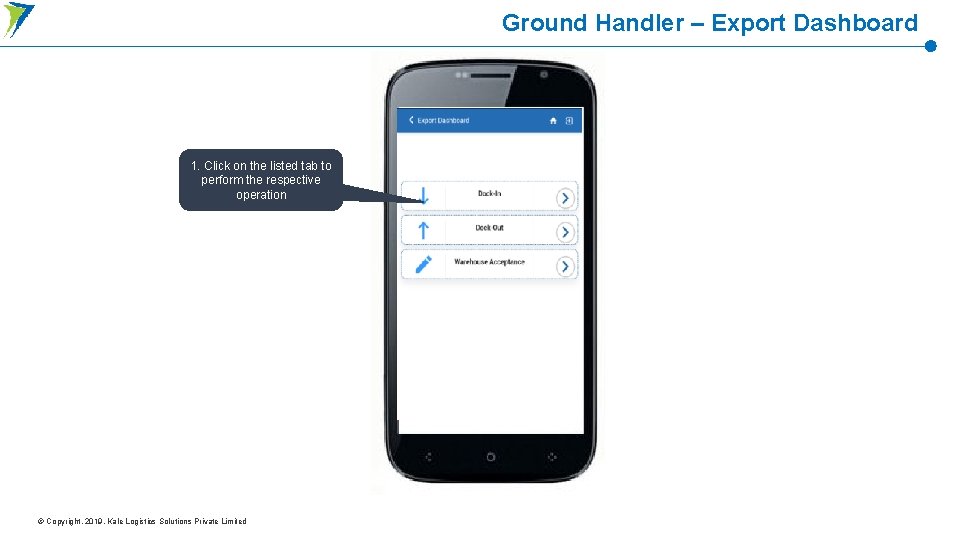
Ground Handler – Export Dashboard 1. Click on the listed tab to perform the respective operation © Copyright. 2019. Kale Logistics Solutions Private Limited
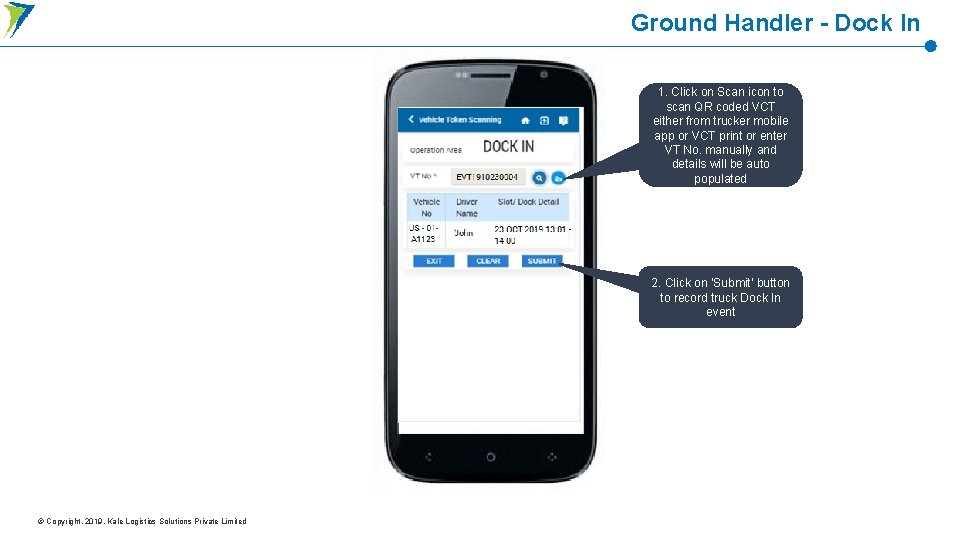
Ground Handler - Dock In 1. Click on Scan icon to scan QR coded VCT either from trucker mobile app or VCT print or enter VT No. manually and details will be auto populated 2. Click on ‘Submit’ button to record truck Dock In event © Copyright. 2019. Kale Logistics Solutions Private Limited
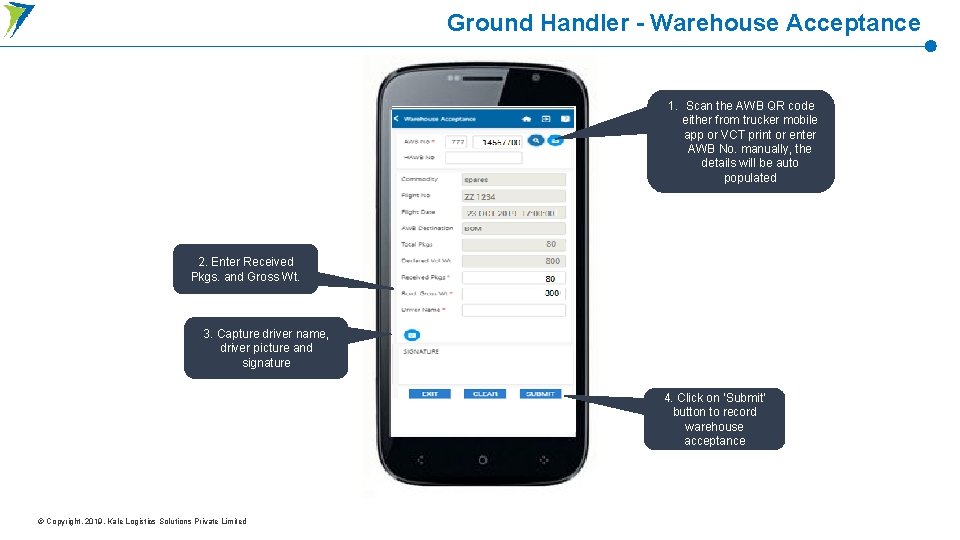
Ground Handler - Warehouse Acceptance 1. Scan the AWB QR code either from trucker mobile app or VCT print or enter AWB No. manually, the details will be auto populated 2. Enter Received Pkgs. and Gross Wt. 3. Capture driver name, driver picture and signature 4. Click on ‘Submit’ button to record warehouse acceptance © Copyright. 2019. Kale Logistics Solutions Private Limited
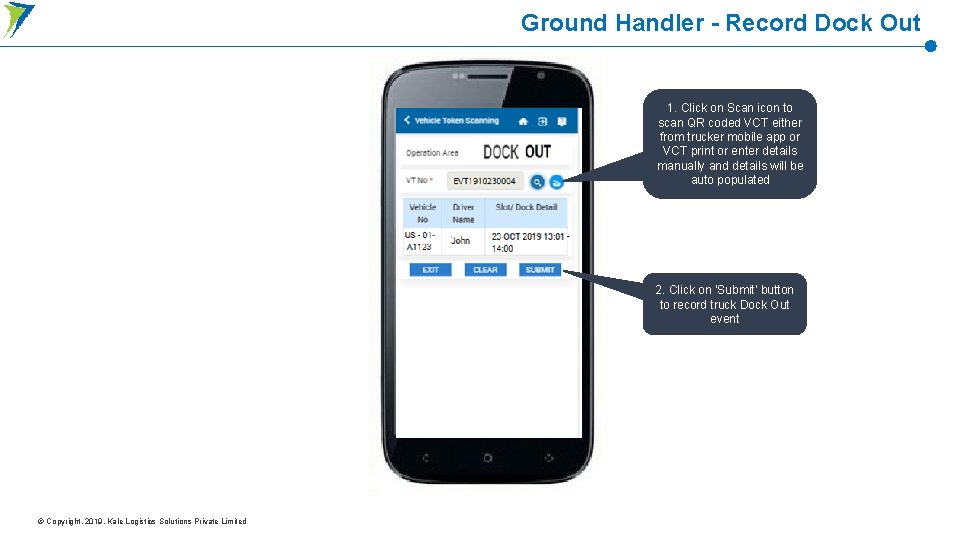
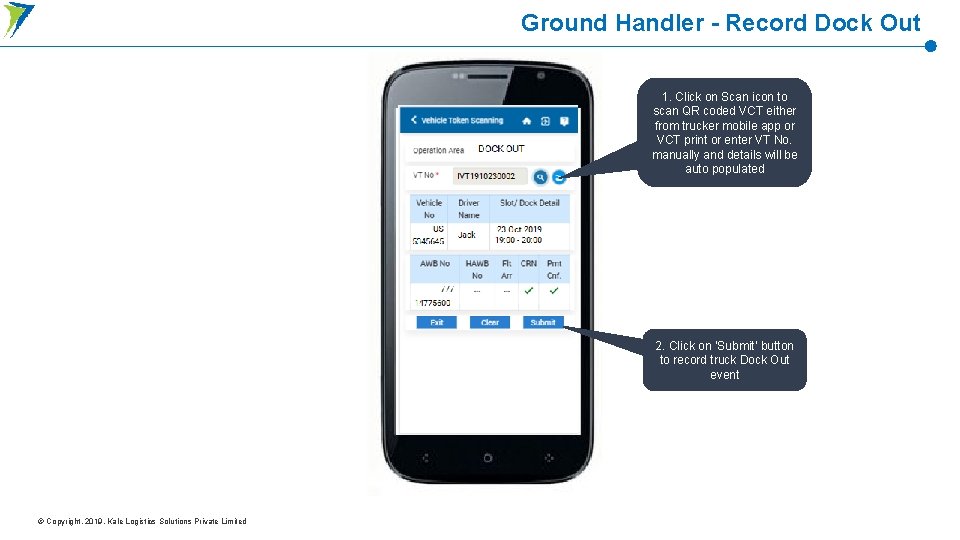
Ground Handler - Record Dock Out 1. Click on Scan icon to scan QR coded VCT either from trucker mobile app or VCT print or enter details manually and details will be auto populated 2. Click on ‘Submit’ button to record truck Dock Out event © Copyright. 2019. Kale Logistics Solutions Private Limited
Ground Handler Login on Web Portal
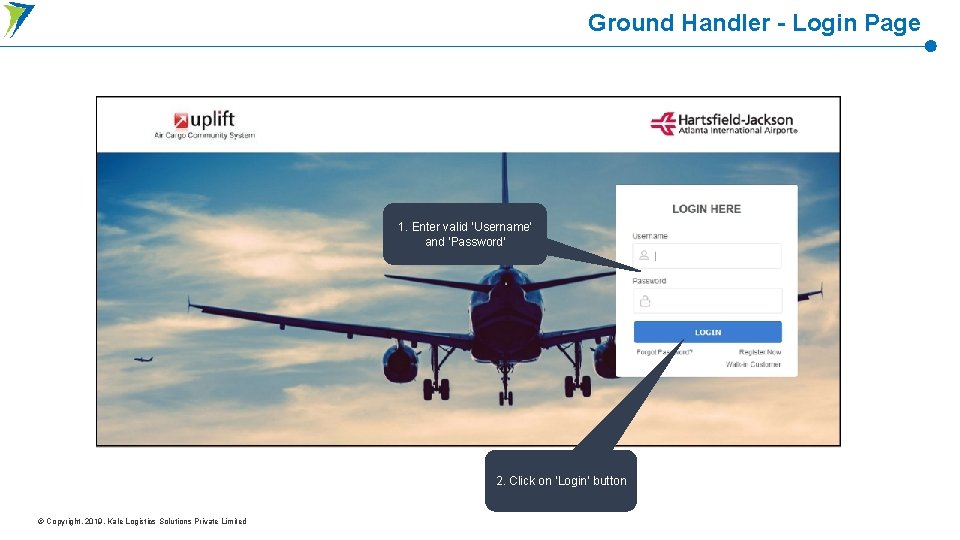
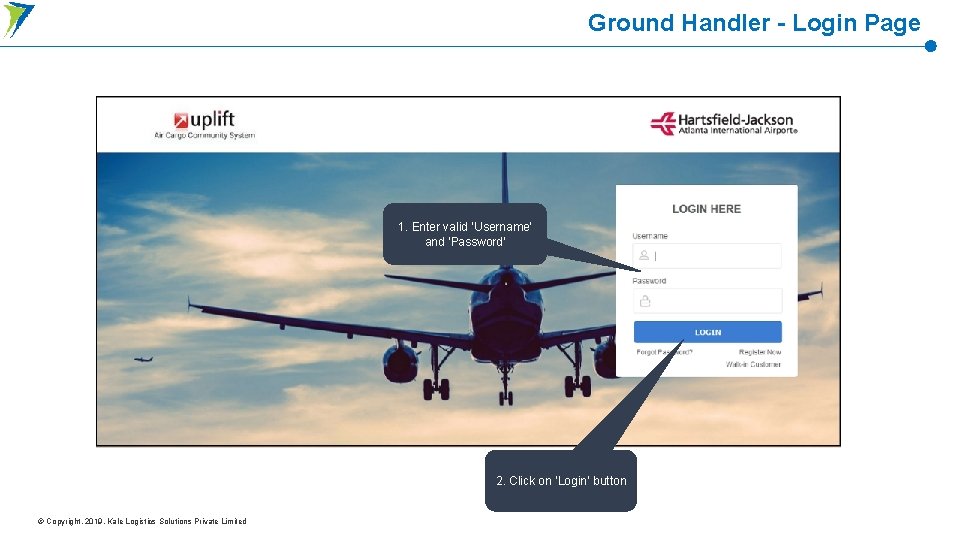
Ground Handler - Login Page 1. Enter valid ‘Username’ and ‘Password’ 2. Click on ‘Login’ button © Copyright. 2019. Kale Logistics Solutions Private Limited
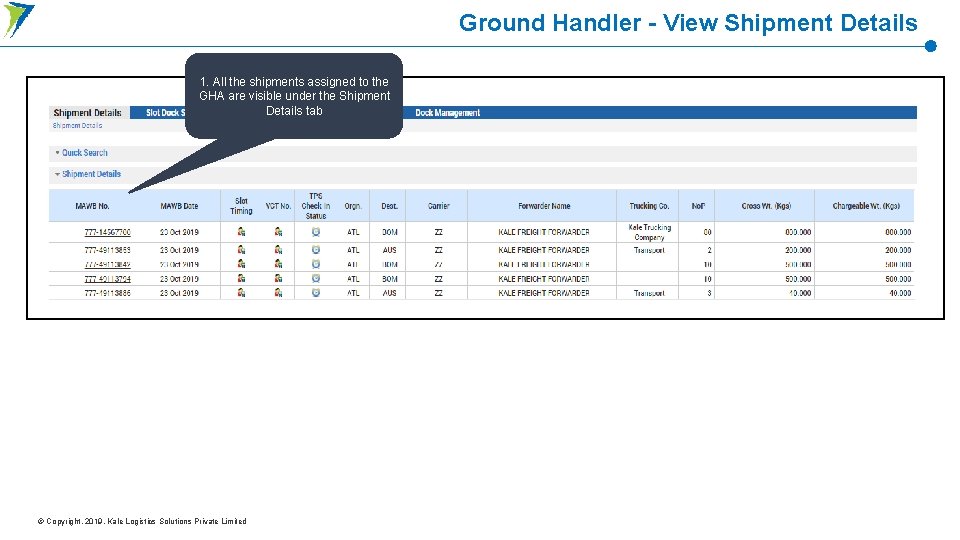
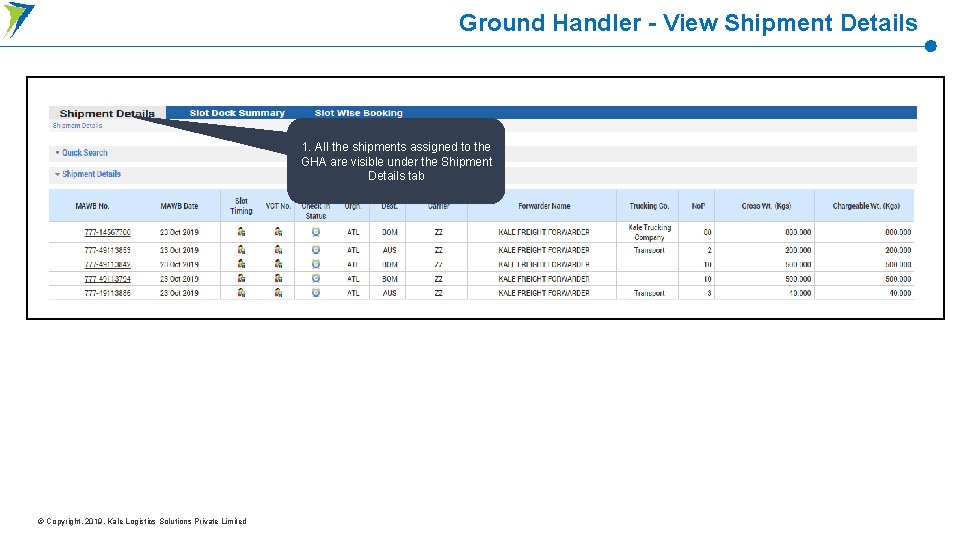
Ground Handler - View Shipment Details 1. All the shipments assigned to the GHA are visible under the Shipment Details tab © Copyright. 2019. Kale Logistics Solutions Private Limited
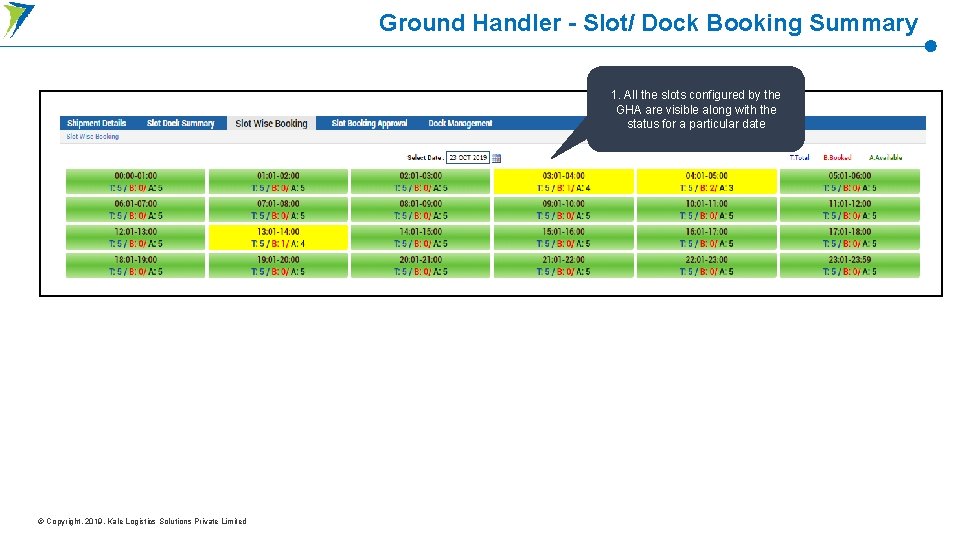
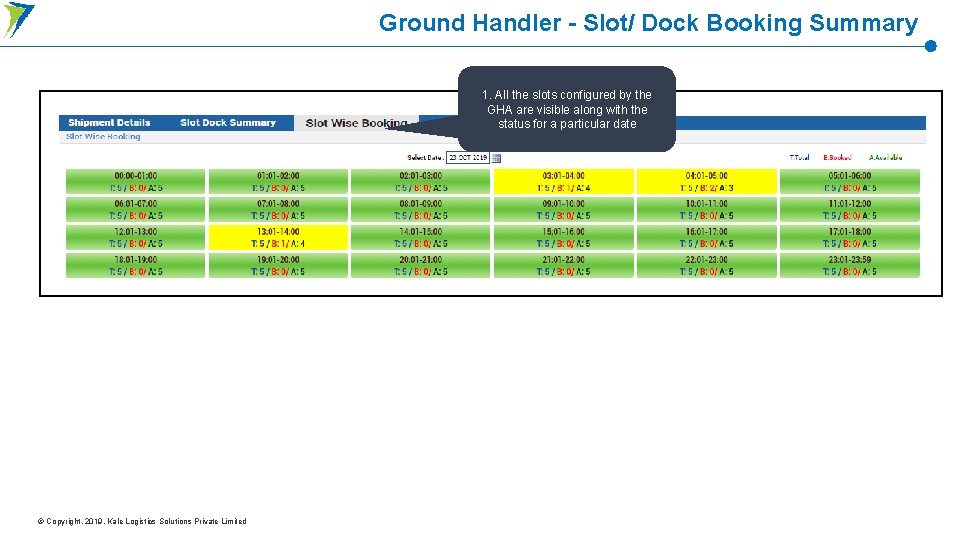
Ground Handler - Slot/ Dock Booking Summary 1. All the slots configured by the GHA are visible along with the status for a particular date © Copyright. 2019. Kale Logistics Solutions Private Limited
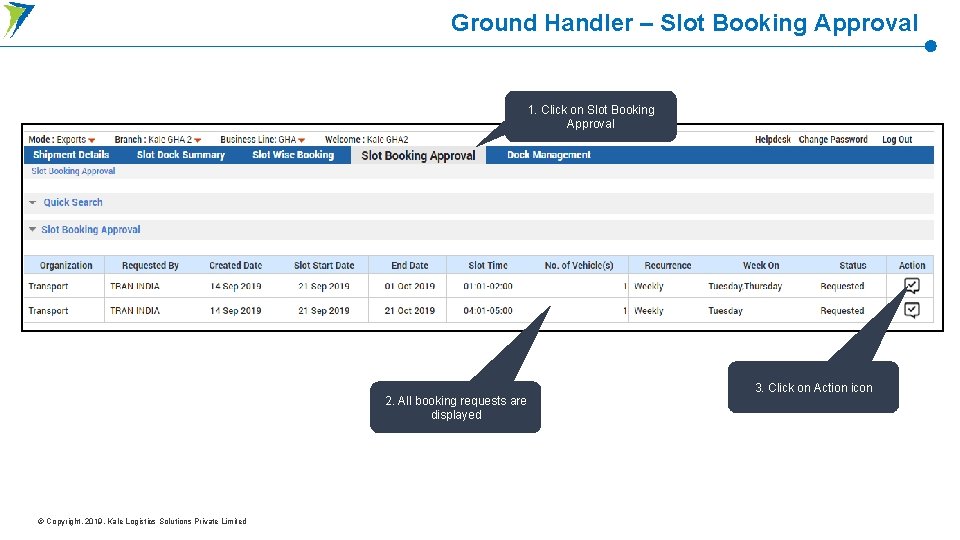
Ground Handler – Slot Booking Approval 1. Click on Slot Booking Approval 2. All booking requests are displayed © Copyright. 2019. Kale Logistics Solutions Private Limited 3. Click on Action icon
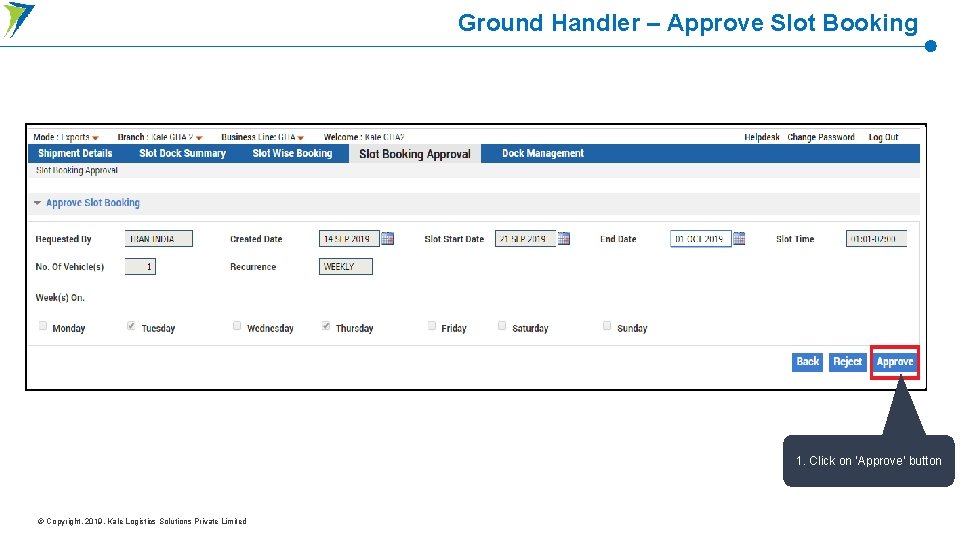
Ground Handler – Approve Slot Booking 1. Click on ‘Approve’ button © Copyright. 2019. Kale Logistics Solutions Private Limited
Import Flow
Ground Handler Login on Mobile App
Ground Handler - Login Page on Mobile App 1. Enter valid ‘Username’ and ‘Password’ 2. Click on ‘Login’ button © Copyright. 2019. Kale Logistics Solutions Private Limited
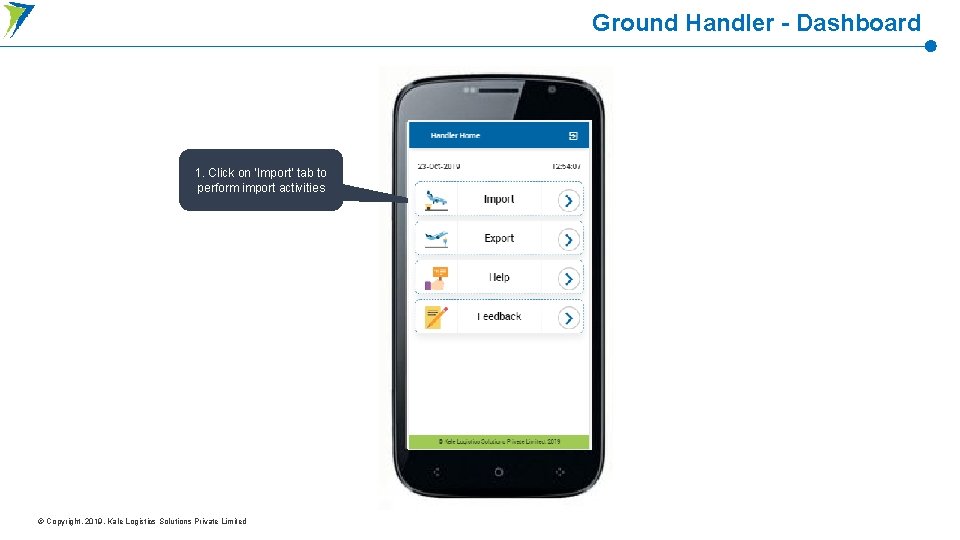
Ground Handler - Dashboard 1. Click on ‘Import’ tab to perform import activities © Copyright. 2019. Kale Logistics Solutions Private Limited
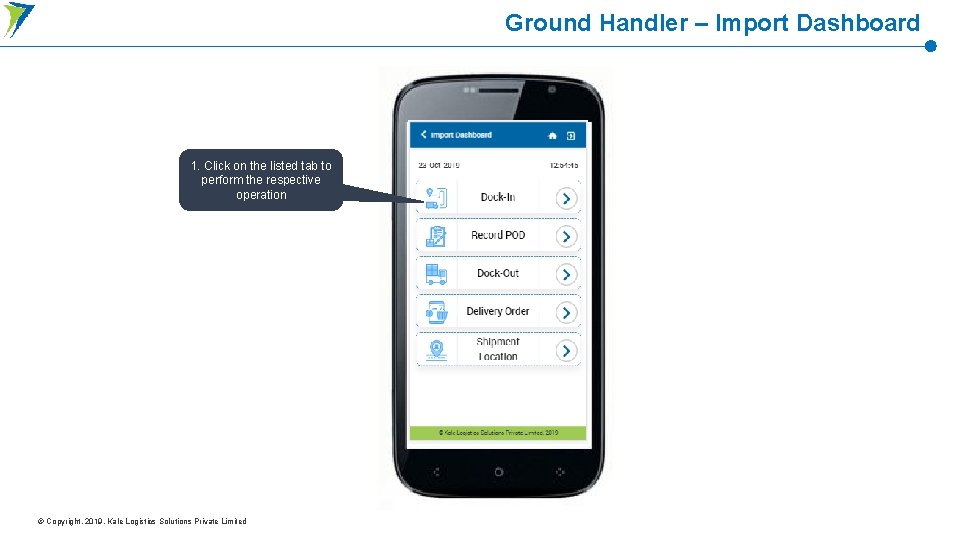
Ground Handler – Import Dashboard 1. Click on the listed tab to perform the respective operation © Copyright. 2019. Kale Logistics Solutions Private Limited
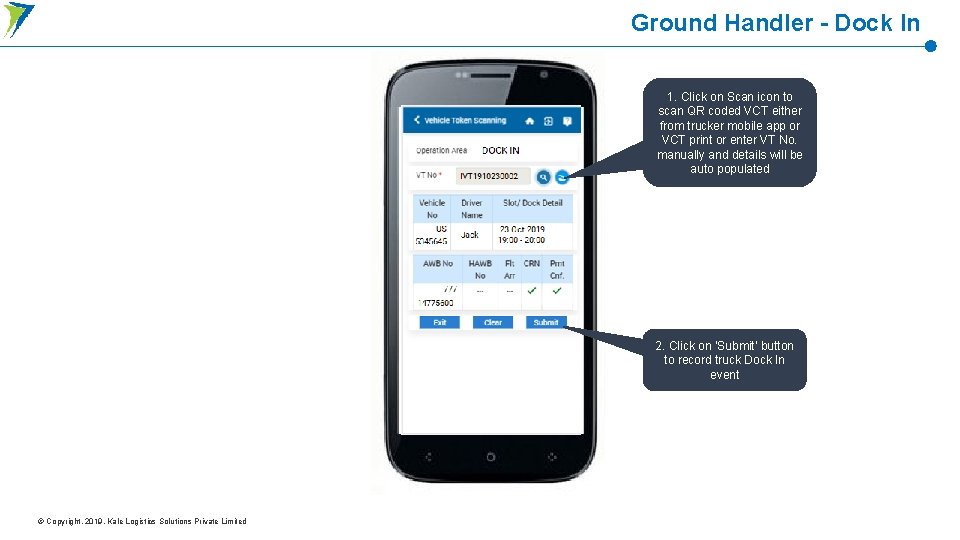
Ground Handler - Dock In 1. Click on Scan icon to scan QR coded VCT either from trucker mobile app or VCT print or enter VT No. manually and details will be auto populated 2. Click on ‘Submit’ button to record truck Dock In event © Copyright. 2019. Kale Logistics Solutions Private Limited
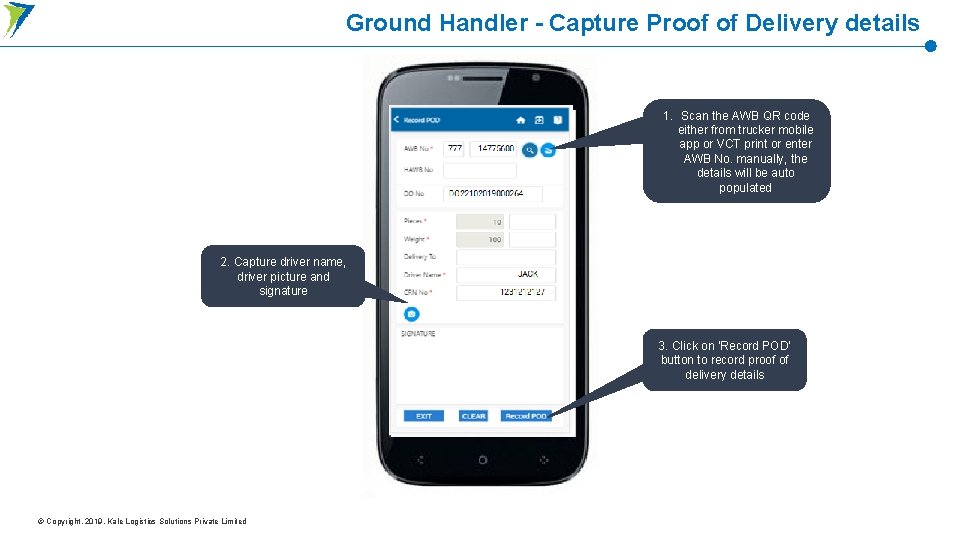
Ground Handler - Capture Proof of Delivery details 1. Scan the AWB QR code either from trucker mobile app or VCT print or enter AWB No. manually, the details will be auto populated 2. Capture driver name, driver picture and signature 3. Click on ‘Record POD’ button to record proof of delivery details © Copyright. 2019. Kale Logistics Solutions Private Limited
Ground Handler - Record Dock Out 1. Click on Scan icon to scan QR coded VCT either from trucker mobile app or VCT print or enter VT No. manually and details will be auto populated 2. Click on ‘Submit’ button to record truck Dock Out event © Copyright. 2019. Kale Logistics Solutions Private Limited
Ground Handler Login on Web Portal
Ground Handler - Login Page 1. Enter valid ‘Username’ and ‘Password’ 2. Click on ‘Login’ button © Copyright. 2019. Kale Logistics Solutions Private Limited
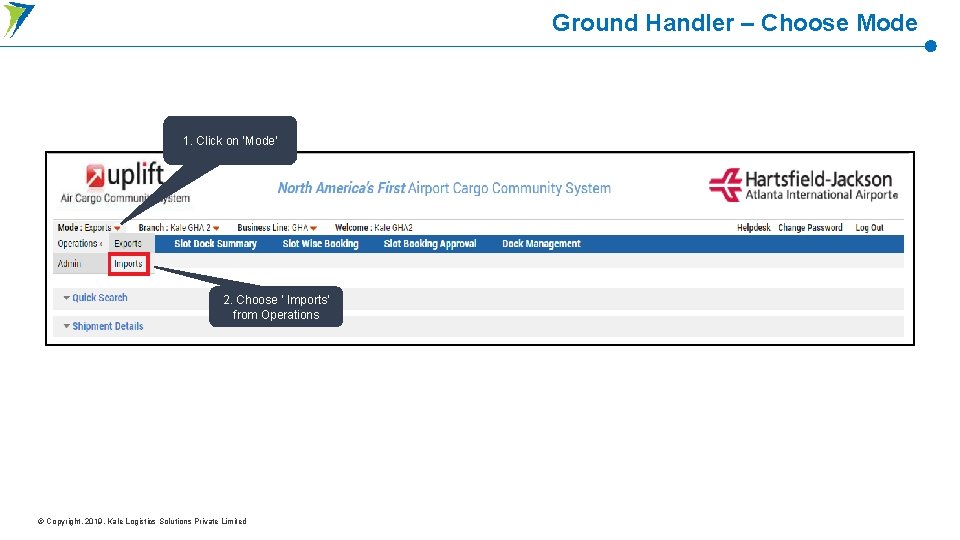
Ground Handler – Choose Mode 1. Click on ‘Mode’ 2. Choose ‘ Imports’ from Operations © Copyright. 2019. Kale Logistics Solutions Private Limited
Ground Handler - View Shipment Details 1. All the shipments assigned to the GHA are visible under the Shipment Details tab © Copyright. 2019. Kale Logistics Solutions Private Limited
Ground Handler - Slot/ Dock Booking Summary 1. All the slots configured by the GHA are visible along with the status for a particular date © Copyright. 2019. Kale Logistics Solutions Private Limited
Thank You Connect with us Kale Logistics Solutions Private Limited 9 th Floor, Thane One Corporate Business Park, Behind Cine. Wonder Mall, Majiwada, Thane (W), Maharashtra, INDIA - 400 610. +91 22 4113 info@kalelogistics. com +91 22 4113 4123 www. kalelogistics. com Mumbai | Delhi | Dubai | Mauritius © 2019, All Rights Reserved. Data from industry publications has been used for this presentation. This material was used during an oral presentation; it is not a complete record of the discussion. This work may not be used, sold, transferred, adapted, abridged, copied or reproduced in whole on or in part in any manner or form or in any media without the prior written consent. All product names and company names and logos mentioned herein are the trademarks or registered trademarks of their respective owners.