2020 Keystone Exams PSSA Accommodations Guidelines for Selection
- Slides: 57
2020 Keystone Exams & PSSA Accommodations Guidelines for Selection and Use of Accommodations for Keystone Exams and PSSA Tests October 10, 2019 Rebekah Baum-Leaman, Ed. D. , PA Department of Education Lisa Hampe, PA Department of Education Lynda Lupp, Pa. TTAN – East Diane Simaska, PA Department of Education 1 Download Power. Point from Assessment page on PDE’s website
2020 Keystone Exams & PSSA Accommodations Guidelines This Power Point presentation is not a substitute for the detailed information in the Accommodations Guidelines document regarding the selection and use of accommodations for the Keystone Exam and PSSAs. • 2020 Accommodations Guidelines 2 Download Power. Point from Assessment page on PDE’s website
2020 Keystone Exams & PSSA Accommodations Presentation Topics • • • 3 State assessment system PASA information New for 2020 Understanding accommodations Selecting accommodations Online assessment information Administering accommodations, ethical practices, and test security Frequent accommodations Supplemental resources Important links and contacts Download Power. Point from Assessment page on PDE’s website
2020 Keystone Exams & PSSA Accommodations State Assessment System • Federal and state regulations and legislation aim to ensure access to grade-level standards for ALL students. • Accommodations can be the vehicle to provide access to grade-level content. • All students are included in the accountability model o Pennsylvania Keystone Exams (end-of-course) o Pennsylvania System of School Assessment (PSSA) (gradelevel achievement tests) o Pennsylvania Alternate System of Assessment (PASA) (alternate assessment) 4 Download Power. Point from Assessment page on PDE’s website
2020 Keystone Exams & PSSA Accommodations State Assessment System • PA Accountability System; ra-pas@pa. gov • PA School Performance Profile (website); ra-paprofile@pa. gov • Future Ready PA Index (website); ra-edfuturereadypa@pa. gov • Pennsylvania Value Added Assessment System (PVAAS); pdepvaas@iu 13. org • Educator Effectiveness System; ra-edeff@pa. gov • Test Security – ra-ed-PSSA-Keystone@pa. gov or 844 -418 -1651 • PASA Digital 5 Download Power. Point from Assessment page on PDE’s website
2020 Keystone Exams & PSSA Accommodations English Learner Accommodations • English Learners (ELs) in their first 12 months of enrollment in U. S. schools are not required to take the ELA/Literature state assessment. • ELs who meet the eligibility criteria to take the PASA follow the same requirements. • Accommodations: o o o 6 Word-to-word translation dictionaries, without definitions and without pictures for Mathematics PSSA, Keystone Algebra I, and the Science PSSA or Keystone Biology only; not for any part of the ELA PSSA or Keystone Literature Exam Qualified interpreters/sight translators for Mathematics PSSA or Keystone Algebra I and Science PSSA or Keystone Biology only; not for any part of the ELA PSSA test (except for the TDA prompts) or Keystone Literature Exam Spanish/English Mathematics and Science PSSA and Keystone Algebra I and Biology Exams Download Power. Point from Assessment page on PDE’s website
2020 Keystone Exams & PSSA Accommodations English Learner Accommodations • For more information on EL participation in state assessments, please see 2020 Accommodations Guidelines for ELs. • All ELs in K-12 are required to take the WIDA ACCESS for ELs English Proficiency Test. • Visit the WIDA ACCESS for ELs Summative Assessment webpage for information on testing and testing accommodations for the ACCESS for ELs. 7 Download Power. Point from Assessment page on PDE’s website
2020 Keystone Exams & PSSA Accommodations PASA Information 8 Download Power. Point from Assessment page on PDE’s website
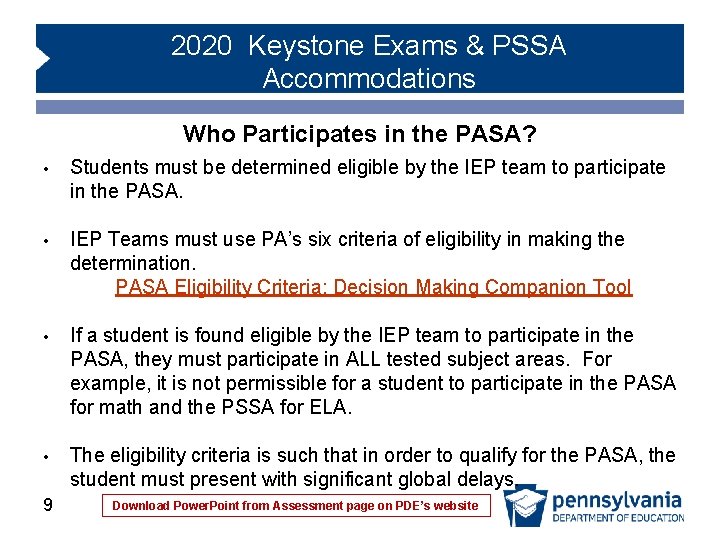
2020 Keystone Exams & PSSA Accommodations Who Participates in the PASA? • Students must be determined eligible by the IEP team to participate in the PASA. • IEP Teams must use PA’s six criteria of eligibility in making the determination. PASA Eligibility Criteria: Decision Making Companion Tool • If a student is found eligible by the IEP team to participate in the PASA, they must participate in ALL tested subject areas. For example, it is not permissible for a student to participate in the PASA for math and the PSSA for ELA. • The eligibility criteria is such that in order to qualify for the PASA, the student must present with significant global delays. 9 Download Power. Point from Assessment page on PDE’s website
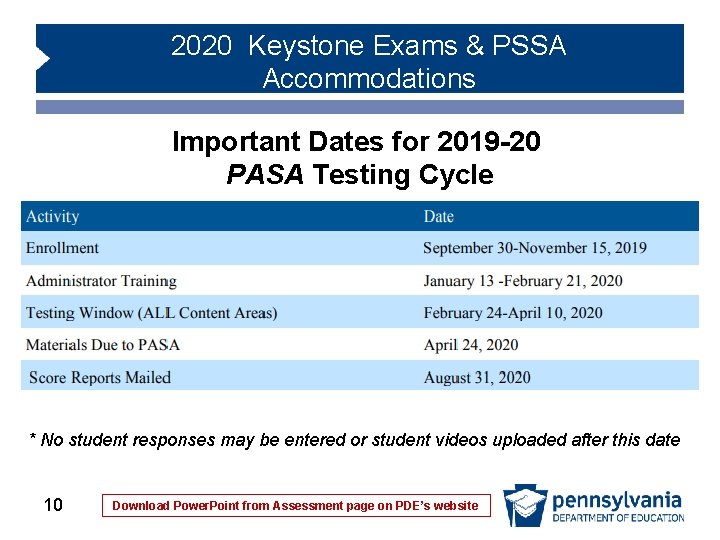
2020 Keystone Exams & PSSA Accommodations Important Dates for 2019 -20 PASA Testing Cycle * No student responses may be entered or student videos uploaded after this date 10 Download Power. Point from Assessment page on PDE’s website
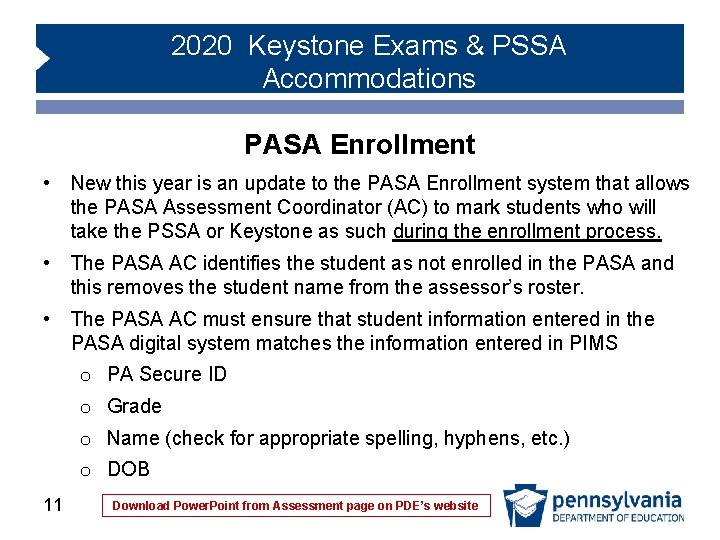
2020 Keystone Exams & PSSA Accommodations PASA Enrollment • New this year is an update to the PASA Enrollment system that allows the PASA Assessment Coordinator (AC) to mark students who will take the PSSA or Keystone as such during the enrollment process. • The PASA AC identifies the student as not enrolled in the PASA and this removes the student name from the assessor’s roster. • The PASA AC must ensure that student information entered in the PASA digital system matches the information entered in PIMS o PA Secure ID o Grade o Name (check for appropriate spelling, hyphens, etc. ) o DOB 11 Download Power. Point from Assessment page on PDE’s website
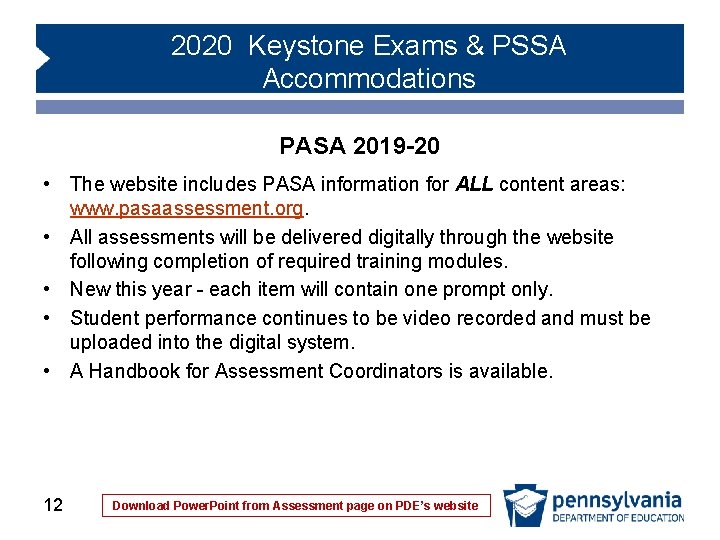
2020 Keystone Exams & PSSA Accommodations PASA 2019 -20 • The website includes PASA information for ALL content areas: www. pasaassessment. org. • All assessments will be delivered digitally through the website following completion of required training modules. • New this year - each item will contain one prompt only. • Student performance continues to be video recorded and must be uploaded into the digital system. • A Handbook for Assessment Coordinators is available. 12 Download Power. Point from Assessment page on PDE’s website
2020 Keystone Exams & PSSA Accommodations PASA Accommodations • Many accommodations are built into the PASA test design for accessibility including: o Two tiers of difficulty. Tier 1 is more concrete with more visual supports, and Tier 2 is more symbolic. o Multiple response options (answering aloud, pointing to answer choices, eye gaze, etc. ) o Substitution of everyday language by the assessor • Information about additional allowable accommodations (eye gaze, assistive technology, etc. ) is available in the PASA Administration Manual and the PASA Administration Protocols training module on the PASA digital site. 13 Download Power. Point from Assessment page on PDE’s website
2020 Keystone Exams & PSSA Accommodations Supporting Documentation Form • A supporting documentation form is used to report accommodations used during the test. • The supporting documentation form must be completed electronically by the assessor and submitted for every student who participates in the PASA. This is the same expectation for students with disabilities who participate in the PSSA or Keystone Exams – accommodations used are identified on the bubble sheet. 14 Download Power. Point from Assessment page on PDE’s website
2020 Keystone Exams & PSSA Accommodations PASA Training • Training specific to enrollment, test administration, and security is required and available online at www. pasaassessment. org. • The Bureau of Special Education (BSE) and Pa. TTAN conducted a webinar entitled “PASA Getting Ready: 2020 Updates” on September 25, 2019. The training is recorded for posting on the Pa. TTAN and PDE websites. • It is imperative that all PASA Assessment Coordinators and Special Education Administrators view this webinar; it addresses many important updates regarding the 2020 PASA as well as ESSA requirements related to the 1% threshold. • New 1% threshold justification requirements 15 Download Power. Point from Assessment page on PDE’s website
2020 Keystone Exams & PSSA Accommodations PASA Contact Information Questions regarding regulations, policies, procedures, etc. should be directed to the Bureau of Special Education or Pa. TTAN: • Lynda Lupp, Statewide Assessment Coordinator, llupp@pattan. net • Lisa Hampe, Special Education Adviser, lihampe@pa. gov Questions regarding procedures for enrollment, digital platform, etc. should be directed to the test vendor: • Phone: (412) 624 -3034 • General Inquiries and Questions: PASAtest@pitt. edu • Technical assistance during the testing window: PASAdigi@pitt. edu 16 Download Power. Point from Assessment page on PDE’s website
2020 Keystone Exams & PSSA Accommodations Keystone Exams and PSSA Accommodations 17 Download Power. Point from Assessment page on PDE’s website
2020 Keystone Exams & PSSA Accommodations Accommodated Item Samplers • 2018 UEB PSSA Item Samplers o Contact the AIM center at AIM Center Request • 2018 VSL PSSA Item Samplers o 18 The VSL online tutorial is accessed through e. Direct Download Power. Point from Assessment page on PDE’s website
2020 Keystone Exams & PSSA Accommodations Refreshable Braille Option • Online test engine is compatible with a refreshable Braille device that works with Job Access With Speech (JAWS) • This feature eliminates the need for scribing or transcribing for those students using a refreshable Braille device with the online test format • Contact for information regarding enrollment for this option: o o o 19 Data Recognition Corporation: Customer Service 1 -800 -451 -7849 Email: pacustomerservice@datarecognitioncorp. com Download Power. Point from Assessment page on PDE’s website
2020 Keystone Exams & PSSA Accommodations Mixed Mode Response Option • Intended for students who benefit from online testing but may have limited or no capacity for extended keyboarding • Online testers use paper booklet for written responses • Intended to replace scribing and transcribing for some students • Available for Spring PSSA only • Student must respond to all multiple-choice items online and all open-ended responses in matching paper booklet with student label affixed 20 Download Power. Point from Assessment page on PDE’s website
2020 Keystone Exams & PSSA Accommodations Mixed Mode Response Option • No multiple-choice responses in paper booklet will be used for student score with this option • School Assessment Coordinator (SAC) should draw an X over each set of response bubbles to prevent the student from responding to multiple-choice questions in the paper booklet • Online system will not allow student written responses to be entered when this option is selected • LEAs that are 100% online and need a paper booklet will contact DRC at 1 -800 -451 -7849 • Mark the Mixed Mode Response bubble on the booklet • Indicate Mixed Mode Response in the student’s e. Direct record 21 Download Power. Point from Assessment page on PDE’s website
2020 Keystone Exams & PSSA Accommodations Understanding Accommodations • Learn about accommodations o Do not reduce expectations for learning o Used during instruction and assessment o Ensure a valid measure • Accommodations categories o Presentation o Response o Setting o Timing 22 Download Power. Point from Assessment page on PDE’s website
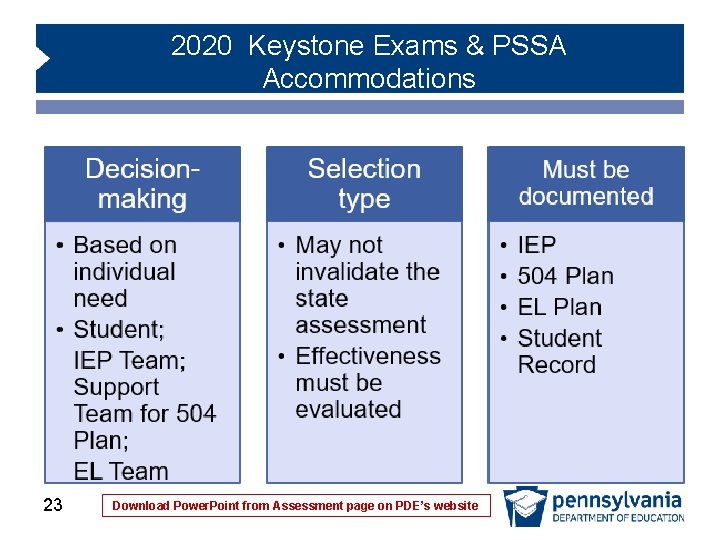
2020 Keystone Exams & PSSA Accommodations 23 Download Power. Point from Assessment page on PDE’s website
2020 Keystone Exams & PSSA Accommodations Accommodation Selection Considerations • Consistent with standards-based IEP and full participation in gradelevel instruction • Attempts to level the playing field to enable demonstration of knowledge and skills • Ensures fair comparisons with other students taking the test • More is not always better • Prepare the student for the testing situation ahead of time 24 Download Power. Point from Assessment page on PDE’s website
2020 Keystone Exams & PSSA Accommodations Selection of Accommodation Type • Consideration of o Instructional tasks o Assessment anchors and eligible content • Student’s willingness to use o Self-advocacy • Enables independent learning o Assistive technology o Online testing 25 Download Power. Point from Assessment page on PDE’s website
2020 Keystone Exams & PSSA Accommodations Documentation • IEP o Consideration of special factors; Supplementary Aids and Services; Present Levels; Specially Designed Instruction o Section IV, Participation in State and Local Assessments • Chapter 15 Service Agreement (504 Plan) • EL Plan • Student record 26 Download Power. Point from Assessment page on PDE’s website
2020 Keystone Exams & PSSA Accommodations Online Testing Advantages • • Guarantees standardized provision of some accommodations Enables independent test taking Online tools provided for use as needed Can reduce number of test administrators Eliminates managing two booklets Computer format appealing to students Enlarges test page to fit an oversized monitor Does not require the entire class, school, or LEA to take the online test. 27 Download Power. Point from Assessment page on PDE’s website
2020 Keystone Exams & PSSA Accommodations Online Testing Considerations • • • Experience with computer-based learning Experience with online tools Practice with test tutorial Comfort with keyboarding skills (essay responses) Need for assistive devices Can be very effective for some students who typically use a computer software program such as Read Write Gold, Kurzweil, etc. 28 Download Power. Point from Assessment page on PDE’s website
2020 Keystone Exams & PSSA Accommodations Before Administering Accommodations • Accommodations used for assessment are also used for instruction • Students participated in online tools training and online test tutorial • Clear communication process established to ensure each student receives appropriate accommodations during testing • Logistics clearly planned • Clear documentation provided to test administrators to ensure appropriate accommodations for each student 29 Download Power. Point from Assessment page on PDE’s website
2020 Keystone Exams & PSSA Accommodations During Administration • Test administrator adheres to specific guidelines to ensure validity • Online testers should not have easy view of other computer screens 30 Download Power. Point from Assessment page on PDE’s website
2020 Keystone Exams & PSSA Accommodations Ethical Testing Practices • Must be maintained throughout assessments • Examples of unethical practices include: o Allowing student to answer fewer questions o Offering additional information o Coaching during assessment or giving clues o Editing student responses • PDE recommends additional proctor when teacher of record administers the test 31 Download Power. Point from Assessment page on PDE’s website
2020 Keystone Exams & PSSA Accommodations Test Security • Maintain confidentiality of test questions and answers • Becomes an issue when accessible formats are used and when someone other than student is allowed to see the test • All student work/files must be completely destroyed and deleted • Qualified educational sign language interpreters and native language interpreters must sign confidentiality form Important notes regarding educational sign language interpreters: • Interpreters may not serve as the test administrator; a separate test administrator is required • Educational sign language interpreters must be provided with three days of dedicated time to effectively prepare for the test 32 Download Power. Point from Assessment page on PDE’s website
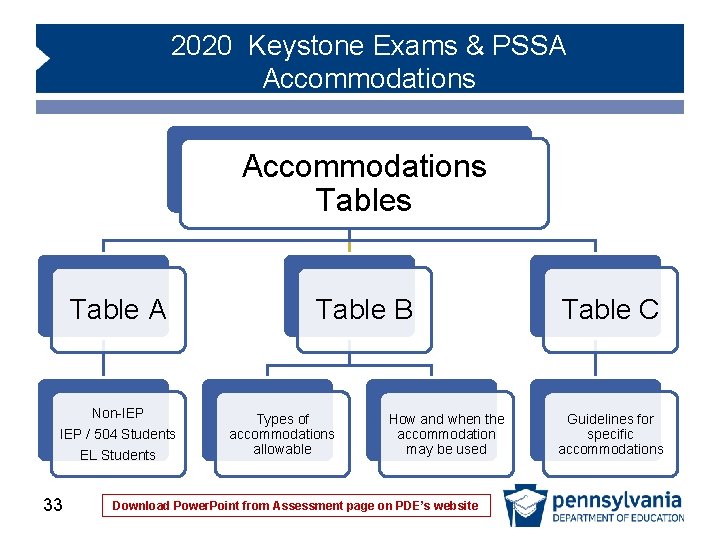
2020 Keystone Exams & PSSA Accommodations Tables Table A Non-IEP / 504 Students EL Students 33 Table B Types of accommodations allowable How and when the accommodation may be used Download Power. Point from Assessment page on PDE’s website Table C Guidelines for specific accommodations
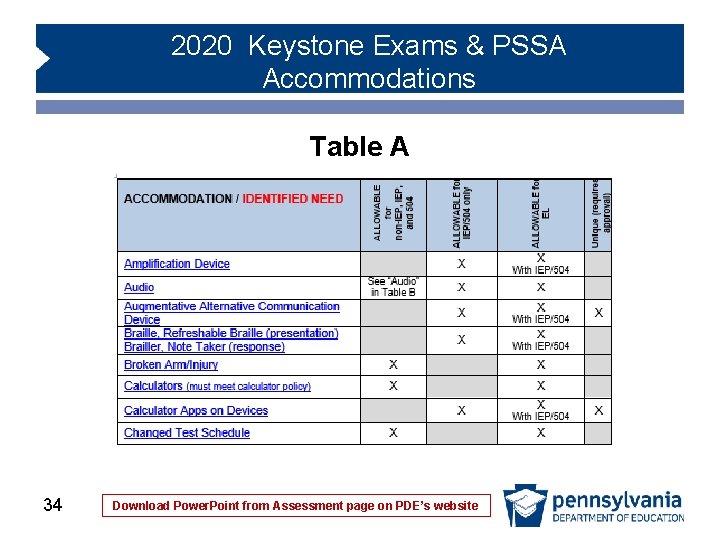
2020 Keystone Exams & PSSA Accommodations Table A 34 Download Power. Point from Assessment page on PDE’s website
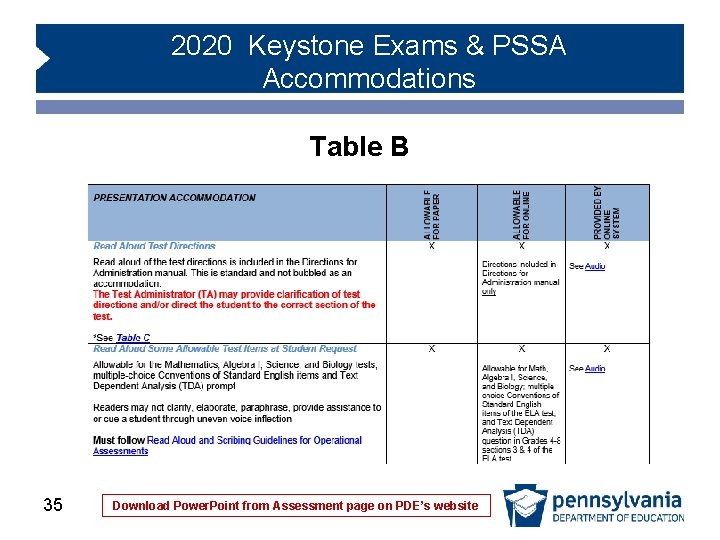
2020 Keystone Exams & PSSA Accommodations Table B 35 Download Power. Point from Assessment page on PDE’s website
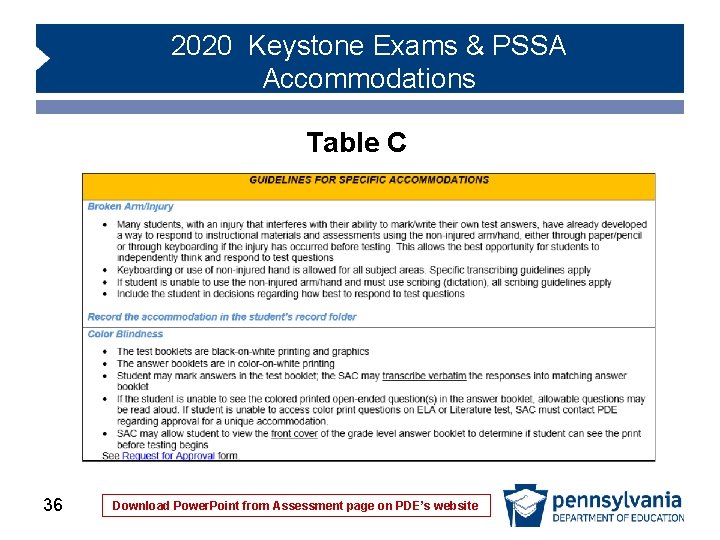
2020 Keystone Exams & PSSA Accommodations Table C 36 Download Power. Point from Assessment page on PDE’s website
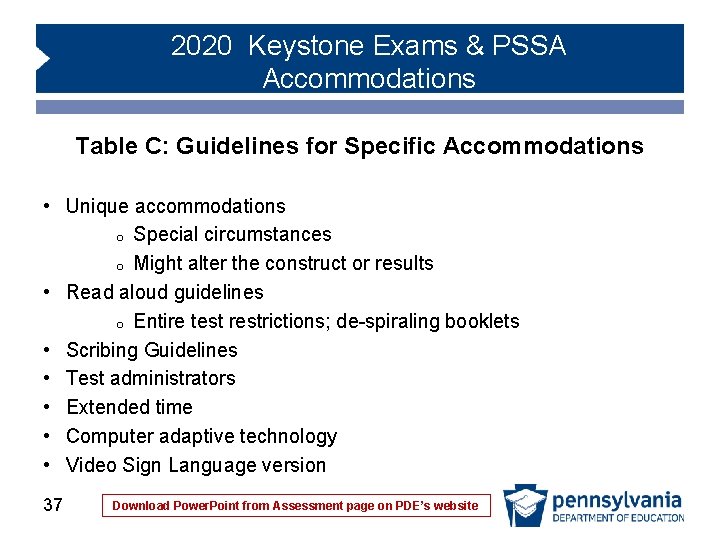
2020 Keystone Exams & PSSA Accommodations Table C: Guidelines for Specific Accommodations • Unique accommodations o Special circumstances o Might alter the construct or results • Read aloud guidelines o Entire test restrictions; de-spiraling booklets • Scribing Guidelines • Test administrators • Extended time • Computer adaptive technology • Video Sign Language version 37 Download Power. Point from Assessment page on PDE’s website
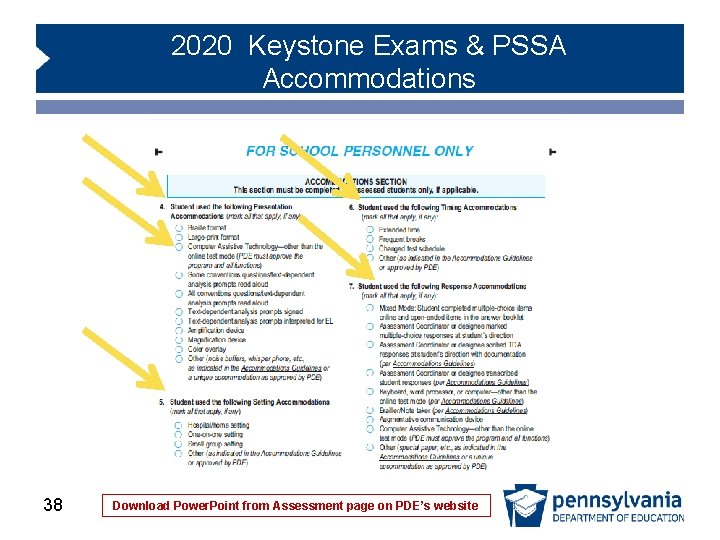
2020 Keystone Exams & PSSA Accommodations 38 Download Power. Point from Assessment page on PDE’s website
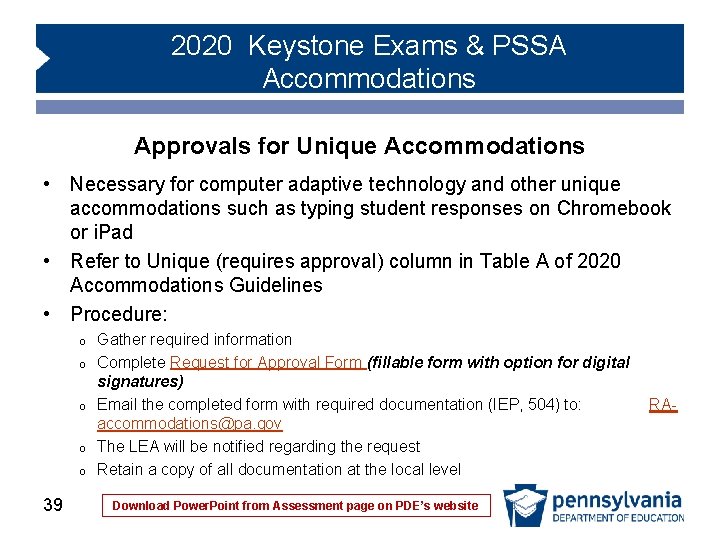
2020 Keystone Exams & PSSA Accommodations Approvals for Unique Accommodations • Necessary for computer adaptive technology and other unique accommodations such as typing student responses on Chromebook or i. Pad • Refer to Unique (requires approval) column in Table A of 2020 Accommodations Guidelines • Procedure: o o o 39 Gather required information Complete Request for Approval Form (fillable form with option for digital signatures) Email the completed form with required documentation (IEP, 504) to: RAaccommodations@pa. gov The LEA will be notified regarding the request Retain a copy of all documentation at the local level Download Power. Point from Assessment page on PDE’s website
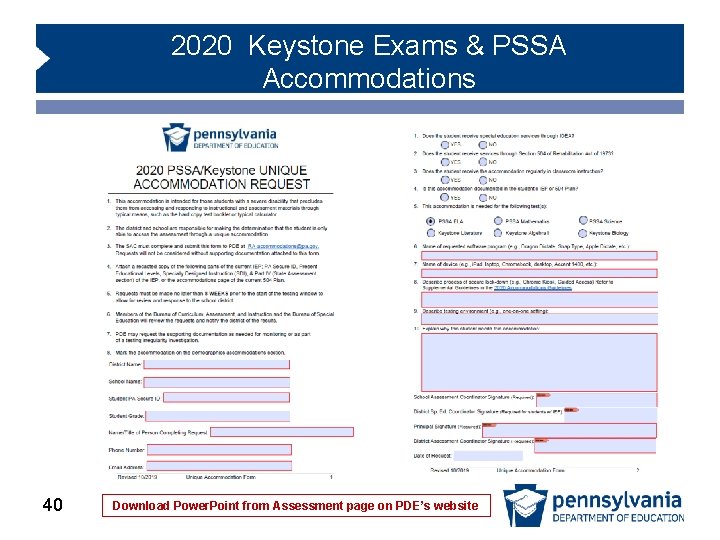
2020 Keystone Exams & PSSA Accommodations 40 Download Power. Point from Assessment page on PDE’s website
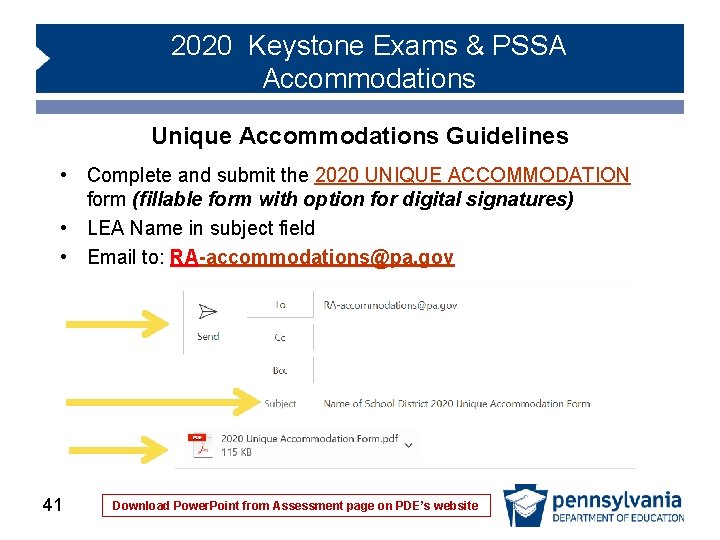
2020 Keystone Exams & PSSA Accommodations Unique Accommodations Guidelines • Complete and submit the 2020 UNIQUE ACCOMMODATION form (fillable form with option for digital signatures) • LEA Name in subject field • Email to: RA-accommodations@pa. gov 41 Download Power. Point from Assessment page on PDE’s website
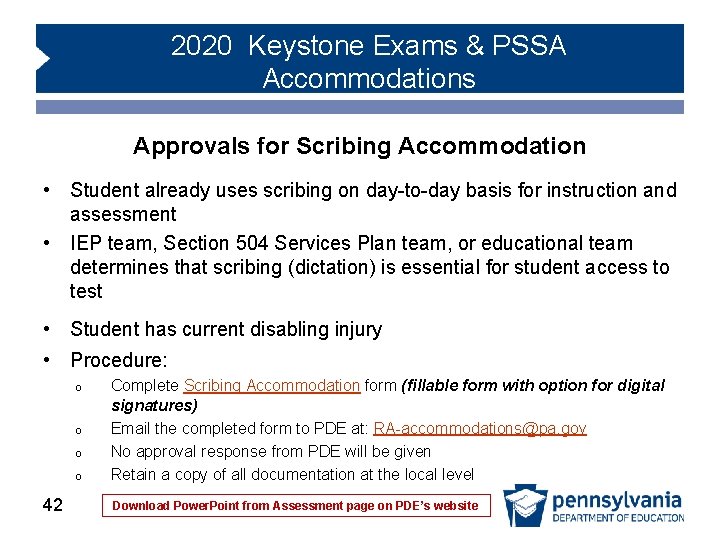
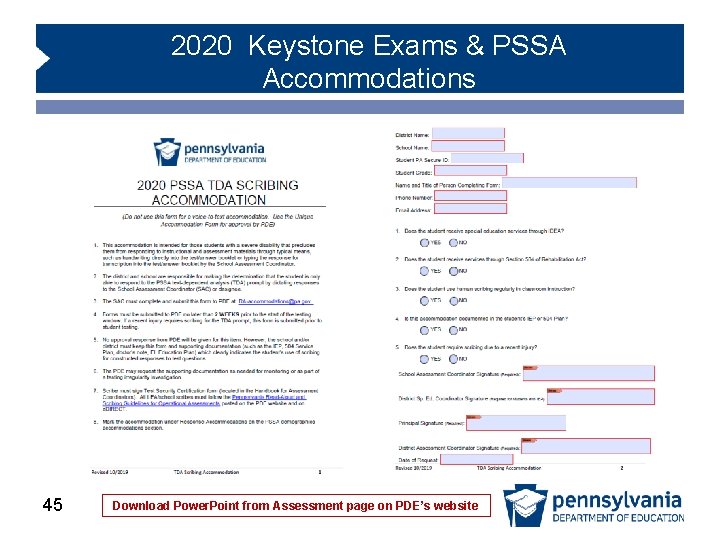
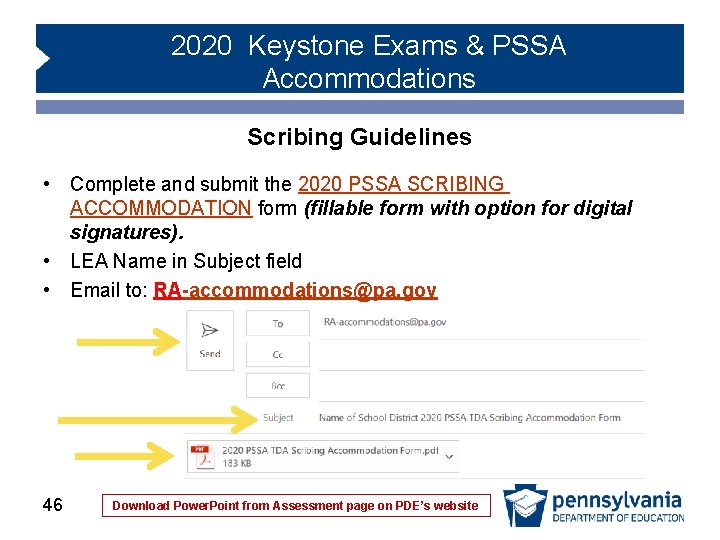
2020 Keystone Exams & PSSA Accommodations Approvals for Scribing Accommodation • Student already uses scribing on day-to-day basis for instruction and assessment • IEP team, Section 504 Services Plan team, or educational team determines that scribing (dictation) is essential for student access to test • Student has current disabling injury • Procedure: o o 42 Complete Scribing Accommodation form (fillable form with option for digital signatures) Email the completed form to PDE at: RA-accommodations@pa. gov No approval response from PDE will be given Retain a copy of all documentation at the local level Download Power. Point from Assessment page on PDE’s website
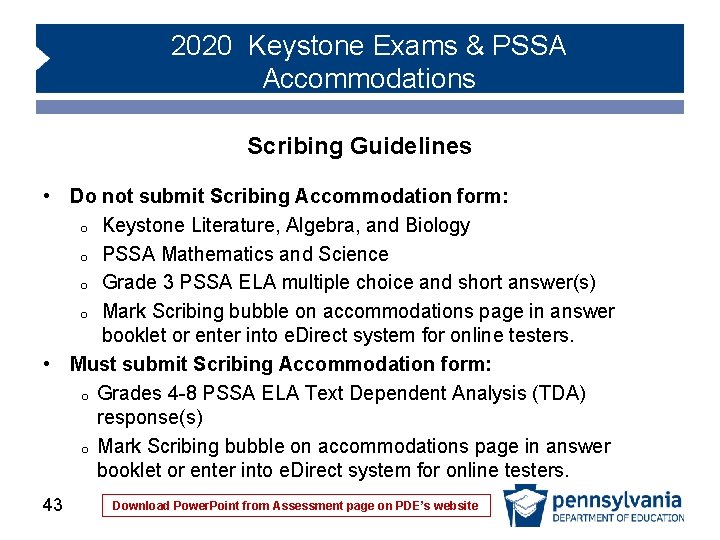
2020 Keystone Exams & PSSA Accommodations Scribing Guidelines • Do not submit Scribing Accommodation form: o Keystone Literature, Algebra, and Biology o PSSA Mathematics and Science o Grade 3 PSSA ELA multiple choice and short answer(s) o Mark Scribing bubble on accommodations page in answer booklet or enter into e. Direct system for online testers. • Must submit Scribing Accommodation form: o Grades 4 -8 PSSA ELA Text Dependent Analysis (TDA) response(s) o Mark Scribing bubble on accommodations page in answer booklet or enter into e. Direct system for online testers. 43 Download Power. Point from Assessment page on PDE’s website
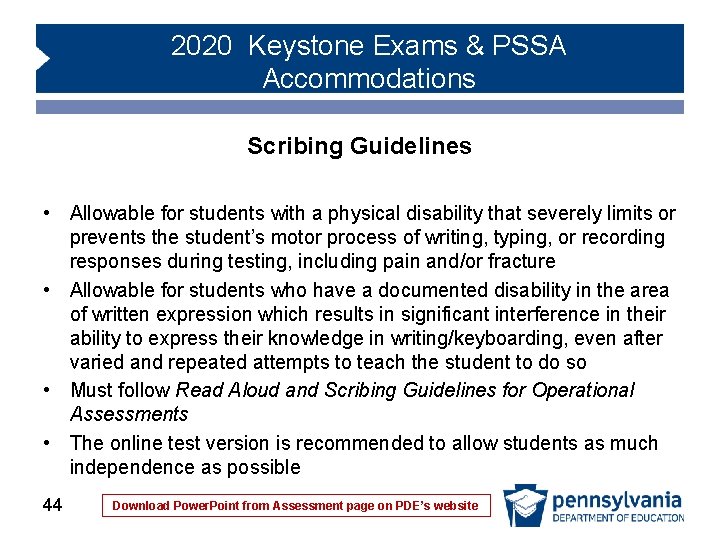
2020 Keystone Exams & PSSA Accommodations Scribing Guidelines • Allowable for students with a physical disability that severely limits or prevents the student’s motor process of writing, typing, or recording responses during testing, including pain and/or fracture • Allowable for students who have a documented disability in the area of written expression which results in significant interference in their ability to express their knowledge in writing/keyboarding, even after varied and repeated attempts to teach the student to do so • Must follow Read Aloud and Scribing Guidelines for Operational Assessments • The online test version is recommended to allow students as much independence as possible 44 Download Power. Point from Assessment page on PDE’s website
2020 Keystone Exams & PSSA Accommodations 45 Download Power. Point from Assessment page on PDE’s website
2020 Keystone Exams & PSSA Accommodations Scribing Guidelines • Complete and submit the 2020 PSSA SCRIBING ACCOMMODATION form (fillable form with option for digital signatures). • LEA Name in Subject field • Email to: RA-accommodations@pa. gov 46 Download Power. Point from Assessment page on PDE’s website
2020 Keystone Exams & PSSA Accommodations Pennsylvania Read-Aloud and Scribing Guidelines for Operational Assessments • The purpose of the guidelines is to ensure consistency in the readaloud and scribing events for students in classrooms throughout Pennsylvania to maintain fairness for all students • For all content areas and subjects, Readers may not clarify, elaborate, paraphrase, assist, or cue a student through uneven voice inflection • Scribing occurs during the administration of the assessment as students dictate the response orally or by gesturing or pointing to correct responses 47 Download Power. Point from Assessment page on PDE’s website
2020 Keystone Exams & PSSA Accommodations Review of Allowable Read-Aloud • Must follow Read Aloud and Scribing Guidelines • Allowable for Keystone Algebra and Biology, PSSA Mathematics and Science • Allowable for multiple‐choice conventions questions (on individual basis) found in Sections 1 & 3 of the ELA at grades 3– 8 as per restrictions specified in the Accommodations Guidelines • Allowable for the TDA prompt found at the end of Section 2 or Section 3 of the PSSA ELA for Grades 4– 8 on an individual basis at student request • NOT allowable for any Keystone Literature passage or question • NOT allowable for any PSSA ELA reading passage, multiple choice, EBSR or short answer question(s) • Available as audio presentation in online version 48 Download Power. Point from Assessment page on PDE’s website
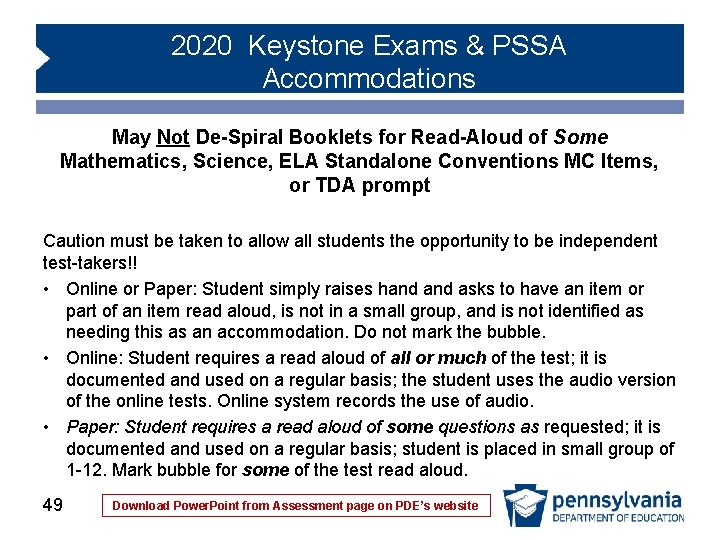
2020 Keystone Exams & PSSA Accommodations May Not De-Spiral Booklets for Read-Aloud of Some Mathematics, Science, ELA Standalone Conventions MC Items, or TDA prompt Caution must be taken to allow all students the opportunity to be independent test-takers!! • Online or Paper: Student simply raises hand asks to have an item or part of an item read aloud, is not in a small group, and is not identified as needing this as an accommodation. Do not mark the bubble. • Online: Student requires a read aloud of all or much of the test; it is documented and used on a regular basis; the student uses the audio version of the online tests. Online system records the use of audio. • Paper: Student requires a read aloud of some questions as requested; it is documented and used on a regular basis; student is placed in small group of 1 -12. Mark bubble for some of the test read aloud. 49 Download Power. Point from Assessment page on PDE’s website
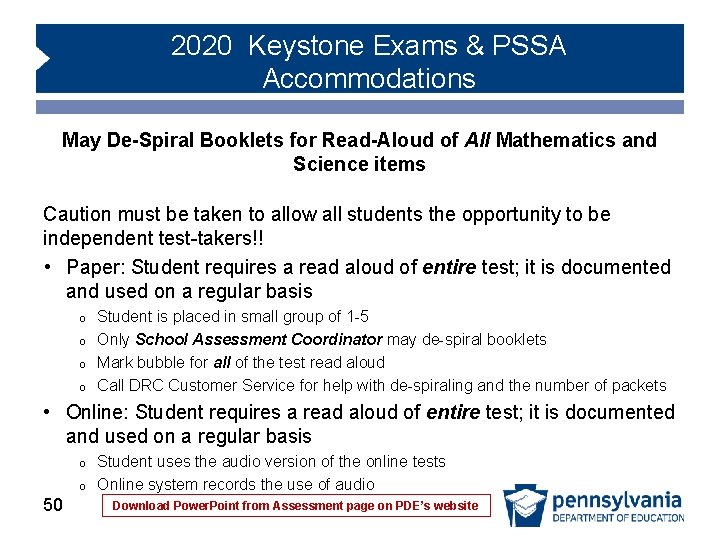
2020 Keystone Exams & PSSA Accommodations May De-Spiral Booklets for Read-Aloud of All Mathematics and Science items Caution must be taken to allow all students the opportunity to be independent test-takers!! • Paper: Student requires a read aloud of entire test; it is documented and used on a regular basis o o Student is placed in small group of 1 -5 Only School Assessment Coordinator may de-spiral booklets Mark bubble for all of the test read aloud Call DRC Customer Service for help with de-spiraling and the number of packets • Online: Student requires a read aloud of entire test; it is documented and used on a regular basis o o 50 Student uses the audio version of the online tests Online system records the use of audio Download Power. Point from Assessment page on PDE’s website
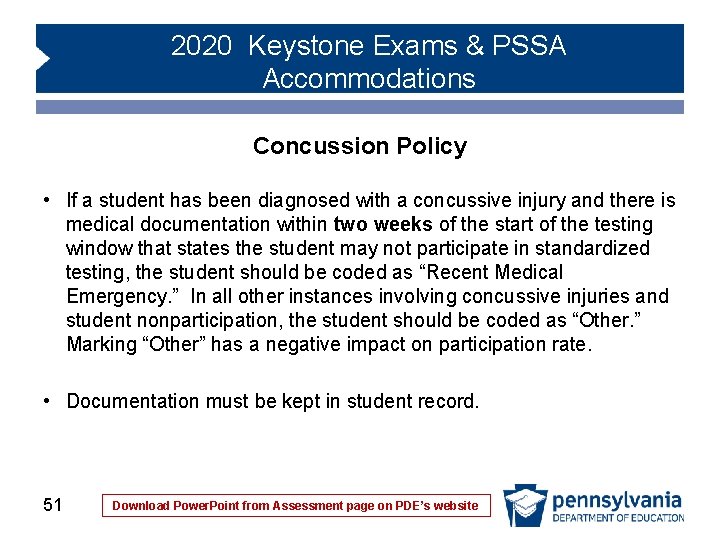
2020 Keystone Exams & PSSA Accommodations Concussion Policy • If a student has been diagnosed with a concussive injury and there is medical documentation within two weeks of the start of the testing window that states the student may not participate in standardized testing, the student should be coded as “Recent Medical Emergency. ” In all other instances involving concussive injuries and student nonparticipation, the student should be coded as “Other. ” Marking “Other” has a negative impact on participation rate. • Documentation must be kept in student record. 51 Download Power. Point from Assessment page on PDE’s website
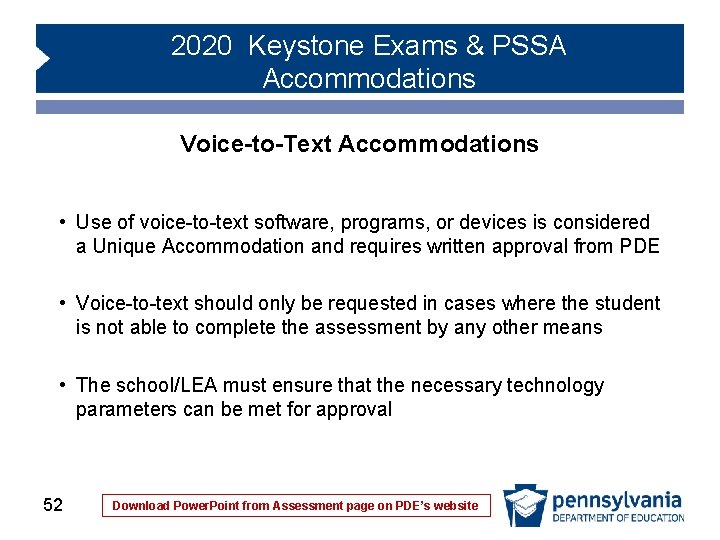
2020 Keystone Exams & PSSA Accommodations Voice-to-Text Accommodations • Use of voice-to-text software, programs, or devices is considered a Unique Accommodation and requires written approval from PDE • Voice-to-text should only be requested in cases where the student is not able to complete the assessment by any other means • The school/LEA must ensure that the necessary technology parameters can be met for approval 52 Download Power. Point from Assessment page on PDE’s website
2020 Keystone Exams & PSSA Accommodations Voice-to-Text Technology Parameters • The student must use a school-issued or school-approved device during testing • The paper/pencil assessment must be administered, and student responses from the voice-to-text dictation software must be transcribed into the scoreable answer document • PDE’s transcribing guidelines must be followed • The device must be ‘locked down’ during the assessment, allowing no connectivity to the internet, cloud, or other device • Consult school or district technology personnel to restrict devices using the provided supplemental guidelines for i. Pads and Chromebooks 53 Download Power. Point from Assessment page on PDE’s website
2020 Keystone Exams & PSSA Accommodations Supplemental Resources • Tool 1: Guidelines for Selecting • Tool 2: Guidelines for Using • Tool 3: Student’s Perspective • Tool 4: Parent’s Input • Tool 5: Documentation of Classroom Use • Tool 6: After-Test Evaluation • Tool 7: Assessment Accommodation Plan • Guidelines for Voice-to-Text Accommodations 54 Download Power. Point from Assessment page on PDE’s website
2020 Keystone Exams & PSSA Accommodations Important Links • Pennsylvania's Accommodations Guidelines posted on PDE’s website o 2020 Accommodations Guidelines • National Center on Educational Outcomes (NCEO) Online Training to Improve Accommodations Decision Making posted on NCEO’s website o National Center on Educational Outcomes • e. Direct program tools and Pennsylvania’s testing program information posted on the Standards Aligned System website o e. Direct 55 Download Power. Point from Assessment page on PDE’s website
2020 Keystone Exams & PSSA Accommodations Contact Information • Data Recognition Corporation: Customer Service o o 800 -451 -7849 Email: pacustomerservice@datarecognitioncorp. com • PASA Project: Alternate Assessment o o 412 -624 -3034 PASAtest@pitt. edu • Pa. TTAN: Specific Disability Information o o Hbg. 800 -360 -7282; KOP 800 -441 -3215; Pgh. 800 -446 -5607 Pa. TTAN Contacts • PDE: Unique Accommodations o o o 56 Bureau of Curriculum, Assessment and Instruction 717 -787 -4234 Bureau of Special Education 717 -783 -2311 Email: RA-accommodations@pa. gov Download Power. Point from Assessment page on PDE’s website
2020 Keystone Exams & PSSA Accommodations Contact Information • Rebekah Baum-Leaman, Ed. D. : PSSA and Keystone Accommodations; rbaumleama@pa. gov • Lisa Hampe: PASA, PSSA and Keystone Accommodations; lihampe@pa. gov • Lynda Lupp: PASA, PSSA and Keystone Accommodations; llupp@pattan. net • Diane Simaska: PSSA and Keystone Accommodations; dsimaska@pa. gov 57 Download Power. Point from Assessment page on PDE’s website