Workshop Tutorial Polish Cytometry Society 1998 Analysis of

![Data Acquisition Listmode [RFM]](https://slidetodoc.com/presentation_image_h/ba05c7f750c43a51c40fe90d662ada49/image-8.jpg "Data Acquisition Listmode [RFM]")
- Slides: 31
Workshop Tutorial Polish Cytometry Society 1998 Analysis of flow cytometric data collection, principles of gating and histogram analysis J. Paul Robinson, Ph. D. This presentation will be placed on the WWW at the following address: http: //www. cyto. purdue. edu/educate
Data Analysis • Data acquisition vs. data analysis • Data analysis software • Data display • Establishing regions and gating • Analysis methods that can change results
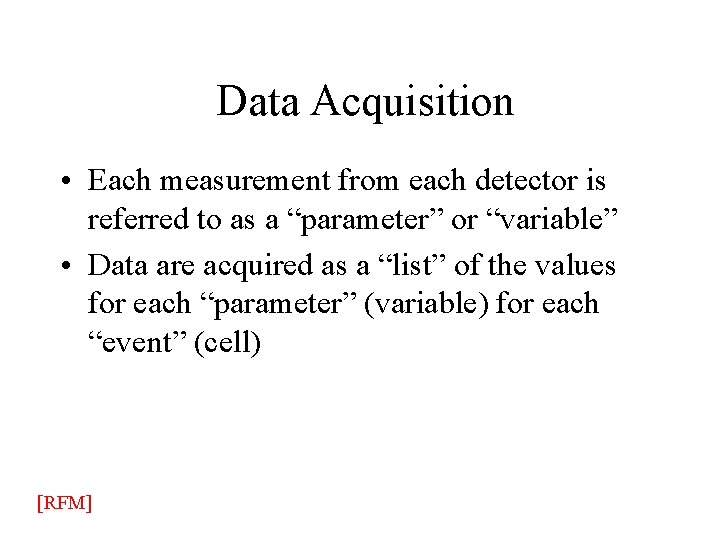
Data Acquisition • Each measurement from each detector is referred to as a “parameter” or “variable” • Data are acquired as a “list” of the values for each “parameter” (variable) for each “event” (cell) [RFM]
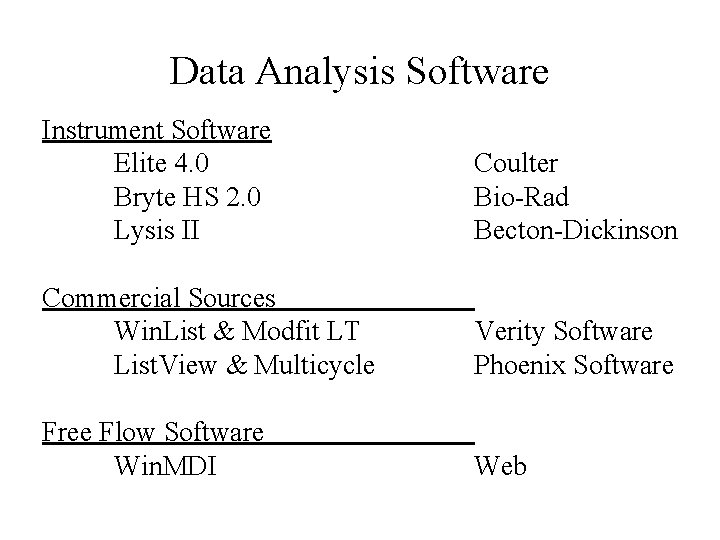
Data Analysis Software Instrument Software Elite 4. 0 Bryte HS 2. 0 Lysis II Coulter Bio Rad Becton Dickinson Commercial Sources Win. List & Modfit LT List. View & Multicycle Verity Software Phoenix Software Free Flow Software Win. MDI Web
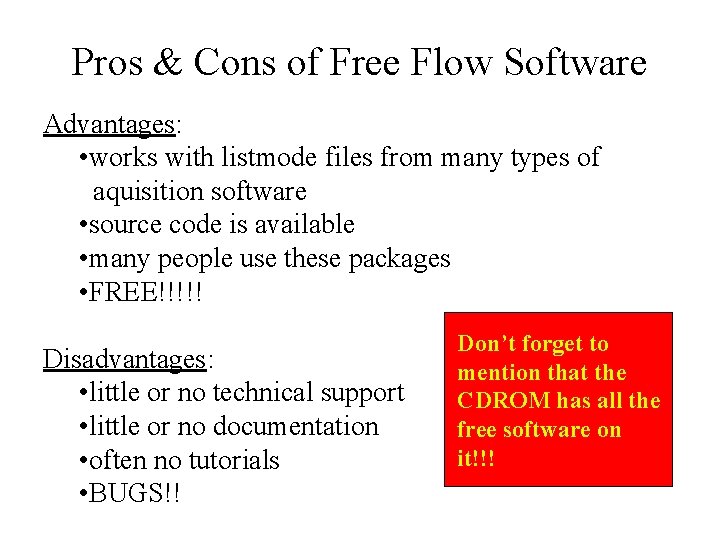
Pros & Cons of Free Flow Software Advantages: • works with listmode files from many types of aquisition software • source code is available • many people use these packages • FREE!!!!! Disadvantages: • little or no technical support • little or no documentation • often no tutorials • BUGS!! Don’t forget to mention that the CDROM has all the free software on it!!!
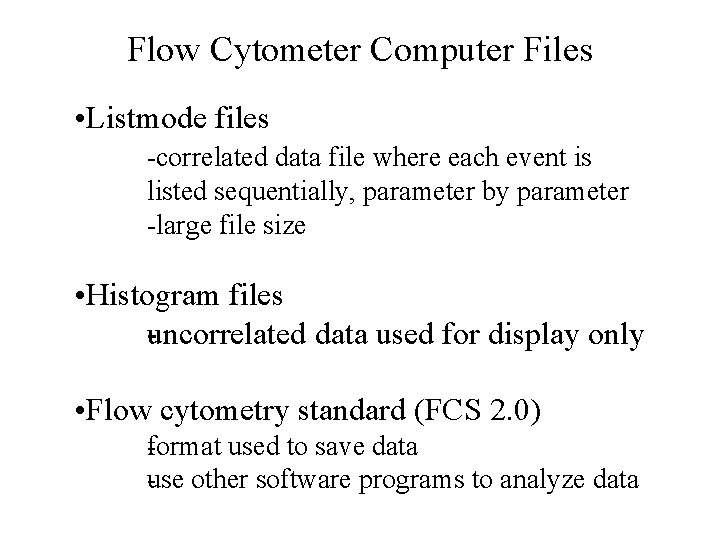
Flow Cytometer Computer Files • Listmode files correlated data file where each event is listed sequentially, parameter by parameter large file size • Histogram files uncorrelated data used for display only • Flow cytometry standard (FCS 2. 0) f ormat used to save data use other software programs to analyze data
Types of Listmode data • Ungated Listmode • Gated Listmode collection
Data Acquisition Listmode [RFM]
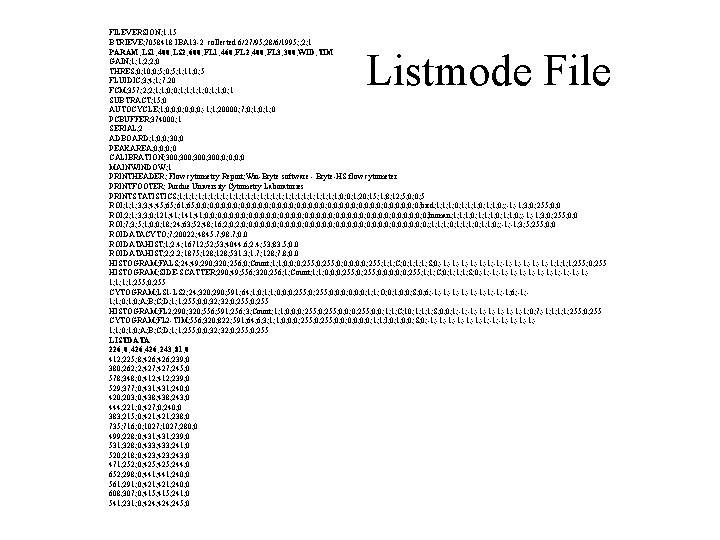
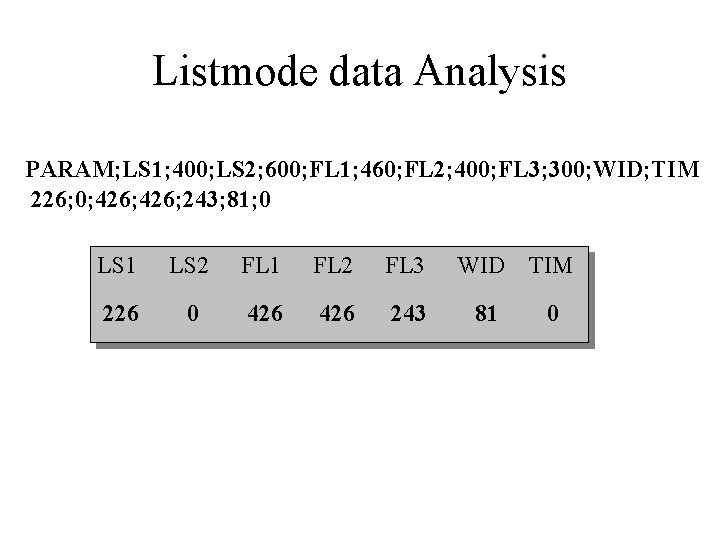
FILEVERSION; 1. 15 BTRIEVE; 7058418 IBA 13 2 collected 6/27/95; 28/6/1995; ; 2; 1 PARAM; LS 1; 400; LS 2; 600; FL 1; 460; FL 2; 400; FL 3; 300; WID; TIM GAIN; 1; 1; 2; 2; 0 THRES; 0; 10; 0; 5; 1; 11; 0; 5 FLUIDIC; 3; 4; 1; 7. 20 FCM; 357; 2; 2; 1; 1; 0; 0; 1; 1; 0; 1 SUBTRACT; 15; 0 AUTOCYCLE; 1; 0; 0; 0; 1; 1; 20000; 7; 0; 1; 0 PCBUFFER; 374000; 1 SERIAL; 2 ADBOARD; 1; 0; 0; 30; 0 PEAKAREA; 0; 0 CALIBRATION; 300; 0; 0 MAINWINDOW; 1 PRINTHEADER; Flow cytometry Report; Win Bryte software Bryte HS flow cytometer PRINTFOOTER; Purdue University Cytometry Laboratories PRINTSTATISTICS; 1; 1; 1; 1; 1; 1; 1; 0; 0; 1; 20; 15; 1; 8; 12; 5; 0; 0; 5 ROI; 1; 1; 3; 3; 4; 45; 61; 65; 0; 0; 0; 0; 0; 0; 0; 0; 0; bird; 1; 1; 1; 0; ; 1; 1; 3; 0; 255; 0; 0 ROI; 2; 1; 3; 3; 0; 121; 41; 141; 0; 0; 0; 0; 0; 0; 0; 0; 0; human; 1; 1; 1; 0; ; 1; 1; 3; 0; 255; 0; 0 ROI; 7; 3; 5; 1; 0; 0; 18; 24; 63; 52; 48; 16; 2; 0; 0; 0; 0; 0; 0; 0; 0; ; 1; 1; 1; 0; ; 1; 1; 3; 5; 255; 0; 0 ROIDATACYTO; 7; 20022; 4845. 7; 98. 7; 0. 0 ROIDATAHIST; 1; 2. 4; 16712; 53; 4044. 6; 2. 4; 53; 83. 5; 0. 0 ROIDATAHIST; 2; 2. 2; 1875; 128; 531. 3; 1. 7; 128; 7. 8; 0. 0 HISTOGRAM; FALS; 24; 49; 290; 320; 256; 0; Count; 1; 1; 0; 0; 0; 255; 1; 1; C; 0; 1; 1; 1; S; 0; 1; 1; 1; 1; 255; 0; 255 HISTOGRAM; SIDE SCATTER; 290; 49; 556; 320; 256; 1; Count; 1; 1; 0; 0; 0; 255; 1; 1; C; 0; 1; 1; 1; S; 0; 1; 1; 1; 1; 1; 255; 0; 255 CYTOGRAM; LS 1 LS 2; 24; 320; 290; 591; 64; 1; 0; 1; 1; 0; 0; 0; 255; 0; 0; 0; 1; 1; O; 0; 1; 0; 0; S; 0; 6; 1; 1; 1; 6; 1; 1; 0; A; B; C; D; 1; 1; 255; 0; 0; 32; 0; 255 HISTOGRAM; FL 2; 290; 320; 556; 591; 256; 3; Count; 1; 1; 0; 0; 0; 255; 0; 0; 1; 1; C; 10; 1; 1; 1; S; 0; 0; 1; 1; 1; 0; 7; 1; 1; 255; 0; 255 CYTOGRAM; FL 2 TIM; 556; 320; 822; 591; 64; 6; 3; 1; 1; 0; 0; 0; 255; 0; 0; 0; 1; 1; I; 0; 1; 0; 0; S; 0; 1; 1; 1; 1; 1; 0; A; B; C; D; 1; 1; 255; 0; 0; 32; 0; 255 LISTDATA 226; 0; 426; 243; 81; 0 412; 225; 8; 426; 239; 0 380; 262; 2; 427; 245; 0 578; 348; 0; 412; 239; 0 529; 377; 0; 431; 240; 0 420; 203; 0; 438; 243; 0 444; 221; 0; 427; 0; 240; 0 383; 215; 0; 421; 238; 0 735; 716; 0; 1027; 280; 0 499; 228; 0; 431; 239; 0 531; 328; 0; 433; 241; 0 520; 218; 0; 423; 243; 0 471; 252; 0; 425; 244; 0 652; 298; 0; 441; 240; 0 561; 291; 0; 421; 240; 0 608; 307; 0; 415; 241; 0 541; 231; 0; 424; 245; 0 Listmode File
Listmode data Analysis PARAM; LS 1; 400; LS 2; 600; FL 1; 460; FL 2; 400; FL 3; 300; WID; TIM 226; 0; 426; 243; 81; 0 LS 1 LS 2 FL 1 FL 2 FL 3 WID TIM 226 0 426 243 81 0
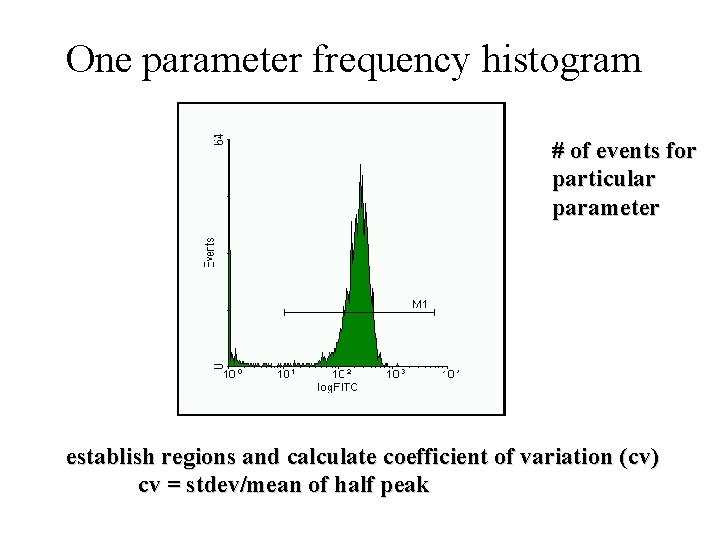
One parameter frequency histogram # of events for particular parameter establish regions and calculate coefficient of variation (cv) cv = stdev/mean of half peak
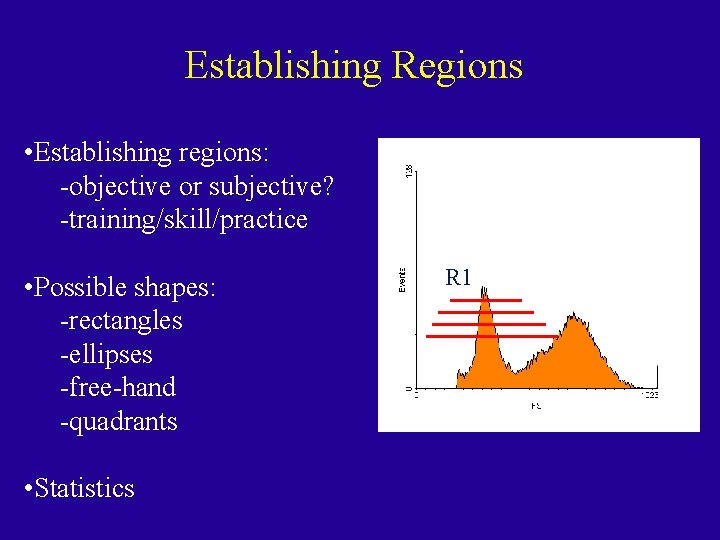
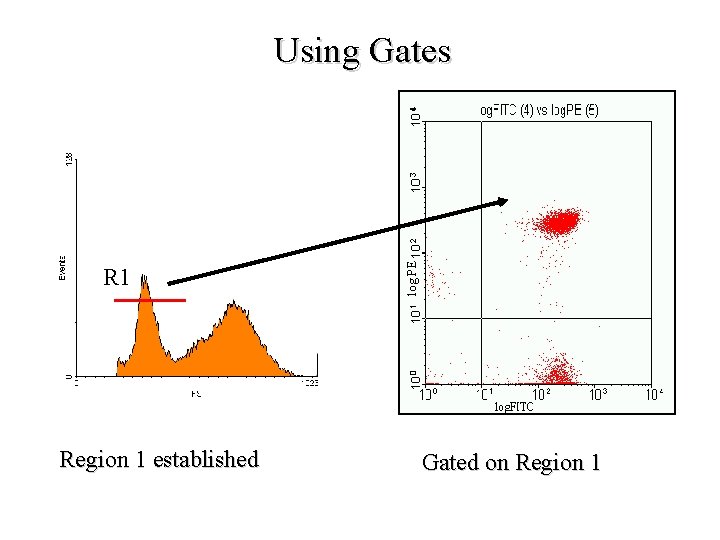
Establishing Regions • Establishing regions: objective or subjective? training/skill/practice • Possible shapes: rectangles ellipses free hand quadrants • Statistics R 1
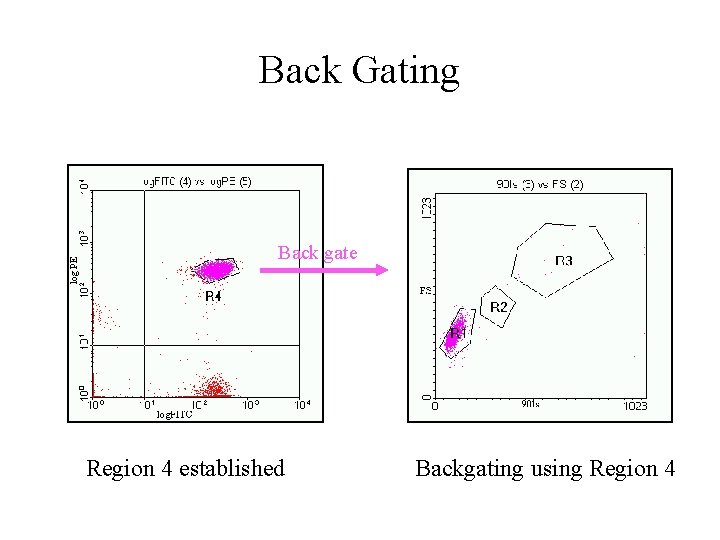
Gating • Real time gating vs. software gating • Establishing regions • Gating strategies • Quadrant analysis • Complex or Boolean gates • Back gating
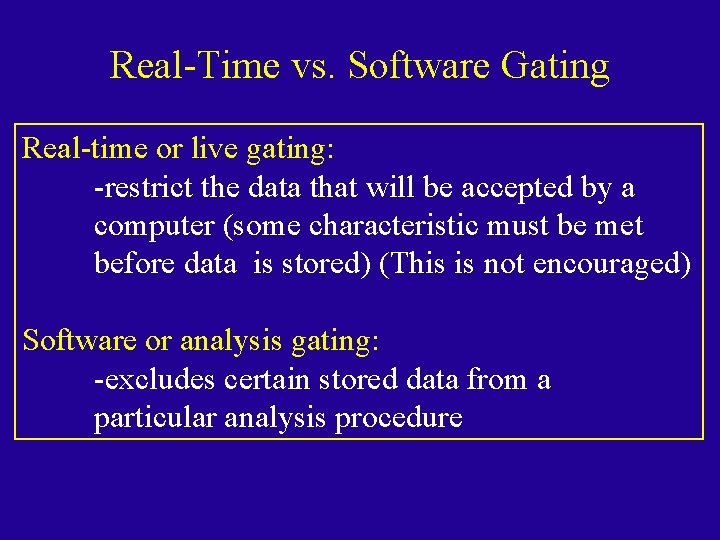
Real Time vs. Software Gating Real time or live gating: restrict the data that will be accepted by a computer (some characteristic must be met before data is stored) (This is not encouraged) Software or analysis gating: excludes certain stored data from a particular analysis procedure
R 1 Region 1 established log PE Using Gates Gated on Region 1
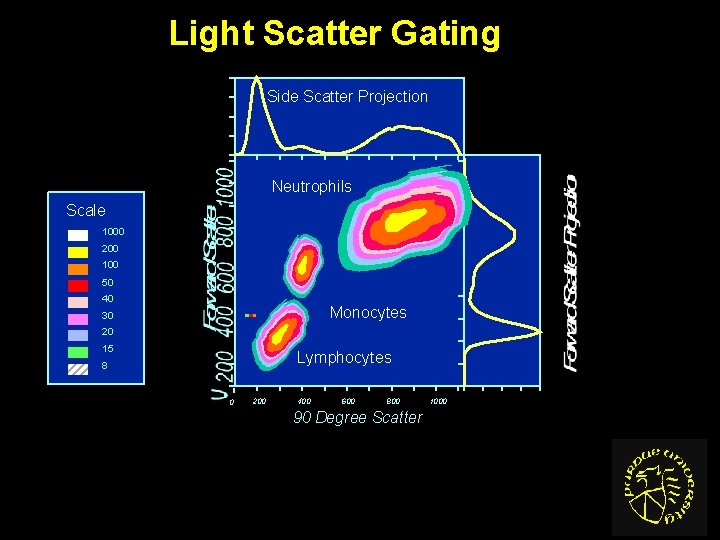
Light Scatter Gating Side Scatter Projection Neutrophils Scale 1000 200 100 50 40 Monocytes 30 20 15 Lymphocytes 8 0 200 400 600 800 90 Degree Scatter 1000
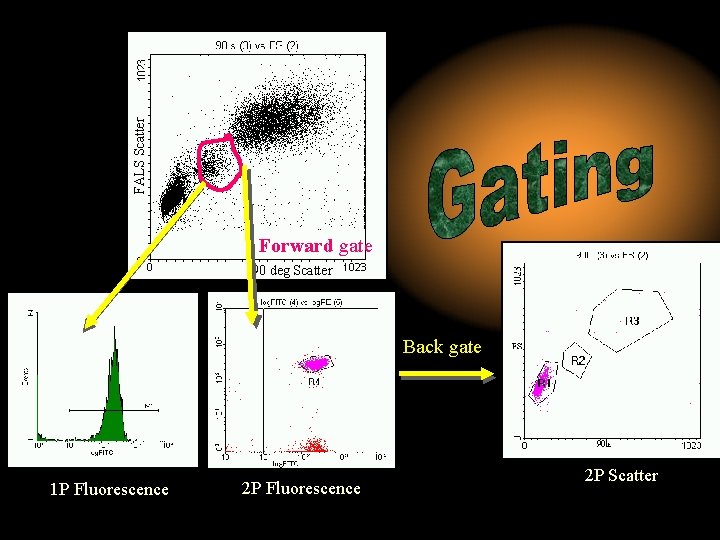
FALS Scatter Forward gate 90 deg Scatter log PE Back gate 1 P Fluorescence 2 P Scatter
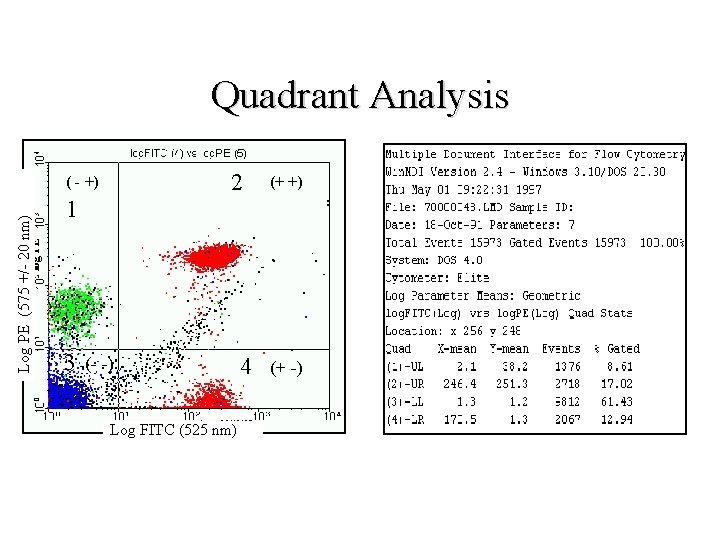
Quadrant Analysis • The Square Cell Principle • Is It necessary? • Why is it used?
Quadrant Analysis 2 (+ +) 1 log PE Log PE (575 +/ 20 nm) ( - +) 3 (- -) Log FITC (525 nm) 4 (+ -)
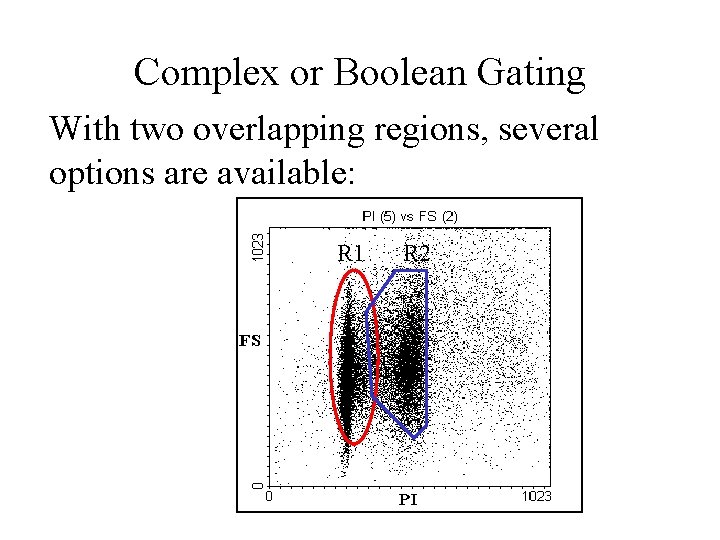
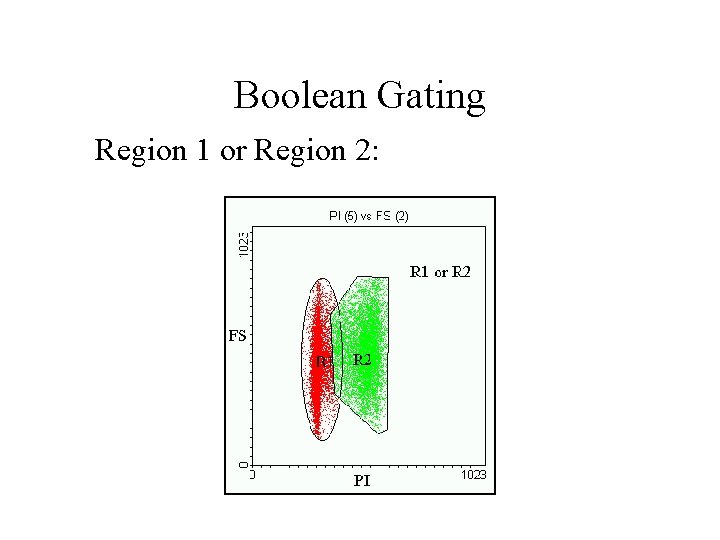
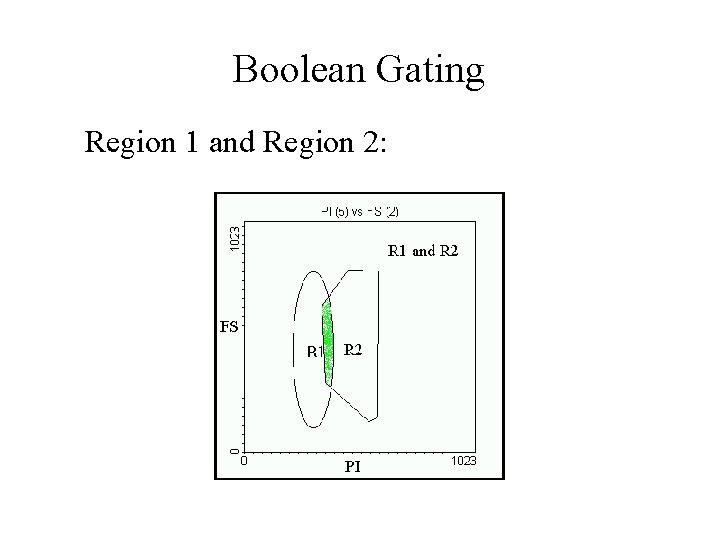
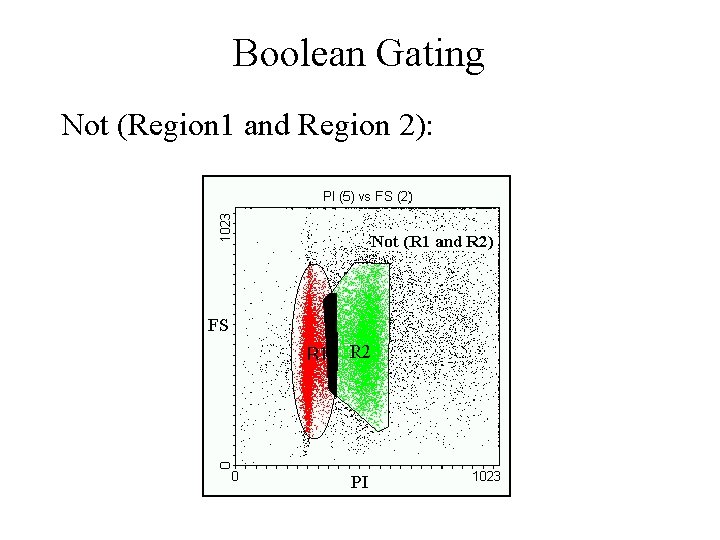
Complex or Boolean Gating With two overlapping regions, several options are available: R 1 R 2
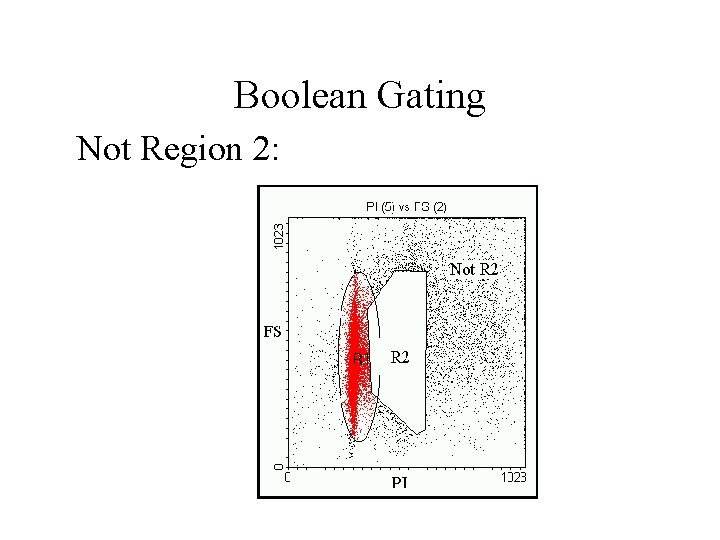
Boolean Gating Not Region 2:
Boolean Gating Region 1 or Region 2:
Boolean Gating Region 1 and Region 2:
Boolean Gating Not (Region 1 and Region 2):
log PE Back Gating Back gate Region 4 established Backgating using Region 4
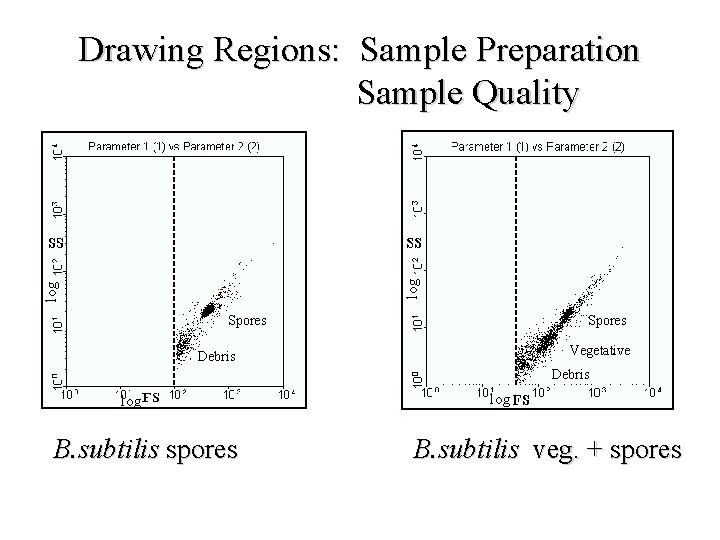
log Drawing Regions: Sample Preparation Sample Quality Spores Vegetative Debris log B. subtilis spores log B. subtilis veg. + spores
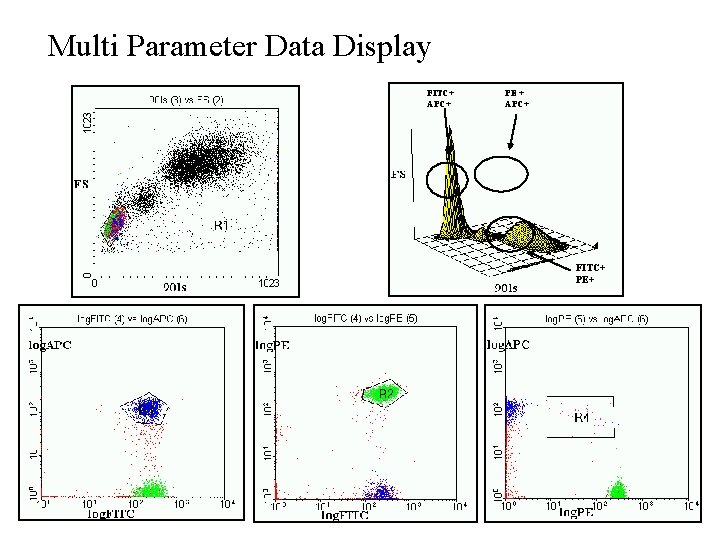
Multi Parameter Data Display FITC+ APC+ PE + APC+ FITC+ PE+
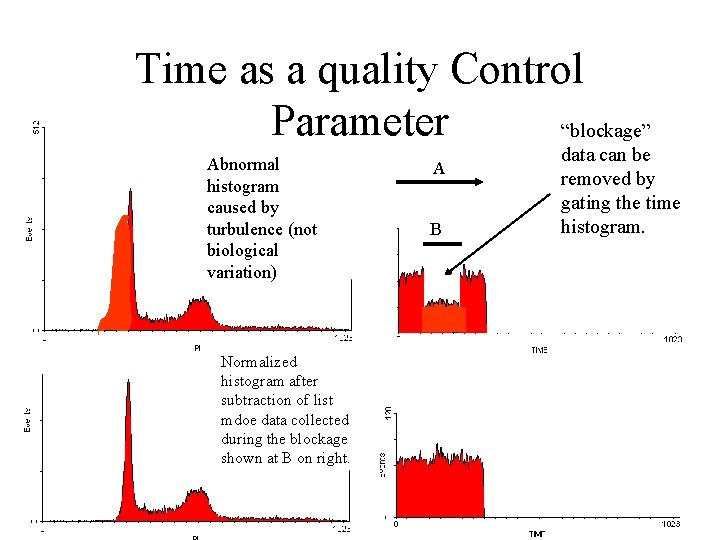
Methods that can change results: 1. Doublet discrimination 2. Time as a quality control parameter Example: DNA content -need to eliminate debris & clumps -need to gate out doublets -maintain constant flow rate
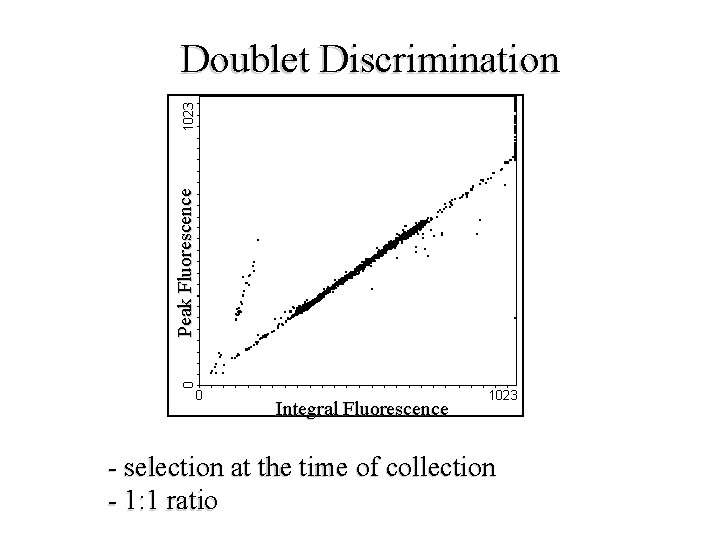
Peak Fluorescence Doublet Discrimination Integral Fluorescence selection at the time of collection 1: 1 ratio
Time as a quality Control Parameter “blockage” Abnormal histogram caused by turbulence (not biological variation) Normalized histogram after subtraction of list mdoe data collected during the blockage shown at B on right. A B data can be removed by gating the time histogram.
Conclusion This workshop has discussed the following ideas: 1. Nature of data 2. Analysis software and techniques 3. Gating and region definition 4. Forward and Back gating 5. Boolean operators on flow data 6. Quality control systems