Wind River Optimizing Linux Development Chuck Wissore and
- Slides: 52
Wind River Optimizing Linux Development Chuck Wissore and Patrick Garvey, September 15, 2005
Agenda • Introduction to Wind River • HAT/SAT Products • Why Linux? • Linux tools today • Wind River Solution • • Overview Key Features Benefits Value Proposition • Wind River Firmware Tools • Wind River Work Bench 2. 3 • Summary/Questions? © Wind River, 2005 2
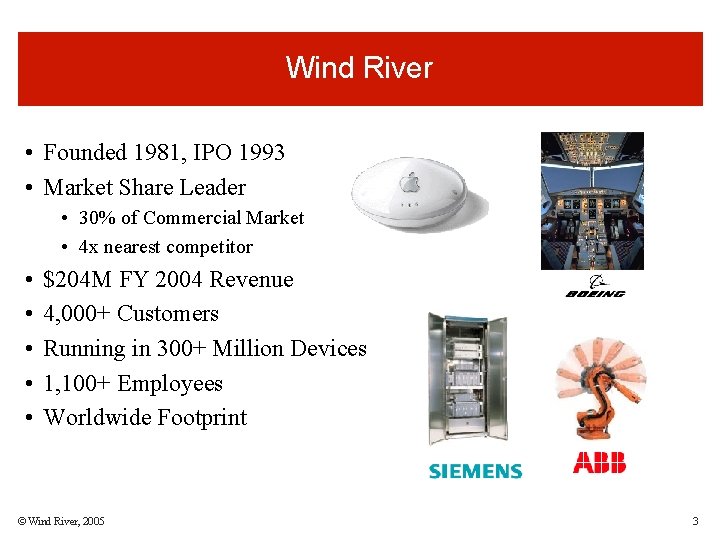
Wind River • Founded 1981, IPO 1993 • Market Share Leader • 30% of Commercial Market • 4 x nearest competitor • • • $204 M FY 2004 Revenue 4, 000+ Customers Running in 300+ Million Devices 1, 100+ Employees Worldwide Footprint © Wind River, 2005 3
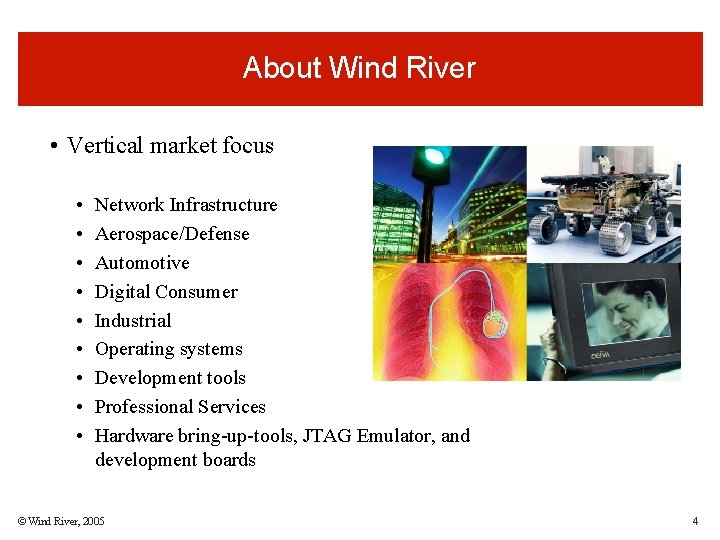
About Wind River • Vertical market focus • • • Network Infrastructure Aerospace/Defense Automotive Digital Consumer Industrial Operating systems Development tools Professional Services Hardware bring-up-tools, JTAG Emulator, and development boards © Wind River, 2005 4
Partners Silicon Operating Systems © Wind River, 2005 Development Boards 5
Wind River HAT/SAT
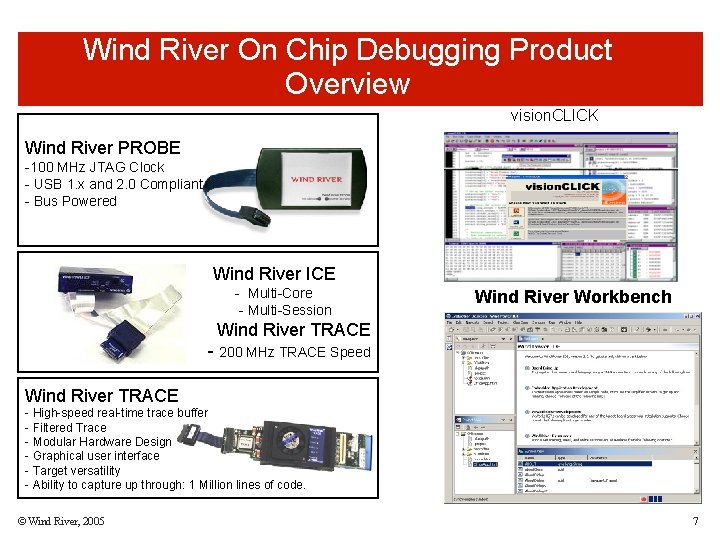
Wind River On Chip Debugging Product Overview vision. CLICK Wind River PROBE -100 MHz JTAG Clock - USB 1. x and 2. 0 Compliant - Bus Powered Wind River ICE - Multi-Core - Multi-Session Wind River Workbench Wind River TRACE - 200 MHz TRACE Speed Wind River TRACE - High-speed real-time trace buffer - Filtered Trace - Modular Hardware Design - Graphical user interface - Target versatility - Ability to capture up through: 1 Million lines of code. © Wind River, 2005 7
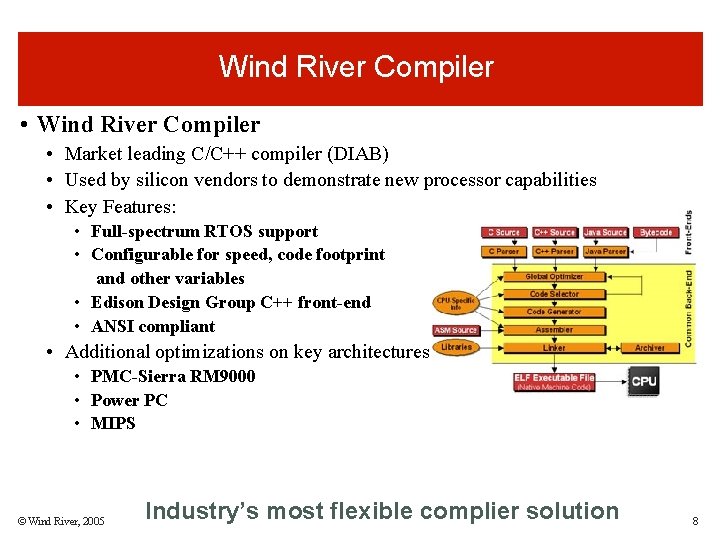
Wind River Compiler • Market leading C/C++ compiler (DIAB) • Used by silicon vendors to demonstrate new processor capabilities • Key Features: • Full-spectrum RTOS support • Configurable for speed, code footprint and other variables • Edison Design Group C++ front-end • ANSI compliant • Additional optimizations on key architectures • PMC-Sierra RM 9000 • Power PC • MIPS © Wind River, 2005 Industry’s most flexible complier solution 8
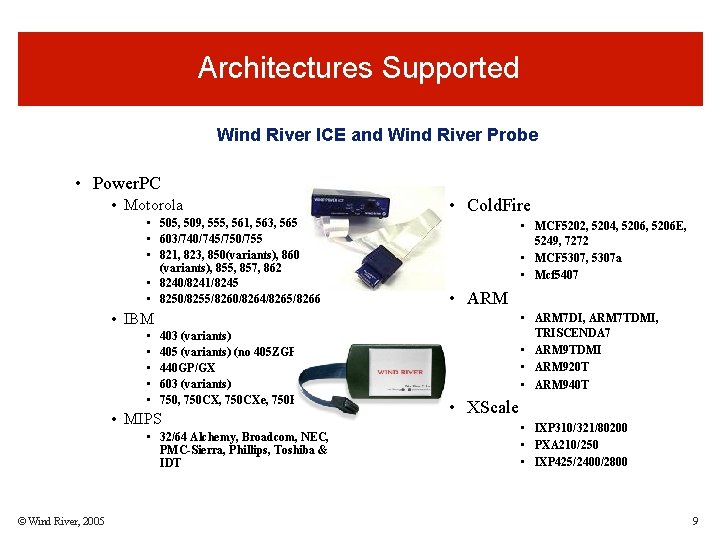
Architectures Supported Wind River ICE and Wind River Probe • Power. PC • Motorola • 505, 509, 555, 561, 563, 565 • 603/740/745/750/755 • 821, 823, 850(variants), 860 (variants), 855, 857, 862 • 8240/8241/8245 • 8250/8255/8260/8264/8265/8266 • Cold. Fire • MCF 5202, 5204, 5206 E, 5249, 7272 • MCF 5307, 5307 a • Mcf 5407 • ARM • IBM • • • 403 (variants) 405 (variants) (no 405 ZGPr) 440 GP/GX 603 (variants) 750, 750 CXe, 750 FX • MIPS • 32/64 Alchemy, Broadcom, NEC, PMC-Sierra, Phillips, Toshiba & IDT © Wind River, 2005 • ARM 7 DI, ARM 7 TDMI, TRISCENDA 7 • ARM 9 TDMI • ARM 920 T • ARM 940 T • XScale • IXP 310/321/80200 • PXA 210/250 • IXP 425/2400/2800 9
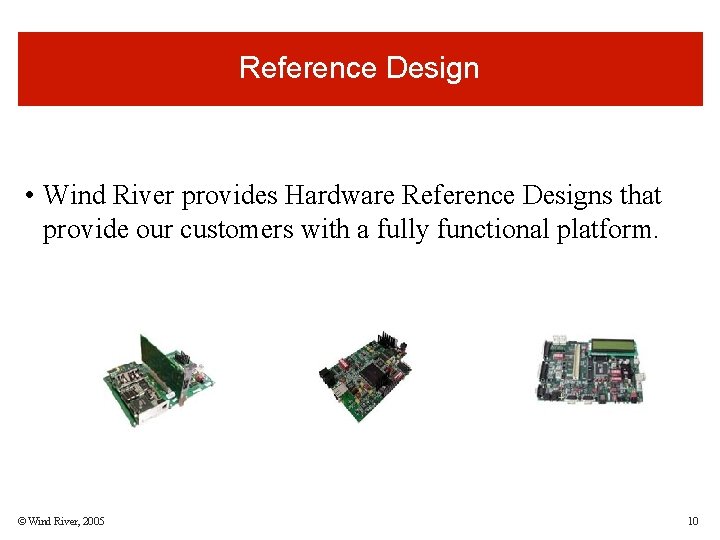
Reference Design • Wind River provides Hardware Reference Designs that provide our customers with a fully functional platform. © Wind River, 2005 10
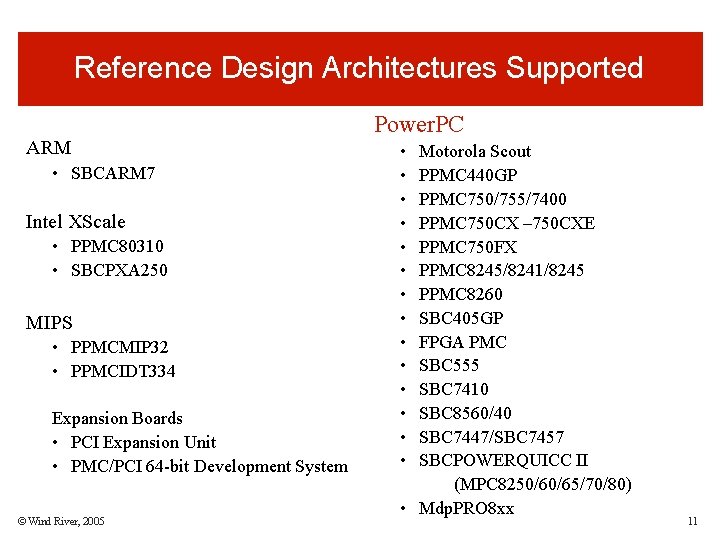
Reference Design Architectures Supported ARM • SBCARM 7 Intel XScale • PPMC 80310 • SBCPXA 250 MIPS • PPMCMIP 32 • PPMCIDT 334 Expansion Boards • PCI Expansion Unit • PMC/PCI 64 -bit Development System © Wind River, 2005 Power. PC • • • • Motorola Scout PPMC 440 GP PPMC 750/755/7400 PPMC 750 CX – 750 CXE PPMC 750 FX PPMC 8245/8241/8245 PPMC 8260 SBC 405 GP FPGA PMC SBC 555 SBC 7410 SBC 8560/40 SBC 7447/SBC 7457 SBCPOWERQUICC II (MPC 8250/60/65/70/80) • Mdp. PRO 8 xx 11
Why Support Linux? • Wind River is the market leader in commercial RTOS and embedded tools market space. • Linux is still new to the embedded market space and lacks standard tools and services support. • Wind River recognizes the need for industry leading tools and services support. • Wind River has the ability to leverage it’s embedded market expertise to bring a best of breed solution to the market. © Wind River, 2005 12
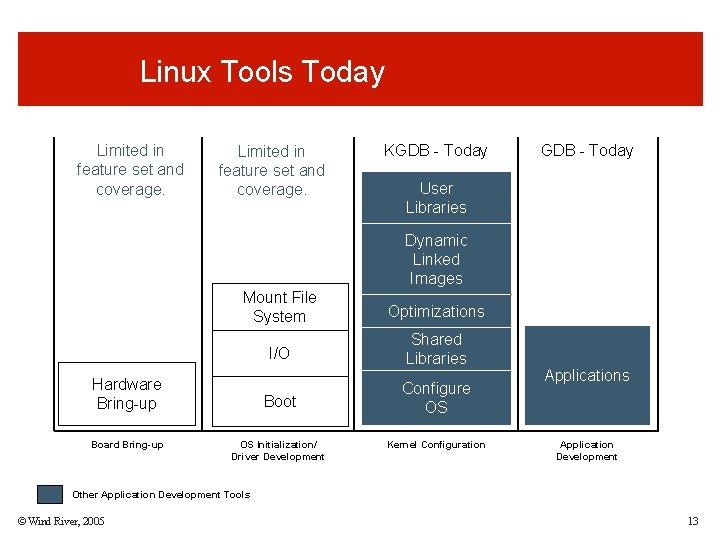
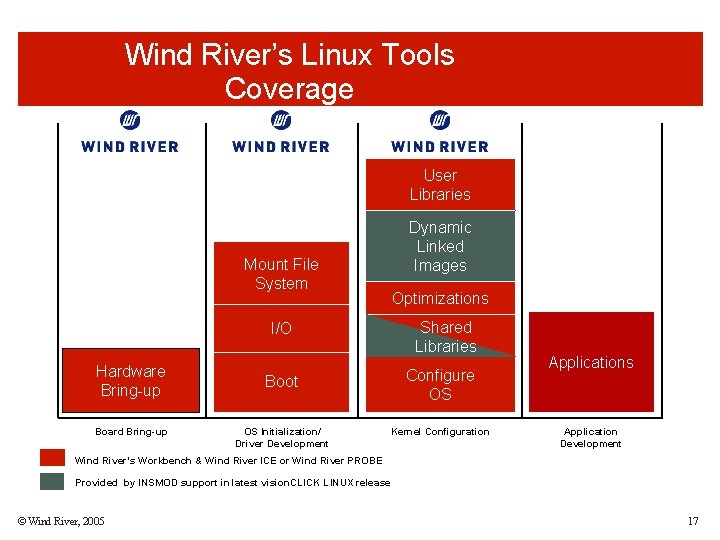
Linux Tools Today Limited in feature set and coverage. KGDB - Today User Libraries Dynamic Linked Images Mount File System Optimizations I/O Shared Libraries Boot Configure OS Hardware Bring-up Board Bring-up OS Initialization/ Driver Development Kernel Configuration Applications Application Development Other Application Development Tools © Wind River, 2005 13
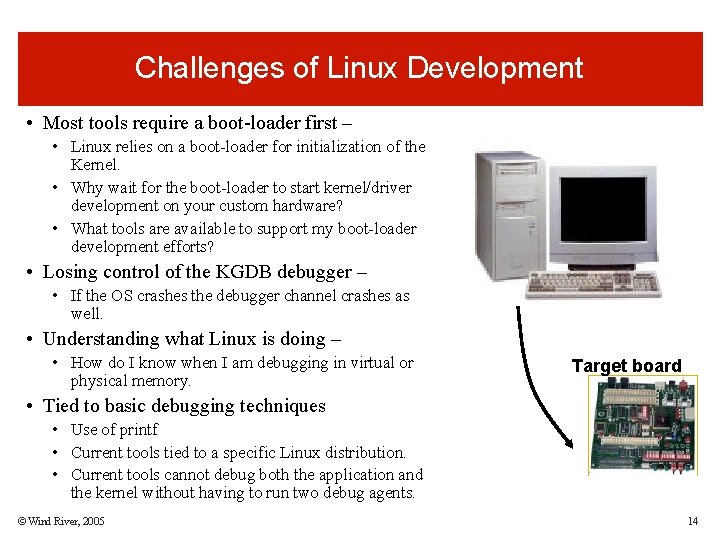
Challenges of Linux Development • Most tools require a boot-loader first – • Linux relies on a boot-loader for initialization of the Kernel. • Why wait for the boot-loader to start kernel/driver development on your custom hardware? • What tools are available to support my boot-loader development efforts? • Losing control of the KGDB debugger – • If the OS crashes the debugger channel crashes as well. • Understanding what Linux is doing – • How do I know when I am debugging in virtual or physical memory. Target board • Tied to basic debugging techniques • Use of printf • Current tools tied to a specific Linux distribution. • Current tools cannot debug both the application and the kernel without having to run two debug agents. © Wind River, 2005 14
Wind River Solution: Provide the ability to bring-up and debug an operating system, such as Linux, that supports virtual memory and memory protection. © Wind River, 2005 15
Wind River’s Solutions to Linux
Wind River’s Linux Tools Coverage User Libraries Mount File System I/O Hardware Bring-up Board Bring-up Boot OS Initialization/ Driver Development Dynamic Linked Images Optimizations Shared Libraries Configure OS Kernel Configuration Applications Application Development Wind River’s Workbench & Wind River ICE or Wind River PROBE Provided by INSMOD support in latest vision. CLICK LINUX release © Wind River, 2005 17
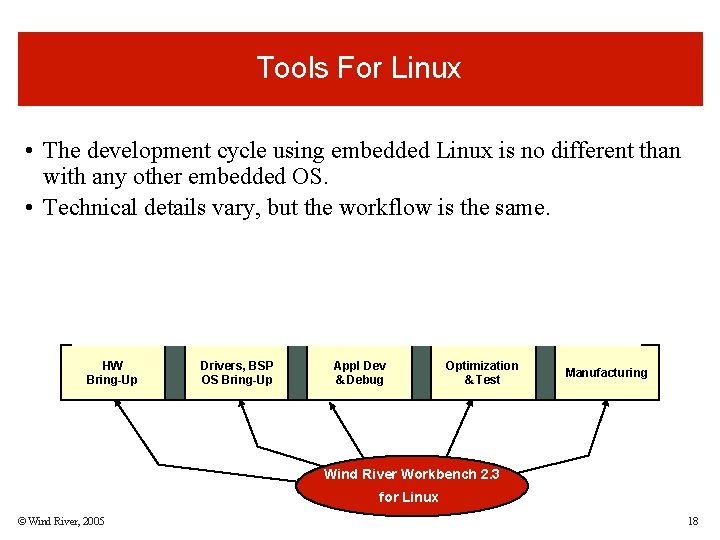
Tools For Linux • The development cycle using embedded Linux is no different than with any other embedded OS. • Technical details vary, but the workflow is the same. Linux Firmware Tools HW Bring-Up Drivers, BSP OS Bring-Up Appl Dev & Debug Optimization & Test Manufacturing Wind River Workbench 2. 3 for Linux © Wind River, 2005 18
Firmware Tools for Linux
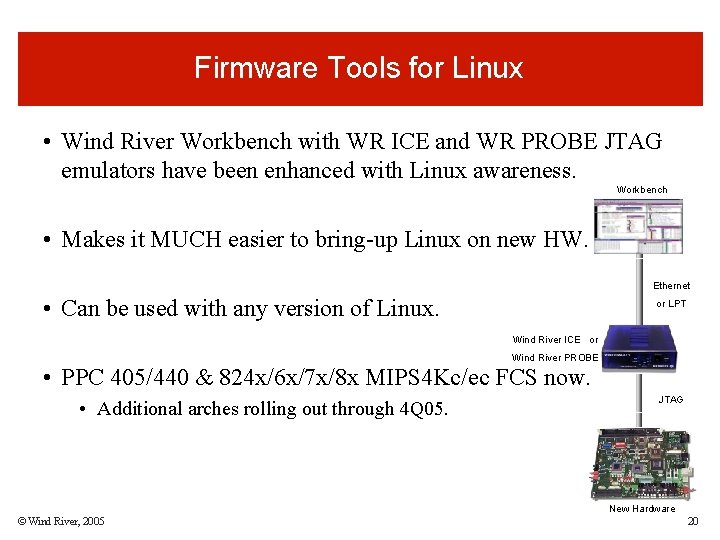
Firmware Tools for Linux • Wind River Workbench with WR ICE and WR PROBE JTAG emulators have been enhanced with Linux awareness. Workbench • Makes it MUCH easier to bring-up Linux on new HW. Ethernet • Can be used with any version of Linux. or LPT Wind River ICE or Wind River PROBE • PPC 405/440 & 824 x/6 x/7 x/8 x MIPS 4 Kc/ec FCS now. • Additional arches rolling out through 4 Q 05. JTAG New Hardware © Wind River, 2005 20
What Are The Benefits? • Can get Linux running before boot loader or BSP written. • Easier to debug drivers/BSP & boot loader if board is “talking to you” • Competing solutions require sequential development (time consuming) • Total system control, even if Linux crashes. • Critical in early stages when stabilizing drivers and BSP • Competing tools crash when the kernel crashes • Eliminates the virtual memory mystery. • Shows where code is in physical and virtual memory. • Competing tools just show virtual. Useless for embedded work. • Can be used with any Linux distribution. © Wind River, 2005 21
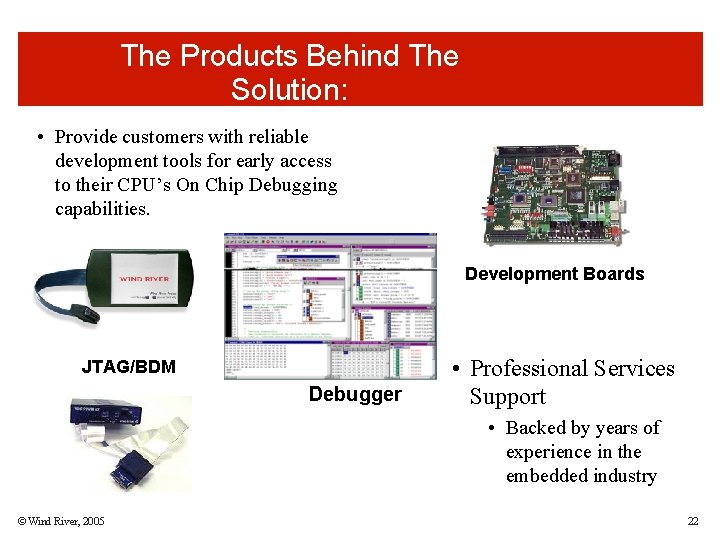
The Products Behind The Solution: • Provide customers with reliable development tools for early access to their CPU’s On Chip Debugging capabilities. Development Boards JTAG/BDM Debugger • Professional Services Support • Backed by years of experience in the embedded industry © Wind River, 2005 22
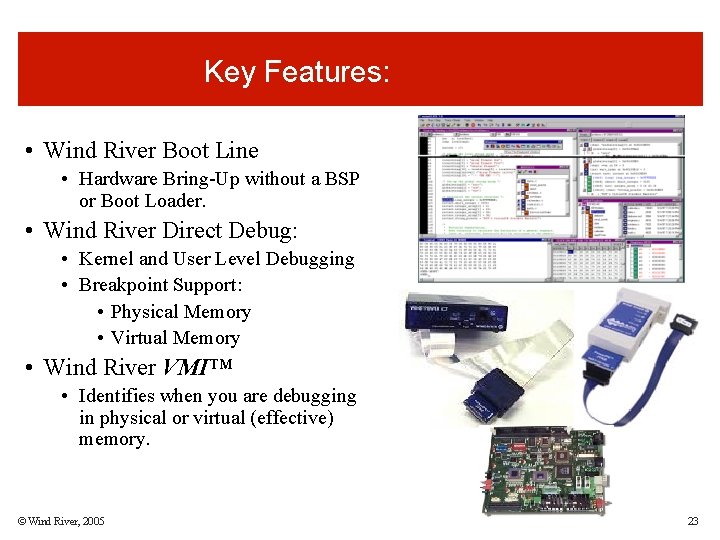
Key Features: • Wind River Boot Line • Hardware Bring-Up without a BSP or Boot Loader. • Wind River Direct Debug: • Kernel and User Level Debugging • Breakpoint Support: • Physical Memory • Virtual Memory • Wind River VMI™ • Identifies when you are debugging in physical or virtual (effective) memory. © Wind River, 2005 23
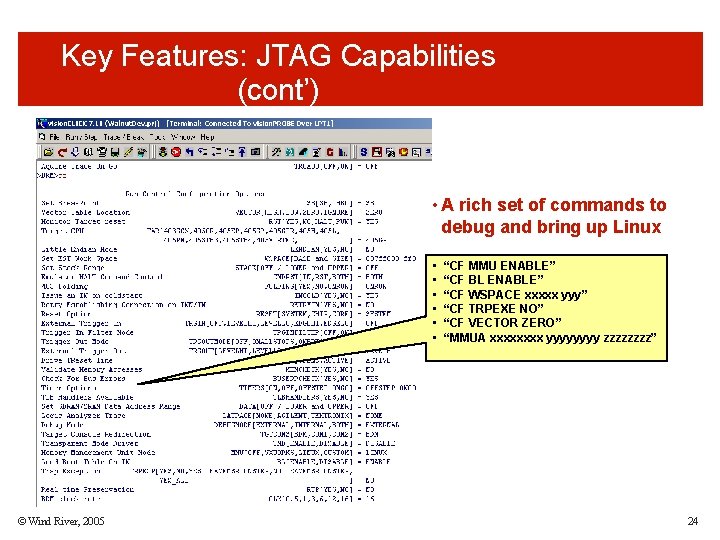
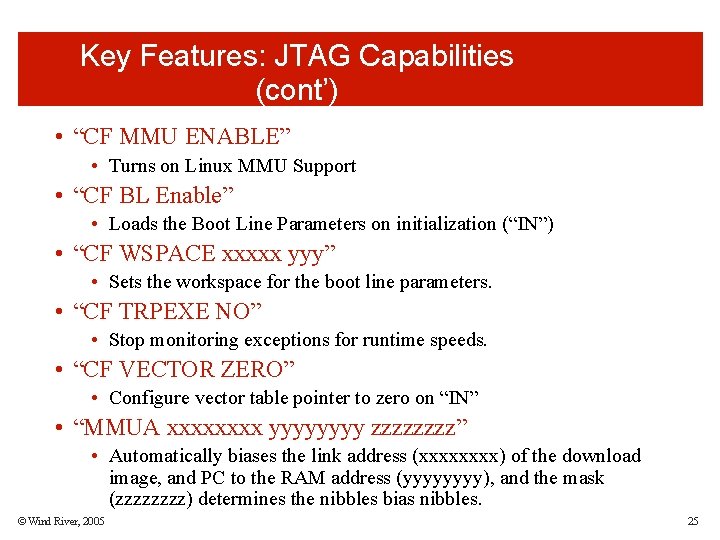
Key Features: JTAG Capabilities (cont’) • A rich set of commands to debug and bring up Linux • • • © Wind River, 2005 “CF MMU ENABLE” “CF BL ENABLE” “CF WSPACE xxxxx yyy” “CF TRPEXE NO” “CF VECTOR ZERO” “MMUA xxxx yyyy zzzz” 24
Key Features: JTAG Capabilities (cont’) • “CF MMU ENABLE” • Turns on Linux MMU Support • “CF BL Enable” • Loads the Boot Line Parameters on initialization (“IN”) • “CF WSPACE xxxxx yyy” • Sets the workspace for the boot line parameters. • “CF TRPEXE NO” • Stop monitoring exceptions for runtime speeds. • “CF VECTOR ZERO” • Configure vector table pointer to zero on “IN” • “MMUA xxxx yyyy zzzz” • Automatically biases the link address (xxxx) of the download image, and PC to the RAM address (yyyy), and the mask (zzzz) determines the nibbles bias nibbles. © Wind River, 2005 25
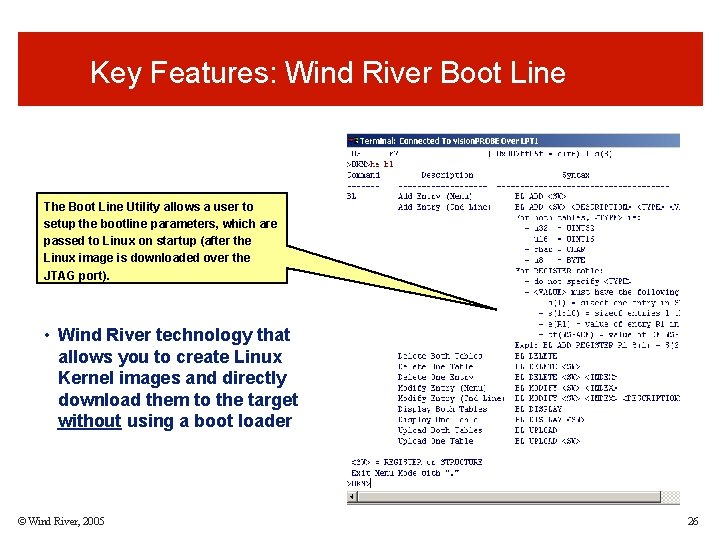
Key Features: Wind River Boot Line The Boot Line Utility allows a user to setup the bootline parameters, which are passed to Linux on startup (after the Linux image is downloaded over the JTAG port). • Wind River technology that allows you to create Linux Kernel images and directly download them to the target without using a boot loader © Wind River, 2005 26
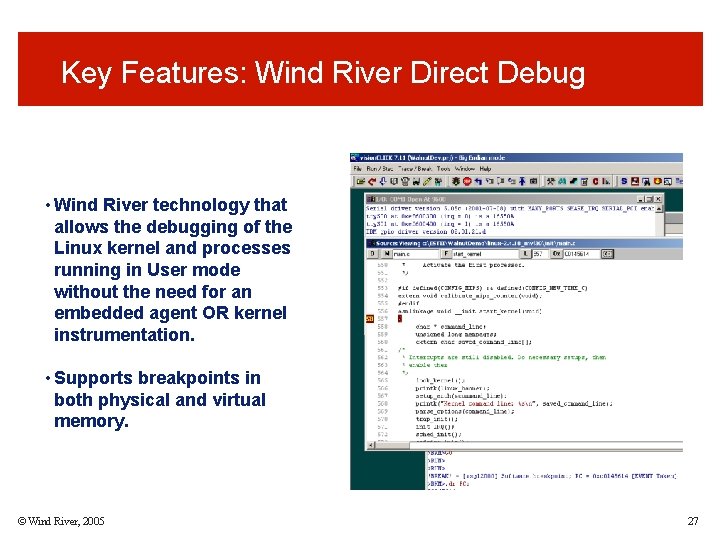
Key Features: Wind River Direct Debug • Wind River technology that allows the debugging of the Linux kernel and processes running in User mode without the need for an embedded agent OR kernel instrumentation. • Supports breakpoints in both physical and virtual memory. © Wind River, 2005 27
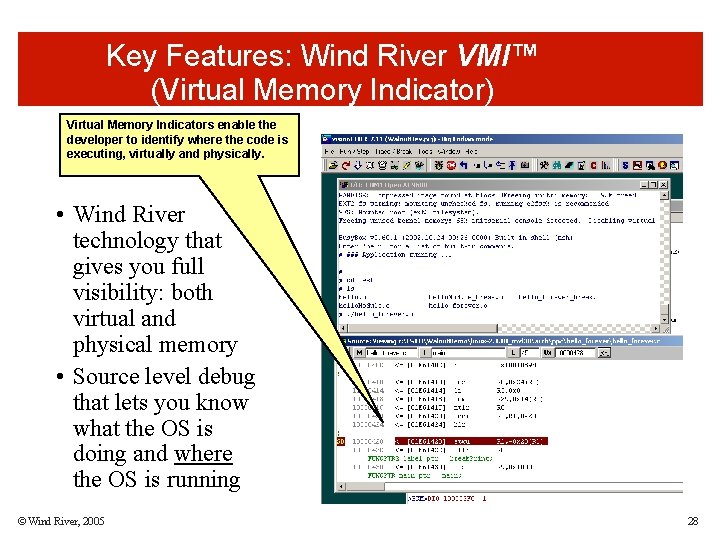
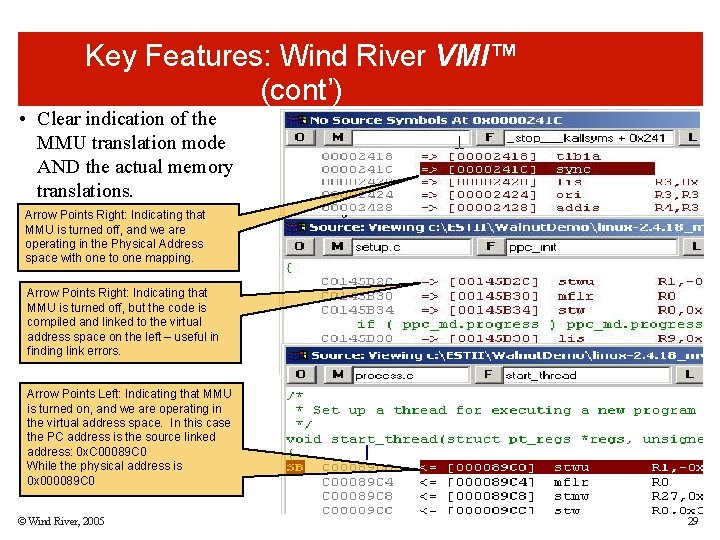
Key Features: Wind River VMI™ (Virtual Memory Indicator) Virtual Memory Indicators enable the developer to identify where the code is executing, virtually and physically. • Wind River technology that gives you full visibility: both virtual and physical memory • Source level debug that lets you know what the OS is doing and where the OS is running © Wind River, 2005 28
Key Features: Wind River VMI™ (cont’) • Clear indication of the MMU translation mode AND the actual memory translations. Arrow Points Right: Indicating that MMU is turned off, and we are operating in the Physical Address space with one to one mapping. Arrow Points Right: Indicating that MMU is turned off, but the code is compiled and linked to the virtual address space on the left – useful in finding link errors. Arrow Points Left: Indicating that MMU is turned on, and we are operating in the virtual address space. In this case the PC address is the source linked address: 0 x. C 00089 C 0 While the physical address is 0 x 000089 C 0 © Wind River, 2005 29
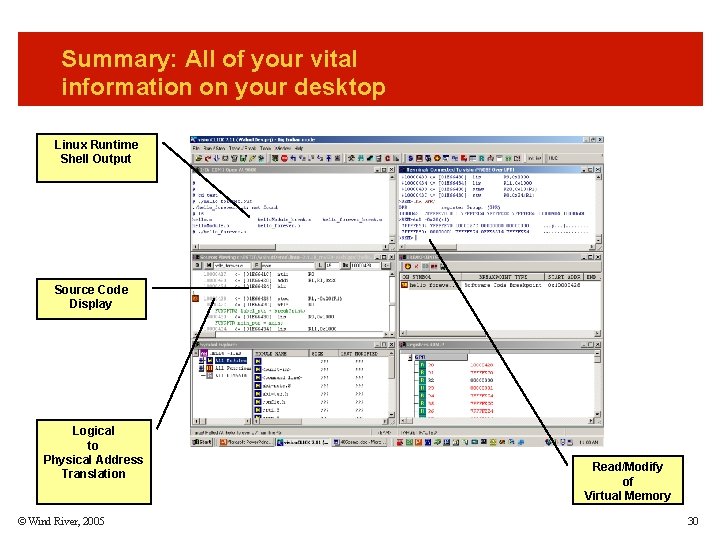
Summary: All of your vital information on your desktop Linux Runtime Shell Output Source Code Display Logical to Physical Address Translation © Wind River, 2005 Read/Modify of Virtual Memory 30
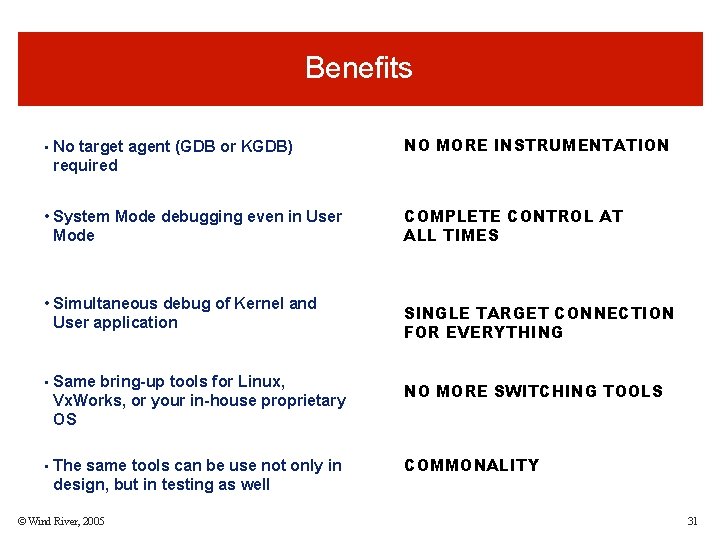
Benefits • No target agent (GDB or KGDB) NO MORE INSTRUMENTATION required • System Mode debugging even in User Mode COMPLETE CONTROL AT ALL TIMES • Simultaneous debug of Kernel and User application SINGLE TARGET CONNECTION FOR EVERYTHING • Same bring-up tools for Linux, Vx. Works, or your in-house proprietary OS • The same tools can be use not only in NO MORE SWITCHING TOOLS COMMONALITY design, but in testing as well © Wind River, 2005 31
Wind River vision. CLICK Demo
Wind River Workbench 2. 3
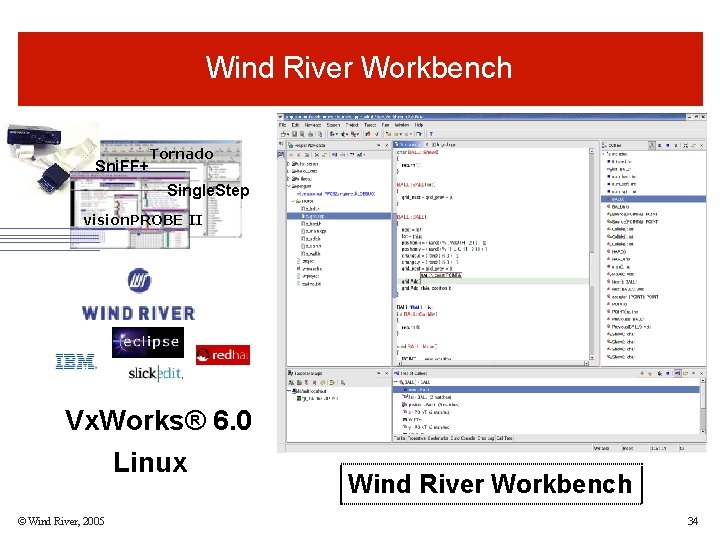
Wind River Workbench Sni. FF+ Tornado Single. Step vision. PROBE II 1. Mix a broad range of proven, best in class, embedded development tool capability 2. Combine in a open, extensible, development environment framework with strong third party support 3. Provide common tools for the most popular processors, hosts, and embedded operating systems Vx. Works® 6. 0 Linux © Wind River, 2005 Wind River Workbench 34
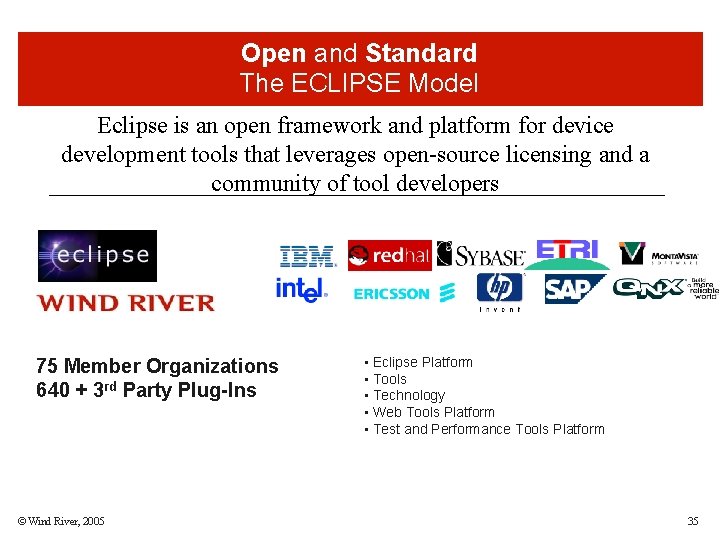
Open and Standard The ECLIPSE Model Eclipse is an open framework and platform for device development tools that leverages open-source licensing and a community of tool developers 75 Member Organizations 640 + 3 rd Party Plug-Ins © Wind River, 2005 • Eclipse Platform • Tools • Technology • Web Tools Platform • Test and Performance Tools Platform 35
Eclipse Strategic Developer Member • Wind. River Manages a Project • Wind. River Invests millions of dollars every year • Wind. River has 10 dedicated engineers contributing to the Eclipse project © Wind River, 2005 36
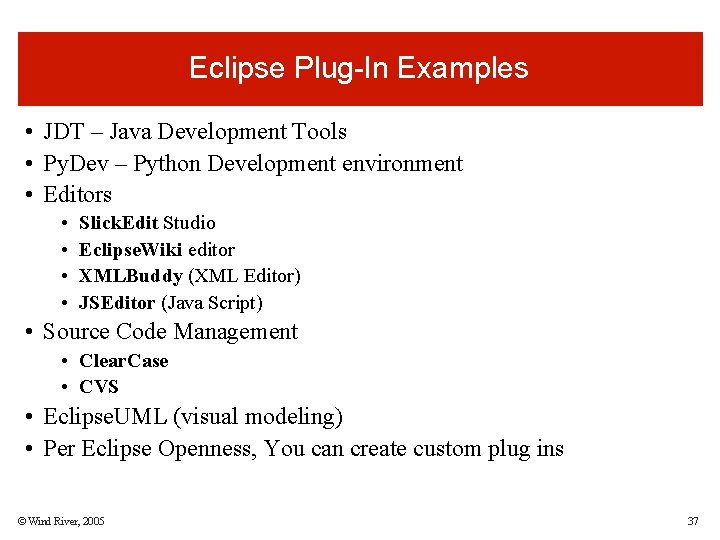
Eclipse Plug-In Examples • JDT – Java Development Tools • Py. Dev – Python Development environment • Editors • • Slick. Edit Studio Eclipse. Wiki editor XMLBuddy (XML Editor) JSEditor (Java Script) • Source Code Management • Clear. Case • CVS • Eclipse. UML (visual modeling) • Per Eclipse Openness, You can create custom plug ins © Wind River, 2005 37
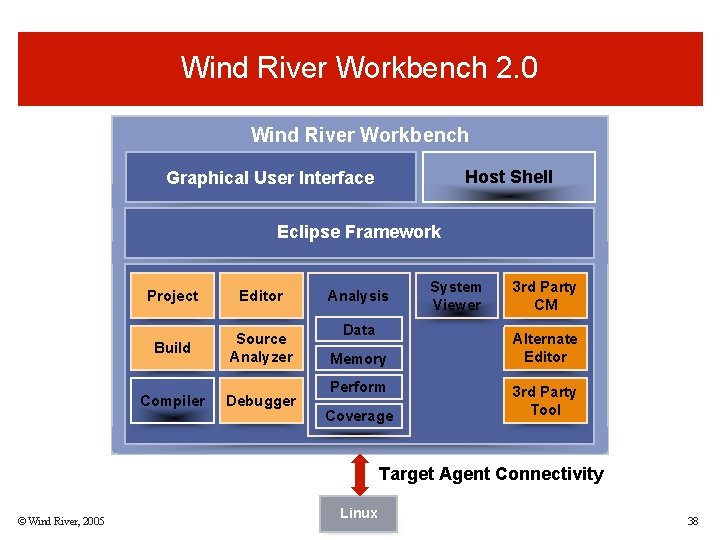
Wind River Workbench 2. 0 Wind River Workbench Host Shell Graphical User Interface Eclipse Framework Project Editor Build Source Analyzer Compiler Debugger Analysis Data Memory Perform Coverage System Viewer 3 rd Party CM Alternate Editor 3 rd Party Tool Target Agent Connectivity © Wind River, 2005 Linux 38
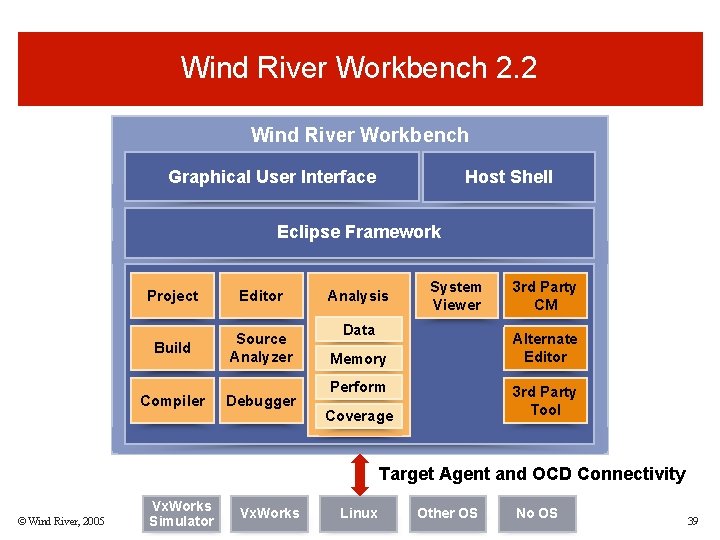
Wind River Workbench 2. 2 Wind River Workbench Graphical User Interface Host Shell Eclipse Framework Project Editor Build Source Analyzer Compiler Debugger Analysis System Viewer Data 3 rd Party CM Alternate Editor Memory Perform 3 rd Party Tool Coverage Target Agent and OCD Connectivity © Wind River, 2005 Vx. Works Simulator Vx. Works Linux Other OS No OS 39
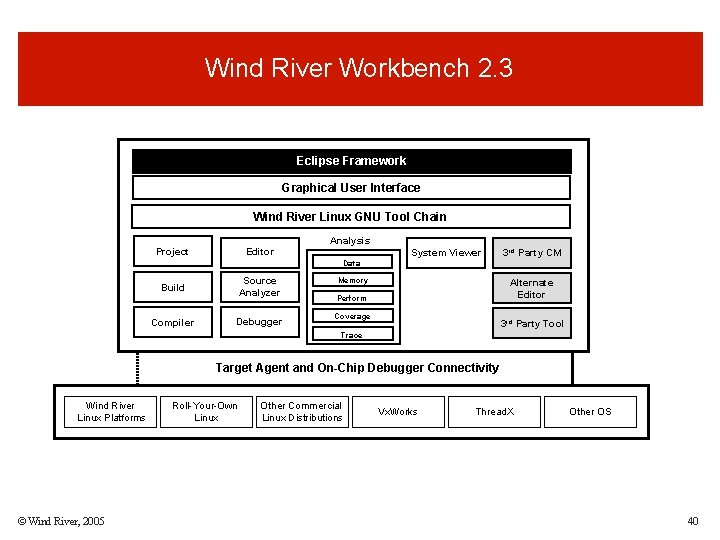
Wind River Workbench 2. 3 Eclipse Framework Graphical User Interface Wind River Linux GNU Tool Chain Analysis Project Editor System Viewer 3 rd Party CM Data Source Analyzer Build Compiler Debugger Memory Alternate Editor Perform Coverage 3 rd Party Tool Trace Target Agent and On-Chip Debugger Connectivity Wind River Linux Platforms © Wind River, 2005 Roll-Your-Own Linux Other Commercial Linux Distributions Vx. Works Thread. X Other OS 40
What Are The Benefits? • Total system debug. • Competing tools cannot debug apps & drivers at same time. • Debug & analyze multiple CPUs at the same time. • Understand interactions in a multi-processor system. • Develop & debug on Linux & Vx. Works at same time, same tool suite. • Great for multi-CPU systems that mix both OSs. This is unique. • Firmware development & app development in the same tools suite. © Wind River, 2005 41
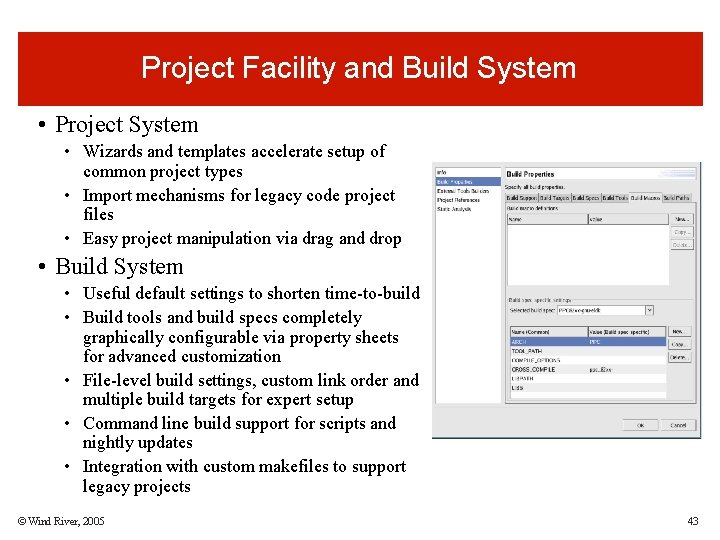
Project Facility and Build System • Project System • Wizards and templates accelerate setup of common project types • Import mechanisms for legacy code project files • Easy project manipulation via drag and drop • Build System • Useful default settings to shorten time-to-build • Build tools and build specs completely graphically configurable via property sheets for advanced customization • File-level build settings, custom link order and multiple build targets for expert setup • Command line build support for scripts and nightly updates • Integration with custom makefiles to support legacy projects © Wind River, 2005 43
Source Analysis • Code and Symbol Browsing • Symbol definition lookup and quick source code navigation to reduce learning curve of unfamiliar code • Problem Solving • Workbench Debugger enhanced with source analysis features solves runtime problems more quickly • Powerful Editor • Code completion, macro expansion and other productivity features • Support for 3 rd party editors via Eclipse plug-ins © Wind River, 2005 44
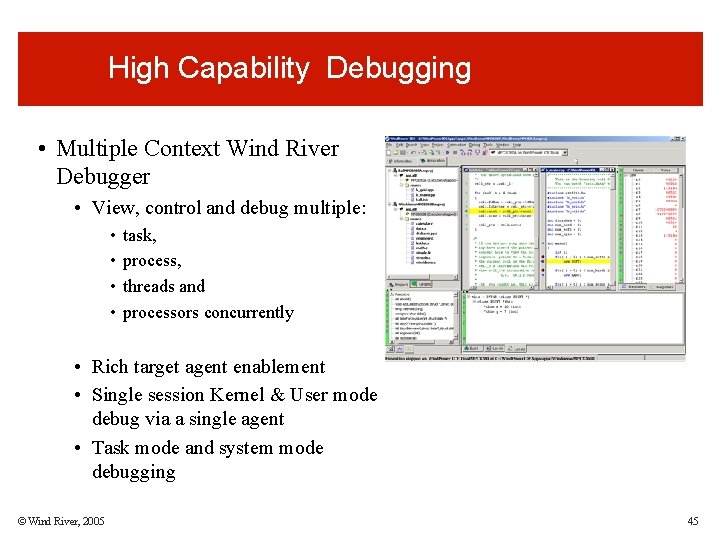
High Capability Debugging • Multiple Context Wind River Debugger • View, control and debug multiple: • • task, process, threads and processors concurrently • Rich target agent enablement • Single session Kernel & User mode debug via a single agent • Task mode and system mode debugging © Wind River, 2005 45
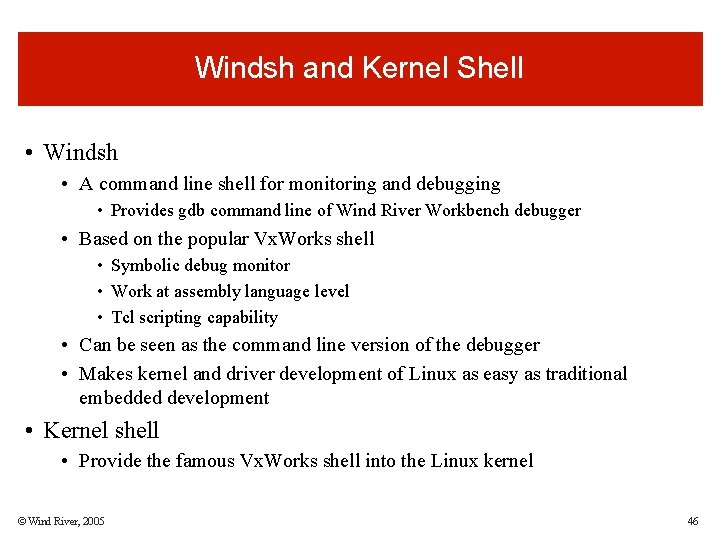
Windsh and Kernel Shell • Windsh • A command line shell for monitoring and debugging • Provides gdb command line of Wind River Workbench debugger • Based on the popular Vx. Works shell • Symbolic debug monitor • Work at assembly language level • Tcl scripting capability • Can be seen as the command line version of the debugger • Makes kernel and driver development of Linux as easy as traditional embedded development • Kernel shell • Provide the famous Vx. Works shell into the Linux kernel © Wind River, 2005 46
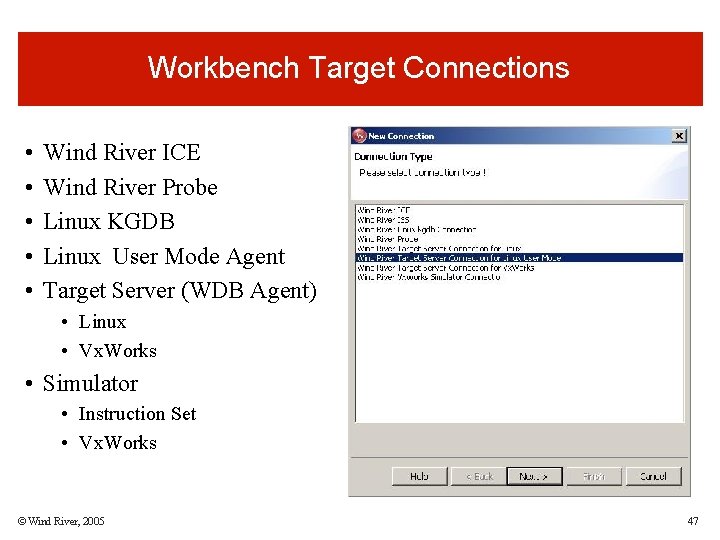
Workbench Target Connections • • • Wind River ICE Wind River Probe Linux KGDB Linux User Mode Agent Target Server (WDB Agent) • Linux • Vx. Works • Simulator • Instruction Set • Vx. Works © Wind River, 2005 47
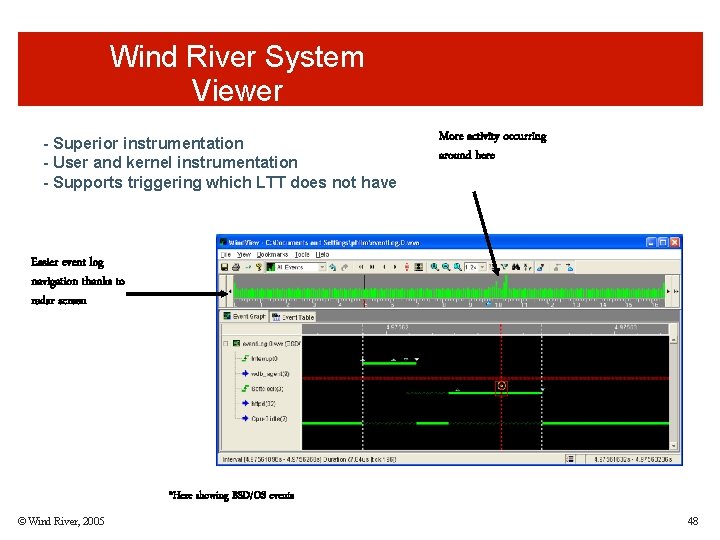
Wind River System Viewer - Superior instrumentation - User and kernel instrumentation - Supports triggering which LTT does not have More activity occurring around here Easier event log navigation thanks to radar screen *Here showing BSD/OS events © Wind River, 2005 48
File System Creator • Features • GUI based • Easily select the few files your system needs out of the thousands of files of a Unix like system • Handles special files like link, devices, socket, fifo • Automatically analyses and import static and dynamic shared libraries required by selected system or application binaries • One click filesystem image build - One click bootable image generation • Based on tash restricted shell to prevent trashing host filesystem • There is no way to identify all possible dependencies that exists between all the OS files • a filesystem creation tool should not attempt to solve the entire problem • focus on the most common cases © Wind River, 2005 49
Wind River Workbench 2. 3 Demo
Questions
Wind River • Thank You!
END