Spring Cloud Config Server https cloud spring iospringcloudconfig


- Slides: 18
Spring Cloud Config Server https: //cloud. spring. io/spring-cloud-config/ Denny Slover St Louis Java User Group July 12, 2018 Demo Code: https: //github. com/denny 2000/config-server-demo https: //github. com/denny 2000/config-server-properties
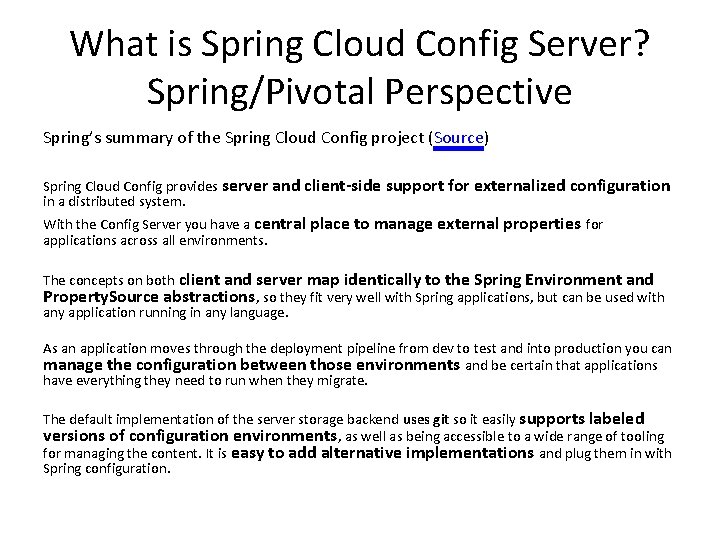
What is Spring Cloud Config Server? Spring/Pivotal Perspective Spring’s summary of the Spring Cloud Config project (Source) Spring Cloud Config provides server and client-side support for externalized configuration in a distributed system. With the Config Server you have a central place to manage external properties for applications across all environments. The concepts on both client and server map identically to the Spring Environment and Property. Source abstractions, so they fit very well with Spring applications, but can be used with any application running in any language. As an application moves through the deployment pipeline from dev to test and into production you can manage the configuration between those environments and be certain that applications have everything they need to run when they migrate. The default implementation of the server storage backend uses git so it easily supports labeled versions of configuration environments, as well as being accessible to a wide range of tooling for managing the content. It is easy to add alternative implementations and plug them in with Spring configuration.
Reasons to use External Config Overview • Remove the application configuration from the code • Centralize the application’s configuration for all environments • Allow the configuration to be easily tailored to the environment and turn on/off feature flags. • {bonus} Allow the configuration to be changed in the application while the application is running without any service interruption.
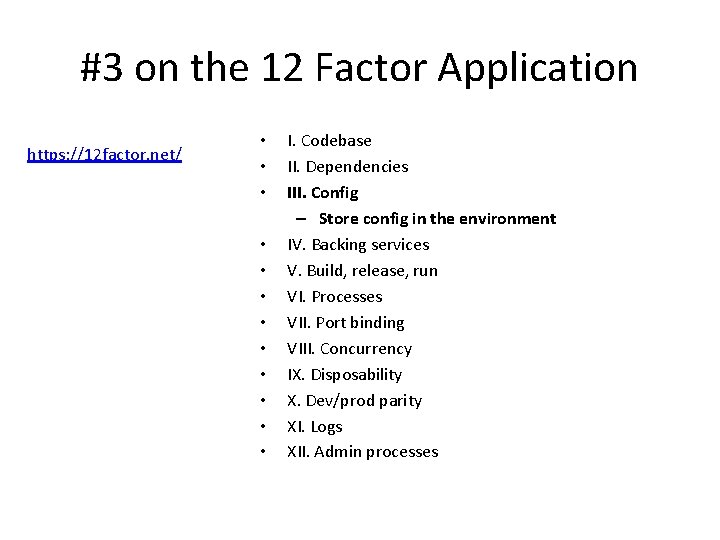
#3 on the 12 Factor Application https: //12 factor. net/ • • • I. Codebase II. Dependencies III. Config – Store config in the environment IV. Backing services V. Build, release, run VI. Processes VII. Port binding VIII. Concurrency IX. Disposability X. Dev/prod parity XI. Logs XII. Admin processes
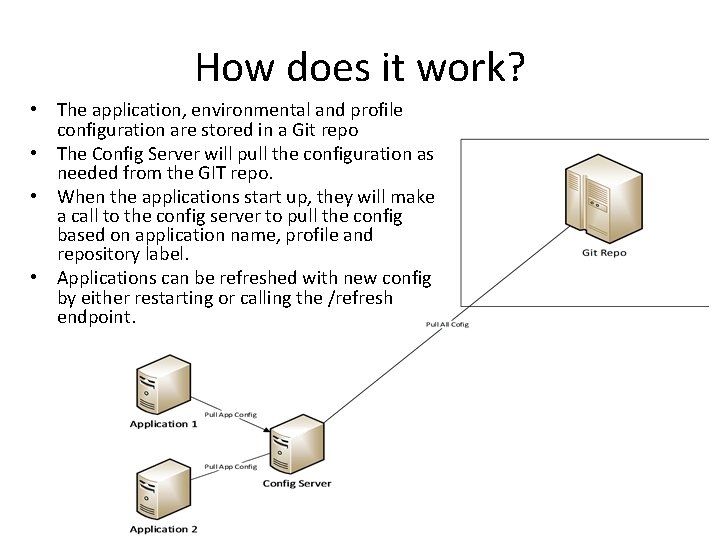
How does it work? • The application, environmental and profile configuration are stored in a Git repo • The Config Server will pull the configuration as needed from the GIT repo. • When the applications start up, they will make a call to the config server to pull the config based on application name, profile and repository label. • Applications can be refreshed with new config by either restarting or calling the /refresh endpoint.
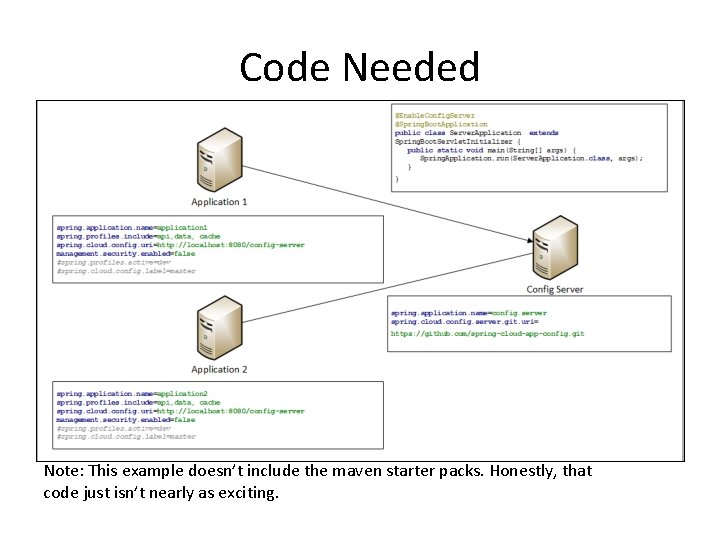
Code Needed Note: This example doesn’t include the maven starter packs. Honestly, that code just isn’t nearly as exciting.
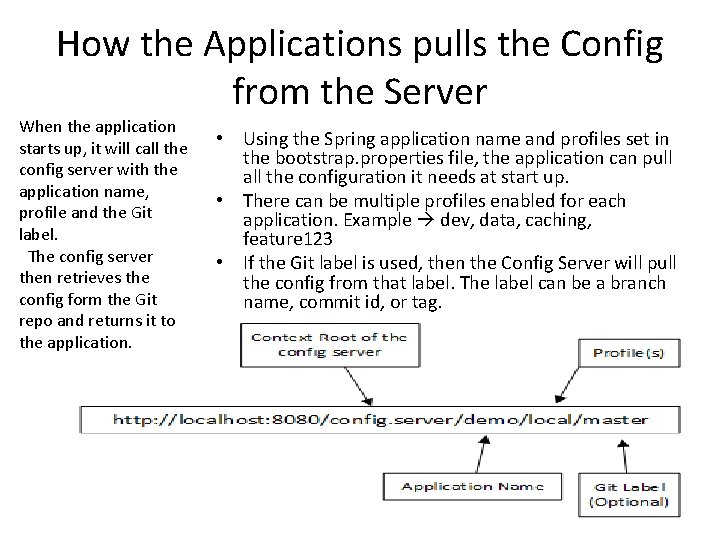
How the Applications pulls the Config from the Server When the application starts up, it will call the config server with the application name, profile and the Git label. The config server then retrieves the config form the Git repo and returns it to the application. • Using the Spring application name and profiles set in the bootstrap. properties file, the application can pull all the configuration it needs at start up. • There can be multiple profiles enabled for each application. Example dev, data, caching, feature 123 • If the Git label is used, then the Config Server will pull the config from that label. The label can be a branch name, commit id, or tag.
Property Files Hierarchy • application. properties – Stores config that is common to all applications and all profiles logging level defaults, common config – This is the lowest precedence properties file • <spring. application. name>. properties – Stores the config for the application. – Maps the application name to the “spring. application. name” in the bootstrap. properties file • application-<profile_name>. properties – Stores properties for a profile that will be used for all applications. • <spring. application. name>-<profile>. properties – Stores the properties specific to the application when the profile is activated – Highest precedence of all property files • Note: If multiple profiles are loaded with the same config keys, the last profile loaded will be the final value. Example: spring. profiles. include=api, data, cache In this case the cache profile will overwrite any config keys in any other properties file. • Note: both. properties and. yml file formats are supported
Demo Time! • Demo app – Show api with data object returned – Update the config in the git repo and show change in response – Show change of profile that affects the config – Show change of branch that affects the config – Show change in the config and refresh of the properties in the app
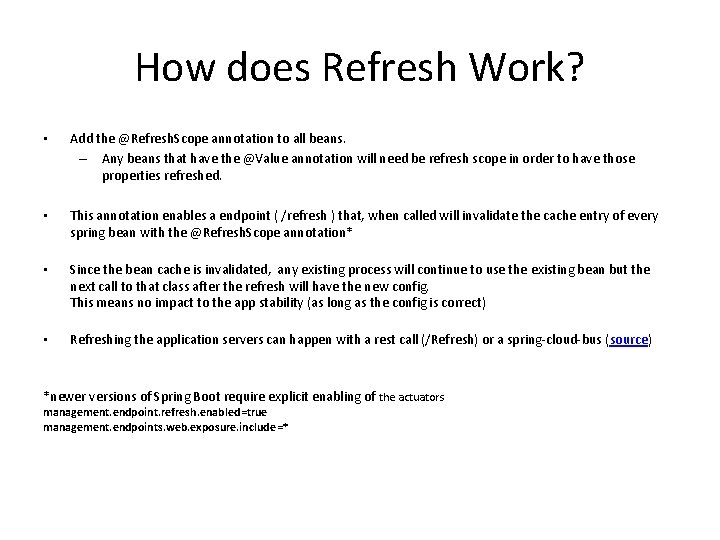
How does Refresh Work? • Add the @Refresh. Scope annotation to all beans. – Any beans that have the @Value annotation will need be refresh scope in order to have those properties refreshed. • This annotation enables a endpoint ( /refresh ) that, when called will invalidate the cache entry of every spring bean with the @Refresh. Scope annotation* • Since the bean cache is invalidated, any existing process will continue to use the existing bean but the next call to that class after the refresh will have the new config. This means no impact to the app stability (as long as the config is correct) • Refreshing the application servers can happen with a rest call (/Refresh) or a spring-cloud-bus (source) *newer versions of Spring Boot require explicit enabling of the actuators management. endpoint. refresh. enabled=true management. endpoints. web. exposure. include=*
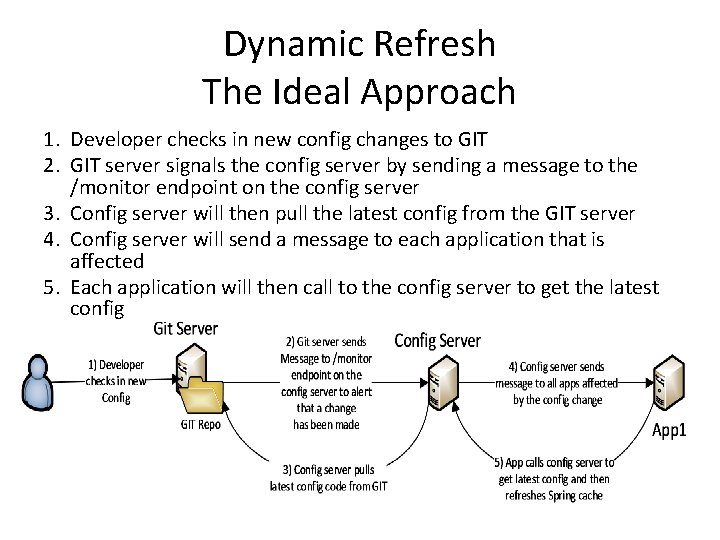
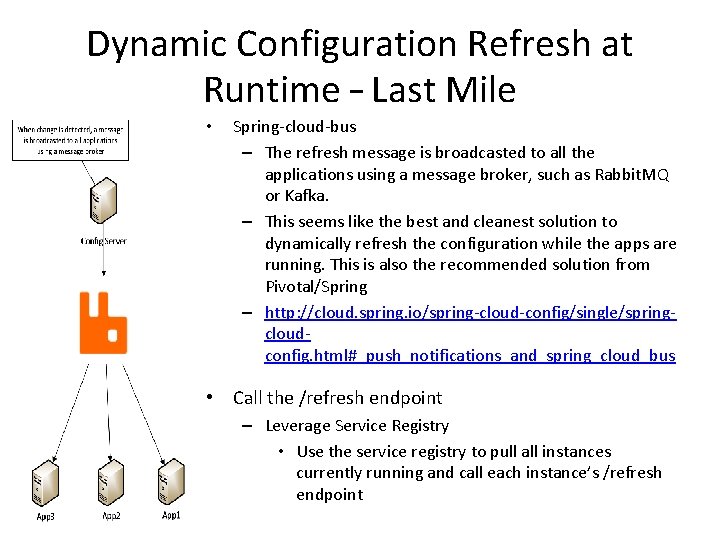
Dynamic Refresh The Ideal Approach 1. Developer checks in new config changes to GIT 2. GIT server signals the config server by sending a message to the /monitor endpoint on the config server 3. Config server will then pull the latest config from the GIT server 4. Config server will send a message to each application that is affected 5. Each application will then call to the config server to get the latest config
Dynamic Configuration Refresh at Runtime – Last Mile • Spring-cloud-bus – The refresh message is broadcasted to all the applications using a message broker, such as Rabbit. MQ or Kafka. – This seems like the best and cleanest solution to dynamically refresh the configuration while the apps are running. This is also the recommended solution from Pivotal/Spring – http: //cloud. spring. io/spring-cloud-config/single/springcloudconfig. html#_push_notifications_and_spring_cloud_bus • Call the /refresh endpoint – Leverage Service Registry • Use the service registry to pull all instances currently running and call each instance’s /refresh endpoint
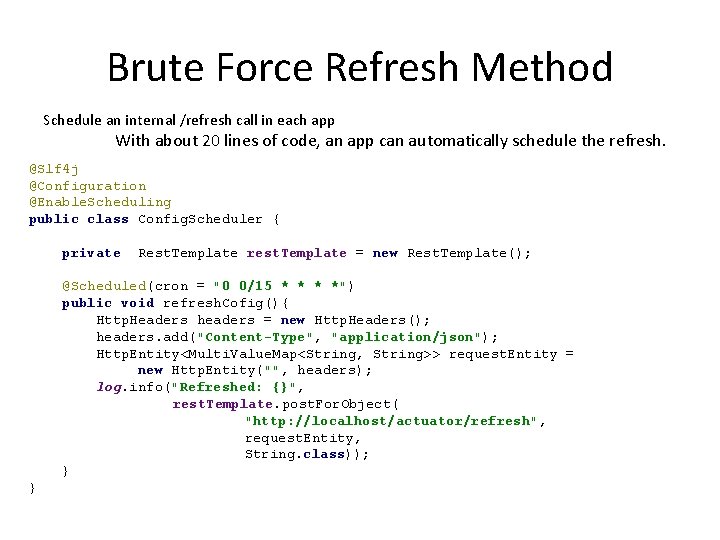
Brute Force Refresh Method Schedule an internal /refresh call in each app With about 20 lines of code, an app can automatically schedule the refresh. @Slf 4 j @Configuration @Enable. Scheduling public class Config. Scheduler { private Rest. Template rest. Template = new Rest. Template(); @Scheduled(cron = "0 0/15 * *") public void refresh. Cofig(){ Http. Headers headers = new Http. Headers(); headers. add("Content-Type", "application/json"); Http. Entity<Multi. Value. Map<String, String>> request. Entity = new Http. Entity("", headers); log. info("Refreshed: {}", rest. Template. post. For. Object( "http: //localhost/actuator/refresh", request. Entity, String. class)); } }
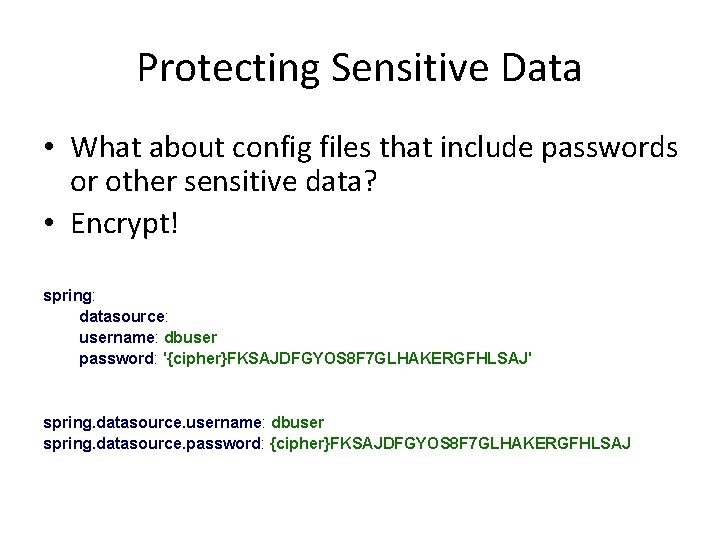
Protecting Sensitive Data • What about config files that include passwords or other sensitive data? • Encrypt! spring: datasource: username: dbuser password: '{cipher}FKSAJDFGYOS 8 F 7 GLHAKERGFHLSAJ' spring. datasource. username: dbuser spring. datasource. password: {cipher}FKSAJDFGYOS 8 F 7 GLHAKERGFHLSAJ
Encrypt/Decrypt Endpoints • POST localhost: 8888/encrypt – Post the data that needs encrypting, the return value will be the encrypted data • POST locahost: 8888/decrypt – Post encrypted data, the return value will be the decrypted value • Demo
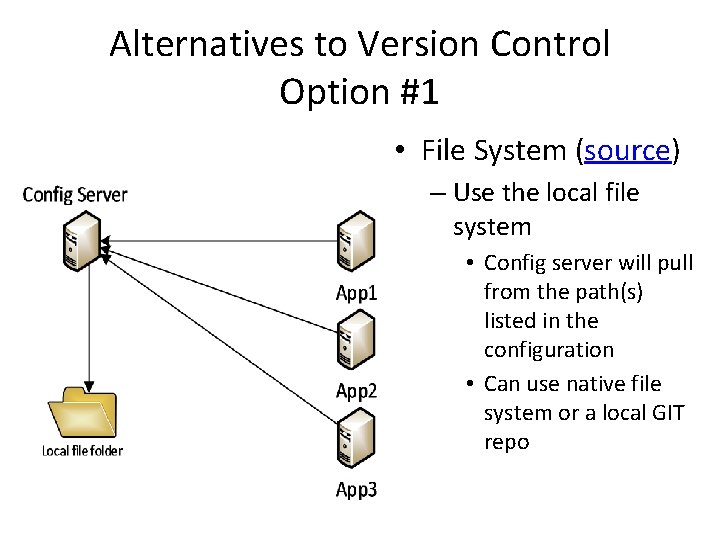
Alternatives to Version Control Option #1 • File System (source) – Use the local file system • Config server will pull from the path(s) listed in the configuration • Can use native file system or a local GIT repo
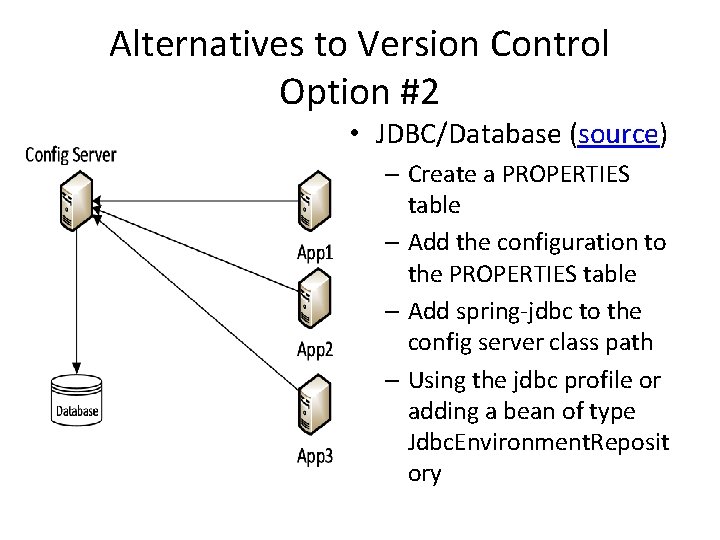
Alternatives to Version Control Option #2 • JDBC/Database (source) – Create a PROPERTIES table – Add the configuration to the PROPERTIES table – Add spring-jdbc to the config server class path – Using the jdbc profile or adding a bean of type Jdbc. Environment. Reposit ory
Further Reference • Spring Cloud Config Reference Guide – Latest version (2. 0. 0. RC 1) – http: //cloud. spring. io/spring-cloud-static/spring-cloudconfig/2. 0. 0. RC 1/single/spring-cloud-config. html • Spring Cloud Bus Reference Guide – Latest version (2. 0. 0. RC 1) – http: //cloud. spring. io/spring-cloud-static/spring-cloudbus/2. 0. 0. RC 1/single/spring-cloud-bus. html • Spring Cloud Reference Guide – Latest version (Finchley RC 1) – http: //cloud. spring. io/spring-cloud-static/Finchley. RC 1/single/springcloud. html