Shopper and Creator Training 1 Revised Nov 19
- Slides: 35
Shopper and Creator Training 1 Revised Nov. 19, 2013
• • Procure to Pay Process Purchasing Thresholds Miner Mall live-site Demonstration Purchasing Information – HUB – Procurement Card Program – Contract Administration – People. Soft 2
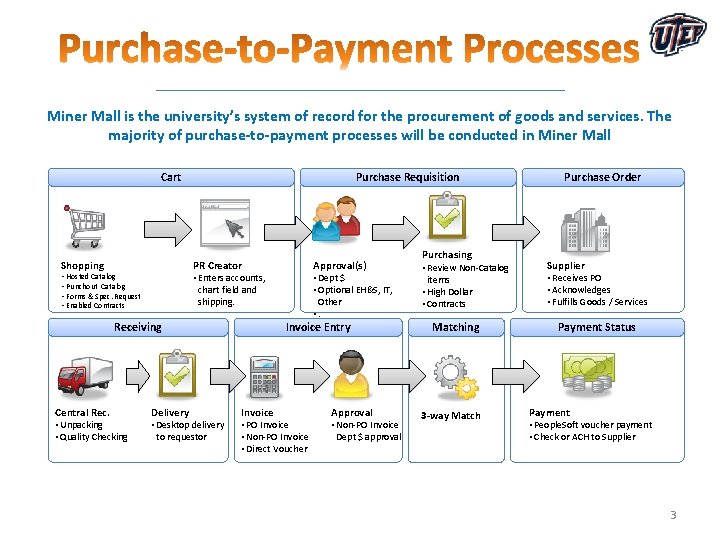
Miner Mall is the university’s system of record for the procurement of goods and services. The majority of purchase-to-payment processes will be conducted in Miner Mall Cart Shopping Purchase Requisition • Hosted Catalog • Punchout Catalog • Forms & Spec. Request • Enabled Contracts chart field and shipping. Receiving Central Rec. • Unpacking • Quality Checking Approval(s) • Dept $ • Optional EH&S, IT, PR Creator • Enters accounts, Delivery • Desktop delivery to requestor Other • . Invoice Entry Invoice • PO Invoice • Non-PO Invoice • Direct Voucher Approval • Non-PO Invoice Dept $ approval Purchasing • Review Non-Catalog items • High Dollar • Contracts Matching 3 -way Match Purchase Order Supplier • Receives PO • Acknowledges • Fulfills Goods / Services Payment Status Payment • People. Soft voucher payment • Check or ACH to Supplier 3
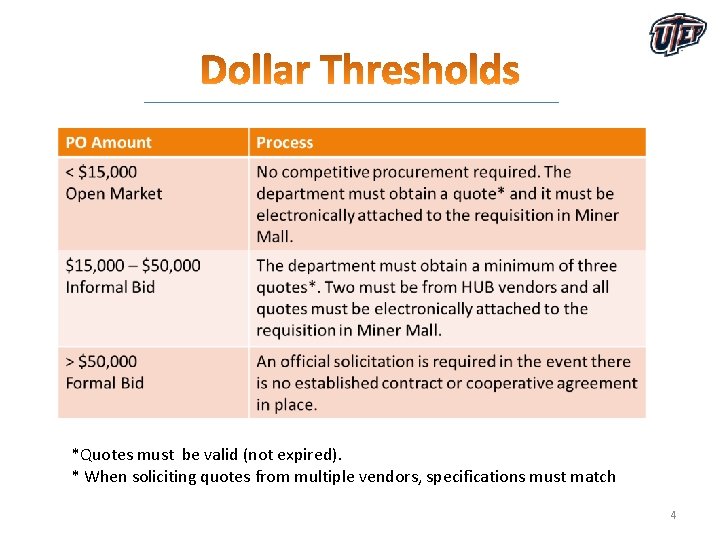
*Quotes must be valid (not expired). * When soliciting quotes from multiple vendors, specifications must match 4
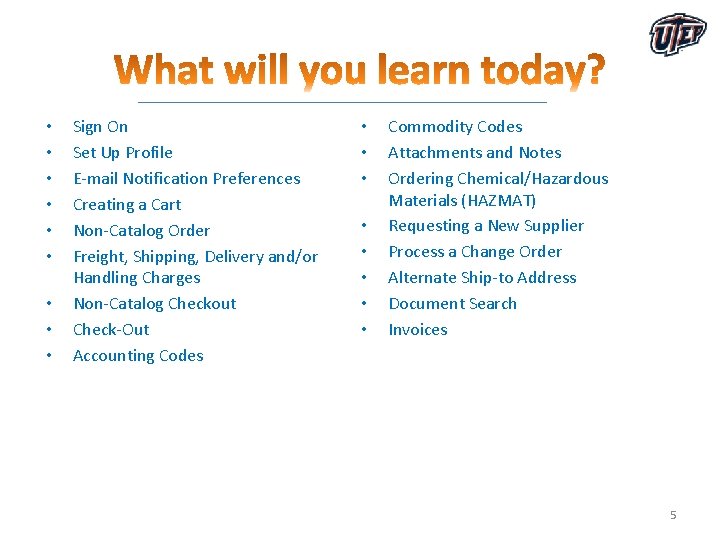
• • • Sign On Set Up Profile E-mail Notification Preferences Creating a Cart Non-Catalog Order Freight, Shipping, Delivery and/or Handling Charges Non-Catalog Checkout Check-Out Accounting Codes • • Commodity Codes Attachments and Notes Ordering Chemical/Hazardous Materials (HAZMAT) Requesting a New Supplier Process a Change Order Alternate Ship-to Address Document Search Invoices 5
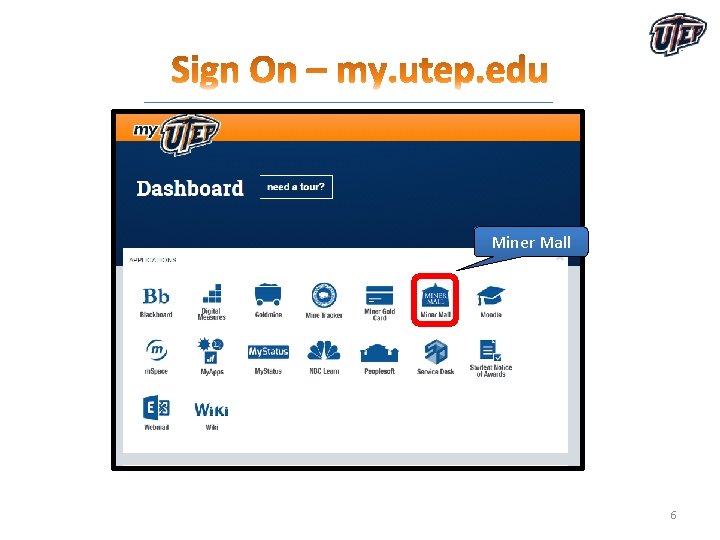
Miner Mall 6
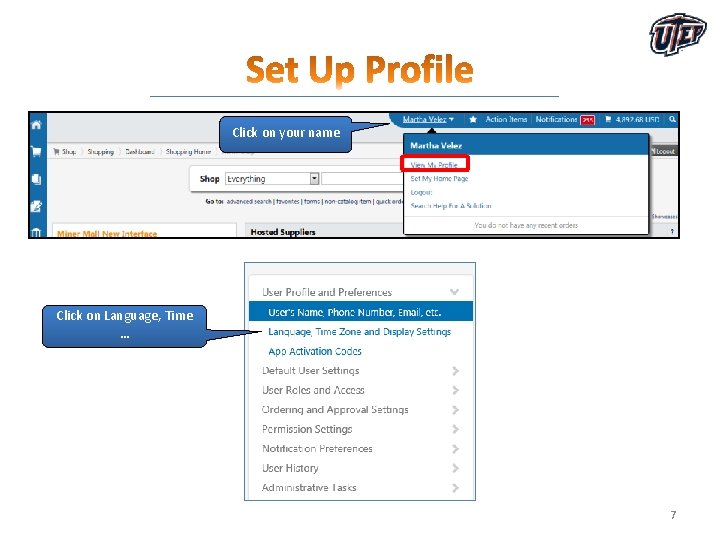
Click on your name Click on Language, Time … 7
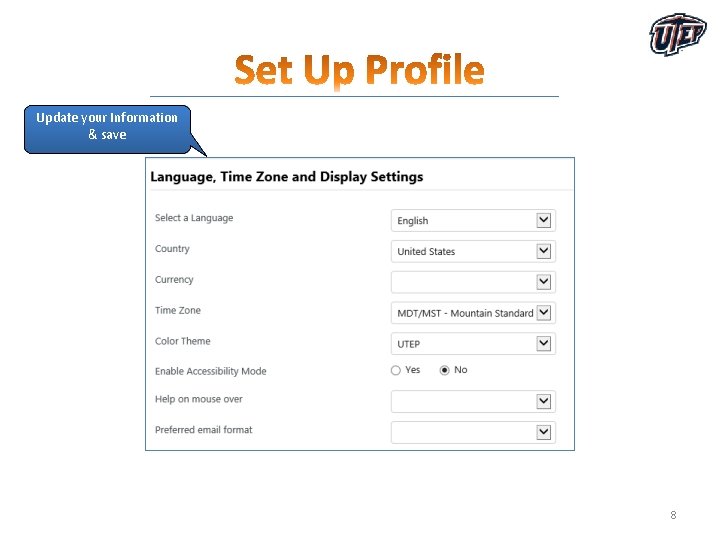
Update your Information & save 8
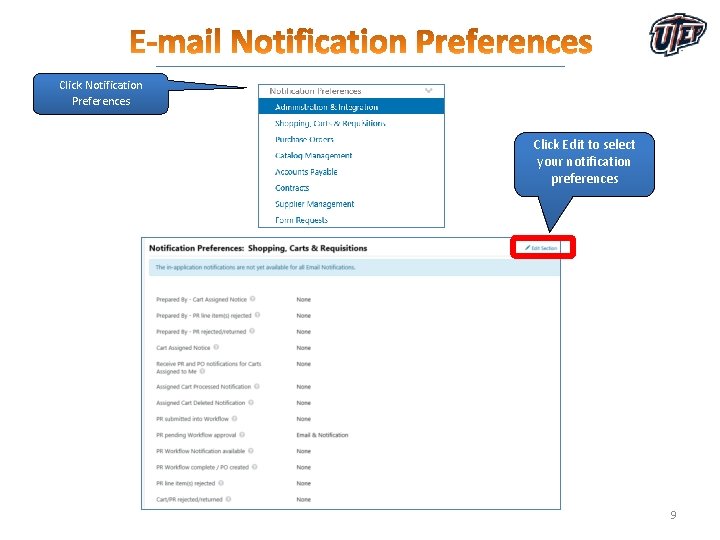
Click Notification Preferences Click Edit to select your notification preferences 9
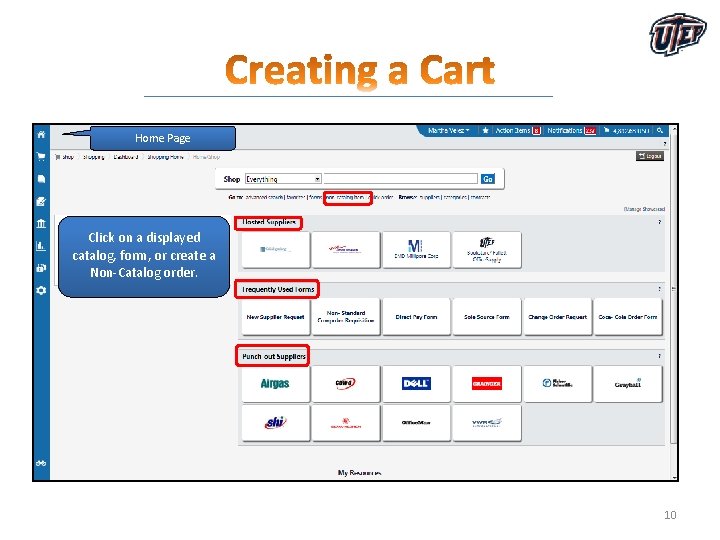
Home Page Click on a displayed catalog, form, or create a Non-Catalog order. 10
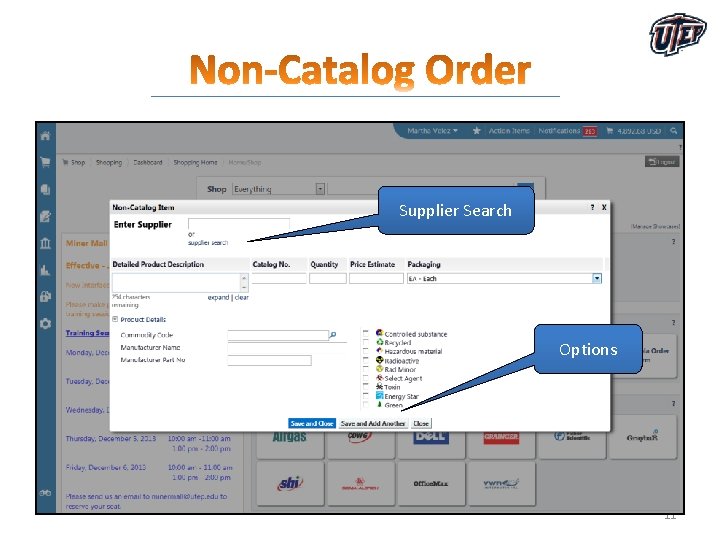
Supplier Search Options 11
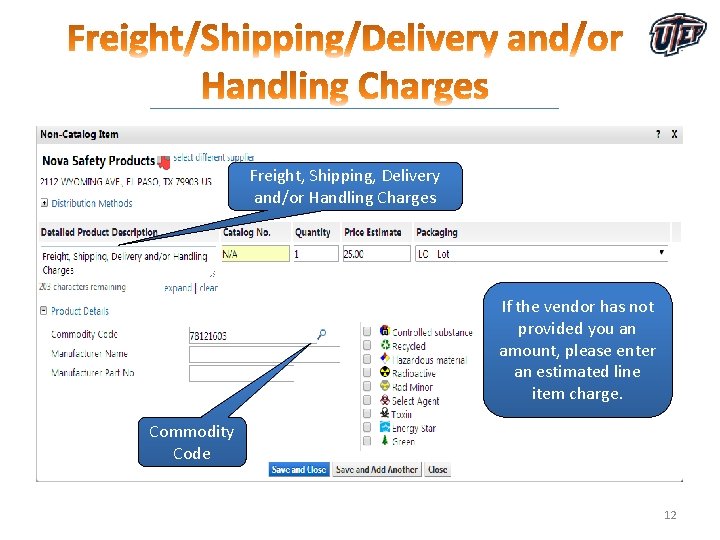
Freight, Shipping, Delivery and/or Handling Charges If the vendor has not provided you an amount, please enter an estimated line item charge. Commodity Code 12
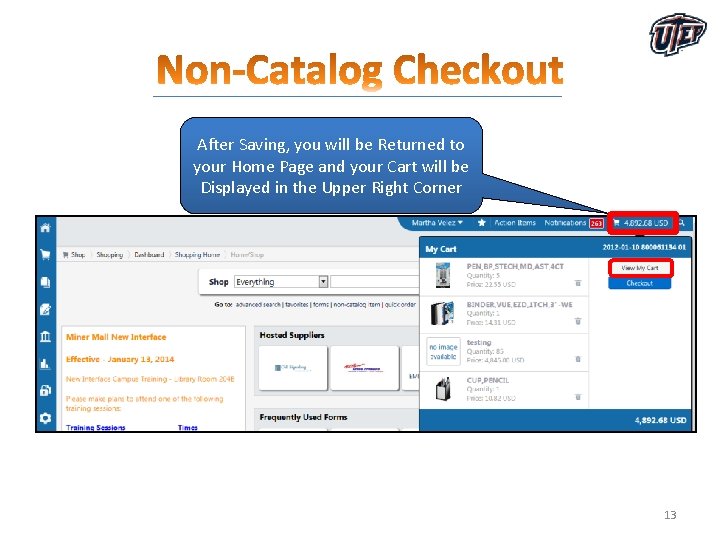
After Saving, you will be Returned to your Home Page and your Cart will be Displayed in the Upper Right Corner 13
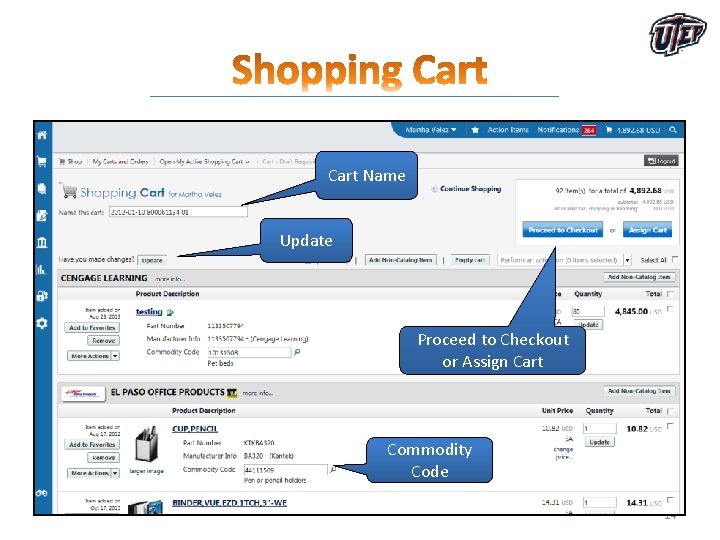
Cart Name Update Proceed to Checkout or Assign Cart Commodity Code 14
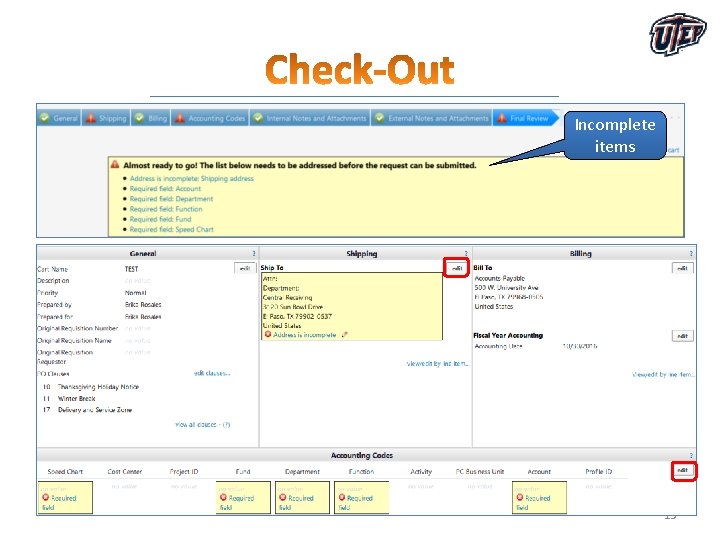
Incomplete items 15
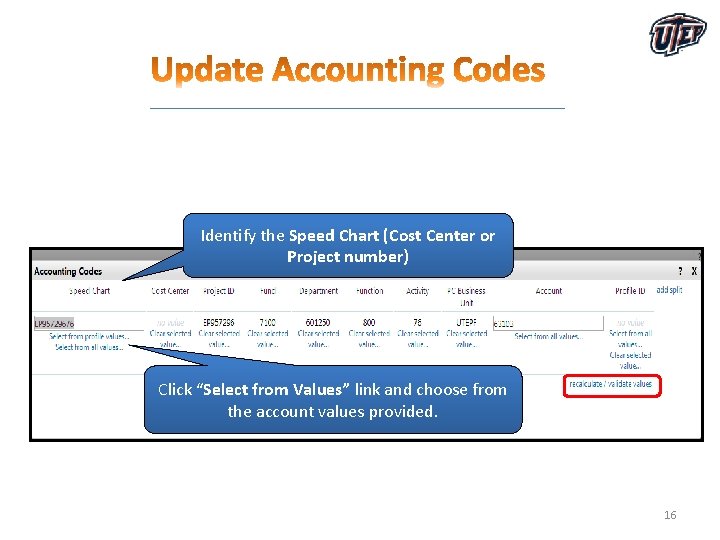
Identify the Speed Chart (Cost Center or Project number) Click “Select from Values” link and choose from the account values provided. 16
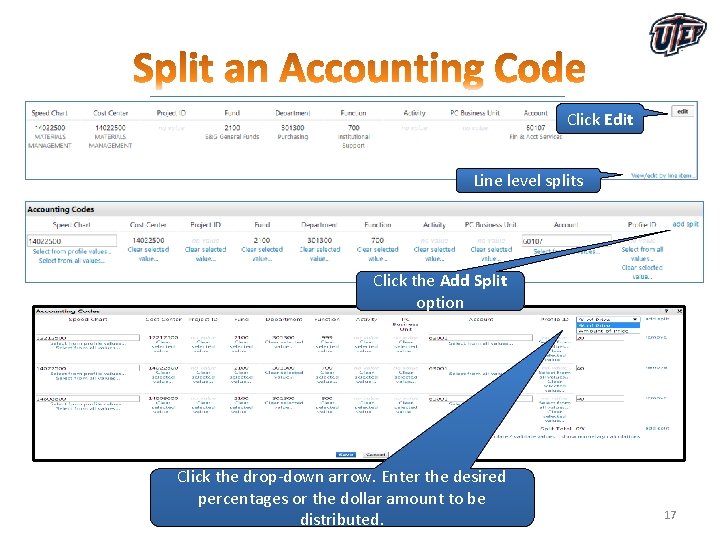
Click Edit Line level splits Click the Add Split option Click the drop-down arrow. Enter the desired percentages or the dollar amount to be distributed. 17
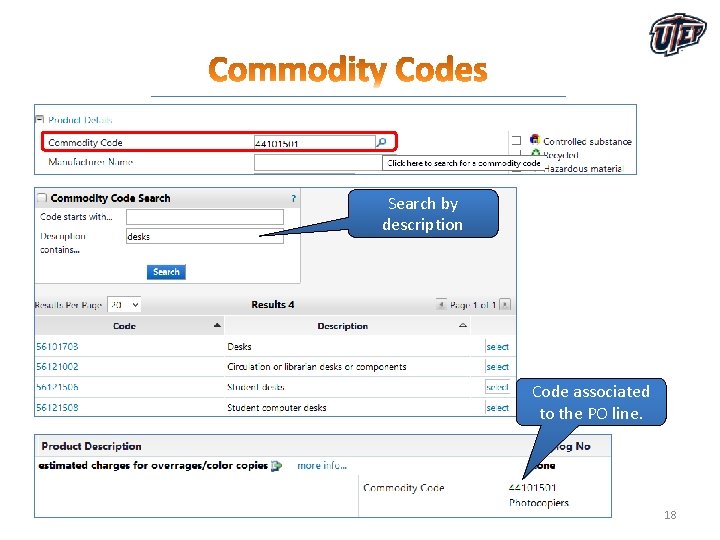
Search by description Code associated to the PO line. 18
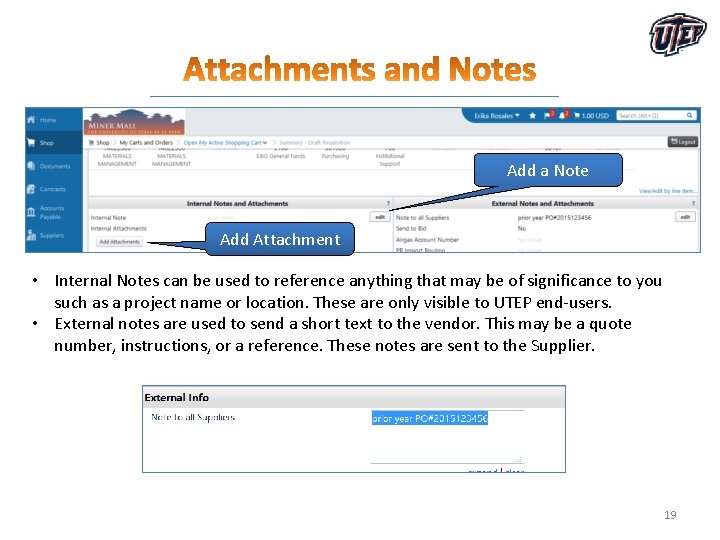
Add a Note Add Attachment • Internal Notes can be used to reference anything that may be of significance to you such as a project name or location. These are only visible to UTEP end-users. • External notes are used to send a short text to the vendor. This may be a quote number, instructions, or a reference. These notes are sent to the Supplier. 19
20
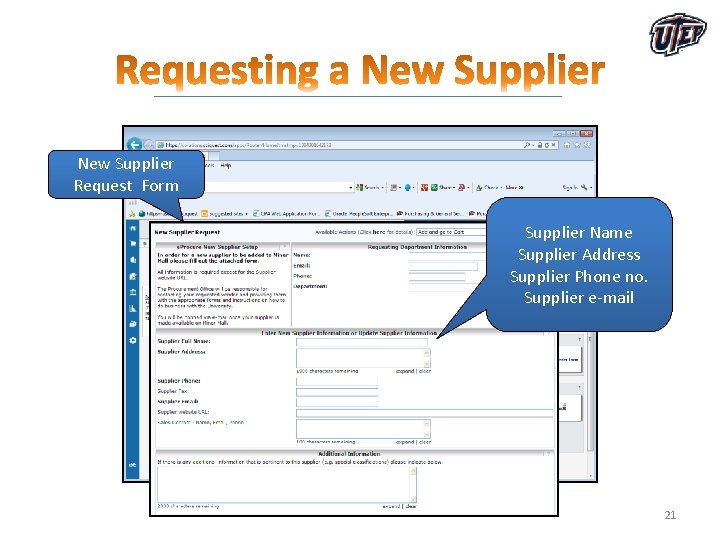
New Supplier Request Form Supplier Name Supplier Address Supplier Phone no. Supplier e-mail 21
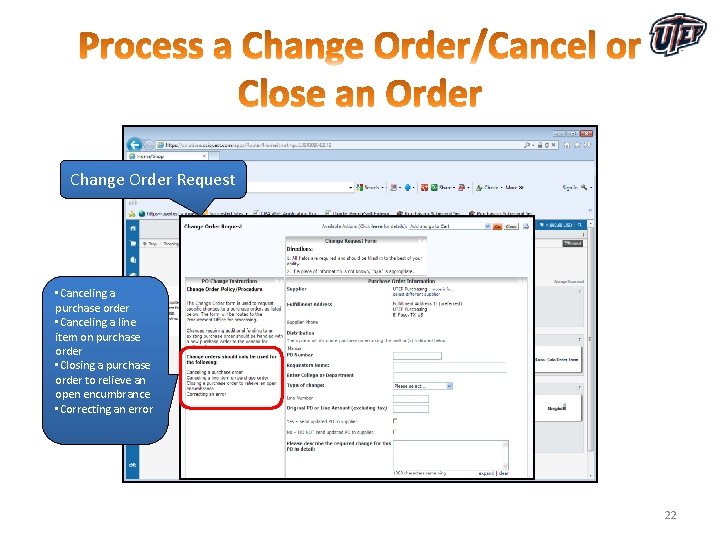
Change Order Request • Canceling a purchase order • Canceling a line item on purchase order • Closing a purchase order to relieve an open encumbrance • Correcting an error 22
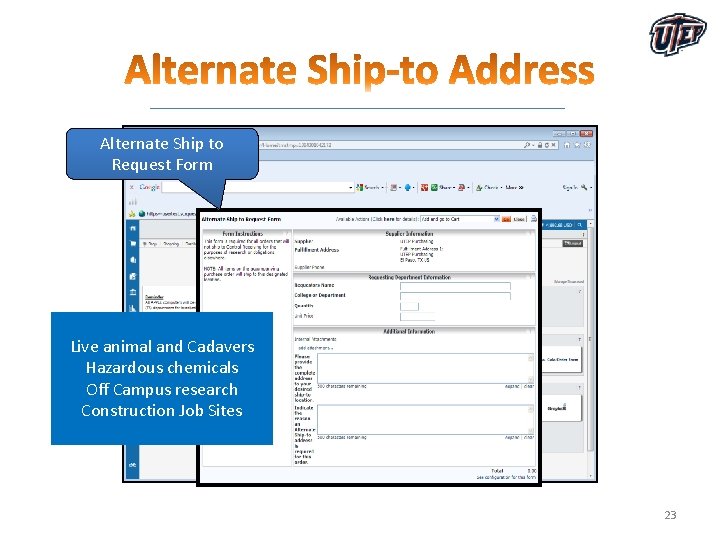
Alternate Ship to Request Form Live animal and Cadavers Hazardous chemicals Off Campus research Construction Job Sites 23
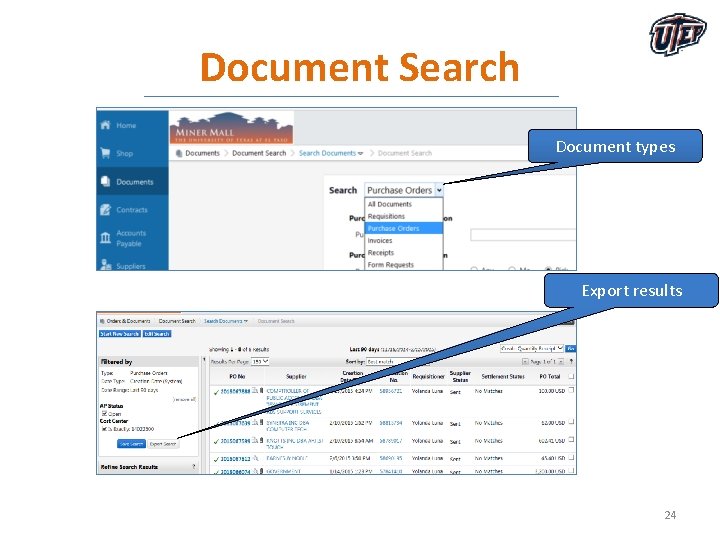
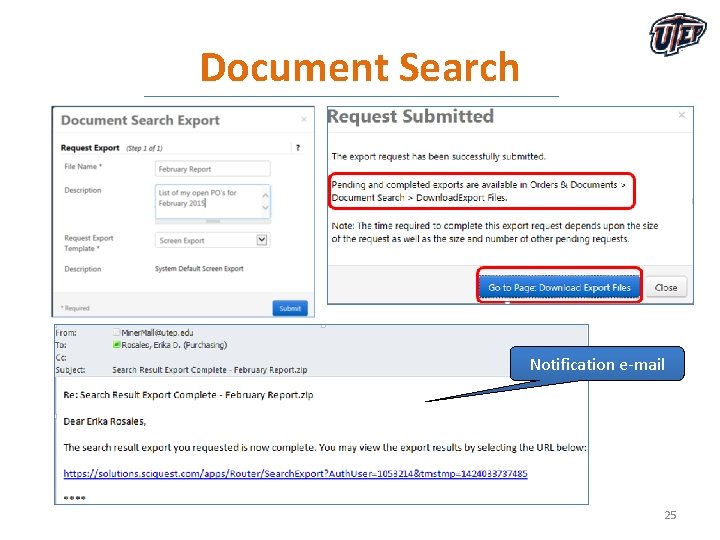
Document Search Document types Export results 24
Document Search Notification e-mail 25
• Invoices should always be forwarded to the Accounts Payable office as indicated in the address on the PO. • Invoices received at the departments should be forwarded to the Accounts Payable department immediately. • Upload invoices to your Miner Mall PO via a comment and address it to billing@utep. edu. 26
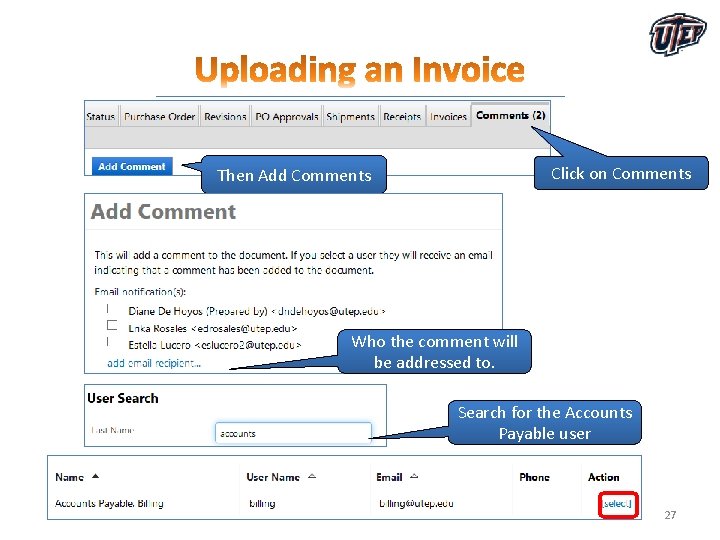
Click on Comments Then Add Comments Who the comment will be addressed to. Search for the Accounts Payable user 27
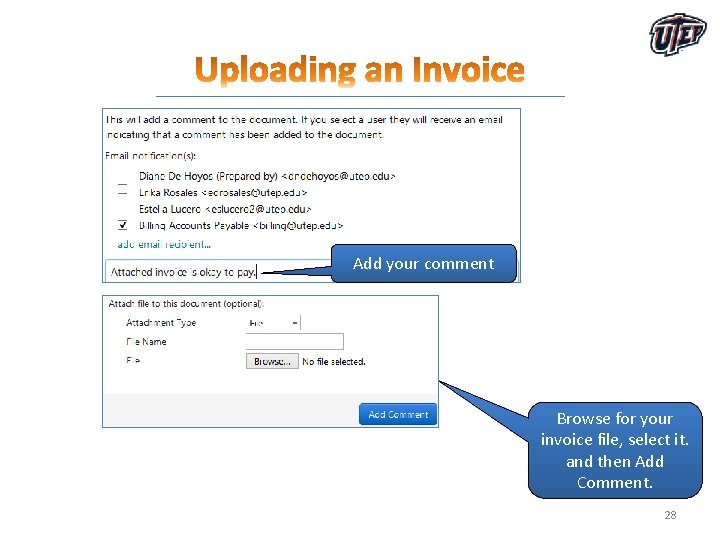
Add your comment Browse for your invoice file, select it. and then Add Comment. 28
• The goal of the HUB Program is to promote participation of HUB businesses in procurement and contracting opportunities with UTEP. • HUBs include: – Minority-owned businesses – Woman-owned businesses – Service-Disabled Veteran - owned businesses • Departments should make a sincere, good-faith effort to purchase from HUB vendors whenever possible. • Contact your Purchasing office Buyer or the HUB Program Administrator for any HUB related questions or inquiries. 29
• The Pro. Card Program is designed to give departments a quick and efficient way in which to make small dollar purchases. • The Pro. Card is a Citibank Master. Card and is issued to an individual employee for UTEP business purchases only. • For more information regarding the procard, please visit the Purchasing and General Services website http: //admin. utep. edu/purchasing 30
• The university President has signature authority for all contracts. This approval has also been delegated to the VPBA and Purchasing Office. • Department Chairs, Deans, Directors or administrative staff may not sign contracts on behalf of the University. • Any purchasing contracts requiring an official University signature should be forwarded to the Purchasing office for review. 31
• The Purchasing office includes a team of Contract Administrators responsible for; – Reviewing and executing standard contract documents – Reviewing and negotiating contracts – Monitoring the status of contracts – Monitoring scope of work performance in contracts – Advising departments of contractual rights and obligations – Assisting in the resolution of contract disputes 32
• People. Soft is the universities ERP system of record. • The system handles all transactions for Finance (FMS) and HR (HCM) § Finance (Payroll, A/P, Receivables, Billing, Budget) § HR (Benefits, Time & Labor, Recruiting, Hiring) • For more information regarding People. Soft, visit the website at www. peoplesoft. utep. edu 33
• Miner Mall website www. minermall. utep. edu • Purchasing and General Services website http: //admin. utep. edu/purchasing • HR webpage for registration for Miner Mall and Pro Card Training: http: //admin. utep. edu/hr , click on Training and Development link • Contact the Purchasing Office at 915 -747 -5601. 34
35