Rational Rose 2000 Addins Java Rational Rose 2000
- Slides: 35
Rational Rose 2000 Add-ins Java Rational Rose 2000 Add-ins v 6. 5 Copyright © 1993 - 1999 Rational Software, all rights reserved 1
Course Objectives Introduce and explain the following concepts. w Class. Path w Project properties w Filenames w Manual and auto assignment of packages to components w Code generation w Warning errors and how to troubleshoot them Rational Rose 2000 Add-ins v 6. 5 Copyright © 1993 - 1999 Rational Software, all rights reserved 2
Topics w w w w Add-in manager Frameworks Classpath Project Properties Assign class to component Where is the code placed? Generate the code Filenames Source File Contents Fix errors What is reverse engineering? What is round-trip engineering? Additional Benefits of Reverse Engineering Using Rose 2000 J help files Rational Rose 2000 Add-ins v 6. 5 Copyright © 1993 - 1999 Rational Software, all rights reserved 3
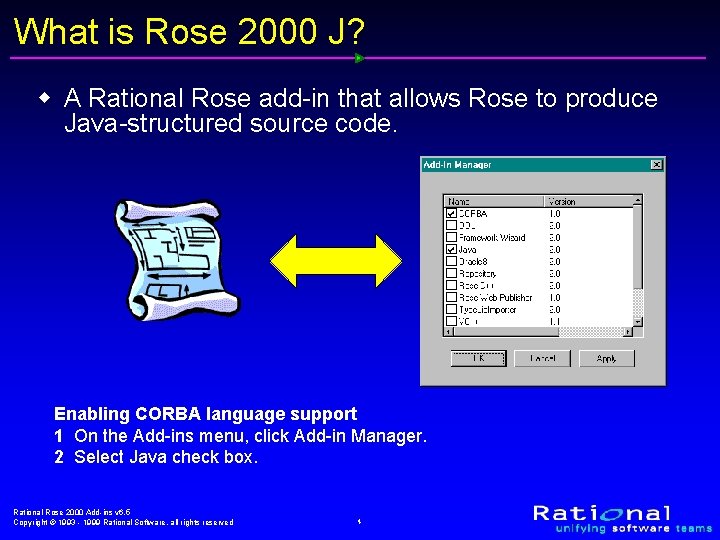
What is Rose 2000 J? w A Rational Rose add-in that allows Rose to produce Java-structured source code. Enabling CORBA language support 1 On the Add-ins menu, click Add-in Manager. 2 Select Java check box. Rational Rose 2000 Add-ins v 6. 5 Copyright © 1993 - 1999 Rational Software, all rights reserved 4
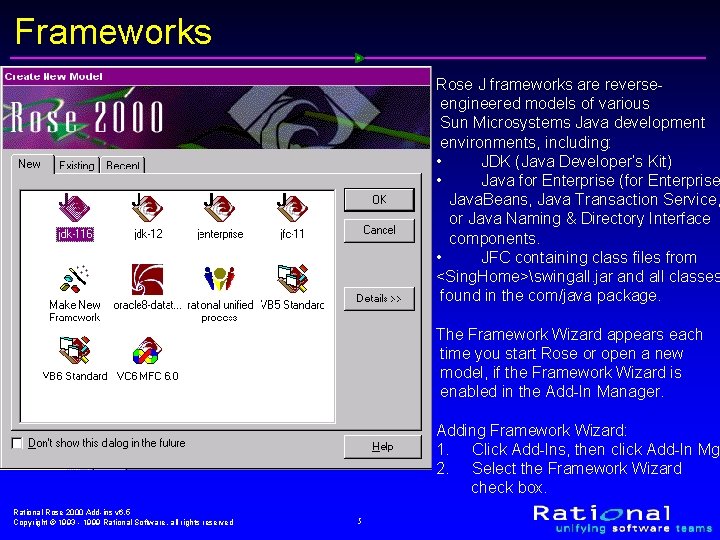
Frameworks Rose J frameworks are reverseengineered models of various Sun Microsystems Java development environments, including: • JDK (Java Developer’s Kit) • Java for Enterprise (for Enterprise Java. Beans, Java Transaction Service, or Java Naming & Directory Interface components. • JFC containing class files from <Sing. Home>swingall. jar and all classes found in the com/java package. The Framework Wizard appears each time you start Rose or open a new model, if the Framework Wizard is enabled in the Add-In Manager. Adding Framework Wizard: 1. Click Add-Ins, then click Add-In Mgr 2. Select the Framework Wizard check box. Rational Rose 2000 Add-ins v 6. 5 Copyright © 1993 - 1999 Rational Software, all rights reserved 5
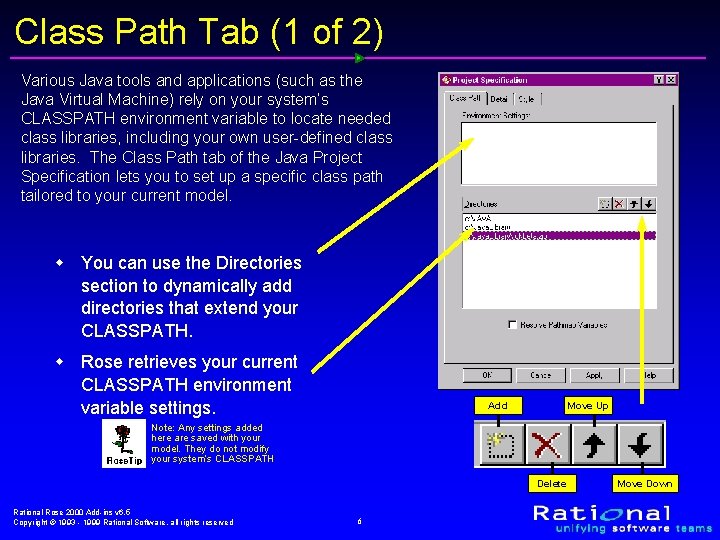
Class Path Tab (1 of 2) Various Java tools and applications (such as the Java Virtual Machine) rely on your system’s CLASSPATH environment variable to locate needed class libraries, including your own user-defined class libraries. The Class Path tab of the Java Project Specification lets you to set up a specific class path tailored to your current model. w You can use the Directories section to dynamically add directories that extend your CLASSPATH. w Rose retrieves your current CLASSPATH environment variable settings. Add Move Up Note: Any settings added here are saved with your model. They do not modify your system’s CLASSPATH Delete Rational Rose 2000 Add-ins v 6. 5 Copyright © 1993 - 1999 Rational Software, all rights reserved 6 Move Down
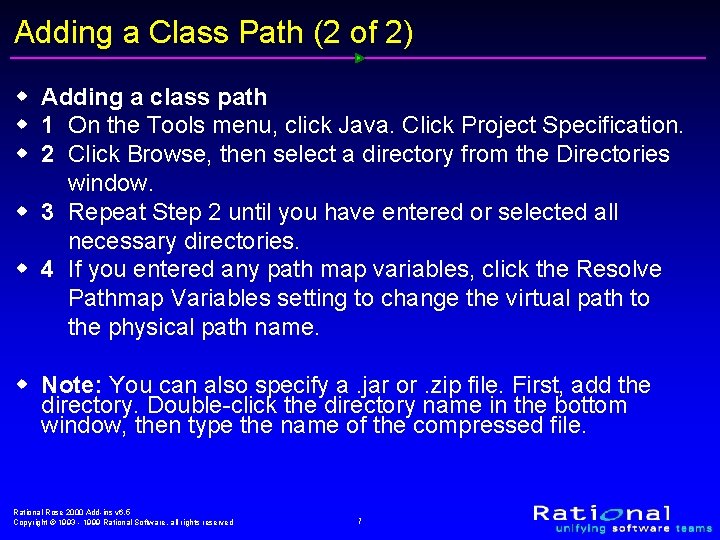
Adding a Class Path (2 of 2) w Adding a class path w 1 On the Tools menu, click Java. Click Project Specification. w 2 Click Browse, then select a directory from the Directories window. w 3 Repeat Step 2 until you have entered or selected all necessary directories. w 4 If you entered any path map variables, click the Resolve Pathmap Variables setting to change the virtual path to the physical path name. w Note: You can also specify a. jar or. zip file. First, add the directory. Double-click the directory name in the bottom window, then type the name of the compressed file. Rational Rose 2000 Add-ins v 6. 5 Copyright © 1993 - 1999 Rational Software, all rights reserved 7
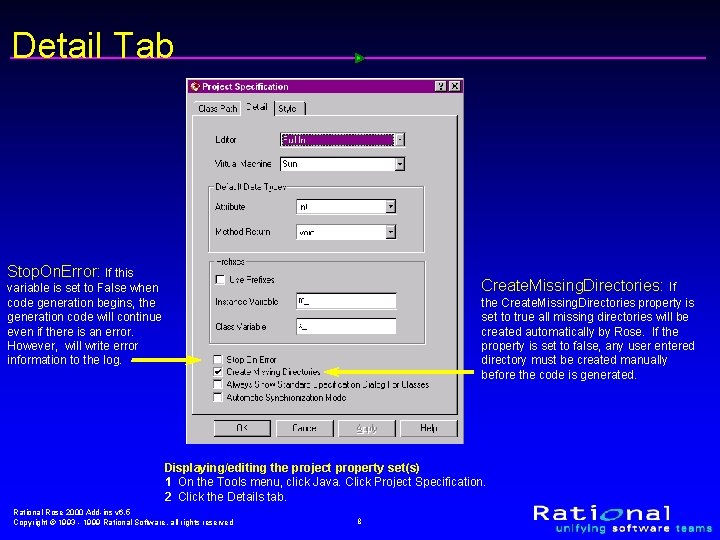
Detail Tab Stop. On. Error: If this Create. Missing. Directories: If the Create. Missing. Directories property is set to true all missing directories will be created automatically by Rose. If the property is set to false, any user entered directory must be created manually before the code is generated. variable is set to False when code generation begins, the generation code will continue even if there is an error. However, will write error information to the log. Displaying/editing the project property set(s) 1 On the Tools menu, click Java. Click Project Specification. 2 Click the Details tab. Rational Rose 2000 Add-ins v 6. 5 Copyright © 1993 - 1999 Rational Software, all rights reserved 8
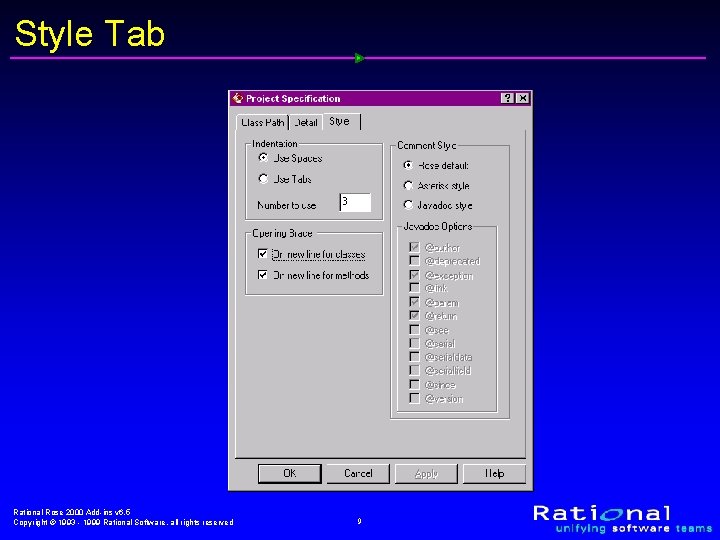
Style Tab Rational Rose 2000 Add-ins v 6. 5 Copyright © 1993 - 1999 Rational Software, all rights reserved 9
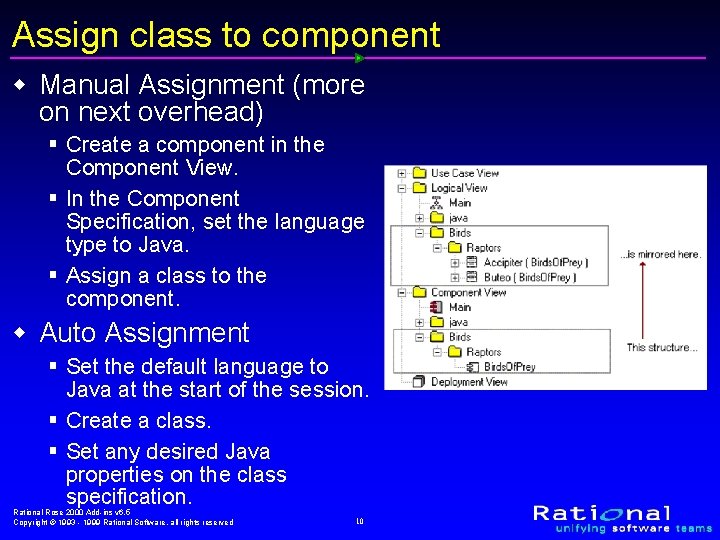
Assign class to component w Manual Assignment (more on next overhead) § Create a component in the Component View. § In the Component Specification, set the language type to Java. § Assign a class to the component. w Auto Assignment § Set the default language to Java at the start of the session. § Create a class. § Set any desired Java properties on the class specification. Rational Rose 2000 Add-ins v 6. 5 Copyright © 1993 - 1999 Rational Software, all rights reserved 10
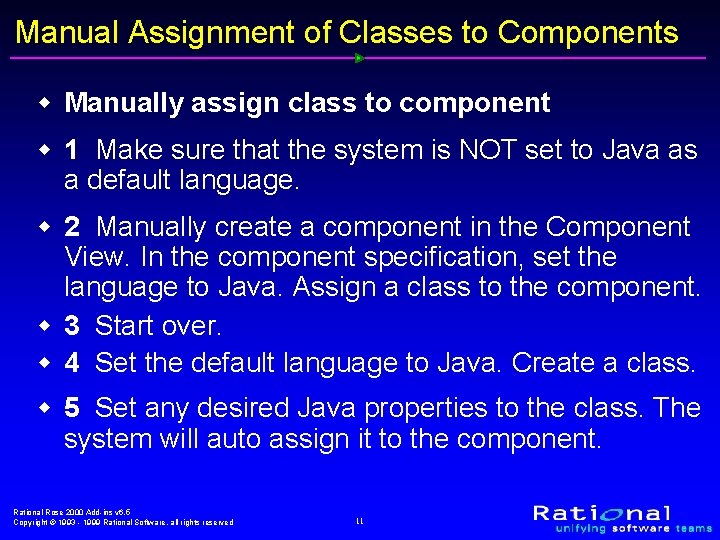
Manual Assignment of Classes to Components w Manually assign class to component w 1 Make sure that the system is NOT set to Java as a default language. w 2 Manually create a component in the Component View. In the component specification, set the language to Java. Assign a class to the component. w 3 Start over. w 4 Set the default language to Java. Create a class. w 5 Set any desired Java properties to the class. The system will auto assign it to the component. Rational Rose 2000 Add-ins v 6. 5 Copyright © 1993 - 1999 Rational Software, all rights reserved 11
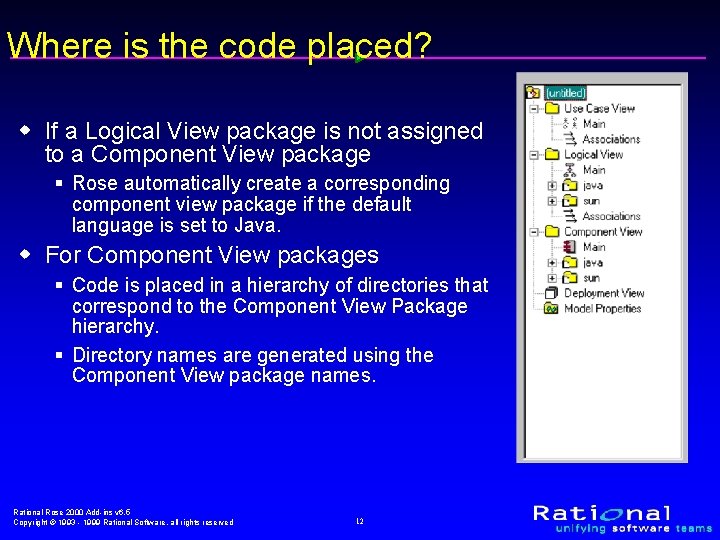
Where is the code placed? w If a Logical View package is not assigned to a Component View package § Rose automatically create a corresponding component view package if the default language is set to Java. w For Component View packages § Code is placed in a hierarchy of directories that correspond to the Component View Package hierarchy. § Directory names are generated using the Component View package names. Rational Rose 2000 Add-ins v 6. 5 Copyright © 1993 - 1999 Rational Software, all rights reserved 12
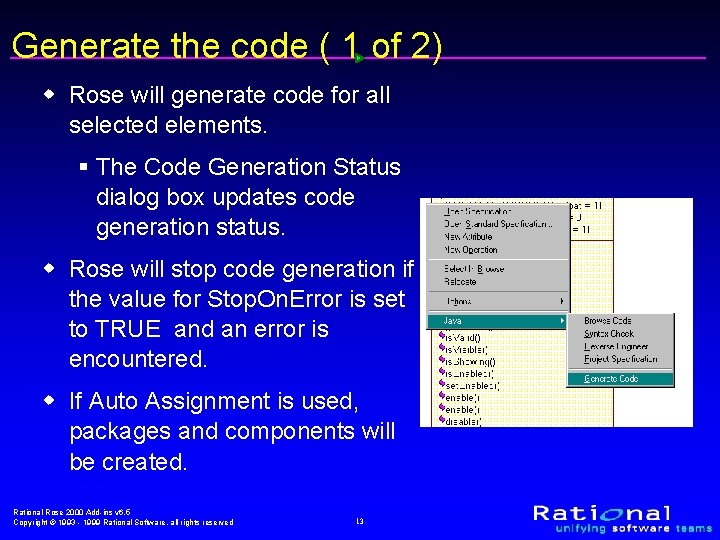
Generate the code ( 1 of 2) w Rose will generate code for all selected elements. § The Code Generation Status dialog box updates code generation status. w Rose will stop code generation if the value for Stop. On. Error is set to TRUE and an error is encountered. w If Auto Assignment is used, packages and components will be created. Rational Rose 2000 Add-ins v 6. 5 Copyright © 1993 - 1999 Rational Software, all rights reserved 13
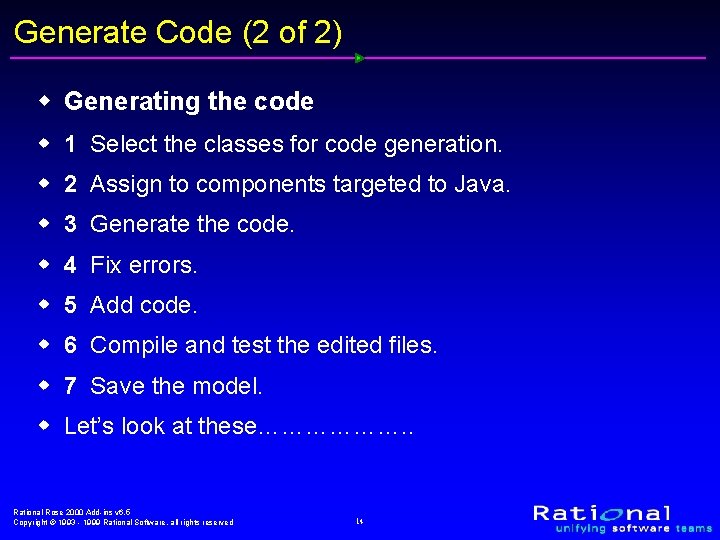
Generate Code (2 of 2) w Generating the code w 1 Select the classes for code generation. w 2 Assign to components targeted to Java. w 3 Generate the code. w 4 Fix errors. w 5 Add code. w 6 Compile and test the edited files. w 7 Save the model. w Let’s look at these………………. . Rational Rose 2000 Add-ins v 6. 5 Copyright © 1993 - 1999 Rational Software, all rights reserved 14
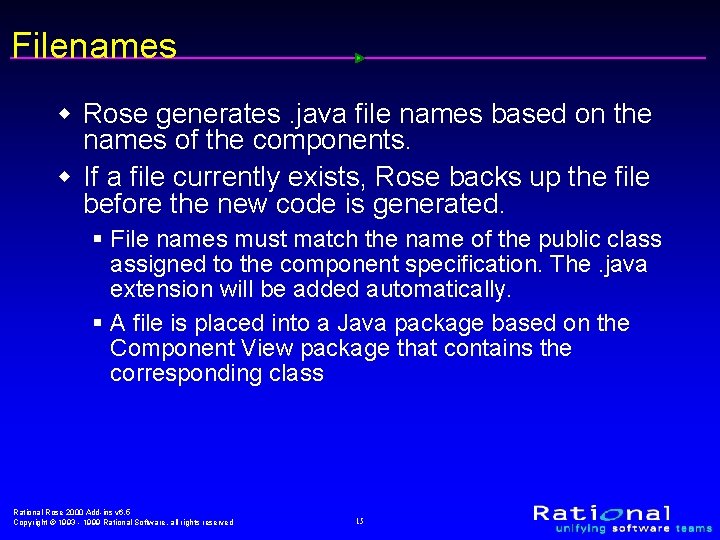
Filenames w Rose generates. java file names based on the names of the components. w If a file currently exists, Rose backs up the file before the new code is generated. § File names must match the name of the public class assigned to the component specification. The. java extension will be added automatically. § A file is placed into a Java package based on the Component View package that contains the corresponding class Rational Rose 2000 Add-ins v 6. 5 Copyright © 1993 - 1999 Rational Software, all rights reserved 15
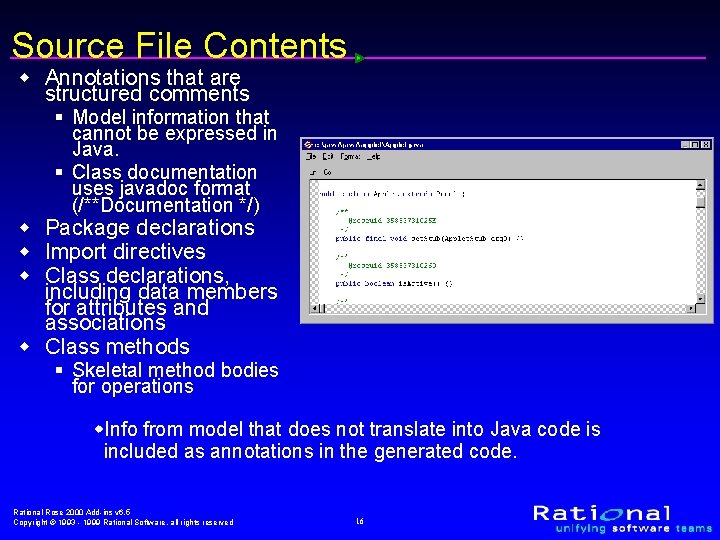
Source File Contents w Annotations that are structured comments § Model information that cannot be expressed in Java. § Class documentation uses javadoc format (/**Documentation */) w Package declarations w Import directives w Class declarations, including data members for attributes and associations w Class methods § Skeletal method bodies for operations w. Info from model that does not translate into Java code is included as annotations in the generated code. Rational Rose 2000 Add-ins v 6. 5 Copyright © 1993 - 1999 Rational Software, all rights reserved 16
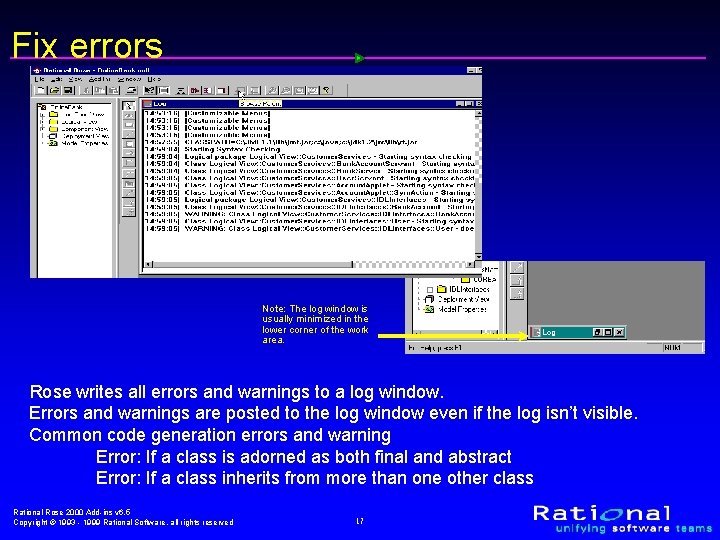
Fix errors Note: The log window is usually minimized in the lower corner of the work area. Rose writes all errors and warnings to a log window. Errors and warnings are posted to the log window even if the log isn’t visible. Common code generation errors and warning Error: If a class is adorned as both final and abstract Error: If a class inherits from more than one other class Rational Rose 2000 Add-ins v 6. 5 Copyright © 1993 - 1999 Rational Software, all rights reserved 17
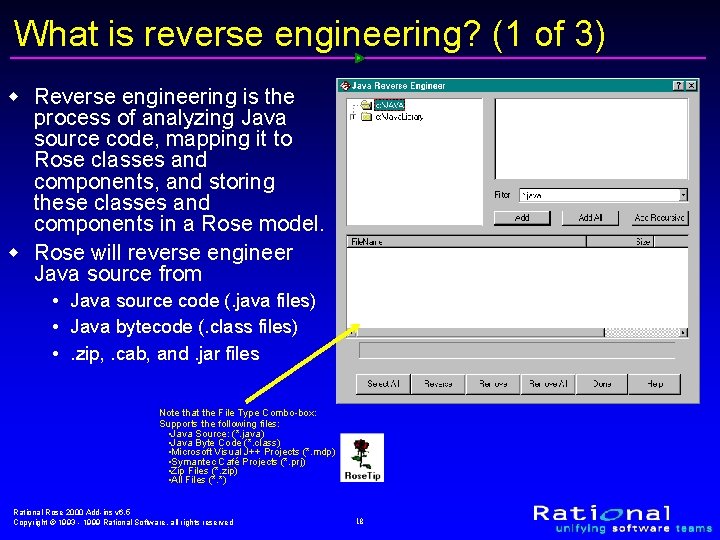
What is reverse engineering? (1 of 3) w Reverse engineering is the process of analyzing Java source code, mapping it to Rose classes and components, and storing these classes and components in a Rose model. w Rose will reverse engineer Java source from • Java source code (. java files) • Java bytecode (. class files) • . zip, . cab, and. jar files Note that the File Type Combo-box: Supports the following files: • Java Source: (*. java) • Java Byte Code (*. class) • Microsoft Visual J++ Projects (*. mdp) • Symantec Café Projects (*. prj) • Zip Files (*. zip) • All Files (*. *) Rational Rose 2000 Add-ins v 6. 5 Copyright © 1993 - 1999 Rational Software, all rights reserved 18
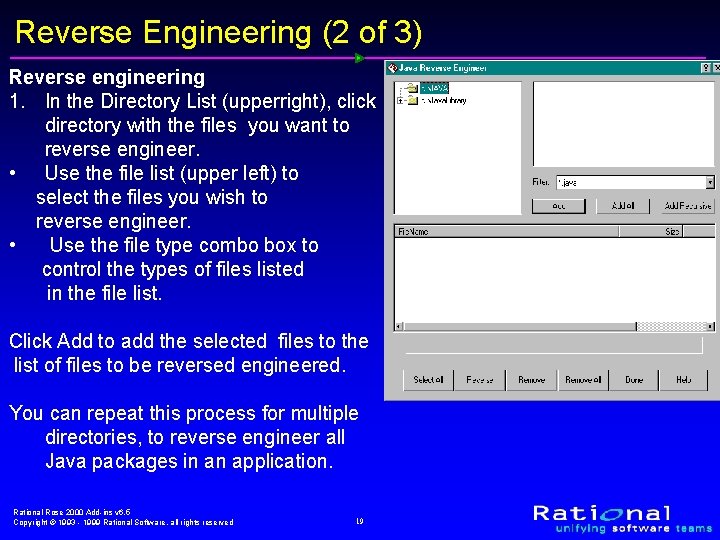
Reverse Engineering (2 of 3) Reverse engineering 1. In the Directory List (upperright), click directory with the files you want to reverse engineer. • Use the file list (upper left) to select the files you wish to reverse engineer. • Use the file type combo box to control the types of files listed in the file list. Click Add to add the selected files to the list of files to be reversed engineered. You can repeat this process for multiple directories, to reverse engineer all Java packages in an application. Rational Rose 2000 Add-ins v 6. 5 Copyright © 1993 - 1999 Rational Software, all rights reserved 19
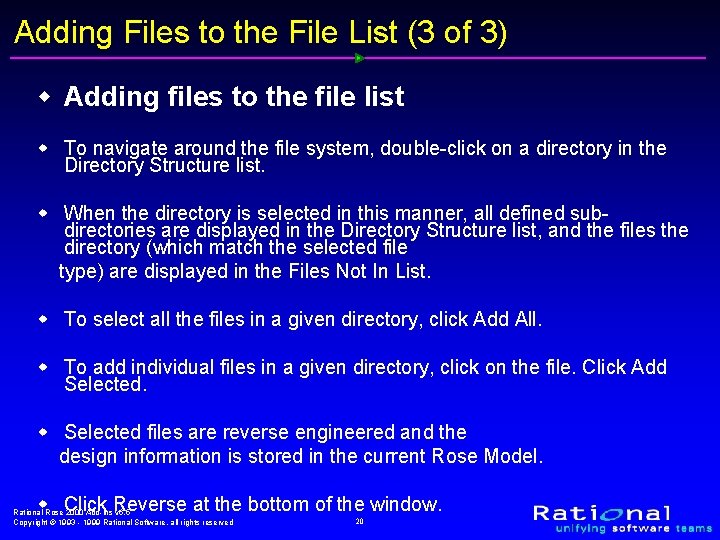
Adding Files to the File List (3 of 3) w Adding files to the file list w To navigate around the file system, double-click on a directory in the Directory Structure list. w When the directory is selected in this manner, all defined subdirectories are displayed in the Directory Structure list, and the files the directory (which match the selected file type) are displayed in the Files Not In List. w To select all the files in a given directory, click Add All. w To add individual files in a given directory, click on the file. Click Add Selected. w Selected files are reverse engineered and the design information is stored in the current Rose Model. w Click Reverse at the bottom of the window. Rational Rose 2000 Add-ins v 6. 5 Copyright © 1993 - 1999 Rational Software, all rights reserved 20
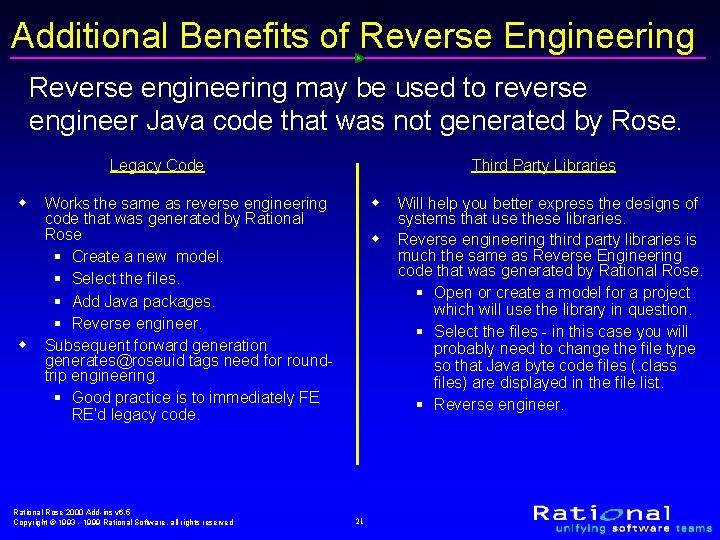
Additional Benefits of Reverse Engineering Reverse engineering may be used to reverse engineer Java code that was not generated by Rose. Legacy Code w w Third Party Libraries w Works the same as reverse engineering code that was generated by Rational Rose § Create a new model. § Select the files. § Add Java packages. § Reverse engineer. Subsequent forward generation generates@roseuid tags need for roundtrip engineering. § Good practice is to immediately FE RE’d legacy code. Rational Rose 2000 Add-ins v 6. 5 Copyright © 1993 - 1999 Rational Software, all rights reserved w 21 Will help you better express the designs of systems that use these libraries. Reverse engineering third party libraries is much the same as Reverse Engineering code that was generated by Rational Rose. § Open or create a model for a project which will use the library in question. § Select the files - in this case you will probably need to change the file type so that Java byte code files (. class files) are displayed in the file list. § Reverse engineer.
What is round-trip engineering? Rose J supports true round-trip engineering. That is the capability of forward engineering Rose model components into Java source, allowing the generated source to be modified, then reverse engineering the modified code back into the Rose model. Model and code can cycle through this process multiple times, without loss of data in either direction. Note: Before performing round-trip engineering, back up all of your source code. While Rational Rose creates. ~jav backup files for you when you generate code, if you generate more than once, the backup file will not preserve your original code. Rational Rose 2000 Add-ins v 6. 5 Copyright © 1993 - 1999 Rational Software, all rights reserved 22
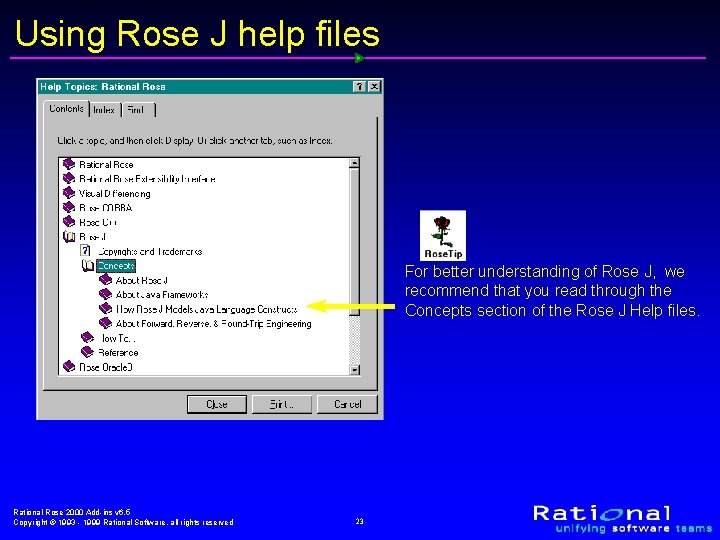
Using Rose J help files For better understanding of Rose J, we recommend that you read through the Concepts section of the Rose J Help files. Rational Rose 2000 Add-ins v 6. 5 Copyright © 1993 - 1999 Rational Software, all rights reserved 23
Additional Information w For more information § Rational Technical Support § Quick-Start User Guide § Rational Rose Help Topics § Web Site: www. rational. com/sitewide/support Rational Rose 2000 Add-ins v 6. 5 Copyright © 1993 - 1999 Rational Software, all rights reserved 24
Research After Class w Property Tools § Project Mapping § Class Properties tab § Attribute Properties tab § Module-Spec Properties tab § Role Properties tab § Operation Properties tab w Resources Rational Rose 2000 Add-ins v 6. 5 Copyright © 1993 - 1999 Rational Software, all rights reserved 25
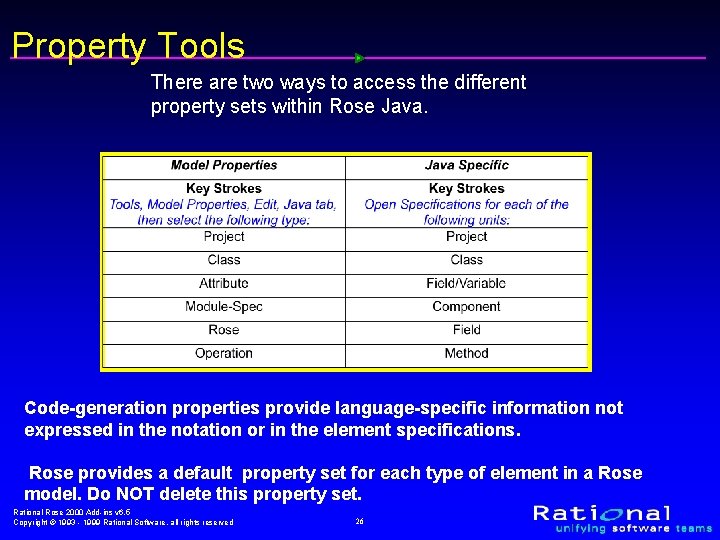
Property Tools There are two ways to access the different property sets within Rose Java. Code-generation properties provide language-specific information not expressed in the notation or in the element specifications. Rose provides a default property set for each type of element in a Rose model. Do NOT delete this property set. Rational Rose 2000 Add-ins v 6. 5 Copyright © 1993 - 1999 Rational Software, all rights reserved 26
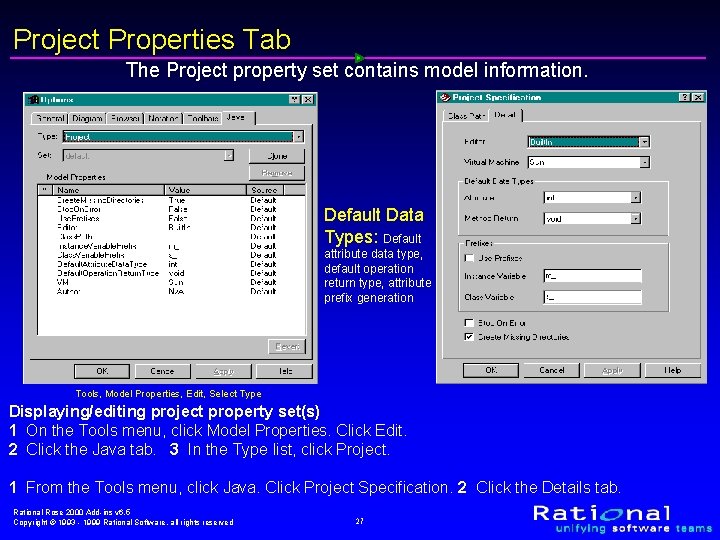
Project Properties Tab The Project property set contains model information. Default Data Types: Default attribute data type, default operation return type, attribute prefix generation Tools, Model Properties, Edit, Select Type Displaying/editing project property set(s) 1 On the Tools menu, click Model Properties. Click Edit. 2 Click the Java tab. 3 In the Type list, click Project. 1 From the Tools menu, click Java. Click Project Specification. 2 Click the Details tab. Rational Rose 2000 Add-ins v 6. 5 Copyright © 1993 - 1999 Rational Software, all rights reserved 27
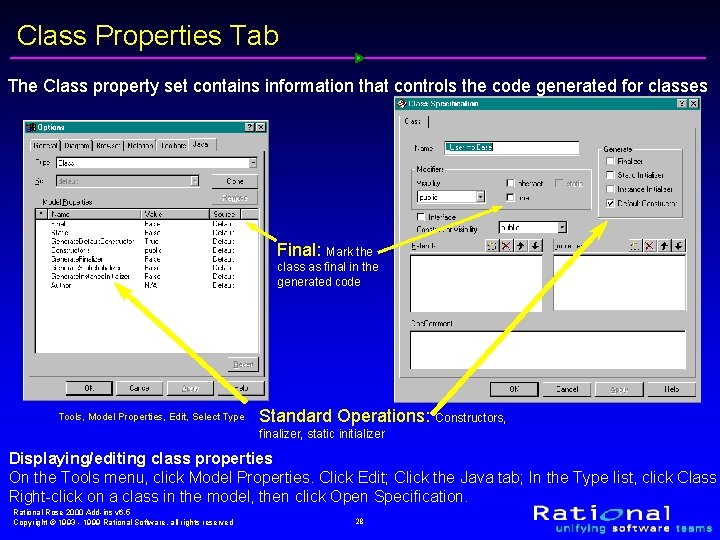
Class Properties Tab The Class property set contains information that controls the code generated for classes Final: Mark the class as final in the generated code Tools, Model Properties, Edit, Select Type Standard Operations: Constructors, finalizer, static initializer Displaying/editing class properties On the Tools menu, click Model Properties. Click Edit; Click the Java tab; In the Type list, click Class Right-click on a class in the model, then click Open Specification. Rational Rose 2000 Add-ins v 6. 5 Copyright © 1993 - 1999 Rational Software, all rights reserved 28
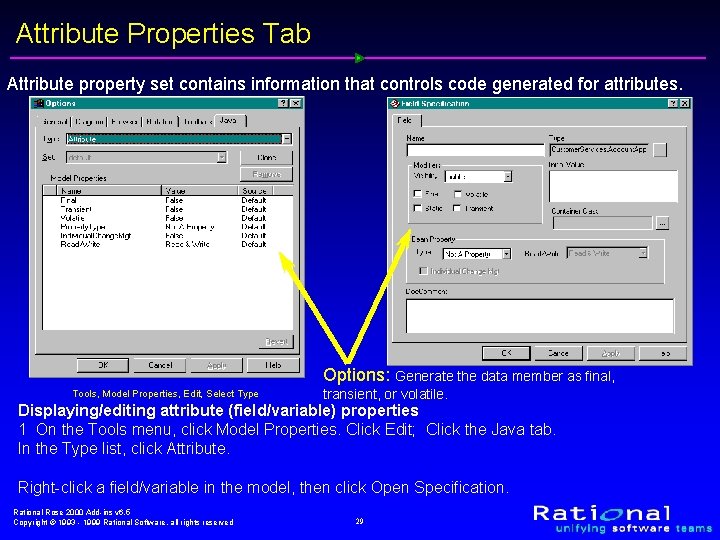
Attribute Properties Tab Attribute property set contains information that controls code generated for attributes. Options: Generate the data member as final, Tools, Model Properties, Edit, Select Type transient, or volatile. Displaying/editing attribute (field/variable) properties 1 On the Tools menu, click Model Properties. Click Edit; Click the Java tab. In the Type list, click Attribute. Right-click a field/variable in the model, then click Open Specification. Rational Rose 2000 Add-ins v 6. 5 Copyright © 1993 - 1999 Rational Software, all rights reserved 29
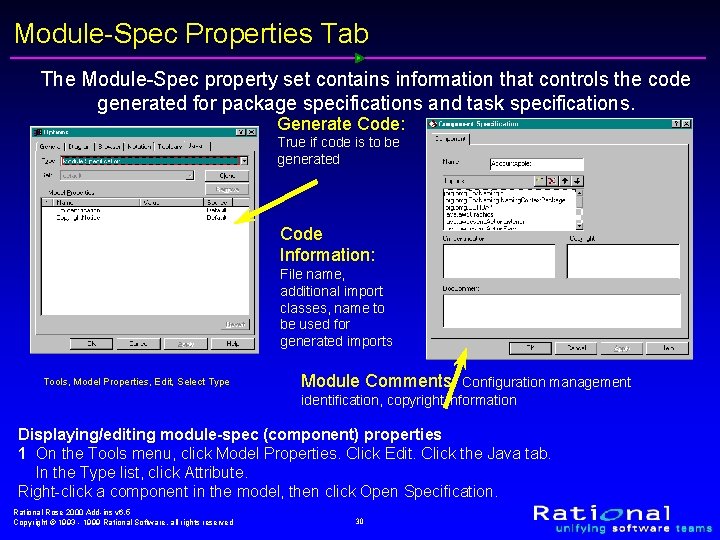
Module-Spec Properties Tab The Module-Spec property set contains information that controls the code generated for package specifications and task specifications. Generate Code: True if code is to be generated Code Information: File name, additional import classes, name to be used for generated imports Tools, Model Properties, Edit, Select Type Module Comments: Configuration management identification, copyright information Displaying/editing module-spec (component) properties 1 On the Tools menu, click Model Properties. Click Edit. Click the Java tab. In the Type list, click Attribute. Right-click a component in the model, then click Open Specification. Rational Rose 2000 Add-ins v 6. 5 Copyright © 1993 - 1999 Rational Software, all rights reserved 30
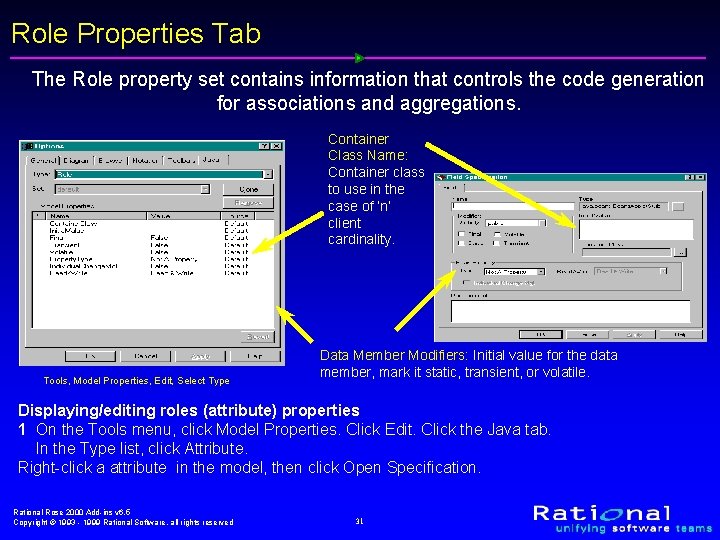
Role Properties Tab The Role property set contains information that controls the code generation for associations and aggregations. Container Class Name: Container class to use in the case of ‘n’ client cardinality. Tools, Model Properties, Edit, Select Type Data Member Modifiers: Initial value for the data member, mark it static, transient, or volatile. Displaying/editing roles (attribute) properties 1 On the Tools menu, click Model Properties. Click Edit. Click the Java tab. In the Type list, click Attribute. Right-click a attribute in the model, then click Open Specification. Rational Rose 2000 Add-ins v 6. 5 Copyright © 1993 - 1999 Rational Software, all rights reserved 31
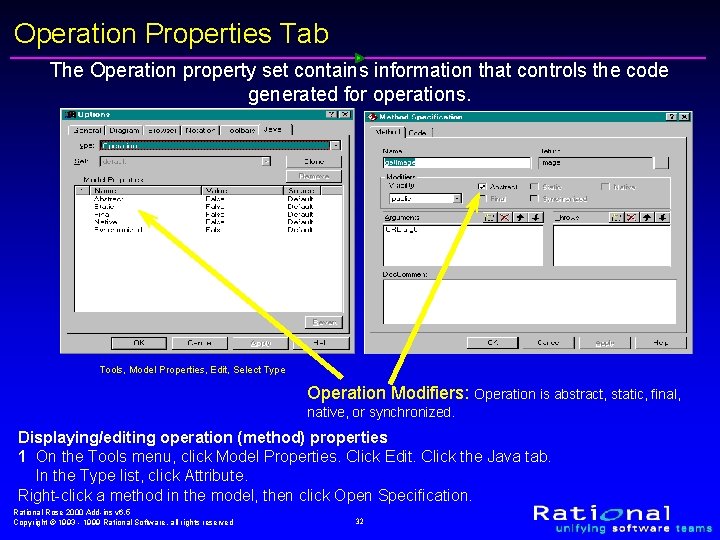
Operation Properties Tab The Operation property set contains information that controls the code generated for operations. Tools, Model Properties, Edit, Select Type Operation Modifiers: Operation is abstract, static, final, native, or synchronized. Displaying/editing operation (method) properties 1 On the Tools menu, click Model Properties. Click Edit. Click the Java tab. In the Type list, click Attribute. Right-click a method in the model, then click Open Specification. Rational Rose 2000 Add-ins v 6. 5 Copyright © 1993 - 1999 Rational Software, all rights reserved 32
Resources w Web § Microsoft • http: //www. microsoft. com Microsoft’s Web Resources are too extensive to list here. We recommend that you search the entire site. § Sun Microsystems • http: //www. java. sun. com § JAVAsoft - Another Sun Site • http: //www. javasoft. com § Borland • http: //www. inprise. com/jbuilder/ Rational Rose 2000 Add-ins v 6. 5 Copyright © 1993 - 1999 Rational Software, all rights reserved 33
Resources w Book § Understanding Uml : The Developer's Guide: With a Web. Based Application in Java by Paul Harmon, Mark Watson § Classical and Object-Oriented Software Engineering With Uml and Java by Stephen R. Schach § Software Components for the Enterprise: Building Business Objects with UML, Java, and XML by Chris Marshall Rational Rose 2000 Add-ins v 6. 5 Copyright © 1993 - 1999 Rational Software, all rights reserved 34
Rational Rose 2000 Add-ins v 6. 5 Copyright © 1993 - 1999 Rational Software, all rights reserved 35