Overview Evaluation Tools OnLine Systems and Action Planning
- Slides: 45
Overview: Evaluation Tools, On-Line Systems and Action Planning Cohort 12 August 2016 V 2. 1
Outcomes of Session ▪ Introduction of Tier 1 Evaluation Tools ▪ Understand purpose of Tools ▪ Understand process of Tool completion ▪ Understand basic action planning process used with PBIS ▪ Know where to complete surveys and generate reports on www. pbisapps. org Dirty Data http: //www. youtube. com/watch? v=B_USu 49 a. Cs 0&feature=channel&list=UL V 2. 1
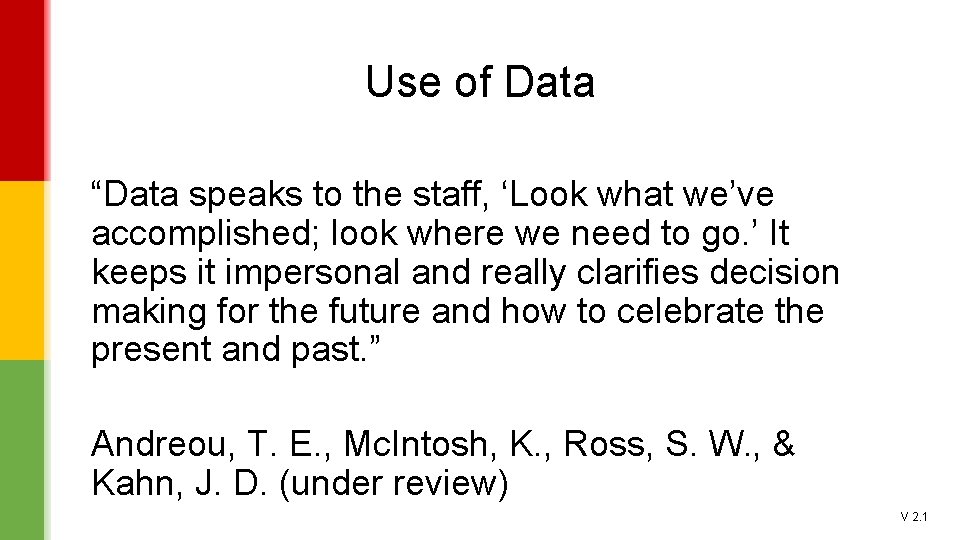
Use of Data “Data speaks to the staff, ‘Look what we’ve accomplished; look where we need to go. ’ It keeps it impersonal and really clarifies decision making for the future and how to celebrate the present and past. ” Andreou, T. E. , Mc. Intosh, K. , Ross, S. W. , & Kahn, J. D. (under review) V 2. 1
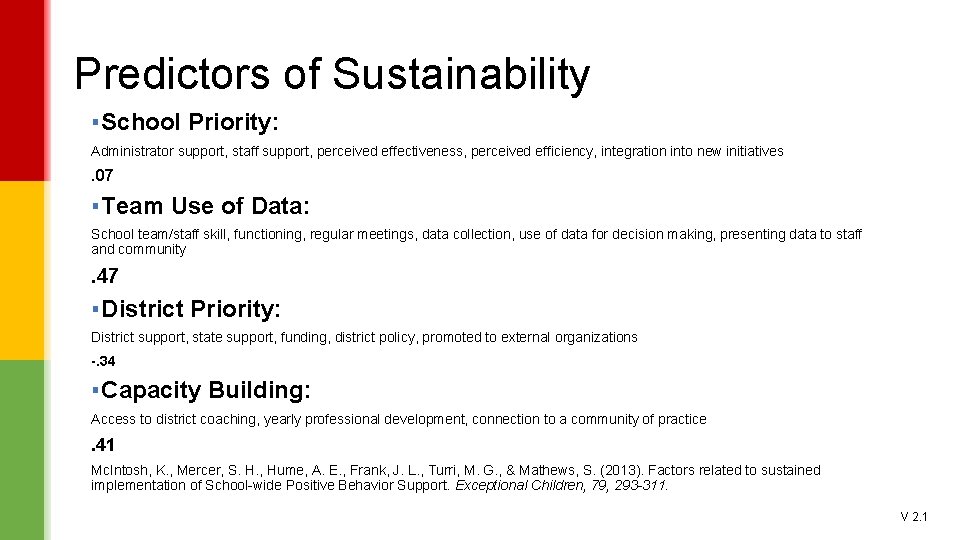
Predictors of Sustainability ▪ School Priority: Administrator support, staff support, perceived effectiveness, perceived efficiency, integration into new initiatives . 07 ▪ Team Use of Data: School team/staff skill, functioning, regular meetings, data collection, use of data for decision making, presenting data to staff and community . 47 ▪ District Priority: District support, state support, funding, district policy, promoted to external organizations -. 34 ▪ Capacity Building: Access to district coaching, yearly professional development, connection to a community of practice . 41 Mc. Intosh, K. , Mercer, S. H. , Hume, A. E. , Frank, J. L. , Turri, M. G. , & Mathews, S. (2013). Factors related to sustained implementation of School-wide Positive Behavior Support. Exceptional Children, 79, 293 -311. V 2. 1
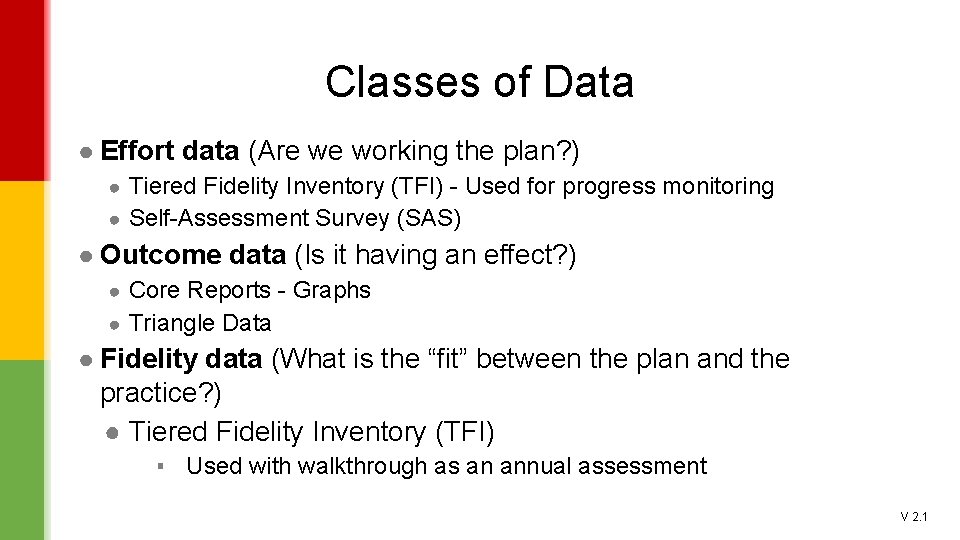
Classes of Data ● Effort data (Are we working the plan? ) ● Tiered Fidelity Inventory (TFI) - Used for progress monitoring ● Self-Assessment Survey (SAS) ● Outcome data (Is it having an effect? ) ● Core Reports - Graphs ● Triangle Data ● Fidelity data (What is the “fit” between the plan and the practice? ) ● Tiered Fidelity Inventory (TFI) ▪ Used with walkthrough as an annual assessment V 2. 1
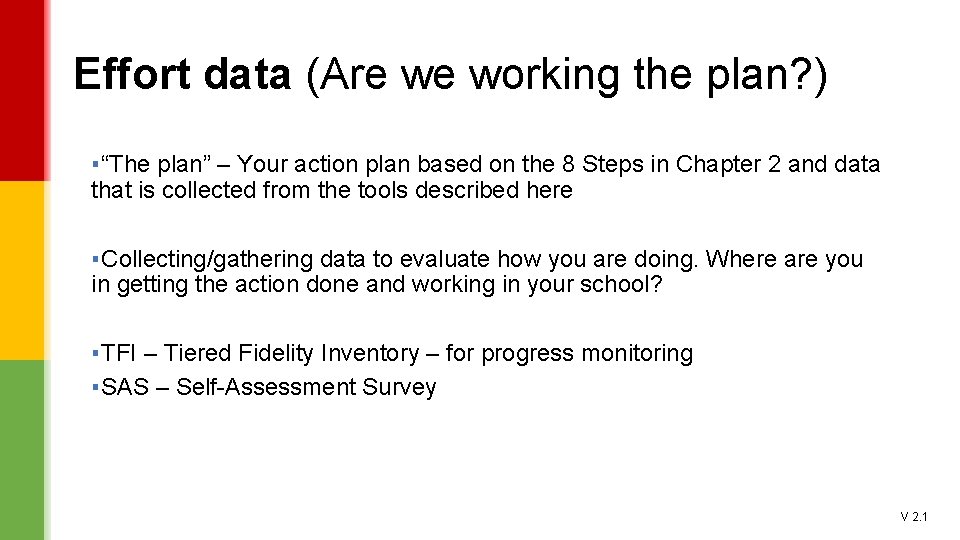
Effort data (Are we working the plan? ) ▪ “The plan” – Your action plan based on the 8 Steps in Chapter 2 and data that is collected from the tools described here ▪ Collecting/gathering data to evaluate how you are doing. Where are you in getting the action done and working in your school? ▪ TFI – Tiered Fidelity Inventory – for progress monitoring ▪ SAS – Self-Assessment Survey V 2. 1
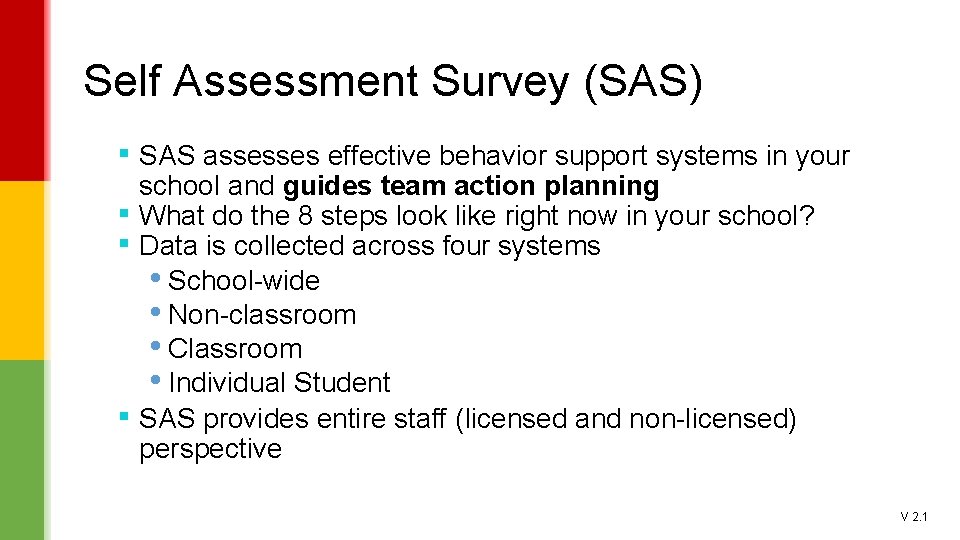
Self Assessment Survey (SAS) ▪ SAS assesses effective behavior support systems in your ▪ ▪ ▪ school and guides team action planning What do the 8 steps look like right now in your school? Data is collected across four systems • School-wide • Non-classroom • Classroom • Individual Student SAS provides entire staff (licensed and non-licensed) perspective V 2. 1
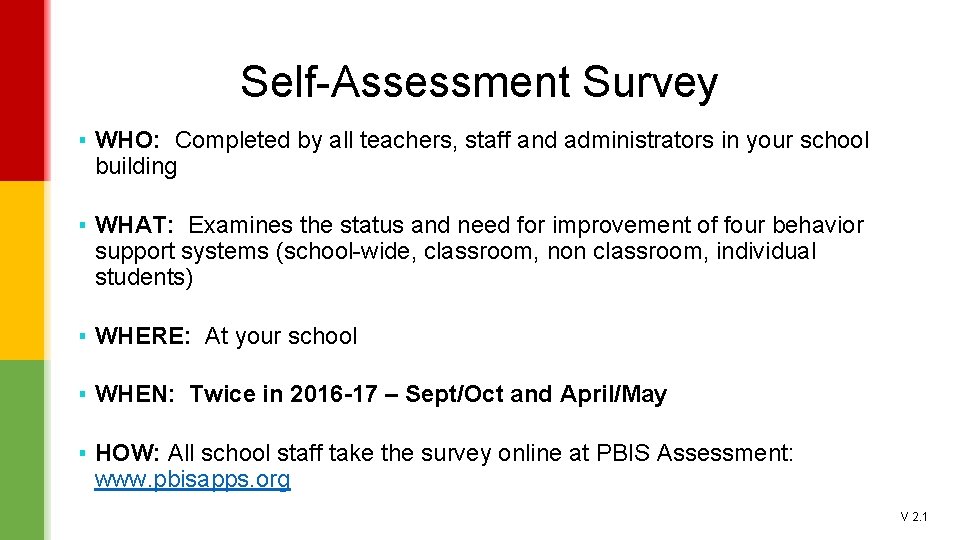
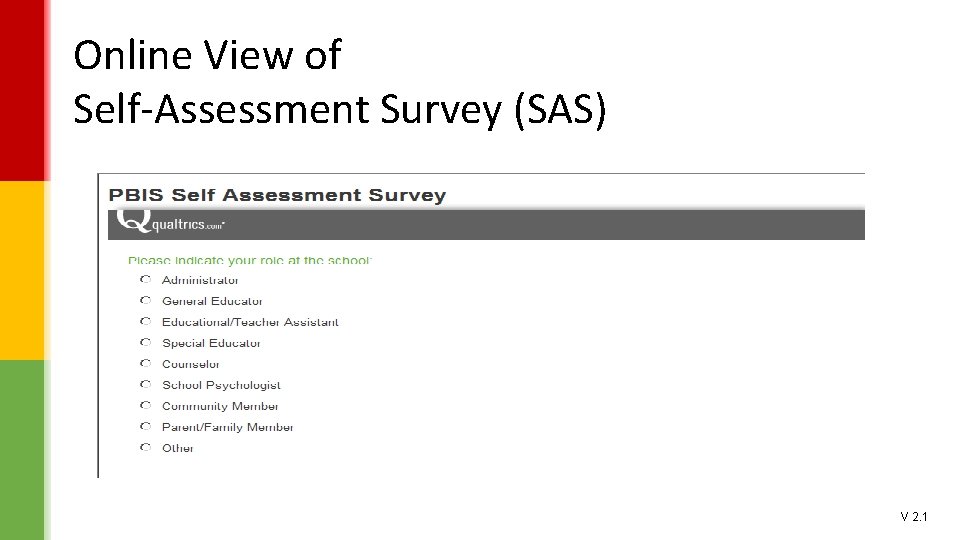
Self-Assessment Survey ▪ WHO: Completed by all teachers, staff and administrators in your school building ▪ WHAT: Examines the status and need for improvement of four behavior support systems (school-wide, classroom, non classroom, individual students) ▪ WHERE: At your school ▪ WHEN: Twice in 2016 -17 – Sept/Oct and April/May ▪ HOW: All school staff take the survey online at PBIS Assessment: www. pbisapps. org V 2. 1
How? ! ▪ How do you get the entire staff to take a survey? ! ▪ Make it a priority and explain why it’s important and how the data will be used. Reassure people that it’s OK to not really know how to respond (particularly this fall when you are just beginning) but to make an educated guess. ▪ Make it a competition/game ▪ During back-to-school workshop, faculty meeting, training for nonlicensed? ▪ Candy! V 2. 1
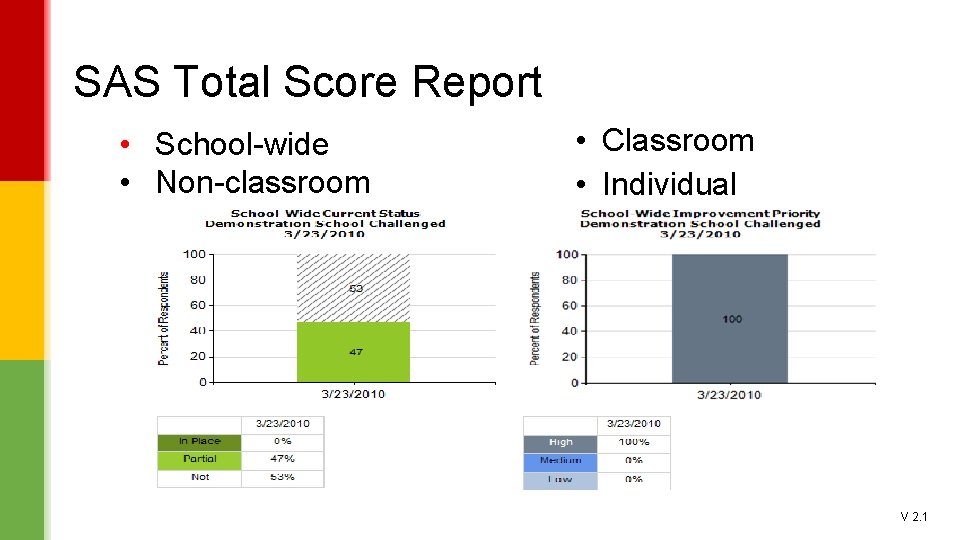
SAS Total Score Report • School-wide • Non-classroom • Classroom • Individual V 2. 1
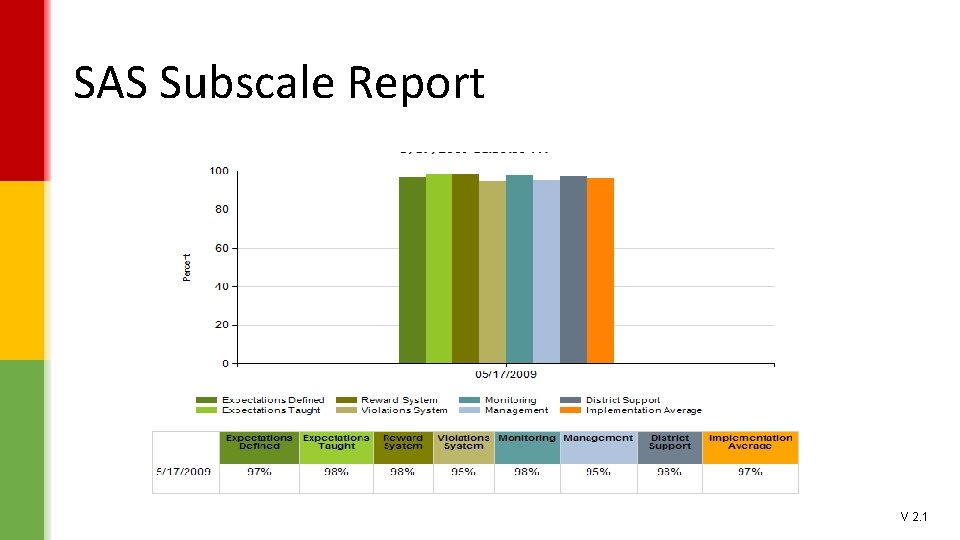
SAS Subscale Report V 2. 1
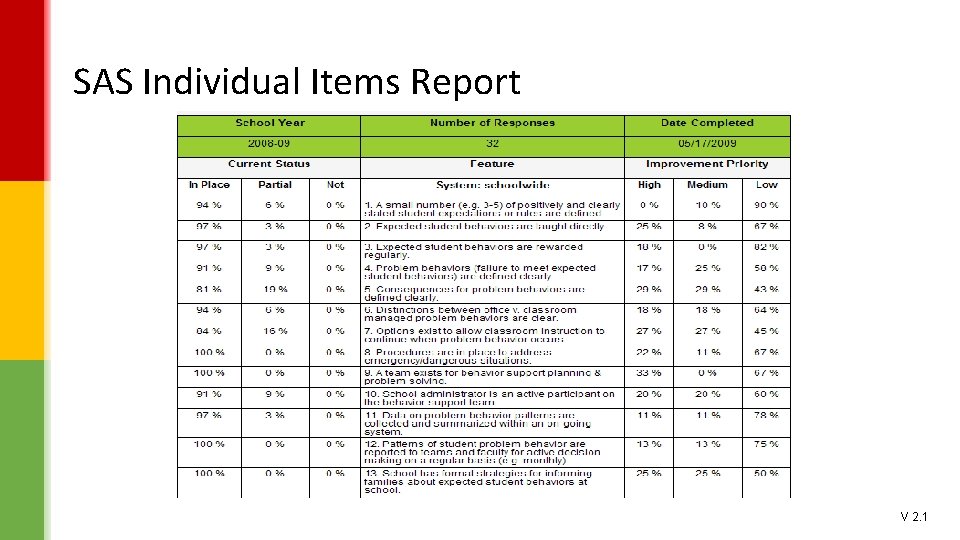
SAS Individual Items Report V 2. 1
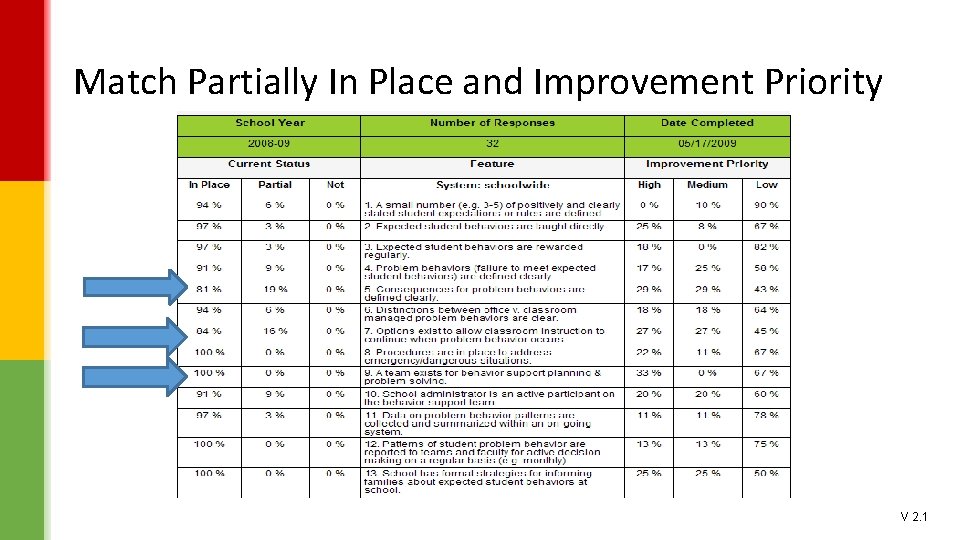
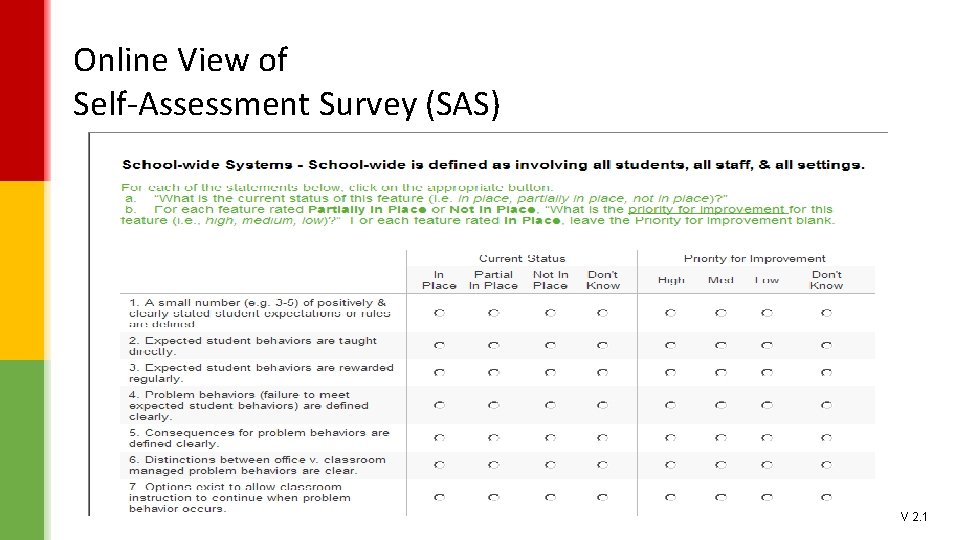
Data Based Decision Making Action Planning from the SAS Review your results ▪Your review of the SAS reports will lead you to action steps your team will take to improve your implementation of PBIS. ▪Look for items that are closest to 80% under current status/in place. ▪Look for items that may be well below 80% but have a very high priority for improvement. ▪If you have high ‘In place’ results, look for items match between high priority and partially in place. Determine Action Steps ▪Determine two or three actions your team will take based on SAS data. ▪Develop a plan for putting those items in place at your school. ▪Share results and action step proposals with staff to increase staff knowledge and willingness to participate in the plan. V 2. 1
Match Partially In Place and Improvement Priority V 2. 1
School-wide PBIS Tiered Fidelity Inventory Version 2. 1 TFI is a tool to collect both Effort and Fidelity data V 2. 1
Outcome data (Is it having an effect? ) ▪ “It” – Implementation of the 8 steps in Chapter 2 at your school ▪ Effect on what? – Discipline, attendance, school climate ▪ Office Discipline Referrals ▪ Attendance ▪ Student Survey, Parent Survey, Climate surveys V 2. 1
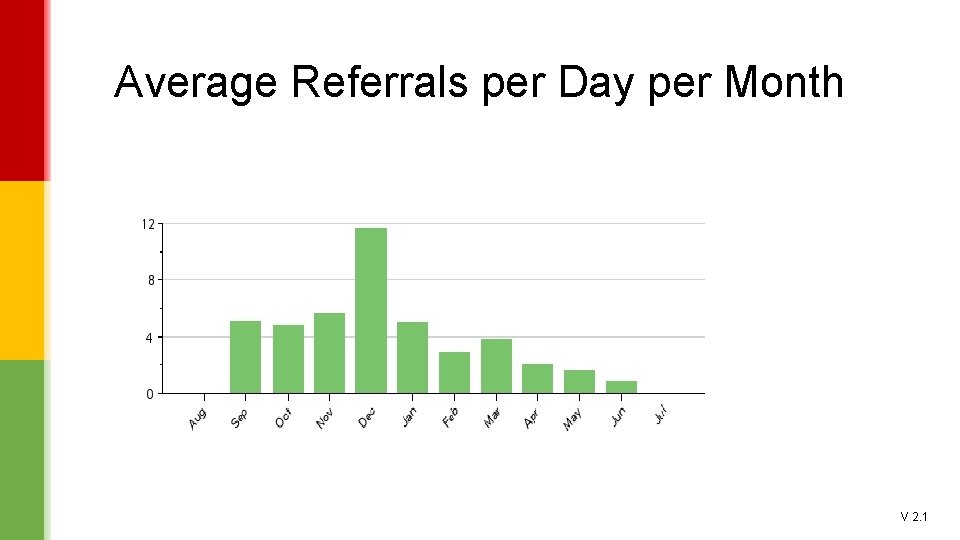
Average Referrals per Day per Month V 2. 1
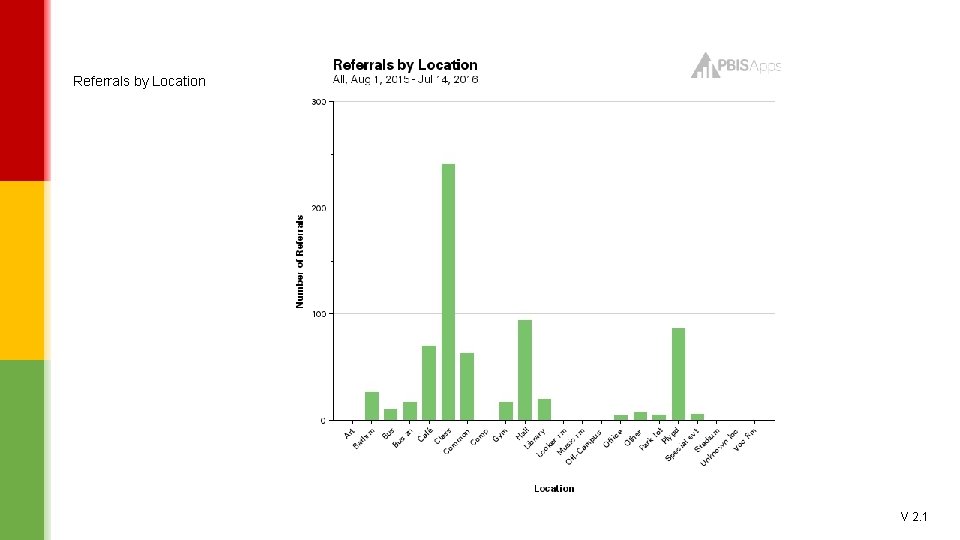
Referrals by Location V 2. 1
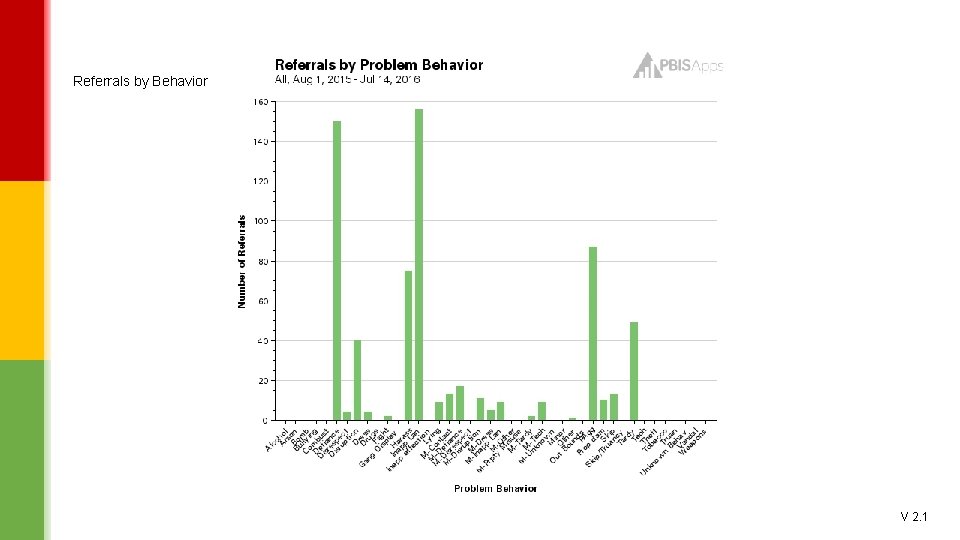
Referrals by Behavior V 2. 1
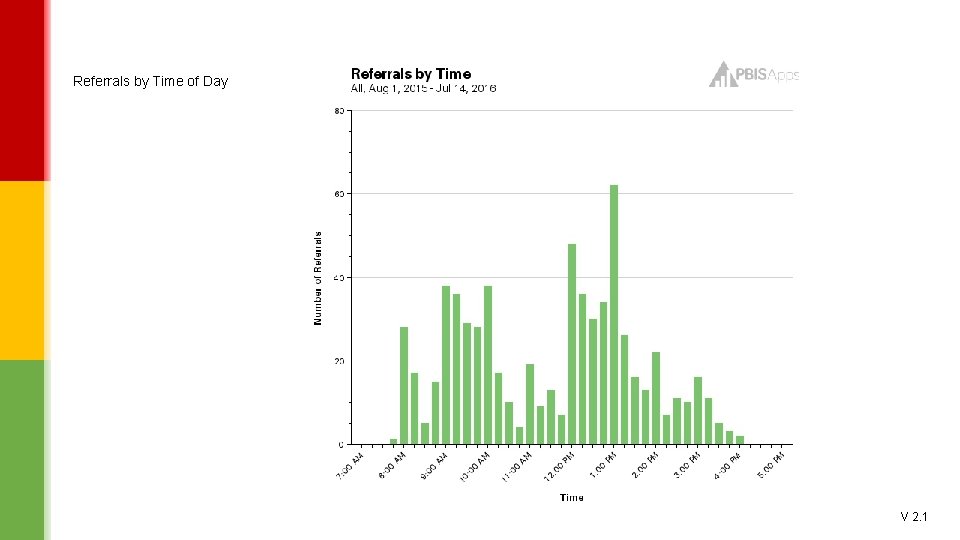
Referrals by Time of Day V 2. 1
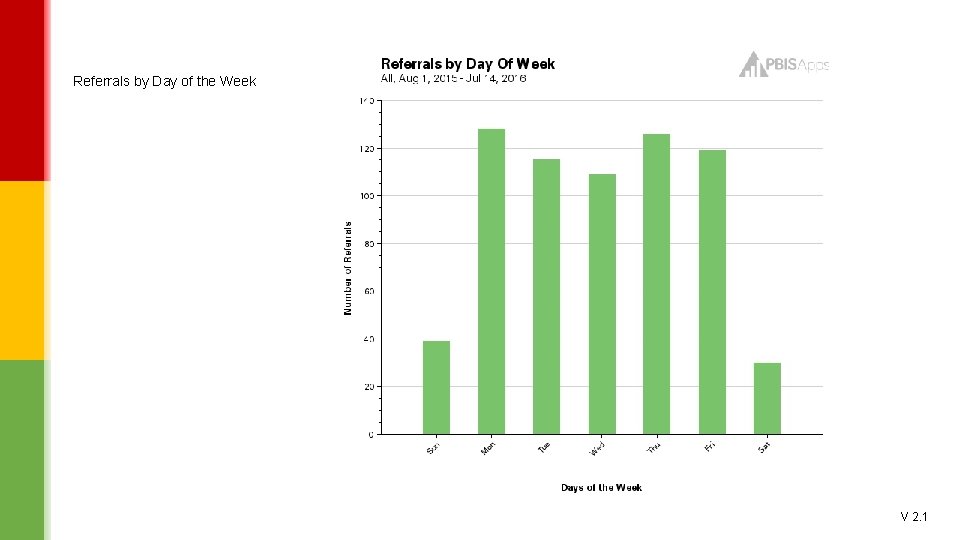
Referrals by Day of the Week V 2. 1
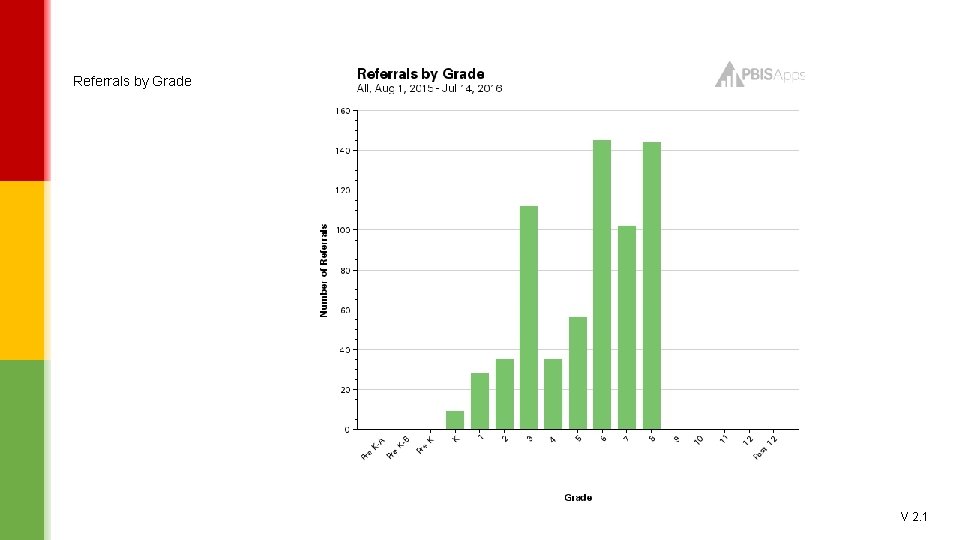
Referrals by Grade V 2. 1
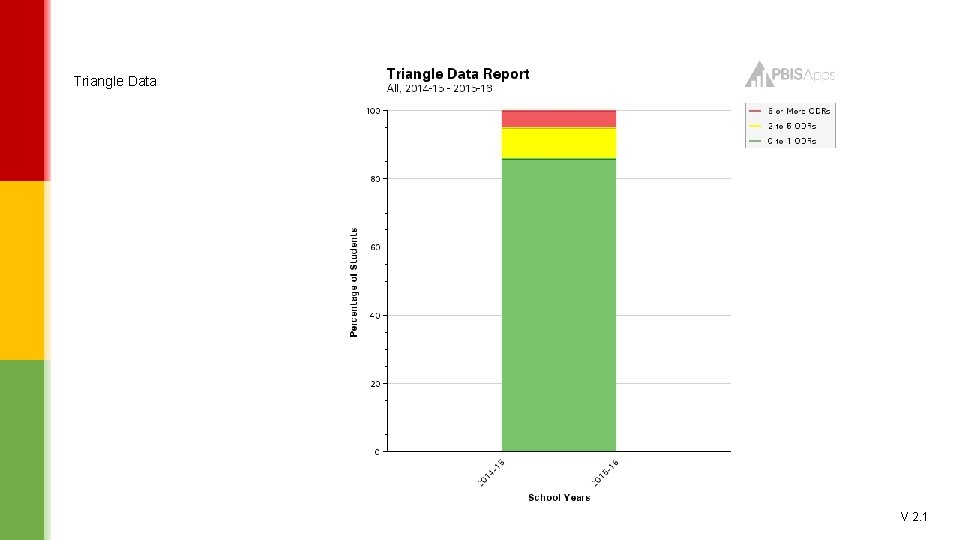
Triangle Data V 2. 1
Fidelity data (What is the “fit” between the plan and the practice? ) ▪ Are we doing what we’re saying we’re doing? ▪ Are there documented changes in “how we do things around here” or does the plan just say there are changes? ● Tiered Fidelity Inventory (TFI) ▪ Used with walkthrough as an annual assessment V 2. 1
School-wide PBIS Tiered Fidelity Inventory Version 2. 1 V 2. 1
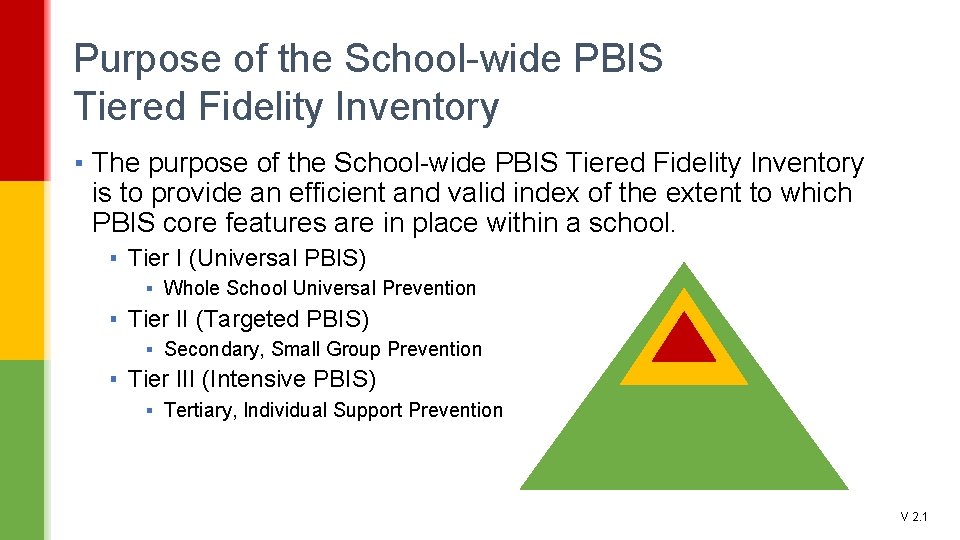
Purpose of the School-wide PBIS Tiered Fidelity Inventory ▪ The purpose of the School-wide PBIS Tiered Fidelity Inventory is to provide an efficient and valid index of the extent to which PBIS core features are in place within a school. ▪ Tier I (Universal PBIS) ▪ Whole School Universal Prevention ▪ Tier II (Targeted PBIS) ▪ Secondary, Small Group Prevention ▪ Tier III (Intensive PBIS) ▪ Tertiary, Individual Support Prevention V 2. 1
SWPBIS Tiered Fidelity Inventory is a Self-Assessment ▪ Primary purpose of the instrument is to help school teams improve ▪ Primary audience for instrument results is the team, faculty, families and administrators of the school. ▪ Effective use of the instrument requires multiple administrations (progress monitoring) V 2. 1
Uses of the SWPBIS Tiered Fidelity Inventory ▪ Formative Assessment ▪ Determine current PBIS practices in place and needed prior to launching implementation ▪ Progress monitoring ▪ Self-assess PBIS practices by tier to guide implementation efforts, and assess progress by tier ▪ Build action plan to focus implementation efforts ▪ Annual Self-Assessment ▪ Self-assess annually to facilitate sustained implementation of PBIS; includes walkthrough ▪ State Recognition ▪ Determine schools warranting recognition for their fidelity of PBIS implementation. V 2. 1
Tiered Fidelity Inventory ▪ WHO: Completed by the PBIS Team ▪ WHAT: Assesses the extent to which PBIS core features are in place within a school – Think 8 Steps from Chapter 2 ▪ WHERE: Duluth, St. Cloud, Bemidji ▪ WHEN: At August, November and March training in 2016 -17 and 2017 -18 + May which will include the walk-through both years ▪ HOW: The PBIS team takes the inventory online at PBIS Assessment: www. pbisapps. org V 2. 1
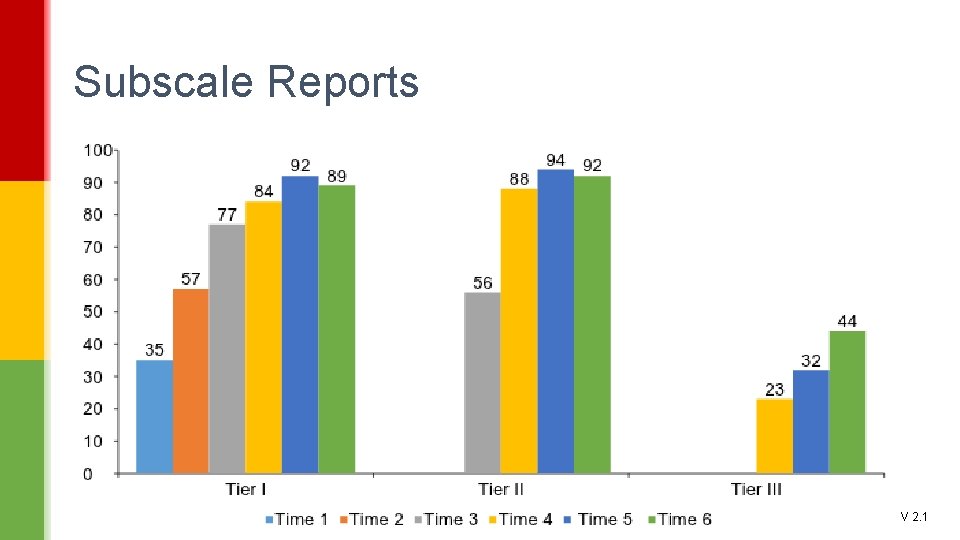
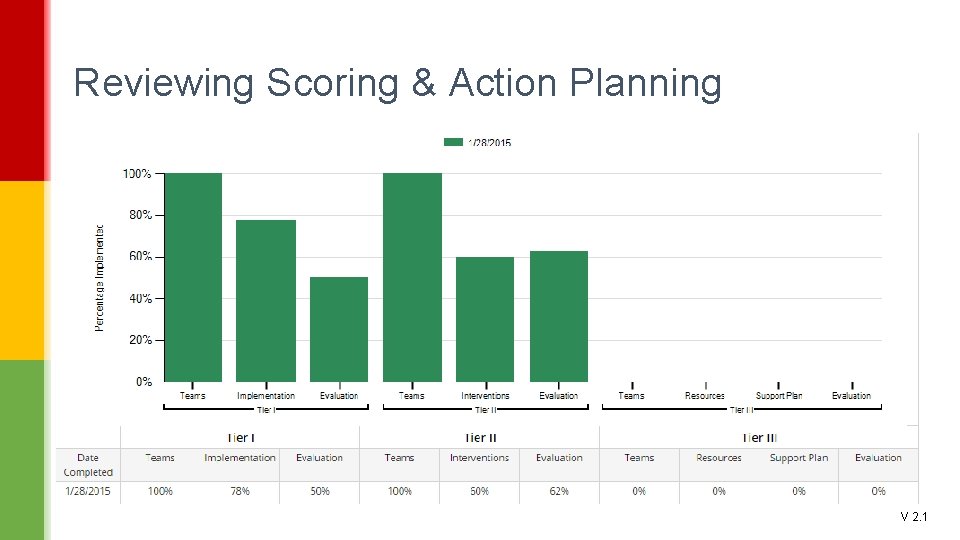
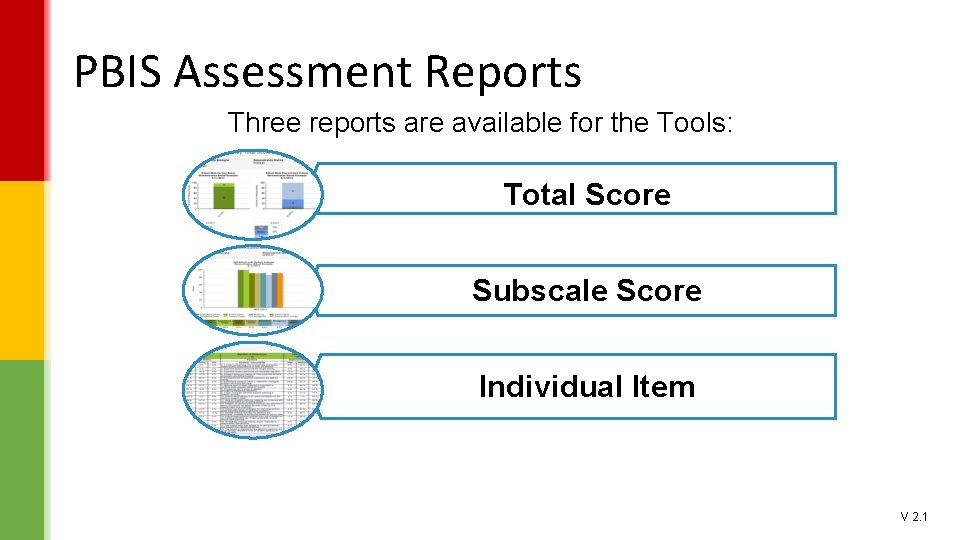
TFI Summary Data and Reports ▪ Total Score ▪ Subscale ▪ Individual Items ▪ 70% is the benchmark at each tier to indicate “implementation at criterion” V 2. 1
Subscale Reports V 2. 1
Reviewing Scoring & Action Planning V 2. 1
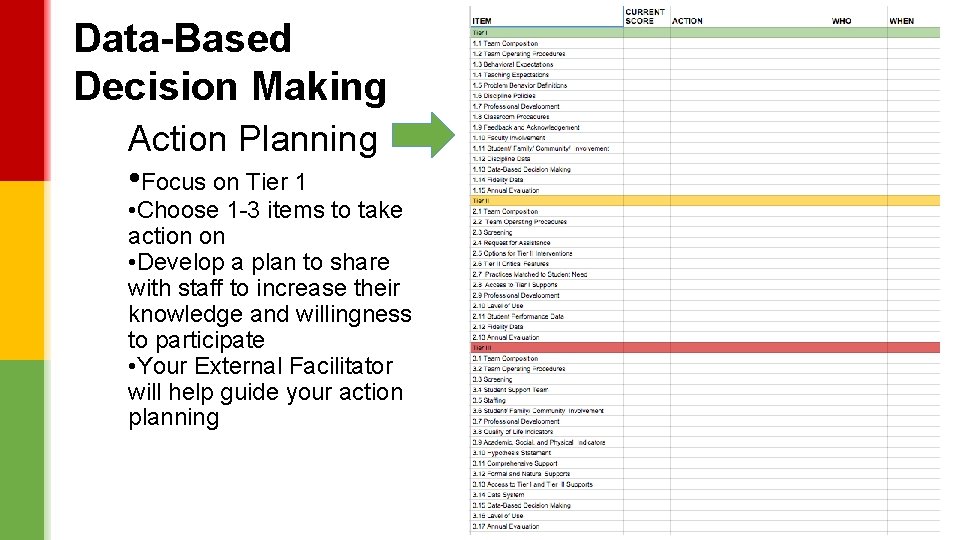
Data-Based Decision Making Action Planning • Focus on Tier 1 • Choose 1 -3 items to take action on • Develop a plan to share with staff to increase their knowledge and willingness to participate • Your External Facilitator will help guide your action planning V 2. 1
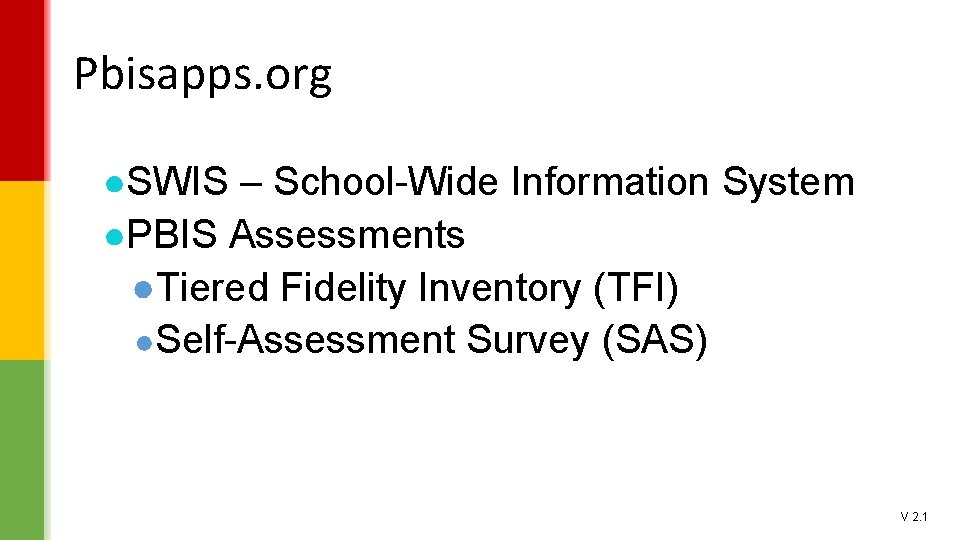
Pbisapps. org ●SWIS – School-Wide Information System ●PBIS Assessments ●Tiered Fidelity Inventory (TFI) ●Self-Assessment Survey (SAS) V 2. 1
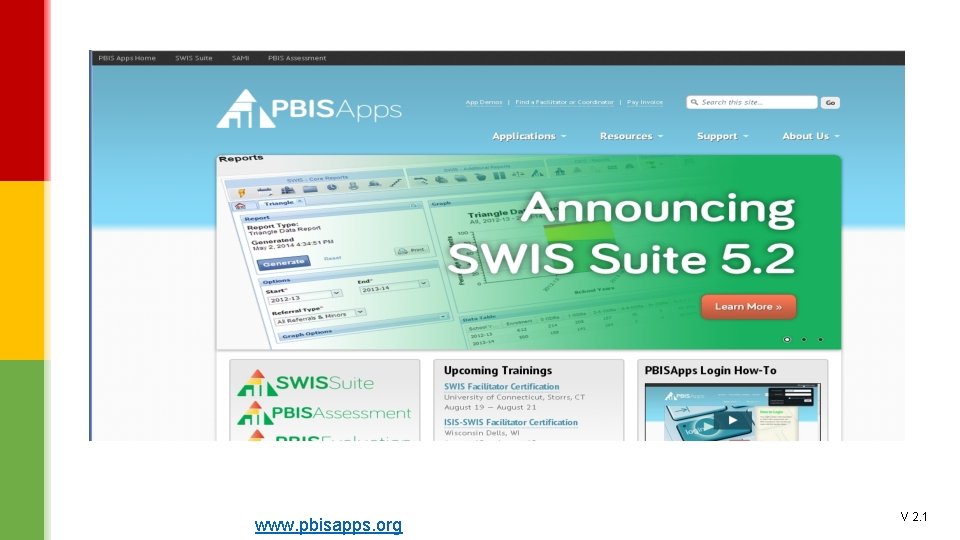
PBIS APPS www. pbisapps. org V 2. 1
School-Wide Information System ●Brief introduction ●SWIS – www. pbisapps. org ●Login as demo user V 2. 1
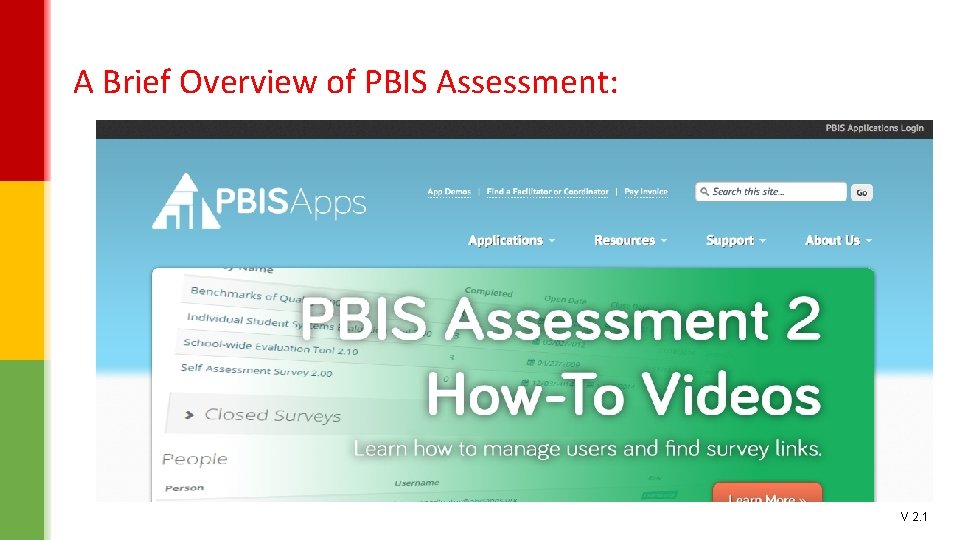
A Brief Overview of PBIS Assessment: V 2. 1
PBIS Assessment Account ● Tiered Fidelity Inventory ▪Self Assessment Survey V 2. 1
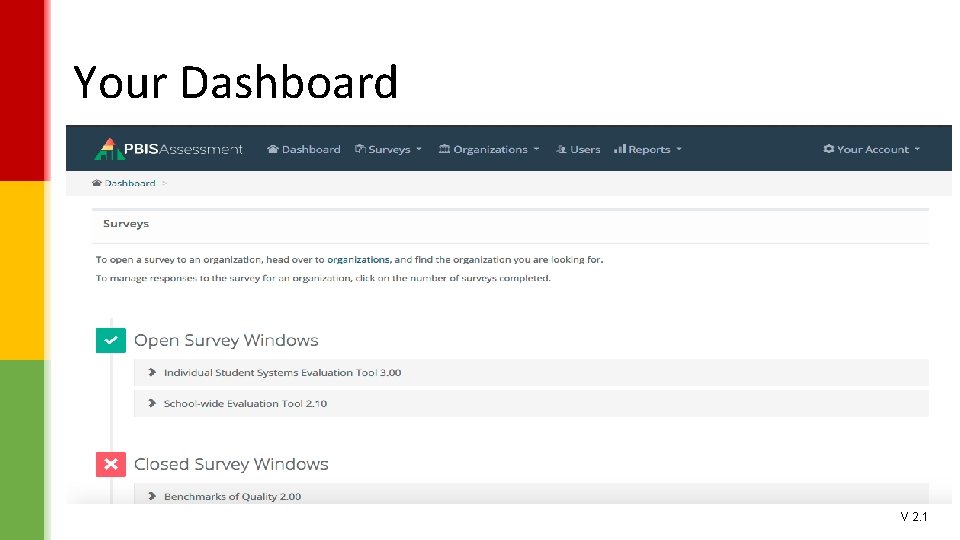
Your Dashboard V 2. 1
PBIS Assessment Reports Three reports are available for the Tools: Total Score Subscale Score Individual Item V 2. 1
Online View of Self-Assessment Survey (SAS) V 2. 1
Online View of Self-Assessment Survey (SAS) V 2. 1
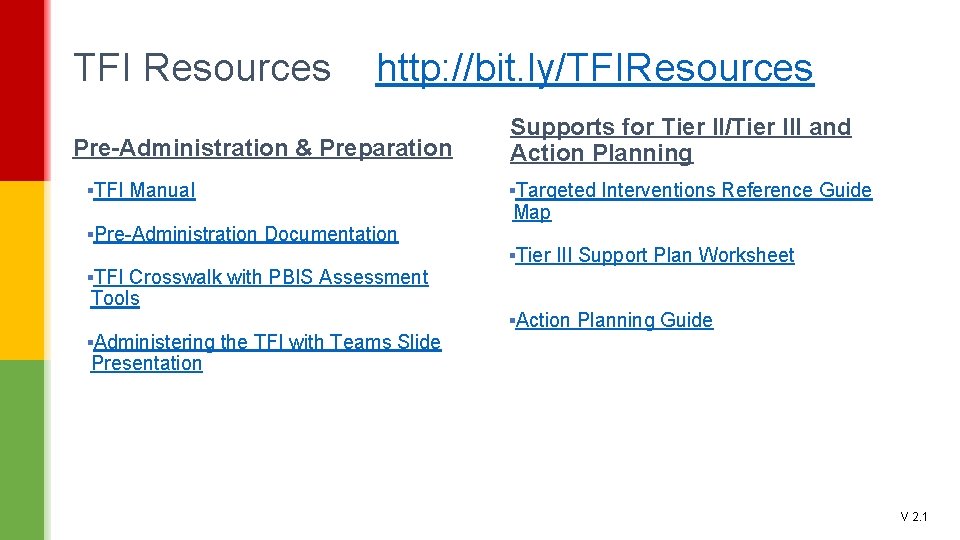
Resources http: //bit. ly/TFIResources ▪TFI Manual ▪TFI Crosswalk with PBIS Assessment Tools ▪Targeted Interventions Reference Guide Map ▪TFI Action Planning Guide ▪TFI Tier III Support Plan Worksheet ▪TFI with Teams Presentation V 2. 1
TFI Resources http: //bit. ly/TFIResources Pre-Administration & Preparation ▪TFI Manual ▪Pre-Administration Documentation ▪TFI Crosswalk with PBIS Assessment Tools ▪Administering the TFI with Teams Slide Presentation Supports for Tier II/Tier III and Action Planning ▪Targeted Interventions Reference Guide Map ▪Tier III Support Plan Worksheet ▪Action Planning Guide V 2. 1
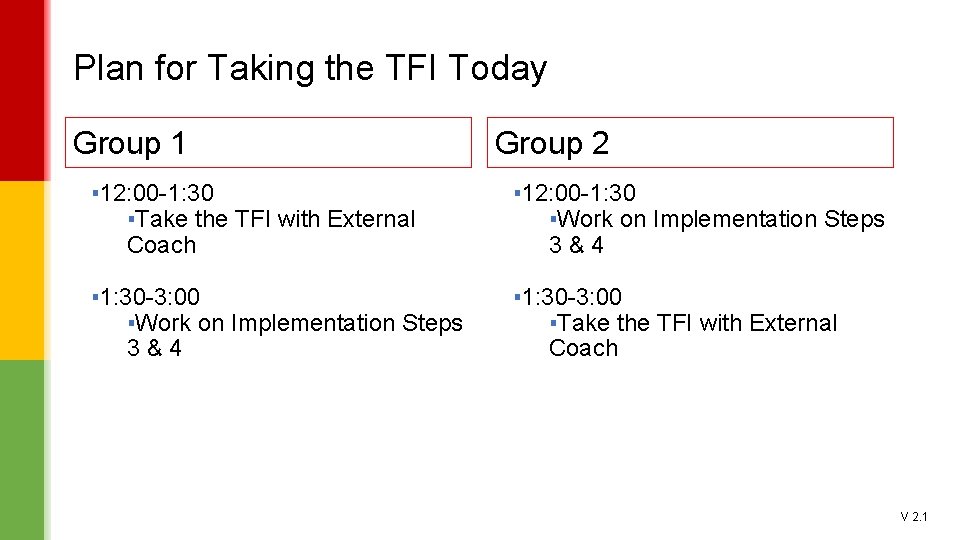
Plan for Taking the TFI Today Group 1 Group 2 ▪ 12: 00 -1: 30 ▪Take the TFI with External Coach ▪ 12: 00 -1: 30 ▪Work on Implementation Steps 3&4 ▪ 1: 30 -3: 00 ▪Take the TFI with External Coach V 2. 1