Huron Grants Post Award Training for the Research
- Slides: 24
Huron Grants Post Award Training for the Research Community January 28, 2020
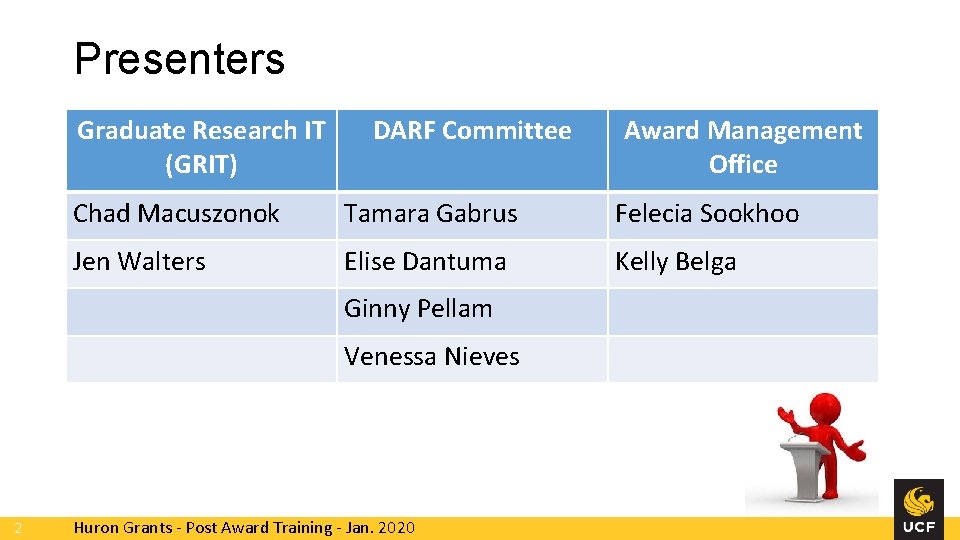
Presenters Graduate Research IT (GRIT) DARF Committee Chad Macuszonok Tamara Gabrus Felecia Sookhoo Jen Walters Elise Dantuma Kelly Belga Ginny Pellam Venessa Nieves 2 Award Management Office Huron Grants - Post Award Training - Jan. 2020
Agenda • • Overview and Goals Huron Terminology Navigating and Searching New Award Lifecycle Award Workflow and States Creating New Awards Award Modifications • Award Modification Request vs. Award Modification • Workflows and States • Deliverables • Additional Resources and Office Hours • Demo 3 Huron Grants - Post Award Training - Jan. 2020
Overview and Goals • Review the post award management system functionality in Huron Grants • Examples provided are ‘happy path’ and address the more common scenarios • Business process questions will be noted for senior leadership and addressed as follow-on • Includes content to address frequently asked questions and common mistakes • To create on-going HRS training program for both pre-award and postaward 4 Huron Grants - Post Award Training - Jan. 2020
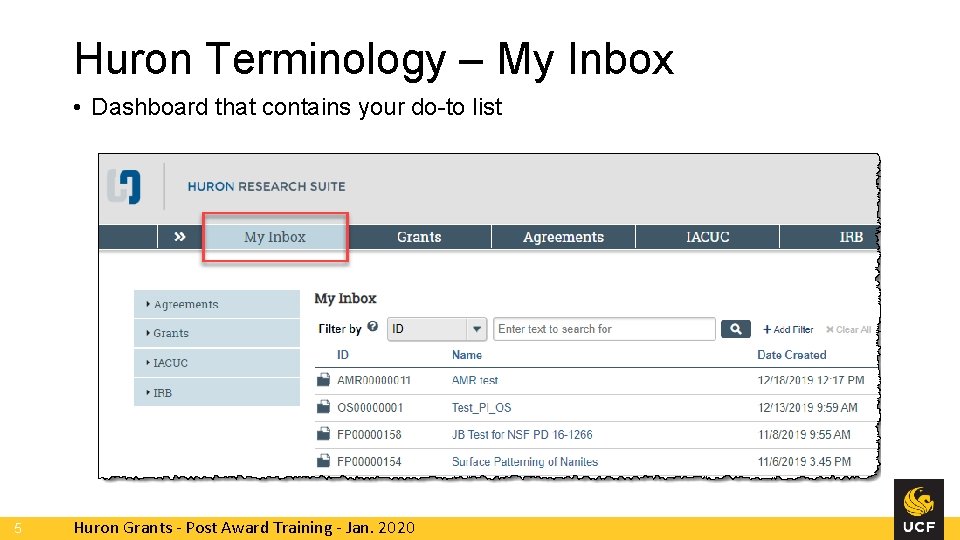
Huron Terminology – My Inbox • Dashboard that contains your do-to list 5 Huron Grants - Post Award Training - Jan. 2020
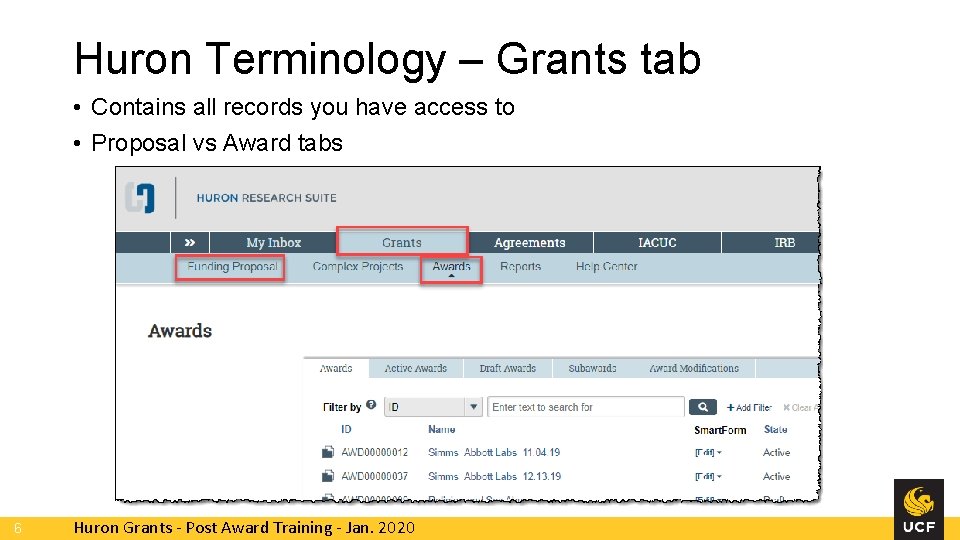
Huron Terminology – Grants tab • Contains all records you have access to • Proposal vs Award tabs 6 Huron Grants - Post Award Training - Jan. 2020
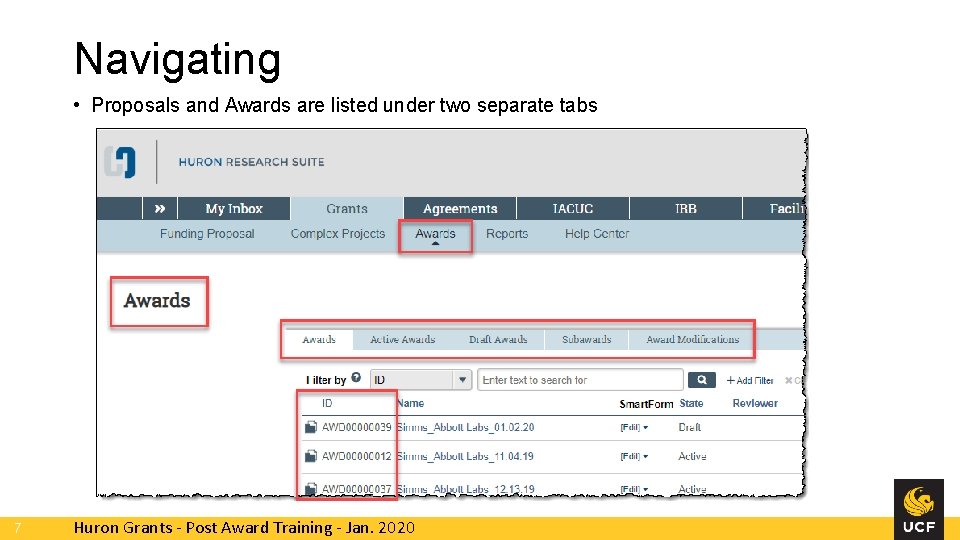
Navigating • Proposals and Awards are listed under two separate tabs 7 Huron Grants - Post Award Training - Jan. 2020
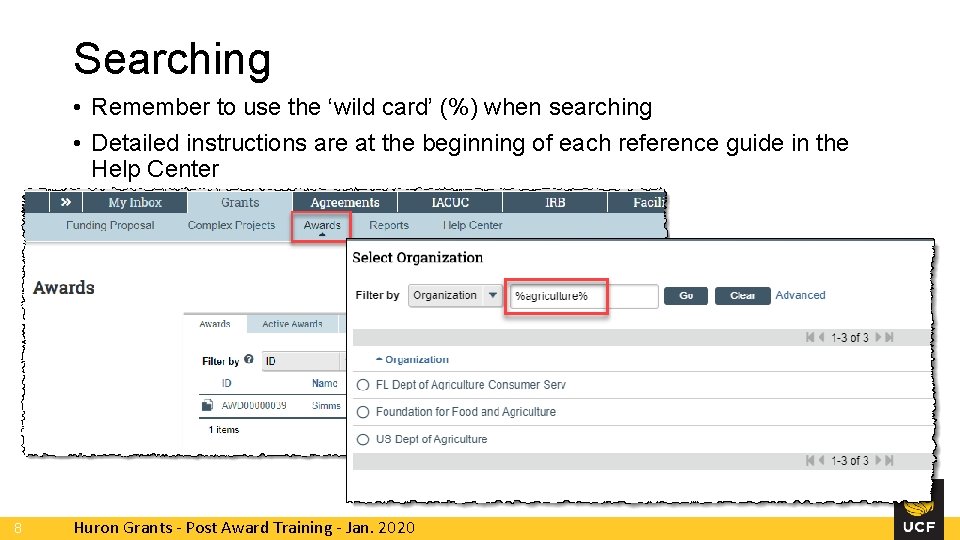
Searching • Remember to use the ‘wild card’ (%) when searching • Detailed instructions are at the beginning of each reference guide in the Help Center 8 Huron Grants - Post Award Training - Jan. 2020
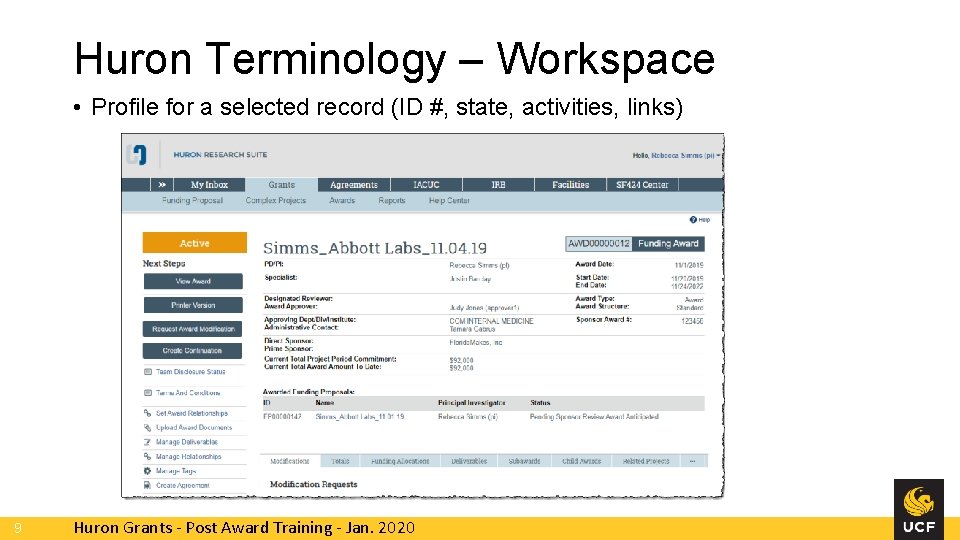
Huron Terminology – Workspace • Profile for a selected record (ID #, state, activities, links) 9 Huron Grants - Post Award Training - Jan. 2020
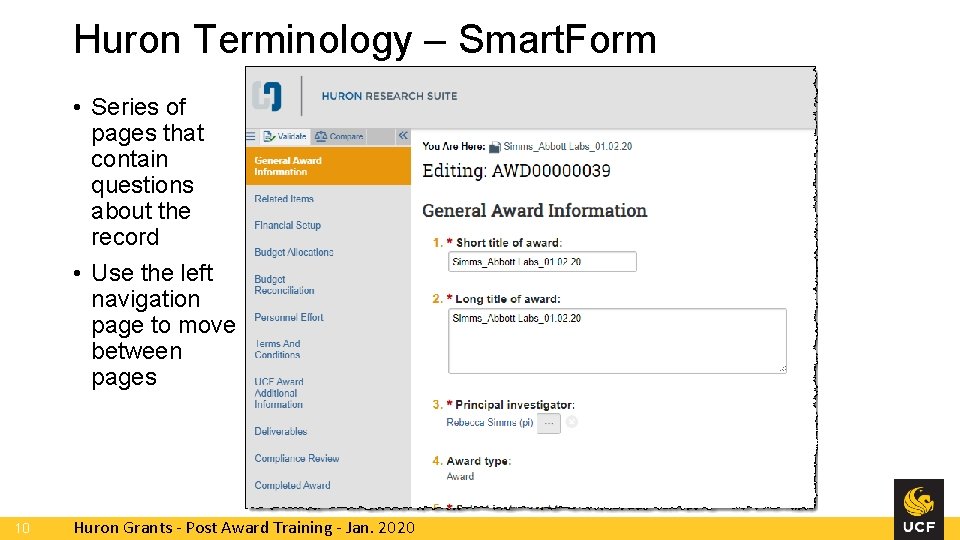
Huron Terminology – Smart. Form • Series of pages that contain questions about the record • Use the left navigation page to move between pages 10 Huron Grants - Post Award Training - Jan. 2020
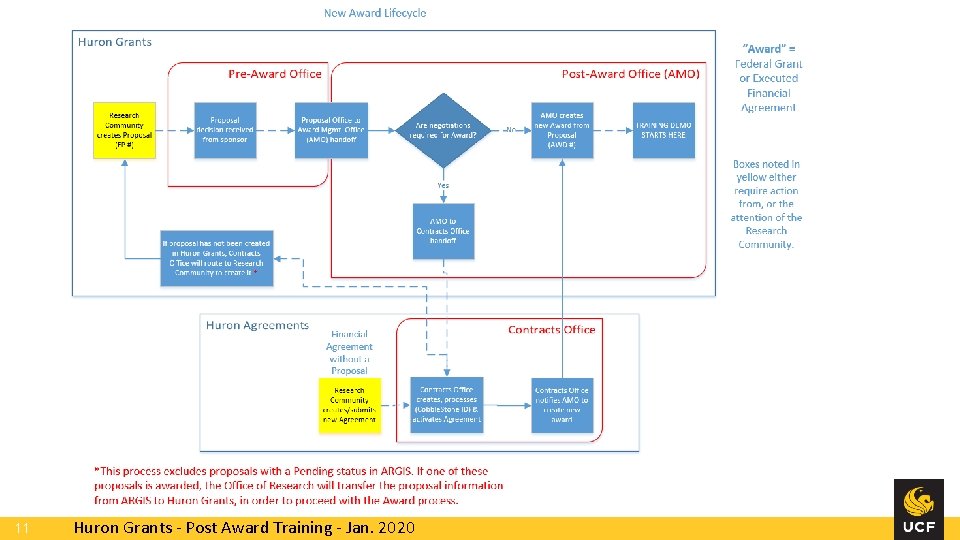
11 Huron Grants - Post Award Training - Jan. 2020
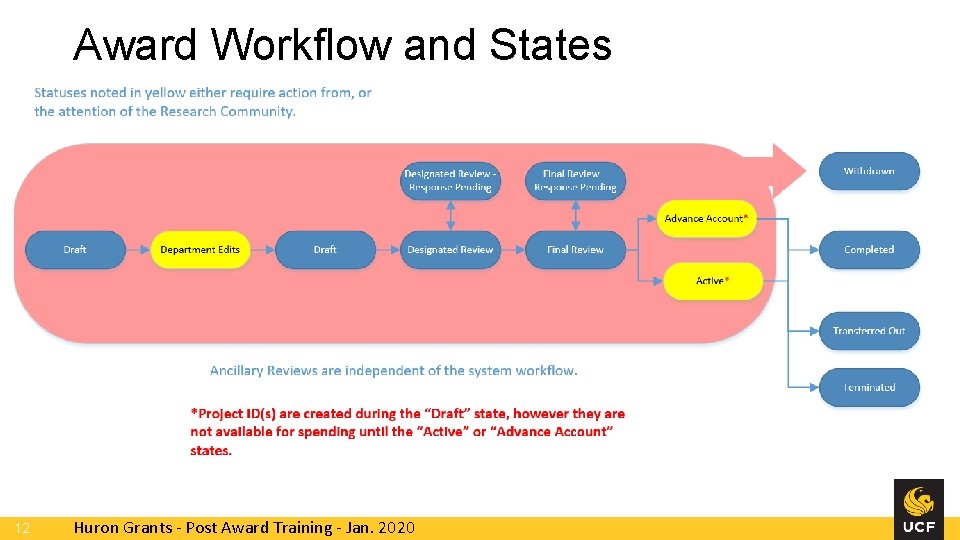
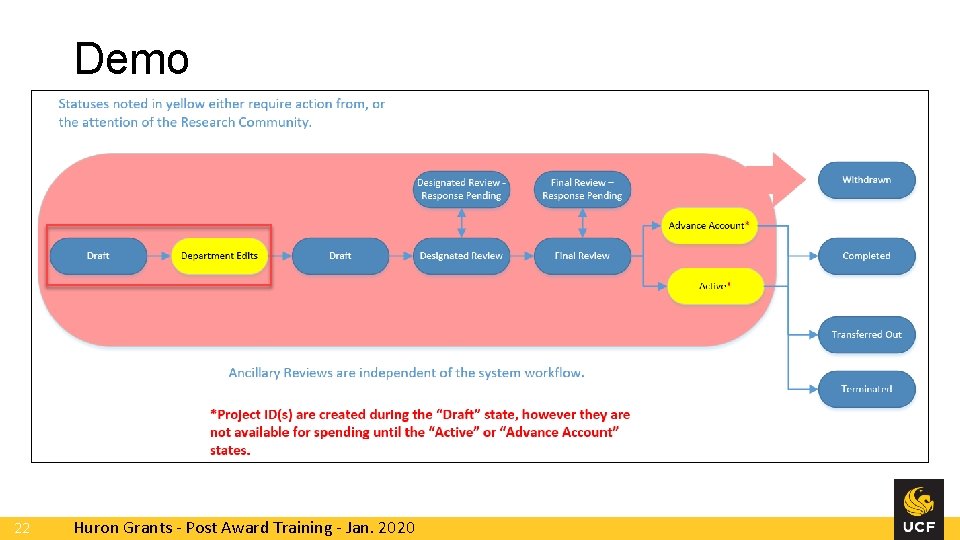
Award Workflow and States 12 Huron Grants - Post Award Training - Jan. 2020
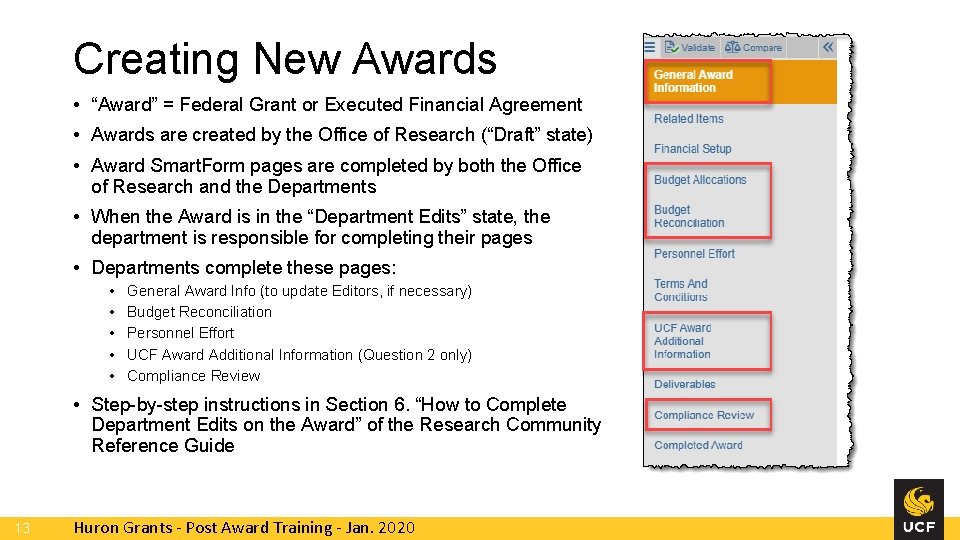
Creating New Awards • “Award” = Federal Grant or Executed Financial Agreement • Awards are created by the Office of Research (“Draft” state) • Award Smart. Form pages are completed by both the Office of Research and the Departments • When the Award is in the “Department Edits” state, the department is responsible for completing their pages • Departments complete these pages: • • • General Award Info (to update Editors, if necessary) Budget Reconciliation Personnel Effort UCF Award Additional Information (Question 2 only) Compliance Review • Step-by-step instructions in Section 6. “How to Complete Department Edits on the Award” of the Research Community Reference Guide 13 Huron Grants - Post Award Training - Jan. 2020
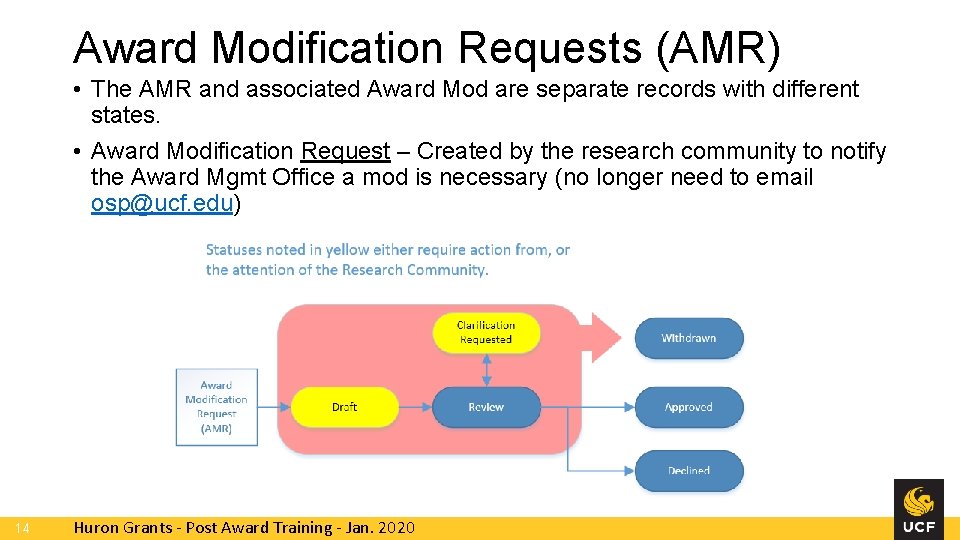
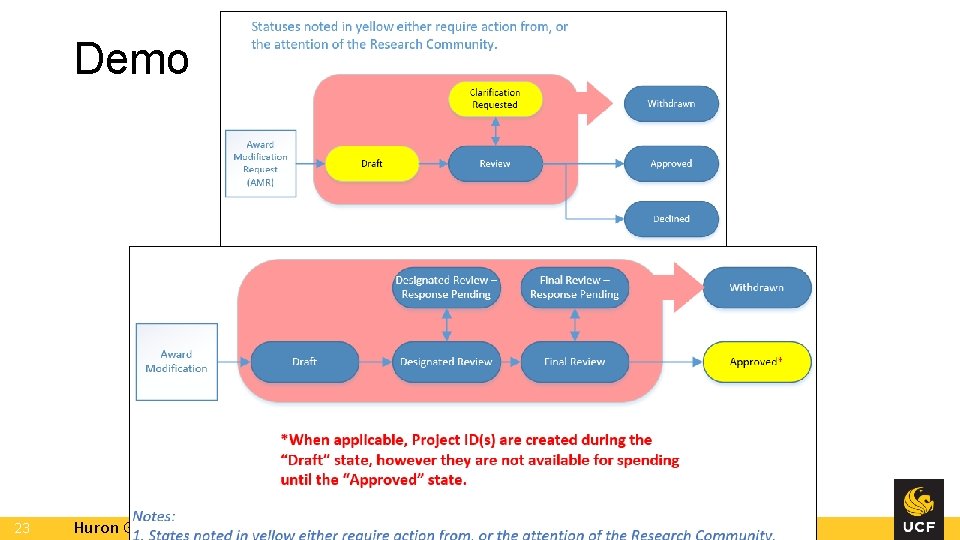
Award Modification Requests (AMR) • The AMR and associated Award Mod are separate records with different states. • Award Modification Request – Created by the research community to notify the Award Mgmt Office a mod is necessary (no longer need to email osp@ucf. edu) 14 Huron Grants - Post Award Training - Jan. 2020
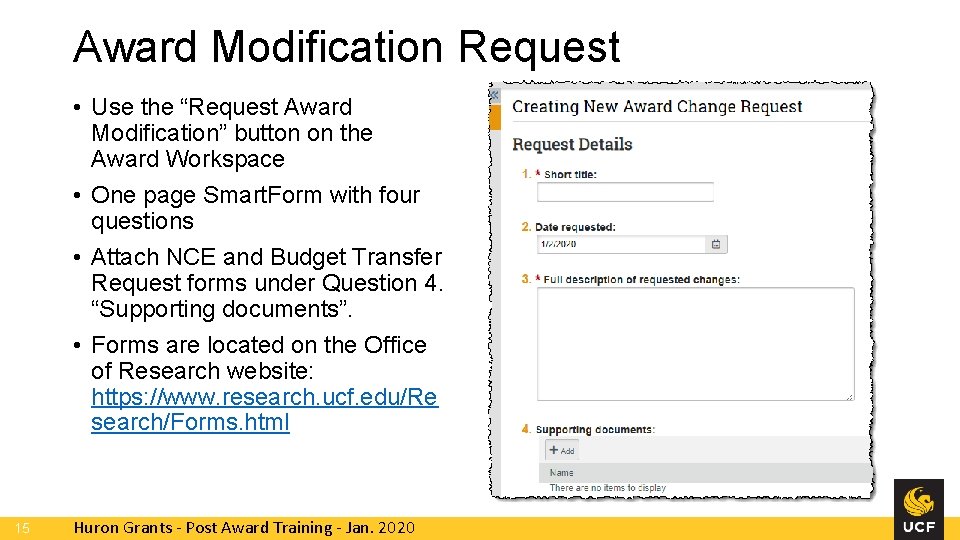
Award Modification Request • Use the “Request Award Modification” button on the Award Workspace • One page Smart. Form with four questions • Attach NCE and Budget Transfer Request forms under Question 4. “Supporting documents”. • Forms are located on the Office of Research website: https: //www. research. ucf. edu/Re search/Forms. html 15 Huron Grants - Post Award Training - Jan. 2020
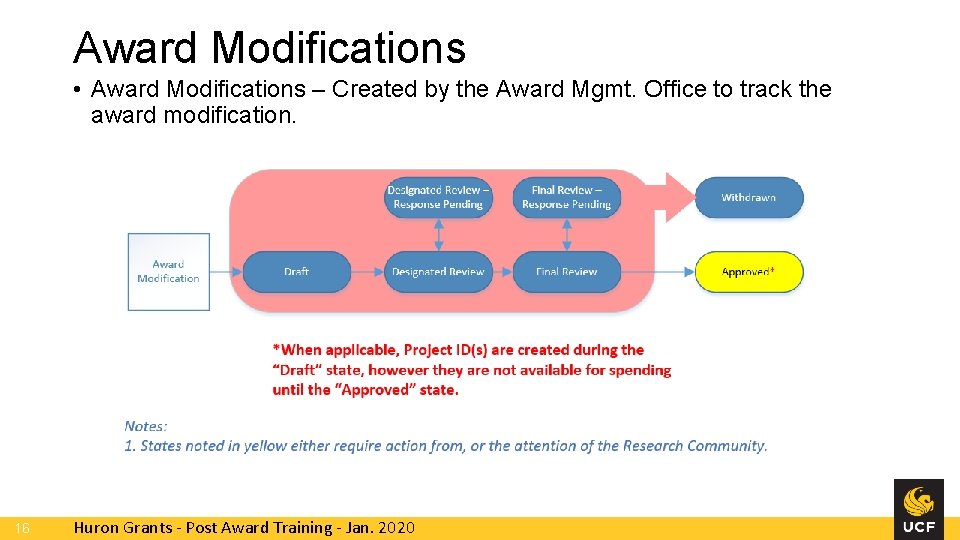
Award Modifications • Award Modifications – Created by the Award Mgmt. Office to track the award modification. 16 Huron Grants - Post Award Training - Jan. 2020
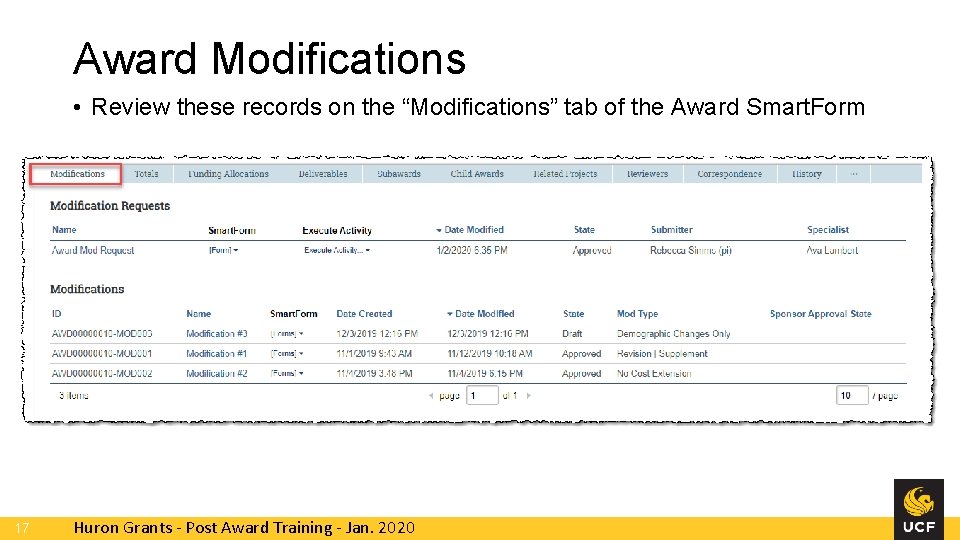
Award Modifications • Review these records on the “Modifications” tab of the Award Smart. Form 17 Huron Grants - Post Award Training - Jan. 2020
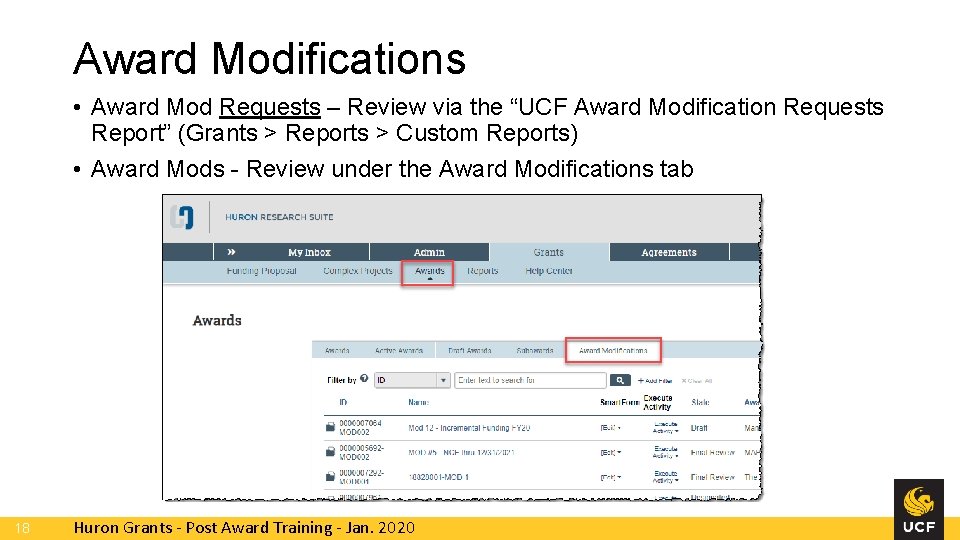
Award Modifications • Award Mod Requests – Review via the “UCF Award Modification Requests Report” (Grants > Reports > Custom Reports) • Award Mods - Review under the Award Modifications tab 18 Huron Grants - Post Award Training - Jan. 2020
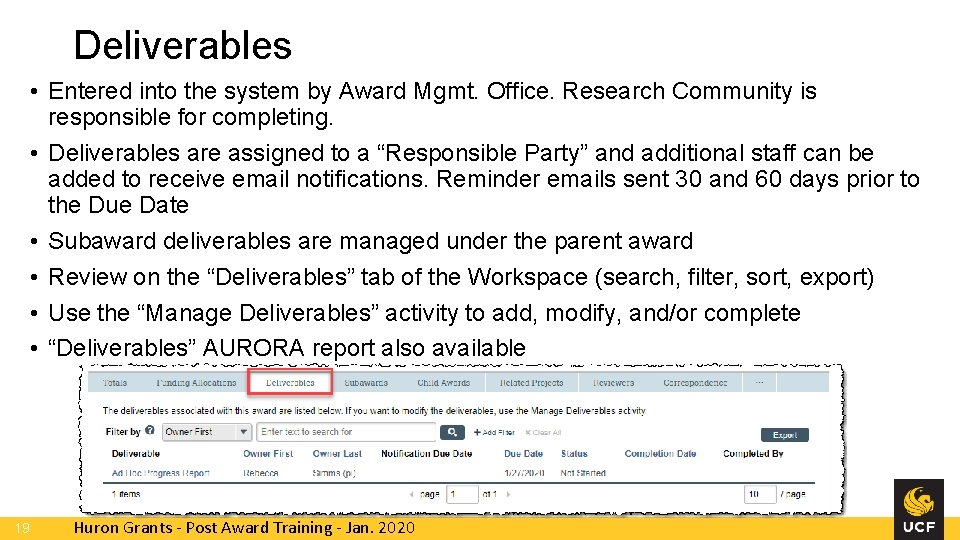
Deliverables • Entered into the system by Award Mgmt. Office. Research Community is responsible for completing. • Deliverables are assigned to a “Responsible Party” and additional staff can be added to receive email notifications. Reminder emails sent 30 and 60 days prior to the Due Date • Subaward deliverables are managed under the parent award • Review on the “Deliverables” tab of the Workspace (search, filter, sort, export) • Use the “Manage Deliverables” activity to add, modify, and/or complete • “Deliverables” AURORA report also available 19 Huron Grants - Post Award Training - Jan. 2020
Additional Resources • Huron Grants Help Center • Grants tab > Help Center tab • Contains reference guides and videos with step-by-step instructions • Wahoo website • https: //wahoo. research. ucf. edu • Contains FAQs, ARGIS to Huron Grants Crosswalk (for converted awards), etc. • GRIT Service Desk • For system issues, please open a ticket by sending an email to GRITService. Desk@ucf. edu. Please include the Huron ID and any screen shots to assist with troubleshooting. 20 Huron Grants - Post Award Training - Jan. 2020
Additional Resources – Office Hours • Live help sessions for hands-on training and practice • Office of Research, DARF, and Research IT staff available on site to assist with questions and issues • Session 1 • Wednesday, January 29 th from 2 – 4 pm • Research Building One, Room 103 • Session 2 • Monday, February 3 rd from 2 – 4 pm • Research Building One, Room 103 21 Huron Grants - Post Award Training - Jan. 2020
Demo 22 Huron Grants - Post Award Training - Jan. 2020
Demo 23 Huron Grants - Post Award Training - Jan. 2020
Office of Research