Graeme Malcolm Senior Content Developer Microsoft Geoff Allix

- Slides: 24
Graeme Malcolm | Senior Content Developer, Microsoft Geoff Allix | Principal Technologist, Content Master
Meet Your Instructors Graeme Malcolm | @graeme_malcolm – Senior content developer at Microsoft – Consultant, trainer, and author since SQL Server 4. 2 Geoff Allix | @Geoff. Allix – Principal Technologist at Content Master – SQL Server specialist consultant, author, and trainer
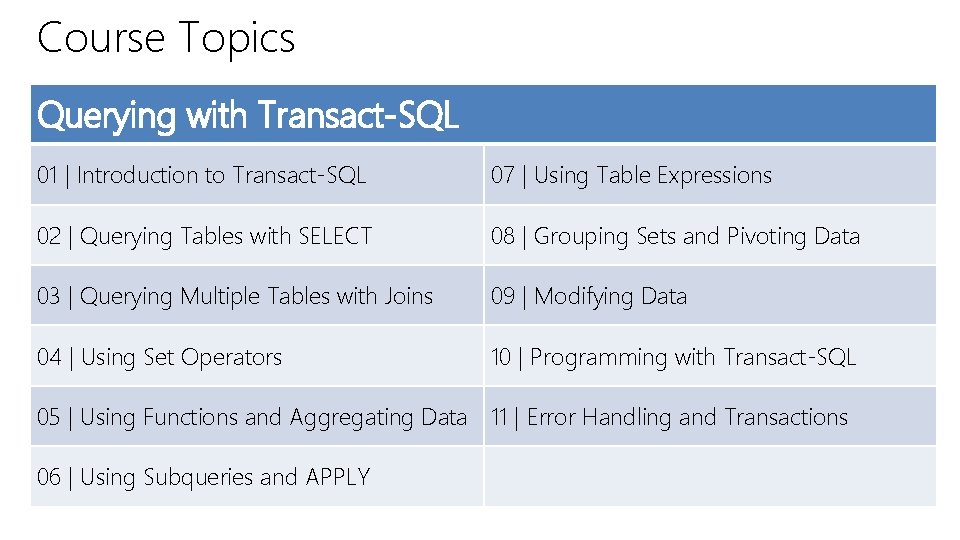
Course Topics Querying with Transact-SQL 01 | Introduction to Transact-SQL 07 | Using Table Expressions 02 | Querying Tables with SELECT 08 | Grouping Sets and Pivoting Data 03 | Querying Multiple Tables with Joins 09 | Modifying Data 04 | Using Set Operators 10 | Programming with Transact-SQL 05 | Using Functions and Aggregating Data 11 | Error Handling and Transactions 06 | Using Subqueries and APPLY
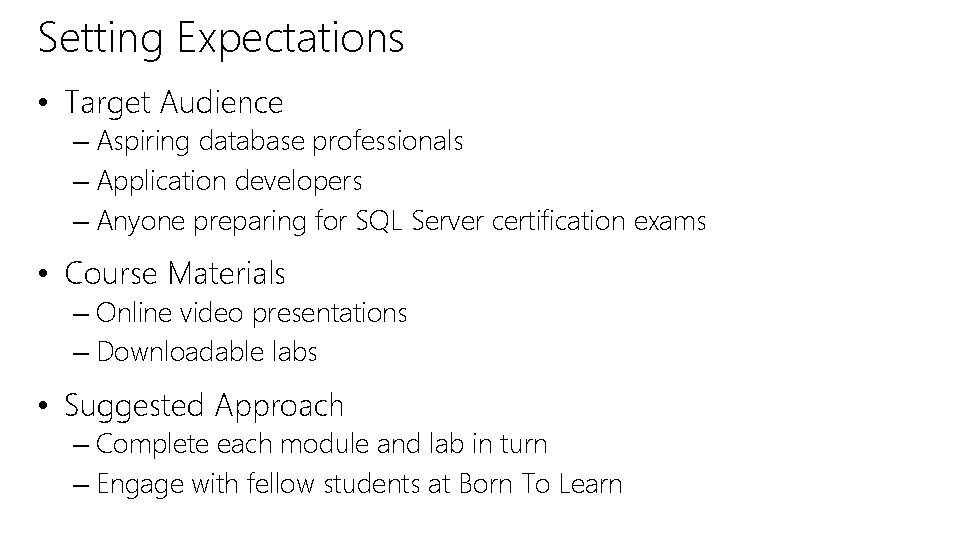
Setting Expectations • Target Audience – Aspiring database professionals – Application developers – Anyone preparing for SQL Server certification exams • Course Materials – Online video presentations – Downloadable labs • Suggested Approach – Complete each module and lab in turn – Engage with fellow students at Born To Learn
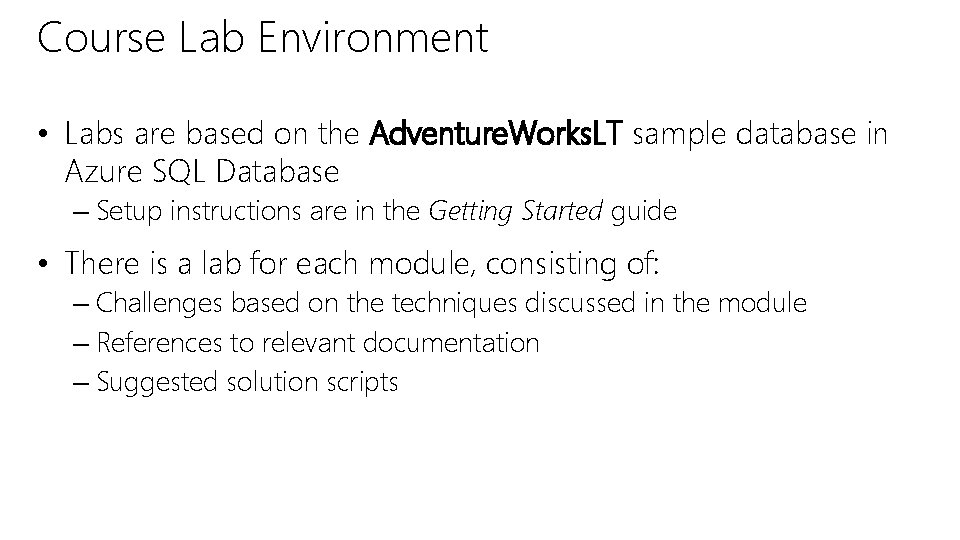
Course Lab Environment • Labs are based on the Adventure. Works. LT sample database in Azure SQL Database – Setup instructions are in the Getting Started guide • There is a lab for each module, consisting of: – Challenges based on the techniques discussed in the module – References to relevant documentation – Suggested solution scripts
DEMO Using Azure SQL Database
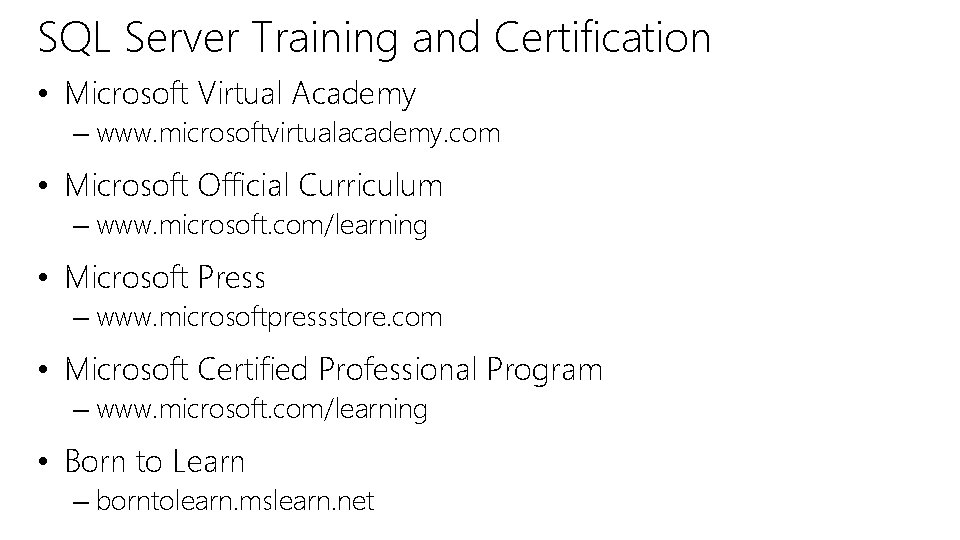
SQL Server Training and Certification • Microsoft Virtual Academy – www. microsoftvirtualacademy. com • Microsoft Official Curriculum – www. microsoft. com/learning • Microsoft Press – www. microsoftpressstore. com • Microsoft Certified Professional Program – www. microsoft. com/learning • Born to Learn – borntolearn. mslearn. net
01 | Introduction to Transact-SQL Graeme Malcolm | Senior Content Developer, Microsoft Geoff Allix | Principal Technologist, Content Master
Module Overview • What is Transact-SQL? • Relational Databases • Schemas and Object Names • SQL Statement Types • The SELECT Statement • Working with Data Types • Working with NULLs
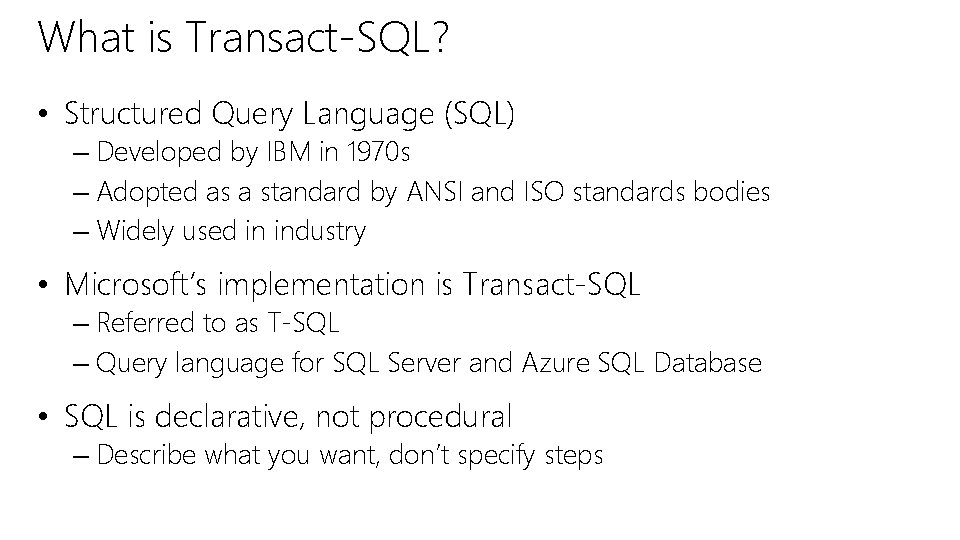
What is Transact-SQL? • Structured Query Language (SQL) – Developed by IBM in 1970 s – Adopted as a standard by ANSI and ISO standards bodies – Widely used in industry • Microsoft’s implementation is Transact-SQL – Referred to as T-SQL – Query language for SQL Server and Azure SQL Database • SQL is declarative, not procedural – Describe what you want, don’t specify steps
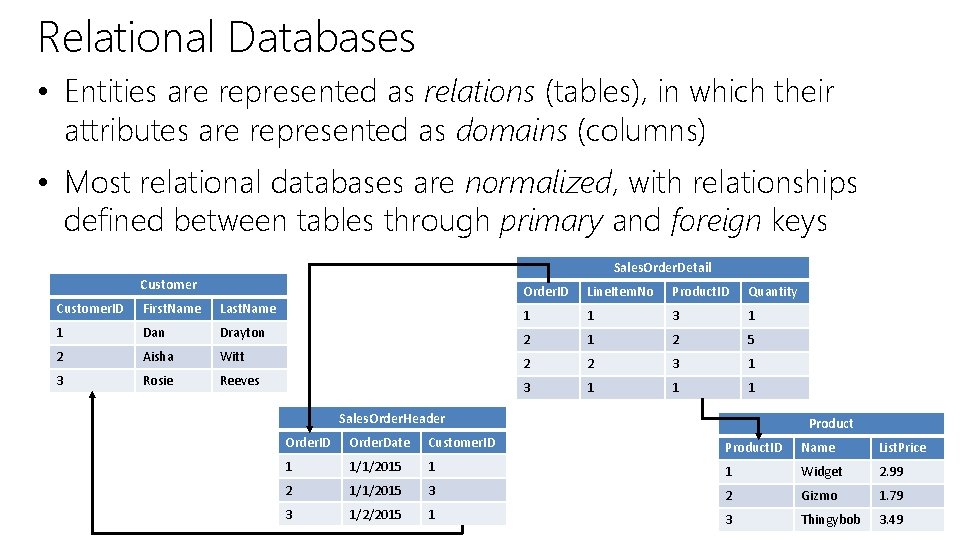
Relational Databases • Entities are represented as relations (tables), in which their attributes are represented as domains (columns) • Most relational databases are normalized, with relationships defined between tables through primary and foreign keys Sales. Order. Detail Customer. ID First. Name Last. Name 1 Dan Drayton 2 Aisha Witt 3 Rosie Reeves Order. ID Line. Item. No Product. ID Quantity 1 1 3 1 2 5 2 2 3 1 1 1 Sales. Order. Header Product Order. ID Order. Date Customer. ID Product. ID Name List. Price 1 1/1/2015 1 1 Widget 2. 99 2 1/1/2015 3 2 Gizmo 1. 79 3 1/2/2015 1 3 Thingybob 3. 49
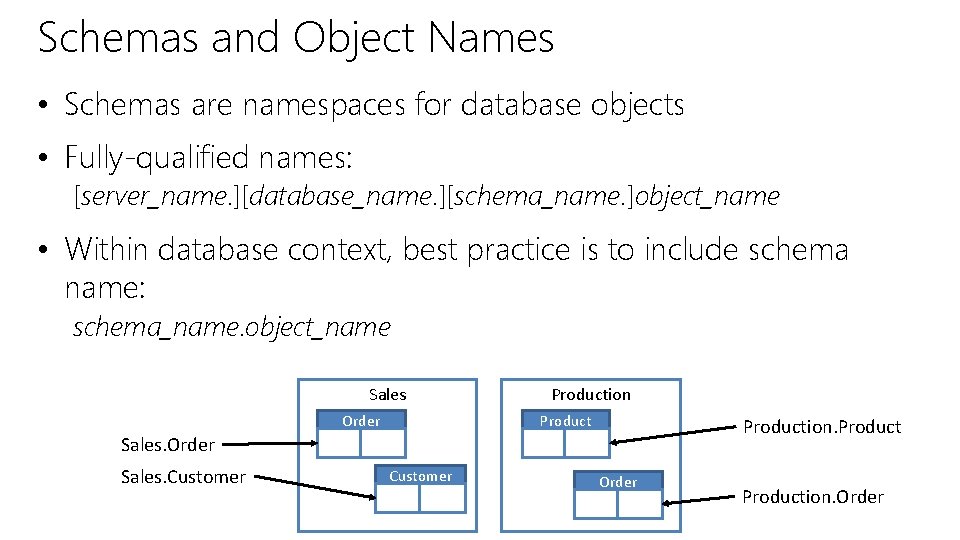
Schemas and Object Names • Schemas are namespaces for database objects • Fully-qualified names: [server_name. ][database_name. ][schema_name. ]object_name • Within database context, best practice is to include schema name: schema_name. object_name Sales Order Production. Product Sales. Order Sales. Customer Order Production. Order
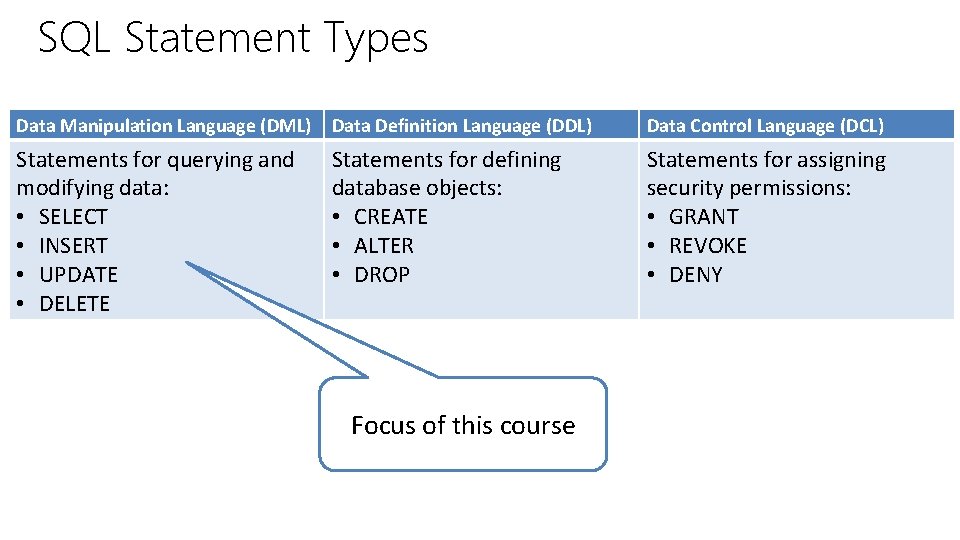
SQL Statement Types Data Manipulation Language (DML) Data Definition Language (DDL) Data Control Language (DCL) Statements for querying and modifying data: • SELECT • INSERT • UPDATE • DELETE Statements for defining database objects: • CREATE • ALTER • DROP Statements for assigning security permissions: • GRANT • REVOKE • DENY Focus of this course
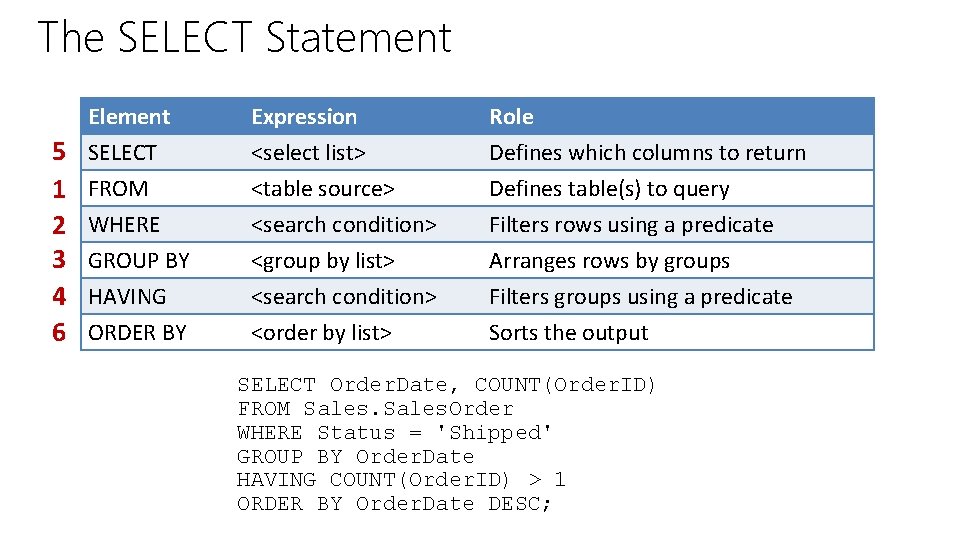
The SELECT Statement 5 1 2 3 4 6 Element SELECT FROM WHERE GROUP BY HAVING ORDER BY Expression <select list> <table source> <search condition> <group by list> <search condition> <order by list> Role Defines which columns to return Defines table(s) to query Filters rows using a predicate Arranges rows by groups Filters groups using a predicate Sorts the output SELECT Order. Date, COUNT(Order. ID) FROM Sales. Order WHERE Status = 'Shipped' GROUP BY Order. Date HAVING COUNT(Order. ID) > 1 ORDER BY Order. Date DESC;
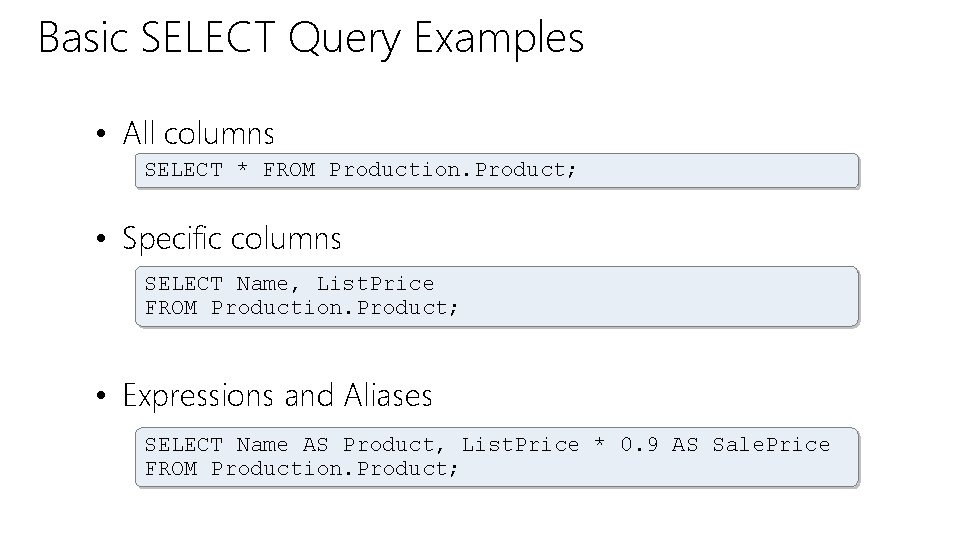
Basic SELECT Query Examples • All columns SELECT * FROM Production. Product; • Specific columns SELECT Name, List. Price FROM Production. Product; • Expressions and Aliases SELECT Name AS Product, List. Price * 0. 9 AS Sale. Price FROM Production. Product;
DEMO Basic SELECT Queries
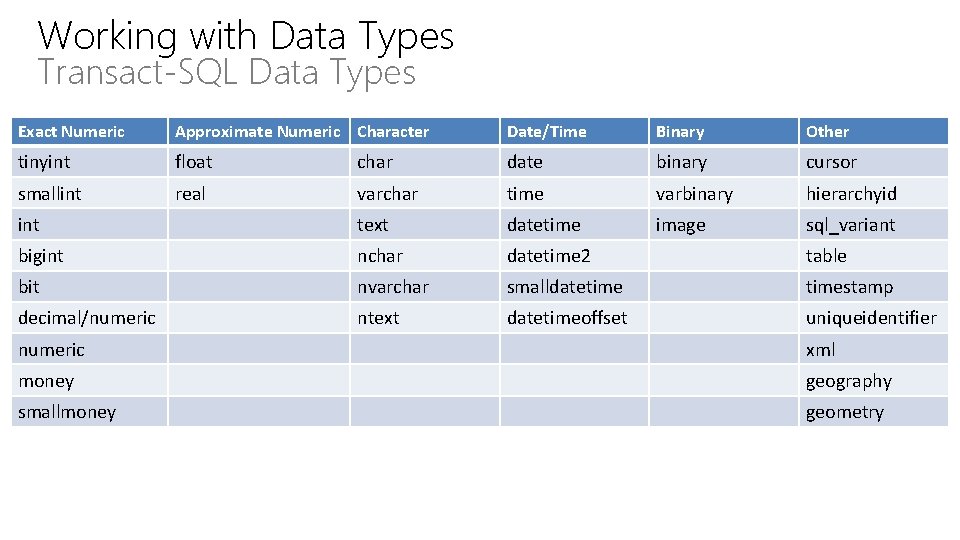
Working with Data Types Transact-SQL Data Types Exact Numeric Approximate Numeric Character Date/Time Binary Other tinyint float char date binary cursor smallint real varchar time varbinary hierarchyid int text datetime image sql_variant bigint nchar datetime 2 table bit nvarchar smalldatetimestamp decimal/numeric ntext datetimeoffset uniqueidentifier numeric xml money geography smallmoney geometry
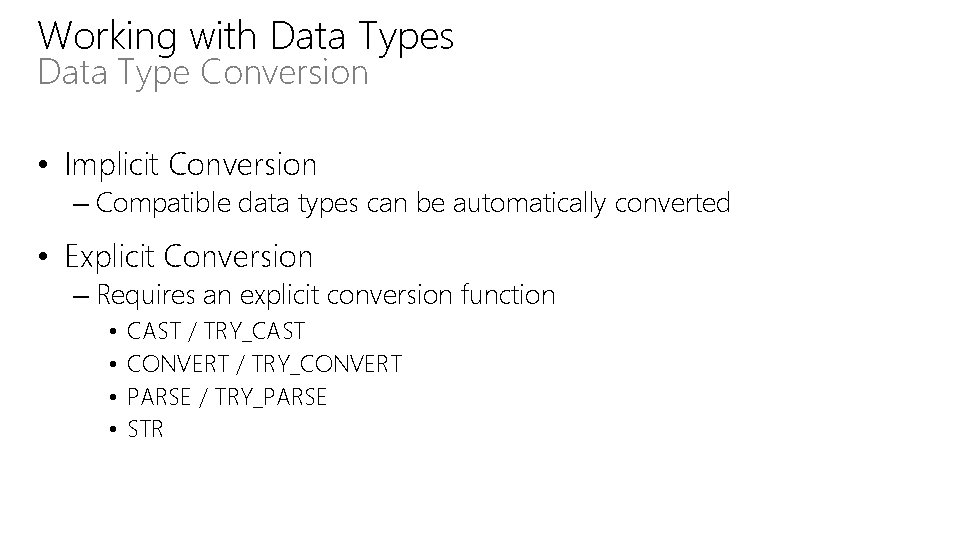
Working with Data Types Data Type Conversion • Implicit Conversion – Compatible data types can be automatically converted • Explicit Conversion – Requires an explicit conversion function • • CAST / TRY_CAST CONVERT / TRY_CONVERT PARSE / TRY_PARSE STR
DEMO Converting Data Types
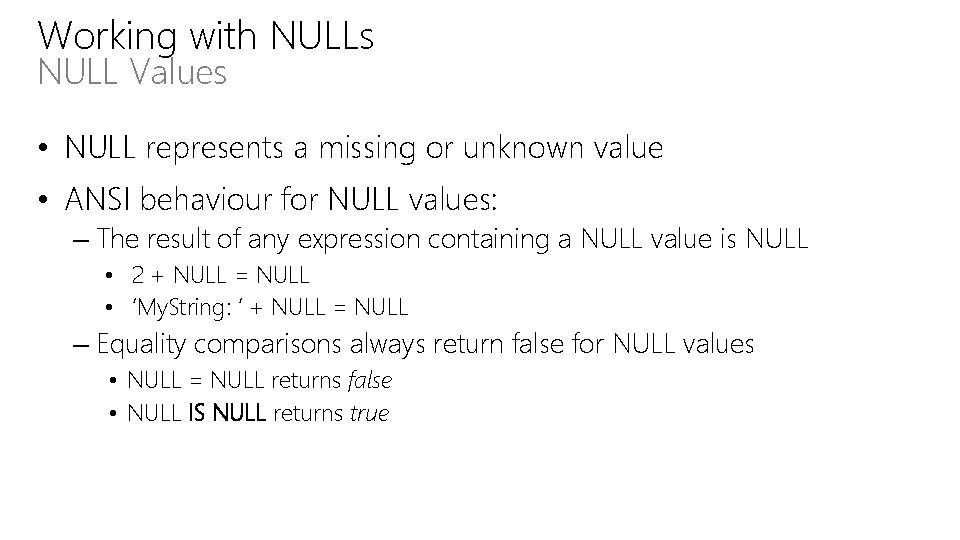
Working with NULLs NULL Values • NULL represents a missing or unknown value • ANSI behaviour for NULL values: – The result of any expression containing a NULL value is NULL • 2 + NULL = NULL • ‘My. String: ‘ + NULL = NULL – Equality comparisons always return false for NULL values • NULL = NULL returns false • NULL IS NULL returns true
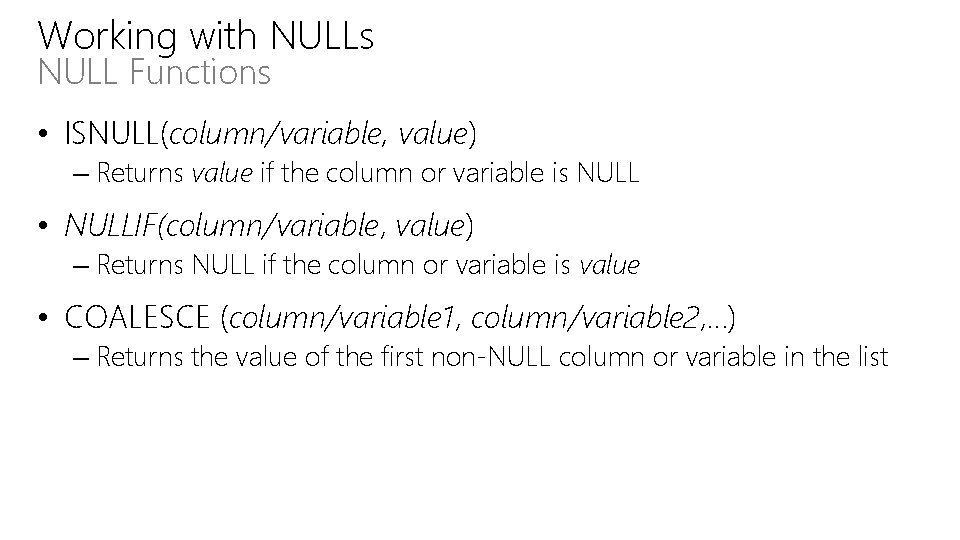
Working with NULLs NULL Functions • ISNULL(column/variable, value) – Returns value if the column or variable is NULL • NULLIF(column/variable, value) – Returns NULL if the column or variable is value • COALESCE (column/variable 1, column/variable 2, …) – Returns the value of the first non-NULL column or variable in the list
DEMO Working with NULLs
Introduction to Transact-SQL • • What is Transact-SQL? Relational Databases Schemas and Object Names SQL Statement Types The SELECT Statement Working with Data Types Working with NULLs • Lab: Introduction to Transact-SQL
© 2014 Microsoft Corporation. All rights reserved. Microsoft, Windows, Office, Azure, System Center, Dynamics and other product names are or may be registered trademarks and/or trademarks in the U. S. and/or other countries. The information herein is for informational purposes only and represents the current view of Microsoft Corporation as of the date of this presentation. Because Microsoft must respond to changing market conditions, it should not be interpreted to be a commitment on the part of Microsoft, and Microsoft cannot guarantee the accuracy of any information provided after the date of this presentation. MICROSOFT MAKES NO WARRANTIES, EXPRESS, IMPLIED OR STATUTORY, AS TO THE INFORMATION IN THIS PRESENTATION.