G I S Unit 2 Ch 6 Data
- Slides: 26
G. I. S Unit 2 Ch 6. Data Input Ch 7. Geometric Transformations
Ch 7. Geometric Transformations Topics to cover 7. 1 Geometric transformation 7. 2 RMS error 7. 3 Its interpretation 7. 4 Re-sampling of pixel values.
7. 1 Geometric transformation • Geometric transformation is the process of using a set of control points and transformation equations. • To register a digitized map, a satellite image, or an aerial photograph onto a projected coordinate system. • As its definition suggests, geometric transformation is a common operation in GIS, remote sensing, and photo-grammetry. but the mathematical aspects of geometric transformation are from coordinate geometry
Map-to-Map Transformation • A newly digitized map, either manually digitized or traced from a scanned file, is based on digitizer units. • Digitizer units can be in inches or dots per inch. • Geometric transformation converts the newly digitized map into projected coordinates in a process often called map-tomap transformation.
Image-to-Map Transformation • Image-to-map transformation applies to remotely sensed data. The term suggests that the transformation changes the rows and columns (i. e. , the image coordinates) of a satellite image into projected coordinates. • Another term describing this kind of transformation is geo referencing A geo- referenced image can register spatially with other feature or raster layers in a GIS database, as long as the coordinate system is the same.
• Whether map-to-map or image-to-map, a geometric transformation uses a set of control points to establish a mathematical model that relates the map coordinates of one system to another or image coordinates to map coordinates. • The use of control points makes the process somewhat uncertain. This is particularly true with image-to-map transformation because control points are selected directly from the original image. Misplacement of the control points can make the transformation result unacceptable.
Transformation Methods • Different methods have been proposed for transformation from one coordinate system to another • Each method is distinguished by the geometric properties it can preserve and by the changes it allows. • The effect of transformation varies from changes of position and direction, to a uniform change of scale, to changes in shape and size. • The following summarizes these transformation methods and their effect on a rectangular object
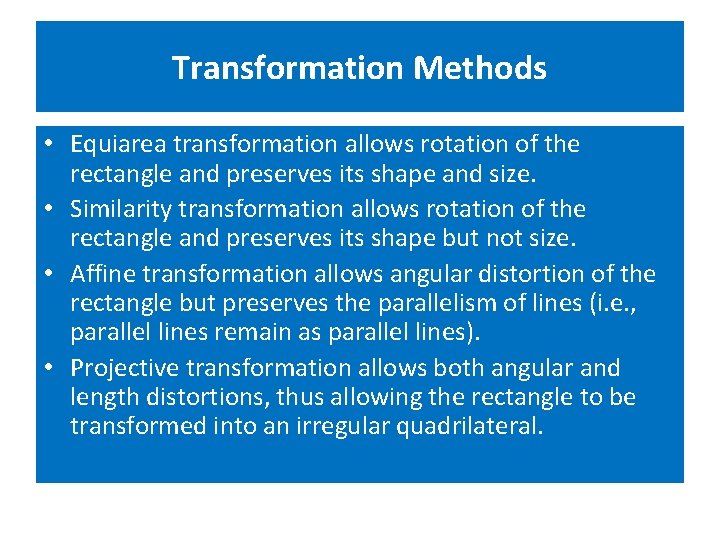
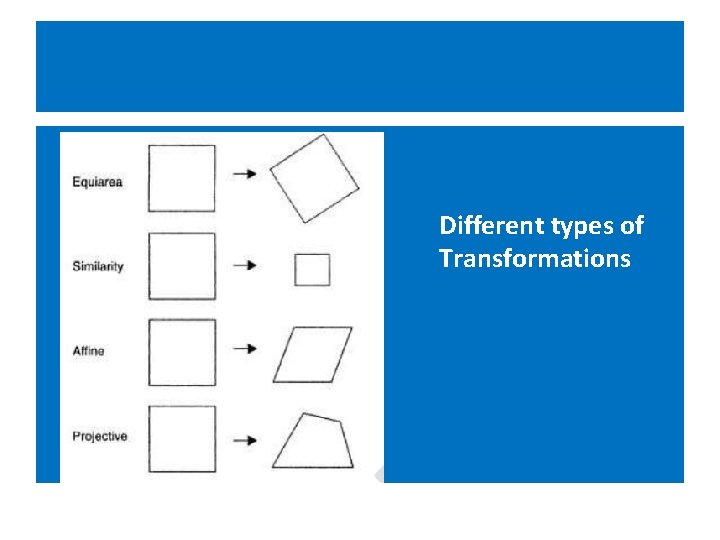
Transformation Methods • Equiarea transformation allows rotation of the rectangle and preserves its shape and size. • Similarity transformation allows rotation of the rectangle and preserves its shape but not size. • Affine transformation allows angular distortion of the rectangle but preserves the parallelism of lines (i. e. , parallel lines remain as parallel lines). • Projective transformation allows both angular and length distortions, thus allowing the rectangle to be transformed into an irregular quadrilateral.
Different types of Transformations
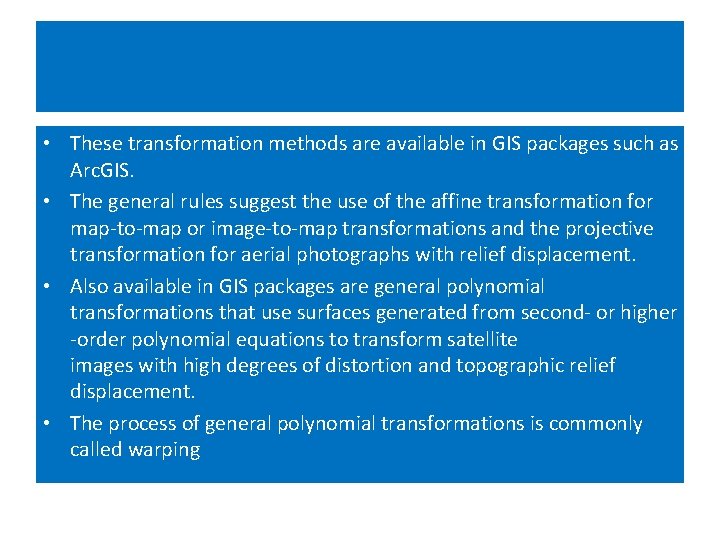
• These transformation methods are available in GIS packages such as Arc. GIS. • The general rules suggest the use of the affine transformation for map-to-map or image-to-map transformations and the projective transformation for aerial photographs with relief displacement. • Also available in GIS packages are general polynomial transformations that use surfaces generated from second- or higher -order polynomial equations to transform satellite images with high degrees of distortion and topographic relief displacement. • The process of general polynomial transformations is commonly called warping
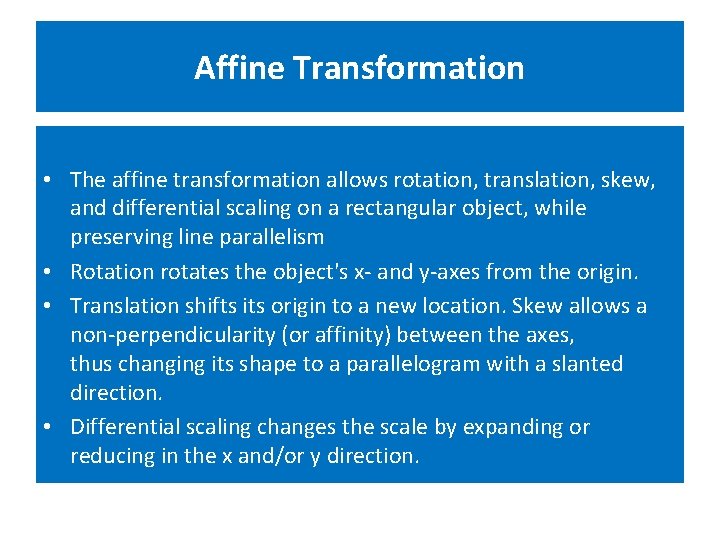
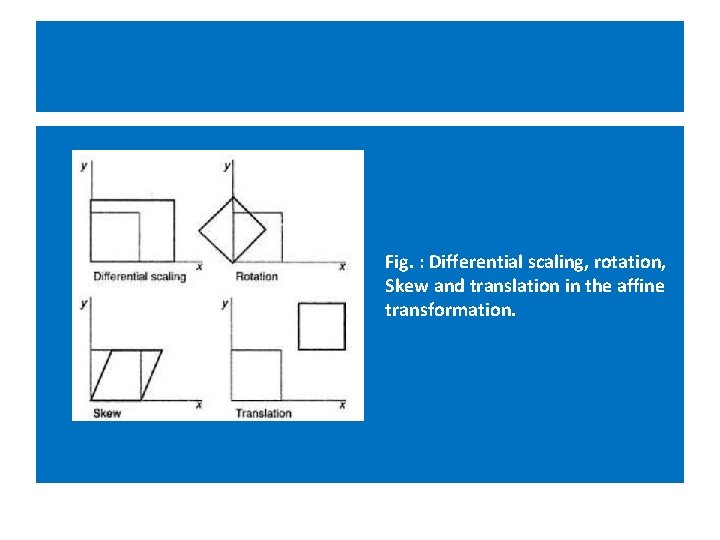
Affine Transformation • The affine transformation allows rotation, translation, skew, and differential scaling on a rectangular object, while preserving line parallelism • Rotation rotates the object's x- and y-axes from the origin. • Translation shifts its origin to a new location. Skew allows a non-perpendicularity (or affinity) between the axes, thus changing its shape to a parallelogram with a slanted direction. • Differential scaling changes the scale by expanding or reducing in the x and/or y direction.
Fig. : Differential scaling, rotation, Skew and translation in the affine transformation.
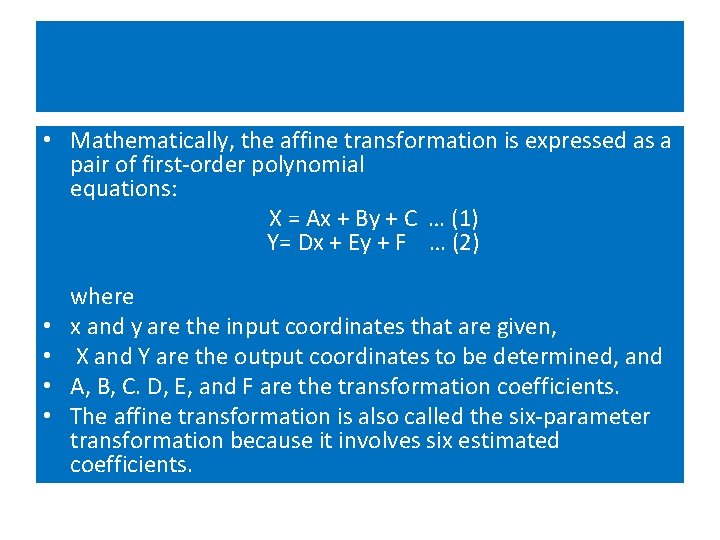
• Mathematically, the affine transformation is expressed as a pair of first-order polynomial equations: X = Ax + By + C … (1) Y= Dx + Ey + F … (2) • • where x and y are the input coordinates that are given, X and Y are the output coordinates to be determined, and A, B, C. D, E, and F are the transformation coefficients. The affine transformation is also called the six-parameter transformation because it involves six estimated coefficients.
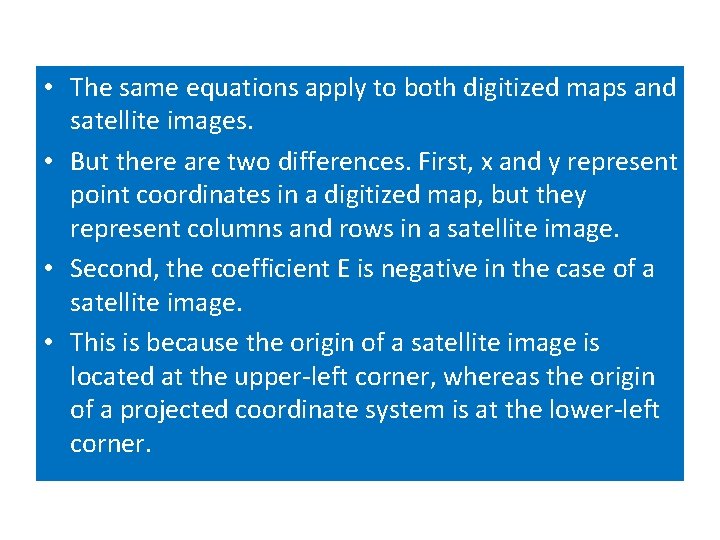
• The same equations apply to both digitized maps and satellite images. • But there are two differences. First, x and y represent point coordinates in a digitized map, but they represent columns and rows in a satellite image. • Second, the coefficient E is negative in the case of a satellite image. • This is because the origin of a satellite image is located at the upper-left corner, whereas the origin of a projected coordinate system is at the lower-left corner.
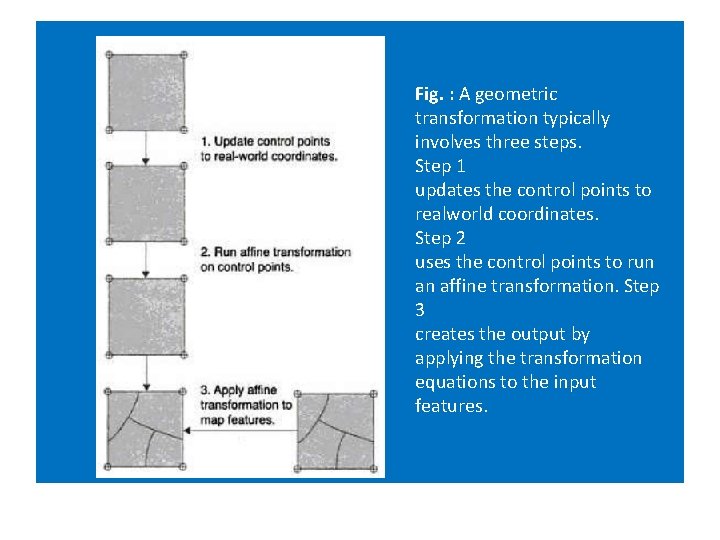
Fig. : A geometric transformation typically involves three steps. Step 1 updates the control points to realworld coordinates. Step 2 uses the control points to run an affine transformation. Step 3 creates the output by applying the transformation equations to the input features.
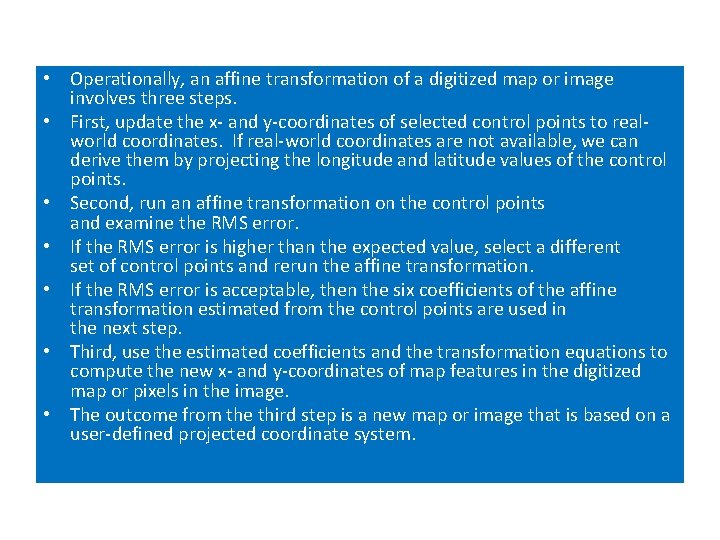
• Operationally, an affine transformation of a digitized map or image involves three steps. • First, update the x- and y-coordinates of selected control points to realworld coordinates. If real-world coordinates are not available, we can derive them by projecting the longitude and latitude values of the control points. • Second, run an affine transformation on the control points and examine the RMS error. • If the RMS error is higher than the expected value, select a different set of control points and rerun the affine transformation. • If the RMS error is acceptable, then the six coefficients of the affine transformation estimated from the control points are used in the next step. • Third, use the estimated coefficients and the transformation equations to compute the new x- and y-coordinates of map features in the digitized map or pixels in the image. • The outcome from the third step is a new map or image that is based on a user-defined projected coordinate system.
7. 2 RMS error • The affine transformation uses the coefficients derived from a set of control points to transform a digitized map or a satellite image. • location of a control point on a digitized map or an image is an estimated location and can deviate from its actual location. • A common measure of the goodness of the control points is the RMS error, which measures the deviation between the actual (true) and estimated (digitized) locations of the control points.
• How is an RMS error derived from a digitized map? • After the six coefficients have been estimated, we can use the digitized coordinates of the first control point as the inputs (i. e. , the x and y values) to Eq. (1) and Eq. (2) and compute the X and Y values, respectively. If the digitized control point were perfectly located, the computed X and Y values would be the same as the control point's real-world coordinates. • But this is rarely the case. • The deviations between the computed (estimated) X and Y values and the actual coordinates then become errors associated with the first control point on the output. Likewise, to derive errors associated with a control point on the input, we can use the point's real-world coordinates as the inputs and measure the deviations between the computed x and y values and the digitized coordinates.
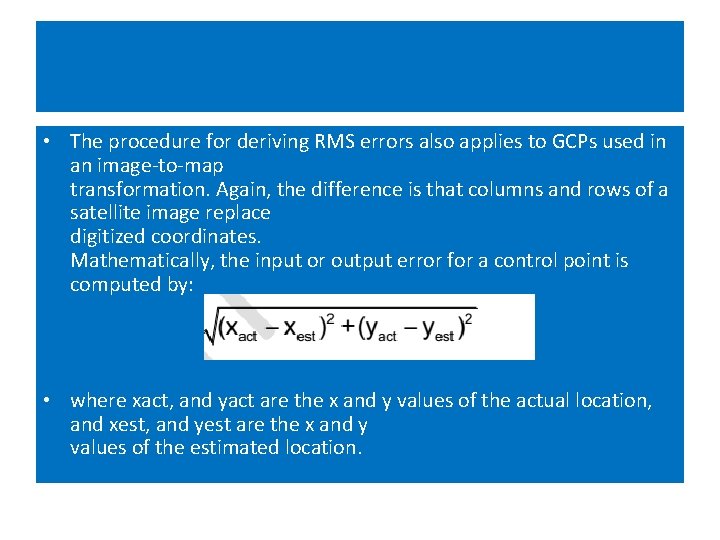
• The procedure for deriving RMS errors also applies to GCPs used in an image-to-map transformation. Again, the difference is that columns and rows of a satellite image replace digitized coordinates. Mathematically, the input or output error for a control point is computed by: • where xact, and yact are the x and y values of the actual location, and xest, and yest are the x and y values of the estimated location.
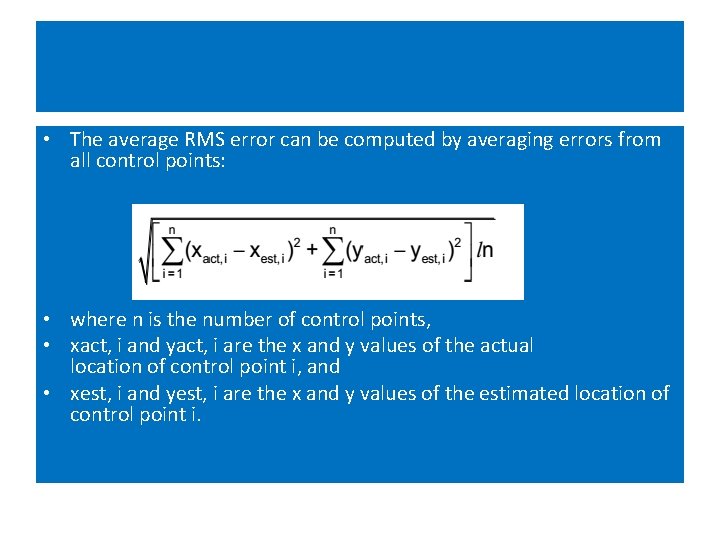
• The average RMS error can be computed by averaging errors from all control points: • where n is the number of control points, • xact, i and yact, i are the x and y values of the actual location of control point i, and • xest, i and yest, i are the x and y values of the estimated location of control point i.
7. 3 RMS error – Its Interpretation on digitized map • If RMS error is within acceptable range, we usually assume that the transformation of the entire map is also acceptable. • Assumption can be sometimes wrong, if gross errors are made in digitizing the control points or in inputting the longitude and latitude readings of the control points.
7. 4 Re-sampling of pixel values. • The result of geometric transformation of a satellite image is a new image based on a projected coordinate system. • But the new image has no pixel values. • The pixel values must be filled through resampling. Resampling in this case means filling each pixel of the new image with a value or a derived value from the original image.
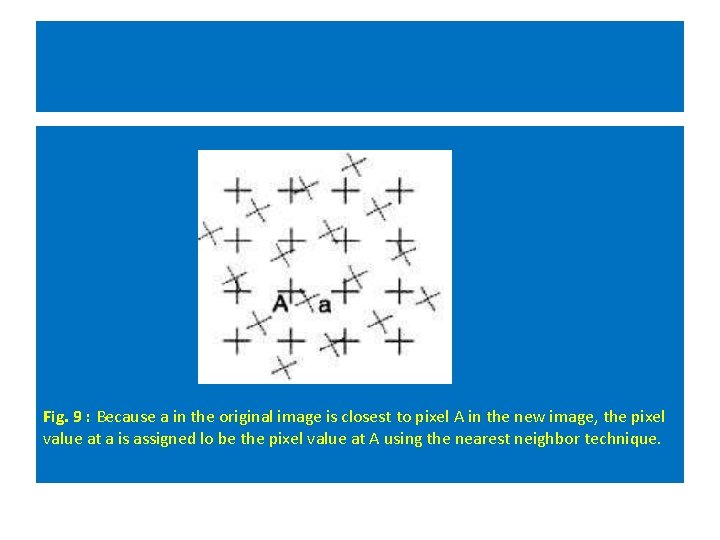
Resampling Methods • Three common resampling methods are • nearest neighbor, • bilinear interpolation, and • cubic convolution. • The nearest neighbor resampling method fills each pixel of the new image with the nearest pixel value from the original image. • For example, Figure 9 shows that pixel A in the new image will take the value of pixel a in the original image because it is the closest neighbor. • The nearest neighbor method is computationally efficient. The method has the additional property of preserving the original pixel values, which is important for categorical data such as land cover types and desirable for some image processing such as edge detection.
Fig. 9 : Because a in the original image is closest to pixel A in the new image, the pixel value at a is assigned lo be the pixel value at A using the nearest neighbor technique.
• The bilinear interpolation method uses the average of the four nearest pixel values from three linear interpolations, whereas the cubic convolution method uses the average of the 16 nearest pixel values from five cubic polynomial interpolations. • Cubic convolution tends to produce a smoother output man bilinear interpolation but requires a longer processing time.
Other Uses of Resampling • Pyramiding: GIS packages have adopted pyramiding for displaying large raster data sets. • Pyramiding build difference pyramid levels to represent reduced or lower resolutions of larger raster. • Because a lower resolution raster required lern memory space, it can display