FI Master Data Center http www txstate edugaofimd



- Slides: 37
FI Master Data Center http: //www. txstate. edu/gao/fimd/ Vendor Maintenance and SAP Chart of Accounts February 21, 2014
FI Master Data 245 -9034 fimdc@txstate. edu Eduardo Plaza James Webb Team Lead and Systems Analyst 245 -4895 plaza@txstate. edu Director of Accounting 245 -2748 jwebb@txstate. edu Jackie Price Marketa Willis Accounting Clerk II – FIMDC 245 -9284 jp 54@txstate. edu Accounting Clerk II – FIMDC 245 -8817 mw 34@txstate. edu
Agenda v Overview of SAP Master Data v FI Master Data Center web site (www. txstate. edu/gao/fimd) v Vendor Maintenance – Forms & Procedures – Frequently Asked Questions (FAQs) – Questions & Answers v Chart of Accounts 3
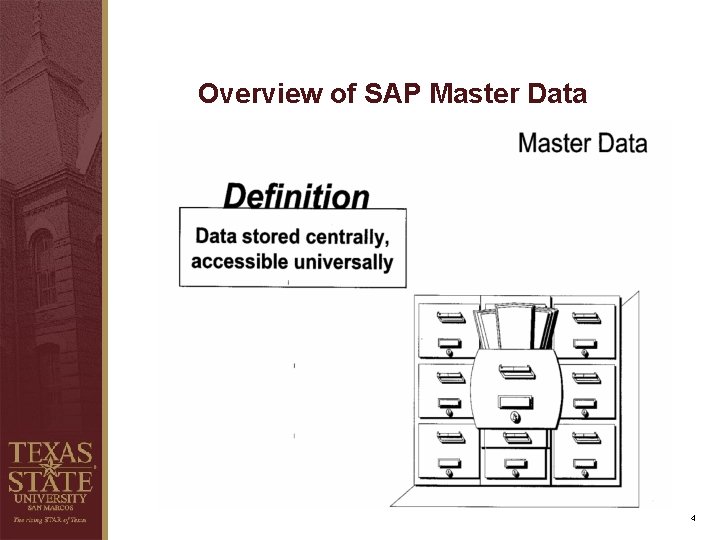
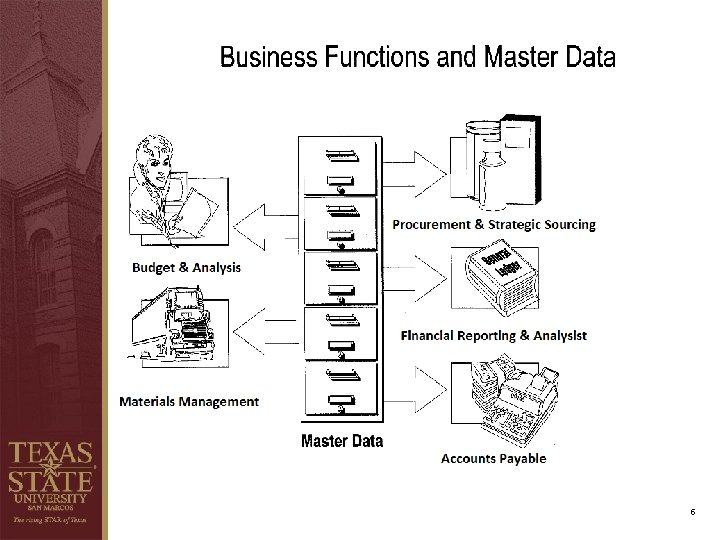
Overview of SAP Master Data 4
5
FI Master Data Center site (www. txstate. edu/gao/fimd) 6
Vendor Maintenance Ø Forms & Procedures Ø Vendor Maintenance Security Ø Vendor Direct Deposit Agreement Ø Frequently Asked Questions (FAQs) Ø Questions & Answers 7
Vendor Maintenance Please note that due to the confidential nature of the data included in the vendor maintenance form (SSNs and/or Banking information) and as an observation during an audit performed on the vendor maintenance process, if you keep a paper/digital copy of the form, you MUST follow University Policy (UPPS 04. 01) on securing Texas State Information Resources. Our suggested method is for the FI Master Data Center to receive the forms directly. Once the vendor is setup in the system we will notify the individual provided in section F of the form.
Vendor Maintenance Ø Forms & Procedures Ø Vendor Maintenance Security Ø Vendor Direct Deposit Agreement Ø Frequently Asked Questions (FAQs) Ø Questions & Answers 9
Break
General Accounting Office http: //www. txstate. edu/gao Chart of Accounts February 21, 2014
What is an Account? Ø An account* is generally a 20 digit number that gives information about the source of funding and the department or university organizational unit that is receiving or spending money. *Note: In this presentation we’ll focus primarily on revenue and expense accounts, not balance sheet accounts. Balance sheet accounts use one element comprising 10 digits. Ø The 20 digits are made up of either: “Fund” + “Cost Center, ” or “Fund” + “Internal Order. ” Ø Accounts are either assigned a pre-determined budget by the Office of Budget, Financial Planning, & Analysis or generate their own budget by receiving funds. Budgets give the account manager authority to spend the funds in accordance with university policy. 12
What is a Fund? Ø Method of grouping like accounts based on the type of revenue, not the planned expenses. Ø Allowable expenses from the account are affected by the source of funding. Ø Four main sources of funding cover the operations of most university departments: § E&G, § Designated, § Auxiliary, and § Restricted. 13
E&G Funds Ø E&G funds account for state appropriations: § General Revenue Appropriations, § HEAF Appropriations, § Staff Benefits Appropriations, or § Other State Appropriations. Ø Funds that start with “ 1. ” Ø Generally used to pay salaries and benefits and for assets acquired through HEAF. Ø Generally more restrictive than “M&O” accounts. 14
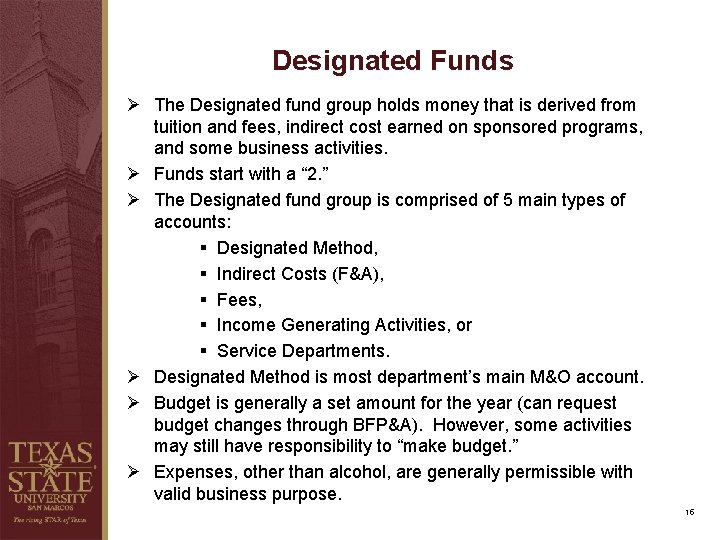
Designated Funds Ø The Designated fund group holds money that is derived from tuition and fees, indirect cost earned on sponsored programs, and some business activities. Ø Funds start with a “ 2. ” Ø The Designated fund group is comprised of 5 main types of accounts: § Designated Method, § Indirect Costs (F&A), § Fees, § Income Generating Activities, or § Service Departments. Ø Designated Method is most department’s main M&O account. Ø Budget is generally a set amount for the year (can request budget changes through BFP&A). However, some activities may still have responsibility to “make budget. ” Ø Expenses, other than alcohol, are generally permissible with valid business purpose. 15
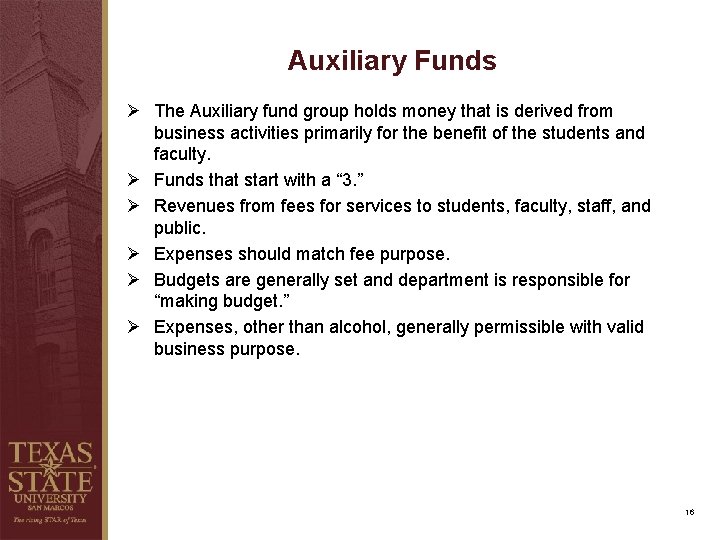
Auxiliary Funds Ø The Auxiliary fund group holds money that is derived from business activities primarily for the benefit of the students and faculty. Ø Funds that start with a “ 3. ” Ø Revenues from fees for services to students, faculty, staff, and public. Ø Expenses should match fee purpose. Ø Budgets are generally set and department is responsible for “making budget. ” Ø Expenses, other than alcohol, generally permissible with valid business purpose. 16
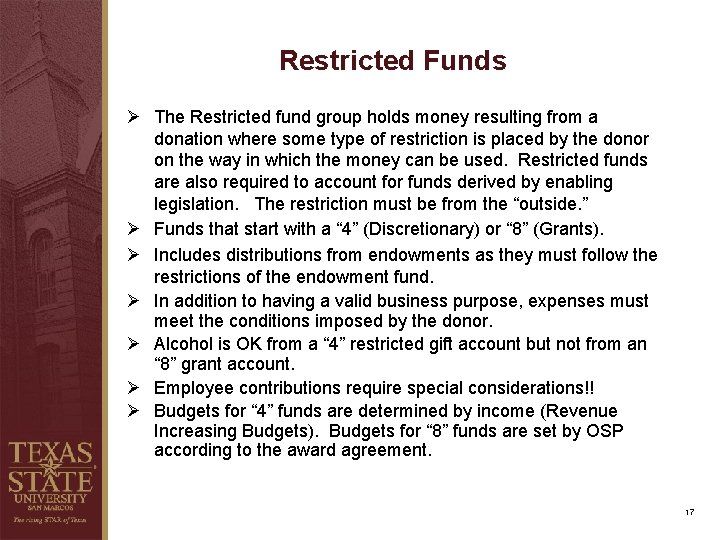
Restricted Funds Ø The Restricted fund group holds money resulting from a donation where some type of restriction is placed by the donor on the way in which the money can be used. Restricted funds are also required to account for funds derived by enabling legislation. The restriction must be from the “outside. ” Ø Funds that start with a “ 4” (Discretionary) or “ 8” (Grants). Ø Includes distributions from endowments as they must follow the restrictions of the endowment fund. Ø In addition to having a valid business purpose, expenses must meet the conditions imposed by the donor. Ø Alcohol is OK from a “ 4” restricted gift account but not from an “ 8” grant account. Ø Employee contributions require special considerations!! Ø Budgets for “ 4” funds are determined by income (Revenue Increasing Budgets). Budgets for “ 8” funds are set by OSP according to the award agreement. 17
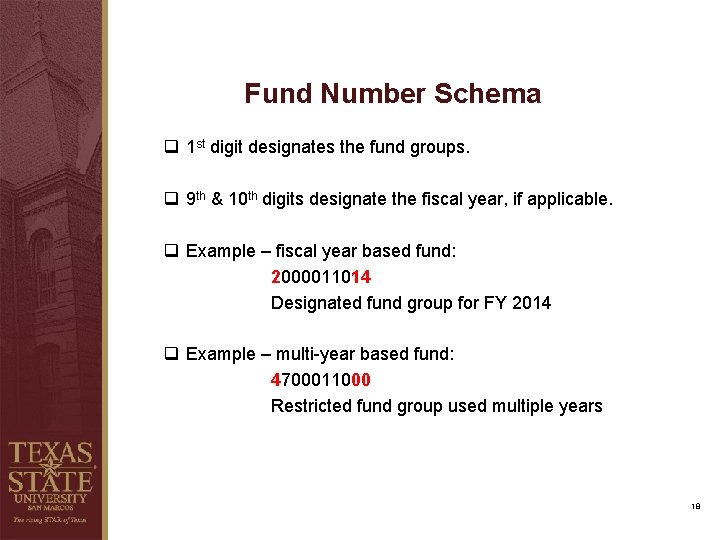
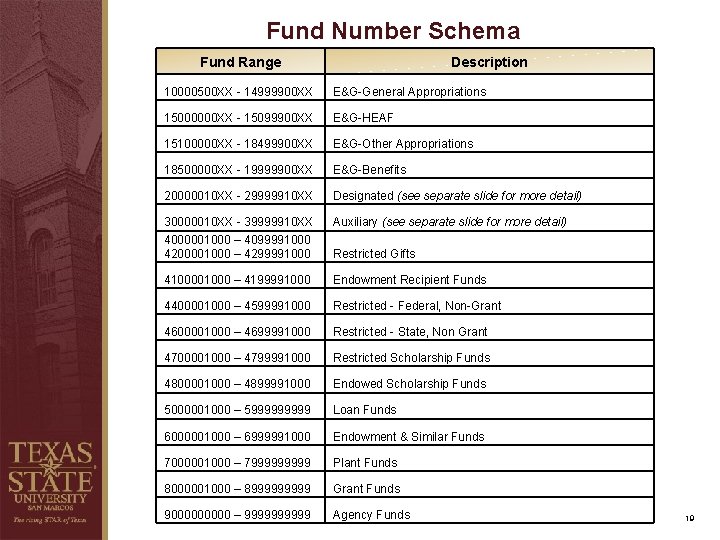
Fund Number Schema q 1 st digit designates the fund groups. q 9 th & 10 th digits designate the fiscal year, if applicable. q Example – fiscal year based fund: 2000011014 Designated fund group for FY 2014 q Example – multi-year based fund: 4700011000 Restricted fund group used multiple years 18
Fund Number Schema Fund Range Description 10000500 XX - 14999900 XX E&G-General Appropriations 15000000 XX - 15099900 XX E&G-HEAF 15100000 XX - 18499900 XX E&G-Other Appropriations 18500000 XX - 19999900 XX E&G-Benefits 20000010 XX - 29999910 XX Designated (see separate slide for more detail) 30000010 XX - 39999910 XX 4000001000 – 4099991000 4200001000 – 4299991000 Auxiliary (see separate slide for more detail) 4100001000 – 4199991000 Endowment Recipient Funds 4400001000 – 4599991000 Restricted - Federal, Non-Grant 4600001000 – 4699991000 Restricted - State, Non Grant 4700001000 – 4799991000 Restricted Scholarship Funds 4800001000 – 4899991000 Endowed Scholarship Funds 5000001000 – 599999 Loan Funds 6000001000 – 6999991000 Endowment & Similar Funds 7000001000 – 799999 Plant Funds 8000001000 – 899999 Grant Funds 900000 – 99999 Agency Funds Restricted Gifts 19
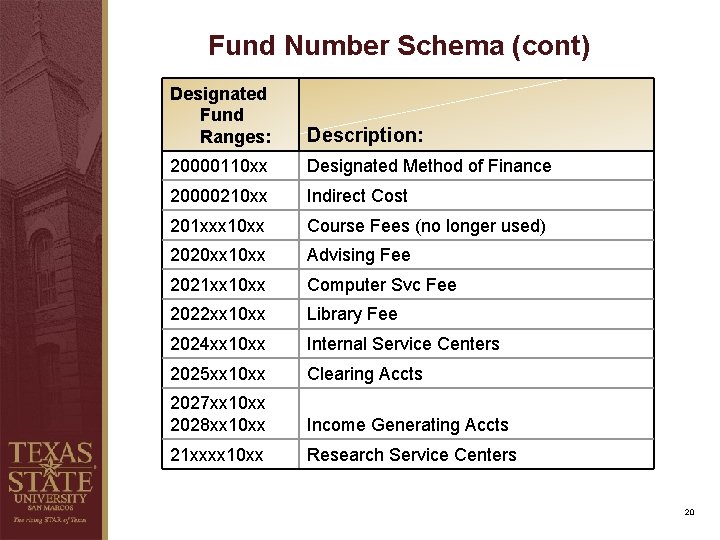
Fund Number Schema (cont) Designated Fund Ranges: Description: 20000110 xx Designated Method of Finance 20000210 xx Indirect Cost 201 xxx 10 xx Course Fees (no longer used) 2020 xx 10 xx Advising Fee 2021 xx 10 xx Computer Svc Fee 2022 xx 10 xx Library Fee 2024 xx 10 xx Internal Service Centers 2025 xx 10 xx Clearing Accts 2027 xx 10 xx 2028 xx 10 xx Income Generating Accts 21 xxxx 10 xx Research Service Centers 20
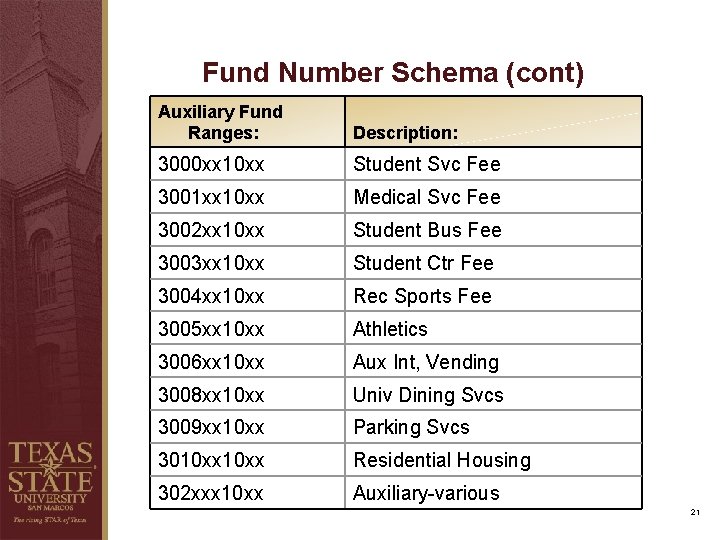
Fund Number Schema (cont) Auxiliary Fund Ranges: Description: 3000 xx 10 xx Student Svc Fee 3001 xx 10 xx Medical Svc Fee 3002 xx 10 xx Student Bus Fee 3003 xx 10 xx Student Ctr Fee 3004 xx 10 xx Rec Sports Fee 3005 xx 10 xx Athletics 3006 xx 10 xx Aux Int, Vending 3008 xx 10 xx Univ Dining Svcs 3009 xx 10 xx Parking Svcs 3010 xx Residential Housing 302 xxx 10 xx Auxiliary-various 21
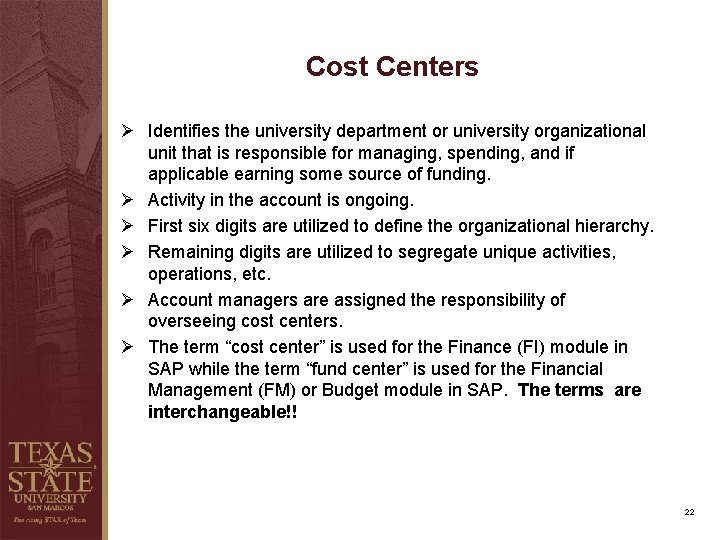
Cost Centers Ø Identifies the university department or university organizational unit that is responsible for managing, spending, and if applicable earning some source of funding. Ø Activity in the account is ongoing. Ø First six digits are utilized to define the organizational hierarchy. Ø Remaining digits are utilized to segregate unique activities, operations, etc. Ø Account managers are assigned the responsibility of overseeing cost centers. Ø The term “cost center” is used for the Finance (FI) module in SAP while the term “fund center” is used for the Financial Management (FM) or Budget module in SAP. The terms are interchangeable!! 22
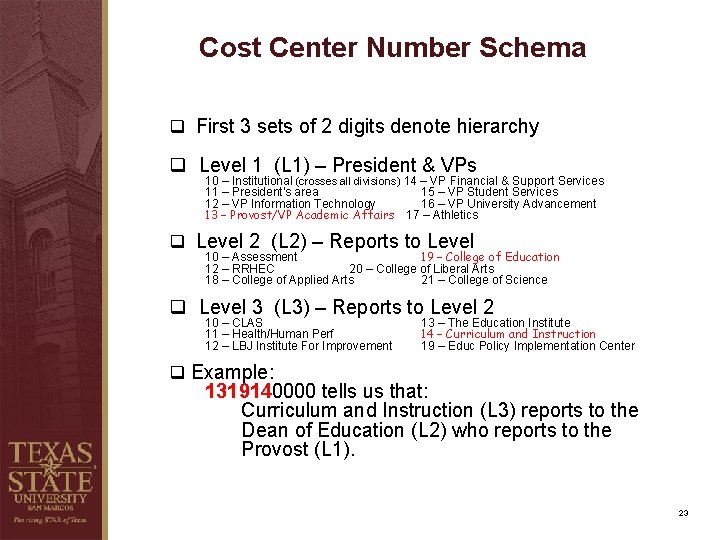
Cost Center Number Schema q First 3 sets of 2 digits denote hierarchy q Level 1 (L 1) – President & VPs 10 – Institutional (crosses all divisions) 14 – VP Financial & Support Services 11 – President’s area 15 – VP Student Services 12 – VP Information Technology 16 – VP University Advancement 13 – Provost/VP Academic Affairs 17 – Athletics q Level 2 (L 2) – Reports to Level 10 – Assessment 19 – College of Education 12 – RRHEC 20 – College of Liberal Arts 18 – College of Applied Arts 21 – College of Science q Level 3 (L 3) – Reports to Level 2 10 – CLAS 11 – Health/Human Perf 12 – LBJ Institute For Improvement 13 – The Education Institute 14 – Curriculum and Instruction 19 – Educ Policy Implementation Center q Example: 1319140000 tells us that: Curriculum and Instruction (L 3) reports to the Dean of Education (L 2) who reports to the Provost (L 1). 23
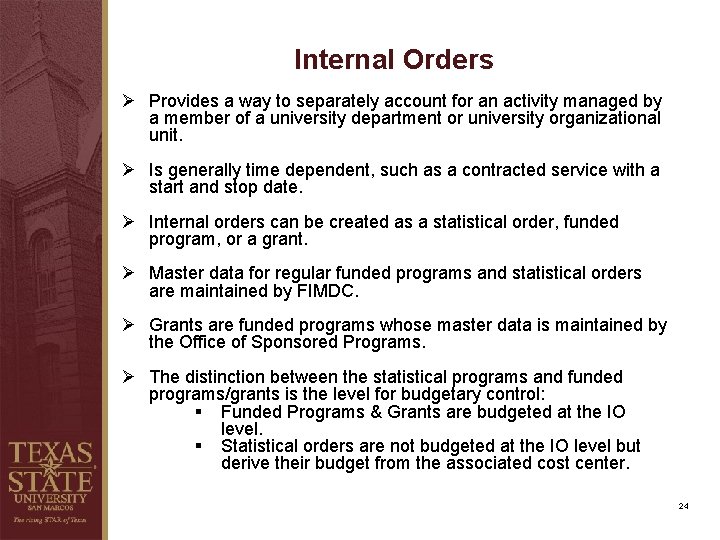
Internal Orders Ø Provides a way to separately account for an activity managed by a member of a university department or university organizational unit. Ø Is generally time dependent, such as a contracted service with a start and stop date. Ø Internal orders can be created as a statistical order, funded program, or a grant. Ø Master data for regular funded programs and statistical orders are maintained by FIMDC. Ø Grants are funded programs whose master data is maintained by the Office of Sponsored Programs. Ø The distinction between the statistical programs and funded programs/grants is the level for budgetary control: § Funded Programs & Grants are budgeted at the IO level. § Statistical orders are not budgeted at the IO level but derive their budget from the associated cost center. 24
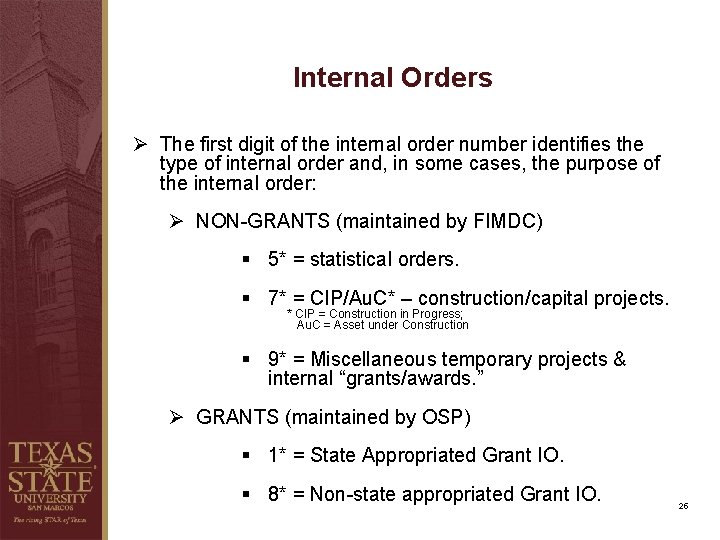
Internal Orders Ø The first digit of the internal order number identifies the type of internal order and, in some cases, the purpose of the internal order: Ø NON-GRANTS (maintained by FIMDC) § 5* = statistical orders. § 7* = CIP/Au. C* – construction/capital projects. * CIP = Construction in Progress; Au. C = Asset under Construction § 9* = Miscellaneous temporary projects & internal “grants/awards. ” Ø GRANTS (maintained by OSP) § 1* = State Appropriated Grant IO. § 8* = Non-state appropriated Grant IO. 25
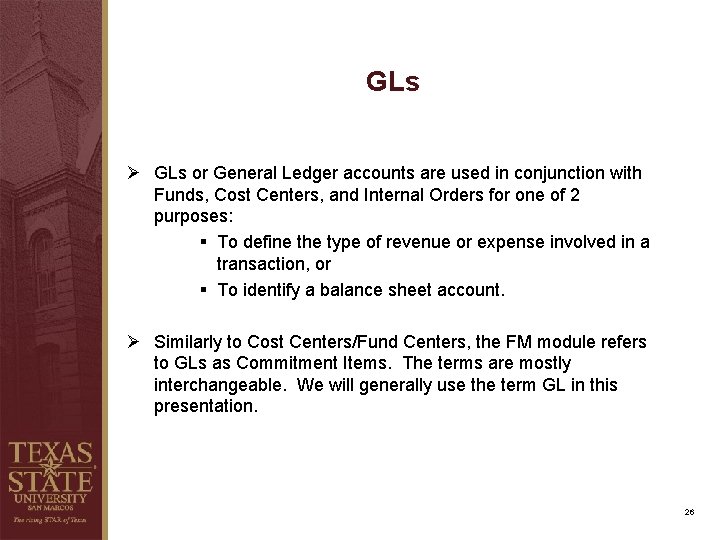
GLs Ø GLs or General Ledger accounts are used in conjunction with Funds, Cost Centers, and Internal Orders for one of 2 purposes: § To define the type of revenue or expense involved in a transaction, or § To identify a balance sheet account. Ø Similarly to Cost Centers/Fund Centers, the FM module refers to GLs as Commitment Items. The terms are mostly interchangeable. We will generally use the term GL in this presentation. 26
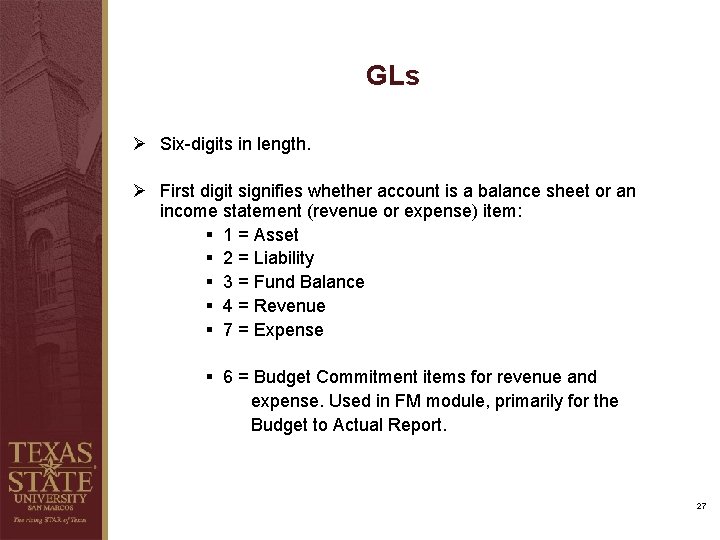
GLs Ø Six-digits in length. Ø First digit signifies whether account is a balance sheet or an income statement (revenue or expense) item: § 1 = Asset § 2 = Liability § 3 = Fund Balance § 4 = Revenue § 7 = Expense § 6 = Budget Commitment items for revenue and expense. Used in FM module, primarily for the Budget to Actual Report. 27
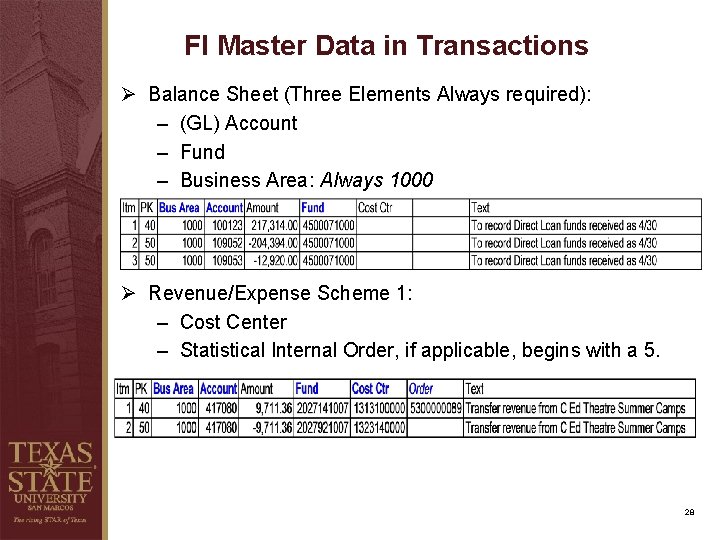
FI Master Data in Transactions Ø Balance Sheet (Three Elements Always required): – (GL) Account – Fund – Business Area: Always 1000 Ø Revenue/Expense Scheme 1: – Cost Center – Statistical Internal Order, if applicable, begins with a 5. 28
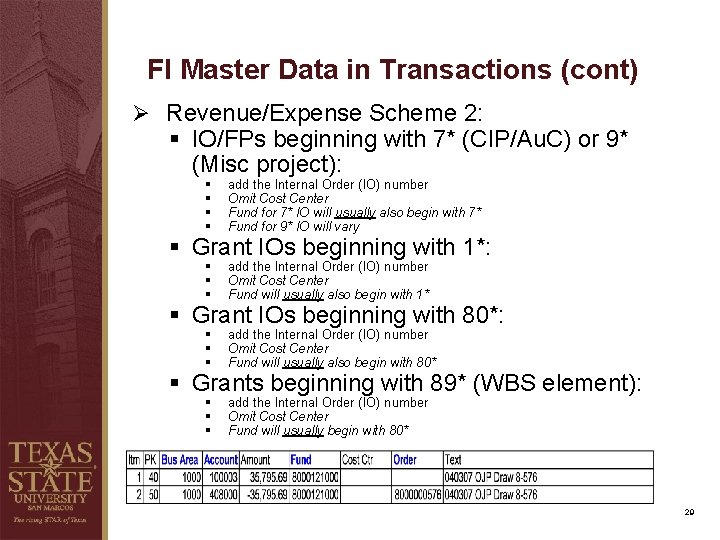
FI Master Data in Transactions (cont) Ø Revenue/Expense Scheme 2: § IO/FPs beginning with 7* (CIP/Au. C) or 9* (Misc project): § § add the Internal Order (IO) number Omit Cost Center Fund for 7* IO will usually also begin with 7* Fund for 9* IO will vary § § § add the Internal Order (IO) number Omit Cost Center Fund will usually also begin with 1* § § § add the Internal Order (IO) number Omit Cost Center Fund will usually also begin with 80* § § § add the Internal Order (IO) number Omit Cost Center Fund will usually begin with 80* § Grant IOs beginning with 1*: § Grant IOs beginning with 80*: § Grants beginning with 89* (WBS element): 29
Account Request Forms http: //www. txstate. edu/gao/fimd/forms. html 30
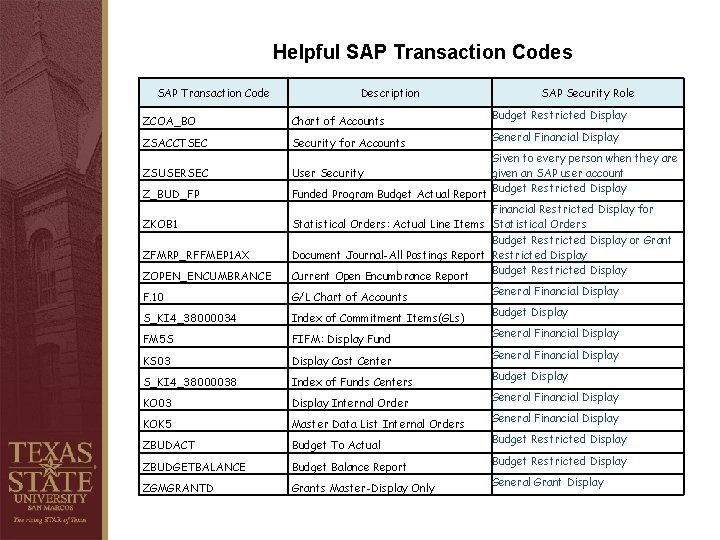
Helpful SAP Transaction Codes SAP Transaction Code Description ZCOA_BO Chart of Accounts ZSACCTSEC Security for Accounts ZSUSERSEC User Security Z_BUD_FP Funded Program Budget Actual Report ZKOB 1 ZFMRP_RFFMEP 1 AX ZOPEN_ENCUMBRANCE F. 10 S_KI 4_38000034 FM 5 S KS 03 S_KI 4_38000038 KO 03 KOK 5 ZBUDACT ZBUDGETBALANCE ZGMGRANTD SAP Security Role Budget Restricted Display General Financial Display Given to every person when they are given an SAP user account Budget Restricted Display Financial Restricted Display for Statistical Orders: Actual Line Items Statistical Orders Budget Restricted Display or Grant Document Journal-All Postings Report Restricted Display Budget Restricted Display Current Open Encumbrance Report General Financial Display G/L Chart of Accounts Budget Display Index of Commitment Items(GLs) General Financial Display FIFM: Display Fund General Financial Display Cost Center Budget Display Index of Funds Centers General Financial Display Internal Order General Financial Display Master Data List Internal Orders Budget Restricted Display Budget To Actual Budget Restricted Display Budget Balance Report General Grant Display Grants Master-Display Only
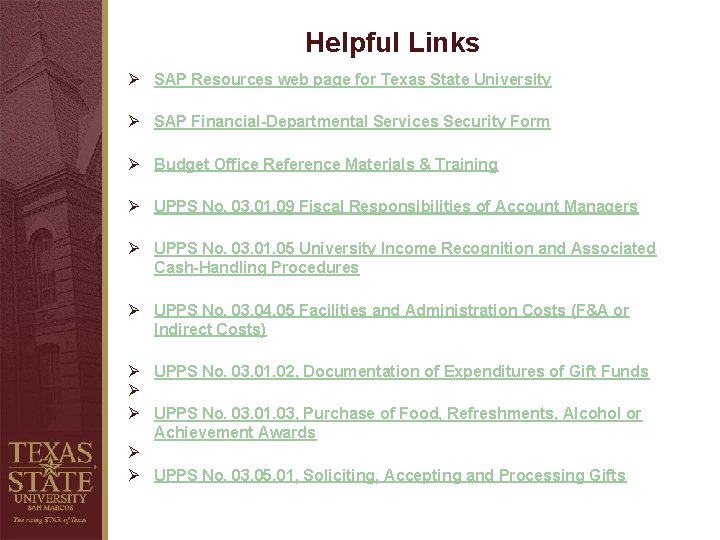
Helpful Links Ø SAP Resources web page for Texas State University Ø SAP Financial-Departmental Services Security Form Ø Budget Office Reference Materials & Training Ø UPPS No. 03. 01. 09 Fiscal Responsibilities of Account Managers Ø UPPS No. 03. 01. 05 University Income Recognition and Associated Cash-Handling Procedures Ø UPPS No. 03. 04. 05 Facilities and Administration Costs (F&A or Indirect Costs) Ø UPPS No. 03. 01. 02, Documentation of Expenditures of Gift Funds Ø Ø UPPS No. 03. 01. 03, Purchase of Food, Refreshments, Alcohol or Achievement Awards Ø Ø UPPS No. 03. 05. 01, Soliciting, Accepting and Processing Gifts
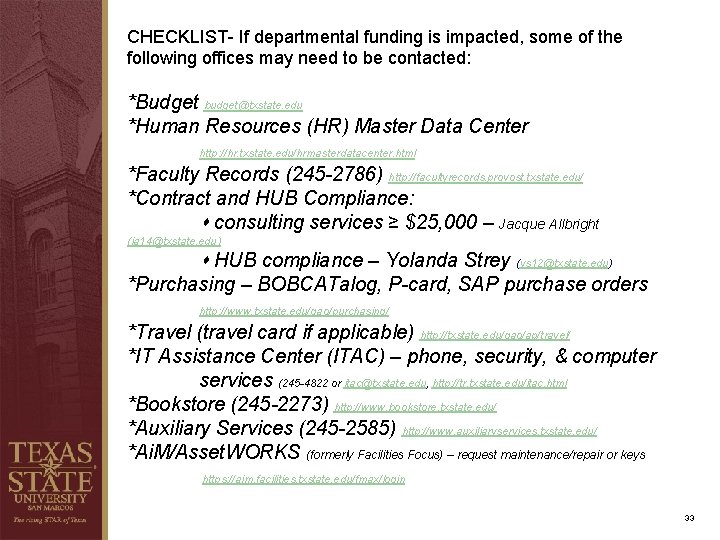
CHECKLIST- If departmental funding is impacted, some of the following offices may need to be contacted: *Budget budget@txstate. edu *Human Resources (HR) Master Data Center http: //hr. txstate. edu/hrmasterdatacenter. html *Faculty Records (245 -2786) http: //facultyrecords. provost. txstate. edu/ *Contract and HUB Compliance: consulting services ≥ $25, 000 – Jacque Allbright (ja 14@txstate. edu) HUB compliance – Yolanda Strey (ys 12@txstate. edu) *Purchasing – BOBCATalog, P-card, SAP purchase orders http: //www. txstate. edu/gao/purchasing/ *Travel (travel card if applicable) http: //txstate. edu/gao/ap/travel/ *IT Assistance Center (ITAC) – phone, security, & computer services (245 -4822 or itac@txstate. edu, http: //tr. txstate. edu/itac. html *Bookstore (245 -2273) http: //www. bookstore. txstate. edu/ *Auxiliary Services (245 -2585) http: //www. auxiliaryservices. txstate. edu/ *Ai. M/Asset. WORKS (formerly Facilities Focus) – request maintenance/repair or keys https: //aim. facilities. txstate. edu/fmax/login 33
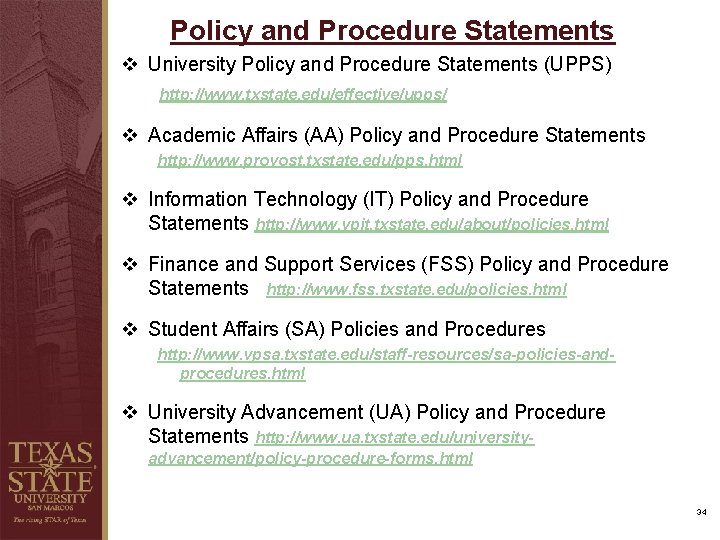
Policy and Procedure Statements v University Policy and Procedure Statements (UPPS) http: //www. txstate. edu/effective/upps/ v Academic Affairs (AA) Policy and Procedure Statements http: //www. provost. txstate. edu/pps. html v Information Technology (IT) Policy and Procedure Statements http: //www. vpit. txstate. edu/about/policies. html v Finance and Support Services (FSS) Policy and Procedure Statements http: //www. fss. txstate. edu/policies. html v Student Affairs (SA) Policies and Procedures http: //www. vpsa. txstate. edu/staff-resources/sa-policies-andprocedures. html v University Advancement (UA) Policy and Procedure Statements http: //www. ua. txstate. edu/universityadvancement/policy-procedure-forms. html 34
Questions & Answers 35
Thank you! FI Master Data 245 -9034 fimdc@txstate. edu Eduardo Plaza James Webb Team Lead and Systems Analyst 245 -4895 plaza@txstate. edu Director of Accounting 245 -2748 jwebb@txstate. edu Jackie Price Marketa Willis Accounting Clerk II – FIMDC 245 -9284 jp 54@txstate. edu Accounting Clerk II – FIMDC 245 -8817 mw 34@txstate. edu 36
Thank you! FI Master Data Center 245 -9034 fimdc@txstate. edu Eduardo Plaza James Webb Team Lead and Systems Analyst 245 -4895 plaza@txstate. edu Director of Accounting 245 -2748 jwebb@txstate. edu Jackie Price Marketa Willis Accounting Clerk II – FIMDC 245 -9284 jp 54@txstate. edu Accounting Clerk II – FIMDC 245 -8817 mw 34@txstate. edu 37