
Espresso Automation Agenda Moving to CI Running Espresso



- Slides: 13
Espresso Automation
Agenda • Moving to CI • Running Espresso tests from Jenkins 6/19/2021 © 2015, Perfecto Mobile Ltd. All Rights Reserved. 2
Running From Jenkins
Running Espresso from Jenkins • We can run Espresso tests from Jenkins, without Android Studio • A Jenkins job creates the gradle & JSON file • The rest of the execution is the same – apps uploaded to Perfecto and tests run as defined. 6/19/2021 © 2015, Perfecto Mobile Ltd. All Rights Reserved. 4
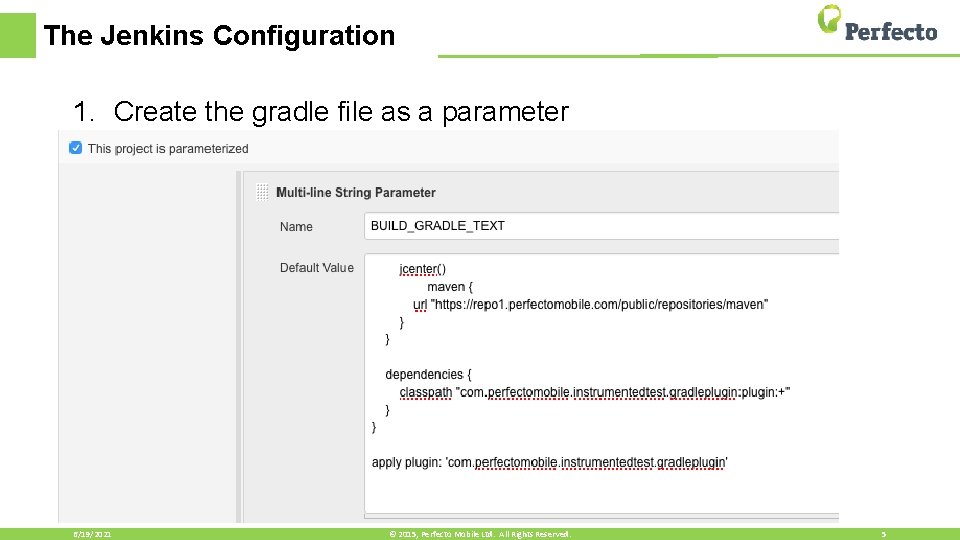
The Jenkins Configuration 1. Create the gradle file as a parameter 6/19/2021 © 2015, Perfecto Mobile Ltd. All Rights Reserved. 5
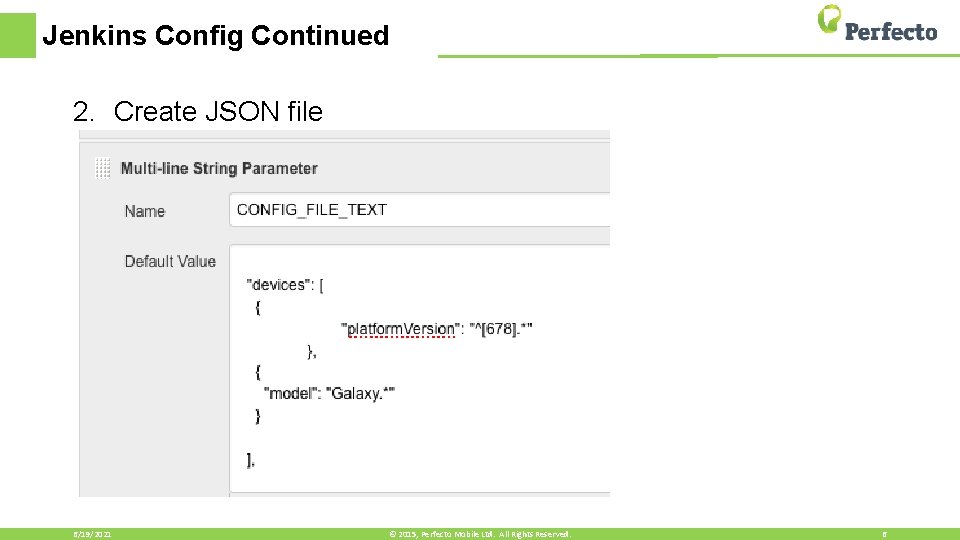
Jenkins Config Continued 2. Create JSON file 6/19/2021 © 2015, Perfecto Mobile Ltd. All Rights Reserved. 6
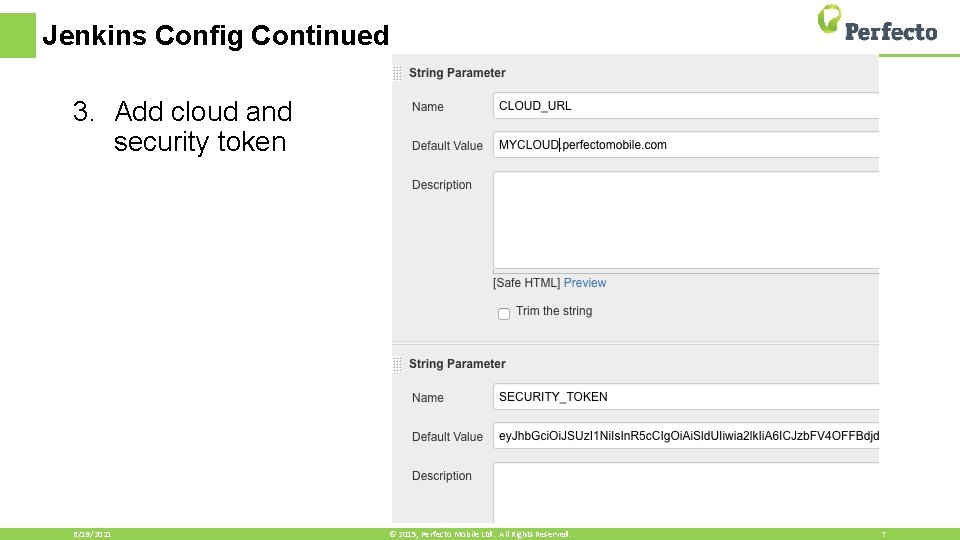
Jenkins Config Continued 3. Add cloud and security token 6/19/2021 © 2015, Perfecto Mobile Ltd. All Rights Reserved. 7
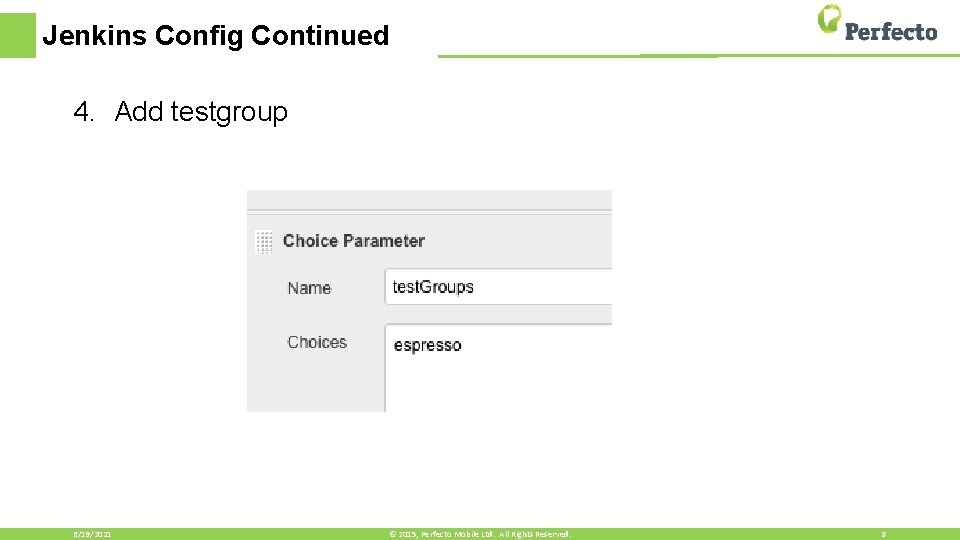
Jenkins Config Continued 4. Add testgroup 6/19/2021 © 2015, Perfecto Mobile Ltd. All Rights Reserved. 8
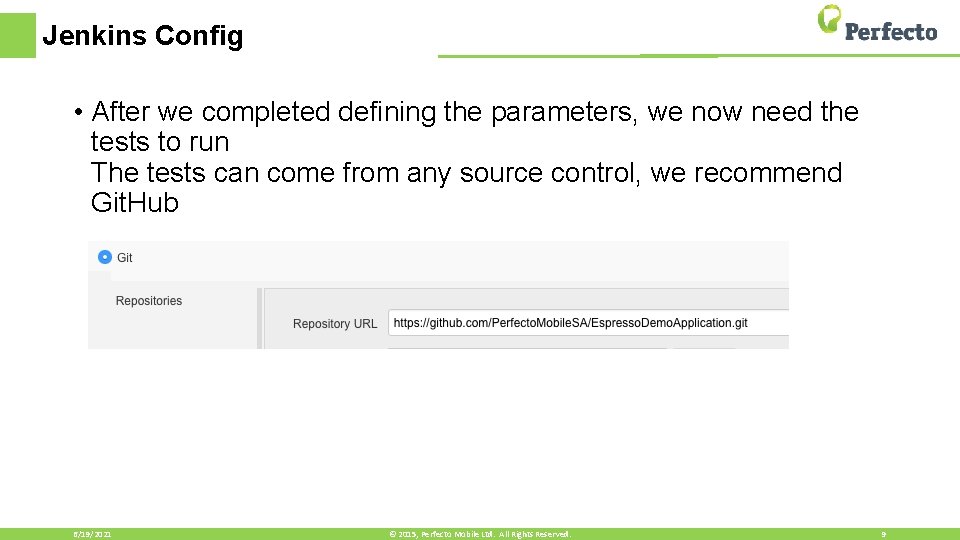
Jenkins Config • After we completed defining the parameters, we now need the tests to run The tests can come from any source control, we recommend Git. Hub 6/19/2021 © 2015, Perfecto Mobile Ltd. All Rights Reserved. 9
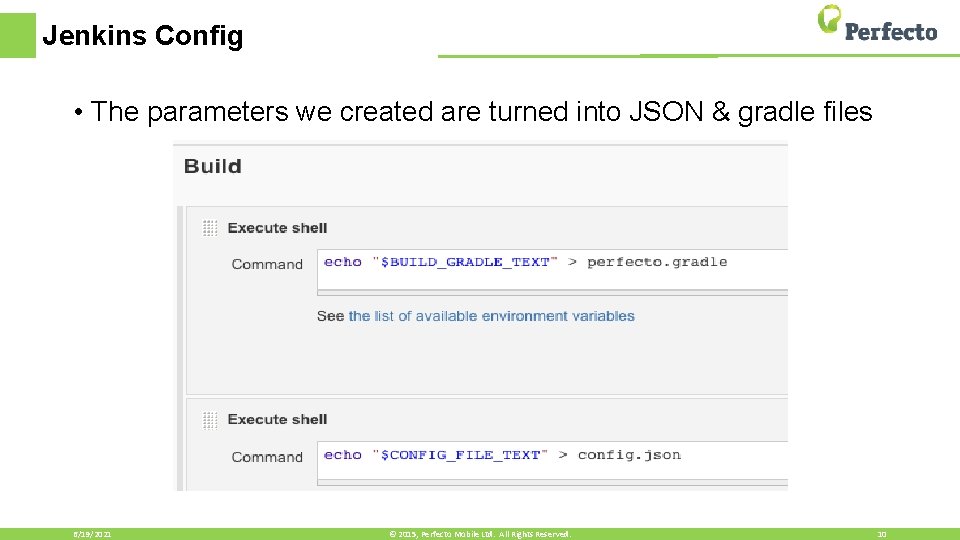
Jenkins Config • The parameters we created are turned into JSON & gradle files 6/19/2021 © 2015, Perfecto Mobile Ltd. All Rights Reserved. 10
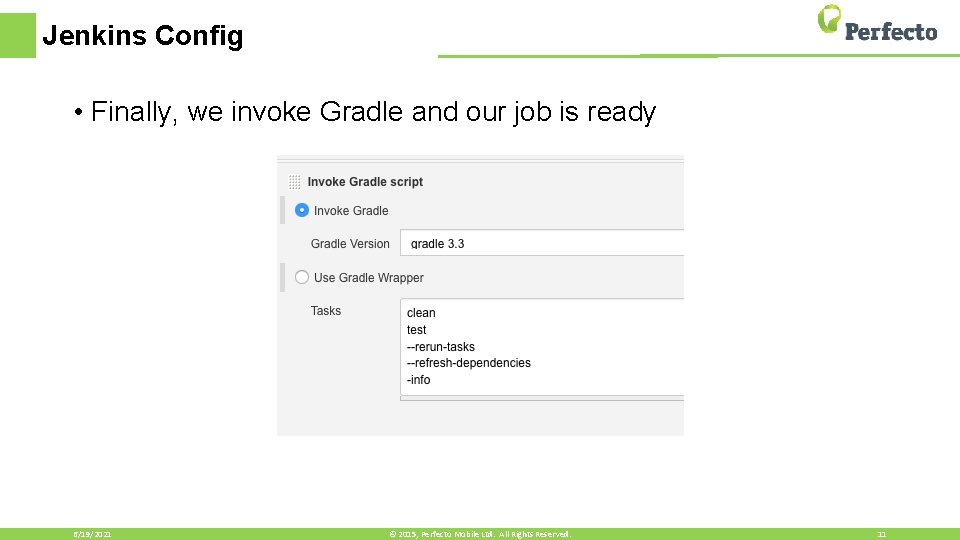
Jenkins Config • Finally, we invoke Gradle and our job is ready 6/19/2021 © 2015, Perfecto Mobile Ltd. All Rights Reserved. 11
Resources • Espresso Configurations https: //developers. perfectomobile. com/display/PD/Espresso • Jenkins Integration https: //developers. perfectomobile. com/display/TT/Integration+with +Jenkins
Thank You