Cadence Tips Tricks ALICIA KLINEFELTER ECE 3663 SPRING

- Slides: 21
Cadence Tips & Tricks ALICIA KLINEFELTER ECE 3663, SPRING 2013
Outline 1. Using NXClient for Cadence 2. Cadence Setup 3. Schematic Labels 4. Exporting plots for presentations/papers/homework 5. Presenting schematics 6. Using Open Command Environment for Analysis (OCEAN) for simulation 7. Monte Carlo simulations (MCS) in Free. PDK 2
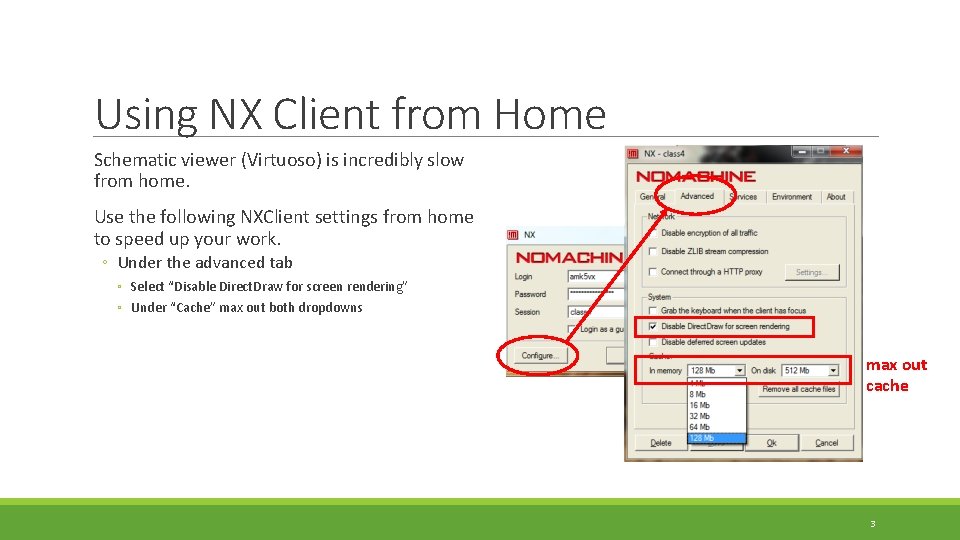
Using NX Client from Home Schematic viewer (Virtuoso) is incredibly slow from home. Use the following NXClient settings from home to speed up your work. ◦ Under the advanced tab ◦ Select “Disable Direct. Draw for screen rendering” ◦ Under “Cache” max out both dropdowns max out cache 3
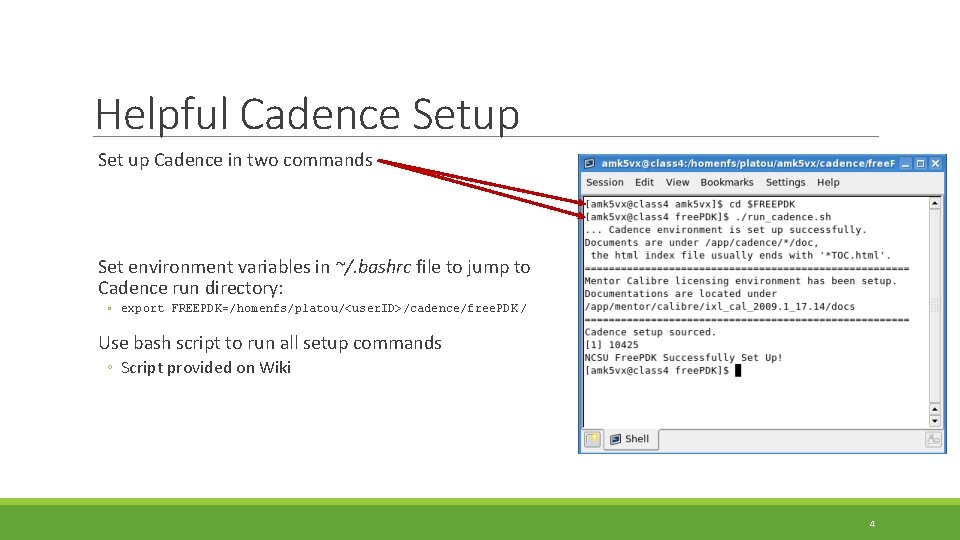
Helpful Cadence Setup Set up Cadence in two commands Set environment variables in ~/. bashrc file to jump to Cadence run directory: ◦ export FREEPDK=/homenfs/platou/<user. ID>/cadence/free. PDK / Use bash script to run all setup commands ◦ Script provided on Wiki 4
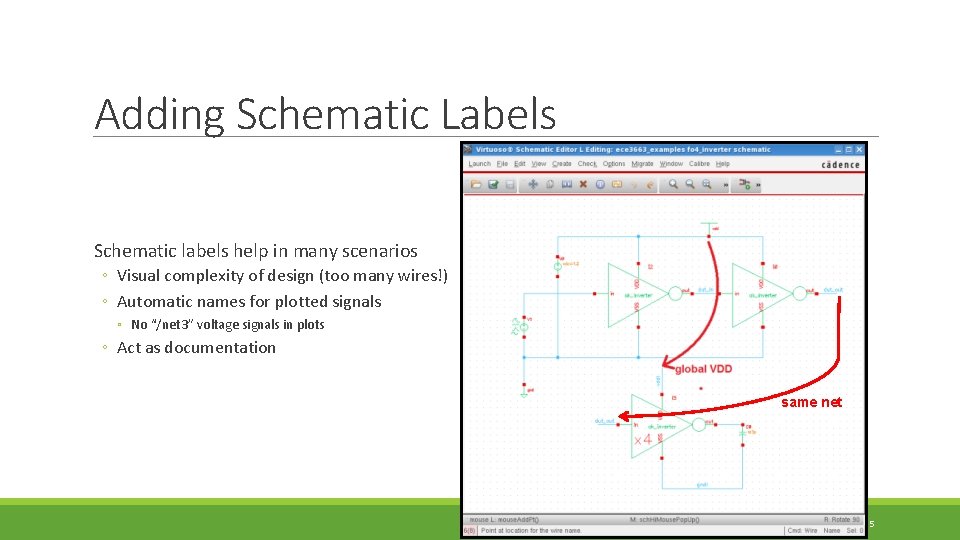
Adding Schematic Labels Schematic labels help in many scenarios ◦ Visual complexity of design (too many wires!) ◦ Automatic names for plotted signals ◦ No “/net 3” voltage signals in plots ◦ Act as documentation same net 5
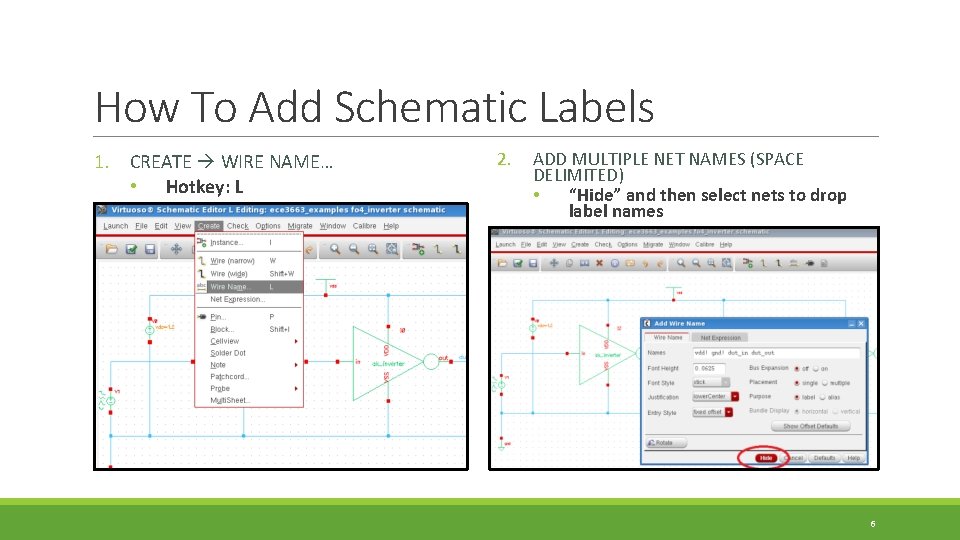
How To Add Schematic Labels 1. CREATE WIRE NAME… • Hotkey: L 2. ADD MULTIPLE NET NAMES (SPACE DELIMITED) • “Hide” and then select nets to drop label names 6
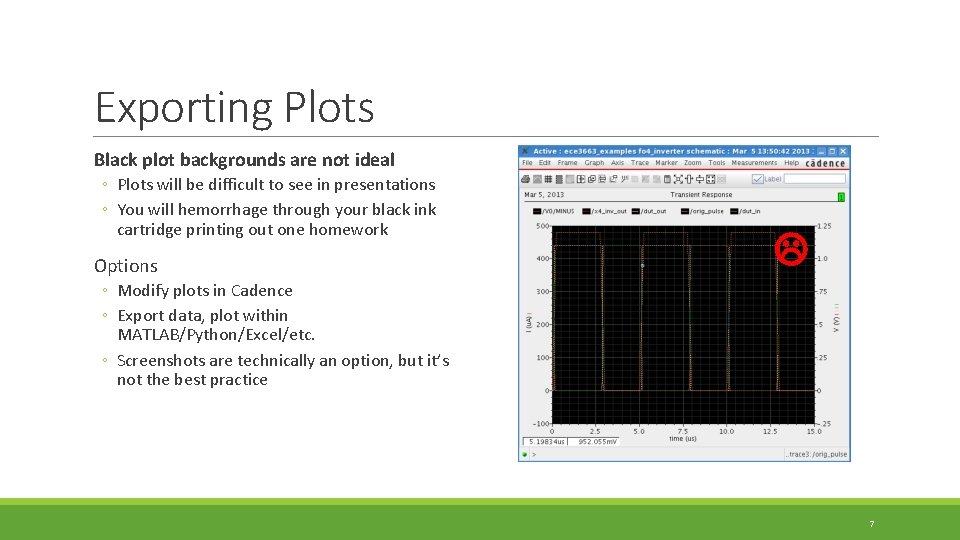
Exporting Plots Black plot backgrounds are not ideal ◦ Plots will be difficult to see in presentations ◦ You will hemorrhage through your black ink cartridge printing out one homework Options ◦ Modify plots in Cadence ◦ Export data, plot within MATLAB/Python/Excel/etc. ◦ Screenshots are technically an option, but it’s not the best practice 7
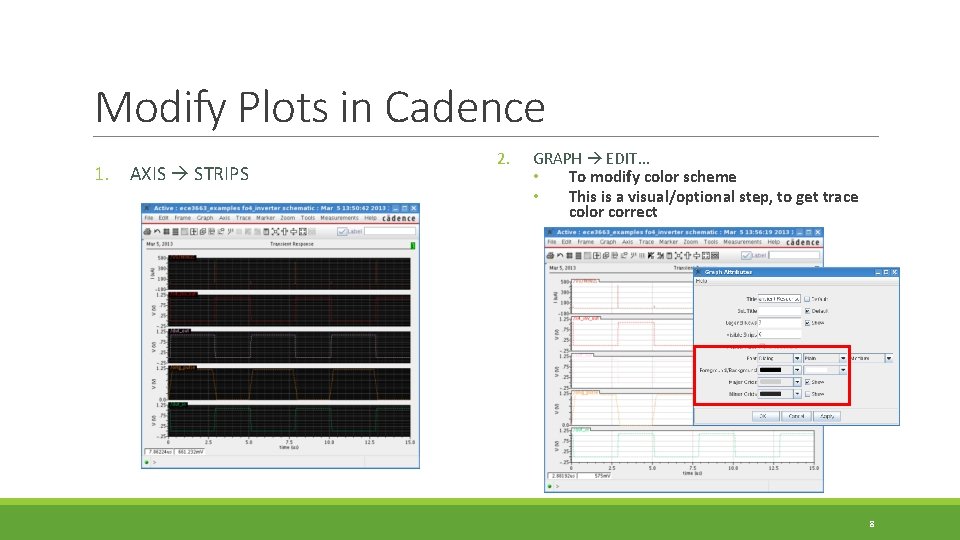
Modify Plots in Cadence 1. AXIS STRIPS 2. GRAPH EDIT… • To modify color scheme • This is a visual/optional step, to get trace color correct 8
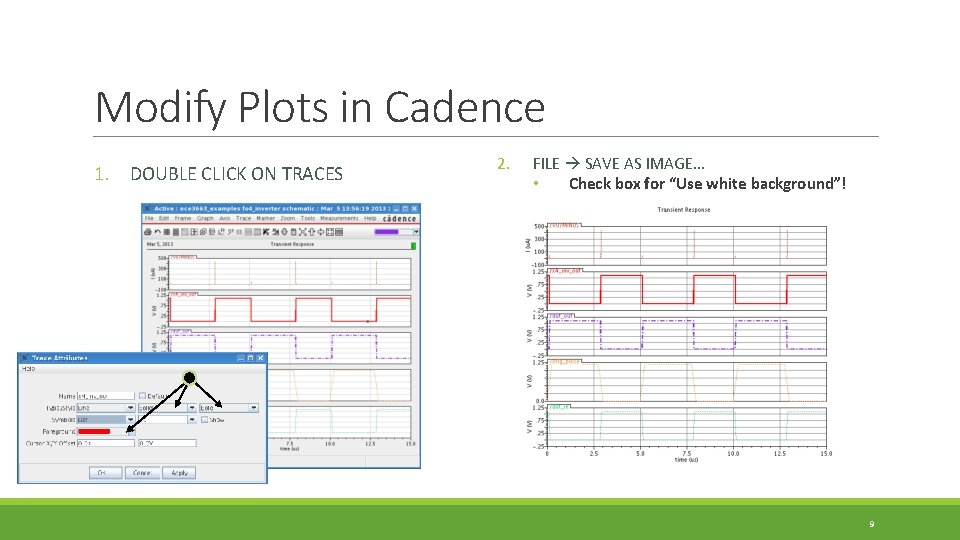
Modify Plots in Cadence 1. DOUBLE CLICK ON TRACES 2. FILE SAVE AS IMAGE… • Check box for “Use white background”! 9
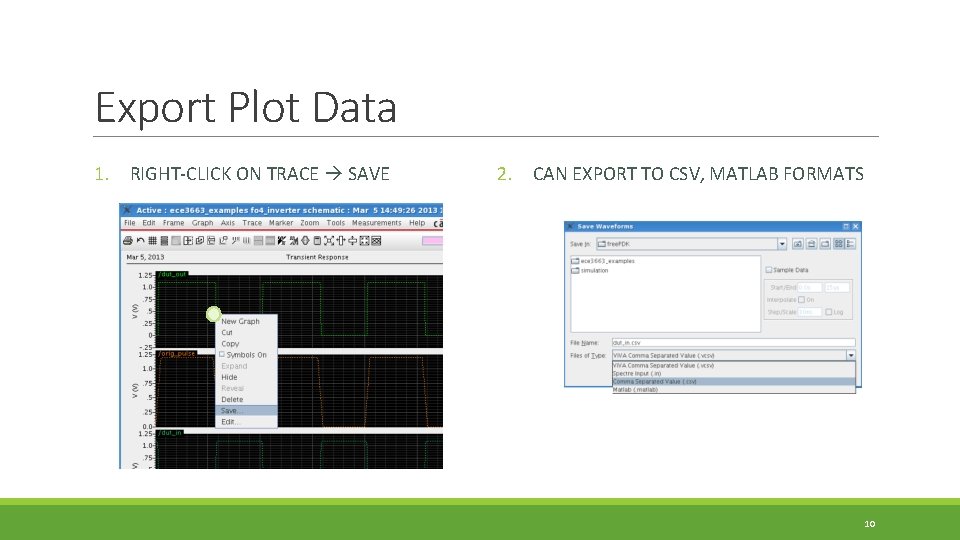
Export Plot Data 1. RIGHT-CLICK ON TRACE SAVE 2. CAN EXPORT TO CSV, MATLAB FORMATS 10
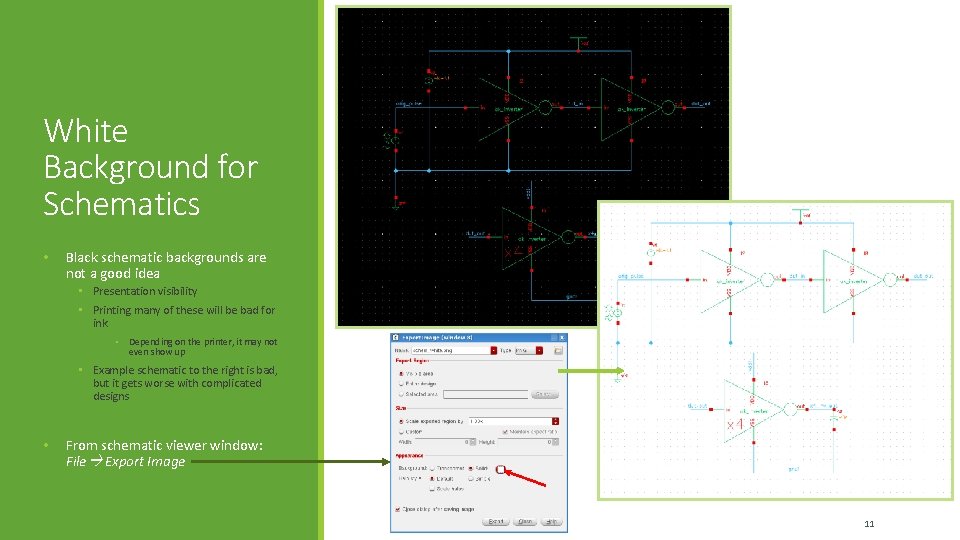
White Background for Schematics • Black schematic backgrounds are not a good idea • Presentation visibility • Printing many of these will be bad for ink • Depending on the printer, it may not even show up • Example schematic to the right is bad, but it gets worse with complicated designs • From schematic viewer window: File Export Image 11
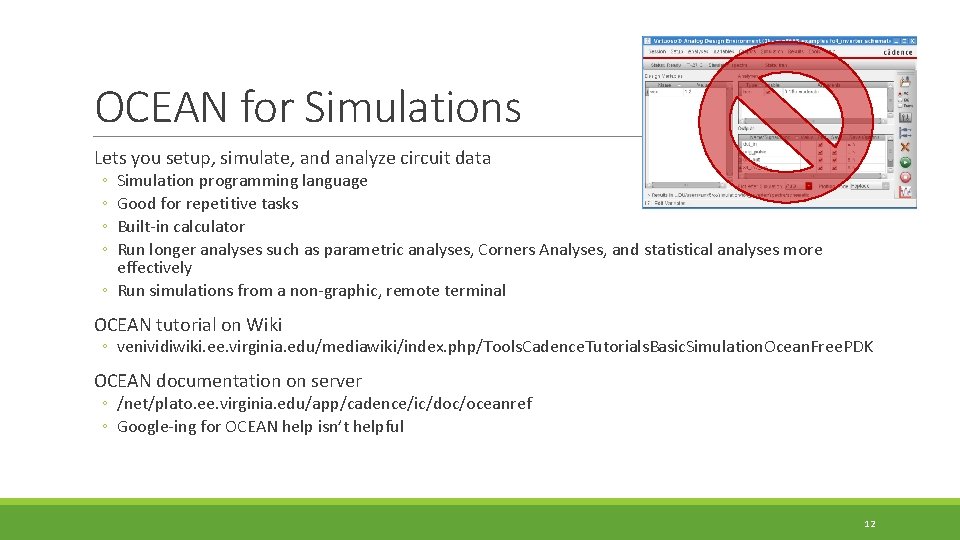
OCEAN for Simulations Lets you setup, simulate, and analyze circuit data ◦ ◦ Simulation programming language Good for repetitive tasks Built-in calculator Run longer analyses such as parametric analyses, Corners Analyses, and statistical analyses more effectively ◦ Run simulations from a non-graphic, remote terminal OCEAN tutorial on Wiki ◦ venividiwiki. ee. virginia. edu/mediawiki/index. php/Tools. Cadence. Tutorials. Basic. Simulation. Ocean. Free. PDK OCEAN documentation on server ◦ /net/plato. ee. virginia. edu/app/cadence/ic/doc/oceanref ◦ Google-ing for OCEAN help isn’t helpful 12
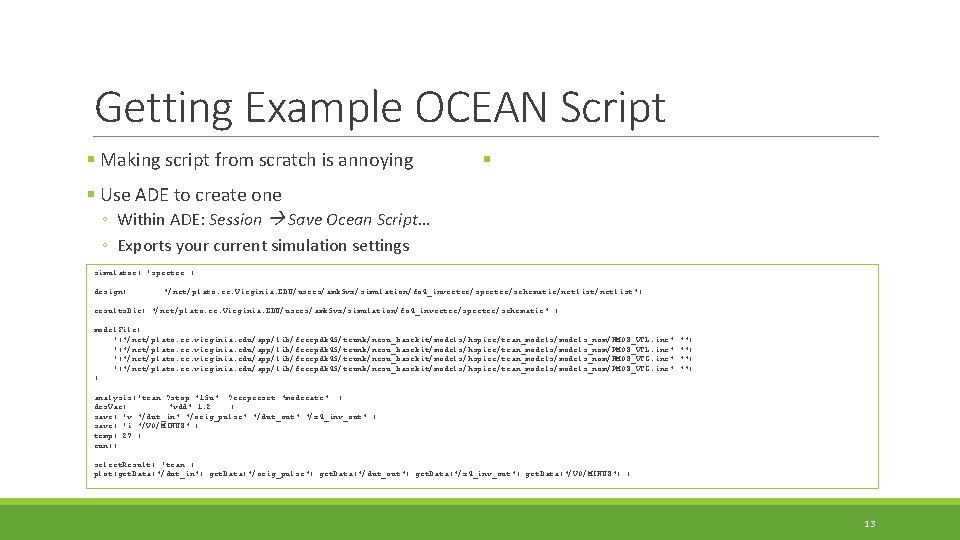
Getting Example OCEAN Script § Making script from scratch is annoying § § Use ADE to create one ◦ Within ADE: Session Save Ocean Script… ◦ Exports your current simulation settings simulator( 'spectre ) design( "/net/plato. ee. Virginia. EDU/users/amk 5 vx/simulation/fo 4_inverter/spectre/schematic/netlist") results. Dir( "/net/plato. ee. Virginia. EDU/users/amk 5 vx/simulation/fo 4_inverter/spectre/schematic" ) model. File( '("/net/plato. ee. virginia. edu/app/lib/freepdk 45/trunk/ncsu_basekit/models/hspice/tran_models/models_nom/NMOS_VTL. inc" '("/net/plato. ee. virginia. edu/app/lib/freepdk 45/trunk/ncsu_basekit/models/hspice/tran_models/models_nom/PMOS_VTL. inc" '("/net/plato. ee. virginia. edu/app/lib/freepdk 45/trunk/ncsu_basekit/models/hspice/tran_models/models_nom/NMOS_VTG. inc" '("/net/plato. ee. virginia. edu/app/lib/freepdk 45/trunk/ncsu_basekit/models/hspice/tran_models/models_nom/PMOS_VTG. inc" ) "") "") analysis('tran ? stop "15 u" ? errpreset "moderate" ) des. Var( "vdd" 1. 2 ) save( 'v "/dut_in" "/orig_pulse" "/dut_out" "/x 4_inv_out" ) save( 'i "/V 0/MINUS" ) temp( 27 ) run() select. Result( 'tran ) plot(get. Data("/dut_in") get. Data("/orig_pulse") get. Data("/dut_out") get. Data("/x 4_inv_out") get. Data("/V 0/MINUS") ) 13
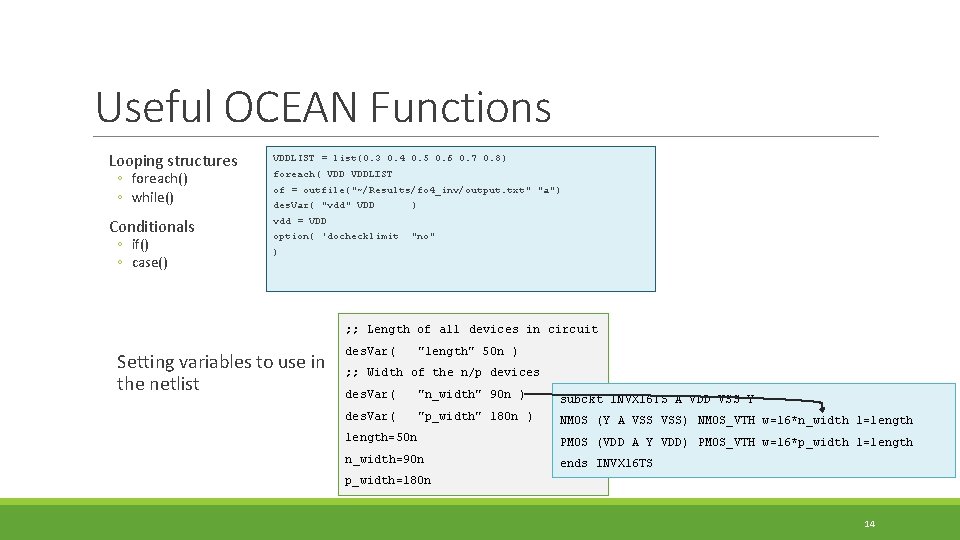
Useful OCEAN Functions Looping structures ◦ foreach() ◦ while() Conditionals ◦ if() ◦ case() VDDLIST = list(0. 3 0. 4 0. 5 0. 6 0. 7 0. 8) foreach( VDDLIST of = outfile("~/Results/fo 4_inv/output. txt" "a") des. Var( "vdd" VDD ) vdd = VDD option( 'dochecklimit "no" ) ; ; Length of all devices in circuit Setting variables to use in the netlist des. Var( "length" 50 n ) ; ; Width of the n/p devices des. Var( "n_width" 90 n ) subckt INVX 16 TS A VDD VSS Y des. Var( "p_width" 180 n ) NMOS (Y A VSS) NMOS_VTH w=16*n_width l=length=50 n PMOS (VDD A Y VDD) PMOS_VTH w=16*p_width l=length n_width=90 n ends INVX 16 TS p_width=180 n 14
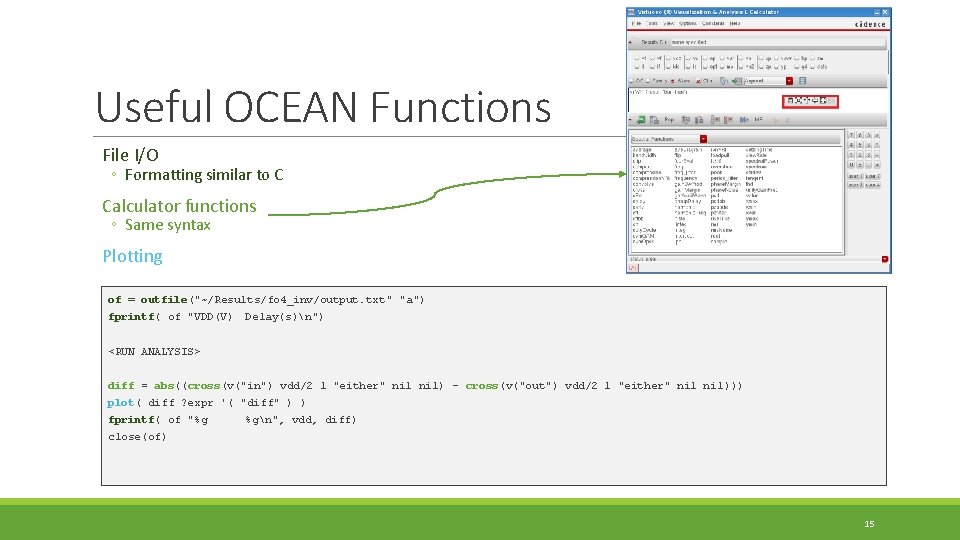
Useful OCEAN Functions File I/O ◦ Formatting similar to C Calculator functions ◦ Same syntax Plotting of = outfile("~/Results/fo 4_inv/output. txt" "a") fprintf( of "VDD(V) Delay(s)n") <RUN ANALYSIS> diff = abs((cross(v("in") vdd/2 1 "either" nil) - cross(v("out") vdd/2 1 "either" nil))) plot( diff ? expr '( "diff" ) ) fprintf( of "%g %gn", vdd, diff) close(of) 15
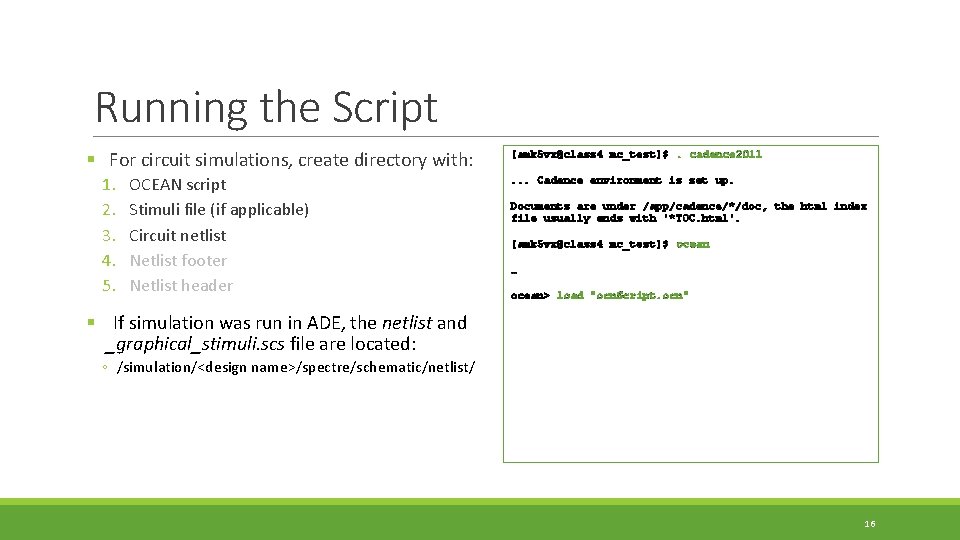
Running the Script § For circuit simulations, create directory with: 1. 2. 3. 4. 5. OCEAN script Stimuli file (if applicable) Circuit netlist Netlist footer Netlist header [amk 5 vx@class 4 mc_test]$. cadence 2011. . . Cadence environment is set up. Documents are under /app/cadence/*/doc, the html index file usually ends with '*TOC. html'. [amk 5 vx@class 4 mc_test]$ ocean … ocean> load "ocn. Script. ocn" § If simulation was run in ADE, the netlist and _graphical_stimuli. scs file are located: ◦ /simulation/<design name>/spectre/schematic/netlist/ 16
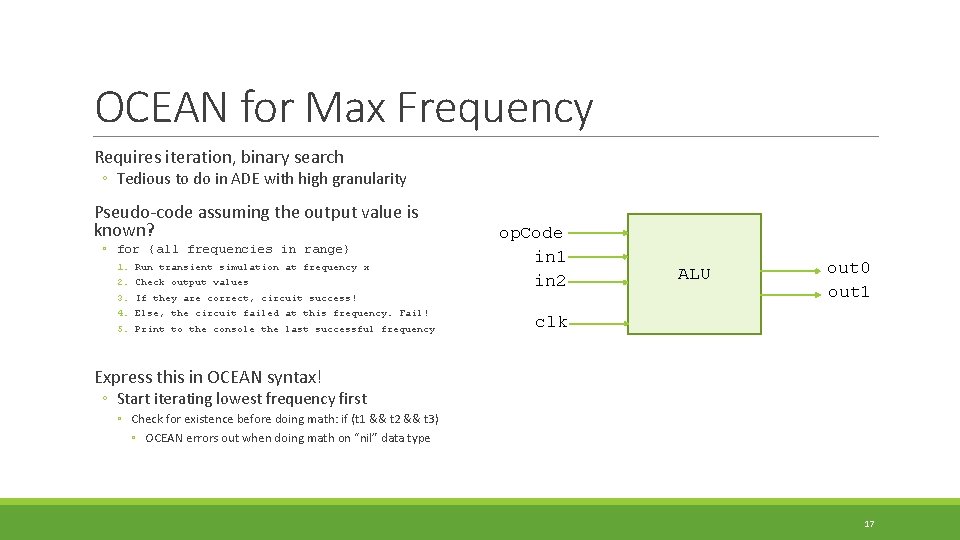
OCEAN for Max Frequency Requires iteration, binary search ◦ Tedious to do in ADE with high granularity Pseudo-code assuming the output value is known? ◦ for {all frequencies in range} 1. 2. 3. 4. 5. Run transient simulation at frequency x Check output values op. Code in 1 in 2 If they are correct, circuit success! Else, the circuit failed at this frequency. Fail! Print to the console the last successful frequency ALU out 0 out 1 clk Express this in OCEAN syntax! ◦ Start iterating lowest frequency first ◦ Check for existence before doing math: if (t 1 && t 2 && t 3) ◦ OCEAN errors out when doing math on “nil” data type 17
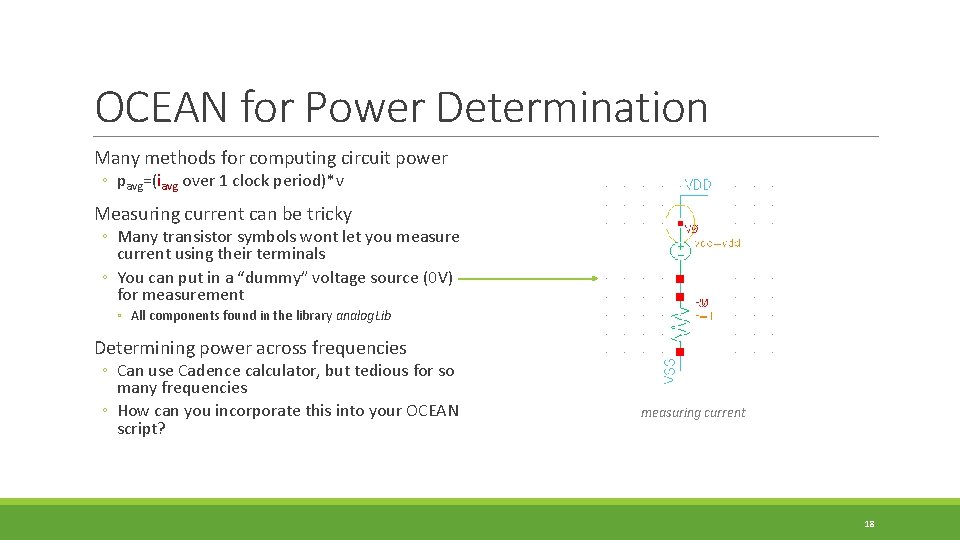
OCEAN for Power Determination Many methods for computing circuit power ◦ pavg=(iavg over 1 clock period)*v Measuring current can be tricky ◦ Many transistor symbols wont let you measure current using their terminals ◦ You can put in a “dummy” voltage source (0 V) for measurement ◦ All components found in the library analog. Lib Determining power across frequencies ◦ Can use Cadence calculator, but tedious for so many frequencies ◦ How can you incorporate this into your OCEAN script? measuring current 18
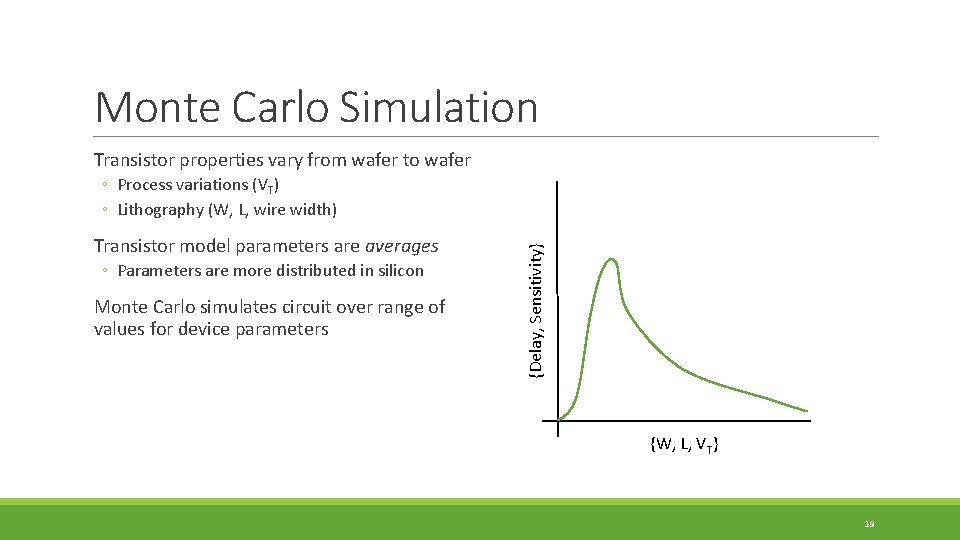
Monte Carlo Simulation Transistor properties vary from wafer to wafer Transistor model parameters are averages ◦ Parameters are more distributed in silicon Monte Carlo simulates circuit over range of values for device parameters {Delay, Sensitivity} ◦ Process variations (VT) ◦ Lithography (W, L, wire width) {W, L, VT} 19
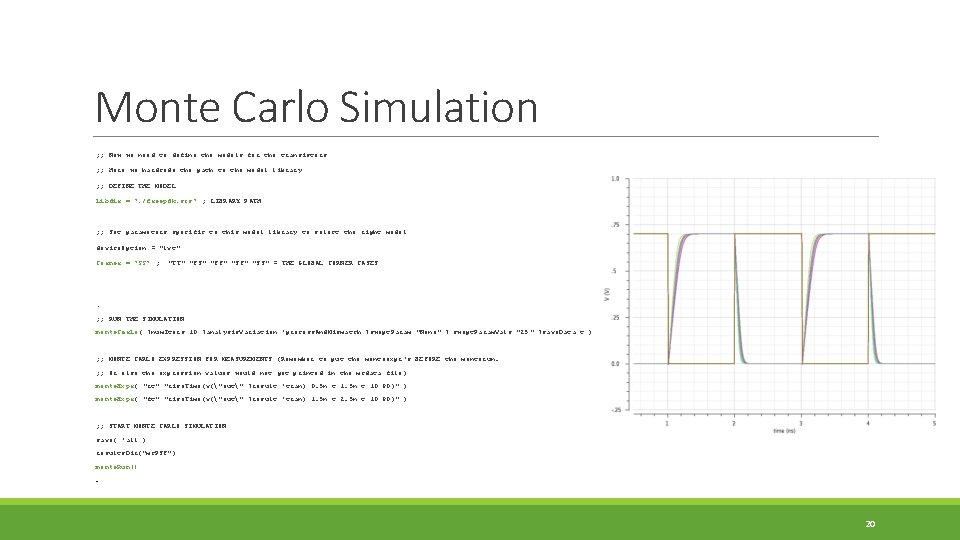
Monte Carlo Simulation ; ; Now we need to define the models for the transistors ; ; Here we hardcode the path to the model library ; ; DEFINE THE MODEL libdir = ". /freepdk. scs" ; LIBRARY PATH ; ; Set parameters specific to this model library to select the right model device. Option = "lvt" Corner = "SS" ; "TT" "FS" "FF" "SS" = THE GLOBAL CORNER CASES … ; ; RUN THE SIMULATION monte. Carlo( ? num. Iters 10 ? analysis. Variation 'process. And. Mismatch ? swept. Param "None" ? swept. Param. Vals "25 " ? save. Data t ) ; ; MONTE CARLO EXPRESSION FOR MEASUREMENTS (Remember to put the monteexpr's BEFORE the monterun. ; ; Or else the expression values would not get printed in the mcdata file) monte. Expr( "rt" "rise. Time(v("out" ? result 'tran) 0. 5 n t 10 90)" ) monte. Expr( "ft" "rise. Time(v("out" ? result 'tran) 1. 5 n t 2. 5 n t 10 90)" ) ; ; START MONTE CARLO SIMULATION save( 'all ) results. Dir("mc. PSF") monte. Run() … 20
Provided Files and Descriptions For running Cadence using the bash script: ◦ run_cadence. sh Example OCEAN scripts: ◦ monte. Carlo. ocn / netlist 21