A Guide to Managing and Maintaining Your PC
- Slides: 34
A+ Guide to Managing and Maintaining Your PC Fifth Edition Chapter 1 Introducing Hardware
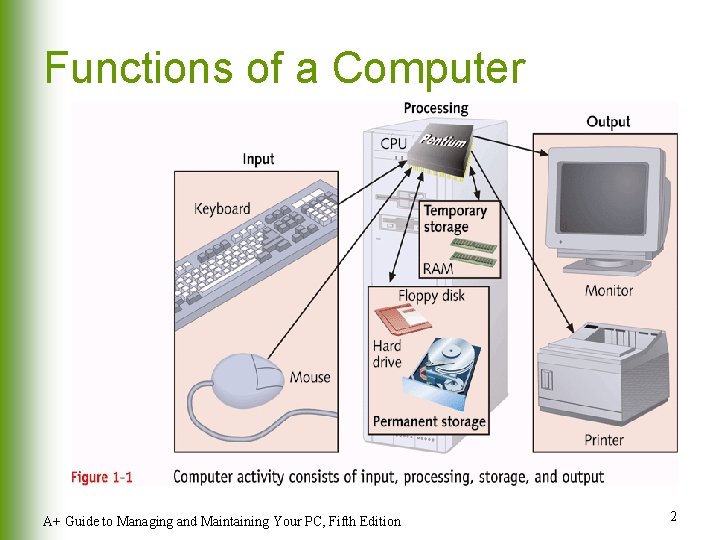
Functions of a Computer A+ Guide to Managing and Maintaining Your PC, Fifth Edition 2
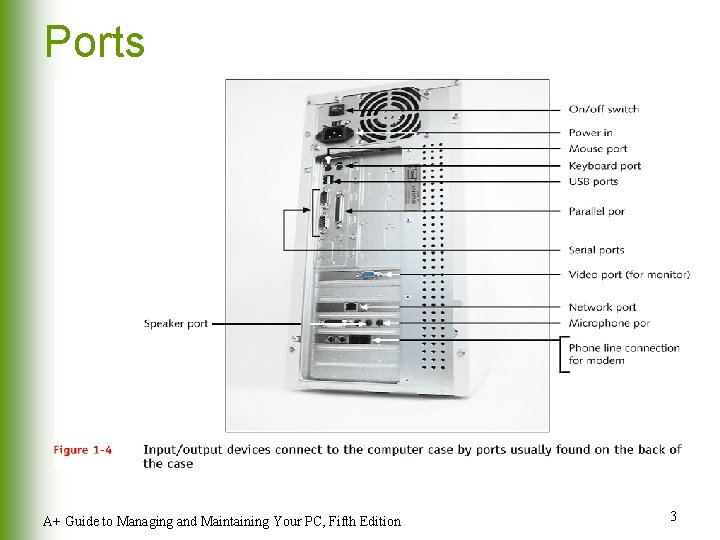
Ports A+ Guide to Managing and Maintaining Your PC, Fifth Edition 3
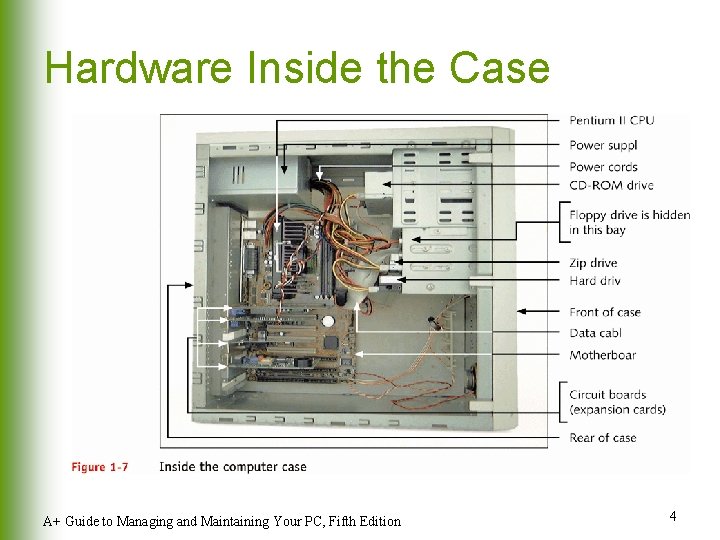
Hardware Inside the Case A+ Guide to Managing and Maintaining Your PC, Fifth Edition 4
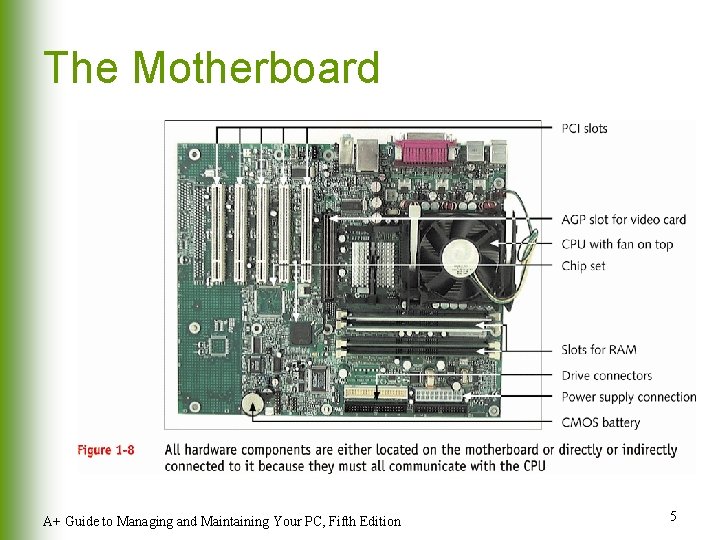
The Motherboard A+ Guide to Managing and Maintaining Your PC, Fifth Edition 5
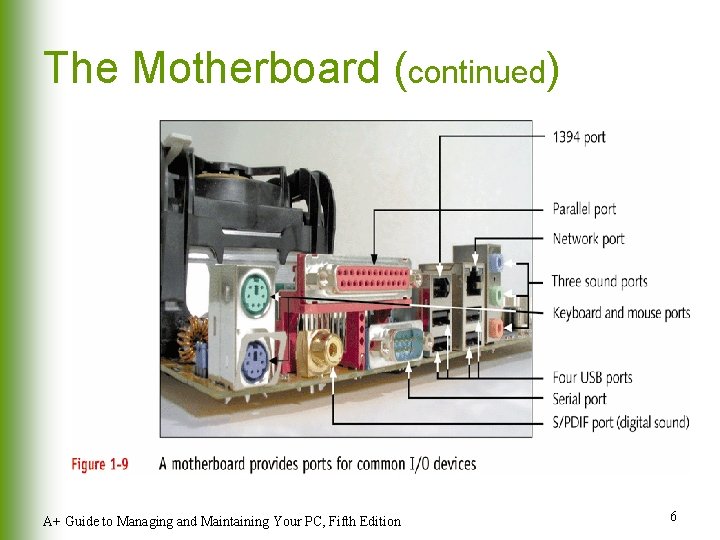
The Motherboard (continued) A+ Guide to Managing and Maintaining Your PC, Fifth Edition 6
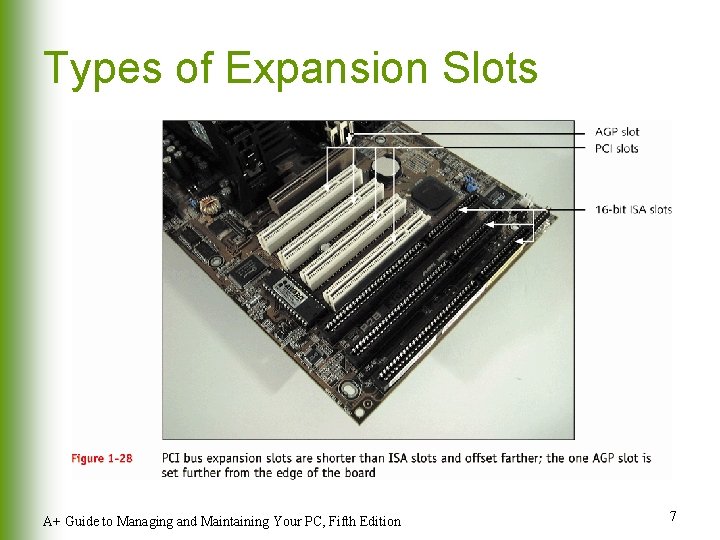
Types of Expansion Slots A+ Guide to Managing and Maintaining Your PC, Fifth Edition 7
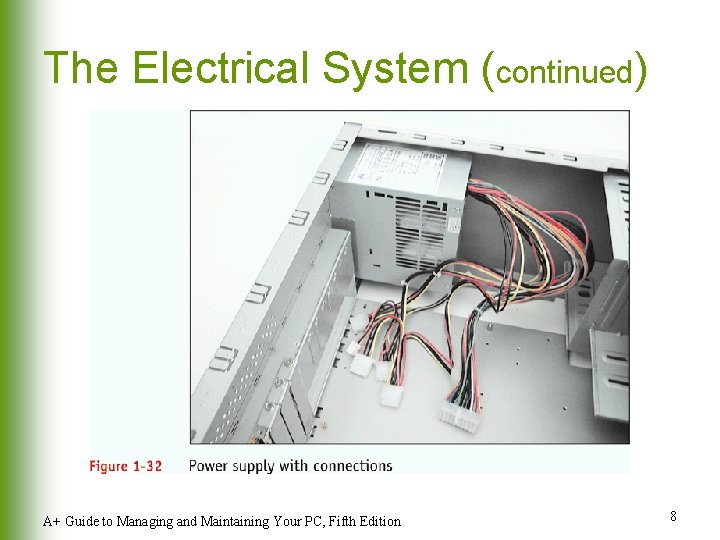
The Electrical System (continued) A+ Guide to Managing and Maintaining Your PC, Fifth Edition 8
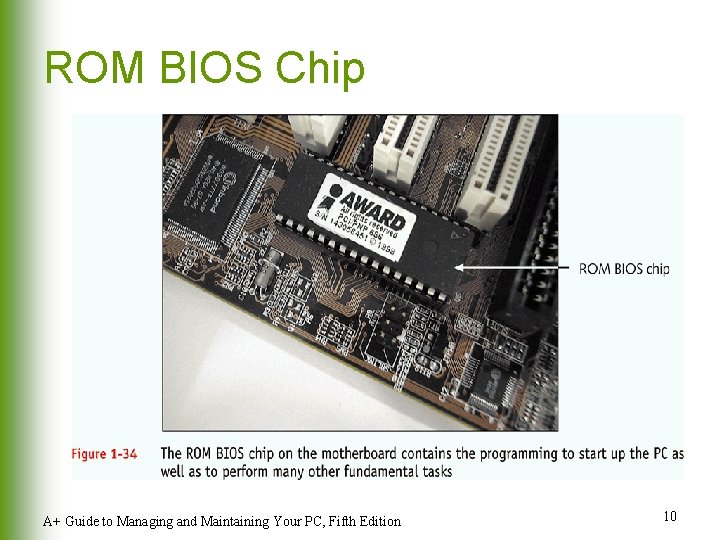
Instructions Stored on the Motherboard l l ROM BIOS (most are flash ROM) u System BIOS u Startup BIOS u CMOS setup Motherboard BIOS supports ACPI, APM, and Plug and Play technologies A+ Guide to Managing and Maintaining Your PC, Fifth Edition 9
ROM BIOS Chip A+ Guide to Managing and Maintaining Your PC, Fifth Edition 10
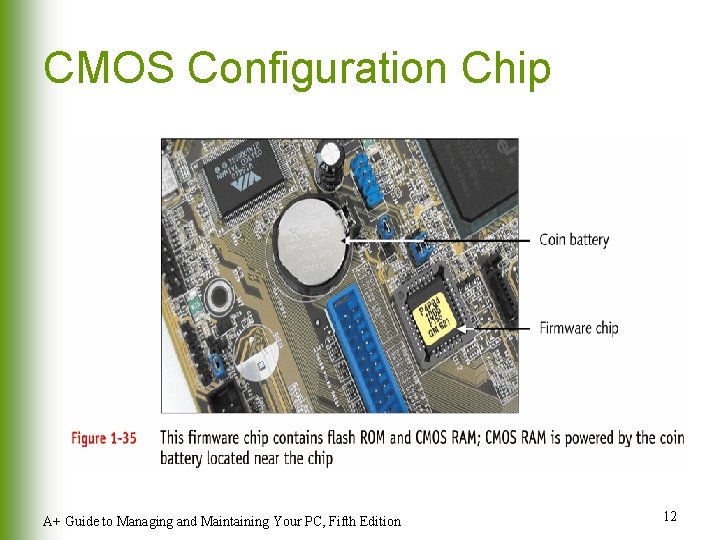
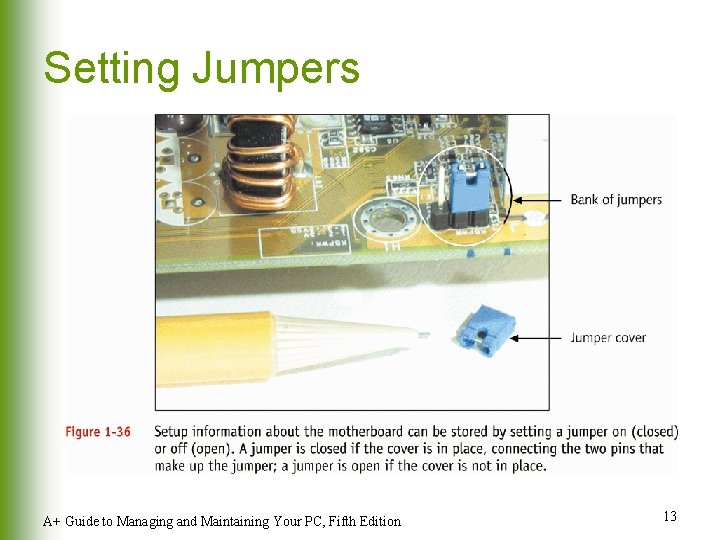
Motherboard Configuration Settings l CMOS chip u u l Stores setup (configuration) information Powered by a battery on motherboard when power is off Setup information can also be set by jumpers and DIP switches A+ Guide to Managing and Maintaining Your PC, Fifth Edition 11
CMOS Configuration Chip A+ Guide to Managing and Maintaining Your PC, Fifth Edition 12
Setting Jumpers A+ Guide to Managing and Maintaining Your PC, Fifth Edition 13
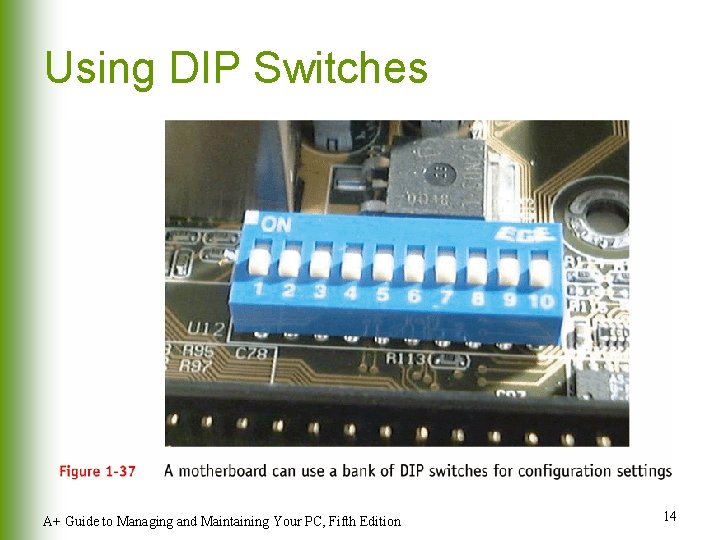
Using DIP Switches A+ Guide to Managing and Maintaining Your PC, Fifth Edition 14
A+ Guide to Managing and Maintaining Your PC Fifth Edition Chapter 2 How Hardware and Software Work Together
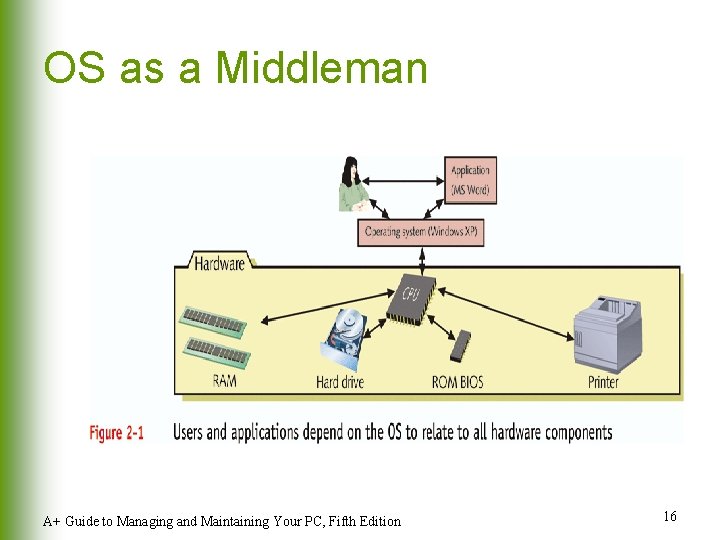
OS as a Middleman A+ Guide to Managing and Maintaining Your PC, Fifth Edition 16
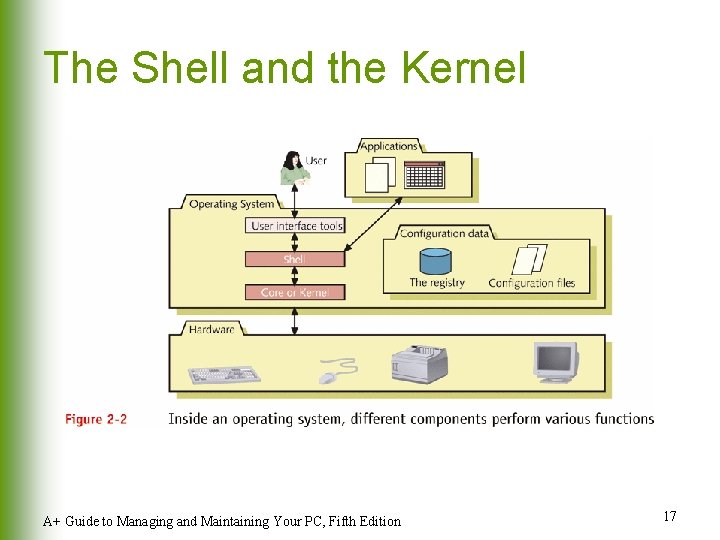
The Shell and the Kernel A+ Guide to Managing and Maintaining Your PC, Fifth Edition 17
Common Operating Systems l l l l DOS Windows 9 x Windows NT, Windows 2000, and Windows XP Unix Linux OS/2 Mac OS A+ Guide to Managing and Maintaining Your PC, Fifth Edition 18
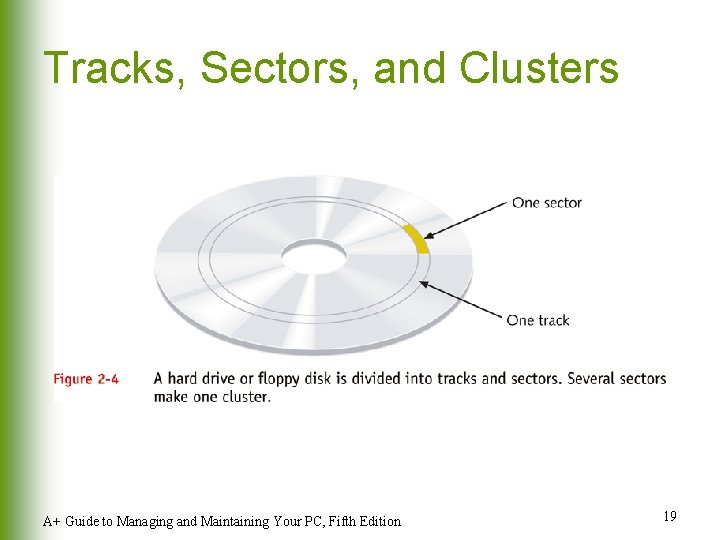
Tracks, Sectors, and Clusters A+ Guide to Managing and Maintaining Your PC, Fifth Edition 19
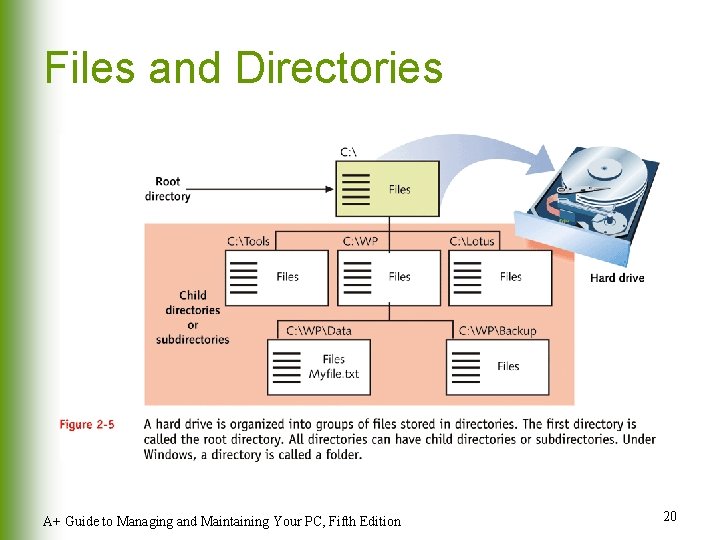
Files and Directories A+ Guide to Managing and Maintaining Your PC, Fifth Edition 20
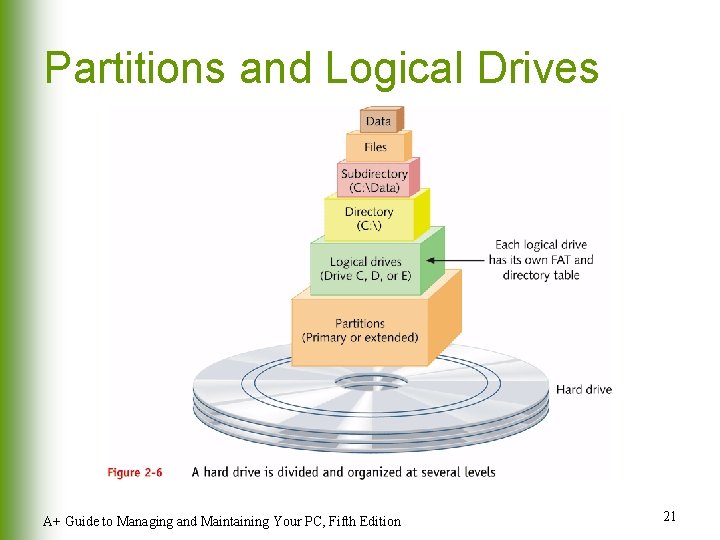
Partitions and Logical Drives A+ Guide to Managing and Maintaining Your PC, Fifth Edition 21
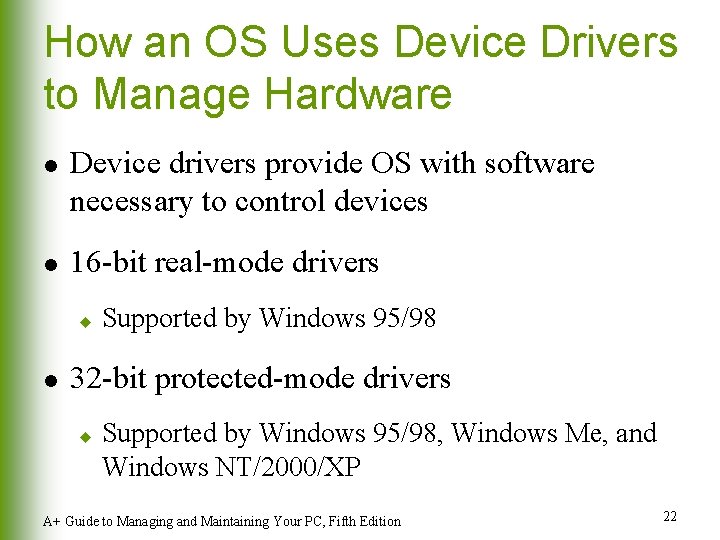
How an OS Uses Device Drivers to Manage Hardware l l Device drivers provide OS with software necessary to control devices 16 -bit real-mode drivers u l Supported by Windows 95/98 32 -bit protected-mode drivers u Supported by Windows 95/98, Windows Me, and Windows NT/2000/XP A+ Guide to Managing and Maintaining Your PC, Fifth Edition 22
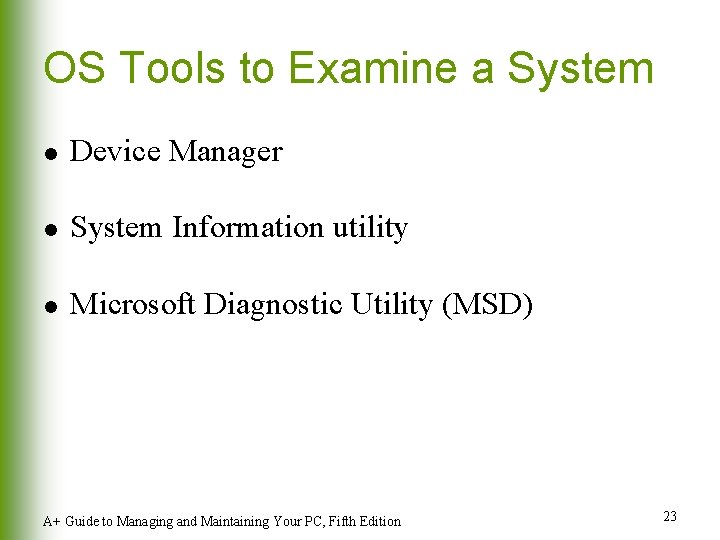
OS Tools to Examine a System l Device Manager l System Information utility l Microsoft Diagnostic Utility (MSD) A+ Guide to Managing and Maintaining Your PC, Fifth Edition 23
A+ Guide to Managing and Maintaining Your PC Fifth Edition Chapter 5 The Motherboard
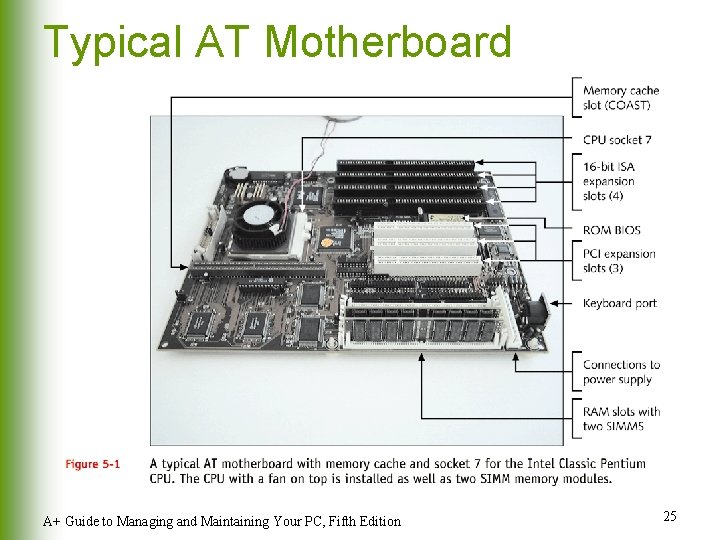
Typical AT Motherboard A+ Guide to Managing and Maintaining Your PC, Fifth Edition 25
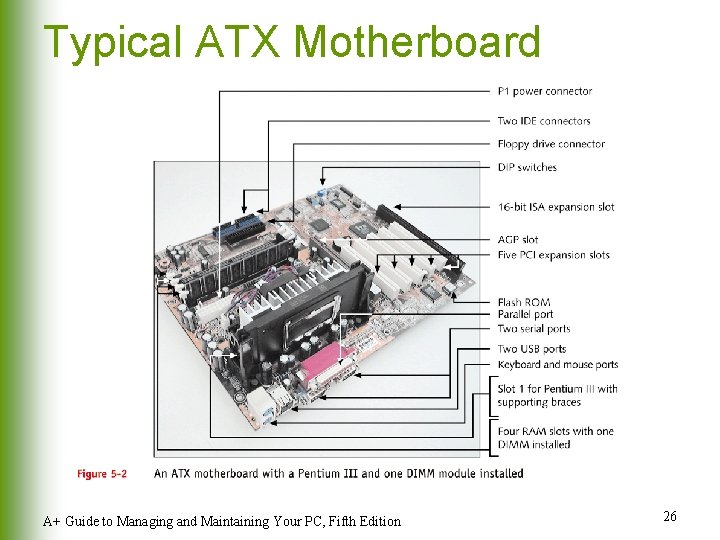
Typical ATX Motherboard A+ Guide to Managing and Maintaining Your PC, Fifth Edition 26
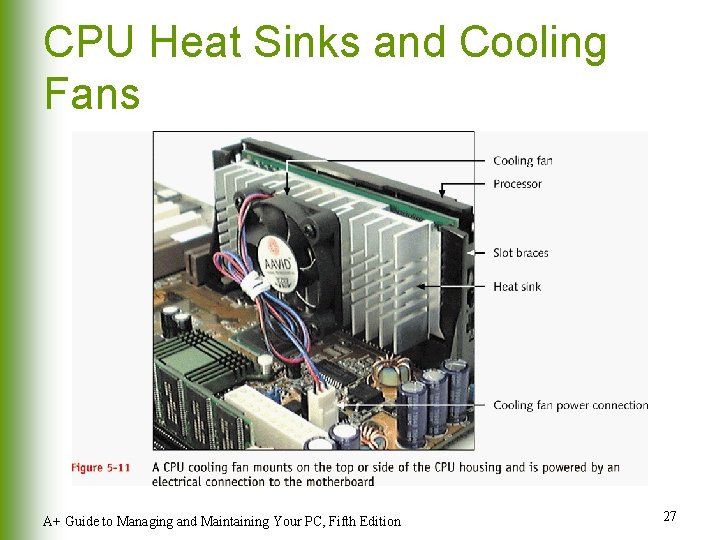
CPU Heat Sinks and Cooling Fans A+ Guide to Managing and Maintaining Your PC, Fifth Edition 27
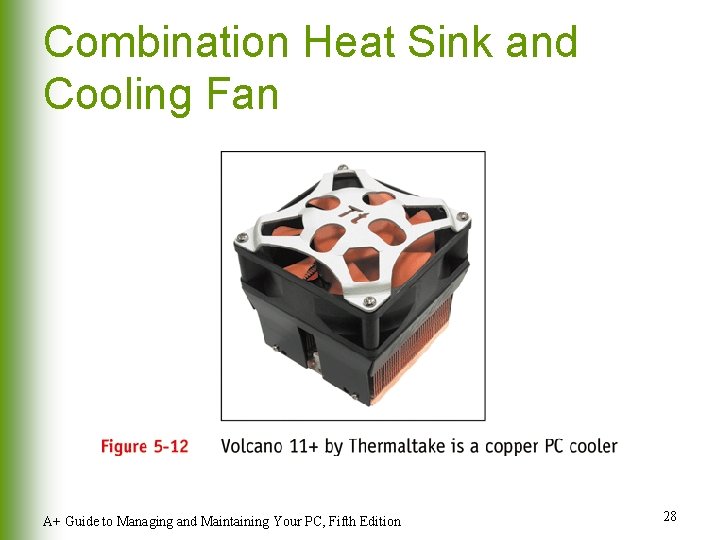
Combination Heat Sink and Cooling Fan A+ Guide to Managing and Maintaining Your PC, Fifth Edition 28
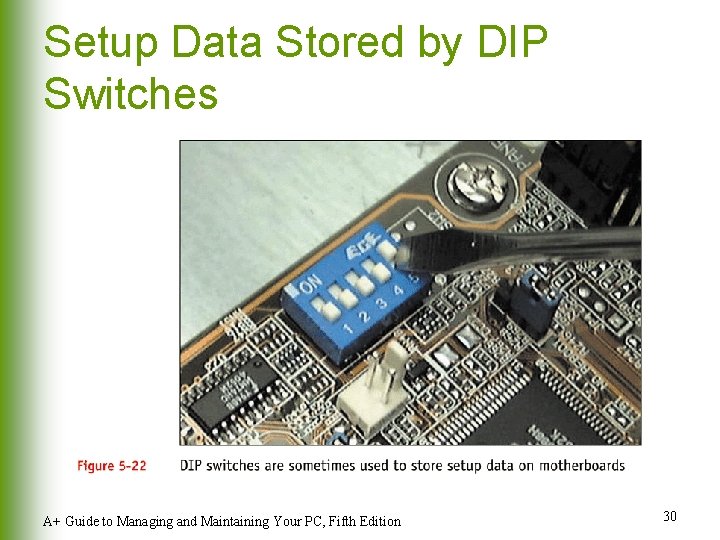
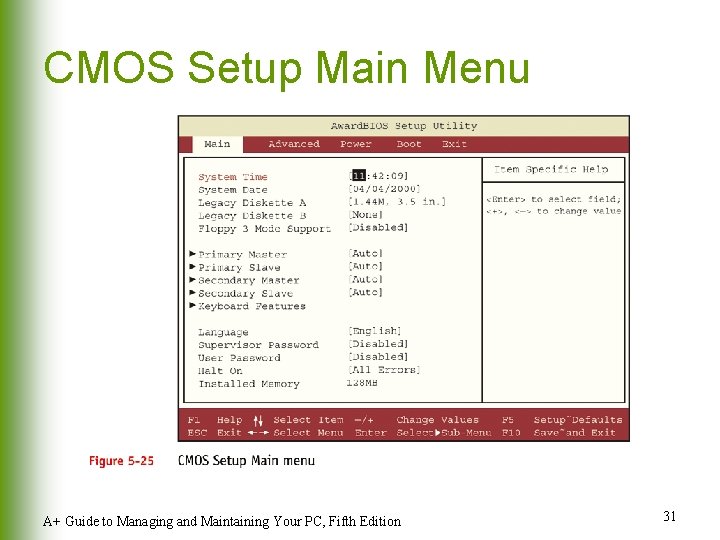
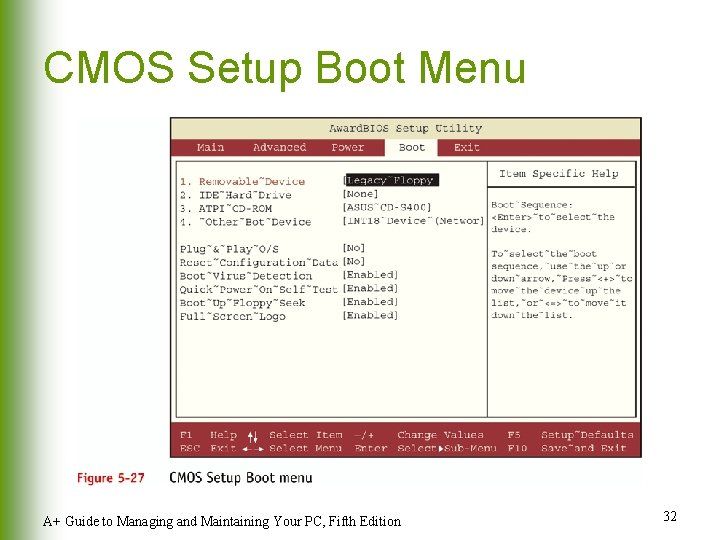
Hardware Configuration l Setup data stored by DIP switches l Setup data stored by jumpers l Setup data stored in CMOS memory A+ Guide to Managing and Maintaining Your PC, Fifth Edition 29
Setup Data Stored by DIP Switches A+ Guide to Managing and Maintaining Your PC, Fifth Edition 30
CMOS Setup Main Menu A+ Guide to Managing and Maintaining Your PC, Fifth Edition 31
CMOS Setup Boot Menu A+ Guide to Managing and Maintaining Your PC, Fifth Edition 32
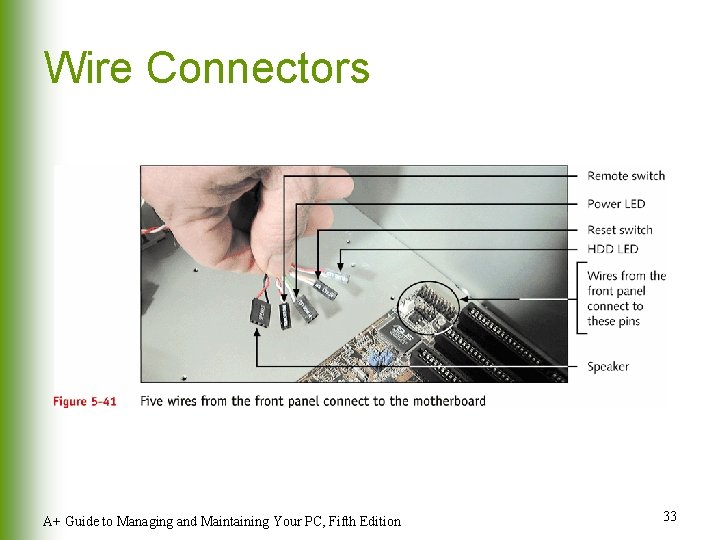
Wire Connectors A+ Guide to Managing and Maintaining Your PC, Fifth Edition 33
Troubleshooting the Motherboard and CPU l Look for clues from POST u l l Reports errors as beep codes Cautiously substitute good hardware components for those you suspect are bad. Make Sure Power Supply is not bad!!! A+ Guide to Managing and Maintaining Your PC, Fifth Edition 34