UR Financials Project Demo Days January 2014 Agenda


- Slides: 28
UR Financials Project Demo Days January 2014
Agenda • • • Project Update Testing Phase Training Update Wrap Up Q & A 2
Chatting for Web. Ex Participants For those joining the Web. Ex: • 1) Please access the chat feature at the top of your screen • 2) Please chat directly with Darren Picciano (He will then pose the questions on your behalf) Darren Picciano • 3) Select Darren in the drop down menu in the chat window (do not select “everyone”) 3
Demo Disclaimer Please Note: • The material presented in this Power. Point deck is provided to introduce participants to the capabilities of Workday Financials. • As we continue to move the project work forward, there will be certain discoveries which may supersede the material presented. 4
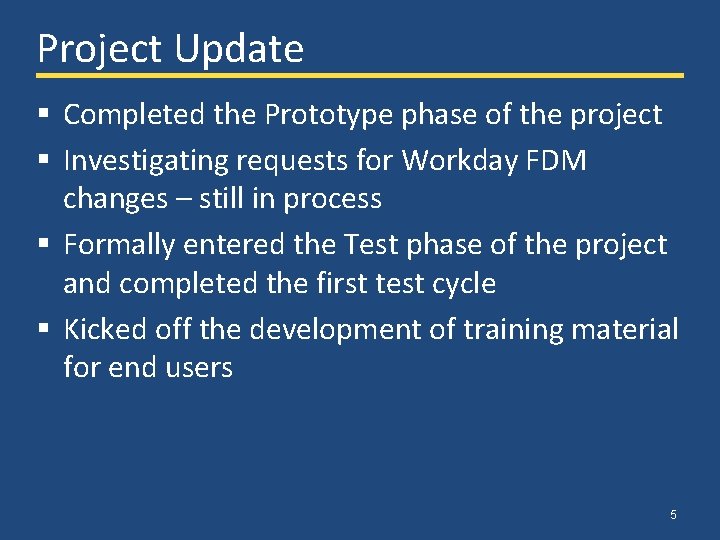
Project Update § Completed the Prototype phase of the project § Investigating requests for Workday FDM changes – still in process § Formally entered the Test phase of the project and completed the first test cycle § Kicked off the development of training material for end users 5
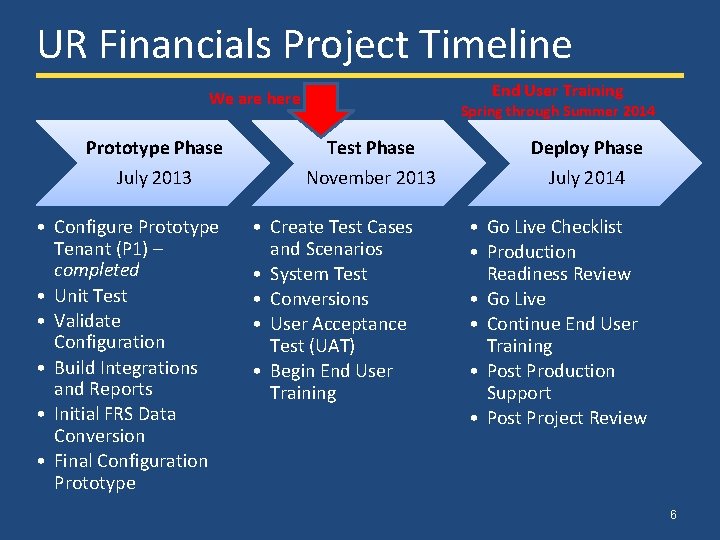
UR Financials Project Timeline End User Training We are here Spring through Summer 2014 Prototype Phase Test Phase Deploy Phase July 2013 November 2013 July 2014 • Configure Prototype Tenant (P 1) – completed • Unit Test • Validate Configuration • Build Integrations and Reports • Initial FRS Data Conversion • Final Configuration Prototype • Create Test Cases and Scenarios • System Test • Conversions • User Acceptance Test (UAT) • Begin End User Training • Go Live Checklist • Production Readiness Review • Go Live • Continue End User Training • Post Production Support • Post Project Review 6
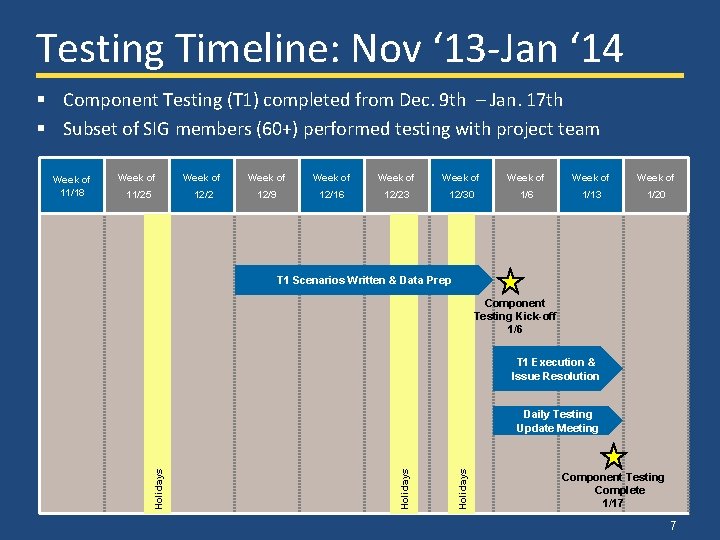
Testing Timeline: Nov ‘ 13 -Jan ‘ 14 § Component Testing (T 1) completed from Dec. 9 th – Jan. 17 th § Subset of SIG members (60+) performed testing with project team Week of Week of Week of 11/25 12/2 12/9 12/16 12/23 12/30 1/6 1/13 1/20 T 1 Scenarios Written & Data Prep Component Testing Kick-off 1/6 T 1 Execution & Issue Resolution Holidays Daily Testing Update Meeting Holidays Week of 11/18 Component Testing Complete 1/17 7
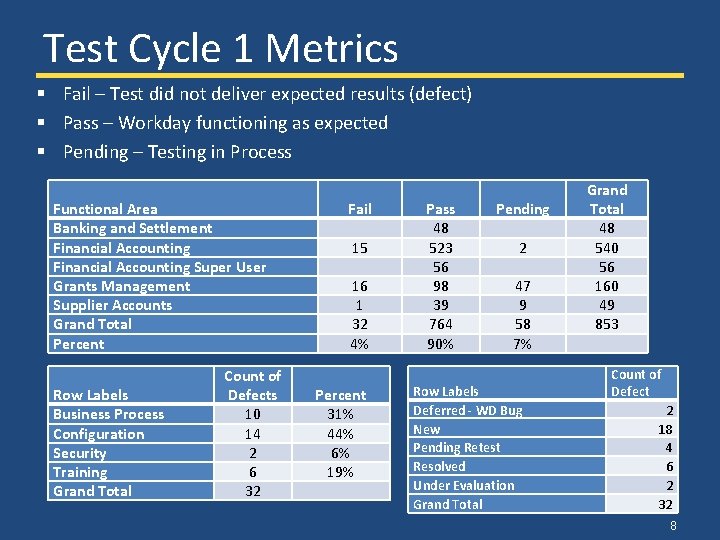
Test Cycle 1 Metrics § Fail – Test did not deliver expected results (defect) § Pass – Workday functioning as expected § Pending – Testing in Process Functional Area Banking and Settlement Financial Accounting Super User Grants Management Supplier Accounts Grand Total Percent Row Labels Business Process Configuration Security Training Grand Total Count of Defects 10 14 2 6 32 Fail 15 16 1 32 4% Percent 31% 44% 6% 19% Pass 48 523 56 98 39 764 90% Pending 2 47 9 58 7% Row Labels Deferred - WD Bug New Pending Retest Resolved Under Evaluation Grand Total 48 540 56 160 49 853 Count of Defect 2 18 4 6 2 32 8
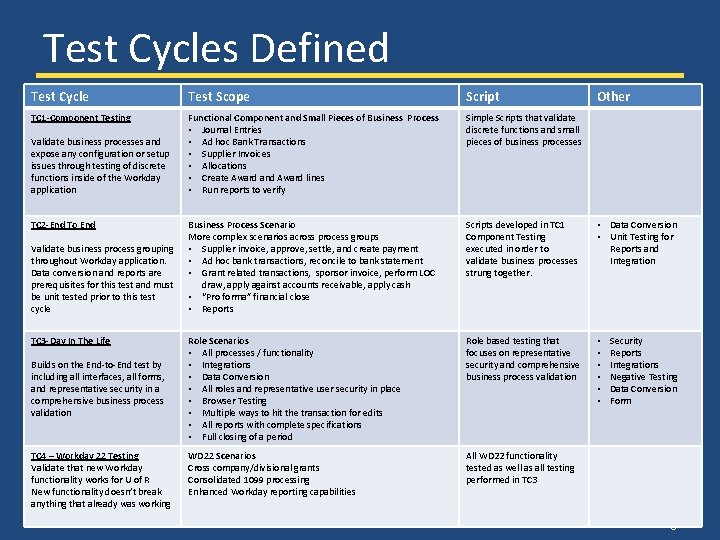
Test Cycles Defined Test Cycle Test Scope Script TC 1 -Component Testing Functional Component and Small Pieces of Business Process • Journal Entries • Ad hoc Bank Transactions • Supplier Invoices • Allocations • Create Award and Award lines • Run reports to verify Simple Scripts that validate discrete functions and small pieces of business processes Business Process Scenario More complex scenarios across process groups • Supplier invoice, approve, settle, and create payment • Ad hoc bank transactions, reconcile to bank statement • Grant related transactions, sponsor invoice, perform LOC draw, apply against accounts receivable, apply cash • “Pro forma” financial close • Reports Scripts developed in TC 1 Component Testing executed in order to validate business processes strung together. • Data Conversion • Unit Testing for Reports and Integration Role Scenarios • All processes / functionality • Integrations • Data Conversion • All roles and representative user security in place • Browser Testing • Multiple ways to hit the transaction for edits • All reports with complete specifications • Full closing of a period Role based testing that focuses on representative security and comprehensive business process validation • • • WD 22 Scenarios Cross company/divisional grants Consolidated 1099 processing Enhanced Workday reporting capabilities All WD 22 functionality tested as well as all testing performed in TC 3 Validate business processes and expose any configuration or setup issues through testing of discrete functions inside of the Workday application TC 2 -End To End Validate business process grouping throughout Workday application. Data conversion and reports are prerequisites for this test and must be unit tested prior to this test cycle TC 3 -Day In The Life Builds on the End-to-End test by including all interfaces, all forms, and representative security in a comprehensive business process validation TC 4 – Workday 22 Testing Validate that new Workday functionality works for U of R New functionality doesn’t break anything that already was working Other Security Reports Integrations Negative Testing Data Conversion Form 9
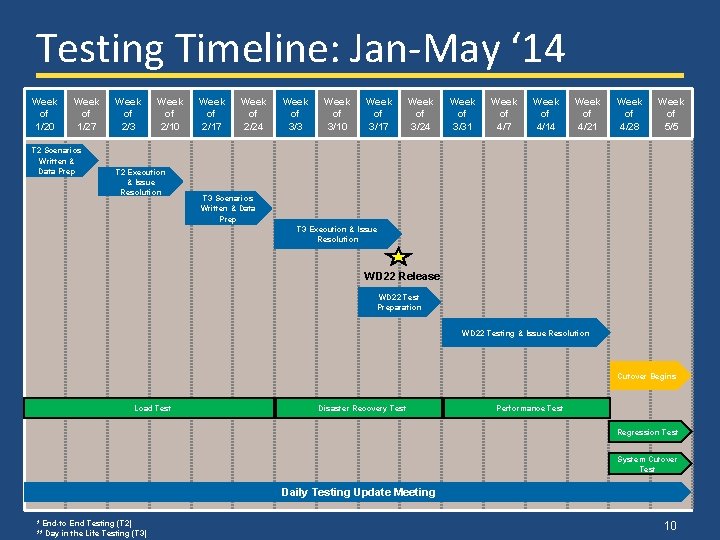
Testing Timeline: Jan-May ‘ 14 Week of 1/20 Week of 1/27 T 2 Scenarios Written & Data Prep Week of 2/3 Week of 2/10 T 2 Execution & Issue Resolution Week of 2/17 Week of 2/24 Week of 3/3 Week of 3/10 Week of 3/17 Week of 3/24 Week of 3/31 Week of 4/7 Week of 4/14 Week of 4/21 Week of 4/28 Week of 5/5 T 3 Scenarios Written & Data Prep T 3 Execution & Issue Resolution WD 22 Release WD 22 Test Preparation WD 22 Testing & Issue Resolution Cutover Begins Load Test Disaster Recovery Test Performance Test Regression Test System Cutover Test Daily Testing Update Meeting * End-to End Testing (T 2) ** Day in the Life Testing (T 3) 10
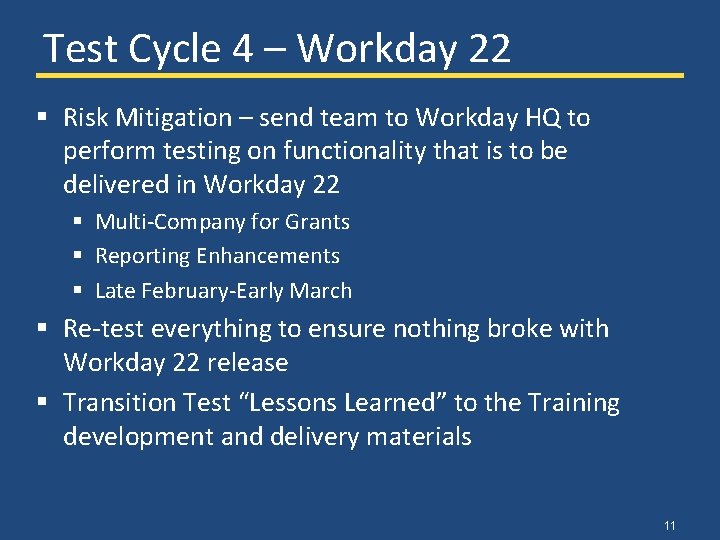
Test Cycle 4 – Workday 22 § Risk Mitigation – send team to Workday HQ to perform testing on functionality that is to be delivered in Workday 22 § Multi-Company for Grants § Reporting Enhancements § Late February-Early March § Re-test everything to ensure nothing broke with Workday 22 release § Transition Test “Lessons Learned” to the Training development and delivery materials 11
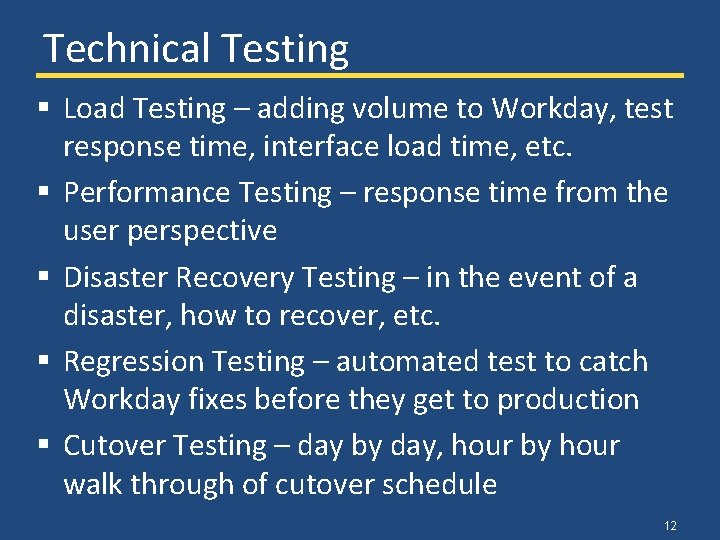
Technical Testing § Load Testing – adding volume to Workday, test response time, interface load time, etc. § Performance Testing – response time from the user perspective § Disaster Recovery Testing – in the event of a disaster, how to recover, etc. § Regression Testing – automated test to catch Workday fixes before they get to production § Cutover Testing – day by day, hour by hour walk through of cutover schedule 12
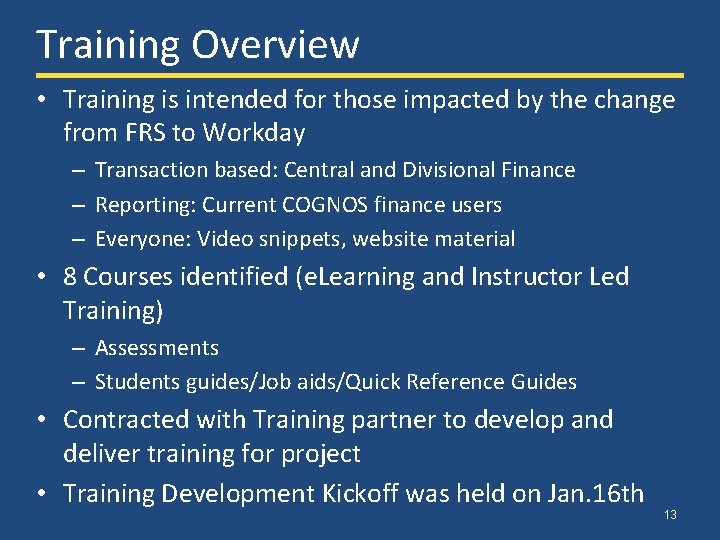
Training Overview • Training is intended for those impacted by the change from FRS to Workday – Transaction based: Central and Divisional Finance – Reporting: Current COGNOS finance users – Everyone: Video snippets, website material • 8 Courses identified (e. Learning and Instructor Led Training) – Assessments – Students guides/Job aids/Quick Reference Guides • Contracted with Training partner to develop and deliver training for project • Training Development Kickoff was held on Jan. 16 th 13
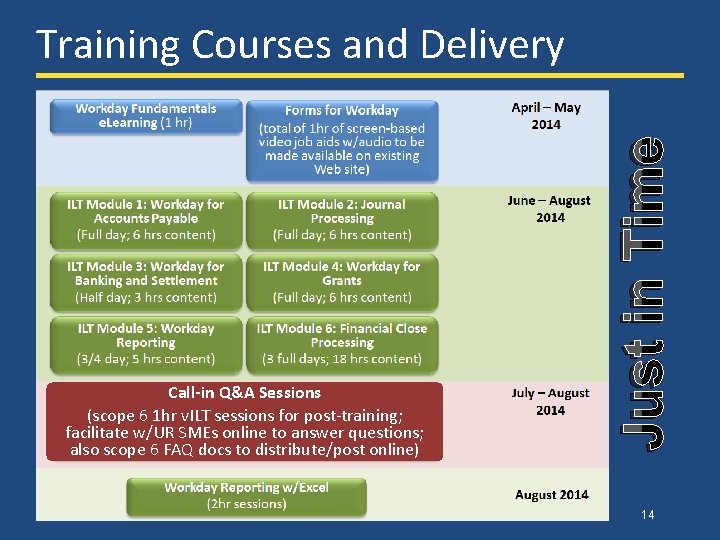
Call-in Q&A Sessions (scope 6 1 hr v. ILT sessions for post-training; facilitate w/UR SMEs online to answer questions; also scope 6 FAQ docs to distribute/post online) Just in Time Training Courses and Delivery 14
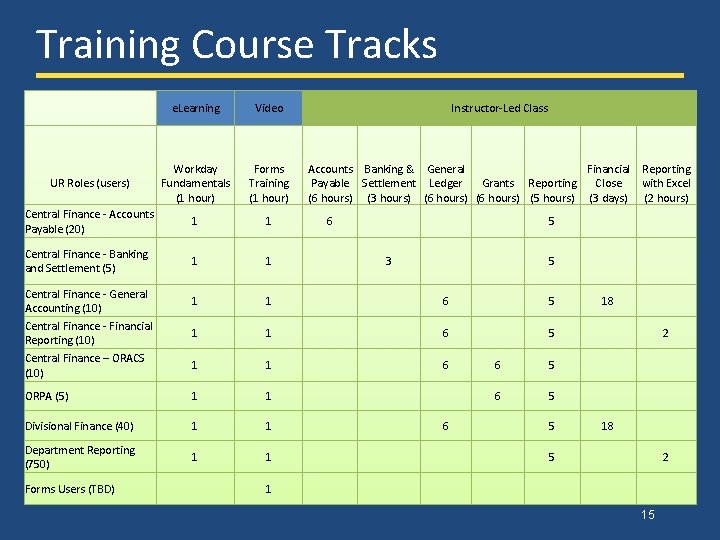
Training Course Tracks e. Learning Video Instructor-Led Class UR Roles (users) Workday Fundamentals (1 hour) Forms Training (1 hour) Accounts Banking & General Financial Reporting Grants Reporting Close with Excel Payable Settlement Ledger (6 hours) (3 hours) (6 hours) (5 hours) (3 days) (2 hours) Central Finance - Accounts Payable (20) 1 1 6 5 Central Finance - Banking and Settlement (5) 1 1 3 5 1 1 6 5 18 1 1 6 5 2 1 1 6 6 5 ORPA (5) 1 1 6 5 Divisional Finance (40) 1 1 6 5 18 Department Reporting (750) 1 1 5 2 1 Central Finance - General Accounting (10) Central Finance - Financial Reporting (10) Central Finance – ORACS (10) Forms Users (TBD) 15
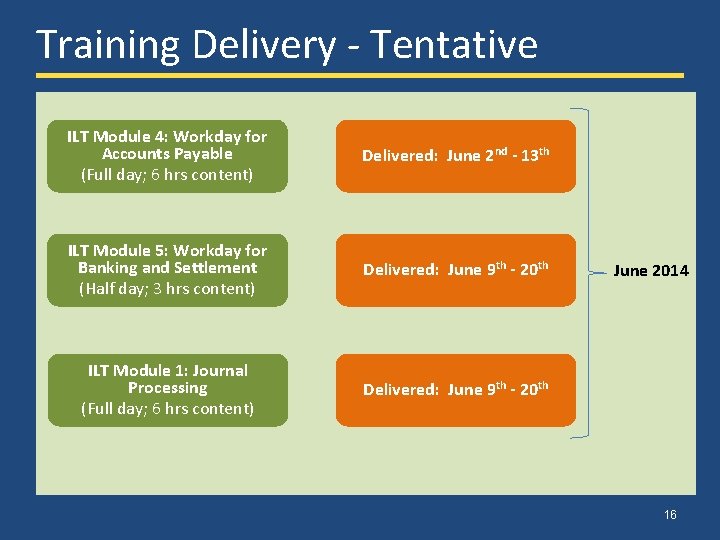
Training Delivery - Tentative ILT Module 4: Workday for Accounts Payable (Full day; 6 hrs content) Delivered: June 2 nd - 13 th ILT Module 5: Workday for Banking and Settlement (Half day; 3 hrs content) Delivered: June 9 th - 20 th ILT Module 1: Journal Processing (Full day; 6 hrs content) Delivered: June 9 th - 20 th June 2014 16
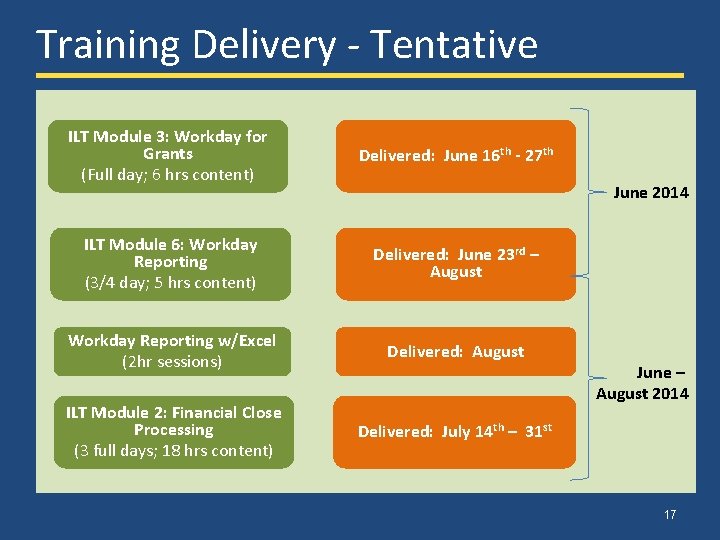
Training Delivery - Tentative ILT Module 3: Workday for Grants (Full day; 6 hrs content) Delivered: June 16 th - 27 th ILT Module 6: Workday Reporting (3/4 day; 5 hrs content) Delivered: June 23 rd – August Workday Reporting w/Excel (2 hr sessions) Delivered: August ILT Module 2: Financial Close Processing (3 full days; 18 hrs content) Delivered: July 14 th – 31 st June 2014 June – August 2014 17
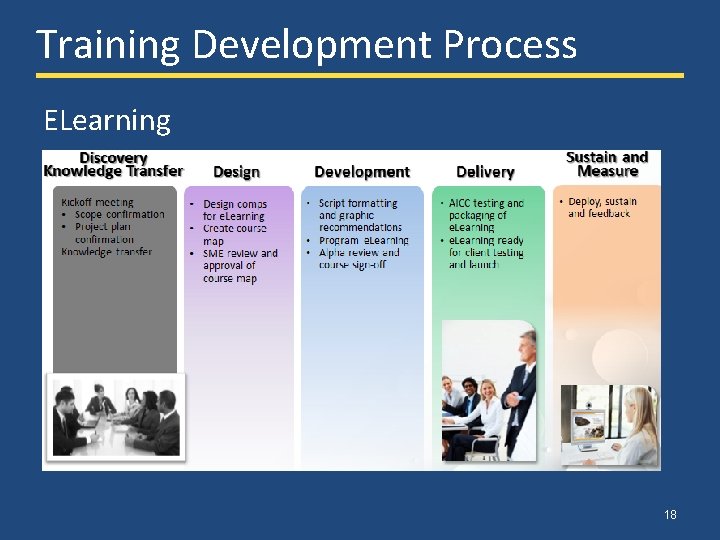
Training Development Process ELearning 18
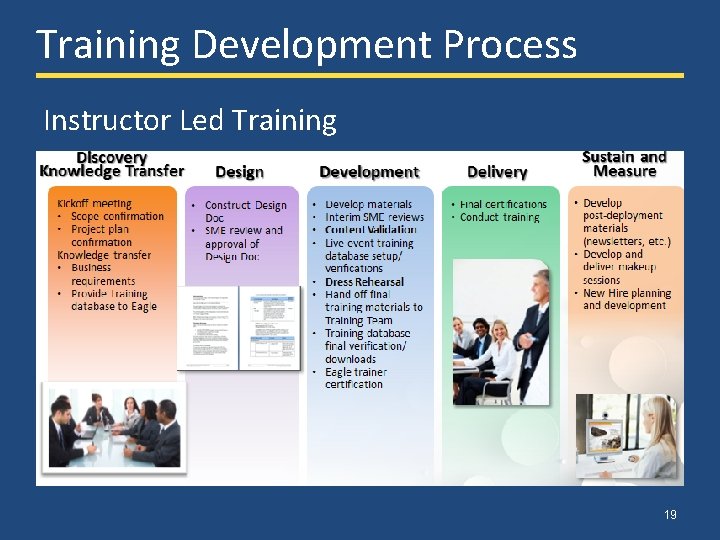
Training Development Process Instructor Led Training 19
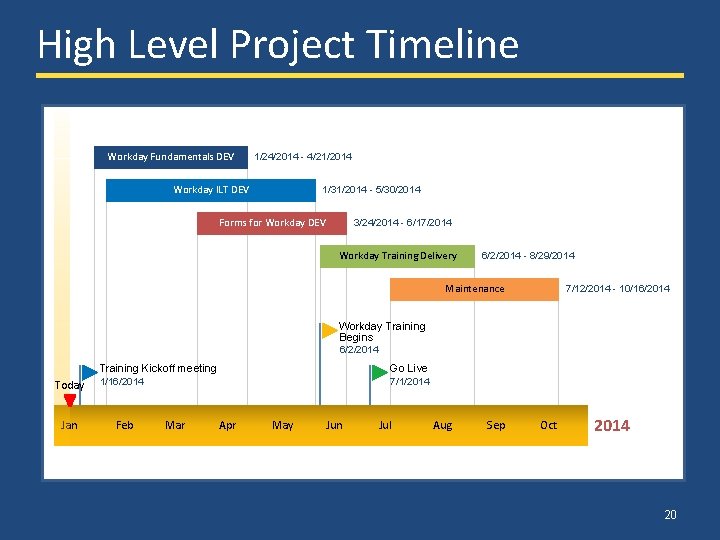
High Level Project Timeline Workday Fundamentals DEV 1/24/2014 - 4/21/2014 Workday ILT DEV 1/31/2014 - 5/30/2014 Forms for Workday DEV 3/24/2014 - 6/17/2014 Workday Training Delivery 6/2/2014 - 8/29/2014 Maintenance 7/12/2014 - 10/16/2014 Workday Training Begins 6/2/2014 Training Kickoff meeting Go Live Today 1/16/2014 7/1/2014 Jan Feb Mar Apr May Jun Jul Aug Sep Oct 2014 20
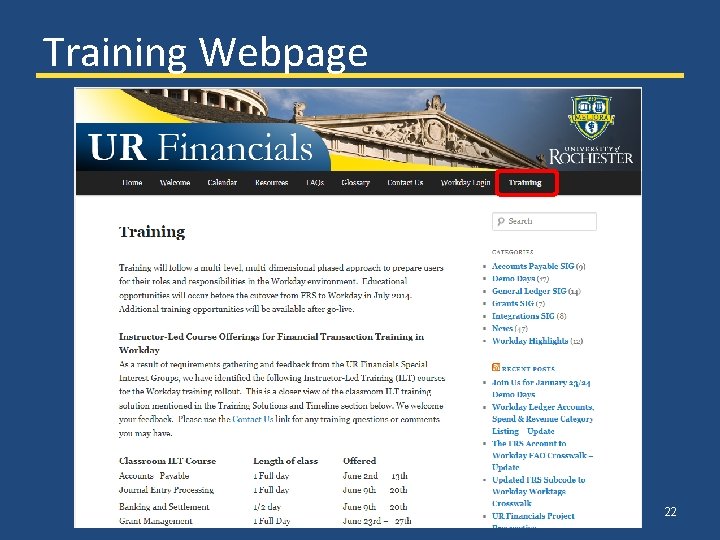
UR Financials Website Update • Updated Training and FAQs page • Financial Data Model video – Scheduled for production in early February – Will be added to Website under Training Snippets section • See appendix (and website) for the latest FRS to Workday crosswalk tools 21
Training Webpage 22
Wrap Up: Communications • Expect to see increasing frequency of communications as we are in the final countdown to go-live • Visit UR Financials Project website for information and materials from Demo Days and other meetings http: //www. rochester. edu/adminfinance/urfinancials/ • A survey link will be emailed to provide feedback on this Demo 23
Wrap Up: Demo Days • Demo Days next month will be February 19 -21 • Topics for upcoming Demo Days – General Updates – Reporting – Training – Data Conversion and Validation – Cut-Over Plans • Please continue to reach out with questions and share project information with your Department 24
Q & A 25
Appendix 26
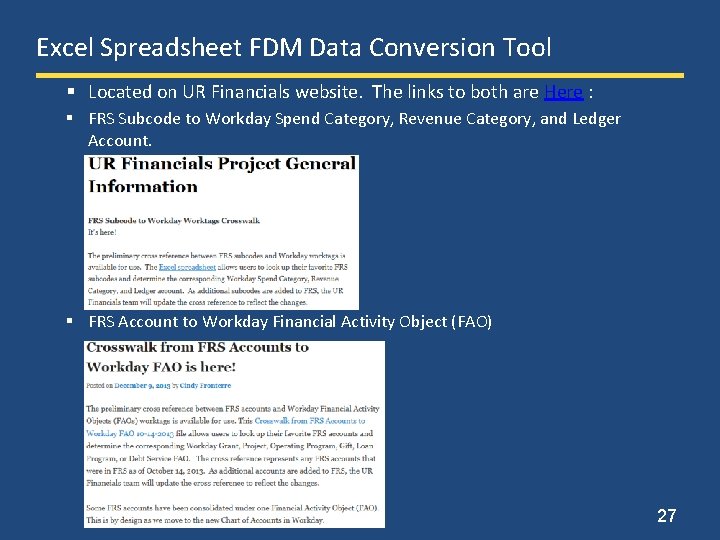
Excel Spreadsheet FDM Data Conversion Tool § Located on UR Financials website. The links to both are Here : § FRS Subcode to Workday Spend Category, Revenue Category, and Ledger Account. § FRS Account to Workday Financial Activity Object (FAO) 27