
Learning By Doing Early Upgrade Success for UCF
Learning By Doing Early Upgrade Success for UCF with People. Soft Financials R 9. 1 Session 29789 March 28, 2011
Presentation Agenda n University of Central Florida (UCF) Overview n Infrastructure n Upgrade Drivers and Benefits n Project Timeline n Best Practices Takeaways
Presenter n Rebecca Vilsack (University of Central Florida) Director of Information Technology Financial Systems Project Manager – FSCM versions 8. 4, 8. 9, and 9. 1 Director of Financials Support Services (FSS) Public and private sector experience in financial operations, business process re-engineering, and Total Quality Management (TQM)
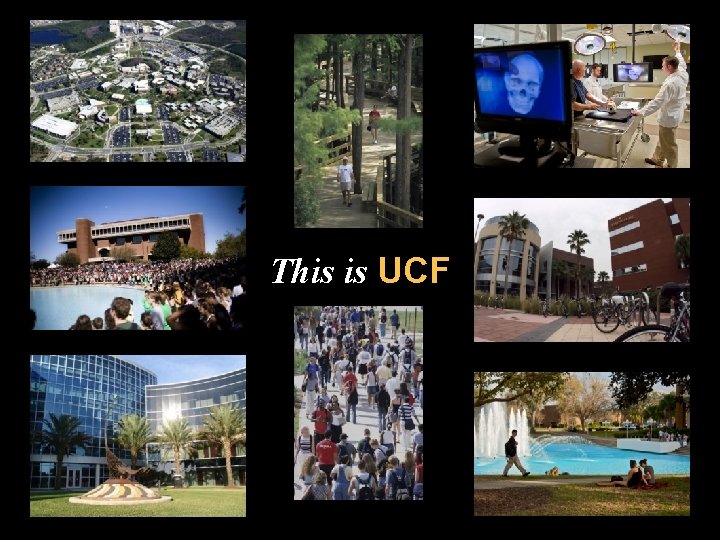
This is UCF
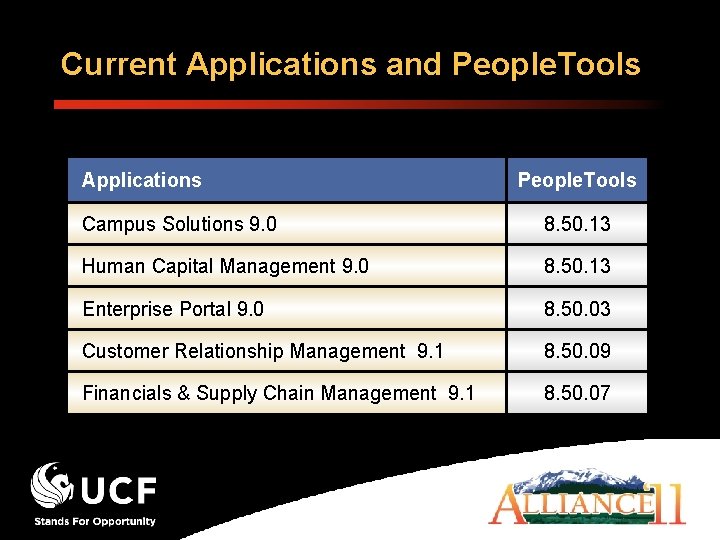
Current Applications and People. Tools Applications People. Tools Campus Solutions 9. 0 8. 50. 13 Human Capital Management 9. 0 8. 50. 13 Enterprise Portal 9. 0 8. 50. 03 Customer Relationship Management 9. 1 8. 50. 09 Financials & Supply Chain Management 9. 1 8. 50. 07
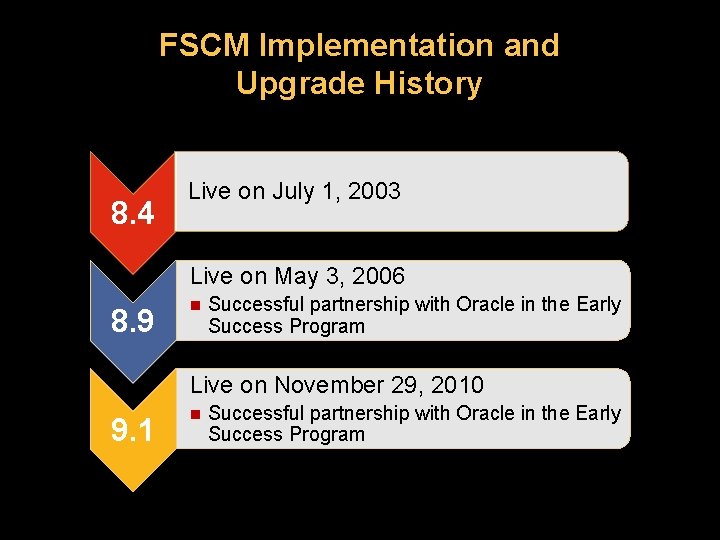
FSCM Implementation and Upgrade History 8. 4 Live on July 1, 2003 Live on May 3, 2006 8. 9 n Successful partnership with Oracle in the Early Success Program Live on November 29, 2010 9. 1 n Successful partnership with Oracle in the Early Success Program
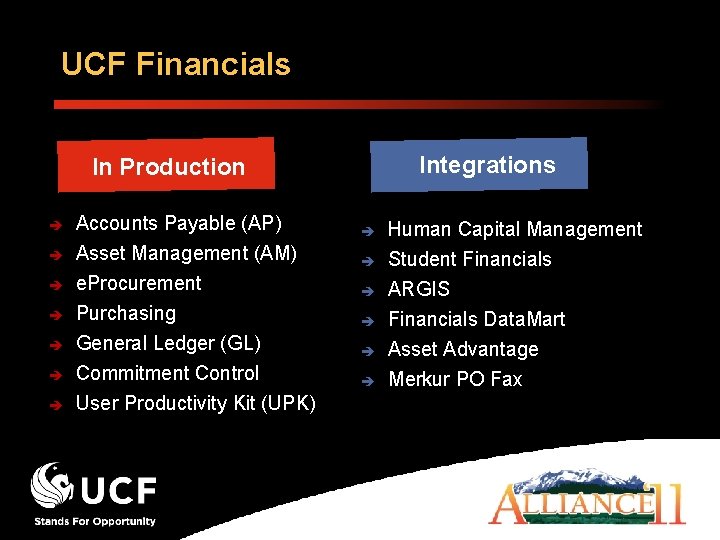
UCF Financials Integrations In Production è è è è Accounts Payable (AP) Asset Management (AM) e. Procurement Purchasing General Ledger (GL) Commitment Control User Productivity Kit (UPK) è è è Human Capital Management Student Financials ARGIS Financials Data. Mart Asset Advantage Merkur PO Fax
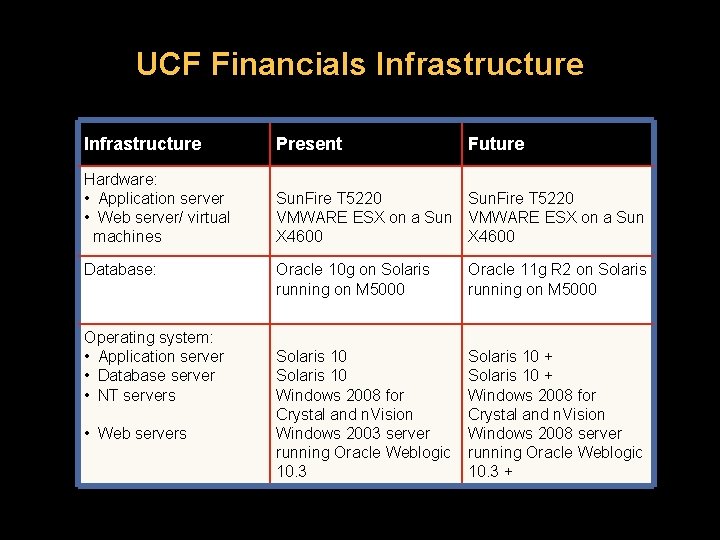
UCF Financials Infrastructure Present Hardware: • Application server • Web server/ virtual machines Sun. Fire T 5220 VMWARE ESX on a Sun X 4600 Database: Operating system: • Application server • Database server • NT servers • Web servers Future Oracle 10 g on Solaris running on M 5000 Oracle 11 g R 2 on Solaris running on M 5000 Solaris 10 Windows 2008 for Crystal and n. Vision Windows 2003 server running Oracle Weblogic 10. 3 Solaris 10 + Windows 2008 for Crystal and n. Vision Windows 2008 server running Oracle Weblogic 10. 3 +
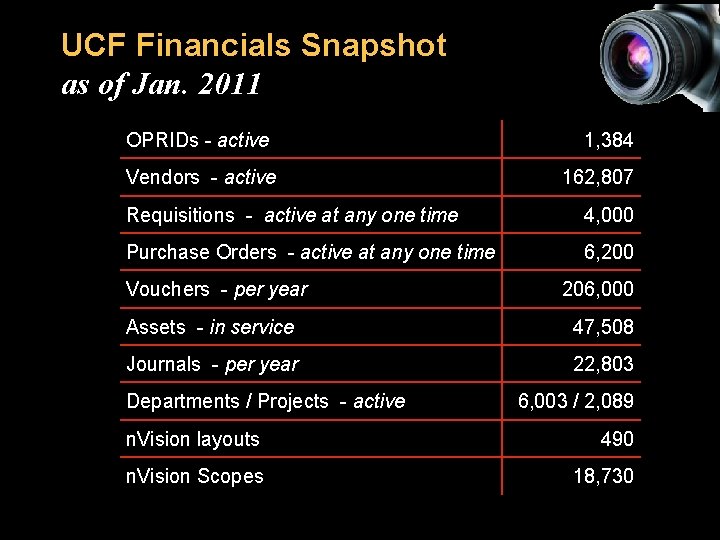
UCF Financials Snapshot as of Jan. 2011 OPRIDs - active Vendors - active 1, 384 162, 807 Requisitions - active at any one time 4, 000 Purchase Orders - active at any one time 6, 200 Vouchers - per year 206, 000 Assets - in service 47, 508 Journals - per year 22, 803 Departments / Projects - active 6, 003 / 2, 089 n. Vision layouts 490 n. Vision Scopes 18, 730
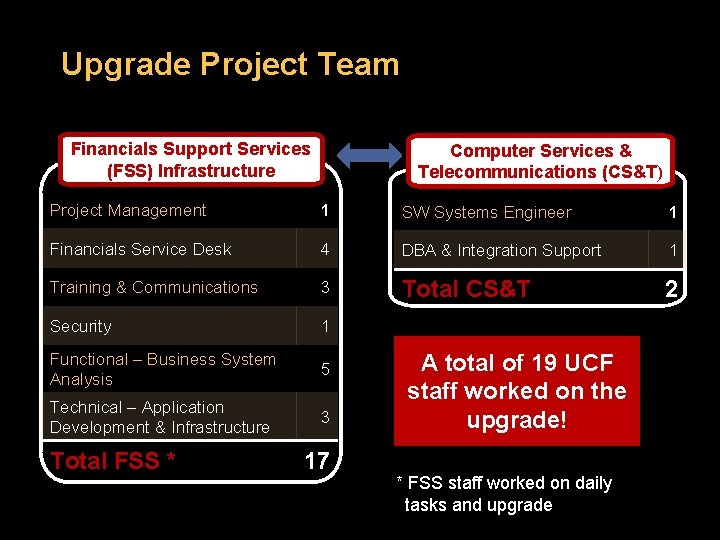
Upgrade Project Team Financials Support Services (FSS) Infrastructure Computer Services & Telecommunications (CS&T) Project Management 1 SW Systems Engineer 1 Financials Service Desk 4 DBA & Integration Support 1 Training & Communications 3 Total CS&T 2 Security 1 Functional – Business System Analysis 5 Technical – Application Development & Infrastructure 3 Total FSS * 17 A total of 19 UCF staff worked on the upgrade! * FSS staff worked on daily tasks and upgrade
UCF – Oracle Partnership The Early Success Program was a natural fit that aligned with existing university objectives
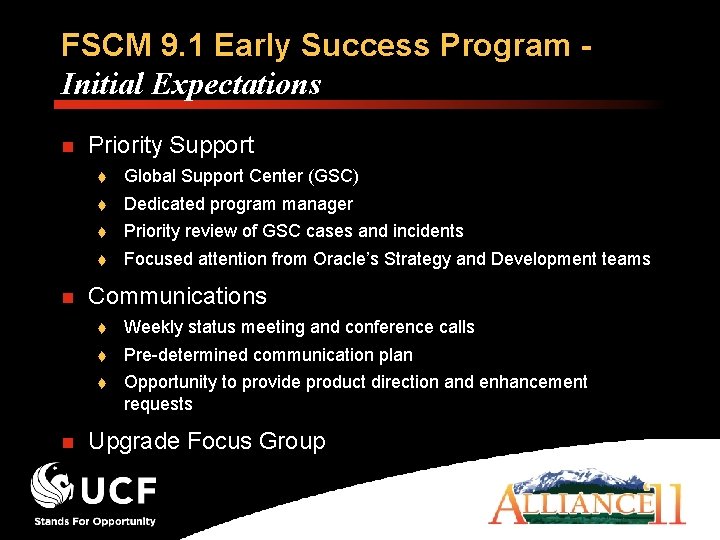
FSCM 9. 1 Early Success Program Initial Expectations n n n Priority Support Global Support Center (GSC) Dedicated program manager Priority review of GSC cases and incidents Focused attention from Oracle’s Strategy and Development teams Communications Weekly status meeting and conference calls Pre-determined communication plan Opportunity to provide product direction and enhancement requests Upgrade Focus Group
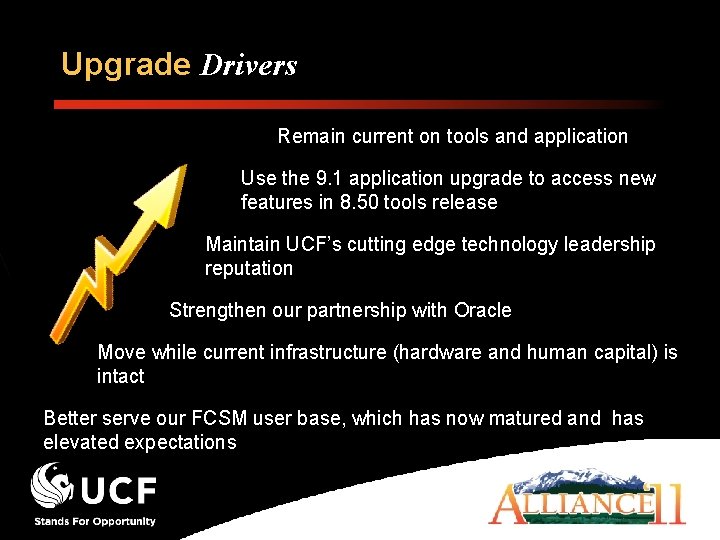
Upgrade Drivers Remain current on tools and application Use the 9. 1 application upgrade to access new features in 8. 50 tools release Maintain UCF’s cutting edge technology leadership reputation Strengthen our partnership with Oracle Move while current infrastructure (hardware and human capital) is intact Better serve our FCSM user base, which has now matured and has elevated expectations
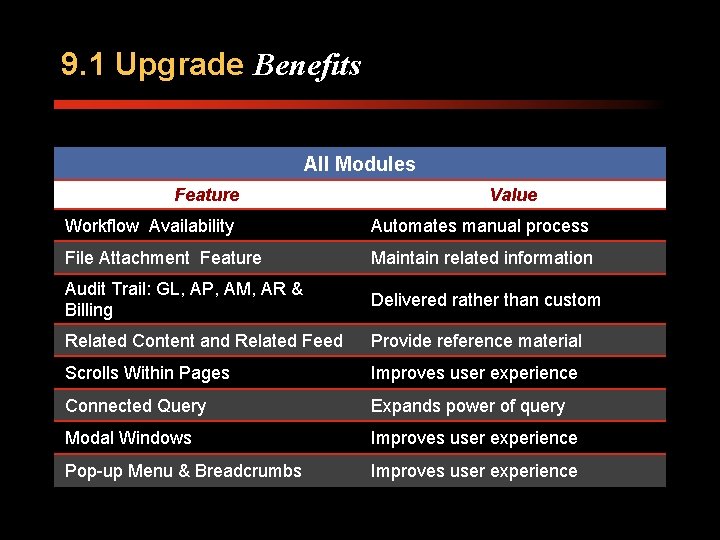
9. 1 Upgrade Benefits All Modules Feature Value Workflow Availability Automates manual process File Attachment Feature Maintain related information Audit Trail: GL, AP, AM, AR & Billing Delivered rather than custom Related Content and Related Feed Provide reference material Scrolls Within Pages Improves user experience Connected Query Expands power of query Modal Windows Improves user experience Pop-up Menu & Breadcrumbs Improves user experience
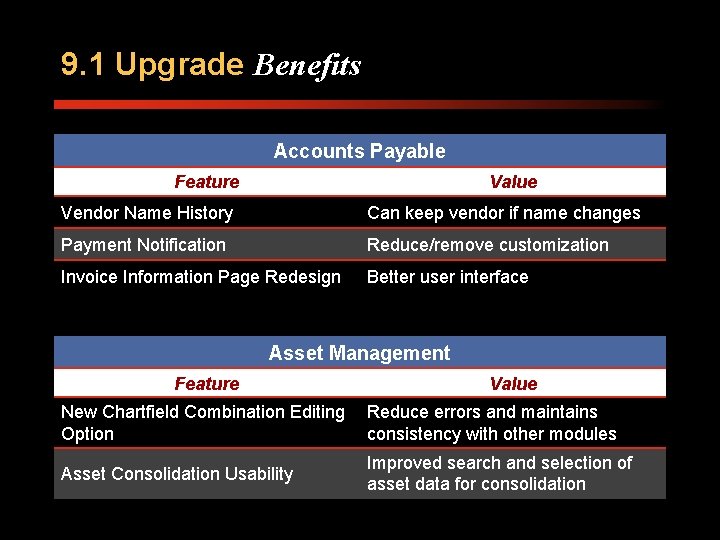
9. 1 Upgrade Benefits Accounts Payable Feature Value Vendor Name History Can keep vendor if name changes Payment Notification Reduce/remove customization Invoice Information Page Redesign Better user interface Asset Management Feature Value New Chartfield Combination Editing Reduce errors and maintains Option consistency with other modules Asset Consolidation Usability Improved search and selection of asset data for consolidation
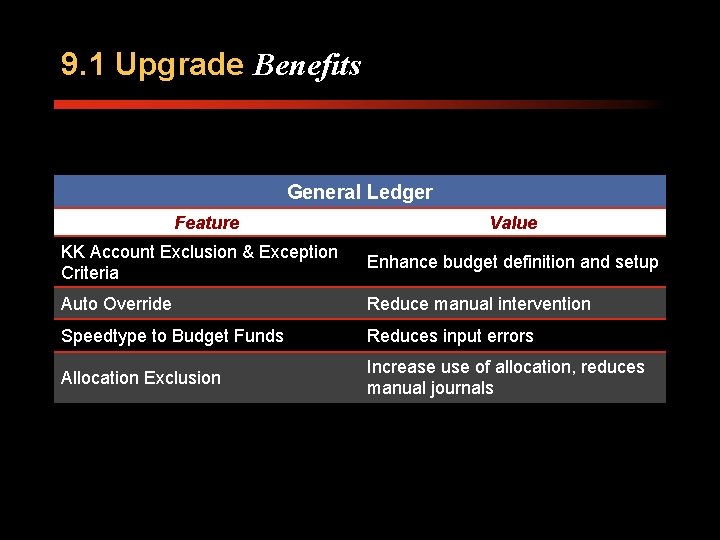
9. 1 Upgrade Benefits General Ledger Feature Value KK Account Exclusion & Exception Criteria Enhance budget definition and setup Auto Override Reduce manual intervention Speedtype to Budget Funds Reduces input errors Allocation Exclusion Increase use of allocation, reduces manual journals
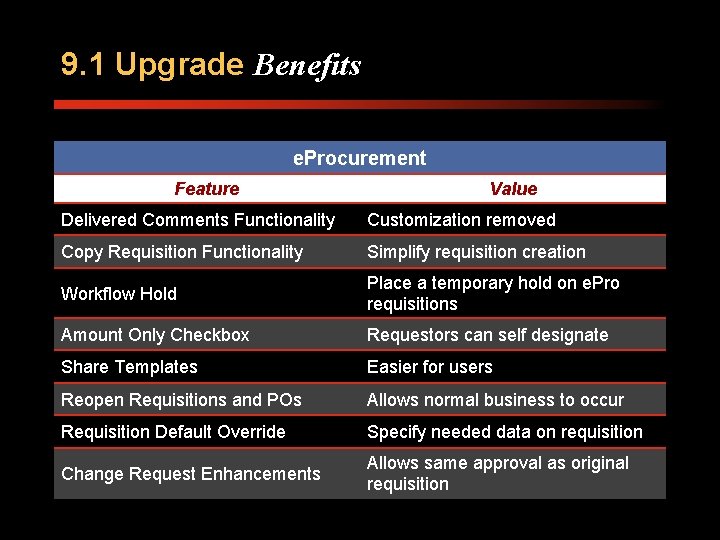
9. 1 Upgrade Benefits e. Procurement Feature Value Delivered Comments Functionality Customization removed Copy Requisition Functionality Simplify requisition creation Workflow Hold Place a temporary hold on e. Pro requisitions Amount Only Checkbox Requestors can self designate Share Templates Easier for users Reopen Requisitions and POs Allows normal business to occur Requisition Default Override Specify needed data on requisition Change Request Enhancements Allows same approval as original requisition
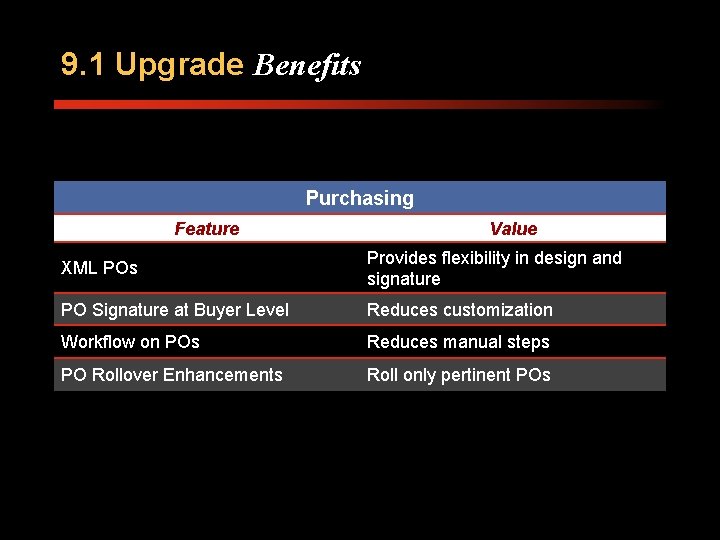
9. 1 Upgrade Benefits Purchasing Feature Value XML POs Provides flexibility in design and signature PO Signature at Buyer Level Reduces customization Workflow on POs Reduces manual steps PO Rollover Enhancements Roll only pertinent POs
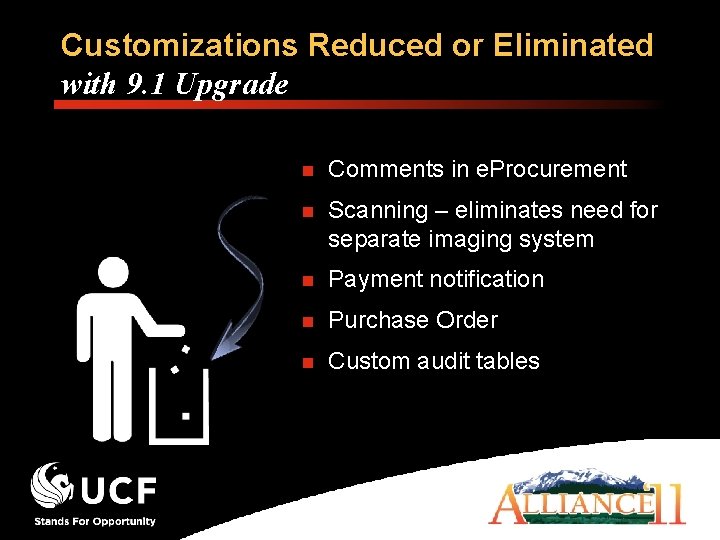
Customizations Reduced or Eliminated with 9. 1 Upgrade n Comments in e. Procurement n Scanning – eliminates need for separate imaging system n Payment notification n Purchase Order n Custom audit tables
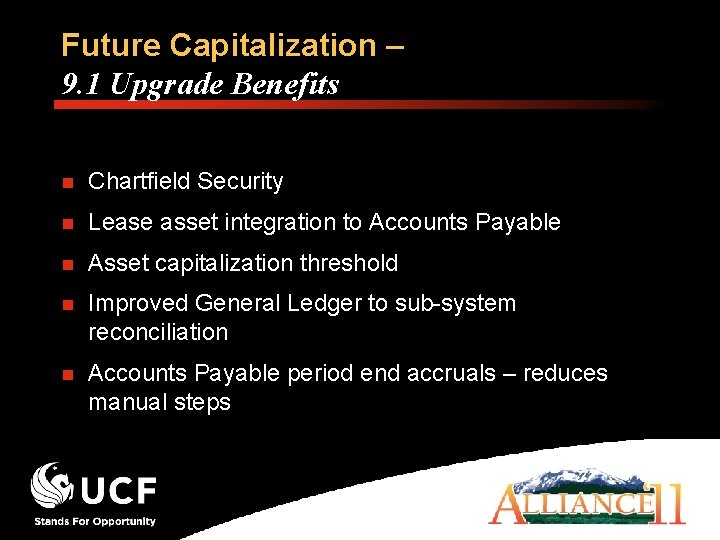
Future Capitalization – 9. 1 Upgrade Benefits n Chartfield Security n Lease asset integration to Accounts Payable n Asset capitalization threshold n Improved General Ledger to sub-system reconciliation n Accounts Payable period end accruals – reduces manual steps
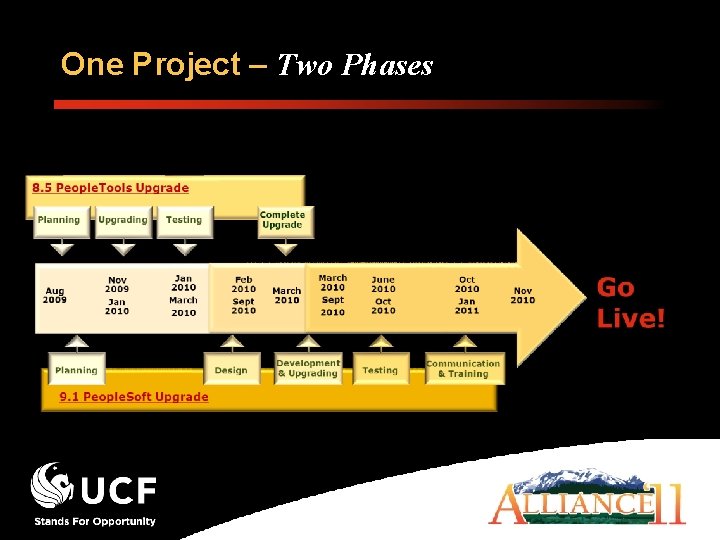
One Project – Two Phases
8. 50 Tools on 8. 9 Training Strategy and Tactics n Strategy: n Reduce end-user training requirements from tools upgrade Tactics: Current navigation menu unchanged Inactivate type-ahead feature Inactivate Really Simple Syndication (RSS) feeds
8. 50 Tools Experience n Issues logged Installation issue n. Vision reporting issues (2) Type-ahead feature behaves differently (1) Multi browser time out (workaround) n Issues not logged My Favorites, Weblib, and Service Operations Security App Designer requires separate installation of C Run Time files for client machines People. Soft OBDC driver no longer installed by configuration manager
People. Tools 8. 50 Takeaways n Internal delays - Setting up of environments n Slippage compressed testing schedule n Single environment for testing n Release of. 07 required for 9. 1 upgrade n Anticipated issues with integrations and messaging n Related system issues increased complexity
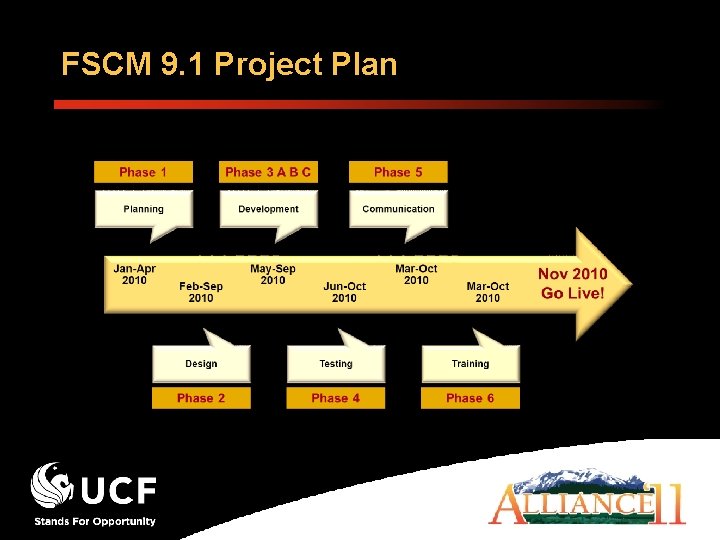
FSCM 9. 1 Project Plan
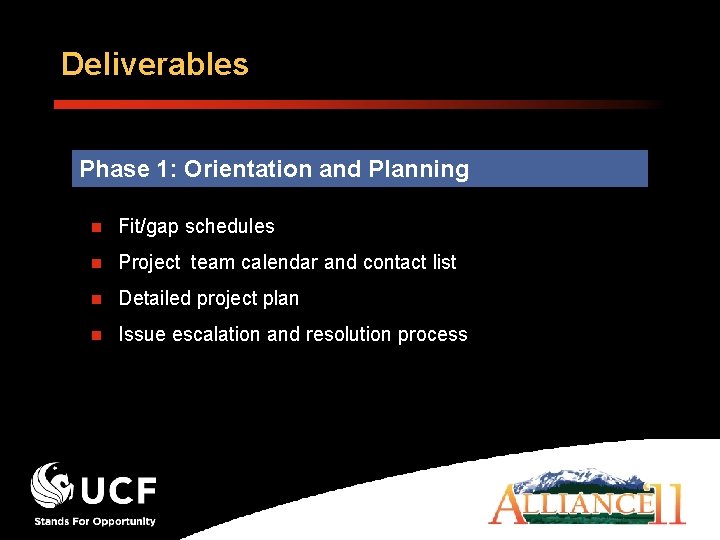
Deliverables Phase 1: Orientation and Planning n Fit/gap schedules n Project team calendar and contact list n Detailed project plan n Issue escalation and resolution process
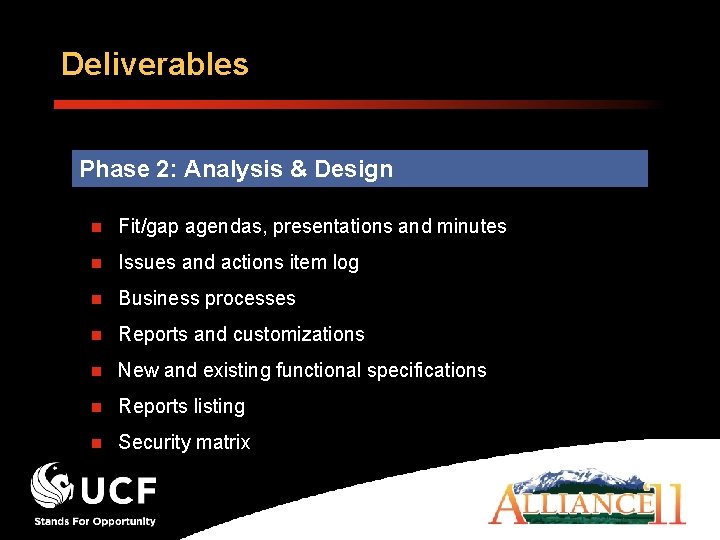
Deliverables Phase 2: Analysis & Design n Fit/gap agendas, presentations and minutes n Issues and actions item log n Business processes n Reports and customizations n New and existing functional specifications n Reports listing n Security matrix
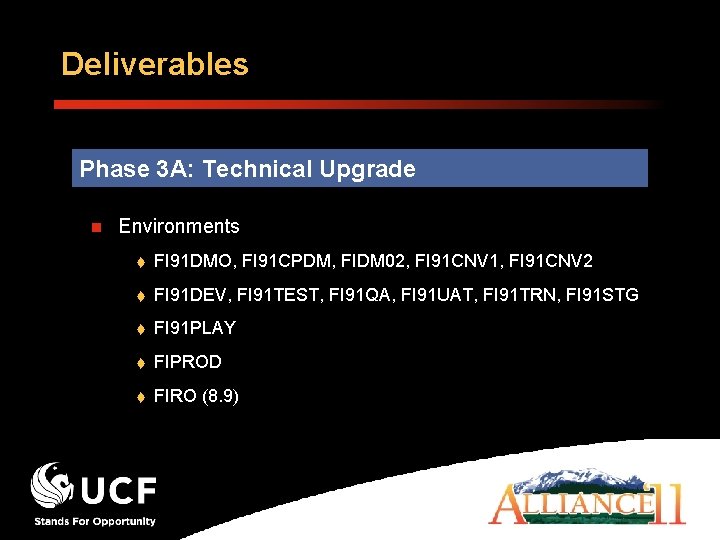
Deliverables Phase 3 A: Technical Upgrade n Environments FI 91 DMO, FI 91 CPDM, FIDM 02, FI 91 CNV 1, FI 91 CNV 2 FI 91 DEV, FI 91 TEST, FI 91 QA, FI 91 UAT, FI 91 TRN, FI 91 STG FI 91 PLAY FIPROD FIRO (8. 9)
Deliverables Phase 3 B: Development n Technical specifications n Customizations development n Post-production technical issues and action items log Phase 3 C: Required System Maintenance n People. Tools Patch 8. 50. 08 or higher n Patches and fixes schedule
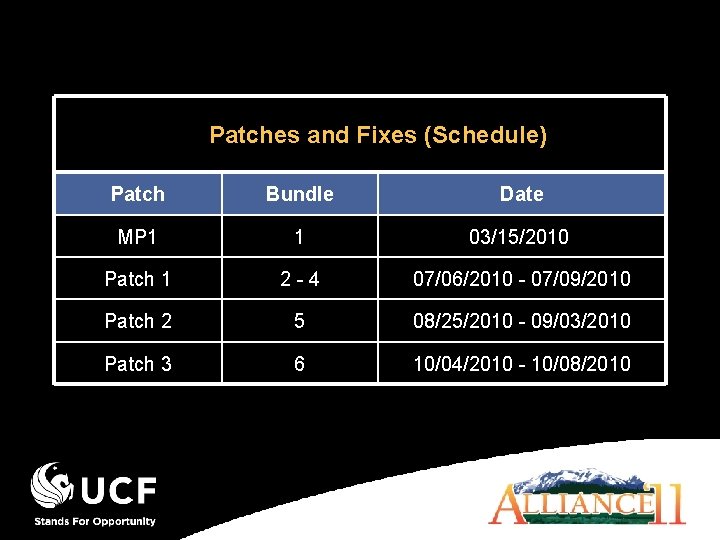
Patches and Fixes (Schedule) Patch Bundle Date MP 1 1 03/15/2010 Patch 1 2 - 4 07/06/2010 - 07/09/2010 Patch 2 5 08/25/2010 - 09/03/2010 Patch 3 6 10/04/2010 - 10/08/2010
Deliverables Phase 4: Testing n Test plan and scripts n Updated specifications and action issues and item logs n Document test results (User Acceptance Testing)
Deliverables Phase 5: Communication n n Themed marketing and promotion campaign plan - Perform audience analysis - Tailor the deliverables and media for various messages - Include measurement metrics - Tie messages to the unified marketing theme - Vary delivery media, but reinforce a consistent message Updated project Web site http: //www. financials. ucf. edu
Deliverables Phase 6: Training n Training plans, sessions and material n Training scope (Delta or Webcourses)
Deliverables Phase 7: Solution Delivery n Detailed cutover plan n Upgraded 9. 1 Financials system n Post-production issues and action items log
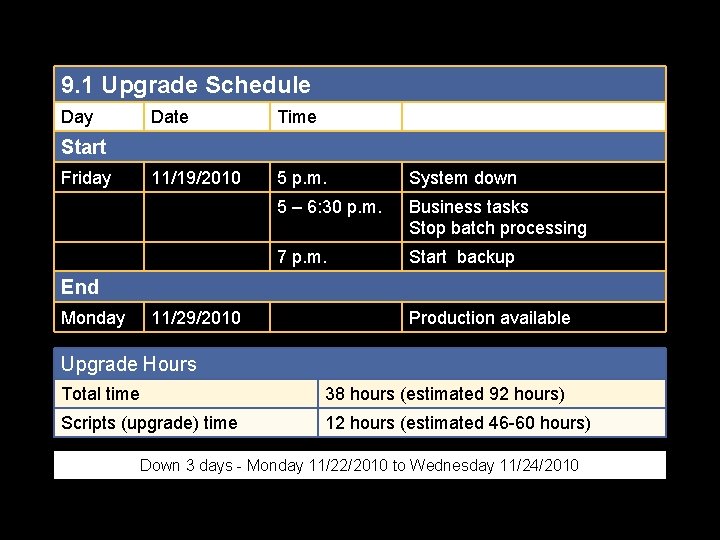
9. 1 Upgrade Schedule Day Date Time 11/19/2010 5 p. m. System down 5 – 6: 30 p. m. Business tasks Stop batch processing 7 p. m. Start backup Start Friday End Monday 11/29/2010 Production available Upgrade Hours Total time 38 hours (estimated 92 hours) Scripts (upgrade) time 12 hours (estimated 46 -60 hours) Down 3 days - Monday 11/22/2010 to Wednesday 11/24/2010
Deliverables Phase 8: Production Support for upgrade technical specifications n FSCM packs
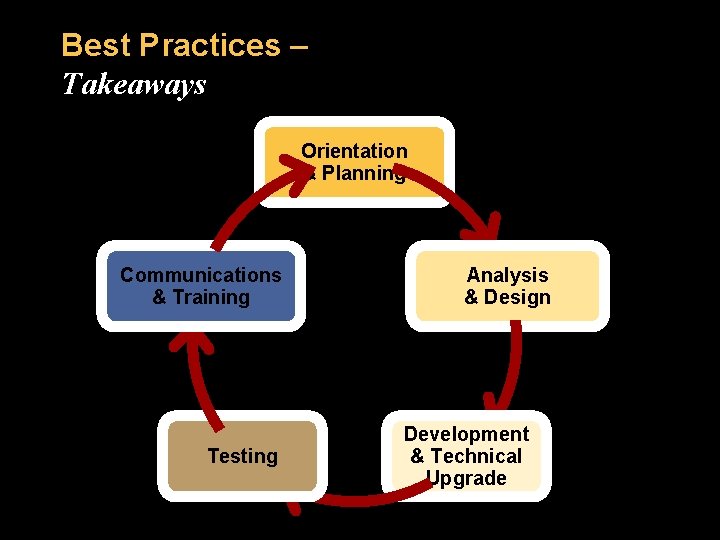
Best Practices – Takeaways Orientation & Planning Communications & Training Testing Analysis & Design Development & Technical Upgrade
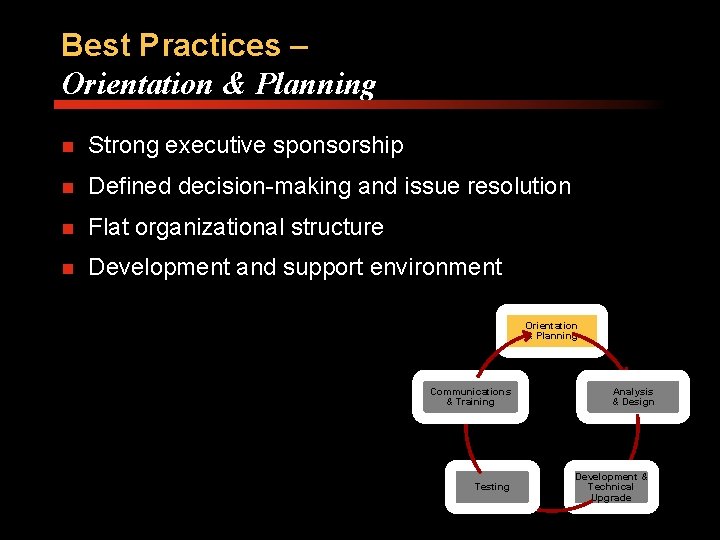
Best Practices – Orientation & Planning n Strong executive sponsorship n Defined decision-making and issue resolution n Flat organizational structure n Development and support environment Orientation & Planning Communications & Training Testing Analysis & Design Development & Technical Upgrade
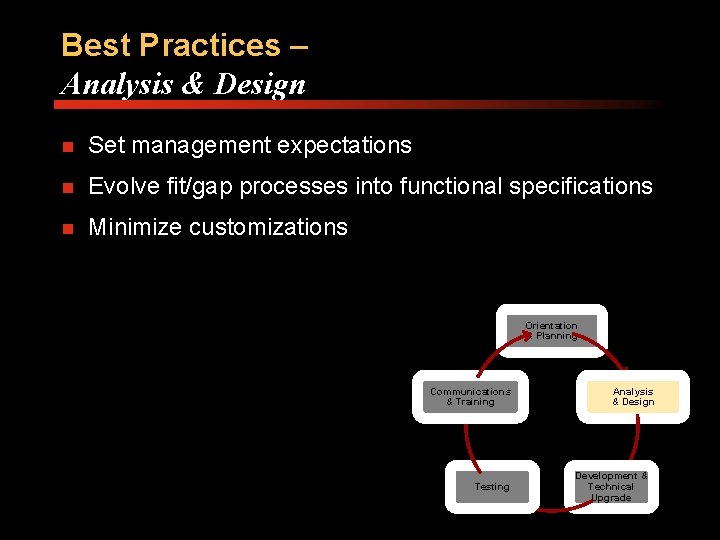
Best Practices – Analysis & Design n Set management expectations n Evolve fit/gap processes into functional specifications n Minimize customizations Orientation & Planning Communications & Training Testing Analysis & Design Development & Technical Upgrade
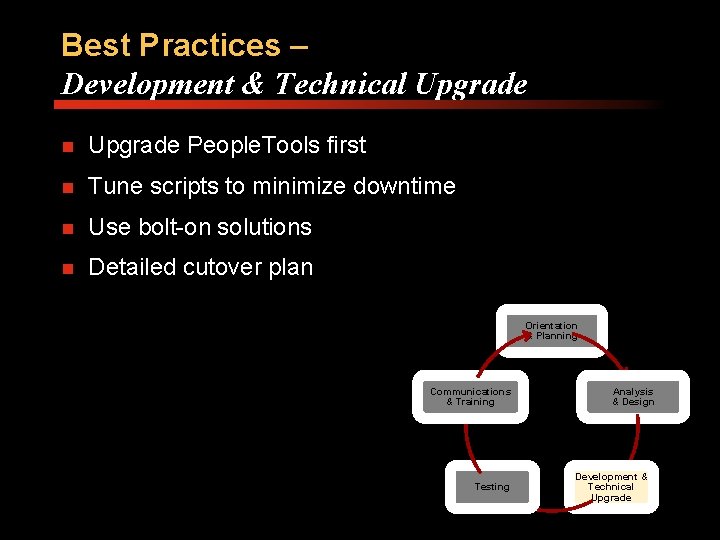
Best Practices – Development & Technical Upgrade n Upgrade People. Tools first n Tune scripts to minimize downtime n Use bolt-on solutions n Detailed cutover plan Orientation & Planning Communications & Training Testing Analysis & Design Development & Technical Upgrade
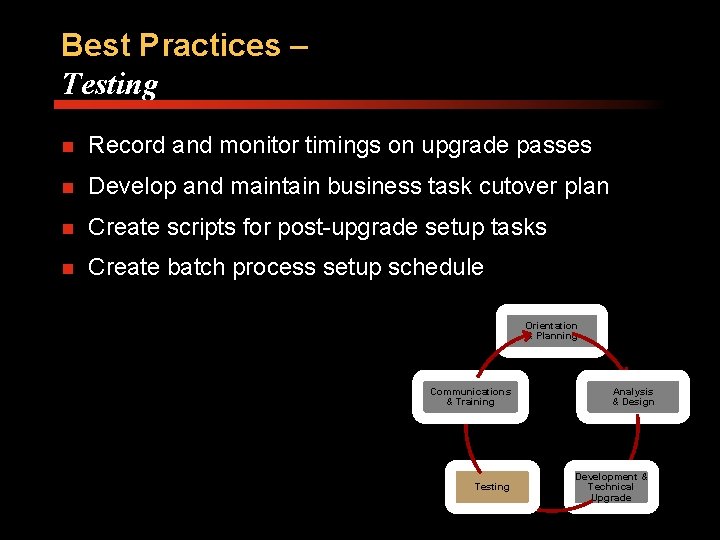
Best Practices – Testing n Record and monitor timings on upgrade passes n Develop and maintain business task cutover plan n Create scripts for post-upgrade setup tasks n Create batch process setup schedule Orientation & Planning Communications & Training Testing Analysis & Design Development & Technical Upgrade
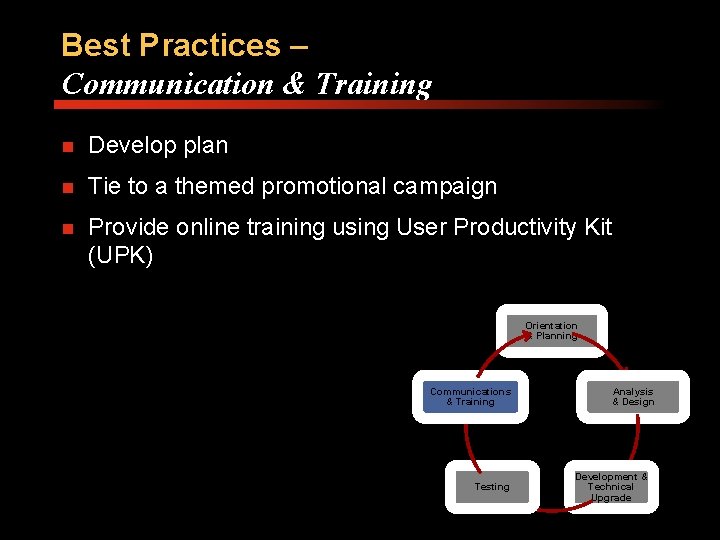
Best Practices – Communication & Training n Develop plan n Tie to a themed promotional campaign n Provide online training using User Productivity Kit (UPK) Orientation & Planning Communications & Training Testing Analysis & Design Development & Technical Upgrade
Best Practices – After Upgrade Support User Base Continue Professional Development Customer Advisory Board Provide training (instructor-led & online UPK) Financials Service Desk Financials Focus Group Customer Advisory Board Higher Ed. User Group (HEUG) and Alliance conference
Roadmap n n Implement Billing Accounts Receivable Project Costing Upgrade Oracle 11 g R 2 running on M 5000 People. Tools 8. 51. x
Questions
Bio & Contact Information Rebecca Vilsack (Becky) Director - Information Technology Financial Systems Oracle People. Soft Enterprise Financials & Supply Chain Management University of Central Florida Orlando, FL E-mail: rvilsack@mail. ucf. edu Phone: (407) 882 -1093
THIS PRESENTATION AND ALLIANCE 2011 PRESENTATIONS ARE AVAILABLE FOR DOWNLOAD FROM THE CONFERENCE SITE AT WWW. HEUG. ORG WWW. PSUGONLINE. ORG WWW. FEDERALUSERSNETWORK. COM Presentations from previous meetings are also available

- Slides: 48