Tcl and Otcl Tutorial Part II Internet Computing
![String Commands Example if {[string match f* foo]} { puts "Match" } if {[string](https://slidetodoc.com/presentation_image_h/07bb0fb8889aa577d6c0654ab0f27b9a/image-7.jpg "String Commands Example if {[string match f* foo]} { puts \"Match\" } if {[string")
![Otcl Example [ns for beginner p. 13] Class Real instproc init {a} { $self](https://slidetodoc.com/presentation_image_h/07bb0fb8889aa577d6c0654ab0f27b9a/image-21.jpg "Otcl Example [ns for beginner p. 13] Class Real instproc init {a} { $self")
![Otcl Example [ns for beginner p. 13] Class Integer -superclass Real Integer instproc divide](https://slidetodoc.com/presentation_image_h/07bb0fb8889aa577d6c0654ab0f27b9a/image-22.jpg "Otcl Example [ns for beginner p. 13] Class Integer -superclass Real Integer instproc divide")
- Slides: 22
Tcl and Otcl Tutorial Part II Internet Computing Laboratory @ KUT Youn-Hee Han 2006 -06 -14 Introduction to Tcl and OTcl
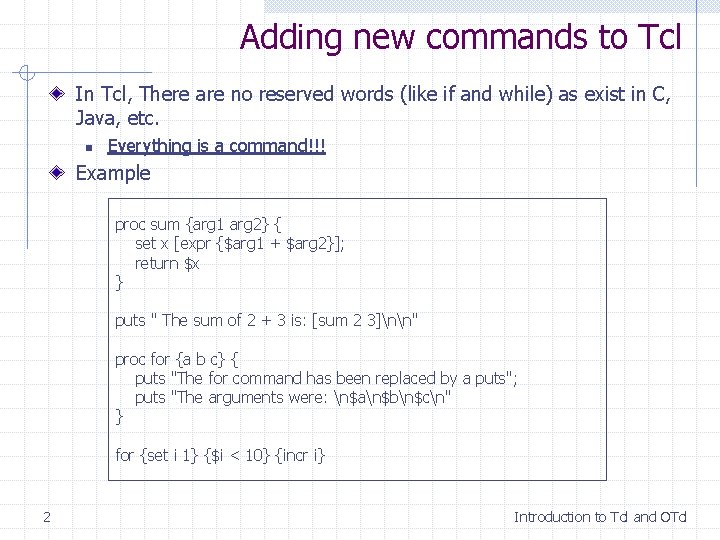
Adding new commands to Tcl In Tcl, There are no reserved words (like if and while) as exist in C, Java, etc. n Everything is a command!!! Example proc sum {arg 1 arg 2} { set x [expr {$arg 1 + $arg 2}]; return $x } puts " The sum of 2 + 3 is: [sum 2 3]nn" proc for {a b c} { puts "The for command has been replaced by a puts"; puts "The arguments were: n$an$bn$cn" } for {set i 1} {$i < 10} {incr i} 2 Introduction to Tcl and OTcl
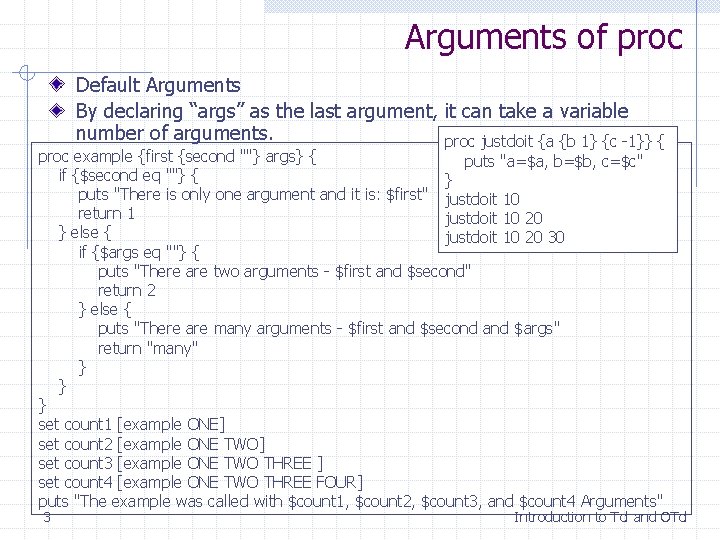
Arguments of proc Default Arguments By declaring “args” as the last argument, it can take a variable number of arguments. proc justdoit {a {b 1} {c -1}} { proc example {first {second ""} args} { puts "a=$a, b=$b, c=$c" if {$second eq ""} { } puts "There is only one argument and it is: $first" justdoit 10 return 1 justdoit 10 20 } else { justdoit 10 20 30 if {$args eq ""} { puts "There are two arguments - $first and $second" return 2 } else { puts "There are many arguments - $first and $second and $args" return "many" } } } set count 1 [example ONE] set count 2 [example ONE TWO] set count 3 [example ONE TWO THREE ] set count 4 [example ONE TWO THREE FOUR] puts "The example was called with $count 1, $count 2, $count 3, and $count 4 Arguments" 3 Introduction to Tcl and OTcl
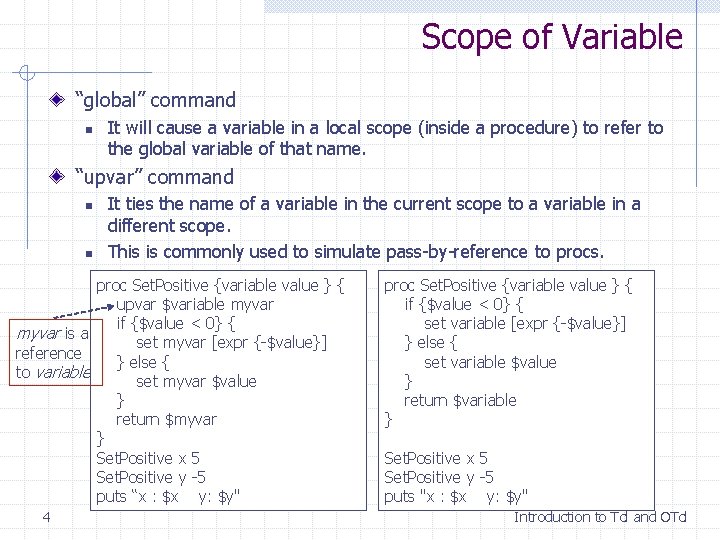
Scope of Variable “global” command n It will cause a variable in a local scope (inside a procedure) to refer to the global variable of that name. “upvar” command n n It ties the name of a variable in the current scope to a variable in a different scope. This is commonly used to simulate pass-by-reference to procs. proc Set. Positive {variable value } { upvar $variable myvar if {$value < 0} { myvar is a set myvar [expr {-$value}] reference } else { to variable set myvar $value } return $myvar } Set. Positive x 5 Set. Positive y -5 puts “x : $x y: $y" 4 proc Set. Positive {variable value } { if {$value < 0} { set variable [expr {-$value}] } else { set variable $value } return $variable } Set. Positive x 5 Set. Positive y -5 puts "x : $x y: $y" Introduction to Tcl and OTcl
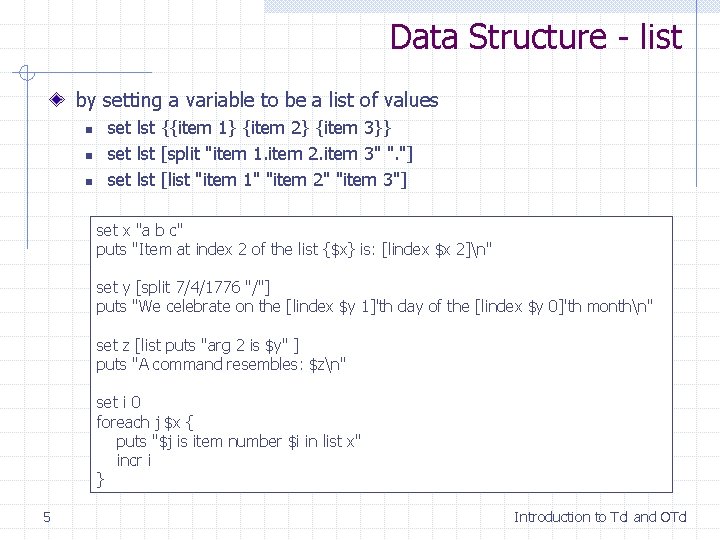
Data Structure - list by setting a variable to be a list of values n n n set lst {{item 1} {item 2} {item 3}} set lst [split "item 1. item 2. item 3" ". "] set lst [list "item 1" "item 2" "item 3"] set x "a b c" puts "Item at index 2 of the list {$x} is: [lindex $x 2]n" set y [split 7/4/1776 "/"] puts "We celebrate on the [lindex $y 1]'th day of the [lindex $y 0]'th monthn" set z [list puts "arg 2 is $y" ] puts "A command resembles: $zn" set i 0 foreach j $x { puts "$j is item number $i in list x" incr i } 5 Introduction to Tcl and OTcl
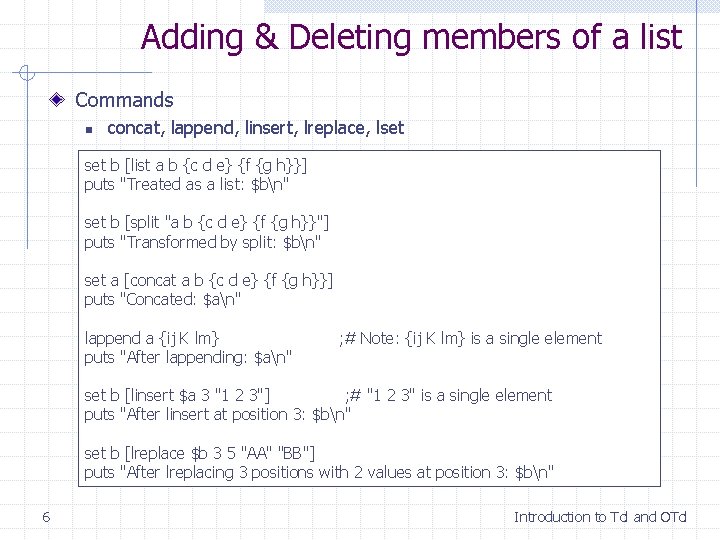
Adding & Deleting members of a list Commands n concat, lappend, linsert, lreplace, lset b [list a b {c d e} {f {g h}}] puts "Treated as a list: $bn" set b [split "a b {c d e} {f {g h}}"] puts "Transformed by split: $bn" set a [concat a b {c d e} {f {g h}}] puts "Concated: $an" lappend a {ij K lm} puts "After lappending: $an" ; # Note: {ij K lm} is a single element set b [linsert $a 3 "1 2 3"] ; # "1 2 3" is a single element puts "After linsert at position 3: $bn" set b [lreplace $b 3 5 "AA" "BB"] puts "After lreplacing 3 positions with 2 values at position 3: $bn" 6 Introduction to Tcl and OTcl
String Commands Example if {[string match f* foo]} { puts "Match" } if {[string match f? ? foo]} { puts "Second Match" } if {[string match f foo]} { puts "Third Match" } set var [glob /var/*] puts $var Return names of files that match patterns set string "this is my test string" puts "There are [string length $string] characters in "$string"" puts "[string index $string 1] is the second character in "$string"" puts ""[string range $string 5 10]" are characters between the 5'th and 10'th" 7 Introduction to Tcl and OTcl
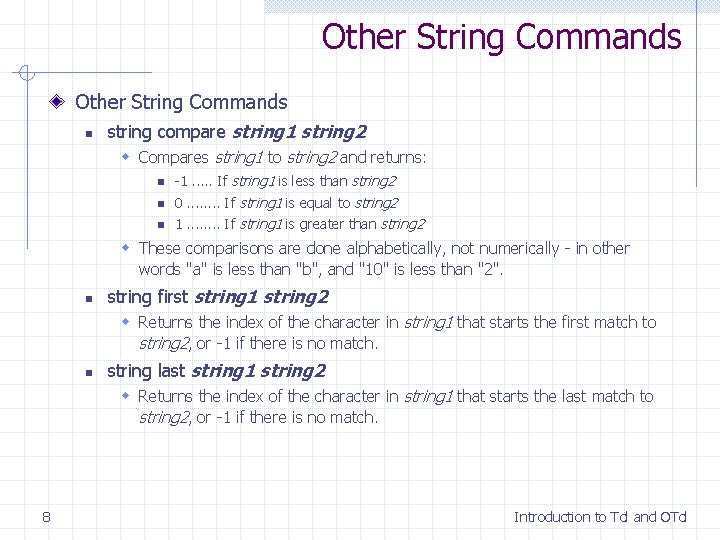
Other String Commands n string compare string 1 string 2 w Compares string 1 to string 2 and returns: n -1. . . If string 1 is less than string 2 n 0. . . . If string 1 is equal to string 2 n 1. . . . If string 1 is greater than string 2 w These comparisons are done alphabetically, not numerically - in other words "a" is less than "b", and "10" is less than "2". n string first string 1 string 2 w Returns the index of the character in string 1 that starts the first match to string 2, or -1 if there is no match. n string last string 1 string 2 w Returns the index of the character in string 1 that starts the last match to string 2, or -1 if there is no match. 8 Introduction to Tcl and OTcl
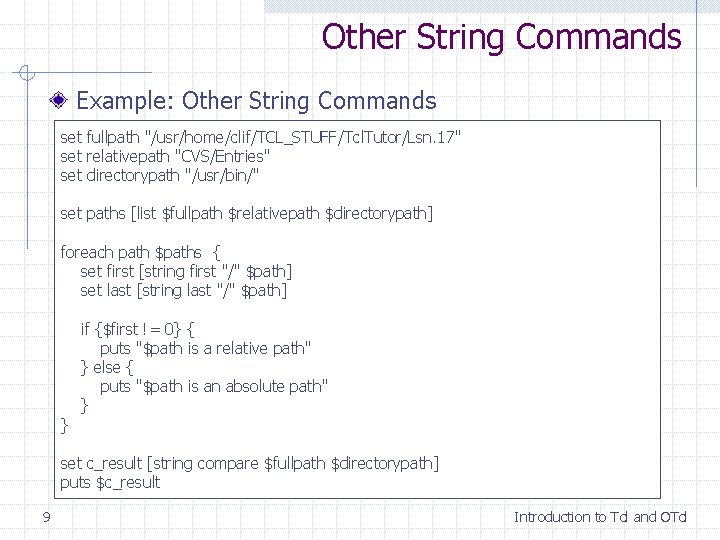
Other String Commands Example: Other String Commands set fullpath "/usr/home/clif/TCL_STUFF/Tcl. Tutor/Lsn. 17" set relativepath "CVS/Entries" set directorypath "/usr/bin/" set paths [list $fullpath $relativepath $directorypath] foreach path $paths { set first [string first "/" $path] set last [string last "/" $path] } if {$first != 0} { puts "$path is a relative path" } else { puts "$path is an absolute path" } set c_result [string compare $fullpath $directorypath] puts $c_result 9 Introduction to Tcl and OTcl
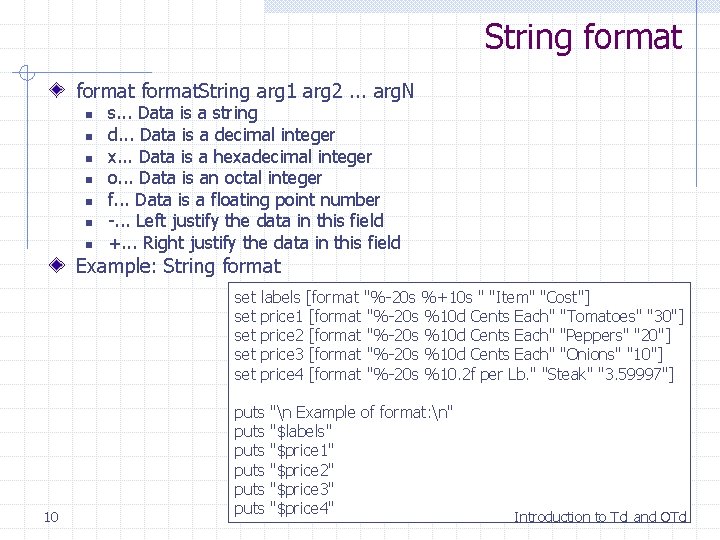
String format. String arg 1 arg 2. . . arg. N n n n n s. . . Data is a string d. . . Data is a decimal integer x. . . Data is a hexadecimal integer o. . . Data is an octal integer f. . . Data is a floating point number -. . . Left justify the data in this field +. . . Right justify the data in this field Example: String format set set set 10 labels [format "%-20 s %+10 s " "Item" "Cost"] price 1 [format "%-20 s %10 d Cents Each" "Tomatoes" "30"] price 2 [format "%-20 s %10 d Cents Each" "Peppers" "20"] price 3 [format "%-20 s %10 d Cents Each" "Onions" "10"] price 4 [format "%-20 s %10. 2 f per Lb. " "Steak" "3. 59997"] puts puts "n Example of format: n" "$labels" "$price 1" "$price 2" "$price 3" "$price 4" Introduction to Tcl and OTcl
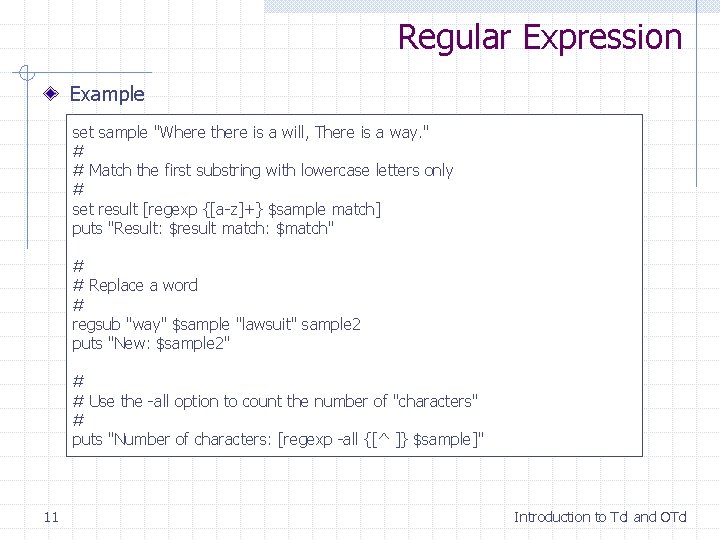
Regular Expression Example set sample "Where there is a will, There is a way. " # # Match the first substring with lowercase letters only # set result [regexp {[a-z]+} $sample match] puts "Result: $result match: $match" # # Replace a word # regsub "way" $sample "lawsuit" sample 2 puts "New: $sample 2" # # Use the -all option to count the number of "characters" # puts "Number of characters: [regexp -all {[^ ]} $sample]" 11 Introduction to Tcl and OTcl
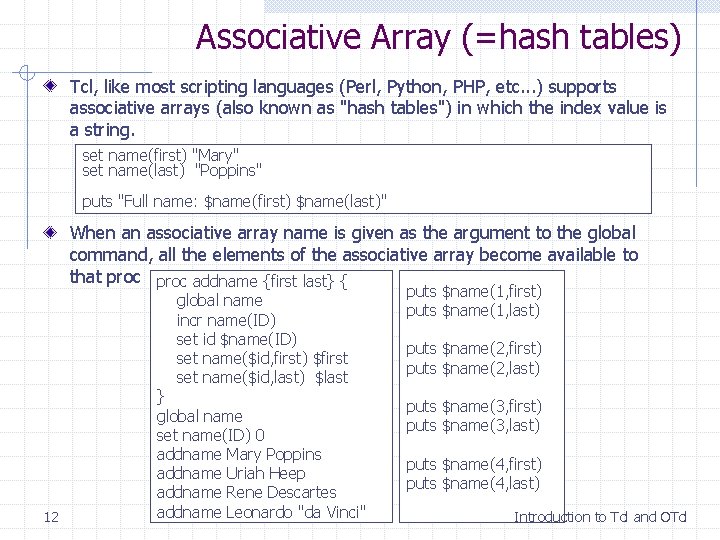
Associative Array (=hash tables) Tcl, like most scripting languages (Perl, Python, PHP, etc. . . ) supports associative arrays (also known as "hash tables") in which the index value is a string. set name(first) "Mary" set name(last) "Poppins" puts "Full name: $name(first) $name(last)" When an associative array name is given as the argument to the global command, all the elements of the associative array become available to that proc addname {first last} { global name incr name(ID) set id $name(ID) set name($id, first) $first set name($id, last) $last 12 } global name set name(ID) 0 addname Mary Poppins addname Uriah Heep addname Rene Descartes addname Leonardo "da Vinci" puts $name(1, first) puts $name(1, last) puts $name(2, first) puts $name(2, last) puts $name(3, first) puts $name(3, last) puts $name(4, first) puts $name(4, last) Introduction to Tcl and OTcl
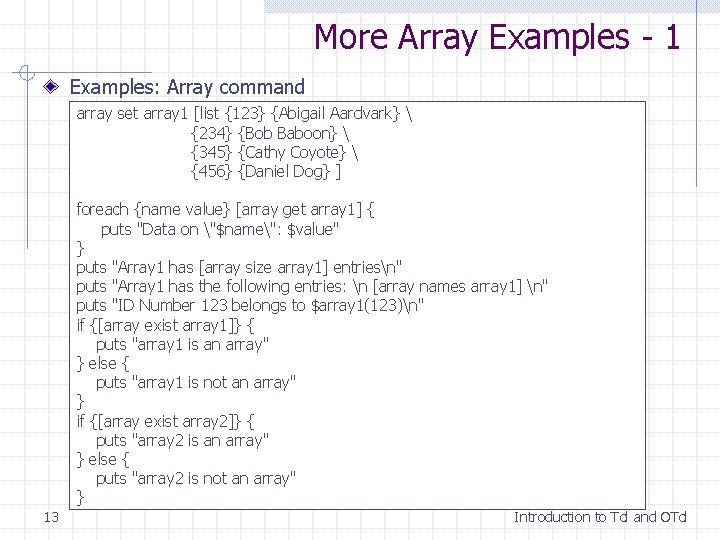
More Array Examples - 1 Examples: Array command array set array 1 [list {123} {Abigail Aardvark} {234} {Bob Baboon} {345} {Cathy Coyote} {456} {Daniel Dog} ] foreach {name value} [array get array 1] { puts "Data on "$name": $value" } puts "Array 1 has [array size array 1] entriesn" puts "Array 1 has the following entries: n [array names array 1] n" puts "ID Number 123 belongs to $array 1(123)n" if {[array exist array 1]} { puts "array 1 is an array" } else { puts "array 1 is not an array" } if {[array exist array 2]} { puts "array 2 is an array" } else { puts "array 2 is not an array" } 13 Introduction to Tcl and OTcl
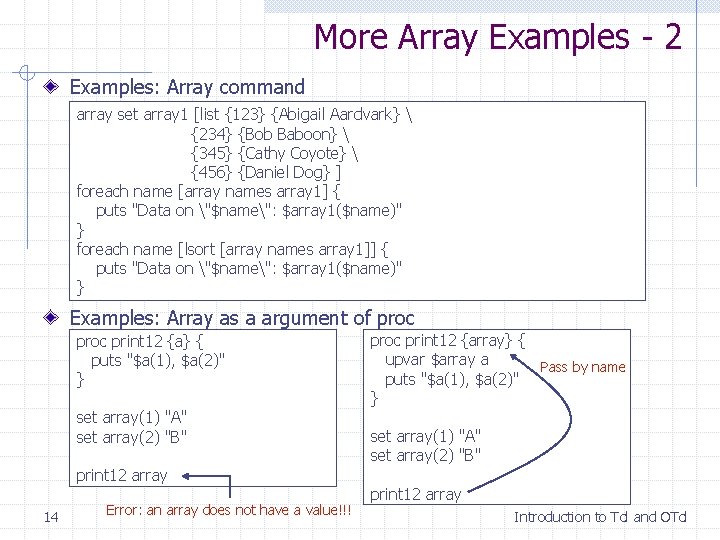
More Array Examples - 2 Examples: Array command array set array 1 [list {123} {Abigail Aardvark} {234} {Bob Baboon} {345} {Cathy Coyote} {456} {Daniel Dog} ] foreach name [array names array 1] { puts "Data on "$name": $array 1($name)" } foreach name [lsort [array names array 1]] { puts "Data on "$name": $array 1($name)" } Examples: Array as a argument of proc print 12 {a} { puts "$a(1), $a(2)" } set array(1) "A" set array(2) "B" print 12 array 14 Error: an array does not have a value!!! proc print 12 {array} { upvar $array a Pass by name puts "$a(1), $a(2)" } set array(1) "A" set array(2) "B" print 12 array Introduction to Tcl and OTcl
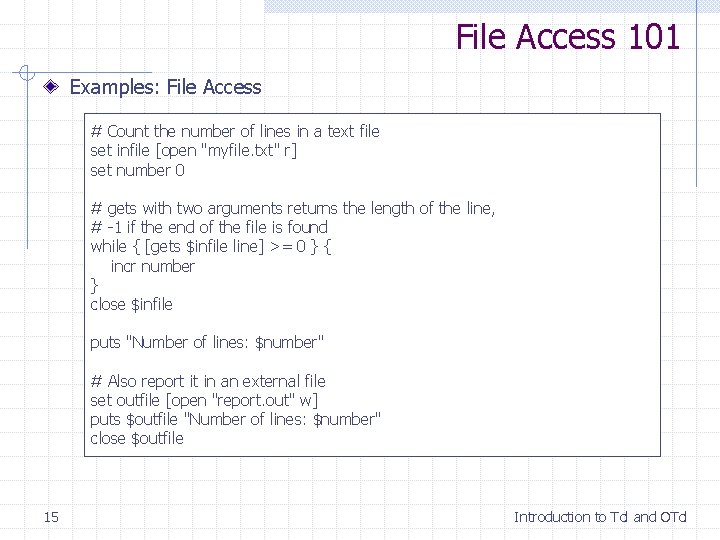
File Access 101 Examples: File Access # Count the number of lines in a text file set infile [open "myfile. txt" r] set number 0 # gets with two arguments returns the length of the line, # -1 if the end of the file is found while { [gets $infile line] >= 0 } { incr number } close $infile puts "Number of lines: $number" # Also report it in an external file set outfile [open "report. out" w] puts $outfile "Number of lines: $number" close $outfile 15 Introduction to Tcl and OTcl
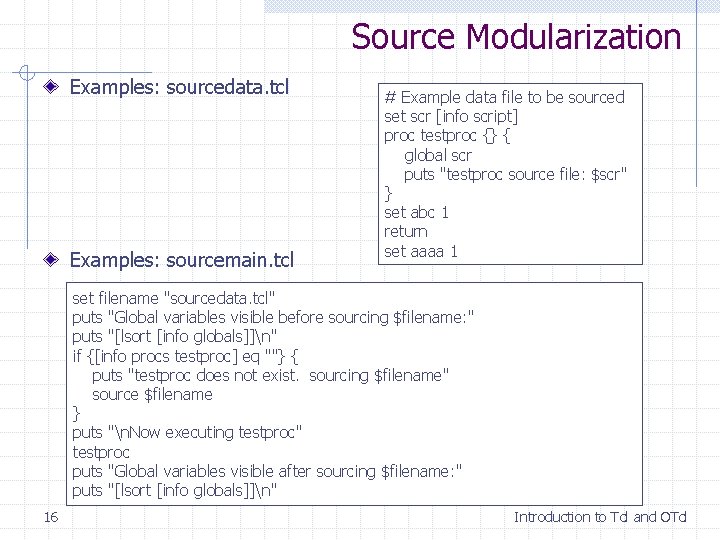
Source Modularization Examples: sourcedata. tcl Examples: sourcemain. tcl # Example data file to be sourced set scr [info script] proc testproc {} { global scr puts "testproc source file: $scr" } set abc 1 return set aaaa 1 set filename "sourcedata. tcl" puts "Global variables visible before sourcing $filename: " puts "[lsort [info globals]]n" if {[info procs testproc] eq ""} { puts "testproc does not exist. sourcing $filename" source $filename } puts "n. Now executing testproc" testproc puts "Global variables visible after sourcing $filename: " puts "[lsort [info globals]]n" 16 Introduction to Tcl and OTcl
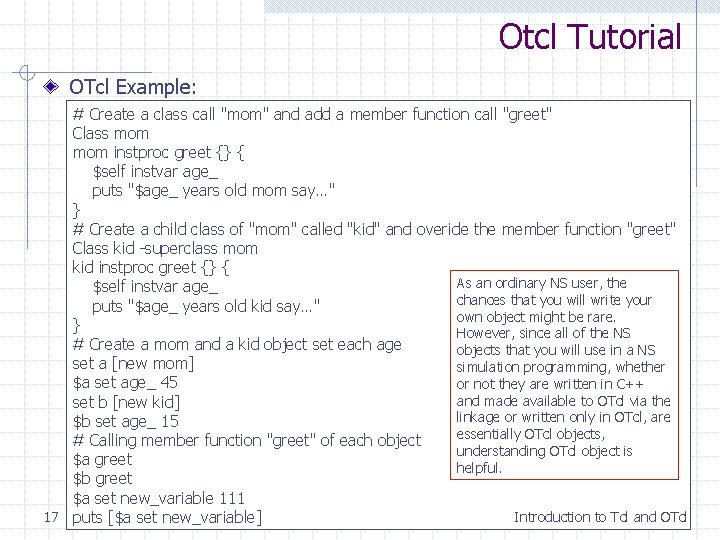
Otcl Tutorial OTcl Example: # Create a class call "mom" and add a member function call "greet" Class mom instproc greet {} { $self instvar age_ puts "$age_ years old mom say…" } # Create a child class of "mom" called "kid" and overide the member function "greet" Class kid -superclass mom kid instproc greet {} { As an ordinary NS user, the $self instvar age_ chances that you will write your puts "$age_ years old kid say…" own object might be rare. } However, since all of the NS # Create a mom and a kid object set each age objects that you will use in a NS set a [new mom] simulation programming, whether $a set age_ 45 or not they are written in C++ and made available to OTcl via the set b [new kid] linkage or written only in OTcl, are $b set age_ 15 essentially OTcl objects, # Calling member function "greet" of each object understanding OTcl object is $a greet helpful. $b greet $a set new_variable 111 17 puts [$a set new_variable] Introduction to Tcl and OTcl
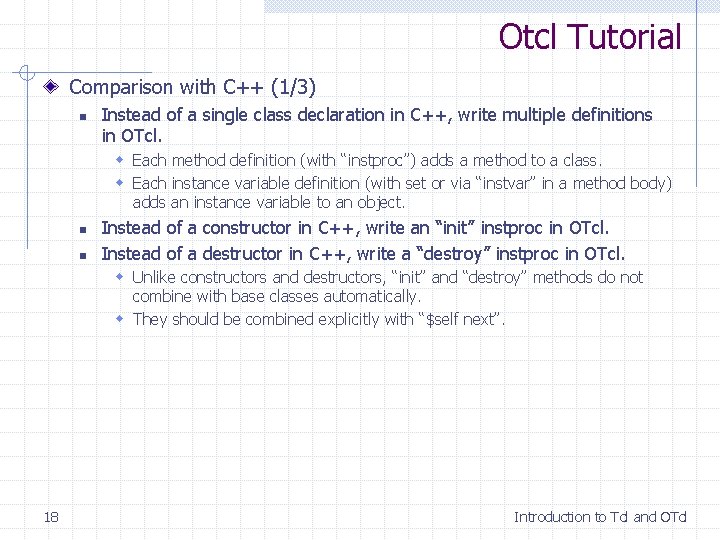
Otcl Tutorial Comparison with C++ (1/3) n Instead of a single class declaration in C++, write multiple definitions in OTcl. w Each method definition (with “instproc”) adds a method to a class. w Each instance variable definition (with set or via “instvar” in a method body) adds an instance variable to an object. n n Instead of a constructor in C++, write an “init” instproc in OTcl. Instead of a destructor in C++, write a “destroy” instproc in OTcl. w Unlike constructors and destructors, “init” and “destroy” methods do not combine with base classes automatically. w They should be combined explicitly with “$self next”. 18 Introduction to Tcl and OTcl
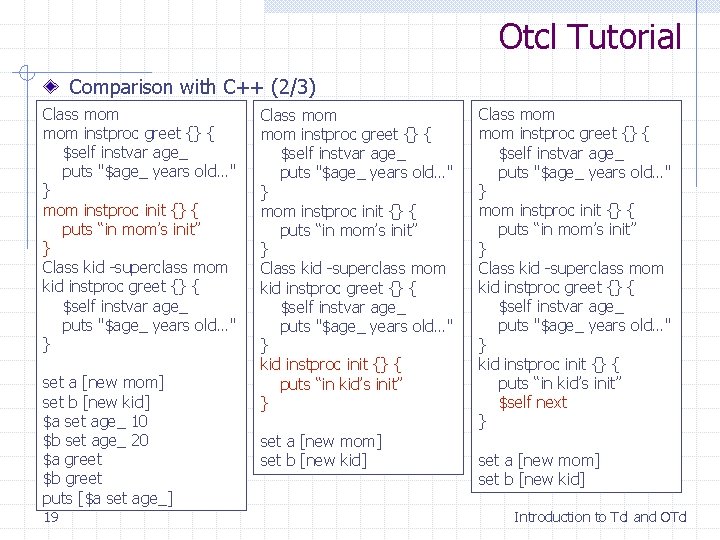
Otcl Tutorial Comparison with C++ (2/3) Class mom instproc greet {} { $self instvar age_ puts "$age_ years old…" } mom instproc init {} { puts “in mom’s init” } Class kid -superclass mom kid instproc greet {} { $self instvar age_ puts "$age_ years old…" } set a [new mom] set b [new kid] $a set age_ 10 $b set age_ 20 $a greet $b greet puts [$a set age_] 19 Class mom instproc greet {} { $self instvar age_ puts "$age_ years old…" } mom instproc init {} { puts “in mom’s init” } Class kid -superclass mom kid instproc greet {} { $self instvar age_ puts "$age_ years old…" } kid instproc init {} { puts “in kid’s init” } set a [new mom] set b [new kid] Class mom instproc greet {} { $self instvar age_ puts "$age_ years old…" } mom instproc init {} { puts “in mom’s init” } Class kid -superclass mom kid instproc greet {} { $self instvar age_ puts "$age_ years old…" } kid instproc init {} { puts “in kid’s init” $self next } set a [new mom] set b [new kid] Introduction to Tcl and OTcl
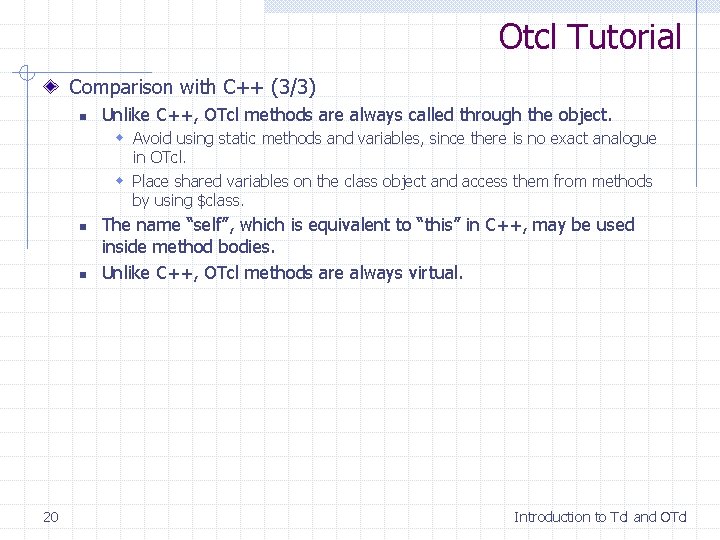
Otcl Tutorial Comparison with C++ (3/3) n Unlike C++, OTcl methods are always called through the object. w Avoid using static methods and variables, since there is no exact analogue in OTcl. w Place shared variables on the class object and access them from methods by using $class. n n 20 The name “self”, which is equivalent to “this” in C++, may be used inside method bodies. Unlike C++, OTcl methods are always virtual. Introduction to Tcl and OTcl
Otcl Example [ns for beginner p. 13] Class Real instproc init {a} { $self instvar value set value $a } Real instproc sum {x} { $self instvar value set op "$value + [$x set value] = t" set value [expr $value + [$x set value]] puts "$op $value" } Real instproc multiply {x} { $self instvar value set op "$value * [$x set value] = t" set value [expr $value * [$x set value]] puts "$op $value" } Real instproc divide {x} { $self instvar value set op "$value / [$x set value] = t" set value [expr $value / [$x set value]] puts "$op $value" 21 } set real. A [new Real 12. 3] set real. B [new Real 0. 5] $real. A sum $real. B $real. A multiply $real. B $real. A divide $real. B Introduction to Tcl and OTcl
Otcl Example [ns for beginner p. 13] Class Integer -superclass Real Integer instproc divide {x} { $self instvar value set op "$value / [$x set value] = t" set d [expr $value / [$x set value]] set value [expr round($d)] puts "$op $value" } set integer. A [new Integer 12] set integer. B [new Integer 5] set integer. C [new Integer 7] $integer. A multiply $integer. B divide $integer. C 22 Class father instproc init {args} { $self set var_ 0 puts “hello” eval $self next $args } father ff puts [ff info vars] puts [ff set var_] puts [ff info class] puts [father info instances] Introduction to Tcl and OTcl