Research Signup System Sona Department of Psychology Iowa

- Slides: 19
Research Sign-up System (Sona) Department of Psychology Iowa State University
Introduction n Easily: Sign up for Studies n Track your progress n Access the system n
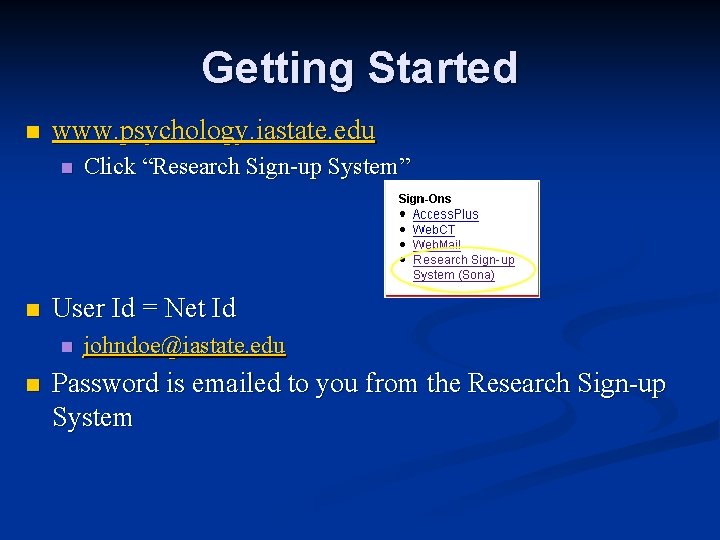
Getting Started n www. psychology. iastate. edu n n User Id = Net Id n n Click “Research Sign-up System” johndoe@iastate. edu Password is emailed to you from the Research Sign-up System
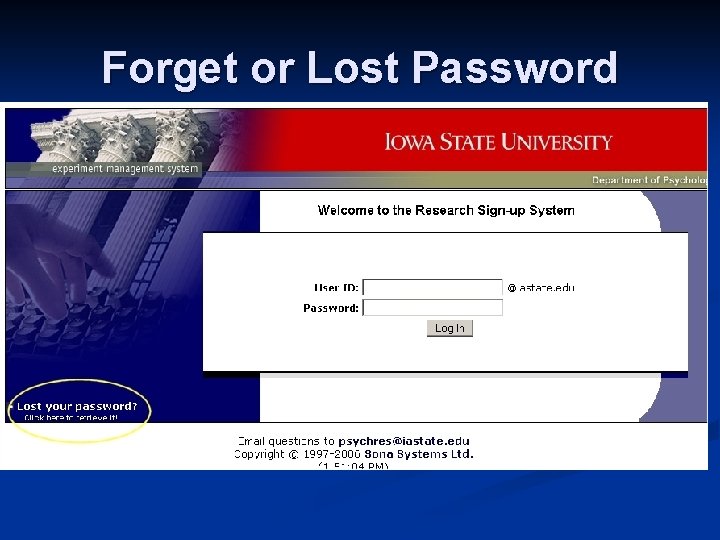
Forget or Lost Password
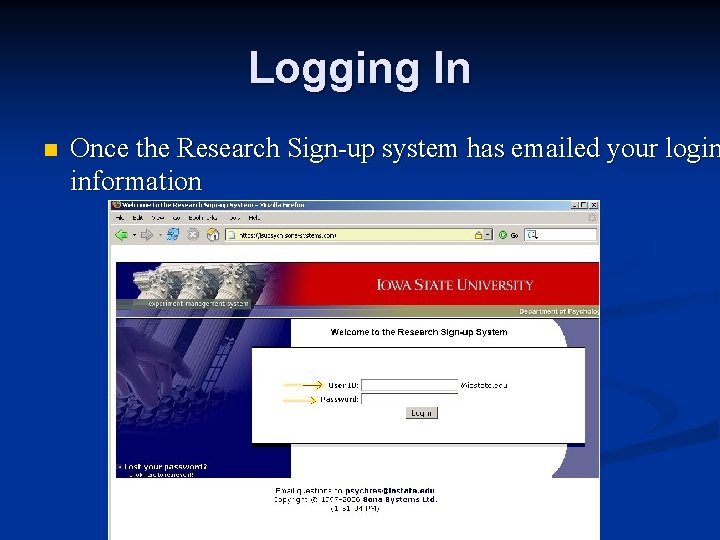
Logging In n Once the Research Sign-up system has emailed your login information
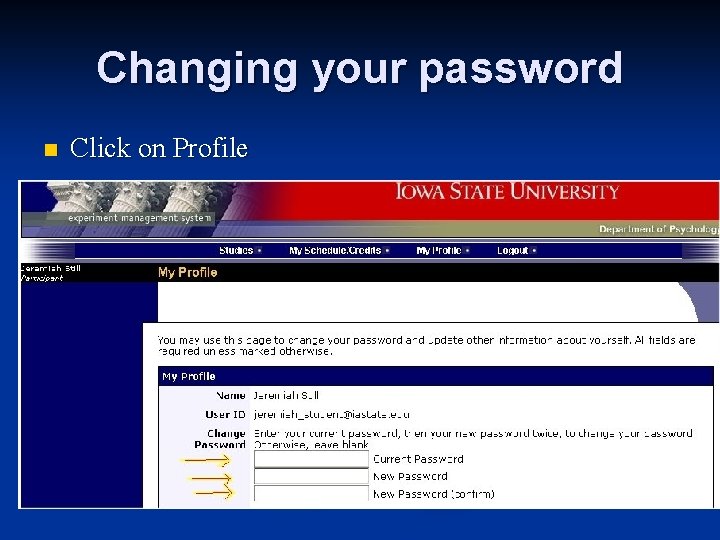
Changing your password n Click on Profile
Research Studies You may sign up for studies that interest you! n Cancel a sign up until 2 hours before n Before signing up, check the study description for: n Completion time requirements n Eligibility Requirements n
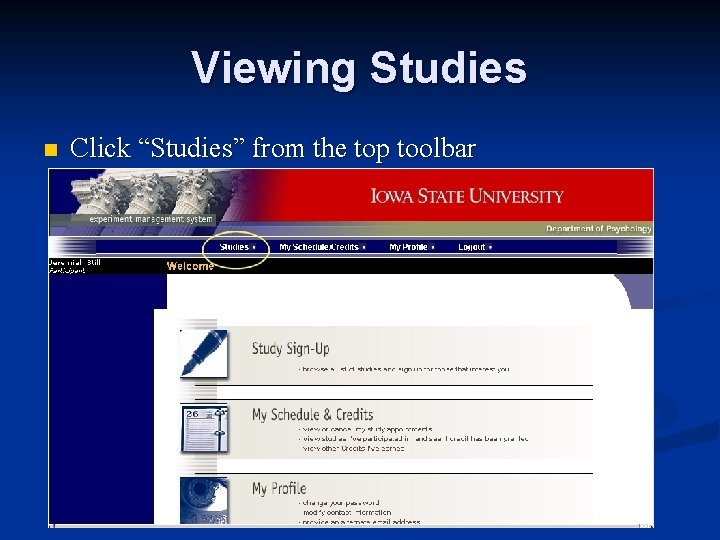
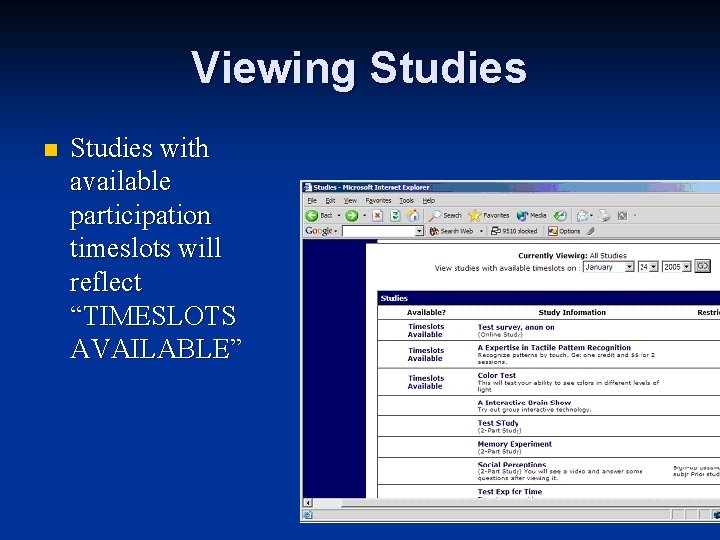
Viewing Studies n Click “Studies” from the top toolbar
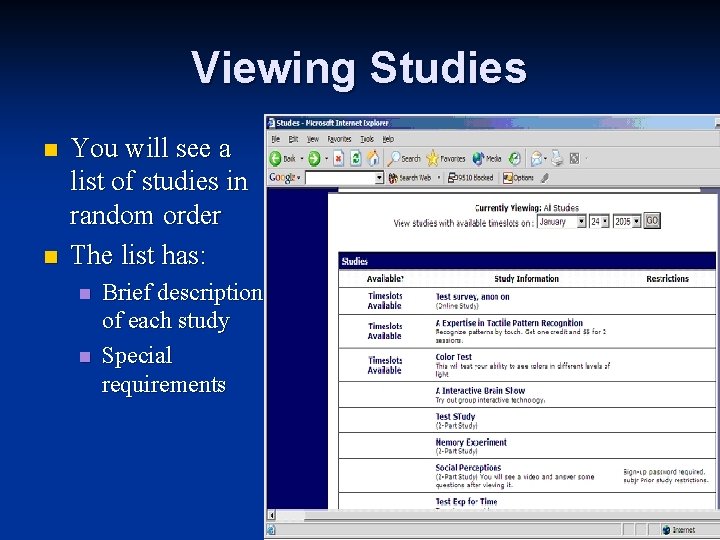
Viewing Studies n n You will see a list of studies in random order The list has: n n Brief description of each study Special requirements
Viewing Studies n Studies with available participation timeslots will reflect “TIMESLOTS AVAILABLE”
Signing Up For Studies Find a study you like n Click on study name n You will be shown a list of eligibility requirements (e. g. , “Right-handed people only”) & researcher contact information n Some studies require a Special Password – this is given to you by the researcher (i. e. , it is different than your Login password) n
Signing Up For Studies n Once you have determined that you meet all the requirements, click on View Timeslots for This Study.
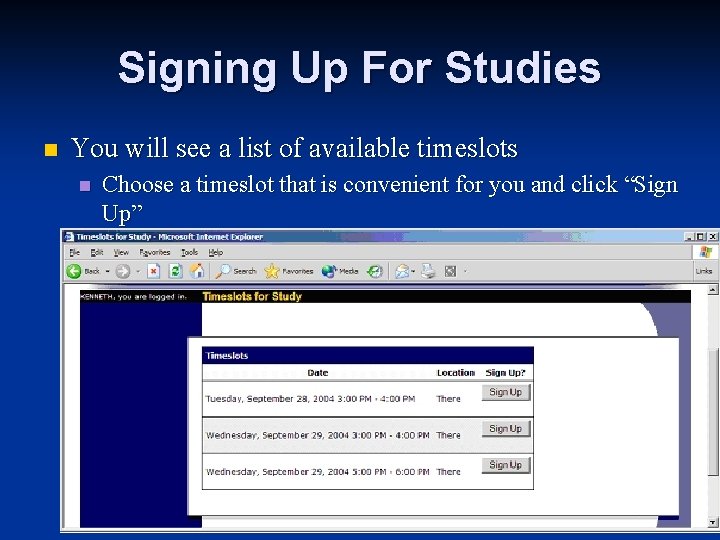
Signing Up For Studies n You will see a list of available timeslots n Choose a timeslot that is convenient for you and click “Sign Up”
Different Types of Studies n One Time n n Most typical type of study Two-Part Must sign up for both parts n Take note of the number of days separating the two parts n n Online Survey n Will be asked to complete immediately
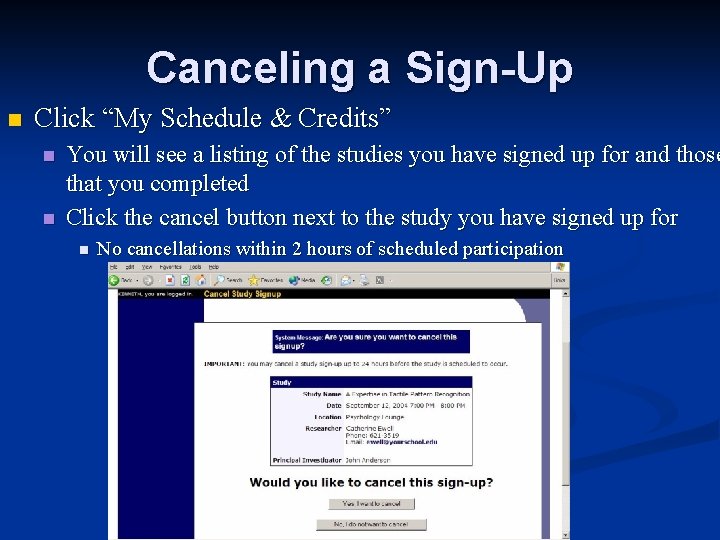
Canceling a Sign-Up n Click “My Schedule & Credits” n n You will see a listing of the studies you have signed up for and those that you completed Click the cancel button next to the study you have signed up for n No cancellations within 2 hours of scheduled participation
Tracking your Progress Click “My Schedule/Credits” n You will see how many credits you have already earned and number of credits required for the class n
Reassigning Credits n If you belong to multiple courses n You may move credits between courses n To do this, simply use the Reassign link that appears when you view your progress. This link appears under the course entry for each item in your progress listing.
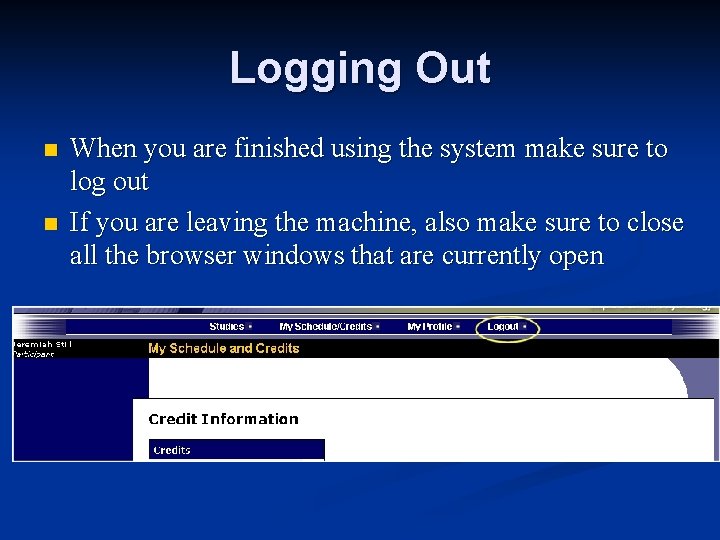
Logging Out n n When you are finished using the system make sure to log out If you are leaving the machine, also make sure to close all the browser windows that are currently open
Note Available Resources q May be found on the Department of Psychology website by clicking: Research Participation > Participant This Power. Point n Using the sign-up system (. pdf) n Frequently Asked Questions n