Reader for Oracle Primavera P 6 files Introduction


![Sharing plans between [Project Scheduler] and [TL & Members] General Use-case Case: Project Scheduler](https://slidetodoc.com/presentation_image_h/f232711c6a3993790a4e12cdd892d95c/image-10.jpg "Sharing plans between [Project Scheduler] and [TL & Members] General Use-case Case: Project Scheduler")
![Complex plans including [Subcontractors] and [Stakeholders] General Use-case Case: Along the project team, there](https://slidetodoc.com/presentation_image_h/f232711c6a3993790a4e12cdd892d95c/image-11.jpg "Complex plans including [Subcontractors] and [Stakeholders] General Use-case Case: Along the project team, there")

![Experience in Project Viewing tools [+15 years] & [+6 million users] The Team Behind](https://slidetodoc.com/presentation_image_h/f232711c6a3993790a4e12cdd892d95c/image-13.jpg "Experience in Project Viewing tools [+15 years] & [+6 million users] The Team Behind")
- Slides: 13
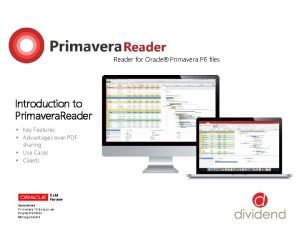
Reader for Oracle® Primavera P 6 files Introduction to Primavera. Reader § Key Features § Advantages over PDF sharing § Use Cases § Clients
The new way of viewing Project Schedules Introduction to Primavera. Reader Introduction Primavera. Reader is a reader for project schedules created with Oracle® Primavera P 6. It enables users to open and view project plans exported from Oracle® Primavera P 6 in XER or XLS format. This cost-effective solution is designed to deliver overview of important project plan details among all parties involved that don’t need to have an Oracle® Primavera P 6 license. Key Features § Activities – overview of the open project activities § Roles – view the roles assigned to resources § Resources – view the resource structure and details § OBS – Organizational Breakdown Structure § WBS – Work Breakdown Structure of the project § Details – detailed information for selections § Projects – view of the Enterprise Project Structure § Baselines – compare different project versions § Assignments – resource allocation and cost info § Auto filters – find and filter specified tasks
Have a detailed overview and insights of plan’s activities Activities View & Relation to predecessors/ successors Activities This feature enables detailed overview and graphical representation of the activities included in the project schedule. Benefits: Users can view information in the Activities panel, which is divided between the Activity Table on the left side, the Gantt chart on the right side, options ribbon at the top and the details view at the bottom of the screen.
Know your Work Breakdown Structure WBS View Work Breakdown Structure The Work Breakdown Structure view offers an elaborate overview and decomposition of the work to be executed by the project team. Benefits: Users can preview the Work Breakdown Structure (WBS) for the currently open project accompanied by a Gantt chart on the right.
Preview the resources information in full detail Resources View Resources The resource tab shows a list of all resources needed to complete the projects included in the Enterprise Project Structure. Benefits: Users can view the availability limits, unit prices and the calendar which defines their standard work time and nonwork time for each resource. This feature can be hidden by request
Assignment spreadsheet with full allocation insights Assignments View Assignments The Assignments view shows a display of the resource allocations across all imported project schedules. Benefits: Users can view resource usage, cost and quantity information in a detailed spreadsheet and can use curves to define any nonlinear distribution of the resource usage.
Compare the changes to the previous project plans Baseline View Baselines The baselines functionality enables comparison of up to four updated versions of a project schedule. Benefits: Users can get a detailed graphical presentation of the aspects that have been changed from the original schedule in the Gantt preview on the right side of the interface.
No worries while working in large plans filter data of your interest only Filter + Auto Filters Auto Filtering allows filtering of project data in one or more columns according to the cell contents. Benefits: Users can view and navigate the display of data of interest from the activities in the project schedule, particularly if it is a large schedule.
Why choose Primavera. Reader instead of sharing PDF files 5 main advantages over PDF printed schedules 1. Provide an Interactive overview of the project 4. Work with custom layouts (import. plf files) Each member has a personalized view, chance to add/remove The team members can import the company’s custom layouts columns and see relationships inside an elaborate Gantt chart. in PLF format or choose how assignment data is displayed in Also there are Activities, WBS, IPS, resource assignments their view. Each layout shows different columns and applies views, which offer full information regarding the specified different groping and sorting of data. topic. 2. Use Custom and Auto filters 5. Baselines comparison of project schedules The project team members have flexibility when viewing their Users can easily spot what has been changed from the previous Activities and Filters, which is a basic feature needed to easily schedule with the clear visual comparison of the Activity updates handle plans that contain hundreds of lines / activities. from previous. xer file version. 3. Navigate through predecessors and successors Team members have a complete overview of the project relations and don’t feel isolated from the whole.
Sharing plans between [Project Scheduler] and [TL & Members] General Use-case Case: Project Scheduler is preparing a project plan in Oracle ® Primavera P 6 and needs to share it to other team members, who only need to view the schedule activities. Solution: Use Primavera. Reader as a cost-effective solution for all Project managers, TL and other project participant that don’t require editing of the schedule plan. Users get quick access to activities and gain detailed overview of the progress of activities or responsibilities that have been assigned to them.
Complex plans including [Subcontractors] and [Stakeholders] General Use-case Case: Along the project team, there is a great number of consultants and subcontractors that are included in the project activities or are included in the management of deliverables. Solution: Use Primavera. Reader as an excellent cost-effective solution that will allow detailed view to all the stakeholder, without complex tutorials or worries if some changes by mistake occur. Primavera. Reader also allows opening multiple projects without the need of importing XER files in P 6 Database.
Improve project performance and save on costs Main reasons for implementing Primavera. Reader Reasons for implementing Primavera. Reader • Offers dynamic working environment for the whole project team • Has intuitive user interface [requires no learning curve; no training costs] • Provides all of the important views from Oracle® Primavera P 6 • Save on software licensing costs • Fast view of plan schedules without import/ export in DB [open +450 K activities in 8 seconds] • Matching company environment with custom layouts & filters • It replaces the use of alternative methods to share XER schedules [like PDF reader] Our solution is flexible in implementing new features to meet your organizational requirements!
Experience in Project Viewing tools [+15 years] & [+6 million users] The Team Behind Primavera. Reader Customers using our PM tools