QAD NET UI Tips n Tricks Stacy Elwood

- Slides: 21
QAD. NET UI – Tips n Tricks Stacy Elwood, Brave. Point MWUG March 2010
Agenda 5 Introduction 5 Multiple Servers/Configurations 5 Return Multiple Fields from a Browse 5 Browse Maintenance Security 5 Reporting Engine 5 Operational Metrics 5 Questions and Answers 5 Next Steps
. NET UI in Multiple Environments 5 Challenge: In today’s world, there are often multiple QAD. NET UI environments, including test servers, development servers, and production. Installing. NET UI from a new server overwrites the initial installation. 5 Solution: Set up each server with a unique icon and client destination folder.
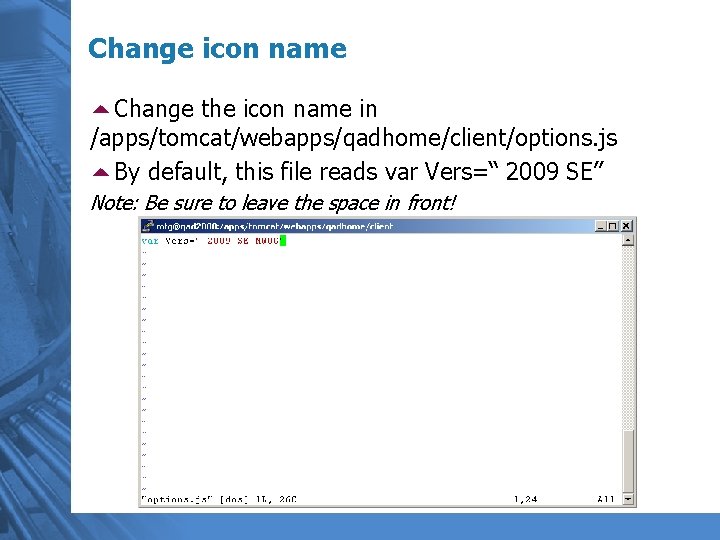
Change icon name 5 Change the icon name in /apps/tomcat/webapps/qadhome/client/options. js 5 By default, this file reads var Vers=“ 2009 SE” Note: Be sure to leave the space in front!
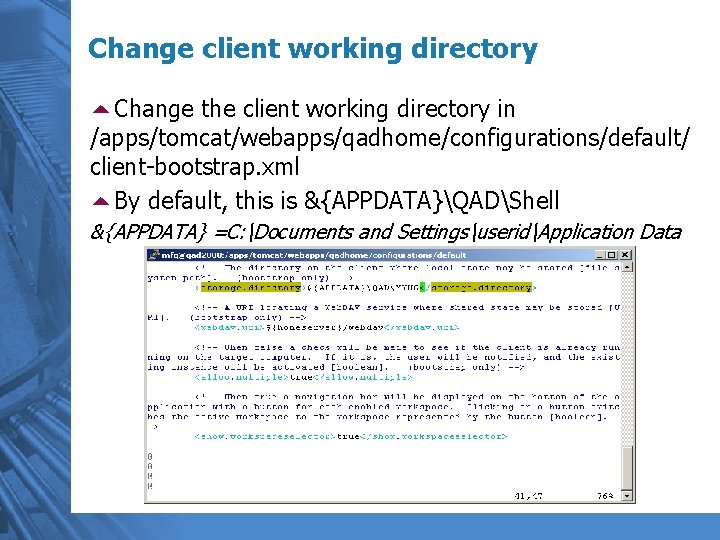
Change client working directory 5 Change the client working directory in /apps/tomcat/webapps/qadhome/configurations/default/ client-bootstrap. xml 5 By default, this is &{APPDATA}QADShell &{APPDATA} =C: Documents and SettingsuseridApplication Data
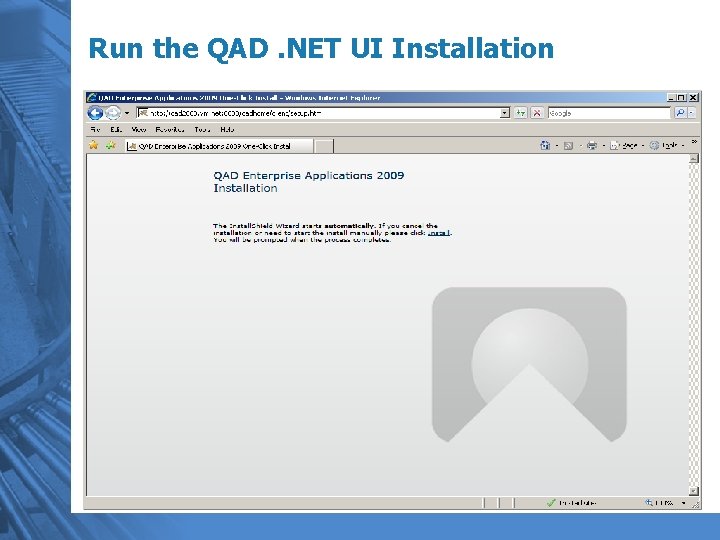
Run the QAD. NET UI Installation
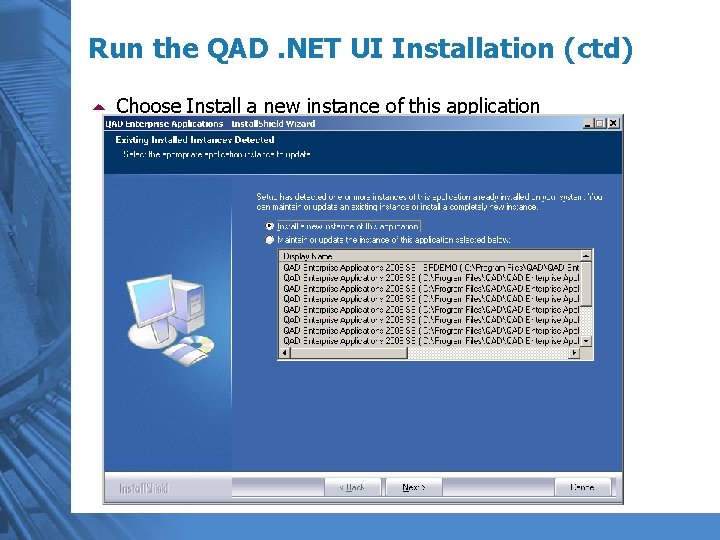
Run the QAD. NET UI Installation (ctd) 5 Choose Install a new instance of this application
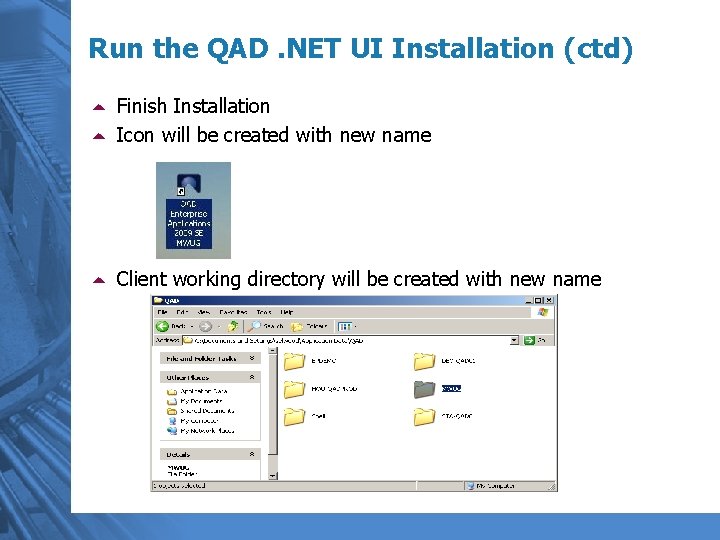
Run the QAD. NET UI Installation (ctd) 5 Finish Installation 5 Icon will be created with new name 5 Client working directory will be created with new name
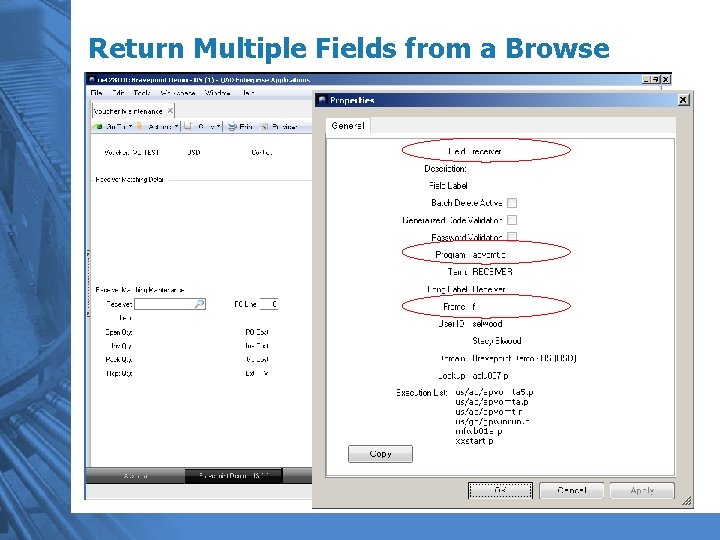
Returning Multiple Values from a Browse 5 Challenge: In some areas of QAD, there is a requirement to return more than one value from a browse. For example, in Voucher Maintenance, if you do a lookup in the Receiver Matching frame, it should also return the PO line. In CHUI, this was handled by scrolling windows. 5 Solution: Configure. NET to return more than one value from a browse.
Return Multiple Fields from a Browse
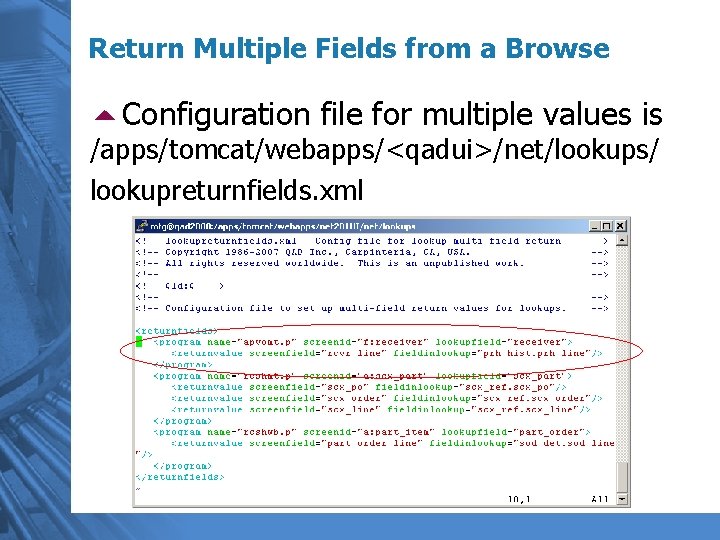
Return Multiple Fields from a Browse 5 Configuration file for multiple values is /apps/tomcat/webapps/<qadui>/net/lookups/ lookupreturnfields. xml
Return Multiple Fields – Other Examples: 5 Inventory – Location – Lot/Serial – Reference 5 Work Orders – Work Order Number – Work Order ID/Lot 5 Routings – Routing – Operation – Start Date
Browse Maintenance – Table Security 5 Challenge: Want to be able to have “power users” create their own browses for their areas. However, once users have menu security access to Browse Maintenance, they can create browses on potentially sensitive data. 5 Solution: Set up table restrictions for Browse Maintenance by user or user security groups (eg “non-fin”).
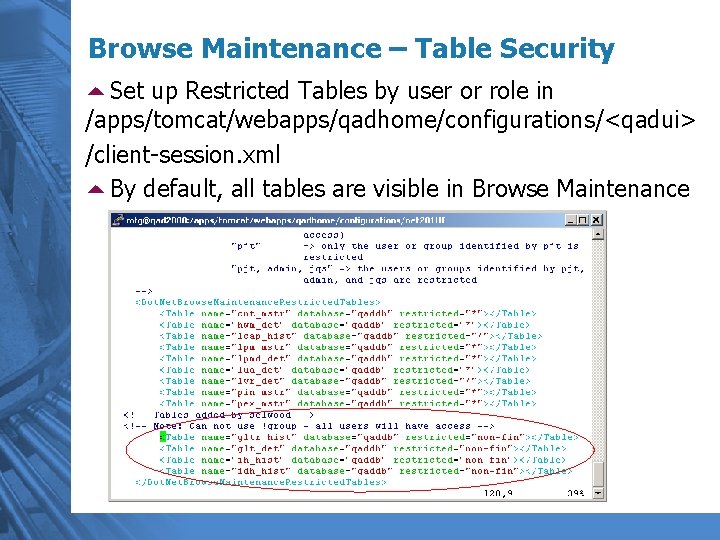
Browse Maintenance – Table Security 5 Set up Restricted Tables by user or role in /apps/tomcat/webapps/qadhome/configurations/<qadui> /client-session. xml 5 By default, all tables are visible in Browse Maintenance
Operational Metrics 5 Constantly keep tabs on your data 5 Set your own criteria 5 Constant Improvement
Operational Metrics DEMO
Reporting Framework 5 Use a browse as the basis for the report 5 Save Report Criteria to run in a batch 5 Send reports directly to PDF or Excel 5 Schedule jobs
Operational Metrics DEMO
Questions?
Next Steps – The Future’s So Bright… 5 Today, many IT departments face challenges of downsizing. What can you do to prove you’re worth keeping? 5 Set up Operational Metrics to help increase data accuracy and drive continual business improvement 5 Help your users be more efficient
Thank You! Stacy Elwood selwood@bravepoint. com